

QUOTE(soonwai @ Dec 31 2019, 04:31 PM)
Even for torrents?

Still doesn't work for me. Only now I realize...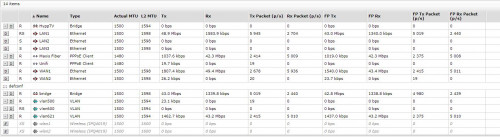
Enterprise Networking Mikrotik Routers (RouterBoard & RouterOS), User and owner discussion group
|
|
 Mar 22 2020, 01:09 AM Mar 22 2020, 01:09 AM
|
 
Senior Member
1,573 posts Joined: Jan 2003 From: Nilai, Negeri Sembilan 
|
QUOTE(soonwai @ Dec 31 2019, 04:31 PM) Even for torrents? Still doesn't work for me. Only now I realize... |
|
|
|
|
|
Apr 9 2020, 04:42 PM
Show posts by this member only | IPv6 | Post
#2142
|

Junior Member
314 posts Joined: Jul 2010 
|
Hi guys, recently got myself an Apple TV 4k but realize it cannot use VPN like android TV. As per research one of the best way is set up dual router. One for VPN.
Which lead me to Mikrotik router. Anyone of yours does the same thing and have guide? TQ |
|
|
Apr 11 2020, 11:50 AM
|

Senior Member
1,472 posts Joined: Apr 2005 From: SumwHeRe In MaLaYsIa 
|
QUOTE(hong3831 @ Apr 9 2020, 04:42 PM) Hi guys, recently got myself an Apple TV 4k but realize it cannot use VPN like android TV. As per research one of the best way is set up dual router. One for VPN. Mikrotik router will be PITA if you have no experience and not willing to learn,Which lead me to Mikrotik router. Anyone of yours does the same thing and have guide? TQ |
|
|
Apr 11 2020, 01:09 PM
Show posts by this member only | IPv6 | Post
#2144
|
|
Junior Member
314 posts Joined: Jul 2010
|
QUOTE(amirsubhi @ Apr 11 2020, 11:50 AM) Mikrotik router will be PITA if you have no experience and not willing to learn, What’s PITA?No experience yes, but learning should be not a problem. I also middle of compare and decide which way is most suitable to set up this thing. |
|
|
Apr 11 2020, 02:32 PM
|
|
Senior Member
1,472 posts Joined: Apr 2005 From: SumwHeRe In MaLaYsIa
|
QUOTE(hong3831 @ Apr 11 2020, 01:09 PM) What’s PITA? hahaha, sorry, pain in the arse No experience yes, but learning should be not a problem. I also middle of compare and decide which way is most suitable to set up this thing.  What kind of VPN u r planning to use byway? OVPN? L2TP IPSec? |
|
|
Apr 11 2020, 02:45 PM
|

Senior Member
4,038 posts Joined: Aug 2005 From: Earth
|
QUOTE(hong3831 @ Apr 9 2020, 04:42 PM) Hi guys, recently got myself an Apple TV 4k but realize it cannot use VPN like android TV. As per research one of the best way is set up dual router. One for VPN. Should get nvidia shield instead of apple tv 4k :-)Which lead me to Mikrotik router. Anyone of yours does the same thing and have guide? TQ |
|
|
|
|
|
Apr 11 2020, 02:59 PM
Show posts by this member only | IPv6 | Post
#2147
|
|
Junior Member
314 posts Joined: Jul 2010
|
QUOTE(amirsubhi @ Apr 11 2020, 02:32 PM) hahaha, sorry, pain in the arse Honestly no idea what u mention. What kind of VPN u r planning to use byway? OVPN? L2TP IPSec? I just wish to use it to watch US TV show at the moment. I was using expressVPN on mibox but no longer can use it on apple tv. |
|
|
Apr 11 2020, 03:02 PM
Show posts by this member only | IPv6 | Post
#2148
|
|
Junior Member
314 posts Joined: Jul 2010
|
QUOTE(MX510 @ Apr 11 2020, 02:45 PM) Should get nvidia shield instead of apple tv 4k :-) I was using mibox but the device is getting aged and having issue. Not very confident to purchase Nvidia shield in this price. |
|
|
Apr 11 2020, 04:08 PM
|
|
Senior Member
1,472 posts Joined: Apr 2005 From: SumwHeRe In MaLaYsIa
|
QUOTE(hong3831 @ Apr 11 2020, 02:59 PM) Honestly no idea what u mention. are expressvpn account is your account or "shared" acct, this is due to "shared" acct may no longer able to login and get key/cert from expressvpnI just wish to use it to watch US TV show at the moment. I was using expressVPN on mibox but no longer can use it on apple tv. nevertheless, I do suggest you explore option of getting Asus router or any router with built in VPN client, its much more easier for you  Not saying that mikrotik cannot do it, but its PITA like I say earlier, hahahhaha |
|
|
Apr 11 2020, 04:20 PM
Show posts by this member only | IPv6 | Post
#2150
|
|
Junior Member
314 posts Joined: Jul 2010
|
QUOTE(amirsubhi @ Apr 11 2020, 04:08 PM) are expressvpn account is your account or "shared" acct, this is due to "shared" acct may no longer able to login and get key/cert from expressvpn Is shared, but I already ready to subscribe one for router usage. nevertheless, I do suggest you explore option of getting Asus router or any router with built in VPN client, its much more easier for you Not saying that mikrotik cannot do it, but its PITA like I say earlier, hahahhaha Will look for other brand then. Thanks for suggestion |
|
|
Apr 12 2020, 08:49 AM
|
|
Senior Member
4,038 posts Joined: Aug 2005 From: Earth
|
QUOTE(hong3831 @ Apr 11 2020, 03:02 PM) I was using mibox but the device is getting aged and having issue. It's easy to set at router level i use purevpn they even offer support to set ur mikrotik router , via remote supportNot very confident to purchase Nvidia shield in this price. If it's a problem can always hire me to do it :-) |
|
|
Apr 22 2020, 08:07 PM
Show posts by this member only | IPv6 | Post
#2152
|
 
Elite
2,559 posts Joined: Jan 2003
|
QUOTE(Azusa_San @ Jan 10 2020, 12:15 AM) any guide to enable ipv6 with unifi on mikrotik? Not that difficult to implement. I've been using IPV6 on my Mikrotik for a very long time.CODE add On Up ppp default profile :local interfaceName [/interface get $interface name]; :delay 10 :log info "profile-pppoe-isp client up: ipv6 dhcp-client release"; /ipv6 dhcp-client release [find interface=$interfaceName]; I use below console command, "pppoe-UniFi" is my pppoe dialer interface, you need to replace it with your interface name. - interface=bridge.UniFi (bridge.UniFi is my data vlan bridge, replace with your data vlan bridge name) ____________________ /ipv6 nd set [ find default=yes ] disabled=yes /ipv6 dhcp-client add add-default-route=yes interface="pppoe-UniFi" pool-name=pool-ipv6 request=prefix :delay 10s /ipv6 address add address=::/64 from-pool=pool-ipv6 interface=bridge.UniFi advertise=yes :delay 10s /ipv6 nd add interface=bridge.UniFi ra-interval=20s-60s ra-lifetime=1800 /ipv6 firewall filter add chain=input action=drop connection-state=invalid comment="Drop (invalid)" add chain=input action=accept connection-state=established,related comment="Accept (established, related)" add chain=input action=accept in-interface="pppoe-UniFi" protocol=udp src-port=547 limit=10,20:packet comment="Accept DHCP (10/sec)" add chain=input action=drop in-interface="pppoe-UniFi" protocol=udp src-port=547 comment="Drop DHCP (>10/sec)" add chain=input action=accept in-interface="pppoe-UniFi" protocol=icmpv6 limit=10,20:packet comment="Accept external ICMP (10/sec)" add chain=input action=drop in-interface="pppoe-UniFi" protocol=icmpv6 comment="Drop external ICMP (>10/sec)" add chain=input action=accept in-interface=!"pppoe-UniFi" protocol=icmpv6 comment="Accept internal ICMP" add chain=input action=drop in-interface="pppoe-UniFi" comment="Drop external" add chain=input action=reject comment="Reject everything else" add chain=output action=accept comment="Accept all" add chain=forward action=drop connection-state=invalid comment="Drop (invalid)" add chain=forward action=accept connection-state=established,related comment="Accept (established, related)" add chain=forward action=accept in-interface="pppoe-UniFi" protocol=icmpv6 limit=20,50:packet comment="Accept external ICMP (20/sec)" add chain=forward action=drop in-interface="pppoe-UniFi" protocol=icmpv6 comment="Drop external ICMP (>20/sec)" add chain=forward action=accept in-interface=!"pppoe-UniFi" comment="Accept internal" add chain=forward action=accept out-interface="pppoe-UniFi" comment="Accept outgoing" add chain=forward action=drop in-interface="pppoe-UniFi" comment="Drop external" add chain=forward action=reject comment="Reject everything else" This post has been edited by haturaya: Apr 22 2020, 08:11 PM |
|
|
Apr 30 2020, 12:19 PM
|

All Stars
11,459 posts Joined: Oct 2007 From: KL
|
hAP AC3 with 5Gb ports announced but still 2x2. Nevertheless see what price first.
Sorry it's 5 x 1Gb ports. This post has been edited by soonwai: May 1 2020, 02:50 PM |
|
|
|
|
|
May 1 2020, 03:04 AM
|
|
Junior Member
235 posts Joined: Sep 2014
|
QUOTE(soonwai @ Apr 30 2020, 12:19 PM) hAP AC3 with 5Gb ports announced but still 2x2. Nevertheless see what price first. what's the major difference between this hap ac3 n hap ac2? is it only LTE support? HAP AC3 Catalogue |
|
|
May 1 2020, 03:09 AM
|
|
All Stars
11,459 posts Joined: Oct 2007 From: KL
|
QUOTE(th3game @ May 1 2020, 03:04 AM) what's the major difference between this hap ac3 n hap ac2? is it only LTE support? No idea, I only saw the 5GBe ports and posted. Haven't looked into it yet.HAP AC3 Catalogue |
|
|
May 1 2020, 08:05 AM
|

Elite
4,541 posts Joined: Jan 2003 From: BSRPPG51 Access Concentrator
|
Major difference looks like to be the LTE6 modem and the brand new casing. It has 5 1Gbe ports, not 5Gbe ports.
I don't think Mikrotik has 5GBe ports outside SFP cages. |
|
|
May 1 2020, 02:49 PM
Show posts by this member only | IPv6 | Post
#2157
|
|
All Stars
11,459 posts Joined: Oct 2007 From: KL
|
QUOTE(asellus @ May 1 2020, 08:05 AM) Major difference looks like to be the LTE6 modem and the brand new casing. It has 5 1Gbe ports, not 5Gbe ports. My bad, my bad,, I was looking for 5/10 gbps stuff and then came across the hap ac3. I think my brain was stuck on 5Gbps.I don't think Mikrotik has 5GBe ports outside SFP cages. |
|
|
May 2 2020, 12:27 AM
|

Junior Member
131 posts Joined: Dec 2009 
|
Anyone facing problem with wifi 5ghz disconnect randomly on phone? It just occur randomly while browsing internet, and then it disconnect for around 10 seconds, then the connection restored.
Model : Mikrotik Hap AC2 |
|
|
May 2 2020, 02:06 AM
Show posts by this member only | IPv6 | Post
#2159
|
|
Junior Member
83 posts Joined: Jul 2015
|
QUOTE(sjovie05 @ May 2 2020, 12:27 AM) Anyone facing problem with wifi 5ghz disconnect randomly on phone? It just occur randomly while browsing internet, and then it disconnect for around 10 seconds, then the connection restored. try to enable debug logs for wirelessModel : Mikrotik Hap AC2 |
|
|
May 2 2020, 03:18 AM
|
|
Junior Member
248 posts Joined: Aug 2018
|
QUOTE(sjovie05 @ May 2 2020, 12:27 AM) Anyone facing problem with wifi 5ghz disconnect randomly on phone? It just occur randomly while browsing internet, and then it disconnect for around 10 seconds, then the connection restored. Are you using iPhone? iOS 13 has this bug for long time, Apple still no respond yet. restart your device and you will be fineModel : Mikrotik Hap AC2 This post has been edited by heidarren: May 2 2020, 03:19 AM |
| Change to: |  0.0527sec 0.0527sec
 0.78 0.78
 6 queries 6 queries
 GZIP Disabled GZIP Disabled
Time is now: 21st December 2025 - 06:32 PM |
 Quote
Quote