Welcome Guest ( Log In | Register )

176 Pages « < 103 104 105 106 107 > » Bottom

Outline · [ Standard ] · Linear+

Enterprise Networking Mikrotik Routers (RouterBoard & RouterOS), User and owner discussion group

views
     
quadcube
post Sep 17 2019, 08:00 AM

Regular
******
Senior Member
1,924 posts

Joined: May 2009
From: Yokohama, JP


QUOTE(quadcube @ Aug 30 2019, 01:30 PM)
any update on this? planning to change my parent Technicolor router to Mikrotik, can live without VOIP but IPTV is important for them laugh.gif

few "ancient" links I came across
http://zonelance.blogspot.com/2015/02/astr...on-openwrt.html
http://mybhat.blogspot.com/2014/10/asus-rt...er-and.html?m=1
http://www.msblog.org/2015/02/07/configure...router-openwrt/

Maxis IPTV vlan setting (without VOD)
https://forum.lowyat.net/topic/4790552

TP-Link has support for Maxis IPTV?
https://www.tp-link.com/my/support/faq/1538/
*
update

managed to switch the Technicolor router to Mikrotik for Astro IPTV (VOD working). no IGMP proxy, no additional settings to default firewall needed biggrin.gif

at default bridge enable both IGMP and DHCP snooping (to prevent flooding of IPTV stream to other interfaces and the latter to prevent Maxis DHCP traffic from giving out IP to private network clients)

add vlan 823 interface to bridge and reboot Astro decoder.
soohoe84
post Sep 25 2019, 01:12 AM

Getting Started
**
Junior Member
265 posts

Joined: Jun 2005
From: Penang


Given a budget of around RM600 for a router plus an AP for Unifi 100, which combination is better? Since the prices are pretty close.
a) 2x hAP ac2
b) 1x hAP ac2 plus 1x cAP ac

MX510
post Sep 26 2019, 08:46 AM

Love Me Sin Hate Me Sinner
*******
Senior Member
4,038 posts

Joined: Aug 2005
From: Earth


QUOTE(soohoe84 @ Sep 25 2019, 01:12 AM)
Given a budget of around RM600 for a router plus an AP for Unifi 100, which combination is better? Since the prices are pretty close.
a) 2x hAP ac2
b) 1x hAP ac2 plus 1x cAP ac
*
Buy 2 units hap ac2

1 as router another as ap mode :-)
soohoe84
post Sep 26 2019, 01:35 PM

Getting Started
**
Junior Member
265 posts

Joined: Jun 2005
From: Penang


MX510 Thanks for the advice. smile.gif
soohoe84
post Sep 26 2019, 08:33 PM

Getting Started
**
Junior Member
265 posts

Joined: Jun 2005
From: Penang


What does this error mean? IPv6 is still working fine though.

Attached Image
MX510
post Sep 27 2019, 07:57 AM

Love Me Sin Hate Me Sinner
*******
Senior Member
4,038 posts

Joined: Aug 2005
From: Earth


QUOTE(soohoe84 @ Sep 26 2019, 08:33 PM)
What does this error mean? IPv6 is still working fine though.

Attached Image
*
Check out

https://forum.mikrotik.com/viewtopic.php?t=61976
soohoe84
post Sep 27 2019, 12:56 PM

Getting Started
**
Junior Member
265 posts

Joined: Jun 2005
From: Penang


QUOTE(MX510 @ Sep 27 2019, 07:57 AM)
My IPv6 is working so far with current configuration and the errors came out of nowhere. Never seen it before.
Below are my IPv6 configurations, please help to have a look if i made any mistakes.

CODE
# sep/27/2019 12:42:27 by RouterOS 6.45.5
# software id = xxxx-xxxx
#
# model = RouterBOARD 962UiGS-5HacT2HnT
# serial number = xxxxxxxxxxxx
/ipv6 dhcp-server
add address-pool="IPv6 Pool" interface=bridge name="DHCPv6 Server"
/ipv6 address
add address=::1 from-pool="IPv6 Pool" interface=bridge
/ipv6 dhcp-client
add add-default-route=yes interface=pppoe-out1 pool-name="IPv6 Pool" request=prefix use-peer-dns=no
/ipv6 firewall address-list
add address=::/128 comment="defconf: unspecified address" list=bad_ipv6
add address=::1/128 comment="defconf: lo" list=bad_ipv6
add address=fec0::/10 comment="defconf: site-local" list=bad_ipv6
add address=::ffff:0.0.0.0/96 comment="defconf: ipv4-mapped" list=bad_ipv6
add address=::/96 comment="defconf: ipv4 compat" list=bad_ipv6
add address=100::/64 comment="defconf: discard only " list=bad_ipv6
add address=2001:db8::/32 comment="defconf: documentation" list=bad_ipv6
add address=2001:10::/28 comment="defconf: ORCHID" list=bad_ipv6
add address=3ffe::/16 comment="defconf: 6bone" list=bad_ipv6
add address=::224.0.0.0/100 comment="defconf: other" list=bad_ipv6
add address=::127.0.0.0/104 comment="defconf: other" list=bad_ipv6
add address=::/104 comment="defconf: other" list=bad_ipv6
add address=::255.0.0.0/104 comment="defconf: other" list=bad_ipv6
/ipv6 firewall filter
add action=accept chain=input comment="defconf: accept established,related,untracked" connection-state=established,related,untracked
add action=drop chain=input comment="defconf: drop invalid" connection-state=invalid
add action=accept chain=input comment="defconf: accept ICMPv6" protocol=icmpv6
add action=accept chain=input comment="defconf: accept UDP traceroute" port=33434-33534 protocol=udp
add action=accept chain=input comment="defconf: accept DHCPv6-Client prefix delegation." dst-port=546 protocol=udp src-address=\
   fe80::/16
add action=accept chain=input comment="defconf: accept IKE" dst-port=500,4500 protocol=udp
add action=accept chain=input comment="defconf: accept ipsec AH" protocol=ipsec-ah
add action=accept chain=input comment="defconf: accept ipsec ESP" protocol=ipsec-esp
add action=accept chain=input comment="defconf: accept all that matches ipsec policy" ipsec-policy=in,ipsec
add action=drop chain=input comment="Drop external" in-interface=pppoe-out1
add action=drop chain=input comment="defconf: drop everything else not coming from LAN" in-interface-list=!LAN
add action=accept chain=forward comment="defconf: accept established,related,untracked" connection-state=\
   established,related,untracked
add action=drop chain=forward comment="defconf: drop invalid" connection-state=invalid
add action=drop chain=forward comment="defconf: drop packets with bad src ipv6" src-address-list=bad_ipv6
add action=drop chain=forward comment="defconf: drop packets with bad dst ipv6" dst-address-list=bad_ipv6
add action=drop chain=forward comment="defconf: rfc4890 drop hop-limit=1" hop-limit=equal:1 protocol=icmpv6
add action=accept chain=forward comment="defconf: accept ICMPv6" protocol=icmpv6
add action=accept chain=forward comment="defconf: accept HIP" protocol=139
add action=accept chain=forward comment="defconf: accept IKE" dst-port=500,4500 protocol=udp
add action=accept chain=forward comment="defconf: accept ipsec AH" protocol=ipsec-ah
add action=accept chain=forward comment="defconf: accept ipsec ESP" protocol=ipsec-esp
add action=accept chain=forward comment="defconf: accept all that matches ipsec policy" ipsec-policy=in,ipsec
add action=drop chain=forward comment="Drop external" in-interface=pppoe-out1
add action=drop chain=forward comment="defconf: drop everything else not coming from LAN" in-interface-list=!LAN
/ipv6 nd
set [ find default=yes ] advertise-dns=yes disabled=yes
add interface=bridge mtu=1480 other-configuration=yes


chuahhooi
post Oct 9 2019, 07:16 PM

New Member
*
Newbie
4 posts

Joined: Mar 2015
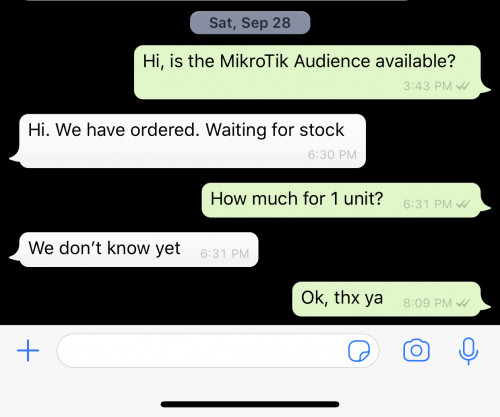
where can buy mikrotik Audience

heidarren
post Oct 9 2019, 09:34 PM

Getting Started
**
Junior Member
248 posts

Joined: Aug 2018
QUOTE(chuahhooi @ Oct 9 2019, 07:16 PM)
where can buy mikrotik Audience
*
Asked SUBTel, arriving soon.

user posted image
amirsubhi
post Oct 10 2019, 06:45 PM

The Power Is IN Your Hand!
******
Senior Member
1,472 posts

Joined: Apr 2005
From: SumwHeRe In MaLaYsIa


QUOTE(heidarren @ Oct 9 2019, 09:34 PM)
Asked SUBTel, arriving soon.

user posted image
*
how much the audience price?
heidarren
post Oct 10 2019, 07:41 PM

Getting Started
**
Junior Member
248 posts

Joined: Aug 2018
QUOTE(amirsubhi @ Oct 10 2019, 06:45 PM)
how much the audience price?
*
Taobao is selling RM710, I expect Malaysia sells about RM750~830
chuahhooi
post Oct 10 2019, 10:31 PM

New Member
*
Newbie
4 posts

Joined: Mar 2015
buy at ebay latvia more cheaper
MX510
post Oct 11 2019, 08:48 AM

Love Me Sin Hate Me Sinner
*******
Senior Member
4,038 posts

Joined: Aug 2005
From: Earth


QUOTE(chuahhooi @ Oct 10 2019, 10:31 PM)
buy at ebay latvia more cheaper
*
Good luck getting clear through custom tongue.gif
heidarren
post Oct 11 2019, 12:00 PM

Getting Started
**
Junior Member
248 posts

Joined: Aug 2018
First "draft" review for Audience posted in mt forum

"I have 2 days of (limited) Audience testing experience now:
Audience looks nice, actually smaller than on the pictures, a device you can actually keep outside, close to TV or sideboard
it has 3 color LED that shine nicely through little slot on lower front side (including Mtik preferred blue led! but no more that bright biggrin.gif )
No idea yet what they mean in terms of device status, but looks good!
In terms of HW it has 3 Wifi master interfaces:
2x2 2.4GHz Wifi (IPQ4019)
2x2 5Ghz Wifi (IPQ4019) (can only use channel 36 to 52(?))
4x4 5GHz Wifi (QCA9984) (can only be used on channel 100 and above (I have European model))
There seems to be no additional SW/functions for MESH such as steering, improved access lists etc.
But maybe within Capsman there could be some additional functions (I don’t use Capsman …)[/list]

I did some quick setup and test as a dual band AP (2x2 2.4G + 4x4 5Ghz) to compare to RB4011.
To use all three bands as AP I need a bit more thinking how to organise my network…
2.4GHz Wifi coveres slightly less distance than that of RB4011 (but RB4011 does have a great range)
I have some far away IOT devices which have sometimes some disconnects, but they are really far off...
5GHz 4x4 Audience has huge improvement over 4x4 5Ghz of RB4011. I get 5G conection for many clients now where before
they stayed on 2.4Ghz.
Now I can not tell if this is due to the Wifi channel difference as Audience only uses channel 100 and above!
For the experts to tell (and more testing to be done).
I see no issue with DFS/radar on 4x4 so far (those 100+ channels are DFS channels).

Based on this, to cover huge homes or areas using two or more Audience seems to be a good way to provide
Wifi coverage.

A bit more tricky is going to be the setup / config, specially if you will use 3 AP Wifi interfaces (and not as MESH).
Which 5Ghz network will a client select if you have 2 with same SSID at two different channels? Or create 2 or 3 different SSID?
Creating the right access rules with signal level will be more complex, maybe not practical at all.

And seeing 3 master Wifi i/f with all (for me 18!) the virtual Wifi i/f means you quickly get lost in what is what…
But hey this is why you have such a device… laugh.gif
Will definitely keep it as my main Wifi router... !"
chuahhooi
post Oct 11 2019, 08:05 PM

New Member
*
Newbie
4 posts

Joined: Mar 2015
user posted image

bruce.gif bruce.gif bruce.gif
heidarren
post Oct 11 2019, 08:36 PM

Getting Started
**
Junior Member
248 posts

Joined: Aug 2018
QUOTE(chuahhooi @ Oct 11 2019, 08:05 PM)
user posted image

bruce.gif  bruce.gif  bruce.gif
*
Can’t wait to see the actual result
chuahhooi
post Oct 12 2019, 08:16 PM

New Member
*
Newbie
4 posts

Joined: Mar 2015
QUOTE(MX510 @ Oct 11 2019, 08:48 AM)
Good luck getting clear through custom tongue.gif
*
include custom tax aslo cheaper than RSAIANET SOLUTIONS this seller
heidarren
post Oct 20 2019, 02:12 AM

Getting Started
**
Junior Member
248 posts

Joined: Aug 2018
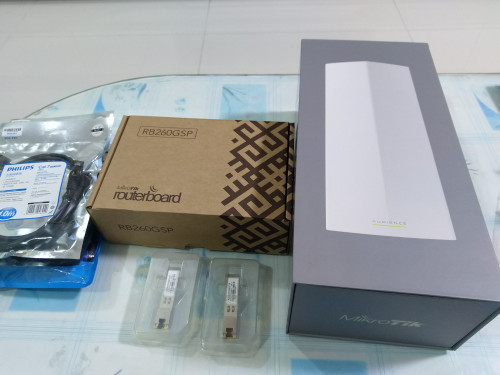
Finally here, MikroTik Audience, from SUBTel
https://s.lazada.com.my/s.ZPDVr
RM760, reasonable price

This post has been edited by heidarren: Oct 20 2019, 02:12 AM
boxsystem
post Nov 5 2019, 06:57 PM

Legend
******
Senior Member
1,573 posts

Joined: Jan 2003
From: Nilai, Negeri Sembilan
Guyss

Stupid question, mikrotik routers able to combine both Maxis and Unifi connection concurrently?
soonwai
post Nov 5 2019, 07:38 PM


********
All Stars
11,459 posts

Joined: Oct 2007
From: KL


QUOTE(boxsystem @ Nov 5 2019, 06:57 PM)
Guyss

Stupid question, mikrotik routers able to combine both Maxis and Unifi connection concurrently?
*
Yes, can.

176 Pages « < 103 104 105 106 107 > » Top
 

Change to:
| Lo-Fi Version
0.0250sec    0.73    6 queries    GZIP Disabled
Time is now: 21st December 2025 - 02:54 PM