Welcome Guest ( Log In | Register )

176 Pages « < 89 90 91 92 93 > » Bottom

Outline · [ Standard ] · Linear+

Enterprise Networking Mikrotik Routers (RouterBoard & RouterOS), User and owner discussion group

views
     
zuewhyrie
post Nov 4 2018, 08:25 AM

New Member
*
Newbie
20 posts

Joined: Sep 2016


QUOTE(MX510 @ Oct 31 2018, 11:06 AM)
hap aC2

Good for UniFi 300 ,500 and 800 Mbps smile.gif
*
Compared this to https://mikrotik.com/product/RB962UiGS-5HacT2HnT, which one is better for double storey house in term of wifi gain?
zuewhyrie
post Nov 4 2018, 08:31 AM

New Member
*
Newbie
20 posts

Joined: Sep 2016


QUOTE(zuewhyrie @ Nov 4 2018, 08:25 AM)
Compared this to https://mikrotik.com/product/RB962UiGS-5HacT2HnT, which one is better for double storey house in term of wifi gain?
*
If the wifi coverage is not that good enough thinking of getting an AP https://mikrotik.com/product/cap_ac for upstairs.
nyunyu
post Nov 4 2018, 06:38 PM

His Royal Highness
******
Senior Member
1,394 posts

Joined: Aug 2006
From: Sungai Petani


I have 750Gr3 and so far the highest speed I got on 800Mbps line is 480Mbps. Simultaneous file downloads with IDM showed total closed to 650Mbps.

I'm not sure why I can't get close to full speed. So, I'm letting it go.
Anyone interested to buy or swap with hap ac2 let me know. Item is less than a month new.
jio
post Nov 4 2018, 08:47 PM

Casual
***
Junior Member
383 posts

Joined: May 2005
QUOTE(nyunyu @ Nov 4 2018, 06:38 PM)
I have 750Gr3 and so far the highest speed I got on 800Mbps line is 480Mbps. Simultaneous file downloads with IDM showed total closed to 650Mbps.

I'm not sure why I can't get close to full speed. So, I'm letting it go.
Anyone interested to buy or swap with hap ac2 let me know. Item is less than a month new.
*
You will need to enable fasttrack in order to achive higher speed on your RB750Gr3. If you need to use your queues and other fancy filters, then you can't use it. If you need your queues & filters, then you didn't make sufficient research before choosing this router. Although I do know hap ac2 without fasttrack will do fine with 500mbps symmetric, I'm not sure with 800/200 unifi. I've seen test result from a ukraine site that shows single connection on hap ac2 with pppoe will only yield 500mbps and will require additional connections to reach the max throughput. This results is without the use of queue though.

My advise if you don't know what you're doing, factory reset & use the default firewall rules as the starting point and recreate the other rules that u need. I doubt anyone willing to help you fixing the messed up firewall rules & configurations that were made following outdated guides.
nyunyu
post Nov 5 2018, 12:08 AM

His Royal Highness
******
Senior Member
1,394 posts

Joined: Aug 2006
From: Sungai Petani


QUOTE(jio @ Nov 4 2018, 08:47 PM)
You will need to enable fasttrack in order to achive higher speed on your RB750Gr3. If you need to use your queues and other fancy filters, then you can't use it. If you need your queues & filters, then you didn't make sufficient research before choosing this router. Although I do know hap ac2 without fasttrack will do fine with 500mbps symmetric, I'm not sure with 800/200 unifi. I've seen test result from a ukraine site that shows single connection on hap ac2 with pppoe will only yield 500mbps and will require additional connections to reach the max throughput. This results is without the use of queue though.

My advise if you don't know what you're doing, factory reset & use the default firewall rules as the starting point and recreate the other rules that u need. I doubt anyone willing to help you fixing the messed up firewall rules & configurations that were made following outdated guides.
*
Forgot to mention I have fasttrack enabled.
jio
post Nov 5 2018, 01:57 AM

Casual
***
Junior Member
383 posts

Joined: May 2005
QUOTE(nyunyu @ Nov 5 2018, 12:08 AM)
Forgot to mention I have fasttrack enabled.
*
How old the cpu in the computer you using? Older gen cpus are affected badly by the spectre cpu microcode update. I've seen x79 system having problem getting even 400mbps throughput with antivirus enabled. It is even worse if the gbe adapter is on USB. Check the cpu load of the router and your computer when you fully load the internet connection. If 1 of your computer cpu core fully loaded then it is likely due to the spectre bugfix. If it is the router cpu being heavy loaded, then it should be your configuration issue causing the FastTrack rules not working or it could be some functionality that has been enabled and interfere with it. Check the FastTrack counters. And also don't use ipv6 if you need performance improvement of fastpath/FastTrack, which I'm not sure if it still the case as I don't keep track of their new development.
ahlong
post Nov 5 2018, 09:23 AM

not a debt collector
****
Junior Member
612 posts

Joined: Apr 2005
From: http://127.0.0.1:80/announce


hi soonwai

my ipv6 suddenly stuck at searching.. happened 3-4 days back..
before this, the error sounds like "ipv6 pool exhausted! no ip address bla bla"

is it my ipv6 area down or something?

from ipv6 - addresses, the G ::/64 turn red and failed to bound rclxub.gif

forgot to tell.. im using RB951G-2HnD

This post has been edited by ahlong: Nov 5 2018, 09:25 AM
nyunyu
post Nov 5 2018, 12:49 PM

His Royal Highness
******
Senior Member
1,394 posts

Joined: Aug 2006
From: Sungai Petani


QUOTE(jio @ Nov 5 2018, 01:57 AM)
How old the cpu in the computer you using? Older gen cpus are affected badly by the spectre cpu microcode update. I've seen x79 system having problem getting even 400mbps throughput with antivirus enabled. It is even worse if the gbe adapter is on USB. Check the cpu load of the router and your computer when you fully load the internet connection. If 1 of your computer cpu core fully loaded then it is likely due to the spectre bugfix. If it is the router cpu being heavy loaded, then it should be your configuration issue causing the FastTrack rules not working or it could be some functionality that has been enabled and interfere with it. Check the FastTrack counters. And also don't use ipv6 if you need performance improvement of fastpath/FastTrack, which I'm not sure if it still the case as I don't keep track of their new development.
*
I think my pc are spectre and meltdown free, or at least that's what InSpectre scanner showed me. My desktop is i5-4690k and I also ran speedtest on my i7-8750H laptop also yield the same speed. The test was ran using cat 6 straight from Gr3 (and cat6 from modem to Gr3)

DHCP Client showed as bound if I ticked just request prefix but went to endless searching when I select address and prefix.

Also, ND shows bridge1 as interface while in KLSeet guide interface in ND showed as ether2-master-local. (I use the same naming as the guide so wonder where to change the interface in ND).

Attached Image

This post has been edited by nyunyu: Nov 5 2018, 01:49 PM
mhwee
post Nov 12 2018, 08:42 PM

Getting Started
**
Junior Member
241 posts

Joined: Sep 2005
From: Johor
QUOTE(thankyou @ Oct 10 2018, 06:37 PM)
[attachmentid=10063574]
RB4011iGS+RM

Looks good! Overkill for home?
Finally, i got this unit!! bruce.gif

This post has been edited by mhwee: Nov 12 2018, 08:43 PM
thankyou
post Nov 12 2018, 08:55 PM

Regular
******
Senior Member
1,941 posts

Joined: Jan 2003
QUOTE(mhwee @ Nov 12 2018, 08:42 PM)
Finally, i got this unit!!    bruce.gif
*
Is it available locally? How much?
muncheno
post Nov 12 2018, 09:01 PM

Enthusiast
*****
Senior Member
736 posts

Joined: Jun 2006
From: Ipoh
I need help with my Hap Ac lite.

I was trying LAN binding and I somehow screwed up. So I tried to reset by power on + 5sec till USB light blinking. With pc on fixed ip and try to connect to 192.168.88.1 but no response. The LAN connection is keep connecting awhile and then dc & reconnect.

Now my router broken.

I have tried Winbox to connecting to Eth1 mac address but fail.

Next I try net install but I not familiar with it.
What I did is set pc ip to 10.0.0.1 and start netinstall with netbooting IP 10.0.0.2

Then on router I press and hold reset from USB light blink then turn on and finally off.
However not detecting anything from netinstall.
I m not sure I m doing it right here.


mhwee
post Nov 12 2018, 09:51 PM

Getting Started
**
Junior Member
241 posts

Joined: Sep 2005
From: Johor
QUOTE(thankyou @ Nov 12 2018, 08:55 PM)
Is it available locally? How much?
*
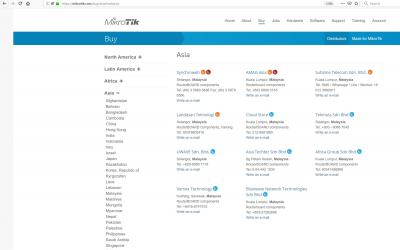
yes , locally, from an authorized supplier listed below.

Attached Image

I think his sale still at lazada. You can get it before run out of stock. Please note that i choose RB4011 ethernet version. You may want to wait for wireless version. From what i communicated with the seller, the wireless version need few more weeks to come.

This post has been edited by mhwee: Nov 12 2018, 10:43 PM
thankyou
post Nov 12 2018, 11:28 PM

Regular
******
Senior Member
1,941 posts

Joined: Jan 2003
QUOTE(mhwee @ Nov 12 2018, 09:51 PM)
yes , locally, from an authorized supplier listed below.

Attached Image

I think his sale still at lazada. You can get it before run out of stock. Please note that i choose RB4011 ethernet version. You may want to wait for wireless version. From what i communicated with the seller, the wireless version need few more weeks to come.
*
Thanks! Not looking for WiFi version as most likely I'll replace WiFi with Deco M9 Plus.

Almost pull the trigger for hEX S. now I'm going to re-consider this for Unifi 800Mbps...
mhwee
post Nov 12 2018, 11:41 PM

Getting Started
**
Junior Member
241 posts

Joined: Sep 2005
From: Johor
QUOTE(thankyou @ Nov 12 2018, 11:28 PM)
Thanks! Not looking for WiFi version as most likely I'll replace WiFi with Deco M9 Plus.

Almost pull the trigger for hEX S. now I'm going to re-consider this for Unifi 800Mbps...
*
rclxms.gif you have same concept and set up like me. I use this RB4011 with orbi RBK50. I always think that separating router and WiFi function into 2 unit will last the router very very long.

This post has been edited by mhwee: Nov 12 2018, 11:44 PM
Guardian
post Nov 13 2018, 06:50 PM

Enthusiast
*****
Senior Member
819 posts

Joined: Jan 2003
From: Buzzcut Union


Has anyone used Hex Poe before? I plan to use the PoE feature for Ubiquiti UAC-AP-Lite/Cap AC instead of using multiple power adapters, but hard to find review for this particular product. My plan is for the receiving side of the signal (Ubiquiti LiteBeam), connect to Hex PoE, which will connect to one AP downstairs and one AP upstairs, need some recommendations on switch/router for this matter, thanks.

This post has been edited by Guardian: Nov 13 2018, 07:06 PM
asellus
post Nov 13 2018, 10:21 PM

#gompusas
Group Icon
Elite
4,541 posts

Joined: Jan 2003
From: BSRPPG51 Access Concentrator


QUOTE(Guardian @ Nov 13 2018, 06:50 PM)
Has anyone used Hex Poe before? I plan to use the PoE feature for Ubiquiti UAC-AP-Lite/Cap AC instead of using multiple power adapters, but hard to find review for this particular product. My plan is for the receiving side of the signal (Ubiquiti LiteBeam), connect to Hex PoE, which will connect to one AP downstairs and one AP upstairs, need some recommendations on switch/router for this matter, thanks.
*
hEX PoE is too expensive for what you want to do. Just grab a dumb Gigabit PoE switch and be done with it.
Guardian
post Nov 14 2018, 11:12 AM

Enthusiast
*****
Senior Member
819 posts

Joined: Jan 2003
From: Buzzcut Union


QUOTE(asellus @ Nov 13 2018, 10:21 PM)
hEX PoE is too expensive for what you want to do. Just grab a dumb Gigabit PoE switch and be done with it.
*
Noted, thanks.
cstkl1
post Nov 15 2018, 06:02 PM

Look at all my stars!!
Group Icon
Elite
6,799 posts

Joined: Jan 2003

thanks rizvanrp

user posted image
MX510
post Nov 15 2018, 07:06 PM

Love Me Sin Hate Me Sinner
*******
Senior Member
4,038 posts

Joined: Aug 2005
From: Earth


haP AC² is the best cheapest option now

However wifi can go around 3xx to 4xx Mbps

Best maximum speed

One buyer bought from me last week

Cable can go up to 800 Mbps no issue

Here testing is solely want to test WiFi AC so this is maximum

I only have iPhone 7+ to test this

Attached Image


No time to do full testing tongue.gif will do again later tested on cable speed :-)


This post has been edited by MX510: Nov 15 2018, 07:32 PM
System Error Message
post Nov 17 2018, 12:17 AM

Regular
******
Senior Member
1,781 posts

Joined: Jul 2010
QUOTE(nyunyu @ Nov 5 2018, 12:49 PM)
I think my pc are spectre and meltdown free, or at least that's what InSpectre scanner showed me. My desktop is i5-4690k and I also ran speedtest on my i7-8750H laptop also yield the same speed. The test was ran using cat 6 straight from Gr3 (and cat6 from modem to Gr3)

DHCP Client showed as bound if I ticked just request prefix but went to endless searching when I select address and prefix.

Also, ND shows bridge1 as interface while in KLSeet guide interface in ND showed as ether2-master-local. (I use the same naming as the guide so wonder where to change the interface in ND).

Attached Image
*
PPPOE and VLAN will slow down your speeds, so the wirespeed claim of the HEX doesnt work because while NAT is accelerated, PPPOE isnt so the 480Mb/s you get is very similar to the speed rating given for accelerated VPN by the router.

QUOTE(Guardian @ Nov 14 2018, 11:12 AM)
Noted, thanks.
*
i would suggest netgear's smart switch. Whenever someone asks for PoE the 1 rule i always mention is that it needs to be a managed device, because a dumb switch wont tell you whats going on and where your problems are (like what volts, amps, watts, or if its working). The ability to report a status is something i consider very important for PoE, otherwise you might as well just get an injector instead.

176 Pages « < 89 90 91 92 93 > » Top
 

Change to:
| Lo-Fi Version
0.0251sec    1.11    6 queries    GZIP Disabled
Time is now: 19th December 2025 - 01:12 AM