* 3.7 inch Corning Gorilla Glass display with 480 x 854 pixels * 5MP autofocus camera with image stabilization, video recording and LED flash * HSDPA (900 / 2100 MHZ), GSM/EDGE (850 / 900 / 1800 / 1900 MHz) * Wi-Fi 802.11 b/g/n * 512MB RAM, 2GB ROM * A-GPS * 3.5mm headset jack * Stereo Bluetooth * Crystal Talk Plus * MicroSD card support (up to 32GB) * Accelerometer * 1540 mAh battery * 107 x 59 x 13.4 mm * 118 grams
» Click to show Spoiler - click again to hide... «
Proper flashes include rom for UK, France, Central Europe and China (If your set comes with build number 2.51, you can only flash to UK for now). The instructions for flashing as followed : 1) Search somewhere along the lines of "RSDLite - download here" 2) Install it. 3) Go to http://and-developers.com/sbf:defy 4) Download the Full Flash rom, the one where the provider is "UK" 5) Unzip that file, you now have a .sbf folder (not file) 6) Put that .sbf folder in C:\Users\Admin\My Documents 7) Shut down phone 8) Hold Power + Volume UP buttons at once for few seconds 9) Phone is now in bootloader mode (screen looks like a command prompt) 10) Release the buttons, and plug USB to computer and phone 11) Open RSD Lite, your phone should be detected as connected (Device name was like "S OMAP 3630" or some BS like that) 12) Click "..." to browse for the .sbf file in C:\Users\Admin\My Documents 13) In RSD Lite, click to highlight your connected DEFY, and then click "Start". The first column beside the connected phone should now have a green icon thing, and the ROM is being flashed. 14) DO NOT TOUCH YOUR PHONE, THE CABLE, OR THE COMPUTER! (I went and took a dump) 15) When the "Status" column in RSD Lite says "Please manually power up this phone", so shut it down and power it again. Note: The status stays in "Checksum Group 37" for a verrrrryyyy long time before saying "Rebooting". I thought it got stuck there, but it ended up ok. 16) Your DEFY is now reflashed to stock with motoblur. 17) You can now close RSD Lite. It will complain saying you will damage the attached device, but I pulled it out wayyyy before this (I unhooked it when it told me to reboot manually) and my DEFY is not dead. You may choose to close RSD Lite before unhooking your DEFY. 18) Post your results in this thread and confirm or reject my procedure. *Quote from xda-developer forum*
P/s : Above instruction is for UK. You can only flash to this rom for now since build 2.51 can't downgrade
» Click to show Spoiler - click again to hide... «
Full specs from Maxis How many type of packages available from Maxis? 24 months contract = RM999 18 months contract = RM1149 12 months contract = RM1299 Retail price without contract = RM1599
The rate plans and data plans Rate plan value from RM50, RM80, RM150, RM250, RM500 + Data plan value from 500mb, 1.5gb, 3gb MONTHLY PERIOD
Plug in in Portal mode. Activate Usb Debugging. Execute Superoneclick with Adminrights and then click on root, restart your phone.
If this dont work try this:
Step 1; Turn your android phones USB Debugging OFF. Step 2: Download and launch Superoneclick with Admin rights on your PC. Then Click Root. Step 3: When it says: Waiting for Device, Turn USB Debugging ON Step 4: It’ll now run RATC Step 5: When it says: Starting ADB Server… Step 6: Turn your android phones USB Debugging OFF Step 7: Turn your android phones USB Debugging ON Step 8: Turn your android phones USB Debugging OFF Step 9: All BEFORE it says “Waiting for device…” again Reboot your phone and now it should be rooted
How to unroot?
Get an app call 'z4root' available from market.
There should be an option 'Unroot'. Click it and it will say successfully unroot. However, the superuser permission program is still there and you need to remove it manually. Below steps must be done BEFORE you click unroot in z4root. Otherwise it will not work.
Step 1: Get a paid app call 'Root Explorer' from market (or you can find 'ahem' version if you're a cheap skate like me ) Step 2: navigate to /system/app. Remember to click the R/W to R/O that's located on top right corner of the program. Step 3: Find the apk 'Superuser.apk' and uninstall it. Step 4: Now go to z4root and click unroot. Step 5: Reboot your phone. Now you phone should be unroot and without the superuser app
Step-by-step from Eclair to Froyo <-- Old Style
» Click to show Spoiler - click again to hide... «
This is a safe step-by-step to upgrade your phone to froyo 2.2 and still able to downgrade to your current stock rom. This guide assumed that you are running on 2.5.1 based firmware.
Things need to be downloaded beforehand
1. Download USB Driver Motorola HERE 2. Download RSD Lite HERE 3. Download system recovery HERE 4. Download SuperOneclick from previous spoiler 5. Download Froyo_UK_3.4.2-117 (by iaio72-xda-developers) do HERE 6. Download TmobileUS_Boot_Devtree HERE
From Éclair to Froyo
1. Install RSD Lite and USB Driver Motorola 2. Root your Defy with SuperOneClick (guide can be found on previous spoiler) 3. Install System Recovery apk file. Open the app and click Install System Recovery ( place System Recovery apk file in your SD Card) 4. Extract the file Froyo_UK_3.4.2-117 and place the folder in sdcard/goapkrev/backup ( if you cannot find the folder, create one) 5. Click Recovery boot and it should enter clockwork mod recovery 6. Navigate to backup/restore. Do a Backup for your current stock rom (navigate using volume up/down and press Power Button to enter) 7. Wipe data and wipe dalvik cache (in Advanced Options) in the recovery mode 8. Restore Froyo_UK_3.4.2-117 9. Click reboot and right after that press and hold down volumn up button and you should be in boot mode 10. Plug in you Defy to computer and open RSD Lite. Open the file TmobileUS_Boot_Devtree and flash with it. 11. It will take a while to flash 12. When everything is done get into the clockwork mod recovery again and wipe data and dalvik cache 13. Reboot for the last time and you are currently running Froyo 2.2. Cheers!
P/S : For those that loss the haptic feedback keys after applied the UK froyo, install this http://dl.dropbox.com/u/13898388/haptic_fix.zip and put it in the root of your sdcard. Then apply it through 'install zip from sdcard' in custom system recovery
Contributing credits to tyenfei and abbygirl
Step by step upgrade to Official Froyo SEA <-- New Release
» Click to show Spoiler - click again to hide... «
HOW TO UPGRADE WITH FULL SBF FILE
1. Download FULL SBF, Install USB Driver and RSD Lite
2. Create a Backup: - Create backup of sms, apps+settings, etc, so it can be restored on this new official Froyo
3. Erase Data and Cache[MUST DO! SERIOUSLY, YOU MUST DO THIS!] - Turn of your phone, - Press and hold Power+Vol.down until android logo appears - If you previously on Eclair, press right bottom corner of the screen to get the menu - If you previously on other Froyo build, press Vol.up+Vol.Down simultaneously to get the menu - Navigation button: Vol.up and Vol.down | Action button: Eclair, use the touchscreen. For Froyo, use power button. - Do Wipe Data, wait until it's done - Then Do Wipe Cache, wait until it's done - Choose Reboot system, BUT IMMEDIATELY JUST AFTER YOU choose reboot, press and HOLD Vol.Up for 5 seconds and release - You are now on bootloader
4. Flashing the SBF File to Your Device: - Open RSD Lite 4.9 from your computer desktop shortcut, then click browse button [...] to open the SBF file downloaded files usually is .7z or .rar, PLEASE extract it first to open if your computer can't open SBF files, try to shorten the SBF filename, and don't put it on folder, try put it on outside like D:\ or E:\ - Connect USB cable to your device, if it's the first time to flash SBF file, WAIT untill all the drivers properly configured - In RSD Lite 4.9 window will recognize your device, it will says connected. If don't, try to pull cable and plug it again until it's connected. - Click Start button, wait the process, it takes 7-10 minutes - When all is done and ready, RSD Lite status will shows "Finished" and Result="PASS" - You are on official South East Asia Froyo 2.2.2!!
ENJOY your new MOTODEFY. Your DEFY deserve Froyo, even Gingerbread
Fixed SBF for Downgrade-ability from Undowngrade-ability
» Click to show Spoiler - click again to hide... «
This is for those that screwed up on their attempt of using nandroid backup to flash to Froyo, and instead used the full flash sbf of Froyo rom which is undowngradeable. Fear not, as this fixed SBF made by me is for the 2.51 SEA stock rom.
Steps to revert back to your stock rom of 2.51 SEA rom provided you've made a nandroid backup of it
1. Assuming you are on any of the Froyo full flash sbf now, do the steps for 'root the phone', and 'install custom recovery' 2. Put your nandroid backup of 2.51 SEA rom in sdcard/goapkrev/backup ( if you cannot find the folder, create one) 3. Get into custom recovery mode, wipe data and factory reset 4. Restore the backup 4. Reboot and wait until the restore completed (It may take a while) 5. Once its done, restart the phone and get into bootloader mode 6. Flash this FIXED SBF using RSD Lite 7. Again, wait for the flashing to complete (I went to take a dump) 8. Reboot for the last time and walla, back to the past
P/S : Nandroid backup for 2.51 SEA rom coming soon
Several custom roms for Froyo 2.2
» Click to show Spoiler - click again to hide... «
* Remember to do a wipe data and dalvik cache before and after restore to any of these roms *
Sim Card & Sync with Google Issue for CM7. Eclair & Froyo can read as reference also
» Click to show Spoiler - click again to hide... «
In contacts menu, press options(the left button undeneath the screen) Here U have to select import/export - and import form SIM
Then, go to home screen - Settings - Accounts and Sync - enable background data + auto sync, then add a Google account - this will be your main account (you even have the posibility to create a fresh one) - this will sync your contacts + e-mail + data Once this step was set up ok, then anytime you reflash your phone, clear data, or change your phone, if you enter this account, your contacts will be there. P.S. - ypu can even import facebook accounts - and join contacts from google + facebook - easier to have pictures for contacts.
» Click to show Spoiler - click again to hide... «
Motorola Defy has an IP67 certified protection. What does it means you may ask? IP stands for Ingress Protection (not the kungfu guy in IP Man ). The first letter '6' indicate that it is totally protected against dust. The second letter '7' indicate that it is protected against the effect of immersion between 15cm and 1m. Motorola has stated that it can withstand the pressure of being underwater as deep as 1m at a maximum time of 30 minutes. If you curious about what other numbers stands for, feel free to have a look at this website
Apn settings not detected automatically
» Click to show Spoiler - click again to hide... «
For those that flashed your firmware to other sbf or custom roms, you may need to add your apn manually. Fortunately, I have made a universal master apns which can detect any telcos all over the world However, you will need to root your device in order to do this.
Step 1 : Download this master-apn HERE Step 2 : Put it in the root of your sdcard. Now install Root Explorer Step 3 : In the Root Explorer navigate to your sdcard and find the apns-conf.xml, copy it Step 4 : Now go to /system/etc. Click R/W to R/O on the top right corner and paste your apns-conf.xml and replace the current one Step 5 : Go to setting - Wireless and networks - Mobile networks - Access point names Step 6 : Click menu button and click Reset to defaults. Wait for it to apply your settings automatically and you are done
How to completely turn off the data connection?
» Click to show Spoiler - click again to hide... «
1. call *#*#4636#*#*-->select phone information-->press menu(the 1st touch key at the bottom)-->select more-->disable/enable data connection.
2. use app/widget that change the APN name.
3. use switcher pro to turn on/off.
How to enter recovery mode and bootloader mode
» Click to show Spoiler - click again to hide... «
Recovery mode Turn Off Phone Press Power Key + Volume down To Power On The Phone And Bring Up The Recovery Screen. Now press around the edge of buttom right corner of the screen to enter the recovery menu
Bootloader mode Turn off Phone Press Power key + Volume up Alternate way : Use application available from the market such as Quick Boot
HELP! My earpiece has stopped working. What gives?
» Click to show Spoiler - click again to hide... «
Ask sanosizo
Self disassemble and fix on the earpiece failure
» Click to show Spoiler - click again to hide... «
Things to note before use : Non-Downgradable (i think so)
Anything Special In This ROM : Superb battery customization, full flash 10.2, Smoother, and very few bloatware
Battery Life Comment : Awesome. If set properly my phone can last for 2 full days
Stability Comment : Sometimes 3G will off it self. Fixed by restarting phone.
Other Comment : I love this ROM. Waiting for Cyanogen.
Review by TAGreptiles
CM7 2.3 Custom ROM - Beta 6 NOW! 15thMay2011
» Click to show Spoiler - click again to hide... «
Steps to CM7:
1) Steps
A) What SBF version to use when flashing CM7? - I'm using 3.4.2-177 Nordic, Quarx itself uses 3.4.3-11 UK, but you can use any Froyo leak of your choice. I really recommend one of these two.
B) How to install CM7 Beta 6? - First flash any Froyo leak of your choice (see 1) - Turn USB Debugging ON - Root via SuperOneClick - Reboot - Install 2nd Init Recovery Installer 1.4(see 12) - Turn USB Debugging OFF - Reboot your device 2 times - Copy CM7 Beta 6, Google Apps 2.3.4(market, gtalk, etc.) and FixBrightness.zip to your SD Card - Reboot your device, when the blue led lights at Motorola logo, press Volume Down to enter Bootmenu - Go to "Set Default Bootmode" then select [2ND-INIT] - Go to "[Custom Recovery] start" - Select "wipe cache partition" then "wipe data/factory reset" - Select "install zip from sdcard", "choose zip from sdcard", then select "update-cm-7.1.0-jordan-beta6-signed" - Select "choose zip from sdcard", then select "gapps-gb-20110503-signed.zip" - Select "choose zip from sdcard", then select "FixBrightness.zip" - Select "+++++Go Back++++++" then "reboot your system now" Now wait and CM7 will be loaded.
For upgrade from previous CM7 or FAQ please refer to here.
IMPORTANT NOTE: Do not use the normal Clockwork recovery anymore. Anytime you want to install any zip file or restore/backup, you MUST use 2int by following the steps above. If not you will get stuck in boot logo.
Features in CM7:
-A lot of customizable themes -DSP Manager -Customizable Lockscreen -Customizable Camera Buttons -Faster and smoother than 2.2 Froyo -Improved 3D performance
» Click to show Spoiler - click again to hide... «
MotoCharge - Show you battery with 1% at status bar FMRadio APK - This one from Droid2, can listen to FM with loudspeaker. Use only if no FM in your Defy. LED Show - Let Defy display wording like LED board do. Awesome man
Anybody got any tips on how to fix my phone signal problems?
I currently flashed my phone from the finland 2.2 froyo rom to both jboogie liquid arc and just recently blurginger and the same problem im facing is the poor cell phone reception im getting eventhough my previous finland rom had no problems whatsoever in this regard.
Btw, i am using a singapore line and its just for calling and sending sms so there's no 3G services on my phone for now. Would the "3gfix" i've read on other forums fix my problem whereby i cant get good signal strength anymore even though previously on the finland rom had no problems in this regard.
Woah.... our new Master of Defy! No worries....we will always support u and each other here untill i change a new phone
I'm not master, just to serve Defy lover here
Added on April 12, 2011, 12:08 am
QUOTE(crapp0 @ Apr 11 2011, 11:29 PM)
Anybody got any tips on how to fix my phone signal problems?
I currently flashed my phone from the finland 2.2 froyo rom to both jboogie liquid arc and just recently blurginger and the same problem im facing is the poor cell phone reception im getting eventhough my previous finland rom had no problems whatsoever in this regard.
Btw, i am using a singapore line and its just for calling and sending sms so there's no 3G services on my phone for now. Would the "3gfix" i've read on other forums fix my problem whereby i cant get good signal strength anymore even though previously on the finland rom had no problems in this regard.
Do u mean your location at Singapore now?? Which telco using ??
I been to Singapore last month, roaming under Celcom Malaysia. No such issue.
Any one at Singapore pls advise
This post has been edited by tyenfei: Apr 12 2011, 12:08 AM
Anybody got any tips on how to fix my phone signal problems?
I currently flashed my phone from the finland 2.2 froyo rom to both jboogie liquid arc and just recently blurginger and the same problem im facing is the poor cell phone reception im getting eventhough my previous finland rom had no problems whatsoever in this regard.
Btw, i am using a singapore line and its just for calling and sending sms so there's no 3G services on my phone for now. Would the "3gfix" i've read on other forums fix my problem whereby i cant get good signal strength anymore even though previously on the finland rom had no problems in this regard.
Hmmm....weird. Have you try flash back to finland and try again?
well, i had intermittent line issue when i was in Philippines last week, but after rebooting a few times, problem went away. still on liquidarc.
i guess the first thing you should do is to set your APN settings. that could be the problem in getting a stable network. see the first post on how to do it
tyenfei, i guess we can add the current ROMS instead of 'older' ROM, but will need you to keep updating it probably every month
well, i had intermittent line issue when i was in Philippines last week, but after rebooting a few times, problem went away. still on liquidarc.
i guess the first thing you should do is to set your APN settings. that could be the problem in getting a stable network. see the first post on how to do it
tyenfei, i guess we can add the current ROMS instead of 'older' ROM, but will need you to keep updating it probably every month
Agree with your suggestion blackwhitechipsKL, Just give me enough information then I can update the ROM section.
As I mention, I'm not sifu or master here but YOU ALL are sifu with your experience sharing
sorry all sifu... a noob question here, if i have mess up the OS for the phone, is the factory reset will reset my phone back to factory original state? even if i have corrupted android OS after doing some rom flashes or what so ever reason..
sorry all sifu... a noob question here, if i have mess up the OS for the phone, is the factory reset will reset my phone back to factory original state? even if i have corrupted android OS after doing some rom flashes or what so ever reason..
hope u all can help on my question =)
if you mess it up, you can't even boot into the normal screen, just the bootloader. you'll have to reflash with a FULL SBF, not fixed sbf to recover your phone.
wa so complicated... lol not like SE phone can use pc companion to reset >.<
i guess i need to do more homework before i do any version upgrade Thanks blackwhitechipskl
Haha...ya it's a bit more complicated. I read a lot of forums and do a lot of research before i actually dare to flash to new roms. But now i have been flashing roms everyweek
Haha...ya it's a bit more complicated. I read a lot of forums and do a lot of research before i actually dare to flash to new roms. But now i have been flashing roms everyweek
any quick guide on flashing roms? any link or website beside xda that you might wan to share?
any quick guide on flashing roms? any link or website beside xda that you might wan to share?
I mainly read XDA. Or you can save time and just read the front page guide as it's enough to teach you how to flash it unless u really encountered any problem, then u have to work hard and find info on XDA.
any quick guide on flashing roms? any link or website beside xda that you might wan to share?
Just my opinion. Do not flash leaked froyo full sbf as you would loose the ability to downgrade to 2.5x (Although there is a workaround to downgrade).
Flash Nandroid backup is the safest way (the dev in xda is currently working on restoring nandroid without reboot at init2 level just like installing display driver without rebooting in linux).
Just my opinion. Do not flash leaked froyo full sbf as you would loose the ability to downgrade to 2.5x (Although there is a workaround to downgrade).
Flash Nandroid backup is the safest way (the dev in xda is currently working on restoring nandroid without reboot at init2 level just like installing display driver without rebooting in linux).
I have lose my ability to downgrade I am force to do a full flash cos i brick my phone....no other way.
Added on April 12, 2011, 1:34 pm
QUOTE(blackwhitechipsKL @ Apr 12 2011, 01:22 PM)
yeah, once you know how to reflash a full sbf, you can flash almost everyday if you want to have a NEW rom everyday
the thing i dont like it the restoring of apps and their data everytime i flash a new ROM
You can use titanium backup to restore it. Or you can also use App Backup and Reinstall in the market.
This post has been edited by theBigO: Apr 12 2011, 02:05 PM
I have lose my ability to downgrade I am force to do a full flash cos i brick my phone....no other way.
Added on April 12, 2011, 1:34 pm
You can use titanium backup to restore it. Or you can also use App Backup and Reinstall in the market.
For me also gone case. At that time I don't see any SEA sbf available at and-developers so I just full flash it. Only then I know that these bootloaders has version 2 (2.21 & 2.34) , 3 (2.5x) & 4 (leak froyo) Even the official korean froyo that I'm using now also version 2.
Now I'm experimenting to convert CG39.smg (extracted from sbf file) to nandroid system.img without installing to the phone first. I'm trying to port official 2.59 back to my phone just to see whether it can be done.
For me also gone case. At that time I don't see any SEA sbf available at and-developers so I just full flash it. Only then I know that these bootloaders has version 2 (2.21 & 2.34) , 3 (2.5x) & 4 (leak froyo) Even the official korean froyo that I'm using now also version 2.
Now I'm experimenting to convert CG39.smg (extracted from sbf file) to nandroid system.img without installing to the phone first. I'm trying to port official 2.59 back to my phone just to see whether it can be done.
Is the official 2.2 froyo out for SEA? I think even is the official is out, i will still be using customize roms.
what is the music widget you using? and the charge/ temp widget and the callendar widget? If compare mine, mine look like bodo nia. Blur ginger why the launcher is different? mine is launcher pro.
Music widget i use Music Mod for the 1st post, Mixzing Media for the 2nd post. I use Go Launcher cause it's more customizable and support scrollable widgets.
Added on April 12, 2011, 5:09 pm
QUOTE(lingch @ Apr 12 2011, 05:07 PM)
To have mother-in-law contact as fav, you are something
Ok thanks
Haha....she takes care of my baby. So need to call her often to check on my baby.
This post has been edited by theBigO: Apr 12 2011, 05:09 PM
apasal pulak? looks awesome werd. The paid version is US$1.47 tho...thinking to pay or not to pay...
Cos i feel i am a android user...not winmo 7 user. If i wan winmo7 ui, i buy winmo7 phones. Android RuleZ!!!!!
Added on April 12, 2011, 5:38 pm
QUOTE(TAGreptiles @ Apr 12 2011, 05:05 PM)
what is the music widget you using? and the charge/ temp widget and the callendar widget? If compare mine, mine look like bodo nia. Blur ginger why the launcher is different? mine is launcher pro.
Music Widget - Mixzing and Music Mod Charge Temperature Widget - Clarus Battery Calendar - Jorte
This post has been edited by theBigO: Apr 12 2011, 05:38 PM
i think i m in trouble zzzzzz, i m on rooted stock, my phone auto restart and now keep on rebooting in the "Android"...... any advice???? where is the service center by the way? how long needed to get it fix?
This post has been edited by greenday: Apr 12 2011, 06:09 PM
i think i m in trouble zzzzzz, i m on rooted stock, my phone auto restart and now keep on rebooting in the "Android"...... any advice???? where is the service center by the way? how long needed to get it fix?
Try take out battery already?
If still can't try go into recovery mode and do a factory reset
If still can't try go into recovery mode and do a factory reset
try jo take out battery, take out sim card, take out sd card......still keep on rebooting at "android" after the moto logo...zzzzzzz. how to do recovery now?
tried volume down + power, i reach a screen with exclamation mark with android. after goin in adroid system recovery, i chose 3rd option wipe data/factory reset but i noticed bottom of the screen there state E:Can't open /cache/recovery/command. proceed with 3rd option and complete. reboot and still loooooping at "android" after moto logo zzzzzz
This post has been edited by greenday: Apr 12 2011, 07:10 PM
try jo take out battery, take out sim card, take out sd card......still keep on rebooting at "android" after the moto logo...zzzzzzz. how to do recovery now?
greenday, phone still stock 2.1 update 1 right?
take linch advice, factory reset. .. but ur data will gone .. unless u keep it with google service
Recovery .. check front page guide by linch
This post has been edited by tyenfei: Apr 12 2011, 07:00 PM
i think i m in trouble zzzzzz, i m on rooted stock, my phone auto restart and now keep on rebooting in the "Android"...... any advice???? where is the service center by the way? how long needed to get it fix?
Take out battery, when reboot press power button + volume down. Then u will see an android with a triangle sign. Press Up+Down volume together. Menu will appear, choose factory reset. When reset finish, reboot again to see if problem still there.
Step 1 : Download this master-apn HERE Step 2 : Put it in the root of your sdcard. Now install Root Explorer Step 3 : In the Root Explorer navigate to your sdcard and find the apns-conf.xml, copy it Step 4 : Now go to /system/etc. Click R/W to R/O on the top right corner and paste your apns-conf.xml and replace the current one Step 5 : Go to setting - Wireless and networks - Mobile networks - Access point names Step 6 : Click menu button and click Reset to defaults. Wait for it to apply your settings automatically and you are done
How do i install root explorer since its not free?
tried volume down + power, i reach a screen with exclamation mark with android. after goin in adroid system recovery, i chose 3rd option wipe data/factory reset but i noticed bottom of the screen there state E:Can't open /cache/recovery/command. proceed with 3rd option and complete. reboot and still loooooping at "android" after moto logo zzzzzz
hmmm i have install system app remover previously and uninstalled some system app with backup......is this y i cannot factory reset now????zzzzz
tried volume down + power, i reach a screen with exclamation mark with android. after goin in adroid system recovery, i chose 3rd option wipe data/factory reset but i noticed bottom of the screen there state E:Can't open /cache/recovery/command. proceed with 3rd option and complete. reboot and still loooooping at "android" after moto logo zzzzzz
hmmm i have install system app remover previously and uninstalled some system app with backup......is this y i cannot factory reset now????zzzzz
Hmmm...maybe u should flash back ur original 2.1 sbf if u dont plan to flash other roms. Maybe some of the important system file being deleted so that's why u have this prob.
Step 1 : Download this master-apn HERE Step 2 : Put it in the root of your sdcard. Now install Root Explorer Step 3 : In the Root Explorer navigate to your sdcard and find the apns-conf.xml, copy it Step 4 : Now go to /system/etc. Click R/W to R/O on the top right corner and paste your apns-conf.xml and replace the current one Step 5 : Go to setting - Wireless and networks - Mobile networks - Access point names Step 6 : Click menu button and click Reset to defaults. Wait for it to apply your settings automatically and you are done
How do i install root explorer since its not free?
A file manager name "Astro" from market can help u also
i have updated 2.51 to 2.59 through FOTA, i intend to use the stock one for the time being and get official 2.2 froyo update when its available, so which one should i flash and where to get???? tq tq
sorry dumb question, hmmm i found it on the first page....is this the correct one UK JRDNEM_U3_2.51.1? Why no APAC one? is this the original firmware that comes with my phone?, if i flash to this, will i be able to get official 2.2 froyo when its available throught FOTA?
i scroll to the bottom and noticed South-east Asia JRDNEM_U3_2.59.0, should i be using this one instead? is this stock for APAC set? this is confusing zzzzz
This post has been edited by greenday: Apr 12 2011, 07:51 PM
i understand the feeling of getting the official 2.2, but at the end of the day, you're missing out on a lot of the Android's possibility. Once the official 2.2 comes out, there are gonna be more ROMs in the market, and then what?
i understand the feeling of getting the official 2.2, but at the end of the day, you're missing out on a lot of the Android's possibility. Once the official 2.2 comes out, there are gonna be more ROMs in the market, and then what?
my main concern is to have a stable firmware, i am quite happy wit a rooted stock, i don't have time to get addicted to endless loops of flashing new roms, thus better not start taking the 1st step into 3rd party roms lolz
This post has been edited by greenday: Apr 12 2011, 08:15 PM
well, i also need a stable firmware, and which is why i always let the ROM be used for 2 weeks first before flashing it, cos by then, the bugs will be already be cleaned up and re-released clean
well, i also need a stable firmware, and which is why i always let the ROM be used for 2 weeks first before flashing it, cos by then, the bugs will be already be cleaned up and re-released clean
hmm so which is the most stable atm in ur opinion and do you recommend?
This post has been edited by greenday: Apr 12 2011, 08:33 PM
hmm so which is the most stable atm in ur opinion and do you recommend?
well, i'm using LiquidArc, and i can say in terms of stability, should be like the stock SEA rom. Unless you like Blur stuffs, i guess this is as good as it gets.
Another one that i will try would be Barebones, but you will have to 'customise' it more yourself, but since i malas wanna backup and restore apps, i decide to skip it. well, actually i can do a nandroid backup of my current ROM, and then do Barebones and if i dont like it, i can always restore my LiquidArc
Well, it looks like my phone really hates jboogies rom since i've tried both liquid arc and gingerbread and both gave me the problem of intermittent gsm connection problems and frequent "emergency call" status.
Just recovered my old finland rom and everythings back to normal with my gsm reception.
Looks like i gotta see if the next iteration of jboogie wont cause gsm connection blackouts on my phone again.
Btw, i am on singtel non-3g service for now but am going to get another 3G sim card for this phone.
This post has been edited by crapp0: Apr 12 2011, 08:58 PM
i've flashed a lot of SBF when i first tried to move to 2.2, and had a few screw up, so i guess that shouldnt be the case. i was prepared to have my DEFY turn into a RM1k+ paperweight!
luckily Sifu Lingch helped me and finally found a full SBF to flash, although i lose direct downgradability.
i've flashed a lot of SBF when i first tried to move to 2.2, and had a few screw up, so i guess that shouldnt be the case. i was prepared to have my DEFY turn into a RM1k+ paperweight!
luckily Sifu Lingch helped me and finally found a full SBF to flash, although i lose direct downgradability.
did you set APN settings?
No i did not.
But i did try the phones default apn reset which should get the apn settings from my telco and it had not effect at all since i still exp intermittent outages.
well, i'm using LiquidArc, and i can say in terms of stability, should be like the stock SEA rom. Unless you like Blur stuffs, i guess this is as good as it gets.
Another one that i will try would be Barebones, but you will have to 'customise' it more yourself, but since i malas wanna backup and restore apps, i decide to skip it. well, actually i can do a nandroid backup of my current ROM, and then do Barebones and if i dont like it, i can always restore my LiquidArc
Do you mean that you can restore a nandroid backup of Barebones without needing to flash a new SBF? And than if you don't like it, can restore back the LiquiArc nandroid?
Do you mean that you can restore a nandroid backup of Barebones without needing to flash a new SBF? And than if you don't like it, can restore back the LiquiArc nandroid?
no lah, i mean i do a nandroid backup of my current LiquidArc, and then flash Barebones. If i dont like Barebones, i can always re-flash back to LiquidArc with my apps together
no lah, i mean i do a nandroid backup of my current LiquidArc, and then flash Barebones. If i dont like Barebones, i can always re-flash back to LiquidArc with my apps together
Yeap
I always keep a copy of backup in my SD card just in case factory reset not work then i can give a try on restore
take the plunge dude, and see how much difference custom ROMs are!!
i know i did!! just dont screw up if you want downgradability...and flash on a full battery. i didn't, and i screw up, and i was left with battery low warning, unable to program. had to do some major USB wiring thingamagick to revive the battery before i can flash
take the plunge dude, and see how much difference custom ROMs are!!
i know i did!! just dont screw up if you want downgradability...and flash on a full battery. i didn't, and i screw up, and i was left with battery low warning, unable to program. had to do some major USB wiring thingamagick to revive the battery before i can flash
roger tat but still kiv next week, where i will have more time to get more info and all the steps rite lolz, hmm i still need 2.59 in place 1st rite if wan maintain downgradability?
This post has been edited by greenday: Apr 12 2011, 10:06 PM
no lah, i mean i do a nandroid backup of my current LiquidArc, and then flash Barebones. If i dont like Barebones, i can always re-flash back to LiquidArc with my apps together
well, i only bought like 3-4 phones in my life. started with some Ericsson that my mum gave to me when i went to Uni. started working, phone koyak so bought another Ericsson T something something, the one with a flip cover. used that very long time (2 years+) until battery konk and cannot even charge liao. so bought the first SE phone, but that one really stupid build and threw it away after a year, and bought SE K series (forgot again lah) and used it for 2years plus, before biting the bullet and move to Nokia E66. used it for 2 years + also, but really, besides the build and having Garmin Mobile XT on it, nothing really stands out. just a reliable phone to use, but too much of a business phone. nothing to do during my car/taxi/train/airplane rides to customer places.
so a tough phone like DEFY really appeals to me cos i also do a lot of outdoor stuffs, and scuba diving as well.
lol, unless kena Android Ice Cream Sandwich poison, hopefully at least 2 years or more la. that's how often i change my phone, unless the phone cannot last. actually, i can still use my Nokia E66 for easily another 2 years plus even
morning guys,loong time no kacau2 here.hehehe...is there any software for our camera to make us can use any hard button to snap pic?i feel it difficult to take pictars especially when im want to snap my own pic..hahaha..please anybody..got solution??
Well, it looks like my phone really hates jboogies rom since i've tried both liquid arc and gingerbread and both gave me the problem of intermittent gsm connection problems and frequent "emergency call" status.
Just recovered my old finland rom and everythings back to normal with my gsm reception.
Looks like i gotta see if the next iteration of jboogie wont cause gsm connection blackouts on my phone again.
Btw, i am on singtel non-3g service for now but am going to get another 3G sim card for this phone.
I had that when i flashed to Blurless ginger. You tried a wipe? After wiping then mine came back to normal. Working fine now expect for the 3G on/off settings. Sometimes will lose 3G connection.
morning guys,loong time no kacau2 here.hehehe...is there any software for our camera to make us can use any hard button to snap pic?i feel it difficult to take pictars especially when im want to snap my own pic..hahaha..please anybody..got solution??
Get Atrix then you can take your own pic Or use some 3rd party apps such as Vignette can get from market
any of you tested whatapp or nimbuzz with Defy?? feedback feedback ya
is using Whatsapp as well, and Frings for a moment. I would say Whatsapp is useful due to the number of friends using it, but Frings is mainly a MSN + other IM client, but not many ppl really on Frings, so not so good. Also, keeps running on the background too much for my taste.
changed to using other IM clients, but all still keep running on background, so uninstalled all, except whatsapp
morning guys,loong time no kacau2 here.hehehe...is there any software for our camera to make us can use any hard button to snap pic?i feel it difficult to take pictars especially when im want to snap my own pic..hahaha..please anybody..got solution??
Hi guys, just got me a defy yesterday. Do add me to the list ya!
Anyways, ive been experiencing a wierd problem with my battery. Anyone ever had ur phone suddenly from full charge go down to zero and the phone shuts down. But when u restart, ur battery is still ok with charge. Been thru this 3 times already. Is this a hardware issue or software? Is updating to the latest software ver. From moto can fix this?
Its really ruining my experience of this awesome phone. Pls help!
gonna sell my nokia 5800 to my dad den can quick quick get enuff $$ for a new defy XD ...... nokia consider die d....... wp7 is like BB (all biz type n no anything fun d... boring)
Get Atrix then you can take your own pic Or use some 3rd party apps such as Vignette can get from market
haha..now i can snap my hensome pictars...hehe..tq sifut?? i means sifu....dem...still want poison us with atrix. btw it is your atrix is 4g or normal atrix(global) only?let me try it out first and then we slow2 talk yah sifu...
Added on April 13, 2011, 2:12 pm
QUOTE(hAnn @ Apr 13 2011, 09:34 AM)
hey bros, care to add me in the list? my defy is arriving in few days. i won a bid in lelong for only rm879
u won with fullpakage or only phone with charger???
This post has been edited by chinozsoul: Apr 13 2011, 02:12 PM
hey bros, care to add me in the list? my defy is arriving in few days. i won a bid in lelong for only rm879
QUOTE(Fasap @ Apr 13 2011, 01:40 PM)
Hi guys, just got me a defy yesterday. Do add me to the list ya!
Anyways, ive been experiencing a wierd problem with my battery. Anyone ever had ur phone suddenly from full charge go down to zero and the phone shuts down. But when u restart, ur battery is still ok with charge. Been thru this 3 times already. Is this a hardware issue or software? Is updating to the latest software ver. From moto can fix this?
Its really ruining my experience of this awesome phone. Pls help!
added owner list
btw, Fasap have u charge your battery long enough ???
This post has been edited by tyenfei: Apr 13 2011, 04:28 PM
haha..now i can snap my hensome pictars...hehe..tq sifut?? i means sifu....dem...still want poison us with atrix. btw it is your atrix is 4g or normal atrix(global) only?let me try it out first and then we slow2 talk yah sifu...
Added on April 13, 2011, 2:12 pm u won with fullpakage or only phone with charger???
4G capable But of course in Malaysia or anywhere else apart from US only 3G. Usually the signal show H+ but whenever I on the data connection it becomes H haha
This post has been edited by lingch: Apr 13 2011, 06:23 PM
btw, Fasap have u charge your battery long enough ???
Yep the whole night put on charger, and during morning after i woke up it acted as above mentioned. Summore just happened to me just now. Darn puzzled! Might it be caused by faulty battery?
Added on April 13, 2011, 6:23 pm 4G capable But of course in Malaysia or anywhere else apart from US only 3G. Usually the signal show H+ but whenever I on the data connection it becomes H haha
Hi pls help, I have defy set from singapore build M_u3_2.59.0 eclair. How to root it safety??
added to owner list
Pls read 1st post - how to root
Added on April 13, 2011, 6:47 pm
QUOTE(Fasap @ Apr 13 2011, 06:34 PM)
Yep the whole night put on charger, and during morning after i woke up it acted as above mentioned. Summore just happened to me just now. Darn puzzled! Might it be caused by faulty battery?
since it is new set, i think better get the seller to change it for u
This post has been edited by tyenfei: Apr 13 2011, 06:47 PM
Darn it, looks like im one of those unlucky lots owning this phone.. *sigh*
Only one day use, and the so called Gorilla glass gets loadsa hairline scratches~ ! all this while the phone was in a pouch wit no other contact wit keys or other stuf etc for whole day.
Lesson learned, just use screen protector regardless of wht they say. To all those soon to be and new owners pls do take note. I learned the hard way
Now am wondering whether the other features of this phone can whitstand anything it was marketed abt..
Darn it, looks like im one of those unlucky lots owning this phone.. *sigh*
Only one day use, and the so called Gorilla glass gets loadsa hairline scratches~ ! all this while the phone was in a pouch wit no other contact wit keys or other stuf etc for whole day.
Lesson learned, just use screen protector regardless of wht they say. To all those soon to be and new owners pls do take note. I learned the hard way
Now am wondering whether the other features of this phone can whitstand anything it was marketed abt..
*or maybe the set i bought is a fake moto?? Huhu
no worry for the scratches, apply a screen protector then u wouldn't notice it
one of our owner here have the same case like u .. but his unit been really "test" by face down the Gorilla glass and then .....
glass make by sand .. so if got sand inside the pouch .. this might happened.
hey bros, care to add me in the list? my defy is arriving in few days. i won a bid in lelong for only rm879
your nick sounds familiar
QUOTE(Fasap @ Apr 13 2011, 10:17 PM)
Darn it, looks like im one of those unlucky lots owning this phone.. *sigh*
Only one day use, and the so called Gorilla glass gets loadsa hairline scratches~ ! all this while the phone was in a pouch wit no other contact wit keys or other stuf etc for whole day.
Lesson learned, just use screen protector regardless of wht they say. To all those soon to be and new owners pls do take note. I learned the hard way
Now am wondering whether the other features of this phone can whitstand anything it was marketed abt..
*or maybe the set i bought is a fake moto?? Huhu
hairline scratches are ok, at least it dissappears completely when the screen turns on. I got a hugeass scratch in the middle of my screen thanks to my idiot friend who took it and scratch it on the edge of a cement chair
now i have a layer of XtremeGuard over it and the scratches magically disappears!
my wife unit using anti-fingerprint ... which i personally feel not really clear if u read ebook a lot.
I am using anti-glare/fingerprint also with a protective case. With my daughter around...nothing is safe. She alrdy bite off my earphone rubber piece. Not to mentioned she always play with my phone after eating biscuits, banana, apple, cake...u name it. At least it wont look so oily. Huhu.
This post has been edited by theBigO: Apr 13 2011, 10:45 PM
hehe i remember u, my sifu. i was once e398 n rokr e2 modder like some of u here... but im totally new to android... just got my defy fresh. i got prob accessing my sim card contact
instead only shows my gmail contact any tips?
This post has been edited by hAnn: Apr 13 2011, 10:46 PM
hehe i remember u, my sifu. i was once e398 n rokr e2 modder like some of u here... but im totally new to android... just got my defy fresh. i got prob accessing my sim card contact
instead only shows my gmail contact any tips?
There should be an app call Manage Sim on ur phone. Just copy to the phone.
I am using anti-glare/fingerprint also with a protective case. With my daughter around...nothing is safe. She alrdy bite off my earphone rubber piece. Not to mentioned she always play with my phone after eating biscuits, banana, apple, cake...u name it. At least it wont look so oily. Huhu.
my daugther 15th months old now .. always run to me when i'm holding my Defy in hand
but i'll never let her take/ play direct on my phone. only watch mickey mouse cartoon and play some kids piano/ flash card.
lucky now my wife Defy can do the same things also
Added on April 13, 2011, 11:02 pm
QUOTE(hAnn @ Apr 13 2011, 10:51 PM)
ah thx, too much to explore
i wish to upgrade to froyo if its recommended? does solely follow the guide in 1st page helps? or its not dat easy?
as blackwhitechipsKL mention, the program just inside your phone. easy to transfer from sim to phone.
for the froyo upgrade, will recommend u will to play with your stock rom few more days. just to make sure everyhing work fine ( speaker, gps, camera, battery .. )
then try the step by step at front page 1st
This post has been edited by tyenfei: Apr 13 2011, 11:03 PM
it's not as easy as it looks, but not that hard either. just dont be a hero and try shortcut.
also, if you are doing it, get the applications from the link there, and not elsewhere. that is what i did and had problems.
if you do follow everything there, you should be safe, if not, got sifus around to assist
LOL I remember all this...lucky got Lingch to help u.
Added on April 13, 2011, 11:06 pm
QUOTE(tyenfei @ Apr 13 2011, 10:59 PM)
my daugther 15th months old now .. always run to me when i'm holding my Defy in hand
but i'll never let her take/ play direct on my phone. only watch mickey mouse cartoon and play some kids piano/ flash card. lucky now my wife Defy can do the same things also
My daughter like to play Angry birds and Talking Tom cat...even watch barney on youtube on my phone. No choice...i have to let her use my phone cos my wife wont let her touch her Iphone 4.
This post has been edited by theBigO: Apr 13 2011, 11:06 PM
Darn it, looks like im one of those unlucky lots owning this phone.. *sigh*
Only one day use, and the so called Gorilla glass gets loadsa hairline scratches~ ! all this while the phone was in a pouch wit no other contact wit keys or other stuf etc for whole day.
Lesson learned, just use screen protector regardless of wht they say. To all those soon to be and new owners pls do take note. I learned the hard way
Now am wondering whether the other features of this phone can whitstand anything it was marketed abt..
*or maybe the set i bought is a fake moto?? Huhu
Mine got a lot of scratches... on the screen protector.
Added on April 13, 2011, 11:19 pm
QUOTE(blackwhitechipsKL @ Apr 13 2011, 10:36 PM)
yup, my phone so far no screen protector still ok (touch wood) but i'm still looking for one mainly for 2 reason
anti-glare anti-fingerprint
anti-glare not worth it la. Kills the resolution. I got a tip for you. When mine is all oily and full of finger prints. I wash it. Its a defy anyway.
I watch the Atrix Promo video now i jelly and butthurt.
This post has been edited by TAGreptiles: Apr 13 2011, 11:19 PM
LOL I remember all this...lucky got Lingch to help u.
Added on April 13, 2011, 11:06 pm
My daughter like to play Angry birds and Talking Tom cat...even watch barney on youtube on my phone. No choice...i have to let her use my phone cos my wife wont let her touch her Iphone 4.
so far .. my daughter can only watch me play Angry bird
Mine got a lot of scratches... on the screen protector.
Added on April 13, 2011, 11:19 pm anti-glare not worth it la. Kills the resolution. I got a tip for you. When mine is all oily and full of finger prints. I wash it. Its a defy anyway.
I watch the Atrix Promo video now i jelly and butthurt.
hairline scratches are ok, at least it dissappears completely when the screen turns on. I got a hugeass scratch in the middle of my screen thanks to my idiot friend who took it and scratch it on the edge of a cement chair
now i have a layer of XtremeGuard over it and the scratches magically disappears!
wow? you just let ur fren do that to test the screen or it was an accident?
Yep.. im on you with that, when turned on the scratches wont show, but in standby sure still can see.. oh well, no things can be 100% perfect, gotta live wot it now..
QUOTE(tyenfei @ Apr 13 2011, 10:35 PM)
one of our owner here have the same case like u .. but his unit been really "test" by face down the Gorilla glass and then ..... glass make by sand .. so if got sand inside the pouch .. this might happened.
yeah, i also think there were sand particles (?) in my pouch as last time I used the pouch when I was in a fabrication yard. oh well..
Thanks for the words of assurance guys, but now just to be safe gotta get me XtremeGuard just to feel a lil' better!
This post has been edited by Fasap: Apr 13 2011, 11:40 PM
using LiquidArc ROM for me. BlurGinger good? Blur stuffs??
I use blurginger cos i can sync everything from my google reader, mail, facebook contacts, twitter all together. Not to mentioned Blurginger is far more stable on my phone than Liquid Arc. Now i will stick with Blurginger till CM7 released on Defy
Kenneth -->Battery ok. Can last about 20 hours which is good enuff for me. Memory ok la. So far no lag. I get a lot of reboot and FC on Liquid Arc. So far Blurginger less. Maybe 2-3 times since i use it a week ago. Liquid Arc i get fc and reboot almost 2-3 times a day.
This post has been edited by theBigO: Apr 14 2011, 12:31 AM
I use blurginger cos i can sync everything from my google reader, mail, facebook contacts, twitter all together. Not to mentioned Blurginger is far more stable on my phone than Liquid Arc. Now i will stick with Blurginger till CM7 released on Defy
Kenneth -->Battery ok. Can last about 20 hours which is good enuff for me. Memory ok la. So far no lag. I get a lot of reboot and FC on Liquid Arc. So far Blurginger less. Maybe 2-3 times since i use it a week ago. Liquid Arc i get fc and reboot almost 2-3 times a day.
so far liquidarc quite stable for me..but the battery life ..quite a few background apps running LOL if use blur stuff combining the background apps i can't imagine my battery life.. anyway will try blurginger tomorrow gonna sleep now...nitez all
Have not tried that. Thanks for the tip. The issue should not even be present coz damn leceh la.
CrappO: There's a Dev Build for the Cyanogen Mod for the Defy already. I believe we will be getting it very soon.
Hmm, i wonder how it will stack up with jboogies, so far all of jboogies roms give me the same annoying problem of erratic phone reception and emergency call notifications.
Hmm, i wonder how it will stack up with jboogies, so far all of jboogies roms give me the same annoying problem of erratic phone reception and emergency call notifications.
Hmm, i wonder how it will stack up with jboogies, so far all of jboogies roms give me the same annoying problem of erratic phone reception and emergency call notifications.
I personally have same problem with Orange Deblur Rom...and only happened at my home town
Then I restored to UK FROYO the signal just nice .
wow i jus realise dat google jus totally banned psx4droid --psx emulator for droid..... coz sony gonna release d xperia play fon+ som ps1 game on d market.
it turns up d developer sooooo piss n develop d version 3 for free for every1 in his website XD(no need download illegal apk for d psx4roid jo XD)
any1 interested go google "zodttd" for his official website n grab d latest version of it......
How about fpse? Currently using it and still trying to finish ff7 which I never did in the past. On disc 2 ady xD
wow nice oso coz i love ff7 also..... i actually finish d ff7 too quick n didn't even done all d side quest. will try both oso. But still d psx4droid might have more game compatible coz d developer 1st time actually develop 5 new update for free in jus 1 week. But kinda weird coz all d top android fon wif 2.3.3 all oso can't play d psx4droid... seems like google did something in d os so that d apps can't play d game wif stock os
I'm using Fpse too and seriously its a hell lot better and smoother than psx4droid and more compatibility with games too. And btw, your signature is too big bro. Remove the gigantic hp image please
no problem with your firmware, just make sure u do a backup ya
as in step 6 of the 'Step-by-step from Eclair to Froyo' guide: Navigate to backup/restore. Do a Backup for your current stock rom (navigate using volume up/down and press Power Button to enter)
I'm started port CM7 on Defy. This is too early version, not for using, only for demonstration work CM7 on Defy.. Many functions dont work, but i'm working on this.
Next update i'm will upload as will work RIL and USB
ADB Working at startup android.
Status Alpha1:
Wifi - Working SD-Card - Woking 3d - Working Brightness - Working BT - have many bugs USB - have many bugs Audio - not work RIL - not work Sensors - not work GPS - not work Video - not work
Changelogs:
13.04.2011: First release for demostration work CM7 on Defy. (and not fake)
Next Version: Alpha2 Bluetooth now working for transfer files USB Fully working. Camera: Photo working with prewiev. Added more languages 2nd-init by default Audio and DSP Manager now working[QUOTE]
Seems like there are getting there soon....
This post has been edited by theBigO: Apr 14 2011, 07:14 PM
Whenever i need a companion in shower, You will be there, Whenever i feel like throwing things, You will be there, Whenever my geeky sense hits on me, You will be there.
Defy given as the name, Toughness set as the game, A beast that can’t be tamed, Letting you go is my shame...
This is where I part ways with my Defy. Thank you for all the time that you've served me. A tough mate that anyone could've wished for. I am very sorry to let you go but there is no other choice. I wish I could think of....but there are none. My only wish for you is your new owner will be a much better and caring person than I ever did to you. Farewell my loyal companion, may your journey ahead fill of wonders
This post has been edited by lingch: Apr 14 2011, 07:51 PM
errr.. noob question: how to activate usb debug? -done-
4. Extract the file Froyo_UK_3.4.2-117 and place the folder in sdcard/goapkrev/backup ( if you cannot find the folder, create one) does this mean i extract the froyo uk folder into subfolder(backup) of goapkrev folder inside sdcard?
This post has been edited by hAnn: Apr 14 2011, 08:05 PM
Whenever i need a companion in shower, You will be there, Whenever i feel like throwing things, You will be there, Whenever my geeky sense hits on me, You will be there.
Defy given as the name, Toughness set as the game, A beast that can’t be tamed, Letting you go is my shame...
This is where I part ways with my Defy. Thank you for all the time that you've served me. A tough mate that anyone could've wished for. I am very sorry to let you go but there is no other choice. I wish I could think of....but there are none. My only wish for you is your new owner will be a much better and caring person than I ever did to you. Farewell my loyal companion, may your journey ahead fill of wonders
bro, sold liao?? no more CM7 lor.....
Added on April 14, 2011, 7:59 pm
QUOTE(hAnn @ Apr 14 2011, 07:50 PM)
errr.. noob question: how to activate usb debug?
settings > applications > development > activate/deactivate
This post has been edited by blackwhitechipsKL: Apr 14 2011, 07:59 PM
Whenever i need a companion in shower, You will be there, Whenever i feel like throwing things, You will be there, Whenever my geeky sense hits on me, You will be there.
Defy given as the name, Toughness set as the game, A beast that can’t be tamed, Letting you go is my shame...
This is where I part ways with my Defy. Thank you for all the time that you've served me. A tough mate that anyone could've wished for. I am very sorry to let you go but there is no other choice. I wish I could think of....but there are none. My only wish for you is your new owner will be a much better and caring person than I ever did to you. Farewell my loyal companion, may your journey ahead fill of wonders
4. Extract the file Froyo_UK_3.4.2-117 and place the folder in sdcard/goapkrev/backup ( if you cannot find the folder, create one)
does this mean i extract the froyo uk folder into subfolder(backup) of goapkrev folder inside sdcard?
Answer: Yes
5. Click Recovery boot and it should enter clockwork mod recovery.
where to click this recovery boot? Answer: Go to your apps....click Clorkwork recovery, then u will see it. Make sure u alrdy backup your original nandroid and also rooted the phone. And untick USB debugging under settings, application, development.
ok i dont see clockwork recovery instead it was system recovery, so i went in n thr was recovery boot as told in the guide. tapped it, phone rebooted n out of nowhere i get a new app called superuser, which it was suppose to enter clockwork mod. at this point im out of the track oredi. shud i continue or sumthing wet wrong?
also noticed dat the backup froyo i had extract to the goapkrev/backup is gone >.< (edit: i can see it in the phone but not in my pc)
help
This post has been edited by hAnn: Apr 14 2011, 08:28 PM
I'm using Fpse too and seriously its a hell lot better and smoother than psx4droid and more compatibility with games too. And btw, your signature is too big bro. Remove the gigantic hp image please
sure fpse more smooth ha?? den need 2 quick quick install dis 2 apps when get d defy XD
erm coz see it so empty so put that laptop big big signature lo XD......
i dont get it, recovery boot is suppose to get me into clockwork mod recovery? my case is it reboots the fon, tried again n its the same. any tips?
edit: argh... did not install system recovery, thats y >< ok got it.
step 8. Restore Froyo_UK_3.4.2-117 <-- got it.
step 10. Plug in you Defy to computer and open RSD Lite. Open the file TmobileUS_Boot_Devtree and flash with it. ---> failed flashing process (0X7100)!
edit: googled for solutions, rename the sbf does help but now im stuck at bootscreen pfftt.. wat a luck.... need a hand here pls
This post has been edited by hAnn: Apr 14 2011, 10:46 PM
another sifu leaving?? what's atrix current price w/o 4g?? thinking of jumping ship also or wait till defy 2 with atrix spec
Added on April 14, 2011, 10:46 pm
QUOTE(theBigO @ Apr 14 2011, 07:13 PM)
CyanogenMod 7 for Motorola Defy
I'm started port CM7 on Defy. This is too early version, not for using, only for demonstration work CM7 on Defy.. Many functions dont work, but i'm working on this.
Next update i'm will upload as will work RIL and USB
ADB Working at startup android.
Status Alpha1:
Wifi - Working SD-Card - Woking 3d - Working Brightness - Working BT - have many bugs USB - have many bugs Audio - not work RIL - not work Sensors - not work GPS - not work Video - not work
Changelogs:
13.04.2011: First release for demostration work CM7 on Defy. (and not fake)
Next Version: Alpha2 Bluetooth now working for transfer files USB Fully working. Camera: Photo working with prewiev. Added more languages 2nd-init by default Audio and DSP Manager now working Seems like there are getting there soon....
yay! i miss CM's notification power widgets
This post has been edited by kennethbta: Apr 14 2011, 10:49 PM
i dont get it, recovery boot is suppose to get me into clockwork mod recovery? my case is it reboots the fon, tried again n its the same. any tips?
edit: argh... did not install system recovery, thats y >< ok got it.
step 8. Restore Froyo_UK_3.4.2-117 <-- got it.
step 10. Plug in you Defy to computer and open RSD Lite. Open the file TmobileUS_Boot_Devtree and flash with it. ---> failed flashing process (0X7100)!
edit: googled for solutions, rename the sbf does help but now im stuck at bootscreen pfftt.. wat a luck.... need a hand here pls
ok. i followed the 'eclair to froyo guide' was puzzled by some of the steps but managed to go through, untill the step that required me to flash using RSDlite, it failed saying somthing like failed flashing (0x7100), so i googled for the solution n found dat renaming the sbf was helpful (renamed to r.sbf)
so flashing went well untill 'pls manually power up the fon' which i did n i was in the bootscreen of moto logo since then till now ><
ok. i followed the 'eclair to froyo guide' was puzzled by some of the steps but managed to go through, untill the step that required me to flash using RSDlite, it failed saying somthing like failed flashing (0x7100), so i googled for the solution n found dat renaming the sbf was helpful (renamed to r.sbf)
so flashing went well untill 'pls manually power up the fon' which i did n i was in the bootscreen of moto logo since then till now ><
should i reflash it or how?
Try take out the battery to reboot. Does is still looping at moto logo?
i flashed my defy into TmobileUS_Boot_Devtree.sbf as per the step by step eclair to froyo guide at 1st page.
all went well except flashing process failed (0x7100) in RSDlite, saw in a forum that renaming the sbf helps, i tried it did help.... but the outcome was my defy is now stuck at boot screen forever.
how to bring back my defy? how to restore to my stock rom?
B Waiting for cm7 only...quite lazy to test out new roms since have to back you and restore gazillion apps Perhaps apps/tricks/hacks of the week?
...ehh ... can think anout apps & tricks lah ... but not "hack"
user might post some unapproved link later
Added on April 15, 2011, 8:43 am
QUOTE(hAnn @ Apr 15 2011, 08:19 AM)
guys or sifus, i need some help.
i flashed my defy into TmobileUS_Boot_Devtree.sbf as per the step by step eclair to froyo guide at 1st page.
all went well except flashing process failed (0x7100) in RSDlite, saw in a forum that renaming the sbf helps, i tried it did help.... but the outcome was my defy is now stuck at boot screen forever.
how to bring back my defy? how to restore to my stock rom?
what version of RSDlite u using? it need quite latest version .. don't use those E398/ E2 time.
also make sure u installed the latest motorola driver in your windows.
This post has been edited by tyenfei: Apr 15 2011, 08:43 AM
...ehh ... can think anout apps & tricks lah ... but not "hack"
user might post some unapproved link later
Added on April 15, 2011, 8:43 am
what version of RSDlite u using? it need quite latest version .. don't use those E398/ E2 time.
also make sure u installed the latest motorola driver in your windows.
everything is downloaded from the guide, i duno how 'latest' they are.
so now im able to go in bootloader, not sure how much battery left(it was fully charge before flash), would u rercommend to reflash/restore? if so, how?
i flashed my defy into TmobileUS_Boot_Devtree.sbf as per the step by step eclair to froyo guide at 1st page.
all went well except flashing process failed (0x7100) in RSDlite, saw in a forum that renaming the sbf helps, i tried it did help.... but the outcome was my defy is now stuck at boot screen forever.
how to bring back my defy? how to restore to my stock rom?
use RDS Lite 1.49 trying to repeat the step that you've failed
* if all things still fail, download the 2.51/2.59 SEA full sbf ROM and flash it with RSD Lite, and you should have back your stock ROM ** if you dont bother to have a downgradable option like me, then just flash with the newest 3.4.3 ROM and run LiquidArc or BlurGinger. After all, I'm gonna run CM7 anyway
hey guys, wanna ask, i remember i used a software, where it displays the phone's current screen on the left side of the window, and i can use my laptop's display and keyboard to say, chat on what's app and gtalk. anyone can tell me what software is that? Cannot remember. its not media link. hmmm
13.04.2011: First release for demostration work CM7 on Defy. (and not fake)
Next Version: Alpha2 Bluetooth now working for transfer files USB Fully working. Camera: Photo working with prewiev. FLASH working. Added more languages 2nd-init by default (not stable) Audio and DSP Manager now works ADW replaced by stock 2.3 launcher G-Sensor(KXTF9), LM3530, AK8973. LED.
Wah....very soon we can use CM7!!!
This post has been edited by theBigO: Apr 15 2011, 02:05 PM
use RDS Lite 1.49 trying to repeat the step that you've failed
* if all things still fail, download the 2.51/2.59 SEA full sbf ROM and flash it with RSD Lite, and you should have back your stock ROM ** if you dont bother to have a downgradable option like me, then just flash with the newest 3.4.3 ROM and run LiquidArc or BlurGinger. After all, I'm gonna run CM7 anyway
i bet u mean RSD lite 4.9?
some clarification here, after i flashed back to 2.51/2.59 SEA sbf, i can flash it to liquidarc/blurginger, at the same time can downgrade it back to 2.51 rite?
some clarification here, after i flashed back to 2.51/2.59 SEA sbf, i can flash it to liquidarc/blurginger, at the same time can downgrade it back to 2.51 rite?
If you don't flash full sbf you can downgrade then. I believe the package prepared by the dev is downgradable as it only require to flash fixed sbf.
hey guys, wanna ask, i remember i used a software, where it displays the phone's current screen on the left side of the window, and i can use my laptop's display and keyboard to say, chat on what's app and gtalk. anyone can tell me what software is that? Cannot remember. its not media link. hmmm
use RDS Lite 1.49 trying to repeat the step that you've failed
* if all things still fail, download the 2.51/2.59 SEA full sbf ROM and flash it with RSD Lite, and you should have back your stock ROM ** if you dont bother to have a downgradable option like me, then just flash with the newest 3.4.3 ROM and run LiquidArc or BlurGinger. After all, I'm gonna run CM7 anyway
dont know y, the sbf in http://and-developers.com/sbf:defy seems down, cant download the SEA version, instead i got the uk version. is it ok to flash to uk version?
say after i flashed to this uk version, can i flash it again to custom froyo roms? without losing the downgradability?
dont know y, the sbf in http://and-developers.com/sbf:defy seems down, cant download the SEA version, instead i got the uk version. is it ok to flash to uk version?
say after i flashed to this uk version, can i flash it again to custom froyo roms? without losing the downgradability?
If u full flash UK version, you wont be able to go back to original SEA anymore, unless its a higher version.
If u full flash UK version, you wont be able to go back to original SEA anymore, unless its a higher version.
hmm i did flashed to uk version n was quiet happy since it was my 1st successful flash after the awful experience last nite
nvm abt the SEA anyway cus i jus wanna be like u guys keep flashing to better roms.
so now im in UK 2.51, i wanna flash to a custom froyo, do i need to repeat the Step-by-step from Eclair to Froyo of 1st page again? or i can just dl the custom froyo rom, go into bootloader n flash with RSD?
hmm i did flashed to uk version n was quiet happy since it was my 1st successful flash after the awful experience last nite
nvm abt the SEA anyway cus i jus wanna be like u guys keep flashing to better roms.
so now im in UK 2.51, i wanna flash to a custom froyo, do i need to repeat the Step-by-step from Eclair to Froyo of 1st page again? or i can just dl the custom froyo rom, go into bootloader n flash with RSD?
Different ROMS got different method. Some use nandroid + fixed sbf and some use ZIP. So u have to see which 1 u use.
Hi guys, it seems I fuc... up my defy. Was trying to install Dsp manager but forgot to change the wrights of audiolibflingers into rw--r--r--, and rebooted. I got stuck at M logo and can't get into recovery mode only boot loader mode. Anybody have any idea what my options are. If can you please let me know? I was running LiquidArc of jboogie. Thanks in advance.
Hi guys, it seems I fuc... up my defy. Was trying to install Dsp manager but forgot to change the wrights of audiolibflingers into rw--r--r--, and rebooted. I got stuck at M logo and can't get into recovery mode only boot loader mode. Anybody have any idea what my options are. If can you please let me know? I was running LiquidArc of jboogie. Thanks in advance.
if u tested all the way but still no luck to enter recovery .. i think u may need consider the full flash. Others pls comment
QUOTE(figure8 @ Apr 15 2011, 07:04 PM)
...helo. i decided to join this group. //i just ordered 1 unit of defy
do let me when u get your phone, will add your name at front page owner list
QUOTE(hAnn @ Apr 15 2011, 07:08 PM)
which 1 of these can read/write chinese?
as i know so far .. all can read chinese, but to write .. just install something like google pinyin will do
if u tested all the way but still no luck to enter recovery .. i think u may need consider the full flash. Others pls comment unsure.gif
Yeah tried few times. Can get only into boot loader mode. If I try recovery get the M logo. You said full flash. Witch one should I take. Eclair or Froyo? And I assume it should be the original one?
it's written on the packaging. the higher the class, the faster the transfer speed, but no point really get so high la. class 4 is enough, and class 6 is ok if you dont mind the premium. class 10 is overkill imho.
I think you have to full flash. Same problem as me last time. I think i forgot to backup. If full flash then you lose downgradability.
I wouldn't mind to flash Froyo 3.4.3_11. Did you have enough battery before flashing? Cause I read once at XDA Developers that before full flash you should have a full battery or at least 80%. And mine was at 70% when I screwed it up. So I don't know what to do! Try to full flash or find a possibility to charge full first??!!
dont worry, 70% is more than enough. just flash it, cos if not, battery gonna drain anyway.
Thanks I just did. It's strange cause it has somehow kept almost all my settings from LiquidArc, but off course no superuser app so I'll have to root and install recovery again. Only wi-fi can not be turned on and haptic feedback totally lost. I'm going to put LiquidArc back anyway.
Running LiquidArc once more. Everything works ok .
This post has been edited by Pallmalli: Apr 16 2011, 02:33 AM
currently using CSL Spice Mi300.. really love mod and flashing this little phone.. but lack of RAM always leave me with abit lag after running few background apps.
and how much should i expect its price rite now.? any direct or close rival for this Defy®
so i have to download this kb7sqi? or placing it in goapkrev is fine enough?
sorry to confuse you. tenfar and kb7sqi are the ones releasing the recovery console, so if you are using tenfar's recovery, your backup should be named .../goapkrev/backup while kb7sqi's recovery should be named .../clockworkmod/backup
no need to download new ones if you're ok with the current one
sorry to confuse you. tenfar and kb7sqi are the ones releasing the recovery console, so if you are using tenfar's recovery, your backup should be named .../goapkrev/backup while kb7sqi's recovery should be named .../clockworkmod/backup
no need to download new ones if you're ok with the current one
there is also another defy sd recovery can be downloaded from market. it is based on kb7sqi made by eugene
Been using this case for the past 1 month. Got it from Ebay. Fits perfectly with easy access to all the buttons. But the only downside is that it doesnt offers full protection on the top and bottom on the phone as it is exposed. But it looks really nice and slim.
This post has been edited by theBigO: Apr 16 2011, 08:04 PM
currently using CSL Spice Mi300.. really love mod and flashing this little phone.. but lack of RAM always leave me with abit lag after running few background apps.
and how much should i expect its price rite now.? any direct or close rival for this Defy®
Thanks alot..
If u ask me, sure ok . Just bought second unit for my wife birthday
Things to note before use : Non-Downgradable (i think so)
Anything Special In This ROM : Superb battery customization, full flash 10.2, Smoother, and very few bloatware
Battery Life Comment : Awesome. If set properly my phone can last for 2 full days
Stability Comment : Sometimes 3G will off it self. Fixed by restarting phone.
Other Comment : I love this ROM. Waiting for Cyanogen.
Just flash this rom 1 day ago. So far is ok. But only gps cannot connect, use GPS test only can search 1-2 signal. Last time used original 2.1 rom can search 6-7 signal.
Any one have same problem with me ? any advise can fix this issue? pls help.....
any liquidarc user notice that ur voice command is not functional without data connection? i used to do voice command on the eclair stock rom. is this a bug?
Just flash this rom 1 day ago. So far is ok. But only gps cannot connect, use GPS test only can search 1-2 signal. Last time used original 2.1 rom can search 6-7 signal.
Any one have same problem with me ? any advise can fix this issue? pls help.....
have u apply the apn setting ?
manually apn setting for celcom/maxis/digi at front page
Added on April 17, 2011, 10:39 pm
QUOTE(hAnn @ Apr 17 2011, 09:49 PM)
any liquidarc user notice that ur voice command is not functional without data connection? i used to do voice command on the eclair stock rom. is this a bug?
me haven't try liquidarc yet .. but so far other froyo 2.2 i tested voice command can function.
but .. really hard to use due to our Malaysian English
This post has been edited by tyenfei: Apr 17 2011, 10:39 PM
Just flash this rom 1 day ago. So far is ok. But only gps cannot connect, use GPS test only can search 1-2 signal. Last time used original 2.1 rom can search 6-7 signal.
Any one have same problem with me ? any advise can fix this issue? pls help.....
Wipe. Wiping after flash makes everything work. this is what i discover with custom roms.
Any of you guys know about any app that can let me type in what's app on my phone using my laptop? Something like, when i connect my phone to my laptop via USB, then my phone's screen will show on my laptop, which i can then use my what's app.
Sometimes at office always what's app till boss a bit dulan already.
Been using CM7 (Beta 2) for the past day. Had some issues with calls as it will fc sometimes...but found out it's due to me forgot to do a complete full wipe. After doing the full wipe calls has no issue anymore.
Other than that everything else is fast and smooth even without OC. Camera is working fine. You can actually customize the volume button to take photos. As some of u alrdy know that CM7 has a lot of customizations. I still have not explore everything yet.
Battery life is good. From yesterday till now i still have about 20% left (about 27 hours with constant downloading, testing and tweaking).
Other than that as reported in XDA, these functions are not ready yet:
aGPS - not work Video Camera - not work 720p Video - not work Auto-Brightness - Not Work FM-Radio - not work
But as a everyday ROM it's fully usable now if you dont really use the functions above.
Waiting impatiently for Beta3 ... hope there is more improvements. I wanted to use back 2.2 froyo...but just cant find myself doing it. Once you install CM7 you wont wanna go back to 2.2
it's THAT good?? i was hoping for a far more stable ROM before using it. after all, i can wait. i hate to re-customize everything again.
can you do a step by step guide to install CM7?
Well if you go to XDA u can see all the guys there are so excited about it. So you can imagine how does it compared to Froyo. It's really fast. As for Quadrant, i dont know how accurate it is but at 800Mhz i got 1400++ and OC at 1000mhz i got about 1800.
It's quite stable alrdy but as i mentioned a few function couldnt work yet, but i dont really bother about those. I never use aGPS, FM radio and Auto Brightness. As for Camcorder, so far i only use it once since i got the phone. Will do a guide when i am more sober. haha. Dont want to write wrongly and cause others to brick phone
This post has been edited by theBigO: Apr 19 2011, 02:10 AM
But due to my noobness, I can't understand the instructions >_<
My main problem is the use of nandroid2.0
1) After downloading extract the nandroid backup and the sbf file. You will have 1) a folder called LiquidArc and 2) a sbf sheet. Better extract them on your desktop. (Easier to find) 2) If you rooted your phone and downloaded the system recovery from the STEP BY STEP FROM ECLAIR TO FROYO GUIDE, (on the front page of this forum) you will have a folder called goapkrev on your sd card. Place the LiquidArc folder in the sdcard/goapkrev/backup. 3) Open system recovery wipe data/factory reset and wipe cache and restore the LiquidArc nandroid backup. 4) when restore is complete pull battery out and place back in while holding the vol up and power button(bootloader mode) 5)Use rsdlite to flash the sbf (6)Enjoy Note: after signing in, select the launcher as default, let google restore your apps for you and when done reboot.
This is all I did and everything went as it should and am very happy with this rom. Ps. I never use Nandroid 2.0. so can't tell you anything about it.
Well if you go to XDA u can see all the guys there are so excited about it. So you can imagine how does it compared to Froyo. It's really fast. As for Quadrant, i dont know how accurate it is but at 800Mhz i got 1400++ and OC at 1000mhz i got about 1800.
It's quite stable alrdy but as i mentioned a few function couldnt work yet, but i dont really bother about those. I never use aGPS, FM radio and Auto Brightness. As for Camcorder, so far i only use it once since i got the phone. Will do a guide when i am more sober. haha. Dont want to write wrongly and cause others to brick phone
Well if you go to XDA u can see all the guys there are so excited about it. So you can imagine how does it compared to Froyo. It's really fast. As for Quadrant, i dont know how accurate it is but at 800Mhz i got 1400++ and OC at 1000mhz i got about 1800.
It's quite stable alrdy but as i mentioned a few function couldnt work yet, but i dont really bother about those. I never use aGPS, FM radio and Auto Brightness. As for Camcorder, so far i only use it once since i got the phone. Will do a guide when i am more sober. haha. Dont want to write wrongly and cause others to brick phone
bravo ! weekly pick shall go to u
Added on April 19, 2011, 7:44 am
QUOTE(Pallmalli @ Apr 19 2011, 02:06 AM)
1) After downloading extract the nandroid backup and the sbf file. You will have 1) a folder called LiquidArc and 2) a sbf sheet. Better extract them on your desktop. (Easier to find) 2) If you rooted your phone and downloaded the system recovery from the STEP BY STEP FROM ECLAIR TO FROYO GUIDE, (on the front page of this forum) you will have a folder called goapkrev on your sd card. Place the LiquidArc folder in the sdcard/goapkrev/backup. 3) Open system recovery wipe data/factory reset and wipe cache and restore the LiquidArc nandroid backup. 4) when restore is complete pull battery out and place back in while holding the vol up and power button(bootloader mode) 5)Use rsdlite to flash the sbf (6)Enjoy Note: after signing in, select the launcher as default, let google restore your apps for you and when done reboot.
This is all I did and everything went as it should and am very happy with this rom. Ps. I never use Nandroid 2.0. so can't tell you anything about it.
in my case not sure why my system recovery not work ( may be due to the installation of 2ndInit )
so I have to use the 2ndInit to enter custom recovery and rename my sdcard/goapkrev to sdcard/clockworkmod then only can see the restore folder
This post has been edited by tyenfei: Apr 19 2011, 07:44 AM
that's because sdcard/goapkrev/backup is for tenfar's, while the newer ones are using sdcard/clockworkmod/backup. i had the same problem as i put the nandroid at the goapkrev/backup and no file in folder when i used kb7sq1's recovery, and i panicked. luckily i checked it out properly only found out need to rename.
i've yet to use 2ndInit, but once CM7 stable, will have to use. aGPS is pretty important to me since i'm on the road often, and i prefer to let ppl sort out the bugs before using.
One more thing....i think the 3d rendering has improved greatly. Last time when i do quadrant test on the planet spinning image, you can actually see a black spot on the moon which i not suppose to be there. Now using CM7 i dont see the black spot anymore. The FPS also increase from 10 fps to about 60-65fps.
- download CyanogenMod7 Beta 2 and put it on sdcard - load 2ndInt Recovery Installer from Market - start the app, click install, wait for the led to turn green, disable usb debugging in the settings and reboot normally for 2 times. - Reboot for the 3rd time, when the M logo appears, wait for the blue Led and then press "Volume down" - Choose [Custom Recovery] start - then you will see the familiar Clockwork Recovery interface - wipe data/factory reset and wipe cache partition - after that "install zip from sdcard" (choose the downloaded cm7 zip from sdcard) - reboot - wait for blue led again then "Volume down" and then choose "[2ND-INIT] boot" - done and you are now in CM7
-reboot -wait for blue led then press Volume down -choose Customer Recovery -choose Install Zip From SDCard. -choose the zip file u want to use -reboot -done.
IMPORTANT NOTE: Do not use the normal Clockwork recovery anymore. Anytime you want to install any zip file or restore/backup, you MUST use 2int by following the steps above. If not you will get stuck in boot logo.
Not working at the moment : aGPS - not work Video Camera - not work 720p Video - not work Auto-Brightness - Not Work FM-Radio - not work
Features in CM7:
-A lot of customizable themes -DSP Manager -Customizable Lockscreen -Customizable Camera Buttons -Faster and smoother than 2.2 Froyo -Improved 3D performance
And a lot more:
» Click to show Spoiler - click again to hide... «
7.0.0
Common: Android 2.3.3 (Gingerbread) - Google Common: Fixes and changes from AOSP master - Various Common: ClockworkMod Recovery 3.0: Koush, Cyanogen, Zinx Common: Themes engine - T-Mobile Common: Performance enhancements for Qualcomm hardware - Code Aurora Common: New boot animation - 73v1n - http://www.youtube.com/watch?v=mYXiKWwp0DQ Common: Fix readahead values for NAND/MMC devices Common: Revamped notification widget - cvpcs Common: Updated various graphics for GB style - blunden Common: DSPManager updated for 2.3 - alankila Common: Restyled music app and forward-port of features - Jason Asher Common: Rotary answer in Phone app - James Peterson Common: BT VoiceDialer fixes - Matthew Sparby Common: Calendar enhancements - James Peterson Common: Stagefright fixes for 7x30, 8x50, and 7x27 - Zinx, arcee, Cyanogen Common: Pacman package manager - Kmobs Common: Workaround for unknown phone number - Jiri Tyr Common: Trackball answer/hangup - Juan Rodriguez Common: CMParts reorganization - Robert Burns Common: View ChangeLog via CMParts (System) - Wes Garner Common: Optional screen on/off animations - Diogo Ferreira Common: New browser incognito mode - optedoblivion Common: New trackball/trackpad wake - Zinx, Cyanogen Common: Legacy sensor/GPS support - arcee Common: Enabled v8 javascript engine on armv6 (msm7227/msm7225) - arcee Common: Customizable overscroll - arcee Common: Torch cleanup - defer Common: 2D compositor backwards compatibility - arcee Common: OpenGL backwards compatibility - Zinx, Cyanogen, Sileht, ezterry Common: SMS templates using gestures - Riccardo Ciovati Common: Phone Goggles - David Bidorff Common: Option to always show battery percentage on lockscreen - Robert Burns Common: Option to show music controls with compatible headset connection - Wes Garner Common: CPU frequency/scaling control in CMParts - Robert Ramiega Common: Option to pause/play music with camera button - cvpcs Common: Allow SIP User-Agent configuration - arcee Common (non-HTC): Fixed mobile connection suspension - arcee Common: New music widgets - Jason Asher Common: Updated FLAC support - cvpcs, Cyanogen, kroot Common: Updated wallpapers - Fitsnugly, Prash Common: Customizable search/long-press search - Sven Dawitz Common: New lockscreen styles - Rotary Revamped (default) and Lense - Sven Dawitz, Stefano Pignataro Common: Customizable app launcher on rotary lockscreen - Sven Dawitz Common: Now playing and album art on lockscreen - kmobs Common: GPS fixes - CodeAurora, arcee Common: Breakfast/Brunch - arcee Common: Statusbar battery percentage with mini icon - Sven Dawitz, design by Jazz Kalsi Common: SMS split for braindead carriers - Mike Wielgosz Common: MMS user-defined custom vibrate - Wes Garner Common: CMParts cleanup - Sven Dawitz Common: Notification profiles - Martin Long Common: TI wl12xx FM radio reverse engineering - Michael A. Reid Common: Tablet tweaks - Sven Dawitz Common: Revamped CMStats - Chris Soyars Common: Improved RTL text support and fonts
This post has been edited by theBigO: Apr 19 2011, 04:26 PM
1) After downloading extract the nandroid backup and the sbf file. You will have 1) a folder called LiquidArc and 2) a sbf sheet. Better extract them on your desktop. (Easier to find) 2) If you rooted your phone and downloaded the system recovery from the STEP BY STEP FROM ECLAIR TO FROYO GUIDE, (on the front page of this forum) you will have a folder called goapkrev on your sd card. Place the LiquidArc folder in the sdcard/goapkrev/backup. 3) Open system recovery wipe data/factory reset and wipe cache and restore the LiquidArc nandroid backup. 4) when restore is complete pull battery out and place back in while holding the vol up and power button(bootloader mode) 5)Use rsdlite to flash the sbf (6)Enjoy Note: after signing in, select the launcher as default, let google restore your apps for you and when done reboot.
This is all I did and everything went as it should and am very happy with this rom. Ps. I never use Nandroid 2.0. so can't tell you anything about it.
Thanks alot!!! I'm gonna try it now~ =)
Added on April 20, 2011, 8:48 am
QUOTE(LeoWillis @ Apr 19 2011, 10:27 PM)
Thanks alot!!! I'm gonna try it now~ =)
One more noob question,
How come I can't access to the internet thru digi 3G??? It is empty in the settings(wireless & network settings > mobile networks > access point names)
This post has been edited by LeoWillis: Apr 20 2011, 08:48 AM
Added on April 20, 2011, 8:48 am One more noob question,
How come I can't access to the internet thru digi 3G??? It is empty in the settings(wireless & network settings > mobile networks > access point names)
Any improvement? I am using Go Launcher ex and so far so good.
Added on April 19, 2011, 6:52 pm Try to install it but got error.
stock Launcher2 also lag abit. To install this, copy the launcer2.apk to /system/app/ and change permission to rw-r-r. Then restart the phone. Just found the workaround to remove lag on launcherpro ==> enable 3d appdrawer in setting.
or are you talking about those Myspace, places all those apps? you will not be able to "officially" remove it. but since we do not have a st*ve j0bs here in the android developer's world, there's always a work around.
Hi guys I would like to ask how can I send emails (hotmails) with my Defy,I can only receive and when I send there is an error.Is this something to do with Motorblur,any idea guys?
sure i apply that .. and just only I recall that i didn't do wipe cache/ data after I restore the LiqurdArc
not sure this is the reason or not .... after install/ custom my apps really lazy to do it again
You don't have to wipe after restoring LiquidArc. Only before. My setvsel is working ok. The rom is very good and I got only once a FC.
Sorry forgot to mention before. Someone at modmymobile had the same problem and JBoogie told him to don't touch the treshold. JBoogie is not a fan of setvsel either. He prefers milestone overclock+setcpu.
This post has been edited by Pallmalli: Apr 20 2011, 10:05 PM
Anybody bother to help me,i cant send emails,anyone experienced.this?
if u try to setup hotmail into the phone application .. i'm not sure u can do it.
cause not all free email service allow to do that, unless to pay for premium account.
for what i know here, gmail can do it by free but still u need to login to gmail / setting / enable the pop or imap service. then u have to check the setting.
Just sent my phone in to Phoneworx in Sunway Mentari for warranty claim for the earpiece problem.
Told the technician that i already flashed the phone to 2.2 and asked him whether is the warranty voided. He told me technically it should be voided but he can close one eye and just change the earpiece without touching the software. 3rd party service center ftw!!!
best part is that i send it in today, it would be ready by tomorrow
and damn, CM7 really looks damn tempting man
only thing missing in the feature list is auto-brightness and a-gps since i use GPS alot else it'll be a no-brainer to upgrade
Tyenfei, i think you should update the post on 1st page regarding the CM7. It's now on Beta 3 alrdy. List of things working and not working:
Wifi - Working SD-Card - Woking 3d - Working Brightness - Working Sensors - Working Bluetooth +Headset + HID - Working USB - Woking Audio - Working Photo Camera with Flash - Working LED - Working H264 Video - Working RIL - Working GPS - have bugs Video Camera - Working aGPS - not work 720p Video - not work Auto-Brightness - Not Work FM-Radio - not work
since the day i bought the phone, i wanted to prove its specialty but nvr dare to try soaking in water, i m skeptical. especially the mini-usb port cap, seems not as tight as the earphone jack cap. does the warranty cover faults caused by water damage? any1 got stories of defy users actually drowned their phone?
Yeap i dumped my phone into the water many times before. But before i do that, i triple check that all ports and back cover is closed properly. The microusb cover is quite loose but it does hold against water. Just make sure it doesn't open while its underwater then can liao. Heck, i applied my screen protector totally underwater LOL
The defy makes a great party trick and conversation starter when you dunk your phone into a glass of beer and the crowd goes O.O
so hooi1... I have to put your name as 1/2 owner ???
well .. not recommend u to remove anything at this moment. give some time test test the device 1st
ya half owner... but my bro will use my account to come in here also...
ok so not recommended ya? i was planning to flash it to 2.2... is the 2.2 version on the 1st page of thread stable?
Added on April 22, 2011, 9:30 pm
QUOTE(hAnn @ Apr 22 2011, 07:03 PM)
since the day i bought the phone, i wanted to prove its specialty but nvr dare to try soaking in water, i m skeptical. especially the mini-usb port cap, seems not as tight as the earphone jack cap. does the warranty cover faults caused by water damage? any1 got stories of defy users actually drowned their phone?
no worries.. me n my bro test before... we throw the phone in to the water and make call to the phone..
well.. it still works lol...
maybe u can ask ur vendor to test it for u... haha
ok my question here... to all the phone owner out there... have u all try to shake the phone before? will it make any sound? my defy when i shake is like the inner part is loose
This post has been edited by hooi1: Apr 22 2011, 09:32 PM
ya half owner... but my bro will use my account to come in here also...
ok so not recommended ya? i was planning to flash it to 2.2... is the 2.2 version on the 1st page of thread stable?
Added on April 22, 2011, 9:30 pm no worries.. me n my bro test before... we throw the phone in to the water and make call to the phone..
well.. it still works lol...
maybe u can ask ur vendor to test it for u... haha ok my question here... to all the phone owner out there... have u all try to shake the phone before? will it make any sound? my defy when i shake is like the inner part is loose
mine also. seems like the batt is loose..more obvious if shake sideways..
This post has been edited by dnth: Apr 22 2011, 10:01 PM
Here too,shake the phone yesterday and there is a sound,but not too loud. For those who soak their phone in water,I want to ask will the water go into the earpiece?Cause the earpiece hole seems big and if its water resist,I really wonder how it works.Any idea guys?
Here too,shake the phone yesterday and there is a sound,but not too loud. For those who soak their phone in water,I want to ask will the water go into the earpiece?Cause the earpiece hole seems big and if its water resist,I really wonder how it works.Any idea guys?
I took my phone into the shower, dunked it into a bucket of ice water, put it in the sink.... heck, i even took it for a swim at a waterfall.... not a single drop of water went in the phone. earpiece doesn't seems to suffer any issues with water getting in, so i guess the answer is: "should be no problem".
Regarding the shaking issue, it should be the battery rattling. You can try by putting a piece of paper or something between the battery and the cover. An if you think the earpiece is a problem, the speaker mai lagi big problem? LOL
Added on April 22, 2011, 11:02 pm
QUOTE(junshern222 @ Apr 22 2011, 10:57 PM)
Do you guys notice the tiny holes behind the phone,whats that for?For the water that went into the earpiece to discharge??
Thats for the secondary microphone used for noise cancelling for calls.
This post has been edited by Nightstalker1993: Apr 22 2011, 11:02 PM
Wow this phone is complex.Ya I know its water resistant,but do you guys ever wonder how it works?Such a big speaker hole and the water cant goes in,water repellent?
every phone is complex if we talk about how it build/work/engineering function.
but phone doesn't complex if ~ we just use it
for the speaker hole, i don't know how it work but i'm sure my Defy unit is water proof ^^. I applied my screen protector with fresh water tap open and my phone under water.
every phone is complex if we talk about how it build/work/engineering function.
but phone doesn't complex if ~ we just use it
for the speaker hole, i don't know how it work but i'm sure my Defy unit is water proof ^^. I applied my screen protector with fresh water tap open and my phone under water.
Actually there is a lot of rubber seal inside the phone to protect the circuit and parts inside. I open up the phone before
Lol,I hope to have an Alza too. Btw guys just now I tried running my phone under tap water cause my phone is abit of dirty.After that I open the back cover and find that there is actually water droplets inside,around the camera part.Any of you guys mind to try and open your back cover and see haha.
Lol,I hope to have an Alza too. Btw guys just now I tried running my phone under tap water cause my phone is abit of dirty.After that I open the back cover and find that there is actually water droplets inside,around the camera part.Any of you guys mind to try and open your back cover and see haha.
water around the camera lens is nothing lah. i think it is a complete sealed unit, so water won't go in anyway. like tyenfei said, the battery compartment is the crucial part. and i would recommend that you dry off the phone before opening up the battery compartment. just to be safe.
Regarding the shaking issue, it should be the battery rattling. You can try by putting a piece of paper or something between the battery and the cover. An if you think the earpiece is a problem, the speaker mai lagi big problem? LOL
Added on April 22, 2011, 11:02 pm
Thats for the secondary microphone used for noise cancelling for calls.
yes... the ratling sound is the battery... tried yesterday when removing sim card to my own phone...
and i nvr test soak the phone inside water with usb / audio jack rubber open... not sure if open the water will go in or not... haha dun dare to try
Joined: May 2006
From: Either Ayer Itam, Damansara or Kuala Terengganu
Hi guys,
I am having this issue whereby few of the applications being queued up since yesterday, games, adobe reader . Earlier I dont have this problem. Appreciate if fellow defy can shed a clue here. Thanks
really?? i'm next to my router also cannot detect and connect? need to do anything special??
Added on April 23, 2011, 6:56 pmreally?? i'm next to my router also cannot detect and connect? need to do anything special??
No...no need anything special. Mine work out of installing. Just make sure you on your wifi before u use the market to recover ur apps or you gonna eat up a lot of data $$$.
Oh and make sure your choose auto 2nd Int boot in the options.
This post has been edited by theBigO: Apr 23 2011, 07:44 PM
haha,yeah...how you figure out? the problems i complained??
Added on April 24, 2011, 1:38 ambtw, some reboots could be from running setvsel at too low voltage setting i think.
running 300/24, 600/34, 900/46 no problem.
when run 300/20, 600/30, 900/46, still sometimes reboot.
my main problem with the phone is that it heats up for no reason. really makan battery when it does that
Haha...by the questions u ask here and there. Not using setvsel. At first it was working perfectly. But since i flash to Nordic 2.2 froyo as recommended by some of the forummers in XDA, the problem started. I flash back to the previous SBF but now the problem seems to stay. Quite frustrating as it will reboot or FC at least 2 times a day...just like last time when i am using liquidarc.
This post has been edited by theBigO: Apr 24 2011, 01:59 AM
well, i just upgraded from liquidarc to cm7. so far so good i guess, but will use a couple of days and see lah.
overall feeling, not much feeling changed actually, not like from 2.1 stock to 2.2 liquidarc. still using stock ADW instead of installing GO Launcher, and kinda missing the notification on sms and gmail, but would like to try out how good this is before moving back to Go Launcher if ADW not that good.
however, there are a lot of small small things and changes with having CM7, like easily changing the lockscreen method, this enhancement, that enchancement....so quite nice touches actually...
can't motorola just pay them to make their stock ROMS? spend so much money on the ppl and come out with bloatwares....
well, i just upgraded from liquidarc to cm7. so far so good i guess, but will use a couple of days and see lah.
overall feeling, not much feeling changed actually, not like from 2.1 stock to 2.2 liquidarc. still using stock ADW instead of installing GO Launcher, and kinda missing the notification on sms and gmail, but would like to try out how good this is before moving back to Go Launcher if ADW not that good.
however, there are a lot of small small things and changes with having CM7, like easily changing the lockscreen method, this enhancement, that enchancement....so quite nice touches actually...
can't motorola just pay them to make their stock ROMS? spend so much money on the ppl and come out with bloatwares....
Dont use ADW. It's slow and laggy. Try Eugene's Gingerbread launcher...looks like the original Gingerbread. Or use Go Launcher is better then ADW also.
US users have received their Froyo update it seems.. looks like it wont be long for us down here in SEA? yeah, all are for the CM7 mod right now but im sure there are a lot of defy users here prefer to stay stock yeah?
anyways, i just did some 'experiment' with my defy by trying to Root it using the 1 click Z4Root app. anyone here used this b4?
I followed the instruction and all, but after applying the root, I couldnt access my camera at all!! all i got was the "oops, could not connect to camera" error and stoped the camera.
how can i fix this? is this caused by rooting? all other functions, apps, etc are working fine accept camera. Rebooted a lot of times, pulled battery, force stopped the camera, cleared camera cache in application manager, but still cannot open the cam!
can anyone helpp??
p/s:thinking of factory reset.. but darn gonna need to install back al apps!
US users have received their Froyo update it seems.. looks like it wont be long for us down here in SEA? yeah, all are for the CM7 mod right now but im sure there are a lot of defy users here prefer to stay stock yeah? anyways, i just did some 'experiment' with my defy by trying to Root it using the 1 click Z4Root app. anyone here used this b4?
I followed the instruction and all, but after applying the root, I couldnt access my camera at all!! all i got was the "oops, could not connect to camera" error and stoped the camera.
how can i fix this? is this caused by rooting? all other functions, apps, etc are working fine accept camera. Rebooted a lot of times, pulled battery, force stopped the camera, cleared camera cache in application manager, but still cannot open the cam!
can anyone helpp??
p/s:thinking of factory reset.. but darn gonna need to install back al apps!
backup your apps using any backup apps that u can find in the market. then factory reset. use superoneclick instead to root your defy
US users have received their Froyo update it seems.. looks like it wont be long for us down here in SEA? yeah, all are for the CM7 mod right now but im sure there are a lot of defy users here prefer to stay stock yeah? anyways, i just did some 'experiment' with my defy by trying to Root it using the 1 click Z4Root app. anyone here used this b4?
I followed the instruction and all, but after applying the root, I couldnt access my camera at all!! all i got was the "oops, could not connect to camera" error and stoped the camera.
how can i fix this? is this caused by rooting? all other functions, apps, etc are working fine accept camera. Rebooted a lot of times, pulled battery, force stopped the camera, cleared camera cache in application manager, but still cannot open the cam!
can anyone helpp??
p/s:thinking of factory reset.. but darn gonna need to install back al apps!
use titanium backup to back up and restore apps.. no need the hassle to reinstall everything..
if i dont do nandroid backup i can just do the full flashes ma?
yes, but you may lose DIRECT donwgradability. if you're not bothered, then nevermind. for me, i wont be bothered, after all, a bro here have sent in the defy with a flashed 2.2 rom and still got hardware repaired. if software, just too bad i guess...but then again, flash, wipe and install again lah!!
here's a pic of my current screen. ADW launcher with buuf theme. had the coca cola wallpaper for the retro look, and i also a big fan of coca cola!!
maybe you run through what you had done step by step?? easier to see where the problem occurs. not to say i'm good anyway...if got other sifu only, better get them
Added on April 24, 2011, 5:34 pm- after that "install zip from sdcard" (choose the downloaded cm7 zip from sdcard) at this stage..the system said that can't mount to sd card
Added on April 24, 2011, 5:42 pmis it have to upgrade to 2.5.1 1st?
I've faced the same problem with 2.5.1 (couldn't mount SD). Solve it by restoring to Froyo UK ROM ver 3.4.2.117 using the guide at the first page.
Even i revert back to Froyo....same problem. Dont know if anyone (maybe my baby) damage my phone without me knowing. I have tried Nordic, CEE, now UK Blur all the same.
That depends on your luck though. My case was coz the dude memang say its a common problem so he help me that time. Else it'll be considered warranty void already. Now you're not sure its the software or hardware problem plus you're on a modded firmware so better don't send to warranty that fast. Later they put your warranty status as void then lagi teruk
That depends on your luck though. My case was coz the dude memang say its a common problem so he help me that time. Else it'll be considered warranty void already. Now you're not sure its the software or hardware problem plus you're on a modded firmware so better don't send to warranty that fast. Later they put your warranty status as void then lagi teruk
Apparently it's not a hardware problem. I reflash my sbf, factory reset everything and go back to Jboogie Blurginger (Froyo) and the problem is gone. Somehow i think CM7 (beta 3) is not compatible with my phone. Weird, I have no problem on Beta2 previously. I think it's the proximity sensor problem. Maybe the coding of the sensor of CM7 is not compatible with my phone. Weird that different phone got different settings and problem? Others use CM7 without this problem. Some of them say GPS is not working correctly with CM7 but mine is extremely accurate.
for the phone call issue, i think theBigO is the lucky one ..
Ya GPS works wonderfully, Camera, camcorder also no problem. Now only the phone call and screen blackout issue. Damm sienz It was fine previously untill i backside itchy . I reflash to the newest Nordic SBF, then the problem happen. Try to reflash to previous sbf and also bunch of others but the problem still there.
And i am sure is the CM7 problem cos now i revert back to froyo and the problem is gone. Hope he will release new beta soon and then i can try my luck again.
This post has been edited by theBigO: Apr 26 2011, 12:01 AM
i got problem with video recorder, and haven't tested gps yet. anyone upgraded from Beta2 to Beta3 with just using update? all apps and data still remain??
--------------------------------------------------------------------------------------- How to enter recovery mode and bootloader mode » Click to show Spoiler - click again to hide... « Recovery mode Turn Off Phone Press Power Key + Volume down To Power On The Phone And Bring Up The Recovery Screen. Now press around the edge of buttom right corner of the screen to enter the recovery menu
Bootloader mode Turn off Phone Press Power key + Volume up Alternate way : Use application available from the market such as Quick Boot ---------------------------------------------------------------------------------------
bro this part apply only with 2.1
with 2.2, have to press vol + then vol - (or the other way round)
suddenly .. my Defy internet browser can't view flash content..
all stock/ firefox/ dolphin ... ><.
will check n see tomorrow .. now sleepy jor
uninstall then reinstall flash 10.2 see how
last time after i install liquidarc, flash wasnt working at all but i see it installed and it says updated to the latest version in the market. Uninstalled it then reinstalled and problem solved
--------------------------------------------------------------------------------------- How to enter recovery mode and bootloader mode » Click to show Spoiler - click again to hide... « Recovery mode Turn Off Phone Press Power Key + Volume down To Power On The Phone And Bring Up The Recovery Screen. Now press around the edge of buttom right corner of the screen to enter the recovery menu
Bootloader mode Turn off Phone Press Power key + Volume up Alternate way : Use application available from the market such as Quick Boot ---------------------------------------------------------------------------------------
bro this part apply only with 2.1
with 2.2, have to press vol + then vol - (or the other way round)
using LiquidArc, still can enter bootloader and recovery mode like the normal way.
bought this one from ebay. link waiting for the parcel to arive
Nice case but this seems like abit of expensive,i have seen that at a lower price. Well may be quality is different. I ordered the mesh case with holes behind, hope the quality satisfies me haha
Nice case but this seems like abit of expensive,i have seen that at a lower price. Well may be quality is different. I ordered the mesh case with holes behind, hope the quality satisfies me haha
ya lor..just noticed got cheaper after i payed that one..my bad
This post has been edited by Long88: Apr 26 2011, 10:21 PM
So how it works guys? The epikcase,and resin i mean.
epikcase is the brand name. its made of resin. i bought mine frm askarperang. can look for him. actually i have an extra epikcase also for defy. intersted??? hehe
Want to ask any of you guys here uses a case for your defy? If yes,what case? Any otterbox user here?
am using otterbox commutter case...quite bulky i can say...after applied looked like bb torch LOL but i have big hands so it not a big deal to me much...i like the fact that the phone like no rasa at all after being slipped on the floor quite many times
I solved it myself . Use nandroid instead of zip method. I think maybe sumthing goes wrong when unpacking the zip when doing installation. Nandroid works well.
am using otterbox commutter case...quite bulky i can say...after applied looked like bb torch LOL but i have big hands so it not a big deal to me much...i like the fact that the phone like no rasa at all after being slipped on the floor quite many times
Ya i saw the photo somewhere and it is really bulky.And there is like two layer of case and that makes it worth the price.How much did you paid for it bro?
Want to ask any of you guys here uses a case for your defy? If yes,what case? Any otterbox user here?
use epic resin would be nice.rubber and feel more grip summore.fix well on defy.buy it from lhongwuh.he got many choice and sp too. me using red color..now become more handsome..hahaha
Ya i saw the photo somewhere and it is really bulky.And there is like two layer of case and that makes it worth the price.How much did you paid for it bro?
yeah if you want further look on the case u can search otterbox for moto defy on youtube...there's a review plus postage rm141 from irenic but i found out that case-mate seems got case similar to otterbox but less bulky and looks better...u can try search for it
This post has been edited by kennethbta: Apr 27 2011, 12:45 PM
use epic resin would be nice.rubber and feel more grip summore.fix well on defy.buy it from lhongwuh.he got many choice and sp too. me using red color..now become more handsome..hahaha
Hey there, I just got a Defy today. I've been charging it since 6.30pm but I cannot start the phone up. There's only a blank screen with the backlight on. Is this normal for the initial battery charge?


 Apr 11 2011, 10:53 PM, updated 15y ago


 )
)


 *
*
 Quote
Quote


 I am force to do a full flash cos i brick my phone....no other way.

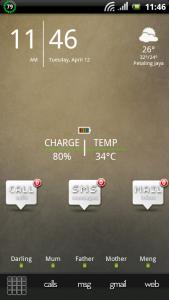


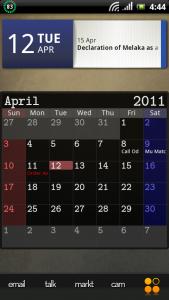

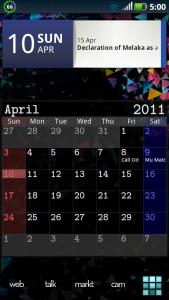


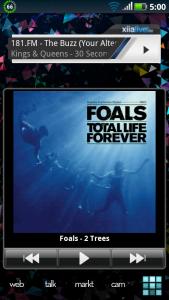


 reserve / KIV for next week


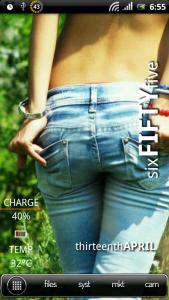


 I remember all this...lucky got Lingch to help u.
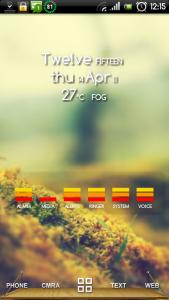

 . Official 2.2 wait so long also never come out. Now we all going for 2.3 liao



 pfftt.. wat a luck.... need a hand here pls


 Can get only into boot loader mode. If I try recovery get the M logo. You said full flash. Witch one should I take. Eclair or Froyo? And I assume it should be the original one?


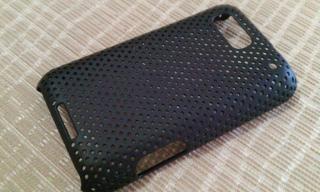


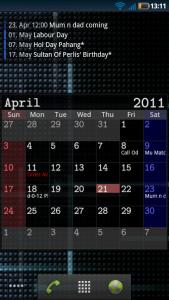


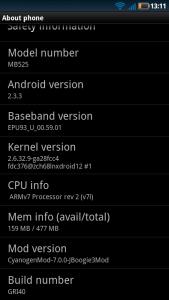




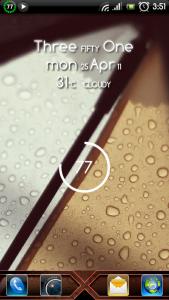

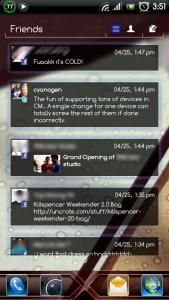


 0.2360sec
 0.64
0.64
 6 queries
 GZIP Disabled