finally a new bios for maximus iv, will test it out if its any good.
Sandy Bridge Overclocking V1, 2500K/2600K/2700K | LGA1155 P67.Z68.Z77
Sandy Bridge Overclocking V1, 2500K/2600K/2700K | LGA1155 P67.Z68.Z77
|
|
 Feb 11 2011, 08:45 PM Feb 11 2011, 08:45 PM
|
 
Senior Member
1,134 posts Joined: Apr 2008  
|
finally a new bios for maximus iv, will test it out if its any good.
|
|
|
|
|
|
Feb 12 2011, 08:08 AM
|

All Stars
18,503 posts Joined: Oct 2007 From: P.Jaya
|
|
|
|
Feb 12 2011, 09:06 AM
|
 
Elite
8,711 posts Joined: Nov 2007 From: Butterworth, PG / Machang, Kelantan 
|
QUOTE(kevink82 @ Feb 11 2011, 08:45 PM) finally a new bios for maximus iv, will test it out if its any good. Still cant solve intel SATA3 raid0 issue on port0,1... now i'm still using raid0 on SATA2 ports  |
|
|
Feb 12 2011, 09:23 AM
|
|
Senior Member
1,134 posts Joined: Apr 2008
|
wuts the release note for 1090?
|
|
|
Feb 12 2011, 11:06 AM
|

Elite
6,799 posts Joined: Jan 2003
|
hmm contemplating should i bother to change when already hit my target
4.85 HT off 2250 C7-10-7-28 1.65v looking now for some rams lol that can lower that vdimm atleast to 1.625 theres only three kits hat possible me thinkest.. This post has been edited by cstkl1: Feb 12 2011, 11:08 AM |
|
|
Feb 12 2011, 03:13 PM
|
 
VIP
2,510 posts Joined: Dec 2004 From: Penang Island and Bidor
|
patriot, ripjaw and cmgtx4?
|
|
|
|
|
|
Feb 12 2011, 06:39 PM
|
|
Elite
6,799 posts Joined: Jan 2003
|
Lol nope hell no for the first two
GTX4 is correct the 2533 C9 Gskill 6gb kit 2k C6 ( not the 4gb kit) Geil Ultra 6gb 2k C6 OCZ XTE Plat 6gb 2k c6 this should be the best of the best This post has been edited by cstkl1: Feb 12 2011, 10:11 PM |
|
|
Feb 13 2011, 10:49 AM
|
|
Elite
8,711 posts Joined: Nov 2007 From: Butterworth, PG / Machang, Kelantan
|
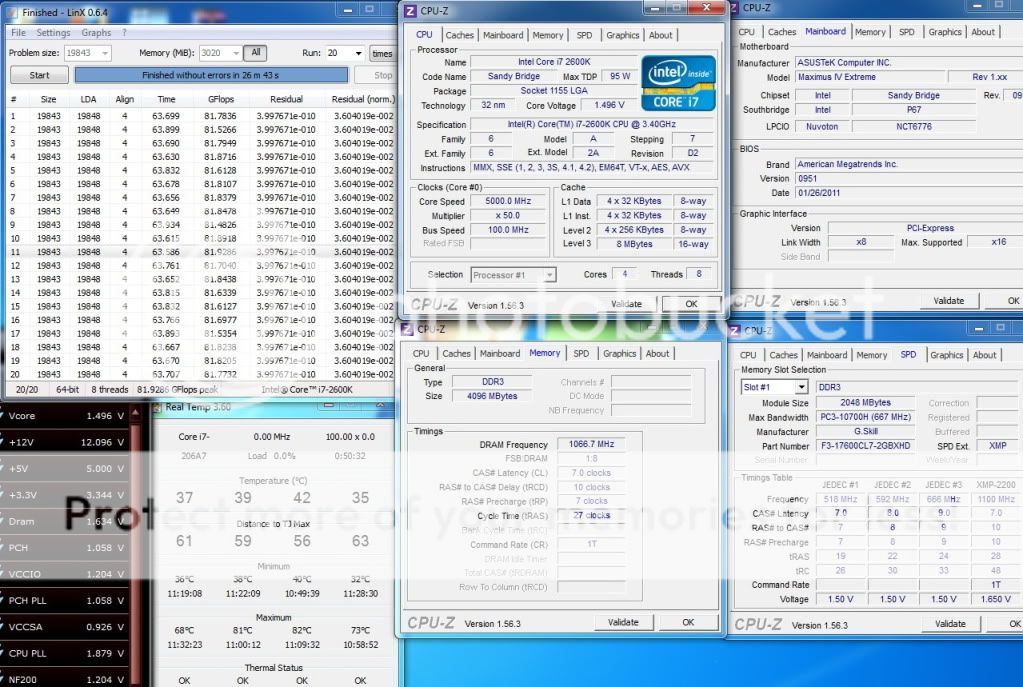
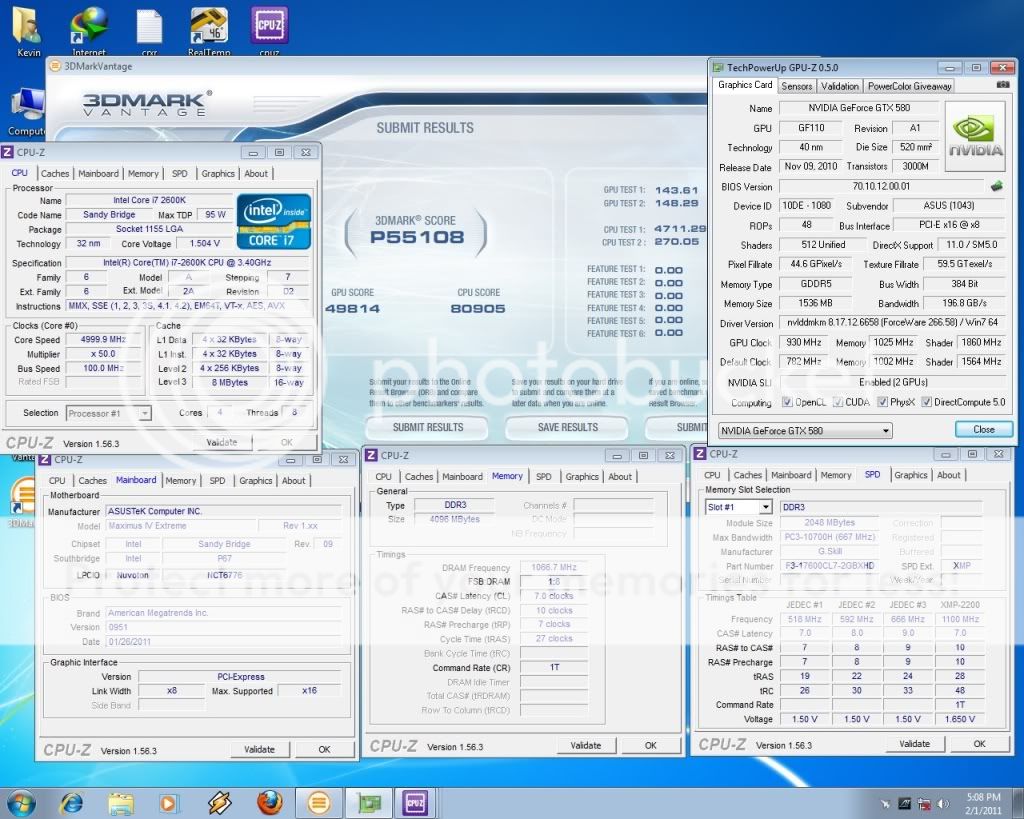
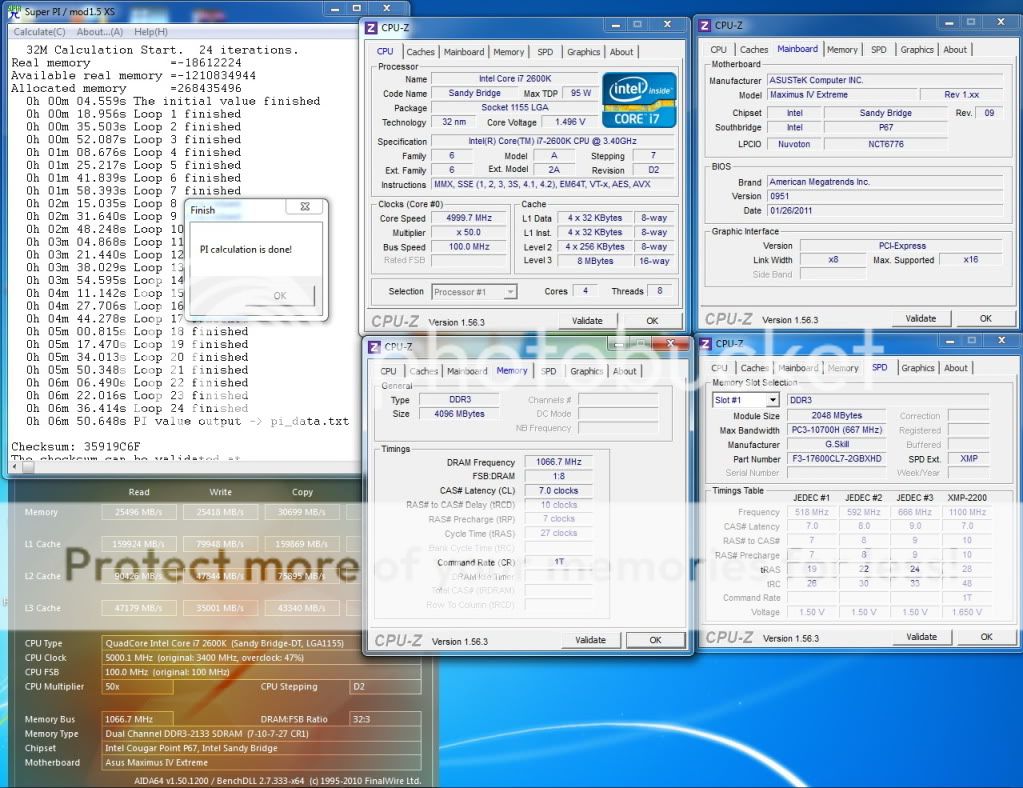
Intel Core i7 2600K @ 5.0GHz HT ON (4C/8T)
Asus Maximus IV Extreme 0951 2x2GB GSkill RipjawsX 2200C7 @ 2133Mhz 7-10-7-27-1T 2x MSI GTX580 SLI, 930/4100Mhz Corsair AX1200 LinX: » Click to show Spoiler - click again to hide... « Vantage: » Click to show Spoiler - click again to hide... « Pi 32M: » Click to show Spoiler - click again to hide... « 5.1 GHz HT ON LinX: » Click to show Spoiler - click again to hide... « wPrime: » Click to show Spoiler - click again to hide... « Pi 32M: » Click to show Spoiler - click again to hide... « This post has been edited by owikh84: Feb 19 2011, 04:29 PM |
|
|
Feb 15 2011, 02:42 AM
|

Junior Member
192 posts Joined: Aug 2010
|
guys sorry for the noob question..is there any prob to simply change sata2 port (defect ones) to sata3 port under raid 0 config? do i need to reformat or it will auto detect raid 0 config? on asus p8p67 pro mobo
doing raid 0 on 2 500GB HDD.. thanks in advances... |
|
|
Feb 15 2011, 06:45 AM
|
|
Elite
8,711 posts Joined: Nov 2007 From: Butterworth, PG / Machang, Kelantan
|
QUOTE(PenzoilGuy @ Feb 15 2011, 02:42 AM) guys sorry for the noob question..is there any prob to simply change sata2 port (defect ones) to sata3 port under raid 0 config? do i need to reformat or it will auto detect raid 0 config? on asus p8p67 pro mobo I hv problem with my raid0 X25-M on M4E, can't build raid0 on the Intel SATA3 ports. The raid manager cant recognize my SSD on port0.doing raid 0 on 2 500GB HDD.. thanks in advances... Marvell SATA3 is the option but I need to re-create raid and hence lost the data. So to avoid data lost, create a GHOST image of the raid0 (and save the image on other drive/partition) before switching to SATA3 using Norton GHOST or Acronis Backup & Restore. Swap to SATA3, create raid0 then restore the image. This post has been edited by owikh84: Feb 15 2011, 08:43 AM |
|
|
Feb 15 2011, 11:00 AM
|
|
All Stars
18,503 posts Joined: Oct 2007 From: P.Jaya
|
LinX 0.6.4 - updated 03.Feb.11
-Updated with both xeon64.exe and xeon32.exe with the newest Linpack. http://www.mediafire.com/?q2qkke5wfimxq2h |
|
|
Feb 15 2011, 03:39 PM
|

Senior Member
992 posts Joined: Sep 2010
|
QUOTE(SeeD @ Feb 8 2011, 03:37 AM) The guys here post their numbers like it's a freaking holy grail for processor. seriously..? hmm.. then better wait a lil longer larrNo it's not. These things comes with some issues with the SATA2 ports. I'm not too sure of the full detail but apparently SB and it's P67 mobos generate too much errors on the SATA2 ports. This results in a shorter lifespan of your HDD and CDROM if you connect them to SATA2. THe only solution for this? Connect them to SATA3, which is what I've done. Intel is collecting all the motherboards back on April though. |
|
|
Feb 15 2011, 03:42 PM
|
|
All Stars
18,503 posts Joined: Oct 2007 From: P.Jaya
|
Gigabyte new utility(supose to be UEFI?):
Intel Extreme Tuning Utility 2.1.408.41 -Supports Intel P67/H67 chipset http://download.gigabyte.us/FileList/Utili...utility_xtu.exe  |
|
|
|
|
|
Feb 15 2011, 04:05 PM
|
|
Elite
6,799 posts Joined: Jan 2003
|
running two windows atm
well my port 0,1 PCH is running C300 raid 0 on Windows Ultimate 64 SP1 and 2,3,4 is running intel x25m Raid 0 on Xp Proffessional 64bit SP3 so far no issue |
|
|
Feb 15 2011, 10:02 PM
|

Senior Member
4,196 posts Joined: Oct 2007
|
does lower end mobo affects much in overclocking SB ar ?
gigabyte p67a-ud3 + i7-2600k looking forward to trying to go around 5-5.2ghz . |
|
|
Feb 15 2011, 10:35 PM
|
|
Elite
8,711 posts Joined: Nov 2007 From: Butterworth, PG / Machang, Kelantan
|
QUOTE(monsh @ Feb 15 2011, 10:02 PM) does lower end mobo affects much in overclocking SB ar ? It should do fine for 5.0, but again depends on CPU as well. Some are too stubborn playing with high voltages. gigabyte p67a-ud3 + i7-2600k looking forward to trying to go around 5-5.2ghz . Check out THIS thread  |
|
|
Feb 15 2011, 11:32 PM
|
|
Junior Member
192 posts Joined: Aug 2010
|
QUOTE(owikh84 @ Feb 15 2011, 06:45 AM) I hv problem with my raid0 X25-M on M4E, can't build raid0 on the Intel SATA3 ports. The raid manager cant recognize my SSD on port0. yeah thinking the same way....thanks owikh... Marvell SATA3 is the option but I need to re-create raid and hence lost the data. So to avoid data lost, create a GHOST image of the raid0 (and save the image on other drive/partition) before switching to SATA3 using Norton GHOST or Acronis Backup & Restore. Swap to SATA3, create raid0 then restore the image.  |
|
|
Feb 16 2011, 12:06 AM
|

Junior Member
434 posts Joined: Jul 2010 From: ^Newbie^
|
Finally open the box, sexy beast..
Performance and overclocking wise still unknown yet.  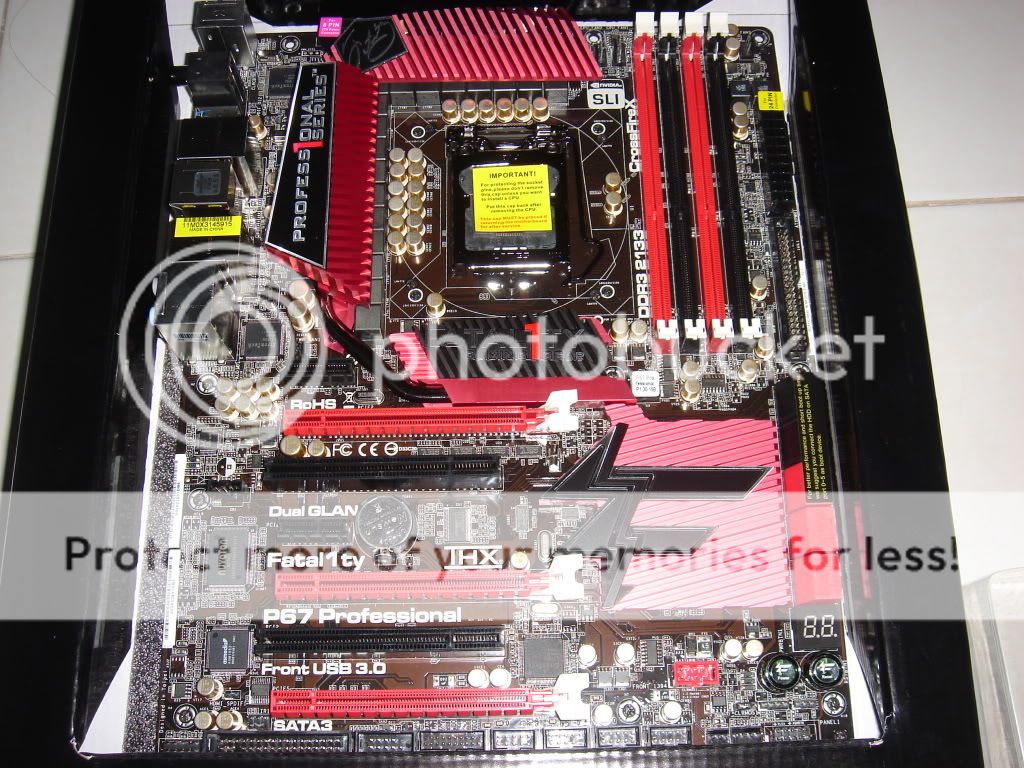 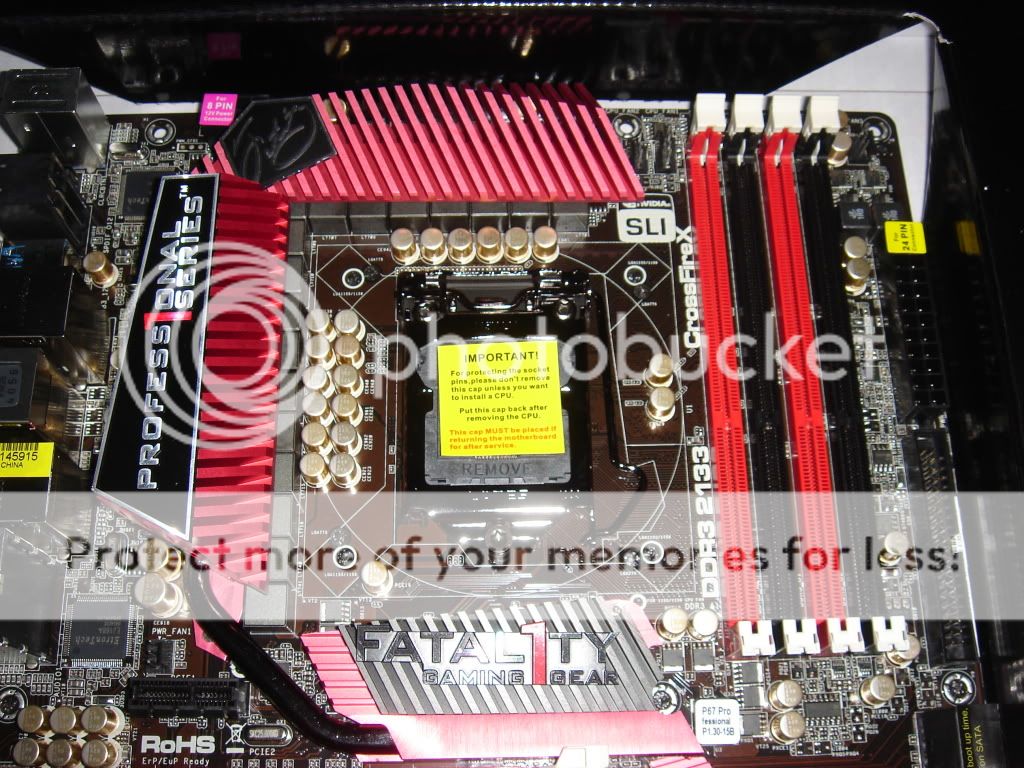 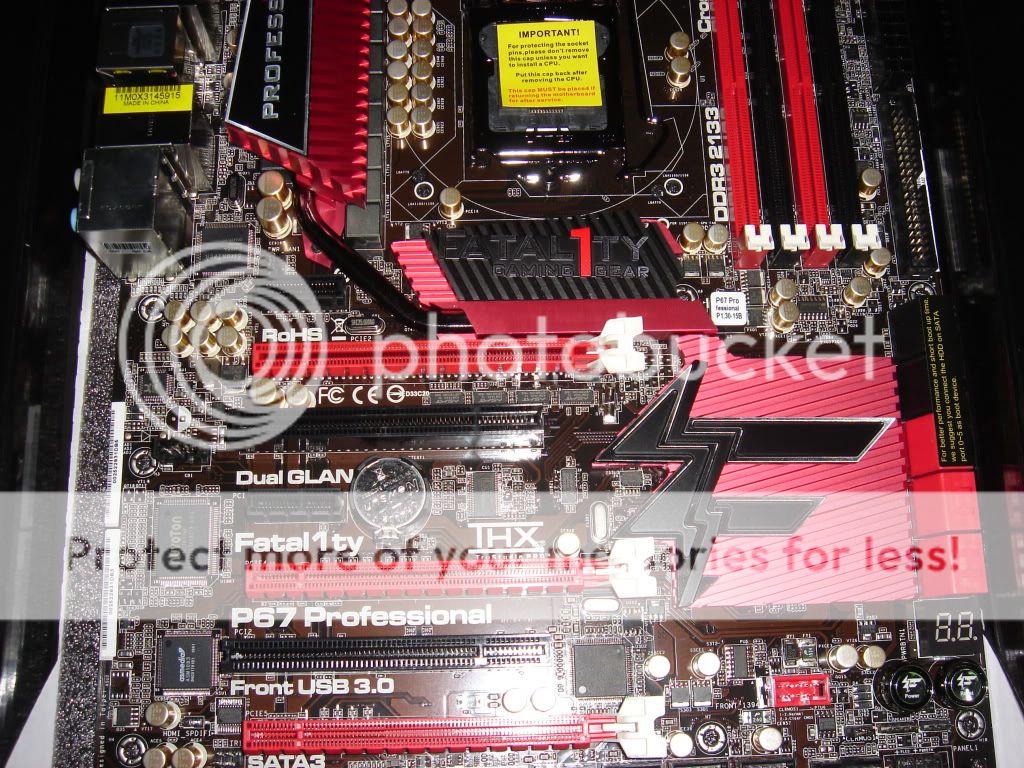 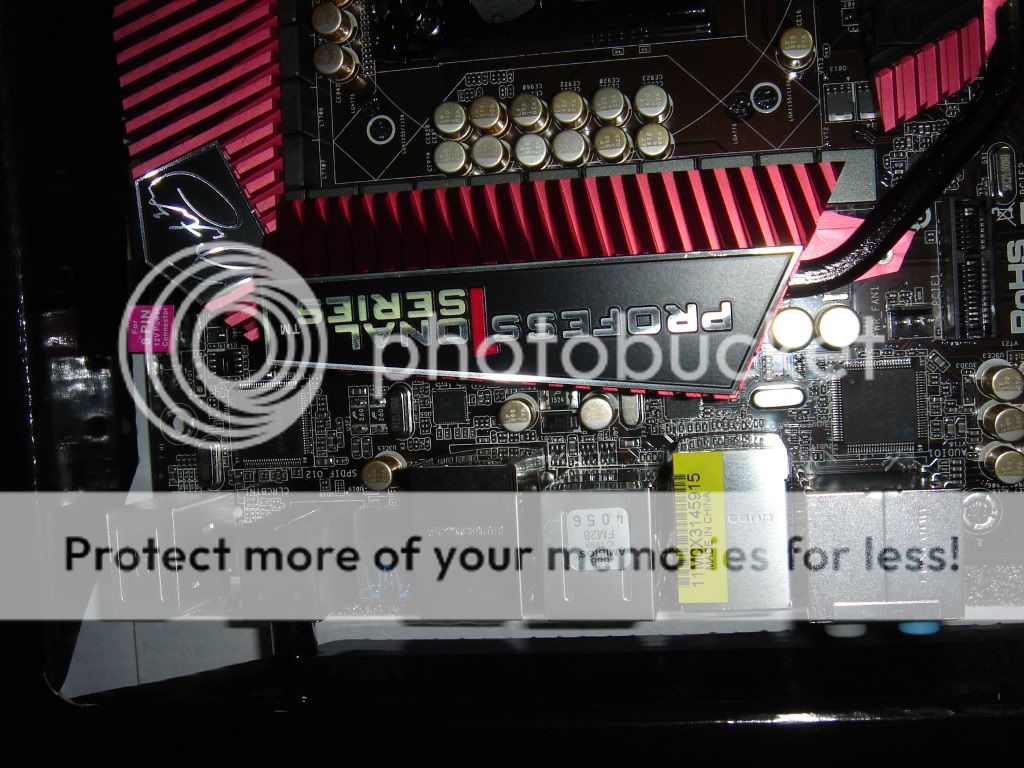 |
|
|
Feb 16 2011, 01:40 AM
|
|
All Stars
18,503 posts Joined: Oct 2007 From: P.Jaya
|
QUOTE(kevink82 @ Feb 12 2011, 09:23 AM) wuts the release note for 1090? - Improved OC performance using Multipliers or Auto Overclocking- Improved BCLK and DRAM OC capabilities when enabling the “Internal PLL Overvoltage” option in BIOS. Note - Sleep/Hibernate will not operate properly due to Intel Specs. - Improved Memory Profiles and Performance (Elpida Hyper owners, please use Red Slots for best performance, CFG Lock to Disable should improve SuperPI times) - Per Core Save Fixed - Minor Bug Fixes ========================================== P8P67 Deluxe / Pro / EVO / Standard - 1302 Beta - Change Log - - Improved OC performance using Multipliers or Auto Overclocking - Improved BCLK and DRAM OC capabilities when enabling the “Internal PLL Overvoltage” option in BIOS. Note - Sleep/Hibernate will not operate properly due to Intel Specs. - Improved USB performance, Improved P67 XMP profile compatibility (please note, memory with X58/P55 XMP profiles will generally work but is not optimized for P67 and will usually cause problems when overclocking in several cases) - Per Core Save Fixed - Disable/Enable BT - Minor Bug Fixes including new Auto Rules for C-States (C3/C6) when overclocking. Beta - UEFI 1302 - Pro http://www.mediafire.com/?p6vg0s9mr2bmk1j Beta - UEFI 1302 - Standard http://www.mediafire.com/?dbjsdjio7jh3kzt Beta - UEFI 1302 - EVO http://www.mediafire.com/?lgdbuofxxbqevjp Beta - UEFI 1302 - Deluxe http://www.mediafire.com/?7y2pkppe9z9h7m6 P8P67 LE UEFI 1003 Change Log - - Removes full reset at POST (double post) on cold boot or auto overclocking routine. - Improved OC performance using Auto Overclocking - Improved BCLK and DRAM OC capabilities when enabling the “Internal PLL Overvoltage” option in BIOS. - Minor Bug Fixes including Auto Rule for C3, C6 being disabled when overclocking and improved USB compatibility. - Enabling Internal PLL Voltage will still cause resume/hibernate issues (Intel related) but we are working with Intel on any potential workarounds. UEFI 1003 - http://www.mediafire.com/file/zvx22714vd7g...E-ASUS-1003.rar This post has been edited by stasio: Feb 16 2011, 01:52 AM |
|
|
Feb 16 2011, 08:31 AM
|
|
Senior Member
4,196 posts Joined: Oct 2007
|
Ok great . Thanks owikh . Looking for i7 2600K now . Hopefully can get 2nd hand . Heh .
|
|
Topic ClosedOptions
|
| Change to: |  0.0290sec 0.0290sec
 0.16 0.16
 6 queries 6 queries
 GZIP Disabled GZIP Disabled
Time is now: 6th December 2025 - 10:48 PM |
 Quote
Quote