Welcome Guest ( Log In | Register )

Bump Topic Topic Closed RSS Feed
133 Pages « < 6 7 8 9 10 > » Bottom

Outline · [ Standard ] · Linear+

 Sandy Bridge Overclocking V1, 2500K/2600K/2700K | LGA1155 P67.Z68.Z77

views
     
metsatsu
post Jan 20 2011, 07:06 PM

Chocolate Starfish
Group Icon
VIP
2,510 posts

Joined: Dec 2004
From: Penang Island and Bidor


QUOTE(nncl @ Jan 20 2011, 03:44 PM)
what so exciting about 108.3 bclk when coolaler already clock at 110.74 bclk

» Click to show Spoiler - click again to hide... «


source

biggrin.gif
*
you're so amusing bro. we are talking about coolaler, the coolaler doh.gif

This post has been edited by metsatsu: Jan 20 2011, 07:06 PM
k!nex
post Jan 20 2011, 07:19 PM

Restless stars
*******
Senior Member
3,389 posts

Joined: Mar 2007
From: KL


QUOTE(lchee @ Jan 20 2011, 05:26 PM)
When i go to my computer icon, right click and select properties, i see my computer system properties. Processor speed it states 2. One 3.3GHz, the other 5.8GHz. Why is this so? Is this common to all i2500K that overclock? I did install core temp to monitor CPU usage and temperature. When running Unigene, I notice the clock ranges from 1566 MHz to 4498MHz (I set OC to 4.5GHz), and sometimes even hit 5800MHz (though for a short few seconds). CPU highest temp recorded was 51°C. Is this normal?
*
If you use the TPU switch to OC , it is very normal. speed fluctuating because speedstep is enabled.
ne0cz
post Jan 20 2011, 07:43 PM

Zoom Zoom
*******
Senior Member
5,372 posts

Joined: May 2008
From: Nokia HQ


QUOTE(lchee @ Jan 20 2011, 05:26 PM)
When i go to my computer icon, right click and select properties, i see my computer system properties. Processor speed it states 2. One 3.3GHz, the other 5.8GHz. Why is this so? Is this common to all i2500K that overclock? I did install core temp to monitor CPU usage and temperature. When running Unigene, I notice the clock ranges from 1566 MHz to 4498MHz (I set OC to 4.5GHz), and sometimes even hit 5800MHz (though for a short few seconds). CPU highest temp recorded was 51°C. Is this normal?
*
you need CPU-Z
nncl
post Jan 20 2011, 08:12 PM

Casual
***
Junior Member
404 posts

Joined: Jan 2009
guys, wanna ask something here about the memory pairing with sandy bridge cpu before i buy sandy bridge. because now still not many ram special made for sandy on sale ( except ripjaws x series, but hard to get in malaysia). so my question is will there any chance a kingston 2133c9 , dominator gt 2133c9 or dominator gt 2000c8 and clock the speed at 2200 cl7 something like the ripjaws x speed? cause i know the sandy bridge memory controller is stronger right?

This post has been edited by nncl: Jan 20 2011, 08:13 PM
stasio
post Jan 20 2011, 08:36 PM

10k Club
********
All Stars
18,503 posts

Joined: Oct 2007
From: P.Jaya
owikh84,link to HWiNFO32 2.0 didn't work on first post.
This is latest HWiNFO32 3.67 for Sandy Brigde:

http://www.hwinfo.com/beta/hw32_367_1104.zip

and LinX 0.6.4 latest library(10.3.0.003):

http://www.mediafire.com/?zuax5c5rhd8j6wm

This post has been edited by stasio: Jan 20 2011, 08:39 PM
cstkl1
post Jan 20 2011, 09:07 PM

Look at all my stars!!
Group Icon
Elite
6,799 posts

Joined: Jan 2003

QUOTE(nncl @ Jan 20 2011, 08:12 PM)
guys, wanna ask something here about the memory pairing with sandy bridge cpu before i buy sandy bridge. because now still not many ram special made for sandy on sale ( except ripjaws x series, but hard to get in malaysia). so my question is will there any chance a kingston 2133c9 , dominator gt 2133c9 or dominator gt 2000c8 and clock the speed at 2200 cl7 something like the ripjaws x speed? cause i know the sandy bridge memory controller is stronger right?
*
sandybridge is weaker than a p55 based cpu

the bandwidth gain on everest is flaky
u get correct reading on sandra

everest gain has always been more cpu dependent first, and then mem controller and then mem.

sandra is more on mem and then mem controller.

so far issue on sb has been with elpida hypers trcd's and trtp's and psc elpida bbse variant ( aka the 2k c6, 2533 c9)
are having issue. this aint a bios issue just that its not conforming with intel jdec on sb IMC subtimings
stasio
post Jan 21 2011, 12:34 AM

10k Club
********
All Stars
18,503 posts

Joined: Oct 2007
From: P.Jaya
New P67 Asus BIOS's:

http://www.xtremesystems.org/forums/showthread.php?t=265477
kahjye
post Jan 21 2011, 01:33 AM

Look at all my stars!!
*******
Senior Member
4,494 posts

Joined: Feb 2009

QUOTE(stasio @ Jan 21 2011, 12:34 AM)
can LE use it? sad.gif


Added on January 21, 2011, 1:34 amdamn why the board i always buy is not updated or being ignored from the update list =.= FML

This post has been edited by kahjye: Jan 21 2011, 01:34 AM
ameenskywalker
post Jan 21 2011, 02:26 AM

Casual
***
Junior Member
343 posts

Joined: Mar 2005
From: This means more !


QUOTE(stasio @ Jan 21 2011, 02:34 AM)
Have anyone tried this update ? Should wait for feedback first right ?

EDITED : I went ahead, downloaded and applied the new bios. Without changing any other setting, it went from before update of 4017 mhz to 4327 mhz.
» Click to show Spoiler - click again to hide... «


This post has been edited by ameenskywalker: Jan 21 2011, 03:50 AM
stasio
post Jan 21 2011, 08:23 AM

10k Club
********
All Stars
18,503 posts

Joined: Oct 2007
From: P.Jaya
New BIOS:

GA-P67A-UD7 - F7e
GA-P67A-UD5 - F6d
GA-P67A-UD4 - F7f


-Fix S3 stanby issue where the multi drops to 35x from OC
-20.Jan 11
(Flashed with Q-Flash)
===================================================

Asrock BIOS (should all have PLL override)

- P67 Professional (1.40): http://91.121.148.119/downloads/BIOS/P67PE1.40
- P67 Extreme4 (1.40): http://91.121.148.119/downloads/BIOS/P67EXT41.40
- P67 Pro3 (1.70): http://91.121.148.119/downloads/BIOS/P67P31.70
- P67 Pro (1.40): http://91.121.148.119/downloads/BIOS/P67P1.40
- P67 Extreme6 (1.30): http://91.121.148.119/downloads/BIOS/P67EX61.30

This post has been edited by stasio: Jan 21 2011, 08:30 AM
dupont200
post Jan 21 2011, 09:14 AM

Getting Started
**
Junior Member
102 posts

Joined: Mar 2006
From: Penang


i'm new to oc. if i want to oc i5 2500k to 4.9ghz, can i just use a cm hyper 212+ ? or buy a prolimatech megahalems better?
louislkw
post Jan 21 2011, 09:26 AM

Casual
***
Junior Member
434 posts

Joined: Jul 2010
From: ^Newbie^


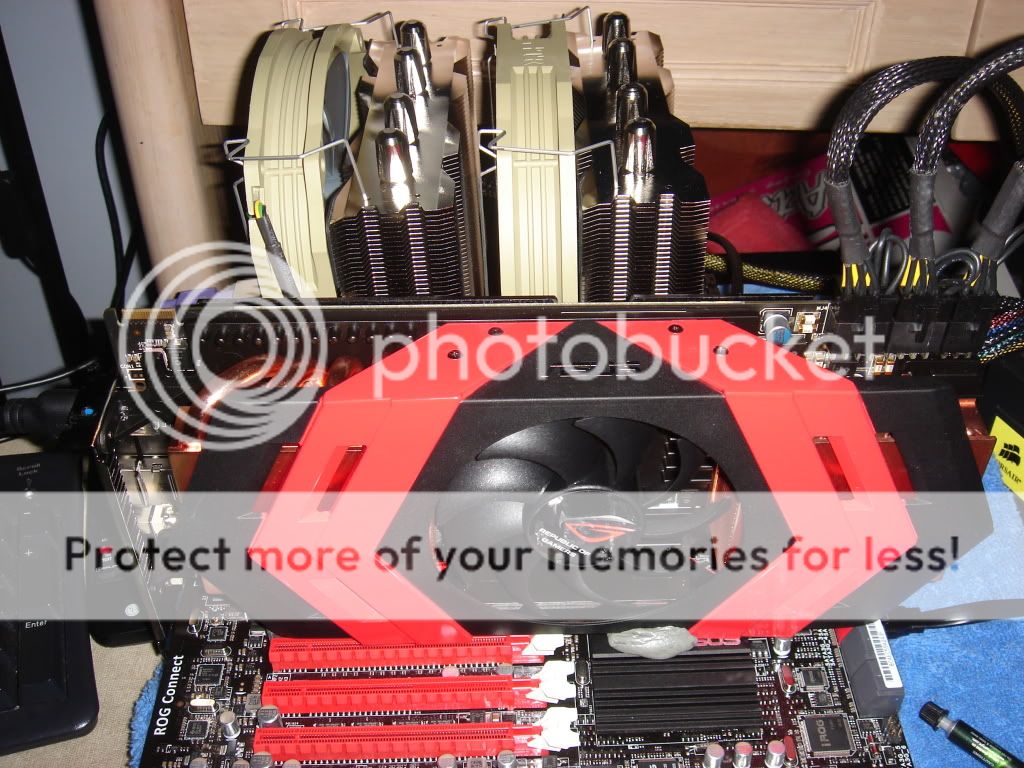
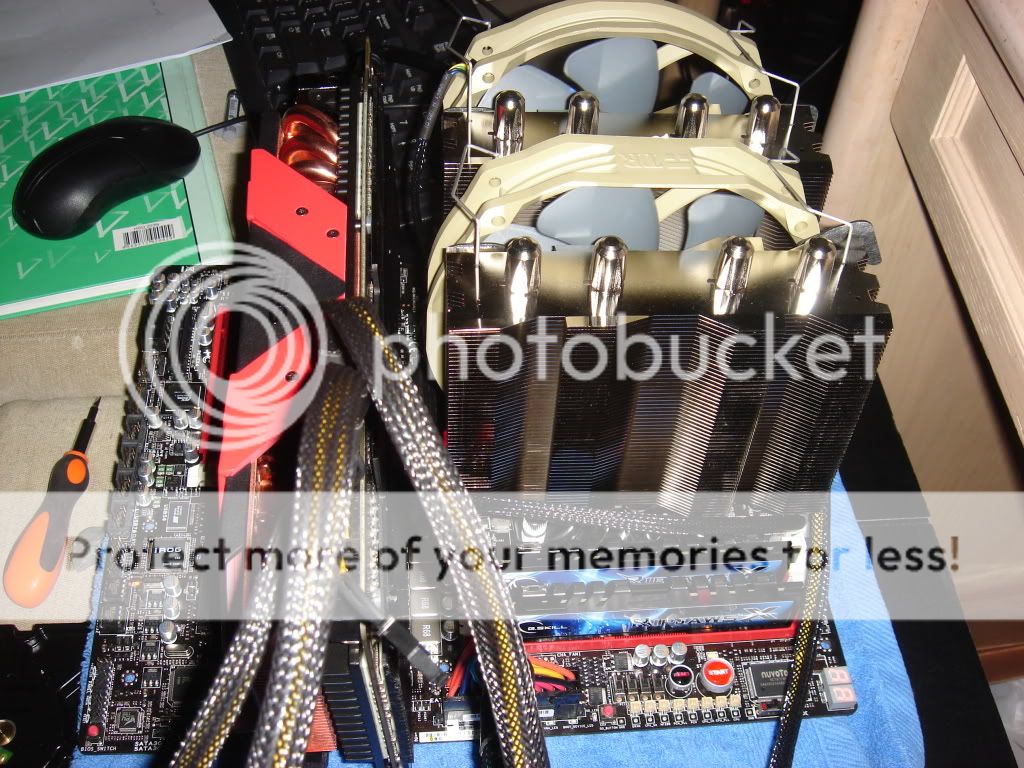
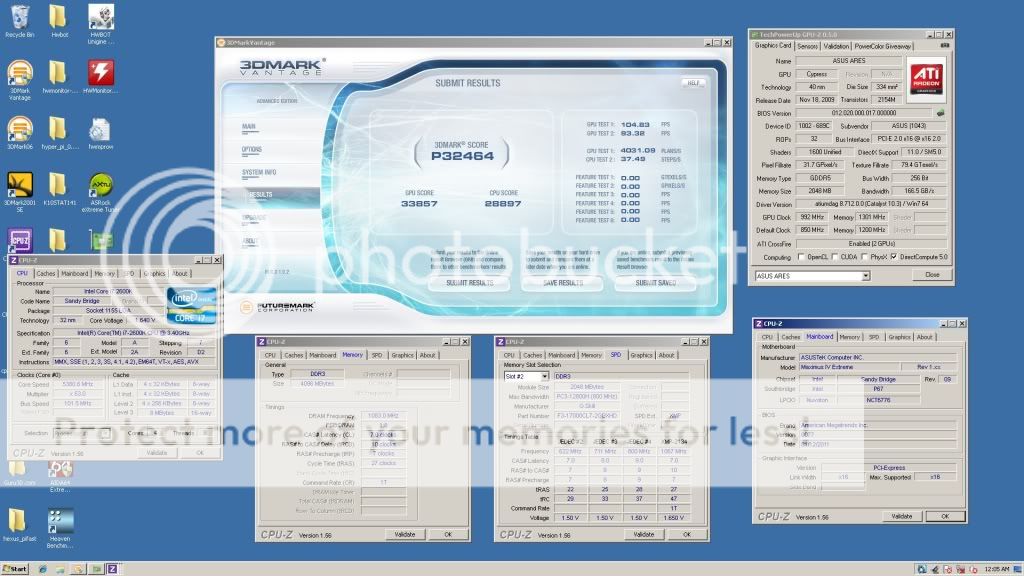
Quick and dirty run.. Need more times to run in XP but that is after chinese new year together with GTX580..

No more 3D, need to go back to 2d.. biggrin.gif

user posted image

user posted image

user posted image

user posted image

user posted image

This post has been edited by louislkw: Jan 21 2011, 09:26 AM
TSowikh84
post Jan 21 2011, 09:37 AM

i7 Clan
Group Icon
Elite
8,711 posts

Joined: Nov 2007
From: Butterworth, PG / Machang, Kelantan


QUOTE(dupont200 @ Jan 21 2011, 09:14 AM)
i'm new to oc. if i want to oc i5 2500k to 4.9ghz, can i just use a cm hyper 212+ ? or buy a prolimatech megahalems better?
*
Mega is one of the best air coolers in the market.
Venomous X is another good cooler.
dupont200
post Jan 21 2011, 01:46 PM

Getting Started
**
Junior Member
102 posts

Joined: Mar 2006
From: Penang


QUOTE(owikh84 @ Jan 21 2011, 09:37 AM)
Mega is one of the best air coolers in the market.
Venomous X is another good cooler.
*
can cm hyper 212+ handle the heat at ~5ghz ?
zuljag
post Jan 21 2011, 02:21 PM

New Member
*
Junior Member
29 posts

Joined: Sep 2008
just asking since i never flash my bios before,if i flash with the new update..will the settings that i made will be reset or it will stay?
shawnlut
post Jan 21 2011, 02:43 PM

±±±±±±
*****
Senior Member
837 posts

Joined: Oct 2007
From: Penang


QUOTE(zuljag @ Jan 21 2011, 02:21 PM)
just asking since i never flash my bios before,if i flash with the new update..will the settings that i made will be reset or it will stay?
*
The settings will be reset after the flash...
Flash the new BIOS at default setting (no OC)...
Clear CMOS & load default after the flash...
steventyy
post Jan 21 2011, 03:41 PM

On my way
****
Junior Member
538 posts

Joined: Jan 2003
From: OUG,Old Klang Road


QUOTE(lchee @ Jan 19 2011, 12:19 AM)
I just overclocked my i5 2500K to 4.5GHz using some internet posted settings.  It works easily.  My first attempt in overclocking after using PC for more than 10 years.  It was surprisingly easy.  I get like additional 1.2GHz... wow...  Now, how do I benchmark my PC?  Is there a standard software ppl use to benchmark their PC scores?
*
mind to share the source ?? tongue.gif
lchee
post Jan 21 2011, 03:49 PM

On my way
****
Junior Member
511 posts

Joined: Jan 2003
QUOTE(steventyy @ Jan 21 2011, 03:41 PM)
mind to share the source ?? tongue.gif
*
Very easy steps, just as follow:

Overclock a Core i5-2500K to 4.5GHz
1. Enter the BIOS by pressing Delete as the PC starts
2. Enter the Advanced menu by clicking the button in the top-right corner
3. Set the CPU multiplier to 45x
4. Enable Load-Line Calibration
5. Set the CPU voltage to 1.3-1.35V
6. Set the CPU PLL to 1.9V
7. Set the VCCSA to 1.1V
8. Set the VCCIO to 1.106V
9. Hit F10 to save and restart
ameenskywalker
post Jan 21 2011, 04:43 PM

Casual
***
Junior Member
343 posts

Joined: Mar 2005
From: This means more !


QUOTE(lchee @ Jan 21 2011, 05:49 PM)
Very easy steps, just as follow:

Overclock a Core i5-2500K to 4.5GHz
1. Enter the BIOS by pressing Delete as the PC starts
2. Enter the Advanced menu by clicking the button in the top-right corner
3. Set the CPU multiplier to 45x
4. Enable Load-Line Calibration
5. Set the CPU voltage to 1.3-1.35V
6. Set the CPU PLL to 1.9V
7. Set the VCCSA to 1.1V
8. Set the VCCIO to 1.106V
9. Hit F10 to save and restart
*
Bro, what mobo are you using ?
steventyy
post Jan 21 2011, 05:03 PM

On my way
****
Junior Member
538 posts

Joined: Jan 2003
From: OUG,Old Klang Road


[quote=lchee,Jan 21 2011, 03:49 PM]
Very easy steps, just as follow:

Overclock a Core i5-2500K to 4.5GHz
1. Enter the BIOS by pressing Delete as the PC starts
2. Enter the Advanced menu by clicking the button in the top-right corner
3. Set the CPU multiplier to 45x
4. Enable Load-Line Calibration
5. Set the CPU voltage to 1.3-1.35V
6. Set the CPU PLL to 1.9V
7. Set the VCCSA to 1.1V
8. Set the VCCIO to 1.106V
9. Hit F10 to save and restart
*


thanks !! icon_rolleyes.gif

133 Pages « < 6 7 8 9 10 > » Top
Topic ClosedOptions
 

Change to:
| Lo-Fi Version
0.0341sec    0.59    6 queries    GZIP Disabled
Time is now: 3rd December 2025 - 04:54 PM