Welcome Guest ( Log In | Register )

3 Pages  1 2 3 >Bottom

Outline · [ Standard ] · Linear+

 Show off your Desktop !, [IMAGE HEAVY !]

views
     
TScocooh
post Nov 13 2010, 04:59 AM, updated 14y ago

✔ Awesomeness ✔
*******
Senior Member
2,789 posts

Joined: Jul 2010
From: Silicon Valley


Well , im curious how everyone customize their Linux or Ubuntu other than Windows and Mac blink.gif

Here's how i customize :

» Click to show Spoiler - click again to hide... «


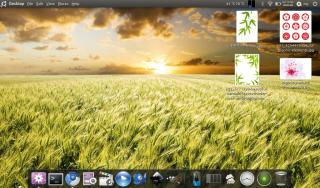
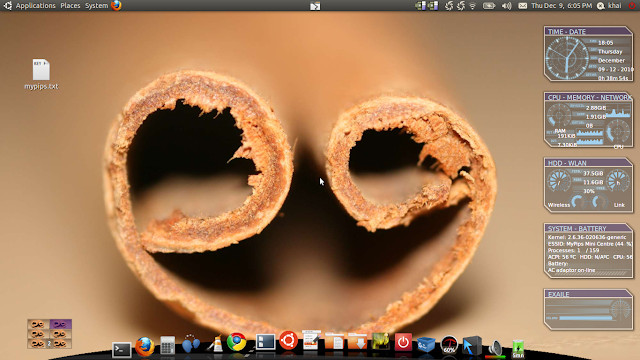
Customize using Ambience Theme + Faenza Variance + Covergloobus 1.7.4 + Banshee + Docky (Deep Docky 3D theme) (for desktop edition) biggrin.gif

And a beautiful Ayumi Hamasaki Wallpaper rclxms.gif

Rules :

1.For big size screenshots , please include a spoiler for them nod.gif

2.If spoiler is not an option , try resizing your screenshots before posting them nod.gif

Here are some links contributed by our LYN members for the breathtaking desktop customization links . rclxms.gif

QUOTE
This post has been edited by cocooh: Jun 18 2011, 12:42 PM
SUSphantomkid
post Nov 13 2010, 05:02 AM

Getting Started
**
Junior Member
269 posts

Joined: Nov 2009
From: Hampshire, UK Location : London, UK


that's effing awesome bro. srsly.
TScocooh
post Nov 13 2010, 05:04 AM

✔ Awesomeness ✔
*******
Senior Member
2,789 posts

Joined: Jul 2010
From: Silicon Valley


blink.gif Reli?

I saw alot more customization looks juz like Windows 7 nod.gif

But i dunno hw to customize rclxub.gif

Hw bout urs blush.gif
G-17
post Nov 13 2010, 05:11 AM

Securely Paranoid
******
Senior Member
1,748 posts

Joined: Mar 2010
@cocooh
There's already a desktop screenshot thread here:
http://forum.lowyat.net/DesktopCustomization

About your screenie;
Why do you have both Unity and Docky installed? Don't both do the same thing?
Sorry for the ignorance, as I don't use docks/launchers.
TScocooh
post Nov 13 2010, 05:13 AM

✔ Awesomeness ✔
*******
Senior Member
2,789 posts

Joined: Jul 2010
From: Silicon Valley


Unity = for testing purposes , not a fan as it still uses old engine instead of Compiz . I posted here coz @@ maybe alot of Linux users will c it here rather than Desktop Customization area - packed with Windows users @@

Sorry if i posted at a wrong place

This post has been edited by cocooh: Nov 13 2010, 05:22 AM
G-17
post Nov 13 2010, 05:19 AM

Securely Paranoid
******
Senior Member
1,748 posts

Joined: Mar 2010
^No, no .. you don't have to apologize (I'm not an admin/mod)
Just wanted to let you know, that's all.

I'd be happy if you started a Linux desktop screenshot thread, but you might want to change the thread title to something a bit more catchy, and you might want to ask a mod to pin/sticky the thread on top.

BTW, if you do start a Linux screenshot thread here, will I be allowed to post BSD screenies? tongue.gif

This post has been edited by G-17: Nov 13 2010, 05:20 AM
TScocooh
post Nov 13 2010, 05:21 AM

✔ Awesomeness ✔
*******
Senior Member
2,789 posts

Joined: Jul 2010
From: Silicon Valley


Bsd @@ Sure XD
wanfaris
post Nov 13 2010, 09:35 AM

O_o
******
Senior Member
1,439 posts

Joined: Aug 2010


QUOTE(cocooh @ Nov 13 2010, 04:59 AM)
Well , im curious how everyone customize their Linux or Ubuntu other than Windows and Mac  blink.gif

Here's how i customize :

» Click to show Spoiler - click again to hide... «


Customize using Ambience Theme + Faenza Variance + Covergloobus 1.7.4 + Banshee + Docky (Deep Docky 3D theme) (for desktop edition)  biggrin.gif

And a beautiful Ayumi Hamasaki Wallpaper  rclxms.gif
*
thumbup.gif thumbup.gif very nice....with ayumi favor.... laugh.gif
mine in process,when finish i'll post here.....using ubuntu netbook 10.10...

mind sharing how u install covergloobus??i download n install through ubuntu software center,but it say tmp/covergloobus not exist..... rclxub.gif rclxub.gif

This post has been edited by wanfaris: Nov 13 2010, 10:03 AM
gengstapo
post Nov 13 2010, 10:05 AM

Retired enthusiast
********
All Stars
10,688 posts

Joined: Jan 2005
Not to siding anyone but, Mac have their own "Show Off Your Desktop - MacOS X only" thread, so I think we could also have one dedicate just for Linux desktop~
Just IMO.. smile.gif
powerwoot
post Nov 13 2010, 10:16 AM

讨厌的 ubuntu
*******
Senior Member
2,930 posts

Joined: Jan 2007
From: Kolej Universiti Agrosains Malaysia, Melaka


If I am not mistaken we do have our own desktop screenie thread created few months back by someone... hard to flip back as my connection currently slow. But if we already started here, then just let it be lah... mine currently on windows xp la beb, reaching house sooner this evening I'll post my opensuse and mint, nothing much to show off as everything just default.
G-17
post Nov 13 2010, 02:13 PM

Securely Paranoid
******
Senior Member
1,748 posts

Joined: Mar 2010
In that case, I'll post one for now. Lets hope a mod pins this thread.

Not at home, so only my netbook shot this time.

Free-BSD, ScrotWM, Urxvt + apps
user posted image
SUSphantomkid
post Nov 13 2010, 06:47 PM

Getting Started
**
Junior Member
269 posts

Joined: Nov 2009
From: Hampshire, UK Location : London, UK


I don't exactly know how to customise my Ubuntu. Any guides would be good nod.gif
TScocooh
post Nov 13 2010, 11:59 PM

✔ Awesomeness ✔
*******
Senior Member
2,789 posts

Joined: Jul 2010
From: Silicon Valley


How to install Covergloobus :

Download these deb's , found them in covergloobus ppa , though its only available for Lucid and Karmic through PPA , Maverick users can still use it =) 100% safe , no crashes on it blush.gif

x32 deb

x64 deb

Themes can be obtained from Deviantart =)

Do post your desktops screenie ya rclxub.gif

Lookin foward to see it drool.gif


powerwoot
post Nov 14 2010, 12:16 AM

讨厌的 ubuntu
*******
Senior Member
2,930 posts

Joined: Jan 2007
From: Kolej Universiti Agrosains Malaysia, Melaka


Mine of my opensuse desktop. Owell, nothing much to show off. Just an ordinary Gnome and make it up with avant window navigator.

» Click to show Spoiler - click again to hide... «


tongue.gif
gengstapo
post Nov 14 2010, 12:28 AM

Retired enthusiast
********
All Stars
10,688 posts

Joined: Jan 2005
QUOTE(G-17 @ Nov 13 2010, 02:13 PM)
In that case, I'll post one for now. Lets hope a mod pins this thread.

Not at home, so only my netbook shot this time.

Free-BSD, ScrotWM, Urxvt + apps

*
Yours too much advanced I think.. Very minimal..
Nice job~
TScocooh
post Nov 14 2010, 12:29 AM

✔ Awesomeness ✔
*******
Senior Member
2,789 posts

Joined: Jul 2010
From: Silicon Valley


o.o Opensuse looks as same as Ubuntu too ?
gengstapo
post Nov 14 2010, 12:33 AM

Retired enthusiast
********
All Stars
10,688 posts

Joined: Jan 2005
QUOTE(cocooh @ Nov 14 2010, 12:29 AM)
o.o Opensuse looks as same as Ubuntu too ?
*
The interface not much different nia, its Gnome.. What dya expect?? tongue.gif
But OpenSUSE taskbar only single by default(placed lower side) while Ubuntu/ any other distro I believe shall has 2(upper & lower)
powerwoot
post Nov 14 2010, 12:35 AM

讨厌的 ubuntu
*******
Senior Member
2,930 posts

Joined: Jan 2007
From: Kolej Universiti Agrosains Malaysia, Melaka


QUOTE(cocooh @ Nov 14 2010, 12:29 AM)
o.o Opensuse looks as same as Ubuntu too ?
*
Gnome is all the same, but you'll see some alteration been made into menu position as the default start button supposed to be at the below but I have to make it to the top just to make way to avant window navigator occupied at the bottom. I am using the famous faenza icons combined with opensuse's sonar theme.
wanfaris
post Nov 14 2010, 01:44 AM

O_o
******
Senior Member
1,439 posts

Joined: Aug 2010


QUOTE(cocooh @ Nov 13 2010, 11:59 PM)
How to install Covergloobus :

Download these deb's , found them in covergloobus ppa , though its only available for Lucid and Karmic through PPA , Maverick users can still use it =) 100% safe , no crashes on it  blush.gif

x32 deb

x64 deb

Themes can be obtained from Deviantart =)

Do post your desktops screenie ya  rclxub.gif

Lookin foward to see it  drool.gif
*
wah...tq.... rclxms.gif rclxms.gif


Added on November 14, 2010, 1:45 am
QUOTE(powerwoot @ Nov 14 2010, 12:16 AM)
Mine of my opensuse desktop. Owell, nothing much to show off. Just an ordinary Gnome and make it up with avant window navigator.

» Click to show Spoiler - click again to hide... «


tongue.gif
*
mind sharing ur wallie....look very nice... drool.gif

This post has been edited by wanfaris: Nov 14 2010, 01:45 AM
TScocooh
post Nov 14 2010, 01:46 AM

✔ Awesomeness ✔
*******
Senior Member
2,789 posts

Joined: Jul 2010
From: Silicon Valley


O.O icic , thanks all for the info bout opensuse ^^

wanfaris : welcome ^^
wanfaris
post Nov 14 2010, 02:26 AM

O_o
******
Senior Member
1,439 posts

Joined: Aug 2010


mine...just simple desktop...with beautiful fany snsd... tongue.gif it ubuntu 10.10 amd64....install to my netbook... smile.gif

Attached Image
myst3
post Nov 14 2010, 03:51 AM

Getting Started
**
Junior Member
142 posts

Joined: Dec 2006


Nice thread. Hope can pinned this thread.

Here my Ubuntu 10.04 amd64 on my netbook.

» Click to show Spoiler - click again to hide... «

TScocooh
post Nov 14 2010, 04:34 AM

✔ Awesomeness ✔
*******
Senior Member
2,789 posts

Joined: Jul 2010
From: Silicon Valley


XD yeah me too , hope moderator can pin this , by the way :

Wanfaris : whats that Wolf logo on your top tab @@?
G-17
post Nov 14 2010, 04:52 AM

Securely Paranoid
******
Senior Member
1,748 posts

Joined: Mar 2010
QUOTE(cocooh @ Nov 14 2010, 04:34 AM)
whats that Wolf logo on your top tab @@?
*

Amarok

TScocooh
post Nov 14 2010, 04:56 AM

✔ Awesomeness ✔
*******
Senior Member
2,789 posts

Joined: Jul 2010
From: Silicon Valley


O.o ok thx XD
wanfaris
post Nov 14 2010, 05:00 AM

O_o
******
Senior Member
1,439 posts

Joined: Aug 2010


QUOTE(G-17 @ Nov 14 2010, 04:52 AM)
Amarok
*
yup..thats right....good eq.... biggrin.gif
powerwoot
post Nov 14 2010, 07:09 AM

讨厌的 ubuntu
*******
Senior Member
2,930 posts

Joined: Jan 2007
From: Kolej Universiti Agrosains Malaysia, Melaka


QUOTE(wanfaris @ Nov 14 2010, 01:44 AM)
wah...tq.... rclxms.gif  rclxms.gif


Added on November 14, 2010, 1:45 am
mind sharing ur wallie....look very nice... drool.gif
*
wohoo. it's about internet and you can take whatever it does offer haha, I don't know where my son got that wallie.


Added on November 14, 2010, 7:17 am
QUOTE(cocooh @ Nov 14 2010, 04:34 AM)
XD yeah me too , hope moderator can pin this , by the way :

Wanfaris : whats that Wolf logo on your top tab @@?
*
yerpp you can play amarok in gnome too, but if you are lucky, amarok can be run smoothly without any crashing >> search amarok start up crashed you'll find tonnes of complaints into kdebug! A good thing about amarok is, it has build in lyrics feature.


This post has been edited by powerwoot: Nov 14 2010, 07:17 AM
powerfox
post Nov 14 2010, 08:53 AM

Casual
***
Junior Member
427 posts

Joined: Jul 2008

user posted image
user posted image
my ubuntu desktop <3


This post has been edited by powerfox: Nov 14 2010, 09:00 AM
wanfaris
post Nov 14 2010, 11:42 AM

O_o
******
Senior Member
1,439 posts

Joined: Aug 2010


QUOTE(powerfox @ Nov 14 2010, 08:53 AM)
user posted image
user posted image
my ubuntu desktop <3
*
wah....cun... drool.gif drool.gif how u get this wallie??sharing plez... notworthy.gif notworthy.gif
fat16
post Nov 14 2010, 11:47 AM

Look at all my stars!!
*******
Senior Member
4,582 posts

Joined: Jan 2003
From: West johor


I just use standard KDE desktop/wallpaper.
kaibathelegacy
post Nov 14 2010, 11:47 AM

Getting Started
**
Junior Member
178 posts

Joined: Oct 2007
Just a simple desktop.
» Click to show Spoiler - click again to hide... «


This post has been edited by kaibathelegacy: Nov 16 2010, 12:04 AM
Instant_noodle
post Nov 14 2010, 08:51 PM

nyaaa~~
*******
Senior Member
2,780 posts

Joined: Jun 2008
From: yokumo village
QUOTE(fat16 @ Nov 14 2010, 11:47 AM)
I just use standard KDE desktop/wallpaper.
*

me too
TScocooh
post Nov 15 2010, 02:56 AM

✔ Awesomeness ✔
*******
Senior Member
2,789 posts

Joined: Jul 2010
From: Silicon Valley


woah @@ alot of nice customization XD
wanfaris
post Nov 15 2010, 03:01 AM

O_o
******
Senior Member
1,439 posts

Joined: Aug 2010


QUOTE(cocooh @ Nov 15 2010, 02:56 AM)
woah @@ alot of nice customization XD
*
yup...need to pin this topic.... biggrin.gif
G-17
post Nov 15 2010, 04:19 AM

Securely Paranoid
******
Senior Member
1,748 posts

Joined: Mar 2010
Been too busy to make any new themes lately, but here are some older screenshots from past months, just to keep this thread going.

From my secondary desktop.
Debian Testing + OpenBox with my own GTK, OBT, CSS browser stylesheet/startpage and various other configs. Already posted these on the other screenshot thread.

user posted image

user posted image

user posted image

user posted image


The themes (along with others) are available in my thread here (nick is gutterslob), if anyone wants them.
http://crunchbanglinux.org/forums/topic/62...gallery/page/3/
They're probably more suited to Openbox, but the GTKs should be usable in any GTK environment as long as you have the latest version of gtk2-engines-murrine installed. Probably too minimal for most Gnome users, though.

Cheers.

This post has been edited by G-17: Nov 15 2010, 04:23 AM
powerwoot
post Nov 15 2010, 09:52 AM

讨厌的 ubuntu
*******
Senior Member
2,930 posts

Joined: Jan 2007
From: Kolej Universiti Agrosains Malaysia, Melaka


QUOTE(wanfaris @ Nov 15 2010, 03:01 AM)
yup...need to pin this topic.... biggrin.gif
*
mod is seldom around, the best if someone could pm wkkay to get this sticked. We can see his determination towards open source very clearly. Or another new mod for this thread? just my opinion.
farkinid
post Nov 15 2010, 11:48 AM

Enthusiast
*****
Senior Member
997 posts

Joined: Feb 2007


Mine....
Attached Image
Sarbath
post Nov 17 2010, 02:27 AM

.:The Power Of Love:.
******
Senior Member
1,241 posts

Joined: Apr 2009


Guys i kinda new in linux thingy but very anxious to mod and explore this platform.. im using linux mint isadora now.. just google around found up linux theme website.. ok click download it and then....:-( i cant use any of the theme that the site provide .. can someone guide me in easiest way ? i google around the solution also damn hard to understand
G-17
post Nov 17 2010, 02:48 AM

Securely Paranoid
******
Senior Member
1,748 posts

Joined: Mar 2010
@Sarbath
It might be more helpful if you included the link to that site you mentioned.

I assume you downloaded an archive (either .zip, .tzr or .tar.gz), right?

Usually, you'll find a folder inside the archive. you copy-pasta it into the ~/.themes (DOTthemes folder in your /home directory... press Ctrl+h in your file manager to see hidden folders/files)

That's how it *usually* works, but I can't be certain until you link the site you downloaded it from.
TScocooh
post Nov 17 2010, 04:01 AM

✔ Awesomeness ✔
*******
Senior Member
2,789 posts

Joined: Jul 2010
From: Silicon Valley


guyz , covergloobus 1.76 RC1 is released ^^ Features the "Now Playing" progress bar , preety amazing


Added on November 17, 2010, 5:46 amUpdated my Lappie rclxms.gif

» Click to show Spoiler - click again to hide... «


Using the latest Covergloobus 1.76 RC1

This post has been edited by cocooh: Nov 17 2010, 05:46 AM
Sarbath
post Nov 17 2010, 10:15 AM

.:The Power Of Love:.
******
Senior Member
1,241 posts

Joined: Apr 2009


QUOTE(G-17 @ Nov 17 2010, 03:48 AM)
@Sarbath
It might be more helpful if you included the link to that site you mentioned.

I assume you downloaded an archive (either .zip, .tzr or .tar.gz), right?

Usually, you'll find a folder inside the archive. you copy-pasta it into the ~/.themes (DOTthemes folder in your /home directory... press Ctrl+h in your file manager to see hidden folders/files)

That's how it *usually* works, but I can't be certain until you link the site you downloaded it from.
*
ty bro for your reply, yep usually all the theme inside that site are downloaded as .tzr .. i have follow their instruction such as open up usr/share/gdm/theme and paste the theme inside the theme folder.. but the case is it doesnt have the what so called "theme" folder inside the gdm .. isshhh is the theme folder inside gdm hidden ??

the linux mint site >> LinuxMint-art.org
powerwoot
post Nov 17 2010, 10:31 AM

讨厌的 ubuntu
*******
Senior Member
2,930 posts

Joined: Jan 2007
From: Kolej Universiti Agrosains Malaysia, Melaka


QUOTE(Sarbath @ Nov 17 2010, 10:15 AM)
ty bro for your reply, yep usually all the theme inside that site are downloaded as .tzr .. i have follow their instruction such as open up usr/share/gdm/theme and paste the theme inside the theme folder.. but the case is it doesnt have the what so called "theme" folder inside the gdm .. isshhh is the theme folder inside gdm hidden ??

the linux mint site >> LinuxMint-art.org
*
The whole .tzr without need to decompress, bukak appearance drag aja folder tu ke dalam. Sometimes we need to read any instructions given by the maintainer on how to apply the theme, different ppl creates different method of installation.
FlameReaper
post Nov 17 2010, 10:42 AM

I lari portable on my dude
****
Senior Member
560 posts

Joined: Oct 2008
From: On my portable dude
IIRC, there will be no more modifications allowed in GDM for Ubuntu starting from 9.10 (Karmic) onwards, which I believe affects Linux Mint (which is now up to version 10, equivalent to Ubuntu's 10.10 I suppose) as well. So... yeah. sweat.gif

I also missed the ability to change the GDM theme sad.gif
G-17
post Nov 17 2010, 11:07 AM

Securely Paranoid
******
Senior Member
1,748 posts

Joined: Mar 2010
@Sarbath & FlameReaper
I don't use Ubuntu, Gnome or GDM... so I can't speak from first-hand experience.

....but I saw this;
http://www.omgubuntu.co.uk/2010/11/change-gdm-gui-app/

Might be useful to you guys.
Sarbath
post Nov 17 2010, 12:54 PM

.:The Power Of Love:.
******
Senior Member
1,241 posts

Joined: Apr 2009


QUOTE(powerwoot @ Nov 17 2010, 11:31 AM)
The whole .tzr without need to decompress, bukak appearance drag aja folder tu ke dalam. Sometimes we need to read any instructions given by the maintainer on how to apply the theme, different ppl creates different method of installation.
*
weh aku dah try drag the folder.trz tu freshly without extract pape ke dalm appearance.. then it say not a valid theme name.. Aku pening weh

QUOTE(G-17 @ Nov 17 2010, 12:07 PM)
@Sarbath & FlameReaper
I don't use Ubuntu, Gnome or GDM... so I can't speak from first-hand experience.

....but I saw this;
http://www.omgubuntu.co.uk/2010/11/change-gdm-gui-app/

Might be useful to you guys.
*
ty bro, i will try it.. ty so much
wanfaris
post Nov 17 2010, 02:14 PM

O_o
******
Senior Member
1,439 posts

Joined: Aug 2010


QUOTE(FlameReaper @ Nov 17 2010, 10:42 AM)
IIRC, there will be no more modifications allowed in GDM for Ubuntu starting from 9.10 (Karmic) onwards, which I believe affects Linux Mint (which is now up to version 10, equivalent to Ubuntu's 10.10 I suppose) as well. So... yeah. sweat.gif

I also missed the ability to change the GDM theme sad.gif
*
gdm theme???do u mean ubuntu login screen....??if yes....i wondered why ubuntu doesn't allow anymore user to change their gdm theme.....i saw many cun2 gdm at devianart n gnome-look.org....its make me very2 jealous.... sad.gif
G-17
post Nov 19 2010, 03:19 AM

Securely Paranoid
******
Senior Member
1,748 posts

Joined: Mar 2010
Currently on my netbook's GRML partition.

WM is Openbox. Wallpaper is something I drew on paper a long time ago, scanned and bitmap-traced (my manga rendition of a young Bjork). Conky on upper-left. Panel below is tint2.

user posted image

Haven't found time to make a suitable GTK for this yet.

This post has been edited by G-17: Nov 19 2010, 03:20 AM
powerwoot
post Nov 19 2010, 07:31 AM

讨厌的 ubuntu
*******
Senior Member
2,930 posts

Joined: Jan 2007
From: Kolej Universiti Agrosains Malaysia, Melaka


QUOTE(G-17 @ Nov 19 2010, 03:19 AM)
Currently on my netbook's GRML partition.

WM is Openbox. Wallpaper is something I drew on paper a long time ago, scanned and bitmap-traced (my manga rendition of a young Bjork). Conky on upper-left. Panel below is tint2.

user posted image

Haven't found time to make a suitable GTK for this yet.
*
G17, it is indeed a simple and nice desktop, esp the font used in conky thumbup.gif
G-17
post Nov 20 2010, 12:21 AM

Securely Paranoid
******
Senior Member
1,748 posts

Joined: Mar 2010
QUOTE(powerwoot @ Nov 19 2010, 07:31 AM)
G17, it is indeed a simple and nice desktop, esp the font used in conky  thumbup.gif
*

Font is Radio Space, here's a link;
http://www.dafont.com/radio-space.font

This post has been edited by G-17: Nov 20 2010, 12:21 AM
TScocooh
post Nov 22 2010, 04:28 AM

✔ Awesomeness ✔
*******
Senior Member
2,789 posts

Joined: Jul 2010
From: Silicon Valley


Loos like a drawing o.O nice
FlameReaper
post Nov 22 2010, 03:45 PM

I lari portable on my dude
****
Senior Member
560 posts

Joined: Oct 2008
From: On my portable dude
Pre-Elegant GTK+:

http://forum.lowyat.net/index.php?act=Atta...post&id=1871726

Post-Elegant GTK+

Attached Image

This post has been edited by FlameReaper: Nov 22 2010, 03:48 PM
cohabitation
post Nov 22 2010, 05:43 PM

I'm Polabot
*****
Senior Member
792 posts

Joined: Feb 2010
» Click to show Spoiler - click again to hide... «


biggrin.gif

This post has been edited by cohabitation: Nov 23 2010, 03:15 PM
scorps
post Nov 22 2010, 06:04 PM

Something you call love, but I call sex
*******
Senior Member
9,572 posts

Joined: Jun 2005
From: Terengganu Darul Iman


QUOTE(cohabitation @ Nov 22 2010, 06:43 PM)
» Click to show Spoiler - click again to hide... «

biggrin.gif
*
can share the wallpaper here..? so nice laa biggrin.gif
ptptn_god
post Nov 22 2010, 06:28 PM

New Member
*
Junior Member
47 posts

Joined: Jan 2008
hi, i wanted to ask.. can ubuntu desktop customized until as beautiful as opensuse?
FlameReaper
post Nov 22 2010, 06:34 PM

I lari portable on my dude
****
Senior Member
560 posts

Joined: Oct 2008
From: On my portable dude
QUOTE(ptptn_god @ Nov 22 2010, 05:28 PM)
hi, i wanted to ask.. can ubuntu desktop customized until as beautiful as opensuse?
*
As in how? Frankly, that's... way too easy if you just say it like that. laugh.gif
powerwoot
post Nov 22 2010, 07:28 PM

讨厌的 ubuntu
*******
Senior Member
2,930 posts

Joined: Jan 2007
From: Kolej Universiti Agrosains Malaysia, Melaka


QUOTE(ptptn_god @ Nov 22 2010, 06:28 PM)
hi, i wanted to ask.. can ubuntu desktop customized until as beautiful as opensuse?
*
Tell us what kind of beautiful you want to know, maybe you are referring to desktop environment don't you?


cohabitation
post Nov 23 2010, 06:38 AM

I'm Polabot
*****
Senior Member
792 posts

Joined: Feb 2010
QUOTE(scorps @ Nov 22 2010, 06:04 PM)
can share the wallpaper here..? so nice laa  biggrin.gif
*
http://cohab.it/misc/BosqueTK.jpg

Enjoy smile.gif
TScocooh
post Nov 23 2010, 01:17 PM

✔ Awesomeness ✔
*******
Senior Member
2,789 posts

Joined: Jul 2010
From: Silicon Valley


QUOTE(cohabitation @ Nov 23 2010, 06:38 AM)
Erm @@ can u make ur posted picture a spoiler @@?

Its oversized XD
cohabitation
post Nov 23 2010, 03:15 PM

I'm Polabot
*****
Senior Member
792 posts

Joined: Feb 2010
QUOTE(cocooh @ Nov 23 2010, 01:17 PM)
Erm @@ can u make ur posted picture a spoiler @@?

Its oversized XD
*
Sure, right away!
shredder90
post Nov 24 2010, 06:22 AM

Getting Started
**
Junior Member
216 posts

Joined: Jul 2010


this is mine
just a simple wallie
i'm still new in using opensource
using ubuntu 10.10

user posted image

TScocooh
post Nov 25 2010, 12:54 AM

✔ Awesomeness ✔
*******
Senior Member
2,789 posts

Joined: Jul 2010
From: Silicon Valley


QUOTE(cohabitation @ Nov 23 2010, 03:15 PM)
Sure, right away!
*
thanks ^^


Added on November 25, 2010, 12:56 am
QUOTE(shredder90 @ Nov 24 2010, 06:22 AM)
this is mine
just a simple wallie
i'm still new in using opensource
using ubuntu 10.10

» Click to show Spoiler - click again to hide... «
nice clock widget @@

This post has been edited by cocooh: Nov 25 2010, 12:56 AM
shredder90
post Nov 25 2010, 10:52 AM

Getting Started
**
Junior Member
216 posts

Joined: Jul 2010


QUOTE(cocooh @ Nov 25 2010, 12:54 AM)
nice clock widget @@
*
thanx bro~~~
G-17
post Dec 4 2010, 10:56 PM

Securely Paranoid
******
Senior Member
1,748 posts

Joined: Mar 2010
Oi Admin!! Sticky this thread, please.

user posted image

Netbook, GRML, ScrotWM (hacked the source) running multiple tiled instances of Urxvt with some basic apps.
powerwoot
post Dec 4 2010, 11:04 PM

讨厌的 ubuntu
*******
Senior Member
2,930 posts

Joined: Jan 2007
From: Kolej Universiti Agrosains Malaysia, Melaka


QUOTE(G-17 @ Dec 4 2010, 10:56 PM)
Oi Admin!! Sticky this thread, please.

user posted image

Netbook, GRML, ScrotWM (hacked the source) running multiple tiled instances of Urxvt with some basic apps.
*
maybe you can ask wkkay to stick this thread.
Schampoo
post Dec 4 2010, 11:43 PM

Getting Started
**
Junior Member
245 posts

Joined: Nov 2010
From: Toilet Bathroom


damn, i love linux desktop..
myst3
post Dec 6 2010, 08:13 PM

Getting Started
**
Junior Member
142 posts

Joined: Dec 2006


QUOTE(G-17 @ Dec 4 2010, 10:56 PM)
Oi Admin!! Sticky this thread, please.

user posted image

Netbook, GRML, ScrotWM (hacked the source) running multiple tiled instances of Urxvt with some basic apps.
*
May i know u use what netbook? drool.gif
Acid_RuleZz
post Dec 6 2010, 09:25 PM

ミウ ❤
*******
Senior Member
6,612 posts

Joined: Jan 2003
From: Tomorrow


been using this setting for over 2 weeks. will continue using it till new year maybe tongue.gif

feel like win7 doh.gif
» Click to show Spoiler - click again to hide... «


TScocooh
post Dec 6 2010, 11:40 PM

✔ Awesomeness ✔
*******
Senior Member
2,789 posts

Joined: Jul 2010
From: Silicon Valley


QUOTE(Acid_RuleZz @ Dec 6 2010, 09:25 PM)
been using this setting for over 2 weeks. will continue using it till new year maybe  tongue.gif

feel like win7  doh.gif
» Click to show Spoiler - click again to hide... «

*
i thought it was MAC shocking.gif

10/10 rclxms.gif
wanfaris
post Dec 7 2010, 12:55 AM

O_o
******
Senior Member
1,439 posts

Joined: Aug 2010


QUOTE(Acid_RuleZz @ Dec 6 2010, 09:25 PM)
been using this setting for over 2 weeks. will continue using it till new year maybe  tongue.gif

feel like win7  doh.gif
*
wow.... shocking.gif

superb desktop.... thumbup.gif

mind sharing all ur customization please...i would like to do also with my baby... tongue.gif

owh no..ur ip address..... sweat.gif
G-17
post Dec 7 2010, 01:46 AM

Securely Paranoid
******
Senior Member
1,748 posts

Joined: Mar 2010
QUOTE(myst3 @ Dec 6 2010, 08:13 PM)
May i know u use what netbook? drool.gif
*

2009 Lenovo S10-2. Nothing special, but works well with Linux. All my Fn keys work, battery life is decent with a 6cell battery. Only problem is the Broadcom wireless chipset, which requires restricted drivers, unless you're running a custom kernel or a very recent one with Broadcom's new opensource driver.
I think it's been replaced by a newer model (maybe S10-3 or something). BTW, the screenshot has nothing to do with the netbook, since everything you see is custom.


QUOTE(Acid_RuleZz @ Dec 6 2010, 09:25 PM)
been using this setting for over 2 weeks. will continue using it till new year maybe  tongue.gif

feel like win7  doh.gif
*

I've never been a fan of docks, but they way you've setup your AWN looks nice against that wallpaper. Great job.

This post has been edited by G-17: Dec 7 2010, 10:21 AM
TScocooh
post Dec 7 2010, 04:51 AM

✔ Awesomeness ✔
*******
Senior Member
2,789 posts

Joined: Jul 2010
From: Silicon Valley


QUOTE(wanfaris @ Dec 7 2010, 12:55 AM)
wow.... shocking.gif

superb desktop.... thumbup.gif

mind sharing all ur customization please...i would like to do also with my baby... tongue.gif

owh no..ur ip address..... sweat.gif
*
lol that ip is a standard ip
Kimchi Rage
post Dec 8 2010, 10:39 AM

New Member
*
Junior Member
21 posts

Joined: Oct 2010
From: yokosuka, kanagawa


» Click to show Spoiler - click again to hide... «


This post has been edited by Kimchi Rage: Dec 8 2010, 10:41 PM
Stormy001_M1A2
post Dec 8 2010, 08:08 PM

Getting Started
**
Junior Member
98 posts

Joined: Apr 2006
Not Safe For Work.

» Click to show Spoiler - click again to hide... «

TScocooh
post Dec 8 2010, 08:34 PM

✔ Awesomeness ✔
*******
Senior Member
2,789 posts

Joined: Jul 2010
From: Silicon Valley


QUOTE(Kimchi Rage @ Dec 8 2010, 10:39 AM)
» Click to show Spoiler - click again to hide... «

*
can u pls add a spoiler to ur pic @@? its too big nod.gif TQ
Kimchi Rage
post Dec 8 2010, 10:42 PM

New Member
*
Junior Member
21 posts

Joined: Oct 2010
From: yokosuka, kanagawa


QUOTE(cocooh @ Dec 8 2010, 08:34 PM)
can u pls add a spoiler to ur pic @@? its too big  nod.gif  TQ
*
oopps sorry. i thought it was gonna be auto resized just like the other forums that im used too.
TScocooh
post Dec 9 2010, 12:52 AM

✔ Awesomeness ✔
*******
Senior Member
2,789 posts

Joined: Jul 2010
From: Silicon Valley


QUOTE(Kimchi Rage @ Dec 8 2010, 10:42 PM)
oopps sorry. i thought it was gonna be auto resized just like the other forums that im used too.
*
nice desktop u hav @@?

How u do that ? RGBA ?? Or Emerald @@?
Acid_RuleZz
post Dec 9 2010, 03:00 AM

ミウ ❤
*******
Senior Member
6,612 posts

Joined: Jan 2003
From: Tomorrow


QUOTE(wanfaris @ Dec 7 2010, 12:55 AM)
wow.... shocking.gif

superb desktop.... thumbup.gif

mind sharing all ur customization please...i would like to do also with my baby... tongue.gif

owh no..ur ip address..... sweat.gif
*
LOL. Not much to customize actually tongue.gif

1. Install Nautilus Elementary from their PPA

CODE
sudo add-apt-repository ppa:am-monkeyd/nautilus-elementary-ppa
sudo apt-get update
sudo apt-get dist-upgrade
nautilus -q


2. Install Conky and use the pre-set config from http://www.webupd8.org/2010/11/3-beautiful...igurations.html

3. Replace your Gnome Panel with AWN. Tutorial from this article http://www.omgubuntu.co.uk/2010/09/how-to-...anels-with-awn/

Btw that only local IP. No harm displaying it cool2.gif
TScocooh
post Dec 9 2010, 05:31 AM

✔ Awesomeness ✔
*******
Senior Member
2,789 posts

Joined: Jul 2010
From: Silicon Valley


QUOTE(Acid_RuleZz @ Dec 9 2010, 03:00 AM)
LOL. Not much to customize actually  tongue.gif

1. Install Nautilus Elementary from their PPA

CODE
sudo add-apt-repository ppa:am-monkeyd/nautilus-elementary-ppa
sudo apt-get update
sudo apt-get dist-upgrade
nautilus -q


2. Install Conky and use the pre-set config from http://www.webupd8.org/2010/11/3-beautiful...igurations.html

3. Replace your Gnome Panel with AWN. Tutorial from this article http://www.omgubuntu.co.uk/2010/09/how-to-...anels-with-awn/

Btw that only local IP. No harm displaying it  cool2.gif
*
erm @@ i wanna ask , how can i get the upload n download speed and also the cpu temperature to work ?

It seems that im missing some drivers rclxub.gif
farkinid
post Dec 9 2010, 10:07 AM

Enthusiast
*****
Senior Member
997 posts

Joined: Feb 2007


QUOTE(cocooh @ Dec 9 2010, 05:31 AM)
erm @@ i wanna ask , how can i get the upload n download speed and also the cpu temperature to work ?

It seems that im missing some drivers  rclxub.gif
*
You will need to install the sensor application. I can't remember whats its called but its easily google-able
powerwoot
post Dec 9 2010, 10:21 AM

讨厌的 ubuntu
*******
Senior Member
2,930 posts

Joined: Jan 2007
From: Kolej Universiti Agrosains Malaysia, Melaka


QUOTE(cocooh @ Dec 9 2010, 05:31 AM)
erm @@ i wanna ask , how can i get the upload n download speed and also the cpu temperature to work ?

It seems that im missing some drivers  rclxub.gif
*
Something that might helps you http://techthrob.com/2009/03/02/enabling-h...nsors-in-linux/
TScocooh
post Dec 9 2010, 03:06 PM

✔ Awesomeness ✔
*******
Senior Member
2,789 posts

Joined: Jul 2010
From: Silicon Valley


omg thanks for the reply ^^

khairilyazit
post Dec 9 2010, 06:11 PM

Casual
***
Junior Member
406 posts

Joined: Sep 2010
From: Papar, Sabah


here's mine...

compiz in action
user posted image

my desktop
user posted image
TScocooh
post Dec 9 2010, 07:31 PM

✔ Awesomeness ✔
*******
Senior Member
2,789 posts

Joined: Jul 2010
From: Silicon Valley


Mine - revamped with conky (fixing the drivers later)

» Click to show Spoiler - click again to hide... «


Hoho , happy user of dropbox now with 3GB capacity drool.gif They free me 1GB biggrin.gif


Added on December 9, 2010, 10:46 pmHoho , reconstruct my desktop wif new Elementary theme (bored with Ambience XD) rclxms.gif

» Click to show Spoiler - click again to hide... «


Docky + Covergloobus + Elementary 2.5 Icons & Theme + Custom Dock Icons + Conky Launchpad drool.gif

This post has been edited by cocooh: Dec 9 2010, 11:13 PM
Acid_RuleZz
post Dec 10 2010, 10:32 AM

ミウ ❤
*******
Senior Member
6,612 posts

Joined: Jan 2003
From: Tomorrow


QUOTE(Acid_RuleZz @ Dec 9 2010, 03:00 AM)
» Click to show Spoiler - click again to hide... «

*
lmao. forgot 1 thing.

my theme is elegant gnome
CODE
sudo add-apt-repository ppa:elegant-gnome/ppa
sudo apt-get update && sudo apt-get install elegant-gnome

sauce : http://www.omgubuntu.co.uk/2010/08/dramati...ts-even-better/
wanfaris
post Dec 10 2010, 10:39 AM

O_o
******
Senior Member
1,439 posts

Joined: Aug 2010


QUOTE


huh?? laugh.gif just kidding...

anyway,thx 4 sharing... rclxms.gif my desktop just simple,just changing wallie,dun like to customize it.. sweat.gif
eq8all
post Dec 10 2010, 11:39 PM

Casual
***
Junior Member
351 posts

Joined: Jan 2005
From: Ampang | Selangor | The Valley


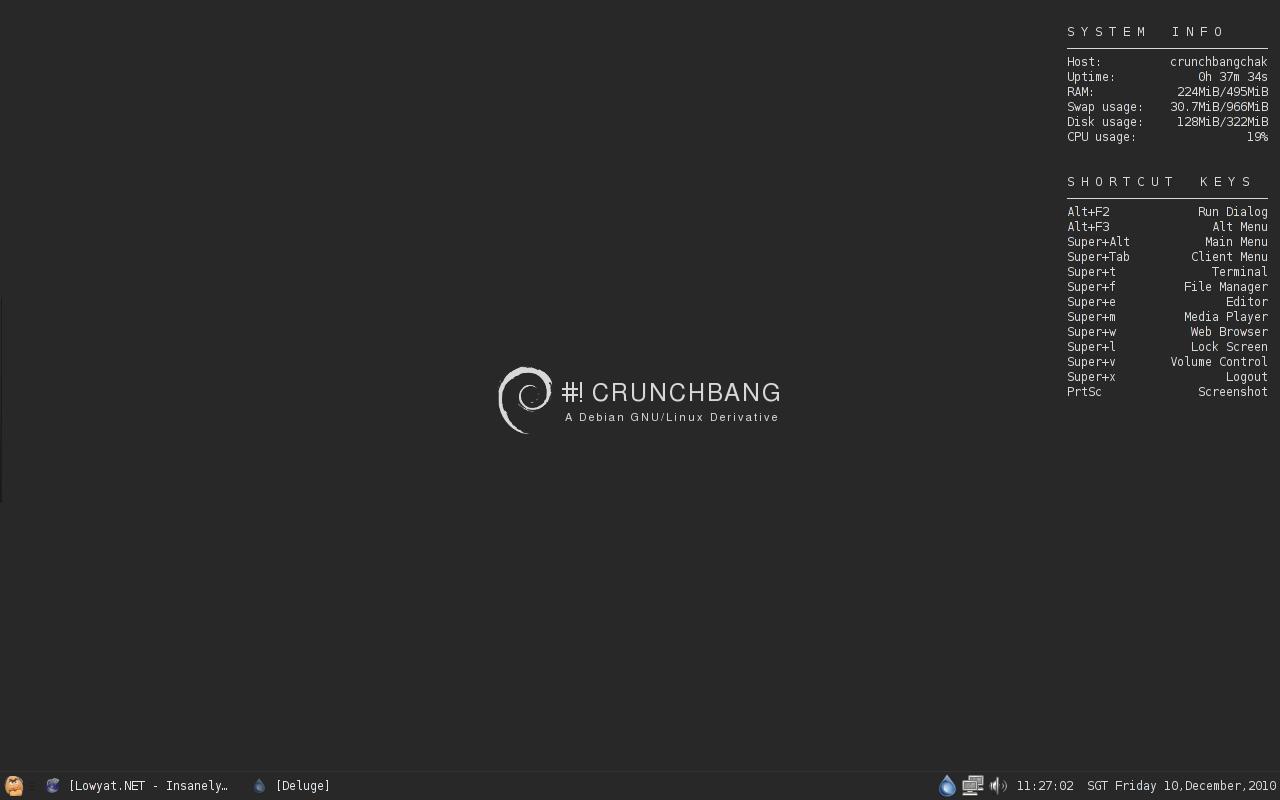
I'm a simple guy and not much of an art buff so everything is mostly default.Save for that Statler face for main menu.It's probably the most bad @$$ looking XFCE4 distro to me at least.All I need right now is to change the global mouse theme.

» Click to show Spoiler - click again to hide... «


It's CrunchBang Linux 10 "Statler" r20101205 XFCE4 by the way.

This post has been edited by eq8all: Dec 10 2010, 11:51 PM
TScocooh
post Dec 11 2010, 09:51 AM

✔ Awesomeness ✔
*******
Senior Member
2,789 posts

Joined: Jul 2010
From: Silicon Valley


QUOTE(eq8all @ Dec 10 2010, 11:39 PM)
I'm a simple guy and not much of an art buff so everything is mostly default.Save for that Statler face for main menu.It's probably the most bad @$$ looking XFCE4 distro to me at least.All I need right now is to change the global mouse theme.

» Click to show Spoiler - click again to hide... «


It's CrunchBang Linux 10 "Statler" r20101205 XFCE4 by the way.
*
Simple n Clean

Nice drool.gif
slier81
post Dec 13 2010, 11:27 PM

On my way
****
Senior Member
541 posts

Joined: Jun 2007
From: Penang
QUOTE(cocooh @ Dec 9 2010, 07:31 PM)
Mine - revamped with conky (fixing the drivers later)

» Click to show Spoiler - click again to hide... «


Hoho , happy user of dropbox now with 3GB capacity  drool.gif  They free me 1GB  biggrin.gif


Added on December 9, 2010, 10:46 pmHoho , reconstruct my desktop wif new Elementary theme (bored with Ambience XD)  rclxms.gif

» Click to show Spoiler - click again to hide... «


Docky + Covergloobus + Elementary 2.5 Icons & Theme + Custom Dock Icons + Conky Launchpad  drool.gif
*
wah nice la this one
ur panel match ur background..nice2
TScocooh
post Dec 14 2010, 01:37 AM

✔ Awesomeness ✔
*******
Senior Member
2,789 posts

Joined: Jul 2010
From: Silicon Valley


QUOTE(slier81 @ Dec 13 2010, 11:27 PM)
wah nice la this one
ur panel match ur background..nice2
*
thanks for d comment drool.gif

you can try it too nod.gif
Bremaine
post Dec 14 2010, 03:39 AM

New Member
*
Junior Member
47 posts

Joined: Dec 2010


Here's my desktop. It isn't as awesome as your guy's desktops, but oh well. Also FotC. smile.gif Click to see a bigger version of it.

user posted image

This post has been edited by Bremaine: Dec 14 2010, 03:41 AM
axxer
post Dec 14 2010, 10:42 AM

Banned
******
Validating
1,822 posts

Joined: Jul 2010
From: Yesterday, 01:25 AM
my desktop.. simple yet still look geeky tongue.gif
» Click to show Spoiler - click again to hide... «


duhhh just noticed that typo on conky after posting this ss doh.gif doh.gif hahaha

This post has been edited by axxer: Dec 14 2010, 10:56 AM
scorps
post Dec 14 2010, 10:59 AM

Something you call love, but I call sex
*******
Senior Member
9,572 posts

Joined: Jun 2005
From: Terengganu Darul Iman


QUOTE(axxer @ Dec 14 2010, 11:42 AM)
my desktop.. simple yet still look geeky  tongue.gif
» Click to show Spoiler - click again to hide... «


duhhh just noticed that typo on conky after posting this ss doh.gif  doh.gif  hahaha
*
what distro that u use? hmm.gif
linux mint?
axxer
post Dec 14 2010, 11:36 AM

Banned
******
Validating
1,822 posts

Joined: Jul 2010
From: Yesterday, 01:25 AM
QUOTE(scorps @ Dec 14 2010, 10:59 AM)
what distro that u use?  hmm.gif
linux mint?
*
nope.. its Peppermint OS.. but still can consider as linuxmint derivative coz its developer also in linuxmint team.. it uses lxde+openbox.. smooth and lighweight brows.gif
TScocooh
post Dec 14 2010, 02:41 PM

✔ Awesomeness ✔
*******
Senior Member
2,789 posts

Joined: Jul 2010
From: Silicon Valley


QUOTE(axxer @ Dec 14 2010, 11:36 AM)
nope.. its Peppermint OS.. but still can consider as linuxmint derivative coz its developer also in linuxmint team.. it uses lxde+openbox.. smooth and lighweight  brows.gif
*
nice o.o i guess its more light weight than Xubuntu
-Hzu-
post Dec 14 2010, 02:54 PM

Enthusiast
*****
Senior Member
944 posts

Joined: Oct 2010


QUOTE(cocooh @ Dec 14 2010, 02:41 PM)
nice o.o i guess its more light weight than Xubuntu
*
Err, there has been many lightweight distros than Xubuntu, and Ubuntu has another lightweight distro too, which is more lighter than Xubuntu, Lubuntu. Even lighter than that, DSL, which is only 50MB, designed for computers with low-resources.
axxer
post Dec 15 2010, 04:41 AM

Banned
******
Validating
1,822 posts

Joined: Jul 2010
From: Yesterday, 01:25 AM
my revamped linuxmint 9 gnome with orta theme+faenza icons and conky brows.gif
» Click to show Spoiler - click again to hide... «


This post has been edited by axxer: Dec 15 2010, 02:48 PM
Acid_RuleZz
post Dec 15 2010, 09:02 AM

ミウ ❤
*******
Senior Member
6,612 posts

Joined: Jan 2003
From: Tomorrow


dumped my avant. back to gnome-panel & docky sweat.gif
» Click to show Spoiler - click again to hide... «


This post has been edited by Acid_RuleZz: Dec 15 2010, 06:04 PM
powerwoot
post Dec 15 2010, 09:21 AM

讨厌的 ubuntu
*******
Senior Member
2,930 posts

Joined: Jan 2007
From: Kolej Universiti Agrosains Malaysia, Melaka


QUOTE(axxer @ Dec 15 2010, 04:41 AM)
my revamped linuxmint 6 gnome with orta theme+faenza icons and conky  brows.gif
» Click to show Spoiler - click again to hide... «

*
yummy conky thumbup.gif , mind to share the config?
scarxxx
post Dec 15 2010, 11:04 AM

Regular
******
Senior Member
1,509 posts

Joined: Feb 2008


QUOTE(cocooh @ Dec 9 2010, 07:31 PM)
Mine - revamped with conky (fixing the drivers later)

» Click to show Spoiler - click again to hide... «


Hoho , happy user of dropbox now with 3GB capacity  drool.gif  They free me 1GB  biggrin.gif


Added on December 9, 2010, 10:46 pmHoho , reconstruct my desktop wif new Elementary theme (bored with Ambience XD)  rclxms.gif

» Click to show Spoiler - click again to hide... «


Docky + Covergloobus + Elementary 2.5 Icons & Theme + Custom Dock Icons + Conky Launchpad  drool.gif
*
Hi cocooh,

I tried to use the Conky Launchpad config file by following the instruction by the ReadMe but it seems cant work for me.
Mind to shed some lights on the steps on how to configure it? smile.gif
TScocooh
post Dec 15 2010, 12:13 PM

✔ Awesomeness ✔
*******
Senior Member
2,789 posts

Joined: Jul 2010
From: Silicon Valley


QUOTE(scarxxx @ Dec 15 2010, 11:04 AM)
Hi cocooh,

I tried to use the Conky Launchpad config file by following the instruction by the ReadMe but it seems cant work for me.
Mind to shed some lights on the steps on how to configure it?  smile.gif
*
did u put everything in place ?

next ,after all files is in place , open terminal and type :

QUOTE
conky -c ~/conky_launchpad


then ure done biggrin.gif
axxer
post Dec 15 2010, 02:32 PM

Banned
******
Validating
1,822 posts

Joined: Jul 2010
From: Yesterday, 01:25 AM
QUOTE(powerwoot @ Dec 15 2010, 09:21 AM)
yummy conky  thumbup.gif , mind to share the config?
*
sure biggrin.gif
http://gnome-look.org/content/show.php/con...?content=133086
qudo
post Dec 15 2010, 03:37 PM

New Member
*
Junior Member
6 posts

Joined: Dec 2010
From: Kuala Lumpur


My Ubuntu 10.10 Dekstop

» Click to show Spoiler - click again to hide... «


Ubuntu 10.10 Maverick.
Balanzan Themes with Oxygen Icons
Cairo Dock
scarxxx
post Dec 16 2010, 12:43 AM

Regular
******
Senior Member
1,509 posts

Joined: Feb 2008


QUOTE(cocooh @ Dec 15 2010, 12:13 PM)
did u put everything in place ?

next ,after all files is in place , open terminal and type :
then ure done  biggrin.gif
*
Thanks mate for the heads up...
Got it running.. smile.gif thumbup.gif


Added on December 16, 2010, 1:06 amHi guys... just to share some outstanding conky theme..

http://www.techdrivein.com/2010/12/13-brea...igurations.html

This post has been edited by scarxxx: Dec 16 2010, 01:06 AM
axxer
post Dec 16 2010, 02:34 AM

Banned
******
Validating
1,822 posts

Joined: Jul 2010
From: Yesterday, 01:25 AM
QUOTE(scarxxx @ December 16, 2010, 12:43 AM)
Hi guys... just to share some outstanding conky theme..
http://www.techdrivein.com/2010/12/13-brea...igurations.html
*
nice thumbup.gif thumbup.gif thanks for sharing

powerwoot
post Dec 16 2010, 07:36 AM

讨厌的 ubuntu
*******
Senior Member
2,930 posts

Joined: Jan 2007
From: Kolej Universiti Agrosains Malaysia, Melaka


ahh maybe I am too old to configure conky to get it works perfectly. I am getting stars on my head reading those lines rclxub.gif
scarxxx
post Dec 16 2010, 01:35 PM

Regular
******
Senior Member
1,509 posts

Joined: Feb 2008


QUOTE(axxer @ Dec 16 2010, 02:34 AM)
nice  thumbup.gif  thumbup.gif  thanks for sharing
*
you're welcome!!
sharing info and knowledge is the main priority over here! thumbup.gif


Added on December 16, 2010, 1:50 pmadditional info for Ubuntu customization.. Check them out: http://www.omgubuntu.co.uk/2010/07/the-one...-customization/


Added on December 16, 2010, 1:52 pmTo cocooh: I would like to suggest that to edit your very first post with those useful links that had been posted by all of us here. It is easy for others to search for info at the very first post.

That is just my 2 kupangs.... biggrin.gif

This post has been edited by scarxxx: Dec 16 2010, 01:52 PM
TScocooh
post Dec 16 2010, 06:21 PM

✔ Awesomeness ✔
*******
Senior Member
2,789 posts

Joined: Jul 2010
From: Silicon Valley


QUOTE(scarxxx @ Dec 16 2010, 01:35 PM)
you're welcome!!
sharing info and knowledge is the main priority over here!  thumbup.gif


Added on December 16, 2010, 1:50 pmadditional info for Ubuntu customization.. Check them out: http://www.omgubuntu.co.uk/2010/07/the-one...-customization/


Added on December 16, 2010, 1:52 pmTo cocooh: I would like to suggest that to edit your very first post with those useful links that had been posted by all of us here. It is easy for others to search for info at the very first post.

That is just my 2 kupangs.... biggrin.gif
*
Thats cool o.O , will try XD
scarxxx
post Dec 16 2010, 11:56 PM

Regular
******
Senior Member
1,509 posts

Joined: Feb 2008


Nice first post!! Will be a great help for others... biggrin.gif


This is my desktop.... A simple one..

» Click to show Spoiler - click again to hide... «


TScocooh
post Dec 17 2010, 12:03 AM

✔ Awesomeness ✔
*******
Senior Member
2,789 posts

Joined: Jul 2010
From: Silicon Valley


QUOTE(scarxxx @ Dec 16 2010, 11:56 PM)
Nice first post!! Will be a great help for others... biggrin.gif
This is my desktop.... A simple one..

» Click to show Spoiler - click again to hide... «

*
nice wallie thumbup.gif
-Hzu-
post Dec 17 2010, 12:13 AM

Enthusiast
*****
Senior Member
944 posts

Joined: Oct 2010


My new desktop, I never did a customization before(lazy and I tried to keep it as simple as possible), so this is my first try.


Attached thumbnail(s)
Attached Image
TScocooh
post Dec 17 2010, 12:17 AM

✔ Awesomeness ✔
*******
Senior Member
2,789 posts

Joined: Jul 2010
From: Silicon Valley


QUOTE(-Hzu- @ Dec 17 2010, 12:13 AM)
My new desktop, I never did a customization before(lazy and I tried to keep it as simple as possible), so this is my first try.
*
transparent gnome panel shocking.gif

Nice XD
praveenmarkandu
post Dec 17 2010, 12:32 AM

Getting Started
**
Junior Member
273 posts

Joined: Jun 2006
QUOTE(G-17 @ Dec 4 2010, 10:56 PM)
Oi Admin!! Sticky this thread, please.

user posted image

Netbook, GRML, ScrotWM (hacked the source) running multiple tiled instances of Urxvt with some basic apps.
*
i want this.
-Hzu-
post Dec 17 2010, 09:17 AM

Enthusiast
*****
Senior Member
944 posts

Joined: Oct 2010


QUOTE(cocooh @ Dec 17 2010, 12:17 AM)
transparent gnome panel  shocking.gif

Nice XD
*
Ha yeah, that's looks really good right? brows.gif I wanted to switch to AWN but I don't know how to get Lucido style. hmm.gif
G-17
post Dec 17 2010, 10:45 AM

Securely Paranoid
******
Senior Member
1,748 posts

Joined: Mar 2010
QUOTE(praveenmarkandu @ Dec 17 2010, 12:32 AM)
i want this.
*
I assume you're familiar with tiling window managers and cli apps?
If so, what do you need, exactly? Do you want my scrotwm.conf, .Xdefaults color-scheme, specific application configs/scripts?

This post has been edited by G-17: Dec 17 2010, 10:46 AM
-Hzu-
post Dec 17 2010, 10:49 AM

Enthusiast
*****
Senior Member
944 posts

Joined: Oct 2010


QUOTE(G-17 @ Dec 17 2010, 10:45 AM)
I assume you're familiar with tiling window managers and cli apps?
If so, what do you need, exactly? Do you want my scrotwm.conf, .Xdefaults color-scheme, specific application configs/scripts?
*
You got a nice desktop but we can only navigate using keyboard? Or what? Looks like full text desktop.
G-17
post Dec 17 2010, 11:07 AM

Securely Paranoid
******
Senior Member
1,748 posts

Joined: Mar 2010
QUOTE(-Hzu- @ Dec 17 2010, 10:49 AM)
You got a nice desktop but we can only navigate using keyboard? Or what? Looks like full text desktop.
*

Yes, you can use the mouse. I generally mostly run cli/terminal apps on my netbook, mainly because of the speed and it's what I'm familiar with. I still have a Graphical browser (Firefox or Chromium) which I use the mouse/touchpad for. I don't really have graphical file managers or media players (you can see my text-based file manager and music player in the screenshot).

I'm not using Gnome or KDE or Xfce or whatever, but a tiling window manager. Tiling window managers basically resize your opened windows automatically, for example, if you open one program, it's comes out full-screen, open another one, it splits the two programs side-by-side, 50-50, open another one and it splits the secondary pane by half again.... and so on. In a nutshell, you're maximizing your screen space. Of course, with a little knowhow, you can configure the behaviour however you want via the config files.

Here, I'm using a tiling window manager called ScrotWM:
http://www.scrotwm.org/

There are, of course, many other tiling window managers out there. Here's a comparison:
https://wiki.archlinux.org/index.php/Compar...Window_Managers

You can run a tiling window manager on any distro that has an X11 backend, meaning any Linux or BSD distro. I even run a tiling window manager called Xmonad on my Apple OSX system from time-to-time. If you're on Ubuntu, Fedora, Suse..etc, you can find most of them in your repos, and then you can log out and boot into them via GDM or KDM. Other distros like Arch, Sid, Gentoo, Free-BSD...etc need a little more configuring (we usually don't use GDM and prefer startx/xinitrc)

Here, I'm using a distro called GRML.
http://grml.org/
I like it because it comes with a lot of text tools out of the box, is highly configurable, is based on Debian (the grandpa distro) and most importantly, comes with my favourite shell (I prefer Zsh over Bash). It's also very light, similar to an Arch or Gentoo install, but with much less time required for configuration, and the included kernel is pretty good, which saves me time recompiling.

I hope I didn't confuse you too much. I'm generally pretty bad at explaining stuff.

Tiling WMs aren't for everyone. You either like them or you don't. I'm not saying they're better then your usual floating desktop environments or window managers like Gnome, Xfce, Fluxbox, Openbox...etc. They're just different.

Cheers. smile.gif

This post has been edited by G-17: Dec 17 2010, 11:36 AM
-Hzu-
post Dec 17 2010, 11:56 AM

Enthusiast
*****
Senior Member
944 posts

Joined: Oct 2010


Actually I like it because it's simple and have the Linux feel. I'll install ScrotWM later. Can you share your config?
scarxxx
post Dec 17 2010, 07:08 PM

Regular
******
Senior Member
1,509 posts

Joined: Feb 2008


QUOTE(cocooh @ Dec 17 2010, 12:03 AM)
nice wallie  thumbup.gif
*
Thanks mate...
Hehehe.. I love simple wallie...
G-17
post Dec 17 2010, 07:12 PM

Securely Paranoid
******
Senior Member
1,748 posts

Joined: Mar 2010
-Hzu-
My configs probably won't work for you, since I've hacked the source code to add some functionality to suit my own specific workflow. Also because I use the CVS dev version, which is a bit different from the stable version you get from your repos.

Tell you what, I'll grab the standard config and edit it for you. It'll be a bit later since I'm still at work right now.

In the meantime, can you check your repos or package manager and tell me what version you have installed? Also, you can "man scrotwm" in the terminal to read up first

Cheers.

This post has been edited by G-17: Dec 17 2010, 07:14 PM
Acid_RuleZz
post Dec 17 2010, 08:54 PM

ミウ ❤
*******
Senior Member
6,612 posts

Joined: Jan 2003
From: Tomorrow


QUOTE(G-17 @ Dec 17 2010, 07:12 PM)
-Hzu-
My configs probably won't work for you, since I've hacked the source code to add some functionality to suit my own specific workflow. Also because I use the CVS dev version, which is a bit different from the stable version you get from your repos.

Tell you what, I'll grab the standard config and edit it for you. It'll be a bit later since I'm still at work right now.

In the meantime, can you check your repos or package manager and tell me what version you have installed? Also, you can "man scrotwm" in the terminal to read up first

Cheers.
*
man. i tried scrotwm and it feel sexy

just 1 problem tho.. how to enable my wifi connection? sweat.gif
TScocooh
post Dec 18 2010, 04:13 AM

✔ Awesomeness ✔
*******
Senior Member
2,789 posts

Joined: Jul 2010
From: Silicon Valley


Recently "Back To Basics" with Ambience Theme + Faenza Variants + Covergloobus 1.7 RC + HTC Inspired Clock Widget

» Click to show Spoiler - click again to hide... «


Luving it thumbup.gif
G-17
post Dec 18 2010, 04:46 AM

Securely Paranoid
******
Senior Member
1,748 posts

Joined: Mar 2010
@-Hzu- & Acid_RuleZz & praveenmarkandu

here's a simple .scrotwm.conf, .Xdefaults and .bashrc
http://ompldr.org/vNmx2cw

All 3 are DOT files, so you'll need to enable your file manager to show hidden files (Ctrl + H in Nautilus, Thunar, etc)

Important:
Back up your existing .scrotwm.conf, .Xdefaults (if you have one) and .bashrc first
Then paste the .scrotwm.conf and .Xdefaults included in the zip into your home folder.

I've set both of them to use URxvt as the terminal emulator, so make sure you install that first (you can also edit the configs to make it use your preferred terminal if you know how, but if you're still learning and unsure, just use my suggestion first)

URxvt can be found in your repos under the "rxvt-unicode" package.
Also make sure you install terminus fonts, "xfonts-terminus" (I think Ubuntu pulls this in automatically when you install a ScrotWM or DWM, but I'm not 100% sure, so do it anyway (your package manager or Synaptic should tell you if it's installed already)

Note: If you don't understand this paragraph, don't worry... just ignore.
The .bashrc, don't touch until you're more familiar with bash. I don't use bash myself (I prefer ZSH) so I'm a bit behind with bash prompt editing. If you open it in a text editor, go to line 84 and 85 for your bash prompt. Just replace "User" and "Host" with whatever nick you want as a start. If you do some reading on Bash (Archwiki is a good place to learn), then you can do much more if you want.... or change to Zsh one day =P

That should be enough to get you started. Remember to read the .scrotwm.conf first to give you an idea of the keybindings. I've changed the Mod/Meta key to Mod4 (the Windows/Super key on your keyboard), to prevent conflicts with certain apps that use Mod1. I've also added quirks for Nautilus (which I assume is your file manager) and Firefox (at the end of the file)

Cheers.


Added on December 18, 2010, 4:52 am
QUOTE(Acid_RuleZz @ Dec 17 2010, 08:54 PM)
man. i tried scrotwm and it feel sexy

just 1 problem tho.. how to enable my wifi connection?  sweat.gif
*

Ah, are you using Network Manager as your default network app?
I'm not sure, cos I've not used network manager in a looooong time.

I prefer Wicd, and wicd-curses (the cli/terminal version) is what I use for my setups.
Wicd is actually better and lighter than network manager, but the disadvantage is that it doesn't support 3G USB dongles (maxis, celcom,etc) If you're just connecting via wifi to your router, it should work fine.

You can install wicd and wicd-curses and without removing network manager (I think). that way, your Gnome session will default to network manager and you can run wicd-curses from the terminal in scrotwm to configure your wireless connection. (note, if you install wicd from Gnome while network manager is running, it will give a message saying initialization failed, but ignore that... you can still run it as stand-alone from Scrotwm)

Disclaimer:
Like I said, I don't use Ubuntu/Fedora or Gnome or Network Manager, so I'm not 100% sure what your package management will do (sometimes Ubuntu will remove stuff), so pay attention to the output. Don't kill me if you bork your wireless sweat.gif tongue.gif


This post has been edited by G-17: Dec 18 2010, 09:11 AM

Acid_RuleZz
post Dec 18 2010, 07:55 AM

ミウ ❤
*******
Senior Member
6,612 posts

Joined: Jan 2003
From: Tomorrow


Thanks for the config man. Now my terminal is sexy as hell drool.gif
Setting for wifi connection outside gnome is quite pain in the ass.
I think need to create my own script for stopping the networkmanager service and auto join ap on startup.

Any moar tips on tilingwm? brows.gif
G-17
post Dec 18 2010, 09:25 AM

Securely Paranoid
******
Senior Member
1,748 posts

Joined: Mar 2010
QUOTE(cocooh @ Dec 18 2010, 04:13 AM)
Recently "Back To Basics" with Ambience Theme + Faenza Variants + Covergloobus 1.7 RC + HTC Inspired Clock Widget

» Click to show Spoiler - click again to hide... «


Luving it  thumbup.gif
*

That's a beautiful clock widget. Conky or screenlet or something else?


QUOTE(Acid_RuleZz @ Dec 18 2010, 07:55 AM)
Thanks for the config man. Now my terminal is sexy as hell  drool.gif
Setting for wifi connection outside gnome is quite pain in the ass.
I think need to create my own script for stopping the networkmanager service and auto join ap on startup.

Any moar tips on tilingwm?  brows.gif
*

Haha.
Wifi outside Gnome is easy, man. Just not easy with network manager. tongue.gif (sorry, I really have little experience with nm)
If you know the proper syntax to connect network manager and need help for the script, just leave me a note.

What tips do you want? More apps, other tiling wm recommendations, URxvt add-ons? ... there's so much out there, I don't know where to start unless you can be a bit more specific.

Okay, enough off-topic.... got drunk and felt like theming my netbook again, so here's a screenshot.

Since some people recently robbed me of my configs,rolleyes.gif I decided to change my colorscheme. whistling.gif

ScrotWM on the netbook.
user posted image user posted image

Maybe I should change to another tiling WM. I have a feeling there's gonna be more ScrotWM screenshots here soon.
Next time I'll try to post some wmii, dwm or ratpoison screenies.

But now, I sleep yawn.gif

This post has been edited by G-17: Dec 18 2010, 09:26 AM
masokis
post Dec 18 2010, 09:50 AM

Getting Started
**
Junior Member
72 posts

Joined: Mar 2009
hi.. my SS smile.gif
user posted image

Using bt 4- r1 + + Compiz + emerland blue theme.... rclxms.gif
-Hzu-
post Dec 18 2010, 10:44 AM

Enthusiast
*****
Senior Member
944 posts

Joined: Oct 2010


QUOTE(G-17 @ Dec 18 2010, 04:46 AM)
@-Hzu- & Acid_RuleZz & praveenmarkandu

here's a simple .scrotwm.conf, .Xdefaults and .bashrc
http://ompldr.org/vNmx2cw

All 3 are DOT files, so you'll need to enable your file manager to show hidden files (Ctrl + H in Nautilus, Thunar, etc)

Important:
Back up your existing .scrotwm.conf, .Xdefaults (if you have one) and .bashrc first
Then paste the .scrotwm.conf and .Xdefaults included in the zip into your home folder.

I've set both of them to use URxvt as the terminal emulator, so make sure you install that first (you can also edit the configs to make it use your preferred terminal if you know how, but if you're still learning and unsure, just use my suggestion first)

URxvt can be found in your repos under the "rxvt-unicode" package.
Also make sure you install terminus fonts, "xfonts-terminus" (I think Ubuntu pulls this in automatically when you install a ScrotWM or DWM, but I'm not 100% sure, so do it anyway (your package manager or Synaptic should tell you if it's installed already)

Note: If you don't understand this paragraph, don't worry... just ignore.
The .bashrc, don't touch until you're more familiar with bash. I don't use bash myself (I prefer ZSH) so I'm a bit behind with bash prompt editing. If you open it in a text editor, go to line 84 and 85 for your bash prompt. Just replace "User" and "Host" with whatever nick you want as a start. If you do some reading on Bash (Archwiki is a good place to learn), then you can do much more if you want.... or change to Zsh one day =P

That should be enough to get you started. Remember to read the .scrotwm.conf first to give you an idea of the keybindings. I've changed the Mod/Meta key to Mod4 (the Windows/Super key on your keyboard), to prevent conflicts with certain apps that use Mod1. I've also added quirks for Nautilus (which I assume is your file manager) and Firefox (at the end of the file)

Cheers.


Added on December 18, 2010, 4:52 amAh, are you using Network Manager as your default network app?
I'm not sure, cos I've not used network manager in a looooong time.

I prefer Wicd, and wicd-curses (the cli/terminal version) is what I use for my setups.
Wicd is actually better and lighter than network manager, but the disadvantage is that it doesn't support 3G USB dongles (maxis, celcom,etc) If you're just connecting via wifi to your router, it should work fine.

You can install wicd and wicd-curses and without removing network manager (I think). that way, your Gnome session will default to network manager and you can run wicd-curses from the terminal in scrotwm to configure your wireless connection. (note, if you install wicd from Gnome while network manager is running, it will give a message saying initialization failed, but ignore that... you can still run it as stand-alone from Scrotwm)

Disclaimer:
Like I said, I don't use Ubuntu/Fedora or Gnome or Network Manager, so I'm not 100% sure what your package management will do (sometimes Ubuntu will remove stuff), so pay attention to the output. Don't kill me if you bork your wireless sweat.gif tongue.gif
*
Thanks for taking your time doing this for us G-17. smile.gif I'll install ScrotWM and try to configure it.
scarxxx
post Dec 18 2010, 03:53 PM

Regular
******
Senior Member
1,509 posts

Joined: Feb 2008


QUOTE(G-17 @ Dec 18 2010, 09:25 AM)
That's a beautiful clock widget. Conky or screenlet or something else?
That will be screenlet.
Here is the sauce: http://www.omgubuntu.co.uk/2010/12/flip-st...s-clock-widget/


Added on December 18, 2010, 3:54 pm
QUOTE(cocooh @ Dec 18 2010, 04:13 AM)
Recently "Back To Basics" with Ambience Theme + Faenza Variants + Covergloobus 1.7 RC + HTC Inspired Clock Widget

» Click to show Spoiler - click again to hide... «


Luving it  thumbup.gif
*
Cool dude.. nice and simple... biggrin.gif

This post has been edited by scarxxx: Dec 18 2010, 03:54 PM
TScocooh
post Dec 18 2010, 05:09 PM

✔ Awesomeness ✔
*******
Senior Member
2,789 posts

Joined: Jul 2010
From: Silicon Valley


Thanks all for the comments =)

Im installing Ubuntu @ my another lappie now XD

Porting all apps into place n recreate my desktop identical to my main lappie

Alot of works @@
wanfaris
post Dec 18 2010, 07:34 PM

O_o
******
Senior Member
1,439 posts

Joined: Aug 2010


QUOTE(masokis @ Dec 18 2010, 09:50 AM)
hi.. my SS smile.gif
user posted image

Using bt 4- r1 + + Compiz + emerland blue theme....  rclxms.gif
*
nice bro.... shocking.gif

what distro u use?? hmm.gif
scarxxx
post Dec 18 2010, 08:21 PM

Regular
******
Senior Member
1,509 posts

Joined: Feb 2008


QUOTE(wanfaris @ Dec 18 2010, 07:34 PM)
nice bro.... shocking.gif

what distro u use?? hmm.gif
*
if not mistaken is BackTrack...
biggrin.gif
TScocooh
post Dec 18 2010, 08:32 PM

✔ Awesomeness ✔
*******
Senior Member
2,789 posts

Joined: Jul 2010
From: Silicon Valley


Phew , succesfully transform my second lappie to Ubuntu

» Click to show Spoiler - click again to hide... «


Finally ==
masokis
post Dec 18 2010, 08:33 PM

Getting Started
**
Junior Member
72 posts

Joined: Mar 2009
QUOTE(wanfaris @ Dec 18 2010, 08:34 PM)
nice bro.... shocking.gif

what distro u use?? hmm.gif
*
i'm Using bt 4- r1 + + Compiz + emerland blue theme. rclxms.gif
bt = backtrack , but now there was new release... backtrack 4 r2 smile.gif
thus pic above are backtrack r1.... icon_idea.gif
-Hzu-
post Dec 18 2010, 10:40 PM

Enthusiast
*****
Senior Member
944 posts

Joined: Oct 2010


Rev #2


Attached thumbnail(s)
Attached Image
TScocooh
post Dec 18 2010, 10:49 PM

✔ Awesomeness ✔
*******
Senior Member
2,789 posts

Joined: Jul 2010
From: Silicon Valley


GG , might wanna download bt for "TESTING" purposes

whistling.gif
SUSphantomkid
post Dec 18 2010, 11:42 PM

Getting Started
**
Junior Member
269 posts

Joined: Nov 2009
From: Hampshire, UK Location : London, UK


QUOTE(cocooh @ Dec 18 2010, 10:49 PM)
GG , might wanna download bt for "TESTING" purposes

whistling.gif
*
Penetration purposes? brows.gif


-Hzu-
post Dec 18 2010, 11:43 PM

Enthusiast
*****
Senior Member
944 posts

Joined: Oct 2010


Backtrack is recommended for security auditing purposes. If you just want to take a peek at it's desktop effects, then no, they're just the same.
TScocooh
post Dec 18 2010, 11:47 PM

✔ Awesomeness ✔
*******
Senior Member
2,789 posts

Joined: Jul 2010
From: Silicon Valley


I have my ways laugh.gif
powerwoot
post Dec 18 2010, 11:50 PM

讨厌的 ubuntu
*******
Senior Member
2,930 posts

Joined: Jan 2007
From: Kolej Universiti Agrosains Malaysia, Melaka


QUOTE(-Hzu- @ Dec 18 2010, 11:43 PM)
Backtrack is recommended for security auditing purposes. If you just want to take a peek at it's desktop effects, then no, they're just the same.
*
yup, but too bad most ppl go for this distro just to learn how to intrude into someone else wireless encryption and surf the internet for free. Things gone worst when the extended wireless device sold shipped together with the backtrack life cd c/w with manual and tutorial how to invade for just few commands and click. I experienced once, pretty much easier than aircrack-ng.

TScocooh
post Dec 18 2010, 11:59 PM

✔ Awesomeness ✔
*******
Senior Member
2,789 posts

Joined: Jul 2010
From: Silicon Valley


QUOTE(powerwoot @ Dec 18 2010, 11:50 PM)
yup, but too bad most ppl go for this distro just to learn how to intrude into someone else wireless encryption and surf the internet for free. Things gone worst when the extended wireless device sold shipped together with the backtrack life cd c/w with manual and tutorial how to invade for just few commands and click. I experienced once, pretty much easier than aircrack-ng.
*
Looks interesting to me drool.gif
powerwoot
post Dec 19 2010, 12:07 AM

讨厌的 ubuntu
*******
Senior Member
2,930 posts

Joined: Jan 2007
From: Kolej Universiti Agrosains Malaysia, Melaka


QUOTE(cocooh @ Dec 18 2010, 11:59 PM)
Looks interesting to me  drool.gif
*
just a bit off topic here, true you'll find tonnes of apps in back|track on how to penetrate and security purpose. But if you buy any wireless extended devices from the bulk section, you'll get back|track life cd and that would be super easy to configure as they already include the apps that is newbie friendly, even those not from linux background also can do it.
TScocooh
post Dec 19 2010, 12:12 AM

✔ Awesomeness ✔
*******
Senior Member
2,789 posts

Joined: Jul 2010
From: Silicon Valley


QUOTE(powerwoot @ Dec 19 2010, 12:07 AM)
just a bit off topic here, true you'll find tonnes of apps in back|track on how to penetrate and security purpose. But if you buy any wireless extended devices from the bulk section, you'll get back|track life cd and that would be super easy to configure as they already include the apps that is newbie friendly, even those not from linux background also can do it.
*
I got it edi shocking.gif

Btw , i wanna try Opensuse too drool.gif Wanna try how to customize it blush.gif
powerwoot
post Dec 19 2010, 12:29 AM

讨厌的 ubuntu
*******
Senior Member
2,930 posts

Joined: Jan 2007
From: Kolej Universiti Agrosains Malaysia, Melaka


QUOTE(cocooh @ Dec 19 2010, 12:12 AM)
I got it edi  shocking.gif

Btw , i wanna try Opensuse too  drool.gif  Wanna try how to customize it  blush.gif
*
you are always welcome to try it yourself, but imo configuring opensuse is much more difficult than ubuntu. You'll need sometime getting used to it.
TScocooh
post Dec 19 2010, 01:27 AM

✔ Awesomeness ✔
*******
Senior Member
2,789 posts

Joined: Jul 2010
From: Silicon Valley


powerwoot : Gonna get some reading O.O laugh.gif

Well , i know that this is abit "OUT OF TOPIC" , but i wanna share this picture to all Windows GEEK out there who laugh @ me .

Several months ago , ive introduce Ubuntu to my fren n they was like : "WTF is Buntut ?"

Well , im abit furious @ tat but ive tolerate . They say "I'll giv u a month on it and u'll run back to your Windows"

I asked y , they replied "Coz ur Buntut cannot play any games @ all"

So now , they shut their mouths and installed Ubuntu on their lappie .

Y ? Look at this :

» Click to show Spoiler - click again to hide... «


So happy that they r using Ubuntu now laugh.gif

BTW , that Photoshop icon u saw , its real Photoshop CS5 App shocking.gif
axxer
post Dec 19 2010, 03:13 AM

Banned
******
Validating
1,822 posts

Joined: Jul 2010
From: Yesterday, 01:25 AM
@cocooh, its linux native or via wine??
TScocooh
post Dec 19 2010, 03:14 AM

✔ Awesomeness ✔
*******
Senior Member
2,789 posts

Joined: Jul 2010
From: Silicon Valley


QUOTE(axxer @ Dec 19 2010, 03:13 AM)
@cocooh, its linux native or via wine??
*
Wine blush.gif
G-17
post Dec 19 2010, 03:32 AM

Securely Paranoid
******
Senior Member
1,748 posts

Joined: Mar 2010
I was a big fan of BT some time ago. Some of the included tools were quite sublime.
Actually, I'm tempted again, since my next door neighbor in SG just signed up for a 100MB/s connection (double my speed).... hehehehe

Anyways, some tweaks on yesterdays setup. Mainly to get more usability out of my Vim syntax highlighting.

user posted image
monsh
post Dec 19 2010, 05:20 AM

Let's Change The World !
*******
Senior Member
4,196 posts

Joined: Oct 2007


oh my god !
looking at those makes me wanna try out linux .
is anyone willing to teach me about using linux + using these customization .
TScocooh
post Dec 19 2010, 05:28 AM

✔ Awesomeness ✔
*******
Senior Member
2,789 posts

Joined: Jul 2010
From: Silicon Valley


QUOTE(monsh @ Dec 19 2010, 05:20 AM)
oh my god !
looking at those makes me wanna try out linux .
is anyone willing to teach me about using linux + using these customization .
*
ya can always ask us here laugh.gif @ Linux n Open Source

We're always welcoming new comers
powerwoot
post Dec 19 2010, 11:00 AM

讨厌的 ubuntu
*******
Senior Member
2,930 posts

Joined: Jan 2007
From: Kolej Universiti Agrosains Malaysia, Melaka


yooo, good morning penguiners, beasties and devilish!

I think we need a thread to chat in general.
-Hzu-
post Dec 19 2010, 12:17 PM

Enthusiast
*****
Senior Member
944 posts

Joined: Oct 2010


QUOTE(monsh @ Dec 19 2010, 05:20 AM)
oh my god !
looking at those makes me wanna try out linux .
is anyone willing to teach me about using linux + using these customization .
*
GO AWAY WIDNWO$ USER! Nah, just kidding. You're always welcome here.

I recommend you to get Ubuntu because it was designed for... take no offense but people call it, 'n00b distro'. Well, I guess they're right after all. Ubuntu isn't challenging at all, everything is in the repo. While me, Fedora user, feels so fun customizing, compiling, blblablblbalbla, etc. Ok, stop the rant.

BTW, G-17, I still haven't figured out how to use ScrotWM, lol. doh.gif I installed scrot from the Fedora repo, log out, and I can't change to Scrot, I don't see any menu to do so. rclxub.gif I'll try searching the support forums.
monsh
post Dec 19 2010, 02:39 PM

Let's Change The World !
*******
Senior Member
4,196 posts

Joined: Oct 2007


well im kinda embarrased to say this, im a programmer but i dont really went into linux OS so much .

it would be gerat if there's any OS with great GUI and a mediocre level of programming required .

anyway, i'll try out the Ubuntu .

can give me link pls .

any other options do i have ? ^^,
-Hzu-
post Dec 19 2010, 02:48 PM

Enthusiast
*****
Senior Member
944 posts

Joined: Oct 2010


A programmer eh? Then go for either Fedora or ArchLinux or Gentoo. I'd recommend you Fedora. biggrin.gif Well, actually you don't need to do programming at all(maybe there are some), but most of the source codes only need you to install the dependecies and compile them. nod.gif

Ubuntu is too easy, might not be fun for a programmer like you. tongue.gif


---------------------------OR!---------------------------

You could use THIS and see what you got.

This post has been edited by -Hzu-: Dec 19 2010, 02:50 PM
monsh
post Dec 19 2010, 03:24 PM

Let's Change The World !
*******
Senior Member
4,196 posts

Joined: Oct 2007


erm okay .
is there any starter tutorial for the fedora ?
and what's d website ?
mind telling me what's d latest edition of it .

i got ubuntu, linuxmint, kubuntu, mandriva, openSUSE for the test >.<"

This post has been edited by monsh: Dec 19 2010, 03:28 PM
-Hzu-
post Dec 19 2010, 03:27 PM

Enthusiast
*****
Senior Member
944 posts

Joined: Oct 2010


http://wwww.FedoraProject.org

The latest version is Fedora 14. For support or tutorials/guides/etc., you can go to http://www.FedoraSolved.org and http://www.FedoraForum.org.
monsh
post Dec 19 2010, 03:31 PM

Let's Change The World !
*******
Senior Member
4,196 posts

Joined: Oct 2007


is this bootable on CD ?
or installed on PC ?

powerwoot
post Dec 19 2010, 03:37 PM

讨厌的 ubuntu
*******
Senior Member
2,930 posts

Joined: Jan 2007
From: Kolej Universiti Agrosains Malaysia, Melaka


QUOTE(monsh @ Dec 19 2010, 03:24 PM)
erm okay .
is there any starter tutorial for the fedora ?
and what's d website ?
mind telling me what's d latest edition of it .

i got ubuntu, linuxmint, kubuntu, mandriva, openSUSE for the test >.<"
*
Ubuntu, Linux Mint and Kubuntu basically are the same, they use the same repositories from Ubuntu. Mandriva I don't have comment about it as the last time I used it, the distro was Mandrake before changed to Mandriva. Currently using openSUSE 11.3. If you want some light and easy for starting I would recommend you go for Linux Mint 10.

monsh
post Dec 19 2010, 03:39 PM

Let's Change The World !
*******
Senior Member
4,196 posts

Joined: Oct 2007


ok. i might as well star from the basic one .
will try linux mint 10 .
gotta get my hands on a lappy 1st .

btw, all these OS are bootable on CD or installed-based ?


-Hzu-
post Dec 19 2010, 03:40 PM

Enthusiast
*****
Senior Member
944 posts

Joined: Oct 2010


They are available as Live CD and installation DVD. The Live CD can also be installed to your PC.
powerwoot
post Dec 19 2010, 03:47 PM

讨厌的 ubuntu
*******
Senior Member
2,930 posts

Joined: Jan 2007
From: Kolej Universiti Agrosains Malaysia, Melaka


QUOTE(monsh @ Dec 19 2010, 03:39 PM)
gotta get my hands on a lappy 1st .

btw, all these OS are bootable on CD or installed-based ?
*
most of these OS do provide .iso that support 2 in 1, live session and hard installation if we decide to install into our pc later on.
TScocooh
post Dec 19 2010, 04:07 PM

✔ Awesomeness ✔
*******
Senior Member
2,789 posts

Joined: Jul 2010
From: Silicon Valley


QUOTE(powerwoot @ Dec 19 2010, 11:00 AM)
yooo, good morning penguiners, beasties and devilish!

I think we need a thread to chat in general.
*
+1 , i wonder if the mod allows it hmm.gif
-Hzu-
post Dec 19 2010, 04:17 PM

Enthusiast
*****
Senior Member
944 posts

Joined: Oct 2010


QUOTE(cocooh @ Dec 19 2010, 04:07 PM)
+1 , i wonder if the mod allows it  hmm.gif
*
Make an IRC channel. wink.gif

TScocooh
post Dec 19 2010, 04:19 PM

✔ Awesomeness ✔
*******
Senior Member
2,789 posts

Joined: Jul 2010
From: Silicon Valley


I think we should O.O
G-17
post Dec 19 2010, 04:21 PM

Securely Paranoid
******
Senior Member
1,748 posts

Joined: Mar 2010
@monsh & cocooh & everyone else
I'll start a Linux/BSD/FOSS General Chat & FAQ thread.
If it goes beyond 2 pages, we'll ask a mod to sticky it.

@-Hzu-
I'll try to answer your ScrotWM questions in the Q&A thread.

This post has been edited by G-17: Dec 19 2010, 04:21 PM
-Hzu-
post Dec 19 2010, 04:22 PM

Enthusiast
*****
Senior Member
944 posts

Joined: Oct 2010


Ok, that's great! biggrin.gif

This post has been edited by -Hzu-: Dec 19 2010, 04:32 PM
TScocooh
post Dec 19 2010, 04:34 PM

✔ Awesomeness ✔
*******
Senior Member
2,789 posts

Joined: Jul 2010
From: Silicon Valley


QUOTE(G-17 @ Dec 19 2010, 04:21 PM)
@monsh & cocooh & everyone else
I'll start a Linux/BSD/FOSS General Chat & FAQ thread.
If it goes beyond 2 pages, we'll ask a mod to sticky it.

@-Hzu-
I'll try to answer your ScrotWM questions in the Q&A thread.
*
Thanks XD
monsh
post Dec 19 2010, 05:12 PM

Let's Change The World !
*******
Senior Member
4,196 posts

Joined: Oct 2007


great !
general discussion would be great
G-17
post Dec 19 2010, 07:14 PM

Securely Paranoid
******
Senior Member
1,748 posts

Joined: Mar 2010
@monsh
I already replied your query in the new thread, FYI

QUOTE(-Hzu- @ Dec 19 2010, 04:17 PM)
Make an IRC channel. wink.gif
*

#Lowyat-FOSS@freenode.net or #Lowyat-FOSS@irchighway.net would be a good choice (irchighway is better, but freenode has a more Linux identity to it).

Unfortunately, I probably wont have time to be a channel OP or maintainer, so someone else should start it. smile.gif

REQUEST
Someone please post a new screenshot here so that this thread can get back on topic!!
Thanks smile.gif

This post has been edited by G-17: Dec 19 2010, 07:15 PM
monsh
post Dec 19 2010, 08:01 PM

Let's Change The World !
*******
Senior Member
4,196 posts

Joined: Oct 2007


where's d link of the new thread ?
G-17
post Dec 19 2010, 08:07 PM

Securely Paranoid
******
Senior Member
1,748 posts

Joined: Mar 2010
QUOTE(monsh @ Dec 19 2010, 08:01 PM)
where's d link of the new thread ?
*

http://forum.lowyat.net/topic/1683179

(Post #7)

This post has been edited by G-17: Dec 19 2010, 08:07 PM
praveenmarkandu
post Dec 19 2010, 11:10 PM

Getting Started
**
Junior Member
273 posts

Joined: Jun 2006
very simple desktop. best of both worlds. GUI + Terminal


Attached thumbnail(s)
Attached Image
wanfaris
post Dec 19 2010, 11:36 PM

O_o
******
Senior Member
1,439 posts

Joined: Aug 2010


QUOTE(praveenmarkandu @ Dec 19 2010, 11:10 PM)
very simple desktop. best of both worlds. GUI + Terminal
*
wow... shocking.gif

very simple.... rclxms.gif nice one...
TScocooh
post Dec 19 2010, 11:38 PM

✔ Awesomeness ✔
*******
Senior Member
2,789 posts

Joined: Jul 2010
From: Silicon Valley


VERY SIMPLE O.O
G-17
post Dec 20 2010, 11:45 AM

Securely Paranoid
******
Senior Member
1,748 posts

Joined: Mar 2010
Debian Squeeze/Testing partition on my secondary desktop

Openbox
user posted image
Instant_noodle
post Dec 20 2010, 12:35 PM

nyaaa~~
*******
Senior Member
2,780 posts

Joined: Jun 2008
From: yokumo village
QUOTE(G-17 @ Dec 20 2010, 11:45 AM)
Debian Squeeze/Testing partition on my secondary desktop

Openbox
user posted image
*

i find ur setups are mostly simple but still attaining bit of elegance

*suppressing jealousy*

nice!!! rclxms.gif
monsh
post Dec 20 2010, 12:52 PM

Let's Change The World !
*******
Senior Member
4,196 posts

Joined: Oct 2007


linux based OS are very nice .
the GUI provided and modularity makes it interesting .
with a lil bit knowledge in linux programming, great outcomes arise .
-Hzu-
post Dec 20 2010, 02:04 PM

Enthusiast
*****
Senior Member
944 posts

Joined: Oct 2010


QUOTE(praveenmarkandu @ Dec 19 2010, 11:10 PM)
very simple desktop. best of both worlds. GUI + Terminal
*
Nice, what window manager are you using? Doesn't looks like GNOME to me.

wanfaris
post Dec 20 2010, 03:23 PM

O_o
******
Senior Member
1,439 posts

Joined: Aug 2010


can anyone teach me how to install conky??

i hv tar.gz app n dun know how to install... sweat.gif
axxer
post Dec 20 2010, 03:36 PM

Banned
******
Validating
1,822 posts

Joined: Jul 2010
From: Yesterday, 01:25 AM
QUOTE(wanfaris @ Dec 20 2010, 03:23 PM)
can anyone teach me how to install conky??

i hv tar.gz app n dun know how to install... sweat.gif
*
what distro ur using? if ubuntu just
CODE
sudo apt-get install conky


tar.gz need to compile urself, too hard for beginner sweat.gif

This post has been edited by axxer: Dec 20 2010, 03:36 PM
-Hzu-
post Dec 20 2010, 03:39 PM

Enthusiast
*****
Senior Member
944 posts

Joined: Oct 2010


QUOTE(axxer @ Dec 20 2010, 03:36 PM)
what distro ur using? if ubuntu just
CODE
sudo apt-get install conky


tar.gz need to compile urself, too hard for beginner  sweat.gif
*
Compiling isn't that hard, just download the dependecies and make then make install. But would be a complete waste of time and space when it's already in the repo.

axxer
post Dec 20 2010, 03:41 PM

Banned
******
Validating
1,822 posts

Joined: Jul 2010
From: Yesterday, 01:25 AM
QUOTE(-Hzu- @ Dec 20 2010, 03:39 PM)
But would be a complete waste of time and space when it's already in the repo.
*
+1 tongue.gif
wanfaris
post Dec 20 2010, 04:04 PM

O_o
******
Senior Member
1,439 posts

Joined: Aug 2010


QUOTE(axxer @ Dec 20 2010, 03:36 PM)
what distro ur using? if ubuntu just
CODE
sudo apt-get install conky


tar.gz need to compile urself, too hard for beginner  sweat.gif
*
ok,i'm beginner... sweat.gif

btw,thx... smile.gif


Added on December 20, 2010, 4:07 pm

already install,but where the icon??cant see anything.... rclxub.gif

how to use??

This post has been edited by wanfaris: Dec 20 2010, 04:09 PM
axxer
post Dec 20 2010, 04:18 PM

Banned
******
Validating
1,822 posts

Joined: Jul 2010
From: Yesterday, 01:25 AM
QUOTE(wanfaris @ Dec 20 2010, 04:04 PM)

already install,but where the icon??cant see anything.... rclxub.gif

how to use??
*
it doesnt had any icon, u had to configure its script first and just add it to autostart
axxer
post Dec 20 2010, 04:20 PM

Banned
******
Validating
1,822 posts

Joined: Jul 2010
From: Yesterday, 01:25 AM
btw heres my screenshot for today tongue.gif
» Click to show Spoiler - click again to hide... «

wanfaris
post Dec 20 2010, 04:24 PM

O_o
******
Senior Member
1,439 posts

Joined: Aug 2010


QUOTE(axxer @ Dec 20 2010, 04:18 PM)
it doesnt had any icon, u had to configure its script first and just add it to autostart
*
can u teach me how?? sweat.gif
axxer
post Dec 20 2010, 04:28 PM

Banned
******
Validating
1,822 posts

Joined: Jul 2010
From: Yesterday, 01:25 AM
try this preconfigure script.. unpack it to ur home directory, change few line and u good to go thumbup.gif
detailed instruction howto install also given

http://gnome-look.org/content/show.php/con...?content=133086
wanfaris
post Dec 20 2010, 04:46 PM

O_o
******
Senior Member
1,439 posts

Joined: Aug 2010


QUOTE(axxer @ Dec 20 2010, 04:28 PM)
try this preconfigure script.. unpack it to ur home directory, change few line and u good to go  thumbup.gif
detailed instruction howto install also given

http://gnome-look.org/content/show.php/con...?content=133086
*
oh,ok...thx....

reading now.....
-Hzu-
post Dec 20 2010, 05:04 PM

Enthusiast
*****
Senior Member
944 posts

Joined: Oct 2010


Here's my new desktop:
user posted image
scarxxx
post Dec 21 2010, 02:16 AM

Regular
******
Senior Member
1,509 posts

Joined: Feb 2008


Here is my conky layout.. i tweak a lil bit...

Attached Image


This post has been edited by scarxxx: Dec 21 2010, 02:17 AM
wanfaris
post Dec 21 2010, 03:55 AM

O_o
******
Senior Member
1,439 posts

Joined: Aug 2010


mine...actually not finish yet...

still under progress... sweat.gif

» Click to show Spoiler - click again to hide... «


scarxxx
post Dec 21 2010, 10:22 AM

Regular
******
Senior Member
1,509 posts

Joined: Feb 2008


QUOTE(wanfaris @ Dec 21 2010, 03:55 AM)
mine...actually not finish yet...

still under progress... sweat.gif

» Click to show Spoiler - click again to hide... «

*
Slowly configure till you satisfy biggrin.gif
CGLegacy
post Dec 21 2010, 11:37 AM

Buka Sos
*******
Senior Member
2,109 posts

Joined: Jan 2003
From: ~Ipoh Mali, Ipoh, Ipoh Mali~


i love all ur desktop designs!!! but when i try to have my own conky... my own docky... my own sidebar... my own this and that... i ended up by not using them.... i keep opening my files the old way.... handling my computer the old way... so all this gadget just go to waste in my desktop... in the end i just uninstalled them away... and stay with my default desktop.... i dont know how many times i gone through this.... cry.gif
powerwoot
post Dec 21 2010, 11:45 AM

讨厌的 ubuntu
*******
Senior Member
2,930 posts

Joined: Jan 2007
From: Kolej Universiti Agrosains Malaysia, Melaka


QUOTE(CGLegacy @ Dec 21 2010, 11:37 AM)
i love all ur desktop designs!!! but when i try to have my own conky... my own docky... my own sidebar... my own this and that... i ended up by not using them.... i keep opening my files the old way.... handling my computer the old way... so all this gadget just go to waste in my desktop... in the end i just uninstalled them away... and stay with my default desktop.... i dont know how many times i gone through this.... cry.gif
*
we are in the same boat thumbup.gif

CGLegacy
post Dec 21 2010, 12:29 PM

Buka Sos
*******
Senior Member
2,109 posts

Joined: Jan 2003
From: ~Ipoh Mali, Ipoh, Ipoh Mali~


QUOTE(powerwoot @ Dec 21 2010, 11:45 AM)
we are in the same boat  thumbup.gif
*
that means we are in between the cli lovers and the fancy gui lovers... we are just plain-old-gui lovers.... tongue.gif
futra
post Dec 21 2010, 12:36 PM

Regular
******
Senior Member
1,267 posts

Joined: Dec 2006
From: Alor Setar, Kedah.


hey guys, i've finally embraced ubuntu after many years on and off since 6.0+ tongue.gif anyway im so amazed by ur designs, damn they look good. i just managed to get 10.04 last sunday and been conky-ing ever since hehe.. here's what i'm able to come up with. still unsuccessful with weather..

and how do u guys get the mac-look dock? looks cool..

user posted image
Acid_RuleZz
post Dec 21 2010, 12:52 PM

ミウ ❤
*******
Senior Member
6,612 posts

Joined: Jan 2003
From: Tomorrow


QUOTE(futra @ Dec 21 2010, 12:36 PM)
hey guys, i've finally embraced ubuntu after many years on and off since 6.0+ tongue.gif anyway im so amazed by ur designs, damn they look good. i just managed to get 10.04 last sunday and been conky-ing ever since hehe.. here's what i'm able to come up with. still unsuccessful with weather..

and how do u guys get the mac-look dock? looks cool..
*
just install Docky from the software centre or type blush.gif
CODE
sudo apt-get install docky


zahidee
post Dec 21 2010, 02:33 PM

Getting Started
**
Junior Member
52 posts

Joined: Feb 2008
Mine..hehe
user posted image
-Hzu-
post Dec 21 2010, 02:50 PM

Enthusiast
*****
Senior Member
944 posts

Joined: Oct 2010


QUOTE(futra @ Dec 21 2010, 12:36 PM)
hey guys, i've finally embraced ubuntu after many years on and off since 6.0+ tongue.gif anyway im so amazed by ur designs, damn they look good. i just managed to get 10.04 last sunday and been conky-ing ever since hehe.. here's what i'm able to come up with. still unsuccessful with weather..

and how do u guys get the mac-look dock? looks cool..

user posted image
*
That's a nice system monitor. What did you use and mind sharing your config?

EDIT : ... NVM, I just realized that installing all these docks, panels, etc., are just making my desktop messy.

This post has been edited by -Hzu-: Dec 21 2010, 02:52 PM
TScocooh
post Dec 21 2010, 02:58 PM

✔ Awesomeness ✔
*******
Senior Member
2,789 posts

Joined: Jul 2010
From: Silicon Valley


QUOTE(futra @ Dec 21 2010, 12:36 PM)
hey guys, i've finally embraced ubuntu after many years on and off since 6.0+ tongue.gif anyway im so amazed by ur designs, damn they look good. i just managed to get 10.04 last sunday and been conky-ing ever since hehe.. here's what i'm able to come up with. still unsuccessful with weather..

and how do u guys get the mac-look dock? looks cool..

user posted image
*
mac-like docks @@?

Alot of choices ^^

Theres Docky , Awn , Cairo dock etc etc . But Docky and AWN are highly recommended thumbup.gif
G-17
post Dec 21 2010, 08:27 PM

Securely Paranoid
******
Senior Member
1,748 posts

Joined: Mar 2010
QUOTE(CGLegacy @ Dec 21 2010, 12:29 PM)
that means we are in between the cli lovers and the fancy gui lovers... we are just plain-old-gui lovers....  tongue.gif
*

If that's the case, then I'm effectively riding a sampan. On some setups, I don't even have Icon or gtk2-engines installed ..... purely CLI, but at least it's a fast sampan. laugh.gif

-Hzu-
post Dec 21 2010, 11:14 PM

Enthusiast
*****
Senior Member
944 posts

Joined: Oct 2010


You get a sampan then I'll get a raft, only console.
wanfaris
post Dec 22 2010, 05:02 PM

O_o
******
Senior Member
1,439 posts

Joined: Aug 2010


mine.... wub.gif

» Click to show Spoiler - click again to hide... «

-Hzu-
post Dec 22 2010, 05:04 PM

Enthusiast
*****
Senior Member
944 posts

Joined: Oct 2010


QUOTE(wanfaris @ Dec 22 2010, 05:02 PM)
mine.... wub.gif

» Click to show Spoiler - click again to hide... «

*
Take #2.

Eww, you ruined your Linux with that Mac theme!

wanfaris
post Dec 22 2010, 05:10 PM

O_o
******
Senior Member
1,439 posts

Joined: Aug 2010


QUOTE(-Hzu- @ Dec 22 2010, 05:04 PM)
Take #2.

Eww, you ruined your Linux with that Mac theme!
*
LOL... laugh.gif

its still ubuntu...equinox theme....

maybe like mac osx,but i still hate that apple...

so,i change start button to ubuntu... sweat.gif
-Hzu-
post Dec 22 2010, 05:14 PM

Enthusiast
*****
Senior Member
944 posts

Joined: Oct 2010


I wonder people like to use Mac themes when there are many themes which are a lot, lot more better than those <insertbadwordshere> Mac-ish theme. dry.gif

#justmy100dollars
wanfaris
post Dec 22 2010, 05:22 PM

O_o
******
Senior Member
1,439 posts

Joined: Aug 2010


QUOTE(-Hzu- @ Dec 22 2010, 05:14 PM)
I wonder people like to use Mac themes when there are many themes which are a lot, lot more better than those <insertbadwordshere> Mac-ish theme. dry.gif

#justmy100dollars
*
ok,will change back to default theme or stick other theme...

anyway,thx 4 ur comment...

but,my wallie not bad right?? tongue.gif
TScocooh
post Dec 22 2010, 06:40 PM

✔ Awesomeness ✔
*******
Senior Member
2,789 posts

Joined: Jul 2010
From: Silicon Valley


Im still finding for matchin transparent gnome panel theme wif the menu

@@ gosh
-Hzu-
post Dec 22 2010, 06:56 PM

Enthusiast
*****
Senior Member
944 posts

Joined: Oct 2010


QUOTE(wanfaris @ Dec 22 2010, 05:22 PM)
ok,will change back to default theme or stick other theme...

anyway,thx 4 ur comment...

but,my wallie not bad right?? tongue.gif
*
Your wall is nice because of the girl(I don't know who is she but I'm sure she's Korean, SNSD?), haha. laugh.gif Well, you don't need to change the theme if you like it, actually.

wanfaris
post Dec 22 2010, 10:19 PM

O_o
******
Senior Member
1,439 posts

Joined: Aug 2010


QUOTE(-Hzu- @ Dec 22 2010, 06:56 PM)
Your wall is nice because of the girl(I don't know who is she but I'm sure she's Korean, SNSD?), haha. laugh.gif Well, you don't need to change the theme if you like it, actually.
*
yup...thats right......she's one of the SNSD member wub.gif wub.gif

This post has been edited by wanfaris: Dec 22 2010, 10:21 PM
Stormy001_M1A2
post Dec 22 2010, 10:51 PM

Getting Started
**
Junior Member
98 posts

Joined: Apr 2006
user posted image

Uploaded with ImageShack.us
Acid_RuleZz
post Dec 22 2010, 11:24 PM

ミウ ❤
*******
Senior Member
6,612 posts

Joined: Jan 2003
From: Tomorrow


QUOTE(Stormy001_M1A2 @ Dec 22 2010, 10:51 PM)
user posted image

Uploaded with ImageShack.us
*
nais looking desktop man rclxms.gif mind to share your conky setting? blush.gif


i see some ips. *start backtracking* eh wait...
TScocooh
post Dec 23 2010, 01:44 AM

✔ Awesomeness ✔
*******
Senior Member
2,789 posts

Joined: Jul 2010
From: Silicon Valley


i can c some "IP's" O.O
axxer
post Dec 23 2010, 02:52 AM

Banned
******
Validating
1,822 posts

Joined: Jul 2010
From: Yesterday, 01:25 AM
my latest distro.. linuxmint debian.. think gonna stick with this, never gonna hop distro again tongue.gif
i think this run faster compared to linuxmint 9 and ubuntu 10.04 on my machine. currently i'm using debian sid repo, got update everyday and never got any problem at all. superb distro thumbup.gif thumbup.gif
» Click to show Spoiler - click again to hide... «

TScocooh
post Dec 23 2010, 02:54 AM

✔ Awesomeness ✔
*******
Senior Member
2,789 posts

Joined: Jul 2010
From: Silicon Valley


Nice conky O.O

Well , im gonna stick wif Ubuntu XD


Added on December 23, 2010, 3:00 amI wonder if HTML5 is ever gonna be a masterpiece ?

"Well it is ! , hav a look !" blush.gif

» Click to show Spoiler - click again to hide... «


Added on December 23, 2010, 4:40 amWell , dont you just love the tweaked version of Elementary themes bind together with Faenza Variants and ooooh the cute Clementine music player together with its companion Covergloobus and a nice warm Ayumi Hamasaki wallpaper . Oh ya , i dumped my Banshee - too much resources drool.gif

» Click to show Spoiler - click again to hide... «


This post has been edited by cocooh: Dec 23 2010, 04:40 AM
powerwoot
post Dec 23 2010, 06:18 AM

讨厌的 ubuntu
*******
Senior Member
2,930 posts

Joined: Jan 2007
From: Kolej Universiti Agrosains Malaysia, Melaka


QUOTE(axxer @ Dec 23 2010, 02:52 AM)
my latest distro.. linuxmint debian.. think gonna stick with this, never gonna hop distro again  tongue.gif
i think this run faster compared to linuxmint 9 and ubuntu 10.04 on my machine. currently i'm using debian sid repo, got update everyday and never got any problem at all. superb distro  thumbup.gif  thumbup.gif
» Click to show Spoiler - click again to hide... «

*
yeah, in fact am going to LMDE too as they are introducing the 64bit this Dec http://blog.linuxmint.com/?p=1595 brows.gif

btw, your proc temp is quite high sweat.gif
TScocooh
post Dec 23 2010, 06:51 AM

✔ Awesomeness ✔
*******
Senior Member
2,789 posts

Joined: Jul 2010
From: Silicon Valley


72 C O.O abit high
Stormy001_M1A2
post Dec 23 2010, 07:25 AM

Getting Started
**
Junior Member
98 posts

Joined: Apr 2006
QUOTE(Acid_RuleZz @ Dec 23 2010, 12:24 AM)
nais looking desktop man  rclxms.gif mind to share your conky setting?  blush.gif
i see some ips. *start backtracking* eh wait...
*
./conky-colors --lang=english --theme=ambiance --cpu=4 --cputemp --swap --updates --proc=4 --hd=meerkat --clock=lucky --nvidia --calendar --m --rythmnbox=case --network --ubuntu

This is my basic setting.

I often use elementary or ambiance for theme.

./conky-colors --help

for more options.

I am not worried abt IP, can always reboot modem to change. thumbup.gif

This post has been edited by Stormy001_M1A2: Dec 23 2010, 07:33 AM
Acid_RuleZz
post Dec 23 2010, 10:10 AM

ミウ ❤
*******
Senior Member
6,612 posts

Joined: Jan 2003
From: Tomorrow


QUOTE(Stormy001_M1A2 @ Dec 23 2010, 07:25 AM)
./conky-colors --lang=english --theme=ambiance --cpu=4 --cputemp --swap --updates --proc=4 --hd=meerkat --clock=lucky --nvidia --calendar --m --rythmnbox=case --network --ubuntu

This is my basic setting.

I often use elementary or ambiance for theme.

./conky-colors --help

for more options.

I am not worried abt IP, can always reboot modem to change.  thumbup.gif
*
thanks for the tips drool.gif

btw did you manage to enable the conkyCover?


Added on December 23, 2010, 10:52 amnvm got it work now wub.gif

This post has been edited by Acid_RuleZz: Dec 23 2010, 10:52 AM
Kimchi Rage
post Dec 23 2010, 01:26 PM

New Member
*
Junior Member
21 posts

Joined: Oct 2010
From: yokosuka, kanagawa


minimal <3

» Click to show Spoiler - click again to hide... «

praveenmarkandu
post Dec 23 2010, 01:54 PM

Getting Started
**
Junior Member
273 posts

Joined: Jun 2006
QUOTE(Kimchi Rage @ Dec 23 2010, 01:26 PM)
minimal <3

» Click to show Spoiler - click again to hide... «

*
what icon theme are you using. link please
Kimchi Rage
post Dec 23 2010, 02:12 PM

New Member
*
Junior Member
21 posts

Joined: Oct 2010
From: yokosuka, kanagawa


QUOTE(praveenmarkandu @ Dec 23 2010, 01:54 PM)
what icon theme are you using. link please
*
http://alecive.deviantart.com/art/AwOken-A...n-1-5-163570862
Acid_RuleZz
post Dec 23 2010, 03:30 PM

ミウ ❤
*******
Senior Member
6,612 posts

Joined: Jan 2003
From: Tomorrow


dayyummn i really got ntg better to do today sweat.gif

still with elegant gnome theme + conky colors (thanks to Stormy001_M1A2)
» Click to show Spoiler - click again to hide... «


@Stormy001_M1A2
how to make the panel transparent? edit the source?
G-17
post Dec 23 2010, 03:45 PM

Securely Paranoid
******
Senior Member
1,748 posts

Joined: Mar 2010
^Banksy wallpaper??

Nice smile.gif

This post has been edited by G-17: Dec 23 2010, 03:46 PM
-Hzu-
post Dec 23 2010, 05:05 PM

Enthusiast
*****
Senior Member
944 posts

Joined: Oct 2010


Right click the GNOME panel and choose the second tab. Click solid colour and enable transparency.
TScocooh
post Dec 23 2010, 05:39 PM

✔ Awesomeness ✔
*******
Senior Member
2,789 posts

Joined: Jul 2010
From: Silicon Valley


Most theme's does not has transparency as default , some cant be tweaked as well (Light themes)

Some can be tweaked by finding the file panel.rc located inside gtk-2.0>Apps folder

It will looks like this :

CODE

style "elementary-panel"
{
xthickness  = 1
ythickness  = 0

bg_pixmap[NORMAL] = "/Panel/panel.png" # Disable for normal panel backgrounds.


To enable transparency (change the following) :

CODE

#bg_pixmap[NORMAL] = "/Panel/panel.png" # Disable for normal panel backgrounds.


Juz add # infront of it to disable the default panel background .

This post has been edited by cocooh: Dec 23 2010, 05:40 PM
axxer
post Dec 23 2010, 06:00 PM

Banned
******
Validating
1,822 posts

Joined: Jul 2010
From: Yesterday, 01:25 AM
QUOTE(powerwoot @ Dec 23 2010, 06:18 AM)
btw, your proc temp is quite high  sweat.gif
*
QUOTE(cocooh @ Dec 23 2010, 06:51 AM)
72 C O.O abit high
*
yes, its wayyy too high.. when using linuxmint 9 and ubuntu 10.04 my temp is steady at 50c-60c... now with linuxmint debian its always spiking at 75c, and once it got to 80c sweat.gif
apparently i've got issue with acpi.. it dont load successfully upon boot. i've tried everything including using custom kernel but with no success, still spiking at 75c, sweat.gif
further reading and googling, i've came across a way.. its just as simple as adding
CODE
acpi_osi="Linux"

on grub kernel line and it solve my issue successfully.. now my temp is just 55c-65c.. funny how just a line of code can make a huge difference tongue.gif tongue.gif
TScocooh
post Dec 23 2010, 06:13 PM

✔ Awesomeness ✔
*******
Senior Member
2,789 posts

Joined: Jul 2010
From: Silicon Valley


A simple code represents a thousand words laugh.gif

I still cant choose which version of Linux Mint to dl @@
-Hzu-
post Dec 23 2010, 06:42 PM

Enthusiast
*****
Senior Member
944 posts

Joined: Oct 2010


QUOTE(cocooh @ Dec 23 2010, 05:39 PM)
Most theme's does not has transparency as default , some cant be tweaked as well (Light themes)

Some can be tweaked by finding the file panel.rc located inside gtk-2.0>Apps folder

It will looks like this :

CODE

style "elementary-panel"
{
   xthickness  = 1
   ythickness  = 0

   bg_pixmap[NORMAL]    = "/Panel/panel.png" # Disable for normal panel backgrounds.


To enable transparency (change the following) :

CODE

   #bg_pixmap[NORMAL]    = "/Panel/panel.png" # Disable for normal panel backgrounds.


Juz add # infront of it to disable the default panel background .
*
Yes, commenting the line would disable the pixmap(like gradient pixmaps, etc.), in order to make it a panel with plain colours.

G-17
post Dec 23 2010, 08:10 PM

Securely Paranoid
******
Senior Member
1,748 posts

Joined: Mar 2010
QUOTE(axxer @ Dec 23 2010, 06:00 PM)
yes, its wayyy too high.. when using linuxmint 9 and ubuntu 10.04 my temp is steady at 50c-60c... now with linuxmint debian its always spiking at 75c, and once it got to 80c  sweat.gif
apparently i've got issue with acpi.. it dont load successfully upon boot. i've tried everything including using custom kernel but with no success, still spiking at 75c,  sweat.gif
further reading and googling, i've came across a way.. its just as simple as adding
CODE
acpi_osi="Linux"

on grub kernel line and it solve my issue successfully.. now my temp is just 55c-65c.. funny how just a line of code can make a huge difference  tongue.gif  tongue.gif
*

@Axxer
I'm curious, how are you getting your processor temp reading? Do you grep your lm-sensors output into conky, or is it just "${acpitemp}. Reason I'm asking is because I always assumed the ""acpi_osi" variable will only affect acpi and not lm-sensor output, and as we all know, acpi sometimes isn't an accurate processor temp monitor, especially on desktops.

Any clarification, no matter how little, would be much appreciated.

Thanks.

axxer
post Dec 23 2010, 08:29 PM

Banned
******
Validating
1,822 posts

Joined: Jul 2010
From: Yesterday, 01:25 AM
through conky, and through terminal
CODE
aspire2920-laptop user # sensors
acpitz-virtual-0
Adapter: Virtual device
temp1:       +64.0°C  (crit = +85.0°C)                  
temp2:       +56.0°C  (crit = +94.0°C)                  

coretemp-isa-0000
Adapter: ISA adapter
Core 0:      +79.0°C  (high = +100.0°C, crit = +100.0°C)  

coretemp-isa-0001
Adapter: ISA adapter
Core 1:      +79.0°C  (high = +100.0°C, crit = +100.0°C)  

TScocooh
post Dec 23 2010, 08:30 PM

✔ Awesomeness ✔
*******
Senior Member
2,789 posts

Joined: Jul 2010
From: Silicon Valley


I wonder will my fren know thats Linux ? shocking.gif

One of my outtakes laugh.gif

» Click to show Spoiler - click again to hide... «


G-17
post Dec 23 2010, 08:39 PM

Securely Paranoid
******
Senior Member
1,748 posts

Joined: Mar 2010
QUOTE(axxer @ Dec 23 2010, 08:29 PM)
through conky, and through terminal
CODE
aspire2920-laptop user # sensors
acpitz-virtual-0
Adapter: Virtual device
temp1:       +64.0°C  (crit = +85.0°C)                  
temp2:       +56.0°C  (crit = +94.0°C)                  

coretemp-isa-0000
Adapter: ISA adapter
Core 0:      +79.0°C  (high = +100.0°C, crit = +100.0°C)  

coretemp-isa-0001
Adapter: ISA adapter
Core 1:      +79.0°C  (high = +100.0°C, crit = +100.0°C)  

*
That means you're using "${acpitemp}" in conky for the CPU temp, right, because your processor is still running quite hot according to lm-sensors. Your prompt says aspire2920, which runs on a Core2Duo T series, if I'm not mistaken. 70°C+ is still very hot for a Core2Duo, FYI.

Perhaps you should check to see if your cpu is automatically scaled.

Try in terminal:
CODE
cpufreq-info


..and paste the output here or the "Linux/BSD/FOSS General Chat & FAQ" thread

This post has been edited by G-17: Dec 23 2010, 08:40 PM
axxer
post Dec 23 2010, 08:48 PM

Banned
******
Validating
1,822 posts

Joined: Jul 2010
From: Yesterday, 01:25 AM
yeah i think its still hot.. even with my room temprature and heavy rain outside which is damn freezing now its still can reach 70c sweat.gif
i'll paste the output in Linux/BSD/FOSS General Chat & FAQ. i would be thankful if this issue can finally be solved
3uL
post Dec 24 2010, 03:30 PM

New Member
*
Junior Member
31 posts

Joined: May 2008
Here my desktop... take quite a while to configure the conky...


» Click to show Spoiler - click again to hide... «

-Hzu-
post Dec 24 2010, 03:34 PM

Enthusiast
*****
Senior Member
944 posts

Joined: Oct 2010


QUOTE(cocooh @ Dec 23 2010, 08:30 PM)
I wonder will my fren know thats Linux ?  shocking.gif

One of my outtakes  laugh.gif

» Click to show Spoiler - click again to hide... «

*
AWN? That's nice config.

wanfaris
post Dec 24 2010, 03:45 PM

O_o
******
Senior Member
1,439 posts

Joined: Aug 2010


QUOTE(3uL @ Dec 24 2010, 03:30 PM)
Here my desktop... take quite a while to configure the conky...
» Click to show Spoiler - click again to hide... «

*
wow....cun giler.... rclxms.gif rclxms.gif

nice config bro.... thumbup.gif thumbup.gif
3uL
post Dec 24 2010, 03:56 PM

New Member
*
Junior Member
31 posts

Joined: May 2008
QUOTE(wanfaris @ Dec 24 2010, 04:45 PM)
wow....cun giler.... rclxms.gif  rclxms.gif

nice config bro.... thumbup.gif  thumbup.gif
*
Thnks alot.. If u interested in the conky config i don't mind sharing it.. sharing is caring kan... tongue.gif
wanfaris
post Dec 24 2010, 03:58 PM

O_o
******
Senior Member
1,439 posts

Joined: Aug 2010


QUOTE(3uL @ Dec 24 2010, 03:56 PM)
Thnks alot.. If u interested in the conky config i don't mind sharing it.. sharing is caring kan...  tongue.gif
*
ok,if u willing.... rclxm9.gif
3uL
post Dec 24 2010, 04:06 PM

New Member
*
Junior Member
31 posts

Joined: May 2008
hahaha sure... it's linux after all.... "open source" kan... nod.gif
Acid_RuleZz
post Dec 24 2010, 04:30 PM

ミウ ❤
*******
Senior Member
6,612 posts

Joined: Jan 2003
From: Tomorrow


QUOTE(3uL @ Dec 24 2010, 03:30 PM)
Here my desktop... take quite a while to configure the conky...
» Click to show Spoiler - click again to hide... «

*
fuyooh. i haz a jeles tongue.gif

@G-17
yes i think that is banksy wallie. taken from 3mpatchan
TScocooh
post Dec 24 2010, 04:49 PM

✔ Awesomeness ✔
*******
Senior Member
2,789 posts

Joined: Jul 2010
From: Silicon Valley


QUOTE(-Hzu- @ Dec 24 2010, 03:34 PM)
AWN? That's nice config.
*
Thats Dockbarx

But quit of using it @@ Too Windows like and lack of functions ~ juz another outtakes laugh.gif
-Hzu-
post Dec 24 2010, 04:56 PM

Enthusiast
*****
Senior Member
944 posts

Joined: Oct 2010


QUOTE(3uL @ Dec 24 2010, 03:30 PM)
Here my desktop... take quite a while to configure the conky...
» Click to show Spoiler - click again to hide... «

*
Kind of messy to me. tongue.gif But the Nautilus background is sweet. biggrin.gif

BTW, is that Divergence IV? I can't get it to work. laugh.gif I should installed it manually rather than using the script, meh. dry.gif

This post has been edited by -Hzu-: Dec 24 2010, 05:00 PM
3uL
post Dec 24 2010, 05:00 PM

New Member
*
Junior Member
31 posts

Joined: May 2008
^
yeah thanks.. pretty hard to find a matching background wiith my theme,,, tongue.gif

Anyone here using glx-dock@cairo-dock?

This post has been edited by 3uL: Dec 24 2010, 05:02 PM
TScocooh
post Dec 24 2010, 05:02 PM

✔ Awesomeness ✔
*******
Senior Member
2,789 posts

Joined: Jul 2010
From: Silicon Valley


QUOTE(3uL @ Dec 24 2010, 03:30 PM)
Here my desktop... take quite a while to configure the conky...
» Click to show Spoiler - click again to hide... «

*
shocking.gif I remember that emerald theme icon_rolleyes.gif

Well , erm , abit messy sweat.gif But i like that conky nod.gif


Added on December 24, 2010, 5:03 pm
QUOTE(-Hzu- @ Dec 24 2010, 04:56 PM)
Kind of messy to me. tongue.gif But the Nautilus background is sweet. biggrin.gif

BTW, is that Divergence IV? I can't get it to work. laugh.gif I should  installed it manually rather than using the script, meh. dry.gif
*
I thought import to emerald , den highlight it , den alt+f2 n type emerald --replace ?

Btw , change the Windows Decoration in Compiz to emerald -r

This post has been edited by cocooh: Dec 24 2010, 05:04 PM
-Hzu-
post Dec 24 2010, 05:05 PM

Enthusiast
*****
Senior Member
944 posts

Joined: Oct 2010


I know that much, you don't need to tell me. I'm having problems with the theme itself, the installation script is incompatible with Fedora.
TScocooh
post Dec 24 2010, 05:07 PM

✔ Awesomeness ✔
*******
Senior Member
2,789 posts

Joined: Jul 2010
From: Silicon Valley


QUOTE(-Hzu- @ Dec 24 2010, 05:05 PM)
I know that much, you don't need to tell me. I'm having problems with the theme itself, the installation script is incompatible with Fedora.
*
LOL!!! Juz helping here wink.gif

Nvm whistling.gif
-Hzu-
post Dec 24 2010, 05:09 PM

Enthusiast
*****
Senior Member
944 posts

Joined: Oct 2010


I thank you for your intention to help me but well, I gave up on the theme anyway, Elegant-GNOME is the best theme I've ever used, so far, tho.
3uL
post Dec 24 2010, 05:10 PM

New Member
*
Junior Member
31 posts

Joined: May 2008
QUOTE(cocooh @ Dec 24 2010, 06:02 PM)
shocking.gif  I remember that emerald theme  icon_rolleyes.gif

Well , erm , abit messy  sweat.gif  But i like that conky  nod.gif


*
maybe I'll clean it up a little... sweat.gif

The emerald from Divergence IV... A new hope if I not mistaken...
-Hzu-
post Dec 24 2010, 05:12 PM

Enthusiast
*****
Senior Member
944 posts

Joined: Oct 2010


QUOTE(3uL @ Dec 24 2010, 05:10 PM)
maybe I'll clean it up a little...  sweat.gif

The emerald from Divergence IV... A new hope if I not mistaken...
*
Yes, that is A New Hope. Dognamit, why must all themes have full support on Ubuntu but not on other distros?! dry.gif

TScocooh
post Dec 24 2010, 05:12 PM

✔ Awesomeness ✔
*******
Senior Member
2,789 posts

Joined: Jul 2010
From: Silicon Valley


QUOTE(3uL @ Dec 24 2010, 05:10 PM)
maybe I'll clean it up a little...  sweat.gif

The emerald from Divergence IV... A new hope if I not mistaken...
*
yaya nod.gif i got it too , but cant find a decent theme for it ~

Switched to Win 7 Ripp off theme but its too --- Fake shocking.gif

So ive quit emerald now to find a nicer / decent theme laugh.gif
3uL
post Dec 24 2010, 05:14 PM

New Member
*
Junior Member
31 posts

Joined: May 2008
QUOTE(-Hzu- @ Dec 24 2010, 06:12 PM)
Yes, that is A New Hope. Dognamit, why must all themes have full support on Ubuntu but not on other distros?! dry.gif
*
My guess ubuntu has largest linux user? It also has vast community support...
-Hzu-
post Dec 24 2010, 05:14 PM

Enthusiast
*****
Senior Member
944 posts

Joined: Oct 2010


BTW, as I recall, A New Hope is a full fledged theme. It's available at GNOME-look.org. The Emerald theme is working fine on my system, but the not the main theme. Weird, huh.


Added on December 24, 2010, 5:15 pm
QUOTE(3uL @ Dec 24 2010, 05:14 PM)
My guess ubuntu has largest linux user? It also has vast community support...
*
It has large userbase and support because Ubuntu "terlalu manja" with simple users.


This post has been edited by -Hzu-: Dec 24 2010, 05:15 PM
TScocooh
post Dec 24 2010, 05:16 PM

✔ Awesomeness ✔
*******
Senior Member
2,789 posts

Joined: Jul 2010
From: Silicon Valley


QUOTE(-Hzu- @ Dec 24 2010, 05:14 PM)
BTW, as I recall, A New Hope is a full fledged theme. It's available at GNOME-look.org. The Emerald theme is working fine on my system, but the not the main theme. Weird, huh.


Added on December 24, 2010, 5:15 pm
It has large userbase and support because Ubuntu "terlalu manja" with simple users.
*
A very provocative way to say "Too manja"

Its called User Friendly

whistling.gif

3uL
post Dec 24 2010, 05:17 PM

New Member
*
Junior Member
31 posts

Joined: May 2008
Well can't blame them for being "terlalu manja"... after all that's their vision.... "simplicity"...

This post has been edited by 3uL: Dec 24 2010, 05:18 PM
-Hzu-
post Dec 24 2010, 05:19 PM

Enthusiast
*****
Senior Member
944 posts

Joined: Oct 2010


QUOTE(cocooh @ Dec 24 2010, 05:16 PM)
A very provocative way to say "Too manja"

Its called User Friendly

whistling.gif
*
No, Ubuntu is beyond user friendly. It's too friendly, that's why I wrote "terlalu manja." But 3uL is right, it's the developers vision to make it tooooooooooooooooooooooooooooooooooooooooooo sssisiisisisisisisiisimpppplplplplpplplllplpplplplplplple.

TScocooh
post Dec 24 2010, 05:22 PM

✔ Awesomeness ✔
*******
Senior Member
2,789 posts

Joined: Jul 2010
From: Silicon Valley


QUOTE(-Hzu- @ Dec 24 2010, 05:19 PM)
No, Ubuntu is beyond user friendly. It's too friendly, that's why I wrote "terlalu manja." But 3uL is right, it's the developers vision to make it tooooooooooooooooooooooooooooooooooooooooooo sssisiisisisisisisiisimpppplplplplpplplllplpplplplplplple.
*
Simplicity - from my opinion , Ubuntu is the First Step of preparing open source users to the road of challenges , where they could learn a pile lot of sudo's , commands , functions and etc in Ubuntu which may prepare them to other more --- challenging distros .

Been a user of Ubuntu for quite a while now but tends not to shift laugh.gif

Why ? Coz loads of apps installed shocking.gif shocking.gif Dun wanna waste my DiGi quota whistling.gif
-Hzu-
post Dec 24 2010, 05:25 PM

Enthusiast
*****
Senior Member
944 posts

Joined: Oct 2010


Well, for me, from the very beginning, I'd choose something that could satisfy me from the very basics, to the very advanced. Say, if I want to buy a guitar, I won't buy a cheap guitar which I can only play simple riffs, but I'd rather have a great guitar, which could take me until the very advanced from the very basics. In fact, I can save a lot of money too.


Added on December 24, 2010, 5:26 pmOk, let's stop getting off-topic.

This post has been edited by -Hzu-: Dec 24 2010, 05:26 PM
TScocooh
post Dec 24 2010, 07:49 PM

✔ Awesomeness ✔
*******
Senior Member
2,789 posts

Joined: Jul 2010
From: Silicon Valley


Was posted on Webupd8 and OmgUbuntu few weeks ago

» Click to show Spoiler - click again to hide... «


Still wondering how to get that sexy Chrome transparency with RGBA hmm.gif

Well , im not gonna use RGBA anymore , screwed my gnome-panel shadow rclxub.gif

Update : simple hacks no RGBA used shocking.gif

This post has been edited by cocooh: Dec 24 2010, 07:50 PM
scarxxx
post Dec 24 2010, 08:51 PM

Regular
******
Senior Member
1,509 posts

Joined: Feb 2008


QUOTE(Kimchi Rage @ Dec 23 2010, 01:26 PM)
minimal <3

» Click to show Spoiler - click again to hide... «

*
mind to tell what theme are you using?
-Hzu-
post Dec 24 2010, 09:07 PM

Enthusiast
*****
Senior Member
944 posts

Joined: Oct 2010


QUOTE(scarxxx @ Dec 24 2010, 08:51 PM)
mind to tell what theme are you using?
*
I believe it's Elegant GNOME judging by it's panel.

TScocooh
post Dec 25 2010, 02:26 AM

✔ Awesomeness ✔
*******
Senior Member
2,789 posts

Joined: Jul 2010
From: Silicon Valley


After some tedious researching n learning along with some synapse launching . sweat.gif

Ive used 2 hours on learning conkyrc and its lua + txt customization together with 1 hour adjusting the position and tweaking the whole theme . shocking.gif

Ive modded a lil on the conky script ive got from deviantart thumbup.gif Especially the positions and added some candies

In the screenshoot :

Conky + Faenza Variant Cupertino + Elementary theme tweaked with Elementary Milk window borders + A nice minimalistic wallpaper + Covergloobus

» Click to show Spoiler - click again to hide... «


Alot more to learn rclxub.gif especially conkyrc file

laugh.gif
3uL
post Dec 25 2010, 10:08 AM

New Member
*
Junior Member
31 posts

Joined: May 2008
QUOTE(cocooh @ Dec 25 2010, 03:26 AM)
After some tedious researching n learning along with some synapse launching .  sweat.gif

Ive used 2 hours on learning conkyrc and its lua + txt customization together with 1 hour adjusting the position and tweaking the whole theme .  shocking.gif

Ive modded a lil on the conky script ive got from deviantart  thumbup.gif  Especially the positions and added some candies

In the screenshoot :

Conky + Faenza Variant Cupertino + Elementary theme tweaked with Elementary Milk window borders + A nice minimalistic wallpaper + Covergloobus

» Click to show Spoiler - click again to hide... «


Alot more to learn  rclxub.gif  especially conkyrc file

laugh.gif
*
Yeah.. It may seem very hard to configure the conky at first since it has no real GUI for configuration. But actually it quite easy once u get used to it.. Can almost do anything with conky... very powerful apps indeed... hmm.gif hmm.gif

And Merry Xmas... laugh.gif laugh.gif laugh.gif
CopyX
post Dec 25 2010, 03:48 PM

Casual
***
Junior Member
317 posts

Joined: May 2006
From: City Of Angels


Merry christmas!!

all the desktop looks great..

im still trying to customize my desktop... will post it here wwhen i finish!!
TScocooh
post Dec 25 2010, 05:46 PM

✔ Awesomeness ✔
*******
Senior Member
2,789 posts

Joined: Jul 2010
From: Silicon Valley


QUOTE(3uL @ Dec 25 2010, 10:08 AM)
Yeah.. It may seem very hard to configure the conky at first since it has no real GUI for configuration. But actually it quite easy once u get used to it.. Can almost do anything with conky... very powerful apps indeed...  hmm.gif  hmm.gif

And Merry Xmas... laugh.gif  laugh.gif  laugh.gif
*
Will try playing with it again laugh.gif

Merry Xmas thumbup.gif
axxer
post Dec 25 2010, 08:02 PM

Banned
******
Validating
1,822 posts

Joined: Jul 2010
From: Yesterday, 01:25 AM
just installed tilda to replace gnome terminal.. very handy with quake-like dropdown interface thumbup.gif thumbup.gif
» Click to show Spoiler - click again to hide... «

CopyX
post Dec 25 2010, 08:27 PM

Casual
***
Junior Member
317 posts

Joined: May 2006
From: City Of Angels


grr im trying to ./configure conky and get tht lua5.1 error..


Added on December 25, 2010, 8:29 pm
QUOTE(axxer @ Dec 25 2010, 08:02 PM)
just installed tilda to replace gnome terminal.. very handy with quake-like dropdown interface  thumbup.gif  thumbup.gif
» Click to show Spoiler - click again to hide... «

*
nice looking terminal!! biggrin.gif

how did u change the menu logo btw?

This post has been edited by CopyX: Dec 25 2010, 08:29 PM
axxer
post Dec 25 2010, 08:36 PM

Banned
******
Validating
1,822 posts

Joined: Jul 2010
From: Yesterday, 01:25 AM
QUOTE(CopyX @ Dec 25 2010, 08:27 PM)
grr im trying to ./configure conky and get tht lua5.1 error..
ur trying to compile it? conky already in debian/ubuntu repo.. no need to go through that hassle of compiling.. just
CODE
sudo apt-get install conky


QUOTE(CopyX @ Dec 25 2010, 08:27 PM)
nice looking terminal!! biggrin.gif

how did u change the menu logo btw?
*
its already like that when i intalled lmde.. no need to change theme as its default theme is really good thumbup.gif

This post has been edited by axxer: Dec 25 2010, 08:37 PM
CopyX
post Dec 25 2010, 08:44 PM

Casual
***
Junior Member
317 posts

Joined: May 2006
From: City Of Angels


[quote=axxer,Dec 25 2010, 08:36 PM]
ur trying to compile it? conky already in debian/ubuntu repo.. no need to go through that hassle of compiling.. just
CODE
sudo apt-get install conky


already done that..

manage to solve it by typing this

CODE
sudo apt-get build-dep conky


thanks btw!~ tongue.gif
TScocooh
post Dec 25 2010, 09:24 PM

✔ Awesomeness ✔
*******
Senior Member
2,789 posts

Joined: Jul 2010
From: Silicon Valley


[quote=CopyX,Dec 25 2010, 08:44 PM]
[quote=axxer,Dec 25 2010, 08:36 PM]
ur trying to compile it? conky already in debian/ubuntu repo.. no need to go through that hassle of compiling.. just
CODE
sudo apt-get install conky


already done that..

manage to solve it by typing this

CODE
sudo apt-get build-dep conky


thanks btw!~ tongue.gif
*

[/quote]

conky can b installed from synaptics :

conky-all

this 1 provides all function shocking.gif
-Hzu-
post Dec 25 2010, 11:22 PM

Enthusiast
*****
Senior Member
944 posts

Joined: Oct 2010


QUOTE(cocooh @ Dec 25 2010, 09:24 PM)
conky can b installed from synaptics :

conky-all

this 1 provides all function  shocking.gif
*
It's the same as compiling from the source. yawn.gif
TScocooh
post Dec 25 2010, 11:28 PM

✔ Awesomeness ✔
*******
Senior Member
2,789 posts

Joined: Jul 2010
From: Silicon Valley


QUOTE(-Hzu- @ Dec 25 2010, 11:22 PM)
It's the same as compiling from the source. yawn.gif
*
Juz another option ~ No need for commenting it


CopyX
post Dec 25 2010, 11:37 PM

Casual
***
Junior Member
317 posts

Joined: May 2006
From: City Of Angels


actually i already installed

conky -all
conky -cli
conky-std
conky


but the LUA5.1 problems still persist when i run ./configure

found on one forum tht says to do the.
CODE
sudo apt-get build-dep conky


the build dep got huge size ( i dunt know wht it is im just a newbie troubleshooting stuff up)

after tht the problem solved. rclxms.gif

ps: i still dunno what tht build-dep stuff & ./configure is.. just following a guide. lol doh.gif
-Hzu-
post Dec 25 2010, 11:45 PM

Enthusiast
*****
Senior Member
944 posts

Joined: Oct 2010


build-dep means it will build all the dependencies required to build the program.

./configure is a command which will configure the makefile script such as location to install the program, etc. It will also check for all the required dependencies and tools to build the program. But some source code doesn't provide this. Either it's using scons than make or the makefile is already configured.
3uL
post Dec 25 2010, 11:52 PM

New Member
*
Junior Member
31 posts

Joined: May 2008
Hmmm.... I dun remember I gone thru that hassle to install conky... whistling.gif whistling.gif

Nice terminal there copyx... how do you call down the terminal? I want to know about it before install it... laugh.gif laugh.gif
-Hzu-
post Dec 25 2010, 11:55 PM

Enthusiast
*****
Senior Member
944 posts

Joined: Oct 2010


QUOTE(3uL @ Dec 25 2010, 11:52 PM)
Hmmm.... I dun remember I gone thru that hassle to install conky... whistling.gif  whistling.gif

Nice terminal there copyx... how do you call down the terminal? I want to know about it before install it... laugh.gif  laugh.gif
*
You're asking it to the wrong people, my friend. laugh.gif And maybe you're installing conky from the repo instead of compiling it yourself.
3uL
post Dec 26 2010, 12:00 AM

New Member
*
Junior Member
31 posts

Joined: May 2008
I dunno... It's been a while since I installed it... dun really remembered it.... hmm.gif
CopyX
post Dec 26 2010, 12:09 AM

Casual
***
Junior Member
317 posts

Joined: May 2006
From: City Of Angels


QUOTE(-Hzu- @ Dec 25 2010, 11:45 PM)
build-dep means it will build all the dependencies required to build the program.

./configure is a command which will configure the makefile script such as location to install the program, etc. It will also check for all the required dependencies and tools to build the program. But some source code doesn't provide this. Either it's using scons than make or the makefile is already configured.
*
thank you hzu. biggrin.gif

now i understand~! icon_rolleyes.gif
-Hzu-
post Dec 26 2010, 12:10 AM

Enthusiast
*****
Senior Member
944 posts

Joined: Oct 2010


This might be off-topic(maybe not), but why most of you(if not all), really wanted to install all those docks, custom panels, etc.?

Just curious.
CopyX
post Dec 26 2010, 12:15 AM

Casual
***
Junior Member
317 posts

Joined: May 2006
From: City Of Angels


QUOTE(-Hzu- @ Dec 26 2010, 12:10 AM)
This might be off-topic(maybe not), but why most of you(if not all), really wanted to install all those docks, custom panels, etc.?

Just curious.
*
for me.

1st. its a fun way to learn the basic steps of how linux works (since im new). rclxm9.gif

2nd. i love beautiful stuff and a lil challenge. (im not talking about girls) blush.gif


ps: can anybody makes a Conky Config thread, for others to share brows.gif and for me to steal your codes. tongue.gif

This post has been edited by CopyX: Dec 26 2010, 12:15 AM
-Hzu-
post Dec 26 2010, 12:20 AM

Enthusiast
*****
Senior Member
944 posts

Joined: Oct 2010


There's no need for such thread when everything can be done here. Well, I might try Conky. AWN... I WANT LUCIDO DAMMIT, WHY CAN'T I HAVE IT?!
3uL
post Dec 26 2010, 12:25 AM

New Member
*
Junior Member
31 posts

Joined: May 2008
QUOTE(-Hzu- @ Dec 26 2010, 01:20 AM)
There's no need for such thread when everything can be done here. Well, I might try Conky. AWN... I WANT LUCIDO DAMMIT, WHY CAN'T I HAVE IT?!
*
You mean AWN Lucido? hmm.gif
-Hzu-
post Dec 26 2010, 12:32 AM

Enthusiast
*****
Senior Member
944 posts

Joined: Oct 2010


Yeah, Lucido. It's beautiful and if I could use it, I would have replace GNOME panel with AWN right away.
CopyX
post Dec 26 2010, 12:32 AM

Casual
***
Junior Member
317 posts

Joined: May 2006
From: City Of Angels


Conky Config Forum (crunchbang linux)

found one forum. can steal codes here, or build ur custom one!!!! mix and match baby!! rclxm9.gif
TScocooh
post Dec 26 2010, 12:58 AM

✔ Awesomeness ✔
*******
Senior Member
2,789 posts

Joined: Jul 2010
From: Silicon Valley


Actually there's another website which offers cool conky settings but , its closed a year ago =(
G-17
post Dec 26 2010, 03:44 AM

Securely Paranoid
******
Senior Member
1,748 posts

Joined: Mar 2010
@cocooh
Possibly the best Conky resource on the wen. There's a guy there called Mr.Peachy who is an absolute nutter when it comes to Conky-Lua-Cairo configs.
http://crunchbanglinux.org/forums/topic/59...config/page/62/
Make sure you check out all the previous pages as well... some stunning stuff there.

____________________________________________________________________

I'm not interested in Lua-Conky anymore. No use when my desktop is covered with apps most of the time. Prefer a simple bar on top.

For today, after getting drunk like every proper Christian should on X'mas tongue.gif

Clean
user posted image

Busy
user posted image

Merry X'mas


TScocooh
post Dec 26 2010, 06:27 AM

✔ Awesomeness ✔
*******
Senior Member
2,789 posts

Joined: Jul 2010
From: Silicon Valley


QUOTE(G-17 @ Dec 26 2010, 03:44 AM)
@cocooh
Possibly the best Conky resource on the wen. There's a guy there called Mr.Peachy who is an absolute nutter when it comes to Conky-Lua-Cairo configs.
http://crunchbanglinux.org/forums/topic/59...config/page/62/
Make sure you check out all the previous pages as well... some stunning stuff there.

____________________________________________________________________

I'm not interested in Lua-Conky anymore. No use when my desktop is covered with apps most of the time. Prefer a simple bar on top.

For today, after getting drunk like every proper Christian should on X'mas tongue.gif

Clean
user posted image

Busy
user posted image

Merry X'mas
*
Thx for the info bro XDD

Merry Xmas all XD receive 2 present XD

GG Armani + A tshirt XD
Stormy001_M1A2
post Dec 26 2010, 08:37 PM

Getting Started
**
Junior Member
98 posts

Joined: Apr 2006
user posted image

I am bored
farizluqman
post Dec 26 2010, 09:06 PM

Getting Started
**
Junior Member
271 posts

Joined: Jul 2010
From: "Kualalala Lumpur" Mizznina, Colby O' Donis


user posted image

Uploaded with ImageShack.us
» Click to show Spoiler - click again to hide... «


simpleLinux!
CopyX
post Dec 26 2010, 10:03 PM

Casual
***
Junior Member
317 posts

Joined: May 2006
From: City Of Angels


QUOTE(farizluqman @ Dec 26 2010, 09:06 PM)
user posted image

Uploaded with ImageShack.us
» Click to show Spoiler - click again to hide... «


simpleLinux!
*
wow tht is really neat.. is tht conky? drool.gif
-Hzu-
post Dec 26 2010, 11:00 PM

Enthusiast
*****
Senior Member
944 posts

Joined: Oct 2010


Doesn't look simple anymore. laugh.gif
CopyX
post Dec 27 2010, 12:06 AM

Casual
***
Junior Member
317 posts

Joined: May 2006
From: City Of Angels


well, heres my 1st customization on linux.. still learning a lot. biggrin.gif
im looking for an alternative terminal other than this, the one tht can be embedded on the desktop so i dont have to open terminal anymore. any hints? laugh.gif
and a fb / twitter / msn status notifier... i dont care if its together or separate, just want it to be embed in panel or desktop. blush.gif
if theres any tips or hint tht can make my desktop better, i'll be glad to hear critics/ laugh.gif

» Click to show Spoiler - click again to hide... «


p/s : the conky is a real pain-in-the-arse to compile, but i learn a lot while doing it. flex.gif
-Hzu-
post Dec 27 2010, 12:12 AM

Enthusiast
*****
Senior Member
944 posts

Joined: Oct 2010


6 workspaces?! My God, why do you need that much workspaces?!
CopyX
post Dec 27 2010, 12:15 AM

Casual
***
Junior Member
317 posts

Joined: May 2006
From: City Of Angels


just 4, look carefully, right one beside it is hide all windows . sweat.gif
-Hzu-
post Dec 27 2010, 12:19 AM

Enthusiast
*****
Senior Member
944 posts

Joined: Oct 2010


Oh yeah, I'm guess I'm too sleepy. yawn.gif
G-17
post Dec 27 2010, 12:19 AM

Securely Paranoid
******
Senior Member
1,748 posts

Joined: Mar 2010
@CopyX
Great wallpaper (I'm a huge Pink Floyd fan).
Also, nice conky. Good job.

@-Hzu-
I have 10 workspaces on my netbook ... small screen, you know :-?
-Hzu-
post Dec 27 2010, 11:45 AM

Enthusiast
*****
Senior Member
944 posts

Joined: Oct 2010


QUOTE(G-17 @ Dec 27 2010, 12:19 AM)
@CopyX
Great wallpaper (I'm a huge Pink Floyd fan).
Also,  nice conky. Good job.

@-Hzu-
I have 10 workspaces on my netbook ... small screen, you know :-?
*
That's why I don't like netbook, it's too small. laugh.gif
Acid_RuleZz
post Dec 27 2010, 07:13 PM

ミウ ❤
*******
Senior Member
6,612 posts

Joined: Jan 2003
From: Tomorrow


@CopyX
you can install yakuake for quake style terminal.
and gwibber for social status notification
CopyX
post Dec 27 2010, 08:31 PM

Casual
***
Junior Member
317 posts

Joined: May 2006
From: City Of Angels


QUOTE(Acid_RuleZz @ Dec 27 2010, 07:13 PM)
@CopyX
you can install yakuake for quake style terminal.
and gwibber for social status notification
*
thanks. ive already installed Guake Terminal.

gwibber? thanks Acid, i will give it a try. notworthy.gif
Kimchi Rage
post Dec 27 2010, 10:14 PM

New Member
*
Junior Member
21 posts

Joined: Oct 2010
From: yokosuka, kanagawa


ubuntu on my MBP

» Click to show Spoiler - click again to hide... «


This post has been edited by Kimchi Rage: Dec 27 2010, 10:14 PM
TScocooh
post Dec 27 2010, 10:29 PM

✔ Awesomeness ✔
*******
Senior Member
2,789 posts

Joined: Jul 2010
From: Silicon Valley


QUOTE(Kimchi Rage @ Dec 27 2010, 10:14 PM)
ubuntu on my MBP

» Click to show Spoiler - click again to hide... «

*
Simple n nice O.O
scorps
post Dec 28 2010, 12:18 PM

Something you call love, but I call sex
*******
Senior Member
9,572 posts

Joined: Jun 2005
From: Terengganu Darul Iman


QUOTE(CopyX @ Dec 27 2010, 01:06 AM)
well, heres my 1st customization on linux.. still learning a lot.  biggrin.gif
im looking for an alternative terminal other than this, the one tht can be embedded on the desktop so i dont have to open terminal anymore. any hints? laugh.gif
and a fb / twitter / msn status notifier... i dont care if its together or separate, just want it to be embed in panel or desktop. blush.gif
if theres any tips or hint tht can make my desktop better, i'll be glad to hear critics/  laugh.gif

» Click to show Spoiler - click again to hide... «


p/s : the conky is a real pain-in-the-arse to compile, but i learn a lot while doing it.  flex.gif
*
hi, can i know what conky that you use?
wanfaris
post Dec 28 2010, 12:23 PM

O_o
******
Senior Member
1,439 posts

Joined: Aug 2010


QUOTE(Kimchi Rage @ Dec 27 2010, 10:14 PM)
ubuntu on my MBP

» Click to show Spoiler - click again to hide... «

*
mind sharing how u do that??

ur icon looks so smooth... drool.gif
Acid_RuleZz
post Dec 28 2010, 02:09 PM

ミウ ❤
*******
Senior Member
6,612 posts

Joined: Jan 2003
From: Tomorrow


@G-17
bro, can share your conky setting? look much neat compared to mine blush.gif
TScocooh
post Dec 28 2010, 03:03 PM

✔ Awesomeness ✔
*******
Senior Member
2,789 posts

Joined: Jul 2010
From: Silicon Valley


QUOTE(wanfaris @ Dec 28 2010, 12:23 PM)
mind sharing how u do that??

ur icon looks so smooth... drool.gif
*
Thats Awoken icon ~ Nice though shocking.gif
-Hzu-
post Dec 28 2010, 07:08 PM

Enthusiast
*****
Senior Member
944 posts

Joined: Oct 2010


Yup, Aw0ken is one of the best icons pack out there. I love it, more than Faenza. biggrin.gif
CopyX
post Dec 28 2010, 07:20 PM

Casual
***
Junior Member
317 posts

Joined: May 2006
From: City Of Angels


here got some nice icon too.. 300mb of icon sweat.gif
user posted image

500,000 mixed icons

peruse them at your leisure biggrin.gif

TScocooh
post Dec 28 2010, 09:10 PM

✔ Awesomeness ✔
*******
Senior Member
2,789 posts

Joined: Jul 2010
From: Silicon Valley


QUOTE(CopyX @ Dec 28 2010, 07:20 PM)
here got some nice icon too.. 300mb of icon  sweat.gif
user posted image

500,000 mixed icons

peruse them at your leisure  biggrin.gif
*
Erm shocking.gif Its a bit Windows feeling shocking.gif
axxer
post Dec 28 2010, 09:49 PM

Banned
******
Validating
1,822 posts

Joined: Jul 2010
From: Yesterday, 01:25 AM
just installed orta theme, faenza icon and dockbarx on my lmde rclxms.gif
» Click to show Spoiler - click again to hide... «


QUOTE(CopyX @ Dec 25 2010, 08:27 PM)
how did u change the menu logo btw?
*
just found out how to do this. usually gnome menu icon is located in /usr/share/icons/yourthemename
search for file named start-here.png or start-here.svg and replace it with ur preferred icon with the same name nod.gif
TScocooh
post Dec 28 2010, 09:52 PM

✔ Awesomeness ✔
*******
Senior Member
2,789 posts

Joined: Jul 2010
From: Silicon Valley


QUOTE(axxer @ Dec 28 2010, 09:49 PM)
just installed orta theme, faenza icon and dockbarx on my lmde  rclxms.gif
» Click to show Spoiler - click again to hide... «

just found out how to do this. usually gnome menu icon is located in /usr/share/icons/yourthemename
search for file named start-here.png or start-here.svg and replace it with ur preferred icon with the same name nod.gif
*
Wanna ask ~ rolling release is meant by everyday heavy updates or ??? rclxub.gif
axxer
post Dec 28 2010, 09:56 PM

Banned
******
Validating
1,822 posts

Joined: Jul 2010
From: Yesterday, 01:25 AM
QUOTE(cocooh @ Dec 28 2010, 09:52 PM)
Wanna ask ~ rolling release is meant by everyday heavy updates or ??? rclxub.gif
*
not really heavy update, overall just between 10-20 updates everyday..
that if u use lmde with sid's repo like me tongue.gif .. i think lmde with default squeeze repo will just get 5-10 updates everyday hmm.gif
TScocooh
post Dec 28 2010, 09:59 PM

✔ Awesomeness ✔
*******
Senior Member
2,789 posts

Joined: Jul 2010
From: Silicon Valley


QUOTE(axxer @ Dec 28 2010, 09:56 PM)
not really heavy update, overall just between 10-20 updates everyday..
that if u use lmde with sid's repo like me  tongue.gif .. i think lmde with default squeeze repo will just get 5-10 updates everyday  hmm.gif
*
My digi gonna ran out of juice in no time shocking.gif shocking.gif shocking.gif

I'll stick wif LM for now laugh.gif
axxer
post Dec 28 2010, 10:02 PM

Banned
******
Validating
1,822 posts

Joined: Jul 2010
From: Yesterday, 01:25 AM
its not like ur gonna get major update with humungous size everyday... just small size libs or patch will not hog ur bandwith tongue.gif
TScocooh
post Dec 28 2010, 10:06 PM

✔ Awesomeness ✔
*******
Senior Member
2,789 posts

Joined: Jul 2010
From: Silicon Valley


QUOTE(axxer @ Dec 28 2010, 10:02 PM)
its not like ur gonna get major update with humungous size everyday... just small size libs or patch will not hog ur bandwith  tongue.gif
*
Phew shocking.gif i though few-tens MB shocking.gif
powerwoot
post Dec 28 2010, 10:08 PM

讨厌的 ubuntu
*******
Senior Member
2,930 posts

Joined: Jan 2007
From: Kolej Universiti Agrosains Malaysia, Melaka


QUOTE(axxer @ Dec 28 2010, 09:56 PM)
not really heavy update, overall just between 10-20 updates everyday..
that if u use lmde with sid's repo like me  tongue.gif .. i think lmde with default squeeze repo will just get 5-10 updates everyday  hmm.gif
*
LMDE is based on Debian Testing, the first day installed it has about 100+ updates, since than no more and it has been about 4 days without updates. Not me asking this as in Mint forum they raised the same questions hmm.gif
axxer
post Dec 28 2010, 10:14 PM

Banned
******
Validating
1,822 posts

Joined: Jul 2010
From: Yesterday, 01:25 AM
QUOTE(powerwoot @ Dec 28 2010, 10:08 PM)
LMDE is based on Debian Testing, the first day installed it has about 100+ updates, since than no more and it has been about 4 days without updates. Not me asking this as in Mint forum they raised the same questions  hmm.gif
*
thats because currently debian testing is in freeze state, preparing to become next stable release.. if u use unstable repo like me, still got updates everyday.. but if u choose to stick with testing repo, the day of next debian stable is release u will get a bucketload updates from upstream debian testing
powerwoot
post Dec 28 2010, 10:23 PM

讨厌的 ubuntu
*******
Senior Member
2,930 posts

Joined: Jan 2007
From: Kolej Universiti Agrosains Malaysia, Melaka


QUOTE(axxer @ Dec 28 2010, 10:14 PM)
thats because currently debian testing is in freeze state, preparing to become next stable release.. if u use unstable repo like me, still got updates everyday.. but if u choose to stick with testing repo, the day of next debian stable is release u will get a bucketload updates from upstream debian testing
*
So your advice that getting the repo from unstable partially, I'll much safer when the stable been release later on.
axxer
post Dec 28 2010, 10:27 PM

Banned
******
Validating
1,822 posts

Joined: Jul 2010
From: Yesterday, 01:25 AM
no, i dont advise anyone to do that.. i'm just explaining about why lmde with default repo rarely got updates nowadays. and yes its more safe to use its default testing repo compared to me that use unstable repo, always got risk to break my system tongue.gif tongue.gif
powerwoot
post Dec 28 2010, 10:29 PM

讨厌的 ubuntu
*******
Senior Member
2,930 posts

Joined: Jan 2007
From: Kolej Universiti Agrosains Malaysia, Melaka


QUOTE(axxer @ Dec 28 2010, 10:27 PM)
no, i dont advise anyone to do that.. i'm just explaining about why lmde with default repo rarely got updates nowadays. and yes its more safe to use its default testing repo compared to me that use unstable repo, always got risk to break my system  tongue.gif  tongue.gif
*
I'll stick with default then... hehe. btw, I am very seldom boot into LMDE as most of the time I'll be in openSUSE.
CopyX
post Dec 28 2010, 10:39 PM

Casual
***
Junior Member
317 posts

Joined: May 2006
From: City Of Angels


QUOTE(cocooh @ Dec 28 2010, 09:10 PM)
Erm  shocking.gif  Its a bit Windows feeling  shocking.gif
*
its a mixed between windows-linux-mac laugh.gif


Added on December 28, 2010, 10:40 pm
QUOTE(axxer @ Dec 28 2010, 09:49 PM)
just installed orta theme, faenza icon and dockbarx on my lmde  rclxms.gif
» Click to show Spoiler - click again to hide... «

just found out how to do this. usually gnome menu icon is located in /usr/share/icons/yourthemename
search for file named start-here.png or start-here.svg and replace it with ur preferred icon with the same name nod.gif
*
yeah i found tht out too already laugh.gif thanks icon_rolleyes.gif

This post has been edited by CopyX: Dec 28 2010, 10:40 PM
axxer
post Dec 28 2010, 10:42 PM

Banned
******
Validating
1,822 posts

Joined: Jul 2010
From: Yesterday, 01:25 AM
QUOTE(CopyX @ Dec 28 2010, 10:39 PM)
its a mixed between windows-linux-mac  laugh.gif
*
its a hybrid then tongue.gif tongue.gif tongue.gif
scorps
post Dec 28 2010, 11:57 PM

Something you call love, but I call sex
*******
Senior Member
9,572 posts

Joined: Jun 2005
From: Terengganu Darul Iman


still LMDE got a few different with debian squeeze, right?
axxer
post Dec 29 2010, 12:14 AM

Banned
******
Validating
1,822 posts

Joined: Jul 2010
From: Yesterday, 01:25 AM
QUOTE(scorps @ Dec 28 2010, 11:57 PM)
still LMDE got a few different with debian squeeze, right?
*
yup.. its tweaked by linuxmint dev, just like ubuntu got tweaked to become mint gnome/kde/xfce/fluxbox tongue.gif .. got tools like mintmenu, mintupdate, mintupload etc.. and all ur multimedia needs is installed by default like win32codecs, mplayer, vlc, flash etc...
G-17
post Dec 29 2010, 10:56 PM

Securely Paranoid
******
Senior Member
1,748 posts

Joined: Mar 2010
I come back to J.B to visit my mom for New Year's, and I'm greeted by a power outage.... typical Boleh-Land >_>

user posted image

Using my "Eye-Saver/Anti-Tenaga-Nasional" colorscheme ....

This post has been edited by G-17: Dec 29 2010, 11:16 PM
FlameReaper
post Dec 29 2010, 11:51 PM

I lari portable on my dude
****
Senior Member
560 posts

Joined: Oct 2008
From: On my portable dude
After quite some time... now I'm back, in KDE.

user posted image

No plans to change my GNOME desktop yet.
TScocooh
post Dec 30 2010, 11:40 AM

✔ Awesomeness ✔
*******
Senior Member
2,789 posts

Joined: Jul 2010
From: Silicon Valley


Phew shocking.gif created 2 sets of 6 wallpapers today laugh.gif Elementary and Ubuntu ~

Tweaked the conky ~ ditched the ring and used the theme found from deviantart thumbup.gif

» Click to show Spoiler - click again to hide... «

hmm.gif Ive should have use Ubuntu version for the wallie

Oh well laugh.gif

This post has been edited by cocooh: Dec 30 2010, 11:41 AM
wanfaris
post Dec 30 2010, 11:48 AM

O_o
******
Senior Member
1,439 posts

Joined: Aug 2010


QUOTE(cocooh @ Dec 30 2010, 11:40 AM)
Phew  shocking.gif  created 2 sets of 6 wallpapers today  laugh.gif  Elementary and Ubuntu ~

Tweaked the conky ~ ditched the ring and used the theme found from deviantart  thumbup.gif

» Click to show Spoiler - click again to hide... «

hmm.gif Ive should have use Ubuntu version for the wallie

Oh well  laugh.gif
*
wow... shocking.gif

very nice... icon_rolleyes.gif but,why ur ram usage soo high??what GB u use??

This post has been edited by wanfaris: Dec 30 2010, 11:49 AM
TScocooh
post Dec 30 2010, 11:51 AM

✔ Awesomeness ✔
*******
Senior Member
2,789 posts

Joined: Jul 2010
From: Silicon Valley


QUOTE(wanfaris @ Dec 30 2010, 11:48 AM)
wow... shocking.gif

very nice... icon_rolleyes.gif but,why ur ram usage soo high??what GB u use??
*
My Toshiba only got 1GB ram sweat.gif So abit low and that blood sucking chromium is sucking my ram alot shocking.gif
-Hzu-
post Dec 30 2010, 02:18 PM

Enthusiast
*****
Senior Member
944 posts

Joined: Oct 2010


QUOTE(FlameReaper @ Dec 29 2010, 11:51 PM)
After quite some time... now I'm back, in KDE.

user posted image

No plans to change my GNOME desktop yet.
*
KDE is awesome but I think still prefer GNOME as it's lighter.
powerwoot
post Dec 30 2010, 02:21 PM

讨厌的 ubuntu
*******
Senior Member
2,930 posts

Joined: Jan 2007
From: Kolej Universiti Agrosains Malaysia, Melaka


QUOTE(-Hzu- @ Dec 30 2010, 02:18 PM)
KDE is awesome but I think still prefer GNOME as it's lighter.
*
This is just my opinion, I am admiring KDE, the 3.x just too good but 4.x is crap.
-Hzu-
post Dec 30 2010, 02:23 PM

Enthusiast
*****
Senior Member
944 posts

Joined: Oct 2010


Well, I'm afraid I have to agree with you. KDE 3 looks way better and a lot more stable than 4 SC.
Instant_noodle
post Dec 31 2010, 01:19 AM

nyaaa~~
*******
Senior Member
2,780 posts

Joined: Jun 2008
From: yokumo village
i... i wanna showoff too

» Click to show Spoiler - click again to hide... «


-Hzu-
post Dec 31 2010, 09:18 AM

Enthusiast
*****
Senior Member
944 posts

Joined: Oct 2010


QUOTE(Instant_noodle @ Dec 31 2010, 01:19 AM)
i... i wanna showoff too

» Click to show Spoiler - click again to hide... «

*
YEAH, DEFAULT THEME! I too has revert to the default theme, those themes out there sucked. BTW, what distro is this? Looks like fe-duh-raa to me. tongue.gif
Instant_noodle
post Dec 31 2010, 01:03 PM

nyaaa~~
*******
Senior Member
2,780 posts

Joined: Jun 2008
From: yokumo village
QUOTE(-Hzu- @ Dec 31 2010, 09:18 AM)
YEAH, DEFAULT THEME! I too has revert to the default theme, those themes out there sucked. BTW, what distro is this? Looks like fe-duh-raa to me. tongue.gif
*

startxfce4
-Hzu-
post Dec 31 2010, 03:07 PM

Enthusiast
*****
Senior Member
944 posts

Joined: Oct 2010


Huh, what? Isn't that the script to start Xfce? I know it's Xfce but what distro is that?
Instant_noodle
post Jan 1 2011, 01:04 PM

nyaaa~~
*******
Senior Member
2,780 posts

Joined: Jun 2008
From: yokumo village
QUOTE(-Hzu- @ Dec 31 2010, 03:07 PM)
Huh, what? Isn't that the script to start Xfce? I know it's Xfce but what distro is that?
*

slackware

heppi burp-day.
Stormy001_M1A2
post Jan 1 2011, 05:21 PM

Getting Started
**
Junior Member
98 posts

Joined: Apr 2006
user posted image

Uploaded with ImageShack.us
dma0991
post Jan 1 2011, 08:39 PM

nyoron~
*******
Senior Member
3,333 posts

Joined: Dec 2009


» Click to show Spoiler - click again to hide... «

Simple desktop setup..don't like to do fancy ones yet..very distracting when you want it to be productive biggrin.gif
powerwoot
post Jan 1 2011, 11:35 PM

讨厌的 ubuntu
*******
Senior Member
2,930 posts

Joined: Jan 2007
From: Kolej Universiti Agrosains Malaysia, Melaka


My current theme for LMDE, Elegant Dark 2 with LinuxLex 8 icons


Attached thumbnail(s)
Attached Image
FlameReaper
post Jan 2 2011, 01:30 AM

I lari portable on my dude
****
Senior Member
560 posts

Joined: Oct 2008
From: On my portable dude
Back on GNOME, because while I find KDE quite convenient as well as GNOME, GNOME loads faster and we all know that's a fact, but I still love KDE too. Oh well, if it's best to get the best of both worlds then I shall indulge laugh.gif

Just a wallpaper change, nothing more.

Attached Image

That and I'm not much of a "modder." tongue.gif

This post has been edited by FlameReaper: Jan 2 2011, 01:34 AM
G-17
post Jan 2 2011, 05:22 AM

Securely Paranoid
******
Senior Member
1,748 posts

Joined: Mar 2010
First post of the new year....

user posted image
Acid_RuleZz
post Jan 2 2011, 11:34 AM

ミウ ❤
*******
Senior Member
6,612 posts

Joined: Jan 2003
From: Tomorrow


following sifu^ posting new year customization

Attached Image
powerwoot
post Jan 2 2011, 02:14 PM

讨厌的 ubuntu
*******
Senior Member
2,930 posts

Joined: Jan 2007
From: Kolej Universiti Agrosains Malaysia, Melaka


QUOTE(Acid_RuleZz @ Jan 2 2011, 11:34 AM)
following sifu^ posting new year customization

Attached Image
*
yeah, sifoo must be happy! thumbup.gif

G-17
post Jan 2 2011, 05:32 PM

Securely Paranoid
******
Senior Member
1,748 posts

Joined: Mar 2010
QUOTE(Acid_RuleZz @ Jan 2 2011, 11:34 AM)
following sifu^ posting new year customization

Attached Image
*

Nice!!

You're also a sifu already, man!! ... now go spread the tiling and cli to others, so that we'll have a bloat-free future!! .. Muahahahaha!!

Btw, did you make some mods to the .Xdefaults, or is that colorscheme strictly configured for your mpd/ncmcpp config?

Also, good music. :-]

-Hzu-
post Jan 2 2011, 05:36 PM

Enthusiast
*****
Senior Member
944 posts

Joined: Oct 2010


Oh damn that's nice, now I just need to learn how to organize the windows, the shortcuts, etc., and my desktop will be the best one I've ever made. tongue.gif
Acid_RuleZz
post Jan 2 2011, 06:53 PM

ミウ ❤
*******
Senior Member
6,612 posts

Joined: Jan 2003
From: Tomorrow


lol. still got alot to learn man laugh.gif .
sure i will spread bout tiling and cli.
"gurls, check out my scrotum! damn fast & bloat free brows.gif "

i didn't change anything other than enable the transparency in .Xdefaults and layout in ncmpcpp config.

This post has been edited by Acid_RuleZz: Jan 2 2011, 06:54 PM
G-17
post Jan 2 2011, 07:10 PM

Securely Paranoid
******
Senior Member
1,748 posts

Joined: Mar 2010
QUOTE(Acid_RuleZz @ Jan 2 2011, 06:53 PM)
"gurls, check out my scrotum! damn fast & bloat free  brows.gif  "
Bwahahaha!!... actually, it's the other way round for girls. I actually got a big laugh the other day when the gf wanted to use my netbook to check her mail, and it booted into dwm and she had no idea what to do. She spent a whole 5 minutes clicking everywhere, pressing various button combos, etc before she finally gave up and yelled at me. laugh.gif

This post has been edited by G-17: Jan 2 2011, 07:12 PM
Chyan
post Jan 3 2011, 12:44 PM

Look at all my stars!!
*******
Senior Member
4,224 posts

Joined: Apr 2007

Nice screenies guys. thumbup.gif
wanfaris
post Jan 3 2011, 12:53 PM

O_o
******
Senior Member
1,439 posts

Joined: Aug 2010


QUOTE(Chyan @ Jan 3 2011, 12:44 PM)
Nice screenies guys. thumbup.gif
*
nice ur siggy too... whistling.gif whistling.gif (offtopic laugh.gif )
G-17
post Jan 3 2011, 02:07 PM

Securely Paranoid
******
Senior Member
1,748 posts

Joined: Mar 2010
Back to a darker setup.

user posted image
TScocooh
post Jan 3 2011, 05:55 PM

✔ Awesomeness ✔
*******
Senior Member
2,789 posts

Joined: Jul 2010
From: Silicon Valley


If ever i had this nice Time Flip app on my Ubuntu shocking.gif

For now , its merely juz a browser app sweat.gif

Unity , 2nd day of booting into laugh.gif

» Click to show Spoiler - click again to hide... «

axxer
post Jan 3 2011, 07:18 PM

Banned
******
Validating
1,822 posts

Joined: Jul 2010
From: Yesterday, 01:25 AM
how is unity anyway? practical enough or just bling2 eyecandy?
TScocooh
post Jan 3 2011, 07:30 PM

✔ Awesomeness ✔
*******
Senior Member
2,789 posts

Joined: Jul 2010
From: Silicon Valley


QUOTE(axxer @ Jan 3 2011, 07:18 PM)
how is unity anyway? practical enough or just bling2 eyecandy?
*
something lighter than compiz but lack of interface and "simplicity" rolleyes.gif
axxer
post Jan 3 2011, 07:57 PM

Banned
******
Validating
1,822 posts

Joined: Jul 2010
From: Yesterday, 01:25 AM
anyhow its still in development state.. not even matured yet. maybe in time it'll be useable and practical enough for everyday use
TScocooh
post Jan 3 2011, 09:39 PM

✔ Awesomeness ✔
*******
Senior Member
2,789 posts

Joined: Jul 2010
From: Silicon Valley


hmm , still prefer docky over it

Hope it can be more like docky with enuf functions


This post has been edited by cocooh: Jan 4 2011, 03:53 AM
TScocooh
post Jan 4 2011, 03:54 AM

✔ Awesomeness ✔
*******
Senior Member
2,789 posts

Joined: Jul 2010
From: Silicon Valley


Hands itchy again XD n here's wad came out shocking.gif

user posted image

Apps / Themes / Resources used :

Wallpaper : Dan Rabbit's Glow

Theme : Elementary Dark by Aaron-A-Arts

Covergloobus Theme : tooltip2

Icons : Faenza Variants Cupertino (Tweaked)

Docky : Trans

Music Player : Clementine

Conky : Zegoe by iHackr (tweaked)

This is my first black theme which i luv the most laugh.gif

This post has been edited by cocooh: Jan 4 2011, 03:55 AM
Stormy001_M1A2
post Jan 4 2011, 04:47 AM

Getting Started
**
Junior Member
98 posts

Joined: Apr 2006
You using 2 Chromes?
TScocooh
post Jan 4 2011, 04:49 AM

✔ Awesomeness ✔
*******
Senior Member
2,789 posts

Joined: Jul 2010
From: Silicon Valley


If 1 fails , i'll switch to another laugh.gif Coz Chromium is a bleeding edge build
Chyan
post Jan 4 2011, 02:35 PM

Look at all my stars!!
*******
Senior Member
4,224 posts

Joined: Apr 2007

Yeah. Chromium is a bit clumsy sometimes. hmm.gif
TScocooh
post Jan 4 2011, 02:48 PM

✔ Awesomeness ✔
*******
Senior Member
2,789 posts

Joined: Jul 2010
From: Silicon Valley


QUOTE(Chyan @ Jan 4 2011, 02:35 PM)
Yeah. Chromium is a bit clumsy sometimes. hmm.gif
*
Got one time my Chromium quits itself when it was syncing shocking.gif

Thank goodness my bug report pays off laugh.gif
-Hzu-
post Jan 4 2011, 04:56 PM

Enthusiast
*****
Senior Member
944 posts

Joined: Oct 2010


QUOTE(cocooh @ Jan 3 2011, 07:30 PM)
something lighter than compiz but lack of interface and "simplicity"  rolleyes.gif
*
No, don't compare Unity with Compiz because they are different entirely. Compiz is a desktop compositing effects, while Unity is a desktop environment, made for the Wayland graphical server, but not X11.

This post has been edited by -Hzu-: Jan 4 2011, 04:57 PM
Acid_RuleZz
post Jan 4 2011, 06:07 PM

ミウ ❤
*******
Senior Member
6,612 posts

Joined: Jan 2003
From: Tomorrow


QUOTE(G-17 @ Jan 3 2011, 02:07 PM)
Back to a darker setup.

user posted image
*
what is that timeline looking dots? hmm.gif
powerwoot
post Jan 4 2011, 06:59 PM

讨厌的 ubuntu
*******
Senior Member
2,930 posts

Joined: Jan 2007
From: Kolej Universiti Agrosains Malaysia, Melaka


QUOTE(Acid_RuleZz @ Jan 4 2011, 06:07 PM)
what is that timeline looking dots?  hmm.gif
*
Would be the highest stance, only sifoo can tell us what is that dot dot all about notworthy.gif

SUSisolatedSH33P
post Jan 4 2011, 07:29 PM

Getting Started
**
Junior Member
169 posts

Joined: Nov 2009
QUOTE(Acid_RuleZz @ Jan 4 2011, 06:07 PM)
what is that timeline looking dots?  hmm.gif
*
ASCII art? (; ^o^)
TScocooh
post Jan 4 2011, 11:15 PM

✔ Awesomeness ✔
*******
Senior Member
2,789 posts

Joined: Jul 2010
From: Silicon Valley


QUOTE(isolatedSH33P @ Jan 4 2011, 07:29 PM)
ASCII art? (; ^o^)
*
O.O emoticons ?
G-17
post Jan 5 2011, 01:41 AM

Securely Paranoid
******
Senior Member
1,748 posts

Joined: Mar 2010
QUOTE(Acid_RuleZz @ Jan 4 2011, 06:07 PM)
what is that timeline looking dots?  hmm.gif
*

You're on Ubuntu, right?

sudo apt-get install ttyload

Edit: Just noticed you switched to LMDE (a good move, imho). The command is the same for LMDE/Debian as well.

This post has been edited by G-17: Jan 5 2011, 06:30 AM
Acid_RuleZz
post Jan 5 2011, 03:47 PM

ミウ ❤
*******
Senior Member
6,612 posts

Joined: Jan 2003
From: Tomorrow


QUOTE(G-17 @ Jan 5 2011, 01:41 AM)
You're on Ubuntu, right?

sudo apt-get install ttyload

Edit: Just noticed you switched to LMDE (a good move, imho). The command is the same for LMDE/Debian as well.
*
just testing tho and its feels good. will switch after i get a new hdd next month since this 1 already start clicking... maybe wink.gif


testing latest conky-colors board mode and totally replaced gnome-panel with awn.
Attached Image

and..
if i open equivalent apps in windoze this will take at least 3gb of ram brows.gif
::warning:: - long peektur is long
» Click to show Spoiler - click again to hide... «

powerwoot
post Jan 5 2011, 03:58 PM

讨厌的 ubuntu
*******
Senior Member
2,930 posts

Joined: Jan 2007
From: Kolej Universiti Agrosains Malaysia, Melaka


QUOTE(Acid_RuleZz @ Jan 5 2011, 03:47 PM)
just testing tho and its feels good. will switch after i get a new hdd next month since this 1 already start clicking... maybe  wink.gif
testing latest conky-colors board mode and totally replaced gnome-panel with awn.
Attached Image

and..
if i open equivalent apps in windoze this will take at least 3gb of ram  brows.gif
::warning:: - long peektur is long
» Click to show Spoiler - click again to hide... «

*
nice color conky... mind to share the code?
Chyan
post Jan 5 2011, 07:28 PM

Look at all my stars!!
*******
Senior Member
4,224 posts

Joined: Apr 2007

QUOTE(Acid_RuleZz @ Jan 5 2011, 03:47 PM)
just testing tho and its feels good. will switch after i get a new hdd next month since this 1 already start clicking... maybe  wink.gif
testing latest conky-colors board mode and totally replaced gnome-panel with awn.
Attached Image

and..
if i open equivalent apps in windoze this will take at least 3gb of ram  brows.gif
::warning:: - long peektur is long
» Click to show Spoiler - click again to hide... «

*
I see IU. brows.gif
Can play 60fps already? biggrin.gif
You've got a very tidy video list. rclxms.gif
Cool desktop mate. tongue.gif
Acid_RuleZz
post Jan 5 2011, 09:21 PM

ミウ ❤
*******
Senior Member
6,612 posts

Joined: Jan 2003
From: Tomorrow


QUOTE(powerwoot @ Jan 5 2011, 03:58 PM)
nice color conky... mind to share the code?
*
just follow the guide here bro
http://www.webupd8.org/2011/01/conky-color...board-mode.html

QUOTE(Chyan @ Jan 5 2011, 07:28 PM)
I see IU. brows.gif
Can play 60fps already? biggrin.gif
You've got a very tidy video list.  rclxms.gif
Cool desktop mate.  tongue.gif
*
thanks smile.gif
nah.. still 30fps but the quality is on par with my MPC and WMP in Win7.
Chyan
post Jan 5 2011, 10:13 PM

Look at all my stars!!
*******
Senior Member
4,224 posts

Joined: Apr 2007

QUOTE(Acid_RuleZz @ Jan 5 2011, 09:21 PM)
just follow the guide here bro
http://www.webupd8.org/2011/01/conky-color...board-mode.html
thanks  smile.gif
nah.. still 30fps but the quality is on par with my MPC and WMP in Win7.
*
Quality is of course the same. biggrin.gif
I'm still figuring it out with it. hmm.gif
Did you tried on your Windows? 60fps does make huge difference, especially when it's a live performance. smile.gif

Btw, what type of conky should I install? There's a lot of it in the Software Center. sweat.gif
axxer
post Jan 5 2011, 10:17 PM

Banned
******
Validating
1,822 posts

Joined: Jul 2010
From: Yesterday, 01:25 AM
QUOTE(Chyan @ Jan 5 2011, 10:13 PM)

Btw, what type of conky should I install? There's a lot of it in the Software Center.  sweat.gif
*
just install conky-all
Acid_RuleZz
post Jan 5 2011, 10:31 PM

ミウ ❤
*******
Senior Member
6,612 posts

Joined: Jan 2003
From: Tomorrow


QUOTE(Chyan @ Jan 5 2011, 10:13 PM)
Quality is of course the same. biggrin.gif
I'm still figuring it out with it. hmm.gif
Did you tried on your Windows? 60fps does make huge difference, especially when it's a live performance. smile.gif

Btw, what type of conky should I install? There's a lot of it in the Software Center.  sweat.gif
*
yeah, my MPC play ts and tp file in 60fps but i don't see any huge difference or any different at all. as for WMP the only difference i can see is the low cpu utilization probably bcause of hardware acceleration.

i probably missed something. will try PowerDVD when i have the time. It work out of the box right? or i need to install any plugin or extension 1st? hmm.gif
Chyan
post Jan 5 2011, 11:06 PM

Look at all my stars!!
*******
Senior Member
4,224 posts

Joined: Apr 2007

QUOTE(Acid_RuleZz @ Jan 5 2011, 10:31 PM)
yeah, my MPC play ts and tp file in 60fps but i don't see any huge difference or any different at all. as for WMP the only difference i can see is the low cpu utilization probably bcause of hardware acceleration.

i probably missed something. will try PowerDVD when i have the time. It work out of the box right? or i need to install any plugin or extension 1st?  hmm.gif
*
No diff.? sweat.gif

Try using EVR + Cyberlink or Microsoft DTV-DVD decoder in MPC, then the difference is there.


@axxer, Thanks. Using it now. smile.gif

This post has been edited by Chyan: Jan 5 2011, 11:09 PM
wanfaris
post Jan 5 2011, 11:40 PM

O_o
******
Senior Member
1,439 posts

Joined: Aug 2010


QUOTE(Chyan @ Jan 5 2011, 07:28 PM)
I see IU. brows.gif
Can play 60fps already? biggrin.gif
You've got a very tidy video list.  rclxms.gif
Cool desktop mate.  tongue.gif
*
im watch live performance, MV or streaming just use windows...

my ubuntu always stuck la when play hd video...dunno how to tweak.. sad.gif

then ubuntu for customize n torrenting... laugh.gif


Chyan
post Jan 6 2011, 12:25 AM

Look at all my stars!!
*******
Senior Member
4,224 posts

Joined: Apr 2007

QUOTE(wanfaris @ Jan 5 2011, 11:40 PM)
im watch live performance, MV or streaming just use windows...

my ubuntu always stuck la when play hd video...dunno how to tweak.. sad.gif

then ubuntu for customize n torrenting... laugh.gif
*
Aww. Maybe it's the lack of useful settings.
There's still not a single player than functions just like MPC with all the settings. HD MKV and all that is good, just these mpeg files.. :|

You use wireless berukband? laugh.gif
Just today my line become uncapped for some reason. 2 times on Ubuntu already. notworthy.gif

By the way, deluge or transmission better?
wanfaris
post Jan 6 2011, 12:34 AM

O_o
******
Senior Member
1,439 posts

Joined: Aug 2010


QUOTE(Chyan @ Jan 6 2011, 12:25 AM)
Aww. Maybe it's the lack of useful settings.
There's still not a single player than functions just like MPC with all the settings. HD MKV and all that is good, just these mpeg files..  :|

You use wireless berukband? laugh.gif
Just today my line become uncapped for some reason. 2 times on Ubuntu already.  notworthy.gif 

By the way, deluge or transmission better?
*
yes...MPC better...low cpu usage.. laugh.gif

no,use screamyx right now... tongue.gif...berukband is...owh..u know.. sweat.gif

not sure which better,but i use transmission..so far no prob since its preinstalled... sweat.gif
G-17
post Jan 6 2011, 12:51 AM

Securely Paranoid
******
Senior Member
1,748 posts

Joined: Mar 2010
QUOTE(Chyan @ Jan 6 2011, 12:25 AM)
Aww. Maybe it's the lack of useful settings.
There's still not a single player than functions just like MPC with all the settings. HD MKV and all that is good, just these mpeg files..  :|
FYI, Media Player Classic, VLC, blah-blah-player all use the same ffmpeg backend as well as source code borrowed from Mplayer (CoreAVC and flv4 playback being the only exception). I'm sure Mplayer can play anything MPC can play just as well, the only problem is that it lacks a proper GUI front-end that takes advantage of all of it's capabilities (Gnome-Mplayer and SM Player are both rubbish). The only way is to run Mplayer from the console and learn all it's variables.

Chyan
post Jan 6 2011, 01:01 AM

Look at all my stars!!
*******
Senior Member
4,224 posts

Joined: Apr 2007

Hmmm. Okay then. :biggrin.gif


Added on January 6, 2011, 1:05 am
QUOTE(G-17 @ Jan 6 2011, 12:51 AM)
FYI, Media Player Classic, VLC, blah-blah-player all use the same ffmpeg backend as well as source code borrowed from Mplayer (CoreAVC and flv4 playback being the only exception). I'm sure Mplayer can play anything MPC can play just as well, the only problem is that it lacks a proper GUI[ front-end that takes advantage of all of it's capabilities (Gnome-Mplayer and SM Player are both rubbish). The only way is to run Mplayer from the console and learn all it's variables.
*
Can't agree more.

Learning all the variables. Needs some searching. hmm.gif

This post has been edited by Chyan: Jan 6 2011, 01:05 AM
TScocooh
post Jan 6 2011, 02:05 AM

✔ Awesomeness ✔
*******
Senior Member
2,789 posts

Joined: Jul 2010
From: Silicon Valley


hmm , conky colors hmm.gif

might wanna downgrade my conky to test it laugh.gif
Chyan
post Jan 7 2011, 01:58 AM

Look at all my stars!!
*******
Senior Member
4,224 posts

Joined: Apr 2007

user posted image

Nothing much done yet. Coolness. Lots to learn. rclxub.gif
TScocooh
post Jan 7 2011, 02:22 AM

✔ Awesomeness ✔
*******
Senior Member
2,789 posts

Joined: Jul 2010
From: Silicon Valley


QUOTE(Chyan @ Jan 7 2011, 01:58 AM)
» Click to show Spoiler - click again to hide... «

Nothing much done yet. Coolness. Lots to learn. rclxub.gif
*
Hmm , you might wanna remove its own Window for the conky nod.gif Coz the shadows


Added on January 7, 2011, 2:23 amOh , ya , Faenza Variants has the icon for Clementine too laugh.gif

This post has been edited by cocooh: Jan 7 2011, 02:23 AM
Chyan
post Jan 7 2011, 02:54 AM

Look at all my stars!!
*******
Senior Member
4,224 posts

Joined: Apr 2007

QUOTE(cocooh @ Jan 7 2011, 02:22 AM)
Hmm , you might wanna remove its own Window for the conky  nod.gif  Coz the shadows


Added on January 7, 2011, 2:23 amOh , ya , Faenza Variants has the icon for Clementine too laugh.gif
*
I'm figuring how.. laugh.gif sweat.gif
Any tips?

Oh yeah.. Will try that. Awesome icons. icon_rolleyes.gif
TScocooh
post Jan 7 2011, 02:58 AM

✔ Awesomeness ✔
*******
Senior Member
2,789 posts

Joined: Jul 2010
From: Silicon Valley


QUOTE(Chyan @ Jan 7 2011, 02:54 AM)
I'm figuring how.. laugh.gif  sweat.gif
Any tips?

Oh yeah.. Will try that. Awesome icons.  icon_rolleyes.gif
*
Press Alt+F2 and type killall conky

Ok , go to your home folder (whr u can c documents , downloads etc etc)

Then press CTRL+H

Find .conkyrc

Open with gedit

N find this :

CODE

own_window yes


Ok change the own_window to yes

CODE

own_window no


Then relaunch conky by ALT+F2 : conky ~/.conkyrc (if its located @ /home)

You can also add Facebook etc nod.gif

This post has been edited by cocooh: Jan 7 2011, 03:20 AM
Chyan
post Jan 7 2011, 03:14 AM

Look at all my stars!!
*******
Senior Member
4,224 posts

Joined: Apr 2007

QUOTE(cocooh @ Jan 7 2011, 02:58 AM)
Press Alt+F2 and type killall conky

Ok , go to your home folder (whr u can c documents , downloads etc etc)

Then press CTRL+H

Find .conkyrc

Open with gedit

N find this :

CODE

own_window no


Ok change the own_window to yes

CODE

own_window yes


Then relaunch conky by ALT+F2 : conky ~/.conkyrc (if its located @ /home)

You can also add Facebook etc  nod.gif
*
I think you got mixed up? Suppose to be own_window no right.

Anyways, it's done. thumbup.gif
Looks nicer.


Oh yeah, my clementine icon won't change for variant. hmm.gif
TScocooh
post Jan 7 2011, 03:20 AM

✔ Awesomeness ✔
*******
Senior Member
2,789 posts

Joined: Jul 2010
From: Silicon Valley


QUOTE(Chyan @ Jan 7 2011, 03:14 AM)
I think you got mixed up? Suppose to be own_window no right.

Anyways, it's done. thumbup.gif
Looks nicer.
Oh yeah, my clementine icon won't change for variant.  hmm.gif
*
OMG shocking.gif sorry XD was blurrr-ing after my tiring orientation @ Segi

I did a custom change , ive created a desktop launcher for it , change the icon using properties and drag into docky with the newly changed desktop launcher

This post has been edited by cocooh: Jan 7 2011, 03:21 AM
Chyan
post Jan 7 2011, 03:43 AM

Look at all my stars!!
*******
Senior Member
4,224 posts

Joined: Apr 2007

QUOTE(cocooh @ Jan 7 2011, 03:20 AM)
OMG  shocking.gif  sorry XD was blurrr-ing after my tiring orientation @ Segi

I did a custom change , ive created a desktop launcher for it , change the icon using properties and drag into docky with the newly changed desktop launcher
*
laugh.gif tongue.gif

Works like a dream.
thumbup.gif

Time for bed.
Grats on your orientation. They're always tiring. shakehead.gif
TScocooh
post Jan 7 2011, 04:57 AM

✔ Awesomeness ✔
*******
Senior Member
2,789 posts

Joined: Jul 2010
From: Silicon Valley


QUOTE(Chyan @ Jan 7 2011, 03:43 AM)
laugh.gif  tongue.gif

Works like a dream.
thumbup.gif

Time for bed.
Grats on your orientation. They're always tiring.  shakehead.gif
*
Glad to hear that laugh.gif
monsh
post Jan 7 2011, 05:15 AM

Let's Change The World !
*******
Senior Member
4,196 posts

Joined: Oct 2007


im getting laptop in mid february !
finally get to play with linux OS !
axxer
post Jan 9 2011, 05:31 AM

Banned
******
Validating
1,822 posts

Joined: Jul 2010
From: Yesterday, 01:25 AM
running my dns-spoof script tongue.gif tongue.gif
» Click to show Spoiler - click again to hide... «


took me a whole day to create this script.. still learning bash sweat.gif

This post has been edited by axxer: Jan 9 2011, 06:51 AM
powerwoot
post Jan 9 2011, 01:36 PM

讨厌的 ubuntu
*******
Senior Member
2,930 posts

Joined: Jan 2007
From: Kolej Universiti Agrosains Malaysia, Melaka


ok, this is my new distro withe new de, PCLinuxOS Enlightenment E-17 2010.12


Attached thumbnail(s)
Attached Image
wanfaris
post Jan 9 2011, 05:07 PM

O_o
******
Senior Member
1,439 posts

Joined: Aug 2010


QUOTE(cocooh @ Jan 4 2011, 03:54 AM)
Hands itchy again XD n here's wad came out  shocking.gif

user posted image

» Click to show Spoiler - click again to hide... «

*
i saw ur custom at devianart... laugh.gif nice bro... rclxms.gif

btw,still cant use conky...very difficult to me to custom... sad.gif

This post has been edited by wanfaris: Jan 9 2011, 05:13 PM
TScocooh
post Jan 9 2011, 05:36 PM

✔ Awesomeness ✔
*******
Senior Member
2,789 posts

Joined: Jul 2010
From: Silicon Valley


QUOTE(wanfaris @ Jan 9 2011, 05:07 PM)
i saw ur custom at devianart... laugh.gif nice bro... rclxms.gif

btw,still cant use conky...very difficult to me to custom... sad.gif
*
Hmm , aibt of learning will make u good @ it laugh.gif try it
ALaInM
post Jan 10 2011, 11:37 AM

Casual
***
Junior Member
430 posts

Joined: Jan 2003
From: Johor


QUOTE(axxer @ Jan 9 2011, 05:31 AM)
running my dns-spoof script  tongue.gif  tongue.gif
» Click to show Spoiler - click again to hide... «


took me a whole day to create this script.. still learning bash  sweat.gif
*
u are trying to increase your internet browsing experience???
axxer
post Jan 10 2011, 04:21 PM

Banned
******
Validating
1,822 posts

Joined: Jul 2010
From: Yesterday, 01:25 AM
QUOTE(ALaInM @ Jan 10 2011, 11:37 AM)
u are trying to increase your internet browsing experience???
*
no lah.. thats just a bash script that automatically revoked arpspoof+sslstrip+ettercap
TScocooh
post Jan 10 2011, 07:08 PM

✔ Awesomeness ✔
*******
Senior Member
2,789 posts

Joined: Jul 2010
From: Silicon Valley


My itchy hands again drool.gif

» Click to show Spoiler - click again to hide... «


Finally found a decent icon to match Elementary's chrome icon for my chromium XD and a nice new Photoshop icon + Skype + Pidgin

Perfecto XD
wanfaris
post Jan 10 2011, 09:23 PM

O_o
******
Senior Member
1,439 posts

Joined: Aug 2010


simple there... cool2.gif

user posted image
powerwoot
post Jan 10 2011, 10:18 PM

讨厌的 ubuntu
*******
Senior Member
2,930 posts

Joined: Jan 2007
From: Kolej Universiti Agrosains Malaysia, Melaka


walaweehhh.... the girls must be screaming! biggrin.gif
Acid_RuleZz
post Jan 10 2011, 11:29 PM

ミウ ❤
*******
Senior Member
6,612 posts

Joined: Jan 2003
From: Tomorrow


QUOTE(wanfaris @ Jan 10 2011, 09:23 PM)
simple there... cool2.gif

» Click to show Spoiler - click again to hide... «

*
waa ur linux mint come with ubuntu bling-bling netbook edition session? laugh.gif
wanfaris
post Jan 10 2011, 11:54 PM

O_o
******
Senior Member
1,439 posts

Joined: Aug 2010


QUOTE(Acid_RuleZz @ Jan 10 2011, 11:29 PM)
waa ur linux mint come with ubuntu bling-bling netbook edition session?  laugh.gif
*
haha...tukar2... rclxms.gif tongue.gif

use mint at my pc,this at netbook... tongue.gif
G-17
post Jan 11 2011, 02:37 AM

Securely Paranoid
******
Senior Member
1,748 posts

Joined: Mar 2010
@cocooh
I'm not really a fan of those mac buttons (which are on the wrong side, I must say)... but everything else looks really nice!!
Great work. smile.gif

@wanfaris
Pretty!! ... makes me crave sweet bubble-gum. tongue.gif


Mine for today

Clean
user posted image

Dirty
user posted image
wanfaris
post Jan 11 2011, 12:12 PM

O_o
******
Senior Member
1,439 posts

Joined: Aug 2010


QUOTE(G-17 @ Jan 11 2011, 02:37 AM)
@wanfaris
Pretty!!  ... makes me crave sweet bubble-gum. tongue.gif
Mine for today
*
thx,haha...bling-bling... tongue.gif ..nice ur custom too... drool.gif

btw,2nd theme...had changed from ubuntu netbook to desktop..i've delete their settings including gdm session,unity,additional app,default settings n what importantly,mutter gtk themes... shakehead.gif

user posted image

again,unity su*ks...im regretted download it,waste my screamyx bandwidth... vmad.gif
TScocooh
post Jan 11 2011, 12:17 PM

✔ Awesomeness ✔
*******
Senior Member
2,789 posts

Joined: Jul 2010
From: Silicon Valley


QUOTE(wanfaris @ Jan 11 2011, 12:12 PM)
thx,haha...bling-bling... tongue.gif ..nice ur custom too... drool.gif

btw,2nd theme...had changed from ubuntu netbook to desktop..i've delete their settings including gdm session,unity,additional app,default settings n what importantly,mutter gtk themes... shakehead.gif

user posted image

again,unity su*ks...im regretted download it,waste my screamyx bandwidth... vmad.gif
*
Hmm hmm.gif ive bored with light themes n Awoken sweat.gif

Now on elementary n its icons shocking.gif
wanfaris
post Jan 11 2011, 12:32 PM

O_o
******
Senior Member
1,439 posts

Joined: Aug 2010


QUOTE(cocooh @ Jan 11 2011, 12:17 PM)
Hmm  hmm.gif  ive bored with light themes n Awoken  sweat.gif

Now on elementary n its icons  shocking.gif
*
hem,why my elementary icons just default icon??

just gnome panel icons diff,while others just default ambience icons... hmm.gif
TScocooh
post Jan 11 2011, 12:34 PM

✔ Awesomeness ✔
*******
Senior Member
2,789 posts

Joined: Jul 2010
From: Silicon Valley


QUOTE(wanfaris @ Jan 11 2011, 12:32 PM)
hem,why my elementary icons just default icon??

just gnome panel icons diff,while others just default ambience icons... hmm.gif
*
it may takes some times to change all to elementary icons , mine took 6 sec sweat.gif
axxer
post Jan 11 2011, 02:56 PM

Banned
******
Validating
1,822 posts

Joined: Jul 2010
From: Yesterday, 01:25 AM
QUOTE(wanfaris @ Jan 11 2011, 12:12 PM)
again,unity su*ks...im regretted download it,waste my screamyx bandwidth... vmad.gif
*
is it that bad hmm.gif hmm.gif
from the hype all over the internet i though i'll be good tongue.gif
Chyan
post Jan 11 2011, 03:18 PM

Look at all my stars!!
*******
Senior Member
4,224 posts

Joined: Apr 2007

QUOTE(wanfaris @ Jan 11 2011, 12:12 PM)
thx,haha...bling-bling... tongue.gif ..nice ur custom too... drool.gif

btw,2nd theme...had changed from ubuntu netbook to desktop..i've delete their settings including gdm session,unity,additional app,default settings n what importantly,mutter gtk themes... shakehead.gif

» Click to show Spoiler - click again to hide... «


again,unity su*ks...im regretted download it,waste my screamyx bandwidth... vmad.gif
*
Naise wallies. biggrin.gif

QUOTE(cocooh @ Jan 11 2011, 12:17 PM)
Hmm  hmm.gif  ive bored with light themes n Awoken  sweat.gif

Now on elementary n its icons  shocking.gif
*
Going light for my Win7.
Then black for Ubuntu. brows.gif
But I think my GTK still screwed up.
Black elementary ain't fully black on the shells.
Hope will organise and fix later. :s


Then,
Is unity going default on Natty Narwhal? hmm.gif

TScocooh
post Jan 11 2011, 04:17 PM

✔ Awesomeness ✔
*******
Senior Member
2,789 posts

Joined: Jul 2010
From: Silicon Valley


Unity is better for Narwhal

But Narwhal is shipping default desktop too for Unity haters
G-17
post Jan 11 2011, 04:29 PM

Securely Paranoid
******
Senior Member
1,748 posts

Joined: Mar 2010
QUOTE(wanfaris @ Jan 11 2011, 12:12 PM)
again,unity su*ks...im regretted download it,waste my screamyx bandwidth... vmad.gif
*

Sorry for going off-topic, but have TM set the bandwidth cap already? If so, how many GB? I'm not really in M'sia that often so I don't check so much.

powerwoot
post Jan 11 2011, 04:43 PM

讨厌的 ubuntu
*******
Senior Member
2,930 posts

Joined: Jan 2007
From: Kolej Universiti Agrosains Malaysia, Melaka


QUOTE(G-17 @ Jan 11 2011, 04:29 PM)
Sorry for going off-topic, but have TM set the bandwidth cap already? If so, how many GB? I'm not really in M'sia that often so I don't check so much.
*
I don't know how they put the cap, but the implementation not be the same as wireless broadband providers.
TScocooh
post Jan 11 2011, 04:44 PM

✔ Awesomeness ✔
*******
Senior Member
2,789 posts

Joined: Jul 2010
From: Silicon Valley


QUOTE(G-17 @ Jan 11 2011, 04:29 PM)
Sorry for going off-topic, but have TM set the bandwidth cap already? If so, how many GB? I'm not really in M'sia that often so I don't check so much.
*
Im kinda weird too when i saw it shocking.gif

Izit cap for Unifi or all services sweat.gif
powerwoot
post Jan 11 2011, 04:46 PM

讨厌的 ubuntu
*******
Senior Member
2,930 posts

Joined: Jan 2007
From: Kolej Universiti Agrosains Malaysia, Melaka


QUOTE(cocooh @ Jan 11 2011, 04:44 PM)
Im kinda weird too when i saw it  shocking.gif 

Izit cap for Unifi or all services  sweat.gif
*
For unifi, the capped speed is still as fast as 2mbps streamyx I think,
TScocooh
post Jan 11 2011, 04:51 PM

✔ Awesomeness ✔
*******
Senior Member
2,789 posts

Joined: Jul 2010
From: Silicon Valley


QUOTE(powerwoot @ Jan 11 2011, 04:46 PM)
For unifi, the capped speed is still as fast as 2mbps streamyx I think,
*
Still fast shocking.gif shocking.gif shocking.gif

Coz im thinkin of dropping Digi and go for Screamyx nod.gif

Out of topic edi sweat.gif
wanfaris
post Jan 11 2011, 05:36 PM

O_o
******
Senior Member
1,439 posts

Joined: Aug 2010


QUOTE(G-17 @ Jan 11 2011, 04:29 PM)
Sorry for going off-topic, but have TM set the bandwidth cap already? If so, how many GB? I'm not really in M'sia that often so I don't check so much.
*
its capped from 1mbps package to only 500kbps..then,u can feel 500kbps same with 30kbps... laugh.gif laugh.gif

@chyan : thx...dont think to save all my files in hdd anymore,just not important files will be there.. sweat.gif


TScocooh
post Jan 11 2011, 05:41 PM

✔ Awesomeness ✔
*******
Senior Member
2,789 posts

Joined: Jul 2010
From: Silicon Valley


QUOTE(wanfaris @ Jan 11 2011, 05:36 PM)
its capped from 1mbps package to only 500kbps..then,u can feel 500kbps same with 30kbps... laugh.gif  laugh.gif

@chyan : thx...dont think to save all my files in hdd anymore,just not important files will be there.. sweat.gif
*

You downloaded the Netbook Editions shocking.gif ?

You can install Unity from Desktop Editions also de rclxub.gif

Juz a few MB's from the Software Centre sweat.gif
wanfaris
post Jan 11 2011, 05:51 PM

O_o
******
Senior Member
1,439 posts

Joined: Aug 2010


QUOTE(cocooh @ Jan 11 2011, 05:41 PM)
You downloaded the Netbook Editions  shocking.gif ?

You can install Unity from Desktop Editions also de  rclxub.gif

Juz a few MB's from the Software Centre  sweat.gif
*
really??use same session or separate??

(sorry TS,offtopic.. tongue.gif )
TScocooh
post Jan 11 2011, 06:00 PM

✔ Awesomeness ✔
*******
Senior Member
2,789 posts

Joined: Jul 2010
From: Silicon Valley


QUOTE(wanfaris @ Jan 11 2011, 05:51 PM)
really??use same session or separate??

(sorry TS,offtopic.. tongue.gif )
*
seperate , can choose to boot in with Unity or Desktop
sweat.gif

wanfaris
post Jan 11 2011, 06:11 PM

O_o
******
Senior Member
1,439 posts

Joined: Aug 2010


QUOTE(cocooh @ Jan 11 2011, 06:00 PM)

seperate , can choose to boot in with Unity or Desktop
sweat.gif
*
oh,i dont want that..i thought its on the same session,desktop edition with additional dock.. sweat.gif

wanna use dockbarx,but dunno how to compile it... doh.gif
TScocooh
post Jan 11 2011, 06:45 PM

✔ Awesomeness ✔
*******
Senior Member
2,789 posts

Joined: Jul 2010
From: Silicon Valley


QUOTE(wanfaris @ Jan 11 2011, 06:11 PM)
oh,i dont want that..i thought its on the same session,desktop edition with additional dock.. sweat.gif

wanna use dockbarx,but dunno how to compile it...  doh.gif
*
Erm , y compile when can be installed from ppa rclxub.gif
aMer
post Jan 11 2011, 06:48 PM

Casual
***
Junior Member
301 posts

Joined: Jan 2006


@wanfaris

» Click to show Spoiler - click again to hide... «


^ awesome wallpaper. Mind sharing it?


@G-17

Your ScrotWM really caught my attention! laugh.gif I think I'm gonna give that wm a whirl when I revive my archlinux box soon. Also, am I the only arch user here? :\

This post has been edited by aMer: Jan 11 2011, 06:48 PM
wanfaris
post Jan 11 2011, 06:55 PM

O_o
******
Senior Member
1,439 posts

Joined: Aug 2010


QUOTE(aMer @ Jan 11 2011, 06:48 PM)
@wanfaris

» Click to show Spoiler - click again to hide... «


^ awesome wallpaper. Mind sharing it?
*
thx... wub.gif

actually,i not remember anymore where i get this...huhu..sorry..

only hv my netbook resolution... sweat.gif


Added on January 11, 2011, 6:56 pm
QUOTE(cocooh @ Jan 11 2011, 06:45 PM)
Erm , y compile when can be installed from ppa  rclxub.gif
*
ppa??owh...ok2...thx..i dunno it also hv ppa..i thought only hv tar.gz format... tongue.gif

This post has been edited by wanfaris: Jan 11 2011, 06:56 PM
TScocooh
post Jan 11 2011, 06:58 PM

✔ Awesomeness ✔
*******
Senior Member
2,789 posts

Joined: Jul 2010
From: Silicon Valley


QUOTE(wanfaris @ Jan 11 2011, 06:55 PM)
thx... wub.gif

actually,i not remember anymore where i get this...huhu..sorry..

only hv my netbook resolution... sweat.gif


Added on January 11, 2011, 6:56 pm
ppa??owh...ok2...thx..i dunno it also hv ppa..i thought only hv tar.gz format... tongue.gif
*
sweat.gif they have their own ppa , compiling sometimes may take time laugh.gif

Dockbarx still cant replace my docky rolleyes.gif
G-17
post Jan 11 2011, 07:33 PM

Securely Paranoid
******
Senior Member
1,748 posts

Joined: Mar 2010
QUOTE(aMer @ Jan 11 2011, 06:48 PM)
@G-17
Your ScrotWM really caught my attention!  laugh.gif I think I'm gonna give that wm a whirl when I revive my archlinux box soon. Also, am I the only arch user here? :\
*

I'm an Arch user as well, though not as often as I used to be. I've gotten a bit disenchanted with Arch recently, particularly the package quality in AUR (most recent was some terrible breakage with AwesomeWM and Cairo). I still like Arch a lot, but currently prefer Debian Sid/Experimental/GRML (I'm a long-time Debian contrib, so I might be biased), Free-BSD (it's ports and jails system is sublime) and Gentoo if I really feel like tinkering with bootscripts and setting flags.

ScrotWM is rather simple compared to many other tiling WM's out there, but it's simplicity is it's strength, as I found out. I won't say it's my favourite WM (a floating Openbox is what I prefer on my workstation), but it's definitely the first choice for my netbook and server, mainly due to its lightness and speed. Other tiling WMs I like are Musca, DWM and Ratpoison. Currently experimenting with CWM and Subtle as well.

Hope to see more lightweight WM/CLI setups posted here, so I'm looking forward to your screenshots. smile.gif

Cheerz.

This post has been edited by G-17: Jan 11 2011, 08:43 PM
zy_xcup
post Jan 12 2011, 03:14 PM

Getting Started
**
Junior Member
199 posts

Joined: Feb 2008
not as cool as you guys.. screenshot on my dell inspiron 11z..
ubuntu 10.10 somehow kinda look like a mint

» Click to show Spoiler - click again to hide... «

G-17
post Jan 12 2011, 05:14 PM

Securely Paranoid
******
Senior Member
1,748 posts

Joined: Mar 2010
@zy_xcup
Very nice and clean. Only thing I would remove is that small graph (cpu load box) in your panel, since conky already displays that in a nicer fashion. Other than that, it seems a really comfortable setup. Good wallpaper as well.

Just made a new wallpaper and tweaked my .Xdefaults a tad on the netbook.
user posted image
zy_xcup
post Jan 12 2011, 06:59 PM

Getting Started
**
Junior Member
199 posts

Joined: Feb 2008
@g-17 since use laptop and bringing it everywhere i need to boot faster into os.. thats why i just use a minimal setup...

in terms of minimal yours still is the best
TScocooh
post Jan 12 2011, 07:09 PM

✔ Awesomeness ✔
*******
Senior Member
2,789 posts

Joined: Jul 2010
From: Silicon Valley


QUOTE(zy_xcup @ Jan 12 2011, 06:59 PM)
@g-17 since use laptop and bringing it everywhere i need to boot faster into os.. thats why i just use a minimal setup...

in terms of minimal yours still is the best
*
nice n simple shocking.gif hows tweetdeck performance ? mine always lagg behind and eats my ram sweat.gif
zy_xcup
post Jan 12 2011, 08:20 PM

Getting Started
**
Junior Member
199 posts

Joined: Feb 2008
tweetdeck?? fine i think... not that i use it that much...
TScocooh
post Jan 12 2011, 08:29 PM

✔ Awesomeness ✔
*******
Senior Member
2,789 posts

Joined: Jul 2010
From: Silicon Valley


QUOTE(zy_xcup @ Jan 12 2011, 08:20 PM)
tweetdeck?? fine i think... not that i use it that much...
*
hmm , coz im finding a decent desktop app for FB n Twitter

laugh.gif continue my search

powerwoot
post Jan 12 2011, 10:37 PM

讨厌的 ubuntu
*******
Senior Member
2,930 posts

Joined: Jan 2007
From: Kolej Universiti Agrosains Malaysia, Melaka


QUOTE(G-17 @ Jan 12 2011, 05:14 PM)
@zy_xcup
Very nice and clean. Only thing I would remove is that small graph (cpu load box) in your panel, since conky already displays that in a nicer fashion. Other than that, it seems a really comfortable setup. Good wallpaper as well.

Just made a new wallpaper and tweaked my .Xdefaults a tad on the netbook.
user posted image
*
yooo G! nice wallie, almost the same design as my kain pelikat that I am wearing now laugh.gif
Chyan
post Jan 13 2011, 11:05 AM

Look at all my stars!!
*******
Senior Member
4,224 posts

Joined: Apr 2007

Tweetdeck is the best IMO. But a bit over-functional. laugh.gif ?

The recent Twitter for Mac is just nice. hmm.gif
bL4cK_73dDy
post Jan 13 2011, 12:31 PM

Getting Started
**
Junior Member
199 posts

Joined: Aug 2008
QUOTE(cocooh @ Jan 11 2011, 05:41 PM)
You downloaded the Netbook Editions  shocking.gif ?

You can install Unity from Desktop Editions also de  rclxub.gif

Juz a few MB's from the Software Centre  sweat.gif
*
Interesting, mind to show how? hmm.gif
wanfaris
post Jan 13 2011, 01:13 PM

O_o
******
Senior Member
1,439 posts

Joined: Aug 2010


QUOTE(bL4cK_73dDy @ Jan 13 2011, 12:31 PM)
Interesting, mind to show how?  hmm.gif
*
at terminal if im not mistaken :

CODE
sudo apt-get ubuntu-netbook


then,after installing all netbook features,time to install unity...

CODE
sudo apt-get ubuntu-unity


correct me if im wrong...coz im remove all of this to get desktop edition... nod.gif

u can also install netbook features or on the other word activate netbook session at synaptic manager...just search ubuntu-netbook... icon_rolleyes.gif

---------------------------------

oh,btw...im not use software centre..coz i wanna be 'pro' using terminal... laugh.gif laugh.gif

This post has been edited by wanfaris: Jan 13 2011, 01:15 PM
mhz
post Jan 13 2011, 07:46 PM

Getting Started
**
Junior Member
288 posts

Joined: Jan 2003


my BSD desktop is just plain BLANK biggrin.gif
beckham_zed
post Jan 14 2011, 03:14 PM

Getting Started
**
Junior Member
289 posts

Joined: Jun 2010


QUOTE(farkinid @ Nov 15 2010, 11:48 AM)
Mine....
Attached Image
*
Nice...


QUOTE(Acid_RuleZz @ Dec 6 2010, 09:25 PM)
been using this setting for over 2 weeks. will continue using it till new year maybe  tongue.gif

feel like win7  doh.gif
» Click to show Spoiler - click again to hide... «

*
U customized it perfectly...btw, wut is the thing on the above? Where to download it?
wanfaris
post Jan 14 2011, 03:47 PM

O_o
******
Senior Member
1,439 posts

Joined: Aug 2010


QUOTE(beckham_zed @ Jan 14 2011, 03:14 PM)
Nice...
U customized it perfectly...btw, wut is the thing on the above? Where to download it?
*
its conky... brows.gif

i dunno too how to setting it... laugh.gif n still learning... sweat.gif

http://conky.sourceforge.net/
beckham_zed
post Jan 14 2011, 06:32 PM

Getting Started
**
Junior Member
289 posts

Joined: Jun 2010


QUOTE(wanfaris @ Jan 14 2011, 03:47 PM)
its conky... brows.gif

i dunno too how to setting it... laugh.gif n still learning... sweat.gif

http://conky.sourceforge.net/
*
Conky....quite a weird name. But it looks like windows gadget, where we cn see anything bout our cmputer.

Maybe i'll try to learn it too....

anyway wan faris...if by a chance u knew how to do it, dun forget to teach it to me. biggrin.gif
TScocooh
post Jan 14 2011, 06:40 PM

✔ Awesomeness ✔
*******
Senior Member
2,789 posts

Joined: Jul 2010
From: Silicon Valley


Finally after doin some Photoshop to create the resource for my new custom based conky , here's the result :

» Click to show Spoiler - click again to hide... «

This conky configuration is based on this Deviant Artist - Garbriel

It seems that she wont release her custom conky , so i went and re-create a similar conky as hers (coz i luv it XD)

Might wanna release my own custom conky configuration as well hmm.gif

laugh.gif

wanfaris
post Jan 14 2011, 06:46 PM

O_o
******
Senior Member
1,439 posts

Joined: Aug 2010


QUOTE(beckham_zed @ Jan 14 2011, 06:32 PM)
Conky....quite a weird name. But it looks like windows gadget, where we cn see anything bout our cmputer.

Maybe i'll try to learn it too....

anyway wan faris...if by a chance u knew how to do it, dun forget to teach it to me.  biggrin.gif
*
haha...ok... icon_rolleyes.gif

QUOTE(cocooh @ Jan 14 2011, 06:40 PM)
Finally after doin some Photoshop to create the resource for my new custom based conky , here's the result :

» Click to show Spoiler - click again to hide... «

This conky configuration is based on this Deviant Artist - Garbriel

It seems that she wont release her custom conky , so i went and re-create a similar conky as hers (coz i luv it XD)

Might wanna release my own custom conky configuration as well  hmm.gif

laugh.gif
*
woo...u make ur own config??how cool u.. shocking.gif

mind sharing please... notworthy.gif

owh,im still stuck at how to config to make it adorable...im only know how to install it...haha.. laugh.gif
TScocooh
post Jan 14 2011, 07:07 PM

✔ Awesomeness ✔
*******
Senior Member
2,789 posts

Joined: Jul 2010
From: Silicon Valley


QUOTE(wanfaris @ Jan 14 2011, 06:46 PM)
haha...ok... icon_rolleyes.gif
woo...u make ur own config??how cool u.. shocking.gif

mind sharing please... notworthy.gif

owh,im still stuck at how to config to make it adorable...im only know how to install it...haha.. laugh.gif
*
user posted image


Here's the zip laugh.gif download , read the read me , set up and enjoy laugh.gif

Might provide some updates for it

It is now on version 0.1

WARNING : In order for the pics to appear , please change the image path at the end of the conkyrc script

Attached File  conky___peace.zip ( 10.23k ) Number of downloads: 6


This post has been edited by cocooh: Jan 14 2011, 07:12 PM
wanfaris
post Jan 14 2011, 07:17 PM

O_o
******
Senior Member
1,439 posts

Joined: Aug 2010


QUOTE(cocooh @ Jan 14 2011, 07:07 PM)
Here's the zip  laugh.gif  download , read the read me , set up and enjoy  laugh.gif

Might provide some updates for it

It is now on version 0.1

WARNING : In order for the pics to appear , please change the image path at the end of the conkyrc script

*
haha...thanks bro for sharing...if hv any prob,will PM u... icon_rolleyes.gif

This post has been edited by wanfaris: Jan 14 2011, 07:18 PM
TScocooh
post Jan 14 2011, 07:28 PM

✔ Awesomeness ✔
*******
Senior Member
2,789 posts

Joined: Jul 2010
From: Silicon Valley


Some basics to conky :

TEXT - type this and everything below it will appear as text until another argument is typed

offset - controls the distance of x axis

voffset - controls the distance of y axis of an object

font - specify a font for an argument EG : font Ubuntu - this will display the argument with the font Ubuntu

Bold/Italic etc - makes the font appears as alternate font EG : font Ubuntu:Bold - this will display the argument with the font Ubuntu Bold

size/pixelsize - controls an argument size EG : pixelsize=90 - makes the argument size at 90 pixels

CPU/RAM and other commands to display various computer status can be obtained from hereAttached File  config_settings.html ( 19.79k ) Number of downloads: 3
and here for the variables Attached File  variables.html ( 96.15k ) Number of downloads: 4


What are config settings ? - How an argument is being displayed EG : Pictures , background , alignment etc

What are variables ? - What/Which to display EG : battery , ram , cpu etc

How to learn conky ? - I suggest to launch any downloaded conky with ALT + F2 : conky ~/.conkyrc (depends on the conky configuration) and tweak/modify the .conkyrc file with any variables or settings that you wanted by relating the changes with what you have typed

Good Luck laugh.gif


Added on January 14, 2011, 7:29 pm
QUOTE(wanfaris @ Jan 14 2011, 07:17 PM)
haha...thanks bro for sharing...if hv any prob,will PM u... icon_rolleyes.gif
*
welcome laugh.gif

This post has been edited by cocooh: Jan 14 2011, 07:29 PM
wakleman
post Jan 14 2011, 09:37 PM

Getting Started
**
Junior Member
120 posts

Joined: Jan 2003
From: UK

mine
1st shot after start up (realtime wallpaper not update)
» Click to show Spoiler - click again to hide... «

2nd shot after realtime wallpaper auto updated
» Click to show Spoiler - click again to hide... «

galaxy live wallpaper after activated (below right corner animated)
wanfaris
post Jan 15 2011, 02:25 AM

O_o
******
Senior Member
1,439 posts

Joined: Aug 2010


yo guys,how u setting scrotwm??

u using it now...haha... laugh.gif

but,its too weird..with all my open app catching by that... sad.gif

n how to make this wm auto start when login?? hmm.gif
G-17
post Jan 15 2011, 04:56 PM

Securely Paranoid
******
Senior Member
1,748 posts

Joined: Mar 2010
@faris
I don't really understand what you're talking about. O_o?

what do you mean by "with all my open app catching by that" .... huh!!... app catching?!

I remember I posted some configs for ScrotWM on page 6 and 7 of this thread. Go check em out if you want. I created them to be usable on almost any setup/distro.

As for autostarting ScrotWM, I'm not sure, since I don't use GDM (all my systems start up to the command prompt, and then I load X manually via my .xinitrc with "startx" ... you know I don't like bloat, right?)

I think when you're in GDM and select ScrotWM, it will ask you if you want to make it the default session. If you say yes, than it should autostart ScrotWM everytime you boot/restart .. I think.

BTW, why is everyone wanting ScrotWM all of a sudden. Not just here but other forums as well. Suddenly this past two weeks, everyone has been asking me for my ScrotWM configs and tips. O_o?!! .... I remember it wasn't very popular among Linux users. Only BSD users liked it, since it was created for BSD at first.

I don't really understand the sudden popularity, but I guess it's a good thing.
Viva la Tiling!!
wanfaris
post Jan 15 2011, 05:08 PM

O_o
******
Senior Member
1,439 posts

Joined: Aug 2010


QUOTE(G-17 @ Jan 15 2011, 04:56 PM)
@faris
I don't really understand what you're talking about. O_o?

what do you mean by "with all my open app catching by that" .... huh!!... app catching?!
*
LOL...sorry...my words is really2 berbelit2.. tongue.gif ..hem,nvm la..just forget it.. laugh.gif

QUOTE
I remember I posted some configs for ScrotWM on page 6 and 7 of this thread. Go check em out if you want. I created them to be usable on almost any setup/distro.

As for autostarting ScrotWM, I'm not sure, since I don't use GDM (all my systems start up to the command prompt, and then I load X manually via my .xinitrc with "startx" ... you know I don't like bloat, right?)

I think when you're in GDM and select ScrotWM, it will ask you if you want to make it the default session. If you say yes, than it should autostart ScrotWM everytime you boot/restart .. I think.

ah,ok2...will refer it n try it..thanks.. notworthy.gif

QUOTE
BTW, why is everyone wanting ScrotWM all of a sudden. Not just here but other forums as well. Suddenly this past two weeks, everyone has been asking me for my ScrotWM configs and tips. O_o?!! .... I remember it wasn't very popular among Linux users. Only BSD users liked it, since it was created for BSD at first.

hahaha...i really like that...hem...i dunno which one i would choose now...scrotwm,awesome or openbox..

still wondering... rolleyes.gif
G-17
post Jan 15 2011, 05:43 PM

Securely Paranoid
******
Senior Member
1,748 posts

Joined: Mar 2010
QUOTE(wanfaris @ Jan 15 2011, 05:08 PM)
hahaha...i really like that...hem...i dunno which one i would choose now...scrotwm,awesome or openbox..

still wondering... rolleyes.gif
*

My recommendations would be OpenBox for floating and ScrotWM for tiling.

I never really thought much about Openbox (I used to be a hardcore BlackBox and FVWM user) until 3 years ago, when tried CrunchBang Linux. I was so impressed by how it had OpenBox configured, that I took it's configs and imported them to my other Arch and Debian installs at the time. I'm still an active member of the CrunchBang forums to this day, mainly to show my support for OpenBox. It's a bit hard to configure with it's rc.xml file, but once you learn, you can make it do almost anything (Even make it open an app window in an exact in aspecific position in a specific desktop). It's pipe-menus might not be as modular as fvwm, but you can still do a lot with it. It's probably the one truly dynamic WM out there.

ScrotWM I like mainly for it's speed and lightness. Unlike OpenBox or other tiling WMs like Xmonad or DWM, Scrot has the benefit of having really good defaults and a realy simple config. Even though I know a few programming languages, I still find it very enlightening to see a config file in plain, human English like that it ScrotWM. It does have some downsides, like not having as many options as Awesome, or lacking hooks like Xmonad (though the Quirks system in it's config makes up a bit in that aspect), and the lack of any start file means you'll need to make a simple script to load some daemons (like keymap, feh for wallpaper...etc), but it's the only tiling WM I ever use for my small systems like a netbook.

Awesome is very popular, and can do quite a lot. But I HATE it. (I call it AwfulWM). It calls itself a WM, but actually tries (and fails) to be a full DE. It has decent defaults, but changing anything requires some knowledge of Lua, which is easy, but very tedious (more leceh than OpenBox's .xml format, in fact).... seriously, I hate Lua... I think it's a shit nonsensical language[/rant] ... Plus, everytime it changes version, some of your old configs won't work. Also, cross your fingers whenever you update Cairo, cos it'll most likely break something in Awesome (I just had major breakage last month) .... Awesome for me has become the Poser WM, with all the Arch fanboys thinking they're 'experts' just because they managed to install Awesome and some basic Xdefaults >_> (no offence, I like ArchLinux, but hate the Arch fanboys... they're worse than Mac fanboys)

Just my 2 cents. You're free to use any WM you want (you should also check out Xmonad, CalmWM, DWM, wmii and Musca), but if you use Awful, I won't friend you anymore ... j/k tongue.gif


Added on January 15, 2011, 6:56 pmBack on topic;


user posted image
A old ThinkPad laptop running Arch and wmii, which I use to control my torrent slave laptop and my mom's desktop.

This post has been edited by G-17: Jan 15 2011, 06:56 PM
wanfaris
post Jan 15 2011, 07:01 PM

O_o
******
Senior Member
1,439 posts

Joined: Aug 2010


QUOTE(G-17 @ Jan 15 2011, 05:43 PM)
Just my 2 cents. You're free to use any WM you want (you should also check out Xmonad, CalmWM, DWM, wmii and Musca), but if you use Awful, I won't friend you anymore ... j/k tongue.gif
*
haha...ok2,i'll choose scrotwm... tongue.gif

actually im wanna learn this custom since its very cool..!! cool2.gif

but,im too noob about how to compile,edit etc...any site,tutorial or whatever we call can help me to deeply understand this??
Acid_RuleZz
post Jan 15 2011, 09:29 PM

ミウ ❤
*******
Senior Member
6,612 posts

Joined: Jan 2003
From: Tomorrow


QUOTE(wanfaris @ Jan 15 2011, 07:01 PM)
haha...ok2,i'll choose scrotwm... tongue.gif

actually im wanna learn this custom since its very cool..!! cool2.gif

but,im too noob about how to compile,edit etc...any site,tutorial or whatever we call can help me to deeply understand this??
*
There is no need to compile anything. Just install scrotwm from synaptic or terminal. After that just logout and select ScrotWm session instead of Ubuntu Desktop Edition.
U might need to configure your .scrotwm beforehand. 'man scrotwm' from terminal for help.
wanfaris
post Jan 15 2011, 09:33 PM

O_o
******
Senior Member
1,439 posts

Joined: Aug 2010


QUOTE(Acid_RuleZz @ Jan 15 2011, 09:29 PM)
There is no need to compile anything. Just install scrotwm from synaptic or terminal. After that just logout and select ScrotWm session instead of Ubuntu Desktop Edition.
U might need to configure your .scrotwm beforehand. 'man scrotwm' from terminal for help.
*
oh..i see...i thought i must change windows manager from gnome-wm to scrotwm at ubuntu tweak... doh.gif

no wonder x jadi... laugh.gif
TScocooh
post Jan 15 2011, 09:38 PM

✔ Awesomeness ✔
*******
Senior Member
2,789 posts

Joined: Jul 2010
From: Silicon Valley


QUOTE(wanfaris @ Jan 15 2011, 09:33 PM)
oh..i see...i thought i must change windows manager from gnome-wm to scrotwm at ubuntu tweak... doh.gif

no wonder x jadi... laugh.gif
*
scrotwm shocking.gif i nak try oso XD
G-17
post Jan 15 2011, 10:43 PM

Securely Paranoid
******
Senior Member
1,748 posts

Joined: Mar 2010
WTF!! ... now everyone wants to ScrotWM?
What have I done?!! laugh.gif

@faris
Like Acid says, you don't need to compile from source since it's in your repos, and GDM should allow you to switch. He's probably a better person to ask regarding Ubuntu/GDM specific things like wallpaper setting and all that.

If you know how to sync to CVS, then I recommend you do to get the CVS dev version of ScrotWM, since the version in the Ubuntu/Debian repos is a bit old.

This post has been edited by G-17: Jan 15 2011, 10:44 PM
wanfaris
post Jan 15 2011, 10:55 PM

O_o
******
Senior Member
1,439 posts

Joined: Aug 2010


QUOTE(G-17 @ Jan 15 2011, 10:43 PM)
WTF!! ... now everyone wants to ScrotWM?
What have I done?!! laugh.gif

@faris
Like Acid says, you don't need to compile from source since it's in your repos, and GDM should allow you to switch. He's probably a better person to ask regarding Ubuntu/GDM specific things like wallpaper setting and all that.

If you know how to sync to CVS, then I recommend you do to get the CVS dev version of ScrotWM, since the version in the Ubuntu/Debian repos is a bit old.
*
what latest version now??0.9.27??ive seen this app at softpedia...

but i dunno how to install .tgz app... sweat.gif
G-17
post Jan 15 2011, 11:09 PM

Securely Paranoid
******
Senior Member
1,748 posts

Joined: Mar 2010
QUOTE(wanfaris @ Jan 15 2011, 10:55 PM)
what latest version now??0.9.27??ive seen this app at softpedia...

but i dunno how to install .tgz app... sweat.gif
*
Actually, the dev version is up to 0.9.8, iirc.
Nvm, you should just keep the one from your repos for stability sake. Once Debian Squeeze gets officially released, the Testing and Sid repos should go out of their frozen state and updated versions should come in, which will then trickle to the Ubuntu repos in future versions, probably. The one in your repos is the one that's considered "stable"

If you want to compile from source, just extract the folder to your /home directory. then cd into the folder. Since ScrotWM is mainly a BSD WM, it has a separate /linux folder, so you should cd into that as well.

Then you just "make" and "sudo make install"

You might need some libraries like libx11-dev, ncurses-base, ncurses-term and libncurses5-dev for whenever you plan to install WMs or CLI-centric apps, for good measure... so install them from your repos as well.

BTW, Softpedia has a history of phishing... don't use it!!

This post has been edited by G-17: Jan 15 2011, 11:11 PM
wanfaris
post Jan 16 2011, 04:27 AM

O_o
******
Senior Member
1,439 posts

Joined: Aug 2010


QUOTE(G-17 @ Jan 15 2011, 11:09 PM)
Actually, the dev version is up to 0.9.8, iirc.
Nvm, you should just keep the one from your repos for stability sake. Once Debian Squeeze gets officially released, the Testing and Sid repos should go out of their frozen state and updated versions should come in, which will then trickle to the Ubuntu repos in future versions, probably. The one in your repos is the one that's considered "stable"

If you want to compile from source, just extract the folder to your /home directory. then cd into the folder. Since ScrotWM is mainly a BSD WM, it has a separate /linux folder, so you should cd into that as well.

Then you just "make" and "sudo make install"

You might need some libraries like libx11-dev, ncurses-base, ncurses-term and libncurses5-dev for whenever you plan to install WMs or CLI-centric apps, for good measure... so install them from your repos as well.

BTW, Softpedia has a history of phishing... don't use it!!
*
ah,ok...thanks for ur info... notworthy.gif notworthy.gif

btw,imma too much lari topic.. laugh.gif ,so,wanna show off my first conky,haha... rclxms.gif rclxms.gif

well,need to practise much about this..just weather config i cant setting much..huhu.. doh.gif doh.gif

» Click to show Spoiler - click again to hide... «


im sorry if this custom tooo doh.gif doh.gif ...well,this is my first conky custom,so i need learn to sifu2 sekalian.. icon_rolleyes.gif
eq8all
post Jan 16 2011, 06:19 PM

Casual
***
Junior Member
351 posts

Joined: Jan 2005
From: Ampang | Selangor | The Valley


My WIP.I think I screwed up the wallpaper a bit.Some AwOken icons can't seem to go past 24x24.Especially on that left Adeskbar panel.This is CrunchBang Linux 10 "Statler" r20110105 Openbox ver as per sig.

**ACHTUNG! :- Slightly NSFW wallpaper depending on your office's or personal T&C ;p**
» Click to show Spoiler - click again to hide... «

powerwoot
post Jan 16 2011, 08:43 PM

讨厌的 ubuntu
*******
Senior Member
2,930 posts

Joined: Jan 2007
From: Kolej Universiti Agrosains Malaysia, Melaka


hmm currently just stick to default... so eager to wait for gnome 3.
wanfaris
post Jan 16 2011, 08:47 PM

O_o
******
Senior Member
1,439 posts

Joined: Aug 2010


QUOTE(powerwoot @ Jan 16 2011, 08:43 PM)
hmm currently just stick to default... so eager to wait for gnome 3.
*
gnome 3 is quite good too..but when ive tried,i cant find any control panel... yawn.gif

n make my system lagging...btw,it just alpha if im not mistaken,just released at april this year..
powerwoot
post Jan 16 2011, 08:52 PM

讨厌的 ubuntu
*******
Senior Member
2,930 posts

Joined: Jan 2007
From: Kolej Universiti Agrosains Malaysia, Melaka


QUOTE(wanfaris @ Jan 16 2011, 08:47 PM)
gnome 3 is quite good too..but when ive tried,i cant find any control panel... yawn.gif

n make my system lagging...btw,it just alpha if im not mistaken,just released at april this year..
*
The final release would be around this mid year, considering that plasma in KDE 4.x really pissed me, gnome is more rock stable DE compare to KDE. Sorry to say that.


Added on January 16, 2011, 8:55 pm
QUOTE(eq8all @ Jan 16 2011, 06:19 PM)
My WIP.I think I screwed up the wallpaper a bit.Some AwOken icons can't seem to go past 24x24.Especially on that left Adeskbar panel.This is CrunchBang Linux 10 "Statler" r20110105 Openbox ver as per sig.

**ACHTUNG! :- Slightly NSFW wallpaper depending on your office's or personal T&C ;p**
» Click to show Spoiler - click again to hide... «

*
Congrats, you managed to installed #!... I've to ditched #! due to some bug with my start up. Live CD just fine but no display with hard installed.

This post has been edited by powerwoot: Jan 16 2011, 08:55 PM
eq8all
post Jan 16 2011, 11:50 PM

Casual
***
Junior Member
351 posts

Joined: Jan 2005
From: Ampang | Selangor | The Valley


@powerwoot
Only reason I got to #! is that I want a full XFCE tuned LMDE which ain't gonna happen anytime soon unfortunately.Dreamlinux' Palemoon are working on a DL-mixed LMDE base but still no ETA for that too.It'd be nice if that can happen soon since XFCE 4.8 is coming out but I digress.Which is how I got to #! 10 Statler XFCE4 before even if it's actually Squeeze not Testing based.

Sorry to hear about your #! installation issue.That's why these days I only try stuff on live USB.Had similar pains before and too much "coasters" >.<::

1st time mucking about with openbox here I'm getting a light headache lol.May have to bug G-17 on some stuff soon.
G-17
post Jan 17 2011, 01:07 AM

Securely Paranoid
******
Senior Member
1,748 posts

Joined: Mar 2010
QUOTE(eq8all @ Jan 16 2011, 11:50 PM)
even if it's actually Squeeze not Testing based.
Testing and Squeeze still share the same repo sources for now (until Squeeze is officially released). You can always just edit your sources.list and replace all the "squeeze" words with "testing", naturally.

I've never tried the Xfce version of #! Statler, but feel free to ask if you've got any OpenBox related queries. The #! forums are also a good place to look for configs and whatnot.

Cheers


Added on January 17, 2011, 9:54 amBack on topic;

user posted image

This post has been edited by G-17: Jan 17 2011, 09:54 AM
TScocooh
post Jan 20 2011, 02:52 PM

✔ Awesomeness ✔
*******
Senior Member
2,789 posts

Joined: Jul 2010
From: Silicon Valley


Ive been on hooked with Gaga's Ich bin mir absolut klar hook laugh.gif

Well , done some tweaking here and there with a new user account especially for this

» Click to show Spoiler - click again to hide... «


New user , new conky , new covergloobus , new style

Simple and easy Unity+Compiz laugh.gif
G-17
post Jan 21 2011, 04:38 AM

Securely Paranoid
******
Senior Member
1,748 posts

Joined: Mar 2010
Lazy to check other threads ..... just posting a screenshot before bed.

user posted image user posted image

The bit in Vim is a new roguelike rpg I'm working on in Ruby... just for fun ... ncurses only, of course
Someone recommend me a good Vim theme!! .. I want higher contrast syntax highlighting!!

This post has been edited by G-17: Jan 21 2011, 04:39 AM
netherlord
post Jan 22 2011, 06:05 AM

Getting Started
**
Junior Member
118 posts

Joined: Mar 2008
Just Finished installing Linux Mint 10, Here's Mine


Attached thumbnail(s)
Attached Image
TScocooh
post Jan 22 2011, 11:30 AM

✔ Awesomeness ✔
*******
Senior Member
2,789 posts

Joined: Jul 2010
From: Silicon Valley


QUOTE(netherlord @ Jan 22 2011, 06:05 AM)
Just Finished installing Linux Mint 10, Here's Mine
*
O.O Acer fans
zy_xcup
post Jan 22 2011, 11:44 AM

Getting Started
**
Junior Member
199 posts

Joined: Feb 2008
finally got the conky to show essid and link quality... i have to run it as root.. huhu.. rclxub.gif
nothing much different.. just change the wallpaper to upgoat downgoat wallpaper and change the icon..


» Click to show Spoiler - click again to hide... «

TScocooh
post Jan 22 2011, 12:17 PM

✔ Awesomeness ✔
*******
Senior Member
2,789 posts

Joined: Jul 2010
From: Silicon Valley


QUOTE(zy_xcup @ Jan 22 2011, 11:44 AM)
finally got the conky to show essid and link quality... i have to run it as root.. huhu.. rclxub.gif
nothing much different.. just change the wallpaper to upgoat downgoat wallpaper and change the icon..
» Click to show Spoiler - click again to hide... «

*
Linux Mint shocking.gif

Attached Image

I managed to get Hotot's Indicator icon changed laugh.gif

Dun like tat blueish one shakehead.gif
zy_xcup
post Jan 22 2011, 12:19 PM

Getting Started
**
Junior Member
199 posts

Joined: Feb 2008

how do you change the hotot indicator icon?? teach me now master

btw its not linux mint.. its ubuntu that i accidentally change to look like mint.. sweat.gif

This post has been edited by zy_xcup: Jan 22 2011, 12:20 PM
TScocooh
post Jan 22 2011, 12:27 PM

✔ Awesomeness ✔
*******
Senior Member
2,789 posts

Joined: Jul 2010
From: Silicon Valley


ok , gksu nautilus and go to :

~/usr/share/hotot/ui/imgs

ok now , u only need to focus on 2 icons :

ic24_hotot_mono_dark.svg or ic24_hotot_mono_light.svg

Either one of this will be replacing :

ic64_hotot_classics.png

Now , choose either one , dark or light and open the svg with GIMP

When opened , GIMP will ask whether wad resolution to import , type 64x64 and export the file as PNG

Then , go back to the folder , backup ic64_hotot_classics.png by renaming it ( make sure hotot is closed at this point )

Then , rename the new PNG to ic64_hotot_classics.png

Voila laugh.gif

I even changed the interface icons :

Attached Image
zy_xcup
post Jan 22 2011, 01:01 PM

Getting Started
**
Junior Member
199 posts

Joined: Feb 2008
ouch.. no gimp yet... i have to install it first then...

UPDATE: yatta!!! done.. tq the very much

This post has been edited by zy_xcup: Jan 22 2011, 01:12 PM
TScocooh
post Jan 22 2011, 01:15 PM

✔ Awesomeness ✔
*******
Senior Member
2,789 posts

Joined: Jul 2010
From: Silicon Valley


QUOTE(zy_xcup @ Jan 22 2011, 01:01 PM)
ouch.. no gimp yet... i have to install it first then...

UPDATE: yatta!!! done.. tq the very much
*
laugh.gif glad to hear tat


netherlord
post Jan 23 2011, 12:21 AM

Getting Started
**
Junior Member
118 posts

Joined: Mar 2008
QUOTE(cocooh @ Jan 22 2011, 11:30 AM)
O.O Acer fans
*
Iam using acer atm so might as well rclxms.gif
wanfaris
post Jan 23 2011, 05:54 AM

O_o
******
Senior Member
1,439 posts

Joined: Aug 2010


QUOTE(cocooh @ Jan 20 2011, 02:52 PM)
Ive been on hooked with Gaga's Ich bin mir absolut klar hook  laugh.gif

Well , done some tweaking here and there with a new user account especially for this

» Click to show Spoiler - click again to hide... «


New user , new conky , new covergloobus , new style

Simple and easy Unity+Compiz laugh.gif
*
nice custom.... rclxms.gif rclxms.gif

btw,how u 'buang' distribution icon's arrow?? hmm.gif
TScocooh
post Jan 23 2011, 10:18 AM

✔ Awesomeness ✔
*******
Senior Member
2,789 posts

Joined: Jul 2010
From: Silicon Valley


QUOTE(wanfaris @ Jan 23 2011, 05:54 AM)
nice custom.... rclxms.gif  rclxms.gif

btw,how u 'buang' distribution icon's arrow?? hmm.gif
*
haha , i didn use that menu

i used mint menu laugh.gif
TScocooh
post Jan 23 2011, 11:06 AM

✔ Awesomeness ✔
*******
Senior Member
2,789 posts

Joined: Jul 2010
From: Silicon Valley


the lxde desktop in Ubuntu laugh.gif

still dunno how to get indicator-applet running @@

Attached Image
khakilang
post Jan 23 2011, 12:08 PM

Getting Started
**
Junior Member
174 posts

Joined: Sep 2010
Since I install AWN (Avant Window Navigator) I have to key in my Keyring twice for my wifi. Why is that. Before I only key in once. Not that I am fussy just curious. Anybody got any idea?
axxer
post Jan 23 2011, 02:21 PM

Banned
******
Validating
1,822 posts

Joined: Jul 2010
From: Yesterday, 01:25 AM
manage to install and run my fav classic game, railroad tycoon 2 thumbup.gif thumbup.gif
» Click to show Spoiler - click again to hide... «


but still didnt know howto make it fullscreen sweat.gif sweat.gif
wanfaris
post Jan 23 2011, 08:50 PM

O_o
******
Senior Member
1,439 posts

Joined: Aug 2010


anyone know how to make this conky transparent..i mean,my conky config hv 'kotak',not transparent..i dunwan this.. sad.gif

tried setting liao,its works but it cant start automatically when startup although hv set it as startup program...

any idea??thanks... notworthy.gif notworthy.gif

user posted image

This post has been edited by wanfaris: Jan 23 2011, 08:51 PM
G-17
post Jan 23 2011, 09:17 PM

Securely Paranoid
******
Senior Member
1,748 posts

Joined: Mar 2010
@faris

do you have these 2 lines in your conkyrc?

CODE
own_window_transparent yes
own_window_type override


if it doesn't work, try changing "override" to "desktop"

As for startup, I'm not sure how it works in gnome. Sometimes the "kotak" is due to conky starting up before your compositor (compiz in your case). In a WM like fvwm or Openbox, we usually add the conky line with a short delay to our start file, like this

CODE
(sleep 2s && conky -q) &


Try to see how it works in Gnome, and apply a similar delay.

This post has been edited by G-17: Jan 23 2011, 09:20 PM
wanfaris
post Jan 23 2011, 09:24 PM

O_o
******
Senior Member
1,439 posts

Joined: Aug 2010


QUOTE(G-17 @ Jan 23 2011, 09:17 PM)
@faris

do you have these 2 lines in your conkyrc?

CODE
own_window_transparent yes
own_window_type override


if it doesn't work, try changing "override" to "desktop"
*
hahaha...thanks..its works! wub.gif

i just change own_window_type normal to override...thanks again... notworthy.gif notworthy.gif

QUOTE
CODE
(sleep 2s && conky -q) &


err...how its work??improve conky startup delay??

This post has been edited by wanfaris: Jan 23 2011, 09:25 PM
axxer
post Jan 23 2011, 09:30 PM

Banned
******
Validating
1,822 posts

Joined: Jul 2010
From: Yesterday, 01:25 AM
QUOTE(wanfaris @ Jan 23 2011, 09:24 PM)
err...how its work??improve conky startup delay??
*
it delayed conky so it starts after compiz have fully start. sometimes those "kotak" also bcoz of compiz

This post has been edited by axxer: Jan 23 2011, 09:30 PM
wanfaris
post Jan 23 2011, 09:41 PM

O_o
******
Senior Member
1,439 posts

Joined: Aug 2010


QUOTE(axxer @ Jan 23 2011, 09:30 PM)
it delayed conky so it starts after compiz have fully start. sometimes those "kotak" also bcoz of compiz
*
ok,thanks...how to edit this script n use like @G-17 recommend to me??at conkyrc??
G-17
post Jan 23 2011, 09:50 PM

Securely Paranoid
******
Senior Member
1,748 posts

Joined: Mar 2010
@faris
No, not in conkyrc.
In gnome, I think you should have some setting for Startup Services (I'm not 100% sure on the name since I've not used Gnome in a long time). You should create an entry for conky somewhere there. (try googling "Conky Ubuntu howto")
axxer
post Jan 23 2011, 09:56 PM

Banned
******
Validating
1,822 posts

Joined: Jul 2010
From: Yesterday, 01:25 AM
in gnome if u want to delayed conky startup, paste this into gedit
CODE
#!/bin/bash
sleep 30 && conky;


adjust "sleep 30" depends on how many seconds u want it to be delayed. save it to any filename with .sh extension and make it executable (and maybe u wannna name it with dot at beginning so it will hide in nautilus eg .conky-startup.sh)
then copy that startup script into ur home folder and add it into ur startup service, also make sure u had delete original conky startup command from startup service. reboot and see how it goes
wanfaris
post Jan 23 2011, 10:01 PM

O_o
******
Senior Member
1,439 posts

Joined: Aug 2010


QUOTE(G-17 @ Jan 23 2011, 09:50 PM)
@faris
No, not in conkyrc.
In gnome, I think you should have some setting for Startup Services (I'm not 100% sure on the name since I've not used Gnome in a long time). You should create an entry for conky somewhere there. (try googling "Conky Ubuntu howto")
*
ok,already done before this set at statup applications..ok2,i thought i must edit at conkyrc...thanks..

QUOTE(axxer @ Jan 23 2011, 09:56 PM)
in gnome if u want to delayed conky startup, paste this into gedit
CODE
#!/bin/bash
sleep 30 && conky;


adjust "sleep 30" depends on how many seconds u want it to be delayed. save it to any filename with .sh extension and make it executable (and maybe u wannna name it with dot at beginning so it will hide in nautilus eg .conky-startup.sh)
then copy that startup script into ur home folder and add it into ur startup service, also make sure u had delete original conky startup command from startup service. reboot and see how it goes
*
ok2,thanks... notworthy.gif notworthy.gif
TScocooh
post Jan 24 2011, 12:39 AM

✔ Awesomeness ✔
*******
Senior Member
2,789 posts

Joined: Jul 2010
From: Silicon Valley


QUOTE(wanfaris @ Jan 23 2011, 10:01 PM)
ok,already done before this set at statup applications..ok2,i thought i must edit at conkyrc...thanks..
ok2,thanks... notworthy.gif  notworthy.gif
*
i put at least 50 sec laugh.gif
wanfaris
post Jan 24 2011, 12:46 AM

O_o
******
Senior Member
1,439 posts

Joined: Aug 2010


QUOTE(wanfaris @ Jan 23 2011, 09:24 PM)
hahaha...thanks..its works!  wub.gif

i just change own_window_type normal to override...thanks again... notworthy.gif  notworthy.gif
err...how its work??improve conky startup delay??
*
hem,i thought this prob already solved,but after restart,it happen again...any idea how to make border transparent like that picture??

QUOTE(cocooh @ Jan 24 2011, 12:39 AM)
i put at least 50 sec  laugh.gif
*
wow..its too much... laugh.gif
axxer
post Jan 24 2011, 01:10 AM

Banned
******
Validating
1,822 posts

Joined: Jul 2010
From: Yesterday, 01:25 AM
QUOTE(wanfaris @ Jan 24 2011, 12:46 AM)
hem,i thought this prob already solved,but after restart,it happen again...any idea how to make border transparent like that picture??
try this
CODE
own_window no
own_window_transparent yes
own_window_type desktop
own_window_hints undecorate, sticky, skip_taskbar, skip_pager, below

wanfaris
post Jan 24 2011, 01:24 AM

O_o
******
Senior Member
1,439 posts

Joined: Aug 2010


QUOTE(axxer @ Jan 24 2011, 01:10 AM)
try this
CODE
own_window no
own_window_transparent yes
own_window_type desktop
own_window_hints undecorate, sticky, skip_taskbar, skip_pager, below

*
thanks!!it works now..... wub.gif

btw,mine:

» Click to show Spoiler - click again to hide... «


i've edit n modified the script from this link with additional cpu usage,ram etc...thanks to @axxer n @G-17 for helping... notworthy.gif notworthy.gif

This post has been edited by wanfaris: Jan 24 2011, 04:00 AM
axxer
post Jan 24 2011, 04:41 PM

Banned
******
Validating
1,822 posts

Joined: Jul 2010
From: Yesterday, 01:25 AM
now using a live wallpaper software called xPlanetFX.. it render earth including clounds and sunlight exposure in 3d, make it a desktop wallpaper and change it in our predefined time thumbup.gif thumbup.gif
» Click to show Spoiler - click again to hide... «


its also got many, many other theme that we can download directly using its client biggrin.gif
» Click to show Spoiler - click again to hide... «


when its asleep, its running in background using only 500kb of ram.. it only use more ram when updating (updating needs a working internet connection)

READ MORE AND GET IT HERE

licence of this software really makes my day, lmao laugh.gif laugh.gif laugh.gif
warning strong language
» Click to show Spoiler - click again to hide... «


This post has been edited by axxer: Jan 24 2011, 10:01 PM
netherlord
post Jan 25 2011, 10:10 AM

Getting Started
**
Junior Member
118 posts

Joined: Mar 2008
QUOTE(netherlord @ Jan 22 2011, 06:05 AM)
Just Finished installing Linux Mint 10, Here's Mine
*
Finally finished configuring conky for my desktop but it look kinda out of place with this wallpaper cry.gif

Anyone can help me "beautify" it? tongue.gif

my conky config

» Click to show Spoiler - click again to hide... «


P.S can someone tell me why my downspeed and upspeed isnt updating as it should?

This post has been edited by netherlord: Jan 25 2011, 10:15 AM


Attached thumbnail(s)
Attached Image
TScocooh
post Jan 25 2011, 10:20 AM

✔ Awesomeness ✔
*******
Senior Member
2,789 posts

Joined: Jul 2010
From: Silicon Valley


Wee , my disposal of docky to dockbarx XD

» Click to show Spoiler - click again to hide... «

wanfaris
post Jan 25 2011, 10:25 AM

O_o
******
Senior Member
1,439 posts

Joined: Aug 2010


QUOTE(netherlord @ Jan 25 2011, 10:10 AM)
Finally finished configuring conky for my desktop but it look kinda out of place with this wallpaper cry.gif

Anyone can help me "beautify" it?  tongue.gif

my conky config

» Click to show Spoiler - click again to hide... «


P.S can someone tell me why my downspeed and upspeed isnt updating as it should?
*
nice one.... rclxms.gif rclxms.gif own config??

QUOTE(cocooh @ Jan 25 2011, 10:20 AM)
Wee , my disposal of docky to dockbarx XD

» Click to show Spoiler - click again to hide... «

*
great...like it... wub.gif

btw,anyone know RSS feed for twitter??im looking around,but still cant find it.. sad.gif

netherlord
post Jan 25 2011, 10:27 AM

Getting Started
**
Junior Member
118 posts

Joined: Mar 2008
QUOTE(wanfaris @ Jan 25 2011, 10:25 AM)
nice one.... rclxms.gif  rclxms.gif own config??
Nope cry.gif mostly copy and paste from other user's conky config. Thats why i need help in "beautifying" it brows.gif

This post has been edited by netherlord: Jan 25 2011, 10:29 AM
wanfaris
post Jan 25 2011, 10:30 AM

O_o
******
Senior Member
1,439 posts

Joined: Aug 2010


QUOTE(netherlord @ Jan 25 2011, 10:27 AM)
Nope  cry.gif  mostly copy and paste from other user's conky config. Thats why i need help in "beautifying" it  brows.gif
*
what config u want??

looks great too..all config works for u... biggrin.gif
netherlord
post Jan 25 2011, 10:34 AM

Getting Started
**
Junior Member
118 posts

Joined: Mar 2008
QUOTE(wanfaris @ Jan 25 2011, 10:30 AM)
what config u want??

looks great too..all config works for u... biggrin.gif
*
Mostly different font and font size, placement and suggestions to make it look more beautiful drool.gif rather than the dull output iam having now yawn.gif
wanfaris
post Jan 25 2011, 10:38 AM

O_o
******
Senior Member
1,439 posts

Joined: Aug 2010


QUOTE(netherlord @ Jan 25 2011, 10:34 AM)
Mostly different font and font size, placement and suggestions to make it look more beautiful  drool.gif rather than the dull output iam having now  yawn.gif
*
check at my previous post...u like that font??just find it at gnome-look.org nod.gif


TScocooh
post Jan 25 2011, 10:44 AM

✔ Awesomeness ✔
*******
Senior Member
2,789 posts

Joined: Jul 2010
From: Silicon Valley


RSS for conky :

CODE
${rss http://your_twitter_username:your_twitter_password@twitter.com/statuses/friends_timeline/your_number.rss 20 item_titles 5}

netherlord
post Jan 25 2011, 10:44 AM

Getting Started
**
Junior Member
118 posts

Joined: Mar 2008
QUOTE(wanfaris @ Jan 25 2011, 10:38 AM)
check at my previous post...u like that font??just find it at gnome-look.org  nod.gif
*
Ahh mind telling which font is that? kinda lost in that gnome-look.org
wanfaris
post Jan 25 2011, 10:46 AM

O_o
******
Senior Member
1,439 posts

Joined: Aug 2010


QUOTE(cocooh @ Jan 25 2011, 10:44 AM)
RSS for conky :

CODE
${rss http://your_twitter_username:your_twitter_password@twitter.com/statuses/friends_timeline/your_number.rss 20 item_titles 5}

*
thanks.... notworthy.gif notworthy.gif

QUOTE(netherlord @ Jan 25 2011, 10:44 AM)
Ahh mind telling which font is that? kinda lost in that gnome-look.org
*
RSS feed title : Arabolical
RSS feed : Ubuntu
Conky clock : Ace Crikey
Conky date : augie
Korean font : NanumGothic
Conky title(system n to do) : A.C.M.E. Secret Agent
Other font : Ubuntu
netherlord
post Jan 25 2011, 11:07 AM

Getting Started
**
Junior Member
118 posts

Joined: Mar 2008
QUOTE(wanfaris @ Jan 25 2011, 10:46 AM)
RSS feed title : Arabolical
RSS feed : Ubuntu
Conky clock : Ace Crikey
Conky date : augie
Korean font : NanumGothic
Conky title(system n to do) : A.C.M.E. Secret Agent
Other font : Ubuntu
Found the fonts and installed it, thanks alot

Now how do i use it in conky?

# fiddle with window
# use_spacer yes
use_xft yes

# stuff after 'TEXT' will be formatted on screen
xftfont Ubuntu:style=Regular:size=9

Change this? mind telling the name of the font to put in cause i cant find it anywhere (Ace Crikey)
wanfaris
post Jan 25 2011, 05:54 PM

O_o
******
Senior Member
1,439 posts

Joined: Aug 2010


QUOTE(netherlord @ Jan 25 2011, 11:07 AM)
Found the fonts and installed it, thanks alot

Now how do i use it in conky?

# fiddle with window
# use_spacer yes
use_xft yes

# stuff after 'TEXT' will be formatted on screen
xftfont Ubuntu:style=Regular:size=9

Change this? mind telling the name of the font to put in cause i cant find it anywhere (Ace Crikey)
*
ah,its too complicated to me to explain this for u...just give me where u want all the font to put in..give me the list,ur default config n i will make for u... icon_rolleyes.gif

3 Pages  1 2 3 >Top
 

Change to:
| Lo-Fi Version
0.2918sec    0.74    6 queries    GZIP Disabled
Time is now: 14th December 2025 - 03:37 PM