Welcome Guest ( Log In | Register )

113 Pages « < 33 34 35 36 37 > » Bottom

Outline · [ Standard ] · Linear+

Home Networking N Router By Asus RTN-66U / Asus RTN-16 / RT-N56U, Asus RT-N Series Supported Unifi

views
     
Adrianl
post Jun 29 2012, 09:25 PM

New Member
*
Newbie
0 posts

Joined: Jun 2012
QUOTE(Adrianl @ Jun 28 2012, 11:59 PM)
Hi, need some help on unify setup with asus rt56u. I configured as below but not able to connect to WAN.....can someone tell me if the below is missing something? i am running firmware 1.018g
PPOE
UPNP yes
NAT yes

WAN ip setting auto
DNS auto

Username myname@unify
Password ********

MTU 1492
MRU 1492

Select ISP Unify-Home
Enable PPOE+DHCP connection yes

the stock dlink router works ok. Appreciate any pointers
thanks and rgds
*
the log file is as below...pls help!
Jan 1 00:00:42 pppd[814]: Connected to 00:00:5e:00:01:02 via interface eth3
Jan 1 00:00:42 pppd[814]: Using interface ppp0
Jan 1 00:00:42 pppd[814]: Connect: ppp0 <--> eth3
Jan 1 00:00:45 pppd[814]: Remote message: No response
Jan 1 00:00:45 pppd[814]: PAP authentication failed
Jan 1 00:00:45 pppd[814]: Connection terminated.
Jan 1 00:00:55 pppd[814]: PPP session is 27681 (0x6c21)
Jan 1 00:00:55 pppd[814]: Connected to 00:00:5e:00:01:02 via interface eth3
Jan 1 00:00:55 pppd[814]: Using interface ppp0
Jan 1 00:00:55 pppd[814]: Connect: ppp0 <--> eth3
Jan 1 00:00:58 pppd[814]: Remote message: No response
Jan 1 00:00:58 pppd[814]: PAP authentication failed
Jan 1 00:00:58 pppd[814]: Connection terminated.
MasouDShirazI
post Jun 29 2012, 10:42 PM

New Member
*
Newbie
0 posts

Joined: Jun 2012
Good Time
My router ASUS RT-N13U B1 V24-preSP2/2012/03-19-12-r18777 software update, I want my router back to factory firmware (ASUS RT-N13U B1 Firmware version 2.0.2.5F) but I can not. cry.gif
Thanks
ldragon
post Jun 29 2012, 10:42 PM

Regular
******
Senior Member
1,026 posts

Joined: Jan 2003
From: Kuala Lumpur, Malaysia
toh2020, The Asus RT-N66U the latest firmware 3003112, have to run the build-in wizard to configure the Unifi settings. Do not skip the "Wizard Setup"


Added on June 29, 2012, 10:44 pmAdrianl, restart both modem & wireless router
check the password for the unifi is correct "PAP authentication failed"

This post has been edited by ldragon: Jun 29 2012, 10:44 PM
toh2020
post Jun 29 2012, 10:49 PM

Casual
***
Junior Member
493 posts

Joined: Apr 2011
QUOTE(ldragon @ Jun 29 2012, 10:42 PM)
toh2020, The Asus RT-N66U the latest firmware 3003112, have to run the build-in wizard to configure the Unifi settings. Do not skip the "Wizard Setup"
had you tried operate the f/w 112. so far is it stable compare 108? or is there any improvements made.
ldragon
post Jun 29 2012, 11:12 PM

Regular
******
Senior Member
1,026 posts

Joined: Jan 2003
From: Kuala Lumpur, Malaysia
2012.04.17 : ASUS RT-N66U B1 Firmware Version 3.0.0.3.112
1. Fixed live update version identification issue.
2. Added FAQ link in firmware.
3. Modified VPN server encryption configuration
4. Fixed some USB compatibility issue when using download master.
5. Fixed download master upgrade issue.

Running the latest firmware starting 12midnight, see how it goes vs the Draytek 2130n
MasouDShirazI
post Jun 29 2012, 11:16 PM

New Member
*
Newbie
0 posts

Joined: Jun 2012
QUOTE(MasouDShirazI @ Jun 29 2012, 06:12 PM)
Good Time
My router ASUS RT-N13U B1 V24-preSP2/2012/03-19-12-r18777 software update, I want my router back to factory firmware (ASUS RT-N13U B1 Firmware version 2.0.2.5F) but I can not. cry.gif
Thanks
*
Help my Request
toh2020
post Jun 29 2012, 11:32 PM

Casual
***
Junior Member
493 posts

Joined: Apr 2011
QUOTE(ldragon @ Jun 29 2012, 11:12 PM)
2012.04.17  : ASUS RT-N66U B1 Firmware Version 3.0.0.3.112
1. Fixed live update version identification issue.
2. Added FAQ link in firmware.
3. Modified VPN server encryption configuration
4. Fixed some USB compatibility issue when using download master.
5. Fixed download master upgrade issue.

Running the latest firmware starting 12midnight, see how it goes vs the Draytek 2130n
*
lets see how things goes.. do let us know if any improvements icon_rolleyes.gif

just share with you. i remember when i updated the f/w from 90 to 108. the notable thing i saw the wifi advance signal been increased from 40mW to 80mW. you note any changes?
ldragon
post Jun 29 2012, 11:43 PM

Regular
******
Senior Member
1,026 posts

Joined: Jan 2003
From: Kuala Lumpur, Malaysia
update:
Failed to go online...
Jan 1 08:01:18 pppd[608]: Timeout waiting for PADO packets
Jan 1 08:02:33 pppd[608]: Timeout waiting for PADO packets

Setup using the build-in router setup wizard.

Downgrading to 108.

This post has been edited by ldragon: Jun 29 2012, 11:53 PM
Adrianl
post Jun 30 2012, 01:27 AM

New Member
*
Newbie
0 posts

Joined: Jun 2012
QUOTE(ldragon @ Jun 29 2012, 10:42 PM)
toh2020, The Asus RT-N66U the latest firmware 3003112, have to run the build-in wizard to configure the Unifi settings. Do not skip the "Wizard Setup"


Added on June 29, 2012, 10:44 pmAdrianl, restart both modem & wireless router
check the password for the unifi is correct "PAP authentication failed"
*
ahh silly me it should be unifi not unify in the userid
works fine now. Thank you very much for your help
rgds
toh2020
post Jun 30 2012, 01:29 AM

Casual
***
Junior Member
493 posts

Joined: Apr 2011
Asus RT-NT66U firmware testing.. some ppl manage to make it work. u can check out the thread..

http://forum.lowyat.net/topic/2390934
vergas
post Jun 30 2012, 01:58 PM

Regular
******
Senior Member
1,488 posts

Joined: Oct 2004


QUOTE(MasouDShirazI @ Jun 29 2012, 11:16 PM)
Help my Request
*
I don't understand. What problem are you having?

What firmware are you using now?

Is there a problem with the current firmware?


Added on July 1, 2012, 7:51 pmHang again after 3 days, switch back to oldest firmware (which is the most stable for me)

This post has been edited by vergas: Jul 1 2012, 07:51 PM
juine
post Jul 4 2012, 05:30 PM

On my way
****
Senior Member
618 posts

Joined: Sep 2006
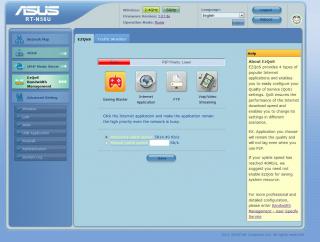
i just bought the 56U

what does this uplink mean?


Attached thumbnail(s)
Attached Image
Lex99
post Jul 5 2012, 03:58 PM

New Member
*
Junior Member
38 posts

Joined: Mar 2005
anyone can guide me how to make ASUS RT-N13U as repeator? I tried to connect but it keep redirect me to the Asus landing page.

kenneth686
post Jul 6 2012, 01:32 PM

Getting Started
**
Junior Member
235 posts

Joined: Jan 2005


QUOTE(Lex99 @ Jul 5 2012, 03:58 PM)
anyone can guide me how to make ASUS RT-N13U as repeator? I tried to connect but it keep redirect me to the Asus landing page.
*
First, you need to swich the button from router mode to repeater mode, the button just under the bottom of router.

1. Do the hardware restoration.
2. open an IE, type 192.168.1.1
3. In the router interface, you can choose for the AP survey at the right side.
4. Select the SSID name. just click connect with the SSID password.

Enjoy & Try it!!!!!!! biggrin.gif
inspire_evo
post Jul 8 2012, 08:26 PM

Getting Started
**
Junior Member
61 posts

Joined: Apr 2009
From: Ipoh


installed RT-N13U with 9.1.2.5I, but keep disconnecting/connecting. Lastly 'update' to firmware RB_2.0.2.0_0531w due to some user said its stable on this thread. successful but hopefully no disconnection..


This post has been edited by inspire_evo: Jul 8 2012, 09:59 PM
tHeRiDdLeR
post Jul 8 2012, 10:26 PM

Getting Started
**
Junior Member
247 posts

Joined: Jan 2003
From: Sri Serdang


my rt56u
user posted image
phelix
post Jul 9 2012, 12:39 AM

Nexusan
*****
Senior Member
924 posts

Joined: Dec 2006
From: Kay Ell


i'm using RT-N12C1... why when i'm using 40Mhz channel bandwidth... my wifi will not function after few minutes.... did anyone having same issue like mine??
TSMX510
post Jul 9 2012, 12:10 PM

Love Me Sin Hate Me Sinner
*******
Senior Member
4,038 posts

Joined: Aug 2005
From: Earth


QUOTE(phelix @ Jul 9 2012, 12:39 AM)
i'm using RT-N12C1... why when i'm using 40Mhz channel bandwidth... my wifi will not function after few minutes.... did anyone having same issue like mine??
*
Use 20 Mhz width
vergas
post Jul 10 2012, 08:45 AM

Regular
******
Senior Member
1,488 posts

Joined: Oct 2004


QUOTE(inspire_evo @ Jul 8 2012, 08:26 PM)
installed RT-N13U with 9.1.2.5I, but keep disconnecting/connecting. Lastly 'update' to firmware RB_2.0.2.0_0531w due to some user said its stable on this thread. successful but hopefully no disconnection..
*
Do keep us updated on your issue.
alijoe
post Jul 10 2012, 09:09 AM

Casual
***
Junior Member
376 posts

Joined: Jun 2006
Just to report in after 1 week + using RT-N13U with 9.1.2.5I, still DCed a lot compare to previous 2.0.2.5F. Now back to 2.0.2.0_0531w and so far running fine.

hard to recommend this model to anyone due this this unstable FW issue.

113 Pages « < 33 34 35 36 37 > » Top
 

Change to:
| Lo-Fi Version
0.0267sec    0.86    6 queries    GZIP Disabled
Time is now: 1st December 2025 - 10:26 AM