

MY Hdd is running in NFTS partititon o..
IS that works ?
i can goes into ubuntu but i can't install the torrent client
Deluge, for Linux and Windows!
Deluge, for Linux and Windows!
|
|
 Aug 15 2007, 10:11 PM Aug 15 2007, 10:11 PM
|
 
Senior Member
2,330 posts Joined: Jan 2003 From: 192.168.1.2   
|
MY Hdd is running in NFTS partititon o..
IS that works ? i can goes into ubuntu but i can't install the torrent client |
|
|
|
|
|
Aug 15 2007, 10:17 PM
|

Senior Member
1,868 posts Joined: Nov 2004 From: 地球
|
Just go to the site and down the client, after it click on it will install.
|
|
|
Aug 15 2007, 10:45 PM
|
|
Senior Member
2,330 posts Joined: Jan 2003 From: 192.168.1.2
|
but there is not .exe file there..
i dont know how to install, i run the deluge-0.5.4.1.tar.gz can not install in ubuntu, is it b'coz i'm in NFTS partititon ? Attached thumbnail(s) 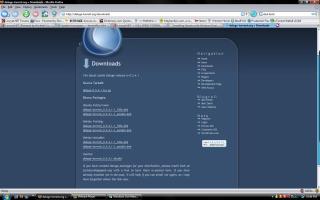
|
|
|
Aug 15 2007, 10:52 PM
|

Senior Member
2,671 posts Joined: Jul 2005 From: Bestine, the capital of Tatooine 
|
QUOTE(Suk @ Aug 15 2007, 10:11 PM) MY Hdd is running in NFTS partititon o.. did u read the page that i give u?... of course it can run on ntfs.. it even run on windows.. IS that works ? i can goes into ubuntu but i can't install the torrent client  here a simple tutorial for u. 1.Install Vmplayer on ur vista. 2. Download this file http://isv-image.ubuntu.com/vmware/Ubuntu-...esktop-i386.zip n extact. after u done this.. post here again, will give u the next step. |
|
|
Aug 15 2007, 11:11 PM
|
|
Senior Member
2,330 posts Joined: Jan 2003 From: 192.168.1.2
|
i'm downloading the file now.
and I got my ubuntu cd actually, i can boots into ubuntu then i dont know what to do next. never mind, I follow ur guide then. dling ubuntu.zip 69% 40min to go from now. |
|
|
Aug 15 2007, 11:25 PM
|

Senior Member
819 posts Joined: Jan 2003 From: Buzzcut Union
|
QUOTE(Suk @ Aug 15 2007, 11:11 PM) i'm downloading the file now. Have you installed Ubuntu in VMWare?If you have did that,boot into it,go to http://deluge-torrent.org/downloads .Download Binary Packages for Feisty Fawn(.deb) and run,install it.and I got my ubuntu cd actually, i can boots into ubuntu then i dont know what to do next. never mind, I follow ur guide then. dling ubuntu.zip 69% 40min to go from now. This post has been edited by Guardian: Aug 15 2007, 11:28 PM |
|
|
|
|
|
Aug 15 2007, 11:37 PM
|
|
Senior Member
2,671 posts Joined: Jul 2005 From: Bestine, the capital of Tatooine
|
QUOTE(Guardian @ Aug 15 2007, 11:25 PM) Have you installed Ubuntu in VMWare?If you have did that,boot into it,go to http://deluge-torrent.org/downloads .Download Binary Packages for Feisty Fawn(.deb) and run,install it. i already ask him to download ubuntu appliance, so he dont have to isntall ubuntu. He only need to run ubuntu appliance with vmware n after that he can download deluge or ktorrent just fine. |
|
|
Aug 15 2007, 11:40 PM
|
|
Senior Member
1,868 posts Joined: Nov 2004 From: 地球
|
QUOTE(Suk @ Aug 15 2007, 10:45 PM) but there is not .exe file there.. Just follow what Guardian say, just a remind choose i386.deb if you not running AMD64.i dont know how to install, i run the deluge-0.5.4.1.tar.gz can not install in ubuntu, is it b'coz i'm in NFTS partititon ? |
|
|
Aug 16 2007, 12:11 AM
|
|
Senior Member
2,330 posts Joined: Jan 2003 From: 192.168.1.2
|
well, i think i have installed the software,
but, i dont see the shortcut icon there ? Am i completely installed ? |
|
|
Aug 16 2007, 12:27 AM
|
|
Senior Member
1,868 posts Joined: Nov 2004 From: 地球
|
Go to up left side you should see something like "internet".
|
|
|
Aug 16 2007, 04:42 AM
|

Senior Member
848 posts Joined: Feb 2005 From: everywhere, yet nowhere.
|
for those using vmware workstation, easier way to transfer files is to install vmware tools inside the guest os
at settings for guest os, at the options tab, enable shared folder after the guest os has finished loading, go to VM menu->install vmware tools after you have ran it, do sudo vmware-config-tools.pl the shared folder between host and guest os can now be accessed from /mnt/hgfs/<shared folder name> This post has been edited by trix: Aug 16 2007, 04:46 AM |
|
|
Aug 16 2007, 07:10 AM
|

Senior Member
2,994 posts Joined: Jan 2003 From: Behind You
|
today i gonna try it
vmware ubuntu |
|
|
Aug 16 2007, 07:11 AM
|

Senior Member
651 posts Joined: Apr 2005 From: KL
|
i've tried this using the VMWare method and i must say it really works. able to dl at 100++ kbps now.
i got 1 question though.. since all the dls goes to my virtual drive, how do i transfer it out to my actual hard disk? i tried using samba but to no avail..i was able to detect all the other machines on my network except the one i was running the VMWare from ?? |
|
|
|
|
|
Aug 16 2007, 07:14 AM
|
|
Senior Member
2,671 posts Joined: Jul 2005 From: Bestine, the capital of Tatooine
|
QUOTE(skullz) @ Aug 16 2007, 07:11 AM) i've tried this using the VMWare method and i must say it really works. able to dl at 100++ kbps now. trix already give the solutioni got 1 question though.. since all the dls goes to my virtual drive, how do i transfer it out to my actual hard disk? i tried using samba but to no avail..i was able to detect all the other machines on my network except the one i was running the VMWare from ?? QUOTE(trix @ Aug 16 2007, 04:42 AM) for those using vmware workstation, easier way to transfer files is to install vmware tools inside the guest os at settings for guest os, at the options tab, enable shared folder after the guest os has finished loading, go to VM menu->install vmware tools after you have ran it, do sudo vmware-config-tools.pl the shared folder between host and guest os can now be accessed from /mnt/hgfs/<shared folder name> |
|
|
Aug 16 2007, 07:26 AM
|
|
Junior Member
35 posts Joined: Jan 2003 From: Kuala Lumpur
|
When I tried to install ktorrent & samba, this message pop up "Please insert the disk labeled:
Ubuntu 7.04 _Feisty_ - Release i386 in drive /cdrom/" I put in the disc, still not recognize, think my cdrom not unable in ubuntu, may I know how to install those program. |
|
|
Aug 16 2007, 07:43 AM
|
|
Senior Member
2,671 posts Joined: Jul 2005 From: Bestine, the capital of Tatooine
|
QUOTE(spinner @ Aug 16 2007, 07:26 AM) When I tried to install ktorrent & samba, this message pop up "Please insert the disk labeled: try solution below .....Ubuntu 7.04 _Feisty_ - Release i386 in drive /cdrom/" I put in the disc, still not recognize, think my cdrom not unable in ubuntu, may I know how to install those program. QUOTE(tyssxp @ Aug 15 2007, 10:00 AM) Just want to ask if i want to download ssh for Ubuntu Feisty 7.04 what's the command to be used in the terminal. I can't seem to find the ssh from the Internet. The closest I got is sudo apt-get install openssh which then prompt me for the Ubuntu CD. Currently I'm using Ubuntu VMWare and would like to transfer file from Ubuntu to my Vista thru WinSCP. QUOTE(tyssxp @ Aug 15 2007, 06:33 PM) Haha. Seems like I checked the option to get source from CD within the synaptic package manager. Now can use WinSCP already. Thanks ya. Anyway, I'm using VMWare. This post has been edited by blackamikaze: Aug 16 2007, 07:43 AM |
|
|
Aug 16 2007, 08:08 AM
|
|
Senior Member
2,330 posts Joined: Jan 2003 From: 192.168.1.2
|
ok for me, everything is done, but port forwarding got problem,
i try to follow the guide from portforwarding.com with my aztech 600ER and i do a port checking i got this error Status : Connection Refused - ( Port is open but no service bla bla bla ) and how to copy my file from ubuntu to window ? |
|
|
Aug 16 2007, 09:16 AM
|
|
Junior Member
35 posts Joined: Jan 2003 From: Kuala Lumpur
|
QUOTE(trix @ Aug 16 2007, 04:42 AM) for those using vmware workstation, easier way to transfer files is to install vmware tools inside the guest os is this for available for vmware player version, can't "VM menu->install vmware tools"at settings for guest os, at the options tab, enable shared folder after the guest os has finished loading, go to VM menu->install vmware tools after you have ran it, do sudo vmware-config-tools.pl the shared folder between host and guest os can now be accessed from /mnt/hgfs/<shared folder name> Any further details for network share from ubuntu to windows? |
|
|
Aug 16 2007, 10:16 AM
|

Senior Member
1,488 posts Joined: Oct 2004
|
Sorry, noob question. I have portforward for Bitcomet and Utorrent, how different for it to be to portforward for ktorrent, or can I just use the same port?
I'll be using ktorrent with Slax 6.0rc6 Thanks. Oh, anybody has a module for deluge for slax? |
|
|
Aug 16 2007, 10:44 AM
|
|
Junior Member
273 posts Joined: Jun 2006
|
QUOTE(vergas @ Aug 16 2007, 10:16 AM) Sorry, noob question. I have portforward for Bitcomet and Utorrent, how different for it to be to portforward for ktorrent, or can I just use the same port? yes. you can use the same port. if you are using vmware, i dont suggest running both bitcomet/utorrent and ktorrent at the same time.I'll be using ktorrent with Slax 6.0rc6 Thanks. Oh, anybody has a module for deluge for slax? i cant find a deluge package for slax you have to compile it yourself. FUN! browse to where you have uncompressed the tarball. then: CODE sudo ./compile sudo make sudo make install im pretty sure slax has a sudo command. if it doesnt just run the "su" command and put in your root password. |
|
Topic ClosedOptions
|
| Change to: |  0.0329sec 0.0329sec
 0.61 0.61
 6 queries 6 queries
 GZIP Disabled GZIP Disabled
Time is now: 6th December 2025 - 04:14 PM |
 Quote
Quote