Welcome Guest ( Log In | Register )

664 Pages « < 95 96 97 98 99 > » Bottom

Outline · [ Standard ] · Linear+

TIME [OFFICIAL] TIME Fibre Broadband™ v4, Experience the ONE TRUE 2Gbps

views
     
mad093dean
post Nov 25 2018, 07:27 PM

Casual
***
Junior Member
311 posts

Joined: Jun 2010

QUOTE(jjj2 @ Nov 25 2018, 06:13 PM)
Hi Bro,

Please take a photo (as clear as possible) and whatsapp to me (+60124299200). I will assist you on that.

Thanks.
*
already whatsapp. thanks for the help!
johnjenin
post Nov 25 2018, 07:33 PM

!~ Pura Vida ~!
******
Senior Member
1,352 posts

Joined: May 2006
From: Costa Rica


Hello everyone. Anyone here experience before on 500mbps package but when do speed test (wired) only getting less than 100mbps?

Its been a week and technician had come couple of times to my place to troubleshoot and change modem but still doesn’t solve the problem. TIME confirm i am on 500 mbps package as well.

Appreciate feedback what else can be done?
jimbet1337
post Nov 25 2018, 07:36 PM

meh
*******
Senior Member
2,670 posts

Joined: Sep 2006
QUOTE(johnjenin @ Nov 25 2018, 07:33 PM)
Hello everyone. Anyone here experience before on 500mbps package but when do speed test (wired) only getting less than 100mbps?

Its been a week and technician had come couple of times to my place to troubleshoot and change modem but still doesn’t solve the problem. TIME confirm i am on 500 mbps package as well.

Appreciate feedback what else can be done?
*
In my case, sometime it happens when my Gigabit NIC is acting up. Normally connected at 1Gbps but switched to 100Mbps for no apparent reason. Then I'd physically disconnect/reconnect the LAN cable from the NIC and it's back to 1Gbps. Sometimes I'd just restart the PC.

Well, just sharing, not sure if the same happens to you.
jjj2
post Nov 25 2018, 07:41 PM

Look at all my stars!!
*******
Senior Member
3,605 posts

Joined: Feb 2006
QUOTE(mad093dean @ Nov 25 2018, 07:27 PM)
already whatsapp. thanks for the help!
*
replied smile.gif
jjj2
post Nov 25 2018, 07:44 PM

Look at all my stars!!
*******
Senior Member
3,605 posts

Joined: Feb 2006
QUOTE(johnjenin @ Nov 25 2018, 07:33 PM)
Hello everyone. Anyone here experience before on 500mbps package but when do speed test (wired) only getting less than 100mbps?

Its been a week and technician had come couple of times to my place to troubleshoot and change modem but still doesn’t solve the problem. TIME confirm i am on 500 mbps package as well.

Appreciate feedback what else can be done?
*
Assuming you are using the TP-Link Archer C1200 Stock router.


Before we proceed with more troubleshooting, please make 100% sure the followings :

1) The network cable between ONU & Router is at least Cat5e/Cat6.
2) The network cable from Router to your Computer is at least Cat5e/Cat6.
3) Your computer has a Gigabit network port.

Test again at speed.time.com.my

Thanks.

subaiku
post Nov 25 2018, 09:44 PM

Casual
***
Junior Member
445 posts

Joined: Oct 2008
QUOTE(SilentVampire @ Oct 7 2018, 08:16 PM)
Will be bottleneck by the CPU. That’s why TIME is offering the DIR-882 for 1Gbps, as they anticipate this will happen.
Wow, I can expect that. Must be lucrative though haha  brows.gif
*
Hi guys, is the DIR-882 provided free? If have to buy how much is it?
jjj2
post Nov 25 2018, 10:07 PM

Look at all my stars!!
*******
Senior Member
3,605 posts

Joined: Feb 2006
QUOTE(subaiku @ Nov 25 2018, 09:44 PM)
Hi guys, is the DIR-882 provided free? If have to buy how much is it?
*
If you are subscribing to 1000Mbps, then it's given Free.
Else, you can login to selfceare portal to purchase @ discounted price of RM550.
This includes On-Site Installation + support.

Thanks.
subaiku
post Nov 25 2018, 10:41 PM

Casual
***
Junior Member
445 posts

Joined: Oct 2008
QUOTE(jjj2 @ Nov 25 2018, 10:07 PM)
If you are subscribing to 1000Mbps, then it's given Free.
Else, you can login to selfceare portal to purchase @ discounted price of RM550.
This includes On-Site Installation + support.

Thanks.
*
Thanks for the reply... I see, so the free 500MB upgrade not eligible lah... but will need a new router to take advantage of the new speeds right?
jjj2
post Nov 25 2018, 10:52 PM

Look at all my stars!!
*******
Senior Member
3,605 posts

Joined: Feb 2006
QUOTE(subaiku @ Nov 25 2018, 10:41 PM)
Thanks for the reply... I see, so the free 500MB upgrade not eligible lah... but will need a new router to take advantage of the new speeds right?
*
500Mbps not eligible for this router.
For 500Mbps, the Archer C1200 can reach approx. 90% of that by wired, and around 2xxMbps via wireless.

Thanks.


johnjenin
post Nov 26 2018, 12:21 AM

!~ Pura Vida ~!
******
Senior Member
1,352 posts

Joined: May 2006
From: Costa Rica


QUOTE(jjj2 @ Nov 25 2018, 07:44 PM)
Assuming you are using the TP-Link Archer C1200 Stock router.
Before we proceed with more troubleshooting, please make 100% sure the followings :

1) The network cable between ONU & Router is at least Cat5e/Cat6.
2) The network cable from Router to your Computer is at least Cat5e/Cat6.
3) Your computer has a Gigabit network port.

Test again at speed.time.com.my

Thanks.
*
Yes i can confirm criteria for items 1,2 and 3 is as per what you suggest. I am using cat6 cable. When the tech do speed test thru modem, can get 300-400mbps. But when connected back the modem to router using same cable still unable to exceed 100mps.
doomx
post Nov 26 2018, 12:34 AM

Look at mah stars
*******
Senior Member
2,801 posts

Joined: Dec 2006


QUOTE(doomx @ Nov 23 2018, 05:23 PM)
send me the easiest way to auto upgrade it and also can you PM me the firmware and guideline incase the auto upgrade fail ?

Do i need to key in my username and password again?

Thanks
*
can someone help? Thanks
barry80
post Nov 26 2018, 01:13 AM

Casual
***
Junior Member
490 posts

Joined: Feb 2006
From: Somewhere I belong

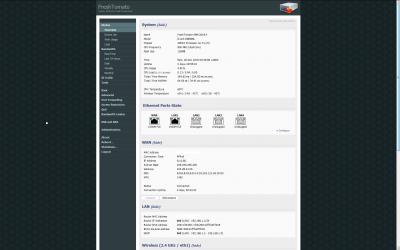
the stock router can't view the connection uptime, so i'm gettin this "new" router to flashed into latest freshtomato.

Attached Image

Attached Image

Attached Image

Attached Image


subaiku
post Nov 26 2018, 09:27 AM

Casual
***
Junior Member
445 posts

Joined: Oct 2008
QUOTE(jjj2 @ Nov 25 2018, 10:52 PM)
500Mbps not eligible for this router.
For 500Mbps, the Archer C1200 can reach approx. 90% of that by wired, and around 2xxMbps via wireless.

Thanks.
*
Thanks! icon_rolleyes.gif
subaiku
post Nov 26 2018, 09:49 AM

Casual
***
Junior Member
445 posts

Joined: Oct 2008
QUOTE(jjj2 @ Nov 25 2018, 10:52 PM)
500Mbps not eligible for this router.
For 500Mbps, the Archer C1200 can reach approx. 90% of that by wired, and around 2xxMbps via wireless.

Thanks.
*
Eh wait, the C1200 is the stock router right? I just tested, via ethernet couldn't even reach 150Mbps despite testing several servers on speedtest. Wireless even worse.
arefiq09
post Nov 26 2018, 12:15 PM

Getting Started
**
Junior Member
102 posts

Joined: Oct 2013
QUOTE(subaiku @ Nov 26 2018, 09:49 AM)
Eh wait, the C1200 is the stock router right? I just tested, via ethernet couldn't even reach 150Mbps despite testing several servers on speedtest. Wireless even worse.
*
Mine with Cat6 cable can reach 400-500Mbps easily on Fast.com while wireless 150Mbps (since my phone limited to 150Mbps speed)
nawkaz
post Nov 26 2018, 12:23 PM

New Member
*
Newbie
33 posts

Joined: Jan 2011
Hey question, anyone use TIME internet but also using the TM hypptv STB as their android box? Is there any special configuration to do to make the box working with TIME internet?
jjj2
post Nov 26 2018, 12:25 PM

Look at all my stars!!
*******
Senior Member
3,605 posts

Joined: Feb 2006
QUOTE(subaiku @ Nov 26 2018, 09:49 AM)
Eh wait, the C1200 is the stock router right? I just tested, via ethernet couldn't even reach 150Mbps despite testing several servers on speedtest. Wireless even worse.
*
Hi,

Yes it's the stock router, please screenshot the firmware version to me.

Go to Advanced > QOS, and screenshot the settings for me to see.

Thanks.
treblecase
post Nov 26 2018, 09:37 PM

IHI
*****
Senior Member
779 posts

Joined: Aug 2009


New subscriber here after an initial minor hiccup but thanks to jjj2 problem solved.

Super satisfied with the speed although some equipment needs upgrading coz not capable of reaching 500mbps biggrin.gif
jimbet1337
post Nov 26 2018, 09:44 PM

meh
*******
Senior Member
2,670 posts

Joined: Sep 2006
QUOTE(treblecase @ Nov 26 2018, 09:37 PM)
New subscriber here after an initial minor hiccup but thanks to jjj2 problem solved.

Super satisfied with the speed although some equipment needs upgrading coz not capable of reaching 500mbps  biggrin.gif
*
Which part bro
stasio
post Nov 26 2018, 09:44 PM

10k Club
********
All Stars
18,503 posts

Joined: Oct 2007
From: P.Jaya
QUOTE(treblecase @ Nov 26 2018, 09:37 PM)
New subscriber here after an initial minor hiccup but thanks to jjj2 problem solved.

Super satisfied with the speed although some equipment needs upgrading coz not capable of reaching 500mbps  biggrin.gif
*
Welcome to TIME family...... rclxms.gif

664 Pages « < 95 96 97 98 99 > » Top
 

Change to:
| Lo-Fi Version
0.0166sec    0.34    6 queries    GZIP Disabled
Time is now: 3rd December 2025 - 10:37 PM