Welcome Guest ( Log In | Register )

Bump Topic Topic Closed RSS Feed
420 Pages « < 387 388 389 390 391 > » Bottom

Outline · [ Standard ] · Linear+

Unifi Official TM UniFi High Speed Broadband Thread V35, READ 1ST PAGE FOR TURBO SPEED INFO!

views
     
joehann
post Oct 26 2018, 09:01 PM

Casual
***
Junior Member
430 posts

Joined: Jan 2012
QUOTE(leezhijiang @ Oct 26 2018, 08:54 PM)
How much are you paying, because I believe TM is revising everything now
*
Last time I'm on 50mbps with RM179/month. then go to tm to upgrade to 100mbps speed with RM129/month since the turbo upgrade are damn slow and already successful half and hour after that. 1 day after that, tm suddenly gave me the 500mbps turbo plan but remain the old payment of RM179/month.

I already called and live chat them to confirm that the contract period will not be renew and also they will not revert it back to 100mbps plan and maintain the 500mbps speed.

Demn it, Already upgrade the router and all. what a wonderful thing TM have done here.
joehann
post Oct 26 2018, 09:04 PM

Casual
***
Junior Member
430 posts

Joined: Jan 2012
QUOTE(fruitie @ Oct 26 2018, 08:56 PM)
Shown in your UniFi account page?
*
This morning still 500mbps, now the account page already showing 100mbps.
mylinear
post Oct 26 2018, 09:06 PM

Enthusiast
*****
Senior Member
974 posts

Joined: Jan 2009
QUOTE(zellleonhart @ Oct 26 2018, 07:57 PM)
Plan to ask for the 30mbps @ 119 plan tomorrow at TM point.. since I am paying 169+ now..

Do I have the right to ask for new equipment even though I am going for the same speed package? I am still using DIR-615 router. Even though it can reach max speed without problem but sometimes still DC.
*
I think that is a request for reduction based on unfair pricing. I don't think there is a new contract with it, can't remember if others said so previously. So maybe cannot request for new equipment. If they renew contract, then maybe you can try to ask. Not sure whether you're in contract or not makes a difference. Please update here on what happens.

mylinear
post Oct 26 2018, 09:08 PM

Enthusiast
*****
Senior Member
974 posts

Joined: Jan 2009
QUOTE(joehann @ Oct 26 2018, 09:01 PM)
Last time I'm on 50mbps with RM179/month. then go to tm to upgrade to 100mbps speed with RM129/month  since the turbo upgrade are damn slow and already successful half and hour after that. 1 day after that, tm suddenly gave me the 500mbps turbo plan but remain the old payment of RM179/month.

I already called and live chat them to confirm that the contract period will not be renew and also they will not revert it back to 100mbps plan and maintain the 500mbps speed.

Demn it, Already upgrade the router and all. what a wonderful thing TM have done here.
*
I think that is probably what has caused this issue. Has your discount in customer portal changed? Surely you cannot still pay RM179 for 100M.

joehann
post Oct 26 2018, 09:11 PM

Casual
***
Junior Member
430 posts

Joined: Jan 2012
QUOTE(mylinear @ Oct 26 2018, 09:08 PM)
I think that is probably what has caused this issue. Has your discount in customer portal changed? Surely you cannot still pay RM179 for 100M.
*
I know, thats why I call to confirm with them and also with a multiple of live chat. They said, it will remain.

The discount already change to RM30. I think it will be the 129/month.
mylinear
post Oct 26 2018, 09:14 PM

Enthusiast
*****
Senior Member
974 posts

Joined: Jan 2009
QUOTE(joehann @ Oct 26 2018, 09:11 PM)
I know, thats why I call to confirm with them and also with a multiple of live chat. They said, it will remain.

The discount already change to RM30. I think it will be the 129/month.
*
Yes, if discount is now RM30, very likely it is RM129 100M. You can confirm with speedtest,. You should call customer service and find out what happened and ask for explanation. Yet another example of how they are messing up things.

If you have the chat screenshots, also make a report and show those to them.

And I guess your contract is now renewed also. Ask about that too.


This post has been edited by mylinear: Oct 26 2018, 09:16 PM
cannavaro
post Oct 26 2018, 09:21 PM

CATTENACIO
*******
Senior Member
3,008 posts

Joined: Sep 2005
From: T.T.D.I, Bukit Damansara


QUOTE(aneip @ Oct 26 2018, 08:20 PM)
last time, many time i paid after received next month bill.. Always forget whether already paid or not. Usually if got 1 month overdue, I will directly paid.. Meaning after1 month due date.. Never got disconnected.
*
From my experience, it depends. Once in a blue moon they straightaway suspend within 2,3 days but most of the time they will message or call you first. Email even, If by phone the staff will say can you pay before X date or such.
On email if they msg says 'urgent' and still no payment they will suspend within 24 hours. laugh.gif
You can always contact them and explain your situation.
joehann
post Oct 26 2018, 09:22 PM

Casual
***
Junior Member
430 posts

Joined: Jan 2012
QUOTE(mylinear @ Oct 26 2018, 09:14 PM)
Yes, if discount is now RM30, very likely it is RM129 100M. You can confirm with speedtest,. You should call customer service and find out what happened and ask for explanation. Yet another example of how they are messing up things.

If you have the chat screenshots, also make a report and show those to them.

And I guess your contract is now renewed also. Ask about that too.
*
Thats the thing, I dont screenshot it. Demn TM. Currently asking them right now.

The person in live chat said in my history today there is an entry of "Have order create today: 1-25645438105 (26.10.2018). #TURBO: Downgrade to Unifi 100Mbps (STB)BEST". and ask whether I have been to TM today. Haiyooo why I want to go to TM some more, already satisfied with the 500mbps speed
Blu3skyzz
post Oct 26 2018, 09:23 PM

New Member
*
Newbie
35 posts

Joined: Nov 2011
QUOTE(YoungMan @ Oct 26 2018, 03:27 PM)
The Live chat is useless. Go to TMPoint or call 100 to request for new equipment. They will ask technician to come and change for you since your contract already restart after change to RM129 100mb. UniFi billing is always advance, even back during streamyx time.
*
Ty so much. I just come back after work i call up and complain the speed. Then they send technician change new router with condition is renew contract. Is ok for me since i was renew few day ago LoL.

QUOTE(SilentVampire @ Oct 26 2018, 04:23 PM)
Alternatively, you can just get your own router. Their stock router is crap anyway. Yes, they do charge you advance payment, but only for first two months, and after that, it will be based on your use monthly.
*
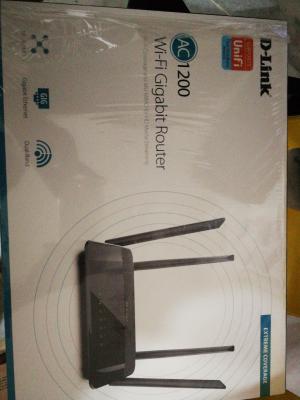
Really? I got this router from them. Since is free. Let me use first.
Currently out of budget.

This post has been edited by Blu3skyzz: Oct 26 2018, 09:24 PM


Attached thumbnail(s)
Attached Image
TSSilentVampire
post Oct 26 2018, 09:30 PM

Networking Enthusiast
*******
Senior Member
5,714 posts

Joined: Mar 2007


QUOTE(Blu3skyzz @ Oct 26 2018, 09:23 PM)
Ty so much. I just come back after work i call up and complain the speed. Then they send technician change new router with condition is renew contract. Is ok for me since i was renew few day ago LoL.
Really? I got this router from them. Since is free. Let me use first.
Currently out of budget.
*
That is good enough for now.
mylinear
post Oct 26 2018, 09:41 PM

Enthusiast
*****
Senior Member
974 posts

Joined: Jan 2009
QUOTE(joehann @ Oct 26 2018, 09:22 PM)
Thats the thing, I dont screenshot it. Demn TM. Currently asking them right now.

The person in live chat said in my history today there is an entry of "Have order create today: 1-25645438105 (26.10.2018). #TURBO: Downgrade to Unifi 100Mbps (STB)BEST". and ask whether I have been to TM today. Haiyooo why I want to go to TM some more, already satisfied with the 500mbps speed
*
That order is created by them, don't they even know that? You should be able to see that in your customer portal. I think someone must have taken your old application which supposed to be cancelled and submitted it.

I think there are other users here who did similar thing. They switched, then got turbo. Now have to wait and see if they also post your kind of situation.

JohnLai
post Oct 26 2018, 09:57 PM

Skeptical Cat
*******
Senior Member
3,669 posts

Joined: Apr 2006
QUOTE(anfieldude @ Oct 26 2018, 09:19 AM)
I had a fun time trying to troubleshoot the low speeds with the Alienware 15 R1.

Followed John's notes and renamed mcupdate and reboot. Speeds in speedtest app was similar ~ 660 -720Mbps. Speeds in Edge browser, higher ~ 740-750Mbps. Chrome browser was similar to speedtest app. This was even with McAfee virus scan and firewalls turned off and the browser extensions all turned off. On the Asus router,AI Protection was also off (QoS as well). So nothing I did allowed me to get the speeds up to 800Mbps on the Alienware.

Moved to testing with the Macbook Air 13 (2014) using thuderbolt to gigabit adapter. This was a laptop that was on Windows 7 (Bootcamp). Similar speeds seen. Moved to booting with MacOS and tested with app on Mac OS X --- boom 820Mbps, 210Mbps UL.

So definitely something about windows config in my setups that is limiting. Will spend some time in the weekend figuring this out.

BTW, did check my microcode and since its a Haswell chip, it did indeed show x024. Oddly, Dell did carry out a BIOS update in February that shd hv fixed the Spectre thingy at least from the BIOS portion but looks like the Windows update has not caught up.

Anyway, long story short, TM did actually get the speeds right, while I don't really see the benefits as typical speedtests to US or European servers seem muted to 230 -300Mbps anyway, I'm not sure how much the 800Mbps is actually helping.

BTW, my bill is still RM299...so probably another visit to TM Point or chats likely in a few months..
*
Wait a minute.....you mean after you renamed mcupdate and reboot, rweverything still report PatchID 0x24 for your haswell? confused.gif

EDIT:
You mentioned you have BIOS update from dell? From what I can search, Dell Alienware15/ Alienware 17 R2 System BIOS BIOS was release on 23 Feb 2018. This only contain the problematic 0x24 microcode.

So...renaming the mcupdate will not do anything as the problematic microcode is loaded in UEFI stage instead of windows loading it at kernel boot stage.

Thus, you will have to go commando.......by registry method.

https://support.microsoft.com/en-us/help/40...ative-execution

To disable mitigations for CVE-2017-5715 (Spectre Variant 2) and CVE-2017-5754 (Meltdown)
CODE
reg add "HKEY_LOCAL_MACHINE\SYSTEM\CurrentControlSet\Control\Session Manager\Memory Management" /v FeatureSettingsOverride /t REG_DWORD /d 3 /f

reg add "HKEY_LOCAL_MACHINE\SYSTEM\CurrentControlSet\Control\Session Manager\Memory Management" /v FeatureSettingsOverrideMask /t REG_DWORD /d 3 /f


Or....To disable Variant 2: (CVE-2017-5715 – "Branch Target Injection") mitigation ONLY:
CODE
reg add "HKEY_LOCAL_MACHINE\SYSTEM\CurrentControlSet\Control\Session Manager\Memory Management" /v FeatureSettingsOverride /t REG_DWORD /d 1 /f

reg add "HKEY_LOCAL_MACHINE\SYSTEM\CurrentControlSet\Control\Session Manager\Memory Management" /v FeatureSettingsOverrideMask /t REG_DWORD /d 3 /f


Reboot is required....

Then speedtest and report back.

EDIT2: The other alternative is modding your own BIOS with latest haswell microcode 0x25....or wait next year for WIN10 retpoline build.

This post has been edited by JohnLai: Oct 26 2018, 10:16 PM

joehann
post Oct 26 2018, 09:59 PM

Casual
***
Junior Member
430 posts

Joined: Jan 2012
QUOTE(mylinear @ Oct 26 2018, 09:41 PM)
That order is created by them, don't they even know that? You should be able to see that in your customer portal. I think someone must have taken your old application which supposed to be cancelled and submitted it.

I think there are other users here who did similar thing. They switched, then got turbo. Now have to wait and see if they also post your kind of situation.
*
How to check that in customer portal?

Strangely I received an email yesterday of e-form pre order upgrade from 50mbps to 100mbps which is what I requested at tm point on 14/9/2018. Surely I just ignored it but closely monitor the speed and portal afraid that the worse thing will happen. But the thing is, it happen. bangwall.gif
ThornsFC
post Oct 26 2018, 10:00 PM

New Member
*
Junior Member
47 posts

Joined: Apr 2018
Guys, is new contract (not the RM129/100mbps plan) guaranteed for new equipment? Can they charge RM50 for a technician visit?
Pop The Bubbles
post Oct 26 2018, 10:03 PM

Getting Started
**
Junior Member
219 posts

Joined: Jan 2009
Can anyone help me to understand the bill this for this month?

user posted image

I paid ST for the last month... but there is still outstanding bill from the previous month? that I have to pay 5.98 again? What are they trying to charge?
fleur_cherie
post Oct 26 2018, 10:03 PM

Getting Started
**
Junior Member
152 posts

Joined: Sep 2008


QUOTE(Inorii @ Oct 26 2018, 06:26 PM)
Using decent router: TP-Link Archer C7
Torrent setting: disable file pre-allocation & uTP rate limiting, connections ~100
Download to SSD
*
Thanks! My download speed increased! But max only reach 8.8Mbps at utorrent. Is it considered normal?
My package is turbo 300Mbps.
mylinear
post Oct 26 2018, 10:03 PM

Enthusiast
*****
Senior Member
974 posts

Joined: Jan 2009
QUOTE(joehann @ Oct 26 2018, 09:59 PM)
How to check that in customer portal?

Strangely I received an email yesterday of e-form pre order upgrade from 50mbps to 100mbps which is what I requested at tm point on 14/9/2018. Surely I just ignored it but closely monitor the speed and portal afraid that the worse thing will happen. But the thing is, it happen.  bangwall.gif
*
In customer portal, the menu has a My Activity option. It shows you your tickets. See if that ticket number is listed there.


Added:

QUOTE(Pop The Bubbles @ Oct 26 2018, 10:03 PM)
Can anyone help me to understand the bill this for this month?

user posted image

I paid ST for the last month... but there is still outstanding bill from the previous month? that I have to pay 5.98 again? What are they trying to charge?
*
Please see fruitie's post few pages back. Post #7669.

This post has been edited by mylinear: Oct 26 2018, 10:14 PM
JohnLai
post Oct 26 2018, 10:12 PM

Skeptical Cat
*******
Senior Member
3,669 posts

Joined: Apr 2006
QUOTE(fleur_cherie @ Oct 26 2018, 10:03 PM)
Thanks! My download speed  increased! But max only reach 8.8Mbps at utorrent. Is it considered normal?
My package is turbo 300Mbps.
*
Disable µTP (micro transport protocol) completely.
Don't ask why.
fruitie
post Oct 26 2018, 10:14 PM

Rise and Shine
Group Icon
Staff
72,807 posts

Joined: Sep 2005
From: KUL

QUOTE(Pop The Bubbles @ Oct 26 2018, 10:03 PM)
Can anyone help me to understand the bill this for this month?

user posted image

I paid ST for the last month... but there is still outstanding bill from the previous month? that I have to pay 5.98 again? What are they trying to charge?
*
https://forum.lowyat.net/index.php?act=ST&f...post&p=90714133
fleur_cherie
post Oct 26 2018, 10:15 PM

Getting Started
**
Junior Member
152 posts

Joined: Sep 2008


QUOTE(dickybird @ Oct 26 2018, 06:46 PM)
First page, first post, green text.
*
Done reading. I think my setting is ok.
TP link AC1200

With my laptop can get around 44Mbps only

By using D-Link DWA-131 adapter, can get around 64Mbps only.

Do i need to change the router? But it's new tho...


420 Pages « < 387 388 389 390 391 > » Top
Topic ClosedOptions
 

Change to:
| Lo-Fi Version
0.0207sec    0.42    6 queries    GZIP Disabled
Time is now: 6th December 2025 - 11:13 PM