Welcome Guest ( Log In | Register )

53 Pages « < 33 34 35 36 37 > » Bottom

Outline · [ Standard ] · Linear+

 ILLEGEAR Onyx Discussion Thread V1, Illegear's first Bazel-less Notebook

views
     
Ryan@ILLEGEAR P
post May 16 2019, 05:16 PM

New Member
*
Probation
0 posts

Joined: May 2019


QUOTE(TongCN @ May 16 2019, 01:23 PM)
Ryan@ILLEGEAR I wanna know if I wanna buy Onyx from your site, how is the instalments works if I opt for 36 months Maybank ?

Do the upfront charges still apply? Thanks

Btw, any promo voucher ?
*
Hi Tong, I will PM you shortly regarding your enquiry.
Grevil
post May 16 2019, 06:51 PM

New Member
*
Newbie
16 posts

Joined: Apr 2013
QUOTE(bowerchung @ May 14 2019, 08:11 PM)
Hi,

Where can i get the latest ILLEGEAR Command Center updates installer as per posted in the FB page just a few minutes ago?

Hope can update mine too  drool.gif
*
same, just bought onyx right before this month 9th gen upgrade bangwall.gif
hope 8th gen user able to get the update also
tatoo320 P
post May 17 2019, 05:08 PM

New Member
*
Probation
1 posts

Joined: May 2019
Guys, does anyone have same problem with me? Blue light seems not working on my light bar. Try to reinstall different version command center still not works. Red and Green works fine

https://pictr.com/images/2019/05/17/0D7DG1.md.png

https://pictr.com/images/2019/05/17/0DBP3A.md.jpg
AZIM@ILLEGEAR
post May 18 2019, 10:30 AM

New Member
*
Junior Member
28 posts

Joined: Feb 2017
From: Team ILLEGEAR


QUOTE(tatoo320 @ May 17 2019, 05:08 PM)
Guys, does anyone have same problem with me? Blue light seems not working on my light bar. Try to reinstall different version command center still not works. Red and Green works fine
Hi tatoo320, is it possible for you to send me a PM of your serial number? Will assist accordingly

This post has been edited by AZIM@ILLEGEAR: May 18 2019, 10:30 AM
wookp
post May 19 2019, 12:14 AM

Casual
***
Junior Member
497 posts

Joined: Sep 2005
From: PSN Home/Steam


Quick check on the Onyx. I have the RTX2060 but i ccan't seem to turn on G-Sync. Help please?
ZM Fong
post May 19 2019, 01:47 AM

Laptop advisor
*******
Senior Member
8,240 posts

Joined: Apr 2017
QUOTE(wookp @ May 19 2019, 12:14 AM)
Quick check on the Onyx. I have the RTX2060 but i ccan't seem to turn on G-Sync. Help please?
*
This model doesn't have GSYNC
James Teo
post May 19 2019, 06:03 PM

Getting Started
**
Junior Member
55 posts

Joined: May 2012


user posted image
user posted image

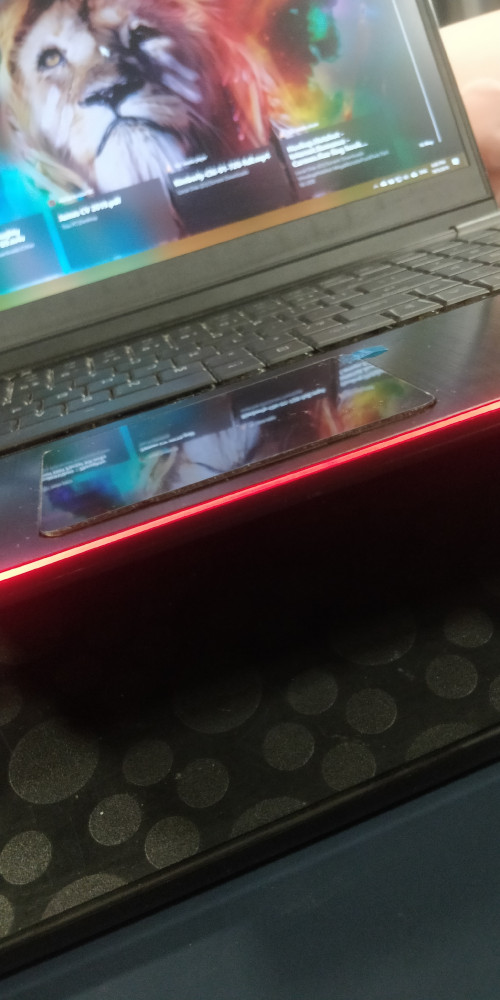
I can't left click, right click or middle mouse click, can someone tell me what to do now? How to claim warranty? :'(
prasys
post May 19 2019, 09:12 PM

Heros Never Die
Group Icon
VIP
12,925 posts

Joined: Mar 2005
From: Kuala Lumpur
QUOTE(wookp @ May 19 2019, 12:14 AM)
Quick check on the Onyx. I have the RTX2060 but i ccan't seem to turn on G-Sync. Help please?
*
There is no G-SYNC and also i am not sure if there is Vertical Sync (smart one whatever nvidia calls it) - generally it's turned off when there is Optimus is enabled...
Prince J
post May 19 2019, 10:25 PM

Regular
******
Senior Member
1,272 posts

Joined: May 2010
From: Team ILLEGEAR


QUOTE(James Teo @ May 19 2019, 06:03 PM)
user posted image
user posted image

I can't left click, right click or middle mouse click, can someone tell me what to do now? How to claim warranty? :'(
*
Hello James,

You can send to our service center located at Oval Damansara, touchpad issue can be fixed within the same day / next business day.

Our current address as below:

ILLEGEAR SDN BHD (1091806-K)
9-3A, 9th Floor, Oval Damansara,
Jalan Damansara, TTDI 60000,
Kuala Lumpur, Malaysia.

Tel: (+60) 3-28587399
wookp
post May 19 2019, 10:28 PM

Casual
***
Junior Member
497 posts

Joined: Sep 2005
From: PSN Home/Steam


QUOTE(ZM Fong @ May 19 2019, 01:47 AM)
This model doesn't have GSYNC
*
Not even when i connect it to a free sync monitor?
James Teo
post May 19 2019, 11:27 PM

Getting Started
**
Junior Member
55 posts

Joined: May 2012


QUOTE(Prince J @ May 19 2019, 10:25 PM)
Hello James,

You can send to our service center located at Oval Damansara, touchpad issue can be fixed within the same day / next business day.

Our current address as below:

ILLEGEAR SDN BHD (1091806-K)
9-3A, 9th Floor, Oval Damansara,
Jalan Damansara, TTDI 60000,
Kuala Lumpur, Malaysia.

Tel: (+60) 3-28587399
*
Are you guys opening tomorrow? Tuesday?
ZM Fong
post May 20 2019, 12:23 AM

Laptop advisor
*******
Senior Member
8,240 posts

Joined: Apr 2017
QUOTE(wookp @ May 19 2019, 10:28 PM)
Not even when i connect it to a free sync monitor?
*
This one not sure but should work
wookp
post May 20 2019, 12:34 AM

Casual
***
Junior Member
497 posts

Joined: Sep 2005
From: PSN Home/Steam


QUOTE(ZM Fong @ May 20 2019, 12:23 AM)
This one not sure but should work
*
Well I am connecting it to a freesync monitor but no g sync option available.
ZM Fong
post May 20 2019, 12:42 AM

Laptop advisor
*******
Senior Member
8,240 posts

Joined: Apr 2017
QUOTE(wookp @ May 20 2019, 12:34 AM)
Well I am connecting it to a freesync monitor but no g sync option available.
*
You're referring to the new GSYNC thing that enables GSYNC in some freesync monitor?
wookp
post May 20 2019, 10:09 AM

Casual
***
Junior Member
497 posts

Joined: Sep 2005
From: PSN Home/Steam


QUOTE(ZM Fong @ May 20 2019, 12:42 AM)
You're referring to the new GSYNC thing that enables GSYNC in some freesync monitor?
*
Yeah.
STEVE@ILLEGEAR
post May 20 2019, 10:43 AM

New Member
*
Newbie
2 posts

Joined: Apr 2018
From: Team ILLEGEAR


QUOTE(James Teo @ May 19 2019, 11:27 PM)
Are you guys opening tomorrow? Tuesday?
*
Hi James Teo, Yes ILLEGEAR is open today, 20/05/2019. Our operation hours are from 11AM to 7PM.
wookp
post May 20 2019, 10:55 AM

Casual
***
Junior Member
497 posts

Joined: Sep 2005
From: PSN Home/Steam


QUOTE(wookp @ May 20 2019, 10:09 AM)
Yeah.
*
Anyone from Illegear that can answer my query? Does my Illegear Onyx have the option to run on Gsync when i connect it with external freesync monitors? Because for now, I can't seem to find that option even though i am connecting to 2 freesync monitors.

Thanks.
Prince J
post May 20 2019, 11:16 AM

Regular
******
Senior Member
1,272 posts

Joined: May 2010
From: Team ILLEGEAR


QUOTE(wookp @ May 20 2019, 10:55 AM)
Anyone from Illegear that can answer my query? Does my Illegear Onyx have the option to run on Gsync when i connect it with external freesync monitors? Because for now, I can't seem to find that option even though i am connecting to 2 freesync monitors.

Thanks.
*
Hi wookp,

We are unsure about freesync monitor because freesync is an AMD feature and we do not use any AMD component.

Some of our users are able to connect to Gsync monitors without problem.
pluginbaby
post May 20 2019, 11:34 AM

Look at all my stars!!
*******
Senior Member
2,661 posts

Joined: Apr 2007


QUOTE(wookp @ May 20 2019, 10:55 AM)
Anyone from Illegear that can answer my query? Does my Illegear Onyx have the option to run on Gsync when i connect it with external freesync monitors? Because for now, I can't seem to find that option even though i am connecting to 2 freesync monitors.

Thanks.
*
U need to connect using mini DP and the monitor needs to be Gsync Compatible. If you check reviews on other models of this chassis, it works (unless illegear is running a custom bios that disables that)

This post has been edited by pluginbaby: May 21 2019, 05:00 AM
obs5279
post May 20 2019, 11:40 AM

Getting Started
**
Junior Member
278 posts

Joined: Apr 2007


QUOTE(wookp @ May 20 2019, 10:55 AM)
Anyone from Illegear that can answer my query? Does my Illegear Onyx have the option to run on Gsync when i connect it with external freesync monitors? Because for now, I can't seem to find that option even though i am connecting to 2 freesync monitors.

Thanks.
*
Does your freesync monitor compatible to g-sync in the nvidia selected list? biggrin.gif biggrin.gif

List of Nvidia G-Sync Compatible to Free Sync Monitor

This post has been edited by obs5279: May 20 2019, 11:42 AM

53 Pages « < 33 34 35 36 37 > » Top
 

Change to:
| Lo-Fi Version
0.0255sec    0.37    6 queries    GZIP Disabled
Time is now: 6th December 2025 - 10:45 PM