Joined: Jan 2003
From: Born in Kedah, Now @Putrajaya
QUOTE(Axdeaf @ Jul 20 2019, 08:45 PM)
bro, i have the same issue as you. but mine is maxis. i had tried to flashing the stock firmware or ddwrt but still doesnt work. it said "Flashing failed ERROR - the image you uploaded failed to pass verification. Please make sure to use an official update."
i think i had purchased a "brick" that cannot be usable to Maxis/Unifi. haha.
Any sifu out there able to help? i dont mind bricking the dir 882 since already consider a "brick" to me.
Try Russian firmware, TIME using them ftp.dlink.ru there also latest BETA SUPERMESH firmware V4.0
hi, i just bought dlink DWR-932C E1, for my digi i150.
got problem where sometime the modem will shut down itself. if want to say battery dead, sometime it happens during charging (but only the power icon lights up, others turn off).
power saving feature is disabled.
this cause problem with my downloads. any suggestion to overcome this? my firmware is 01.04.DRS
Please send your device to warranty and checking. It might be a device or battery issue which caused the auto shutdown.
I bought the new model Dir-2660. On the box it said, "McAfee Protected Free Subscription 5 year protection"
I use web browser to log into the router page but there is no menu selection for the "Protection from McAfee" On the back of box, it said "all controlled and managed via mobile app".
But I prefer to use my laptop to access the router's setting page, is there a way for me to control the "Protection" from laptop's web browser? (to turn on the "Protection" and check the status)?
I am currently using TM Unifi D-Link AC1200 DIR 842 stock router and all devices are connecting on wireless mode only. I would like to connect a android box using the LAN port. Is there any configuration to be done for using LAN or I just connect the cable to the LAN port?
I bought the new model Dir-2660. On the box it said, "McAfee Protected Free Subscription 5 year protection"
I use web browser to log into the router page but there is no menu selection for the "Protection from McAfee" On the back of box, it said "all controlled and managed via mobile app".
But I prefer to use my laptop to access the router's setting page, is there a way for me to control the "Protection" from laptop's web browser? (to turn on the "Protection" and check the status)?
Try logging into the router GUI. Go to a PC and run ipconfig/all to get the default gateway, and log into it to manage it.
QUOTE(hyalbert @ Dec 3 2019, 06:51 PM)
I am currently using TM Unifi D-Link AC1200 DIR 842 stock router and all devices are connecting on wireless mode only. I would like to connect a android box using the LAN port. Is there any configuration to be done for using LAN or I just connect the cable to the LAN port?
No. Just connect the cable to the LAN port and it will work.
I also discovered there is always a random weird devices show up on the DHCP table. Not any device that i own or from my family members. usually something like this.
Want to ask, currently using tm provide dir-842 router, Got software need activate using port 3306, but no matter how I try port forward, the port still close. . Any thing that I can try? Using unifi 300mbps...
Hi guys, i recently switched to the D-link 878 router using maxis fibre. But, ever since I switched to this router, I am constantly getting a playback error when i stream youtube or other streaming sites whether i am on desktop or laptop. I tried clearing my cache for my browser since it could be the issue according to google but the problem still persists. Though the video loads when i refresh the page. Is there a problem with settings on my router? I followed all the steps following the guide. My internet speed and etc has no issues.
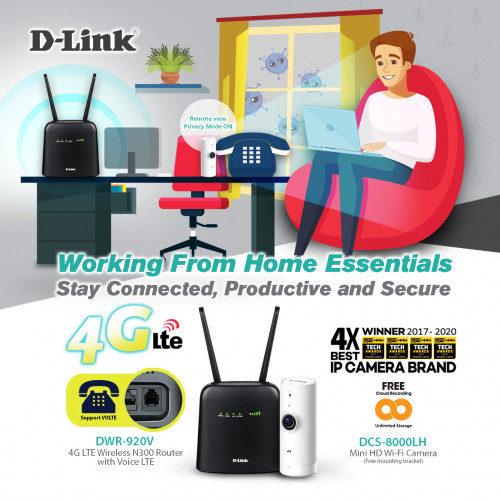
D-Link Malaysia: Working from Home Essentials - Stay Connected, Productive & Secure
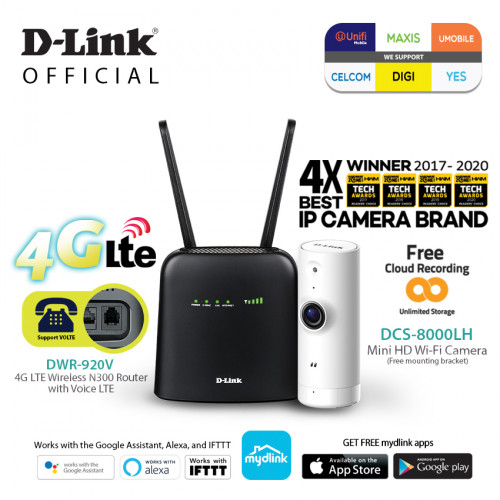
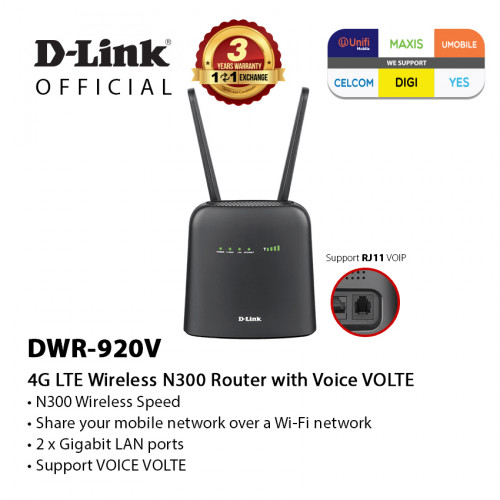
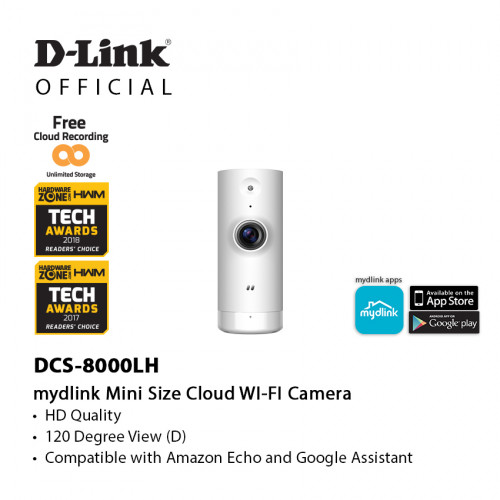
Working from home? D-Link ensure that you are able to stay connected and keep an eye on your loved ones while you stay focused on your work at the same time with DWR-920V 4G LTE Wireless N300 Router with Voice LTE & DCS-8000LH Mini HD Wi-Fi Camera! 📡👁
DWR-920V + DCS-8000LH Bundle Set is now available on the market!
DWR-920V Features: ✅ High-speed 4G LTE/3G connection up to 150Mbps downlink/ 50Mbps uplink ✅ Wireless N with speed up to 300Mbps ✅ Share a 4G LTE connection with up to 16 Wi-Fi devices ✅ Multiple 4G LTE (external) and Wi-Fi (internal) antennas for improved coverage ✅ 2 x Gigabit LAN ports, w/one port configurable as WAN ✅ RJ-11 phone port to connect a home phone ✅ Onboard Micro SIM slot
DCS-8000LH Features: ✅ Day & Night Vision ✅ Motion & Sound Detection ✅ Compact (mini) size ✅ Free Cloud Recording ✅ View and manage your camera remotely using the mydlink app ✅ Easy Setup


 Oct 21 2019, 11:34 PM


 Quote
Quote








 0.0280sec
 0.71
0.71
 6 queries
 GZIP Disabled