Welcome Guest ( Log In | Register )

Bump Topic Topic Closed RSS Feed
565 Pages « < 19 20 21 22 23 > » Bottom

Outline · [ Standard ] · Linear+

 Digi Infinite Fan Club [V3], Infinite 150, 100, 80

views
     
fruitie
post Jul 19 2017, 04:28 PM

Rise and Shine
Group Icon
Staff
72,806 posts

Joined: Sep 2005
From: KUL

QUOTE(usmanjailani @ Jul 19 2017, 03:55 PM)
mine is B310s-22..may i know the diff between 22 and 22a?
*
I think no difference. Some called it 22, some called it 22a. Not sure if B310 has 22a or not because E5186 is 22a.

QUOTE(hanzlim1988 @ Jul 19 2017, 04:02 PM)
Noted with thx rclxms.gif
*
You are welcome. smile.gif

QUOTE(Neomax3 @ Jul 19 2017, 04:19 PM)
Ok thanks! Searched v2 but failed to find that info..
*
Can find in OP3/3T thread.
PsychoHDxMachine
post Jul 19 2017, 04:39 PM

Getting Started
**
Junior Member
249 posts

Joined: Sep 2014
Hi, I need some help over here. I just registered through website for 150 digi. When put number. Should I just out 016 xxx xxx or +6016 xxx xxxx? Normally it takes how long to activate the plan?
ajoi57
post Jul 19 2017, 05:02 PM

On my way
****
Senior Member
530 posts

Joined: Jan 2010
From: South Lehgoland


QUOTE(PsychoHDxMachine @ Jul 19 2017, 04:39 PM)
Hi, I need some help over here. I just registered through website for 150 digi. When put number. Should I just out 016 xxx xxx or +6016 xxx xxxx? Normally it takes how long to activate the plan?
*
put the number where?

do u mean to register via digi connect?

save answer is 7 working days biggrin.gif
surefire v LED
post Jul 19 2017, 06:18 PM

Never Say Never But Say Never 2 Proton
*******
Senior Member
4,349 posts

Joined: Sep 2005
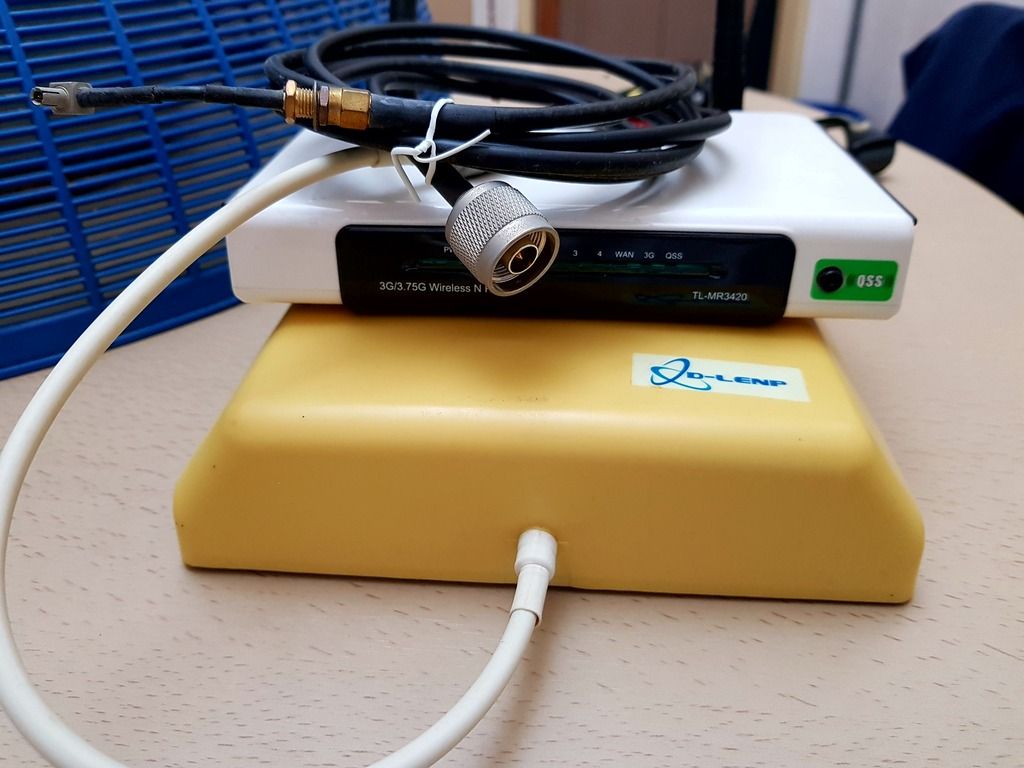
My old setup now become shelf queen.
Good old days for Biz68
» Click to show Spoiler - click again to hide... «

PsychoHDxMachine
post Jul 19 2017, 06:20 PM

Getting Started
**
Junior Member
249 posts

Joined: Sep 2014
QUOTE(ajoi57 @ Jul 19 2017, 06:02 PM)
put the number where?

do u mean to register via digi connect?

save answer is 7 working days  biggrin.gif
*
Via digi website. Choose under existing numbr then change plan.
ajoi57
post Jul 19 2017, 07:03 PM

On my way
****
Senior Member
530 posts

Joined: Jan 2010
From: South Lehgoland


QUOTE(PsychoHDxMachine @ Jul 19 2017, 06:20 PM)
Via digi website. Choose under existing numbr then change plan.
*
just 016-xxx xxxx shud be ok thumbup.gif
tasek16
post Jul 19 2017, 07:04 PM

New Member
*
Newbie
9 posts

Joined: Mar 2005
Hi..

I came across one of the members here asking about the huawei e8372.. Yes I'm using it since about a month ago with digi i150. What I could say.. this modem/dongle/router is ok for the price I've paid for (market price RM180.00 - RM230). I bought the used one from mudah.my.. so I've paid cheaper in price.

performance wise.. when I first used.. I felt little bit frustrated since it did not performed as I expected.. the download speed just about 5mb and upload speed about 3mb... FYI I'm coming from tm streamyx 4mb.. I hope the speed should be much more better. BTW I'm not straightly jump to digi i150 bandwagon.. rather than use my digi
prepaid to test the speed of digi 4g lte.. (daily unlimited RM8). So I almost cancel my intention to subscribe to digi i150

BTW thanks to this forum especially this thread .. it has widen my knowledge about the wireless things... 4g/lte particularly.. so here i want to share my experience using this kind of modem for digi i150..

As I had mentioned earlier I'm not satisfied with it's performance ... but after digging and more digging from this forum and google.. I found that .. this modem should be set as it should be.. at least for my own usage.

Attached Image

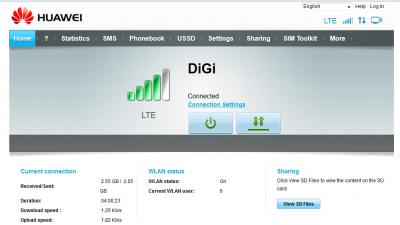
This modem has capability to choose mode either LTE only, UMTS only, GSM only or combination betwwen these three modes via web browser 192.168 8.1. As default the auto mode is used. So that's why in my opinion the download/upload speed is not as it should be for lte network. So I set it to LTE only. This modem also has the
capability of what lte bands to be using ..as far as i know, digi uses 3 bands for their network b3 1800, b7 2600 and b8 900 (still not yet supported in my area) my best option is to use either b3 or b7 and combination b3+b7.. but from my experience if I set to b3+b7 the download speed max about 12mb upload max about 7mb.. same
thing if i set to b7 only.. but the thing is quite different if i set to b3 only... the download speed suddenly jumped to 20mb to 25b constantly through out the day.. same goes to uploading speed between 16mb to 20mb.. the signal strength jump to 4 bar compared to 2 - 3 bar previously.. since I ve said ealier I'm coming from
streamyx 4mb.. so this huge download/upload difference make me wonder what to download..what to upload.. hahahaha.. the speed become better and faster during early morning.. the upload speed can reach up to 30mb without using any ext antenna.. yap this modem supports mimo antenna (2 x ts9 ports)

Attached Image

Attached Image

Attached Image

So my suggestion for those who are going to use this modem ..pls attach the modem with usb male to female ext cable for power supply rather than straightly plug in to usb power adapter.. why ?? because it is easier for us to move, to point to the best position/direction or change the orientation etc... yap this modem is quite sensitive.. slightly move the modem.. It will effect the performance.. In my case .. I'm pointing this modem to the nearest digi tower (as shown in Cell Tower Locator app)..

last week I balik kampung .. karai enggor kuala kangsar.. I know 1 digi tower already been in my kampung for years... So I brought along this dongle/modem to test.. to my suprise.. the download speed... almost 40mb...wooo.... Ok hope this will help you all...at least...
Turnip
post Jul 19 2017, 08:30 PM

bonjour beau là-bas
******
Senior Member
1,111 posts

Joined: Aug 2005
From: UK


QUOTE(ajoi57 @ Jul 19 2017, 01:50 PM)
yeah i agree on that.

the MIMO works for me, but when i bring it to my friend house, it doesnt work for him.

i'm currently thinking about poynting antenna, their nearest distributor is at jurong area.

but, one set for LTE setup + 1x bracket without postage cost about rm1010 after convert from usd cry.gif  cry.gif
*
Takpe, you sacrifice for us, then from your experience we decide whether we gonna buy or not.

*cabut lari* ph34r.gif

This post has been edited by Turnip: Jul 19 2017, 08:31 PM
EON
post Jul 19 2017, 08:34 PM

Getting Started
**
Junior Member
192 posts

Joined: Nov 2011


QUOTE(tasek16 @ Jul 19 2017, 07:04 PM)
Hi..

I came across one of the members here asking about the huawei e8372.. Yes I'm using it since about a month ago with digi i150. What I could say.. this modem/dongle/router is ok for the price I've paid for (market price RM180.00 - RM230). I bought the used one from mudah.my.. so I've paid cheaper in price.

performance wise.. when I first used.. I felt little bit frustrated since it did not performed as I expected.. the download speed just about 5mb and upload speed about 3mb... FYI I'm coming from tm streamyx 4mb.. I hope the speed should be much more better. BTW I'm not straightly jump to digi i150 bandwagon.. rather than  use my digi
prepaid to test the speed of digi 4g lte.. (daily unlimited RM8). So I almost cancel my intention to subscribe to digi i150

BTW thanks to this forum especially this thread .. it has widen my knowledge about the wireless things... 4g/lte particularly.. so here i want to share my experience using this kind of modem for digi i150..

As I had mentioned earlier I'm not satisfied with it's performance ... but after digging and more digging  from this forum and google.. I found that .. this modem should be set as it should be.. at least for my own usage.

Attached Image

This modem has capability to choose mode either LTE only, UMTS only, GSM only or combination betwwen these three modes via web browser 192.168 8.1. As default the auto mode is used. So that's why in my opinion the download/upload speed is not as it should be for lte network. So I set it to LTE only. This modem  also has the
capability of  what lte bands to be using ..as far as i know,  digi uses 3 bands for their network b3 1800, b7 2600 and b8 900 (still not yet supported in my area) my best option is to use either b3 or b7 and combination b3+b7.. but from my experience if I set to b3+b7 the download speed max about 12mb upload max about 7mb.. same
thing if i set to b7 only.. but the thing is quite different if i set to b3 only... the download speed suddenly jumped to 20mb to 25b constantly through out the day.. same goes to uploading speed between 16mb to 20mb.. the signal strength jump to 4 bar compared to 2 - 3 bar previously..  since I ve said ealier I'm coming from
streamyx 4mb.. so this  huge download/upload difference make me wonder what to download..what to upload.. hahahaha.. the speed become better and faster during early morning.. the upload speed can reach up to 30mb without using any ext antenna.. yap this modem supports mimo antenna (2 x ts9 ports)

Attached Image

Attached Image

Attached Image

So my suggestion for those who are going to use this modem ..pls attach the modem with usb male to female ext cable for power supply rather than straightly plug in to usb power adapter.. why ?? because it is easier for us to move, to point to the best position/direction or change the orientation etc... yap this modem is quite sensitive.. slightly move the modem.. It will effect the performance.. In my case .. I'm pointing this modem to the nearest digi tower (as shown in Cell Tower Locator app)..

last week I balik kampung .. karai enggor kuala kangsar.. I know 1 digi tower already been in my kampung for years... So I brought along this dongle/modem to test.. to my suprise.. the download speed... almost 40mb...wooo.... Ok hope this will help you all...at least...

*
Finally got review for this modem, thumbup.gif do you use a mimo antenna? How is the result?
ajoi57
post Jul 19 2017, 08:36 PM

On my way
****
Senior Member
530 posts

Joined: Jan 2010
From: South Lehgoland


QUOTE(Turnip @ Jul 19 2017, 08:30 PM)
Takpe, you sacrifice for us, then from your experience we decide whether we gonna buy or not.

*cabut lari* ph34r.gif
*
on v2, got person who said he dont mind to buy if it works.

i will find that dude later so he can be our saver biggrin.gif

but yeah, i have the urge to buy it cry.gif
kaiserreich
post Jul 19 2017, 08:51 PM

Pendekar Papan Kekunci
*******
Senior Member
4,234 posts

Joined: Sep 2006
QUOTE(surefire v LED @ Jul 19 2017, 06:18 PM)
My old setup now become shelf queen.
Good old days for Biz68
» Click to show Spoiler - click again to hide... «

*
What antenna is that?
surefire v LED
post Jul 19 2017, 09:08 PM

Never Say Never But Say Never 2 Proton
*******
Senior Member
4,349 posts

Joined: Sep 2005
QUOTE(kaiserreich @ Jul 19 2017, 08:51 PM)
What antenna is that?
*
External antenna for stability
uhlaw
post Jul 19 2017, 09:42 PM

-[L]aw -
*******
Senior Member
2,896 posts

Joined: Nov 2005
From: Criminal Underworld


Just received my MIMO antenna.. and as a result, my rabbit antenna is better than this MIMO antenna in term of speed and signal strength... feel wasted of buying that MIMO antenna sad.gif
alvpkl
post Jul 19 2017, 10:05 PM

Getting Started
**
Junior Member
124 posts

Joined: Mar 2011


QUOTE(uhlaw @ Jul 19 2017, 09:42 PM)
Just received my MIMO antenna.. and as a result, my rabbit antenna is better than this MIMO antenna in term of speed and signal strength... feel wasted of buying that MIMO antenna sad.gif
*
How much the MIMO cost you?
kernel123
post Jul 19 2017, 10:11 PM

Regular
******
Senior Member
1,746 posts

Joined: Feb 2011
the kind of speed u get with latest modem, huawei b618. single band, 1800.with antenna


Attached thumbnail(s)
Attached Image
Neomax3
post Jul 19 2017, 10:15 PM

Enthusiast
*****
Senior Member
981 posts

Joined: Feb 2005


QUOTE(kernel123 @ Jul 19 2017, 10:11 PM)
the kind of speed u get with latest modem, huawei b618. single band, 1800.with antenna
*
Nice speed! thumbup.gif

No result for 2CA?
cicak.fakir
post Jul 19 2017, 11:37 PM

Casual
***
Junior Member
387 posts

Joined: May 2016
QUOTE(uhlaw @ Jul 19 2017, 09:42 PM)
Just received my MIMO antenna.. and as a result, my rabbit antenna is better than this MIMO antenna in term of speed and signal strength... feel wasted of buying that MIMO antenna sad.gif
*
if you have a pair of rabbit antennas, then they're also MIMO lerrr.....
MIMO = minimum 2 independent antennas.
fruitie
post Jul 19 2017, 11:45 PM

Rise and Shine
Group Icon
Staff
72,806 posts

Joined: Sep 2005
From: KUL

QUOTE(surefire v LED @ Jul 19 2017, 09:08 PM)
External antenna for stability
*
I have the same stuff as yours except I have two antennas. laugh.gif

QUOTE(uhlaw @ Jul 19 2017, 09:42 PM)
Just received my MIMO antenna.. and as a result, my rabbit antenna is better than this MIMO antenna in term of speed and signal strength... feel wasted of buying that MIMO antenna sad.gif
*
It's either for better or worse, mine is better. smile.gif
hon kin
post Jul 20 2017, 12:21 AM

Casual
***
Junior Member
391 posts

Joined: Apr 2012
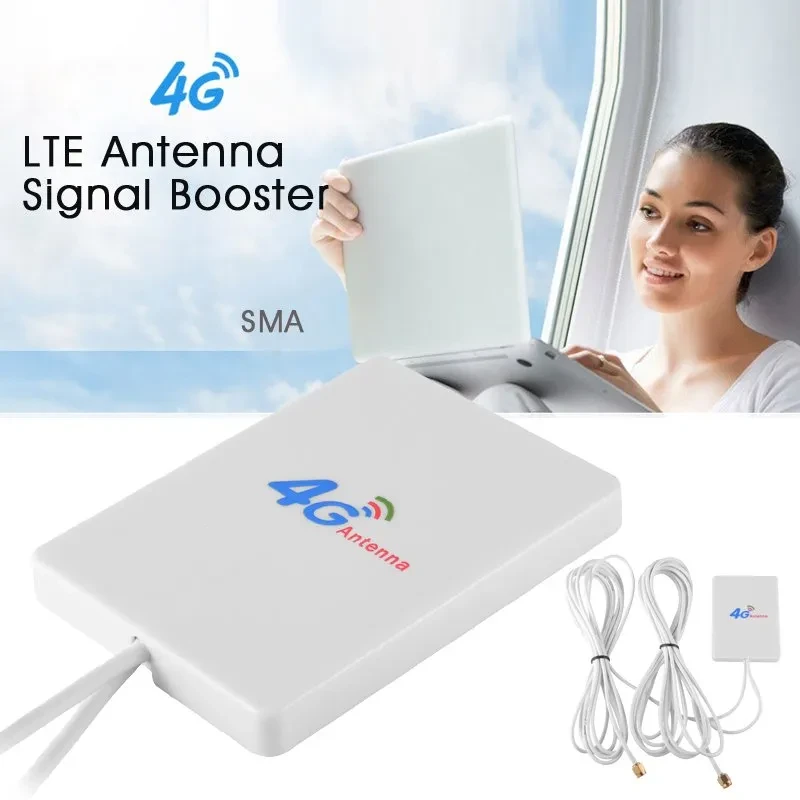
Staying at 11th floor, only get 7mbps speed. Will this stuff boost my speed a lil bit? I'm connected to 4G though

user posted image

http://www.lazada.com.my/lte-sma-antenna-b...0.0.x9hOgD&ff=1
ajoi57
post Jul 20 2017, 02:20 AM

On my way
****
Senior Member
530 posts

Joined: Jan 2010
From: South Lehgoland


QUOTE(hon kin @ Jul 20 2017, 12:21 AM)
Staying at 11th floor, only get 7mbps speed. Will this stuff boost my speed a lil bit? I'm connected to 4G though

user posted image

http://www.lazada.com.my/lte-sma-antenna-b...0.0.x9hOgD&ff=1
*
that one is small one.

the one pipul usually buy and try is this one https://www.lazada.com.my/lf-ant4g01-indoor...0.0.WDzSvc&ff=1

565 Pages « < 19 20 21 22 23 > » Top
Topic ClosedOptions
 

Change to:
| Lo-Fi Version
0.0218sec    0.31    6 queries    GZIP Disabled
Time is now: 6th December 2025 - 10:22 AM