Welcome Guest ( Log In | Register )

249 Pages « < 207 208 209 210 211 > » Bottom

Outline · [ Standard ] · Linear+

 TP-LINK Malaysia Official Thread, Technical Enquiries and Support

views
     
Alpha_Tay
post Jul 17 2022, 12:51 AM

Beware The Spammer Star!
******
Senior Member
1,725 posts

Joined: Jan 2003
there is a Fixed a NetUSB-protocol vulnerability. Firmware Upgrade 2022-01-18 for TP-Link Archer C1200 V1 V2 V3 non Unifi Version, not yet available for TP-Link Archer C1200 V1 unifi Version.

https://www.tp-link.com/us/support/download...00/v1/#Firmware

https://www.tp-link.com/my/support/download...00/v1/#Firmware

https://threatpost.com/millions-routers-exp...-netusb/177506/
Lahaha
post Jul 18 2022, 03:49 PM

Getting Started
**
Junior Member
219 posts

Joined: Feb 2022
Hey guys, quick but seems silly question.

I have and using 2 units of TP-Link M5 Mesh Wifi. I got another free Mesh Wifi unit but from Huawei (WA8021V5) because I upgraded my Time BB subscription.

So, can I pair it to my existing TP-Link M5 Mesh setup?

FusionXY
post Jul 18 2022, 03:55 PM

LAZZIE ON VACATION
*******
Senior Member
3,836 posts

Joined: Aug 2016

QUOTE(Lahaha @ Jul 18 2022, 03:49 PM)
Hey guys, quick but seems silly question.

I have and using 2 units of TP-Link M5 Mesh Wifi. I got another free Mesh Wifi unit but from Huawei (WA8021V5) because I upgraded my Time BB subscription.

So, can I pair it to my existing TP-Link M5 Mesh setup?
*
You make as access point.
Cannot mesh between Huawei and TP-Link.
HolySatan
post Jul 20 2022, 12:35 AM

Regular
******
Senior Member
1,116 posts

Joined: Dec 2009
hi
right now I got Deco M9 Plus
if I buy another mesh Deco X68, can link with M9?
FusionXY
post Jul 20 2022, 12:04 PM

LAZZIE ON VACATION
*******
Senior Member
3,836 posts

Joined: Aug 2016

QUOTE(HolySatan @ Jul 20 2022, 12:35 AM)
hi
right now I got Deco M9 Plus
if I buy another mesh Deco X68, can link with M9?
*
Yes, but speed will be limited due to different wireless standard.
EricRoxz
post Jul 21 2022, 12:03 PM

Getting Started
**
Junior Member
69 posts

Joined: Aug 2014


Hello everyone, I have recently upgraded my Maxis Home Fibre to the 300mbps plan which comes with the new Maxis EasyMesh WiFi 6 router (model AR2140). I already had an existing TP-LINK Deco X20 device (1 unit only) and I am facing difficulties pairing it wirelessly to the Maxis AR2140 router as it could not recognize the Maxis AR2140 router as the main device. I had to connect it with ethernet cable to the Maxis AR2140 router for the Deco X20 to work. Is anyone here facing the same issue as well? How should I set it up? Thanks in advance~
MyProLife
post Jul 21 2022, 03:04 PM

I bully wumao & MPKL
*******
Senior Member
2,075 posts

Joined: Sep 2021
From: nowhere

QUOTE(EricRoxz @ Jul 21 2022, 12:03 PM)
Hello everyone, I have recently upgraded my Maxis Home Fibre to the 300mbps plan which comes with the new Maxis EasyMesh WiFi 6 router (model AR2140). I already had an existing TP-LINK Deco X20 device (1 unit only) and I am facing difficulties pairing it wirelessly to the Maxis AR2140 router as it could not recognize the Maxis AR2140 router as the main device. I had to connect it with ethernet cable to the Maxis AR2140 router for the Deco X20 to work. Is anyone here facing the same issue as well? How should I set it up? Thanks in advance~
*
Easymesh does not work together with proprietary system like deco. Just buy another deco to pair with your existing deco
Dark Panda P
post Jul 29 2022, 04:07 PM

New Member
*
Probation
11 posts

Joined: Sep 2021


Hi all sifus.

Currently I am using 2 units of Deco E4 in a 2000sqft double storey house.
One node connected to the router at living hall and another node placed in the master bedroom located right above the living hall.
But I do experience intermittent disconnection and sometime wifi speed drop. So it's quite annoying.
I tried to place the 2nd node at different place including nearby the staircase in upper floor but it more or less the same. So I am not sure is it because the coverage of E4 is too low, so it is not suitable for my house layout. Since my staircase got a solid wall not those open concept staircase.

So here is my question:
1) Can I pair up Deco E4 with either Deco M4, M5, X20, X50?
2) If yes. Theoretically speaking, since M4, M5, X20, X50 got wider coverage, if I use it as the main node, would it help to improve the connection, so the 2nd node can get a much more better connection from the main node?
3) If no. Then would you recommend the pairing of AX73 + Onemesh extender or 2 units of X50 (Which I set it as router mode). Since both option more or less cost around the same.
MyProLife
post Jul 30 2022, 12:06 AM

I bully wumao & MPKL
*******
Senior Member
2,075 posts

Joined: Sep 2021
From: nowhere

QUOTE(Dark Panda @ Jul 29 2022, 04:07 PM)
Hi all sifus.

Currently I am using 2 units of Deco E4 in a 2000sqft double storey house.
One node connected to the router at living hall and another node placed in the master bedroom located right above the living hall.
But I do experience intermittent disconnection and sometime wifi speed drop. So it's quite annoying.
I tried to place the 2nd node at different place including nearby the staircase in upper floor but it more or less the same. So I am not sure is it because the coverage of E4 is too low, so it is not suitable for my house layout. Since my staircase got a solid wall not those open concept staircase.

So here is my question:
1) Can I pair up Deco E4 with either Deco M4, M5, X20, X50?
2) If yes. Theoretically speaking, since M4, M5, X20, X50 got wider coverage, if I use it as the main node, would it help to improve the connection, so the 2nd node can get a much more better connection from the main node?
3) If no. Then would you recommend the pairing of AX73 + Onemesh extender or 2 units of X50 (Which I set it as router mode). Since both option more or less cost around the same.
*
1. Yes
2. One more deco might do. Get m5 as main mesh will be slightly better, pair together with both your e4 as child node
3. 2 units of X50 will be better than router+extender combo

westlife
post Jul 30 2022, 11:58 AM

10k Club
********
All Stars
14,323 posts

Joined: Jan 2011
QUOTE(Dark Panda @ Jul 29 2022, 04:07 PM)
Hi all sifus.

Currently I am using 2 units of Deco E4 in a 2000sqft double storey house.
One node connected to the router at living hall and another node placed in the master bedroom located right above the living hall.
But I do experience intermittent disconnection and sometime wifi speed drop. So it's quite annoying.
I tried to place the 2nd node at different place including nearby the staircase in upper floor but it more or less the same. So I am not sure is it because the coverage of E4 is too low, so it is not suitable for my house layout. Since my staircase got a solid wall not those open concept staircase.

So here is my question:
1) Can I pair up Deco E4 with either Deco M4, M5, X20, X50?
2) If yes. Theoretically speaking, since M4, M5, X20, X50 got wider coverage, if I use it as the main node, would it help to improve the connection, so the 2nd node can get a much more better connection from the main node?
3) If no. Then would you recommend the pairing of AX73 + Onemesh extender or 2 units of X50 (Which I set it as router mode). Since both option more or less cost around the same.
*
I am not using tp-link mesh but from my experience where u place the mesh nodes will make significant difference in the speed u can get. It needs a lot of time to explore the best location to place the the child node at the second floor to get full speed.

After a trial and error of two weeks I managed to get full speed upstairs and low latency similar to downstairs.
issac99289928
post Aug 6 2022, 08:14 PM

Getting Started
**
Junior Member
291 posts

Joined: Sep 2016
From: muar, johor


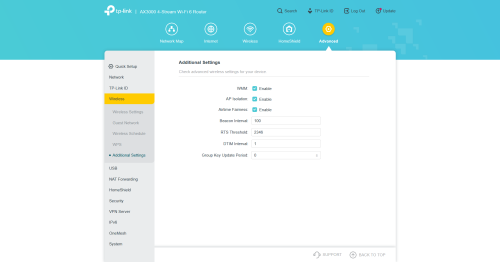
does ax55 or ax72 support zero-wait DFS ?

https://www.tp-link.com/us/support/download/archer-ax55/

https://www.tp-link.com/my/support/download/archer-ax72/

the user guide claims to support zero-wait DFS . the emulators show none.

user posted image
wira1979
post Aug 8 2022, 11:37 AM

Regular
******
Senior Member
1,060 posts

Joined: Oct 2006
From: Petaling Jaya


Hi sifus

I'm currently using Maxis 100 mbps package which comes with the Maxis Wifi 6 router.

I have the Deco M5. Was wondering if I can use the M5 as a router instead of the one supplied by Maxis?
westlife
post Aug 8 2022, 12:11 PM

10k Club
********
All Stars
14,323 posts

Joined: Jan 2011
QUOTE(wira1979 @ Aug 8 2022, 11:37 AM)
Hi sifus

I'm currently using Maxis 100 mbps package which comes with the Maxis Wifi 6 router.

I have the Deco M5. Was wondering if I can use the M5 as a router instead of the one supplied by Maxis?
*
of course u can. just need to have ur maxis fibre username and password, as well as maxi VLAN ID during the initial setup.
yujin86
post Aug 11 2022, 11:04 AM

Regular
******
Senior Member
1,740 posts

Joined: Dec 2006


Just bought a deco x20.
How to change 5ghz to ax? Can’t find any options on the app.
Thanks!
sHawTY
post Aug 11 2022, 11:54 AM

Frequent Reporter
********
All Stars
14,909 posts

Joined: Jul 2005

QUOTE(yujin86 @ Aug 11 2022, 11:04 AM)
How to change 5ghz to ax? Can’t find any options on the app.
You can't. The Deco will automatically send AX protocol to any AX devices
That's the limitation of TP-Link mesh system
westlife
post Aug 11 2022, 03:24 PM

10k Club
********
All Stars
14,323 posts

Joined: Jan 2011
QUOTE(sHawTY @ Aug 11 2022, 11:54 AM)
You can't. The Deco will automatically send AX protocol to any AX devices
That's the limitation of TP-Link mesh system
*
but most of the time, it is still quite 'smart' to do so rite?

so far tp-link networking products are still considered to have relatively higher CP value.
yujin86
post Aug 11 2022, 03:32 PM

Regular
******
Senior Member
1,740 posts

Joined: Dec 2006


QUOTE(sHawTY @ Aug 11 2022, 11:54 AM)
You can't. The Deco will automatically send AX protocol to any AX devices
That's the limitation of TP-Link mesh system
*
so ax to ax device, ac to ac device automatically?
koliqv
post Aug 17 2022, 05:24 PM

New Member
*
Junior Member
10 posts

Joined: Jun 2015
From: MALAYSIA


Hello Guys

Im Using AX73 , have my spi firewall activated.

But i want to block most of the ads and running least ads possible.

I already try with Alternate dns but it not much different.

Is there anyone have list of url to block ads?

I also planning to use pfsense firewall or firewalla or pi-hole. but if possible i didnt want to spent much money. **pi-hole need to buy nuc or rsbpie due to no low watt usage computer in house.
PRSXFENG
post Aug 17 2022, 07:04 PM

Look at all my stars!!
*******
Senior Member
2,616 posts

Joined: Nov 2020


QUOTE(koliqv @ Aug 17 2022, 05:24 PM)
Hello Guys

Im Using AX73 , have my spi firewall activated.

But i want to block most of the ads and running least ads possible.

I already try with Alternate dns but it not much different.

Is there anyone have list of url to block ads?

I also planning to use pfsense firewall or firewalla or pi-hole. but if possible i didnt want to spent much money. **pi-hole need to buy nuc or rsbpie due to no low watt usage computer in house.
*
Considered using a 3rd party ad blocking DNS? Like Adguard or NextDNS

Do note some devices (such as Samsung TVs) will avoid using ad blocking DNS.

And apple devices may bypass with Private Relay
Most browsers / android might bypass with Private DNS
You need to disable them
blacktubi
post Aug 17 2022, 07:59 PM

-
Group Icon
Elite
8,427 posts

Joined: Jul 2008

QUOTE(koliqv @ Aug 17 2022, 05:24 PM)
Hello Guys

Im Using AX73 , have my spi firewall activated.

But i want to block most of the ads and running least ads possible.

I already try with Alternate dns but it not much different.

Is there anyone have list of url to block ads?

I also planning to use pfsense firewall or firewalla or pi-hole. but if possible i didnt want to spent much money. **pi-hole need to buy nuc or rsbpie due to no low watt usage computer in house.
*
A router ad blocking service cannot block encrypted HTTPS ads unless it blocks the entire domain directly.

Ads vendor are getting pretty smart to evade this as well. Using a PiHole will get most of the ads blocked but the most effective is still on device ads blocking.

249 Pages « < 207 208 209 210 211 > » Top
 

Change to:
| Lo-Fi Version
0.0301sec    1.10    6 queries    GZIP Disabled
Time is now: 24th December 2025 - 01:06 AM