

Can you flash the firmware over wifi?
The only remark I read is having to press F5 to refresh the page.
Cheap Asus Wifi Router Alternative, Huawei WS880 & Others
Cheap Asus Wifi Router Alternative, Huawei WS880 & Others
|
|
 Jul 18 2016, 04:52 PM Jul 18 2016, 04:52 PM
|
 
Junior Member
84 posts Joined: Feb 2005  
|
Can you flash the firmware over wifi?
The only remark I read is having to press F5 to refresh the page. |
|
|
|
|
|
Jul 18 2016, 04:56 PM
|

Junior Member
22 posts Joined: May 2007
|
guys, any chance after flash the firmware,can be use as repeater?
*ya..i know its wireless router. |
|
|
Jul 18 2016, 04:58 PM
|

Junior Member
566 posts Joined: Jun 2005 From: Somewhere over the rainbow
|
QUOTE(irwan6179 @ Jul 18 2016, 03:45 PM) i think that's okay. Asus-based firmware is quite polished. Unless you are pro users, I don't think we need to regularly update. My office internet is using RT-66U and the firmware is from 2011. Plus,some of of user-facing features like USB/downloader/Apple Time machine backup are much better in Asus compared to regularly updated OpenWRT. You should take time to read through the security updates to Asus router firmware since 2011 and re-evaluate your reply. |
|
|
Jul 18 2016, 05:00 PM
|

All Stars
14,909 posts Joined: Jul 2005 
|
QUOTE(AhRon @ Jul 18 2016, 04:52 PM) Can you flash the firmware over wifi? NoQUOTE(mDs @ Jul 18 2016, 04:56 PM) guys, any chance after flash the firmware,can be use as repeater? With AsusWRT, yes*ya..i know its wireless router. With Tomato, not sure |
|
|
Jul 18 2016, 05:03 PM
|
|
Junior Member
22 posts Joined: May 2007
|
QUOTE(sHawTY @ Jul 18 2016, 06:00 PM) No With AsusWRT, yes With Tomato, not sure thanks abam shawty..tak jual ram crucial lg ke?  |
|
|
Jul 18 2016, 05:07 PM
|

Junior Member
64 posts Joined: Jan 2014
|
QUOTE(raynman @ Jul 14 2016, 09:34 PM) Here is the AP mode setting in Xwrt-Vortex firmware.  QUOTE(mDs @ Jul 18 2016, 04:56 PM) guys, any chance after flash the firmware,can be use as repeater? *ya..i know its wireless router. |
|
|
|
|
|
Jul 18 2016, 05:08 PM
|
|
All Stars
14,909 posts Joined: Jul 2005
|
QUOTE(mDs @ Jul 18 2016, 05:03 PM) thanks abam shawty..tak jual ram crucial lg ke? Takde masa la broDulu masa tgh study boleh la buat benda benda tu, skang dah keje, payah weh  Back to topic bro, nanti tak pepasal dapat warning  |
|
|
Jul 18 2016, 05:10 PM
|
|
Junior Member
22 posts Joined: May 2007
|
QUOTE(raymondmc @ Jul 18 2016, 06:07 PM) |
|
|
Jul 18 2016, 05:17 PM
|
|
Junior Member
64 posts Joined: Jan 2014
|
Gotta ask 0168257061 he used it as ap/repeater.
|
|
|
Jul 18 2016, 05:30 PM
|
|
Junior Member
22 posts Joined: May 2007
|
QUOTE(raymondmc @ Jul 18 2016, 06:17 PM) Gotta ask 0168257061 he used it as ap/repeater. thanks bro..since you said he using as it, i assume its working. |
|
|
Jul 18 2016, 05:30 PM
|

All Stars
14,242 posts Joined: Jul 2007 From: JAVABUS
|
QUOTE(mDs @ Jul 18 2016, 05:10 PM) thanks dude..ya the option is there..anychance its working? AP yes. I am using now.Repeater wise, i didnt tried it yet. |
|
|
Jul 18 2016, 05:40 PM
|
|
Junior Member
22 posts Joined: May 2007
|
QUOTE(0168257061 @ Jul 18 2016, 06:30 PM) AP yes. I am using now. Noted bro..thanks..for confirming the AP mode.Repeater wise, i didnt tried it yet. |
|
|
Jul 18 2016, 05:45 PM
|
 
Elite
8,415 posts Joined: Jul 2008
|
QUOTE(jio @ Jul 18 2016, 04:25 PM) Actually Asus already announced they will change their firmware format to lockdown and comply with the FCC rules. They finally introduced it recently and AsusWRT-Merlin based on that version is still in beta, so I wouldn't be surprised if Xwrt-Vortex will wait until stable version come out. Another thing is there is no publicly available source code for XWRT-Vortex modifications, so we can't compile it ourself. I will not be surprised if we can no longer use the latest Asus firmware on the WS880 with their added security measures. I do not think Asus is happy with their firmware working with other manufacturers' hardware as Asuswrt is one of their main selling point.Tomato-ARM main issue is they backported the kernel & drivers from AsusWRT. A lot of things just broken and unrealiable as it were incompatible with their existing code base. Yes, they fixed most of it but some stability issue still persist & I won't recommend people using it unless they want to use it purely as access point or just don't care. Updated more frequently so what? Most of the updates were on the 3rd party packages & minor fixes. I prefer Toastman build over Shibby's on Broadcom MIPS platform as Shibby's tend to favour more features unlike Toastman's more conservative build. I'm not a fan of AsusWRT-Merlin firmwares, but they are the more reliable option for Broadcom ARM based Asus routers & they can do most of the things I wanted from a home wireless router. I believe Huawei did not publish the source for the WS880 and all the drivers are ported from other devices. Even the wireless stability on the stock firmware is not that great so I will not expect too much from it. It is still a great router at RM200 and it certainly outperforms some much more expensive routers. |
|
|
|
|
|
Jul 18 2016, 07:13 PM
|
 
VIP
9,692 posts Joined: Jan 2003 From: Mongrel Isle
|
1. Unplug the power cable from router
2. Hold on the reset key while plug in the power cable, hold the reset key for 20 secs then release 3. The router will boot the emergency upgrade page Stuck at "boot the emergency upgrade page"  I held the reset key for 20 secs. Then I release it. Then nothing happened. The network shows "unidentified network". What did I miss?  P/S How to tell I'm in boot emergency upgrade page? This post has been edited by ALeUNe: Jul 18 2016, 07:23 PM Attached thumbnail(s) 
|
|
|
Jul 18 2016, 07:38 PM
|
|
VIP
9,692 posts Joined: Jan 2003 From: Mongrel Isle
|
Is this ""boot the emergency upgrade page"?
Attached thumbnail(s) 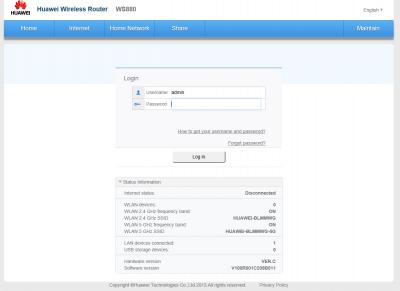
|
|
|
Jul 18 2016, 08:05 PM
|
|
Junior Member
64 posts Joined: Jan 2014
|
QUOTE(ALeUNe @ Jul 18 2016, 07:38 PM) Is this ""boot the emergency upgrade page"? Have you assign ur ip address to 192.xxxxxxx.1 at ur setting as shown by sHawTY from previous post.And no, that's not the emergency upgrade page, emergency upgrade page only contain 1 or 2 line of word where it ask u to upload ur Huawei trans.bin. The page u screeenshot is ur Huawei router page. Try use IE or edge and enter 192.xxxxxxx.1 after u release ur reset key. |
|
|
Jul 18 2016, 08:13 PM
|
|
VIP
9,692 posts Joined: Jan 2003 From: Mongrel Isle
|
QUOTE(raymondmc @ Jul 18 2016, 08:05 PM) Have you assign ur ip address to 192.xxxxxxx.1 at ur setting as shown by sHawTY from previous post. This?And no, that's not the emergency upgrade page, emergency upgrade page only contain 1 or 2 line of word where it ask u to upload ur Huawei trans.bin. The page u screeenshot is ur Huawei router page. Try use IE or edge and enter 192.xxxxxxx.1 after u release ur reset key.  |
|
|
Jul 18 2016, 08:40 PM
|
|
Junior Member
64 posts Joined: Jan 2014
|
QUOTE(ALeUNe @ Jul 18 2016, 08:13 PM) This? yes, hows the progress? exploring the setting now? or still stuck somewhere  |
|
|
Jul 18 2016, 08:47 PM
|
|
VIP
9,692 posts Joined: Jan 2003 From: Mongrel Isle
|
QUOTE(raymondmc @ Jul 18 2016, 08:40 PM) yes, hows the progress? exploring the setting now? or still stuck somewhere Loaded the bin file. Upload completed. System is going to reboot. Please wait a few moments The Internet LED on router is blinking, but there is no reboot. p/s I click continue. It showed me the CFE miniweb server. Then I chose the the firmware and click upload. Then the browser went offline. Waited few minuted, it went online again and sent me to the CFE miniweb server again. The "Internet" LED on router is still blinking intermittently. How to tell the flashing is completed? This post has been edited by ALeUNe: Jul 18 2016, 08:53 PM |
|
|
Jul 18 2016, 08:56 PM
|
|
Junior Member
64 posts Joined: Jan 2014
|
QUOTE(ALeUNe @ Jul 18 2016, 08:47 PM) Loaded the bin file. if its completed, it will say upload completed almost the same as bin file result and when u try open 192.xxxx website, it will lead u to asuswrt page instead of cfe web.Upload completed. System is going to reboot. Please wait a few moments The Internet LED on router is blinking, but there is no reboot. p/s I click continue. It showed me the CFE miniweb server. Then I chose the the firmware and click upload. Then the browser went offline. Waited few minuted, it went online again and sent me to the CFE miniweb server again. The "Internet" LED on router is still blinking intermittently. How to tell the flashing is completed? |
| Change to: |  0.0288sec 0.0288sec
 0.46 0.46
 6 queries 6 queries
 GZIP Disabled GZIP Disabled
Time is now: 11th December 2025 - 03:18 PM |
 Quote
Quote