Welcome Guest ( Log In | Register )

81 Pages « < 27 28 29 30 31 > » Bottom

Outline · [ Standard ] · Linear+

 AMD K8 Family Overclocking (754/939/940/AM2/1207), General discussions and newbies' guide

views
     
sniper69
post Nov 24 2006, 04:28 AM

.: One Shot One Kill :. .+|Level 9 Type Shit|+.
*******
Senior Member
7,173 posts

Joined: Jan 2003
From: PCH


QUOTE(Vinci777 @ Nov 24 2006, 02:59 AM)
hmm... thanks for da info ^^
im only using value ram... canot get to 640 ler..haha... max should around 450 only ..dat time my rams also wan vomit ard ..hehe

I guess i'll go on with the divider... Fsb thingy..i wont go 5mhz i guess...too lazy to test so many times ^^ btw.. oc rams 1st to get the max mhz den only oc the cpu and set the divider or vice versa?
*
as for me, i'll overclock using 1:1 first, so, increment 20MHz (before i know my capable of my CPU), safely boot to windows, reboot again, increase by 20MHz~30MHz until it can't load to windows (BSOD or watsoever that may failed to logon to windows), that's for both...you won't know which one the limit, so my advice, have it try one by one...

1st objective : get the highest CPU clock as possible...
- set your memory divider to the lowest clock, say by default is 200MHz, set it to 100MHz (2x200MHz=400MHz=DDR400), and leave your memory voltage and timing by default (these gonna need some advance - i won't teach whistling.gif), so, your RAM will run on DDR200. this is for make sure, your RAM won't suffer even after you overclock the CPU kaw˛...then, increase small increament your CPU FSB and reboot, reboot, reboot and again to check which FSB it won't boot, from there, you'll know what's your highest CPU clock capable...

2nd objective : get the highest memory clock as possible...
- set your CPU multiplier to 5x, too much lower will make your system can't boot...assuming you're using A64 3000+ (1.8GHz=9x200MHz), so, CPU multiplier at 5x=200x5=1000MHz (1GHz), leave your memory at stock clock, don't touch anything...leave it at stock, just increase your CPU FSB to the max and see if it can load to windows...same apps to 1st objective...

hope this'll help...wink.gif
Vinci777
post Nov 24 2006, 09:23 AM

No Title
******
Senior Member
1,616 posts

Joined: Mar 2006
HMM...very clear indeed ^^
so as a conclusion.... 1st and 2nd objective is about the same rite? both aslo touch the CPU fsb only.. Dont have to touch the memory rite~
Btw, everytime i up the fsb..i'll need to set the divider? or leave it a 1:1 until it got problems.
sniper69
post Nov 24 2006, 09:47 AM

.: One Shot One Kill :. .+|Level 9 Type Shit|+.
*******
Senior Member
7,173 posts

Joined: Jan 2003
From: PCH


QUOTE(Vinci777 @ Nov 24 2006, 09:23 AM)
HMM...very clear indeed ^^
so as a conclusion.... 1st and 2nd objective is about the same rite? both aslo touch the CPU fsb only.. Dont have to touch the memory rite~
Btw, everytime i up the fsb..i'll need to set the divider? or leave it a 1:1 until it got problems.
*
yes...it all depends on our CPU FSB.
Vinci777
post Nov 24 2006, 01:41 PM

No Title
******
Senior Member
1,616 posts

Joined: Mar 2006
hm...i guess i understand ard...
but 1 last question... when upping my fsb.. the divider can remain default or 1:1 rite? i dont have to adjust the divider and only adjust them when it crashes?
sniper69
post Nov 24 2006, 02:06 PM

.: One Shot One Kill :. .+|Level 9 Type Shit|+.
*******
Senior Member
7,173 posts

Joined: Jan 2003
From: PCH


QUOTE(Vinci777 @ Nov 24 2006, 01:41 PM)
hm...i guess i understand ard...
but 1 last question... when upping my fsb.. the divider can remain default or 1:1 rite? i dont have to adjust the divider and only adjust them when it crashes?
*
yes, when say you use divider, the memory clock won't go at stock clock, in fact even lower, and it'll remain that way smile.gif unless you set it 1:1 or Auto
Vinci777
post Nov 24 2006, 04:09 PM

No Title
******
Senior Member
1,616 posts

Joined: Mar 2006
er... so lets take amd 3500+ as example...
if not mistaken...it has a multiplier of 11 and fsb of 200. So by using a ddr2667 / 337mhz, to get the balance at 1:1, the fsb need to be 337 and with a x11..its a whooping 3gz+++ which i think is kinda impossible..

1. So is it better to have a lower fsb running on auto divider whereby fsb < ram ratio (might sacrifice to go for a lower ram settings to achieve 1:1) or lower multiplier running on 1:1 until it reach a stable state?

2. Also, is there any harm to let FSB ratio < RAM ratio as becoz i heard its not advisable to run FSB ratio > RAM ratio as it doesnt give much performance.

3. On CPU-z , the FSB : RAM written as CPU/9 (etc) .. wat does dat mean? 9 is the divider? wat is the use of looking at the divider value comparing to ratio?

Sorry for the MANY questions, I hope to ask all in 1 short so i dont have to trouble u guys again... kinda confuse reading from diff guides ^^

Thanks for all the answers ^^

**edited for easier reading & understanding - Hopefully tongue.gif **

This post has been edited by Vinci777: Nov 25 2006, 02:40 AM
sniper69
post Nov 25 2006, 07:22 AM

.: One Shot One Kill :. .+|Level 9 Type Shit|+.
*******
Senior Member
7,173 posts

Joined: Jan 2003
From: PCH


QUOTE(Vinci777 @ Nov 24 2006, 04:09 PM)
» Click to show Spoiler - click again to hide... «

*
i think DDR2 and DDR1 is same apps when comes to overclocking as i'm on DDR1 system...tongue.gif

1: using divider is for limit your RAM to go higher clock because maybe due to your RAM limitation. this is necessary when you want to check whether how far your CPU can go...

2: yes, you shouldn't set RAM > FSB ratio as it would make only more unstable tongue.gif

3: CPUz...9 is not divider, it's CPU's multiplier
TSsoulfly
post Nov 25 2006, 09:12 AM

revving towards 10,000 rpm
Group Icon
VIP
15,903 posts

Joined: Jan 2003
From: Miri


QUOTE(sniper69 @ Nov 25 2006, 07:22 AM)
i think DDR2 and DDR1 is same apps when comes to overclocking as i'm on DDR1 system...tongue.gif

1: using divider is for limit your RAM to go higher clock because maybe due to your RAM limitation. this is necessary when you want to check whether how far your CPU can go...

2: yes, you shouldn't set RAM > FSB ratio as it would make only more unstable tongue.gif

3: CPUz...9 is not divider, it's CPU's multiplier
Actually, with K8 system the DDR was never related to the FSB. But, since it is just DDR, it is still possible to relate/calculate the DDR speed to the FSB value (because default FSB is 200MHz), hence we call it divider. This is why CPU-Z is showing that the DDR is divided against the cpu clockspeed, which is the correct way.

Somehow in AM2, this method cannot be applied anymore, thus they changed the divider rule by using values such as DDR2-400, DDR2-533, DDR2-667 and DDR2-800. This however makes it more difficult and complicated to determine the right DDR2 speed at a particular clockspeed. Hence, we need to refer to the AM2 multiplier table. The FSB value is now no more relevant, but CPU multiplier is.
Vinci777
post Nov 25 2006, 02:29 PM

No Title
******
Senior Member
1,616 posts

Joined: Mar 2006
oic...i guess i'll try out using my 3000+ system and my fren 3500+am2 system to see the comparison ... thanks so much guys... wish me luck tongue.gif

btw... am2 using ddr2 while k8 using ddr1.. using the same ghz cpu 3000+.. am2 3000+ easier to reach a more stable 1:1 because of its ddr2 rite? becoz i think its almost impossible to run 1:1 on k8 system when oc..
footie
post Nov 25 2006, 04:06 PM

Getting Started
**
Junior Member
82 posts

Joined: Apr 2006
From: Theatre Of Dream


QUOTE(Vinci777 @ Nov 25 2006, 02:29 PM)
oic...i guess i'll try out using my 3000+ system and my fren 3500+am2 system to see the comparison ... thanks so much guys... wish me luck tongue.gif

btw... am2 using ddr2 while k8 using ddr1.. using the same ghz cpu 3000+.. am2 3000+ easier to reach a more stable 1:1 because of its ddr2 rite? becoz i think its almost impossible to run 1:1 on k8 system when oc..
*
d most ddr can go is around 320~ish (provided u got a pair of tccd which i consider gem), any higher i think it's impossible. smile.gif

sometimes it's not alll bout d ram, capability of ya chip do count too... whistling.gif
sniper69
post Nov 25 2006, 04:07 PM

.: One Shot One Kill :. .+|Level 9 Type Shit|+.
*******
Senior Member
7,173 posts

Joined: Jan 2003
From: PCH


QUOTE(Vinci777 @ Nov 25 2006, 02:29 PM)
oic...i guess i'll try out using my 3000+ system and my fren 3500+am2 system to see the comparison ... thanks so much guys... wish me luck tongue.gif

btw... am2 using ddr2 while k8 using ddr1.. using the same ghz cpu 3000+.. am2 3000+ easier to reach a more stable 1:1 because of its ddr2 rite? becoz i think its almost impossible to run 1:1 on k8 system when oc..
*
laugh.gif don't say that, i'm one of them who can reach 3.0GHz on 3000+ @ 1:1 smile.gif -- errr but failed on all test even thou can boot safely to windows tongue.gif
Vinci777
post Nov 25 2006, 04:44 PM

No Title
******
Senior Member
1,616 posts

Joined: Mar 2006
haha...im using value ram only... if still wan maintain 1:1... haha...better dun oc tongue.gif coz know the limit ard

3.0ghz on 3000+ ? can increase multiplier ar? else ur ram must be a very good 1...

btw...using SP2004 and 3dmark03 enough to test? coz i feel confuse with prime95..lolz

This post has been edited by Vinci777: Nov 25 2006, 04:45 PM
sniper69
post Nov 25 2006, 07:41 PM

.: One Shot One Kill :. .+|Level 9 Type Shit|+.
*******
Senior Member
7,173 posts

Joined: Jan 2003
From: PCH


QUOTE(Vinci777 @ Nov 25 2006, 04:44 PM)
haha...im using value ram only... if still wan maintain 1:1... haha...better dun oc  tongue.gif  coz  know the limit ard

3.0ghz on 3000+ ? can increase multiplier ar? else ur ram must be a very good 1...

btw...using SP2004 and 3dmark03 enough to test? coz i feel confuse with prime95..lolz
*
ValueRAM? then here comes the divider...you can always use the divider
nope, i'm using 333 x 9 (2997MHz), the RAM's at DDR666, maxed up to DDR670 tongue.gif, @3.0GHz, i'm still on stock voltage due to stock cooling -- didnt dare to increase tongue.gif
Vinci777
post Nov 25 2006, 09:05 PM

No Title
******
Senior Member
1,616 posts

Joined: Mar 2006
heh...3.0ghz on stock cooling enough ard ler..dun greed...haha...
when using stress program...can run other program? coz i scare my bro always need to use the pc den start complaning..lolz
TSsoulfly
post Nov 26 2006, 07:48 AM

revving towards 10,000 rpm
Group Icon
VIP
15,903 posts

Joined: Jan 2003
From: Miri


QUOTE(Vinci777 @ Nov 25 2006, 02:29 PM)
oic...i guess i'll try out using my 3000+ system and my fren 3500+am2 system to see the comparison ... thanks so much guys... wish me luck tongue.gif

btw... am2 using ddr2 while k8 using ddr1.. using the same ghz cpu 3000+.. am2 3000+ easier to reach a more stable 1:1 because of its ddr2 rite? becoz i think its almost impossible to run 1:1 on k8 system when oc..
dude ... AM2 is K8... it's just the socket difference, AM2 vs 939
Vinci777
post Nov 26 2006, 07:56 PM

No Title
******
Senior Member
1,616 posts

Joined: Mar 2006
aiks..mistaken am2 as new k8 / k8L..my bad :-p
angelgemini
post Dec 2 2006, 09:30 PM

...
******
Senior Member
1,751 posts

Joined: Jun 2005
From: Malaysia


wat mean by divider 1:1?
and 5:6?
how to set it?
wat use of it?

actually i wan to OC my pc and i follow the setting from 1st page but end up wit cannot start the computer.
so i reset bios.

my spec is
939 3000++
msi 7250 n-force4 ultra
2x512 ddr400 corsair value ram
enermax 360w
normal cpu heatsink
normal temp 47


how far i can go?
can guide me how to OC it?

This post has been edited by angelgemini: Dec 2 2006, 10:41 PM
lolhalol
post Dec 12 2006, 06:11 PM

Showroom Skateboarding
******
Senior Member
1,823 posts

Joined: Mar 2006
From: Kuala Lumpur


guys is this considered fast for this amount of oc?


Attached Image

stock settings...
Attached Image Attached Image

This post has been edited by lolhalol: Dec 13 2006, 04:03 PM
gsan
post Dec 13 2006, 08:50 PM

Electrical RF Engineer
*******
Senior Member
2,471 posts

Joined: Jan 2003

2876MHz @ 1.5v is kinda impressive.

but do it prime stable?

anyway, try to push your old school BH5s to its limit. smile.gif
sempronic
post Dec 15 2006, 09:49 PM

Enthusiast
*****
Senior Member
986 posts

Joined: Jul 2006
From: :: infront the steering ::


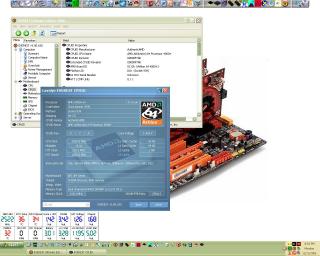
Hi...im new in X2 world....can anyone help me??

i wanna OC my X2 more then 2.559ghz....
coz when i OC at 2.6ghz..sometimes it stable and some time after using for a long time it restart....but when i prime using sp2004 it is stable up to 2 hours and more...and sometime at 2 second it will fail....

it can also reach up to 2.7ghz...also sometime stable and some time not..but if wanna set at 2.7ghz the vcore must be more then 1.6v...but at this speed...when running 3dmark03 after the loading screen....it just got blank screen....

so anyone can help me??

my X2 stepping is : CCBWE 053GSPMW
RAM timing : DDR650 3-4-4-8 1T
my rig spec is in my signiture below..
i also attached a picture of my current setting..


Attached thumbnail(s)
Attached Image

81 Pages « < 27 28 29 30 31 > » Top
 

Change to:
| Lo-Fi Version
0.0255sec    0.62    6 queries    GZIP Disabled
Time is now: 8th December 2025 - 04:50 PM