QUOTE(hilmiangah @ Aug 7 2014, 05:41 PM)
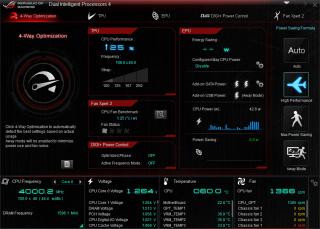
Then your i7-4790K with turbo is limited to 4 GHZ?My default .....4.4 GHz with XMP enabled....VID 1.18V
Edit:
4.0 GHz ....VID 1.05V
This post has been edited by stasio: Aug 7 2014, 06:44 PM
Haswell, Devil's Canyon, Pentium G3258 OC V1, 4790K/4760K/4770K/4670K/G3258 | LGA1150
|
|
Aug 7 2014, 06:25 PM
|
![]() ![]() ![]() ![]() ![]() ![]() ![]() ![]()
All Stars
18,505 posts Joined: Oct 2007 From: P.Jaya |
|
|
|
|
|
|
Aug 7 2014, 09:00 PM
|
![]() ![]() ![]() ![]() ![]() ![]() ![]()
Senior Member
3,669 posts Joined: Jan 2003 From: ze deep blue ocean |
QUOTE(stasio @ Aug 6 2014, 06:43 PM) Read on OCN and hwbot......"Suggestions for DC overclocking"==> LOWER VCCIN.... nice info bro. http://forum.hwbot.org/showthread.php?t=108373 Edit: 4.9GHz with 1.50 VCCIN....... [attachmentid=4083698] Was runing Vcin/vrin at 1.98v @ 4.7ghz. Did a quick test, IBT stable @ 1.6v vrin, Gonna further test later. Temperature wise, there's no dramatic changes, still at high 90c range when doing IBT stress run. i7-4790k @ 4.7ghz Vcore 1.205v / Vrin 1.6v / Vring 1.1v |
|
|
Aug 7 2014, 09:07 PM
|
|
Elite
6,799 posts Joined: Jan 2003 |
QUOTE(nicotine @ Aug 7 2014, 09:00 PM) nice info bro. i would wait doing before suchWas runing Vcin/vrin at 1.98v @ 4.7ghz. Did a quick test, IBT stable @ 1.6v vrin, Gonna further test later. Temperature wise, there's no dramatic changes, still at high 90c range when doing IBT stress run. i7-4790k @ 4.7ghz Vcore 1.205v / Vrin 1.6v / Vring 1.1v wait for more results, voltage readings on the cpu etc.. cause having a starve state on the cpu voltages will definitely cause it to degrade faster. but ures should be ok. i so far follow the intel vccin spec boot at 1.7v operate between 1.65-1.8v (without loadline etc) This post has been edited by cstkl1: Aug 7 2014, 09:09 PM |
|
|
Aug 13 2014, 03:44 AM
|
![]()
Junior Member
43 posts Joined: Aug 2013 From: Kota Kinabalu, Sabah |
QUOTE(owikh84 @ Aug 4 2014, 10:38 AM) My G3258 ES is able to overclock to 4.6GHz only, stable @ 1.488v! 4.7 onwards is unbootable Max clock is 4.8 in OS but at excessive voltage [attachmentid=4079968] Anyway it inherits the Haswell’s strong IMC 2800c9 is easy with Samsung kit [attachmentid=4079967] Things going nuts at 4.6GHz when I had to bump the VCCIN up to 2.2v jn order to pass x264 benchmark lol Lemon chip is everywhere especially the ES lol Sorry newbie here, is this good enuf for 4.00Ghz G3258 ? I mean the setting and all Vcore etc..? |
|
|
Aug 14 2014, 11:58 AM
|
|
Elite
8,711 posts Joined: Nov 2007 From: Butterworth, PG / Machang, Kelantan |
QUOTE(Falahuddin Ahmed @ Aug 13 2014, 03:44 AM) Vcore could be reduced. My G3258 ES sample needs 1.2V for 4.0GHz:![]() Review: Intel Pentium G3258 Anniversary Edition |
|
|
Aug 15 2014, 02:37 PM
|
![]()
Junior Member
43 posts Joined: Aug 2013 From: Kota Kinabalu, Sabah |
QUOTE(owikh84 @ Aug 14 2014, 11:58 AM) Vcore could be reduced. My G3258 ES sample needs 1.2V for 4.0GHz: Thanks buddy ![]() Review: Intel Pentium G3258 Anniversary Edition |
|
|
|
|
|
Aug 21 2014, 09:41 PM
|
![]() ![]()
Junior Member
96 posts Joined: Jun 2014 |
Why my g3258 cannot boot?mobo asrock z87m pro 4,help
|
|
|
Aug 22 2014, 11:55 AM
|
![]() ![]() ![]()
Junior Member
335 posts Joined: Feb 2008 |
|
|
|
Aug 26 2014, 01:19 AM
|
![]() ![]() ![]() ![]() ![]() ![]() ![]()
Senior Member
3,489 posts Joined: Jul 2008 From: BUTTERWORTH pulau pinang |
|
|
|
Aug 26 2014, 10:22 PM
|
![]() ![]() ![]() ![]() ![]() ![]() ![]() ![]()
All Stars
18,505 posts Joined: Oct 2007 From: P.Jaya |
LinX 0.6.5-11.2.0
https://www.mediafire.com/?ii62gs08uy7y947 - with latest Intel Linpack binaries (ver. 11.2.0.003) |
|
|
Aug 28 2014, 08:51 PM
|
![]() ![]() ![]() ![]() ![]() ![]() ![]() ![]()
All Stars
10,688 posts Joined: Jan 2005 |
|
|
|
Sep 3 2014, 09:49 PM
|
|
Elite
8,711 posts Joined: Nov 2007 From: Butterworth, PG / Machang, Kelantan |
QUOTE(meons @ Aug 26 2014, 01:19 AM) QUOTE(gengstapo @ Aug 28 2014, 08:51 PM) Actually Intel doesn't officially support G3258 & Devil's Canyon on Z87 but Z97.Motherboard vendors dislike Intel's greedy move and released Z87's BIOSes to allow compatibility with these new CPUs. ASUS provides BIOS Flashback feature on their ROG boards so that you can "blind" flash the BIOS without the need to have the CPU installed. http://ark.intel.com/products/82723/Intel-...#@compatibility |
|
|
Oct 2 2014, 02:17 AM
Show posts by this member only | IPv6 | Post
#1167
|
![]() ![]()
Junior Member
99 posts Joined: Oct 2007 |
Just have some testing on my new rma hynix cfr, seems cannot compete with mfr and psc chip
Any hynix user here? ![]() |
|
|
|
|
|
Oct 6 2014, 12:43 AM
|
![]() ![]() ![]() ![]() ![]() ![]() ![]()
Senior Member
4,934 posts Joined: Sep 2008 From: Setapak |
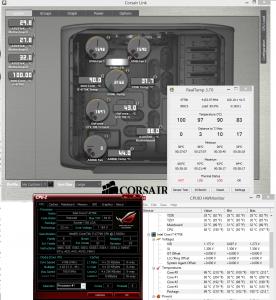
wta, just gotten h100i. i notice after startup, the temp is around 70C and slowly going down until <40C.
but sometimes it will shootup to more than 60C on normal process = google chrome then load video. below i try to prime95 and instant hit 100C within few sec. any thoughts? will try to resit cooler 2moro morning and get back to here. search google and quite a no. of h100i failure case. **no such problem on previous cooler - Phanteks PH-TC14PE ***Setup = 2 pull SP120 @ 1.6k RPM. Rad top / fan btm. This post has been edited by sai86: Oct 6 2014, 01:24 AM |
|
|
Oct 6 2014, 02:50 PM
Show posts by this member only | IPv6 | Post
#1169
|
![]()
Junior Member
8 posts Joined: Sep 2012 |
QUOTE(sai86 @ Oct 6 2014, 12:43 AM) wta, just gotten h100i. i notice after startup, the temp is around 70C and slowly going down until <40C. Possible that the block was not sitting on the top of the cpu properly.but sometimes it will shootup to more than 60C on normal process = google chrome then load video. below i try to prime95 and instant hit 100C within few sec. any thoughts? will try to resit cooler 2moro morning and get back to here. search google and quite a no. of h100i failure case. **no such problem on previous cooler - Phanteks PH-TC14PE ***Setup = 2 pull SP120 @ 1.6k RPM. Rad top / fan btm. Hope you rectify it asap as your cpu will burn out easily. |
|
|
Oct 7 2014, 12:20 PM
|
![]() ![]() ![]() ![]() ![]() ![]() ![]()
Senior Member
4,934 posts Joined: Sep 2008 From: Setapak |
QUOTE(coldfuxor @ Oct 6 2014, 02:50 PM) Possible that the block was not sitting on the top of the cpu properly. re-sit it and apply mx-4. on stock clock / voltage. it hit around <75C on prime95 blend test.Hope you rectify it asap as your cpu will burn out easily. will play around with different fans and settings. what bother me is the cpu temp can reach 75 but the rad temp is just 5C increment - 30C to 35C. |
|
|
Oct 7 2014, 06:47 PM
|
![]() ![]() ![]() ![]() ![]() ![]() ![]()
Senior Member
3,669 posts Joined: Jan 2003 From: ze deep blue ocean |
QUOTE(sai86 @ Oct 7 2014, 12:20 PM) re-sit it and apply mx-4. on stock clock / voltage. it hit around <75C on prime95 blend test. looks pretty normal if you ran those stress test. Especially when you ran Prime which support avx instruction. will play around with different fans and settings. what bother me is the cpu temp can reach 75 but the rad temp is just 5C increment - 30C to 35C. My i7 4790k@4.7Ghz/ 1.207vcore hit 99c within few second when running IBT/prime 95 and radiator gets real warm quickly. For real world... just test it with your favorite games, temp shouldn't go over 60c for a non oc proc which is cooled by aio. I'm getting under 53c running d3ros. Btw i'm using corsair H105. |
|
|
Oct 7 2014, 07:34 PM
|
![]() ![]() ![]() ![]() ![]() ![]() ![]()
Senior Member
4,934 posts Joined: Sep 2008 From: Setapak |
QUOTE(nicotine @ Oct 7 2014, 06:47 PM) looks pretty normal if you ran those stress test. Especially when you ran Prime which support avx instruction. what software you use to monitor your internal temp while gaming? my rivatuner cause Corsair Link to crash. only by disable ingame monitoring on riva, then the Link is working fine.My i7 4790k@4.7Ghz/ 1.207vcore hit 99c within few second when running IBT/prime 95 and radiator gets real warm quickly. For real world... just test it with your favorite games, temp shouldn't go over 60c for a non oc proc which is cooled by aio. I'm getting under 53c running d3ros. Btw i'm using corsair H105. thxs alot for your input. i guess when the temp hit 100, i forget to notice the vcore on the cpu-z as well which is above 1.2v. this is my first time to go in-depth OC a haswell cpu. previously on amd 1055t, its fairly simple and straight forward. from my read, it seems that no matter what vCore method you use (except Manual), it tends to draw more power than require (on load). and as your said the software use avx instruction override all mobo vcore setting. will play more and suck up most of the info/guide on 1st page. glad that my temp back to normal and your experience relief my worries on my virgin experience hitting 100C This post has been edited by sai86: Oct 7 2014, 09:31 PM |

|
|
Oct 7 2014, 09:05 PM
|
![]() ![]() ![]() ![]() ![]() ![]() ![]()
Senior Member
3,669 posts Joined: Jan 2003 From: ze deep blue ocean |
I'm using hwinfo64 v4.4 to monitor my temp and msi after burner for gpu.
|
|
|
Oct 8 2014, 02:50 PM
|
|
Elite
8,103 posts Joined: Jan 2003 From: Tanah Lot @ Dungun, Terengganu. |
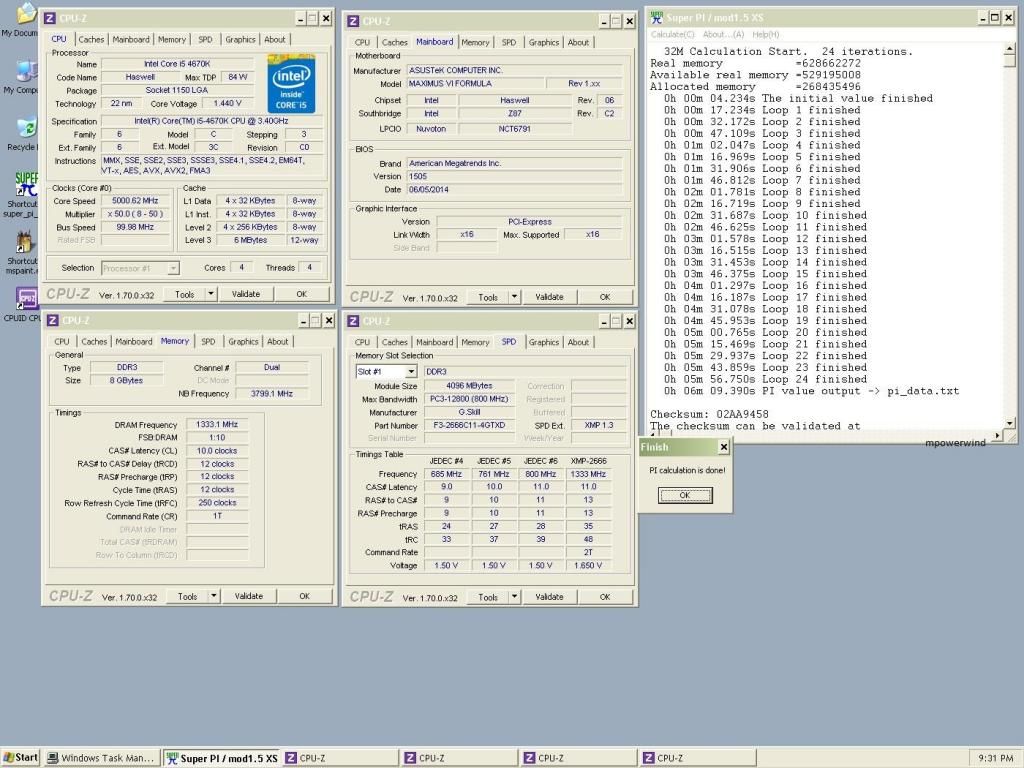
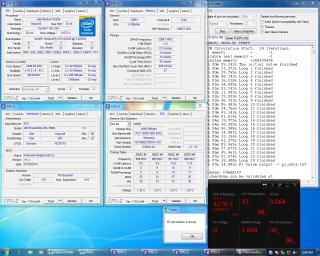
my humble attempt:
ah_khoo | G3258 | 4.3GHz (2C/2T) | MSI Z87M Gaming | Stock cooler This post has been edited by ah_khoo: Oct 8 2014, 02:53 PM |
| Change to: | 0.0393sec
2.25
6 queries
GZIP Disabled
Time is now: 17th December 2025 - 12:14 AM |