QUOTE(yvliew @ Jul 1 2013, 11:14 AM)
Anything between 5~10mins is consider Normal, My ZTE MF820D+ cant even get connected on MR3420 V2, Factory FW. Any sifu can help ?
Tp LInk TL-MR3420 Owner CLub V2.5, need a pro here
|
|
Jul 1 2013, 12:35 PM
|
![]() ![]() ![]() ![]() ![]() ![]() ![]()
Senior Member
8,025 posts Joined: Feb 2005 From: Planet Boleland |
|
|
|
|
|
|
Jul 1 2013, 01:07 PM
|
![]() ![]() ![]()
Junior Member
384 posts Joined: Jan 2006 From: Penang |
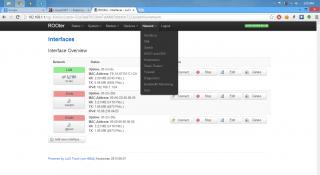
QUOTE(yvliew @ Jul 1 2013, 11:14 AM) By default, ROOter Huntsman is configured to check for WAN connection alive every 2 mins. Depending on what you choose for the Keep Connection Alive option, it will either restart WAN, toggle modem or reboot the router. For example, if you've choose to reboot the router, at 2 minutes after the router is booted up but not able to establish a WAN connection yet, it will reboot the router to try to re-establish it. This will make the time needed to establish WAN connection even longer.For my case, the average connection time at my area and my combination of hardware (E398 and MR3020/MR3420V1) are between 1-5 minutes, I've changed my default interval to 5 minutes. This post has been edited by maxcheam: Jul 1 2013, 01:08 PM |
|
|
Jul 1 2013, 01:38 PM
|
![]() ![]() ![]() ![]() ![]() ![]()
Senior Member
1,797 posts Joined: Jan 2003 |
digilife
Really envy with your net speed. Guys, What is the best keep alive option. Router : MR3420 v2 Firmware : Huntsman 2013-06-27 Thanks. This post has been edited by xphr3ak: Jul 1 2013, 01:40 PM |
|
|
Jul 1 2013, 01:59 PM
|
![]() ![]() ![]() ![]() ![]() ![]() ![]()
Senior Member
8,025 posts Joined: Feb 2005 From: Planet Boleland |
QUOTE(xphr3ak @ Jul 1 2013, 01:38 PM) digilife That speed ( DC HSPA+ ) was achieved on a Huntsman 1043ND , Lan only connection together with ZTE MF820D in the early hours of the morning, 6am. Really envy with your net speed. Guys, What is the best keep alive option. Router : MR3420 v2 Firmware : Huntsman 2013-06-27 Thanks. |
|
|
Jul 1 2013, 09:38 PM
|
![]()
Junior Member
32 posts Joined: Jun 2012 From: JB |
Guys, can anybody help me please. Im using mr3420 v2 and e398 router. whenever there's no device connected to the router, the router will disconnect the internet. Then when I connect back my device eg: my phone, laptop, the time it take to reconnect back to the internet is so long or i think it doesn't connect at all:( Is there any section in the web interface where we can manually connect to internet? or can u teach me to make it keep alive all the time.
|
|
|
Jul 1 2013, 11:12 PM
|
![]() ![]()
Junior Member
166 posts Joined: Jul 2011 |
QUOTE(ikki_ahmad @ Jul 1 2013, 09:38 PM) Guys, can anybody help me please. Im using mr3420 v2 and e398 router. whenever there's no device connected to the router, the router will disconnect the internet. Then when I connect back my device eg: my phone, laptop, the time it take to reconnect back to the internet is so long or i think it doesn't connect at all:( Is there any section in the web interface where we can manually connect to internet? or can u teach me to make it keep alive all the time. go to network, 3G, connection mode, choose connect automatically and max idle time = 0. |
|
|
|
|
|
Jul 2 2013, 03:36 AM
|
![]()
Junior Member
32 posts Joined: Jun 2012 From: JB |
|
|
|
Jul 2 2013, 07:48 AM
|
![]() ![]()
Junior Member
166 posts Joined: Jul 2011 |
|
|
|
Jul 2 2013, 08:33 AM
|
![]() ![]() ![]()
Junior Member
356 posts Joined: Jun 2006 |
Wow! Didnt know there is a thread dedicated to MR3420. I am new to the club! Using the router with stock setting at the moment. Can anyone recommend some good tweak for this router?
Thanks in advance. |
|
|
Jul 2 2013, 04:44 PM
|
![]() ![]() ![]() ![]() ![]() ![]() ![]() ![]()
All Stars
11,836 posts Joined: Mar 2011 From: Kota Kinabalu, Sabah |
|
|
|
Jul 2 2013, 10:56 PM
|
![]()
Junior Member
18 posts Joined: Nov 2008 From: Malaysia |
QUOTE(paull98 @ Jun 30 2013, 12:20 PM) TP-Link is good for average users for it's price, but by no means the best. If you want the best, and can afford it, go for IEEE 802.11AC routers if possible, for that's the future... QUOTE(paull98 @ Jun 30 2013, 12:20 PM) Was thinking to use the 3G data from my android phone instead of getting the dongle and subscribe a new broadband connection. Can I connect my phone to its USB and utilise the Internet sharing from the android platform? Yes, it's achievable. I did that with my Nokia Symbian phone. For Android, refer here: The USB Port: An Overview, and then usb.tethering.But, why the hassle? As your Android alone can do that already without a router! Just install an app to turn it into a mobile wireless hotspot. Search with these keywords: "android wireless hotspot", "Android SoftAP", "wireless access point android", etc. PS: Though, in either case, your phone will run hot, I meant VERY HOT after running for just a few minutes. And the battery can only "tahan" for a few hours of continuous usage, after which it requires a recharge. Or, you can charge it while using it at once... and so, your phone will get hotter even more! This is not good for your phone for long term usage... This post has been edited by iOnicStorm: Jul 2 2013, 10:58 PM |

|
|
Jul 4 2013, 10:00 AM
|
![]() ![]() ![]()
Junior Member
406 posts Joined: Sep 2010 From: Papar, Sabah |
QUOTE(iOnicStorm @ Jul 2 2013, 10:56 PM) TP-Link is good for average users for it's price, but by no means the best. If you want the best, and can afford it, go for IEEE 802.11AC routers if possible, for that's the future... AC standard is not the future.. the future is an uncertain for wireless networking.. new standards are being developed all the time... if u go N, better N all the way.. no use if router is AC but device still G..PLus, N is bang for buck rite now... |
|
|
Jul 4 2013, 10:08 AM
|
![]() ![]()
Junior Member
166 posts Joined: Jul 2011 |
AC still way too costly for now. And only latest gadget using it.
|
|
|
|
|
|
Jul 4 2013, 10:15 AM
|
![]() ![]() ![]()
Junior Member
406 posts Joined: Sep 2010 From: Papar, Sabah |
just how many phones using AC for wireless?
some latest are using N, but only single channel and 20mhz... rarely see a phone with 2x2 or 3x3 N, +40mhz channel.. |
|
|
Jul 4 2013, 10:18 AM
|
![]() ![]() ![]()
Junior Member
384 posts Joined: Jan 2006 From: Penang |
Netgear's R6100 will stir the 802.11ac router market and drive the price down.
http://www.engadget.com/2013/07/03/netgear...80211ac-router/ |
|
|
Jul 4 2013, 10:20 AM
|
![]() ![]()
Junior Member
166 posts Joined: Jul 2011 |
QUOTE(maxcheam @ Jul 4 2013, 10:18 AM) Netgear's R6100 will stir the 802.11ac router market and drive the price down. i bet mr3420 v3 will have ac. http://www.engadget.com/2013/07/03/netgear...80211ac-router/ |
|
|
Jul 6 2013, 07:26 AM
|
![]() ![]() ![]() ![]() ![]() ![]()
Senior Member
1,066 posts Joined: Nov 2008 From: 127.0.0.1 |
QUOTE(HwangTommy @ May 11 2013, 07:17 PM) Hey guys, what modem do u guys recomend to use with this router? Don't need LTE, just need like 28mbps sth one, budget is around 100-200, haha. Currently am using e355 by huawei, idk why when I start downloading, all other speed become very slow. Even cannot browse facebook anymore. wanna ask. did u paired ur e355 with mr3420? |
|
|
Jul 6 2013, 10:38 AM
|
![]()
Junior Member
18 posts Joined: Nov 2008 From: Malaysia |
QUOTE(khairilyazit @ Jul 4 2013, 10:00 AM) AC standard is not the future.. the future is an uncertain for wireless networking.. new standards are being developed all the time... if u go N, better N all the way.. no use if router is AC but device still G.. Yes, 802.11AC is still in its "draft" standard. Better wait until it goes "final" next year for better compatibility in the future.PLus, N is bang for buck rite now... For now, 802.11n is good for most users for its price-to-performance-ratio. As for older devices, new standards' always have backward-compatibility. So, it's not a problem if a G is connected to an AC device. Just that it's stuck at max. 54 Mbps and has no use for those new features (but at least you get better range & Rx sensitivity on 802.11AC devices becoz' of MIMO, i.e. wider coverage), but it's still working, albeit the old way. |
|
|
Jul 6 2013, 10:50 AM
|
![]()
Junior Member
18 posts Joined: Nov 2008 From: Malaysia |
QUOTE(khairilyazit @ Jul 4 2013, 10:15 AM) just how many phones using AC for wireless? 802.11n devices can have up to 4T4R MIMO and achieve max. 900 Mbps (2.4 GHz + 5.8 GHz concurrently). Whereas 802.11AC can have up to EIGHT antenna and aggregate capacity of 6.77 Gbit/s (see Wikipedia for details)... Making even gigabit ethernet pale in comparison.some latest are using N, but only single channel and 20mhz... rarely see a phone with 2x2 or 3x3 N, +40mhz channel.. Current middle-to-high-end Androids mostly equipped with dual-band WiFi (2.4 GHz + 5.8 GHz), and if your routers can support them, this may put them to good use. And not to mention new devices are coming... 802.11AC routers could suit users with extra bucks to spend and demanding "future-proof", with no worry of "upgrade" for at least 3-5 years to come... Though, it's recommended to wait for the 802.11AC standard goes final next year. This post has been edited by iOnicStorm: Jul 6 2013, 10:52 AM |
|
|
Jul 6 2013, 10:55 AM
|
![]()
Junior Member
18 posts Joined: Nov 2008 From: Malaysia |
QUOTE(butetzzz @ Jul 4 2013, 10:20 AM) TP-Link has just come up with a new 802.11AC router in it's products line-up, it's called Archer C7. |
|
Topic ClosedOptions
|
| Change to: | 0.0223sec
0.55
6 queries
GZIP Disabled
Time is now: 11th December 2025 - 07:32 AM |