Welcome Guest ( Log In | Register )

Bump Topic Topic Closed RSS Feed
127 Pages « < 63 64 65 66 67 > » Bottom

Outline · [ Standard ] · Linear+

 Tp LInk TL-MR3420 Owner CLub V2.5, need a pro here

views
     
maxcheam
post Jun 27 2013, 10:39 AM

Casual
***
Junior Member
384 posts

Joined: Jan 2006
From: Penang


QUOTE(Wahroonga Farm @ Jun 27 2013, 10:28 AM)
Huntsman 2013-06-27

The SMS Messaging is (hopefully) fixed and is quicker and more stable. It now reads concatenated messages correctly.

Keep Alive now has user definable options so you have control over every aspect of it. There is the option to use a second server to ping so, if it fails on the first, it will try the second. It has the option to use modem power toggling if the router supports it. If power toggling isn't supported it will do a WAN restart. The router reboot option will also toggle the modem power before rebooting if it is supported. Power toggling is supported by all TP-Link routers except the WNR4900 and WR1043ND. It is not supported by any Netgear router.

Modem power toggling (turning the USB 5v off and on again) is a key new feature and will hopefully overcome the nastiest modem lock-up. smile.gif

Over to you guys for testing.

Information and download available from the usual places:

http://ofmodemsandmen.com/index.html

http://whirlpool.net.au/wiki/router_openwrt
*
Looking forward to test it tonight!! thumbup.gif thumbup.gif
Wahroonga Farm
post Jun 27 2013, 01:04 PM

Getting Started
**
Junior Member
97 posts

Joined: Feb 2013


Oh and IPv6 is back for all version including 4Mb routers. smile.gif
digilife
post Jun 27 2013, 02:16 PM

The MNP guy, its me yeah.
*******
Senior Member
8,025 posts

Joined: Feb 2005
From: Planet Boleland


Running the latest HM now.

So far so good, but once flashed waited for >10mins, not connected , off router , let it cool for 15mins, restart router , waited awhile, modem LED started flashing and got connected again.....

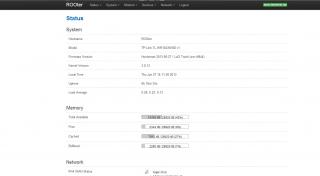
Attached Image


maxcheam
post Jun 27 2013, 08:54 PM

Casual
***
Junior Member
384 posts

Joined: Jan 2006
From: Penang


Upgraded to the latest version. SMS working fine and the rest seem okay so far. We'll see if there is any modem lock-up issue with modem toggle option turned on.


Added on 28 June 2013:
Is there anyway to input our own Scheduled Task? seems like the addition options for Modem Connection Settings is overwriting any additional jobs that i tried to schedule. sad.gif

This post has been edited by maxcheam: Jun 28 2013, 08:33 AM
Wahroonga Farm
post Jun 28 2013, 08:53 AM

Getting Started
**
Junior Member
97 posts

Joined: Feb 2013


QUOTE(maxcheam @ Jun 27 2013, 11:54 PM)
Upgraded to the latest version. SMS working fine and the rest seem okay so far. We'll see if there is any modem lock-up issue with modem toggle option turned on.
Added on 28 June 2013:
Is there anyway to input our own Scheduled Task? seems like the addition options for Modem Connection Settings is overwriting any additional jobs that i tried to schedule. sad.gif
*
So SMS send and receive are good for you?

I'll ask re task scheduling.
maxcheam
post Jun 28 2013, 11:02 AM

Casual
***
Junior Member
384 posts

Joined: Jan 2006
From: Penang


QUOTE(Wahroonga Farm @ Jun 28 2013, 08:53 AM)
So SMS send and receive are good for you?

I'll ask re task scheduling.
*
Thanks for helping to ask on the task scheduling!

As for SMS, yup, it's working as expected. But I'm experiencing some crashing issue. I have over 40 SMS in the SIM card to be deleted. While I understand that we need to wait long enough for the delete and refresh commands to work, repeatedly deleting SMS one by one will cause the modem to go haywire, connection dropped and it won't be restored even though I have modem toggle enabled. Need to do a manual reboot from LuCI.

Anyhow, this is not that critical since the SMS feature is just a supplementary feature. I shall move the SIM card to a mobile phone and delete those SMS. wink.gif

This post has been edited by maxcheam: Jun 28 2013, 11:03 AM
kae7
post Jun 28 2013, 07:32 PM

10k VIP Club
********
All Stars
10,950 posts

Joined: Jan 2009
From: Hatton Cross


QUOTE(ktng1 @ Jun 26 2013, 08:19 PM)
cannot access... No setting dnsmasq donno how to set
*
you also cannot access,

hmm quite weird..
I want to go to that site though
Wahroonga Farm
post Jun 29 2013, 06:01 AM

Getting Started
**
Junior Member
97 posts

Joined: Feb 2013


DM offers the following comments:

1. The way the scripts used here work it overwrites the cronjob file when you change the Keep Alive interval or the Bandwidth Monitor values.

So it will remove any Scheduled Tasks you had entered.

Hadn't thought about that.

I'll see if there is another way to do this that leaves that file alone.

2. SMS Delete is really slow. I mean really slow.

It has to place the delete command in the queue and wait for it to get executed, then wait for the loop to go around again and detect the change in message numbers and read the messages again.

It can take 20 secs for it to take place.

Try and delete too many without waiting for each one will step on the other commands and who knows what happens then.

I wouldn't expect it to crash like that but it isn't surprising.

yvliew
post Jun 29 2013, 11:44 AM

Listening to IU - Strawberry Moon
*******
Senior Member
3,918 posts

Joined: Nov 2004
can MR3420 monitor the data usage? The problem is in status, if i reset my modem, the data resets too.
maxcheam
post Jun 30 2013, 07:33 AM

Casual
***
Junior Member
384 posts

Joined: Jan 2006
From: Penang


QUOTE(Wahroonga Farm @ Jun 29 2013, 06:01 AM)
DM offers the following comments:

1. The way the scripts used here work it overwrites the cronjob file when you change the Keep Alive interval or the Bandwidth Monitor values.

So it will remove any Scheduled Tasks you had entered.

Hadn't thought about that.

I'll see if there is another way to do this that leaves that file alone.

2.  SMS Delete is really slow. I mean really slow.

It has to place the delete command in the queue and wait for it to get executed, then wait for the loop to go around again and detect the change in message numbers and read the messages again.

It can take 20 secs for it to take place.

Try and delete too many without waiting for each one will step on the other commands and who knows what happens then.

I wouldn't expect it to crash like that but it isn't surprising.

*
thanks for the update! I'll try to change the firmware scripts for now then. By the way, the reason why I needed to add additional Scheduled Tasks is to add a ping and reboot command if it couldn't reach local LAN IP. I'm not sure if anyone experience this but the WiFi on two of my MR3020 will intermittently die. I'll have to manually power cycle the router if I don't have the schedule job.
maxcheam
post Jun 30 2013, 07:34 AM

Casual
***
Junior Member
384 posts

Joined: Jan 2006
From: Penang


QUOTE(yvliew @ Jun 29 2013, 11:44 AM)
can MR3420 monitor the data usage? The problem is in status, if i reset my modem, the data resets too.
*
If you're using ROOter Hunstman version, it has the Bandwidth Monitoring feature. I'm using it to track my monthly data usage. wink.gif
air_pull91
post Jun 30 2013, 09:16 AM

Getting Started
**
Junior Member
275 posts

Joined: Sep 2011
QUOTE(kae7 @ Jun 26 2013, 05:41 PM)
hmm weird, I can't access it
*
same with me..cant access it?
google dns blocked?
air_pull91
post Jun 30 2013, 09:18 AM

Getting Started
**
Junior Member
275 posts

Joined: Sep 2011
QUOTE(butetzzz @ Jun 26 2013, 01:31 PM)
yes. latest.

since i am using v1, i cannot advise you more than this. maybe v2 user here can help, or facing same prob?
*
same problem here..
already ask support@tplink..
but the answer

"Thank you for choosing TP-LINK, This is Sharon from TP-LINK Technical Support.
I’m sorry that your 3G modem card is not in your region’s compatibility list, which means it has NOT been tested by our technician, so we are not sure whether your 3G modem card can work with our 3G Router or not. Now we can only try our best to help you check this out. Firstly please check some basic settings on the router and make sure you’ve configured them right. See below:
sorry that there is no bin file available yet
1. Choose “3G only” as Internet Access.
2. On “3G” Page, choose your region and your ISP, then double check if the default parameters (such as APN and dial No.etc.) are correct. Contact your ISP for this information if necessary. To manually type in, please choose “Set the Dial Number and APN manually”.
3. Plug in your 3G modem card, restart the router. Wait for a minute or two. See if it can work normally and get on the Internet."

i think he dont understand the real situation..
paull98
post Jun 30 2013, 12:20 PM

New Member
*
Junior Member
27 posts

Joined: Dec 2010
From: Sibu, Sarawak


Hi guys, planning to buy this wifi router to replace my old junk. Was thinking to use the 3G data from my android phone instead of getting the dongle and subscribe a new broadband connection. Can I connect my phone to its USB and utilise the Internet sharing from the android platform?


yvliew
post Jun 30 2013, 02:39 PM

Listening to IU - Strawberry Moon
*******
Senior Member
3,918 posts

Joined: Nov 2004
QUOTE(maxcheam @ Jun 30 2013, 07:34 AM)
If you're using ROOter Hunstman version, it has the Bandwidth Monitoring feature. I'm using it to track my monthly data usage. wink.gif
*
where can i find the firmware? I'm using MR3420 V2.
chuahcs79
post Jun 30 2013, 09:34 PM

Look at all my stars!!
Group Icon
Elite
6,931 posts

Joined: Apr 2011
From: Bolehland for sure ^_^


QUOTE(yvliew @ Jun 30 2013, 02:39 PM)
where can i find the firmware? I'm using MR3420 V2.
*
http://www.ofmodemsandmen.com/index.html
digilife
post Jul 1 2013, 01:03 AM

The MNP guy, its me yeah.
*******
Senior Member
8,025 posts

Joined: Feb 2005
From: Planet Boleland


A pic tell a thousand words

Attached Image

Huntsman FTW!!
yvliew
post Jul 1 2013, 11:00 AM

Listening to IU - Strawberry Moon
*******
Senior Member
3,918 posts

Joined: Nov 2004
yeah finally flash my mr3420 v2 to huntsman firmware. It takes very very long when reboot for the modem to connect. Is this normal?? I'm using Huawei E398.
maxcheam
post Jul 1 2013, 11:10 AM

Casual
***
Junior Member
384 posts

Joined: Jan 2006
From: Penang


QUOTE(yvliew @ Jul 1 2013, 11:00 AM)
yeah finally flash my mr3420 v2 to huntsman firmware. It takes very very long when reboot for the modem to connect. Is this normal?? I'm using Huawei E398.
*
how long is your very very long? My average time is between 1-5 minutes.
yvliew
post Jul 1 2013, 11:14 AM

Listening to IU - Strawberry Moon
*******
Senior Member
3,918 posts

Joined: Nov 2004
QUOTE(maxcheam @ Jul 1 2013, 11:10 AM)
how long is your very very long? My average time is between 1-5 minutes.
*
I think about 5min..

127 Pages « < 63 64 65 66 67 > » Top
Topic ClosedOptions
 

Change to:
| Lo-Fi Version
0.0307sec    0.56    6 queries    GZIP Disabled
Time is now: 9th December 2025 - 01:27 PM