Outline ·
[ Standard ] ·
Linear+
Tp LInk TL-MR3420 Owner CLub V2.5, need a pro here
|
ikki_ahmad
|
 Jul 1 2013, 09:38 PM Jul 1 2013, 09:38 PM
|
New Member


|
Guys, can anybody help me please. Im using mr3420 v2 and e398 router. whenever there's no device connected to the router, the router will disconnect the internet. Then when I connect back my device eg: my phone, laptop, the time it take to reconnect back to the internet is so long or i think it doesn't connect at all:( Is there any section in the web interface where we can manually connect to internet? or can u teach me to make it keep alive all the time.
|
|
|
|
|
|
ikki_ahmad
|
Jul 2 2013, 03:36 AM
|
New Member
|
QUOTE(butetzzz @ Jul 1 2013, 11:12 PM) go to network, 3G, connection mode, choose connect automatically and max idle time = 0. emm im sorry but under my network tab got no 3G or connection, only got this. Attached thumbnail(s)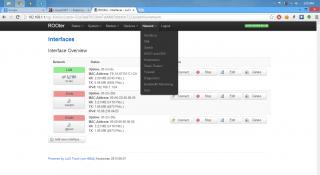
|
|
|
|
|
|
ikki_ahmad
|
Sep 28 2013, 04:58 PM
|
New Member
|
can anyone teach me how to filter mac address with openwrt huntsman pls? i've go through every section of the openwrt interface but still couldnt find it
|
|
|
|
|
|
ikki_ahmad
|
Nov 15 2013, 02:30 AM
|
New Member
|
Sifus, how can i get the speed when connect with the router same as the speed when direct connect modem to laptop? i get lte 30mbps when direct connect but when through router only 16-20mbps. im using latest huntsman red build on my mr3420 v2. default setting, and i connect using an ethernet cable.
|
|
|
|
|



 Quote
Quote

 0.0585sec
 0.73
0.73
 7 queries
 GZIP Disabled