Welcome Guest ( Log In | Register )

Bump Topic Topic Closed RSS Feed
127 Pages « < 66 67 68 69 70 > » Bottom

Outline · [ Standard ] · Linear+

 Tp LInk TL-MR3420 Owner CLub V2.5, need a pro here

views
     
blacktubi
post Jul 10 2013, 09:54 PM

-
Group Icon
Elite
8,415 posts

Joined: Jul 2008

QUOTE(arif48 @ Jul 10 2013, 09:01 PM)
when i'm connected with my pc the speed reached 1++kbps but when the modem is connected to the router the speed drop till 2/3 kbps. may i know how to checked which tower am i connected?
*
Now sure about D-Link modem, try using MDMA and see if it work

To be honest, best is to upgrade the modem wink.gif

1++Kbps is ridiculous
Narako
post Jul 11 2013, 11:34 AM

what?
*****
Senior Member
705 posts

Joined: May 2009
From: The Stars above the sky


hey guys i have trouble connecting to my modem. it always says identifying but never connects.

but i connect to other modem it is instant. Also If i use my phone or ipad connect it can.
maxcheam
post Jul 11 2013, 04:39 PM

Casual
***
Junior Member
384 posts

Joined: Jan 2006
From: Penang


The latest Huntsman firmware dated 2013-07-08 is now available and fixes some bugs and modeswitch issues.
The WDR4900 is now working again.

http://ofmodemsandmen.com/downloads.html

This post has been edited by maxcheam: Jul 11 2013, 05:03 PM
azim61
post Jul 12 2013, 11:17 AM

Casual
***
Junior Member
480 posts

Joined: Jan 2007


QUOTE(iOnicStorm @ Jul 10 2013, 07:05 PM)
Simple answer: no. As Huntsman / ROOter is a heavily customized version of OpenWRT with the purpose of getting the best speed out of a 3G/4G connection, a print server is not directly related to the objective. Unless you're into compiling your own ROOter firmware...

Though, this could still be accomplished using a vanilla OpenWRT image (Attitude Adjustment v12.09), with self-customization. No need compilation, just install any required packages and configure. A LuCI app (web-interface) is available. Tutorials / guides / documentation are available on OpenWRT.org and also on the net. Consult your favorite search engine with keywords such as "openwrt print server" for further information, if you're interested.

OpenWRT / Linux is all about having fun with customization and D.I.Y.

Alternatively, if you don't want spending time on this, consider buying some ready made products, by forking out a bit more. TP-Link has dedicated print server devices, so do other vendors. Also, Asus made some pretty nice routers with USB port(s), coming with print server function with app they provided, which is very easy for end users - just download & install. (The cheapest Asus router with USB port I found on Lelong is RT-N13U, RM 159)

... is the discussion off-topic?  blink.gif
*
thx for the answer biggrin.gif
bosouman
post Jul 12 2013, 11:37 AM

Casual
***
Junior Member
393 posts

Joined: Apr 2010
QUOTE(arif48 @ Jul 9 2013, 09:41 PM)
hi everyone. wanna ask something. why did my broadband got slow down when i plugged it into mr3420 v2. but the speed got really fast if i plug it to my computer. it boggles my mind. have been using 2 different sim card and it is still the same. it's like the router capped my speed really bad. btw i'm using original firmware with d-link dwm-156. when i tried to use openwrt. it doesn't detect my broadband modem.
*
i've been facing this issues in the past actually but its on the v1.
what i did was reset the modem. by pressing the reset button.
you need to do this alot of time tho.
till the speed is fixed.

digilife
post Jul 12 2013, 01:13 PM

The MNP guy, its me yeah.
*******
Senior Member
8,025 posts

Joined: Feb 2005
From: Planet Boleland


QUOTE(bosouman @ Jul 12 2013, 11:37 AM)
i've been facing this issues in the past actually but its on the v1.
what i did was reset the modem. by pressing the reset button.
you need to do this alot of time tho.
till the speed is fixed.
*
Are you on 3G or LTE ?

Btw what modem are you using ?

My case , if on E398 / MR820D+ my 3G or LTE is faster than direct USB plug in, meaning ROOter FW is FTW thumbup.gif
bosouman
post Jul 12 2013, 05:26 PM

Casual
***
Junior Member
393 posts

Joined: Apr 2010
QUOTE(digilife @ Jul 12 2013, 01:13 PM)
Are you on 3G or LTE ?

Btw what modem are you using ?

My case , if on E398 / MR820D+ my 3G or LTE is faster than direct USB plug in, meaning ROOter FW is FTW  thumbup.gif
*
im on 3G. E398
digilife
post Jul 12 2013, 05:54 PM

The MNP guy, its me yeah.
*******
Senior Member
8,025 posts

Joined: Feb 2005
From: Planet Boleland


QUOTE(bosouman @ Jul 12 2013, 05:26 PM)
im on 3G. E398
*
Are you on the latest Huntsman ?

I am using Huntsman on V1 now, up since 12 noon

No issue so far, MF820D+ , if E398 , faster speed but today's turn is MF820D+ , I rotate my modems every 3 days.


Attached Image
bosouman
post Jul 12 2013, 07:23 PM

Casual
***
Junior Member
393 posts

Joined: Apr 2010
QUOTE(digilife @ Jul 12 2013, 05:54 PM)
Are you on the latest Huntsman ?

I am using Huntsman on V1 now, up since 12 noon

No issue so far, MF820D+ , if E398 , faster speed but today's turn is MF820D+ , I rotate my modems every 3 days.
Attached Image
*
huntsman??
anyways..
i already resolve the issue. was trying to help the other guy
ibnuasad
post Jul 13 2013, 02:22 AM

A screw is not a screw until you screw it!
****
Senior Member
558 posts

Joined: Jun 2006
From: Lowyat.Net


QUOTE(bosouman @ Jul 12 2013, 07:23 PM)
huntsman??
anyways..
i already resolve the issue. was trying to help the other guy
*
Some of us here are using custom firmware.

I just flashed back to Huntsman smile.gif

http://ofmodemsandmen.com/
lwk523
post Jul 13 2013, 11:28 AM

Premium Q Trader
******
Senior Member
1,040 posts

Joined: Mar 2006


Wahroonga Farm

Hi,
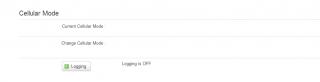
I suggest Cellular Mode must have enable and disable option for user. Because it has a conflict if user use AT command to lock the specify band like 2100mhz and 2600mhz. The problem is the band locking will reset if user reboot the router due to cellular mode coding. Hopefully, I'm not wrong .. tongue.gif

Anyway, Thank alot for your awesome work ya biggrin.gif


Attached thumbnail(s)
Attached Image
Hwoarang45
post Jul 13 2013, 11:39 AM

Hardcore Gamer
******
Senior Member
1,848 posts

Joined: Jan 2003
From: Boleh Land


hi, im new here im using Tp LInk TL-MR3420 + e398, what your advice on firmware to flash? it is stable for 24-7 use?

on the side note, currently my area in Bercham ,ipoh, are really screw since this month, been cap to 1.5mbps... maxis said they are upgrading from june to july, rebated 50% of my fees, but still, slow like crap... haiz... anyone from ipoh has this issue?
bosouman
post Jul 13 2013, 11:41 AM

Casual
***
Junior Member
393 posts

Joined: Apr 2010
anyway guys..
how to make the wan setting save to the system?
each time it gone idle my E398 disconnects.
and the setting set back to factory when rebooting..

EDIT: now i can't even setting the wan. without the modem being plugged in.
unsupported protocol type?

This post has been edited by bosouman: Jul 13 2013, 05:02 PM
chuahcs79
post Jul 13 2013, 05:01 PM

Look at all my stars!!
Group Icon
Elite
6,931 posts

Joined: Apr 2011
From: Bolehland for sure ^_^


QUOTE(bosouman @ Jul 13 2013, 11:41 AM)
anyway guys..
how to make the wan setting save to the system?
each time it gone idle my E398 disconnects.
and the setting set back to factory.
*
if u refer to huntsmand/blackwidow, it is all auto recognize and auto dialing,. whatever u save under the wan for E398 will auto reset after rebooting,. notworthy.gif
bosouman
post Jul 13 2013, 05:03 PM

Casual
***
Junior Member
393 posts

Joined: Apr 2010
QUOTE(chuahcs79 @ Jul 13 2013, 05:01 PM)
if u refer to huntsmand/blackwidow, it is all auto recognize and auto dialing,. whatever u save under the wan for E398 will auto reset after rebooting,.  notworthy.gif
*
nvm.. find the solution
magically. modem connects.weird

This post has been edited by bosouman: Jul 13 2013, 05:44 PM
iOnicStorm
post Jul 14 2013, 05:59 PM

New Member
*
Junior Member
18 posts

Joined: Nov 2008
From: Malaysia


QUOTE(paull98 @ Jun 30 2013, 12:20 PM)
Hi guys, planning to buy this wifi router to replace my old junk. Was thinking to use the 3G data from my android phone instead of getting the dongle and subscribe a new broadband connection. Can I connect my phone to its USB and utilise the Internet sharing from the android platform?
*
My bad... Just found out that ROOter firmware support Android USB tethering out of the box.
iOnicStorm
post Jul 14 2013, 06:24 PM

New Member
*
Junior Member
18 posts

Joined: Nov 2008
From: Malaysia


QUOTE(arif48 @ Jul 10 2013, 09:01 PM)
when i'm connected with my pc the speed reached 1++kbps but when the modem is connected to the router the speed drop till 2/3 kbps.
--(SNIPPED)--
*
MR3420 could have generated some serious RF interference to 3G signal causing the connection speed drops to a crawl. That's becoz' MR3420 (v1 or v2) have no shielding inside.

My observation is: after turning the router on, I found that my (analogue) TV signal / picture quality of some channels (that require a booster) get distorted apparently (white snow, blurring...). But after turning the router off, it's good again... That mean the router could possibly producing some high frequency interference signal when in operation.

This is a MR3420 V1 circuit board, no metal shielding:
Attached Image

For comparison, this is a TP-Link WR1043ND board with a metal shielding on the RF module:
Attached Image

The metal shield works as a Faraday cage to shield the RF module from outside interference, and also prevent the RF signal from getting out (without the antenna).

That's it. We get what we paid for!

This post has been edited by iOnicStorm: Jul 14 2013, 06:27 PM
digilife
post Jul 14 2013, 06:26 PM

The MNP guy, its me yeah.
*******
Senior Member
8,025 posts

Joined: Feb 2005
From: Planet Boleland


QUOTE(iOnicStorm @ Jul 14 2013, 06:24 PM)
MR3420 could have generated some serious RF interference to 3G signal causing the connection speed drops to a crawl. That's becoz' MR3420 (v1 or v2) have no shielding inside.

My observation is: after turning the router on, I found that my (analogue) TV signal / picture quality of some channels (that require a booster) get distorted apparently (white snow, blurring...). But after turning the router off, it's good again... That mean the router could possibly producing some high frequency interference signal when in operation.

This is a MR3420 V1 circuit board, no metal shielding:
Attached Image

For comparison, this is a TP-Link WR1043ND board with a metal shielding on the RF module:
Attached Image

The metal shield works as a Faraday Cage to shield the RF module from outside interference, and also prevent the RF signal from getting out (without the antenna).

That's it. We get what we paid for!
*
All these while, i have been "hard selling" 1043ND until you came up with some "cold metallic" facts

thumbup.gif thumbup.gif

notworthy.gif notworthy.gif


iOnicStorm
post Jul 14 2013, 06:29 PM

New Member
*
Junior Member
18 posts

Joined: Nov 2008
From: Malaysia


QUOTE(digilife @ Jul 14 2013, 06:26 PM)
All these while, i have been "hard selling" 1043ND until you came up with some "cold metallic" facts

thumbup.gif  thumbup.gif

notworthy.gif  notworthy.gif
*
So fast... shocking.gif
digilife
post Jul 14 2013, 06:48 PM

The MNP guy, its me yeah.
*******
Senior Member
8,025 posts

Joined: Feb 2005
From: Planet Boleland


QUOTE(iOnicStorm @ Jul 14 2013, 06:29 PM)
So fast...  shocking.gif
*
I have teated MR3420 V1 and 1043ND on Huntsman.

1043ND return a more stable connection over a period of time, almost as good as my Asus RT N16.

I would say 1043ND is as good as a RT-N16 , just that the latter have 2 USB ports.

I am using a 1.5A adapter for 1043ND (default = 1.5A ) and RT N16 (default = 1.25A ) I even connect my modem via a 3meter USB3.0 extention cable to have better signal gain.

My next test will use a 2.0A adapter on my 1043ND so that it can supply more power to the power hungry E398/MF820D+ biggrin.gif


127 Pages « < 66 67 68 69 70 > » Top
Topic ClosedOptions
 

Change to:
| Lo-Fi Version
0.0244sec    0.49    6 queries    GZIP Disabled
Time is now: 11th December 2025 - 11:25 AM