Outline ·
[ Standard ] ·
Linear+
Home Networking ASUS Malaysia Networking User & Technical Support, Managed by ASUS Malaysia Representative
|
blacktubi
|
 Jan 27 2023, 08:07 PM Jan 27 2023, 08:07 PM
|
-


|
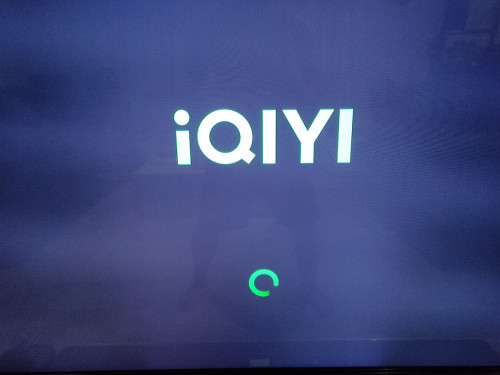
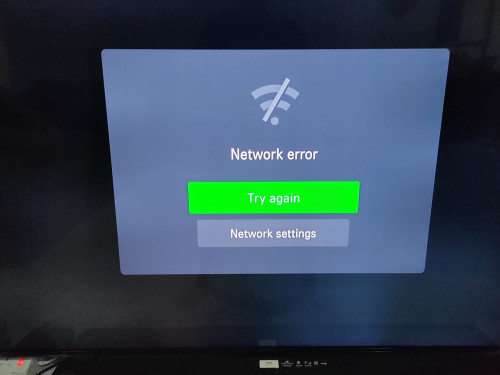
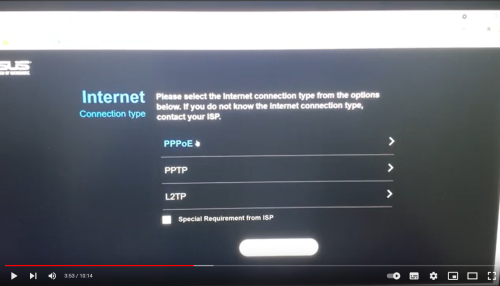
QUOTE(n8210 @ Jan 27 2023, 06:24 PM) Sorry, since it is working now, I dare not reset it and go through the process again. I can only say 90% is my personal assumption, by ticking that box, then it worked. Cos in my process from yesterday and today, I have reset my router a few times. The last time, I tick the second box, that being the main difference. I believe this is the reason because after input unifi id and password, I did not alter anything else. Luckily I checked my IQIYI app and it worked. So I immediately stopped. Attached pictures of IQIYI cannot load. And instead of the screenshot of my router setting, I show the youtube link and a screenshot of it. In the latest firmware, below there are 2 boxes to tick. This perhaps is an older firmware, so it only showed one. I recall when I first setup during newly purchase, there was only 1 box too. https://www.youtube.com/watch?v=16w6oEfcr6U&t=230s» Click to show Spoiler - click again to hide... « Are you referring to DHCP option? Attached thumbnail(s)
|
|
|
|
|
|
n8210
|
Jan 27 2023, 09:15 PM
|
|
|
QUOTE(blacktubi @ Jan 27 2023, 08:07 PM) Are you referring to DHCP option? Yes, sir. That is the second check box. BUUUTT.. after working for half a day, we turn on IQIYI after dinner and now it does not work anymore  . HELP!!!!! |
|
|
|
|
|
pcdsb
|
Jan 27 2023, 11:36 PM
|
Getting Started

|
QUOTE(n8210 @ Jan 27 2023, 09:15 PM) Yes, sir. That is the second check box. BUUUTT.. after working for half a day, we turn on IQIYI after dinner and now it does not work anymore . HELP!!!!! Try change the mtu and mru at wan to 1480 , my problem is netflix not iqiyi , sifu at forum teach me to change it and it work. mayb work for u too |
|
|
|
|
|
blacktubi
|
Jan 28 2023, 11:38 AM
|
-
|
QUOTE(n8210 @ Jan 27 2023, 09:15 PM) Yes, sir. That is the second check box. BUUUTT.. after working for half a day, we turn on IQIYI after dinner and now it does not work anymore . HELP!!!!! Go to the WAN tab and change MTU and MRU to 1480 ASUS factory default MTU (1492) might cause fragmentation issue with some ISP in Malaysia. Celcom Fibre and Maxis is most frequently affected. Will lead to issues like images not loading on whatsapp, netflix cannot stream, some webpages cannot open properly |
|
|
|
|
|
n8210
|
Jan 28 2023, 07:28 PM
|
|
|
QUOTE(pcdsb @ Jan 27 2023, 11:36 PM) Try change the mtu and mru at wan to 1480 , my problem is netflix not iqiyi , sifu at forum teach me to change it and it work. mayb work for u too I WANT TO EXPRESS MY GRATITUDE TO ALL WHOM HAVE HELP BY GIVING ADVICE. THANK YOU. But it did not help. I read the msg in the morning and spent whole day trying to find my optimized MTU size. After reset to factory setting, by default is 1492. But using command prompt, it seems my optimized setting is 1464, with zero lost, ping to google.com But all these does not help with IQIYI. I reset the router once more, and IQIYI can connect again. So I am still puzzled by what's going on between tv and router. |
|
|
|
|
|
kokweng1
|
Feb 6 2023, 08:03 PM
|
|
|
Hi all, Is there any method to setup IPTV (unifi STB) to mesh router LAN port ? Currently my setup AX86U --> AC68U (mesh node) I wanted to use the IPTV box using AC68U lan port instead of AX86U Seem like cant setup VLAN for mesh node  |
|
|
|
|
|
silvaco22
|
Feb 9 2023, 11:45 AM
|
Getting Started
|
any here using ASUS RT-AX86U router? any review/feedback?
|
|
|
|
|
|
blacktubi
|
Feb 9 2023, 12:12 PM
|
-
|
QUOTE(kokweng1 @ Feb 6 2023, 08:03 PM) Hi all, Is there any method to setup IPTV (unifi STB) to mesh router LAN port ? Currently my setup AX86U --> AC68U (mesh node) I wanted to use the IPTV box using AC68U lan port instead of AX86U Seem like cant setup VLAN for mesh node Not possible Anyways, Unifi is deprecating VLAN already. Their newer boxes don't even use VLAN anymore. In fact, you can just buy Xiaomi Mi Box and install the Unifi TV app. It works the same or might be slightly better. |
|
|
|
|
TSASUSmy
|
Feb 10 2023, 10:51 AM
|
|
|
QUOTE(pcdsb @ Feb 9 2023, 12:20 PM) 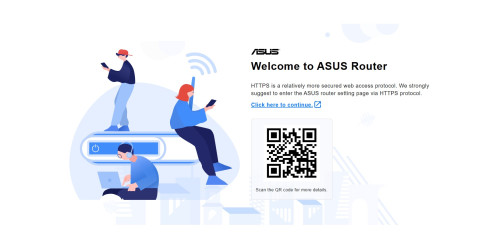 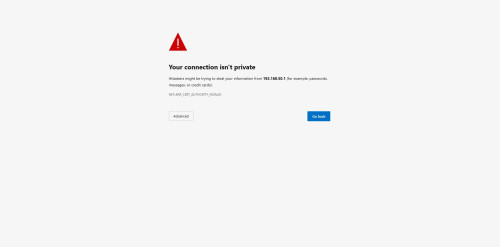 hi guy, i get this everytime when access to router setting page , this happen after i update to latest firmware. do can fix it ? Hi pcdsb, You may try to install the certificate into your browser, below link is the guide on how to do it. https://www.asus.com/us/support/FAQ/1034294/Thank you |
|
|
|
|
|
NovaPrime
|
Feb 12 2023, 10:38 PM
|
New Member
|
Hi, ASUS ROG RAPTURE GT-AC2900 vs ASUS WiFi 6 RT-AX56U which one is better? currently using Time internet Stock router HG8145X6 with 500mbps package. Please advise thanks
This post has been edited by NovaPrime: Feb 13 2023, 02:14 AM
|
|
|
|
|
|
papyrous
|
Feb 13 2023, 05:53 PM
|
Getting Started
|
QUOTE(pcdsb @ Feb 9 2023, 12:20 PM) hi guy, i get this everytime when access to router setting page , this happen after i update to latest firmware. do can fix it ? you can switch to using http only. click Advanced and access anyway. once log in to router go to Administration > System > Local access config, set http. or from the app, Settings > System Settings > Access Configuration, set HTTP |
|
|
|
|
|
Jjuggler
|
Feb 13 2023, 08:40 PM
|
|
|
QUOTE(NovaPrime @ Feb 12 2023, 10:38 PM) Hi, ASUS ROG RAPTURE GT-AC2900 vs ASUS WiFi 6 RT-AX56U which one is better? currently using Time internet Stock router HG8145X6 with 500mbps package. Please advise thanks . Reasnoning? Futureproof your home network. Both supports asus-merlin firmware. Affordable. Moderate form factor which don't require much space. GT-AC2900 comes with 1.8GHz (dual-core) while the latter features quad-core @ 1.5GHz. RAM wise, both have the same, 512MiB. I used RT-AX56U for my 800Mbps unifi plan, the router never fails me operating both in stock and asus-merlin firmware. |
|
|
|
|
|
NovaPrime
|
Feb 13 2023, 09:11 PM
|
New Member
|
QUOTE(Jjuggler @ Feb 13 2023, 08:40 PM) RT-AX56U. Reasnoning? Futureproof your home network. Both supports asus-merlin firmware. Affordable. Moderate form factor which don't require much space. GT-AC2900 comes with 1.8GHz (dual-core) while the latter features quad-core @ 1.5GHz. RAM wise, both have the same, 512MiB. I used RT-AX56U for my 800Mbps unifi plan, the router never fails me operating both in stock and asus-merlin firmware. Regarding the WTFast comes with GT-AC2900 is just a gimmick and what is the catch? Does it really helps lower down the pings when gaming? And for Asus merlin, what is the common plugins that most people will install after they install Merlin firmware? |
|
|
|
|
|
Jjuggler
|
Feb 13 2023, 09:18 PM
|
|
|
QUOTE(NovaPrime @ Feb 13 2023, 09:11 PM) Regarding the WTFast comes with GT-AC2900 is just a gimmick and what is the catch? Does it really helps lower down the pings when gaming? And for Asus merlin, what is the common plugins that most people will install after they install Merlin firmware? First, I never used WTFast, so I have no comment on that. You may request to those who actually used the feature. Second, the most common plugin addons installed is Diversion (router-level adblock), Skynet (advance-firewall), uiDivStats (UI for diversion), uiScribe (advance logging), and spdMerlin (speedtest & bandwidth monitoring). Trust this helps. This post has been edited by Jjuggler: Feb 13 2023, 09:30 PM |
|
|
|
|
|
NovaPrime
|
Feb 13 2023, 09:45 PM
|
New Member
|
QUOTE(Jjuggler @ Feb 13 2023, 09:18 PM) First, I never used WTFast, so I have no comment on that. You may request to those who actually used the feature. Second, the most common plugin addons installed is Diversion (router-level adblock), Skynet (advance-firewall), uiDivStats (UI for diversion), uiScribe (advance logging), and spdMerlin (speedtest & bandwidth monitoring). Trust this helps. Wow, that's awesome. I'm kind of new to Asus merlin haha. Is Diversion able to block those Ads that show on Smartphone APPS? |
|
|
|
|
|
Jjuggler
|
Feb 13 2023, 10:46 PM
|
|
|
QUOTE(NovaPrime @ Feb 13 2023, 09:45 PM) Wow, that's awesome. I'm kind of new to Asus merlin haha. Is Diversion able to block those Ads that show on Smartphone APPS? I am afraid not. Ads were developed in such way to monetize as max as possible. If party A finds a solution to block the ads from slipping through the device, party B will develop the counter-solution to bypass the restriction. Basically it is a cat and mice game. Diversion good at blocking some ads slips through application, e.g., speedtest. Also, to install those addons, you need to be good as SSH'ng your router and install the scripts via any terminal of your choice, in my case, I prefer to use Putty. I forget to emphasize this point on the explanation above. |
|
|
|
|
|
papyrous
|
Feb 14 2023, 08:28 AM
|
Getting Started
|
QUOTE(Jjuggler @ Feb 13 2023, 09:18 PM) First, I never used WTFast, so I have no comment on that. You may request to those who actually used the feature. Second, the most common plugin addons installed is Diversion (router-level adblock), Skynet (advance-firewall), uiDivStats (UI for diversion), uiScribe (advance logging), and spdMerlin (speedtest & bandwidth monitoring). Trust this helps. actually for most people adblocking is done easier with just using a DNS provider that incorporates adblock(same concept as Diversion) like https://dot.tiar.app/ and https://blahdns.com/ among others. and for AX router's IMO using Adguardhome is much better than diversion. |
|
|
|
|
|
Jjuggler
|
Feb 14 2023, 09:42 AM
|
|
|
QUOTE(papyrous @ Feb 14 2023, 08:28 AM) actually for most people adblocking is done easier with just using a DNS provider that incorporates adblock(same concept as Diversion) like https://dot.tiar.app/ and https://blahdns.com/ among others. and for AX router's IMO using Adguardhome is much better than diversion. I believe Blahdns is a project by a student operating from his dorm. I've heard about this service provider, but never use it personally. I am using Quad9 dns of course with Malware blocking, DNSSEC Validation, ECS feature, enabled. I migrated from cloudlflare to nextdns to quad9. NextDNS was flexible, but prefer Quad9 more. One of the reason why I opt for Quad9 over NextDNS is because my pc always run on vpn enabled. Only my mobile devices access to the internet via wifi. So, I don't wish to waste RM79 for renewing my NextDNS subscription when I am using vpn 24/7. What is your view on the service you have used as highlighted above? Keen to hear your view. Thanks. |
|
|
|
|
|
papyrous
|
Feb 14 2023, 10:30 AM
|
Getting Started
|
QUOTE(Jjuggler @ Feb 14 2023, 09:42 AM) I believe Blahdns is a project by a student operating from his dorm. I've heard about this service provider, but never use it personally. I am using Quad9 dns of course with Malware blocking, DNSSEC Validation, ECS feature, enabled. I migrated from cloudlflare to nextdns to quad9. NextDNS was flexible, but prefer Quad9 more. One of the reason why I opt for Quad9 over NextDNS is because my pc always run on vpn enabled. Only my mobile devices access to the internet via wifi. So, I don't wish to waste RM79 for renewing my NextDNS subscription when I am using vpn 24/7. What is your view on the service you have used as highlighted above? Keen to hear your view. Thanks. they’re fine, for most users it covers a lot of ads. what hardware are you on? personally i’ll just run AdGuardhome. it supports syntax style blocking so you can have much smaller lists, for eg you can set to block *.ads.com and adguardhome will block all 1.ads.com, 2.ads.com.. and so on compared to the basic list where you need to actually list it all out. then beyond that you can set Adguardhome to query any dns servers as well on any protocols. unencrypted, Dns over https/TLS/Quic. |
|
|
|
|



 Quote
Quote


 0.2742sec
 0.46
0.46
 6 queries
 GZIP Disabled