Welcome Guest ( Log In | Register )

Bump Topic Topic Closed RSS Feed

Outline · [ Standard ] · Linear+

News Y500FHD i7,GT750@2999/SLI@3899;Y400 GT750@2499 V1, Thread closed & continue to V2 ^^

views
     
minzisme
post Dec 1 2012, 06:31 AM

New Member
*
Junior Member
32 posts

Joined: Nov 2012
QUOTE(myotgo @ Dec 1 2012, 01:29 AM)
yah sure..i'm done tested fps on nfsmw and assasin creed 3 on v306.00..and the result isĀ  sad.gif
now i gladly hear that fps can be increasing by updating driver version
» Click to show Spoiler - click again to hide... «

will test again
please reconfirm what is the current version, so i can make a test
*
the current available version from lenovo official wetsite is here
http://driverdl.lenovo.com.cn/le ... Win8_NV_VGA_x64.exe
but it is also 306.00
nsfmw ,assasin creed 3 should get around 30-40 fps in gt650m sli(ultra+1920*1080}
and dun forget to check whether you enable ur sli or not
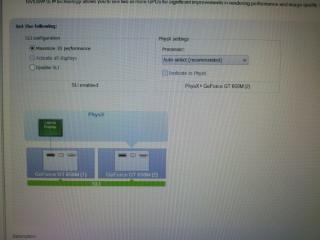
propeties -nvdia control-set sli and physx
and you will get this
Attached Image
of course,if after doing all this things,but u re still having lower fps ,you can try to dowload 310.54 to see whether it work or not,hopefully yes~
i have to make myself clear,i always think that driver from lenovo is only to make sure that our system can recognize the gt650m sli,but we still have to keep our driver up to date
think about it, need for speed most wanted released in 30 oct 2012,assasins creed 3 released in 23 november
but the driver we are using which is 306.00 ,was released on august,another way to say that,our driver are too old for those new games.
of course ,this is only what i think ,better wait for confirmation from lenovo


Added on December 1, 2012, 7:27 am
QUOTE(minzisme @ Dec 1 2012, 06:31 AM)
the current available version from lenovo malaysia official wetsite is here
http://support.lenovo.com/en_MY/downloads/default.page?
click the video path ,and you can see Nvidia Video Driver (SLI, Optimus)
1fvl13ww.exe in 233mb,this should be the latest
nsfmw ,assasin creed 3 should get around 30-40 fps in gt650m sli(ultra+1920*1080}
and dun forget to check whether you enable ur sli or not
propeties -nvdia control-set sli and physx
and you will get this
Attached Image
of course,if after doing all this things,but u re still having lower fps ,you can try to dowload 310.54 to see whether it work or not,hopefully yes~
i have to make myself clear,i always  think that driver from lenovo is only to make sure that our system can recognize the gt650m sli,but we still have to keep our driver up to date
think about it, need for speed most wanted released in 30 oct 2012,assasins creed 3 released in 23 november
but the driver we are using which is 306.00 ,was released on august,another way to say that,our driver are too old for those new games.
of course ,this is only what i think ,better wait for confirmation from lenovo
*
This post has been edited by minzisme: Dec 1 2012, 07:27 AM
Amal
post Dec 1 2012, 08:43 AM

Newbie
******
Senior Member
1,672 posts

Joined: Sep 2005


QUOTE(ytlay @ Dec 1 2012, 01:47 AM)
+1  thumbup.gif
IMO, its quite worth it for Y500 with
- swappable ultrabay with different options to suit user needs, ie. ODD, HDD, fans, bluray, even additional battery in future if there are demand.
- swap it with additional battery and bring 120W psu(optional) when you needs mobility. swap with GT650M and use 170W psu when you needs extra horse power at home.
- better design/build & bling-bling Red backlit keyboard
- better cooling system & easy maintenance
*
Yup, they should introduce additional ultrabay battery in the future like what the fujitsu offers. So, it should be possible to implement.

http://www.fujitsu.com/hk/services/computi...h792/specs.html

Optional bay for Fujitsu SH792:
-Bay Projector
-Bay Battery, 3-cell Li-ion 28Wh, up to 12hrs10mins1 battery life (Standard + Bay Batteries)
-Blu-ray writable drive
-Dual Layer DVD Super Multi writer
-2nd HDD Fitting Kit (w/o SATA HDD)
-Weight Saver

Some more the GT650M fitted in the Y500 is the GDDR5 version.
So, it differ with the GTX660M slightly in core clock(735MHz vs 835MHz) and memory clock(1000MHz vs 1250MHz), of which can easily be ocable.
So if you have trouble with SLI on some games, just insert an ultrabay fan for a better cooling, and OC the GPU to a GTX660M clock, then done, you have an almost identical setup to a Y580, but with better cooling on the system compared to the Y580.
Also, no more worrying on the HDD temp like the brother Y580 is having. smile.gif
En_A
post Dec 1 2012, 09:22 AM

Getting Started
**
Junior Member
119 posts

Joined: Jan 2006


QUOTE(nexus2238 @ Nov 30 2012, 11:23 PM)
I love the Y500 design. But you are spending RM800 more.
Suppose you get the Y580. What you can do with RM800:
buy a SSD and swap with HDD, buy a caddy for the HDD and swap with ODD, buy more RAM, upgrade warranty to 3 year on site, buy a cooling pad.
You get a machine that lose out in raw GPU power, less vow factor.
You get a machine that boot faster, run apps much snappier, with better warranty support, and never need to deal with SLI.
Not a bad trade-off. My hands is getting itchy, but Y500 is not a blow out winner over Y580.

And no, to get the SLI working, both GPU must be same model. This is as good as it get. You will not be able to get a "better" ultrabay GPU next time.
*
Yep that is the problem, its RM800 more doh.gif but then again what we get here so far in msia is the SLI version highest spec version, I saw a black friday sales last week for Y500 single GPU FHD at around 799USD if not mistaken, thats the same price range with Y580!

So here im hoping we will get the single GPU version of Y500. 660GTX to 650M is not a bad tradeoff, especially u know u can always upgrade it sometimes in the future icon_idea.gif 1 year from now that external 650GT should be in lelong price hehehe. (or simply, order from outside the country. its an ultrabay after all)


I thot this trend also happened with Y580, where they release full spec first for Msia 2 months ago, then slowly we have spec cut here and there to minimize the cost... so im waitin for next month i guess blush.gif
guilt79
post Dec 1 2012, 10:00 AM

Getting Started
**
Junior Member
149 posts

Joined: Apr 2011


Wow!!!

Looking at the spec, Y500 possibility is quite limitless.

But I'm happy with my Y580. Likes simplicity. icon_rolleyes.gif
myotgo
post Dec 1 2012, 12:15 PM

Getting Started
**
Junior Member
174 posts

Joined: Oct 2012
From: KL


is it 60 fps is maximum fps value that we can get while playing games?
n what is the minimum fps to run games smoothly?
anyone can clarify this hmm.gif

This post has been edited by myotgo: Dec 1 2012, 12:33 PM
minzisme
post Dec 1 2012, 12:37 PM

New Member
*
Junior Member
32 posts

Joined: Nov 2012
QUOTE(myotgo @ Dec 1 2012, 12:15 PM)
is it 60 fps is maximum fps we can get while playing games?
n what is the minimum fps to run games smoothly?
anyone can clarify this
*
for me, 60 the best,40~45 FPS or more are very good, 30 is playable ,20-30 accepatbale,below 20 =dun try it..u will get dizzy because of that
btw,how many fps u having in need for speed and assasin creed 3?did u try dowload the 310.54 XD


Added on December 1, 2012, 12:40 pm
QUOTE(myotgo @ Dec 1 2012, 12:15 PM)
is it 60 fps is maximum fps value that we can get while playing games?
n what is the minimum fps to run games smoothly?
anyone can clarify this hmm.gif
*
i5+single gpu gt650m in need for speed
http://ideapad.zol.com.cn/60/160_593451.html
they have 45-60 in ultra setting
dual gpu ,i7 should be better even in FHD

This post has been edited by minzisme: Dec 1 2012, 12:40 PM
Acid_RuleZz
post Dec 1 2012, 01:18 PM

ćƒŸć‚¦ ā¤
*******
Senior Member
6,612 posts

Joined: Jan 2003
From: Tomorrow


QUOTE(minzisme @ Dec 1 2012, 12:37 PM)
i5+single gpu gt650m in need for speed
http://ideapad.zol.com.cn/60/160_593451.html
they have 45-60 in ultra setting
dual gpu ,i7 should be better even in FHD
*
Those screenshot taken outside the city. hmm.gif

This post has been edited by Acid_RuleZz: Dec 1 2012, 01:20 PM
minzisme
post Dec 1 2012, 01:57 PM

New Member
*
Junior Member
32 posts

Joined: Nov 2012
Attached Image
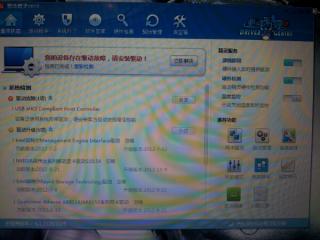
driver version is still 306.00,seem like i failed to upgrade to 310.54 via 驱动精灵
will try to dowload it later on

and also according to this video
http://www.youtube.com/watch?v=0iigIg-Lqd0
assasin creed 3 in ultra setting in single gt650m ,full hd1080p ,get around 27-45 fps
look like having more fps then y500 dual gt650m graphic card,,lolz,driver problem?hopefully怂怂怂
myotgo
post Dec 1 2012, 03:29 PM

Getting Started
**
Junior Member
174 posts

Joined: Oct 2012
From: KL


i'm done tested nfsmw , assasin creed 3, fifA 13
set up in all high setting and full hd resolution 1920 x 1080
this is what i get during running a game

gt650 sli
driver version 310.64

nfsmw : 19-21fps
assasin creed 3 : 35-42fps
fifa 13 : 60fps

but i encouter a problem as
-weaak wifi signal strength
-when open cpuz or hwmonitor my touchpad freeze then i restarted the comp then touchpad ok back
-gpuz sometimes freeze i had to force restart comp
-now after installed nvidia v310.64, i can't adjust brightness..

i never installed any driver yet on lenovo sites
do i need to install all the driver since i checked on driver manager my driver are all up to date.

This post has been edited by myotgo: Dec 1 2012, 04:18 PM
sss2sssss
post Dec 1 2012, 04:01 PM

I'm Abra
******
Senior Member
1,329 posts

Joined: May 2008
BTW have u all modified the nvidia inf file to make the y500 can install the latest nvidia driver?
CidBunansa
post Dec 1 2012, 04:14 PM

Getting Started
**
Junior Member
102 posts

Joined: Aug 2012
From: Selangor


QUOTE(myotgo @ Dec 1 2012, 03:29 PM)
i'm done tested nfsmw , assasin creed 3, fifA 13
set up in all high setting and full hd resolution 1920 x 1080
this is what i get during running a game
driver version 310.64
nfsmw : 19-21fps
*
Was this in SLI or not?
AmyDazz
post Dec 1 2012, 04:18 PM

Getting Started
**
Junior Member
159 posts

Joined: Oct 2009


QUOTE(CidBunansa @ Dec 1 2012, 04:14 PM)
Was this in SLI or not?
*
Unfortunately, NFS Most Wanted does not support SLI as yet.

U can always refer to for games supported by SLI.

SLI-supported Games
minzisme
post Dec 1 2012, 04:59 PM

New Member
*
Junior Member
32 posts

Joined: Nov 2012
QUOTE(myotgo @ Dec 1 2012, 03:29 PM)
i'm done tested nfsmw , assasin creed 3, fifA 13
set up in all high setting and full hd resolution 1920 x 1080
this is what i get during running a game

gt650 sli
driver version 310.64

nfsmw : 19-21fps
assasin creed 3 : 35-42fps
fifa 13 : 60fps

but i encouter a problem as
-weaak wifi signal strength
-when open cpuz or hwmonitor my touchpad freeze then i restarted the comp then touchpad ok back
-gpuz sometimes freeze i had to force restart comp
-now after installed nvidia v310.64, i can't adjust brightness..

i never installed any driver yet on lenovo sites
do i need to install all the driver since i checked on driver manager my driver are all up to date.
*
seem like you re having good fps in assasins 3 and fifa,nfsmw also improved by few fps
the reason why the nfsmw having such a low fps is because it havent support by sli tecnology
so the gt650m sli should be fine in driver 310.64
so will you said that 310.64 is better then 306.00?hopefully yes..
you can always upgrade ur others drivers since the system remind you to do so
my driver manager also remind me about that
Attached Image
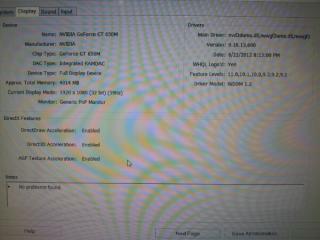
can i see your dxdiag display detail shown in pic below
Attached Image
my graphic card driver version is 9.18.13.600 which same as the official released driver for sli(link shown below)
http://support.lenovo.com/en_MY/downloads/...?DocID=DS032574
and this is my nvdia control panel system information
Attached Image
it is still 306.00 ,seem like i failed to upgrade to 310.64 yesterday=.=
btw,if you having big issue in 310.64 on future,always try to reinstall this driver http://support.lenovo.com/en_MY/downloads/...?DocID=DS032574


cuteyuzikid
post Dec 1 2012, 05:28 PM

Getting Started
**
Junior Member
103 posts

Joined: Sep 2007
1)What are the caveats of having the SLI??

I'm sorry for seeming ignorant but I've read thru this post and I know there's a problem but I cant seem to pinpoint it somehow.. icon_question.gif

2)Already kinda made up my mind to get this beastly machine next week so I was wondering if I should get it from jayacom or devour? Any kind person mind linking his profile here? blush.gif


minzisme
post Dec 2 2012, 12:14 AM

New Member
*
Junior Member
32 posts

Joined: Nov 2012
QUOTE(CidBunansa @ Dec 1 2012, 04:14 PM)
Was this in SLI or not?
*
http://answers.ea.com/t5/Need-for-Speed-Mo...p/153748/page/5
there is a sli problem issue in nfsmw, as you can see from the link, gtx680m *3and gtx 690*2 are having only 30fps, but single gpu run around 60,so i m sure that single gt650m will run better then dual gt650m in nfsmw
https://www.youtube.com/watch?v=cubH1DmGxdU...be_gdata_player
nfsmw in gt650m high setting +1080p,25-30 fps, more then dual 650


Added on December 2, 2012, 12:22 am
QUOTE(myotgo @ Dec 1 2012, 03:29 PM)
i'm done tested nfsmw , assasin creed 3, fifA 13
set up in all high setting and full hd resolution 1920 x 1080
this is what i get during running a game

gt650 sli
driver version 310.64

nfsmw : 19-21fps
assasin creed 3 : 35-42fps
fifa 13 : 60fps

but i encouter a problem as
-weaak wifi signal strength
-when open cpuz or hwmonitor my touchpad freeze then i restarted the comp then touchpad ok back
-gpuz sometimes freeze i had to force restart comp
-now after installed nvidia v310.64, i can't adjust brightness..

i never installed any driver yet on lenovo sites
do i need to install all the driver since i checked on driver manager my driver are all up to date.
*
bro, unfortunately, the 3 game you tested are not supported by sli yet, nfsnw will get low bad fps if you run it in sli according to here
http://answers.ea.com/t5/Need-for-Speed-Mo...p/153748/page/5
so gt650m single will run better then dual gt650 in this game
the fps u are having in assasins creed 3 should be in only single gt650m,it didn't use ur second graphic card as performance
and also max fps for fifa 13 is 60 only
you can test on some sli supported game such as crysis 2,battlefield 3,cod 9


Added on December 2, 2012, 1:27 am
QUOTE(minzisme @ Dec 2 2012, 12:14 AM)
http://answers.ea.com/t5/Need-for-Speed-Mo...p/153748/page/5
there is a sli problem issue  in nfsmw, as you can see from  the link, gtx680m *3and gtx 690*2 are having  only 30fps, but single  gpu run around 60,so i m sure that single gt650m will run better then dual gt650m in nfsmw
https://www.youtube.com/watch?v=cubH1DmGxdU...be_gdata_player
nfsmw in gt650m high  setting +1080p,25-30 fps, more then dual 650


Added on December 2, 2012, 12:22 am
bro, unfortunately, the 3 game  you tested  are not supported by sli yet, nfsnw will get low bad fps if you run it in sli  according  to here 
http://answers.ea.com/t5/Need-for-Speed-Mo...p/153748/page/5
so gt650m single will run better  then dual gt650 in this  game
the fps u are having  in assasins  creed 3 should  be good enought in sli
because  there is also have sli problem  issue in assasin creed 3,fps will drop by 2-5 in sli compare  to single  gpu according  to here
http://www.overclock.net/t/1331728/560ti-s...sassins-creed-3
and also max fps for fifa 13 is 60 only
you can test on some sli supported game such as crysis 2,battlefield 3,cod 9
*
This post has been edited by minzisme: Dec 2 2012, 01:27 AM
nexus2238
post Dec 2 2012, 08:35 AM

Look at all my stars!!
*******
Senior Member
4,195 posts

Joined: Sep 2012


QUOTE(cuteyuzikid @ Dec 1 2012, 05:28 PM)
1)What are the caveats of having the SLI??

I'm sorry for seeming ignorant but I've read thru this post and I know there's a problem but I cant seem to pinpoint it somehow..  icon_question.gif

2)Already kinda made up my mind to get this beastly machine next week so I was wondering if I should get it from jayacom or devour? Any kind person mind linking his profile here?  blush.gif
*
1. Not problem, just issues laugh.gif
a. Micro suttering. Some gamers don't care, for other it's deal breaker.
b. Not all games support SLI.

2. devour main thread in garage sales
http://forum.lowyat.net/index.php?act=ST&f=98&t=1890950
AmyDazz
post Dec 2 2012, 09:32 AM

Getting Started
**
Junior Member
159 posts

Joined: Oct 2009


ATTENTION TO LENOVO Y500 OWNERS AND POTENTIAL LENOVO Y500 OWNERS!!

I am glad that I bought the Lenovo Y500. I managed to play around with the laptop. I installed some NFS games (Hot Pursuit, Shift 1, and Shift 2) . I was quite satisfied with the FPS.

Everything was OK, with exception the brightness control is lost through the Fn key when I upgraded to the latest WHQL or Beta Nvidia Driver. But it's okay, I thought it could be fixed later, when Lenovo itself release its own Nvidia Driver.

But......not until last night.

My hard drive is 500GB and the drive C is more than 400GB and there is drive D (Lenovo) 20GB.

So, I thought why not shrink the drive C for the purpose of Windows 8 system and create a new larger partition to store my games, stuff, videos.

Then, I downloaded the EaseUS Partition Master Home Edition.

What I did was, shrink the drive C to 100GB, and create a new partition on the unallocated space (I think more than 300GB) on a new drive letter E: (since letter D is occupied by Lenovo).

So, the software asked the laptop to be restarted in order to complete the changes. I allowed it to restart and it booted with EaseUS partition progress.

In the middle of the process, the laptop suddenly restarted.

only to boot with this error ....

user posted image


I got panicked, and tried press "Enter". And the screen proceeded to....

user posted image


Now, I got really panicked. But then I thought, there is this Lenovo "One Key Recovery" . The button which situated next to the power input plug.

So, I pressed the button and I chose "System Recovery"...

user posted image

But, it wasn't successful! In fact, it just proceed to the same previous 2 screenshots that I showed you.

At this point of time, you would know just how I felt sad.gif cry.gif icon_question.gif rclxub.gif


So, it was at 1.30 in the morning, I googled to find this solution

Solution


, albeit it may not be suitable for a beginner like me.

Lenovo One-Key Recovery and Partition Problem

And apparently, when I searched the Lenovo forum, look what I found --->>
It has been reported that if the user change the partition, the One-Key Recover feature becomes useless and in effect you won't be able to recover your system.

At this moment, I have no idea what to do. I have no guts to try with the solution above. It seems complicated and I scared more errors could arise.

So, guys, maybe I plan to send back the laptop to the reseller.

But the point is, To those who intends to repartition or make new partition in your Lenovo, please DO NOT DO SO, unless you are really sure what is the outcome will be

Anyhow, I'd appreciate if somebody could help me with this problem. I'm like in this kind of "bricked" situation for my laptop icon_question.gif cry.gif
[PF] T.J.
post Dec 2 2012, 10:08 AM

20k VIP Club
Group Icon
Elite
24,193 posts

Joined: Feb 2010
From: Perak
Nvm la bro, what's done is done...
Next time do more research before proceeding lo..
Its the same for all notebooks with OS, there will always be a recovery partition, if you delete or alter it, of course it will no longer work sad.gif

sss2sssss
post Dec 2 2012, 10:55 AM

I'm Abra
******
Senior Member
1,329 posts

Joined: May 2008
QUOTE(AmyDazz @ Dec 2 2012, 09:32 AM)
ATTENTION TO LENOVO Y500 OWNERS AND POTENTIAL LENOVO Y500 OWNERS!!

I am glad that I bought the Lenovo Y500. I managed to play around with the laptop. I installed some NFS games (Hot Pursuit, Shift 1, and Shift 2) . I was quite satisfied with the FPS.

Everything was OK, with exception the brightness control is lost through the Fn key when I upgraded to the latest WHQL or Beta Nvidia Driver. But it's okay, I thought it could be fixed later, when Lenovo itself release its own Nvidia Driver.

But......not until last night.

My hard drive is 500GB and the drive C is more than 400GB and there is drive D (Lenovo) 20GB.

So, I thought why not shrink the drive C for the purpose of Windows 8 system and create a new larger partition to store my games, stuff, videos.

Then, I downloaded the EaseUS Partition Master Home Edition.

What I did was, shrink the drive C to 100GB, and create a new partition on the unallocated space (I think more than 300GB) on a new drive letter E: (since letter D is occupied by Lenovo).

So, the software asked the laptop to be restarted in order to complete the changes. I allowed it to restart and it booted with EaseUS partition progress.

In the middle of the process, the laptop suddenly restarted.

only to boot with this error ....

user posted image
I got panicked, and tried press "Enter". And the screen proceeded to....

user posted image
Now, I got really panicked. But then I thought, there is this Lenovo "One Key Recovery" . The button which situated next to the power input plug.

So, I pressed the button and I chose "System Recovery"...

user posted image

But, it wasn't successful! In fact, it just proceed to the same previous 2 screenshots that I showed you.

At this point of time, you would know just how I felt  sad.gif  cry.gif  icon_question.gif  rclxub.gif
So, it was at 1.30 in the morning, I googled to find this solution

Solution
, albeit it may not be suitable for a beginner like me.

Lenovo One-Key Recovery and Partition Problem

And apparently, when I searched the Lenovo forum, look what I found --->>
It has been reported that if the user change the partition, the One-Key Recover feature becomes useless and in effect you won't be able to recover your system.

At this moment, I have no idea what to do. I have no guts to try with the solution above. It seems complicated and I scared more errors could arise.

So, guys, maybe I plan to send back the laptop to the reseller.

But the point is, To those who intends to repartition or make new partition in your Lenovo, please DO NOT DO SO, unless you are really sure what is the outcome will be

Anyhow, I'd appreciate if somebody could help me with this problem. I'm like in this kind of "bricked" situation for my laptop  icon_question.gif  cry.gif
*
Actually it's not bricked lo....sweat.gif
just it's using GPT partition and it cannot been shrink if using 3rd party software, unless u reinstall fresh copy of Win 8 and install driver urself it will be work back, but one key recovery will be useless.....
guilt79
post Dec 2 2012, 11:20 AM

Getting Started
**
Junior Member
149 posts

Joined: Apr 2011


Noob question.

I'm using Y580 and on my lappy got C drive and D Drive.

So C Drive is only got 229 GB and D Drive is 196 GB

Since I noticed D Drive is a lot of space and by default, if install will go to C Drive, I divert some of the games to D Drive. is it ok? blink.gif

129 Pages « < 21 22 23 24 > » Top
Topic ClosedOptions
 

Change to:
| Lo-Fi Version
0.0309sec    0.94    6 queries    GZIP Disabled
Time is now: 8th December 2025 - 05:57 PM