QUOTE(ywkwy @ Feb 9 2013, 06:05 PM)
Those who still using Thompson router but want to change the DNS, can backup a copy of the setting [user.ini] open with notepad and find
CODE
pool config name=LAN_private state=enabled allocation=dynamic intf=LocalNetwork poolstart=192.168.1.64 poolend=192.168.1.253 netmask=24 gateway=192.168.1.254 server=192.168.1.254 leasetime=86400 lockouttime=180
change to
CODE
pool config name=LAN_private state=enabled allocation=dynamic intf=LocalNetwork poolstart=192.168.1.64 poolend=192.168.1.253 netmask=24 gateway=192.168.1.254 server=192.168.1.254 primdns=8.8.8.8 secdns=8.8.4.4 leasetime=86400 lockouttime=180 localdns=disabled
save it and restore back to the router..
in this way the comp will auto get 8.8.8.8 and 8.8.4.4 as DNS through DHCP..
Hi,
Ok, i've login as administrator and modified the user.ini, but i couldn't get the Primary DNS to change to 8.8.8.8, it stayed on 192.168.1.254. When i backup the user.ini file again and open it on notepad, i saw there's a new command added at the end of the edited line (I highlight it in red below):
pool config name=LAN_private state=enabled allocation=dynamic intf=LocalNetwork poolstart=192.168.1.64 poolend=192.168.1.253 netmask=24 gateway=192.168.1.254 server=192.168.1.254 primdns=8.8.8.8 secdns=8.8.4.4 leasetime=86400 lockouttime=180 localdns=disabled authkey=noneI deleted the '
authkey=none' and restore the user.ini again, but the Primary DNS still didn't change to 8.8.8.8. How do i change the primary DNS?
Here's a screenshot of the DNS after I did the changes.



 Oct 30 2013, 03:27 PM


 Quote
Quote


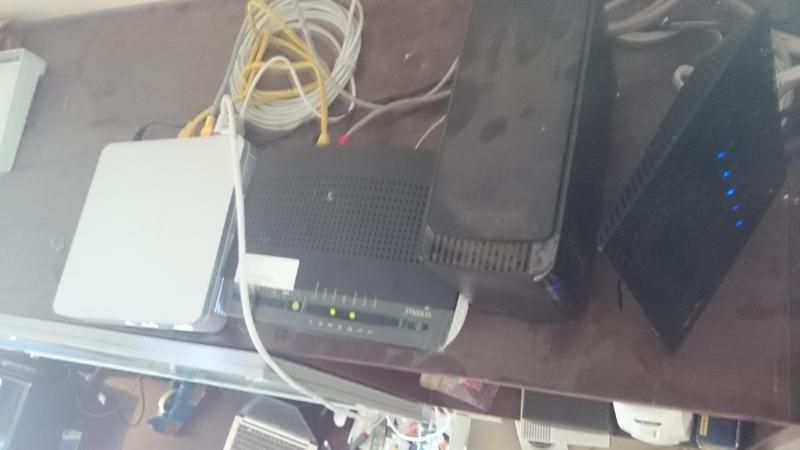


 your help would be gladly appreciated! thanks!


 0.0328sec
 0.25
0.25
 6 queries
 GZIP Disabled