Welcome Guest ( Log In | Register )

Outline · [ Standard ] · Linear+

 QoS/Bandwidth Control, <cleanup> Wanna shape your traffic ?

views
     
TSJoshua_0718
post Nov 30 2005, 10:38 PM, updated 11y ago

**Keep Walking 不停地走**
*******
Senior Member
8,912 posts

Joined: Mar 2005
Dear All,

I have merged few topics into one topic to make the forum neat thus easier to search.

Thank you


QUOTE
My housemate keep on downloading from bitcomet, making me and another housemate very hard to surf the net  mad.gif

I am using Aztech ADSL 2/2+ Ethernet Bridge/Router (DSL 600E) (given by telekom, have set into router)
http://www.aztech.com/DSL-600E.htm

I have tried using bandwidth controller but I do not really know how to use. I do not know how to use the Qos setting also. Can any1 teach? Or teach me to divide the bandwidth or set the idiot fella to lower his rate.  notworthy.gif


Any advice? Plz. Thanks

This post has been edited by prasys: Jan 13 2006, 01:43 PM
kando
post Dec 5 2005, 03:50 AM

Getting Started
**
Validating
292 posts

Joined: Nov 2004
My roommate wanna share my Streamyx. So i'm charging him RM40 a month, with terms & conditions.

1. No P2P!!
2. No 24Hr online.

I'm going to buy a wireless router (cos i don't want to pull those damn lines). So now the question is:

1. How do I restrict him to use P2P? Can I do some tricks in the Port Forwarding?
2. How to divide/limit the bandwidth? (sorry, the old thread is gone)


dragna
post Dec 5 2005, 06:42 AM


*******
Senior Member
5,252 posts

Joined: Jan 2003
From: Apple MACland


If you don't intend to allow him for those purposes i suggest you better not share the line since he's paying a fair price for the line too so he's entitled to do what he wants with it. And whats this about no 24Hr online?
Don't bring it up here acting all selfish.
Icehart
post Dec 5 2005, 09:45 AM

72.55.191.6
********
All Stars
14,899 posts

Joined: Apr 2005
From: Kuala Lumpur & Selangor


if i were your roomate, i'll pay another 26 bucks for those...with condition that there is 2 telephone line sweat.gif

This post has been edited by Icehart: Dec 5 2005, 09:45 AM
zerg55
post Dec 5 2005, 10:08 AM

Getting Started
**
Junior Member
59 posts

Joined: Sep 2005
No 24hours? Then what is the purpose of unlimited access package you subscribe?

Yeah....i agree with Dragna, u are selfish...lol
dotn3t
post Dec 5 2005, 10:24 AM

Casual
***
Junior Member
472 posts

Joined: Dec 2004
From: Penang


I'm not sure if you can block via ports....because I think you can specify what different ports to use for certain p2p softwares.

OT agree, he is selfish!!! No 24 hrs? lol

uNeVErwaLkaloNe
post Dec 5 2005, 10:44 AM

God Sniffing!!!
******
Senior Member
1,889 posts

Joined: Jan 2003


i dont think u can restrict him from using p2p, but u can set rules with him

i can understand no 24hrs p2p, wht tht kind of shit no 24hr on9.....
OKLY
post Dec 5 2005, 11:04 AM

The Penguin Vader
Group Icon
Staff
12,089 posts

Joined: Dec 2004
From: Malaysia


Yes if he does not know how to change ports, you can start to block a range of port from the router... If his smart, he'll change the port.. If his not, he'll complain to you... laugh.gif
freako
post Dec 5 2005, 11:54 AM

Enthusiast
*****
Senior Member
885 posts

Joined: Apr 2005


let him P2P la..
juz QoS in ur router... and control the bandwidth for u both...
kando
post Dec 5 2005, 07:36 PM

Getting Started
**
Validating
292 posts

Joined: Nov 2004
First of all, i really appreciate those who's trying to help. but for the rest, i don't post a thread for your lecture ok?

First of all, my housemate couldn't afford to subscribe a new line because of the initial activation and installation fees. He begged me to share the line with him coz he said he just want to sometimes surf the net and chat with msn, and he promised that he's not going to use p2p. So, I'm kind enough to share my bandwidth to him. we're not staying in the same room, so who knows if he could end up using p2p software to rape my bandwidth? I don't really know him well ok?

Charging him RM40 a month, i have to purposely go and buy a wireless router and share the line, i paid all the installation and activation, and i have to pay RM88+RM25 every month, wasn't that fair enough? If he wants to use p2p or so called 'fair' bandwidth, he can always go ahead and install a line by himself.

Last but not least, why do you want a 24hr online if you're not using p2p? do u really need to be online while you're sleeping???

This post has been edited by kando: Dec 5 2005, 08:18 PM
prasys
post Dec 5 2005, 07:38 PM

Heros Never Die
Group Icon
VIP
12,925 posts

Joined: Mar 2005
From: Kuala Lumpur
then you should explain the problem to us

QoS him up...easier , just put BT disable , if you know how to set iptables rule..then okay..then assign him static DHCP..meaning that even he wants to change his IP..he still gets the same one...which is even better !

WRT54G...!
kando
post Dec 5 2005, 07:55 PM

Getting Started
**
Validating
292 posts

Joined: Nov 2004
QUOTE(prasys @ Dec 5 2005, 07:38 PM)
then you should explain the problem to us

QoS him up...easier , just put BT disable , if you know how to set iptables rule..then okay..then assign him static DHCP..meaning that even he wants to change his IP..he still gets the same one...which is even better !

WRT54G...!
*
Thanks for your help pal! you're always the one who rulez this forum! thumbup.gif

excuse my stupidity, please spend another 1 minute to answer my stupid question, coz i'm really new in networking:

1. QoS is a software or a method?
2. For the iptables rule, i just activate DHCP and assign him a dynamic IP that's all?
3. WRT54G !! means you're recommending this model? u know how much is the street price? some said linksys is the best, issit true?

prasys
post Dec 5 2005, 07:59 PM

Heros Never Die
Group Icon
VIP
12,925 posts

Joined: Mar 2005
From: Kuala Lumpur
Everyone rocks.....Not me , the whole LYN forums..that what makes it great..even you

1. QoS is found in routers..its method to control bandwidth

2. Iptables , u can drop all the packets , and the connections (e.g if he tries to connect more then 10 connections in a certain port , bam..the connection drops..meaing that his bt will stuck at 0kb/s..if he connects more then 10 connections , but if he connects 1..he might able to download it at a very slow speed). assign him static DHCP..meaning that , if he asks for a new IP..the router will give him the same one..over and over again and you can block him from having a new IP....meaning that he can't bt

3. Linksys WRT54G with DD-WRT..does this job well..RM 225...the last price..Its sorta true
OKLY
post Dec 5 2005, 08:01 PM

The Penguin Vader
Group Icon
Staff
12,089 posts

Joined: Dec 2004
From: Malaysia


1. QoS is a method... Which shapes things up for the packets... This feature would be in Linksys WRT54G router.

2. Not dynamic IP but static IP..

3. Yes.. Recommended model. Priced around RM245 but was RM225 during PC Fair. Its hard to say who's best but this Linksys is value for money considering the features..
kando
post Jan 9 2006, 04:26 PM

Getting Started
**
Validating
292 posts

Joined: Nov 2004
ok. I've bought the WRT54G. and guess what, it's version 5.... sad.gif

QoS doesn't works for me. he's using wireless and i can only control the bandwidth for wired port.

how bout iptable? can the original linksys software do the job? how?
porkchop
post Jan 10 2006, 10:27 AM

Lalala Life's Sweet
*******
Senior Member
6,633 posts

Joined: Jan 2003
From: www.kelvinchiew.com


erm 24hour thing, u can put restriction on the specific "ip" (assigned to your fren) u cna set like at everyday 12am his connection will cut off..........its available in the netgear "192.168.0.1" under (schedule)....
p1p
post Jan 10 2006, 12:12 PM

Enthusiast
*****
Senior Member
713 posts

Joined: Jan 2003
From: Pg


I'm on the 512 / rm66 package. Whenever I launch my BitComet, my Firefox won't work AT ALL. The page not found error will pop up. I don't think its the bandwidth issue that's causing the problem. My torrents are barely sucking 10-15KB/s. If I turn off BitComet, I can do speedtest and get 50KB/s.

I suspect that BitComet is launching too many concurrent connections. I remember somewhere that WinXP has maximum connections at 200.

How do I limit my BT client to how many connections to connect to (in Azureus & BitComet since I use both!)

Oh, I'm using Win2k, btw...
porkchop
post Jan 10 2006, 12:13 PM

Lalala Life's Sweet
*******
Senior Member
6,633 posts

Joined: Jan 2003
From: www.kelvinchiew.com


i think u have problem with port forawarding, have u read on the topic provided about port forwarding?
p1p
post Jan 10 2006, 12:18 PM

Enthusiast
*****
Senior Member
713 posts

Joined: Jan 2003
From: Pg


I got the ports forwarded correctly. BitComet is not sucking all the bandwidth, but I cannot surf.

I found a similar thread here.. but no REAL solution.
shanelai
post Jan 10 2006, 01:01 PM

MAyd@y M@ydAy!
******
Senior Member
1,820 posts

Joined: Jan 2003
From: KL/Singapore


may be u try this software...
last time face the same problem as u
a forumer introduce me this
can work..
shanelai
post Jan 10 2006, 01:09 PM

MAyd@y M@ydAy!
******
Senior Member
1,820 posts

Joined: Jan 2003
From: KL/Singapore


just open the port to 100 as ur default only 10
then u restart ur pc..
hope its work...... thumbup.gif


Attached File(s)
Attached File  EvID4226Patch223d_en.zip ( 39.02k ) Number of downloads: 997
metalhead
post Jan 10 2006, 01:10 PM

Regular
******
Senior Member
1,672 posts

Joined: Jan 2003


if u are using Win2K the software to open up the max connection is no help either....first u need to check at which point the connection start dropping: -

1. Fire up ur torrent client
2. Then ping the IP address of ur modem/router instead of ur dns
3. Check if there's any lost connection to ur modem/router
4. If so, then ur modem/router is overloaded with open connection to the internet
5. If there's no lost connection to the modem/router when u ping while doing ur torrent downloading then it's streamyx problem

Solution: -
if u are having lost connection to ur modem/router while downloading, then the problem lies in ur modem/router (it get overloaded with open connection)...there are 2 solutions to this

1. Change to a better router that allows more open connection

2. Use manual dial to connect to streamyx (dial from the computer with username and password via the PPPoE application, coz Win2k does not have built in PPPoE dialer)

Lastly, can u please state ur brand and model of the modem/router that u are using.....(are u using the Telekom modem to do auto dialing and router mode???) ....

hope this help smile.gif
p1p
post Jan 10 2006, 03:08 PM

Enthusiast
*****
Senior Member
713 posts

Joined: Jan 2003
From: Pg


metalhead, thanks for your detailed response. after firing up my BT client, I'm getting a lot of ping timeouts. I'm pinging my Linksys WRT54G on a wired connection.

Surely this expensive router can't be that lousy? Do I need something from Cisco? lol..

shanelai, I ran the patch and it reports that Win2k doesn't have this limitation.
p1p
post Jan 10 2006, 03:13 PM

Enthusiast
*****
Senior Member
713 posts

Joined: Jan 2003
From: Pg


Ok, now I'm telling my Linksys router (192.168.2.1) to get a DHCP IP from my modem router (192.168.1.1). My computer is 192.168.2.88 (static). So can I go into my Aztech 305E modem and set to port forward to 192.168.1.2 (Linksys's IP on modem)??? Or forward to 192.168.2.88 (not detectable??)
weeluvmal
post Jan 10 2006, 03:38 PM

Casual
***
Junior Member
316 posts

Joined: Jan 2003
From: PG/IPOH


a linksys huh..?

search for startup script for ur linksys. the IP buffer is overloaded due to long timeout due to the huge number of IP connection a p2p program (BT for instance) would trigger, hence making ur web browsing paralysed.

consider flashing ur linksys to HyperWRT, so as to add the functionally of startup script. HyperWRT is an open-source 3rd party firmware for ur Linksys. and no worries as u can practically reflash ur linksys back to the stock firmware which u can find back in linksys's homepage for warranty claiming if so needed.

a sample startup is as below, set this to ur router's startup script:

echo 4096 > /proc/sys/net/ipv4/ip_conntrack_max
echo 1 > /proc/sys/net/ipv4/icmp_echo_ignore_broadcasts
echo 1 > /proc/sys/net/ipv4/icmp_ignore_bogus_error_responses
echo 512 > /proc/sys/net/ipv4/neigh/default/gc_thresh1
echo 2048 > /proc/sys/net/ipv4/neigh/default/gc_thresh2
echo 4096 > /proc/sys/net/ipv4/neigh/default/gc_thresh3
echo "600 1800 120 60 120 120 10 60 30 120" > /proc/sys/net/ipv4/ip_conntrack_tcp_timeouts

the limited half-open connection is irrelevant to ur problem as u r using win2k, only winxp SP2 would have the 10 half-open connection limitation.

This post has been edited by weeluvmal: Jan 10 2006, 03:44 PM
p1p
post Jan 10 2006, 03:57 PM

Enthusiast
*****
Senior Member
713 posts

Joined: Jan 2003
From: Pg


Ok, I flashed to HyperWRT, went to Management -> Startup . (WARNING: Recommended for advanced users only). Then I copy pasted the script. Reboot modem.

Launched Bit Comet with all my downloads (8) loading. And pinging router now. Looking good so far. Thanks! Hope it stays that way.
p1p
post Jan 10 2006, 04:26 PM

Enthusiast
*****
Senior Member
713 posts

Joined: Jan 2003
From: Pg


Success... Even web surfing is much faster now. smile.gif Running all 10 slow-torrents (rare files).
weeluvmal
post Jan 10 2006, 04:34 PM

Casual
***
Junior Member
316 posts

Joined: Jan 2003
From: PG/IPOH


good for u. u r fast..
TSJoshua_0718
post Jan 11 2006, 02:52 AM

**Keep Walking 不停地走**
*******
Senior Member
8,912 posts

Joined: Mar 2005
Any advice thx? Months waiting.. Old liao. laugh.gif
asellus
post Jan 11 2006, 07:42 AM

#gompusas
Group Icon
Elite
4,541 posts

Joined: Jan 2003
From: BSRPPG51 Access Concentrator


QUOTE(Joshua_0718 @ Jan 11 2006, 02:52 AM)
Any advice thx? Months waiting.. Old liao. laugh.gif
*
Your modem support QoS or not? Check the manual for more detail. Dead link BTW.
prasys
post Jan 11 2006, 04:55 PM

Heros Never Die
Group Icon
VIP
12,925 posts

Joined: Mar 2005
From: Kuala Lumpur
Yep , does it support QoS or not. IF it does not , there is no way (well there is , unless you wish to convert your PC into a server for this)
karhoe
post Jan 11 2006, 05:48 PM

Look at all my stars!!
*******
Senior Member
6,238 posts

Joined: Sep 2005
From: Kuala Lumpur


Block his bittorrent port lar, settle
surfiez
post Jan 15 2006, 10:30 PM

Getting Started
**
Junior Member
289 posts

Joined: Jan 2003
From: KL


QUOTE(karhoe @ Jan 11 2006, 05:48 PM)
Block his bittorrent port lar, settle
*
Block BT port just make it slower not blocking the whole thing
syyang85
post Jan 17 2006, 06:41 PM

Enthusiast
*****
Senior Member
982 posts

Joined: May 2005
user posted image
im using aztech dsl600e provided by streamyx.
wat i wanan ask it that, wat do i put at
SOURCE START PORT:? SOURCE END PORT:?
DESTINATION START PORT:? DESTINATION END PORT:?

prasys
post Jan 17 2006, 07:30 PM

Heros Never Die
Group Icon
VIP
12,925 posts

Joined: Mar 2005
From: Kuala Lumpur
The PC must have a static IP

Of course for Destination IP , you could leave it blank if you wish to make it as global
syyang85
post Jan 18 2006, 02:03 AM

Enthusiast
*****
Senior Member
982 posts

Joined: May 2005
i tot i shud leave it blank for source ip if i wan it to be global. put 0.0.0.0 and netmask wud be 255.255.255.255. wat i ask it wat do i put in the port?
lipkhin
post Jan 28 2006, 09:28 PM

Regular
******
Senior Member
1,390 posts

Joined: Jan 2003
*** deleted ***

This post has been edited by lipkhin: Dec 1 2010, 01:49 AM
TSJoshua_0718
post Feb 12 2006, 09:41 PM

**Keep Walking 不停地走**
*******
Senior Member
8,912 posts

Joined: Mar 2005
QUOTE(asellus @ Jan 11 2006, 07:42 AM)
Your modem support QoS or not? Check the manual for more detail. Dead link BTW.
*
Yes, pls see syyang85 post, same thingy. I wanna set his, how? Can teach?

QUOTE(prasys @ Jan 11 2006, 04:55 PM)
Yep , does it support QoS or not. IF it does not , there is no way (well there is , unless you wish to convert your PC into a server for this)
*
Yes, pls see syyang85 post, same thingy. I wanna set his, how? Can teach?

QUOTE(karhoe @ Jan 11 2006, 05:48 PM)
Block his bittorrent port lar, settle
*
How?

QUOTE(surfiez @ Jan 15 2006, 10:30 PM)
Block BT port just make it slower not blocking the whole thing
*
Better than nth... no choice sad.gif

QUOTE(lipkhin @ Jan 28 2006, 09:28 PM)
put 0.0.0.0 netmask 0.0.0.0 for both source and destination ip and netmask
not 0.0.0.0/255.255.255.255...
for the port check ur bitcomet listen port...
set it to low priority..
then done
*
After checking the bitcomet listen port, then? Put it at Destination port? Where do I need to key in his IP address?
Punish
post Feb 21 2006, 09:20 AM

Look at all my stars!!
*******
Senior Member
2,023 posts

Joined: Jan 2003
From: Muddy Estuary


can someone guide me...how can i limit my sister pc bandwidth to 100KBPS only..?? using Aztech DSL 600E

GTG
dwijadas
post Feb 21 2006, 06:12 PM

Enthusiast
*****
Senior Member
713 posts

Joined: Sep 2004
From: Kuala Lumpur


QUOTE(p1p @ Jan 10 2006, 03:13 PM)
Ok, now I'm telling my Linksys router (192.168.2.1) to get a DHCP IP from my modem router (192.168.1.1). My computer is 192.168.2.88 (static). So can I go into my Aztech 305E modem and set to port forward to 192.168.1.2 (Linksys's IP on modem)??? Or forward to 192.168.2.88 (not detectable??)
*
Put 305E in bridge mode. Then at least you avoid if any problem caused by 305E. Even your network will be much simple.
Immortal
post Feb 22 2006, 10:05 AM

Getting Started
**
Junior Member
221 posts

Joined: Sep 2005


how to disable auto connection n using manual connection? noob here...pls advice....TQTQ
TSJoshua_0718
post Mar 10 2006, 04:22 PM

**Keep Walking 不停地走**
*******
Senior Member
8,912 posts

Joined: Mar 2005
This thread is not active also... Mmmm
DeLarafi
post Mar 13 2006, 08:37 AM

Ammar Tycoon
******
Senior Member
1,423 posts

Joined: Jan 2003
From: Yasud - Tash Murkon


Hmmm.. Seem like thing not helping anymore.

can somone explaint to my.. all this QOS thing in this Screenshot???

Linksys QoS thingy:

Attached Image Attached Image

1) want t know about the priority. Priority to get the bandwith?? or the priority to be set as the bandwith limit set??

2) whut is the best upstream limit can be set to get the so so conection for the wireless connection???

3)Device priority... which device should i put.. whut its actualy for???
Router?? gateway?? or pc?? 2 only??

4)any program or software to get the specific port number from a program we want to optimize???

get from incoming log or outgoing log seem confusing. sweat.gif

5)WMM support and no acknoledge thingy.. whut its really for??

FcukChick
post Mar 13 2006, 01:02 PM

Getting Started
**
Junior Member
204 posts

Joined: Mar 2006


im using aztech dsl 3100r and there seems to be no QoS function or ip filter in the router config page sad.gif

i also wanna limit my frenz connection to limewire as he has been downloadin hell lotsa file via limewire until i cant have a good DoTa game

well of coz we are sharing internet connection so can anyone help me to limit his bandwidth without accesing to his computer?

stmu
post Mar 15 2006, 01:59 PM

Getting Started
**
Junior Member
123 posts

Joined: May 2005
QUOTE(DeLarafi @ Mar 13 2006, 08:37 AM)
Hmmm.. Seem like thing not helping anymore.

can somone explaint to my.. all this QOS thing in this Screenshot???

Linksys QoS thingy:

Attached Image Attached Image

1) want t know about the priority. Priority to get the bandwith?? or the priority to be set as the bandwith limit set??

2) whut is the best upstream limit can be set to get the so so conection for the wireless connection???

3)Device priority... which device should i put.. whut its actualy for???
Router?? gateway?? or pc?? 2 only??

4)any program or software to get the specific port number from a program we want to optimize???

get from incoming log or outgoing log seem confusing. sweat.gif

5)WMM support and no acknoledge thingy.. whut its really for??
*
Hmmm i also got use this original QOS before but it seems like not working very well for me so wat i do is i flash it to the DD-WRT V23... now playing around with the QOS setting and its working great for me...but sometimes if too many torrents running playing W3 will have quite a high ping but still ok la can play...better than no set anything lag like hell..haha


DeLarafi
post Mar 16 2006, 11:57 PM

Ammar Tycoon
******
Senior Member
1,423 posts

Joined: Jan 2003
From: Yasud - Tash Murkon


can DD increase the Transmitt power like Hyper WRT can do???
anyway.. whut setting do you set to your Wireless setting?? mind to share.


amway2u
post Mar 25 2006, 01:20 PM

New Member
*
Junior Member
22 posts

Joined: Jan 2006
anyone can guide me to set bandwith or band user by setting router DI-604.
Bt always disturb me surf net or paly online game.
Since a few housemate comp always DL bt and disturbing me, so i hope aomeone can teach me set the bandwith so bt no more disturb me......................

GameSky
post Apr 1 2006, 03:22 PM

Nyancat too much
*******
Senior Member
6,381 posts

Joined: Jun 2005
From: meow meow
QUOTE(prasys @ Jan 11 2006, 04:55 PM)
Yep , does it support QoS or not. IF it does not , there is no way (well there is , unless you wish to convert your PC into a server for this)
*
Mine doesn't have QoS...care to teach? I've spare PC to convert as server...
prasys
post Apr 1 2006, 07:53 PM

Heros Never Die
Group Icon
VIP
12,925 posts

Joined: Mar 2005
From: Kuala Lumpur
Well , its possible

PLease do state your specs and we might help you [I prefer Linux]

Oh yes , the server should be on 24/7 and it must have at least 2 LAN Cards
FcukChick
post Apr 2 2006, 05:34 PM

Getting Started
**
Junior Member
204 posts

Joined: Mar 2006


im using aztech dsl3100r ( 4 port router modem and im pretty sure it doesnt contain QoS ) and currently sharing with 3 others housemate
using windows xp proffesional ( lanun )
i have an intergrated lan card and i can afford another lan card if possible
so how do i do that? i mean convert my pc into a server and limit their bandwidth?

thankz and sorry if i sound stupid
peanuts
post Apr 23 2006, 09:31 PM

easier to lie
*****
Senior Member
738 posts

Joined: Nov 2004
From: somewhere in KL


Here's my situation, i am in a room with 2 other roomies and lately i found out one of them has been downloading BT non stop. I have been having a hard time even connecting my yahoo messenger.

So i am wondering if there's any software where i can control the speed. The room has one port and we are using a router, to share the connection.

Please help cry.gif
76radius
post Apr 24 2006, 08:26 AM

Getting Started
**
Junior Member
232 posts

Joined: Jan 2006


QUOTE(peanuts @ Apr 23 2006, 10:31 PM)
Here's my situation, i am in a room with 2 other roomies and lately i found out one of them has been downloading BT non stop. I have been having a hard time even connecting my yahoo messenger.

So i am wondering if there's any software where i can control the speed. The room has one port and we are using a router, to share the connection.

Please help  cry.gif
*
Same as mine, streamyx connection are shared among 4 housemates. Connection still bad though I blocked all the P2P ports through the routers. The drastic action taken is I totally block them through MAC address in the router at the specific hour. This is the last resort.
jaya_pc87
post Apr 24 2006, 07:42 PM

Workaholic Mode on
*****
Senior Member
748 posts

Joined: Jan 2003
From: KL


if you are using thoose tmnuts modem , like kasda or zte if i am not mistaken
there is some kind of quota bandwith balancing or something , shit cannot remember the name now - you just have to set the max and min bandwith for each ip ... correct me if I am wrong
izzani
post May 4 2006, 09:21 PM

Getting Started
**
Junior Member
178 posts

Joined: Oct 2005
From: Johor Bahru


best way.. 1 line 1 person.~
imisu29
post May 5 2006, 05:17 PM

Enthusiast
*****
Senior Member
853 posts

Joined: May 2005
From: Kuala Lumpur
QUOTE(izzani @ May 4 2006, 09:21 PM)
best way.. 1 line 1 person.~
*
then you need to apply 4 teliphone line for your home if you got another 3 housemates... rclxub.gif
karhoe
post May 5 2006, 07:05 PM

Look at all my stars!!
*******
Senior Member
6,238 posts

Joined: Sep 2005
From: Kuala Lumpur


QUOTE(imisu29 @ May 5 2006, 05:17 PM)
then you need to apply 4 teliphone line for your home if you got another 3 housemates... rclxub.gif
*
i dont know if this is possible, but if you really want to do so, you can try to talk to tmnet, tell them to uncap your DSLAM speed, you should get 8mbps, then apply for four streamyx accounts, so if each is using 1mbps, then your line is transfering 4mbps. I have tried to connect 2-3 streamyx accounts using the same line ( you just need different modem to dial ) my connection was 1mbps, and the line speed was 3mbps, i manage to utiliize all the bandwidth, it worked.

This post has been edited by karhoe: May 5 2006, 07:06 PM
izzani
post May 6 2006, 05:59 PM

Getting Started
**
Junior Member
178 posts

Joined: Oct 2005
From: Johor Bahru


QUOTE(imisu29 @ May 5 2006, 05:17 PM)
then you need to apply 4 teliphone line for your home if you got another 3 housemates...  rclxub.gif
*
wat to do.. got stubborn housemate.. i rather soloing my connection~ cos i hate lagging.. nah u go sucscribe 512k then use alone, thats good enough
izzani
post May 6 2006, 06:02 PM

Getting Started
**
Junior Member
178 posts

Joined: Oct 2005
From: Johor Bahru


QUOTE(karhoe @ May 5 2006, 07:05 PM)
i dont know if this is possible, but if you really want to do so, you can try to talk to tmnet, tell them to uncap your DSLAM speed, you should get 8mbps, then apply for four streamyx accounts, so if each is using 1mbps, then your line is transfering 4mbps. I have tried to connect 2-3 streamyx accounts using the same line ( you just need different modem to dial ) my connection was 1mbps, and the line speed was 3mbps, i manage to utiliize all the bandwidth, it worked.
*
can meh?? i ask tmnet they say cant.. haiz.. they said if want to 2 lines need 2 phonelines.. so thats what i do in my house. im soloing and rest of my friend suffering very 'fast' internet. they shared 8 ppls~ Mhahahaaa
ReWeR
post May 6 2006, 06:27 PM

Foreveralone
******
Senior Member
1,715 posts

Joined: Sep 2004
From: KL


i remember long time ago someone in lowyat.net mentioned b4 there is a software that can seperate the internet speed to different pc. but i also forgot wat's the software liao. maybe you can search the old post ... or perhaps the person who provide the solution can see this post and answer your question. smile.gif
hizperion
post May 6 2006, 06:31 PM

Average Bitch
*****
Senior Member
913 posts

Joined: Jan 2003
From: The Dupes Heaven; Expire: Oct 2077


QUOTE(76radius @ Apr 24 2006, 08:26 AM)
The drastic action taken is I totally block them through MAC address in the router at the specific hour. This is the last resort.
*
my solution. shhh~ ph34r.gif
forrest
post May 6 2006, 10:10 PM

Regular
******
Senior Member
1,045 posts

Joined: Jul 2005
From: KL/PG
QUOTE(76radius @ Apr 24 2006, 08:26 AM)
Same as mine, streamyx connection are shared among 4 housemates. Connection still bad though I blocked all the P2P ports through the routers. The drastic action taken is I totally block them through MAC address in the router at the specific hour. This is the last resort.
*
QUOTE(hizperion @ May 6 2006, 06:31 PM)
my solution. shhh~  ph34r.gif
*
can teach? or where can i find the link to learn it notworthy.gif

This post has been edited by forrest: May 6 2006, 10:11 PM
hizperion
post May 6 2006, 11:38 PM

Average Bitch
*****
Senior Member
913 posts

Joined: Jan 2003
From: The Dupes Heaven; Expire: Oct 2077


you have to have access to the router though..
owenwong84
post May 6 2006, 11:43 PM

Zin zin
******
Senior Member
1,041 posts

Joined: Oct 2004
by blocking the Mac address... They can't surf anything.
Is there anywer to let them surf only but restrict p2p... windows have this function to disable it?
hizperion
post May 16 2006, 07:35 PM

Average Bitch
*****
Senior Member
913 posts

Joined: Jan 2003
From: The Dupes Heaven; Expire: Oct 2077


so, does D-Link DSL-500T support this QoS? i want to cap bandwidth shared with others in the house. is it possible?
sanosizo
post May 25 2006, 10:00 PM

Look at all my stars!!
*******
Senior Member
4,553 posts

Joined: Jan 2003
From: Shah Alam


to block p2p try blocking all the ports starting from from 6000 all the way to 65536. see what happens.
prototype
post Jun 8 2006, 10:29 AM

Getting Started
**
Junior Member
168 posts

Joined: Jan 2003
From: AS18206
Im using windows xp's ICS to share my internet connection with 9 other pcs. Is there any way that i can limit the number of incoming connections from those 9 pcs? icon_question.gif
GameSky
post Jun 8 2006, 10:53 AM

Nyancat too much
*******
Senior Member
6,381 posts

Joined: Jun 2005
From: meow meow
QUOTE(hizperion @ May 6 2006, 06:31 PM)
my solution. shhh~  ph34r.gif
*
Care to teach me..how to know the MAC address for each pc sweat.gif
prototype
post Jun 8 2006, 11:19 PM

Getting Started
**
Junior Member
168 posts

Joined: Jan 2003
From: AS18206
QUOTE(GameSky @ Jun 8 2006, 10:53 AM)
Care to teach me..how to know the MAC address for each pc sweat.gif
*
for windows xp

Connection Status > Support > Details > Physical Address

or from command prompt type "ipconfig /all"

the physical address is the mac address
GAMEOVER
post Jun 24 2006, 07:19 PM

Getting Started
**
Junior Member
119 posts

Joined: Jan 2005
From: Puchong


Currently I'm using DSL-500T and planning of getting DI-604 to share the Streamyx with other 2 pc.

My question is, can I cap the speed for the other 2 pc without effecting my pc?


pinklady9119
post Jul 7 2006, 04:26 PM

New Member
*
Newbie
1 posts

Joined: Jul 2006
hi guys,

has anyone tried onspeed? i'm sharing connection with my brother too at home, he on pc, & me on laptop, & he's always complaining abt slow internet connection. We have now got a software called ONSPEED. it's an internet accelerator, speeds up loading of web pages & download of big documents too. we r now both happier surfers biggrin.gif

check it out http://www.onspeedasia.com
Paile
post Aug 22 2006, 12:44 AM

Getting Started
**
Junior Member
98 posts

Joined: Nov 2005
From: No Man's Land


Does OnSpeed comes with any freebies? (Malicious Spyware, Keyloggers etc.)
hiiragizawa
post Aug 22 2006, 11:54 PM

Casual
***
Junior Member
364 posts

Joined: Jan 2003

guys, i'm using an aztech 600eu right now and it is equip with QoS. No iptables though (there is a routing table).

the problem is i dunno what to put into the text fields. sad.gif(

Can anyone guide me or direct me to a guide or something?

thanks. wink.gif
X-Free!
post Sep 13 2006, 11:43 PM

On my way
****
Senior Member
577 posts

Joined: Dec 2005


QUOTE(hiiragizawa @ Aug 22 2006, 11:54 PM)
guys, i'm using an aztech 600eu right now and it is equip with QoS. No iptables though (there is a routing table).

the problem is i dunno what to put into the text fields. sad.gif(

Can anyone guide me or direct me to a guide or something?

thanks. wink.gif
*
same proble here but with Aztech DSL600ER, here is the screenshots:-

user posted image

user posted image

what should i fill in the fields if i wanna set bandwidth for particular pc or applicatiion(bt)???
[J]
post Sep 19 2006, 08:11 PM

New Member
*
Junior Member
24 posts

Joined: Nov 2004


Regarding DD-WRT you guys mentioned about, anyone tried it on DLink DSL504T router modem? I did not see any name of DLink in the compatible hardware list.

Btw, anyone have any success story to share pertaining to bandwidth control on DLink DSL504T router modem?

J

jemmywong
post Sep 26 2006, 12:11 AM

New Member
*
Junior Member
21 posts

Joined: Mar 2006
QUOTE(X-Free! @ Sep 13 2006, 11:43 PM)
same proble here but with Aztech DSL600ER, here is the screenshots:-

user posted image

user posted image

what should i fill in the fields if i wanna set bandwidth for particular pc or applicatiion(bt)???
*
Guy n Girls pls help~ What to fill in the coloum in there pls~ rclxub.gif
cheese86
post Oct 10 2006, 02:56 PM

Enthusiast
*****
Senior Member
790 posts

Joined: Jan 2006
i have a problem here

me myself is using the wired connection and my brother side using the wireless connection connected to my linksys WRT54G router.

the problem is he keep BTing till the modem hang all the time.

is there any way to block his wireless connection from any p2p program (BT) ? only allow for surfing,msn messenger.
Skylinestar
post Oct 15 2006, 05:43 PM

Mega Duck
********
All Stars
10,475 posts

Joined: Jan 2003
From: Sarawak
i wanna have maximum internet speed. does enabling QoS affects performance?
OKLY
post Oct 16 2006, 09:52 AM

The Penguin Vader
Group Icon
Staff
12,089 posts

Joined: Dec 2004
From: Malaysia


QUOTE(Skylinestar @ Oct 15 2006, 05:43 PM)
i wanna have maximum internet speed. does enabling QoS affects performance?
It will improve the traffic but your maximum download speed will not be reached as QoS reserves a certain amount of bandwidth depending on how you set it.
izzani
post Nov 15 2006, 07:59 PM

Getting Started
**
Junior Member
178 posts

Joined: Oct 2005
From: Johor Bahru


dude, can u teach me how to block any p2p protocol via my router? at least they download at low speed... now many customer complain due to crappy connection. how to do it? im using BEFSR41v4
lemonying
post Dec 18 2006, 09:20 PM

New Member
*
Junior Member
5 posts

Joined: Dec 2006
I'm using DSL600ER too , and i want to limit my sis's comp bandwith how to do it ?
pires87
post Jan 15 2007, 10:35 PM

Getting Started
**
Junior Member
131 posts

Joined: Aug 2005
From: Where the others are not here.


QUOTE(jemmywong @ Sep 26 2006, 12:11 AM)
Guy n Girls pls help~ What to fill in the coloum in there pls~ rclxub.gif
*
ya,i experience the same problem anyone care to help us? cry.gif
Thanks!

This post has been edited by pires87: Jan 15 2007, 10:36 PM
lazybone
post Jan 20 2007, 11:19 PM

New Member
*
Junior Member
11 posts

Joined: Apr 2006


I am using a software called "P2POver", search the software through China's search engine and you will know what it does....

It works...
i_love_japan
post Jan 24 2007, 03:14 PM

Enthusiast
*****
Senior Member
753 posts

Joined: Oct 2005
From: Heaven


Hi guys....i'm having a problem here. i'm using belkin Wireless G Router F5D7230-4 and i'm using a normal 1.m.b streamyx package. i'm fustrated with my housemate coz he keep on downloading torrent and so on and that makes me can't surf web. just wondering does u guys know how to divide the bandwidth and make it fair for 3 of us? any tutorial links? thx in advance... biggrin.gif

user posted image
OKLY
post Jan 24 2007, 04:24 PM

The Penguin Vader
Group Icon
Staff
12,089 posts

Joined: Dec 2004
From: Malaysia


QUOTE(i_love_japan @ Jan 24 2007, 03:14 PM)
Hi guys....i'm having a problem here. i'm using belkin Wireless G Router F5D7230-4 and i'm using a normal 1.m.b streamyx package. i'm fustrated with my housemate coz he keep on downloading torrent and so on and that makes me can't surf web. just wondering does u guys know how to divide the bandwidth and make it fair for 3 of us? any tutorial links? thx in advance... biggrin.gif

user posted image
*
If I'm not wrong this router doesn't have QoS features. If it doesn't have QoS features there is nothing much you can do about your house mate that keeps on downloading except to discuss with him on slowing down his downloads.
azmihamzah
post Feb 12 2007, 01:06 AM

I love Nikon
*****
Senior Member
962 posts

Joined: Jan 2006
From: شه عالم


QUOTE(i_love_japan @ Jan 24 2007, 03:14 PM)
Hi guys....i'm having a problem here. i'm using belkin Wireless G Router F5D7230-4 and i'm using a normal 1.m.b streamyx package. i'm fustrated with my housemate coz he keep on downloading torrent and so on and that makes me can't surf web. just wondering does u guys know how to divide the bandwidth and make it fair for 3 of us? any tutorial links? thx in advance... biggrin.gif

user posted image
*
check whether this router can support dd-wrt.

http://www.dd-wrt.com/wiki/index.php/Supported_Devices

some belkin router can. u can check your version there...
lazybone
post Feb 25 2007, 01:49 PM

New Member
*
Junior Member
11 posts

Joined: Apr 2006


QUOTE(lazybone @ Jan 20 2007, 11:19 PM)
I am using a software called "P2POver", search the software through China's search engine and you will know what it does....

It works...
*
The software has changed its name to "Netsense" in new version.
You can get a trail version from http://www.grabsun.com
It is only in Chinese, sorry
It is using some kind of techniques called "ARP spoofing" to limit others' bandwidth


Attached thumbnail(s)
Attached Image
chilskater
post Feb 28 2007, 10:40 PM

Regular
******
Senior Member
1,124 posts

Joined: Oct 2004
so DLINK DSL 504T cant QOS?so wat to do to tune BT?
neuromancerx
post Mar 8 2007, 11:37 AM

Enthusiast
*****
Junior Member
879 posts

Joined: Jan 2007
are they any other software that similar to Netsense from grabsun? because it's fully in Chinese and i don't understand Chinese language.
TSKu
post Mar 12 2007, 10:37 PM

New Member
*
Newbie
45 posts

Joined: Mar 2007
QUOTE(neuromancerx @ Mar 8 2007, 11:37 AM)
are they any other software that similar to Netsense from grabsun? because it's fully in Chinese and i don't understand Chinese language.
*
BT is abit hard to control although the software claim that can be filtered. Try to find something which can control based on IP address and assigned a fair bandwidth to it. Just my 2 cents.
Gilthoniel
post Mar 13 2007, 06:18 PM

the Doctor is IN!
******
Senior Member
1,718 posts

Joined: Jan 2003
Can someone help with the QoS settings? 5 pages and none who knows... I'm talking about the Aztech settings which someone posted screenshots of earlier on.

Cmon guys... there are some of us who need help in these kind of things...

All help appreciated! Thanks!
ben3003
post Mar 20 2007, 03:27 PM

10k Club
********
All Stars
10,859 posts

Joined: Jan 2003
From: Sarawak


is there any way to actually like set 20kb/s to one computer on my network using DD-WRT? Becos he is freaking downloading video from youtube and BT again... i cant stand oleidi... WArm him once he never listen at all. Currently i block him from searching bt youtube or bittorrent this kind of word. But i wan shape the traffic.
myjunk
post Mar 30 2007, 06:25 AM

Look at all my stars!!
*******
Senior Member
3,446 posts

Joined: Jan 2007
QUOTE(ben3003 @ Mar 20 2007, 03:27 PM)
is there any way to actually like set 20kb/s to one computer on my network using DD-WRT? Becos he is freaking downloading video from youtube and BT again... i cant stand oleidi... WArm him once he never listen at all. Currently i block him from searching bt youtube or bittorrent this kind of word. But i wan shape the traffic.
*
Install Linux on an old PC.

Put in Ipp2P and then use iproute2 to throttle it and everything you DON"t want to be fast.

works like a charm.

Linux is GREAT!


HCTH
post Apr 11 2007, 10:14 PM

Getting Started
**
Junior Member
194 posts

Joined: Dec 2006
hi guys i m using dlink dsl-504t as well.Do tis modem router supports qos? N if it doesnt support can i make it to support qos?.

By the the grabsun a,how to test if u a rili limiting dl speed based on the software. I mean how we c the result of our configuration in the netsense.

Help is appreciated

kaiserreich
post Apr 24 2007, 04:48 PM

Pendekar Papan Kekunci
*******
Senior Member
4,234 posts

Joined: Sep 2006
QUOTE(myjunk @ Mar 30 2007, 06:25 AM)
Install Linux on an old PC.

Put in Ipp2P and then use iproute2 to throttle it and everything you DON"t want to be fast.

works like a charm.

Linux is GREAT!
*
How old? I can afford a LAN card and I have a Pentium 2, can pentium2 work? I don't know much about Linux stuff.
dreamkiller
post Apr 26 2007, 02:15 PM

Getting Started
**
Junior Member
283 posts

Joined: Jan 2003


Wow.. It seems like most ppl here complaining about the misuses of their friends and asking for tutorials to really divide bandwidth equally..

I guess somebody should try to make a tutorial or explain the steps on doing it with most details..


knighty
post Apr 26 2007, 04:54 PM

Getting Started
**
Junior Member
274 posts

Joined: Nov 2005


I'm sharing a connection with my sister using ICS(Internet connection sharing). The problem is whenever I'm playing some online game like Dota and she loads up her sites like some sale thread or blog with 50-100 pics I'll get huge delays in my game.

I've considered other things like getting a router or switch, what's the best solution? I've heard that routers with QoS are capable of limiting her bandwidth/prioritizing mine but they're pretty expensive :E
greddy
post Apr 27 2007, 12:51 AM

Getting Started
**
Junior Member
164 posts

Joined: Jan 2003
From: Klang


QUOTE
Can someone help with the QoS settings? 5 pages and none who knows... I'm talking about the Aztech settings which someone posted screenshots of earlier on.

Cmon guys... there are some of us who need help in these kind of things...

All help appreciated! Thanks!


hmm... there's no helpfull detail on QoS settings here.... this topic shuldn't b pinned.... whistling.gif

This post has been edited by greddy: Apr 27 2007, 12:54 AM
FcukChick
post May 12 2007, 02:27 PM

Getting Started
**
Junior Member
204 posts

Joined: Mar 2006


any keng keng programmer can change the "netsence" into english version?
or anyone can have a step by step guide in english to teach ???

clsia1001
post May 17 2007, 03:29 AM

Regular
******
Senior Member
1,290 posts

Joined: Jan 2003
From: PD


i am facing same problem...any1 can teach me how to limited the bandwidth?
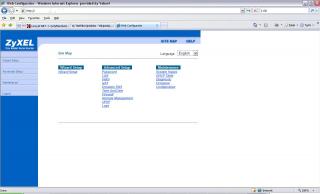
i dunno where, what to set...attach is the main page i enter the router setup page...it is a Zyxel Modem Router, come with TMNET..
thanks...


Attached thumbnail(s)
Attached Image
Kuntau
post May 17 2007, 08:05 AM

20 Years LYNer ;-)
*****
Senior Member
960 posts

Joined: Jan 2003
From: UNITEN� Kajang Interest: Sleeping ....


Sorry cant help much because I didnt have the router maybe this link can help you.

http://www.informatione.gmxhome.de/DDWRT/S...3final/QoS.html

http://www.staticice.com.au/cgi-bin/search.cgi?q=wrt54gl

http://www.dd-wrt.com/dd-wrtv2/index.php

http://www.dd-wrt.com/wiki/index.php/WRT54...lation_Tutorial

http://www.dd-wrt.com/wiki/index.php/Insta...through_Web_GUI

or maybe this forum post can help you even more.

http://forums.whirlpool.net.au/forum-repli...cfm/650125.html

This post has been edited by Kuntau: May 17 2007, 08:06 AM
Gerrard
post May 17 2007, 01:17 PM

New Member
*
Newbie
4 posts

Joined: Jun 2006
If I have a router but without QoS, how do I limit the other PC bandwidth for example by installing some sort of software into their PC?
Kuntau
post May 17 2007, 06:25 PM

20 Years LYNer ;-)
*****
Senior Member
960 posts

Joined: Jan 2003
From: UNITEN� Kajang Interest: Sleeping ....


QUOTE(Gerrard @ May 17 2007, 01:17 PM)
If I have a router but without QoS, how do I limit the other PC bandwidth for example by installing some sort of software into their PC?
*
You can use NetLimiter. Version 1.3 better for limiting bandwidth, version 2.x bloated with junk.
ming86
post May 19 2007, 11:04 PM

Casual
***
Junior Member
440 posts

Joined: Jan 2003
From: Perak


QUOTE(Kuntau @ May 17 2007, 06:25 PM)
You can use NetLimiter. Version 1.3 better for limiting bandwidth, version 2.x bloated with junk.
*
NetLimiter can limit bandwidth on other computer??

how about the new multi-user version(3.91 beta) of cFosSpeed?
Prioritising programs and protocol, also can set maximum tx/rx speed on each computer.
http://www.cfos.de/beta/
http://www.cfos.de/traffic_shaping/ts_options_e.htm
Install on each computer and set it to "variable bandwidth with cooperation" mode.

This post has been edited by ming86: May 19 2007, 11:06 PM
FcukChick
post May 20 2007, 12:02 PM

Getting Started
**
Junior Member
204 posts

Joined: Mar 2006


anyone know any programme like grabsun netsense that when u install on your computer u can limit other users sharing connection without installing anything on their computer?
normeck
post May 21 2007, 11:17 AM

Look at all my stars!!
*******
Senior Member
3,158 posts

Joined: Dec 2006


im using aztech600E...
can someone help us to configure Qos step by step...tq...
Espionage
post Jun 4 2007, 03:35 PM

On my way
****
Senior Member
539 posts

Joined: Jan 2003
From: South Port


Anyone know how to block ares / limewire?
garagesell
post Jun 8 2007, 02:07 PM

Regular
******
Senior Member
1,310 posts

Joined: Sep 2006
does anyone know how what software to use to see how many computers are using the network.

one more thing, can i control all others computer with my computer (one computer control all computer)-(limit bandwith) with the software installed in MY COMputer only ?
Espionage
post Jun 8 2007, 04:19 PM

On my way
****
Senior Member
539 posts

Joined: Jan 2003
From: South Port


how to use netlimet?
i installed but cant connect to server...
bravobronzo
post Jun 8 2007, 04:25 PM

MALAYSIAN
****
Senior Member
547 posts

Joined: May 2006
From: Bumi Bertuah


i think most of the questions are still not answered
Espionage
post Jun 11 2007, 10:19 AM

On my way
****
Senior Member
539 posts

Joined: Jan 2003
From: South Port


yes indeed............
FcukChick
post Jun 13 2007, 04:23 PM

Getting Started
**
Junior Member
204 posts

Joined: Mar 2006


i have used grabsun netsense and IMO its the best software to control other ppls bandwidth on ur computer without even having to go to their computer to install it

but it is a shareware.
i wana purchase it but it is in chinese
so i cant help much but to recommend it like a few pages back ppl have recommended me
riku2replica
post Jul 8 2007, 02:09 PM

Mugi-chan!! 可愛い!!
*******
Senior Member
3,304 posts

Joined: Mar 2006
From: Chicago(Port25)
i couldn't find any of third party which is compatible to my wrt54g ver7
Hammer
post Jul 21 2007, 06:38 PM

New Member
*
Junior Member
31 posts

Joined: Jan 2003
From: Air hole


how come this topic never got sifu come out and teach QoS on Aztech 600E?
bububang
post Jul 23 2007, 01:30 AM

Regular
******
Senior Member
1,739 posts

Joined: Jun 2005


QUOTE(garagesell @ Jun 8 2007, 02:07 PM)
does anyone know how what software to use to see how many computers are using the network.

one more thing, can i control all others computer with my computer (one computer control all computer)-(limit bandwith) with the software installed in MY COMputer only ?
*
im using look@lan can search and see the ip, it free.

Im using the router that had QOS.. but i duno how to set..
QUOTE
QoS
QoS (Quality of Service)
This option will provide better service of selected network traffic over various technologies.

QoS::802.1p
Select this option to Activate/Deactivated the 802.1p IEEE 802.1p establishes eight levels of priority(0 ~ 7). Although network managers must determine actual mappings, IEEE has made broad recommendations. Seven is the highest priority which is usually assigned to network-critical traffic such as Routing Information Protocol (RIP) and Open Shortest Path First (OSPF) table updates. Five and six are often for delay-sensitive applications such as interactive video and voice. Data classes four through one range from controlled-load applications such as streaming multimedia and business-critical traffic - carrying SAP data, for instance - down to "loss eligible" traffic. Zero is used as a best-effort default priority, invoked automatically when no other value has been set.

QoS::IP QoS
Select this option to Activated/Deactivated the IP QoS on different types(IP ToS and DiffServ). IP QoS function is intended to deliver guaranteed as well as differentiated Internet services by giving network resource and usage control to the Network operator.

QoS::Applications QoS
Select this option to Activated/Deactivated the different application packets prioritized on the queues.

QoS::VLAN Group QOS
Select this option to Activated/Deactivated the 4094 VID on the 4 different queues. VID(VLAN ID) is the identification of the VLAN, which is basically used by the standard 802.1Q. It has 12 bits and allow the identification of 4096 (2^12) VLANs. Of the 4096 possible VIDs, a VID of 0 is used to identify priority frames and value 4095 (FFF) is reserved, so the maximum possible VLAN configurations are 4,094.
rclxub.gif
chiafoo
post Jul 31 2007, 06:36 PM

Casual
***
Junior Member
450 posts

Joined: Jan 2007


Seem many ppl confuse about wat the p2p has done to thier router , actually the problem is nop come from bandwidth. U may wonder y even i dl with bitcomet juz using 30kb/s but my router aslo cannot browse web and even hang up , izit the max bandwidth of ur ISP juz can go for 30kb/s , hv a think .

The problem is because of NAT table in router , when we open p2p software , each connection that we had connect to other peer will eat 1 slot of NAT table(connection include with the peer that u cannot dl from them ) , normally router juz support up to 1028 slot in NAT table(but the router is set to 100<slot<500 default factory) , when the NAT table is full , then we cannot do anything else

Ex of NAT table

Slot------------ip-------------------port----------------OutgoinIP---------------WAN
1---------192.168.1.2-----------50001----------202.123.123.44--------60.xx.xxx.xx
2---------192.168.1.2------------80-------------202.123.344.55--------60.xx.xxx.xx
.--------------.---------------------.------------------------.----------------------.------
.--------------.---------------------.------------------------.----------------------.------
.--------------.---------------------.------------------------.----------------------.------
.--------------.---------------------.------------------------.----------------------.------
1028-------192.168.1.3-----------65000---------60.123.123.123--------60.xx.xxx.x

*192.168.1.2 or 192.168.1.3 is the device that connect to the router ( u or ur fren pc)
*Port 50001 is example of port from bitcomet
*Port 80 is Http port , need for browse
*OutgoinIP is U get connect from who (peer or server)
*WAN is Ur ISP

When u fill up until 1028 slot then ur router will goin to block all other connection mean ur dl will keep with certain peer only (that y ur dl y keep so slow) , then u cannot browse because the slot had fill up with the BT ( that u call hang , u will realise y my connection of router , modem to ISP is on but i cannot browse?). Or even BT down to 0 dl with critical problem of NAT.

So bandwidth management juz can done by if ur router is beyond the NAT but 100% , NAT problem will come b4 bandwidth .
Mb u shd use sevice block like block the certain ip add with the port number start wiv 1000 untill 65534(coz normally ppl wont use port number under 1000 right? and the max port range is 65534) . Then it can prevent them make connection to port and peer mean ur NAT table slot is free to u only HAHAHAHAHAHA

If u wan to know more try the article i post here . I dint read the article but it is to proof wat i am saying .
Attached File  p2pnat.pdf ( 880.76k ) Number of downloads: 296
Attached File  CMU_ISRI_05_104.pdf ( 180.29k ) Number of downloads: 203


*So far i know that DD-WRT or other 3rd party firmware support up to 4k NAT slot , mb it will solve ur problem or mb nop ( depend ur p2p connection )

This post has been edited by chiafoo: Jul 31 2007, 06:42 PM
zarksentinel
post Aug 8 2007, 09:03 AM

Getting Started
**
Junior Member
101 posts

Joined: Aug 2007


QUOTE(chiafoo @ Jul 31 2007, 06:36 PM)
Seem many ppl confuse about wat the p2p has done to thier router , actually the problem is nop come from bandwidth. U may wonder y even i dl with bitcomet juz using 30kb/s but my router aslo cannot browse web and even hang up , izit the max bandwidth of ur ISP juz can go for 30kb/s , hv a think .

The problem is because of  NAT table in router , when we open p2p software , each connection that we had connect to other peer will eat 1 slot of NAT table(connection include with the peer that u cannot dl from them ) , normally router juz support up to 1028 slot in NAT table(but the router is set to 100<slot<500 default factory) , when the NAT table is full , then we cannot do anything else

Ex  of NAT table     

Slot------------ip-------------------port----------------OutgoinIP---------------WAN
  1---------192.168.1.2-----------50001----------202.123.123.44--------60.xx.xxx.xx
  2---------192.168.1.2------------80-------------202.123.344.55--------60.xx.xxx.xx
  .--------------.---------------------.------------------------.----------------------.------
  .--------------.---------------------.------------------------.----------------------.------                     
  .--------------.---------------------.------------------------.----------------------.------                           
  .--------------.---------------------.------------------------.----------------------.------                                           
1028-------192.168.1.3-----------65000---------60.123.123.123--------60.xx.xxx.x

*192.168.1.2 or 192.168.1.3 is the device that connect to the router ( u or ur fren pc)
*Port 50001 is example of port from bitcomet
*Port 80 is Http port , need for browse
*OutgoinIP is U get connect from who (peer or server)
*WAN is Ur ISP

When u fill up until 1028 slot then ur router will goin to block all other connection mean ur dl will keep with certain peer only (that y ur dl y keep so slow) , then u cannot browse because the slot had fill up with the BT ( that u call hang , u will realise y my connection of router , modem to ISP is on but i cannot browse?). Or even BT down to 0 dl with critical problem of NAT.

So bandwidth management juz can done by if ur router is beyond the NAT but 100% , NAT problem will come b4 bandwidth .
Mb u shd use sevice block like block the certain ip add with the port number start wiv 1000 untill 65534(coz normally ppl wont use port number under 1000 right? and the max port range is 65534)  . Then it can prevent them make connection to port and peer mean ur NAT table slot is free to u only HAHAHAHAHAHA

If u wan to know more try the article i post here . I dint read the article but it is to proof wat i am saying .
Attached File  p2pnat.pdf ( 880.76k ) Number of downloads: 296
Attached File  CMU_ISRI_05_104.pdf ( 180.29k ) Number of downloads: 203


*So far i know that DD-WRT or other 3rd party firmware support up to 4k NAT slot , mb it will  solve ur problem or mb nop ( depend ur p2p connection )
*
Good,its a very good explanation,easy to understand.Thx dude !

ventriloquist
post Aug 9 2007, 12:23 AM

Getting Started
**
Junior Member
83 posts

Joined: Oct 2004
I got same problem where my friend hogging the bandwidth using p2p software and at the same time he open bittorrent client. I found it quite unfair to me since im the one who pay for the line and even i ask him to pay halves of the rent, im still at disadvantages.

I'm using D-link DSL-2540T adsl router, is there any way or step by step how to limit the bandwidth to my friend's pc?

Thx
mzhai
post Aug 10 2007, 11:04 PM

D CAMPUS FAIL
****
Senior Member
593 posts

Joined: Mar 2007


any new solution
i wan play fifa !! house mate dl ><
chiafoo
post Aug 19 2007, 01:44 AM

Casual
***
Junior Member
450 posts

Joined: Jan 2007


when u wan to play game , close their port range from 1000-65XXX , normally this service is at access restrictions
of ur router.
If u wan manage the bandwidth pls make sure ur NAT table wont full b4 u set up bandwidth , if u set up bandwidth while ur NAT table full then it wont work , normally when ur router hang mean ur NAT table full . The most effective way is block their port range
mzhai
post Sep 6 2007, 10:17 AM

D CAMPUS FAIL
****
Senior Member
593 posts

Joined: Mar 2007


how to block?
sorry noob here


Added on September 6, 2007, 10:19 amthen when after play unblock?
blockin = no bitcomet connection or all p2p blocked?
if all p2p blocked how to play game ?

This post has been edited by mzhai: Sep 6 2007, 10:19 AM
jolipoli81
post Sep 8 2007, 03:13 AM

Look at all my blinks
******
Senior Member
1,256 posts

Joined: Mar 2007


gosh, i read from pos 1 to here still cannot find any real solutions....
using D-link G604T, i dont think mine got QoS features, but i wanna limit my network bandwith...

where is the true solution here?
mzhai
post Sep 8 2007, 01:28 PM

D CAMPUS FAIL
****
Senior Member
593 posts

Joined: Mar 2007


i heard there is sum kind of software which u makes ur pc as the router n distribute connection to other pc s... so u can choose how much u wan to distribute out...
any 1 noe wat it is called?
Da_Shiang
post Sep 23 2007, 09:15 PM

Enthusiast
*****
Senior Member
746 posts

Joined: Jul 2006
From: Penang


i wanna ask forumers guidances and informations about this little modem gave by streamxy. It's aztech DSL600E

Firmware Version 62.4.4

i wanna ask how to configure 'ip filter' which included in the modem itself.
currently it in router mode and connected to a switch sahred by 3-4 person. i wonder how to configure the 'ip filter' to block all ports above 10000.

anyone done this before? really need help. during 7pm-1am, the line is so congested! barely surf and MSN! we using 1MB connection, capped.

Attached Image

i unable it during i apply the filter. however the protocols is not listed.


Attached Image

then when i enable it and set it to "TCP and UDP" as the protocol, i got "protocol invalid"


This post has been edited by Da_Shiang: Sep 23 2007, 09:21 PM
molok
post Oct 1 2007, 01:33 AM

Getting Started
**
Junior Member
173 posts

Joined: Jan 2003
From: Kuala Lumpur


QUOTE(mzhai @ Sep 8 2007, 01:28 PM)
i heard there is sum kind of software which u makes ur pc as the router n distribute connection to other pc s... so u can choose how much u wan to distribute out...
any 1 noe wat it is called?
*
http://www.clarkconnect.com/(one i'm using, get the commnunity edition(free), not the paid version), http://www.ipcop.org/, http://www.ipcop.org/ or netlimiter if you using windows xp. You need atleast 2 network cards. Works like a charm because i'm sharing 10 pc's for 1 internet connection. The pc i use pentium 3 with 256 sdram to serve this purpose. For instructions & guides please refer those respective websites i lazy teach so much. One more thing this is for who have good experience with computers.(ehem basic networking knowledge.......)
Screenies:user posted image

This post has been edited by molok: Oct 1 2007, 01:56 AM
aik457
post Oct 4 2007, 01:38 PM

Getting Started
**
Junior Member
181 posts

Joined: May 2006


QUOTE(molok @ Oct 1 2007, 01:33 AM)
http://www.clarkconnect.com/(one i'm using, get the commnunity edition(free), not the paid version), http://www.ipcop.org/, http://www.ipcop.org/ or netlimiter if you using windows xp. You need atleast 2 network cards. Works like a charm because i'm sharing 10 pc's for 1 internet connection. The pc i use pentium 3 with 256 sdram to serve this purpose. For instructions & guides please refer those respective websites i lazy teach so much. One more thing this is for who have good experience with computers.(ehem basic networking knowledge.......) 
Screenies:user posted image
*
will this software afftect the speed of filetransfer between lan?
or it juz work for internet only?
molok
post Oct 6 2007, 01:21 AM

Getting Started
**
Junior Member
173 posts

Joined: Jan 2003
From: Kuala Lumpur


QUOTE(aik457 @ Oct 4 2007, 01:38 PM)
will this software afftect the speed of filetransfer between lan?
or it juz work for internet only?
*
Its not just a software its an operating system under linux(free) except netlimiter(winxp) u need to pay for full version. From what i know it doesn't affect the file transfers speed on local area network depending on how congested you make it to be. It serves as a gateway so it can control whoever coming to your local LAN from outsite connections such as MAC addresses (read wiki....), as a dhcp server, p2p controlling(cant say it can block all but some p2p sofwares manage to get through but partial block....), bandwitdh controls (very vey important features) and so much more.
If i cant block his p2p(in certain cases) i just limit his upload and decrease the download speed.

dOtcO[m]
post Oct 9 2007, 12:15 PM

Getting Started
**
Junior Member
247 posts

Joined: Aug 2007
does applying lots of QoS protocol (for each different service), applying port blocking and such will affect the router performance?
prasys
post Oct 9 2007, 04:20 PM

Heros Never Die
Group Icon
VIP
12,925 posts

Joined: Mar 2005
From: Kuala Lumpur
Yes , it will increase the load. It will put a tremendous amount of load. This could cause the connection speed to decrease. So keep it minimal if possible
sienz
post Oct 24 2007, 11:43 PM

New Member
*
Newbie
0 posts

Joined: Apr 2006
i am currently using DSL2540T (D-Link)
the problem is, everytime my housemate switches on her comp,
the connection slows down a lot..sometimes i can't even load up a page(getting errors)
sad.gif
when i approached her, she admitted to donwloading some shows, buffering shows... blink.gif
the thing that i want to ask is this,
1) how to check whether my router NAT table is full or not
2) how to use QoS to limit her bandwidth

can someone teach me step by step on how to set the QoS rule..?
help pls!!!!!


ensnaring
post Oct 27 2007, 02:41 PM

New Member
*
Junior Member
43 posts

Joined: Oct 2005
neway i oso wan know got hardware ah to do dis kind of thingie. i meant distribute bandwidth evenly / limit bandwidth. want to use in office.
molok
post Oct 28 2007, 06:41 PM

Getting Started
**
Junior Member
173 posts

Joined: Jan 2003
From: Kuala Lumpur


QUOTE(ensnaring @ Oct 27 2007, 02:41 PM)
neway i oso wan know got hardware ah to do dis kind of thingie. i meant distribute bandwidth evenly / limit bandwidth. want to use in office.
*
Please do Google before you ask....
http://www.xroadsnetworks.com/ubm/products...ducts_index.xrn
http://www.teletronics.com/bandwidth.html

Those hardware stuff will cost quite alot. However if you are willing to spend more than RM1000 then why not, hardware approach are the best solution if your company have lots of employees sharing internet connection. This has been done by government agencies to monitor their workers not to misuse the internet during working hours. Otherwise do the previously posted technique, you only need 1 unused computer to do the job.
ensnaring
post Oct 28 2007, 11:48 PM

New Member
*
Junior Member
43 posts

Joined: Oct 2005
sleep.gif all oversea de. dat one i google oledi. i wan find dat i can buy here in Malaysia.
molok
post Oct 29 2007, 01:32 PM

Getting Started
**
Junior Member
173 posts

Joined: Jan 2003
From: Kuala Lumpur


QUOTE(ensnaring @ Oct 28 2007, 11:48 PM)
sleep.gif all oversea de. dat one i google oledi. i wan find dat i can buy here in Malaysia.
*
http://www.zedcom.com.my/index.htm

You can try there its a bit tricky to find Malaysian reseller not many selling it. With power of my searching skills finally i could find one. If you want more you could just call REDtone company ask for enquiry. Hint, Yellow Pages..............


herojack41
post Dec 17 2007, 10:50 PM

Master Of Trouble Maker
*******
Senior Member
5,697 posts

Joined: Nov 2007
From: A Place Where God And Master Of TroubleMaker Exist


guys....can any1 teach me how to setup a QoS???im using Aztech Adsl 600EU with QoS support but i duno how to make it work....can teach please..... icon_question.gif
Kisayami
post Dec 21 2007, 01:24 AM

New Member
*
Junior Member
7 posts

Joined: Dec 2007
hi i need help

user posted image

how proced to block p2p e.g. to internal ip 10.1.1.4 ?
hickups
post Dec 22 2007, 06:22 AM

Casual
***
Junior Member
477 posts

Joined: Jan 2003
From: Klang


*@!#*!@)#!@#@!&#*& LARRRRRRRR
i go buy the linksys wrt54GL model
i tot connect the dsl line in to it, but still needs a modem ahhhhhhh???/
this is like swith hub?
sh*t lar buta beli 1!!!!!!!
now i by aztech modem+4port, linksys 4 port, and 2 switch hub
zzzzzzzzzzzz
noob me cry.gif brows.gif wub.gif mad.gif rclxub.gif
goldfries
post Dec 22 2007, 06:23 AM

40K Club
Group Icon
Forum Admin
44,415 posts

Joined: Jan 2003


WRT54GL is just a router.
herojack41
post Dec 22 2007, 06:29 AM

Master Of Trouble Maker
*******
Senior Member
5,697 posts

Joined: Nov 2007
From: A Place Where God And Master Of TroubleMaker Exist


QUOTE(goldfries @ Dec 22 2007, 06:23 AM)
WRT54GL is just a router.
*
goldfries....u know how to setup QoS???nobody was replying me cry.gif
hickups
post Dec 22 2007, 08:08 AM

Casual
***
Junior Member
477 posts

Joined: Jan 2003
From: Klang


ya goldfries PLSSS help us
no reply also
i type 10.0.0.2 kenot go modem setting
i type 192.168.1.1 kenot go in to wrt54gl setting
but i can surf the net
teach how to set the qos


Added on December 22, 2007, 2:13 pmSelling linksys brand new i bought yesterday
model wrt54gl wireless for rm180
bought it for rm209
1 day old
i dowan use this router
i duno setting it

This post has been edited by hickups: Dec 22 2007, 02:29 PM
kurosaki0103
post Dec 25 2007, 11:19 AM

Getting Started
**
Junior Member
110 posts

Joined: Dec 2007
You can set sum QoS setting...

If i bcome ur roommate, i will use a rm45 streamyx narrowband 384kbps.....

i dun thnk u are selfish.... but u intelligently tke advntge on situation...
normeck
post Jan 6 2008, 03:54 PM

Look at all my stars!!
*******
Senior Member
3,158 posts

Joined: Dec 2006


where the solution leh?.....can somebody quide QOs setting for Aztech 605E....
ah_fui
post Jan 17 2008, 10:04 AM

technical potatoz
*****
Senior Member
858 posts

Joined: Jan 2003


QOS for DSL600ER too.
bazet
post Feb 10 2008, 10:14 AM

Casual
***
Junior Member
469 posts

Joined: Oct 2004


You can use radius server to shape traffic. http://mamakspot.blogspot.com/2008/02/mama...creenshots.html

see the first 2 pictures on that site. Uisng iperf for bandwidth testing
cutegurl
post Feb 22 2008, 03:54 PM

Getting Started
**
Junior Member
150 posts

Joined: Feb 2008
gosh ... everybody is facing the same problem as me !


Added on February 24, 2008, 12:23 pm
QUOTE(ah_fui @ Jan 17 2008, 10:04 AM)
QOS for DSL600ER too.
*
and this one too DSL-2540T

Thanks cry.gif

This post has been edited by cutegurl: Feb 24 2008, 12:23 PM
normeck
post Feb 25 2008, 09:07 PM

Look at all my stars!!
*******
Senior Member
3,158 posts

Joined: Dec 2006


nobody want to guide us?
cutegurl
post Feb 26 2008, 09:27 PM

Getting Started
**
Junior Member
150 posts

Joined: Feb 2008
wo~wo~ no body wan to save me
deckerz
post Mar 14 2008, 09:46 PM

New Member
*
Junior Member
34 posts

Joined: Apr 2007
From: Kuala Lumpur


hello

i'm having problem with my housemate who' always download movies and tv series.i think 24h a day,even she's sleep.its ok for me until my surfing becomes slow and sometimes cannot open.i'm using netgear wireless router WGR614 and maxis broadband.how to devide those bandwidth fair enough between us?

internet--->maxis modem---->netgear wireless router WGR614----->all share using wireless


please help me,other housemate started to complained

tq
Hoodlums
post Mar 19 2008, 05:51 PM

On my way
****
Senior Member
598 posts

Joined: Sep 2004


How to block P2P like Ares using Billion Bipac 5112S??
Guide me, wanna block P2P at my office icon_question.gif
normeck
post Mar 21 2008, 12:13 AM

Look at all my stars!!
*******
Senior Member
3,158 posts

Joined: Dec 2006


help us!
he post you entered in was too short. You must have at least 10 character(s) in your post before it will get posted.
juine
post Apr 2 2008, 01:43 PM

On my way
****
Senior Member
618 posts

Joined: Sep 2006
my setup is like this, a cable modem, router dlink dir-615 (no qos function), 2 nic card.

I have 1 desktop (act as a gateway) and 1 laptop in my room, and sharing my connection with a fren beside my room. currently i live in sg with starhub 8mbps connection, every device is in my room so he just pull his network cable to my room. total is 3 pc.

I put my main pc with 2 nic card, 1 nic card connect with the cable/dsl modem, and another nic card connect with the router. remember to share your internet connection in your nic setting to the nic used for the lan. then I use softperfect bandwidth manager to limit the rest of the pc to 2mbps per pc and blocking port 6000-65000.

I'm thinking to get dir-655 soon coz this kinda setup is troublesome, I had to constantly put my desktop pc online only they can connect.

I'm still looking for software that could let me stop p2p program within my local area network. anyone can help me with this thx?

utopian86
post Apr 11 2008, 02:27 AM

Regular
******
Senior Member
1,239 posts

Joined: Nov 2005
if my router doesnt have QnS features, what should i do?
normeck
post May 4 2008, 12:17 PM

Look at all my stars!!
*******
Senior Member
3,158 posts

Joined: Dec 2006


icon_question.gif help us configuring QoS on aztech modem...with ss will be good...tq icon_question.gif
alexjiezhen
post Jun 5 2008, 11:30 PM

New Member
*
Junior Member
45 posts

Joined: Aug 2007
untill now no one can give goos solution yet
come all the sifu sifu..
mikka
post Jun 24 2008, 04:05 AM

New Member
*
Junior Member
37 posts

Joined: Apr 2005
OK, since I very seldom read this topic, here it goes for those having slow internet when using BT or any other P2P software

there is few choice, here is the best 3 choice

First, explaination,
- QOS is a useless thing, dont bother about it. QoS is only to limit or block the connection, user under QoS control will not happy.
- If you got modem router and wireless router both working together, turn either one of the router to bridge mode, which mean only one working as a router.
- P2P is using very heavy internet traffic, your router is not a big fast server, it will hang or slow down when handle so much traffic.
- what i mean in traffic is, BT connect to lots of people, too many connection, example like too many cars (connection) and the toll(router) cannot handle that much amount of traffic, then there will be traffic jam. Either build a bigger toll (faster router, but will still jam) or using touch n go or smart tag(too bad internet dont have smart tag).
- its not your bandwidth problem, even thought total download only 30kb/s on a 1mbps line, the internet will still slow down or even disconnect.
- when the router is overloaded, the symptoms are, msn fail to send message, msn keep disconnect, download cannot be complete, webpage take long time to load or stuck at halfway, youtube cannot finish download video, webpage cannot display any picture. The worst are, no connection, mean your router hang.

Solution:
1, Limit your half open and TCP connection to 10 half open and 100 TCP, normal router can only handle around 300 both TCP + half-open, If you exceed these number of connection, the symptoms will come out, then you need to restart the router.

2, For one user only. Set your modem to Bridge mode and connect using your PC, just like 56K dial-up, mean there is no router, no firewall and no need port forward, your PC will do all the stuff. Don't worry about the wireless router, it won't disturb you. Together with a Internet traffic shapping will be nice. If you want to share you internet connection to other user, then you need to know how IP works, it got many procedure, and I'm lazy to explain.

3, Change a router, buy a faster one, but still the TCP and half-open cannot be set to high value, you only can increase a few hundred.

4. Limit the Upload!!! total upload must not reach 40kb/s, or you will surf like turtle. TMnet upload only got 384kbps or 48kbyte/s, max you can get is 45kb/s, download require small amount of upload for request data, like if you got kancil only, how you gonna fetch 50 chicks? Of course get a bus lah...

Conclusion:
P2P kill router, housemate keep download porn 24/7, there is no way you can play dota online...

badzeugene
post Jul 3 2008, 01:02 AM

Casual
***
Junior Member
305 posts

Joined: Dec 2006
how to close port?
ahnien
post Jul 3 2008, 01:22 AM

PanDA Enthusiast
*******
Senior Member
2,308 posts

Joined: Jul 2007


i tot this thread got steps to QoS??

wher's the guide ar??

need some help with QoS on D-link DSL-2640T.
cant seems to get the QoS settings for the wireless....
n doesnt seems to work.

anyone one knows how to block p2p, thunder5, other torrent programs from the router??
need some help here.
K for Ketamine
post Jul 4 2008, 12:15 AM

Regular
******
Senior Member
1,188 posts

Joined: Sep 2006
QUOTE(ahnien @ Jul 3 2008, 01:22 AM)
i tot this thread got steps to QoS??

wher's the guide ar??

need some help with QoS on D-link DSL-2640T.
cant seems to get the QoS settings for the wireless....
n doesnt seems to work.

anyone one knows how to block p2p, thunder5, other torrent programs from the router??
need some help here.
*

can post clear screenshot for QoS for D-Link DSL-2640T.
badzeugene
post Jul 4 2008, 03:05 AM

Casual
***
Junior Member
305 posts

Joined: Dec 2006
QUOTE(molok @ Oct 1 2007, 01:33 AM)
http://www.clarkconnect.com/(one i'm using, get the commnunity edition(free), not the paid version), http://www.ipcop.org/, http://www.ipcop.org/ or netlimiter if you using windows xp. You need atleast 2 network cards. Works like a charm because i'm sharing 10 pc's for 1 internet connection. The pc i use pentium 3 with 256 sdram to serve this purpose. For instructions & guides please refer those respective websites i lazy teach so much. One more thing this is for who have good experience with computers.(ehem basic networking knowledge.......) 
Screenies:user posted image
*
can i use it in my windows vista?

i need to use restrict my housemate connection, can this software helps?

chinseng85
post Jul 6 2008, 07:17 PM

On my way
****
Senior Member
513 posts

Joined: Jul 2008
hi, i had juz tried out NetSense which mentioned in the previous post. it can control all computers bandwidth which connected with the same router/switch.

besides that you, (control pc), can block other computer from using p2p application or messenger, setting a daily "fair usage" policy like what other wireless broadband do, and etc policies.

now i juz manage to find the chinese version. sorry for those who cant understand chinese word.

there is a trail version available for download at www.grabsun.com/index.asp

this app realy help me to reduect my hsemates p2p dlwonload bandwidth so that i can play online game lagness.

This post has been edited by chinseng85: Jul 6 2008, 07:19 PM
blushedd
post Jul 14 2008, 09:36 AM

New Member
*
Newbie
0 posts

Joined: Jul 2008
hi im new & noob to qosing
ive read a lot of things, but i dont know how to find the QoS settings in the first place
right onw im using windows vista home premium, my router is linksys.
thank you ^^
sg552
post Jul 18 2008, 11:11 PM

Getting Started
**
Junior Member
88 posts

Joined: Feb 2008


Hello,

If anyone have modem that have QoS and your AP is not, you can refer to this thread to setup QoS >> http://forum.lowyat.net/topic/739608. Sorry no dialup friendly...

all credits goes to K for Ketamine biggrin.gif
vccy118
post Jul 28 2008, 10:04 AM

Casual
***
Junior Member
374 posts

Joined: Mar 2005
From: Sarawak


About the iptable rules... anyone know how to set it in d-link modems? or specifically DSL-2640T. Tried to do it myself but cant find the feature anywhere.
mikka
post Jul 29 2008, 08:44 AM

New Member
*
Junior Member
37 posts

Joined: Apr 2005
I don't think QoS can be use on internet. I only know QoS work when there are data transfer in the network that consume lots of bandwidth, like 100mbps something. For the internet, I don't think so.
amyhs99
post Aug 14 2008, 09:33 PM

Look at all my stars!!
*******
Senior Member
3,807 posts

Joined: Jan 2003


Who says QoS cannot be used on internet? I'm using QoS on my network. All ppl can torrent full speed and use VoIP smoothly.
alexooi17
post Sep 10 2008, 11:54 PM

On my way
****
Senior Member
569 posts

Joined: Nov 2007


I want to ask do anyone experience unstable connection?For example now im using combo rm110 and i ran a speedtest and my dl rate is 1300 and upload 400.But when I host game in Gar*na which is a dota server.Many people complain lag but when I'm using Rm66 package,no people complain lag eventhough my dl was 500 and upload 200+ .Then my lan ip changes automatically.last time was 192.168.1.2 but now it change to 192.168.1.47 .Can anyone help me with this ?
crapp0
post Sep 21 2008, 10:42 AM

Look at all my stars!!
*******
Senior Member
4,414 posts

Joined: Feb 2005


QUOTE(alexooi17 @ Sep 10 2008, 11:54 PM)
I want to ask do anyone experience unstable connection?For example now im using combo rm110 and i ran a speedtest and my dl rate is 1300 and upload 400.But when I host game in Gar*na which is a dota server.Many people complain lag but when I'm using Rm66 package,no people complain lag eventhough my dl was 500 and upload 200+ .Then my lan ip changes automatically.last time was 192.168.1.2 but now it change to 192.168.1.47 .Can anyone help me with this ?
*
Not so sure about your speed, but the reason why your IP change is if you use the default setting of router, your IP will change coz router default will refresh IPs, usually around 1 month it will change. If you want to have same IP, you have to use static ip or set the ip for yourself instead of letting the router "give" you the ip.
blackdollie
post Sep 23 2008, 04:49 PM

New Member
*
Junior Member
44 posts

Joined: Apr 2008
i'm using Aztech 600-EW,how can i limit the wireless speed?
ahhuat
post Nov 12 2008, 12:30 AM

No Money No Talk !
*****
Senior Member
713 posts

Joined: Jan 2003
From: My Location ? Why u wanna knoW?


helo.. guys ... im using aztech dsl600eu ... sharing streamyx with my brother... the problem is my brother is using all the bandwidth dl-ing 24/7 with torrent software.

can anyone teach me how to QOS ?

i really cant stand it anymore...

thanxx!!!
bontotalan
post Nov 16 2008, 09:25 AM

Lalafell - FFXIV -
*****
Senior Member
935 posts

Joined: Sep 2006


24 hours online = more electricity bill
NicholasTan
post Dec 19 2008, 05:47 PM

Getting Started
**
Junior Member
85 posts

Joined: Apr 2007
I'm sharing my internet connection(wireless) with my roommate and my neighbour.

But I want to limit the connection of my neighbour but not to my roommate and my laptop.
Can my router do tat? Mine is dlink

Attached Image


maggi
post Dec 19 2008, 11:48 PM

Regular
******
Senior Member
1,653 posts

Joined: Dec 2008
From: GUAM
hi , i m using a shared router. and i tried to assign my ip address to become a dynamic ip,but sometimes i keep getting the same ip even if the better ip is not hold by any1. So i tried install FreshIP , a particular software that according to them can change ur Ip without shutting down ur pc...but seems like useless. izzit bcoz my pc is not the server (for router) or wat ?
notystar_exe
post Jan 18 2009, 01:45 AM

✖kapan™✖
*****
Senior Member
725 posts

Joined: Jul 2008


qos is important in sharing bandwith+protection..
are all the router out there is come with qos?
amyhs99
post Jan 20 2009, 09:16 PM

Look at all my stars!!
*******
Senior Member
3,807 posts

Joined: Jan 2003


Not all routers support QoS. Some router with crappy QoS also. Some need firmware modification den only have a good Qos.

Now i'm using a old pc as a router and installed pfSense. The Traffic shaping is superb.
imSpartan
post Jan 25 2009, 11:17 AM

New Member
*
Junior Member
17 posts

Joined: Jul 2008
From: sarawak


how bout smoothwall?
aku69
post Jan 31 2009, 03:02 AM

Getting Started
**
Junior Member
77 posts

Joined: Jan 2003
From: Shah Alam - Kuala Lumpur - Putrajaya


for celcom broadband, how can i do QoS setting?
B u B u
post Feb 25 2009, 03:24 PM

chill
******
Senior Member
1,479 posts

Joined: Nov 2008


using Aztech DSL605EW. Desktop connected via lan cable while notebook connected via wifi. Is it possible to set that the desktop only get 30% of the speed while notebook get 70%?

who helps will get treated KFC =)

tq


Added on February 25, 2009, 3:42 pmis it possible to do port forward with streamyx combo free modem (riger) ?

tq

This post has been edited by B u B u: Feb 25 2009, 03:42 PM
bingozero
post Mar 23 2009, 06:17 PM

♥♥♥♥♥♥♥♥♥♥♥♥♥♥♥♥♥♥♥♥♥
*******
Senior Member
4,522 posts

Joined: Jan 2009
Hello,
I want to know which wireless router support QoS.
Thats mean I can limit each IP or Mac address to a specify speed.
Look like this
Attached Image
http://www.tp-link.com/support/showfaq.asp?id=194
Thank you notworthy.gif

This post has been edited by bingozero: Mar 23 2009, 06:27 PM
jackieng
post Mar 30 2009, 10:06 AM

New Member
*
Junior Member
40 posts

Joined: Aug 2007
From: Orang Kelate
How to do the setting QOS in tomato firmware with Linksys WRT54GL....
I want set it to ppstream user....
SpEd
post Apr 26 2009, 08:03 PM

New Member
*
Junior Member
46 posts

Joined: Nov 2008


QUOTE(kando @ Dec 5 2005, 07:36 PM)
First of all, i really appreciate those who's trying to help. but for the rest, i don't post a thread for your lecture ok?

First of all, my housemate couldn't afford to subscribe a new line because of the initial activation and installation fees.  He begged me to share the line with him coz he said he just want to sometimes surf the net and chat with msn, and he promised that he's not going to use p2p.  So, I'm kind enough to share my bandwidth to him.  we're not staying in the same room, so who knows if he could end up using p2p software to rape my bandwidth? I don't really know him well ok?

Charging him RM40 a month, i have to purposely go and buy a wireless router and share the line, i paid all the installation and activation, and i have to pay RM88+RM25 every month, wasn't that fair enough? If he wants to use p2p or so called 'fair' bandwidth, he can always go ahead and install a line by himself. 

Last but not least, why do you want a 24hr online if you're not using p2p? do u really need to be online while you're sleeping???
*
Hey kando.. if no 24 hours online and nt asking for our lecture.. then why ur asking on how to go thru this prob?.. 40 a month bt no 24 hours online..if others, they might shoot u man!.. haha
Shinichi
post May 26 2009, 07:37 PM

◆【 真一 】◆
*******
Senior Member
4,051 posts

Joined: Jan 2003
From: 槟城


Hi all, I'm using TP Link TD-W8910G 54M ADSL2+ router.
I want to set QoS for my own pc to use 50% of the bandwidth. Is this do-able? I'm on 512k line...

I read the user guide but I have no idea how to set them. Need advice from gurus here. Following is screenshot of QoS page from my router.
» Click to show Spoiler - click again to hide... «


Thanks.
ck_mon
post Jun 1 2009, 07:50 PM

Getting Started
**
Junior Member
133 posts

Joined: May 2007
i do the QoS like this for my house :

for my roomate:
user posted image

i bypassed the IP address and MAC address my roomates PC to avoid login page.. they get full 1mbps downlink


for guest who want to use the internet:
user posted image

i limited the connection until 64kbps because sometimes my friend come to my house just want to download >.<
in this case other PC want to connect to my network must login first


normeck
post Jul 17 2009, 01:07 AM

Look at all my stars!!
*******
Senior Member
3,158 posts

Joined: Dec 2006


what is the program that u use?
ck_mon
post Jul 28 2009, 09:02 PM

Getting Started
**
Junior Member
133 posts

Joined: May 2007
mikrotik routerOS tongue.gif
Scanart
post Sep 5 2009, 01:06 AM

Getting Started
**
Junior Member
129 posts

Joined: Sep 2008
From: Distro in Kuala Lumpur, Malaysia


Please try our Asus RT-N11 11n Wireless Router with Multiple SSID and Bandwidth Control. That means you can set different bandwidth for different users, direct control. thumbup.gif

user posted image


user posted image
pengiranijam
post Sep 5 2009, 05:27 AM

Regular
******
Senior Member
1,568 posts

Joined: Dec 2004
From: Malaysia Truly Asia


Linksys also have QoS for specific port even better than current Asus have...
MX510
post Sep 5 2009, 06:55 PM

Love Me Sin Hate Me Sinner
*******
Senior Member
4,038 posts

Joined: Aug 2005
From: Earth


So far this is the best QOS features Linksys WRT54GL with DD-WRT v24 Special Edition firmware fully customized firmware and QOS is working

This is the sample of settings

user posted image

You also can install rFloW i used this to monitor all my clients that connected to my hotspot

To monitor your dd-wrt AP and clients connected to it

user posted image

This post has been edited by MX510: Sep 5 2009, 06:57 PM
Scanart
post Sep 7 2009, 04:01 PM

Getting Started
**
Junior Member
129 posts

Joined: Sep 2008
From: Distro in Kuala Lumpur, Malaysia


QUOTE(pengiranijam @ Sep 5 2009, 05:27 AM)
Linksys also have QoS for specific port even better than current Asus have...
Hi there,

Our Asus RT-N11 is around RM200 & below. We doubt there are any 11n Router with direct bandwidth control from it's own firmware at such a price. Good feature yet very affordable - price/performance.


^cash^
post Sep 13 2009, 02:26 PM

太子
****
Senior Member
619 posts

Joined: May 2005
From: 唐朝太子


QUOTE(kando @ Dec 5 2005, 07:36 PM)


Last but not least, why do you want a 24hr online if you're not using p2p? do u really need to be online while you're sleeping???
*
i online 25 hours even during sleep.......
Euthenics
post Dec 7 2009, 05:11 AM

Getting Started
**
Junior Member
220 posts

Joined: Mar 2007
TP Link is a good alternative router. What the user will get (depending on which model, of course) a good N router, Gigabit port and a few more useful features. One would say it's value for money as it's affordable as well. I've already sold a number of their products range and so far seem impressed with it.

user posted image
red-queen
post Dec 12 2009, 04:08 PM

Regular
******
Senior Member
1,310 posts

Joined: Jan 2003


lately i just change from dd-wrt to Victek's Tomato firmware.

by far it's the best firmware i've used for my WRT54GL and also the best QoS in terms of granularity in terms of the configurations. i use a few features in Victek's tomato firmware for QoS.

1. i create services base on ports. set a class for each service, then set a bandwidth control for each class.

2. i create bandwidth limiter for each user in the network. this bandwidth limiter works hand in hand with the QoS that i've configured. i set a minimum guaranteed bandwidth for dl and ul for each user as well as a ceiling for dl and ul for each user. i have a scheduler running for bandwidth limiter. during peak hours, every one will be subject to their respective policy. during off peak hours, there will be no bandwidth limiter, only QoS running.

with this 2 combine, services which are important will be always ahead in the que. and with the guaranteed bw it will ensure that even users running services which are in the lowest class will have a minimum bandwidth to it (eg: torrents).

really happy that i switched over to victek's tomato. anyone with any questions or need help configuring, feel free to pm me or msn me.


Added on December 12, 2009, 4:15 pmp/s: always remember to set at least 85% and below for your maximum download and upload. otherwise it's better if you don't configure QoS at all. we wanna leave that 10-15% of buffer bandwidth so that QoS can make use of it to prioritise your traffic. QoS just won't work with ur internet link is jam packed.

a simple example would be. you have a 3 lane road. would you want cars to be travelling on all 3 lanes? if so, how would you ask the cars to rearrange their position to the front or to the back of the que?

imagine if you have a 3 lane road, and only 2 lanes are full. we still have that 1 lane extra where u can ask the car infront to move to the back, so that the prime ministers car at the back can come to the front.

just a metaphor smile.gif

This post has been edited by red-queen: Dec 12 2009, 04:15 PM
Vigilant
post Dec 14 2009, 03:36 AM

Be ever vigilant, but never suspicious
******
Senior Member
1,288 posts

Joined: Apr 2009
Hi, I have been browsing through page to page but nobody has clear explaination on how to limit bandwith of torrents on certain IP or whatsoever using AZTECH DSL modem

I own a DSL605EW, and I need to reduce bandwith for another computer, where should I start and what should I fill in, I'm asking for spoon feed from a-z because I had read the manuals and tried play around myself but nothing good comes out of that.

Which one (below), I need to set up, let say if I need to reduce torrent speed for 192.169.1.3 on LAN with port number of 10345. Kindly provide me the digits that I should fill in every blank columns. Thank you

Egress
Ingress
QoS Shaper Configuration
Policy Routing Configuration

This post has been edited by Vigilant: Dec 14 2009, 03:39 AM
ldragon
post Dec 17 2009, 05:04 PM

Regular
******
Senior Member
1,026 posts

Joined: Jan 2003
From: Kuala Lumpur, Malaysia
This is what i set in my Linksys WRT54GL (DD-WRT Firmware).
So far I am happy with this settings.

Attached Image

Or set using the MAC address
Attached Image

This post has been edited by ldragon: Dec 17 2009, 05:10 PM
red-queen
post Dec 17 2009, 06:01 PM

Regular
******
Senior Member
1,310 posts

Joined: Jan 2003


QUOTE(ldragon @ Dec 17 2009, 05:04 PM)
This is what i set in my Linksys WRT54GL (DD-WRT Firmware).
So far I am happy with this settings.

Attached Image

Or set using the MAC address
Attached Image
*
i was also using dd-wrt prior to this. but then i realised that if you were to use the L7 to match the services, not very accurate. so i manually created services base on port rather than application.

but then i tried tomato and it has way way way more flexibility on the QoS. at least this is my IMHO.
ldragon
post Dec 17 2009, 06:19 PM

Regular
******
Senior Member
1,026 posts

Joined: Jan 2003
From: Kuala Lumpur, Malaysia
red-queen, u r right on that i set it base on port. Else I set that particular PC MAC address as bulk as simple as that.

At home I have 5 user (5 Laptops + 3 PCs). One is 24x7 torrent machine. If i didn't manage the QoS properly they all will complain LAG & SLOW when user are playing Battle.net DOTA & Sudden Attack. The most important is skype

This post has been edited by ldragon: Dec 17 2009, 09:11 PM
silentser
post Dec 17 2009, 06:50 PM

OH MAH ANDROID
*******
Senior Member
3,177 posts

Joined: Sep 2006
From: subway FTW


anyone know how to set QoS for p1 wimax?
yapcm
post Dec 21 2009, 05:50 PM

New Member
*
Junior Member
48 posts

Joined: May 2009
The best Multi-Wan load balancing router for cyber cafes with Smart Qos.

http://www.qno.com.tw/english/_products_mu...wall_router.asp

This post has been edited by yapcm: Dec 21 2009, 05:51 PM
cosmiqeddie
post Dec 23 2009, 01:39 AM

Getting Started
**
Junior Member
96 posts

Joined: Apr 2006
QUOTE(yapcm @ Dec 21 2009, 05:50 PM)
The best Multi-Wan load balancing router  for cyber cafes with Smart Qos.

http://www.qno.com.tw/english/_products_mu...wall_router.asp
*
this is for commercial standard isnt it? i thought all are talking about firmwares and routers that are affordable enough?
simon82
post Jan 11 2010, 10:01 AM

On my way
****
Senior Member
567 posts

Joined: Nov 2004

Does anyone have workable QOS example on the Zyxel P-660HW T1 v2 modem wireless router?

Mine just not working.. help ..
RwGlmllhpSX
post Mar 6 2010, 03:49 PM

Getting Started
**
Junior Member
203 posts

Joined: May 2008
QUOTE(kando @ Dec 5 2005, 03:50 AM)
My roommate wanna share my Streamyx.  So i'm charging him RM40 a month, with terms & conditions.

1. No P2P!!
2. No 24Hr online.

I'm going to buy a wireless router (cos i don't want to pull those damn lines).  So now the question is:

1. How do I restrict him to use P2P? Can I do some tricks in the Port Forwarding?
2. How to divide/limit the bandwidth? (sorry, the old thread is gone)
*
Just turn off the router in the midnight?

and yea I think you're selfish
orenzai
post Apr 11 2010, 01:13 AM

Look at all my stars!!
*******
Senior Member
3,114 posts

Joined: Dec 2006


I am moving in to a condo unit of 4 people incl me. We are all friend and we are going to study at the same uni. I was wondering which N router will be good for QoS? I plan to subscribe 4mb streamyx then share out 1mb per pax. TP-Link I never used before but i schemed through this thread and it supports QoS? I was eyeing on Belkin Wireless N routers but I dont think it supports QoS right? Thanks for helping smile.gif
leyley
post Apr 25 2010, 11:00 PM

Look at all my stars!!
*******
Senior Member
2,096 posts

Joined: May 2008
restarted modem
Sphenix
post May 1 2010, 10:28 PM

Hired........
*******
Senior Member
3,705 posts

Joined: Sep 2004
From: Malaysia


QUOTE(Shinichi @ May 26 2009, 07:37 PM)
Hi all, I'm using TP Link TD-W8910G 54M ADSL2+ router.
I want to set QoS for my own pc to use 50% of the bandwidth. Is this do-able? I'm on 512k line...

I read the user guide but I have no idea how to set them. Need advice from gurus here. Following is screenshot of QoS page from my router.
» Click to show Spoiler - click again to hide... «


Thanks.
*
hows ur setting on this model? i not mange to get the setting ler....
tashfinsheikh
post May 18 2010, 10:52 PM

Maxis Dealer
****
Senior Member
646 posts

Joined: Nov 2008
From: Malaysia


How to setup QoS on TP-Link W8901g ?
I am searching for it but can't find it.
the100308
post May 31 2010, 08:08 AM

Regular
******
Senior Member
1,849 posts

Joined: Sep 2007


Anyone knwo how to set QoS using Streamyx free modem, Innacomm w3100.. I know where is it. Just not sure which value is which...
Timber
post Jun 3 2010, 02:12 PM

Casual
***
Junior Member
484 posts

Joined: Sep 2006
From: Seremban, N.S.


Hi, attached is the photo of the settings I did on my DD-WRT router.

I am using a Linksys WRT54GL router, using a TMNET 1MBps Streamyx line and it's shared with 15 units of pcs and macs.

On the router, I limited the downloads to 50kpbs and upload to 30kpbs.

After I set the download limit, I am still able to download files at the speed of 60 -100kpbs wirelessly. Is my settings are wrong or the QOS on the DD-WRT are not working?


Attached File(s)
Attached File  qox.tiff ( 237.99k ) Number of downloads: 568
HughieRmX
post Jun 20 2010, 02:05 PM

::.. ♬|♪ HaRdC0Re TrAnCE AddiCT ♬|♪..::
*******
Senior Member
3,394 posts

Joined: Jan 2003
From: Kuala Lumpur


Greetings,

Anyone using the Linksys WAG120N QoS function before ?
ywkwy
post Jun 23 2010, 03:37 PM

Enthusiast
*****
Senior Member
868 posts

Joined: Dec 2005
QUOTE(Timber @ Jun 3 2010, 02:12 PM)
Hi, attached is the photo of the settings I did on my DD-WRT router.

I am using a Linksys WRT54GL router, using a TMNET 1MBps Streamyx line and it's shared with 15 units of pcs and macs.

On the router, I limited the downloads to 50kpbs and upload to 30kpbs.

After I set the download limit, I am still able to download files at the speed of 60 -100kpbs wirelessly. Is my settings are wrong or the QOS on the DD-WRT are not working?
*
lol bro.. ur setting is wrong.. the 30 and 50 u input should be ur total dl and ul but don put the max 1 for example ur 1mbps streamyx,
downlink put 900 uplink put 300 (it is kbps)

den to limit every computer speed, set the QoS priority.. for example pc 1's mac is 11.22.33.44.55 den add this mac address 1st den under the Mac Priority, dl put 50, uplink put 30
(note that it is kbps not kBps..)

Attached Image

This post has been edited by ywkwy: Jun 23 2010, 04:46 PM
milky
post Jun 23 2010, 03:47 PM

- King -
*******
Senior Member
4,743 posts

Joined: Jan 2003
From: u noe EARTH ? wher all human being is there


QUOTE(the100308 @ May 31 2010, 08:08 AM)
Anyone knwo how to set QoS using Streamyx free modem, Innacomm w3100.. I know where is it. Just not sure which value is which...
*
ya anybody knows how to set this up?


Added on July 2, 2010, 6:27 pmanybody knows how to set QOS for innacomm w3100?

This post has been edited by milky: Jul 2 2010, 06:27 PM
pengiranijam
post Aug 10 2010, 05:37 PM

Regular
******
Senior Member
1,568 posts

Joined: Dec 2004
From: Malaysia Truly Asia


QUOTE(milky @ Jun 23 2010, 03:47 PM)
ya anybody knows how to set this up?


Added on July 2, 2010, 6:27 pmanybody knows how to set QOS for innacomm w3100?
*
I don't think so Innacomm w3100 has QOS. I'm afraid that, that thing has common problem on WiFi. So easily get disconnected.

Tsukishiro
post Aug 14 2010, 12:57 PM

New Member
*
Junior Member
41 posts

Joined: Oct 2009


Hi, does anyone know how to set up QoS for Tp-Link TD-W8960N?

The manual I've read was rather confusing.

I want to set up QoS for Web browsing, Torrent downloads, Streaming as well as for direct downloading.

Currently the router + modem is connected with 3 PCs with the nearest to it is connecting through a cable. The other two are using wireless.
TheUrbNorm
post Sep 14 2010, 01:59 PM

On my way
****
Senior Member
557 posts

Joined: Apr 2005


QUOTE(HughieRmX @ Jun 20 2010, 02:05 PM)
Greetings,

Anyone using the Linksys WAG120N QoS function before ?
*
Ya, I want to know as well. I have one speed in the settings. I presume it's the upload stream speed since we can't control download stream.....is that correct?

Need to try this at home actually......
kentoh
post Sep 21 2010, 11:07 AM

Getting Started
**
Junior Member
146 posts

Joined: Feb 2009
From: Penang
anyone know how to set up QoS at Aztech Dsl605ew ?
It work for this modem ?
uberific
post Oct 1 2010, 11:37 PM

On my way
****
Senior Member
618 posts

Joined: Mar 2007
From: Selangor


wats the easiest QoS setting Modem/router now in the market ...im gonna buy it
swhung
post Oct 12 2010, 11:28 AM

Regular
******
Senior Member
1,559 posts

Joined: Nov 2005
From: Cheras


anyone know how to set qos in dlink dsl 520b?
my old tmnet modem just spoiled, got a new one now.

i wanna set priority for my steam games.
myandylai
post Nov 11 2010, 01:38 AM

Getting Started
**
Junior Member
160 posts

Joined: Aug 2010
From: Ipoh


I read this thread from page 1 - 11 but doesn't find any real guild on setting up QOS for router. So I tough maybe I can test one of the Aztech DSL600ER router / modem which lying around for some time without using it and share with anyone who own an Aztech router / modem. But please bear in mind that the QOS feature inside Aztech router isn't that kind of powerful compare to DD-WRT, OpenWRT, HyperWRT etc and it's kind of buggy.

To start off I'll be using only 3 feature inside the QOS of the Aztech DSL600ER.
- Egress Layer 3
- Qos Shaper Configuration
- Policy Routing Configuration

Egress Layer 3
Inside Aztech Firmware > QoS > Egress > Connection > select your WAN connection name (mine is "Streamyx", default should be "quickstart") > Layer 3 > then configure the priority of CoS1 - CoS6 base on TOS (Terms of Service). Actually I have no idea what's TOS. I google a bit a find this page. I guess it should be something to do with priority so i just pick the value from CS1 - CS5. @.@

user posted image

QoS Shaper Configuration
Inside Aztech Firmware > QoS > QoS Shaper Configuration > Interface > select your WAN connection name (mine is "Streamyx", default should be "quickstart") >

user posted image

Max Rate = Your connection maximum upload rate. You can get this rate by Speedtest. Usually Max Rate is -5% or -10% of the actual rate. So that if you line speed deteriorate a bit you still have a +/- 5%.

Low Latency Queue Discipline = I use this so that I can configure the max usable rate for CoS2 - CoS6. CoS is actually a priority for the QoS as CoS1 with the highest priority and not rate limited follow by Cos2 - Cos5 and CoS6 is "Best Effort" (what ever left behind or not configure goto CoS6). In this example I set CoS2 - 200Kbits, CoS3 - 100Kbits and so on. This mean if CoS1 didn't consume all bandwidth CoS2 will going to have 200Kbits and if CoS1 + CoS2 didn't use up all bandwidth CoS3 will going to have 100Kbits and so on. I gave CoS6 full rate because it's Best Effort (what ever bandwidth left will assign here).

Policy Routing Configuration
This part is the simplest if you know how to configure port forwarding. It's nearly the same. Here you configure which PC or port that's going to the CoS1 - CoS5. Higher priority for the service you need most and lower priority for the service that was less important.

My sample use a single IP accessing the router as 10.1.1.2/32 (forgot to mention my Aztech DSL600ER gateway / IP was 10.1.1.1). If you want to configure a generals rules for all PCs accessing the router you can use 10.1.1.0/24 (or what ever you IP range 192.168.1.0, 192.168.0.0 etc).

First I want to put port 53 UDP (DNS) into CoS1 as I want to DNS service to have highest priority,

user posted image

Source IP = IP for PC that's accessing this service. I use IP=10.1.1.2, Mask=255.255.255.255 because I only have 1 PC accessing this service. If you want all PC to access this service with the same priority you can put like IP=10.1.1.0, Mask=255.255.255.0 (IP=192.168.1.0, Mask=255.255.255.0).

Destination IP = 0.0.0.0, Mask 0.0.0.0 for wildcat (whatever IP)

Source Port Start - End = nothing as router access dnsserver:53 using a random port.
user posted image

Destination Port Start - End = 53 - 53

Make sure you select the right protocol as 53(DNS) is an UDP port.

Here's another example for 443 TCP (HTTPS) to CoS1 priority.

user posted image

When complete it's something like this,

user posted image

I put TCP/UDP ports starting from 1024 - 65535 to CoS5 which was lowest priority and only with 1KBits bandwidth (at QoS Shaper Configuration) so that P2P software that uses those ports will suffer heavy drop by QoS. But you need to be careful especially with TCP. Make sure you exclude those important port that may be use by you software / online games etc. Example was 1863 TCP which is use by MSN Live, 5050 TCP by Yahoo Messenger etc.

------------------------------------------------

I gave another example of the fun using the Aztech QoS. First I put 80 TCP (HTTP. port that we use for web surfing and downloading direct file, playback youtube etc inside a browser, download accelerator) into CoS2 that have 200KBits upload bandwidth. Then I start off download a file using a Download Manager (accelerator). And here's how the bandwidth,

user posted image
Red (In)=Download, Black (Out)=Upload

Here I can have my Download Manager utilizing most of my download speed because it only needed 130KBits +/- upload speed to be able to download at 3.96MBits.

Now I put 80 TCP (HTTP) port to CoS4 which only have 20KBits Upload bandwidth,

user posted image
Red (In)=Download, Black (Out)=Upload

The download speed now cannot even go over 1MBits because it only have less then 20KBits upload rate to use and it's surely not enough to push to higher download speed. Also mean most of the excessive packet that trying to gain more upload bandwidth was drop by the QoS.

This conclude on my QoS testing on the Aztech DSL600ER Router / Modem. Hope this guild can help those with Aztech Router / Modem setup their QoS. Have FUN.

This post has been edited by myandylai: Nov 11 2010, 03:38 AM

cyberbebe
post Jan 1 2011, 06:56 PM

Getting Started
**
Junior Member
115 posts

Joined: Nov 2008
From: Cowboy Town, JB.


Hi, can someone enlighten me on the Qos setting for 3Com® OfficeConnect® Wireless 54 Mbps (Model 3CRWER100-75).

Thanks in advance and Happy New Year to all biggrin.gif
Hony6
post Feb 15 2011, 08:14 PM

New Member
*
Newbie
3 posts

Joined: Jan 2011
Hi you can monitor your speed using ProteMac Meter.It’s soft record of your network and Internet traffic

This post has been edited by Hony6: Feb 15 2011, 08:14 PM
ItchyKlikFinger
post Mar 17 2011, 03:44 AM

Bubbly
Group Icon
Elite

2,425 posts

Joined: Jan 2003
From: Purgatory


Anyone know how to setup up QoS for the Innacomm W3400V. I notice it does have a QoS page, but I have no idea what to do. Thanks.
garyrhuman
post Mar 23 2011, 02:21 PM

New Member
*
Junior Member
31 posts

Joined: Apr 2010
From: Penang


anyone know how to do bandwith control setting for tplink TD W8960N???
Hony6
post Mar 25 2011, 09:42 PM

New Member
*
Newbie
3 posts

Joined: Jan 2011
what about bandwidth monitor you can try use ProteMac Meterhttp://www.protemac.com/Meter/
.It;s really nice prog)


Added on March 28, 2011, 6:28 pmyou can monitor your bandwidth using ProteMac Meter ProteMac Meterhttp://www.protemac.com/Meter/
.It;s really nice prog)

This post has been edited by Hony6: Mar 28 2011, 06:28 PM
garyrhuman
post Mar 30 2011, 02:23 PM

New Member
*
Junior Member
31 posts

Joined: Apr 2010
From: Penang


QUOTE(Hony6 @ Mar 25 2011, 09:42 PM)
what about bandwidth monitor you can try use ProteMac Meterhttp://www.protemac.com/Meter/
.It;s really nice prog)


Added on March 28, 2011, 6:28 pmyou can monitor your bandwidth using ProteMac Meter ProteMac  Meterhttp://www.protemac.com/Meter/
.It;s really nice prog)
*
suitable use for td w8960n?? blink.gif
jay28
post Apr 4 2011, 11:30 PM

New Member
*
Junior Member
31 posts

Joined: May 2010


Hi Bro,

Good day Bro, I'm facing some trouble when fixing my Aztech modem.(Aztech DSL 900E (B) 2).
Initially its working fine with manual internet lo-gin, but I wanted auto connection to internet when computer turn on. The following step I took:-

1) Default gateway IP is 192.168.1.1, I type this in Internet Explore but no respond. Then I read in some website, there is not configure page for this kind of modem.

2) Instead they recommend DSL Commander, I install it and its prompt the security screen. I entered Router IP address as 192.168.1.1 and password is 'password'.

3) Then its displayed the configuration page. I tried using the available options still I'm unable to connect internet automatic.

4) Then I reset the modem by pressing + holding the modem for 30 minutes. (Here the problem started)

5) After resetting the modem I'm unable to ping the router IP address (192.168.1.1) and unable to lo-gin the modem configuration modem.

6) I tried call TM Cust Service and they said they don't have guide to configure these kind of modem seems its old modem.

Do you know how to configure these modem after resetting process.


I'm hoping that you can assist me to solve this problem. Appreciated if you help me fix-up these problem.

Looking forward for your reply.

Regards,
Jay
jay280584@gmail.com


garyrhuman
post Apr 11 2011, 10:45 AM

New Member
*
Junior Member
31 posts

Joined: Apr 2010
From: Penang


no one can help?
dvinez
post Jun 24 2011, 04:25 PM

Limited Edition
******
Senior Member
1,475 posts

Joined: Dec 2006
From: Paradise


hi guys, my modem is dsl2640b, and it can only do qos for lan port (i think).

any wireless modem router on market now that can qos the wireless device speed? be it by mac address or ip.

not sure how to explain but i need to set something like:

192.168.1.2 or (mac address) - max dl 50kb/s, ul 20kb/s
192.168.1.3 or (mac address) - max dl 100kb/s, ul 20kb/s

if can can schedule by time frame also, very lazy to ask my sister and friend to off dl during normal hour.


eric_tan
post Jun 27 2011, 06:25 PM

Getting Started
**
Junior Member
264 posts

Joined: Feb 2005


I have purchased a Mikrotik 433UAH with the purpose of Bandwidth management in the office.

Tried DD-WRT and all other consumer grade stuff.... nothing works, specially if you have users using P2P or the most bandwidth intensive software PPStream!

Why the QOS fail is because all P2P traffic is encrypted, so it just bypass the QOS and makan all the bandwidth!

Got Mikrotik and implemented a very simple PCQ Queue system. Now ever PPStream is limited and doesnt affect any users in the network.

What I like about the PCQ setup is that, if you have 1 user, you use 100% of the bandwidth, if you have 3, then its shared between the 3 users....etc etc

PCQ is a FAIR and effective.
milky
post Jun 27 2011, 10:05 PM

- King -
*******
Senior Member
4,743 posts

Joined: Jan 2003
From: u noe EARTH ? wher all human being is there


guys i've a ASUS RT-N16 using DDWRT how can i make my ip address to have the priority ?
miniklop
post Jul 1 2011, 06:30 PM

New Member
*
Newbie
0 posts

Joined: Jul 2011
QUOTE(garyrhuman @ Mar 30 2011, 02:23 PM)
suitable use for td w8960n?? blink.gif
*
that's for mac/macbook. if you have only one or two device on mac osx http://www.protemac.com/Meter/ can help you monitor network traffic...
i have only cabel and macbook in my home, and Meter help me monitoring my limited traffic

This post has been edited by miniklop: Jul 1 2011, 06:34 PM
raul88
post Sep 2 2011, 12:09 PM

░░Madridista ░░
*******
Senior Member
2,280 posts

Joined: Jul 2008
From: マレーシア


QUOTE(ItchyKlikFinger @ Mar 17 2011, 03:44 AM)
Anyone know how to setup up QoS for the Innacomm W3400V. I notice it does have a QoS page, but I have no idea what to do. Thanks.
*
me too
can someone help with this please
Chip89
post Oct 14 2011, 07:58 PM

New Member
*
Newbie
3 posts

Joined: Mar 2011
From: Kuala Lumpur


QUOTE(eric_tan @ Jun 27 2011, 06:25 PM)
I have purchased a Mikrotik 433UAH with the purpose of Bandwidth management in the office.

Tried DD-WRT and all other consumer grade stuff.... nothing works, specially if you have users using P2P or the most bandwidth intensive software PPStream!

Why the QOS fail is because all P2P traffic is encrypted, so it just bypass the QOS and makan all the bandwidth!

Got Mikrotik and implemented a very simple PCQ Queue system. Now ever PPStream is limited and doesnt affect any users in the network.

What I like about the PCQ setup is that, if you have 1 user, you use 100% of the bandwidth, if you have 3, then its shared between the 3 users....etc etc

PCQ is a FAIR and effective.
*
what is PCQ?? modem?
jomdotcom
post Oct 18 2011, 06:46 PM

New Member
*
Junior Member
10 posts

Joined: Oct 2011
QUOTE(Chip89 @ Oct 14 2011, 07:58 PM)
what is PCQ?? modem?
*
Its an implemetation of QOS, using Mikrotik RB750GL router, alot of Unifi user is using it, replacing router supplied by unifi, search the forum.
http://miknifi.wordpress.com/
raul88
post Nov 9 2011, 03:03 PM

░░Madridista ░░
*******
Senior Member
2,280 posts

Joined: Jul 2008
From: マレーシア


user posted image

hi all

I'm trying to limit torrent download so that me and my housemate can surf internet and play dota better
quick question though

what is this "local", "eth0" and "wl0"

i tried google but couldnt understand

thank you
eric_tan
post Nov 12 2011, 03:11 PM

Getting Started
**
Junior Member
264 posts

Joined: Feb 2005


QUOTE(raul88 @ Nov 9 2011, 03:03 PM)
user posted image

hi all

I'm trying to limit torrent download so that me and my housemate can surf internet and play dota better
quick question though

what is this "local", "eth0" and "wl0"

i tried google but couldnt understand

thank you
*
What device are you using?


Netto Hikari
post Nov 14 2011, 05:50 PM

Solution Architect?
*******
Senior Member
2,410 posts

Joined: Jan 2003
From: Selangor


QUOTE(raul88 @ Nov 9 2011, 03:03 PM)
user posted image

hi all

I'm trying to limit torrent download so that me and my housemate can surf internet and play dota better
quick question though

what is this "local", "eth0" and "wl0"

i tried google but couldnt understand

thank you
*
local = within device itself
eth0 = lan interface of the device
wl0 = wlan interface of the device.
raul88
post Dec 3 2011, 09:00 AM

░░Madridista ░░
*******
Senior Member
2,280 posts

Joined: Jul 2008
From: マレーシア


QUOTE(eric_tan @ Nov 12 2011, 03:11 PM)
What device are you using?
*
innacom 3400v

QUOTE(Netto Hikari @ Nov 14 2011, 05:50 PM)
local = within device itself
eth0 = lan interface of the device
wl0 = wlan interface of the device.
*
thanks


i guess i have to pick "wlo" cause all of us use wireless
am I right?
MmxZero
post Dec 18 2011, 04:33 PM

Getting Started
**
Junior Member
189 posts

Joined: Mar 2007
I need help with for TP-Link Router

Model: TL- WR841ND

I'm currently using UniFi with 20mbs. How do I set up the QOS for this? I'm trying to limit my sister to 5mbs because she streams and dl her korean drama at the same time while I'm paying for the bill.

I tried doing it by setting the IP of her comp and my comp.

Sis
Upload 0-500kbs
Download 0-500kbs

Problem is that It's not working and when I enable the QOS, my upload drops to 5mbs while download still remain at maximum speed.

Doing this over wireless? Or it only works on LAN?
babygirl55
post Dec 23 2011, 10:47 PM

Getting Started
**
Junior Member
60 posts

Joined: Mar 2008


hi
my boss use LAN while i use wireless at UNIFIBIZ5. There are 6 people use sharing wireless. I got slow speed.
My boss and I discuss about how to limit bandwidth of other staff. We want fast speed than others.
HOW??
nazir92
post Dec 28 2011, 04:58 PM

New Member
*
Junior Member
11 posts

Joined: Dec 2010
s it possible to set my wifi router(DLINK DIR 615) to reboot automatically at certain times(etc. every 4 hour once?)

and is it possible for me to restrict torrenting and PPStream?its unfair for other users,u now. hope u guys can help me with it?

for the time i'm using d-link (dir 615) customised with dd-wrt firmware.

if its possible increase the total users number at one time(curently is 45,i presume) and limit the bandwidth to each users?

thanks and festive greetings biggrin.gif
soonwai
post Feb 15 2012, 05:39 PM


********
All Stars
11,458 posts

Joined: Oct 2007
From: KL


For QoS or bandwidth management without spending tons of money on equipment, I highly recommend Mikrotik routers. I have the RB750GL and it works fairly well for its price. You can't totally block P2p but you can slow it down.
kernel123
post Feb 16 2012, 10:55 AM

Regular
******
Senior Member
1,746 posts

Joined: Feb 2011
guys.can i use this Qos method on my computers that is connectify .i wanna control the bandwidth of the hotspot.can ar?
soonwai
post Feb 16 2012, 12:51 PM


********
All Stars
11,458 posts

Joined: Oct 2007
From: KL


QUOTE(kernel123 @ Feb 16 2012, 10:55 AM)
guys.can i use this Qos method on my computers that is connectify .i wanna control the bandwidth of the hotspot.can ar?
*
Generally speaking, yes you can. For bandwidth management, you'll need a router which can queues.

This post has been edited by soonwai: Feb 16 2012, 12:53 PM
jackyyong
post May 17 2012, 10:03 PM

Casual
***
Junior Member
431 posts

Joined: Aug 2007
For those using Unifi with stock DIR-615 router, it is very easy to block off PPS using the router. Just go to "Advanced" - "Filter Rules". Then get the MAC address of the client whom u wanna block. Block port from 1900 to 64430. Save Setting and Reboot router. They can now surf normally, but PPS will be blocked!

Here's a screenshot:
Attached Image
The best thing is during low-peak hour when you allow PPS you can always uncheck the tick box, and re-check whenever you need the bandwidth again.

Worked for me ......
PlayMaker`
post May 31 2012, 10:49 PM

Getting Started
**
Junior Member
232 posts

Joined: Oct 2010
can some1 advice me how to block people on downloading (torrent) and streaming on PPS, please?

jackyyong, is your method works on blocking downloads too?

may i know where can i get the MAC address pls? (the MAC address is mine or the PC that i want to block?)

apologized if i have asked a repeated question or noob questions. i'm not really that good in this.
sony3000111
post Jun 9 2012, 01:11 PM

Getting Started
**
Junior Member
76 posts

Joined: May 2009
How do I configure QoS settings on my stock Dlink DIR-615 router? Current firmware is 7.12, can't seem to find the QoS settings. :\

Nevermind, found it. Apparently you gotta use the superadmin account to find the QoS engine settings.

This post has been edited by sony3000111: Jun 9 2012, 01:20 PM
KAHAK
post Jul 16 2012, 07:45 AM

Getting Started
**
Junior Member
181 posts

Joined: Mar 2010
eh! QoS tu ape??
raul88
post Aug 16 2012, 02:01 PM

░░Madridista ░░
*******
Senior Member
2,280 posts

Joined: Jul 2008
From: マレーシア


QUOTE(KAHAK @ Jul 16 2012, 07:45 AM)
eh! QoS tu ape??
*
quality of service

swimming
post Aug 18 2012, 10:31 AM

New Member
*
Newbie
1 posts

Joined: Sep 2009
i managed to limit Wifi bandwidth (2Mbps) for others, while i full speed on LAN cable.

free Riger ADSL modem/router from TM can set 54g rate to 2Mbps and connect to other router.

This post has been edited by swimming: Aug 18 2012, 10:35 AM
andrew9292
post Aug 29 2012, 07:12 PM

-/Livin' On A Prayer/-
*****
Senior Member
955 posts

Joined: Sep 2008
From: Petaling Jaya


QOS for DDWRT, priority for web-browsing and throttle for streaming media. Works well with UniFi 5Mbps rclxms.gif

[attachmentid=3023473]

This post has been edited by andrew9292: Aug 29 2012, 07:15 PM
amon90
post Sep 14 2012, 02:53 PM

Getting Started
**
Junior Member
86 posts

Joined: Nov 2010
From: Penang bayan lepas


i m currently share 4mbps with 4 person in a house.
i wan to play dota 2 for ping stable and no lag.
using innacom w3400v.

possible to make my line priority and wont affect by other person who alway dl torrent and pps?

QoS?how to setup?


Added on September 14, 2012, 2:55 pmor can i bandwith all wifi for 3.5mbps
then i use 512kbps for lan?

my desktop using cable coonect direct to the modem w3400v

This post has been edited by amon90: Sep 14 2012, 02:55 PM
swimming
post Sep 15 2012, 05:51 PM

New Member
*
Newbie
1 posts

Joined: Sep 2009
QUOTE(amon90 @ Sep 14 2012, 02:53 PM)
i m currently share 4mbps with 4 person in a house.
i wan to play dota 2 for ping stable and no lag.
using innacom w3400v.

possible to make my line priority and wont affect by other person who alway dl torrent and pps?

QoS?how to setup?


Added on September 14, 2012, 2:55 pmor can i bandwith all wifi for 3.5mbps
then i use 512kbps for lan?

my desktop using cable coonect direct to the modem w3400v
*
seems like your modem uses same software like my
http://www.scribd.com/doc/40211860/Innacom...00V-User-Manual

under "Wireless -- Advanced", you can set "54g™ Rate:" and "Basic Rate:" to 1Mbps, or 2Mbps etc.
after setting, you can check speedtest via WiFi.
amon90
post Sep 15 2012, 07:41 PM

Getting Started
**
Junior Member
86 posts

Joined: Nov 2010
From: Penang bayan lepas


but the upload speed how to cap?


Added on September 15, 2012, 8:10 pmunder "Wireless -- Advanced", you can set "54g™ Rate:" and "Basic Rate:" to 1Mbps, or 2Mbps etc.
after setting, you can check speedtest via WiFi.

what is the 54G and basic rate for? mean 1 pc max can go up 1 mbps?


Added on September 15, 2012, 8:23 pmpossible to make each ppl max dl is 1mbps?

This post has been edited by amon90: Sep 15 2012, 08:23 PM
swimming
post Sep 16 2012, 02:10 PM

New Member
*
Newbie
1 posts

Joined: Sep 2009
QUOTE(amon90 @ Sep 15 2012, 07:41 PM)
but the upload speed how to cap?


Added on September 15, 2012, 8:10 pmunder "Wireless -- Advanced", you can set "54g™ Rate:" and "Basic Rate:" to 1Mbps, or 2Mbps etc.
after setting, you can check speedtest via WiFi.

what is the 54G and basic rate for? mean 1 pc max can go up 1 mbps?


Added on September 15, 2012, 8:23 pmpossible to make each ppl max dl is 1mbps?
*
tat i donno.
i only know by setting "54g™ Rate:" and "Basic Rate:" accordingly, my speedtest via wifi looks expected.
SUSadvocado
post Oct 5 2012, 08:31 PM

Look at all my stars!!
*******
Senior Member
2,948 posts

Joined: Jun 2007
Is there any third party software that can manage the bandwidth allocation better than router QOS?

Coz QOS only can set the priority, and go by ports.

I have an ipad2 on the network everytime it streams videos it will take up all bandwidth that i can't even surf lyt. I don't mind streaming but i'd like to be able to limit the bandwidth say to 80% of the 1.5Mbps...

Ipad such a bandwidth hogger.
SUSash tray
post Oct 23 2012, 10:58 AM

New Member
*
Newbie
0 posts

Joined: Jul 2012
QUOTE(prasys @ Dec 5 2005, 08:38 PM)
then you should explain the problem to us

QoS him up...easier , just put BT disable , if you know how to set iptables rule..then okay..then assign him static DHCP..meaning that even he wants to change his IP..he still gets the same one...which is even better !

WRT54G...!
*
Mine showing us where to obtain information regarding the blocking of BT via iptable rules?

Thanks !
eric_tan
post Dec 22 2012, 06:37 PM

Getting Started
**
Junior Member
264 posts

Joined: Feb 2005


I don't know how u guys can block all the ports to block BT. I better solution would to limit it, rather than block it completely.

The other thing is you maybe able to QOS a Torrent, but something like PPS will still suck up all the bandwidth....then how? And if you ever use encrypted headers to utorrent, you QOS will fail..... The other way to go around your setup is to use standard ports to tunnel out, say use Port 80 on your torrent software....

Consider limiting each users Max speed (throttle), at least this way no one person can completely suck up all the bandwidth.

Read up on the different way you can throttle/QOS/Bandwidth limit on a Mikrotik router here.

The easiest solution is to use a simple queue with a max up/dl limit.

Good luck

Eric
savien
post Jan 3 2013, 09:14 AM

New Member
*
Junior Member
20 posts

Joined: Nov 2006


QUOTE(advocado @ Oct 5 2012, 08:31 PM)
Is there any third party software that can manage the bandwidth allocation better than router QOS?

Coz QOS only can set the priority, and go by ports.

I have an ipad2 on the network everytime it streams videos it will take up all bandwidth that i can't even surf lyt. I don't mind streaming but i'd like to be able to limit the bandwidth say to 80% of the 1.5Mbps...

Ipad such a bandwidth hogger.
*
Hi bro... I feel your pain... currently I am facing the same issue... I am using the default DIR-615 router by TM... I wanted to flash it to the DD-WRT version of the firmware... but currently I am facing a backup issue... my DIR-615 is running on 7.09... and the unifi.athena.my got only backup for 7.05 version... I am a bit scared to flash it without a backup firmware... scared I screw up... and I will bricked the damn DIR-615...

Anyone can help me as well?
eric_tan
post Jan 3 2013, 06:53 PM

Getting Started
**
Junior Member
264 posts

Joined: Feb 2005


QUOTE(savien @ Jan 3 2013, 09:14 AM)
Hi bro... I feel your pain... currently I am facing the same issue... I am using the default DIR-615 router by TM... I wanted to flash it to the DD-WRT version of the firmware... but currently I am facing a backup issue... my DIR-615 is running on 7.09... and the unifi.athena.my got only backup for 7.05 version... I am a bit scared to flash it without a backup firmware... scared I screw up... and I will bricked the damn DIR-615...

Anyone can help me as well?
*
Just flash it la... nobody returns to stock dlink firmware anyway....

And athena.my has got very good tutorials, and if you follow the VLAN500 part properly, you'll get back online in no time... but remember to LOAD the athena tutorial webpage before you start flashing...

I had to install the PPS program to emulate how the software will function on the network, and how I could block it....... I could get pass every QOS and port blockage on the DD-WRT......

On DD-WRT, you'll never be able to block those PPS programs... trust me... I tried..... I finally gave in and got a Mikrotik router.


savien
post Jan 4 2013, 09:43 AM

New Member
*
Junior Member
20 posts

Joined: Nov 2006


QUOTE(eric_tan @ Jan 3 2013, 06:53 PM)
Just flash it la... nobody returns to stock dlink firmware anyway....

And athena.my has got very good tutorials, and if you follow the VLAN500 part properly, you'll get back online in no time... but remember to LOAD the athena tutorial webpage before you start flashing...

I had to install the PPS program to emulate how the software will function on the network, and how I could block it....... I could get pass every QOS and port blockage on the DD-WRT......

On DD-WRT, you'll never be able to block those PPS programs... trust me... I tried..... I finally gave in and got a Mikrotik router.
*
Actually I dowan to block... more like I wanted to throttle them... my son is youtubing too much haha... he is only 6yo... so I wanna limit his access.

On Mikrotik router... hmm... dont intend to spend on a new router yet... I may do it if I bricked the DIR-615.
eric_tan
post Jan 6 2013, 10:46 PM

Getting Started
**
Junior Member
264 posts

Joined: Feb 2005


QUOTE(savien @ Jan 4 2013, 09:43 AM)
Actually I dowan to block... more like I wanted to throttle them... my son is youtubing too much haha... he is only 6yo... so I wanna limit his access.

On Mikrotik router... hmm... dont intend to spend on a new router yet... I may do it if I bricked the DIR-615.
*
Arr, I believe DD-WRT has a website block/limit, so you can set time of day he can go youtube, what time he cant go.
I think this is the best idea for you. But it is a network wide block, meaning you also cannot go yourself!

As for throttle, you cant do it with DD-WRT.
Mikrotik can do, but a little hard/complicated to setup.

The alternative is Asus Routers. I believe their stock firmware has the ability to give priority to users based on IP or VLAN. But throttling doesnt stop him from watching, just ensures he doesnt eat up the full bandwidth.


savien
post Jan 8 2013, 09:52 AM

New Member
*
Junior Member
20 posts

Joined: Nov 2006


QUOTE(eric_tan @ Jan 6 2013, 10:46 PM)
Arr, I believe DD-WRT has a website block/limit, so you can set time of day he can go youtube, what time he cant go.
I think this is the best idea for you. But it is a network wide block, meaning you also cannot go yourself!

As for throttle, you cant do it with DD-WRT.
Mikrotik can do, but a little hard/complicated to setup.

The alternative is Asus Routers. I believe their stock firmware has the ability to give priority to users based on IP or VLAN. But throttling doesnt stop him from watching, just ensures he doesnt eat up the full bandwidth.
*
I just dont want him to use up the entire bandwidth... hmm if DD-WRT do not have throttling then no point I flash already... thought they have the ablility to do that... I just want him to access and but at a slower speed haha...

Hmm... Asus eh... hmmm... I will see how much it cost to buy that...
savien
post Jan 8 2013, 03:37 PM

New Member
*
Junior Member
20 posts

Joined: Nov 2006


QUOTE(savien @ Jan 8 2013, 09:52 AM)
I just dont want him to use up the entire bandwidth... hmm if DD-WRT do not have throttling then no point I flash already... thought they have the ablility to do that... I just want him to access and but at a slower speed haha...

Hmm... Asus eh... hmmm... I will see how much it cost to buy that...
*
Alamak... the RT-N13U is no longer in stock... now is RN-N16... aii... dont dare to buy coz its Rm249...

eric_tan
post Jan 8 2013, 05:24 PM

Getting Started
**
Junior Member
264 posts

Joined: Feb 2005


Yeah the RT 13U is one of the most value for money Asus Router. I would have recommended that. But the wireless signal/range not that fantastic

Why dont you try the N12? http://my.asus.com/Networks/Wireless_Routers/RTN12_C1/
Has the ability to bandwidth allocate too.

Never used the N16, but it is very high spec (on paper).


yinsw
post Mar 13 2013, 10:22 PM

New Member
*
Junior Member
40 posts

Joined: Jan 2003
From: Perai, Penang


Anyone know how to setup QOS for the L7 Unifi modem? I have setup before for my DD-WRT router with my 1MB Streamyx line a few years ago but I'm not sure how to do this with the L7 unit. Previously, I had to setup for my DD-WRT is because one I start download from torrent, all my web browsing and youtube will be extremely slow or not moving at all, so QOS in DD-WRT works perfectly!

How to configure this? I need http to be the priority, does that mean I need to add port 80 and priority 1? How about others that should made priority?

user posted image


This is my setup for DD-WRT, but this one is configured for my Streamyx 1MB line.

user posted image

This post has been edited by yinsw: Mar 13 2013, 10:23 PM
EdwinCodec
post Mar 16 2013, 02:15 PM

Anonymous
******
Senior Member
1,430 posts

Joined: Apr 2012
From: Malaysia


Hi guys, I'm looking for a brand new modem-router. Basically, all I need is good coverage, able to control bandwidth easily. Also, there's one thing that I don't understand. I'm currently using the Asus N12u B1, it's so sucky that whenever me and bro playing the same online game, one of us will lag off for sure and disconnect. Any idea what's happening? And that's the only factor that makes me thought of changing a new modem-router. Any recommendation? Thank you smile.gif
soulfly
post Mar 17 2013, 07:19 PM

revving towards 10,000 rpm
Group Icon
VIP
15,903 posts

Joined: Jan 2003
From: Miri


QUOTE(EdwinCodec @ Mar 16 2013, 02:15 PM)
Hi guys, I'm looking for a brand new modem-router. Basically, all I need is good coverage, able to control bandwidth easily. Also, there's one thing that I don't understand. I'm currently using the Asus N12u B1, it's so sucky that whenever me and bro playing the same online game, one of us will lag off for sure and disconnect. Any idea what's happening? And that's the only factor that makes me thought of changing a new modem-router. Any recommendation? Thank you smile.gif
*
I need recommendation of the same purpose too.

Now using TM supplied Innacomm modem+router. Budget less than RM200.

- USB port (print server, media sharing)
- easy bandwidth/qos management
- reliability
- strong signal (my house is double storey, modem should be placed on the ground floor)
Kris187
post Mar 27 2013, 02:38 PM

Getting Started
**
Junior Member
73 posts

Joined: Mar 2011
QUOTE(yinsw @ Mar 13 2013, 11:22 PM)
Anyone know how to setup QOS for the L7 Unifi modem? I have setup before for my DD-WRT router with my 1MB Streamyx line a few years ago but I'm not sure how to do this with the L7 unit. Previously, I had to setup for my DD-WRT is because one I start download from torrent, all my web browsing and youtube will be extremely slow or not moving at all, so QOS in DD-WRT works perfectly!

How to configure this? I need http to be the priority, does that mean I need to add port 80 and priority 1? How about others that should made priority?

user posted image
This is my setup for DD-WRT, but this one is configured for my Streamyx 1MB line.

user posted image
*
Hi mind if i ask what is the superadmin username and password? i need to access QOS.. thanks.
eric_tan
post Apr 1 2013, 06:42 PM

Getting Started
**
Junior Member
264 posts

Joined: Feb 2005


tmadmin
tmadmin


sfwong1
post May 12 2013, 09:37 PM

Casual
***
Junior Member
456 posts

Joined: Feb 2010
From: a pocket full of sunshine


hello everyone, im currently using asus dsl-n12u modem router. but i donno how to use the QoS bandwidth limit thing as im a really newbie in this kind of thing. anybody mind to guide me a little plssss
eric_tan
post May 14 2013, 08:17 PM

Getting Started
**
Junior Member
264 posts

Joined: Feb 2005


QUOTE(sfwong1 @ May 12 2013, 09:37 PM)
hello everyone, im currently using asus dsl-n12u modem router. but i donno how to use the QoS bandwidth limit thing as im a really newbie in this kind of thing. anybody mind to guide me a little plssss
*
I am sorry, but all my Asus already changed firmware.

I am sure, you can login and change the settings. I am sure the web based front end has got some help/tips that could help you.


Boy96
post Jul 16 2013, 08:32 PM

That's a tripod.
*******
Senior Member
3,848 posts

Joined: Dec 2009
From: Ampang


During this raya, how do I setup a different unsecured SSID for my guest and limit their speeds to around 3mbps without affecting my own ssid?

Unifi dir615
eric_tan
post Jul 17 2013, 09:20 AM

Getting Started
**
Junior Member
264 posts

Joined: Feb 2005


I doubt you can do it on your DIR615. Even if you flash it to DD-WRT I doubt you can do bandwidth limits.

I know that Asus standard Firmware, you can do multiple SSID and priority. But I don't think you can bandwidth limit.

I know that you can bandwidth limit on Mikrotik routers cause I am using it.
Kris187
post Jul 18 2013, 03:19 PM

Getting Started
**
Junior Member
73 posts

Joined: Mar 2011
QUOTE(eric_tan @ Apr 1 2013, 07:42 PM)
tmadmin
tmadmin
*
hi,

this one is not working. any other ideas? its a DLINK router
uzary
post Jul 23 2013, 02:59 AM

J@ck da D0n
*******
Senior Member
3,149 posts

Joined: Mar 2007
From: Kuala Terengganu


hi guys, I hv a question to ask but not sure whether this is the right place. hope
u guys can advice me on this matter.

I want to know if I connected to a multiple network, which network that I actually use when I browsing or downloading anything from the web? for example, I connected a broadband modem to my laptop, n in the same time I also connected to my home network via WiFi. say my broadband modem has a 5mbps speed n my home streamyx 1mbps speed, both are connected n showing internet access, so is it I hv a combined speed of 6mbps or I actually using one of them?

I found a software called connectify dispatch, it claimed to combined all available network speed, eg if we connected to a modem broadband with 5mbps speed, usb tethering via iPhone 7mbps and WiFi with Home streamyx 1mbps, it said it will combined all the speed. so a total of 13mbps, is it possible? can it be done without using the software? please explain to me. tq.

This post has been edited by uzary: Jul 23 2013, 03:08 AM
Lord Tiki Mick
post Jul 23 2013, 03:50 AM

Regular
******
Senior Member
1,020 posts

Joined: Jul 2012
QUOTE(Kris187 @ Jul 18 2013, 03:19 PM)
hi,

this one is not working. any other ideas? its a DLINK router
*
tmuser
tmuser
eric_tan
post Jul 23 2013, 09:22 AM

Getting Started
**
Junior Member
264 posts

Joined: Feb 2005


QUOTE(uzary @ Jul 23 2013, 02:59 AM)
hi guys, I hv a question to ask but not sure whether this is the right place. hope
u guys can advice me on this matter.

I want to know if I connected to a multiple network, which network that I actually use when I browsing or downloading anything from the web? for example, I connected a broadband modem to my laptop, n in the same time I also connected to my home network via WiFi. say my broadband modem has a 5mbps speed n my home streamyx 1mbps speed, both are connected n showing internet access, so is it I hv a combined speed of 6mbps or I actually using one of them?

I found a software called connectify dispatch, it claimed to combined all available network speed, eg if we connected to a modem broadband with 5mbps speed, usb tethering via iPhone 7mbps and WiFi with Home streamyx 1mbps, it said it will combined all the speed. so a total of 13mbps, is it possible? can it be done without using the software? please explain to me. tq.
*
I am NOT sure about connectify, but your "gateway" determines which network you will use to get to the internet.
You will NOT be able to combine the line without a some special software or a special router.

Even if you combine it using a Mikrotik Router (I have successfully done it), your combined bandwidth will be the total of all you lines. HOWEVER your MAX speed is only of the fastest line you have.

In your example above, you will have a total total of 13mbps, with a TOP speed of 7mbps (from 1 connection).

Basically what you are doing is "load balance" on all your network connection.

Connectify, according to the page, is suppose to work as I have mentioned above. Better you get a hardware implementation than a software one..... Do you really need that much speed?


uzary
post Jul 23 2013, 10:00 AM

J@ck da D0n
*******
Senior Member
3,149 posts

Joined: Mar 2007
From: Kuala Terengganu


QUOTE(eric_tan @ Jul 23 2013, 09:22 AM)
I am NOT sure about connectify, but your "gateway" determines which network you will use to get to the internet.
You will NOT be able to combine the line without a some special software or a special router.

Even if you combine it using a Mikrotik Router (I have successfully done it), your combined bandwidth will be the total of all you lines. HOWEVER your MAX speed is only of the fastest line you have.

In your example above, you will have a total total of 13mbps, with a TOP speed of 7mbps (from 1 connection).

Basically what you are doing is "load balance" on all your network connection.

Connectify, according to the page, is suppose to work as I have mentioned above. Better you get a hardware implementation than a software one..... Do you really need that much speed?
*
hehe, it always nice to go faster if possible. laugh.gif i just happened to have few fast broadband n wana c whether i could combined them all. btw what is load balance mean?
eric_tan
post Jul 23 2013, 04:30 PM

Getting Started
**
Junior Member
264 posts

Joined: Feb 2005


QUOTE(uzary @ Jul 23 2013, 10:00 AM)
hehe, it always nice to go faster if possible. laugh.gif  i just happened to have few fast broadband n wana c whether i could combined them all. btw what is load balance mean?
*
Google it!
Kris187
post Jul 25 2013, 10:35 AM

Getting Started
**
Junior Member
73 posts

Joined: Mar 2011
QUOTE(Lord Tiki Mick @ Jul 23 2013, 04:50 AM)
tmuser
tmuser
*
Its not working too.. sad.gif should i call TM? i doubt they will give it.
Lord Tiki Mick
post Jul 25 2013, 11:50 AM

Regular
******
Senior Member
1,020 posts

Joined: Jul 2012
QUOTE(Kris187 @ Jul 25 2013, 10:35 AM)
Its not working too.. sad.gif should i call TM? i doubt they will give it.
*
Just give it a try. brows.gif
AlphaOmega001
post Sep 30 2013, 10:59 AM

Getting Started
**
Junior Member
254 posts

Joined: Jun 2011
m using UNIFI 20mb and tp 1043nd as my router. the problem i am facing is, there are a lot of people using the internet. there will be 15-20 gadget connected to the internet at the same time and this obviously ruined my gaming experience with my ps3. especially when somebody watches youtube, my ps3 will lag until its logged out of playstation network.

user posted image

user posted image

This post has been edited by AlphaOmega001: Sep 30 2013, 11:00 AM
frontierzone
post Oct 20 2013, 07:15 PM

Enthusiast
*****
Senior Member
735 posts

Joined: May 2010
May I know how do you guys shape QoS with settings like:

QoS policy:
-Stream based
-802.1p based
-DSCP based

Schedule mode:
-Strict Prior
-WFQ

Insert or modify QoS mark:
DSCP: 0-63
802.1p: 0-7

Which modes are to be used and what does it mean by those term? And for those digits like 0 to X, which end is the lowest / highest priority? I can hardly find any good references on these on the net. I believe the above types of setting is pretty common across TM's routers.

This post has been edited by frontierzone: Oct 20 2013, 07:17 PM
war3boy
post Oct 30 2013, 08:20 AM

Getting Started
**
Junior Member
269 posts

Joined: Aug 2011
QUOTE(AlphaOmega001 @ Sep 30 2013, 10:59 AM)
m using UNIFI 20mb and tp 1043nd as my router. the problem i am facing is, there are a lot of people using the internet. there will be 15-20 gadget connected to the internet at the same time and this obviously ruined my gaming experience with my ps3. especially when somebody watches youtube, my ps3 will lag until its logged out of playstation network.

user posted image

user posted image
*
Why you set the QoS Bandwidth like that?
Ingress and Egress should be 20480 and line type should choose to "other".
20*1024 = 20480 bit/sec = 20Mbps.

If you're wanna to shape the traffic run the Qos with service port priority.
Then you can have good latency to your game even they're youtube bla bla bla. brows.gif

This post has been edited by war3boy: Oct 30 2013, 08:21 AM
minde
post Nov 2 2013, 12:47 AM

dreamt a king, woke up still king
*******
Senior Member
2,911 posts

Joined: Jun 2005
From: KL


hey using Rt n56u, is the automatic mode recommended? Do i go to speed test.net to get the speed?
Hanakie
post Dec 13 2013, 02:27 AM

New Member
*
Junior Member
5 posts

Joined: Jan 2011
hi guys.. i need to know how to setup Qos on TpLink TD-W8961ND modem..

need to limit WLan bandwidth so they didnt eat up all my line.. been reading and looking around but still cant find the best tutorial.. pls help me..*org susah* sad.gif
elainor
post Dec 17 2013, 10:28 PM

Snap snap snap
******
Senior Member
1,095 posts

Joined: Apr 2010
From: Oggie Oggie Oggie!!!
hey guys may i ask how to set up speed limit on innacomm w3400v wireless modem? thanks
SUSErgoProxi
post Jan 3 2014, 03:56 AM

Aren't I just good enough to eat?
*******
Senior Member
2,702 posts

Joined: Aug 2011
From: UNKNOWN
if QoS is 1.5Mbps, it'll stuck @ 1.5Mbps regardless the device?
grasspuff
post Jan 5 2014, 12:28 PM

New Member
*
Junior Member
20 posts

Joined: Nov 2008


hey guys! please help me out with this!!

https://forum.lowyat.net/index.php?showtopic=3089344

would really mean a lot
TimeLesss
post Jan 9 2014, 07:50 PM

Getting Started
**
Junior Member
122 posts

Joined: Jul 2012
QUOTE(Kris187 @ Jul 25 2013, 10:35 AM)
Its not working too.. sad.gif should i call TM? i doubt they will give it.
*
username - Admin
password - [leave it blank]
fumakiller
post Jan 30 2014, 01:33 PM

Getting Started
**
Junior Member
123 posts

Joined: Jan 2010
From: Kangar, PERLIS
i am using TM streamyx 4mb
it comes with DLINK modem..
after exploring the modem, i find out that it has QoS option..

the problem is, my brother always using p2p software to download and always streaming youtube..
he is connected using LAN but mine using Wifi..
so i am planning to limit his speed so that my gaming will not be interupted..

how to setting this QoS thing?
anyone can teach me what to do?
screenshot is in the attachment..
Attached Image

This post has been edited by fumakiller: Jan 30 2014, 01:34 PM
Yuun
post Apr 4 2014, 12:13 AM

New Member
*
Junior Member
8 posts

Joined: Feb 2008
I face the same issue where my housemate tend to seed dramas & torrent download her stuffs. Does P1 WiMax's router modem comes with QoS? Anyone know how to set it up?

A detailed instructions for noob or resources pointing to one is very much appreciated.
jagadis
post Apr 13 2014, 09:38 PM

Aspire to Inspire before we expire
******
Senior Member
1,107 posts

Joined: Jul 2007
From: 192.0.0.1


I'm using Celcom Instanet package. Previously was using it on a HSDAPA modem and the speed was capped at 1.5Mbps. I just switched to a LTE enabled modem but realize the speed is still capped at 1.5Mbps. Is there anyway to increase the QoS?
WhitE LighteR
post May 15 2014, 05:45 PM

WhitE LighteR Is Black~
********
All Stars
10,340 posts

Joined: Jan 2003


The TP-Link router firmware is quite confusing on bandwidth control. And I couldn't find any explanation on the web or manuals.

It say choose Line Type either ADSL or Others. Then it continues to say that the specify the bandwidth that will go thru the WAN port.

I notice since the ADSL port n WAN port has been bridge, it should be count as the same thing. So what does Others mean??

I tested with ADSL line type and my local LAN speed was affected by the bandwidth control. When i disable it, its ok again. So funny.
SupremeSS
post Sep 3 2014, 12:13 PM

Casual
***
Junior Member
461 posts

Joined: Apr 2010
From: Klang


Can anyone teach me how mikrotik RB951Ui set the qos thing?
fumakiller
post Oct 20 2014, 08:06 PM

Getting Started
**
Junior Member
123 posts

Joined: Jan 2010
From: Kangar, PERLIS
i found this software..
P2POVER..get the latest version
can use it to limit the bandwidth in network..
or if u wanna block other PC connection..
u just need to know other pc network ip adress..
work well for my wifi network..
kenzoro
post Oct 29 2014, 09:14 PM

New Member
*
Junior Member
23 posts

Joined: Dec 2012
guys, for those who are confused with the QoS settings of your current router, i strongly recommend you to replace with a newer Asus router. their QoS is easy to setup and works like charm. although it might be pricey but it is a solid investment.
jiant
post Nov 8 2014, 08:49 PM

Regular
******
Senior Member
1,785 posts

Joined: Jan 2003
Can do this..?
Got 4Mbps streamyx want to share only part of speed. Eg. 1Mbps to another user...,and keep 3Mbps for own.
Is it need any additional hardware?

This post has been edited by jiant: Nov 8 2014, 08:51 PM
WhitE LighteR
post Jul 30 2015, 03:45 PM

WhitE LighteR Is Black~
********
All Stars
10,340 posts

Joined: Jan 2003


A little sharing for my own record as well as others to read. Correct me if I made any mistakes in the explanation.

I will try to explain what is QOS and how it works. QOS is not a magic spell. There is a limit to what it can do. You may refer the longer explanation here

http://www.linksysinfo.org/index.php?threa...scussion.28349/

Lets assume the following scenario.

- Multiple PC in your local network.
- Over at your ISP, they have the same as well. Instead of PC, it is servers.

Without long explanation, most QOS can only control upload and cannot control download. So forget about controlling this things :

- Download speed
- Fair share among multiple users

At its most basic, QOS only controls upload. It has two task :

1. Prioritize upload packet
2. Limit upload speed for that particular priority

Why you want to limit upload speed?

If I sent 1 request for a website. That request will enter the upload queue. Let say that request is 5Kb. The server will return me the website(example: 100Kb worth of data). That is a ratio of 1:20. But this ratio may go up or down depending on what type of request it is. Assuming again in a 1:20 ratio, example if there is 1000 request in upload queue = 5000Kb, the return data is 100,000Kb. Upload speed determine how much request is allowed to go thru at once. If I say I limit my upload to only 100(500Kb) request, I will only get back 10,000Kb. So can you now see the relationship between upload n download. And how it influence the download speed. (* File upload works differently)

Why you need to prioritize packet?

Without prioritizing packet, QOS assumes all data is the same type. There is no different between say a http request or an ftp request. So if someone is downloading a file from an ftp server, your website request will be have to wait in queue just like the ftp request. First in first out. From user perspective, he will notice a delay in loading the website. So what you want, is for your website request to jump the queue and go all the way to the front of the queue. So that your request will be process first. Sorting the correct packet priority is important and must be done with much trial and error. New router might have a preset that you can used for most commonly used ports to make configuration easier.

Why people say I need to set my upload speed limit to 85% of my actual upload speed?

user posted image

Look the illustration above. Imagine the LAN upload queue like a deck of cards. The upload limit you set is how fast you remove the card from the top of the deck. New request is inserted at the bottom of the deck. If the deck did not clear fast enough from the top, your queue will be full and no more new card can be inserted from the bottom. New request will be thrown away. For example, if the queue is fully occupied by ftp request. And you try to open a http website. The http request tries to jump the queue to the front but there is no room in the queue any more because it is occupied by all the ftp requests. You have effectively killed the QOS function. So your goal is to NEVER let the queue become full.

So the max speed your internet can clear the deck, is your max internet upload speed. Due to the some other stuff, you might not always get the max speed all the time. So 85% is a pretty good value. This effectively tells the router, this is the max speed I can clear my queue. With this speed my queue will never be full. When you are greedy, and still insist to put the speed to max. Your router will try to sent the data towards your ISP at that speed, but your ISP says, nope. Your ISP then starts to throw away your request and you will have to re-transmit those packet again, thus making things worst.

When the upload to download ratio is very high, regardless of how low I set my upload speed, my internet is still slow.

This will happen to things like torrent. Best to control on client side. Normal QOS can't really handle this very well. Advance routing command needed. For consumer router, only some with DDWRT or OPENWRT firmware only able to do this as far as I know.

Bandwidth sharing?

For consumer router, only some with DDWRT or OPENWRT firmware only able to do this efficiently as I know. I currently use QOS HTB with DDWRT on my wireless AP. Generally of the shelf type of consumer router, from my test the bandwidth split is not stable and varies a lot on each repeated test.

This post has been edited by WhitE LighteR: Jul 30 2015, 04:48 PM
WhitE LighteR
post Jul 30 2015, 05:05 PM

WhitE LighteR Is Black~
********
All Stars
10,340 posts

Joined: Jan 2003


- Part 2 -

Configuration


* This section might be different base on users requirement. I only share my own setting.

QOS in case of multiple users.

Best control is done on user side. When this is not possible, by default, I give everyone only 50% upload speed max, so that the queue will never be saturated.

So what does it all mean?


I set my upload to 85%. Put "Highest" priority to important packet like port 80 and 443, as well as any other packet you would like to have quick response. Port 80/443 with accumulated packet size of larger then 512 goes to "Low" priority. In my case my IPTV packet is set to "High" priority. Other important packet like DNS, NTP, SMTP, and all messengers is set to "Medium". Each of this classes is allowed to go maximum but have a reduced reserved bandwidth.

Everything else will go to the default class priority. Different router might have a slightly diff way to set QOS. For Asus the default class is "Low Priority". I usually allow max 50% of the max upload speed. This is useful when you have multiple concurrent users.

On this router I uses the AP only for IPTV. I connect another AP with DDWRT to serve other clients. I feel that the bandwidth sharing function is better here using HTB QOS.

This post has been edited by WhitE LighteR: Jul 30 2015, 05:06 PM
pl95077
post Sep 22 2015, 10:54 AM

Getting Started
**
Junior Member
245 posts

Joined: Feb 2010
https://www.youtube.com/watch?v=1_1wpcE_Z7o

ASUS QoS easy to setup rclxms.gif rclxms.gif rclxms.gif rclxms.gif rclxms.gif
thumbup.gif thumbup.gif .

simple setup~~~~~~

This post has been edited by pl95077: Sep 22 2015, 10:55 AM
Chromax8
post Sep 22 2015, 11:03 AM

Getting Started
**
Junior Member
97 posts

Joined: Jan 2007
What is with the big fuss about not allowing him access to the internet 24 hours a day? Just leave the modem switched "ON" on 24 hours basis. There's really no harm to it.
TSJoshua_0718
post Sep 22 2015, 06:01 PM

**Keep Walking 不停地走**
*******
Senior Member
8,912 posts

Joined: Mar 2005
QUOTE(Chromax8 @ Sep 22 2015, 11:03 AM)
What is with the big fuss about not allowing him access to the internet 24 hours a day? Just leave the modem switched "ON" on 24 hours basis. There's really no harm to it.
*
What are you talking? blink.gif
duabijitelur
post Sep 24 2015, 06:05 PM

iPhone 6 :D
******
Senior Member
1,951 posts

Joined: Jun 2008
From: Mars


DIR-615 with ddwrt flashed QoS working properly?
akuoka
post Oct 6 2015, 03:44 AM

New Member
*
Newbie
2 posts

Joined: Sep 2015
hye there, i would suggest you using mikrotik for qos
read my blog here http://www.akuoka.com/2015/09/set-download...router-for.html
failed.hashcheck
post Oct 15 2015, 04:49 AM

Neighborhood plant pathologist
*******
Senior Member
2,095 posts

Joined: Aug 2009
From: Shithole Klang
QUOTE(duabijitelur @ Sep 24 2015, 06:05 PM)
DIR-615 with ddwrt flashed QoS working properly?
*
use openwrt.
cr4zymaker
post Nov 10 2015, 05:34 PM

New Member
*
Junior Member
4 posts

Joined: Mar 2015
From: Kuala Lumpur


Hi guy, i currently using TL-WR841HP unifi setup, it works fine, just that i need to limit some of the connected device speed, but it seems the bandwidth control doesn't even work at all.
Any solution for this?
pl95077
post Dec 23 2015, 11:41 AM

Getting Started
**
Junior Member
245 posts

Joined: Feb 2010
Found this Bandwidth limiter from ASUS.

https://www.youtube.com/watch?v=1_1wpcE_Z7o

It work perfectly for my RT-AC68U


Change to:
| Lo-Fi Version
0.1638sec    0.55    6 queries    GZIP Disabled
Time is now: 8th December 2025 - 09:10 PM