

 Jun 23 2010, 03:37 PM


QUOTE(Timber @ Jun 3 2010, 02:12 PM)
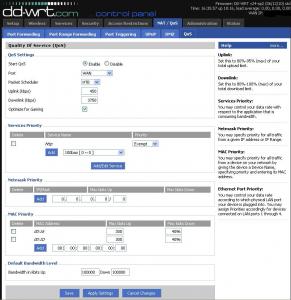
Hi, attached is the photo of the settings I did on my DD-WRT router.
I am using a Linksys WRT54GL router, using a TMNET 1MBps Streamyx line and it's shared with 15 units of pcs and macs.
On the router, I limited the downloads to 50kpbs and upload to 30kpbs.
After I set the download limit, I am still able to download files at the speed of 60 -100kpbs wirelessly. Is my settings are wrong or the QOS on the DD-WRT are not working?

lol bro.. ur setting is wrong.. the 30 and 50 u input should be ur total dl and ul but don put the max 1 for example ur 1mbps streamyx,I am using a Linksys WRT54GL router, using a TMNET 1MBps Streamyx line and it's shared with 15 units of pcs and macs.
On the router, I limited the downloads to 50kpbs and upload to 30kpbs.
After I set the download limit, I am still able to download files at the speed of 60 -100kpbs wirelessly. Is my settings are wrong or the QOS on the DD-WRT are not working?
downlink put 900 uplink put 300 (it is kbps)
den to limit every computer speed, set the QoS priority.. for example pc 1's mac is 11.22.33.44.55 den add this mac address 1st den under the Mac Priority, dl put 50, uplink put 30
(note that it is kbps not kBps..)
This post has been edited by ywkwy: Jun 23 2010, 04:46 PM
 Quote
Quote
 0.0208sec
 0.72
0.72
 7 queries
 GZIP Disabled