Xperia™ arc takes the stunning design language that Sony Ericsson has become known for to a new level. Super slim and light, Xperia™ arc is just 8.7mm at its thinnest part and has a extra wide 4.2” multi-touch screen. Created from premium materials and with a stunning arc body, this smartphone is sleek, strong and designed to fit perfectly in the user’s hand. The best of Sony technology is inside Xperia™ arc. The Reality Display with Mobile BRAVIA® Engine delivers exceptional visual brilliance and a crystal clear image which enhances the overall entertainment experience. Furthermore, Sony’s award-winning Exmor R™ for mobile sensor with the f/2.4 lens enables the capture of high quality, bright pictures and HD videos even in low light. All pictures and videos can be shared in HD on your living room TV via the built in HDMI-connector.
SIZE Dimensions : 125 x 63 x 8.7 mm Weight 117 g DISPLAY Type LED-backlit LCD, capacitive touchscreen, 16M colors 480 x 854 pixels, 4.2 inches - Scratch-resistant surface - Accelerometer sensor for auto-rotate - Multi-touch input method - Sony Mobile BRAVIA Engine - Proximity sensor for auto turn-off - Timescape UI
MEMORY Phonebook Practically unlimited entries and fields, Photocall Call records Practically unlimited Internal 320 MB storage, 512 MB RAM Card slot microSD, up to 32GB, 8 GB included
DATA GPRS Up to 86 kbps EDGE Up to 237 kbps 3G HSDPA, 7.2 Mbps; HSUPA, 5.76 Mbps WLAN Wi-Fi 802.11 b/g/n, DLNA, Wi-Fi hotspot
Bluetooth Yes, v2.1 with A2DP Infrared port No USB Yes, v2.0 microUSB
CAMERA Primary 8 MP, 3264x2448 pixels, autofocus, LED flash, check quality Features Touch focus, image stabilization, geo-tagging, face and smile detection Video Yes, 720p@30fps, continuous autofocus, video light, check quality Secondary No
Messaging SMS (threaded view), MMS, Email, Push email, IM Browser HTML Radio Stereo FM radio with RDS Games Yes + downloadable, motion gaming Colors Midnight Blue, Misty Silver GPS Yes, with A-GPS support Java Yes, via third-party application - Digital compass - HDMI port - Active noise cancellation with dedicated mic - MP4/H.263/H.264/WMV player - MP3/eAAC+/WMA/WAV player - TrackID music recognition - NeoReader barcode scanner - Google Search, Maps, Gmail, YouTube, Calendar, Google Talk - Facebook and Twitter integration - Document viewer - Adobe Flash 10.2 - Voice memo/dial/commands - Predictive text input
BATTERY Standard battery, Li-Po 1500 mAh Stand-by Up to 430 h (2G) / Up to 400 h (3G) Talk time Up to 7 h (2G) / Up to 7 h (3G) Music play Up to 31 h
» Click to show Spoiler - click again to hide... «
Start with premium materials. Stir in some beautiful curvature. Squeeze down to 8.7 mm. And there it is, a perfect palm fit: the slim light weight and strong Sony Ericsson Xperia arc with state of the art Sony screen technology.
Your Sony Ericsson Android phone has an Exmor R sensor that lets you capture high-quality movies and stills in low light. So go ahead and shoot. Then show, in stunning HD direct onto your TV via the HDMI connector.
Your life in vivid colours. Videos and stills. Show it all off on the sharp crisp and clear 4.2" multi-touch Reality display with Sony Mobile BRAVIA Engine. The Xperia arc Android touch phone -- designed to be daring.
Check out the features of one of the new members of the Xperia family, the Xperia arc. Featuring Sony Ericsson's new Reality display with Mobile BRAVIA® Engine. A great new camera with Exmor R sensor and HDMI out.
Retail without contract : RM 2099 Phone cost tied to data package Free additional accessories worth RM 429 : HDMI cable, HiFi Wireless headset with FM radio MW600, AN401 car charger, 1 extra USB cable, Screen protector Standard accessories : Sandisk 8 gb micro SD card, wall USB port charger, handsfree kit, USB cable, 1500 mAH battery
» Click to show Spoiler - click again to hide... «
Please note that all data will be deleted from the Sony Ericsson Xperia Arc as a result of this procedure.
First, try this:
From the main home screen, tap menu Tap Settings, then Privacy Tap Factory data reset Tap Reset phone Enter your password if required, then tap Erase everything to confirm If that doesn't work, or if your phone is frozen:
Turn the power off. If your Sony Ericsson Xperia Arc is frozen, pull the battery out and reinsert it Hold the Left and right buttons located beneath the display Press and release the Power button Follow the on-screen instructions to hard reset your phone All data including third-party applications will be deleted from the Sony Ericsson Xperia Arc. Once the wipe is complete, the phone will reboot to its factory fresh state.
2. How to uninstall 3rd party apps ?
» Click to show Spoiler - click again to hide... «
Press SETTINGS key ( the last key on the right ) - Select Settings/Applications/Manage Applications Scroll down the list of apps shown. Tap on the app you wish to uninstall. In the new apps window , just select " Uninstall"
3. How to I enable apps to be installed on SD card ?
» Click to show Spoiler - click again to hide... «
Press SETTINGS key ( the last key on the right ) - Select Settings/Applications/Manage Applications Scroll down the list of apps shown. Tap on the app you wish to move to SD card : If the box " Move to SD card" is not greyed out - just tap on it . The app will be move to SD card OR you can download from Market and install the free app " App 2 SD" to do it
This is another lengthy way to enable it : To install an app to the SD card on Android Froyo, the application itself needs to support it. However, the Froyo system installs all new applications on your device’s internal memory by default, except for those that explicitly request external installation. Luckily, it’s possible to make your Android 2.2 phone put apps on the SD card by default instead. Here’s how:
First you have to enable USB debugging on your Android device from Settings > Applications > Development > USB debugging. Now you need to download and install the Android SDK on your computer from http://developer.android.com/sdk/. Once you’ve downloaded and extracted the package to the folder of your choice, run SDK Setup.exe and click on Available Packages to the left. If you get an error message at this point, enable “Force https://…” in the Settings. From the list of available packages, select “Usb Driver package”, click on the Install Selected button in the bottom right corner and follow the prompts. Connect your phone to your computer with a USB-cable. Your OS will prompt you to install new drivers. Choose to install them from the android-sdk/usb_driver folder. Do not mount your device; you only need to plug-in the cable. Next, run a command prompt and navigate to the Android-SDK\tools folder. In Windows, this is done by selecting Run from the Start Menu (or by pressing Win+R) and typing cmd. You change drives in the command prompt by entering the drive letter followed by a colon (, and change folders with the CD command. For example, to enter the Android-SDK folder, simply type cd android-sdk. In the Android-SDK\tools folder, type in adb devices and you should get a serial number starting with “H” in return. All you have to do next is entering adb shell pm setInstallLocation 2. Voilà, you’re done! Android will now install apps to the SD card by default. To switch back to storing software on the internal memory, enter adb shell pm setInstallLocation 0. I should point out that it’s preferable to install certain apps to the main memory, since it will take a while before the SD card becomes available when you start your phone. Applications installed on the memory card will also be unavailable to the system each time you mount your phone as a disk drive. The internal storage is probably quicker as well, even though Google claims that “there is no effect on the application performance so long as the external storage is mounted on the device.” In general, apps that integrate with the Android OS and that often run in the background is better to install on the internal storage, while games and most other applications will have no problem chilling outside on your SD.
Homescreen widgets should be installed to the internal storage as well
4. How do I transfer files through wireless from PC to the phone ?
» Click to show Spoiler - click again to hide... «
Before we go into the details, you need to install several applications on your Android phone:
ES File Explorer is an excellent file manager for Android. It comes with a built in search function, image viewer, and most importantly a LAN browser that we’ll use to transfer files to our computer through Wifi. swiFTP is a lightweight FTP server that lets you transfer multiple files from Windows, Linux, or Mac through a secure FTP connection. Both of them are available for free from the market Tutorial guide : http://www.howtogeek.com/howto/41583/how-t...one-wirelessly/
5. How can I make my battery life longer ?
» Click to show Spoiler - click again to hide... «
6. I am on a prepaid data plan and I worry I will exceed my data limit. What is the best app to monitor my usage?
» Click to show Spoiler - click again to hide... «
I would recommend 2 good apps for this purpose: 3G Watchdog and Data Counter Widget. These are widgets which you can display on the homescreen. 3G WD display your current usage for the current day while the Data counter display the monthly total to date. Both widgets when selected allows you to view your daily, weekly and monthly statistics. Download these from Market and explore it - there are free versions
7. Where can I download a full user guide manual for the Xperia Arc ?
» Click to show Spoiler - click again to hide... «
8. How do I access paid apps Market and how to I purchase apps ?
» Click to show Spoiler - click again to hide... «
First, you need a GMail account. If you don't have, just register one at www.gmail.com. - Browse to Google Checkout : https://www.google.com/accounts/ServiceLogi...1%3Cmpl=default - Sign in using your gmail account and you will be guided accordingly to setup a payment system using your credit card
Access Paid apps Market
Your phone need to be rooted for this. From the Market, download and install the free app " Market Enabler " . Launch the app. In the main interface, select "Backup Settings" - this will save your local APN settings. Move to the next tab, select "T-Mobile (US)" as foreign telco , hold down selection and a pop-up window " fake this provider now". Select it. Close the app. Launch Market and you will be able to view all the paid and free apps. Once you have completed your " marketing:, launch MarketAccess and select "Restore Value" so as to enable back your actual network provider OR you can just restart the phone.
9. What is the best app to take screenshot ?
» Click to show Spoiler - click again to hide... «
Use the free app screenshot. However your phone must be rooted
10. What is best app to backup my data ?
» Click to show Spoiler - click again to hide... «
MyBackupPro : non rooted phone - backup all your apps apk files only and system data . If phone is rooted, all data associated with apps will be backup too . You will have option too to backup system apps too
Titanium Backup : Backup and restore feature of all apps, system data - multi feature app . Your phone MUST be rooted to use it. You can also use this app to remove system apps
11. What are the default apps that can be safely removed ?
» Click to show Spoiler - click again to hide... «
You need to use Titanium Backup to remove these apps and your phone must be rooted. Please do a full backup using Titanium Backup before deleting. You can easily restored any of these in the event you need it from Titanium Backup restore function
Tips from user stevenx:
BELOW IS A LIST OF SYSTEM OR APP THAT CAN BE DELETE AFTER ROOT (using Titanium Backup)
Postcard Japanese Keyboard Chinese Keyboard Spotify extension for timescape Twitter extension for timescape Play Now Sonyericsson Sync Syncwizard Office Suite Omadatasyncservice Track ID Let's Golf HD Office Suite Support & Setup Guide News & Weather Whatsapp messenger LiveWare Manager HDMI (will probably disable the HDMI-functionality!) Widgets On/Off (can be removed if you use other powercontrollers, like extended/widgetsoid etc.) Setup guide Media server Sony Ericsson Sync Sony Ericsson Sync client wizard Kaixin plugin for Timescape com.sonyericsson.digitalclockwidget.apk (Digital Clock 1.0) com.sonyericsson.widget.digitalclock.apk (Digital Clock 1.11.0) com.sonyericsson.androidapp.microblog.apk (Weibo) com.sonyericsson.youku.apk (Youku) com.sonyericsson.eventstream.twitterplugin.apk (Twitter) android.tts (TTS Service 2.3.2) com.sonyericsson.androidapp.timescapefeedsplugin EventStream EventStreamPluginCallLog EventStreamPluginFacebook EventStreamPluginTelephony EventStreamPluginTwitter EventStreamPluginFoursquare* EventStreamPluginShowNearby* TimeScapeSpline TimeScapeWidget Digital Clock Map Livewallpaper Anonymous Usage Stats CrashMonitor Street View
This post has been edited by benny888: May 27 2011, 07:48 PM
1. What is ROOTING and how will I benefit from it ?
» Click to show Spoiler - click again to hide... «
Root allows you run as "superuser", effectively giving you total control over the OS. You can add/remove stuff from the device memory, change ROMS, recovery images, themes, backup installed apps...
NOTE: After extracting the exe file, You have to copy the NAVISEA folder into the external micro SD card
Update your free maps every month ( first week) from : http://www.malfreemaps.com/viewtopic.php?f=23&t=9969 Run the exe file in PC - copy all the extracted files and just copy over and replace those files in the SD card folder : Navisea/Maps/Malaysia
4. Do I need to use TASK KILLERS on my phone ?
» Click to show Spoiler - click again to hide... «
This is a debatable topic. Personally I don't use any Task Killers. The official stand from Google is Task Killers are unnecessary for Androids. I quote from Google :
By default, every application runs in its own Linux process. Android starts the process when any of the application's code needs to be executed, and shuts down the process when it's no longer needed and system resources are required by other applications. A content provider is active only while it's responding to a request from a ContentResolver. And a broadcast receiver is active only while it's responding to a broadcast message. So there's no need to explicitly shut down these components. Activities, on the other hand, provide the user interface. They're in a long-running conversation with the user and may remain active, even when idle, as long as the conversation continues. Similarly, services may also remain running for a long time. So Android has methods to shut down activities and services in an orderly way.
5. When surfing with default browser, if I have scrolled down many sections , is there a shortcut to go back to top taskbar, instead of having to scroll up many sections again?
» Click to show Spoiler - click again to hide... «
I would highly recommend Dolphin Browser HD as an alternative browser. Try it and 9.9/10 you will not want to use the default browser anymore. It is not only faster and have great Tab and bookmark features. As for your question, I don't think there is a solution for the default browser and quite few other browsers too. However Dolphin with its GESTURE features will help you greatly
QUOTE : Quote from Softpedia Gesture commander feature is one of the most useful functions of the browser, as it shortens the time to access a website or do another actions such as, go back, forward, go to the top or end of a webpage. Basically, you can draw a special sign on the screen and the application will recognize it and act accordingly by automatically sending you to the webpage you previously specified. To make a gesture command you will need to click on the small hand on the left bottom corner of you browser and then draw the sign on the screen.
The small hand icon can be moved on the right bottom side or you can hide it. There's a number of predefined gesture controls that you can check by going to going to Settings / Gesture settings. You can also create you own gestures by clicking on the Create a gesture option. From what I noticed, the sign are immediately recognized and greatly improves the functionality of the application. There's no need to scroll through your bookmarks or scroll from the top to the bottom of a webpage, as you can do it with only two clicks.
6. How do I download Gameloft games to my phone since most of the HD games are not available in the Market ?
» Click to show Spoiler - click again to hide... «
Select Country Key in : Carrier, Phone model, Phone number
In a few sec you will receive SMS with a link to download the game
How to download games from Gameloft Try Android HD games for free before purchasing. Here is our latest video of an in-depth tutorial.
How to download Gameloft's Android HD games
10 NEW Gameloft HD Games
7. I want to replace the default SE home launcher. Which 3rd party home launcher is the best ?
» Click to show Spoiler - click again to hide... «
The popular ones are Launcher Pro, ADW Launcher and Zeam. My favorite is Zeam. All these launchers has their own pros and cons. You should try out and see which suits your needs better. Overall I can say these alternative launchers is slicker and smoother than the SE default launcher You can read a review of these here: http://forum.xda-developers.com/showthread.php?t=807908
There is a new 3D launcher SpB Shell 3d - not recommended for the Xperia Arc - it lags terribly as this launcher requires ahuge amount of memory which the Arc lacks. It however works magnificently and flawlessly slick and smooth on the INcredible S
8. How do i test the Arc 's hardware from phone app ?
» Click to show Spoiler - click again to hide... «
Launch phone, enter the following : *#*#7378423#*#*
The following tests can be done - choose the one you are interested in : - Keyboard switch, touch screen display led/illumination, speaker, earphone, microphone, secondary microphone, vibrayor, camera, flash led, bluetooth, wlan, gps, compass, accelerometer, ambient light sensor, proximity switch, real time clock, total call time, external memory, security, fm radio, battery test, flip slider counter, verify certificates, irda test, hdmi test
9. How to reduce battery drain as the camera app when closed does not fully closed ?
» Click to show Spoiler - click again to hide... «
1. Install a 3rd party camera app, problem solved (e.g. Vignette)
2. Or reboot after using SE camera
3. Or kill camera task after using SE camera (Settings > Applications > Running Services > tap "free ram" area at the bottom right and look for camera task (I HAVE NOT USED THIS METHOD BEFORE, you can try)
In the meantime, wait for SE firmware update
ROM VERSION DETAILS :
» Click to show Spoiler - click again to hide... «
MALAYSIAN ORIGINAL : Android version 2.3.2 Baseband : 7X30A-AAABQMAZM-1290_14-10 Kernel : 2.6.32.9-PERF Build Number : 3.0.A.2.181
HOW to connect the phone with FASTBOOT to determine whether bootloader can be unlock ?
» Click to show Spoiler - click again to hide... «
All phones will have a locked bootloader by default. Unbranded and simlock-free phones will be unlockable through some tool Sony Ericsson will release (probably). You can check if your device is unlockable by connecting it to fastboot. If fastboot recognizes your phone, you will be able to unlock it when Sony Ericsson releases its tool.
1. download fastboot.zip (www.share.cx/files/216783534118/Fastboot.zip.html) 2. unzip fastboot.zip 3. power off phone 4. press and keep pressed menu key and plug in usb cable, notification led should be blue now 5. open cmd.exe 6. cd to the directory where fastboot.exe has been unzipped to 7. type "fastboot devices" and hit return 8. watch what happens
if you see something alphanumeric (see attachment) plus "fastboot" then you're lucky, your bootloader can be unlocked.
if nothing happened, try installing PdaNet (www.junefabrics.com/android/download.php) and retry. its installer comes with the needed driver files. still nothing happened, your bootloader cannot been unlocked the official semc method
UNLOCKING the Bootloader is now available : With these , it will mean one can installed customized roms when available. However do read SE grandma /grandpa warnings about unlocking : http://unlockbootloader.sonyericsson.com/
TUTORIAL : Unlocking the bootloader
» Click to show Spoiler - click again to hide... «
Warning! This procedure will wipe the /data partition of your phone.
1. Download: -fastboot package: http://www.multiupload.com/BMJ24IL6XY -x86/x64 drivers: http://www.multiupload.com/0XZV1LXRVA 2. Go to: http://unlockbootloader.sonyericsson.com/instructions 3. At the bottom click 'Continue' and enter your IMEI (type *#06# to find out), name and email address 4. You should now receive your unique unlock key 5. Extract fastboot.rar and open fastboot folder 6. Hold SHIFT and right click on the background of the folder 7. Select 'Open command window here' 8. Connect your phone in fastboot mode (turn phone off, hold menu button and plug in USB Cable) 9. In the cmd windows type in fastboot.exe -i 0x0fce getvar version 10. If a value is returned, it means the phone is correctly connected 11. Type in fastboot.exe -i 0x0fce oem unlock 0xKEY and replace KEY with the key provided in step 4. 12. You're device should now be bootloader unlocked
» Click to show Spoiler - click again to hide... «
UTILITIES
» Click to show Spoiler - click again to hide... «
1 Password 3G Watchdog Data Counter widget AdFree ADWLauncher EX Launcher Pro Astro Awesome Drop Backup to Gmail Barcode Scanner BatteryLife Bluetooth File Transfer Bookmarks to SD Bump Chrome to Phone ConvertPad - Unit Converter Currency converter plus Dropbox Fancy Widget Pro Beautiful Widgets Folder Organizer GoAruna Google Translate Handcent SMS Hanndy Safe Pro MarketAccess MarketEnabler MyBackup Pro Palmary Weather Pro People Widget Protector Quick Boot Quick System Info Root Explorer S2 Calendar Widget Smooth Calendar SMS Backup SMS Backup & Restore SMS Translate ProSpeed Test StopWatch & Timer SwitchPro Widget SystemPanel Zip Viewer
OFFICE Tools
» Click to show Spoiler - click again to hide... «
AK Notepad Documents To Go ezPDF Reader Google Pinyin Note Everything K-9 Mai Post it Desk Quickoffice Vlingo
MULTIMEDIA
» Click to show Spoiler - click again to hide... «
» Click to show Spoiler - click again to hide... «
Aldiko Books Comic Reader Mobi Google Reader iReader iSilo Laputa Pro PalmBookReader Repligo Reader Tapatalk XDA
NEWS
» Click to show Spoiler - click again to hide... «
BBC News Better Engadget BeyondPod CNN News DailyDilbert FT Mobile MobileKini Newsroom NYTimes TweetDeck Twidroyd PRO World Newspapers
REFERENCE
» Click to show Spoiler - click again to hide... «
ColorDict Concise Oxford Medical Dictionary Earth IMDB iPharmacy Oxford Dictionary of English WikiMobile
BROWSERS & COMMUNICATION/NAVIGATION
» Click to show Spoiler - click again to hide... «
Dolphin Browser HD Foursquare GPS Status GPS Test Plus MSN Talk Pro PAPAGO! Aura Skype XSCope 6
GAMES - please suggest
» Click to show Spoiler - click again to hide... «
User stevenX recommends : - Angry bird Rio - Zynga Poker - Asphalt 5 HD - Empire Defence - Robo Defence - Ninjump - ninja kaka pro - let golf HD - Krazy Kart Racing - Dungeon hunter HD
MALAYSIAN Telcos Settings
» Click to show Spoiler - click again to hide... «
MAXIS
1) Home -> Menu -> Settings -> Wireless & networks -> Mobile networks -> Access Points Name 2) Menu -> New APN
Name: Maxis 3G Internet
APN: unet Proxy: 202.075.133.049 Port: 80 User Name: maxis Password: *** (I don't know what is the password as it only shown *** on my SGT) Server: Not Set MMSC: http://172.16.74.100:10021/mmsc MMS Proxy: 202.075.133.049 MMS Port: 80 MCC: 502 MNC: 12 Authentication type: PAP APN type: internet + mms
DIGI
1) Home -> Menu -> Settings -> Wireless & networks -> Mobile networks -> Access Points Name 2) Menu -> New APN Name : DiGi Internet User name : digi APN: diginet MCC: 502 MNC: 16 APN Type: default (Others, blank)
NOTE : If you subscribed to Digi Internet Prepaid package ( RM2/day package ): the APN is : 3gdgnet
DIGI MMS
Name: DIGI MMS APN: digimms Proxy: no set Port: Not Set Username: mms password: mms Server: http://mms.digi.com.my/servlets/mms MMS proxy: 203.092.128.160 MMS port: 80 MMS protocol: WAP 2.0 MCC: 502 MNC: 16 Authentication type: not set APN type: mms
Digi Wap
Name: digiwap Apn: digiwap Proxy: 203.092.128.188 Port: 80 Username: digi Password: digi Server: Not Set MMSC: Not Set MMS proxy: Not Set MMS Port: Not Set MMS protocol: wap 2.0 MCC: 502 MNC: 16 Authentication Type: Not Set Apn Type: httpproxy
CELCOM
1) Home -> Menu -> Settings -> Wireless & networks -> Mobile networks -> Access Points Name 2) Menu -> New APN Name : Celcom 3G APN : celcom3g MMSC: http://mms.celcom.net.my MMS Proxy : 10.128.1.242 MMS Port : 8080
Can try this if above doesn't work:
Celcom 3g internet setting :
Name : Celcom 3G Internet APN : celcom3g MCC : 502 MNC : 19 APN type : default
Celcom 3g MMS setting :
Name : Celcom 3G MMS APN : celcom3g MMSC : http://mms.celcom.net.my MMS proxy : 10.128.1.242 MMS port : 8080 MCC : 502 MNC : 19 APN type : mms
Celcom 2g internet setting :
Name : Celcom 2G Internet APN : celcom.net.my MCC : 502 MNC : 19 APN type : default
Celcom 2g MMS setting :
Name : Celcom 2G MMS APN : mms.celcom.net.my MMSC : http://mms.celcom.net.my MMS proxy : 10.128.1.242 MMS port : 8080 MCC : 502 MNC : 19 APN type : mms
This post has been edited by benny888: May 27 2011, 07:59 PM
» Click to show Spoiler - click again to hide... «
Normal mode - Image Stabilizer ON
Night mode - Image Stabilizer ON
By user stevenX
» Click to show Spoiler - click again to hide... «
By user Lunar
» Click to show Spoiler - click again to hide... «
CAMERA Shots DAY mode
By user Ninja
» Click to show Spoiler - click again to hide... «
By user benny888
» Click to show Spoiler - click again to hide... «
VIDEO recording
By user benny888 Mid day , medium sunlight
» Click to show Spoiler - click again to hide... «
DEMO of the EXMOR R sensor technology during the preview held at Jayaone on 26 March. It was indeed impressive that under very low light conditions the picture inside the box were captured . The ARC will take superb photos with clarity on foreground and background under low light conditions. Most of us tested our phones on the Exmor box and all came out disappointed as we only see black screens on our phones Video from soyacincau.com
The official statement from SE : The first batch of models to benefit from the Exmor R technology is the Xperia Arc, Xperia Neo and the Xperia Pro. What this means is that these models will be able to take superior quality photos even in low lighting conditions.
For those technically inclined the Exmor R is able to produce these amazing photos because its metal wiring is located beneath the photo diode instead of above it. This results in less loss to image quality. Even with this enhancement the CMOS sensor still retains its low power consumption requirement and its fast operation, making you take more pictures at a faster rate and for a longer period of time.
If you love taking photos then you will definitely love the quality the Xperia models with Exmor R offers. The Xperia Arc, Xperia Neo and Xperia Pro are all upcoming models from Sony Ericsson which should be released soon.
» Click to show Spoiler - click again to hide... «
This post has been edited by benny888: May 27 2011, 08:13 PM
weird, just now trying to download the 3 free HD game, after trying 1 game, it says i have already downloaded 3 and can only re download the same game??
Not yet for global rom, expect on june.. Hk rom, o2 rom n generic uk rom oledi got 2.3.3 update.. Mine on hk rom now, a lot of improvement i can say.
QUOTE(stevenX @ May 27 2011, 08:09 PM)
gratz v2 finally haha
btw, i have a question .. im using thorus set .. i feel like wanna drop by sony service center for warranty or check up .. where should i go ?
Any sc can if urs is ori set..
QUOTE(ksangang @ May 27 2011, 10:26 PM)
weird, just now trying to download the 3 free HD game, after trying 1 game, it says i have already downloaded 3 and can only re download the same game??
If uve oledi dled 3 games, u shud hav the link to redonlod the game again..
Not yet for global rom, expect on june.. Hk rom, o2 rom n generic uk rom oledi got 2.3.3 update.. Mine on hk rom now, a lot of improvement i can say. Any sc can if urs is ori set.. If uve oledi dled 3 games, u shud hav the link to redonlod the game again..
yes got 3 links but i have only dl one. so i lost 2 choices to dl the game i wanted
2 minutes video to show how easy it is to root the Arc with Gingerbreak, how useful the Titanium Backup Pro (paid) is and how DANGEROUS it is to simply-simply suka-suka freeze (stop) a system service like the Home 1.0 service - which will hang the phone for which only a HARD FACTORY RESET may get your phone working again.
2 minutes video to show how easy it is to root the Arc with Gingerbreak, how useful the Titanium Backup Pro (paid) is and how DANGEROUS it is to simply-simply suka-suka freeze (stop) a system service like the Home 1.0 service - which will hang the phone for which only a HARD FACTORY RESET may get your phone working again. Gingerbreak the Gingerbread Arc - Youtube video by local Forum Member
erm latest update 2.3.3 for Arc cant b rooted using gingerbreak.. atm only using prerooted image for unlocked bootloader phone is available to get root..
QUOTE(Chip89 @ May 28 2011, 01:04 AM)
Eh guys i using 2 phone and i found out my Xperia arc have weak on detect WiFi signal compare to nokia N8... very sad 1 deh .
latest update seems to hav rectified the problems.. but i dunno, maybe u shud try it urself later, mine so far no prob..
erm latest update 2.3.3 for Arc cant b rooted using gingerbreak.. atm only using prerooted image for unlocked bootloader phone is available to get root..
erm latest update 2.3.3 for Arc cant b rooted using gingerbreak.. atm only using prerooted image for unlocked bootloader phone is available to get root.. latest update seems to hav rectified the problems.. but i dunno, maybe u shud try it urself later, mine so far no prob..
The difference between Android 2.3.2 and Android 2.3.3 is somewhat small I read. Some feature 'improvements and API upgrades' but I heard only useful for Android developers.
Seem that these 'upgrades' are mainly on the Near Field Communications and on the Bluetooth code stack - so for old men like me, nevermindla, 2.3.2 rooted with 15minutes of Gingerbreak activity is can do.
Thanks for the advice. BTW, is everyone waiting for SE upgrade to mean waiting for this 2.3.3 or something else? What is everyone so kan-cheong waiting for? and why?
The difference between Android 2.3.2 and Android 2.3.3 is somewhat small I read. Some feature 'improvements and API upgrades' but I heard only useful for Android developers.
Seem that these 'upgrades' are mainly on the Near Field Communications and on the Bluetooth code stack - so for old men like me, nevermindla, 2.3.2 rooted with 15minutes of Gingerbreak activity is can do.
Thanks for the advice. BTW, is everyone waiting for SE upgrade to mean waiting for this 2.3.3 or something else? What is everyone so kan-cheong waiting for? and why?
You should read a previous post on V1, the fix list is quite long
The difference between Android 2.3.2 and Android 2.3.3 is somewhat small I read. Some feature 'improvements and API upgrades' but I heard only useful for Android developers.
Seem that these 'upgrades' are mainly on the Near Field Communications and on the Bluetooth code stack - so for old men like me, nevermindla, 2.3.2 rooted with 15minutes of Gingerbreak activity is can do.
Thanks for the advice. BTW, is everyone waiting for SE upgrade to mean waiting for this 2.3.3 or something else? What is everyone so kan-cheong waiting for? and why?
Tht is a feature, u shud read wht things they hav fixed on the new update..
erm latest update 2.3.3 for Arc cant b rooted using gingerbreak.. atm only using prerooted image for unlocked bootloader phone is available to get root.. latest update seems to hav rectified the problems.. but i dunno, maybe u shud try it urself later, mine so far no prob..
so 2.3.3 only can be root for those unlocked bootloader ?
QUOTE(ricstc @ May 28 2011, 02:11 AM)
The difference between Android 2.3.2 and Android 2.3.3 is somewhat small I read. Some feature 'improvements and API upgrades' but I heard only useful for Android developers.
Seem that these 'upgrades' are mainly on the Near Field Communications and on the Bluetooth code stack - so for old men like me, nevermindla, 2.3.2 rooted with 15minutes of Gingerbreak activity is can do.
Thanks for the advice. BTW, is everyone waiting for SE upgrade to mean waiting for this 2.3.3 or something else? What is everyone so kan-cheong waiting for? and why?
you should read xda forum on which to remove after root ... home can be remove only after u have another launcher install in it ..
you should read xda too on what had change in this new version .. or xperia blog will help u .. the upgrade we waiting is : - camera better shut down - HD Video recording performance - smoother ui - Battery performance
Dear all, i ve rooted my arc using gingerbreak and alrrady have the superuser permission access.can i know how can i remove it without format my phone?
Dear all, i ve rooted my arc using gingerbreak and alrrady have the superuser permission access.can i know how can i remove it without format my phone?
Why would you want to remove it. You need to run this app in certain cases when certain apps fail to run due to root needs. If you wish to unroot - Just run the gingerbreak app again and select unroot
) Home -> Menu -> Settings -> Wireless & networks -> Mobile networks -> Access Points Name 2) Menu -> New APN Name : DiGi Internet User name : digi APN: diginet MCC: 502 MNC: 16 APN Type: default (Others, blank)
NOTE : If you subscribed to Digi Internet Prepaid package ( RM2/day package ): the APN is : 3gdgnet
This post has been edited by da drummer: May 28 2011, 03:35 PM
) Home -> Menu -> Settings -> Wireless & networks -> Mobile networks -> Access Points Name 2) Menu -> New APN Name : DiGi Internet User name : digi APN: diginet MCC: 502 MNC: 16 APN Type: default (Others, blank)
NOTE : If you subscribed to Digi Internet Prepaid package ( RM2/day package ): the APN is : 3gdgnet
i got no problem .. and i use digi prepaid internet rm15/per week unlimit
name : DiGi Internet apn : 3gdgnet mcc : 502 mnc : 16
the other no set
ohh u smart plan .. sorry .. maybe u try go to setting > sony erricsson > setting download ?
This post has been edited by stevenX: May 28 2011, 04:04 PM
) Home -> Menu -> Settings -> Wireless & networks -> Mobile networks -> Access Points Name 2) Menu -> New APN Name : DiGi Internet User name : digi APN: diginet MCC: 502 MNC: 16 APN Type: default (Others, blank)
NOTE : If you subscribed to Digi Internet Prepaid package ( RM2/day package ): the APN is : 3gdgnet
Benny Appreciate a quick comment from your with you obviously vast experience.
Is it correct to assume that when the 2.3.3 upgrade comes for the Malaysian users, those that have a rooted 2.3.2 will have to unroot and only then upgrade?
And that Gingerbreak v.1.2 won't be able to root 2.3.3 but would have to wait for developers at XDA to come out with a newer version that can?
Also, if you don't mind, in your FAQ No. 8. 'How do I access paid apps Market and how to I purchase apps ?' -- you mentioned the word 'paid apps'. My question is paid apps to mean that 'it is already paid (by someone) and you can access these paid apps for FREE' ? or that they are paid apps that can be purchased, just that without the MarketEnable widget, normally browsing Market (without faking other Telco, ie what MarketEnabler does), one cannot see these 'paid apps' listed?
To cut it short, meaning, when we browse Market we can see lots of apps (for purchase) anyway, when we use MarketEnabler to fake other Telcos, we ALSO can see lots of apps (for purchase) too - all in USD as 'normal' - so where is the difference? Am I missing something here?
Thanks a lot!
This post has been edited by ricstc: May 29 2011, 02:26 AM
Benny Appreciate a quick comment from your with you obviously vast experience.
Is it correct to assume that when the 2.3.3 upgrade comes for the Malaysian users, those that have a rooted 2.3.2 will have to unroot and only then upgrade?
And that Gingerbreak v.1.2 won't be able to root 2.3.3 but would have to wait for developers at XDA to come out with a newer version that can?
Also, if you don't mind, in your FAQ No. 8. 'How do I access paid apps Market and how to I purchase apps ?' -- you mentioned the word 'paid apps'. My question is paid apps to mean that 'it is already paid (by someone) and you can access these paid apps for FREE' ? or that they are paid apps that can be purchased, just that without the MarketEnable widget, normally browsing Market (without faking other Telco, ie what MarketEnabler does), one cannot see these 'paid apps' listed?
To cut it short, meaning, when we browse Market we can see lots of apps (for purchase) anyway, when we use MarketEnabler to fake other Telcos, we ALSO can see lots of apps (for purchase) too - all in USD as 'normal' - so where is the difference? Am I missing something here?
Thanks a lot!
juz helping out b4 uncle benny answered urs
when the 2.3.3 update is available to malaysian users, n i guess its Global ROM, u dun hav to unroot to hav the update.. the update itself will make a fresh install to ur phone thus all ur 3rd party apps including ur root n whatsoever will dissappear.. its like a new phone come out of the factory..
yes, Gingerbreak is not working on latest 2.3.3 update, at least by me, as im already with 2.3.3 HK Rom.. and if u c the Gingerbreak dev team, they r not quite active nowadays..
b4 this, all apps tht r showed on the market is free apps, meaning u cant access paid apps which is the one that u need to pay to get it, thus making it difficult for u to get for example the full version of the apps, but of course u need to pay.. u can c now o n the market there is a top paid apps section, b4 this thts not even exist on our market..
market enabler is to fake other telcos, n yes, it doesnt make much diff now tho as our market can display paid apps, BUT there r certain apps tht r not displayed on our market, n i dunno why (perhaps someone can answer tht?) such as GooGle Maps n other apps also.. i prefer to use market enabler eventho our current market is already improved as it will show all updates on my current apps on my phone..
when the 2.3.3 update is available to malaysian users, n i guess its Global ROM, u dun hav to unroot to hav the update.. the update itself will make a fresh install to ur phone thus all ur 3rd party apps including ur root n whatsoever will dissappear.. its like a new phone come out of the factory..
yes, Gingerbreak is not working on latest 2.3.3 update, at least by me, as im already with 2.3.3 HK Rom.. and if u c the Gingerbreak dev team, they r not quite active nowadays..
b4 this, all apps tht r showed on the market is free apps, meaning u cant access paid apps which is the one that u need to pay to get it, thus making it difficult for u to get for example the full version of the apps, but of course u need to pay.. u can c now o n the market there is a top paid apps section, b4 this thts not even exist on our market..
market enabler is to fake other telcos, n yes, it doesnt make much diff now tho as our market can display paid apps, BUT there r certain apps tht r not displayed on our market, n i dunno why (perhaps someone can answer tht?) such as GooGle Maps n other apps also.. i prefer to use market enabler eventho our current market is already improved as it will show all updates on my current apps on my phone..
Super thanks Ultima
Are you with the HK ROM at 2.3.3 update rooted by other means other than the Gingerbreak method? (perhaps by unlocking the bootloader method? Does this work on the 2.3.3?)
And about the Market and Market Enabler comment - thanks. I think maybe someone should put what you had explained to update the FAQ (which I think do need some updates/clarification) otherwise many new members will start asking the same questions I did in confusion.
Benny Appreciate a quick comment from your with you obviously vast experience.
Is it correct to assume that when the 2.3.3 upgrade comes for the Malaysian users, those that have a rooted 2.3.2 will have to unroot and only then upgrade?
And that Gingerbreak v.1.2 won't be able to root 2.3.3 but would have to wait for developers at XDA to come out with a newer version that can?
Also, if you don't mind, in your FAQ No. 8. 'How do I access paid apps Market and how to I purchase apps ?' -- you mentioned the word 'paid apps'. My question is paid apps to mean that 'it is already paid (by someone) and you can access these paid apps for FREE' ? or that they are paid apps that can be purchased, just that without the MarketEnable widget, normally browsing Market (without faking other Telco, ie what MarketEnabler does), one cannot see these 'paid apps' listed?
To cut it short, meaning, when we browse Market we can see lots of apps (for purchase) anyway, when we use MarketEnabler to fake other Telcos, we ALSO can see lots of apps (for purchase) too - all in USD as 'normal' - so where is the difference? Am I missing something here?
Thanks a lot!
YES, USUALLY not necessary so in order to receive firmware updates OTA - your phone must be unrooted. Secondly any default stock apps that is fremoved/or freeze must be restore back. If not, you will only see system is up to date. So I'd suggest that you unroot your phone if you know there is an update on its way
Gingerbreak 1.2 is dependent on devices ; it is not a one for all solution. Example, recently I use the generic 1.2 version to try to root my Acer Iconia A500 but was unsuccessful. After scouring the web, I found a modified version still name as Gingerbreak 1.2 and it could root my Tab. Yesterday I use it just to test and unroot - works well. And than I root my Iconia back successfully. So for 2.3.3 have to wait for solutions from those wonder geeks at XDA. I try GB 1.2 too on my Galaxy S II ( on 2.3.3 ) - but failed to get it to work
PAID apps is apps that you need to buy and pay for it. The apps MarketAcess or MarketEnabler just simulate a foreign telco on the phone. So with these, you can access all the paid apps. Buying the apps thro such faking telco methods is just a trick, your purchased apps are all still ORIGINAL and you will see all apps purchased in MyApps when you launched Market. However to update these purchased apps, you might need to fake telco again to update or redownload There are apps that is so called BlackMarket which shows paid apps but you download it for free. I have always advised users to stay away from BalckMarket as this is the worst and most dangerous source of pirated apps. If you see your phone random rebooting, hanging-freezing etc just blame yourself for using such apps from Blackmarket as no one really knows how these apps affect the system and how it interacts with other similar cracked apps. Android apps are cheap US99 sen to average US3 ghenerally - support the developer and buy the apps. And if one can afford a RM2.0 to RM2.5K phone, I am sure one can afford to pay few ringgit for the app. Whether one like it or not, using such pirated apps is similar to stealing other people intellectual property. No matter what arguments you have, it is plain stealing and one is no better than any other petty thief
This post has been edited by benny888: May 29 2011, 10:42 AM
Are you with the HK ROM at 2.3.3 update rooted by other means other than the Gingerbreak method? (perhaps by unlocking the bootloader method? Does this work on the 2.3.3?)
And about the Market and Market Enabler comment - thanks. I think maybe someone should put what you had explained to update the FAQ (which I think do need some updates/clarification) otherwise many new members will start asking the same questions I did in confusion.
Thanks again
im on 2.3.3 HK ROM, testing it while waiting for 2.3.3 Global Rom.. mine is originally on global rom tho.. n yes, mine is rooted but not through gingerbreak, my bootloader is unlocked so im using the fastboot method, which requires u to unlock ur bootloader.. honestly, if u juz wanna root n nothing else, juz wait for some apps similar to gingerbreak tht can root ur device.. unlocking the bootloader comes with a price as u cant update ur phone thru SEUS or pc companion, also it may void ur warranty..
- support the developer and buy the apps. And if one can afford a RM2.0 to RM2.5K phone, I am sure one can afford to pay few ringgit for the app. Whether one like it or not, using such pirated apps is similar to stealing other people intellectual property. No matter what arguments you have, it is plain stealing and one is no better than any other petty thief
Not everybody who bought a 2k phone can really afford it. As we all know, costs of essential items is very high and our economy is in bad shape. Usually (not all) youngsters or immature ppl (mainly geeks/dorks) are totally taken by the marketing campaigns by phone companies e.g. Dual proc, samoled plus/super/etc. Then either they use up almost all their savings or take up installment plans which further add to their debts.
So how can these ppl afford paid apps? End up eating white bread and plain water evryday.
Not everybody who bought a 2k phone can really afford it. As we all know, costs of essential items is very high and our economy is in bad shape. Usually (not all) youngsters or immature ppl (mainly geeks/dorks) are totally taken by the marketing campaigns by phone companies e.g. Dual proc, samoled plus/super/etc. Then either they use up almost all their savings or take up installment plans which further add to their debts.
So how can these ppl afford paid apps? End up eating white bread and plain water evryday.
So you are giving a good reason to use pirated apps. There are always reasons .... I can understand that cannot afford if it is few hundred ringgit - it is just mere few ringgit It is a question of whether one wants to be honest an=bout it or continue to use such Seriously if one is not in a affordable position, buy a RM 500 android not a RM2-2.5k phone. Geez - unbelievable. It is similar to those who go and buy flashy cars and paying through their nose and every month endup empty and stretching their credit cards. If one cannot afford, just don't join the crowd. Join the crowd and end up a dishonest way of living's one life - geez no comments
So you are giving a good reason to use pirated apps. There are always reasons .... I can understand that cannot afford if it is few hundred ringgit - it is just mere few ringgit It is a question of whether one wants to be honest an=bout it or continue to use such Seriously if one is not in a affordable position, buy a RM 500 android not a RM2-2.5k phone. Geez - unbelievable. It is similar to those who go and buy flashy cars and paying through their nose and every month endup empty and stretching their credit cards. If one cannot afford, just don't join the crowd. Join the crowd and end up a dishonest way of living's one life - geez no comments
i do agree with... i see lot of lower income worker ( below 1.5k) paying lot of money to get middle/high end phone.. and at the end, cant afford to maintain like buying app, phone no credit.. etc
i dont say that this people cant buy but with this low income, its sure will affect your other spending capabiliy.. unless you already keep the money for the couple of month and target it.. thats different due you know what you are doing
So you are giving a good reason to use pirated apps. There are always reasons .... I can understand that cannot afford if it is few hundred ringgit - it is just mere few ringgit It is a question of whether one wants to be honest an=bout it or continue to use such Seriously if one is not in a affordable position, buy a RM 500 android not a RM2-2.5k phone. Geez - unbelievable. It is similar to those who go and buy flashy cars and paying through their nose and every month endup empty and stretching their credit cards. If one cannot afford, just don't join the crowd. Join the crowd and end up a dishonest way of living's one life - geez no comments
I'm not making up excuses or justifying theft. But that is exactly the real situation. Together u shld also consider the majority of ppl who buy the sub rm1000 android phones.
A few ringgit may mean difference btwn a full stomach n a starving one.
Maybe u are already retired and afford ur hobby. Congrats to you. But there are many young ppl who are full of debts.
aiyah no need argue la .. its all about how ppl think if its worth or value to pay or not
for me i just pay to gameloft ..
for car .. if ppl buy a car above 100k .. of coz they will go back to the ori factory to service, they agree with the value .. while proton user choose to service some other place coz they think proton service center charge too much ..
for dishonest in life .. there are many hole and grey area in life ..
i am a sony xperia arc user now! the only thing i'm not satisfied with is maxis. i bought the phone on friday and they still haven't registered my number yet. went to maxis just now and said will be authorized by 3 pm... maxis is so disappointing.
i am a sony xperia arc user now! the only thing i'm not satisfied with is maxis. i bought the phone on friday and they still haven't registered my number yet. went to maxis just now and said will be authorized by 3 pm... maxis is so disappointing.
im on 2.3.3 HK ROM, testing it while waiting for 2.3.3 Global Rom.. mine is originally on global rom tho.. n yes, mine is rooted but not through gingerbreak, my bootloader is unlocked so im using the fastboot method, which requires u to unlock ur bootloader.. honestly, if u juz wanna root n nothing else, juz wait for some apps similar to gingerbreak tht can root ur device.. unlocking the bootloader comes with a price as u cant update ur phone thru SEUS or pc companion, also it may void ur warranty..
Ultima, So do you mind (or have you already at some other posts) share how you feel like (pro/con/happy/not/still waiting for another ROM update) about the 233 HK ROM that you have on your Arc?
Im sure you had spent a lot of time and effort (and reading/researching) before actually executing it; so compare these effort and what the 233 ROM brings - what are some sharings from you?
And one more thing Ulitma or Benny, is this a good guide to follow - that is - to backup, Flash the HK (or any alternate ROM) for the Arc or do you follow some other forum (XDA, but which posting) or maybe it is a trade secret that cannot be shared suka-suka freely with anyone (like a few KungFu steps that are kept secret for superiority complex?)
Ultima, So do you mind (or have you already at some other posts) share how you feel like (pro/con/happy/not/still waiting for another ROM update) about the 233 HK ROM that you have on your Arc?
Im sure you had spent a lot of time and effort (and reading/researching) before actually executing it; so compare these effort and what the 233 ROM brings - what are some sharings from you? And one more thing Ulitma or Benny, is this a good guide to follow - that is - to backup, Flash the HK (or any alternate ROM) for the Arc or do you follow some other forum (XDA, but which posting) or maybe it is a trade secret that cannot be shared suka-suka freely with anyone (like a few KungFu steps that are kept secret for superiority complex?)
overall im so happy with 2.3.3 update, it fixes most of the probs tht u encounter on 2.3.2 such as recording issue, long bootup, battery drain issue on camera apps etc.. of coz thr r some minor issues tht r available but for me its mostly on facebook deep integration on arc, nothing else.. imo doesnt matter for me whether to use this HK rom or upcoming GLobal ROM but i prefer Global rom as its usually less bloatware, thts all.. O2 rom also available n got less bloatware also..
but until now, thr is no root available for a locked bootloader, so its up 2 u whether wanna update it or not, its ur choice..
for me, if u on locked bootloader, dun wori much bout bricking ur phone if u wan flashing.. SEUS will repair ur phone like new if sumthing happen.. but of course, u nid to read a bit, or maybe a lot, as a safety measure.. me myself hav played with flashing n modifying phone software since K750i era on SE phones, n i can say SEUS helps me a lot in recovering my phone to ori state..
for a good guide, better read tutorial from xda forum on Xperia Arc thread.. i didnt use any of the rom manager of watsoever apps from the market for flashing.. for previous SE phone model, u hav good Xrecovery, but on Arc, it cant b used so the devs on xda r still trying to figure out how to make a recovery like xrecovery..
make sure u install all the necessary drivers b4 u flash, n doing it right accordingly to the guide.. most of the probs occurred bcoz of missing drivers n missing steps..
overall im so happy with 2.3.3 update, it fixes most of the probs tht u encounter on 2.3.2 such as recording issue, long bootup, battery drain issue on camera apps etc.. of coz thr r some minor issues tht r available but for me its mostly on facebook deep integration on arc, nothing else.. imo doesnt matter for me whether to use this HK rom or upcoming GLobal ROM but i prefer Global rom as its usually less bloatware, thts all.. O2 rom also available n got less bloatware also..
but until now, thr is no root available for a locked bootloader, so its up 2 u whether wanna update it or not, its ur choice..
for me, if u on locked bootloader, dun wori much bout bricking ur phone if u wan flashing.. SEUS will repair ur phone like new if sumthing happen.. but of course, u nid to read a bit, or maybe a lot, as a safety measure.. me myself hav played with flashing n modifying phone software since K750i era on SE phones, n i can say SEUS helps me a lot in recovering my phone to ori state..
for a good guide, better read tutorial from xda forum on Xperia Arc thread.. i didnt use any of the rom manager of watsoever apps from the market for flashing.. for previous SE phone model, u hav good Xrecovery, but on Arc, it cant b used so the devs on xda r still trying to figure out how to make a recovery like xrecovery..
make sure u install all the necessary drivers b4 u flash, n doing it right accordingly to the guide.. most of the probs occurred bcoz of missing drivers n missing steps..
Yes a lot to read and have been reading everyday since. And too many sources with misinfo, mistaken info, must info mixed with forum myth talk info -- really have to be expert in filtering what's what.
My objective (if you please can suggest) is to just do a FULL IMAGE backup of the ROM (OS) of the phone - like what ROM Manager can do for other phones but it is NOT listed in the selection (when attempting a step before we can proceed with the NAND Backup) - so Im stuck here - is the only way to backup my OS is to do it via the Fastboot procedure (ie with USB cable and command line sent to the phone?)
Again, just to repeat - my immediate objective is to do a NAND backup and then later goals are to flash new ROMs etc. But backing up and able to restore current ROM image is very important - otherwise can't proceed / dare not flash modded ROMS.
Yes a lot to read and have been reading everyday since. And too many sources with misinfo, mistaken info, must info mixed with forum myth talk info -- really have to be expert in filtering what's what.
My objective (if you please can suggest) is to just do a FULL IMAGE backup of the ROM (OS) of the phone - like what ROM Manager can do for other phones but it is NOT listed in the selection (when attempting a step before we can proceed with the NAND Backup) - so Im stuck here - is the only way to backup my OS is to do it via the Fastboot procedure (ie with USB cable and command line sent to the phone?)
Again, just to repeat - my immediate objective is to do a NAND backup and then later goals are to flash new ROMs etc. But backing up and able to restore current ROM image is very important - otherwise can't proceed / dare not flash modded ROMS.
Can comment please?
SE phone is a bit diff than other phones, as i doesnt hav recovery partition n also cant do NAND backup... NAND backup is only applicable to HTC phones or maybe others (correct me if im wrong).. full backup of se phone rom is through SEUS.. u juz need to either repair or update(if available) ur phone through SEUS, n it will save the full fresh rom on ur pc.. next time when u repair through SEUS, it doesnt need to download it again, it will juz use the saved firmware on ur pc..
as i stated earlier, previous SE android phones (x10, x10 mini, x8) can use xrecovery, which is pretty much can do a full image backup of the rom, but for newest se android phones, xrecovery will not work..
SE phone is a bit diff than other phones, as i doesnt hav recovery partition n also cant do NAND backup... NAND backup is only applicable to HTC phones or maybe others (correct me if im wrong).. full backup of se phone rom is through SEUS.. u juz need to either repair or update(if available) ur phone through SEUS, n it will save the full fresh rom on ur pc.. next time when u repair through SEUS, it doesnt need to download it again, it will juz use the saved firmware on ur pc..
as i stated earlier, previous SE android phones (x10, x10 mini, x8) can use xrecovery, which is pretty much can do a full image backup of the rom, but for newest se android phones, xrecovery will not work..
I see -- So means that when you unlocked your bootloader and flashed the 233 HK ROM, you didnt do any backup of your original ROM that came with the phone?
Then after you have unlocked the bootloader etc. have you ever backed up your entire phone (ie ROM .img) that can be restored anytime via pc?
You see, some background to share. I am paranoid about backup and recovery because I worked in the IT engineering desktop and server line for coming to 20 years - so I eat and sleep recovery for WinTel platforms, but not Unix/Linux. Since I have only held an Android phone < 10 days now, the first thing on my mind is to do actually run a working Backup / Restore procedure for my phone - then only I can sleep well
So how leh if cant backup, then cant proceed ...
Ultima, which thread at the XDA forum that give tuition on what you did to unlock Bootloader, then on how to flash the new ROM (in this case the 233 HK ROM) please?
This post has been edited by ricstc: May 29 2011, 09:37 PM
hmm i didnt care much bout the warranty once i unlocked the bootloader so yeah, no original rom tht came with the phone..
but the ftf file tht u used to flash to rom u prefer, is the original rom.. the ftf file is originally files from the SEUS..
yeah, i understand how u feel.. me myself works as an IT engineer b4 n i know the importance of backup
flashing does not need for u to unlock the bootloader.. i used flashtool to flash to the rom tht i prefer..
Ok have downloaded the 233 HK ROM into my PC already. Ready to whack my new 10 day old Arc...
So confirm ah? To flash this new ROM I do NOT need to unlock the bootloader right? Just use the flashtool to flash it and later tonight I still dont have to work on the phone till 5am and ask for MC tomorrow ah?
Ok have downloaded the 233 HK ROM into my PC already. Ready to whack my new 10 day old Arc...
So confirm ah? To flash this new ROM I do NOT need to unlock the bootloader right? Just use the flashtool to flash it and later tonight I still dont have to work on the phone till 5am and ask for MC tomorrow ah?
flashing using flashtool does not need to unlock ur bootloader, u can read on xda forum.. but thr is no root available yet for 2.3.3 unless u unlock ur bootloader n using fastboot after tht..
make sure u dled the right files.. iianm, thr is 2 rom on xda, one is unrooted original rom n another one is pre rooted rom.. the one is in ftf file n another one is image file.. flashtool using ftf file... to use the image file u nid to unlock ur bootloader..
if u can wait, the global rom will b available soon.. its juz around the corner though...
or for more easy way, if u juz wan the HK firmware update, u juz nid to modify some file n faking ur firmware making SEUS recognize urs as HK rom, so u can receive the latest HK rom..
This post has been edited by Ultima: May 29 2011, 10:06 PM
I fell in love with this phone at the first glance and touch. It's sleek and yet beautifully designed but while i was amazed suddenly i came across this stupid front camera slot which is covered with plain plastic. It could be better if there is no such slot exist damn and that kills my appetite so straight away i turn my back and leave.
Ugh just found out they have the SAKURA PINK for Japanese and European market only -__- ATM Maxis has no plans to sell the pink one.
Added on May 30, 2011, 12:53 pm
QUOTE(Shinichi @ May 30 2011, 07:00 AM)
Xperia Arc users, how's the battery life compared to iphone 4? Can it last 1 full day with heavy usage?
Thanks.
It's been uncharged for 16 hours with facebook + twitter notification on, played games like angry birds, bakery story, paradise island, golf hd and stupid zombies, and downloaded 7 apps from market, 36 watchdog widget is on, and i left the whatsapp running, and now there's 21% battery left. so it's pretty good. My 3G is on all the time, and I did not use any wifi.
It charges very fast using the car charger- I was driving around for 15 minutes and it charged around approximately 20%.
Overall I'm very satisfied with the battery performance so far .
This post has been edited by archdookie: May 30 2011, 12:53 PM
flashing using flashtool does not need to unlock ur bootloader, u can read on xda forum.. but thr is no root available yet for 2.3.3 unless u unlock ur bootloader n using fastboot after tht..
make sure u dled the right files.. iianm, thr is 2 rom on xda, one is unrooted original rom n another one is pre rooted rom.. the one is in ftf file n another one is image file.. flashtool using ftf file... to use the image file u nid to unlock ur bootloader..
if u can wait, the global rom will b available soon.. its juz around the corner though...
or for more easy way, if u juz wan the HK firmware update, u juz nid to modify some file n faking ur firmware making SEUS recognize urs as HK rom, so u can receive the latest HK rom..
Ultima or Benny, Is there a way to dump the phone's ROM as an .IMG or .ftf file into the SD then save it whole as a image backup of the phone if I unlock the Bootloader? I know one can use the Fastboot method to flash a new modded .IMG image into the phone, I know of using the Flashtool to do the same with a .ftf file but what about the other way about as I ask above? -- meaning one is Image Backup, the one is Image Restore.
There is already a screen protector apply on your new Xperia ARC, the one in the package is for you future use, it is an additional.
When I got i from Maxis, they apply it for me.
Don't believe me, just look at the edge of your screen, you can see 2 layers. So there's already one applied.
It looks like it right? but unfortunately if you go really check and try to peel off this first layer - even if you try with your hardest fingernail - you cant. I called up SE and they said that it is NOT a SP but an anti-shatter layer that looks like an SP but it has been sealed with the LCD screen - hence you cant consider that as a SP but part of the LCD (that cannot be pealed off).
I know because I spilled superglue on this screen and I tried to remove it (thinking that it is a first layer SP - as you also thought so), but found out that you cant.
It looks like it right? but unfortunately if you go really check and try to peel off this first layer - even if you try with your hardest fingernail - you cant. I called up SE and they said that it is NOT a SP but an anti-shatter layer that looks like an SP but it has been sealed with the LCD screen - hence you cant consider that as a SP but part of the LCD (that cannot be pealed off).
I know because I spilled superglue on this screen and I tried to remove it (thinking that it is a first layer SP - as you also thought so), but found out that you cant.
Now you know.
Izzit? Coz thr is someone here mentioned they managed to peel off the layer n put better sp.
guys, someone from xda forum informed they got 2.3.3 Global ROM notification update through SEUS, can someone confirm it? they didnt wanna update it as there is no root yet available without unlocking the bootloader..
among OTA, PC companion n SEUS, u can receive the update notification faster through SEUS..
well already both Arc V1 and V2 has got lots of positive reviews and that i wont deny. Arc is way better than xperia legacy's previous phones but as compared to Xperia Neo which was released later, it lags behind.
There had been a lot of changes in this Xperia prophecy from Xperia x10 to Xperia Neo as in between there came Xperia x10 Mini, X10 Mini pro, Xperia x10i, Xperia Play, Xperia Arc and then finally came Xperia neo however the interesting thing to note bout these xperia phones is though all being smartphones still they possess an android heart. But i remember previous x8 had updgrade upto 2.1 or 2.2 froyo and i feel that was pretty lame. So its true that it is x10 with 2.3 gingerbread version android OS which inherited it to other smartphones of Xperia legacy following it.
There's a lot of difference between previous SE Xperia phones and this new sony ericsson xperia neo however xperia arc was launched before xperia neo and both have some similarities in internal design while display screen of arc is slightly bigger than neo.
Both the phones have 2.3 Gingerbread Andorid OS. Processor of neo is much advanced than arc and obviously it has got an enhanced video watching and gaming capabilities. Previous version like Xperia Play, Pro, Mini Pro all had 2.3 OS version but they lacked processing speed as compared to new Arc and Neo.
However Xperia Play matches sumwhat to the these new xperia phones as it was considered to be a gaming phone but cant be considered an equivalent. Infact sony ericsson Xperia neo in terms of processor power, camera and cost is much more beneficial than previously launched Arc. And the most important thing to me is its camera having 8MP capability with additional front facing camera thus high quality video capturing and image capturing will be much more pleasurable on neo.
well already both Arc V1 and V2 has got lots of positive reviews and that i wont deny. Arc is way better than xperia legacy's previous phones but as compared to Xperia Neo which was released later, it lags behind.
There had been a lot of changes in this Xperia prophecy from Xperia x10 to Xperia Neo as in between there came Xperia x10 Mini, X10 Mini pro, Xperia x10i, Xperia Play, Xperia Arc and then finally came Xperia neo however the interesting thing to note bout these xperia phones is though all being smartphones still they possess an android heart. But i remember previous x8 had updgrade upto 2.1 or 2.2 froyo and i feel that was pretty lame. So its true that it is x10 with 2.3 gingerbread version android OS which inherited it to other smartphones of Xperia legacy following it.
There's a lot of difference between previous SE Xperia phones and this new sony ericsson xperia neo however xperia arc was launched before xperia neo and both have some similarities in internal design while display screen of arc is slightly bigger than neo.
Both the phones have 2.3 Gingerbread Andorid OS. Processor of neo is much advanced than arc and obviously it has got an enhanced video watching and gaming capabilities. Previous version like Xperia Play, Pro, Mini Pro all had 2.3 OS version but they lacked processing speed as compared to new Arc and Neo.
However Xperia Play matches sumwhat to the these new xperia phones as it was considered to be a gaming phone but cant be considered an equivalent. Infact sony ericsson Xperia neo in terms of processor power, camera and cost is much more beneficial than previously launched Arc. And the most important thing to me is its camera having 8MP capability with additional front facing camera thus high quality video capturing and image capturing will be much more pleasurable on neo.
I managed 4 hours of browsing on this phone. Just pure browsing plus downloading from market and still got 15% left.
QUOTE(hsyong @ May 30 2011, 11:22 AM)
I don't have iPhone 4. But it is on par or better than all the recent phones I have (iPhone 3GS, Nokia N8, Desire HD).
Also, heard that the latest update (Android 2.3.3) improves the battery life further
QUOTE(soitsuagain @ May 30 2011, 12:33 PM)
Really tough decision. Bloatware or extended battery life.
QUOTE(archdookie @ May 30 2011, 12:46 PM)
It's been uncharged for 16 hours with facebook + twitter notification on, played games like angry birds, bakery story, paradise island, golf hd and stupid zombies, and downloaded 7 apps from market, 36 watchdog widget is on, and i left the whatsapp running, and now there's 21% battery left. so it's pretty good. My 3G is on all the time, and I did not use any wifi.
It charges very fast using the car charger- I was driving around for 15 minutes and it charged around approximately 20%.
Overall I'm very satisfied with the battery performance so far .
Thanks all for reply
This post has been edited by Shinichi: May 30 2011, 09:47 PM
yup... neo and arc have a same type of proc & gpu major different between them is screen size and of course a sexy looking of arc (nobody deny it yet ) performance of neo and arc may differ due screen size which arc gpu need to work more due its large display size... thats why we may see neo performance slighly better than arc although same spec..
like our desktop graphic card... same graphic card but performance for monitor size may differ.. we need more powerful GC just to compesate larger display size...
yup... neo and arc have a same type of proc & gpu major different between them is screen size and of course a sexy looking of arc (nobody deny it yet ) performance of neo and arc may differ due screen size which arc gpu need to work more due its large display size... thats why we may see neo performance slighly better than arc although same spec..
like our desktop graphic card... same graphic card but performance for monitor size may differ.. we need more powerful GC just to compesate larger display size...
size does matter... right..
yup, agreed to that, and thats why Motorola Atrix benchmarked slower then LG Optimus 2x while both have same Tegra2
Can't wait anymore~ Updated mine with Generic UK firmware~ So far so good. Boot-up is faster than before and better battery performance. Love the Facebook inside Xperia.
Can't wait anymore~ Updated mine with Generic UK firmware~ So far so good. Boot-up is faster than before and better battery performance. Love the Facebook inside Xperia.
recording issue have been fixed also
Added on May 31, 2011, 4:25 pmdmn , didnt notice recording with 720p settings takes too much space..
2 minutes video around 120mb.. guess i hav to buy bigger microsd lol..
This post has been edited by Ultima: May 31 2011, 04:25 PM
i'm getting tired of rebooting my phone after a few charge to have a good battery life!!! dang, battery will drain 1% for every 20 minute if i dont do so
i'm getting tired of rebooting my phone after a few charge to have a good battery life!!! dang, battery will drain 1% for every 20 minute if i dont do so
erm if u rooted, u can try do manual calibration:
- charge till full, i mean very2 full.. - go to data/system/ n delete batterystats.bin file... - after delete it, quickly turn off ur phone.. - b4 ur phone screen shut off, disconnect ur charger.. - after tht, connect back the charger for about 15 min or so.. - n then, disconnect it, n turn on ur phone.. -
thts a good news then, more battery improved hehe..
Yeah, no more battery juice wasted for this running task~
QUOTE(piumiu @ May 31 2011, 05:52 PM)
No. There is 1 on came with the phone separately. I just Novacell people remove and installed the Nillkin one.
I seen those something like a pre-applied one but never remove that. I dont think we should remove it anyway.
Already removed my pre-applied SP~ Got scratch mark on it after I dropped my Arc a few weeks ago. I have remove it and put a new screen protector. The pre-applied SP was very sticky, but quite easy to remove it.
- charge till full, i mean very2 full.. - go to data/system/ n delete batterystats.bin file... - after delete it, quickly turn off ur phone.. - b4 ur phone screen shut off, disconnect ur charger.. - after tht, connect back the charger for about 15 min or so.. - n then, disconnect it, n turn on ur phone.. -
really worked? cause i heard that calibration on Li-ion battery doesnt work. if it really works, i'll most likely doing it after the update as i heard that you cant update if theres some files missing.
Yeah, no more battery juice wasted for this running task~ Already removed my pre-applied SP~ Got scratch mark on it after I dropped my Arc a few weeks ago. I have remove it and put a new screen protector. The pre-applied SP was very sticky, but quite easy to remove it.
how do u remove it? mind giving some tips? its very smudge magnet n i hate it..
QUOTE(nixonyang @ May 31 2011, 06:26 PM)
really worked? cause i heard that calibration on Li-ion battery doesnt work. if it really works, i'll most likely doing it after the update as i heard that you cant update if theres some files missing.
erm if u can wait, juz wait for the new update..
batterystats,bin will b created new if u delete it, no files will b missing tho..
2.3.3 update is around the corner, so juz wait for it ^^
i can't connect to wifi without restarting my router. i'm using linksys WAG54G2.
anybody face this issue?
i'm using the exact same model as you.i can connect to wifi but quite unstable, disconnect often. but after playing with the system setting to channel 11. it is very stable. You should try connecting to other networks to test the prob is from your router or phone.
i'm using the exact same model as you.i can connect to wifi but quite unstable, disconnect often. but after playing with the system setting to channel 11. it is very stable. You should try connecting to other networks to test the prob is from your router or phone.
mine is already on channel 11, i've tried a few other channels as well but it don't seems to work. i've tried to update the router firmware too..
when it manage to connect, it is very stable. the problem seems to happen after i leave the wifi coverage. when i return back, it won't get automatically connected, it just go scanning... connecting... disconnect
mine is already on channel 11, i've tried a few other channels as well but it don't seems to work. i've tried to update the router firmware too..
when it manage to connect, it is very stable. the problem seems to happen after i leave the wifi coverage. when i return back, it won't get automatically connected, it just go scanning... connecting... disconnect
happens to me from time to time. just turn off your phone wifi and on again. sometimes i really need to turn off the router (rarely)
happens to me from time to time. just turn off your phone wifi and on again. sometimes i really need to turn off the router (rarely)
turn off phone wifi don't work, the only way is to turn off router, which i try not to because my router take forever to connect to internet. hopefully 2.3.3 will fix this
mine is already on channel 11, i've tried a few other channels as well but it don't seems to work. i've tried to update the router firmware too..
when it manage to connect, it is very stable. the problem seems to happen after i leave the wifi coverage. when i return back, it won't get automatically connected, it just go scanning... connecting... disconnect
restart the router ,then i will be ok...i have to on and off 3 times till it get connected.
i'm a newbie to android and just got my Arc. i would like to remove all the internal sony wallpapers. how can i do it? and how do i turn off "auto brightness" control? thanks!
QUOTE(ricstc @ May 28 2011, 12:51 AM)
2 minutes video to show how easy it is to root the Arc with Gingerbreak, how useful the Titanium Backup Pro (paid) is and how DANGEROUS it is to simply-simply suka-suka freeze (stop) a system service like the Home 1.0 service - which will hang the phone for which only a HARD FACTORY RESET may get your phone working again. Gingerbreak the Gingerbread Arc - Youtube video by local Forum Member
im looking better class and capacity of sd card.. but before i buy it.. i dont know how to move all my previous data (include games) to my will new card.. any gurus here kind enough to teach me...
im looking better class and capacity of sd card.. but before i buy it.. i dont know how to move all my previous data (include games) to my will new card.. any gurus here kind enough to teach me...
i really pail in android...
don't know if it helps but try search for lunatique, seller for micro sd. She put some guide on her thread iianm
im looking better class and capacity of sd card.. but before i buy it.. i dont know how to move all my previous data (include games) to my will new card.. any gurus here kind enough to teach me...
i really pail in android...
someone mention before .. just copy all ur data from ur current sd to ur new sd .. than u r done .. remember to show 'hidden file' need to copy as well ..
i myself had done this many time .. and im using class 10, 32gb sd card .. moving 5gb of stuff need around 25minute only .
someone mention before .. just copy all ur data from ur current sd to ur new sd .. than u r done .. remember to show 'hidden file' need to copy as well ..
i myself had done this many time .. and im using class 10, 32gb sd card .. moving 5gb of stuff need around 25minute only .
maybe TS should put this on front page... not all owner familiar with android
i'm a newbie to android and just got my Arc. i would like to remove all the internal sony wallpapers. how can i do it? and how do i turn off "auto brightness" control? thanks!
As you i have only ever used an android phone < 2weeks but im well read. As you can see from the youtube video, removing sony ericsson stuff requires you to hv root rights and then use the paid copy of titanium bckup pro. Then freezing or uninstalling the entry for se wallpaper and related services. Im short, when in TBPro, goto backup/restore tab, settings - filter only system items - apply... then look for se wallpaper related items - select it - either freeze or uninstall. But best to just hit backup first so that you may restore it should you need to before freezing or uninstalling anything.
Maybe supermen like Benny or Ultima can comment further; im just a nobody but since you asked, thats my response. Good luck.
This post has been edited by ricstc: Jun 1 2011, 09:08 PM
OMG. "Could not connect to network" again. I dun wan use pc companion, as my battery still full, once plugin, battery will spoil? need to wait until empty..
OMG. "Could not connect to network" again. I dun wan use pc companion, as my battery still full, once plugin, battery will spoil? need to wait until empty..
no need ler, nowadays battery is advised not to charge when its full empty..
but up2u, as when u wanna update it, u nid to hav at least 50% battery left...
OMG. "Could not connect to network" again. I dun wan use pc companion, as my battery still full, once plugin, battery will spoil? need to wait until empty..
no, u must have at least 50% battery left. That's what the update says
BTW, why need to download twice???
This post has been edited by bluebeary: Jun 1 2011, 09:41 PM
OMG. "Could not connect to network" again. I dun wan use pc companion, as my battery still full, once plugin, battery will spoil? need to wait until empty..
Huh? You want to use OTA? ... it's a big update... better don't depend on WIFI.
No problem plugging in even your battery is full... this is Li-Po battery... the phone will automatically stop charging. No need to worry about trickle charge.
FYI, my phone is still at 100% when I plugged in and use SEUS just now
This post has been edited by hsyong: Jun 1 2011, 09:42 PM
i tried open music player & gallery...... the little circle keeps on running.... is it loading the FB features? I got 800++ songs & my FB photos are a LOT!!! will it take very long time?
i tried open music player & gallery...... the little circle keeps on running.... is it loading the FB features? I got 800++ songs & my FB photos are a LOT!!! will it take very long time?
hmm trying to apply some widget such as photo and facebook in homescreen of stock launcher .. it keep saying that no room in this space .. anyone having this issue ?
hmm trying to apply some widget such as photo and facebook in homescreen of stock launcher .. it keep saying that no room in this space .. anyone having this issue ?
You do know stock launcher can't resize the widget? And the widget is quite big for those two...
Having same issue... not recognize MTP USB device...T.T
It's likely due to u have uninstall or freeze the MTP service in your Arc. Try to defrost the MTP service and media server, then reboot your Arc & try again.
It's likely due to u have uninstall or freeze the MTP service in your Arc. Try to defrost the MTP service and media server, then reboot your Arc & try again.
i never froze anything, but still cant recognize. but updated through SEUS
the reason i use stock launcher is because timescape widget n gallery widget..
it didnt have size for me to choose .. sienz .. now i think cant gallery la .. with facebook auto load in .. gallery at homescreen gonna be very heavy ..
it didnt have size for me to choose .. sienz .. now i think cant gallery la .. with facebook auto load in .. gallery at homescreen gonna be very heavy ..
really? i got mine, it says either small or big..
i dun integrate facebook gallery n contacts, no nid as i got loads of stuffs in the facebook..
only calendar i integrate..
to undo it, juz remove ur fb account on ur phone, n login again, but this time, dun sync with it..
will it solve the Battery problem? Really hope so coz i just buy this phone for second day & the battery like using 3 years , cant even survive in 14 hours (not even play any game, zero brightness , 2 call n 5 sms )
it didnt have size for me to choose .. sienz .. now i think cant gallery la .. with facebook auto load in .. gallery at homescreen gonna be very heavy ..
The gallery widget will not load your Facebook photos; only your pics inside your SD~
im looking better class and capacity of sd card.. but before i buy it.. i dont know how to move all my previous data (include games) to my will new card.. any gurus here kind enough to teach me...
i really pail in android...
You have to show hidden files in windows and copy everything to pc. Format the new card with phone or pc. The card will automount on start up. Set your phone time to today's time. Copy everything from your pc to your new card and when they prompt to overwrite file, say no to all.
You have to show hidden files in windows and copy everything to pc. Format the new card with phone or pc. The card will automount on start up. Set your phone time to today's time. Copy everything from your pc to your new card and when they prompt to overwrite file, say no to all.
will it solve the Battery problem? Really hope so coz i just buy this phone for second day & the battery like using 3 years , cant even survive in 14 hours (not even play any game, zero brightness , 2 call n 5 sms )
This update gives better battery life, processor clock reduced during screen-off (source: XDA)
Also, I tested for a while.. the camera battery drain bug is fixed
Btw, before update, I can already easily get up to 80hours per charge (with low usage of course, 2G & no auto sync)... for moderate usage, I can get above 50 hrs.
PS: The general consensus is that Arc has good battery life, even before update.
So for your case, it may be the camera or some other rogue app or auto-sync too frequent etc?
This post has been edited by hsyong: Jun 2 2011, 12:20 AM
my gallery wont load any pic from my sd card after the update.. but my gallery widget loads them, i tried rebooting, unmount and mount. nothing happened.
my gallery wont load any pic from my sd card after the update.. but my gallery widget loads them, i tried rebooting, unmount and mount. nothing happened.
So, when you open the Gallery you don't see any thumbnails? Or you see the thumbnails but can't open to view the pic?
This update gives better battery life, processor clock reduced during screen-off (source: XDA)
Also, I tested for a while.. the camera battery drain bug is fixed
Btw, before update, I can already easily get up to 80hours per charge (with low usage of course, 2G & no auto sync)... for moderate usage, I can get above 50 hrs.
PS: The general consensus is that Arc has good battery life, even before update.
So for your case, it may be the camera or some other rogue app or auto-sync too frequent etc?
I try it yesterday not even play any game... brightness set to zero, make 2 call out , 4 call in , 6 sms, camera off ( check in running process) Battery drain 16hrs usage only...
This post has been edited by Thermal_Blaster: Jun 2 2011, 12:38 AM
I try it yesterday not even play any game... brightness set to zero, make 2 call out , 4 call in , 6 sms, camera off ( check in running process) Battery drain 16hrs usage only...
hav u checked ur fb apps? by default fb refresh interval is 1 hour.. n also check other apps tht u hav installed.. if ur usage is like tht, most probably its because of the sync interval some of ur apps..
hav u checked ur fb apps? by default fb refresh interval is 1 hour.. n also check other apps tht u hav installed.. if ur usage is like tht, most probably its because of the sync interval some of ur apps..
Can u suggest me what should i do now? thanks coz im totally new to android
& i close my data traffic ( cant connect to internet ) i think not the FB apps problem,
what should i do for sync interval with my other apps... how do i check it when it perform sync to apps
This post has been edited by Thermal_Blaster: Jun 2 2011, 12:45 AM
I try it yesterday not even play any game... brightness set to zero, make 2 call out , 4 call in , 6 sms, camera off ( check in running process) Battery drain 16hrs usage only...
Can you try to do some testing to find out? Restart your phone. Check the battery percentage, then let it idle for an hour or two. Normally, each hour, the battery will drop about 1%
Also, check what apps you have running constantly in the background, like messaging, whatsapp etc.?
What home screen widgets you have installed?
Check your auto sync interval. Also for another testing, you can disable auto-sync and background data and check the battery drain for a couple of hours again.
Those with unifi, can I ask for your kindness to upload your firmware files? Its in your seus folder somewhere.. I wanna make a ftf file as mine is bootloader unlocked, so need to update it manually through flashtool. Thanks
This post has been edited by Ultima: Jun 2 2011, 02:30 AM
Video for those of you that dare not update fearing it will wipe your phone to its default? No fear.
How I updated the phone ROM from 2.3.2 to 2.3.3 (as you all did) via SE PC Companion.
Surprisingly all my existing apps and data were untouched after the upgrade. However, as expected, we all lost our root access rights (at least for now) with this upgrade. The saddest part is that these 'essential' apps does not work any more without root rights.
Titanium Backup Pro Screencapture Fastreboot Root explorer Marketenabler etc.
Plus - all the 'bloatware' and battery hungry services are back with a vengeance. Thanks Sony Ericsson.
Next thing to do if you can't live without root rights is to unlock the bootloader, use some modded / pre-rooted .img file and do a fastboot - which of course WILL virgin-ize the phone again (as some of you have repeatedly done)
Added on June 2, 2011, 3:11 am
QUOTE(Ultima @ Jun 2 2011, 02:23 AM)
Those with unifi, can I ask for your kindness to upload your firmware files? Its in your seus folder somewhere.. I wanna make a ftf file as mine is bootloader unlocked, so need to update it manually through flashtool. Thanks
thanks ricstc.... that works but how about actually removing all the jpeg files in /system/etc/customization/content/com/sonyericsson/wallpaperpicker/wallpapers? i looked at the jpeg files and it has "read only" permission. how do i change the file/directory permission to "read/write" so i can delete them?
*EDIT* i just found out that i need to remount the file system as "read-write" in order to have delete permission. pls recommend any tools in market that will help me do this? thanks!
QUOTE(ricstc @ Jun 1 2011, 09:06 PM)
As you i have only ever used an android phone < 2weeks but im well read. As you can see from the youtube video, removing sony ericsson stuff requires you to hv root rights and then use the paid copy of titanium bckup pro. Then freezing or uninstalling the entry for se wallpaper and related services. Im short, when in TBPro, goto backup/restore tab, settings - filter only system items - apply... then look for se wallpaper related items - select it - either freeze or uninstall. But best to just hit backup first so that you may restore it should you need to before freezing or uninstalling anything.
Maybe supermen like Benny or Ultima can comment further; im just a nobody but since you asked, thats my response. Good luck.
This post has been edited by asherteoh: Jun 2 2011, 07:44 AM
No files in my blob_fs folder to give you to make your ftf file
oh ok, i guess i hav to live with other region ROM lol.. now on O2 rom pre rooted
QUOTE(asherteoh @ Jun 2 2011, 06:03 AM)
thanks ricstc.... that works but how about actually removing all the jpeg files in /system/etc/customization/content/com/sonyericsson/wallpaperpicker/wallpapers? i looked at the jpeg files and it has "read only" permission. how do i change the file/directory permission to "read/write" so i can delete them?
*EDIT* i just found out that i need to remount the file system as "read-write" in order to have delete permission. pls recommend any tools in market that will help me do this? thanks!
to eit any files on /system requires u to hav root access... for now there is no root available for locked bootloaders..
hi guys, When i turn media server on,my desktop can view the files and also play them.But the program it uses is windows media player.It views pciture and song.
What program u guys suggest so that i can tranfer those files from my phone to pc..
hi guys, When i turn media server on,my desktop can view the files and also play them.But the program it uses is windows media player.It views pciture and song.
What program u guys suggest so that i can tranfer those files from my phone to pc..
Thanx
am using 'File Expert' transfer file tho wifi network
guys, any idea on how to get back my camera album. it is missing rom my gallery since the update. i can still view them via widget and from the camera app.
guys, any idea on how to get back my camera album. it is missing rom my gallery since the update. i can still view them via widget and from the camera app.
Erm hav u tried renaming the folder? Also look in the folder whether got any file start with dot. Like .media for example...
if you take picture, which size you will go... 8MP (4:3) or 6MP (16:9) because when i hook up to TV, 8MP pic one not show full at TV display.. but 6MP does...
Added on June 2, 2011, 7:52 pm
QUOTE(redkord @ Jun 2 2011, 03:24 PM)
too long er.. what thing i want to record in hour plus the size is too huge
we may know how fast ur sd full... hope more than 1 hour ler
This post has been edited by bex9432: Jun 2 2011, 07:52 PM
have updated to 2.3.3.. Except for fast boot up,and smooth scrolling..What other new features are there?
Share up guys so we arc users can fully utilize and aware of the updates installed.
Thx
Added on June 2, 2011, 10:58 pmunder sync,how come i have 2 facebook icons ah? one is facebook integration and the other looks like the old fb icon
Very very good battery life compared to 2.3.2 - 26th hour since last charge - 35% remaining - wifi surfing 3 hours - marketplace downloading and installing / uninstalling 2 hours - on the phone 2 hours - video camera-ing 1 hour 10 minutes
And notice that there is a 1/2 second system message shown on screen each time you switch the wifi on mentioning some fix. Plus there are no more disconnections with wifi routers - whether personal or public.
have updated to 2.3.3.. Except for fast boot up,and smooth scrolling..What other new features are there?
Share up guys so we arc users can fully utilize and aware of the updates installed.
Thx
Added on June 2, 2011, 10:58 pmunder sync,how come i have 2 facebook icons ah? one is facebook integration and the other looks like the old fb icon
Android 2.3.3 brings updates mostly to the programming API (NFC, Bluetooth, graphics etc).
As for SE, afaik, the only new feature added is Facebook integration (but i disabled all that haha)
Other than that, the most important is the bug fixes: 1. Camera battery drain fixed 2. Screen flicker fixed 3. Random reboot when low signal fixed (i think) 4. Faster startup time (~45secs) 5. Battery life not much difference for me (i can already get 60 ~ 80 hours per charge before update, so doesn't matter to me) 6. some other bug fixes
have updated to 2.3.3.. Except for fast boot up,and smooth scrolling..What other new features are there?
Share up guys so we arc users can fully utilize and aware of the updates installed.
Thx
Added on June 2, 2011, 10:58 pmunder sync,how come i have 2 facebook icons ah? one is facebook integration and the other looks like the old fb icon
Updates that i aware: - New widget called Media Discovery - Data transfer Widget resized - Lock screen notification - Improve battery life - Improved touch sensitivity (no more accidentally launching app while scrolling) - Improve auto brightness - Faster Reboot time (approx 1 minute) - HD Video Record, tested few 3 - 5 minutes videos, no lag at all. (DNA 16gb class 10)
Facebook Integration - Like feature in Music playing (ID tracking is not very for chinese music) - Full albums from fb will be loaded in gallery if you sync it, and be able to comment directly - Phone Contact include fb fren's details such as photos, interest, latest status dates
Under sync, 1 is SE fb integration icon and another one is old fb icon. If delete the old fb icon, all fb sync (albums, contact pic and status) will be gone, and you will need to load again.
but i want to sync with my work calender and all of them are in microsoft outlook.... google calendar is for my personal use
on another question: i tried to install papago x5 but it says it doesn't support my screen resolution? papago x5 doesn't work with Arc? any step by step guide to get it working? where do i download free maps?
QUOTE(piumiu @ Jun 3 2011, 08:58 AM)
Best way to sync is via Google calender.
Added on June 3, 2011, 10:33 amthanks
QUOTE(B3ar @ Jun 3 2011, 09:11 AM)
Google Calendar: http://www.google.com/support/calendar/bin/answer.py?hl=en&answer=89955
This post has been edited by asherteoh: Jun 3 2011, 10:33 AM
but i want to sync with my work calender and all of them are in microsoft outlook.... google calendar is for my personal use
on another question: i tried to install papago x5 but it says it doesn't support my screen resolution? papago x5 doesn't work with Arc? any step by step guide to get it working? where do i download free maps? Added on June 3, 2011, 10:33 amthanks
papago is work fine with me
i think u need to change the screen resolution for papago in it system folder manually .. try search for guide online .. i remember i saw some where before ..
but i want to sync with my work calender and all of them are in microsoft outlook.... google calendar is for my personal use
on another question: i tried to install papago x5 but it says it doesn't support my screen resolution? papago x5 doesn't work with Arc? any step by step guide to get it working? where do i download free maps? Added on June 3, 2011, 10:33 amthanks
Hi there, to those of you who are using "Status switch" widget, can you help me check on this? After I upgrade the version to 2.3.3., when I use the status switch to turn off the brightness and turn it on again, the brightness goes all the way to 100%. In 2.3.2, it will go back to the brightness that I've set in the display settings. Can you check if you're experiencing the same?
[solved] by adding Power Control widget, it gives 3 toggles, minimum brightness, user setting brightness and max brightness.
This post has been edited by michaellks: Jun 3 2011, 01:41 PM
hey guys, i'm planning to get the arc from maxis. wanna ask the sifus here if it's worth it? how's the phone performing?
as it'll be my first smartphone and that the price is quiet expensive, wanna consider thoroughly before buying it ...
thanks all in advance! ^^v
Go for it. You only live once - who knows what will happen even in a minute's time? What more later in the day or tomorrow... so go to Maxis as soon as you can and get this phone. You won't regret it except for the hype people say about how good the camera is
Added on June 4, 2011, 3:31 am
QUOTE(da drummer @ Jun 4 2011, 01:59 AM)
try update~very nervous....ahaha..first time using android~keep on thinking..what happen next..what happen next...
So share with us all how was your update and how happy / not are you about it? Any difference you feel? Anything more special? Tell us, tell us ...
This post has been edited by ricstc: Jun 4 2011, 03:31 AM
hey guys, i'm planning to get the arc from maxis. wanna ask the sifus here if it's worth it? how's the phone performing?
as it'll be my first smartphone and that the price is quiet expensive, wanna consider thoroughly before buying it ...
thanks all in advance! ^^v
Buy it if you like the design and its slightly better camera/video recording features. Other than these, the phone is just an average performer nothing outstanding or exceptional.
U go to home screen..u c the top haf 5 box..everytime u go to homescreen,it will bring me to the middle box. If i not wrong,it can be changed to another rite?
Added on June 4, 2011, 2:33 pmBtw, anyone of u bought melkco leather flip pouch? Its so thin n classy imo.. Kinda expensive so i waanna know hows the quality? Izzit worth to get it for rm129?
This post has been edited by Ultima: Jun 4 2011, 02:33 PM
Added on June 4, 2011, 2:33 pmBtw, anyone of u bought melkco leather flip pouch? Its so thin n classy imo.. Kinda expensive so i waanna know hows the quality? Izzit worth to get it for rm129?
put the pic.. it may interest me as well
Added on June 4, 2011, 2:43 pm
QUOTE(da drummer @ Jun 4 2011, 01:59 AM)
try update~very nervous....ahaha..first time using android~keep on thinking..what happen next..what happen next...
its like ur 1st night.. keep on thinking..what happen next..what happen next...
This post has been edited by bex9432: Jun 4 2011, 02:43 PM
Added on June 4, 2011, 2:33 pmBtw, anyone of u bought melkco leather flip pouch? Its so thin n classy imo.. Kinda expensive so i waanna know hows the quality? Izzit worth to get it for rm129?
I got mine last month in SG for SGD 40. There are some drawbacks, it may touch the buttons when it's closed and can cause the screen to be ON again without knowing. Must manually curve the cover to ensure it doesn't touches the buttons. Next, the camera button can be difficult to press with the casing. Otherwise it's a very classy casing for ARC.
I got mine last month in SG for SGD 40. There are some drawbacks, it may touch the buttons when it's closed and can cause the screen to be ON again without knowing. Must manually curve the cover to ensure it doesn't touches the buttons. Next, the camera button can be difficult to press with the casing. Otherwise it's a very classy casing for ARC.
oh ok.thanks for the advice.yeah the case its very slim and classy.dont mind the camera button as I use touch screen.
If cannot update through SEUS, then how to update? Just sent to shop or plug to computer or how???
update using flash tool, learn more about it.but you need to depend on people though asthe files can only be provided by people with locked bootloader.like my case, I'm using o2 rom pre rooted by using people who uploaded the files on the internet.I'm on unlocked bootloader so I can't use seus
Added on June 4, 2011, 2:33 pmBtw, anyone of u bought melkco leather flip pouch? Its so thin n classy imo.. Kinda expensive so i waanna know hows the quality? Izzit worth to get it for rm129?
I might get the Arc soon but will still using prepaid and can i disable the 3g internet function so that i wont accidentally connect to the internet. I will only connect to the internet through wifi at home.
everytime i end a application or exit from browser. the 4 icons in the homescreen (bottom part) reload like rebooting the phone. example: they turned into boxes then only icons. like when you reboot your phone. my checked my ram and it states i got 55mb left.
I might get the Arc soon but will still using prepaid and can i disable the 3g internet function so that i wont accidentally connect to the internet. I will only connect to the internet through wifi at home.
everytime i end a application or exit from browser. the 4 icons in the homescreen (bottom part) reload like rebooting the phone. example: they turned into boxes then only icons. like when you reboot your phone. my checked my ram and it states i got 55mb left.
Faced that before. After rebooting the phone. Im fine.
everytime i end a application or exit from browser. the 4 icons in the homescreen (bottom part) reload like rebooting the phone. example: they turned into boxes then only icons. like when you reboot your phone. my checked my ram and it states i got 55mb left.
after u delete some drain ram n battery stock app .. it will be gone .. but it will still the same when play gameloft game
or change to different launcher .. and didnt have the problem anymore
Added on June 5, 2011, 7:24 pm
QUOTE(caterpiez @ Jun 5 2011, 12:06 PM)
is it worth to buy this phone? i saw so many sell their arc in garage sales.
they are tech chaser .. sell old stuff when new stuff in .. u will see many sell sgs2 when sgs3 out or many sell ip4 black when ip4 white out .. normal
This post has been edited by stevenX: Jun 5 2011, 07:24 PM
May I ask the stock handfree are in-ear type or like x10 1 earbud?
in ear type.
Added on June 5, 2011, 8:39 pmand guys, i just found out that the handsfree (wired) one can control music playback. not sure if this is obvious but just announcing
This post has been edited by nixonyang: Jun 5 2011, 08:39 PM
Added on June 5, 2011, 8:39 pmand guys, i just found out that the handsfree (wired) one can control music playback. not sure if this is obvious but just announcing
Cool. The x10 stock earbud type handfree the bass lari edi wasted.
People change this phone to other phone because of its single core..other than that I can say its a good phone... Its design is still the best imo..
what are the significant differences for choosing dual core instead of single core? will it matters so muc? coz im thinking to get this phone as i love the design n always be a sony ericsson fan.
wats is the cheapest price n where can i buy this phone wit cheapest price? btw how is the sound? very good? coz i would like to use it as a mp3 player too.. plez advise..
what are the significant differences for choosing dual core instead of single core? will it matters so muc? coz im thinking to get this phone as i love the design n always be a sony ericsson fan.
wats is the cheapest price n where can i buy this phone wit cheapest price? btw how is the sound? very good? coz i would like to use it as a mp3 player too.. plez advise..
For now single core is sufficient for day to day use. Mp3 player with the stere bluetooth is nice.
People change this phone to other phone because of its single core..other than that I can say its a good phone... Its design is still the best imo..
Added on June 5, 2011, 12:15 pm
Is it? dmn,i still prefer melkco than pdair... Pdair is too plain imo.
Actually dual core is suffering lost..Aredi posted in news paper. LG is the first to launch the dual core. Coz at the moment that tech not in used yet.like someone said. And LG SUXXXX ok..i bought the km900 last time...u wuden want to know that phone.
guys, how do we ensure that we are not charged by Maxis for data use i.e. Android Market downloads, Papago GPS etc. i will only rely on Wifi hotspots for Internet traffic.
also, does using GPS incur any charges from Maxis?
note: i am not on any data plan and don't plan to...
guys, how do we ensure that we are not charged by Maxis for data use i.e. Android Market downloads, Papago GPS etc. i will only rely on Wifi hotspots for Internet traffic.
also, does using GPS incur any charges from Maxis?
note: i am not on any data plan and don't plan to...
disable the data plan..
go to settings > wireless and networks > mobile networks > data enabled (untick)
with this, ur data plan will b disabled..
btw, ppl shud update to 2.3.3, it gives a huge improvement compared to previous 2.3.2..
btw, for those who r using mobo player, does it play almost all formats n without any issues? im using vplayer now n it plays most of the formats without any issues..
go to settings > wireless and networks > mobile networks > data enabled (untick)
with this, ur data plan will b disabled..
btw, ppl shud update to 2.3.3, it gives a huge improvement compared to previous 2.3.2..
btw, for those who r using mobo player, does it play almost all formats n without any issues? im using vplayer now n it plays most of the formats without any issues..
yeah .. im happy with the upgrade .. but im gonna live with more lag now ..
guys, how do we ensure that we are not charged by Maxis for data use i.e. Android Market downloads, Papago GPS etc. i will only rely on Wifi hotspots for Internet traffic.
also, does using GPS incur any charges from Maxis?
note: i am not on any data plan and don't plan to...
Yes, Maps 5.5 can only work online now. It is not a big problem if you pre-cache the route though because actual data usage for location tracking is very minimal.
i'm using papago and not the built-in Maps 5.5. if i enable GPS, will it charge me? any way for me to rely on only GPS and not A-GPS which is network operator dependant?
QUOTE(soitsuagain @ Jun 6 2011, 07:18 PM)
Yes, Maps 5.5 can only work online now. It is not a big problem if you pre-cache the route though because actual data usage for location tracking is very minimal.
This post has been edited by asherteoh: Jun 6 2011, 08:07 PM
go to settings > wireless and networks > mobile networks > data enabled (untick)
with this, ur data plan will b disabled..
btw, ppl shud update to 2.3.3, it gives a huge improvement compared to previous 2.3.2..
btw, for those who r using mobo player, does it play almost all formats n without any issues? im using vplayer now n it plays most of the formats without any issues..
I'm using mobo... n play most of the format... except 720p MKV... i believe at related to codac issue as there are 720p mp4 bundled in the phone play ok...
My fon as usual,can sms,surf internet but cant hear voice! When incoming call,the fon is ringing but blank..no voice at all even my own voice when i'm talking. Call using office fon still same. This is the 2nd time it happend. I restart my fon then it back to normal.
Before arc i'm using x10. This problem also happend couple of times. Is it fon problem or network problem? I'm using maxis.
I update my unit to 2.3.3, but everything tend to slow down. Apps load slow down, message load slow down.I think I am the only guys that having this problem.
i'm using papago and not the built-in Maps 5.5. if i enable GPS, will it charge me? any way for me to rely on only GPS and not A-GPS which is network operator dependant?
i dont think it will charge u if u enable gps.. but make sure u are not in data plan..
I update my unit to 2.3.3, but everything tend to slow down. Apps load slow down, message load slow down.I think I am the only guys that having this problem.
Not quite a good advice, but if me, I will factory data reset my phone after I update my phone. Its quite a hassle to install again all the apps that we have previously but at least I feel my phone is like new again
This post has been edited by Ultima: Jun 6 2011, 10:11 PM
I update my unit to 2.3.3, but everything tend to slow down. Apps load slow down, message load slow down.I think I am the only guys that having this problem.
Yup, happens to my wife's, after reset, all smooth as silk
Got this phone on the day it was launch in Mid Valley... and i really like this phone a lot! HD and the screen size is much better than others. And I have one problem, might not know if its my own phone prob or anything, the menu, its in my own order and sometimes the apps that I've placed will gone missing to another page. and also why is my Ram just showing me 211MB free... I thought it is 512Mb Ram? *sorry 1st time android user* Hope you guys could answer my problems... tq.
Got this phone on the day it was launch in Mid Valley... and i really like this phone a lot! HD and the screen size is much better than others. And I have one problem, might not know if its my own phone prob or anything, the menu, its in my own order and sometimes the apps that I've placed will gone missing to another page. and also why is my Ram just showing me 211MB free... I thought it is 512Mb Ram? *sorry 1st time android user* Hope you guys could answer my problems... tq.
hav u updated urs to 2.3.3? previous 2.3.2 got bugs where the own order will changed when the phone restart, dunno latest update fix it or not as i didnt put my icons to own order, juz alphabetically.. the ram is showing 211mb free because some of the ram is being used by the phone, thts all..
hav u updated urs to 2.3.3? previous 2.3.2 got bugs where the own order will changed when the phone restart, dunno latest update fix it or not as i didnt put my icons to own order, juz alphabetically.. the ram is showing 211mb free because some of the ram is being used by the phone, thts all..
Ooh, i havent update it yet, but last week I've check for update and it says no new update... Meaning I update to 2.3.3 is still under gingerbread? Okay, will try to search for the update.. Thanks!
Ooh, i havent update it yet, but last week I've check for update and it says no new update... Meaning I update to 2.3.3 is still under gingerbread? Okay, will try to search for the update.. Thanks!
2.3 is gingerbread, so anything under 2.3 either its 2.3.2,2.3.3,2.3.4 is still gingerbread..
if u wanna check for update, u can either try by OTA, SEUS or PC Companion..
go to settings > wireless and networks > mobile networks > data enabled (untick)
with this, ur data plan will b disabled..
btw, ppl shud update to 2.3.3, it gives a huge improvement compared to previous 2.3.2..
btw, for those who r using mobo player, does it play almost all formats n without any issues? im using vplayer now n it plays most of the formats without any issues..
Using mobo player here. I play .flv, mp4, rmvb. No problem.
anyone else having issues that facebook birthdays appear 1 day earlier in the calendar? or is just me? 2.3.3 updated.
Hi, mine updated to 2.3.3 but the fb birthday problem still persists.
I noticed that the problem only happens on those who only showing "month and day" in their fb profile. All my fb friends with full birthday (u can see how old are they) in their profile, their birthday are correct in my google calendar. I think all fb android users are having this problem, those claimed they do not have this problem may double check again either in google calendar or in the event of fb for andorid.
but how about this? i just curious that how this rooting perform without void the warranty
tht article was published b4 arc updated theirs to 2.3.3..
ppl from xda have tried gingerbreak 1.2 on their arc but no success..
if u successfully rooted urs using tht, thn by all means do tell us
thr r many arc owners waiting for tools tht can rooted their 2.3.3 without unlocking their bootloader as unlocking the bootloader will prevent u from getting software updates from SE..
rooting only is safe, if u dun meddle around without knowing anything bout ur phone..
btw, u can unroot back n thus ur warranty still intact if thts wat u mean..
tht article was published b4 arc updated theirs to 2.3.3..
ppl from xda have tried gingerbreak 1.2 on their arc but no success..
if u successfully rooted urs using tht, thn by all means do tell us
thr r many arc owners waiting for tools tht can rooted their 2.3.3 without unlocking their bootloader as unlocking the bootloader will prevent u from getting software updates from SE..
rooting only is safe, if u dun meddle around without knowing anything bout ur phone..
btw, u can unroot back n thus ur warranty still intact if thts wat u mean..
yup , i quite agree wat you mean, unfortunately i'm using xperia neo hasn't root yet, just looking is there any way to do root
anyone using dolphin hd? How do i transfer the bookmarks to my pc? U know pc has a favourite folder where all the bookmarks are placed.. Is there the same on android?where can i find on my directory?
anyone using dolphin hd? How do i transfer the bookmarks to my pc? U know pc has a favourite folder where all the bookmarks are placed.. Is there the same on android?where can i find on my directory?
its in tunnybrowser folder iianm, but dunno izzit the one tht u want..
tonight will be the night i unlock my bootloader and root .. cant wait la .. really hate the lag .. i whatsapp alot .. also got a bit lag .. tried open modern warfare 2 last night .. kena FC ..
tonight will be the night i unlock my bootloader and root .. cant wait la .. really hate the lag .. i whatsapp alot .. also got a bit lag .. tried open modern warfare 2 last night .. kena FC ..
It's like your virginity. Once you unlock your virginity - you can't ever get it back. Remember tonight and think of it many many years later...
Added on June 7, 2011, 5:17 pm
QUOTE(Ultima @ Jun 7 2011, 05:02 PM)
im using mybackup pro, it can backup almost everything..
its not free, but i know u know a way around..
Share with us when you say almost anything - what are those that CAN't be backed up by mybackup? Can it be used to backup stuff that are useful for people like StevenX when he unlocks his virginity (bootloader) and roots his phone tonight, mybackupro to restore all his apps before he lost his virginity and before root?
This post has been edited by ricstc: Jun 7 2011, 05:18 PM
tonight will be the night i unlock my bootloader and root .. cant wait la .. really hate the lag .. i whatsapp alot .. also got a bit lag .. tried open modern warfare 2 last night .. kena FC ..
erm b4 u unlock, hav u tried doing factory reset? some of the owners reported their phones more smooth..
Added on June 7, 2011, 5:24 pm
QUOTE(ricstc @ Jun 7 2011, 05:15 PM)
It's like your virginity. Once you unlock your virginity - you can't ever get it back. Remember tonight and think of it many many years later...
Added on June 7, 2011, 5:17 pm Share with us when you say almost anything - what are those that CAN't be backed up by mybackup? Can it be used to backup stuff that are useful for people like StevenX when he unlocks his virginity (bootloader) and roots his phone tonigh, to restore all his apps before he lost his virginity and before root?
i havent tried it yet without root, but with root, it acts almost the same as titanium backup, plus it can backup ur contact, sms which i dunno if tht can b backed up by titanium backup as i havent used it after i used mybackup pro..
of coz TB n MBP got pros n cons, but for MBP, i dun c it running on background unlike TB which i can c it runs on the background..
as for me, MBP backs up all my apps plus its data and my sms..
This post has been edited by Ultima: Jun 7 2011, 05:24 PM
erm b4 u unlock, hav u tried doing factory reset? some of the owners reported their phones more smooth..
Added on June 7, 2011, 5:24 pm
i havent tried it yet without root, but with root, it acts almost the same as titanium backup, plus it can backup ur contact, sms which i dunno if tht can b backed up by titanium backup as i havent used it after i used mybackup pro..
of coz TB n MBP got pros n cons, but for MBP, i dun c it running on background unlike TB which i can c it runs on the background..
as for me, MBP backs up all my apps plus its data and my sms..
Yes, to share with everyone, TB can backup all that you mentioned but it is only useful for those with rooted phones as it does not install on non rooted ones.
So youre right, there are Pro and cons and MBP is good for rooted and non rooted phones and now that many of us are rooted bcos of the new 2.3.3, MBP is a good and only option.
Soon, many will be losing their virginity if no gingerbreak for 2.3.3 is developed bcos people just cant wait to OPEN UP kangkang to be rooted
This post has been edited by ricstc: Jun 7 2011, 05:36 PM
Yes, to share with everyone, TB can backup all that you mentioned but it is only useful for those with rooted phones as it does not install on non rooted ones.
So youre right, there are Pro and cons and MBP is good for rooted and non rooted phones and now that many of us are rooted bcos of the new 2.3.3, MBP is a good and only option.
Soon, many will be losing their virginity if no gingerbreak for 2.3.3 is developed bcos people just cant wait to OPEN UP kangkang to be rooted
btw, TB can backup sms or not for the latest version? havent tried it lately so dunno whts the improvement they bring..
one thing i stick with MBP is bcoz the ability to backup sms, contact, call log, bookmarks, mms, n system settings..
i hope not all will unlocked the bootloaders ler, if not who will provide us with the files for us to update our firmware using flashtool lol..
This post has been edited by Ultima: Jun 7 2011, 05:40 PM
Yes TBP can backup contacts and sms but it does not have an easy or friendly interface, Youre right - MBP looks more friendly a good idea to stick to it. TBP is good for freezing or uninstalling stock apps - but of course, as in my video, be careful.
Since I am still with virgin stock 2.3.3 locked bootloader, show us how or which tutorial to read to provide people like you with 2 files for you to make the ftf you need for flashtool-ing ...? - who knows the more people can save these files the better. So tell us how to...
This post has been edited by ricstc: Jun 7 2011, 05:59 PM
Yes TBP can backup contacts and sms but it does not have an easy or friendly interface, Youre right - MBP looks more friendly a good idea to stick to it. TBP is good for freezing or uninstalling stock apps - but of course, as in my video, be careful.
Since I am still with virgin stock 2.3.3 locked bootloader, show us how or which tutorial to read to provide people like you with 2 files for you to make the ftf you need for flashtool-ing ...? - who knows the more people can save these files the better. So tell us how to...
iianm, u nid to take out 2 biggest files from ur SE folder.. i cant do it bcoz im already on unlocked bootloader, so updating through SEUS is not possible, so thr is no way for me to get the files needed for flashtooling..
its on the xda forum how to flash and how to create .ftf file.. all using flashtool..
QUOTE(nash_ph_41 @ Jun 7 2011, 06:18 PM)
is it i cannot move some of the application to the sd if i didn't root my phone?
root or not, if the apps cant move to sd, it cant..
thanks for the tip. i'll try to use the free version "mybackup root". what's the difference between the pro version vs root version anyway?
QUOTE(Ultima @ Jun 7 2011, 05:02 PM)
im using mybackup pro, it can backup almost everything..
its not free, but i know u know a way around..
Added on June 7, 2011, 7:28 pmanother question, how do i restore an apk that has been backed up by TitaniumB? i went into my /sdcard/titaniumbackup folder but it shows as tar.gz files? can i just rename it to apk and it will work?
This post has been edited by asherteoh: Jun 7 2011, 07:28 PM
thanks for the tip. i'll try to use the free version "mybackup root". what's the difference between the pro version vs root version anyway? Added on June 7, 2011, 7:28 pmanother question, how do i restore an apk that has been backed up by TitaniumB? i went into my /sdcard/titaniumbackup folder but it shows as tar.gz files? can i just rename it to apk and it will work?
You launch Titanium BU : go to tab Batch - scroll down select your app and choose what you wish to do with it
MyPackuppro - if root version will backup all settings/data associated with your app. Non root - you backup only the app apk file. Root version will also allow you choice to backup all default system apps apk
All these questions, if you bother to google at the respective app website - all the answers are there; is just a matter of typing few characters in google search box and you will find the app website
btw, TB can backup sms or not for the latest version? havent tried it lately so dunno whts the improvement they bring..
one thing i stick with MBP is bcoz the ability to backup sms, contact, call log, bookmarks, mms, n system settings..
i hope not all will unlocked the bootloaders ler, if not who will provide us with the files for us to update our firmware using flashtool lol..
QUOTE(l3iTi @ Jun 8 2011, 12:10 AM)
Guys....WhatsApp seems not working for my phone? Why har? Is it i have the Task Killer?
Aside, I downloaded and install Asphalt 5 HD...but cannot play...click it, just blink once...that's all...nothing happen liao...
Go to marketplace and uninstall and reinstall it again. For Asphalt 5, do the same I think, just try la - nothing will go wrong more than how wrong it is now...
Guys....WhatsApp seems not working for my phone? Why har? Is it i have the Task Killer?
Aside, I downloaded and install Asphalt 5 HD...but cannot play...click it, just blink once...that's all...nothing happen liao...
i face this before .. what i do is .. download the newest update frm whatsapp website and install it ... its good to go
Added on June 8, 2011, 8:52 am
QUOTE(mkit @ Jun 8 2011, 02:15 AM)
thx ah...but all the thing in phone but not in the memory card like the 3 free HD games will lost after update?
once u download , the apk file is somewhere in ur sd .. just keep a copy for future use .. i always keep a copy of apk in my laptop .. and fully backup my sd content in laptop too ..
coz u will never wanna redownload the gameloft game data which is kinda heavy .. and papago ..
This post has been edited by stevenX: Jun 8 2011, 08:52 AM
just installed and ran MBroot last night. backed up my contacts successfully but i noticed that all the sub categories i included in my contacts are gone? meaning only the name and phone # is backed up. other details such as notes, address etc. is not backed up? can anyone confirm this or there's another app that will be able to back up all details in the address book?
QUOTE(Ultima @ Jun 7 2011, 05:39 PM)
btw, TB can backup sms or not for the latest version? havent tried it lately so dunno whts the improvement they bring..
one thing i stick with MBP is bcoz the ability to backup sms, contact, call log, bookmarks, mms, n system settings..
i hope not all will unlocked the bootloaders ler, if not who will provide us with the files for us to update our firmware using flashtool lol..
Added on June 8, 2011, 9:45 amthanks for the answers benny. the reason i asked questions here is bcos it's a good forum for us newbies to get help. good job for setting this up!
QUOTE(benny888 @ Jun 7 2011, 07:56 PM)
You launch Titanium BU : go to tab Batch - scroll down select your app and choose what you wish to do with it
MyPackuppro - if root version will backup all settings/data associated with your app. Non root - you backup only the app apk file. Root version will also allow you choice to backup all default system apps apk
All these questions, if you bother to google at the respective app website - all the answers are there; is just a matter of typing few characters in google search box and you will find the app website
This post has been edited by asherteoh: Jun 8 2011, 09:45 AM
just installed and ran MBroot last night. backed up my contacts successfully but i noticed that all the sub categories i included in my contacts are gone? meaning only the name and phone # is backed up. other details such as notes, address etc. is not backed up? can anyone confirm this or there's another app that will be able to back up all details in the address book? Added on June 8, 2011, 9:45 amthanks for the answers benny. the reason i asked questions here is bcos it's a good forum for us newbies to get help. good job for setting this up!
For the contact, I juz sync it wif my google, assuming u synced it b4..
today i plug in my phone to TV.. watching my brother 30 min of marriage video (continuously take using ARC) and plus karaoke sang by relative which around 5 min per clip (got 8 clip) no stutter at all after upgrading to 2.3.3... its smooth and the best part is when my uncle join the club and ask..
he said : 'where is your video player... I dont see any"... and "when you take a shot... never notice this been taken during wedding day" me : "hahahahahahaha"....
he never thought than phone can take video clip as quality as videocam itself... ... and can hook too to TV...
p/s : 30min video taken equal with 1.5GB of SDcard... karaoke event taken 150 ~ 200MB per clip... So, I believe if continue recording around 2 ~ 3 hrs i completely using all sdcard memory (8GB)..
This post has been edited by bex9432: Jun 8 2011, 01:20 PM
today i plug in my phone to TV.. watching my brother 30 min of marriage video (continuously take using ARC) and plus karaoke sang by relative which around 5 min per clip (got 8 clip) no stutter at all after upgrading to 2.3.3... its smooth and the best part is when my uncle join the club and ask..
he said : 'where is your video player... I dont see any"... and "when you take a shot... never notice this been taken during wedding day" me : "hahahahahahaha"....
he never thought than phone can take video clip as quality as videocam itself... ... p/s : 30min video taken equal with 1.5GB of SDcard... karaoke event taken 150 ~ 200MB per clip... So, I believe if continue recording around 2 ~ 3 hrs i completely using all sdcard memory (8GB)..
glad to c the update fixes almost every probs we had in 2.3.3..
n yeah, didnt know taking HD video takes a lot of space, but its worth it
hye all, question here... i have choose 3 games...(free hd game that come with the packge) asphalt.. hawk..n assasin creed. but the hawk..it said...not original copy..and the asphalt keep on dwnlding the file...
hye all, question here... i have choose 3 games...(free hd game that come with the packge) asphalt.. hawk..n assasin creed. but the hawk..it said...not original copy..and the asphalt keep on dwnlding the file...
i face this before .. what i do is .. download the newest update frm whatsapp website and install it ... its good to go
Added on June 8, 2011, 8:52 am once u download , the apk file is somewhere in ur sd .. just keep a copy for future use .. i always keep a copy of apk in my laptop .. and fully backup my sd content in laptop too ..
coz u will never wanna redownload the gameloft game data which is kinda heavy .. and papago ..
n for those unlocked bootloader user, jerpelea from xda forum oledi got hand on ARC, so its juz a matter of time b4 custom rom will b made
Added on June 9, 2011, 12:06 amThat's good news for those that are still on 2.3.2 and havent updated OTA or via SEUS.
Personally, I was with that exact set up, however I did NOT do an OTA update but a SE PCC one and lost my Gingerbreak root, though retained all other settings and apps.
I would be cautious and wait for more comments at the XDA, especially from the senior members.
Added on June 9, 2011, 12:10 am
QUOTE(comgeek85 @ Jun 8 2011, 11:49 PM)
If we do a factory reset after update to 2.3.3....is the update and all apps still in phone?
Factory reset always clear all user apps - that's why its called a FACTORY reset. However, your 2.3.3 ROM will still be 2.3.3 Good luck
This post has been edited by ricstc: Jun 9 2011, 01:46 AM
Added on June 9, 2011, 12:08 am Added on June 9, 2011, 12:06 amThat's good news for those that are still on 2.3.2 and havent updated OTA or via SEUS.
Personally, I was with that exact set up, however I did NOT do an OTA update but a SE PCC one and lost my Gingerbreak root, though retained all other settings and apps.
I would be cautious and wait for more comments at the XDA, especially from the senior members.
Added on June 9, 2011, 12:10 am Factory reset always clear all user apps - that's why its called a FACTORY reset. However, your 2.3.3 ROM will still be 2.3.3 Good luck
well u could still downgrade to .181 using flashtool, root it, n update it through OTA...
but the problem is we dun hav .ftf file for malaysia firmware...
i wonder, malaysia sets is which firmware region? global generic or others?
I turn off my phone before I sleep but now my battery is down from 85 to 32%? Looks like standby takes less power than phone shutdown.
lol. must be some nice weird apps running in the background. check battery usage. see the apps still running. click on it. choose force close. dun go closing everything la. just the ones that u dun want.
oh and more importantly. have u upgraded to 2.3.3?
This post has been edited by Davird: Jun 9 2011, 06:00 AM
Added on June 9, 2011, 6:00 am lol. must be some nice weird apps running in the background. check battery usage. see the apps still running. click on it. choose force close. dun go closing everything la. just the ones that u dun want.
oh and more importantly. have u upgraded to 2.3.3?
hye all, question here... i have choose 3 games...(free hd game that come with the packge) asphalt.. hawk..n assasin creed. but the hawk..it said...not original copy..and the asphalt keep on dwnlding the file...
i have a rooted via gingerbreak .181 and i did a OTA via Wi-fi but it says that i already have the latest firmware. However, SEUS/PC Companion says that 2.3.3 is available. Anyone encountered this? There seemed to be a discrepancy
QUOTE(Ultima @ Jun 8 2011, 09:56 PM)
btw, someone from xda forum mentioned they found a way to root 2.3.3 but u nid to revert back to .181 first, then update to .145 through OTA..
u nid to use flashtool to revert back to .181, so read carefully how to do it b4 proceed..
i have a rooted via gingerbreak .181 and i did a OTA via Wi-fi but it says that i already have the latest firmware. However, SEUS/PC Companion says that 2.3.3 is available. Anyone encountered this? There seemed to be a discrepancy
OTA usually late than SEUS or PC Companion..
if u wan root for ur .145, dun update through SEUS or PC Companion as u will lose ur root..
ppl claim update through OTA the root still remains usable..
i have a rooted via gingerbreak .181 and i did a OTA via Wi-fi but it says that i already have the latest firmware. However, SEUS/PC Companion says that 2.3.3 is available. Anyone encountered this? There seemed to be a discrepancy
You dont seem to be alone. Look at the forum.xda-developers.comXDA forum on this same issue you are facing. Seems that those in Singapore, Indonesia and other parts of the world are also facing OTA update problems - seems that 'OTA service' was down / up / down recently.
Try again next day or next few days and let us know if you were finally successful.
This post has been edited by ricstc: Jun 10 2011, 12:22 AM
Try re downloading the hawk from the app Xtra. As for the asphalt5 try downloading it from a place with stable WiFi and decent speed as it is a very big file update upon initial start up.
By the way, please add me into the Arc owners list, got mine back in April
i have a rooted via gingerbreak .181 and i did a OTA via Wi-fi but it says that i already have the latest firmware. However, SEUS/PC Companion says that 2.3.3 is available. Anyone encountered this? There seemed to be a discrepancy
Mine is the same setup as yours...called up SE support,they're not sure when OTA will be available. So ended up doing as what xda developers tutorial...flashed to generic global rom 181, rooted using Gingerbreak (took almost 10 mis) then used OTA to upgrade to 2.3.3...it worked! Now mine is 2.3.3 rooted,boot loader locked.
Mine is the same setup as yours...called up SE support,they're not sure when OTA will be available. So ended up doing as what xda developers tutorial...flashed to generic global rom 181, rooted using Gingerbreak (took almost 10 mis) then used OTA to upgrade to 2.3.3...it worked! Now mine is 2.3.3 rooted,boot loader locked.
Did this process wipe everything off your phone - ie was it like a fresh brand new phone all over again or your stuff/contacts were still in tact after the process?
Bravo to you
This post has been edited by ricstc: Jun 10 2011, 02:01 AM
Did this process wipe everything off your phone - ie was it like a fresh brand new phone all over again or your stuff/contacts were still in tact after the process?
Bravo to you
It was a fresh install but after I rooted n update OTA to 2.3.3,restored using Titanium backup.
Mine is the same setup as yours...called up SE support,they're not sure when OTA will be available. So ended up doing as what xda developers tutorial...flashed to generic global rom 181, rooted using Gingerbreak (took almost 10 mis) then used OTA to upgrade to 2.3.3...it worked! Now mine is 2.3.3 rooted,boot loader locked.
using wifi or data ? i using the same rom as urs .. but when i press for software updated .. it keep telling me that cant connect to network ...
the aperture on arc is f2.4 but the focal length only 4 mm.. compared to my previous C905 f2.8 and focal length 6mm. Sure good for low light and a wider angle??
hey guys, noob question on the xperia arc. I understand that we can hook up the phone to the TV with the HDMI cable and i know you can view videos and pics on the tv. 1st question, is the pic quality still good? 2nd question, can you hook it up to the tv and play games as well.
I'm seriously considering this model from Maxis due to the free gifts. I actually waited for xperia play but after looking at it, personally i feel it fails in comparison cos there isnt enough game support and the specs are like lower and price is kinda steep. So now moving thinking of moving to Arc but wanna get your feedback / advise.
hey guys, noob question on the xperia arc. I understand that we can hook up the phone to the TV with the HDMI cable and i know you can view videos and pics on the tv. 1st question, is the pic quality still good? 2nd question, can you hook it up to the tv and play games as well.
I'm seriously considering this model from Maxis due to the free gifts. I actually waited for xperia play but after looking at it, personally i feel it fails in comparison cos there isnt enough game support and the specs are like lower and price is kinda steep. So now moving thinking of moving to Arc but wanna get your feedback / advise.
bro u do know there are lots of games that are being optimized for xperia play that are coming up? at least 20 more Source
plus the physical controls are good for playing emulators as well so if you're into gaming, play is worth it
My fren went to check out the phone for me and found out that the internal storage only have 285MB on a brand new set. He said it is too small and ask me not to buy it. He said we cannot direct install to the SD card. You need to install to internet storage then transfer to SD and not all the apps is transferred. He show me he install a program total of 4MB but once he click transfer to SD the file only transfer 2MB and left another 2MB in internal storage. he said some program cannot even transfer and some might not function properly.
It is true? I was planning to get the Arc but after listen to his comment I kinda hold back. He did admitted the Arc is the most sexiest phone out there.
My fren went to check out the phone for me and found out that the internal storage only have 285MB on a brand new set. He said it is too small and ask me not to buy it. He said we cannot direct install to the SD card. You need to install to internet storage then transfer to SD and not all the apps is transferred. He show me he install a program total of 4MB but once he click transfer to SD the file only transfer 2MB and left another 2MB in internal storage. he said some program cannot even transfer and some might not function properly.
It is true? I was planning to get the Arc but after listen to his comment I kinda hold back. He did admitted the Arc is the most sexiest phone out there.
Unfortunately your friend is not wrong. Although there are apk that you can help move the games/apps to SD card, your friend is right that some of the apps cannot be fully moved into SD card - some portions remain in internal storage - which is really, yes youre right - very low. Light users (those that dont gila games or apps) install a few apps, be prepared to see around 190+MB left in the internal storage; I think you can imagine medium to heavy apps and games users - sorryla, this is not the phone for you to do that. This is a 'gentleman' phone some say.
Some programs crash with 'force close' yes, your friend is also correct, but this depends on many other factors - cant blame low internal storage.
Unfortunately your friend is not wrong. Although there are apk that you can help move the games/apps to SD card, your friend is right that some of the apps cannot be fully moved into SD card - some portions remain in internal storage - which is really, yes youre right - very low. Light users (those that dont gila games or apps) install a few apps, be prepared to see around 190+MB left in the internal storage; I think you can imagine medium to heavy apps and games users - sorryla, this is not the phone for you to do that. This is a 'gentleman' phone some say.
Some programs crash with 'force close' yes, your friend is also correct, but this depends on many other factors - cant blame low internal storage.
Arh, so sad. I will be using this phone for another 2-3 years so internal memory might be important. He recommend me HTC Sensation which is also one of my pick at the beginning but the screen suck. Yes it is qHD but the screen quality is terrible. The black background looks a bit white like those LCD you set brightness to 100%. He already set to lowest brightness but still a bit white. I hold HTC Incredible S side by side and it easily put Sensation to shame. Sensation viewing angle also not good. No offense to those Sensation owner.
Arh, so sad. I will be using this phone for another 2-3 years so internal memory might be important. He recommend me HTC Sensation which is also one of my pick at the beginning but the screen suck. Yes it is qHD but the screen quality is terrible. The black background looks a bit white like those LCD you set brightness to 100%. He already set to lowest brightness but still a bit white. I hold HTC Incredible S side by side and it easily put Sensation to shame. Sensation viewing angle also not good. No offense to those Sensation owner.
Ya you seem to clearly know your stuff and you have clear personal opinions about what you want - go for what suites you then - why regret if you get one you hear people talk so good about but dont suite your specific needs...right?
Im a new android user and my SE Arc only 2+ weeks old but Ive already read all the XDA threads on how to mod, upgrade, root etc it - so far so good but I bought this phone mainly bcos of what people said about the camera - photo and video. Comparing to my older SE camera and Nokia N8, I honestly think that all the marketing talk is really marketing talk - especially the video capability. Video shooting at HD only eats up more and more of the SD space, eventually I set it to 'Full Wide VGA' (which is better than just VGA) - so you think - whats the point of having a HD capable camera but dont use it - I think - ya la, whats the point, but whats the point if the video clip is so large and when processed in a video editor, the colors are good but the so called video image stabilizer still does not stabilize the clip - see these I took with the video camera to show indoorsindoors and outdooroutdoors
Many other things to cheong hei but Im only a new member, so I better not talk so much. Good luck
Ya you seem to clearly know your stuff and you have clear personal opinions about what you want - go for what suites you then - why regret if you get one you hear people talk so good about but dont suite your specific needs...right?
Im a new android user and my SE Arc only 2+ weeks old but Ive already read all the XDA threads on how to mod, upgrade, root etc it - so far so good but I bought this phone mainly bcos of what people said about the camera - photo and video. Comparing to my older SE camera and Nokia N8, I honestly think that all the marketing talk is really marketing talk - especially the video capability. Video shooting at HD only eats up more and more of the SD space, eventually I set it to 'Full Wide VGA' (which is better than just VGA) - so you think - whats the point of having a HD capable camera but dont use it - I think - ya la, whats the point, but whats the point if the video clip is so large and when processed in a video editor, the colors are good but the so called video image stabilizer still does not stabilize the clip - see these I took with the video camera to show indoorsindoors and outdooroutdoors
Many other things to cheong hei but Im only a new member, so I better not talk so much. Good luck
I have a Canon camera and I only use VGA mode to shoot video. 720p eat too much space. Record friends and family moment a bit longer is more important than the quality.
u managed to get 2.3.3 via OTA? i thought you mentioned that SE support were not sure when OTA fpr 2.3.3 will be available? anyways, where r u staying? how come u can get OTA for 2.3.3? mine just says that i have the latest firmward installed (2.3.2)
QUOTE(Bus Driver @ Jun 10 2011, 01:44 AM)
Mine is the same setup as yours...called up SE support,they're not sure when OTA will be available. So ended up doing as what xda developers tutorial...flashed to generic global rom 181, rooted using Gingerbreak (took almost 10 mis) then used OTA to upgrade to 2.3.3...it worked! Now mine is 2.3.3 rooted,boot loader locked.
u managed to get 2.3.3 via OTA? i thought you mentioned that SE support were not sure when OTA for 2.3.3 will be available? anyways, where r u staying? how come u can get OTA for 2.3.3? mine just says that i have the latest firmward installed (2.3.2)
With the factory rom that came with the Arc I had the same problem as most of us, I then followed the steps mentioned in xda developers forum http://forum.xda-developers.com/showthread...?t=1115542 that is to flash the Arc to the Generic .181 Rom,root using gingerbreak 1.2 then use OTA to get 2.3.3 .145
I'm a noob to Android but reading all the 14 pages really helped.
This post has been edited by Bus Driver: Jun 11 2011, 02:06 AM
Thank you everyone for talking so much about this, especially Ultima for pointing to the discussion at the XDA forum.
Here's a short 4 minute video I made on how I did it from where I had compiled from all kinds and many days, nights of reading forum threads on how to downgrade to 2.3.2, root with Gingerbreak, then update OTA to 2.3.3 and still retaining root rights.
Enjoy the video and thank you everyone once again that had discussed and shared about this initiative.
Thank you everyone for talking so much about this, especially Ultima for pointing to the discussion at the XDA forum.
Here's a short 4 minute video I made on how I did it from where I had compiled from all kinds and many days, nights of reading forum threads on how to downgrade to 2.3.2, root with Gingerbreak, then update OTA to 2.3.3 and still retaining root rights.
Enjoy the video and thank you everyone once again that had discussed and shared about this initiative.
Great effort I'm sure this will be beneficial to the forumers...
Actually you indirectly gave me the courage and inspiration to go ahead with the initiative - I had read a lot of success and failure stories from the XDA forum but most if not all of them are Europeans and their OTA availability would surely be on different servers; however you successfully did it / dared to do it, hence it gave us Malaysians over here some level of confidence that it can be done - so thanks to you, we now have some sort of a rough howto from the video I made.
Just bought the Arc. The internal storage suck but I already knew that at the beginning so it is not a major disappointment for me. There are 3 early things which I found it to be an issue:
1. The phone button is too high and hard to press with 1 hand. 2. The default location of the phone/dialing which located at bottom right is very hard to press and it failed many times to detect the finger press. I need to move the button to other location. 3. The camera button is to stiff. I don't think I can get a got picture with it.
Oh, 1 more thing, the 1st unit I got has 1 dead pixel. I was so shock to see it but the seller change a new one for me. FYI, I already out from the shop then notice the dead pixel and causing them to return the unit to their vendor, which is kinda bad on their side.
Well, I somehow don't have the happy or excited feeling about my new Arc. Previous phones I was very excited but this one ... normal feeling. Maybe the dead pixel affected my mentality.
Just bought the Arc. The internal storage suck but I already knew that at the beginning so it is not a major disappointment for me. There are 3 early things which I found it to be an issue:
1. The phone button is too high and hard to press with 1 hand. 2. The default location of the phone/dialing which located at bottom right is very hard to press and it failed many times to detect the finger press. I need to move the button to other location. 3. The camera button is to stiff. I don't think I can get a got picture with it.
Oh, 1 more thing, the 1st unit I got has 1 dead pixel. I was so shock to see it but the seller change a new one for me. FYI, I already out from the shop then notice the dead pixel and causing them to return the unit to their vendor, whic h is kinda bad on their side.
Well, I somehow don't have the happy or excited feeling about my new Arc. Previous phones I was very excited but this one ... normal feeling. Maybe the dead pixel affected my mentality.
So how much did u regret buying it for? Wait till u get the random self reboot and the wifi self disconnect problem; at least more than 50% chance owners will encounter this... sorry man
But so far all u mentioned i believe quite common to those that own this phone... and oh, sorry again, theres also the camera video not sync with sound thingy... alamak how?
This post has been edited by ricstc: Jun 11 2011, 06:37 PM
So how much did u regret buying it for? Wait till u get the random self reboot and the wifi self disconnect problem; at least more than 50% chance owners will encounter this... sorry man
But so far all u mentioned i believe quite common to those that own this phone... and oh, sorry again, theres also the camera video not sync with sound thingy... alamak how?
video and sound sync can be fixed via an update.... about the dial icon, change the position la its as easy as ABC
Ya, sure can fix with update but poor guy buy new, highly marketed phone but got so many mafan things to fix - thats why he said new thing also dont feel shockshock, feel normal-heavy heart pulak
This post has been edited by ricstc: Jun 11 2011, 07:47 PM
Just bought the Arc. The internal storage suck but I already knew that at the beginning so it is not a major disappointment for me. There are 3 early things which I found it to be an issue:
1. The phone button is too high and hard to press with 1 hand. 2. The default location of the phone/dialing which located at bottom right is very hard to press and it failed many times to detect the finger press. I need to move the button to other location. 3. The camera button is to stiff. I don't think I can get a got picture with it.
Oh, 1 more thing, the 1st unit I got has 1 dead pixel. I was so shock to see it but the seller change a new one for me. FYI, I already out from the shop then notice the dead pixel and causing them to return the unit to their vendor, which is kinda bad on their side.
Well, I somehow don't have the happy or excited feeling about my new Arc. Previous phones I was very excited but this one ... normal feeling. Maybe the dead pixel affected my mentality.
1. tht one u can feel first b4 bought, so thts not an issue as u oledi accept it.. 2. this one u can chg it easily.. 3. u can always use the screen to take a picture..
So how much did u regret buying it for? Wait till u get the random self reboot and the wifi self disconnect problem; at least more than 50% chance owners will encounter this... sorry man
But so far all u mentioned i believe quite common to those that own this phone... and oh, sorry again, theres also the camera video not sync with sound thingy... alamak how?
I am the fortunate one as I did not experience it yet...but I know this is quite common on non high end phones.
Android dont have the traditional speed dial really troublesome. I see in pcfair got ppl show me it got speed dial just like when u touh eg. "2" then auto dial the contact. Arc dont have the function by default or need app?
Android dont have the traditional speed dial really troublesome. I see in pcfair got ppl show me it got speed dial just like when u touh eg. "2" then auto dial the contact. Arc dont have the function by default or need app?
I think it doesn't have speed dialing..Personally I use Go SMS,Go Contacts and Go Dialer..the latter has speed dial..as for the top button, I hardly use it anymore coz I find Screen Off and Lock app very useful,u can hv it on the notification bar, so slide it down and turn off screen. Also try Quick Settings app...very useful. Coming from Iphone 4 I have only one thing to say about the Arc...SUPERB!
How hot can we really go for our batteries? I was listening to FM radio and playing angry birds and the battery got to 41℃ and I stop playing lol. It totally freak me out.
I think it doesn't have speed dialing..Personally I use Go SMS,Go Contacts and Go Dialer..the latter has speed dial..as for the top button, I hardly use it anymore coz I find Screen Off and Lock app very useful,u can hv it on the notification bar, so slide it down and turn off screen. Also try Quick Settings app...very useful. Coming from Iphone 4 I have only one thing to say about the Arc...SUPERB!
yeah im using go launcher too .. for me i think go launcher is best for arc .. and smooth .. app drawer is sexy with it .. i tried launcher pro and adw , their drawer is ugly ...
by the way thanks for the sharing of 'Quick Setting' its what im looking for * stay in notification area * dont need to be a running app * dun eat ram * safe so much battery ( i havent figure this out .. but someone mention in the app comment )
Added on June 12, 2011, 8:46 am
QUOTE(soitsuagain @ Jun 12 2011, 01:11 AM)
How hot can we really go for our batteries? I was listening to FM radio and playing angry birds and the battery got to 41℃ and I stop playing lol. It totally freak me out.
41 is normal .. i remember yesterday i saw sgs2 thread .. someone post the heat test photo between feel model ... sgs2 is above 42 .. they also say normal
at the same time ... some one post that when they use papago .. sgs2 get extreme hot too and almost hurt their nose
This post has been edited by stevenX: Jun 12 2011, 08:50 AM
apart from the xda step, will another gingerbreak be released? cause loosing personal data again will be a pain in the arse...
where should i place the call logs back up in my phone?
I tired to flash back 2.3.2 without wipe out data, but too much forced close prompt up. However, those data like video, downloaded apps, movies, pictures, music in SD card will remain, those backup u make in tb or myb will still be there.
gingerbreak have been quite inactive, so dun think there will b a support for new version..
if u hav root, thr r many apps out there tht can backup ur sms, call logs, contacts, system settings n more..
backup all those b4 u update..
but make sure ur 2.3.3 got root or else u cant retrieve back the backups..
i already updated to 2.3.3... thats y dilemma
QUOTE(B3ar @ Jun 12 2011, 02:04 PM)
I tired to flash back 2.3.2 without wipe out data, but too much forced close prompt up. However, those data like video, downloaded apps, movies, pictures, music in SD card will remain, those backup u make in tb or myb will still be there.
i already in 2.3.3...
QUOTE(khalpowers @ Jun 12 2011, 03:28 PM)
U can backup all the call logs with my backup pro..Very very helpful ...also can backup all data ie contacts, SMS/mms n many more..
i got my call logs file from lookout back up service, but dont know where to put in my phone...
weird .. i cant .. well .. i giv up and just done unlock bootloader .. just finish flash hk rom .. now flashing preroot img .. result in 30minute
"SEUS has the ability to check for unlocked/locked bootloader. OTA Update won't work either because DRM keys have been wiped in the unlocking process. You can still get updates but these will have to be done through FlashTool." -- lollylost100
This post has been edited by ricstc: Jun 12 2011, 07:21 PM
Can I rename the short cut icon in Arc? Example got Phone function and I replace it with TouchPal Dialer and once i move to the home screen it display "TouchPay Di" only. I found it be very stupid this way.
Added on June 12, 2011, 10:21 pmOh I just phone it. I use Anycut to create a new short cut. Damn Android is very complex to use even the basic function is no good out of the box.
This post has been edited by lotiman2003: Jun 12 2011, 10:21 PM
Can I rename the short cut icon in Arc? Example got Phone function and I replace it with TouchPal Dialer and once i move to the home screen it display "TouchPay Di" only. I found it be very stupid this way.
Added on June 12, 2011, 10:21 pmOh I just phone it. I use Anycut to create a new short cut. Damn Android is very complex to use even the basic function is no good out of the box.
To get more, use other launcher. Stock launcher is crap for most of the android phones.. Try go launcher ex at market, its free n more customizable..
Added on June 12, 2011, 10:36 pm
QUOTE(nash_ph_41 @ Jun 12 2011, 10:34 PM)
is this work on xperia neo? i just flash the phone just now
when open the power on button after wait a while,
there is a continuous beep sound. and then right now no respond already
Which firmware did you use? Make sure you flash the right file..
This post has been edited by Ultima: Jun 12 2011, 10:36 PM
To get more, use other launcher. Stock launcher is crap for most of the android phones.. Try go launcher ex at market, its free n more customizable..
I don't get it. Why the stock is crap? They should give a proper apps which can be use to do the basic things. Phone and Messaging is the most basic thing and they can't even do it right! This is a smartphone but it is dumb at the beginning.
I don't get it. Why the stock is crap? They should give a proper apps which can be use to do the basic things. Phone and Messaging is the most basic thing and they can't even do it right! This is a smartphone but it is dumb at the beginning.
the stock gives all the basic functions u need.. if u nid to customize more, u nid to learn more how to do it...
it is a smartphone, not a feature phone.. it gives u the basic function of a phone, n at the same time gives u some sort of entertainment..
n btw, get an ifon if u think an android gives u a hassle..
Added on June 12, 2011, 11:11 pm
QUOTE(nash_ph_41 @ Jun 12 2011, 10:49 PM)
i use the firmware post by the xda developer ( 3.0.A.2.181 generic)
izzit for ur phone? arc is lt15i btw.. neo, pro n play got diff code name for it.. if the firmware is correct, maybe the steps u taken is wrong..
This post has been edited by Ultima: Jun 12 2011, 11:11 PM
I don't get it. Why the stock is crap? They should give a proper apps which can be use to do the basic things. Phone and Messaging is the most basic thing and they can't even do it right! This is a smartphone but it is dumb at the beginning.
for me .. this is android .. they wont bother to make it the best .. because their marketing strategy is to give a lot of power for the programmer to do it for them free .. and those programmer will be their free promoter to promote their product for them ..
I don't get it. Why the stock is crap? They should give a proper apps which can be use to do the basic things. Phone and Messaging is the most basic thing and they can't even do it right! This is a smartphone but it is dumb at the beginning.
Android is for ppl whole likes to explore and personalize. There are many apps in the market to make yur phone more customized. iphone are for ppl who is simple and straight forward..Thats y children likes it.They dun like customize.That y everyone has iphone.
Hi guys, I dont have the ori sp (screen protector) because the seller give me a 3rd party one because the ori one rosak. The 3rd party one got rainbow/wave reflection under light. Ori one also the same? Where can I get a good quality sp in PG and how much it usually cost? Maxis service centre got sell the ori sp?
This post has been edited by lotiman2003: Jun 13 2011, 12:40 PM
Hi guys, I dont have the ori sp (screen protector) because the seller give me a 3rd party one because the ori one rosak. The 3rd party one got rainbow/wave reflection under light. Ori one also the same? Where can I get a good quality sp in PG and how much it usually cost? Maxis service centre got sell the ori sp?
Iianm ori sp is smaller than 3rd party, if u mean the one giv u extra, not the preapplied one..
hey guys, not sure if this is the right thread.. anyways i purchased the arc using maxis contract for 12 months, data plan is 500 mb per month. one of the first app i downloaded is 3g watchdog. 11 days after my line was activated my usage was around 75.7% and suddenly my line was dc.
i contacted maxis and they said i used over rm 200 of internet usage (cos i rarely make phone calls, just use whatsapp) and they charge 10 cents per 10 kB. is there such a thing? i was not notified by maxis of going over my credit limit and my 3g watchdog says i use only 75.7% of my 500 mb. i downloaded a few apps during the 1st few days when i got the phone, like angry birds, angry bird seasons, pumpkins vs monsters, sudoku, vignette, tap2 4, dolphin browser, farm story & stupid zombies. so now to reconnect my line i kena bayar half of the amount due.
has anyone faced this problem yet? is it really possible that 3g watchdog is not accurate? that from downloading all those apps i exceeded 500mb?
hey guys, not sure if this is the right thread.. anyways i purchased the arc using maxis contract for 12 months, data plan is 500 mb per month. one of the first app i downloaded is 3g watchdog. 11 days after my line was activated my usage was around 75.7% and suddenly my line was dc.
i contacted maxis and they said i used over rm 200 of internet usage (cos i rarely make phone calls, just use whatsapp) and they charge 10 cents per 10 kB. is there such a thing? i was not notified by maxis of going over my credit limit and my 3g watchdog says i use only 75.7% of my 500 mb. i downloaded a few apps during the 1st few days when i got the phone, like angry birds, angry bird seasons, pumpkins vs monsters, sudoku, vignette, tap2 4, dolphin browser, farm story & stupid zombies. so now to reconnect my line i kena bayar half of the amount due.
has anyone faced this problem yet? is it really possible that 3g watchdog is not accurate? that from downloading all those apps i exceeded 500mb?
first bill u always have to be careful coz its prorated..
lol..u can COD at my place if u want to. AFAIK, Maxis centre do not sell case for phones other than iphones
Ooh... Erm they do have, cos I've asked maxis mid valley there... i asked them last few wks and they say its gonna arrive in wk or two. Anyway havent went there to have a peek. so might not know if they do not sell arc cases there.. anyway thankz...
hey guys, not sure if this is the right thread.. anyways i purchased the arc using maxis contract for 12 months, data plan is 500 mb per month. one of the first app i downloaded is 3g watchdog. 11 days after my line was activated my usage was around 75.7% and suddenly my line was dc.
i contacted maxis and they said i used over rm 200 of internet usage (cos i rarely make phone calls, just use whatsapp) and they charge 10 cents per 10 kB. is there such a thing? i was not notified by maxis of going over my credit limit and my 3g watchdog says i use only 75.7% of my 500 mb. i downloaded a few apps during the 1st few days when i got the phone, like angry birds, angry bird seasons, pumpkins vs monsters, sudoku, vignette, tap2 4, dolphin browser, farm story & stupid zombies. so now to reconnect my line i kena bayar half of the amount due.
has anyone faced this problem yet? is it really possible that 3g watchdog is not accurate? that from downloading all those apps i exceeded 500mb?
U started to use your data package upon the 1st day u signed the contract? Before the line is actually "activated" in their main system, normal data charges apply. That's how u get your bill over RM200 so soon and that's why many ppl complained on Maxis.
For those who just signed for a data plan, please only start using it after 2days after u signed the plan. Else, u'll be caught in the same situation.
hey guys, not sure if this is the right thread.. anyways i purchased the arc using maxis contract for 12 months, data plan is 500 mb per month. one of the first app i downloaded is 3g watchdog. 11 days after my line was activated my usage was around 75.7% and suddenly my line was dc.
i contacted maxis and they said i used over rm 200 of internet usage (cos i rarely make phone calls, just use whatsapp) and they charge 10 cents per 10 kB. is there such a thing? i was not notified by maxis of going over my credit limit and my 3g watchdog says i use only 75.7% of my 500 mb. i downloaded a few apps during the 1st few days when i got the phone, like angry birds, angry bird seasons, pumpkins vs monsters, sudoku, vignette, tap2 4, dolphin browser, farm story & stupid zombies. so now to reconnect my line i kena bayar half of the amount due.
has anyone faced this problem yet? is it really possible that 3g watchdog is not accurate? that from downloading all those apps i exceeded 500mb?
My sharing. 1. I have had similiar arguments with Maxis - indeed more than mere arguments. Curious how it is that you have a 500MB data plan and they said you used over RM200 of data/internet usage? You mean above and over the 500MB/mth data plan? 2. I use 3G WD too and it has helped me stay within my mere 100MB/mth usage. 3. Hard to impossible to argue this off with them, we are literally at the mercy of these the big corp suckers. Perhaps you will have to pay first and start monitoring from scratch - ie reset WD and monitor ever so closely from a particular date; and audit that bill of yours like it's your income tax rebate column...
My sharing. 1. I have had similiar arguments with Maxis - indeed more than mere arguments. Curious how it is that you have a 500MB data plan and they said you used over RM200 of data/internet usage? You mean above and over the 500MB/mth data plan? 2. I use 3G WD too and it has helped me stay within my mere 100MB/mth usage. 3. Hard to impossible to argue this off with them, we are literally at the mercy of these the big corp suckers. Perhaps you will have to pay first and start monitoring from scratch - ie reset WD and monitor ever so closely from a particular date; and audit that bill of yours like it's your income tax rebate column...
1. I asked them to check how much specifically it was for the data plan and voice plan but they cannot check the balance for each, only until the final bill for each month is produced then they can check. But IMO I didn't make many phone calls (only to my parents, 3 times and around 2 minutes each) and used whatsapp to message my friends. I signed up using 500MB DP + RM 50 (for voice plan). So the service rep deduced that it must be from my internet usage. 2. According to the guy, he said that 3G Watchdog app is not 100% accurate which is why I apparently exceeded my limit. 3. That's why I asked the sales rep specifically how much my bill would be for the first month, he said I just kena bayar for my voice plan cos the data plan is already included for 3 months rebate. He said unless I exceed my charges, my final bill would amount to RM 50 (vp) + RM 58 (dp) + 6% gov tax, except for the first bill my vp is not included cos rebate. He stated that Maxis would send me notification when I am reaching my credit limit. I received no such notification, and there is nowhere in the contract I signed stating that I would be charged additional 10cents for every 10kB after I exceed dp He stated that my connection would be terminated for that month when it exceeds =/
QUOTE(lhongwuh @ Jun 14 2011, 01:20 AM)
U started to use your data package upon the 1st day u signed the contract? Before the line is actually "activated" in their main system, normal data charges apply. That's how u get your bill over RM200 so soon and that's why many ppl complained on Maxis.
For those who just signed for a data plan, please only start using it after 2days after u signed the plan. Else, u'll be caught in the same situation.
My line was activated 4 days after I signed the contract cause the sales rep did not activate my line (I applied on Friday evening). The guy said my line should be activated within 24 hours... but it wasn't til 3days later (Monday noon).
So yes... I am in quite a predicament. Anybody tried for waiver? And the sucky thing is I can only argue my case at the Maxis center I registered for, not just any Maxis center (like KLCC which is more convenient cos workplace is nearer). Aghh.
U started to use your data package upon the 1st day u signed the contract? Before the line is actually "activated" in their main system, normal data charges apply. That's how u get your bill over RM200 so soon and that's why many ppl complained on Maxis.
For those who just signed for a data plan, please only start using it after 2days after u signed the plan. Else, u'll be caught in the same situation.
This might be happen... thats y before start using ur data plan... you should call the customer service to reconfirm whether ur data plan activated or not.
I received 2 miss calls. After i check the notification n Call Logs, then i off the screen. But when i press the Home Button, there's notification of 2 miss calls... When i unlock the phone, there's no new miss call....
How can i remove that old 2 miss call notification?
I received 2 miss calls. After i check the notification n Call Logs, then i off the screen. But when i press the Home Button, there's notification of 2 miss calls... When i unlock the phone, there's no new miss call....
How can i remove that old 2 miss call notification?
Btw, u get wat i described?
U nid to check the missed call to make it dissappear, or open it so to say..
U nid to check the missed call to make it dissappear, or open it so to say..
actually tried this before...but still appear... But somehow, if in the call logs there, u scroll up n down, the notification will dissapear liao...
Edited msg --> Now I see the miss call notification again... n right now, i really figure out why this happened... After upgraded the phone to 2.3.3, my clock been advanced one day...hence the miss call i received yesterday 6pm, was stated as 6pm, 14 June 2011 (which is today) Today morning, I corrected my clock, but the miss call details still showing the same date and time... which means...the time havent reach yet....so i guess it will dissapear after 6pm today...
Suddenly felt back to the future...
This post has been edited by l3iTi: Jun 14 2011, 11:37 AM


 May 27 2011, 07:38 PM, updated 14y ago


 Quote
Quote , and change folders with the CD command. For example, to enter the Android-SDK folder, simply type cd android-sdk.


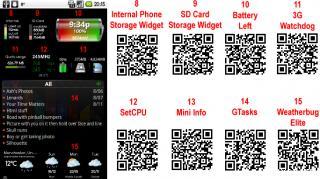


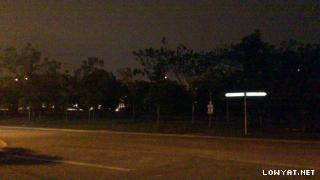



























 0.2431sec
 0.25
0.25
 6 queries
 GZIP Disabled