Joined: Sep 2005
From: Lowyat.net Malaysia Sex: Yes please
how to check what? personally i have never used official roms, plus the official roms got this sms bug (among others). there's a fix though. check the PDA section, i made a thread recently for it.
Say if I dail and receive calls like 20-30 per day, each of it is about 2-3 minutes and sms for about 10-20, can the standby time last me from 10am to 12am each day?
The reason I ask so is because my ex O2 mini really had a terrible battery life, so I don't really want to regret anymore by going back to WM based phone~
Say if I dail and receive calls like 20-30 per day, each of it is about 2-3 minutes and sms for about 10-20, can the standby time last me from 10am to 12am each day?
The reason I ask so is because my ex O2 mini really had a terrible battery life, so I don't really want to regret anymore by going back to WM based phone~
yes bro I think it shud be able to on a full charge
i hav 1 quick question...is dat possible to arrange all the apps installed in program menu according to it categories? i.e. creating new folder n drag the apps icon into it...
mine is quite messy w all the games n other apps mixed up..
which software can do that?
now still kinda noob w pda phone n stil in learning stage...
any tips?
Added on February 16, 2009, 9:41 amn i more thing...
i found 1 apps that can change program menu into several pages instead of scrolling down (similar to iphone), but forget to bookmark dat page...
any1 know d software name n where 2 get it?
thanks..
This post has been edited by paparock: Feb 16 2009, 09:41 AM
i hav 1 quick question...is dat possible to arrange all the apps installed in program menu according to it categories? i.e. creating new folder n drag the apps icon into it...
mine is quite messy w all the games n other apps mixed up..
which software can do that?
now still kinda noob w pda phone n stil in learning stage...
any tips?
Added on February 16, 2009, 9:41 amn i more thing...
i found 1 apps that can change program menu into several pages instead of scrolling down (similar to iphone), but forget to bookmark dat page...
any1 know d software name n where 2 get it?
thanks..
hi you can do this by using File Explorer or whatever explorer software you're using Go to Windows then Startup and then Programs You can create ur own folders there and group them as you like 2nd part of ur question... dunno of such software never use
This post has been edited by Alvino: Feb 16 2009, 10:46 AM
Joined: Sep 2005
From: Lowyat.net Malaysia Sex: Yes please
QUOTE(paparock @ Feb 16 2009, 09:33 AM)
hi all....
i hav 1 quick question...is dat possible to arrange all the apps installed in program menu according to it categories? i.e. creating new folder n drag the apps icon into it...
mine is quite messy w all the games n other apps mixed up..
which software can do that?
now still kinda noob w pda phone n stil in learning stage...
any tips?
Added on February 16, 2009, 9:41 amn i more thing...
i found 1 apps that can change program menu into several pages instead of scrolling down (similar to iphone), but forget to bookmark dat page...
it's moBlue - The Bluetooth Revolution! - You can always choose to save all files to the storage card or to any other destination you may want to have your files at.
What is this? MoBlue, one of the first (if not the first) bluetooth-helpers for Windows Mobile, was released in its first version as early as in spring 2006. More than a year later the application moBlue 2 succeeds the first version after a major makeover. New features are progress bars, percentage meters and count-down clocks as well as the ability to save different types of files to different user designated folders.
Basically moBlue does the receiving job when you are receiving files over bluetooth, and it does it much better than the Microsoft built-in software. You can always choose to save all files to the storage card or to any other destination you may want to have your files at.
Here is a bunch of screenshots from the current release:
Comment: I strongly advise you to uninstall any other version of moBlue first!all current users of moBlue 2.0 to upgrade to the latest version, 2.1. The new version includes a few bugfixes and better file filters. I'm currently using it and found it more better then TP original beam.
* MoBlue can reach the trans rate of 32KB/s * Can save directly to Storage card (this is what i needed)
Joined: Aug 2008
From: ERROR643:GPS failed to load
QUOTE(artful @ Feb 16 2009, 01:30 PM)
Another Useful Piece of Software for our TP
it's moBlue - The Bluetooth Revolution! - You can always choose to save all files to the storage card or to any other destination you may want to have your files at.
» Click to show Spoiler - click again to hide... «
What is this? MoBlue, one of the first (if not the first) bluetooth-helpers for Windows Mobile, was released in its first version as early as in spring 2006. More than a year later the application moBlue 2 succeeds the first version after a major makeover. New features are progress bars, percentage meters and count-down clocks as well as the ability to save different types of files to different user designated folders.
Basically moBlue does the receiving job when you are receiving files over bluetooth, and it does it much better than the Microsoft built-in software. You can always choose to save all files to the storage card or to any other destination you may want to have your files at.
Here is a bunch of screenshots from the current release:
Comment: I strongly advise you to uninstall any other version of moBlue first!all current users of moBlue 2.0 to upgrade to the latest version, 2.1. The new version includes a few bugfixes and better file filters. I'm currently using it and found it more better then TP original beam.
* MoBlue can reach the trans rate of 32KB/s * Can save directly to Storage card (this is what i needed)
good good, another software / application's contributor to our TP thread !
keep up the good work bro ! [ we need more contributor here ]


 Feb 15 2009, 10:10 PM


 Quote
Quote


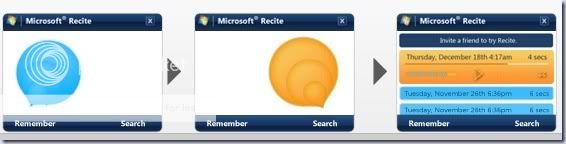





 anyway here you go -





 0.0245sec
 0.44
0.44
 6 queries
 GZIP Disabled