Yes, I think it is a thermal issue. Or perhaps there is something wrong with my heat sensor. I don't want to go the accelero route, I heard someone attached an external fan and the temperature dropped drastically.
Added on December 1, 2008, 12:48 ambtw, it wasn't idling at 75 before. When I bought the card it must have been in the 60s...when I ran the fan at 55 %, I was idling at around 45 degrees. Something happened...don't know what!
Added on December 1, 2008, 12:56 amFound this in a forum -- does this work???
Re: HD 4850 stability problems - overheating?
shaurz,
I've had a lot of problem previously with my 3850 and Vista 64 (4Gb RAM), I was getting random screen crashes, especially when graphic/videos were involved. It took me ages to find out the solution to the problem. You may want to try out the following solution and see if it fixes your problem.
i. Click on the Start (or whatever) button in Vista at bottom left.
ii. In the Search textbox, type in System Configuration.
iii. A configuration screen should pop up, select the 2nd tab (Boot).
iv. Tick both boxes for No. of processors and Memory, select 4 in the processors dropdown box and leave 0 in the memory.
Click OK, this should ask you to reboot. Reboot and see if it makes any difference. You can always untick these settings if it makes no difference to you.
Hope this helps.
Added on December 1, 2008, 1:01 amI'm looking for something like this, but which only takes one slot.
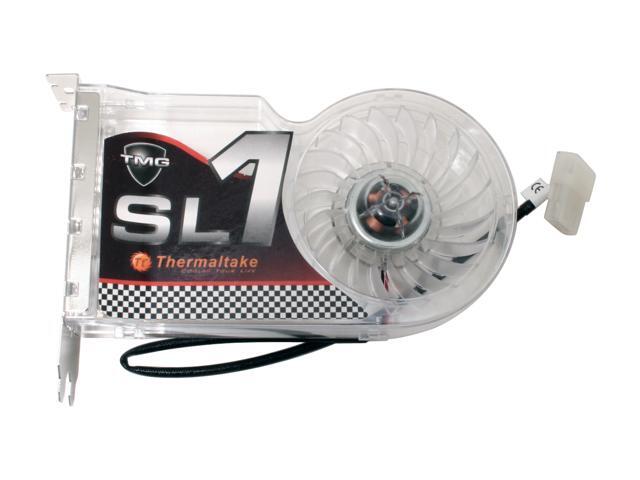 This post has been edited by OmniAtlas: Dec 1 2008, 01:01 AM

 Dec 1 2008, 12:20 AM


 Quote
Quote








 0.0242sec
 0.73
0.73
 6 queries
 GZIP Disabled