Welcome Guest ( Log In | Register )

150 Pages « < 53 54 55 56 57 > » Bottom

Outline · [ Standard ] · Linear+

 Online trading with i*Trade@CIMB, Trading using i*Trade@CIMB? join here.

views
     
Remng
post Jul 7 2011, 02:49 PM

Casual
***
Junior Member
397 posts

Joined: Jul 2010


QUOTE(wacko_joy @ Jul 6 2011, 04:23 PM)
Bro Remng,

Wanna ask a general CDS itrade account can purchase IPO?
*
yes you can , just go to login>eIpo using the same user id and password as your itrade

just follow the steps
SUSStupidGuyPlayComp
post Jul 8 2011, 12:11 PM

Kenny Is Here
********
All Stars
13,681 posts

Joined: Mar 2006


QUOTE(Remng @ Jul 7 2011, 02:49 PM)
yes you can , just go to login>eIpo using the same user id and password as your itrade

just follow the steps
*
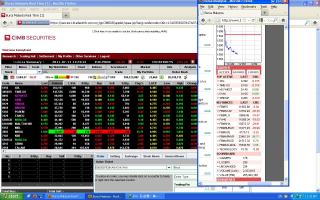
sweat.gif Itrade platform repeat again the error.............see the red & green counters


Attached thumbnail(s)
Attached Image
Remng
post Jul 8 2011, 01:15 PM

Casual
***
Junior Member
397 posts

Joined: Jul 2010


QUOTE(StupidGuyPlayComp @ Jul 8 2011, 12:11 PM)
sweat.gif Itrade platform repeat again the error.............see the red & green counters
*
Bro, i saw the difference and got what u mean, I have copy and paste the problem and reflect with our IT department. will get back to you

thanks for the head up, good on ya

sorry about that

This post has been edited by Remng: Jul 8 2011, 01:26 PM
Irzani
post Jul 8 2011, 03:08 PM

Just you know why .. why u and i ...
*******
Senior Member
2,972 posts

Joined: Jul 2006
From: OSINT

I'm still cannot see my monthly report for June and July. Anyone can? hmm.gif hmm.gif hmm.gif
SUSStupidGuyPlayComp
post Jul 8 2011, 04:27 PM

Kenny Is Here
********
All Stars
13,681 posts

Joined: Mar 2006


QUOTE(Remng @ Jul 8 2011, 01:15 PM)
Bro, i saw the difference and got what u mean, I have copy and paste the problem and reflect with our IT department. will get back to you

thanks for the head up, good on ya

sorry about that
*
tongue.gif Thanks for your assistance bro, no need to say sorry.........

this situation happen since the itrade system changed on 2 weeks ago
Remng
post Jul 8 2011, 04:43 PM

Casual
***
Junior Member
397 posts

Joined: Jul 2010


QUOTE(StupidGuyPlayComp @ Jul 8 2011, 04:27 PM)
tongue.gif Thanks for your assistance bro, no need to say sorry.........

this situation happen since the itrade system changed on 2 weeks ago
*
hi bro

Problem solved, see the reply from back room, please let me know again if problem still persist, i will work on it again


, N2N, CIMB-IB, me
show details 4:03 PM (37 minutes ago)

Hi z, It is ok now, please refresh the feed page and try again.We shall monitor accordingly. Best Regards,

This post has been edited by Remng: Jul 8 2011, 07:19 PM
BboyDora
post Jul 9 2011, 10:11 AM

Look at all my stars!!
*******
Senior Member
2,361 posts

Joined: Feb 2008
Dear all,

1st time user of itrade.

What is mean by the ascending no. 1 - 5 and the column # mean?

thanks in advance

Attached Image
simonc
post Jul 9 2011, 10:50 AM

Fug the Bear
*******
Senior Member
2,664 posts

Joined: Nov 2004
From: the Stars
QUOTE(Irzani @ Jul 8 2011, 03:08 PM)
I'm still cannot see my monthly report for June and July. Anyone can?  hmm.gif  hmm.gif  hmm.gif
*
I can't see it too.

gark
post Jul 9 2011, 11:30 AM

10k Club
********
Senior Member
12,534 posts

Joined: Mar 2009
From: Penang, KL, China, Indonesia....
QUOTE(BboyDora @ Jul 9 2011, 10:11 AM)
Dear all,

1st time user of itrade.

What is mean by the ascending no. 1 - 5 and the column # mean?

*
1-5 = queue number
# = number of orders
quantity = number of lots

laugh.gif

This post has been edited by gark: Jul 9 2011, 11:31 AM
BboyDora
post Jul 9 2011, 11:49 AM

Look at all my stars!!
*******
Senior Member
2,361 posts

Joined: Feb 2008
QUOTE(gark @ Jul 9 2011, 11:30 AM)
1-5 = queue number
# = number of orders
quantity = number of lots

laugh.gif
*
I just want to clarify. for no. of orders, #, if stated "24" mean 24 lots?

Thanks gark notworthy.gif
gark
post Jul 9 2011, 01:21 PM

10k Club
********
Senior Member
12,534 posts

Joined: Mar 2009
From: Penang, KL, China, Indonesia....
QUOTE(BboyDora @ Jul 9 2011, 11:49 AM)
I just want to clarify. for no. of orders, #, if stated "24" mean 24 lots?

Thanks gark notworthy.gif
*
No....

Let me give you an example... based on your screen shot.

See row no 1,

the number 23 means there are 23 buy orders for 15,403 lots at RM 0.175. So each order is approximately 670 lots.

So lets say if you put an order to queue at 0.175, your order will be the the no 24th. You have to wait for 23 orders to be completed (with 15,403 lots) before your turn.

The buy/sell order is one of the best feature of i-trade. Very helpful. thumbup.gif

This post has been edited by gark: Jul 9 2011, 01:22 PM
sasa70
post Jul 9 2011, 01:29 PM

New Member
*
Junior Member
42 posts

Joined: Jan 2010
Sifu please help,
The Cimb Exec. told me if i want to pick up the share when T3, have to bank in to their Cimb investments account. Save not?

This post has been edited by sasa70: Jul 9 2011, 01:37 PM
BboyDora
post Jul 9 2011, 03:33 PM

Look at all my stars!!
*******
Senior Member
2,361 posts

Joined: Feb 2008
QUOTE(gark @ Jul 9 2011, 01:21 PM)
No....

Let me give you an example... based on your screen shot.

See row no 1,

the number 23 means there are 23 buy orders for 15,403 lots at RM 0.175. So each order is approximately 670 lots.

So lets say if you put an order to queue at 0.175, your order will be the the no 24th. You have to wait for 23 orders to be completed (with 15,403 lots) before your turn.

The buy/sell order is one of the best feature of i-trade. Very helpful.  thumbup.gif
*
Ohh.... that's mean the 23 order for 15,403 lots to be clear before my turn to buy at RM 0.175.

1. If I queue to buy at RM 0.170. I have to wait after all the 23 buy order (RM 0.175) to be clear and then wait for another 15 buy order at (RM 0.170) ? or straight away wait for 15 buy orders at RM 0.170

2. Back to row 1, if my buy order is 50 lots, so the chart will update into "24 buy orders, 15,403+ 50 lots = 15, 453 lots"?

3 For "sell" part, yellow mean current price right?

sorry coz b4 this I using remisier...everything she kaw tim for me (spoon feed too much make me noob) cry.gif


simonc
post Jul 9 2011, 04:29 PM

Fug the Bear
*******
Senior Member
2,664 posts

Joined: Nov 2004
From: the Stars
QUOTE(BboyDora @ Jul 9 2011, 03:33 PM)
Ohh.... that's mean the 23 order for 15,403 lots to be clear before my turn to buy at RM 0.175.

1. If I queue to buy at RM 0.170. I have to wait after all the 23 buy order (RM 0.175) to be clear and then wait for another 15 buy order at (RM 0.170) ? or straight away wait for 15 buy orders at RM 0.170

2. Back to row 1, if my buy order is 50 lots, so the chart will update into "24 buy orders, 15,403+ 50 lots = 15, 453 lots"?

3 For "sell" part, yellow mean current price right?

sorry coz b4 this I using remisier...everything she kaw tim for me (spoon feed too much make me noob) cry.gif

*
Colour just means 1 thing, the buy/sell price compared to the closing price (of the PREVIOUS day)

Red - The price is below closing price

Yellow - The price is closing price

Green - The price is above closing price

mengsuan
post Jul 9 2011, 04:44 PM

9W2NNS
Group Icon
Staff
10,459 posts

Joined: Sep 2005
From: Puchong

QUOTE(BboyDora @ Jul 9 2011, 03:33 PM)
1. If I queue to buy at RM 0.170. I have to wait after all the 23 buy order (RM 0.175) to be clear and then wait for another 15 buy order at (RM 0.170) ? or straight away wait for 15 buy orders at RM 0.170
*
Logically the better offering will be satisfied first before anyone sells to you at RM0.170 laugh.gif
gark
post Jul 9 2011, 04:49 PM

10k Club
********
Senior Member
12,534 posts

Joined: Mar 2009
From: Penang, KL, China, Indonesia....
QUOTE(BboyDora @ Jul 9 2011, 03:33 PM)
Ohh.... that's mean the 23 order for 15,403 lots to be clear before my turn to buy at RM 0.175.

1. If I queue to buy at RM 0.170. I have to wait after all the 23 buy order (RM 0.175) to be clear and then wait for another 15 buy order at (RM 0.170) ? or straight away wait for 15 buy orders at RM 0.170

2. Back to row 1, if my buy order is 50 lots, so the chart will update into "24 buy orders, 15,403+ 50 lots = 15, 453 lots"?

3 For "sell" part, yellow mean current price right?

sorry coz b4 this I using remisier...everything she kaw tim for me (spoon feed too much make me noob) cry.gif
*
1. You have to wait for 23 buy order at 0.175 and 15 order at 0.17 to be cleared. If someone bid higher than you, then they will be on top of the list. Order is price and then queue. If you queue at 0.18 then you will be the first. wink.gif

2. Yes, the chart will update and also if anyone else add or remove orders you can see real time. So you can approximate how long you need to wait...

3. The colour of the price on the depend on higher,lower or same as opening price. The red flashes means a order removed or sold, green flash means orders added.

This post has been edited by gark: Jul 9 2011, 04:49 PM
BboyDora
post Jul 9 2011, 06:22 PM

Look at all my stars!!
*******
Senior Member
2,361 posts

Joined: Feb 2008
Thank you very for all your answers!!!
Still learning how to use it. Actually I did made some trading last week without knowing all the features blink.gif blink.gif

Thanks to all the sifu notworthy.gif notworthy.gif
SUSStupidGuyPlayComp
post Jul 11 2011, 11:28 AM

Kenny Is Here
********
All Stars
13,681 posts

Joined: Mar 2006


hmm.gif my problem still...........I tried it at another place's streamyx connection, the green/red counters quantity still swap


Attached thumbnail(s)
Attached Image
Remng
post Jul 12 2011, 10:42 AM

Casual
***
Junior Member
397 posts

Joined: Jul 2010


QUOTE(StupidGuyPlayComp @ Jul 11 2011, 11:28 AM)
hmm.gif my problem still...........I tried it at another place's streamyx connection, the green/red counters quantity still swap
*
Is today ok, mine look ok else i will check again
SUSStupidGuyPlayComp
post Jul 12 2011, 10:57 AM

Kenny Is Here
********
All Stars
13,681 posts

Joined: Mar 2006


QUOTE(Remng @ Jul 12 2011, 10:42 AM)
Is today ok, mine look ok else i will check again
*
smile.gif sometime ok, sometime not.............but it only a small problem, does not matter much

150 Pages « < 53 54 55 56 57 > » Top
 

Change to:
| Lo-Fi Version
0.0262sec    0.68    6 queries    GZIP Disabled
Time is now: 11th December 2025 - 10:48 PM