QUOTE(yenchenje @ May 12 2024, 11:34 AM)
2 ways but I've used this myself
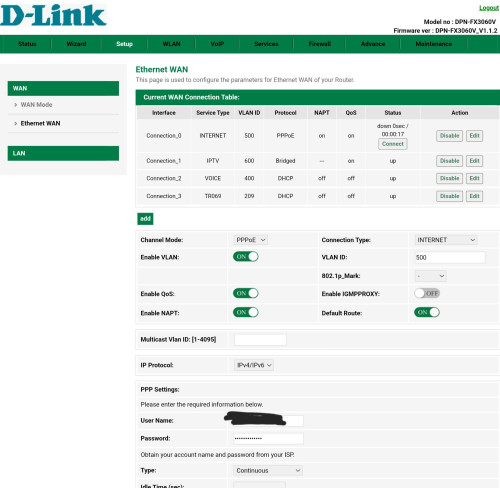
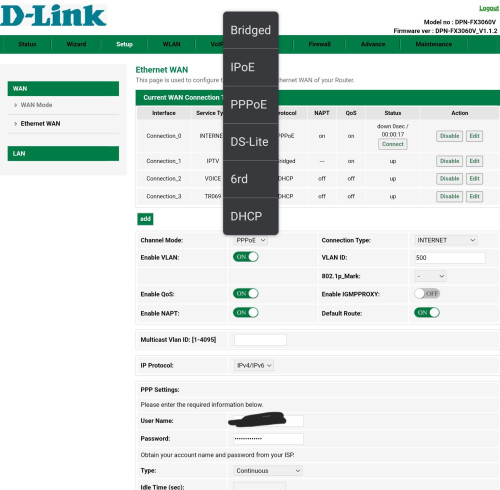
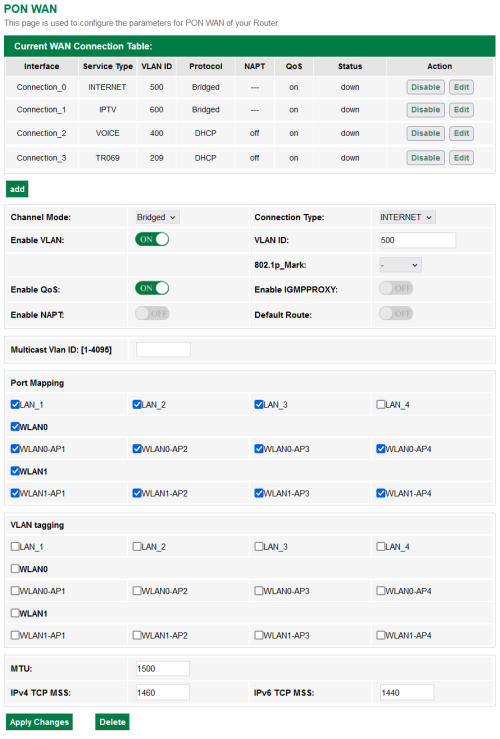
Bridged and port 1 should automatically change to WAN.
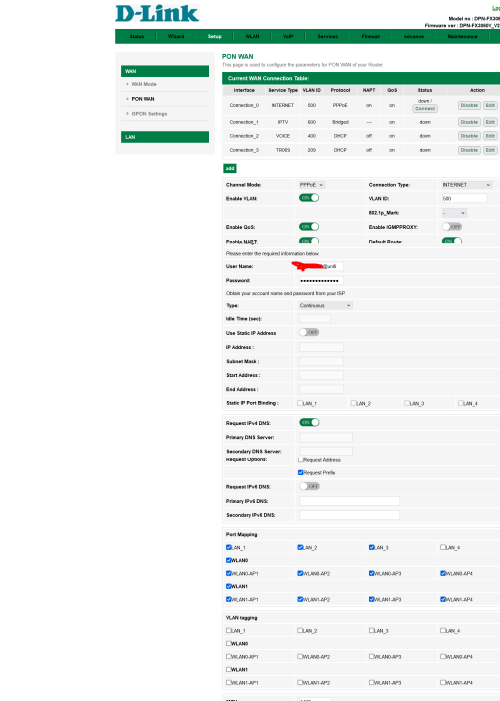
Also while you're in the WebUI, put some screenshots here, want to check if there's any different from the white ONR
Sorry, a bit unclear about what you're showing me, as it looks like your ONR is set to dial PPPoE ... or are you saying that you need to change the PPPoE type to 'Bridge' to put it into bridge mode (and you're not showing that because you're using it to dial things at the moment?)
Anyway what I've tried with the black ONR is as follows:
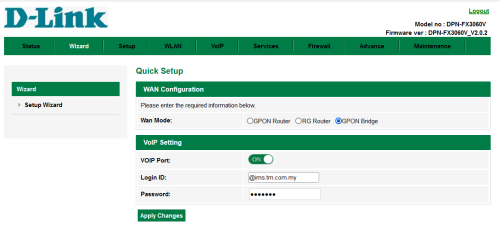
In the setup wizard itself they give you an option to set it as a bridge, so that's what I did. Once you set it to bridge the other options disappear only leaving the VOIP option.
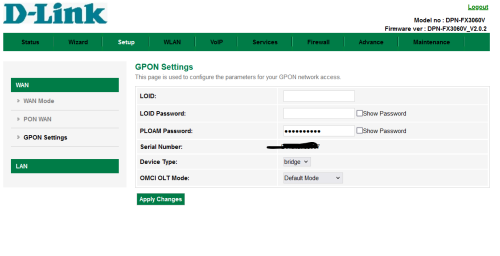
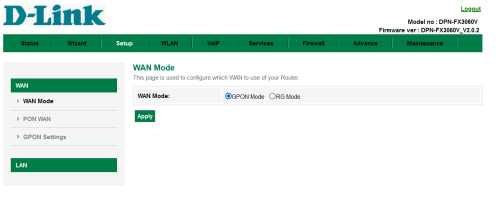
In the GPON settings there's also a 'device type' option, which I set to bridge (options available are bridge/router/hybrid), default was hybrid.

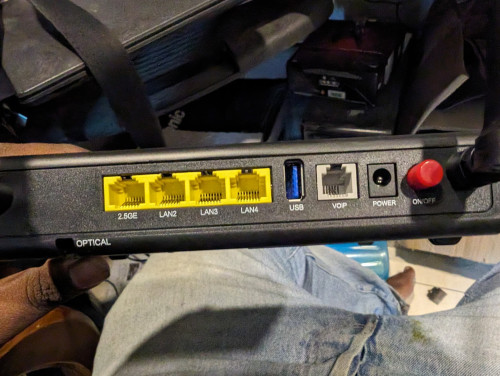
After setting up the setup wizard the LAN0 (2.5g port) disappears from the PON interfaces or even in the LAN interfaces (and in the LAN interface below I can't select the WAN interface any more).
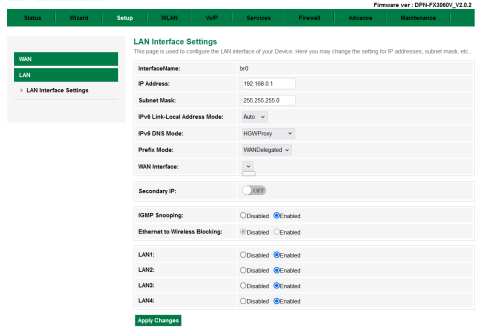
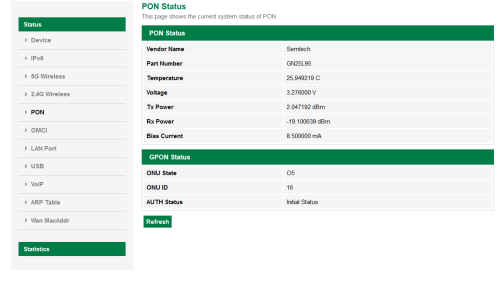
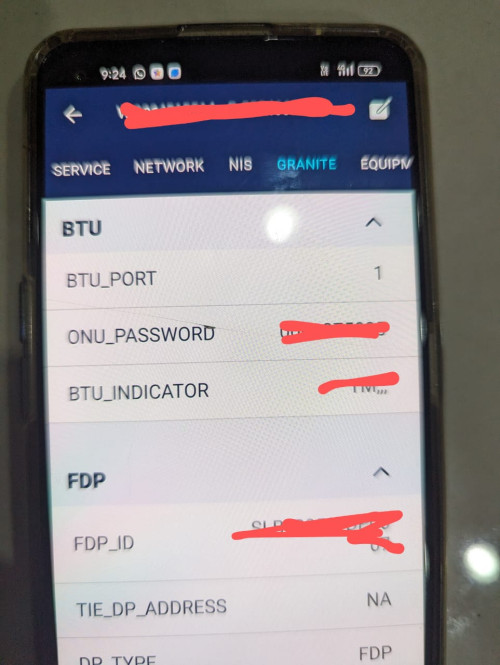
The thing is, after all this, I still can't connect. I suspect TM binds the ONU to the account.
The technician seeing my old AlcatelLucent-I240H changed it to some white FiberHome ONU, and when he connected that it wouldn't connect until he called the TM NOC and told them to unbind the old modem from the account.
So I'm pretty sure now this white FiberHome one is binded to my account, and this new ONR can't connect because of that. Would anyone with contacts in TM confirm this? I tried connecting back my old Alcatel ONU and it doesn't work any more either, I called the technician who came over and he's insisting that the modems are now "unbound" and I should be able to use any of them.
I mean potentially I misconfigured this black FX3060V, but the old Alcatel was working before it should work again if I just plugged it in right.
This post has been edited by RViN: May 12 2024, 12:03 PM 

 May 11 2024, 07:52 PM


 Quote
Quote






 0.0210sec
 0.74
0.74
 6 queries
 GZIP Disabled