

QUOTE(BOTAK_WAI @ Nov 14 2023, 02:12 PM)
so mahal 

The price to pay for open source 
Hopefully it can last me for a bit, but from the reviews, some mod might be needed for better signal from this unit and better cooling as well
U Home 5G
|
|
 Nov 14 2023, 02:31 PM Nov 14 2023, 02:31 PM
Show posts by this member only | IPv6 | Post
#601
|
 
Junior Member
932 posts Joined: Dec 2019 
|
QUOTE(BOTAK_WAI @ Nov 14 2023, 02:12 PM) so mahal The price to pay for open source Hopefully it can last me for a bit, but from the reviews, some mod might be needed for better signal from this unit and better cooling as well |
|
|
|
|
|
Nov 14 2023, 09:10 PM
Show posts by this member only | IPv6 | Post
#602
|
|
Newbie
12 posts Joined: Jun 2015
|
Hi guys, if i get the Zyxel 3 UK NR5103e from shopee should I get the external antennas too or the modem is enough? Gonna be using it in a condo
|
|
|
Nov 14 2023, 09:58 PM
Show posts by this member only | IPv6 | Post
#603
|

Senior Member
1,298 posts Joined: May 2005 From: HamuHamu Chan DeKukuMalu
|
QUOTE(y.szewei @ Nov 14 2023, 09:10 PM) Hi guys, if i get the Zyxel 3 UK NR5103e from shopee should I get the external antennas too or the modem is enough? Gonna be using it in a condo try without first ... |
|
|
Nov 15 2023, 02:29 PM
Show posts by this member only | IPv6 | Post
#604
|

Senior Member
2,729 posts Joined: Oct 2005 From: Gotham City  
|
hi all,
I am facing some issues with my UHome 5g using deco X50. On 4g connection is stable and no drops in data. On 5g connections seems to be dropping and unstable. Any idea on what troubleshooting can be done? Trying to lock band but unable to do so 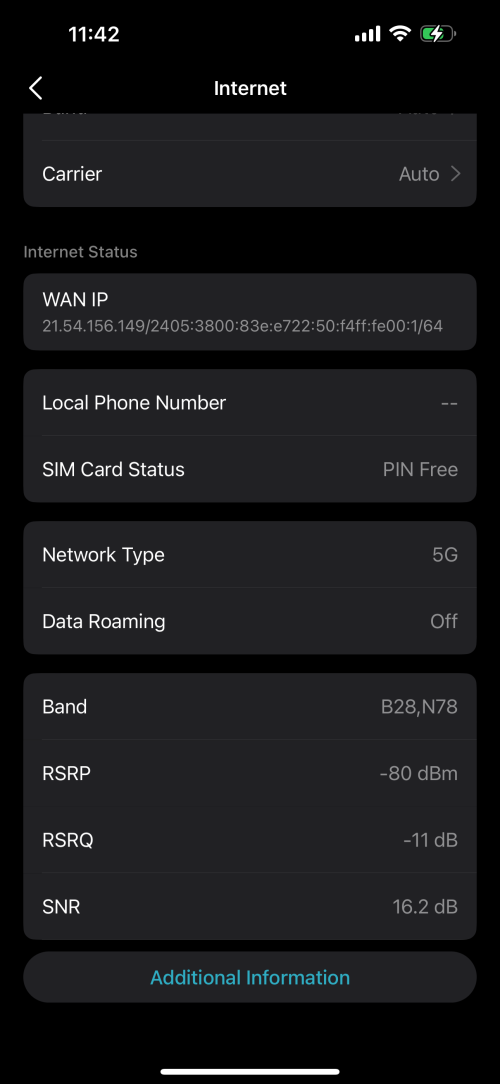  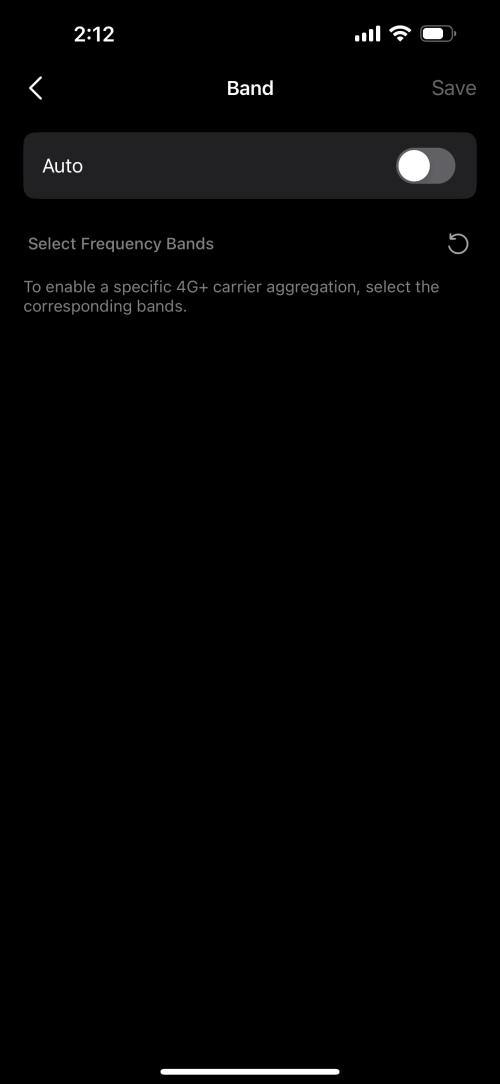 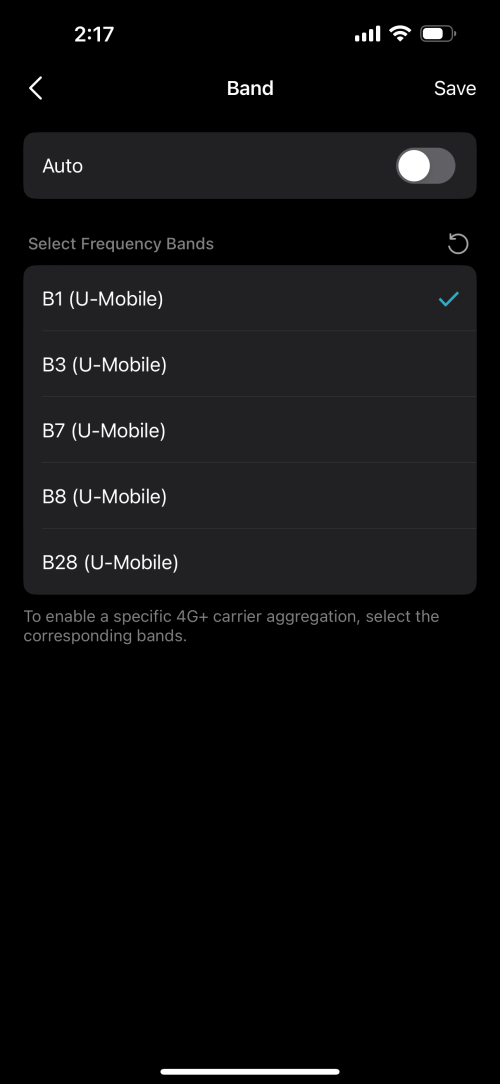 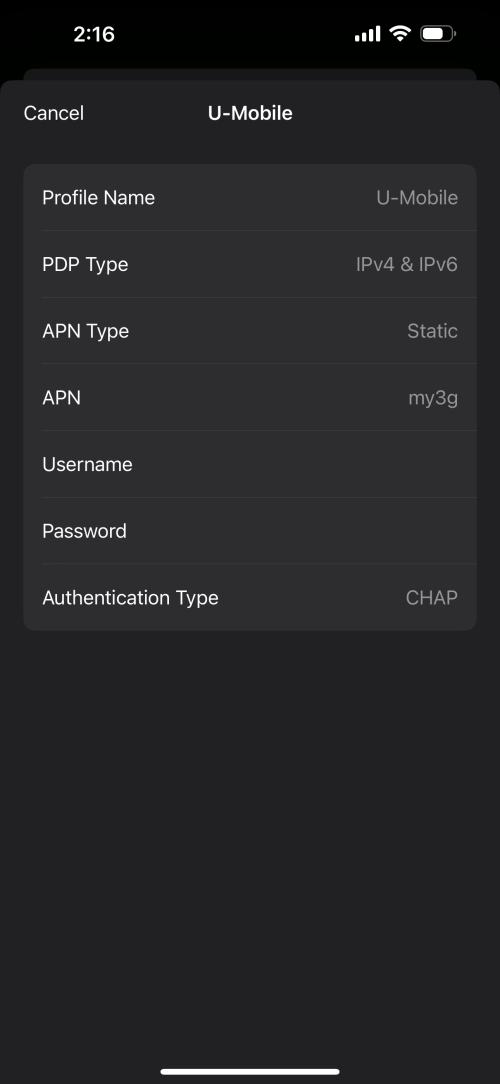 |
|
|
Nov 15 2023, 08:14 PM
|

Senior Member
1,030 posts Joined: Jan 2022
|
QUOTE(harmeet15 @ Nov 15 2023, 02:29 PM) hi all, This is due to bad implementation by Malaysian telcos of choosing to deploy NSA 5G networks in the country.I am facing some issues with my UHome 5g using deco X50. On 4g connection is stable and no drops in data. On 5g connections seems to be dropping and unstable. Any idea on what troubleshooting can be done? The ideal type of 5G network was supposed to be standalone type (SA) which only forces your device to connect to 5G and nothing else. Reason why NSA sucks is because your modem tend to choose the stronger signal band and fallback to 4G in your area. Meaning your 5G band signal in your area is weaker than your 4G network signals present. For a true standalone 5G network when you place a 5G SIM into your phone/device, even when you move to an area where 4G signals are stronger than 5G signal is will refused fallback to 4G because the telco restricts your device from connecting to any 4G networks that are available. The drawback is costs and the inability to share resources for both 4G/5G networks when you choose to implement a dedicated standalone(SA) 5G network. Your solution is to force your device to connect to ONLY 5G does it have such option? |
|
|
Nov 16 2023, 09:58 AM
Show posts by this member only | IPv6 | Post
#606
|
|
Senior Member
2,729 posts Joined: Oct 2005 From: Gotham City
|
QUOTE(petpenyubobo @ Nov 15 2023, 08:14 PM) This is due to bad implementation by Malaysian telcos of choosing to deploy NSA 5G networks in the country. I tried to select bands manually but it's not showing anything when I deselect Auto. The ideal type of 5G network was supposed to be standalone type (SA) which only forces your device to connect to 5G and nothing else. Reason why NSA sucks is because your modem tend to choose the stronger signal band and fallback to 4G in your area. Meaning your 5G band signal in your area is weaker than your 4G network signals present. For a true standalone 5G network when you place a 5G SIM into your phone/device, even when you move to an area where 4G signals are stronger than 5G signal is will refused fallback to 4G because the telco restricts your device from connecting to any 4G networks that are available. The drawback is costs and the inability to share resources for both 4G/5G networks when you choose to implement a dedicated standalone(SA) 5G network. Your solution is to force your device to connect to ONLY 5G does it have such option? Is it a tplink thing then? |
|
|
|
|
|
Nov 16 2023, 01:58 PM
Show posts by this member only | IPv6 | Post
#607
|
|
Senior Member
2,729 posts Joined: Oct 2005 From: Gotham City
|
The solution is to lock band to a strong 5g signal?
So if I'm unable to lock, is it a tplink issue? What can I do to solve this moving forward? Will changing to NR5103e help? |
|
|
Nov 16 2023, 03:08 PM
Show posts by this member only | IPv6 | Post
#608
|

Senior Member
8,525 posts Joined: Jan 2003 From: The Jungle Of Pahang
|
QUOTE(harmeet15 @ Nov 16 2023, 09:58 AM) I tried to select bands manually but it's not showing anything when I deselect Auto. Same thing happens using tplink Aginet app on my Tplink NX510v, when select manual it doesn't show anything.. In the end i just left it at AUTO and forget it.. Is it a tplink thing then? |
|
|
Nov 16 2023, 04:37 PM
Show posts by this member only | IPv6 | Post
#609
|
|
Senior Member
2,729 posts Joined: Oct 2005 From: Gotham City
|
QUOTE(cloudwan @ Nov 16 2023, 03:08 PM) Same thing happens using tplink Aginet app on my Tplink NX510v, when select manual it doesn't show anything.. In the end i just left it at AUTO and forget it.. I don't mind doing that but at 5G Auto, the connection is unstable. Keeps dropping. Devices behave like there is no internet connectivity. It was not like this when I started using about a month ago. » Click to show Spoiler - click again to hide... « |
|
|
Nov 16 2023, 08:53 PM
Show posts by this member only | IPv6 | Post
#610
|

Senior Member
6,381 posts Joined: Jun 2005 From: meow meow
|
got option to lock B28+N78? Then it should make it lock to 5G instead of falling back to 4G due to signal strength.
|
|
|
Nov 17 2023, 09:58 AM
Show posts by this member only | IPv6 | Post
#611
|
|
Senior Member
2,729 posts Joined: Oct 2005 From: Gotham City
|
QUOTE(GameSky @ Nov 16 2023, 08:53 PM) got option to lock B28+N78? Then it should make it lock to 5G instead of falling back to 4G due to signal strength. On 4g I can see a list of Bands to select. On 5g no such option. 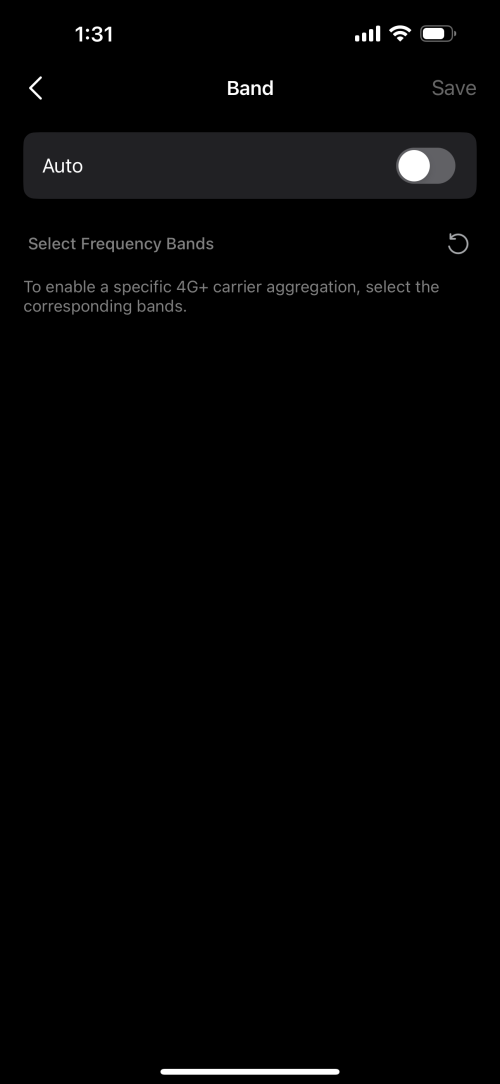 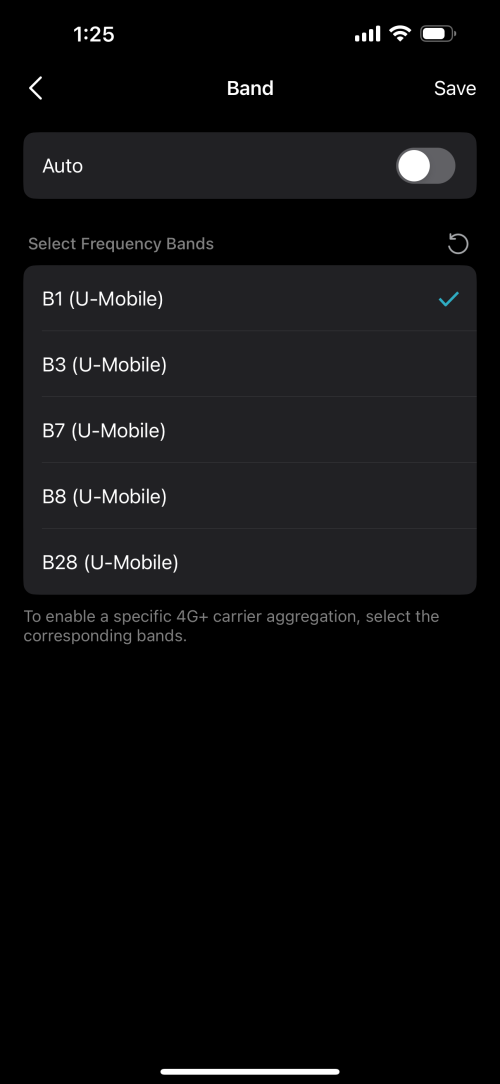 |
|
|
Nov 17 2023, 03:02 PM
Show posts by this member only | IPv6 | Post
#612
|
|
Senior Member
1,030 posts Joined: Jan 2022
|
QUOTE(harmeet15 @ Nov 17 2023, 09:58 AM) On 4g I can see a list of Bands to select. Don't be misled that your LTE connection icon is shown for B28(700MHz APT700) is actually a 5G band.On 5g no such option. ITU-T insists that B28 is not a true 5G band but instead a Advanced LTE/Pre-5G band so your modem shows its LTE connection. It is actually a very good signal which no other 4G signals will fallback since it's 700MHz. Closest to is is B5 which is at 850MHz. Only N78 signal will be shown as 5G connection when connected. But it'll be very weak unless you sit next to the gNodeB like in-building coverage. N78 is 3.8GHz so it'll be very weak and can't travel very far with good wall penetration. Should you be able to aggregate it with N78 you'll have added capacity for future upload and gigabit capacity but very hard to meet its small coverage unless they spend billions to build lots of pico nodes. This post has been edited by petpenyubobo: Nov 17 2023, 03:04 PM |
|
|
Nov 17 2023, 03:08 PM
Show posts by this member only | IPv6 | Post
#613
|
|
Senior Member
1,030 posts Joined: Jan 2022
|
QUOTE(GameSky @ Nov 16 2023, 08:53 PM) got option to lock B28+N78? Then it should make it lock to 5G instead of falling back to 4G due to signal strength. Most 4G modems(Even Cat6) won't be able to connect to B28.Unless you have a draft-5G device such as Huawei B818/latest 4G phones with most recent chipsets (stand to be corrected). |
|
|
|
|
|
Nov 17 2023, 06:09 PM
Show posts by this member only | IPv6 | Post
#614
|
|
Senior Member
2,729 posts Joined: Oct 2005 From: Gotham City
|
QUOTE(petpenyubobo @ Nov 17 2023, 03:08 PM) Most 4G modems(Even Cat6) won't be able to connect to B28. Should I be looking at changing my modem? Unless you have a draft-5G device such as Huawei B818/latest 4G phones with most recent chipsets (stand to be corrected). If I get the Zyxel 3 UK NR5103e, would I be able to lock the bands and solve this issue? or anything similar? |
|
|
Nov 17 2023, 06:37 PM
Show posts by this member only | IPv6 | Post
#615
|
|
Senior Member
1,030 posts Joined: Jan 2022
|
QUOTE(harmeet15 @ Nov 17 2023, 06:09 PM) Should I be looking at changing my modem? Nothing wrong with your modem, as what the other forumer said just set to manual band selection mode and select only B28 for LTE and N78 for NSA 5G then SAVE.If I get the Zyxel 3 UK NR5103e, would I be able to lock the bands and solve this issue? or anything similar? Reboot your modem and you are good to go. 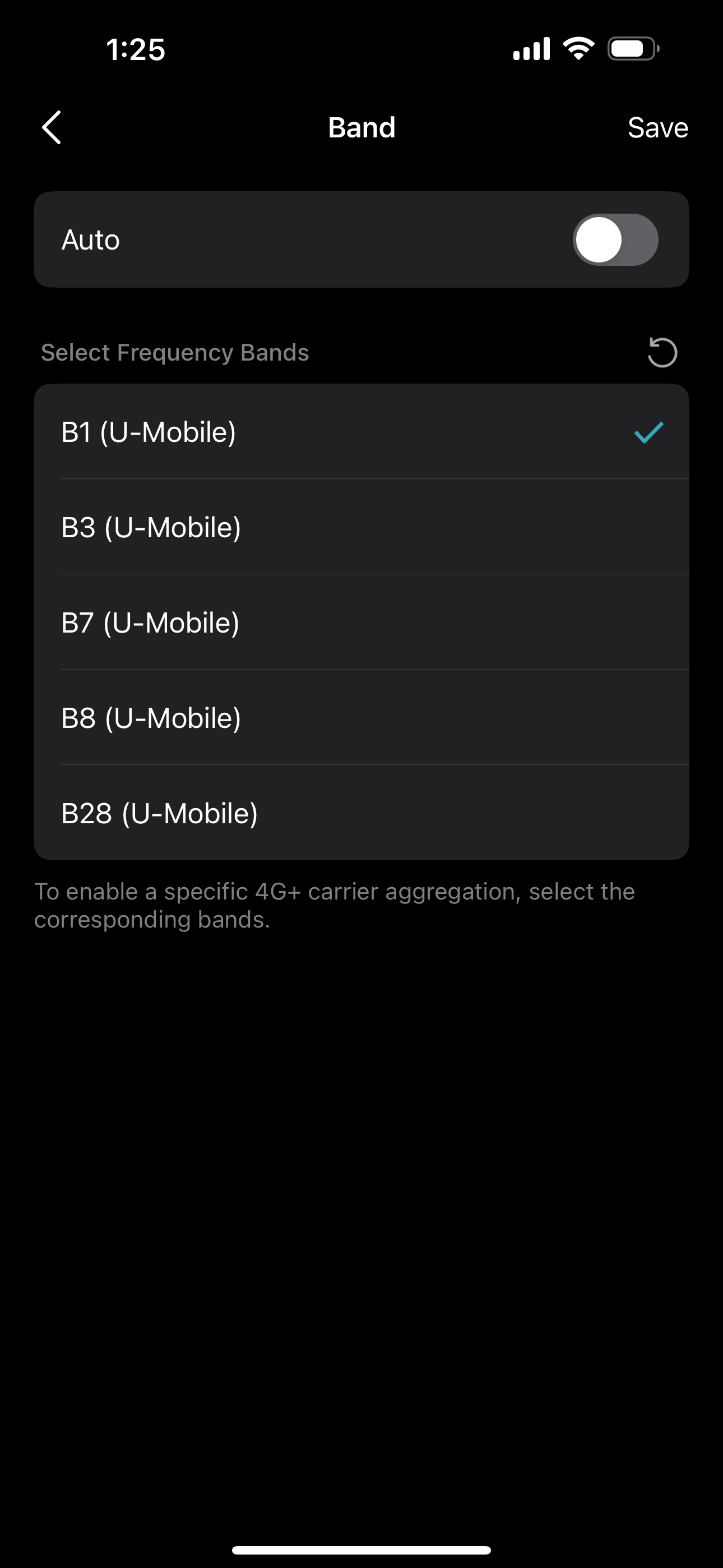 At this screen just choose manual and save your settings. Reboot your router should be connected. B28 is actually 5G band but ITU-T standards wants modem suppliers to list it as LTE instead of 5G band. |
|
|
Nov 17 2023, 07:05 PM
Show posts by this member only | IPv6 | Post
#616
|

Junior Member
294 posts Joined: Sep 2010
|
QUOTE(petpenyubobo @ Nov 17 2023, 04:08 PM) Most 4G modems(Even Cat6) won't be able to connect to B28. Interesting when you mentioned B818. Unless you have a draft-5G device such as Huawei B818/latest 4G phones with most recent chipsets (stand to be corrected). Do you have any links discussing the 5G connection on this router? Thanks in advance. |
|
|
Nov 17 2023, 07:09 PM
Show posts by this member only | IPv6 | Post
#617
|
|
Senior Member
2,729 posts Joined: Oct 2005 From: Gotham City
|
QUOTE(petpenyubobo @ Nov 17 2023, 06:37 PM) Nothing wrong with your modem, as what the other forumer said just set to manual band selection mode and select only B28 for LTE and N78 for NSA 5G then SAVE. That’s the issue I’m facing. Reboot your modem and you are good to go. At this screen just choose manual and save your settings. Reboot your router should be connected. B28 is actually 5G band but ITU-T standards wants modem suppliers to list it as LTE instead of 5G band. I can’t select manual to lock band. The bands you see are only visible when I select 4g. When I select 5G, the list is empty. 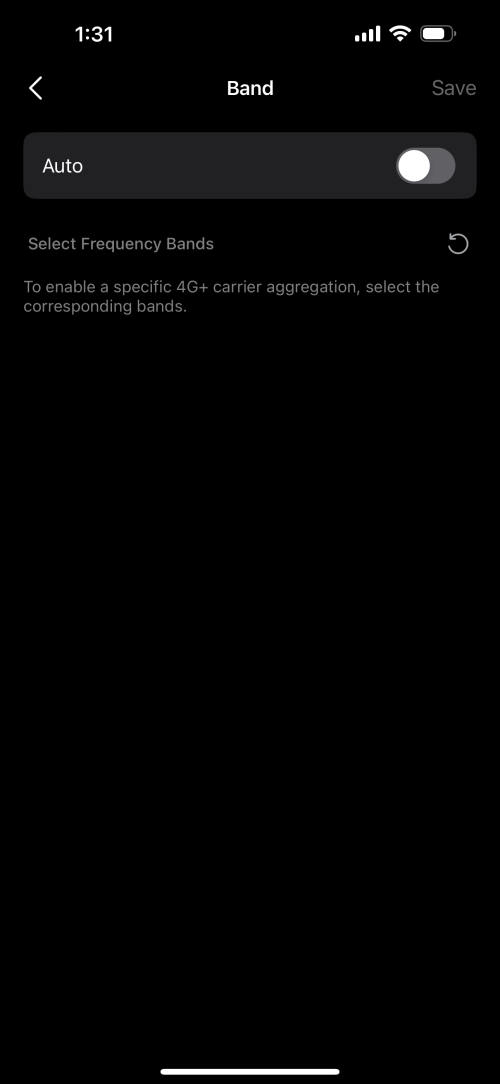  |
|
|
Nov 17 2023, 07:19 PM
Show posts by this member only | IPv6 | Post
#618
|
|
Senior Member
1,030 posts Joined: Jan 2022
|
QUOTE(harmeet15 @ Nov 17 2023, 07:09 PM) That’s the issue I’m facing. Yes it's disguised as 4G as said. Choose B28 ONLY in 4G you're actually connecting to a 5G network. I can’t select manual to lock band. The bands you see are only visible when I select 4g. When I select 5G, the list is empty. Save and Reboot you will be connected to DNB 5G network but with a LTE network indicator. |
|
|
Nov 17 2023, 07:24 PM
Show posts by this member only | IPv6 | Post
#619
|
|
Senior Member
1,030 posts Joined: Jan 2022
|
QUOTE(bjohnxbjohn @ Nov 17 2023, 07:05 PM) Interesting when you mentioned B818. All the later draft-5G modems and CAT18 above LTE modems with band selection has B28 and can support CA upto 1600Mbps.Do you have any links discussing the 5G connection on this router? Thanks in advance. bjohnxbjohn liked this post
|
|
|
Nov 17 2023, 07:50 PM
|

Senior Member
2,786 posts Joined: May 2008
|
QUOTE(harmeet15 @ Nov 17 2023, 06:09 PM) Should I be looking at changing my modem? olax wifi5, yeacomm or gteniqIf I get the Zyxel 3 UK NR5103e, would I be able to lock the bands and solve this issue? or anything similar? QUOTE(harmeet15 @ Nov 17 2023, 09:58 AM) On 4g I can see a list of Bands to select. the band setting is On 5g no such option. 5G only / 5G SA / 5G NSA The setting not exist mean modem not able to lock 5G only network mode somebody ask and no answer https://community.tp-link.com/en/home/forum/topic/631756 tplink selling point is 5G whole home Mesh WiFi 6 ecosystem So what to do ? put modem near windows and point to the 5G tower direction |
| Change to: |  0.0207sec 0.0207sec
 0.75 0.75
 6 queries 6 queries
 GZIP Disabled GZIP Disabled
Time is now: 11th December 2025 - 11:02 PM |
 Quote
Quote