Rounded corner pop-up when clicking Show Hidden Icons. They is a bugs here where you need to change themes color before it properly show corner round.
New Touch Keyboard icon at Taskbar.
Right Click Contents Menu no longer cut off the icon part or auto disappear in double click setup. Single click still a bit troublesome where you need to ensure it is already in selection mode before you right click it.
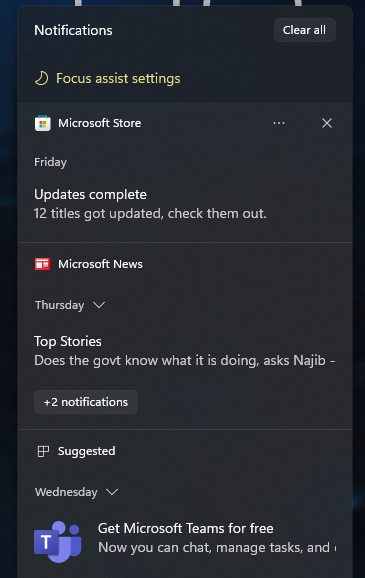
Notification Center at taskbar no longer crash when open even without set any Focus Assists. New Focus Assist Settings appear on top the Notification Center.
Settings - The page title in Settings no longer be drawing too high up / off screen.
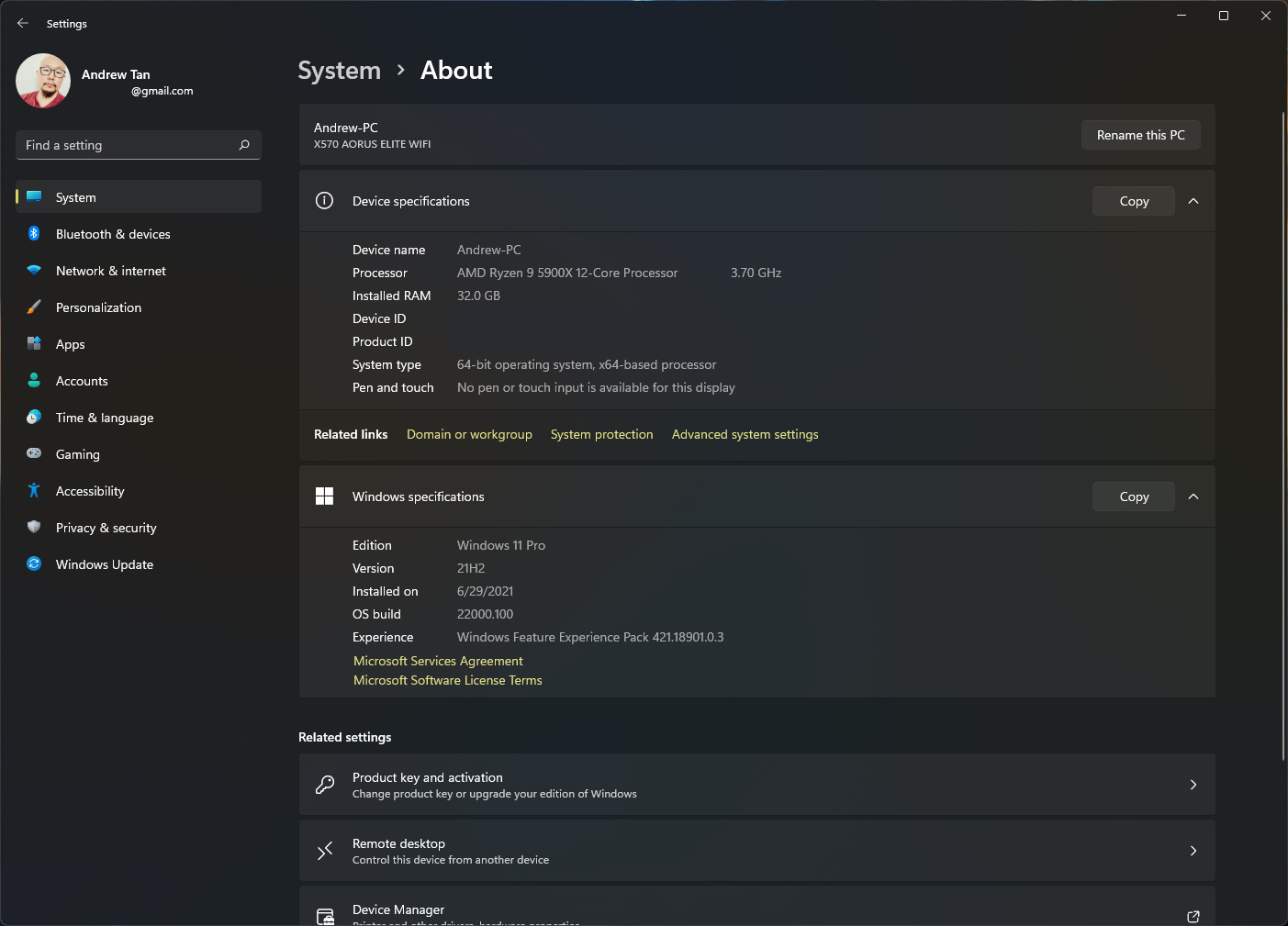
New Build 22000.100 with better page title alignment.
Right Click Contents Menu no longer cut off the icon.
Rounded corner pop-up when clicking Show Hidden Icons.
New Focus Assist Settings on top the Notification Center.
My current Desktop View (Big Clock and white icon is Rainmeter, not from Windows 11)
This post has been edited by Andrewtst: Jul 23 2021, 09:14 AM
Ffs finally I can rename my desktop's name.. I have on issue tho that still persist in the new update.. well at least I think it's an issue... when choosing dark mode in personalization.. and you snap windows and stuff.. there is a white border that I can't remove... damn I can't really OCD lol
Ffs finally I can rename my desktop's name.. I have on issue tho that still persist in the new update.. well at least I think it's an issue... when choosing dark mode in personalization.. and you snap windows and stuff.. there is a white border that I can't remove... damn I can't really OCD lol
Can you take some screenshot, I don't get what you mean.
This is cons, I agreed! The taskbar features is so limited compare with Windows 10.
Hopefully they'll allow moving the taskbar to another screen in the next update Or at least when the stable version is released
I use my main screen to game so I want the taskbar to be on the secondary monitor This way I can see all the notifications while I game without the need to switch to the desktop through ALT+TAB
Hopefully they'll allow moving the taskbar to another screen in the next update Or at least when the stable version is released
I use my main screen to game so I want the taskbar to be on the secondary monitor This way I can see all the notifications while I game without the need to switch to the desktop through ALT+TAB
Yup, I hope it getting back all the taskbar feature in Windows 10. I normally put at side for second screen, but now only can put at bottom, so second screen now I disable it.
Can you take some screenshot, I don't get what you mean.
Basically the windows border.
It doesn't happen for full size windows, only appear when you use snap windows. For users using dark mode, if you use light mode instead, the border is black which isn't so noticeable. Rip dark mode users like me who has OCD
I've also just gotten a bug where, there is just a transparent border of windows on the desktop.. and I can't see the desktop Easily fixed by clicking the "Show Desktop" on the taskbar tho.
This post has been edited by Rei7: Jul 23 2021, 05:47 PM
It doesn't happen for full size windows, only appear when you use snap windows. For users using dark mode, if you use light mode instead, the border is black which isn't so noticeable. Rip dark mode users like me who has OCD
I've also just gotten a bug where, there is just a transparent border of windows on the desktop.. and I can't see the desktop Easily fixed by clicking the "Show Desktop" on the taskbar tho.
How come your corner is not rounded, what build are you at.
This is not full screen, no border as you mentioned and corner is rounded.
This post has been edited by Andrewtst: Jul 24 2021, 01:52 PM
How come your corner is not rounded, what build are you at.
This is not full screen, no border as you mentioned and corner is rounded.
It's not rounded when you snap between 2 windows. It's the latest build.
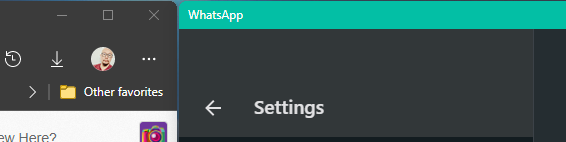
Also the app in questioned is Discord and Whatsapp for desktop. It might just be because most apps aren't update for Windows 11 yet maybe idk. Or the issue is an isolated case, but i've seen people complaining about it as well on reddit.
This post has been edited by Rei7: Jul 24 2021, 03:35 PM
You need to do fresh install, and probably change your hard disk also if it is HDD.
Your slow performance from Windows 10 to now Windows 11 description is ridiculous.
My 5+ years laptop Windows 10 also never behave like that. Right click Contents Menu is instant appear.
actually i had a lot of issue on Win10, mostly slow boot issue, I'm using 960evo m2 for years, although the slow booting issue is gone. Now on W11 the performance issue is right click menu, it's fine if right click on folder, but right click on image file is really slow, but disappears on subsequent right click.
Im on latest dev build btw, the slow issue probably due to unoptimized codes or the os has some sort of dubugging code enabled, which is expected on any kind of alpha software. Just never expected it was that slow.
actually i had a lot of issue on Win10, mostly slow boot issue, I'm using 960evo m2 for years, although the slow booting issue is gone. Now on W11 the performance issue is right click menu, it's fine if right click on folder, but right click on image file is really slow, but disappears on subsequent right click.
Im on latest dev build btw, the slow issue probably due to unoptimized codes or the os has some sort of dubugging code enabled, which is expected on any kind of alpha software. Just never expected it was that slow.
Right click is still buggy in Windows 11. The only solution to prevent auto disappear is using double click for the moment.
For speed wise, no issue for me. It is freaking fast and instant.
Here My Windows 11 performance video start from Windows 11 boot-up.
QUOTE(1024kbps @ Jul 24 2021, 07:20 PM)
dev build = buggy now im facing lagging animation when dragging the program around when playing games.
also AMD provided bare driver for w11 without Radeon software, which is sucks.
I think I seen your issue on Windows 11 in this case, if AMD not provide full functional GPU driver, then you may face slow performance.
QUOTE(1024kbps @ Jul 16 2021, 12:35 AM)
Damn, it's working with VMware 7.1 too, will keep upgrading to RTM version and see how it goes. [attachmentid=10928736]
Wait, from this comment you mentioned before, if you are running in VMware, nothing you can talk in performance as VMware is not fully utilize your hardware and the GPU driver is always simulation to SVGA 3D only for all Windows version.
This post has been edited by Andrewtst: Jul 24 2021, 10:40 PM
It's not rounded when you snap between 2 windows. It's the latest build.
Also the app in questioned is Discord and Whatsapp for desktop. It might just be because most apps aren't update for Windows 11 yet maybe idk. Or the issue is an isolated case, but i've seen people complaining about it as well on reddit.
I didn't face the issue for WhatsApp in dark mode. It is rounded when not in full screen also since Beta 1. Discord I didn't use, no idea.
This post has been edited by Andrewtst: Jul 24 2021, 09:58 PM
Wah, win 11 on ur pc so fast start up, not yet see spinning icon lock screen is show Still look weird start icon on middle 1st time ms change right click menu so buggy and slow Not coding probably?
This post has been edited by PJng: Jul 24 2021, 10:50 PM


 Jul 22 2021, 09:57 PM


 Quote
Quote





 Easily fixed by clicking the "Show Desktop" on the taskbar tho.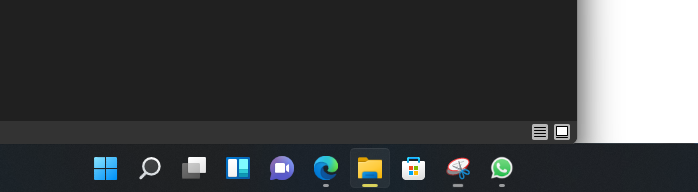

 0.0298sec
 0.85
0.85
 6 queries
 GZIP Disabled