QUOTE(Dylnyat @ Feb 25 2022, 09:28 AM)
Any of u experience frequent IP @ BTU restart randomly?
My btu randomly restart n change my ip.
i want to know why it randomly restart. Few times im in a busy situation the internet restart…
Any idea?
Yours VDSL so you say it is BTU?
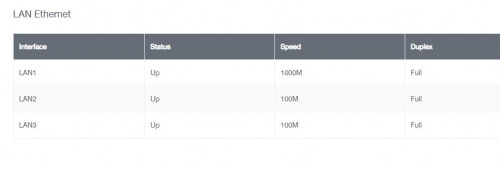
If fiber, then it can be the fiber signal loss, then need to report for checking signal level, or just check by yourself by plug in the lan cable directly into modem with static IP like they said 2-5 page before.
If VDSL, wait for Time reach your apartment, tell your apartment's management and Time for speed it up, nothing much you can do to fix it.

QUOTE(crackedbox @ Feb 25 2022, 01:26 PM)
Going to upgrade my unifi WiFi router.
I have a brand new deco m9 mesh (1pair)
Anyone keen can let me know. Letting go below market price.
Oh BTW, anyone using WiFi6e router? How is the performance?
Only useful if you got 2.5G LAN port for NAS usage.
QUOTE(steelv @ Feb 25 2022, 03:53 PM)
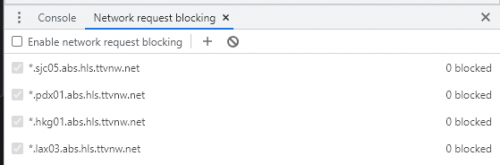
after blocking these ip address u mentioned my twitch no longer work
QUOTE(go626201 @ Feb 25 2022, 04:18 PM)
keep refresh and normally when it stream immediately ,it should be on Sin node.
But normally at this time,most foreign country node should also work well. only not watchable at night.
Yup, by blocking it, you no longer need to check which server you are connected to.
If no video = no SG server
Got video = SG server
No need keep F12 and check for it one by one, which take too much time than just...
Reload, 1s done, no video/loading icon, reload again.

QoS kick in after 7 PM, so before 7 PM no need do anything, if weekend will be start early like 5-6 PM because most at home watching.
QUOTE(Alpha_Tay @ Feb 25 2022, 04:37 PM)
having unifi dp box issue again fibre modem show fibre no signal that affect only few neighbour and other unifi at the same taman still working well at today early midnight 02:42AM and it's fixed at 1:23PM, total around 10 hour, last time it happen at 18/10/2020 at around 5PM and fixed at around 11:30PM, total around 6 hour, same symptoms.
Unifi Live Chat at midnight
Your position in queue is 223.
3:03 AM
till around 5AM to finish the queue to be able to report the case.
TM100 not working at midnight.
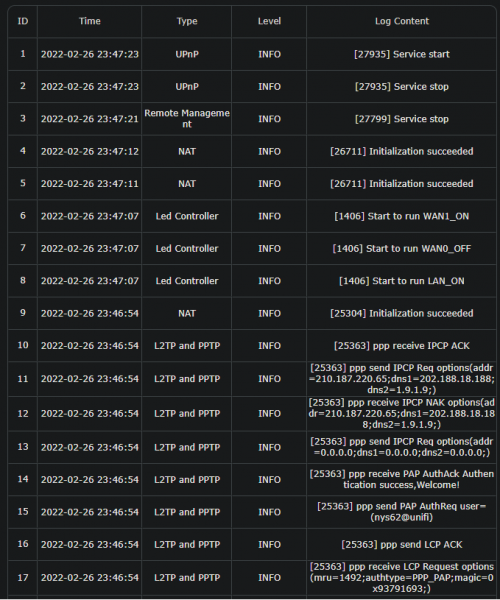
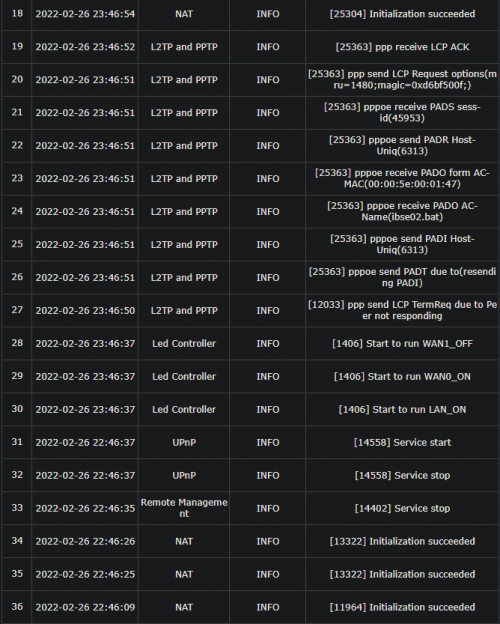
Can try use this one next time, might able to bypass the queue because log are provided to backend and live chat.(Sadly log need login for check)
The only problem is no auto login, so they will ask for your info, even they still ask for your info after you login for live chat la, so still the same.
 https://easyfix.unifi.com.my/
Also got new feature now, key in your UniFi phone number for check the outage, not bad.
 https://easyfix.unifi.com.my/CheckOutagePage/This post has been edited by BenYeeHua: Feb 25 2022, 10:25 PM

 Feb 25 2022, 03:53 PM



 Quote
Quote




 0.0514sec
 0.63
0.63
 6 queries
 GZIP Disabled