

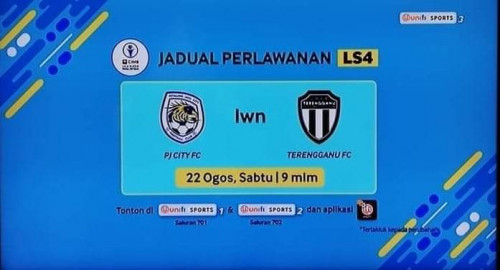
stay tune on unifi tv ch 701-705, Liga Malaysia.
Unifi TV Ver 2, Formerly known as HyppTV
|
|
 Aug 21 2020, 09:46 PM Aug 21 2020, 09:46 PM
Show posts by this member only | IPv6 | Post
#2241
|
 
Junior Member
369 posts Joined: Sep 2018  
|
stay tune on unifi tv ch 701-705, Liga Malaysia. tharmaraj liked this post
|
|
|
|
|
|
Aug 23 2020, 11:04 PM
|

Senior Member
1,448 posts Joined: Apr 2007
|
QUOTE(doubleM2 @ Aug 21 2020, 05:04 PM) https://androidfilehost.com/?fid=8889791610682913409 nvm, manage to find the latest version. 1.2.4. all my sub channel is in this mod, the official one is missing some channels, not sure why.https://github.com/dysoct/unifitvmod/releas...1.2.3mod-r0.apk  This post has been edited by birain: Aug 23 2020, 11:27 PM |
|
|
Aug 24 2020, 02:26 AM
|
|
Junior Member
159 posts Joined: Jul 2012
|
Hi everyone, I just downloaded the playtv@unifi on my phone
but when I login it says 'account is not yet migrated to the new playtv app' When I download the unifi TV app from Playstore and I try to login with the same account on Mi Box S, the same error occurs Called TM and they said now there are issues with the phone app? Is this true? They even sent a technician to my house to for the Mi Box S issue. Could not resolve, so the technician said only the official unifi tvbox supports the app? Here I am reading the phone app is fine and Mi Box supports unifi TV just fine. Please help me confirm? If both are working fine then I plan to blast TM soon |
|
|
Aug 24 2020, 06:55 AM
Show posts by this member only | IPv6 | Post
#2244
|

Junior Member
312 posts Joined: Apr 2015
|
QUOTE(Pyjamas999 @ Aug 24 2020, 02:26 AM) Hi everyone, I just downloaded the playtv@unifi on my phone Buddy, call TM or chat online and tell them you forget your password or your login ID on "unifi TV". Ask them to reset for you and test again on your TV Box. I have done this previously and after their reset, everything works fine on my NVIDIA Shield.but when I login it says 'account is not yet migrated to the new playtv app' When I download the unifi TV app from Playstore and I try to login with the same account on Mi Box S, the same error occurs Called TM and they said now there are issues with the phone app? Is this true? They even sent a technician to my house to for the Mi Box S issue. Could not resolve, so the technician said only the official unifi tvbox supports the app? Here I am reading the phone app is fine and Mi Box supports unifi TV just fine. Please help me confirm? If both are working fine then I plan to blast TM soon |
|
|
Aug 24 2020, 03:25 PM
|
|
Senior Member
1,448 posts Joined: Apr 2007
|
QUOTE(Pyjamas999 @ Aug 24 2020, 02:26 AM) Hi everyone, I just downloaded the playtv@unifi on my phone my mibox3 also working. something wrong on tm side or your side?but when I login it says 'account is not yet migrated to the new playtv app' When I download the unifi TV app from Playstore and I try to login with the same account on Mi Box S, the same error occurs Called TM and they said now there are issues with the phone app? Is this true? They even sent a technician to my house to for the Mi Box S issue. Could not resolve, so the technician said only the official unifi tvbox supports the app? Here I am reading the phone app is fine and Mi Box supports unifi TV just fine. Please help me confirm? If both are working fine then I plan to blast TM soon |
|
|
Aug 24 2020, 03:36 PM
|

Junior Member
52 posts Joined: Jul 2020
|
QUOTE(Pyjamas999 @ Aug 24 2020, 02:26 AM) Hi everyone, I just downloaded the playtv@unifi on my phone “Only official unifi TV box supports the app.” Not true. TM already allow unifi TV app to work on any Android TV device, so now no longer exclusive to unifi Plus Box (Skyworth)but when I login it says 'account is not yet migrated to the new playtv app' When I download the unifi TV app from Playstore and I try to login with the same account on Mi Box S, the same error occurs Called TM and they said now there are issues with the phone app? Is this true? They even sent a technician to my house to for the Mi Box S issue. Could not resolve, so the technician said only the official unifi tvbox supports the app? Here I am reading the phone app is fine and Mi Box supports unifi TV just fine. Please help me confirm? If both are working fine then I plan to blast TM soon https://www.lowyat.net/2020/216793/unifi-tv...oid-tv-devices/ QUOTE(tharmaraj @ Aug 24 2020, 06:55 AM) Buddy, call TM or chat online and tell them you forget your password or your login ID on "unifi TV". Ask them to reset for you and test again on your TV Box. I have done this previously and after their reset, everything works fine on my NVIDIA Shield. Yeah, I was having trouble logging into unifi TV box so they reset the password. Did not work, so they sent technician over to replace the box. After that, I receive msg from TM saying they are giving me the new UI.Maybe you need to have the new UI to be able to use the playTV / unifi TV apps? |
|
|
|
|
|
Aug 24 2020, 03:54 PM
Show posts by this member only | IPv6 | Post
#2247
|
|
Junior Member
53 posts Joined: Nov 2011
|
TM just launch 500Mbps/200Mbps package today. And it come with the Unifi Plus box and 'meh' is my reaction to this box since I already have 2 NVidia Shield in my house. The Unifi Plus box cannot be used for Netflix, that is my biggest turn point. I just subscribed to the package, and thinking of selling the Unifi Plus box. Anyone interested?
|
|
|
Aug 24 2020, 04:12 PM
|

Senior Member
4,174 posts Joined: Mar 2012 From: Kuala Lumpur    
|
QUOTE(hayenadeblue @ Aug 24 2020, 03:54 PM) TM just launch 500Mbps/200Mbps package today. And it come with the Unifi Plus box and 'meh' is my reaction to this box since I already have 2 NVidia Shield in my house. The Unifi Plus box cannot be used for Netflix, that is my biggest turn point. I just subscribed to the package, and thinking of selling the Unifi Plus box. Anyone interested? How much you want to selling? Look like the price been increase as I checked from the new campaign. |
|
|
Aug 24 2020, 04:41 PM
|

Junior Member
260 posts Joined: Apr 2014 From: Pandan Indah, Kuala Lumpur
|
Saw info on unifi tv site showing that unifi tv now can be watched on computer. Havent try it yet.
|
|
|
Aug 24 2020, 05:01 PM
|
|
Junior Member
159 posts Joined: Jul 2012
|
QUOTE(tharmaraj @ Aug 24 2020, 06:55 AM) Buddy, call TM or chat online and tell them you forget your password or your login ID on "unifi TV". Ask them to reset for you and test again on your TV Box. I have done this previously and after their reset, everything works fine on my NVIDIA Shield. QUOTE(birain @ Aug 24 2020, 03:25 PM) my mibox3 also working. something wrong on tm side or your side? QUOTE(jackytan.tt @ Aug 24 2020, 03:36 PM) “Only official unifi TV box supports the app.” Not true. TM already allow unifi TV app to work on any Android TV device, so now no longer exclusive to unifi Plus Box (Skyworth) Thanks guys for the suggestions.Maybe you need to have the new UI to be able to use the playTV / unifi TV apps? I just called unifi.. they said they will get their "expert team" to get back to me. Of course no one got back. Typical On Google play store there are actually 2 different apps (1 new playtv app with the new UI, and 1 older app) I found out I can login to the old app, but when I want to login to the new app it comes out we are in the midst of migrating your account Any way to force TM to "migrate" my account? Call center also does not know what I'm talking about |
|
|
Aug 24 2020, 05:03 PM
Show posts by this member only | IPv6 | Post
#2251
|
|
Junior Member
52 posts Joined: Jul 2020
|
QUOTE(Pyjamas999 @ Aug 24 2020, 05:01 PM) Thanks guys for the suggestions. Are you using unifi TV with new interface?I just called unifi.. they said they will get their "expert team" to get back to me. Of course no one got back. Typical On Google play store there are actually 2 different apps (1 new playtv app with the new UI, and 1 older app) I found out I can login to the old app, but when I want to login to the new app it comes out we are in the midst of migrating your account Any way to force TM to "migrate" my account? Call center also does not know what I'm talking about |
|
|
Aug 24 2020, 05:07 PM
Show posts by this member only | IPv6 | Post
#2252
|
|
Junior Member
52 posts Joined: Jul 2020
|
QUOTE(Cendol_Pulut90 @ Aug 24 2020, 04:41 PM) Saw info on unifi tv site showing that unifi tv now can be watched on computer. Havent try it yet. Can provide the link? |
|
|
Aug 24 2020, 05:28 PM
|
|
Senior Member
4,382 posts Joined: Jan 2003
|
If you got "migrate" account error due to your account yet to migrate. Just stick to old app. Nothing much you can do.
QUOTE(Pyjamas999 @ Aug 24 2020, 05:01 PM) Thanks guys for the suggestions. I just called unifi.. they said they will get their "expert team" to get back to me. Of course no one got back. Typical On Google play store there are actually 2 different apps (1 new playtv app with the new UI, and 1 older app) I found out I can login to the old app, but when I want to login to the new app it comes out we are in the midst of migrating your account Any way to force TM to "migrate" my account? Call center also does not know what I'm talking about |
|
|
|
|
|
Aug 24 2020, 05:42 PM
|
|
Junior Member
260 posts Joined: Apr 2014 From: Pandan Indah, Kuala Lumpur
|
QUOTE(jackytan.tt @ Aug 24 2020, 05:07 PM) Can provide the link? Heres the link for play unifi tv site : Playtv.Unifi |
|
|
Aug 24 2020, 05:54 PM
Show posts by this member only | IPv6 | Post
#2255
|
|
Senior Member
7,796 posts Joined: Dec 2014 From: Malaysia
|
QUOTE(jackytan.tt @ Aug 24 2020, 05:07 PM) Can provide the link? QUOTE(Cendol_Pulut90 @ Aug 24 2020, 05:42 PM) 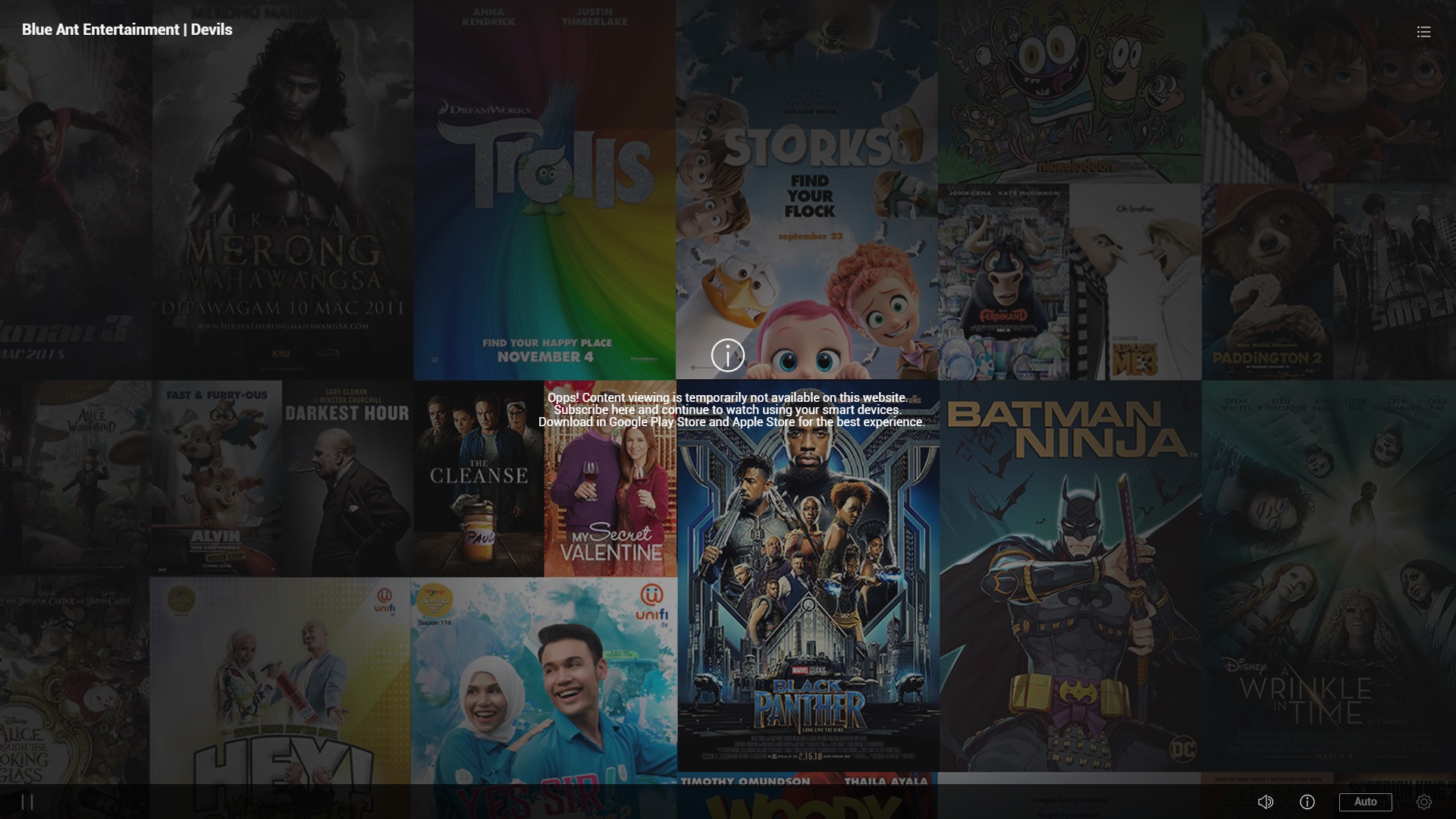 Oh well... Typical TM  This post has been edited by joshhd: Aug 24 2020, 05:59 PM |
|
|
Aug 24 2020, 06:06 PM
|
|
Senior Member
1,448 posts Joined: Apr 2007
|
QUOTE(gastacopz @ Aug 12 2020, 11:04 PM) Thanks, but still payback error..new code 01999 same here, v1.2.4 also got it, but exit and restart ok but dunno for how long before the playback error prompts again. |
|
|
Aug 24 2020, 06:27 PM
|
|
Junior Member
260 posts Joined: Apr 2014 From: Pandan Indah, Kuala Lumpur
|
QUOTE(joshhd @ Aug 24 2020, 05:54 PM) Oh well... Typical TM Dammit they still not allowed on laptop / pc... kinda irritating to only use it on phone with small screen. |
|
|
Aug 24 2020, 07:26 PM
|
|
Senior Member
1,691 posts Joined: Nov 2008
|
QUOTE(sub7even @ Aug 21 2020, 11:04 AM) Hiye guys, Running on 1.2.3 on mecool atv box and working wellany custom apk for playtv for android tv already? |
|
|
Aug 24 2020, 08:03 PM
|

Senior Member
4,735 posts Joined: Feb 2010 From: ★~Starlight~★
|
QUOTE(Pyjamas999 @ Aug 24 2020, 05:01 PM) Thanks guys for the suggestions. Can share old app link/apk?I just called unifi.. they said they will get their "expert team" to get back to me. Of course no one got back. Typical On Google play store there are actually 2 different apps (1 new playtv app with the new UI, and 1 older app) I found out I can login to the old app, but when I want to login to the new app it comes out we are in the midst of migrating your account Any way to force TM to "migrate" my account? Call center also does not know what I'm talking about |
|
|
Aug 24 2020, 08:52 PM
Show posts by this member only | IPv6 | Post
#2260
|
|
Senior Member
7,796 posts Joined: Dec 2014 From: Malaysia
|
QUOTE(Cendol_Pulut90 @ Aug 24 2020, 06:27 PM) Dammit they still not allowed on laptop / pc... kinda irritating to only use it on phone with small screen. Alternatively, you can use Android emulator software like Bluestacks, to run Android app on PC. And that's how you could enjoy unifi playTV on PC for the time being. Read this post to know more: https://forum.lowyat.net/index.php?showtopi...post&p=97576651 |
| Change to: |  0.0206sec 0.0206sec
 0.36 0.36
 6 queries 6 queries
 GZIP Disabled GZIP Disabled
Time is now: 10th December 2025 - 06:26 PM |
 Quote
Quote