Welcome Guest ( Log In | Register )

Bump Topic Topic Closed RSS Feed
420 Pages « < 404 405 406 407 408 > » Bottom

Outline · [ Standard ] · Linear+

Unifi Official TM UniFi High Speed Broadband Thread V35, READ 1ST PAGE FOR TURBO SPEED INFO!

views
     
TSSilentVampire
post Oct 30 2018, 03:30 PM

Networking Enthusiast
*******
Senior Member
5,714 posts

Joined: Mar 2007


QUOTE(ThornsFC @ Oct 30 2018, 12:08 AM)
There are other devices that can access Unifi tv?
*
Yes, all routers that support VLAN tagging can access Unifi TV.

QUOTE(cskean @ Oct 30 2018, 12:59 AM)
Been looking around at taobao and the Asus router price there really attract my attention~

Lets put aside the warranty, wifi channels list, just wanna compare the wifi coverage area between these models? Which one has the most wide coverage with highest speed?

RT-AC86U  >  RT-AC5300  > GT-AC5300

For AC86U, price around RM600, RT-AC5300 around RM850 and GT-AC5300 around RM1500. All directly buy from taobao, with 3 years Asus China warranty. 1st year 1 to 1 exchange. The only setback is need to send it back to China if issue arise(touch wood).

My purpose is simple, I just hope that 1 router can cover most of my house area, with the highest speed deliver via wifi. Since AC5300 is a Tri-Band router, will the dual 5GHz band provide wider coverage as compare to AC86U 5GHz?
*
Nope. The dual 5GHz ban won't provide wider coverage, sorry to say.

QUOTE(iamoracle @ Oct 30 2018, 07:45 AM)
Are you saying existing router and STB get extra 1 year warranty if changed plan to 100Mbps RM129/mth?

What I understand is there will be no new equipment given to existing subscribers even though you signed a new 24 months contract.
*
Don't bother getting their equipment. Better to buy your own.

QUOTE(amirul hafizz @ Oct 30 2018, 09:56 AM)
What's that mean.... confused.gif  confused.gif
*
You overpaid by RM205, or got a refund of RM205.

QUOTE(Addmin @ Oct 30 2018, 01:44 PM)
Plan: 100Mbps
Router: D-Link DIR-842 TM
Band: 2.4GHz Wireless N
Device: Samsung Galaxy S7 Edge

[attachmentid=10092015]
*
Good for you. Samsung phones are usually really good with wireless throughput. Try with other phones if possible.
Addmin
post Oct 30 2018, 03:44 PM

New Member
*
Newbie
3 posts

Joined: Oct 2018
QUOTE(SilentVampire @ Oct 30 2018, 03:30 PM)
Good for you. Samsung phones are usually really good with wireless throughput. Try with other phones if possible.
*
Actually any phone that support 144 / 150Mbps wireless link speed can do well for 100Mbps plan. Since wireless N max speed only do about 100+ even thereotical state at 300Mbps depends on the antenna stream. smile.gif

cannavaro
post Oct 30 2018, 03:49 PM

CATTENACIO
*******
Senior Member
3,008 posts

Joined: Sep 2005
From: T.T.D.I, Bukit Damansara


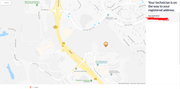
Before this I didn't know that there is this function in unifi portal:
user posted image

Still showing technician on the way
user posted image

Actually the technician already solved my issue (replace BTU) a few hours back, but somehow he didn't close the ticket. So I have been randomly checking in the portal and I can see the different places he has been to laugh.gif laugh.gif laugh.gif


Shinka
post Oct 30 2018, 03:59 PM

Casual
***
Junior Member
464 posts

Joined: Jun 2013
Hi all,

A question - I went to TMPoint today to change my plan to the 100mbps - RM129 package (currently on 50mbps)

The guy told me that my apartment is still using copper wiring, and as such its not able to accommodate 100mbps speeds. He told me he will change my existing plan, so that I will pay RM129 (lower than what I'm paying now) for my current speed (50mbps).

Is this normal?

TSSilentVampire
post Oct 30 2018, 04:24 PM

Networking Enthusiast
*******
Senior Member
5,714 posts

Joined: Mar 2007


QUOTE(Shinka @ Oct 30 2018, 03:59 PM)
Hi all,

A question - I went to TMPoint today to change my plan to the 100mbps - RM129 package (currently on 50mbps)

The guy told me that my apartment is still using copper wiring, and as such its not able to accommodate 100mbps speeds. He told me he will change my existing plan, so that I will pay RM129 (lower than what I'm paying now) for my current speed (50mbps).

Is this normal?
*
Yes. If your area can’t support 100Mbps, they will offer you that lower price. However, you should go back to TMPoint and neck for lower rate if possible.
laihuhng
post Oct 30 2018, 04:33 PM

On my way
****
Junior Member
603 posts

Joined: Jun 2005


QUOTE(xleft4dexy @ Oct 30 2018, 02:50 PM)
I have given this upgrade to 500Mbps like for all others but till today I never reached that speed or anywhere from 250Mbps onwards.
All my devices are up to their requirement for wired network.
All my laptops and desktop are using 1Gbps NIC, using Cat6 and Cat5e cables. My router is ASUS RT-AC1200G+ which has met the requirements imposed by TM.
I logged a case last week and the technician came today.
He stared to do his routine checking, like testing any signal loss from BTU or from the Pole. All seems to be in range.
He started to check my router settings, my laptops and my desktop. He was happy that everything was ok with my devices.
So, he asked to ensure only one device is connected to my router, we did the testing and the range still same 100Mbps ++ to 200Mbps ++. Disappointed, he started to bring his own router and own laptop.
After configuring his router (default), we did the speed test with OOkla and with TM, there was slight improvement. He suspected maybe due to his router firmware was not up to date. He proceeds to upgrade the firmware and we tried the test again. There was slight increase to 270Mbps but still below the promised speed.
He started to check his notes and suggested that we should try speed test in Windows Safe Mode. I was a bit baffled on this suggestion from TM. Who in right mind will browse internet under this mode? Anyway, just to entertain his suggestion I said ok. Lo and behold, the speed increased to 500Mbps ++ with TM Speedometer but with OOkla I was not able to check as it was not even loading in this safe mode. I check under BING and Bing suggested a default speed test, the test here is shows the speed is less than 100Mbps.

Since he is a TM engineers he said since the speed is showing as 500Mbps++, he said the issue is solved.
I asked him does he really think this is solved, he just said yes based on TM SOP.
Did you guys face this or anyone who has similar issue like mine, can you test, and do we really need to acknowledge this?
The next I am going to try is to do reimage one of laptop and test one by one to see which app or AV or whatever screwing the reading. This is baffling like how application can control your speed?
FYI, all my upload speed consistently reached 100Mbps. Sorry if this is too long, just to share my frustration on the solution suggested by TM people.
*
Remember to change the server to Telekom Malaysia. I'm not getting full speed too if I did speedtest with some of the listed servers.
soyusa
post Oct 30 2018, 05:10 PM

On my way
****
Junior Member
575 posts

Joined: Jan 2003
From: KL KL KL
QUOTE(gokucorp @ Oct 30 2018, 03:10 PM)
Hi guys, Sorry noob question, but does unifi cable attract lightning? cuz last time im using streamyx my router got fried of lightning. just wanna know.. btw my cable now is fiber last time was cooper.

Thank you
*
If using fibre optic connection... no worries on lighting strike / power surge.
Would be better if you can invest a good surge protector for modem/router/BTU, should be good enough. smile.gif
cpmlml
post Oct 30 2018, 05:21 PM

Getting Started
**
Junior Member
64 posts

Joined: Apr 2016


Just informed by TM CS that all turbo upgrade will be completed by end of Jan 2019
tomastan4134
post Oct 30 2018, 05:29 PM

Enthusiast
*****
Senior Member
830 posts

Joined: Mar 2014
Finally my cat6 cable arrived


Attached thumbnail(s)
Attached Image
th3game
post Oct 30 2018, 05:33 PM

Getting Started
**
Junior Member
235 posts

Joined: Sep 2014


QUOTE(Doraku @ Oct 30 2018, 02:00 PM)
wt peer connection per torrent 1100? maybe that the reason why you only get around 200Mbps on torrent? try reduce connection peer per torrent to around 100-150 see it improve speed or not blush_ani.gif
*
yeah..u r right..i have changed the conn per torrent to be 100 and global conn also to be 100 and the speed improve and sometimes hits 40MB/s compared to the previous one!

thanks sifu!

» Click to show Spoiler - click again to hide... «

kevintth
post Oct 30 2018, 05:43 PM

Regular
******
Senior Member
1,618 posts

Joined: Jun 2008


QUOTE(cpmlml @ Oct 30 2018, 05:21 PM)
Just informed by TM CS that all turbo upgrade will be completed by end of Jan 2019
*
Like that ar...possible for Malaysian avg internet speed to rank in top 40 in Worldwide broadband speed league 2019... lol
Jjuggler
post Oct 30 2018, 05:50 PM

Narcissistic Genius
******
Senior Member
1,341 posts

Joined: Dec 2016
QUOTE(tomastan4134 @ Oct 30 2018, 05:29 PM)
Finally my cat6 cable arrived
*
enjoy. rclxms.gif
Doraku
post Oct 30 2018, 05:54 PM

Old threads digger
******
Senior Member
1,155 posts

Joined: Apr 2016


QUOTE(th3game @ Oct 30 2018, 05:33 PM)
yeah..u r right..i have changed the conn per torrent to be 100 and global conn also to be 100 and the speed improve and sometimes hits 40MB/s compared to the previous one!

thanks sifu!

» Click to show Spoiler - click again to hide... «

*
Change your global connection something like 500-600 Peer incase you going to torrent multiple thing
fcchung
post Oct 30 2018, 06:18 PM

Getting Started
**
Junior Member
291 posts

Joined: Aug 2008


QUOTE(tomastan4134 @ Oct 30 2018, 05:29 PM)
Finally my cat6 cable arrived
*
rclxms.gif ...me still processing...
fcchung
post Oct 30 2018, 06:19 PM

Getting Started
**
Junior Member
291 posts

Joined: Aug 2008


how to set asus router to 5ghs?unifi 300Mpbs here...
AVFAN
post Oct 30 2018, 06:24 PM

20k VIP Club
*********
All Stars
24,453 posts

Joined: Nov 2010
QUOTE(fcchung @ Oct 30 2018, 06:19 PM)
how to set asus router to 5ghs?unifi 300Mpbs here...
*
u must tell what router model.

lower models not dual, cannot do.

higher models, auto detect.
cpmlml
post Oct 30 2018, 06:42 PM

Getting Started
**
Junior Member
64 posts

Joined: Apr 2016


QUOTE(kevintth @ Oct 30 2018, 05:43 PM)
Like that ar...possible for Malaysian avg internet speed to rank in top 40 in Worldwide broadband speed league 2019... lol
*
Remember, that is the package speed not actual speed.

This post has been edited by cpmlml: Oct 30 2018, 06:42 PM
cpmlml
post Oct 30 2018, 06:43 PM

Getting Started
**
Junior Member
64 posts

Joined: Apr 2016


Somebody from Maxis just call me to switch and surprisingly she knew my contract end date for Unifi and have all my details of packages including address.
Boy96
post Oct 30 2018, 06:51 PM

That's a tripod.
*******
Senior Member
3,848 posts

Joined: Dec 2009
From: Ampang


Got email from TM that they gonna install unifi at my apartment

However, they send 2 emails.

Yesterday email different username @ unifi and phone number
Today email different username @ unifi and phone number

Installation date also different for both

Did they accidentally registered me twice?

This post has been edited by Boy96: Oct 30 2018, 06:53 PM
StuartLee2015
post Oct 30 2018, 06:56 PM

Regular
******
Senior Member
1,221 posts

Joined: Sep 2014
From: Malaysia


QUOTE(Boy96 @ Oct 30 2018, 06:51 PM)
Got email from TM that they gonna install unifi at my apartment

However, they send 2 emails.

Yesterday email different username @ unifi and phone number
Today email different username @ unifi and phone number

Installation date also different for both

Did they accidentally registered me twice?
*
You might wanna confirm this with Customer Service right now... this could mean trouble.

420 Pages « < 404 405 406 407 408 > » Top
Topic ClosedOptions
 

Change to:
| Lo-Fi Version
0.0383sec    0.88    6 queries    GZIP Disabled
Time is now: 1st December 2025 - 12:13 PM