

Any authorised reseller or agents able to help me with the coverage unifi of my area?
Unifi Unifi Lite 10Mbps Brotherhood -- v3.0 --, Incoming RM99 package!? (Put On Hold)
Unifi Unifi Lite 10Mbps Brotherhood -- v3.0 --, Incoming RM99 package!? (Put On Hold)
|
|
 Sep 23 2017, 05:43 PM Sep 23 2017, 05:43 PM
|
 
Newbie
17 posts Joined: Sep 2017  
|
Any authorised reseller or agents able to help me with the coverage unifi of my area?
|
|
|
|
|
|
Sep 23 2017, 05:53 PM
|

Senior Member
669 posts Joined: Sep 2015
|
QUOTE(TOMEI-R @ Sep 23 2017, 05:24 PM) Whats wrong with the supplied router? i need better coverage, better signal strength   |
|
|
Sep 23 2017, 06:00 PM
Show posts by this member only | IPv6 | Post
#1103
|
|
All Stars
24,219 posts Joined: Mar 2007 From: Kuala Lumpur
|
QUOTE(Alex9182 @ Sep 23 2017, 05:53 PM) i need better coverage, better signal strength The original supplied TP Link wifi router is pretty good in terms of coverage. For dead spots, using a wifi extender would be more cost efficient and not to mention, easier. |
|
|
Sep 23 2017, 06:20 PM
|
|
Senior Member
743 posts Joined: Sep 2011
|
QUOTE(Dlayz @ Sep 23 2017, 05:43 PM) Any authorised reseller or agents able to help me with the coverage unifi of my area? Check ur pm |
|
|
Sep 23 2017, 06:30 PM
|

Senior Member
6,955 posts Joined: Apr 2008
|
Any reason why old unifi users who subscribed for 5mbps and upgraded to 10mbps are paying RM149 when the lite version is RM129 for the same speed? Can I downgrade to the lite version?
|
|
|
Sep 23 2017, 06:53 PM
Show posts by this member only | IPv6 | Post
#1106
|
|
Junior Member
357 posts Joined: Oct 2013
|
QUOTE(janson_kaniaz @ Sep 23 2017, 06:30 PM) Any reason why old unifi users who subscribed for 5mbps and upgraded to 10mbps are paying RM149 when the lite version is RM129 for the same speed? Can I downgrade to the lite version? Different features as RM149 comes with free calling and the tv box, RM129 does not have free calling and tv box, I heard is you need to cancel and reapply needed to downgrade. |
|
|
|
|
|
Sep 23 2017, 08:23 PM
|

Senior Member
572 posts Joined: Sep 2008
|
QUOTE(kelvin988 @ Sep 23 2017, 06:20 PM) Check ur pm Please restrain from posting message like "pm here" and "check ur pm",TQ |
|
|
Sep 23 2017, 09:21 PM
|

Senior Member
1,146 posts Joined: Jun 2008 From: Damansara
|
QUOTE(Alex9182 @ Sep 22 2017, 10:08 PM) Tm has put up fibre optic cable behind my house, soon Unifi Lite will be availabe, if i want to upgrade the wireless router to High Power models, please recommend which brand and models i should be looking at. thanks in advanced. So nice, Im still waiting TM to fit it on the pole, yesterday I saw they r setting up (maybe wiring) the cabinet, so I went to ask when will Unifi available to apply, he said 2-3 weeks (surprising they r working on publuc holiday too), last month they said will available after 1 month on 14/8, don know will delay again or not.  |
|
|
Sep 23 2017, 10:24 PM
|

Senior Member
677 posts Joined: Jan 2009 From: Selayang/Kepong
|
QUOTE(stevenkkh @ Sep 23 2017, 06:53 PM) Different features as RM149 comes with free calling and the tv box, RM129 does not have free calling and tv box, I heard is you need to cancel and reapply needed to downgrade. I also cancelling the 149 (which i need to pay around rm155 per month). Then reapply unifi lite.I heard that we can keep the old hyptv box. I think i will try to connect it with the unifi lite  |
|
|
Sep 25 2017, 12:01 AM
|

Senior Member
1,704 posts Joined: Jan 2003 From: Hogoh Pahang Hogoh 
|
QUOTE(iamkid @ Sep 23 2017, 10:24 PM) I heard that we can keep the old hyptv box. I think i will try to connect it with the unifi lite can keep but cannot use native hypptv app anymore, tm will unbind the acc once u terminate the old package. but later can use everywhere acc using hypptv android app. |
|
|
Sep 25 2017, 11:01 AM
|
|
Senior Member
669 posts Joined: Sep 2015
|
QUOTE(TOMEI-R @ Sep 23 2017, 06:00 PM) The original supplied TP Link wifi router is pretty good in terms of coverage. For dead spots, using a wifi extender would be more cost efficient and not to mention, easier. If they provide me TP-Link C1200 should be ok, but if i get Innacomm RGX4400 or D-Link build in antenna models, i will replace them with better one. any one please recommend what brand and models i can consider for this replacement. is TENDA AC6 AC1200 a cheap and good wireless router? 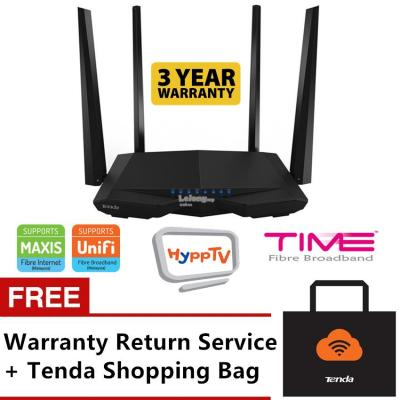
This post has been edited by Alex9182: Sep 25 2017, 11:05 AM |
|
|
Sep 25 2017, 11:16 AM
|
|
Junior Member
212 posts Joined: May 2013
|
Hi Guys,
Just gotten unifi lite for over a month now and i was given the TP-Link C1200 router. However, there have been 2 incidences (that I know off) where out of the blue my TP-Link C1200 "internet on" led just went amber for no reasons. Yesterday it happened again and I tried the following: 1. Checking all the LEDs (all green, except for auth (RED, which i think is normal according to the instruction manual) 2. Turn off and on the modem and router +/- 5mins 3. Connected directly with LAN cable However, I wasnt able to connect it and i just did a self-guide assessment and launch a report (as it was 1am in the morning). But this morning, the router "internet on" turned green again. Just wanted to know if anyone faces the same issue and how to know if it happens more than twice (twice was so happened when I was at home and was using it, other times i am not around). Below is the pic. Thanks! Attached thumbnail(s) 
|
|
|
Sep 25 2017, 11:25 AM
Show posts by this member only | IPv6 | Post
#1113
|

Senior Member
3,669 posts Joined: Apr 2006
|
QUOTE(studentsurvey @ Sep 25 2017, 11:16 AM) Hi Guys, Normally when I encounter that ember color, it means the IPv6 can't connect to Internet properly (after rebooting the router or starting up the router). Simply wait 5 - 10 minutes for TM exchange to refresh new IPv6 IP and the light changes to green.Just gotten unifi lite for over a month now and i was given the TP-Link C1200 router. However, there have been 2 incidences (that I know off) where out of the blue my TP-Link C1200 "internet on" led just went amber for no reasons. Yesterday it happened again and I tried the following: 1. Checking all the LEDs (all green, except for auth (RED, which i think is normal according to the instruction manual) 2. Turn off and on the modem and router +/- 5mins 3. Connected directly with LAN cable However, I wasnt able to connect it and i just did a self-guide assessment and launch a report (as it was 1am in the morning). But this morning, the router "internet on" turned green again. Just wanted to know if anyone faces the same issue and how to know if it happens more than twice (twice was so happened when I was at home and was using it, other times i am not around). Below is the pic. Thanks! IPv4 works fine. |
|
|
|
|
|
Sep 25 2017, 11:30 AM
|
|
Junior Member
212 posts Joined: May 2013
|
QUOTE(JohnLai @ Sep 25 2017, 11:25 AM) Normally when I encounter that ember color, it means the IPv6 can't connect to Internet properly (after rebooting the router or starting up the router). Simply wait 5 - 10 minutes for TM exchange to refresh new IPv6 IP and the light changes to green. Ah, when i did that, it did not connect back even after 1 hr, I'm currently using google DNS 8.8.8.8 and 8.8.4.4.IPv4 works fine. Do you think it has any impact or is the source for this incidences? |
|
|
Sep 25 2017, 11:42 AM
Show posts by this member only | IPv6 | Post
#1115
|
|
Senior Member
3,669 posts Joined: Apr 2006
|
QUOTE(studentsurvey @ Sep 25 2017, 11:30 AM) Ah, when i did that, it did not connect back even after 1 hr, I'm currently using google DNS 8.8.8.8 and 8.8.4.4. DNS setting has no impact.Do you think it has any impact or is the source for this incidences? In my case, when that ember light is up, https://ipv6.google.com/ cannot be visited while https://ipv4.google.com/ can browse just fine. Speaking of which, can you browse website normally when that ember light is up? Perhaps you might wanna try changing NTP server?  |
|
|
Sep 25 2017, 12:37 PM
|
|
Senior Member
677 posts Joined: Jan 2009 From: Selayang/Kepong
|
QUOTE(zeronehza @ Sep 25 2017, 12:01 AM) can keep but cannot use native hypptv app anymore, tm will unbind the acc once u terminate the old package. Omg, I thought it can be used ...So I should get a android tv box huhbut later can use everywhere acc using hypptv android app. |
|
|
Sep 25 2017, 01:08 PM
|
|
Senior Member
1,704 posts Joined: Jan 2003 From: Hogoh Pahang Hogoh
|
QUOTE(iamkid @ Sep 25 2017, 12:37 PM) Omg, I thought it can be used ...So I should get a android tv box huh sell to me cheap2 ar ur box.. haha still can install kodi.. but slow..  |
|
|
Sep 25 2017, 01:33 PM
|

Senior Member
2,399 posts Joined: Jun 2007
|
QUOTE(studentsurvey @ Sep 25 2017, 11:16 AM) Hi Guys, 3rd month on Unifi Lite here. My C1200 is never left on when not using the internet.Just gotten unifi lite for over a month now and i was given the TP-Link C1200 router. However, there have been 2 incidences (that I know off) where out of the blue my TP-Link C1200 "internet on" led just went amber for no reasons. Yesterday it happened again and I tried the following: 1. Checking all the LEDs (all green, except for auth (RED, which i think is normal according to the instruction manual) 2. Turn off and on the modem and router +/- 5mins 3. Connected directly with LAN cable However, I wasnt able to connect it and i just did a self-guide assessment and launch a report (as it was 1am in the morning). But this morning, the router "internet on" turned green again. Just wanted to know if anyone faces the same issue and how to know if it happens more than twice (twice was so happened when I was at home and was using it, other times i am not around). Below is the pic. Thanks! Internet Access light remained amber for me on 3 occasions (the last time was on 23rd Sept), all happened after doing a cold boot. The ONU's TEL1, VOIP, LAN1, AUTH and LINK white lights were on, and I could not surf. I rebooted the router and the router's Internet Access light turned green after that. No idea what caused the amber light...maybe it was a hiccup at the exchange?? If u wanna log yr network disconnects, google Microsoft Network Monitor |
|
|
Sep 25 2017, 03:52 PM
|

All Stars
11,455 posts Joined: Oct 2007 From: KL
|
QUOTE(Alex9182 @ Sep 25 2017, 11:01 AM) If they provide me TP-Link C1200 should be ok, Of the routers that TM gives, I find the RGX4400 to be the best of the lot. The others in the lot being C1200 and DIR-850L. But if you like big antennas, by all means request for the C1200.but if i get Innacomm RGX4400 or D-Link build in antenna models, i will replace them with better one. any one please recommend what brand and models i can consider for this replacement. is TENDA AC6 AC1200 a cheap and good wireless router? This post has been edited by soonwai: Sep 25 2017, 03:53 PM |
|
|
Sep 25 2017, 03:57 PM
Show posts by this member only | IPv6 | Post
#1120
|

Senior Member
1,218 posts Joined: Jan 2010 From: Today 06.09 am
|
QUOTE(soonwai @ Sep 25 2017, 03:52 PM) Of the routers that TM gives, I find the RGX4400 to be the best of the lot. The others in the lot being C1200 and DIR-850L. But if you like big antennas, by all means request for the C1200. The RGX4400 is the most simple ones. Most basic of all compare to c1200 and dir-850LC1200 would be best if not for the slow boot up and long time to initiate internet. Firmware could be improved actually. 850L, issue is the slow GUI. Slow response and sometimes, hang. Just my 2 cents. |
| Change to: |  0.0291sec 0.0291sec
 1.08 1.08
 6 queries 6 queries
 GZIP Disabled GZIP Disabled
Time is now: 1st December 2025 - 08:06 PM |
 Quote
Quote