Outline ·
[ Standard ] ·
Linear+
TP-LINK Malaysia Official Thread, Technical Enquiries and Support
|
crimv
|
 Nov 24 2021, 12:24 PM Nov 24 2021, 12:24 PM
|
Getting Started


|
QUOTE(brandon8921 @ Nov 24 2021, 11:20 AM) This is why i refrain myself from buying tplink router until they really fix this random disconnect and reconnect issue. Good spec on paper, best price value but very very very unstable. Not sure is firmware or hardware but just very unstable because i can't replicate the issue. It just happen to suka suka disconnect and reconnect or randomly restart. All my past tplink router from archer ac1200, archer c7 ac1750, ax73 all having same issue. And all of them i manage to claim a new unit and sold it off. You should really consider other brand like Axxx. Best stable router i have use so far. Never disconnect or random restart on me. But price is also high. i changed to other brand that mention just now haha |
|
|
|
|
|
jeushyun
|
Nov 25 2021, 01:51 PM
|
Getting Started
|
hi guys, I am using deco x20. I am wondering what is the best setting to get full speed if I use as dynamic IP? Already disabled the wireless connection in the maxis stock router...
|
|
|
|
|
|
DarkNite
|
Nov 27 2021, 12:21 PM
|
|
|
QUOTE(blacktubi @ Nov 4 2021, 11:32 PM) » Click to show Spoiler - click again to hide... « So are you still using VDSL or fibre?
If you use Fibre, do you have an all-in-one modem? Boss, check with you TP-Link Deco X20 AX1800 can use with Archer AX20 or not? If can use buy one Deco X20 or 2? Deco X20 not enough LAN ports, if possible I do not want to buy a Gigabit switch. |
|
|
|
|
|
blacktubi
|
Nov 27 2021, 01:10 PM
|
-

|
QUOTE(DarkNite @ Nov 27 2021, 12:21 PM) Boss, check with you TP-Link Deco X20 AX1800 can use with Archer AX20 or not? If can use buy one Deco X20 or 2? Deco X20 not enough LAN ports, if possible I do not want to buy a Gigabit switch. Nope. Your Deco X20 cannot directly wirelessly mesh with Archer AX20 as the mesh node. Although they are the same company, TP-Link router and their Deco feels like totally different brand. They don’t even run the same firmware. One good example is Deco M5 from 2018 still receive firmware updates today. That’s something new in TP-Link world. |
|
|
|
|
|
DarkNite
|
Nov 27 2021, 01:32 PM
|
|
|
QUOTE(blacktubi @ Nov 27 2021, 01:10 PM) Nope. Your Deco X20 cannot directly wirelessly mesh with Archer AX20 as the mesh node. Although they are the same company, TP-Link router and their Deco feels like totally different brand. They don’t even run the same firmware. One good example is Deco M5 from 2018 still receive firmware updates today. That’s something new in TP-Link world. Thanks for the info. So Archer AX20 have to keep in store or sell? TP-Link 5-Port Gigabit TL-SG1005P can connect to the Deco X20? Need to do setting or not? or just plug&play?  |
|
|
|
|
|
blacktubi
|
Nov 27 2021, 03:35 PM
|
-
|
QUOTE(DarkNite @ Nov 27 2021, 01:32 PM) Thanks for the info. So Archer AX20 have to keep in store or sell? TP-Link 5-Port Gigabit TL-SG1005P can connect to the Deco X20? Need to do setting or not? or just plug&play? Sell Archer AX20 and get a switch. Switch should be plug n play. or Use Archer AX20 as main router, disable wireless function Then, still use the Deco Mesh WiFi, use it in AP mode |
|
|
|
|
|
yvliew
|
Nov 27 2021, 03:46 PM
|
|
|
|
|
|
|
|
|
blacktubi
|
Nov 27 2021, 04:18 PM
|
-
|
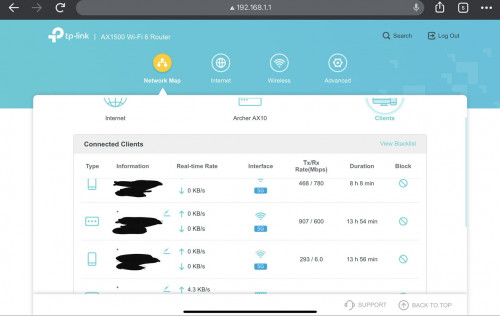
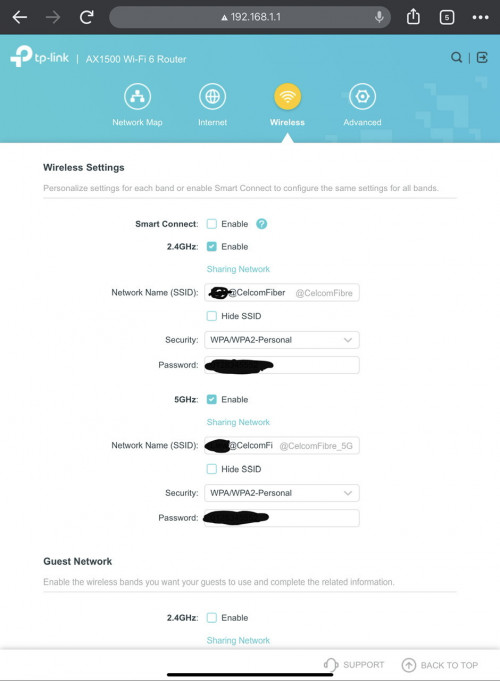
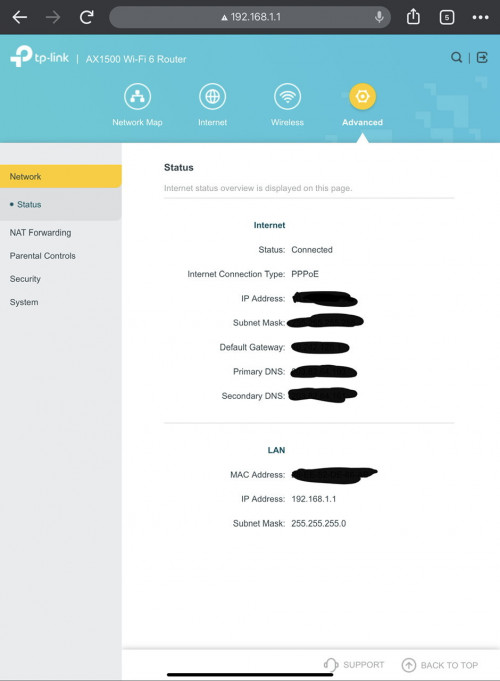
QUOTE(yvliew @ Nov 27 2021, 03:46 PM) Just switched to celcom fibre and they gave tp0link AX1500 Wi-Fi 6 router (Archer AX10). Going in the router settings, settings are so limited. Do celcom lock their firmware? Cannot even set dns. I only see my devices connected to 5G. Any thoughts? » Click to show Spoiler - click again to hide... « Yea, this is definitely not the usual interface I not sure if you can unlock it. Normally there is a second superadmin account. |
|
|
|
|
|
failed.hashcheck
|
Nov 27 2021, 04:21 PM
|
|
|
QUOTE(yvliew @ Nov 27 2021, 03:46 PM) QUOTE(blacktubi @ Nov 27 2021, 04:18 PM) Yea, this is definitely not the usual interface I not sure if you can unlock it. Normally there is a second superadmin account. username: admin password: c3lc0msuper not sure why celcom still doing this crappy old practice. Nowadays all big isp just give stock router and let the upstream include the config in their firmware. This post has been edited by failed.hashcheck: Nov 27 2021, 04:25 PM |
|
|
|
|
|
blacktubi
|
Nov 27 2021, 04:29 PM
|
-
|
QUOTE(failed.hashcheck @ Nov 27 2021, 04:21 PM) username: admin password: c3lc0msuper not sure why celcom still doing this crappy old practice. Nowadays all big isp just give stock router and let the upstream include the config in their firmware. I guess it’s to prevent normal users from simply changing settings and screwing things up It happens a lot in tech support |
|
|
|
|
|
yvliew
|
Nov 27 2021, 05:36 PM
|
|
|
QUOTE(failed.hashcheck @ Nov 27 2021, 04:21 PM) username: admin password: c3lc0msuper not sure why celcom still doing this crappy old practice. Nowadays all big isp just give stock router and let the upstream include the config in their firmware. thank you very much. it works!! |
|
|
|
|
|
kaka_89
|
Nov 27 2021, 09:27 PM
|
|
|
QUOTE(sophisticator @ Apr 19 2021, 03:37 PM) Hi there, I try to connect the LAN cable from my Astro decoder to Deco E4 Lan2 but it doesn't detect any network. My LAN 1 is connected to modem. When I try to check the IP address in Astro decoder it shows LAN ethernet is not connected. May i know how do you connect your Astro decoder to Deco unit via LAN? What IPTV/VLAN profile or setting do you use? Thanks! Hi bro. Do u manage to fix this? |
|
|
|
|
|
sadlyfalways
|
Nov 29 2021, 11:55 AM
|
|
|
Hello guys, today I turned on my switch which my maid accidentally turned off a few days ago.
All of the nodes had automatically switched to WiFi backhaul when it was turned off a few days ago
But today when I turned on the switch which was connected to the main deco, the main deco light suddenly went yellow and then red and took a few minutes for everything to come back.
Why would turning on the switch cause the main deco to reset? Is this a feature ?
Before the reset I did notice the loop protection turned on for the nodes on the switch, but that has never caused a reset before
|
|
|
|
|
|
jackytiong
|
Dec 1 2021, 10:03 AM
|
|
|
AX-73 best with price and performance !
|
|
|
|
|
|
EdwardCCL P
|
Dec 13 2021, 10:40 AM
|
New Member
|
QUOTE(wombat81 @ Aug 2 2021, 02:18 AM) Hi, I am currently using TP-Link's AX10 router from Celcom Home Fiber. I saw there is an update for the firmware to get support for OneMesh on the TP-Link's website but when I check from the router, it says it is the latest already. I tried a manual update but it doesn't work. I realised it is AX10 (MY) so I guess it's region specific. Is there a workout or does anyone know when the firmware for OneMesh support will come out? My RE505X can't use it's OneMesh when the router doesn't support it. Hopefully the rollout don't get too far behind.  Hi, Same problem as you too. seems like Celcom lock the AX10 can not use for Onemesh if i use this password I can just upgrade the firmware and able to use onemesh? username: admin password: c3lc0msuper |
|
|
|
|
|
EdwardCCL P
|
Dec 13 2021, 11:06 AM
|
New Member
|
QUOTE(crimv @ Nov 24 2021, 12:24 PM) i changed to other brand that mention just now haha ya. many say that brand AXXX is better compared woth TPLInk. TP Link too often restart and drop signal.. wt,,,,,, |
|
|
|
|
|
EdwardCCL P
|
Dec 13 2021, 11:35 AM
|
New Member
|
Hi, can I change my current TPLINK AX10 to AX20. Im using Celcom Fibre. do I need to get Telekom User name & password to do setting?
|
|
|
|
|
|
FusionXY
|
Dec 13 2021, 12:16 PM
|
|
|
QUOTE(EdwardCCL @ Dec 13 2021, 11:35 AM) Hi, can I change my current TPLINK AX10 to AX20. Im using Celcom Fibre. do I need to get Telekom User name & password to do setting? Yes, you can. Get the PPPoE Details. |
|
|
|
|
|
jackytiong
|
Dec 13 2021, 12:20 PM
|
|
|
QUOTE(EdwardCCL @ Dec 13 2021, 12:06 PM) ya. many say that brand AXXX is better compared woth TPLInk. TP Link too often restart and drop signal.. wt,,,,,, I used both brand Ax-73 the best so far the wifi signal , sold and buy again ....  |
|
|
|
|
|
EdwardCCL P
|
Dec 14 2021, 10:13 AM
|
New Member
|
QUOTE(yvliew @ Nov 27 2021, 05:36 PM) thank you very much. it works!! Hi, can you share how u manage to upgrade? there's 3 firmware upgrade. I tried with the onemesh featured but cant. or I should follow the all firmware? |
|
|
|
|




 Quote
Quote




 0.0265sec
 0.76
0.76
 6 queries
 GZIP Disabled