

QUOTE(fruitie @ Oct 24 2023, 12:44 PM)
Use Apple Watch. 

Yes, am doing that now, but Apple Pay on iPhone is necessary when using it from my car for drive-thru (paying parking etc) 
This post has been edited by shockk: Oct 24 2023, 01:22 PM
APPLE PAY IN MALAYSIA, Official arrives in Malaysia! Aug 2022!
|
|
 Oct 24 2023, 01:21 PM Oct 24 2023, 01:21 PM
Show posts by this member only | IPv6 | Post
#4721
|
 
VIP
11,882 posts Joined: Jan 2003 
|
QUOTE(fruitie @ Oct 24 2023, 12:44 PM) Use Apple Watch. Yes, am doing that now, but Apple Pay on iPhone is necessary when using it from my car for drive-thru (paying parking etc) This post has been edited by shockk: Oct 24 2023, 01:22 PM |
|
|
|
|
|
Oct 24 2023, 01:26 PM
|
 
Senior Member
4,622 posts Joined: Mar 2007 
|
QUOTE(shockk @ Oct 24 2023, 12:38 PM) Hi Everyone. Just wondering if there is any way for us to activate Apple Pay payment in iPhone without double-pressing the physical power button? use assistive touch to confirmI never use the power button on my iPhone (unless I am shutting down the phone or restarting) and would like to maintain it that way. for me, i pull down control center to trigger wallet (can use assistive touch inside 2 level to trigger wallet also) then use assistive touch to confirm to pay without using of side button (the power button) probably refer this thread https://discussions.apple.com/docs/DOC-250003516 This post has been edited by vez: Oct 24 2023, 01:27 PM |
|
|
Oct 24 2023, 03:10 PM
|

Senior Member
1,206 posts Joined: Oct 2008
|
QUOTE(pauper21 @ Sep 20 2023, 07:03 PM) you will be able to add flight ticket into Apple Pay when you check in on your phone Eh x jadi bro.. not a single option to add to Apple Pay when i checked in on the iOS app. even tried reinstalling the app.I noticed the app store listing for MH doesn't list down Apple Wallet support  |
|
|
Oct 25 2023, 10:35 AM
|
 
Staff
72,790 posts Joined: Sep 2005 From: KUL 
|
QUOTE(ooiwbng @ Oct 24 2023, 03:10 PM) Eh x jadi bro.. not a single option to add to Apple Pay when i checked in on the iOS app. even tried reinstalling the app. I have been adding MH flight tickets into Apple Wallet. You have to add when you check in, there is an option to add into Apple Wallet. I noticed the app store listing for MH doesn't list down Apple Wallet support  The thing with MH is, it won't remove the flight tickets which already expired, unlike other airlines. The thing with MH is, it won't remove the flight tickets which already expired, unlike other airlines. |
|
|
Oct 26 2023, 11:46 AM
Show posts by this member only | IPv6 | Post
#4725
|
|
Junior Member
230 posts Joined: Nov 2021
|
Found this while searching for Hong Leong Apple Pay support
https://www.hlf.com.sg/site-services/hlf-fa...%20per%20device. 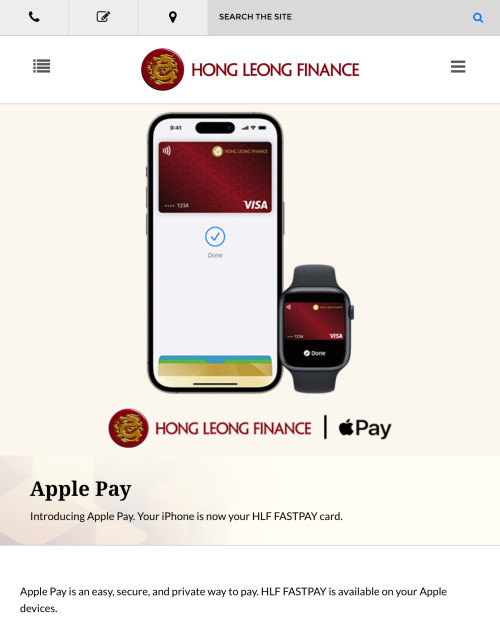 |
|
|
Oct 26 2023, 11:48 AM
Show posts by this member only | IPv6 | Post
#4726
|

Senior Member
7,547 posts Joined: May 2012
|
QUOTE(The1stHumanBeing @ Oct 26 2023, 11:46 AM) Found this while searching for Hong Leong Apple Pay support that is singapore. not malaysiahttps://www.hlf.com.sg/site-services/hlf-fa...%20per%20device. |
|
|
|
|
|
Oct 26 2023, 07:33 PM
|

All Stars
10,859 posts Joined: Jan 2003 From: Sarawak
|
shell paywave terminal can use apple pay ka?
|
|
|
Oct 26 2023, 08:13 PM
Show posts by this member only | IPv6 | Post
#4728
|

Junior Member
114 posts Joined: Aug 2022
|
QUOTE(ben3003 @ Oct 26 2023, 07:33 PM) shell paywave terminal can use apple pay ka? Can. Been using it since launch. |
|
|
Oct 31 2023, 04:10 PM
Show posts by this member only | IPv6 | Post
#4729
|

Senior Member
1,259 posts Joined: Nov 2009 From: Johor Bahru 
|
QUOTE(fruitie @ Oct 25 2023, 10:35 AM) I have been adding MH flight tickets into Apple Wallet. You have to add when you check in, there is an option to add into Apple Wallet. I’m having this problem now. Previously I can delete MH Boarding Pass from Wallet, seems like the option is gone now. How do I delete this? Or will it be removed after a certain time? The thing with MH is, it won't remove the flight tickets which already expired, unlike other airlines.-edit- Ok, need to open Wallet App proper. Can’t delete from double clicking the side button. My mistake  This post has been edited by isr25: Oct 31 2023, 04:24 PM |
|
|
Oct 31 2023, 04:29 PM
|
|
Staff
72,790 posts Joined: Sep 2005 From: KUL
|
QUOTE(isr25 @ Oct 31 2023, 04:10 PM) I’m having this problem now. Previously I can delete MH Boarding Pass from Wallet, seems like the option is gone now. How do I delete this? Or will it be removed after a certain time? Rightfully, like other airlines, they should be removed after expired but MH is not the case. Anyway, I like keeping those tickets for sentimental purpose. -edit- Ok, need to open Wallet App proper. Can’t delete from double clicking the side button. My mistake  So, not deleting them myself. So, not deleting them myself. |
|
|
Oct 31 2023, 05:37 PM
|

Junior Member
394 posts Joined: Aug 2010 From: 御堂筋 
|
QUOTE(ben3003 @ Oct 26 2023, 07:33 PM) shell paywave terminal can use apple pay ka? Yes, as long as the terminal got paywave. Only depends on whether the Shell stations have the terminal at the fuel pump or not. Can't believe some of the Shell stations beside the national highway don't even have contactless payment terminals at fuel pump all. Marcus Cody liked this post
|
|
|
Nov 17 2023, 07:23 AM
|
|
Junior Member
131 posts Joined: Jul 2011
|
You can soon pay for KTMB train rides with credit cards, Apple Pay, and Samsung Pay "The statement from KTMB contained one little surprise: users will also be able to pay for their train rides using Apple Pay and Samsung Pay at all KTM stations in the near future. The exact launch date was not revealed in the statement but KTMB said that this will happen sometime in early 2024." https://soyacincau.com/2023/11/17/ktmb-trai...ay-samsung-pay/ This post has been edited by hafiziza: Nov 17 2023, 07:23 AM The1stHumanBeing, adiyon84, and 1 other liked this post
|
|
|
Nov 20 2023, 11:38 AM
|
|
Staff
72,790 posts Joined: Sep 2005 From: KUL
|
I want to share this here: I used Apple Pay (Apple Wallet) in Japan for a Suica card. It is so smooth, and I linked it to my Apple Watch instead, scanning in and out like a boss.
Also, since Thailand still doesn't have Apple Pay activated, I got my partner to change it to MY region before using Suica card in Japan. The Apple Pay is linked with my credit cards instead. There is no issue at all using this method. |
|
|
|
|
|
Nov 20 2023, 02:31 PM
|
|
Junior Member
394 posts Joined: Aug 2010 From: 御堂筋
|
QUOTE(fruitie @ Nov 20 2023, 11:38 AM) I want to share this here: I used Apple Pay (Apple Wallet) in Japan for a Suica card. It is so smooth, and I linked it to my Apple Watch instead, scanning in and out like a boss. Suica card in Apple Wallet can also view card balance, and top up the Suica card using any payment card inside Apple Wallet. Also, since Thailand still doesn't have Apple Pay activated, I got my partner to change it to MY region before using Suica card in Japan. The Apple Pay is linked with my credit cards instead. There is no issue at all using this method. Very sweet Suica indeed. |
|
|
Nov 20 2023, 02:41 PM
|
|
Staff
72,790 posts Joined: Sep 2005 From: KUL
|
QUOTE(darren_yuri @ Nov 20 2023, 02:31 PM) Suica card in Apple Wallet can also view card balance, and top up the Suica card using any payment card inside Apple Wallet. Yes, it does. I shifted it from phone to Apple Watch, I find it more convenient for me to tap in/out without taking my phone out. Very sweet Suica indeed.  Another advantage using it on Watch is can reload with minimum 100 yen while on phone is 1000 yen if I'm not wrong. |
|
|
Nov 23 2023, 01:25 AM
Show posts by this member only | IPv6 | Post
#4736
|
|
Junior Member
143 posts Joined: Jul 2011
|
QUOTE(fruitie @ Nov 20 2023, 11:38 AM) I want to share this here: I used Apple Pay (Apple Wallet) in Japan for a Suica card. It is so smooth, and I linked it to my Apple Watch instead, scanning in and out like a boss. Also, don't need to unlock, just bringing close is all it takes, and impressively, it even works when the iPhone is turned off!Also, since Thailand still doesn't have Apple Pay activated, I got my partner to change it to MY region before using Suica card in Japan. The Apple Pay is linked with my credit cards instead. There is no issue at all using this method. |
|
|
Nov 23 2023, 03:36 AM
|
|
Staff
72,790 posts Joined: Sep 2005 From: KUL
|
QUOTE(Steve78 @ Nov 23 2023, 01:25 AM) Also, don't need to unlock, just bringing close is all it takes, and impressively, it even works when the iPhone is turned off! Yes, super impressive and fast. Suica can be used almost everywhere, so just load your money there and pay your stuff with it. Fast and easy. |
|
|
Nov 25 2023, 12:51 PM
Show posts by this member only | IPv6 | Post
#4738
|

Senior Member
5,608 posts Joined: Jan 2010
|
QUOTE(fruitie @ Nov 23 2023, 03:36 AM) Yes, super impressive and fast. Suica can be used almost everywhere, so just load your money there and pay your stuff with it. Fast and easy. The suica terminal is on the right so if u’re wearing the watch on left wrist it will be awkwardSo i still used suica on express mode with phone when I was in Tokyo |
|
|
Nov 25 2023, 01:06 PM
|
|
Staff
72,790 posts Joined: Sep 2005 From: KUL
|
QUOTE(tzxsean @ Nov 25 2023, 12:51 PM) The suica terminal is on the right so if u’re wearing the watch on left wrist it will be awkward Not really. It’s not awkward for me. Everyone does the same and it’s more convenient than taking out the phone. That’s how I see it. Don’t even need to aim it correctly, just tap with the strap or with jacket on also ok.So i still used suica on express mode with phone when I was in Tokyo This post has been edited by fruitie: Nov 25 2023, 01:07 PM |
|
|
Nov 25 2023, 10:46 PM
Show posts by this member only | IPv6 | Post
#4740
|
|
Junior Member
143 posts Joined: Jul 2011
|
QUOTE(fruitie @ Nov 25 2023, 01:06 PM) Not really. It’s not awkward for me. Everyone does the same and it’s more convenient than taking out the phone. That’s how I see it. Don’t even need to aim it correctly, just tap with the strap or with jacket on also ok. Yesh it's still simpler than pulling your phone out of your pocket, unless you always have your phone in hand. fruitie liked this post
|
| Change to: |  0.0199sec 0.0199sec
 0.27 0.27
 6 queries 6 queries
 GZIP Disabled GZIP Disabled
Time is now: 1st December 2025 - 11:59 PM |
 Quote
Quote