Welcome Guest ( Log In | Register )

Outline · [ Standard ] · Linear+

 Smart Home, Let's discuss

views
     
Zot
post Dec 6 2018, 04:27 PM

Look at all my stars!!
*******
Senior Member
7,938 posts

Joined: Mar 2014
QUOTE(Drian @ Dec 5 2018, 04:34 PM)
If it flickers, not enough load.

The way the switch work without neutral is that it does not turn the switch fully off, but in between OFF and ON . That's how it's able to power the circuitry when it's off, it allows some current to flow through even when it's off to power the internal circuitry.  That is why there is a minimum load requirement to using this switch. How many LED lights are you powering with that switch?
*
Actually, it is not about minimum load but minimum leak current that flow through load (bulb or whatever) in off condition. The LED has very load leak current, thus could not provide enough power to the switch circuitry. Therefore, the switch is provided with capacitor normally about 0.1uF to be connected parallel to the load (LED bulb in this case). The capacitor will leak the AC current to the switch to ensure the switch works as it should.

So, if you have flickering problem, you need to install the capacitor. Otherwise, there is no need to. smile.gif
zzzhhhzzz
post Dec 6 2018, 10:06 PM

Regular
******
Senior Member
1,671 posts

Joined: Apr 2012
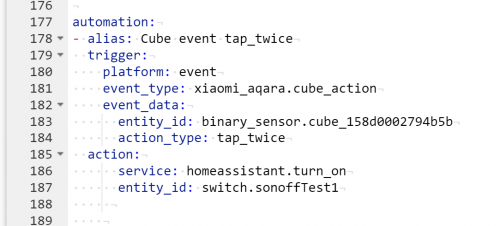
hi sifus.. im trying to use xiaomi cube to turn on my sonoff-tasmota switch in home assistant.. apparently not able to get it to work.. I have put the following lines in my configuration.yaml :

automation:
- alias: Cube event tap_twice
trigger:
platform: event
event_type: xiaomi_aqara.cube_action
event_data:
entity_id: binary_sensor.cube_158d0002794b5b
action_type: tap_twice
action:
service: homeassistant.turn_on
entity_id: switch.sonoffTest1


can anyone point out to me where im doing it wrong ?

user posted image

This post has been edited by zzzhhhzzz: Dec 6 2018, 10:08 PM
Fubar20
post Dec 6 2018, 10:18 PM

Regular
******
Senior Member
1,187 posts

Joined: Apr 2011
From: Nowhere


QUOTE(zzzhhhzzz @ Dec 6 2018, 10:06 PM)
hi sifus.. im trying to use xiaomi cube to turn on my sonoff-tasmota switch in home assistant.. apparently not able to get it to work.. I have put the following lines in my configuration.yaml :

automation:
- alias: Cube event tap_twice
  trigger:
    platform: event
    event_type: xiaomi_aqara.cube_action
    event_data:
      entity_id: binary_sensor.cube_158d0002794b5b
      action_type: tap_twice
  action:
      service: homeassistant.turn_on
      entity_id: switch.sonoffTest1
   

can anyone point out to me where im doing it wrong ?

user posted image
*
U didn't check the config after adding the changes?
Looks like the gap after action: which is service: and entity_id: is too far.
Should be just 2 spaces below action:
zzzhhhzzz
post Dec 7 2018, 08:10 AM

Regular
******
Senior Member
1,671 posts

Joined: Apr 2012
QUOTE(Fubar20 @ Dec 6 2018, 10:18 PM)
U didn't check the config after adding the changes?
Looks like the gap after action: which is service: and entity_id: is too far.
Should be just 2 spaces below action:
*
corrected the indentation.. config check show valid... but my cube is still not triggering my sonoff switch sad.gif
am I using any wrong codes here ?
Fubar20
post Dec 7 2018, 08:39 AM

Regular
******
Senior Member
1,187 posts

Joined: Apr 2011
From: Nowhere


QUOTE(zzzhhhzzz @ Dec 7 2018, 08:10 AM)
corrected the indentation.. config check show valid... but my cube is still not triggering my sonoff switch sad.gif
am I using any wrong codes here ?
*
When you press Trigger on the automation card at frontend, does it switch on?
Try change to switch.turn_on instead of homeassistant.turn_on.

And are you on 0.83 for HA version?
There were some breaking changes.

All events are prefixed now by "xiaomi_aqara". Please update your automations:

motion -> xiaomi_aqara.motion
click -> xiaomi_aqara.click
cube_action -> xiaomi_aqara.cube_action


0.83

This post has been edited by Fubar20: Dec 7 2018, 09:30 AM
zenix
post Dec 7 2018, 09:47 PM

Pirate Captain
*******
Senior Member
6,249 posts

Joined: Jul 2006
robert82

hows your expansion of your home automatic going on?
ozak
post Dec 9 2018, 12:58 PM

10k Club
********
All Stars
17,024 posts

Joined: Jan 2005


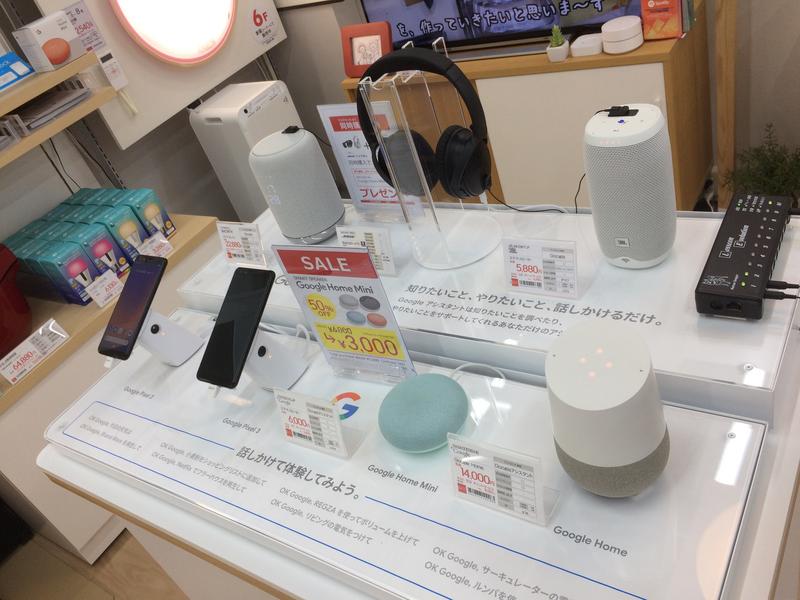
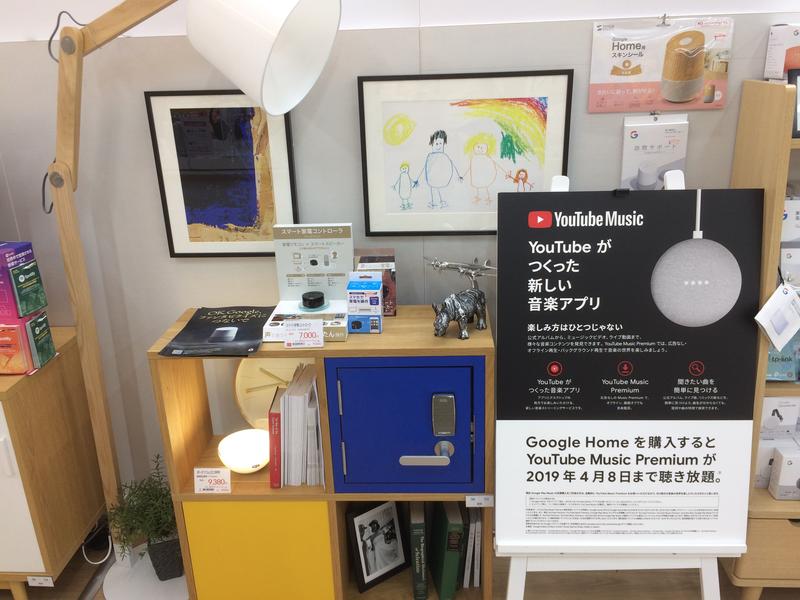
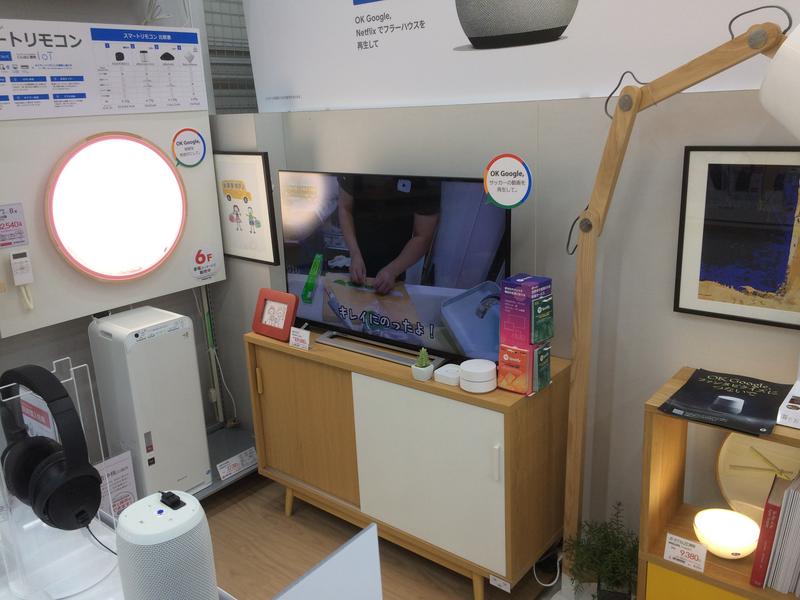
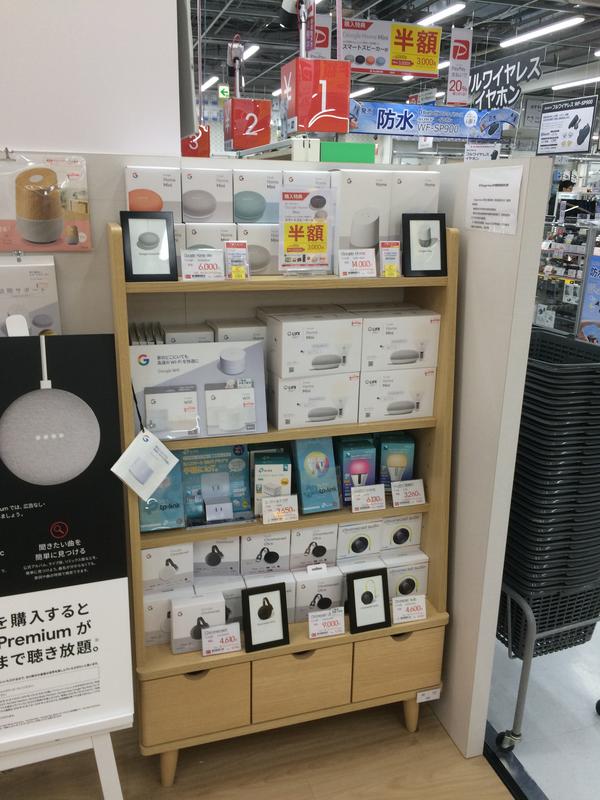
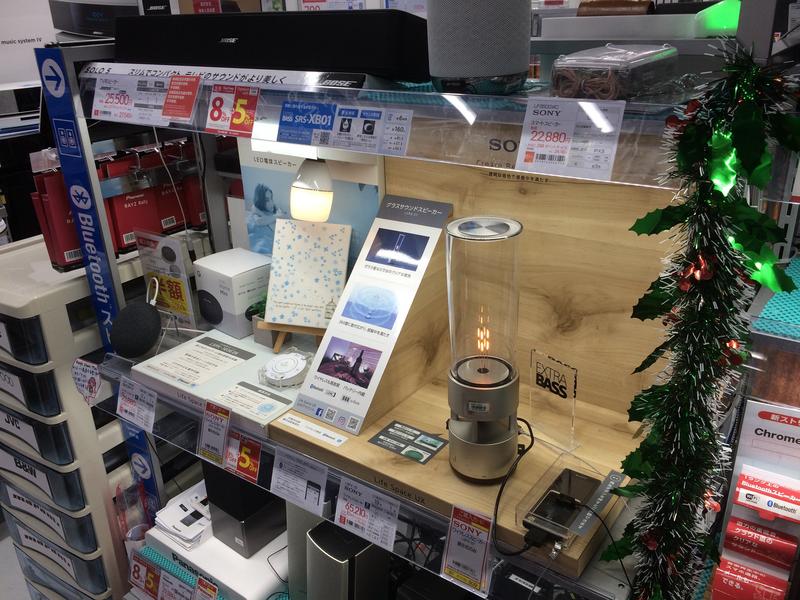
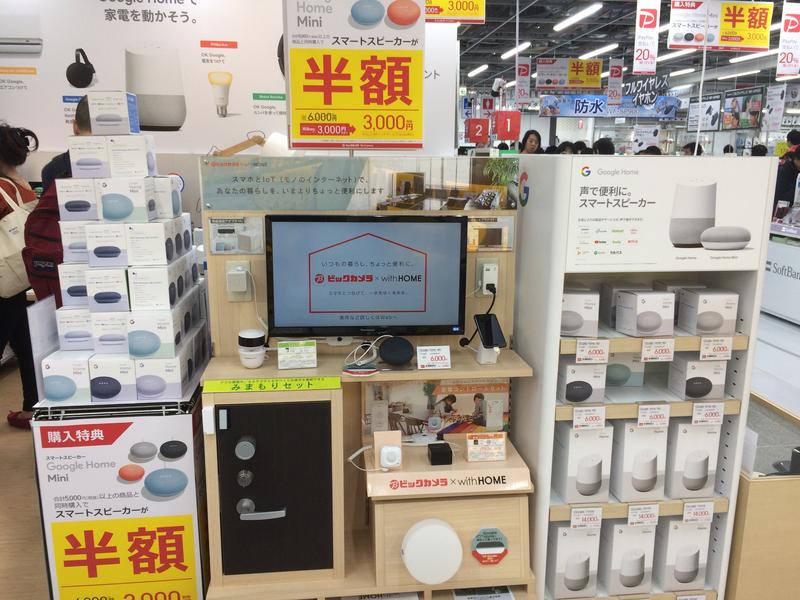
When to Akihabara and check check. smile.gif

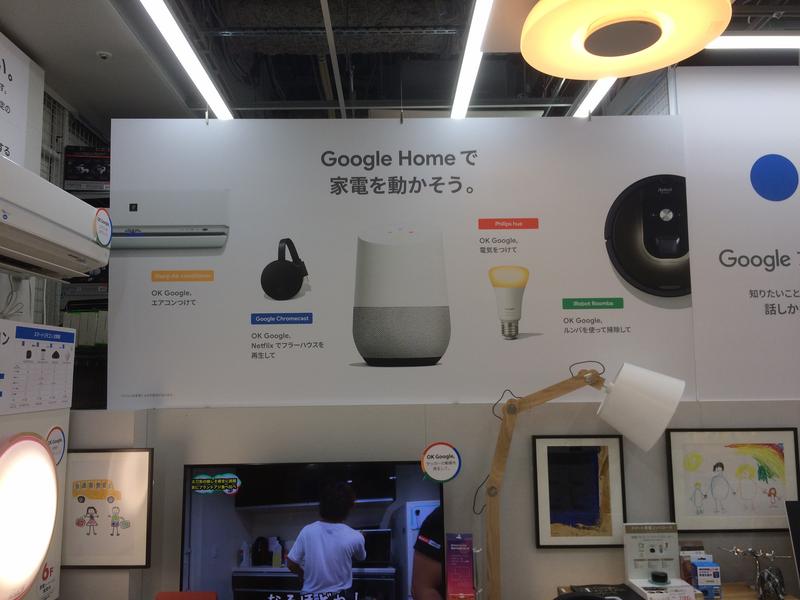
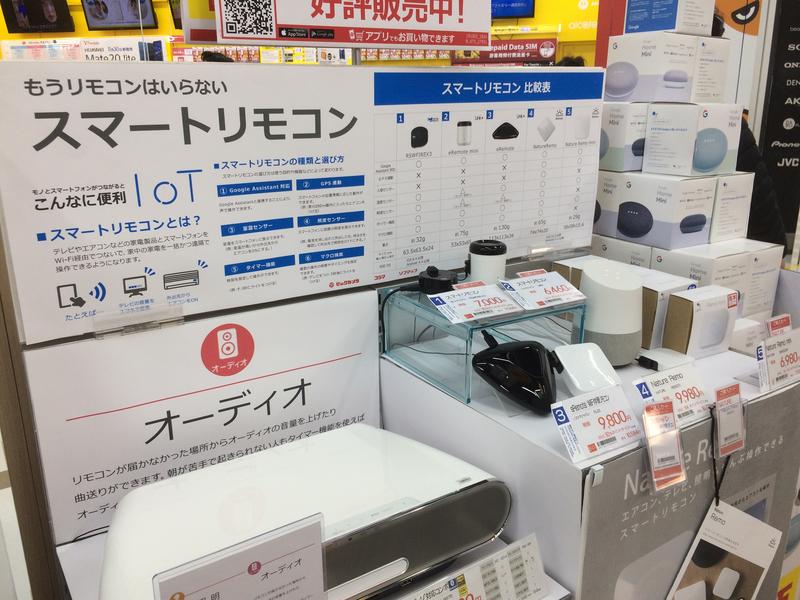
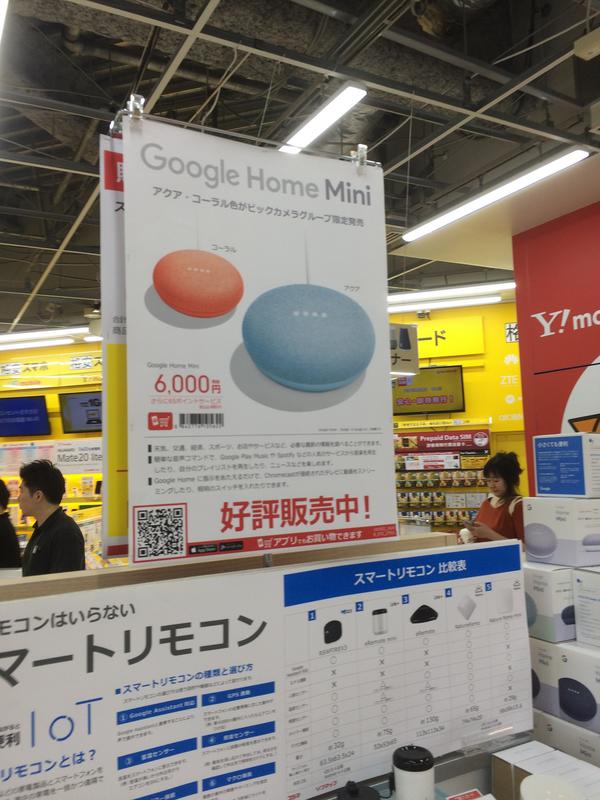
Anything new here for home automation ?


user posted image

user posted image

user posted image

user posted image

user posted image

user posted image

user posted image

user posted image

user posted image

idoblu
post Dec 9 2018, 01:17 PM

stars for sale
********
All Stars
11,308 posts

Joined: Feb 2008
QUOTE(ozak @ Dec 9 2018, 12:58 PM)
When to Akihabara and check check.  smile.gif
*
Bought any thing? 😁
ozak
post Dec 9 2018, 01:37 PM

10k Club
********
All Stars
17,024 posts

Joined: Jan 2005


QUOTE(idoblu @ Dec 9 2018, 01:17 PM)
Bought any thing? 😁
*
Alot of tools. biggrin.gif

Boss, cannot find the Sony remote. Went to Labi and others electrical store. Many those normal remote. But just can't find the Sony wan. sad.gif
idoblu
post Dec 9 2018, 02:00 PM

stars for sale
********
All Stars
11,308 posts

Joined: Feb 2008
QUOTE(ozak @ Dec 9 2018, 01:37 PM)
Alot of tools.  biggrin.gif

Boss, cannot find the Sony remote. Went to Labi and others electrical store. Many those normal remote. But just can't find the Sony wan.  sad.gif
*
Either Yodobashi or Bic Camera got ma
I gave you the links
ozak
post Dec 9 2018, 02:08 PM

10k Club
********
All Stars
17,024 posts

Joined: Jan 2005


QUOTE(idoblu @ Dec 9 2018, 02:00 PM)
Either Yodobashi or Bic Camera got ma
I gave you the links
*
The pic google home I show ontop is a Bic Camera shop. Don't have.

Didn't go Yodobashi. sad.gif
idoblu
post Dec 9 2018, 04:22 PM

stars for sale
********
All Stars
11,308 posts

Joined: Feb 2008
QUOTE(ozak @ Dec 9 2018, 02:08 PM)
The pic google home I show ontop is a Bic Camera shop. Don't have.

Didn't go Yodobashi.  sad.gif
*
which part of tokyo you staying at? i check for you where got stock
You want Black or White color?

This post has been edited by idoblu: Dec 9 2018, 04:40 PM
idoblu
post Dec 9 2018, 04:28 PM

stars for sale
********
All Stars
11,308 posts

Joined: Feb 2008
QUOTE(ozak @ Dec 9 2018, 02:08 PM)
The pic google home I show ontop is a Bic Camera shop. Don't have.

Didn't go Yodobashi.  sad.gif
*
shinjuku got stock - BIC Camera
Its very easy to find. Go to Shinjuku Station near M Line - got Uniqlo there as well
» Click to show Spoiler - click again to hide... «


This post has been edited by idoblu: Dec 9 2018, 08:13 PM
ozak
post Dec 9 2018, 07:08 PM

10k Club
********
All Stars
17,024 posts

Joined: Jan 2005


QUOTE(idoblu @ Dec 9 2018, 04:22 PM)
which part of tokyo you staying at? i check for you where got stock
You want Black or White color?
*
Thanks boss. notworthy.gif

I comeback already. tongue.gif

I stay at Gunma prefect in a freaking remote place that I also don't no what name. rclxub.gif (record the GPS cordinate later for checking)
ozak
post Dec 9 2018, 07:10 PM

10k Club
********
All Stars
17,024 posts

Joined: Jan 2005


QUOTE(idoblu @ Dec 9 2018, 04:28 PM)
shinjuku got stock - BIC Camera
Its very easy to find. Go to Shinjuku Station near M Line - got Uniqlo there as well
Attached Image
Attached Image

Yodobashi also got but further away a bit from the station
Attached Image
*
I only shop for a short time in Shinjuku for some outdoor thing. Don't have much time there and quickly move to Harajuku and shibuya. Only have more time in Akihabara.
idoblu
post Dec 9 2018, 07:16 PM

stars for sale
********
All Stars
11,308 posts

Joined: Feb 2008
QUOTE(ozak @ Dec 9 2018, 07:10 PM)
I only shop for a short time in Shinjuku for some outdoor thing. Don't have much time there and quickly move to Harajuku and shibuya. Only have more time in Akihabara.
*
Haha your wife wants to go harajuku and shibuya la must be 😅
ozak
post Dec 9 2018, 08:29 PM

10k Club
********
All Stars
17,024 posts

Joined: Jan 2005


QUOTE(idoblu @ Dec 9 2018, 07:16 PM)
Haha your wife wants to go harajuku and shibuya la must be 😅
*
Bring my friend.

Numerous time all this few shopping place. Getting bored. dry.gif
quadcube
post Dec 9 2018, 08:40 PM

Regular
******
Senior Member
1,924 posts

Joined: May 2009
From: Yokohama, JP


QUOTE(ozak @ Dec 9 2018, 12:58 PM)
When to Akihabara and check check.  smile.gif

Anything new here for home automation ?
user posted image

user posted image

user posted image

user posted image

user posted image

user posted image

user posted image

user posted image

user posted image
*
ah, google home mini selling same price as Costco laugh.gif


Fubar20
post Dec 9 2018, 11:25 PM

Regular
******
Senior Member
1,187 posts

Joined: Apr 2011
From: Nowhere


Xiaomi, please wash my asshole. laugh.gif
zzzhhhzzz
post Dec 10 2018, 08:41 AM

Regular
******
Senior Member
1,671 posts

Joined: Apr 2012
QUOTE(Fubar20 @ Dec 7 2018, 08:39 AM)
When you press Trigger on the automation card at frontend, does it switch on?
Try change to switch.turn_on instead of homeassistant.turn_on.

And are you on 0.83 for HA version?
There were some breaking changes.

All events are prefixed now by "xiaomi_aqara". Please update your automations:

motion -> xiaomi_aqara.motion
click -> xiaomi_aqara.click
cube_action -> xiaomi_aqara.cube_action
0.83
*
i didnt use the automation front end.. I put the codes directly in my configuration.yaml
the automation front end doest seems to recognize the even from xiaomi.aqara
sienz...

 

Change to:
| Lo-Fi Version
0.0195sec    0.98    6 queries    GZIP Disabled
Time is now: 22nd December 2025 - 12:39 AM