Welcome Guest ( Log In | Register )

656 Pages « < 238 239 240 241 242 > » Bottom

Outline · [ Standard ] · Linear+

 Smart Home, Let's discuss

views
     
Fubar20
post Nov 27 2018, 02:03 PM

Regular
******
Senior Member
1,187 posts

Joined: Apr 2011
From: Nowhere


QUOTE(Zot @ Nov 27 2018, 01:55 PM)
Voice control no need internet. The instruction is:

"Please switch off the light, honey"  biggrin.gif
*
Can also, provided your maid/fubu/gf/wife/bf/husband is named Alexa. whistling.gif

QUOTE(mingyew @ Nov 27 2018, 01:59 PM)
just buy few wifi infrared port then can control all already.
*
confused.gif You go and quote a 2015 response? Baru keluar gua ah? laugh.gif
kelembai
post Nov 27 2018, 02:35 PM

Casual
***
Junior Member
357 posts

Joined: Sep 2009


QUOTE(Fubar20 @ Nov 27 2018, 02:03 PM)
Can also, provided your maid/fubu/gf/wife/bf/husband is named Alexa.  whistling.gif
:confused: You go and quote a 2015 response? Baru keluar gua ah?  laugh.gif
*
Whatdo you use bro, broadlink?
adamw
post Nov 27 2018, 03:13 PM

Back to serve justice to those PKHKC corrupted Ex-ministers!
*******
Senior Member
3,356 posts

Joined: Dec 2006


QUOTE(kelembai @ Nov 27 2018, 02:35 PM)
Whatdo you use bro, broadlink?
*
Seems broadlink now block 3rd party RF devices from Alexa/Google. Can only use Broadlink brand. Anyone can confirmed this? Am thinking of switching to Orvibo AllOnePro because of this.
Fubar20
post Nov 27 2018, 03:53 PM

Regular
******
Senior Member
1,187 posts

Joined: Apr 2011
From: Nowhere


QUOTE(Fubar20 @ Nov 26 2018, 03:04 PM)
Install Hassio in VirtualBox on a Windows Machine (start from 17:50 minutes)
» Click to show Spoiler - click again to hide... «

Instructions are at here ----> [attachmentid=10122123]
*
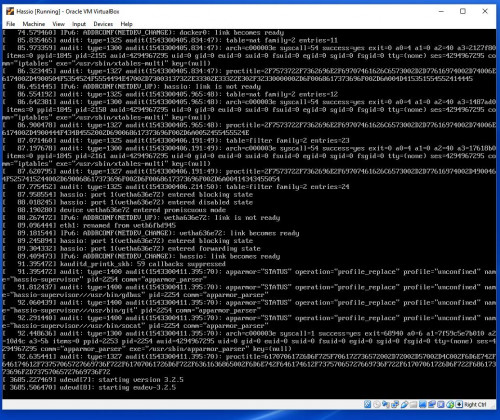
Setup Hassio in VM is super easy. Another job done.

user posted image

QUOTE(kelembai @ Nov 27 2018, 02:35 PM)
Whatdo you use bro, broadlink?
*
Nope, you asking someone else?

QUOTE(adamw @ Nov 27 2018, 03:13 PM)
Seems broadlink now block 3rd party RF devices from Alexa/Google. Can only use Broadlink brand. Anyone can confirmed this? Am thinking of switching to Orvibo AllOnePro because of this.
*
hmm.gif Sure or not? Where's the news link? Quite wasteful if just can support Broadlink RF devices.

adamw
post Nov 28 2018, 08:16 AM

Back to serve justice to those PKHKC corrupted Ex-ministers!
*******
Senior Member
3,356 posts

Joined: Dec 2006


QUOTE(Fubar20 @ Nov 27 2018, 03:53 PM)
Setup Hassio in VM is super easy. Another job done.

user posted image
Nope, you asking someone else?
hmm.gif Sure or not? Where's the news link? Quite wasteful if just can support Broadlink RF devices.
*
Got this news from my friend using it. That's why need some other user to confirm.
Fubar20
post Nov 28 2018, 11:10 AM

Regular
******
Senior Member
1,187 posts

Joined: Apr 2011
From: Nowhere


QUOTE(adamw @ Nov 28 2018, 08:16 AM)
Got this news from my friend using it. That's why need some other user to confirm.
*
Nah, don't think so it is like that. What is 'your friend' 3rd party brand RF devices which cannot work with Alexa?
Reasons are:
1) User problem.
2) Some devices cannot connect to RM Pro. Not all RF devices can connect.
3) And this guy will make a video on this issue and flip the bird at Broadlink if it happens. laugh.gif


adamw
post Nov 28 2018, 04:07 PM

Back to serve justice to those PKHKC corrupted Ex-ministers!
*******
Senior Member
3,356 posts

Joined: Dec 2006


QUOTE(Fubar20 @ Nov 28 2018, 11:10 AM)
Nah, don't think so it is like that. What is 'your friend' 3rd party brand RF devices which cannot work with Alexa?
Reasons are:
1) User problem.
2) Some devices cannot connect to RM Pro. Not all RF devices can connect.
3) And this guy will make a video on this issue and flip the bird at Broadlink if it happens.  laugh.gif


*
Guess I have to dig out my broadlink RM pro to test myself.
kelembai
post Nov 29 2018, 10:48 AM

Casual
***
Junior Member
357 posts

Joined: Sep 2009


QUOTE(adamw @ Nov 28 2018, 04:07 PM)
Guess I have to dig out my broadlink RM pro to test myself.
*
Share ur finding with us
kelembai
post Nov 29 2018, 10:48 AM

Casual
***
Junior Member
357 posts

Joined: Sep 2009


QUOTE(adamw @ Nov 28 2018, 04:07 PM)
Guess I have to dig out my broadlink RM pro to test myself.
*
Share ur finding with us
Rilthalas
post Nov 29 2018, 02:10 PM

New Member
*
Junior Member
37 posts

Joined: Feb 2011


So am just starting out on this sorta just for fun and to mess around, went with a Google Home Hub(yet to arrive).

Initially just plan to get some lights and be able to connect and control my samsung robot vaccum as when I want to.

Any recommendations on a guide to get started and where to get bulbs? I read philips is the one to go for and what do i need control the robot vacuum?

The scheduling for the robot vaccum doesn't suit my needs which is why i thought of hooking it up and if I can tell it when to start when I'm not home that would be excellent.


adamw
post Nov 29 2018, 02:34 PM

Back to serve justice to those PKHKC corrupted Ex-ministers!
*******
Senior Member
3,356 posts

Joined: Dec 2006


QUOTE(kelembai @ Nov 29 2018, 10:48 AM)
Share ur finding with us
*
Sure, once I get around to do it. BTW, anybody interested in Ring V2 door phone? Mistakenly bought twice @Amazon during Black Friday. Item already delivered @Yellow Porter, Texas. Ready to be sent to MY. Willing to let go @original price. Current price now 199usd.
Fubar20
post Nov 29 2018, 03:01 PM

Regular
******
Senior Member
1,187 posts

Joined: Apr 2011
From: Nowhere


QUOTE(Rilthalas @ Nov 29 2018, 02:10 PM)
So am just starting out on this sorta just for fun and to mess around, went with a Google Home Hub(yet to arrive).

Initially just plan to get some lights and be able to connect and control my samsung robot vaccum as when I want to.

Any recommendations on a guide to get started and where to get bulbs? I read philips is the one to go for and what do i need control the robot vacuum?

The scheduling for the robot vaccum doesn't suit my needs which is why i thought of hooking it up and if I can tell it when to start when I'm not home that would be excellent.
*
Light Bulbs guide ---------> Smart Home Lighting
Where to get - Any online website which you are comfortable with
Samsung Robot Vacuum -------------> Samsung Smart Home


QUOTE(adamw @ Nov 29 2018, 02:34 PM)
Sure, once I get around to do it. BTW, anybody interested in Ring V2 door phone? Mistakenly bought twice @Amazon during Black Friday. Item already delivered @Yellow Porter, Texas. Ready to be sent to MY. Willing to let go @original price. Current price now 199usd.
*
USD 139? whistling.gif
Drian
post Nov 29 2018, 07:49 PM

Look at all my stars!!
*******
Senior Member
4,999 posts

Joined: Jan 2003


QUOTE(Fubar20 @ Nov 18 2018, 11:34 AM)
Yup, can do that in Home Assistant and that will be what I set if I have an auto gate.
Plug in a Wemos D1 Mini programmed as a binary sensor and plugged in to your car.
When your car starts, the binary sensor connects to your home wifi and becomes connected.
This triggers the auto gate to open through automation.
When your car leave, the binary sensor will disconnect from your home wifi and it will be disconnected.
This will trigger the auto gate to close. Again through automation.
Not really. Yaml is simple. Just that need to get the spacing right.
Got 2 ways of using Alexa through HA:
1) Home Assistant Cloud - if you can afford Starbucks every week, it is not too expensive to subscribe to the HA Cloud. No need to set DNS and port forwarding.
2) Use the free compenents as per this LINK. More on creating the skill in Alexa and the yaml side.
*
Lets assume I have a scene, and part of my devices are controlled by alexa and part of my devices are controlled by home assistant.

Am I able to control both sets of devices from alexa and home assistant at the same time in the scene? The tutorial is not so clear, because it is only asking home assistant to do one thing.
What if I want to do 5 things at once, some controlled by home assistant and some by alexa, how does this work?

This post has been edited by Drian: Nov 29 2018, 07:53 PM

Fubar20
post Nov 29 2018, 08:12 PM

Regular
******
Senior Member
1,187 posts

Joined: Apr 2011
From: Nowhere


QUOTE(Drian @ Nov 29 2018, 07:49 PM)
Lets assume I have a scene, and part of my devices are controlled by alexa and part of my devices are controlled by home assistant.

Am I able to control both sets of devices from alexa and home assistant at the same time in the scene? The tutorial is not so clear, because it is only asking home assistant to do one thing.
What if I want to do 5 things at once, some controlled by home assistant and some by alexa, how does this work?
*
blink.gif What a weird question. biggrin.gif
What do you mean some are controlled by Alexa while some are controlled by HA?
Depends on what the devices are.
For example, stock Sonoff which can be controlled by Alexa but not by HA unless it is running custom firmware.
Haven't tried it but technically, you can do an automation which run the actions by HA devices and also stock Sonoff through IFTTT.
Does that answer your question? rclxub.gif bangwall.gif icon_question.gif
Drian
post Nov 30 2018, 09:28 AM

Look at all my stars!!
*******
Senior Member
4,999 posts

Joined: Jan 2003


QUOTE(Fubar20 @ Nov 29 2018, 08:12 PM)
blink.gif What a weird question.  biggrin.gif
What do you mean some are controlled by Alexa while some are controlled by HA?
Depends on what the devices are.
For example, stock Sonoff which can be controlled by Alexa but not by HA unless it is running custom firmware.
Haven't tried it but technically, you can do an automation which run the actions by HA devices and also stock Sonoff through IFTTT.
Does that answer your question?  rclxub.gif  bangwall.gif  icon_question.gif
*
My bad I didn't read the part about hasska at the bottom.
I was looking at the first part and the video in the link you provided and they were talking about how to use Alexa to ask home assistant to run some routine. That's why I thought it's a going to be a such a hassle to create a routine for every device I want to control.

The part I was interested in was actually Haaska where it allows alexa to see and control all the devices in home assistant. In this case the home assistant will just be a middleman. I think this should be the most commonly used but for some reason it was placed at the last portion of the guide.


Fubar20
post Nov 30 2018, 11:08 AM

Regular
******
Senior Member
1,187 posts

Joined: Apr 2011
From: Nowhere


QUOTE(Drian @ Nov 30 2018, 09:28 AM)
My bad I didn't read the part about hasska at the bottom.
I was looking at the first part and the video in the link you provided and they were talking about how to use Alexa to ask home assistant to run some routine. That's why I thought it's a going to be a such a hassle to create a routine for every device I want to control.

The part I was interested in was actually Haaska where it allows alexa to see and control all the devices in home assistant. In this case the home assistant will just be a middleman. I think this should be the most commonly used but for some reason it was placed at the last portion of the guide.
*
hmm.gif Haaska eh?
Follow this link to install Hasska.
I want to try but still haven't got to reading the damn thing yet. tongue.gif
klthor
post Nov 30 2018, 11:53 AM

Look at all my stars!!
*******
Senior Member
5,469 posts

Joined: Jun 2008
any1 using xiaomi gateway as alarm? can i use xiaomi security camera as motion sensor to trigger the alarm ?
adamw
post Nov 30 2018, 12:10 PM

Back to serve justice to those PKHKC corrupted Ex-ministers!
*******
Senior Member
3,356 posts

Joined: Dec 2006


QUOTE(klthor @ Nov 30 2018, 11:53 AM)
any1 using xiaomi gateway as alarm? can i use xiaomi security camera as motion sensor to trigger the alarm ?
*
You can but not advisable, too much false alarm.
adamw
post Nov 30 2018, 12:12 PM

Back to serve justice to those PKHKC corrupted Ex-ministers!
*******
Senior Member
3,356 posts

Joined: Dec 2006


QUOTE(Fubar20 @ Nov 29 2018, 03:01 PM)
Light Bulbs guide ---------> Smart Home Lighting
Where to get - Any online website which you are comfortable with
Samsung Robot Vacuum -------------> Samsung Smart Home
USD 139?  whistling.gif
*
Yes usd139 + rm76 for yellow porter & possible 6% SST.
klthor
post Nov 30 2018, 12:40 PM

Look at all my stars!!
*******
Senior Member
5,469 posts

Joined: Jun 2008
QUOTE(adamw @ Nov 30 2018, 12:10 PM)
You can but not advisable, too much false alarm.
*
i see... guess i should stick to the motion sensor then... problem is that i dont really like to change battery . do we have battery low indicator for xiaomi sensors ?

656 Pages « < 238 239 240 241 242 > » Top
 

Change to:
| Lo-Fi Version
0.0254sec    0.40    6 queries    GZIP Disabled
Time is now: 19th December 2025 - 01:36 AM