Welcome Guest ( Log In | Register )

3 Pages  1 2 3 >Bottom

Outline · [ Standard ] · Linear+

P2P BitTorrent Helpdesk, Post your general BT queries here.

views
     
TSshockw@ve
post Apr 30 2006, 12:02 AM, updated 19y ago

d[-_-]b
Group Icon
VIP
1,889 posts

Joined: Jan 2003
Guides/FAQRules and Regulations:
  • DO NOT DISCUSS WHAT YOU DOWNLOAD. Only BT clients, URLs and problems are allowed. Offenders will get a warning.
  • Related to the statement above, please DO NOT post question regarding why your file(s) downloaded through BT cannot be open; we're not providing support for the content that you've downloaded from BT. Check this thread if the file extension is new to you.
  • Please read the first post before asking question like "My BT download so slow (around 10KBps), can anyone help? sad.gif "
  • This is NOT a torrent sharing thread. In other words, refrain from posting question such as "Does anyone know where to download Small Ville Season 1 episode 3?"
  • Lowyat.NET BitTorrent Policy applies at all times.
Important Notes
  • Bragging posts on miscapped (legally or illegaly) WILL NOT be tolerated. Your post will be deleted and if repeated, you would be warned.
  • Maximum speeds of a 1Mbps (Megabits/second) connection is 128KB/s (Kilobytes/second) while a 512Kbps (Kilobits/second) connection is 64KB/s (Kilobytes/second) without any overheads taken into account and with your line being in a perfect condition. This is a theoretical maximum value and would never be achievable under real-life conditions.
  • Usual maximum speeds should be generally be 5-10% lower than the speed stated above, so do not expect for miracles to happen even with numerous performance
DISCLAIMER: We at Lowyat.NET will not be held responsible for any damage done in any way to yourself and/or your computer(s) by using BitTorrent. Use it at your own risk.

This post has been edited by shockw@ve: Jul 2 2006, 12:53 PM
nerd
post Apr 30 2006, 02:45 AM

another brick in the wall.
*******
Senior Member
3,373 posts

Joined: Jan 2003
From: My House


is screamyx acting up lately? getting real slow speed on my torrents instead of the usual.
ajkl
post Apr 30 2006, 01:13 PM

Getting Started
**
Junior Member
90 posts

Joined: Jan 2006
i just got back my mobo from RMA. but bit comet wasn't the same as b4 already...
did portforward, disabled upnp mapping , chnaged ports to 100. but the speed is still so darn slow (5-10).

so i switched to u torrent though it's abit faster (like 20-30 kbs) . i used to get 60-70 on my bit comet. and now this is what happened

user posted image

the torrent keeps on getting error i didn't even touch the files i'm downloading except for those that i've completed in the same folder. cana nyone tell me what's wrong with it?
chern4ever
post Apr 30 2006, 08:23 PM

Getting Started
**
Junior Member
75 posts

Joined: Apr 2006
i changed to windows XP sp2 yesterday and now i am having some weird problems..
when i open bittorent for more than half hour, i cant connect to any site.
even my router control panel..
is there a way to fix it?
asellus
post Apr 30 2006, 08:50 PM

#gompusas
Group Icon
Elite
4,541 posts

Joined: Jan 2003
From: BSRPPG51 Access Concentrator


QUOTE(ajkl @ Apr 30 2006, 01:13 PM)
i just got back my mobo from RMA. but bit comet wasn't the same as b4 already...
did portforward, disabled upnp mapping , chnaged ports to 100. but the speed is still so darn slow (5-10).

so i switched to u torrent though it's abit faster (like 20-30 kbs) . i used to get 60-70 on my bit comet. and now this is what happened

user posted image

the torrent keeps on getting error i didn't even touch the files i'm downloading except for those that i've completed in the same folder. cana nyone tell me what's wrong with it?
*
Have you patched your tcpip.sys to solve connection speed?
Try removing BitComet and then restart computer before starting µtorrent again. The file handles for those 2 files are locked by some other programs.

QUOTE(chern4ever @ Apr 30 2006, 08:23 PM)
i changed to windows XP sp2 yesterday and now i am having some weird problems..
when i open bittorent for more than half hour, i cant connect to any site.
even my router control panel..
is there a way to fix it?
*
When in SP1, did you have the same problem? Did you user WinXP dialer or use your modem as a router?
samurai1337
post Apr 30 2006, 09:02 PM

@_@
Group Icon
VIP
11,594 posts

Joined: Jan 2003
From: Area 51

QUOTE(nerd @ Apr 30 2006, 02:45 AM)
is screamyx acting up lately? getting real slow speed on my torrents instead of the usual.
*
You sure portforwarding is done correctly?

Try this OOO torrent and tell us what is the speed.
http://borft.student.utwente.nl/~adrian/bt.php

This post has been edited by samurai1337: Apr 30 2006, 09:02 PM
evilhomura89
post Apr 30 2006, 11:03 PM

Look at all my stars!!
*******
Senior Member
5,886 posts

Joined: Jan 2003
From: BM


Is there any universal tracker that can be used for backup tracker in BitComet??
asellus
post Apr 30 2006, 11:07 PM

#gompusas
Group Icon
Elite
4,541 posts

Joined: Jan 2003
From: BSRPPG51 Access Concentrator


QUOTE(evilhomura89 @ Apr 30 2006, 11:03 PM)
Is there any universal tracker that can be used for backup tracker in BitComet??
*
Any public tracker will do, such as The Pirate Bay tracker.
Has to upload first though to that tracker.

Else, just rely on DHT.
Voonz
post May 1 2006, 02:59 AM

Enthusiast
*****
Senior Member
701 posts

Joined: Nov 2004


QUOTE(asellus @ Apr 30 2006, 08:50 PM)
Have you patched your tcpip.sys to solve connection speed?
Try removing BitComet and then restart computer before starting µtorrent again. The file handles for those 2 files are locked by some other programs.
When in SP1, did you have the same problem? Did you user WinXP dialer or use your modem as a router?
*
the prob is solved already =D
but the speed is now at 5-10 =.= avarage zzzzzz
patched to 100 ports already still cannot =.=

QUOTE(samurai1337 @ Apr 30 2006, 09:02 PM)
You sure portforwarding is done correctly?

Try this OOO torrent and tell us what is the speed.
http://borft.student.utwente.nl/~adrian/bt.php
*
hi samurai.
i dled that file and my avarage is 60-70 but for other torrents the speed is incredibly low
i mean really really low.
chern4ever
post May 1 2006, 01:40 PM

Getting Started
**
Junior Member
75 posts

Joined: Apr 2006
QUOTE(asellus @ Apr 30 2006, 08:50 PM)
When in SP1, did you have the same problem? Did you user WinXP dialer or use your modem as a router?
*
i solved the problem but now i encounter another problem again.
my speed is very very slow(10-20) after changing to aztech 600ew modem...
i get around 50 something last time...
is it because the router limited the incoming connections? if so how do i change it?
If i allow too many connections to connect in utorrent, i will have problem browsing the net..
I didnt use WinXP dialer.*

This post has been edited by chern4ever: May 1 2006, 01:41 PM
asellus
post May 1 2006, 03:15 PM

#gompusas
Group Icon
Elite
4,541 posts

Joined: Jan 2003
From: BSRPPG51 Access Concentrator


QUOTE(chern4ever @ May 1 2006, 01:40 PM)
i solved the problem but now i encounter another problem again.
my speed is very very slow(10-20) after changing to aztech 600ew modem...
i get around 50 something last time...
is it because the router limited the incoming connections? if so how do i change it?
If i allow too many connections to connect in utorrent, i will have problem browsing the net..
I didnt use WinXP dialer.*
*
Have you done port-forwarding?
Maybe your router modem is the limit.
chern4ever
post May 1 2006, 07:49 PM

Getting Started
**
Junior Member
75 posts

Joined: Apr 2006
i port forwarded...
if its the router limit can i change it??
asellus
post May 1 2006, 08:11 PM

#gompusas
Group Icon
Elite
4,541 posts

Joined: Jan 2003
From: BSRPPG51 Access Concentrator


QUOTE(chern4ever @ May 1 2006, 07:49 PM)
i port forwarded...
if its the router limit can i change it??
*
Not really. Some routers are just better at BT than others.
Maybe you should try using WinXP dialer to see whether you can get improved result. If yes, then definitely you should use a better modem.
chern4ever
post May 1 2006, 08:19 PM

Getting Started
**
Junior Member
75 posts

Joined: Apr 2006
just brought this router few days ago -.-"
asellus
post May 1 2006, 08:26 PM

#gompusas
Group Icon
Elite
4,541 posts

Joined: Jan 2003
From: BSRPPG51 Access Concentrator


QUOTE(chern4ever @ May 1 2006, 08:19 PM)
just brought this router few days ago -.-"
*
What brand it is?

Maybe you should reduce the number of connections per torrent.
evilhomura89
post May 1 2006, 08:59 PM

Look at all my stars!!
*******
Senior Member
5,886 posts

Joined: Jan 2003
From: BM


Izzit possible to force the client to connect to more peers??
asellus
post May 1 2006, 09:08 PM

#gompusas
Group Icon
Elite
4,541 posts

Joined: Jan 2003
From: BSRPPG51 Access Concentrator


QUOTE(evilhomura89 @ May 1 2006, 08:59 PM)
Izzit possible to force the client to connect to more peers??
*
Just set the apropriate settings in your BT client and it should do so automatically.

µtorrent takes its own sweet time to do it though. BitComet and Azureus does it much faster.
chern4ever
post May 1 2006, 09:25 PM

Getting Started
**
Junior Member
75 posts

Joined: Apr 2006
aztech 600ew and i reduced the max connection to utorrent to 50.
max connection per torrent is 30. i download 1 by 1.
asellus
post May 1 2006, 10:56 PM

#gompusas
Group Icon
Elite
4,541 posts

Joined: Jan 2003
From: BSRPPG51 Access Concentrator


QUOTE(chern4ever @ May 1 2006, 09:25 PM)
aztech 600ew and i reduced the max connection to utorrent to 50.
max connection per torrent is 30. i download 1 by 1.
*
Does that improves the download speed?

30 is probably too low and prevented you to achieve top speed in the littlest time as possible. Try making it 50. Experiment so that you find the highest number without making the modem hang.
r0_01
post May 1 2006, 11:18 PM

Getting Started
**
Junior Member
113 posts

Joined: Mar 2006


Hi,
Can someone please teach me how to port forward the 600ew? i tried www.portforward.com but i couldn't find help for this model.

I'm using utorrent and my avarage download speed is 8-15kb/s, upload is about 20kb/s more. I've patched my tcpip.sys. Will port forwarding improve the download speed? or is there any other tweaks i must do?

asellus
post May 2 2006, 12:13 AM

#gompusas
Group Icon
Elite
4,541 posts

Joined: Jan 2003
From: BSRPPG51 Access Concentrator


QUOTE(r0_01 @ May 1 2006, 11:18 PM)
Hi,
Can someone please teach me how to port forward the 600ew? i tried www.portforward.com but i couldn't find help for this model.

I'm using utorrent and my avarage download speed is 8-15kb/s, upload is about 20kb/s more. I've patched my tcpip.sys. Will port forwarding improve the download speed? or is there any other tweaks i must do?
*
You definitely need port-forwarding if you use your modem as a router. No need if you use WinXP dialer.

Usually, the manual coming with your modem should has the instructions on how to do port-forwarding. As the instructions varies wildly between models and brands, you really have to as someone else who have the same modem as you or to download the manual from the manufacturer website.
radiohead
post May 2 2006, 09:31 AM

18 + 5
******
Senior Member
1,484 posts

Joined: Jan 2003
From: radioteque
hi, can someone help me. i m at college. how to map my computer. got this:
***
Checking port 23142 on 60.48.66.164...

Error! Port 23142 does not appear to be open.

Please see www.portforward.com for more information about how to map a port.

Please make absolutely sure that PeerGuardian2 or Protowall is allowing utorrent.com (207.142.136.45) in either of those programs. Those of you using ipfilter.dat should make sure the list does not include the website's IP. After making sure of this, re-run this test by refreshing the page (F5

***
using router :
Dlink DES 1008D

help me sad.gif
gkl83
post May 2 2006, 09:35 AM

Look at all my stars!!
*******
Senior Member
8,377 posts

Joined: Nov 2004
use this to check ur port blocked by ISP or not
http://www.canyouseeme.org/

Azuma-kun
post May 2 2006, 10:29 AM

Sayonara Toriyama-sensei
*******
Senior Member
8,415 posts

Joined: Nov 2005
From: Malaysia


in bitcomet has a setting"shut down computer when the task is complete". how many % this setting works. because"auto resume when start" setting only works sometime.
radiohead
post May 2 2006, 04:08 PM

18 + 5
******
Senior Member
1,484 posts

Joined: Jan 2003
From: radioteque
try port 80 or 21 with encryption enabled

got this help from utorrent forum. how to do this?
is there anyway i can portforward without consulting my IT guy?
r0_01
post May 2 2006, 09:11 PM

Getting Started
**
Junior Member
113 posts

Joined: Mar 2006


QUOTE(asellus @ May 2 2006, 12:13 AM)
You definitely need port-forwarding if you use your modem as a router. No need if you use WinXP dialer.

Usually, the manual coming with your modem should has the instructions on how to do port-forwarding. As the instructions varies wildly between models and brands, you really have to as someone else who have the same modem as you or to download the manual from the manufacturer website.
*
Yesterday i tweaked my settings and got an overrall 70-80kb/s download (after about an hour). Btw i still havn't port forward my router.
Will i get better speeds if i port forward? I'm on streamyx 1mb
asellus
post May 2 2006, 09:26 PM

#gompusas
Group Icon
Elite
4,541 posts

Joined: Jan 2003
From: BSRPPG51 Access Concentrator


QUOTE(r0_01 @ May 2 2006, 09:11 PM)
Yesterday i tweaked my settings and got an overrall 70-80kb/s download (after about an hour). Btw i still havn't port forward my router.
Will i get better speeds if i port forward? I'm on streamyx 1mb
*
Yes, you will be able to get better speed faster with port-forwarding.
Voonz
post May 3 2006, 12:15 AM

Enthusiast
*****
Senior Member
701 posts

Joined: Nov 2004


Hi guys... after all the work my BC is still not picking up any connections... always stay at 5-10 kb/s =.=

here are my settings
» Click to show Spoiler - click again to hide... «

i disabled my windows firewall. patched to open 100 ports for sp2. port forward successfully. but it's not working. anyone knows what's wrong with it?
user posted image

Moderation: Spoiler tag added to improve thread readibility.

This post has been edited by samurai1337: May 3 2006, 12:37 AM
samurai1337
post May 3 2006, 12:36 AM

@_@
Group Icon
VIP
11,594 posts

Joined: Jan 2003
From: Area 51

QUOTE(Voonz @ May 3 2006, 12:15 AM)
Hi guys... after all the work my BC is still not picking up any connections... always stay at 5-10 kb/s =.=

here are my settings
» Click to show Spoiler - click again to hide... «

i disabled my windows firewall. patched to open 100 ports for sp2. port forward successfully. but it's not working. anyone knows what's wrong with it?
user posted image
*
Everything seems alright, you might want to consider changing to another port because the default 6881-6889 isn't recommended afterall.

Try some random port > 10000 one

Akapane
post May 3 2006, 01:50 PM

Getting Started
**
Junior Member
88 posts

Joined: Oct 2005
No need to put limit at Global Max Download. Just set it unlimited. And try to download the torrent with lots of seed first, to test the speed and correct the preferences settings to get the highest speed possible. Oh one more thing set the Maximum connection per task to 100. Happy torrenting smile.gif
radiohead
post May 3 2006, 02:45 PM

18 + 5
******
Senior Member
1,484 posts

Joined: Jan 2003
From: radioteque
can someone help me?
Foxngn
post May 3 2006, 04:17 PM

sup,nikka
******
Senior Member
1,111 posts

Joined: Jan 2005
From: somewhere in the universe
Im using Bit Spirit right now..What i wan to ask is, how will i config only can get a good speed? I mean im using the same torrent in BC, but i can get speed up to 20 over there, but when im using BS with the same torrent, it only could get until 10, & drop again..


TSshockw@ve
post May 3 2006, 05:04 PM

d[-_-]b
Group Icon
VIP
1,889 posts

Joined: Jan 2003
QUOTE(radiohead @ May 2 2006, 06:08 PM)
try port 80 or 21 with encryption enabled

got this help from utorrent forum. how to do this?
*
If you want to use those ports, just change the port used for incoming connections to that in Preferences->Network. Protocol encryption can be enabled there as well.

QUOTE(Foxngn @ May 3 2006, 06:17 PM)
Im using Bit Spirit right now..What i wan to ask is, how will i config only can get a good speed? I mean im using the same torrent in BC, but i can get speed up to 20 over there, but when im using BS with the same torrent, it only could get until 10, & drop again..
*
Bitcomet is generally more aggresive than other clients so that may explain why you get faster speeds using it.

This post has been edited by shockw@ve: May 3 2006, 05:05 PM
Akapane
post May 3 2006, 10:24 PM

Getting Started
**
Junior Member
88 posts

Joined: Oct 2005
I heard from other expert that Bitspirit using the same logic core of Bitcomet old version. I used bitspirit before but for testing purpose only. And yes its almost as aggressive as Bitcomet but with more colorful GUI i guess smile.gif.
samurai1337
post May 3 2006, 10:30 PM

@_@
Group Icon
VIP
11,594 posts

Joined: Jan 2003
From: Area 51

QUOTE(Akapane @ May 3 2006, 10:24 PM)
I heard from other expert that Bitspirit using the same logic core of Bitcomet old version. I used bitspirit before but for testing purpose only. And yes its almost as aggressive as Bitcomet but with more colorful GUI i guess smile.gif.
*
I'm not sure about Bitspirit, but Bitlord is

To me bitspirit is too complicated to configure and bloated
Foxngn
post May 4 2006, 12:21 AM

sup,nikka
******
Senior Member
1,111 posts

Joined: Jan 2005
From: somewhere in the universe
anyone got BitSpirit setting to share in pic?

btw, does BS got any option like max half TCP connection?
daniel_lyw
post May 4 2006, 05:14 PM

Casual
***
Junior Member
436 posts

Joined: Dec 2005
From: KL / Ipoh


May i know is this normal?

user posted image

This post has been edited by daniel_lyw: May 4 2006, 05:16 PM
samurai1337
post May 4 2006, 05:31 PM

@_@
Group Icon
VIP
11,594 posts

Joined: Jan 2003
From: Area 51

QUOTE(daniel_lyw @ May 4 2006, 05:14 PM)
May i know is this normal?

user posted image
*
I think it is normal, my ADSL router has such "problem" too
But as long as the port is forwarded by either manually or uPNP, it will be alright
Foxngn
post May 5 2006, 08:28 AM

sup,nikka
******
Senior Member
1,111 posts

Joined: Jan 2005
From: somewhere in the universe
Got a problem again.
I oredi had made a port forwarding last time, but why after i running bitspirit, it will automatically delete my port forwarding?
I didnt check the randomize port number option too
HMMaster
post May 5 2006, 09:25 AM

10K Club
Group Icon
Moderator
10,308 posts

Joined: Jan 2003
From: Kuala Lumpur


QUOTE(Foxngn @ May 5 2006, 08:28 AM)
Got a problem again.
I oredi had made a port forwarding last time, but why after i running bitspirit, it will automatically delete my port forwarding?
I didnt check the randomize port number option too
*
bitspirit cant delete the port forward setting that u save into your router.
Foxngn
post May 5 2006, 02:50 PM

sup,nikka
******
Senior Member
1,111 posts

Joined: Jan 2005
From: somewhere in the universe
QUOTE(HMMaster @ May 5 2006, 09:25 AM)
bitspirit cant delete the port forward setting that u save into your router.
*
But i check it twice oredi, it really happen !!
When im using BS, it will add the udp & tcp type port forward, then after i close BS, i check my router status again, both are gone

This post has been edited by Foxngn: May 5 2006, 06:35 PM
shanelai
post May 5 2006, 03:15 PM

MAyd@y M@ydAy!
******
Senior Member
1,820 posts

Joined: Jan 2003
From: KL/Singapore


QUOTE(gkl83 @ May 2 2006, 09:35 AM)
use this to check ur port blocked by ISP or not
http://www.canyouseeme.org/
*
I have already do the port forward and disable all firewall.. Settings all done but my bit comet running max. 5kbps... Whats wrong wif it??? I attached here with the www.canyouseeme.org webpage which i port forward the port(61000) and the webpage respone with 'Connection timed out'.. How come lik that????
HELP!~!!!!


Attached thumbnail(s)
Attached Image
TSshockw@ve
post May 5 2006, 10:06 PM

d[-_-]b
Group Icon
VIP
1,889 posts

Joined: Jan 2003
QUOTE(Foxngn @ May 5 2006, 04:50 PM)
But i check it twice oredi, it really happen !!
When im using BS, it will add the udp & tcp type port forward, then after i close BS, i check my router status again, both are gone
*
If your BT client and router supports UPnP, then you do not need to do any port forwarding as UPnP would forward the port when required and remove it when it's no longer needed.

However, it is not possible for UPnP to remove manually added port forwards.
HMMaster
post May 6 2006, 10:50 AM

10K Club
Group Icon
Moderator
10,308 posts

Joined: Jan 2003
From: Kuala Lumpur


QUOTE(shanelai @ May 5 2006, 03:15 PM)
I have already do the port forward and disable all firewall.. Settings all done but my bit comet running max. 5kbps... Whats wrong wif it??? I attached here with the www.canyouseeme.org webpage which i port forward the port(61000) and the webpage respone with 'Connection timed out'.. How come lik that????
HELP!~!!!!
*
try again.

most likely this is due to tmnut's problem. it is so slow that even the test cant load properly. your pc take too long time to respond to canyouseeme.org's request. which also mean, your connection is just plain slow. so, the download for bt is slow too.

This post has been edited by HMMaster: May 6 2006, 11:05 AM
samurai1337
post May 6 2006, 12:41 PM

@_@
Group Icon
VIP
11,594 posts

Joined: Jan 2003
From: Area 51

QUOTE(Foxngn @ May 5 2006, 02:50 PM)
But i check it twice oredi, it really happen !!
When im using BS, it will add the udp & tcp type port forward, then after i close BS, i check my router status again, both are gone
*
The ports setting will be gone if you reset your router.
shanelai
post May 6 2006, 02:20 PM

MAyd@y M@ydAy!
******
Senior Member
1,820 posts

Joined: Jan 2003
From: KL/Singapore


QUOTE(HMMaster @ May 6 2006, 10:50 AM)
try again.

most likely this is due to tmnut's problem. it is so slow that even the test cant load properly. your pc take too long time to respond to canyouseeme.org's request. which also mean, your connection is just plain slow. so, the download for bt is slow too.
*
I've tried much times... Most properly pop out ' Error: I could not see your service on 219.95.7.28 on port (61000)
Reason: Connection refused' and ' Connection timed out'..
What can i do now??? HELP~!~!!

Yoyo... finally...
Success: I can see your service on 219.95.7.28 on port (61000)
Your ISP is not blocking port 61000

But my connection stuck at 1kbps.... Whats wrong then?
darkages
post May 6 2006, 04:15 PM

Jam Bumi
Group Icon
VIP
4,206 posts

Joined: Jan 2003
From: Subang USJ
Bitcomet and utorrent tend to chock my browsing speed and pages wont load.
Any solutions?


cru2005
post May 6 2006, 04:34 PM

Casual
***
Junior Member
478 posts

Joined: Aug 2005


QUOTE(shanelai @ May 6 2006, 02:24 PM)
Yoyo... finally...
Success: I can see your service on 219.95.7.28 on port (61000)
Your ISP is not blocking port 61000

But my connection stuck at 1kbps.... Whats wrong then?
*
no seed and peer?
Akapane
post May 6 2006, 04:42 PM

Getting Started
**
Junior Member
88 posts

Joined: Oct 2005
QUOTE(darkages @ May 6 2006, 04:15 PM)
Bitcomet and utorrent tend to chock my browsing speed and pages wont load.
Any solutions?
*
Try to turn off the DHT. Works for me smile.gif
cru2005
post May 6 2006, 04:45 PM

Casual
***
Junior Member
478 posts

Joined: Aug 2005


QUOTE(Akapane @ May 6 2006, 04:42 PM)
Try to turn off the DHT. Works for me smile.gif
*
but sometimes DHT network didn't return any peers, but still choke up my browsing speed , how come?
shady
post May 6 2006, 06:26 PM

The Real Slim Shady
*******
Senior Member
2,818 posts

Joined: Jan 2003
From: Hokkaido, Japan


anyone can teach my how to bypass college firewall? I can use IE but not Firefox. All P2P cant be used.
samurai1337
post May 6 2006, 06:28 PM

@_@
Group Icon
VIP
11,594 posts

Joined: Jan 2003
From: Area 51

QUOTE(darkages @ May 6 2006, 04:15 PM)
Bitcomet and utorrent tend to chock my browsing speed and pages wont load.
Any solutions?
*
Have you applied TCPsys patch if you're using XP SP2?

Bitcomet does choke my connection but uTorrent seems to be better. If it is too serious try also to cap your Download speed.
shanelai
post May 6 2006, 06:47 PM

MAyd@y M@ydAy!
******
Senior Member
1,820 posts

Joined: Jan 2003
From: KL/Singapore


QUOTE(cru2005 @ May 6 2006, 04:34 PM)
no seed and peer?
*
From the website shown a lot seeds(50++) but after i download using bt my bit comet didnt seems lik got any seeds.. peers got lot but.. I doubt that is my probelm for cannot conenct to the seedss.. any solution??
samurai1337
post May 6 2006, 06:50 PM

@_@
Group Icon
VIP
11,594 posts

Joined: Jan 2003
From: Area 51

QUOTE(shady @ May 6 2006, 06:26 PM)
anyone can teach my how to bypass college firewall? I can use IE but not Firefox. All P2P cant be used.
*
Have you configured your proxy in the Firefox? Check the settings in IE and apply to Firefox

I don't think there is any legal way for you to bypass college firewall unless you've access to the firewall settings. Don't try to hack the network as it might get you into trouble, im serious
Foxngn
post May 6 2006, 08:09 PM

sup,nikka
******
Senior Member
1,111 posts

Joined: Jan 2005
From: somewhere in the universe
QUOTE(darkages @ May 6 2006, 04:15 PM)
Bitcomet and utorrent tend to chock my browsing speed and pages wont load.
Any solutions?
*
same for me..but i ain't using utorrent, but Bitspirit..
since streamyx get me into a BT"nightmare", before the nightmare, my torrent client also choke my connection, but i already fix it, now it seems to be more worst than before..

Im already disable the DHT, cap my speed...still happened
nerd
post May 6 2006, 09:52 PM

another brick in the wall.
*******
Senior Member
3,373 posts

Joined: Jan 2003
From: My House


ugh. my torrents are crawling. sad.gif

eventho got 35+ seeds i'm downloading at 5kbps. wtf?? before this i used to download at 70. and i didn't tinker with any settings after that also.

and yeah, i've done port forwarding.

This post has been edited by nerd: May 6 2006, 09:52 PM
Akapane
post May 6 2006, 11:24 PM

Getting Started
**
Junior Member
88 posts

Joined: Oct 2005
QUOTE(nerd @ May 6 2006, 09:52 PM)
ugh. my torrents are crawling. sad.gif

eventho got 35+ seeds i'm downloading at 5kbps. wtf?? before this i used to download at 70. and i didn't tinker with any settings after that also.

and yeah, i've done port forwarding.
*
Well it also depends on leechers.. how many leechers on that particular torrent? If too many leechers compare to seeders also will slow down the speed. Its normal.
nerd
post May 6 2006, 11:28 PM

another brick in the wall.
*******
Senior Member
3,373 posts

Joined: Jan 2003
From: My House


i think it's my connection. usually i download a new episode of anime with speeds of at least 50 kbps. i'm getting zero now. sad.gif
bleu_huh
post May 7 2006, 01:58 AM

Getting Started
**
Junior Member
137 posts

Joined: Sep 2005
From: i dunno...above?


when i'm using bittorent, comet and azureus, my internet explorer become very slow...
i must close one of the bittorrent and make the speed back to normal...

it happens after i installing zone alarm...
when i uninstall the zone alarm, it still not back to normal

btw, i'm using stremyx 1mbps and each bittorrent consume around 50-60 MBps...

logically, my speed cannot be affected by those bittorent...

any idea?
victorboy
post May 7 2006, 02:18 AM

3 ngien yiu 3 ngien :(
******
Senior Member
1,756 posts

Joined: Nov 2004
From: Kuala Lumpur


QUOTE(bleu_huh @ May 7 2006, 01:58 AM)
when i'm using bittorent, comet and azureus, my internet explorer become very slow...
i must close one of the bittorrent and make the speed back to normal...

it happens after i installing zone alarm...
when i uninstall the zone alarm, it still not back to normal


btw, i'm using stremyx 1mbps and each bittorrent consume around 50-60 MBps...

logically, my speed cannot be affected by those bittorent...

any idea?
*
1) of course the speed will goes to normal after you close all the bittorent clients....
and why you need to many clients since one can handle those torrent files...!! doh.gif

2) when you download, it also takes your bandwidth, it will split the bandwidth for your browser ( if you are browsing) and your download client/s....

logically it will affect you speed, if your download is taking 512kps to 800kpbs, your bandwith will not always be 1204kpbs...

unless you limit your bandwidth for you download, and your browser will goes smoother...!!!


complaint the streamyx? here...
http://forum.lowyat.net/index.php?act=ST&f=13&t=282101

regard the condition of the line/FAQ, here..
http://forum.lowyat.net/index.php?act=ST&f=126&t=166678

This post has been edited by victorboy: May 7 2006, 02:19 AM
bleu_huh
post May 7 2006, 02:25 AM

Getting Started
**
Junior Member
137 posts

Joined: Sep 2005
From: i dunno...above?


QUOTE(victorboy @ May 7 2006, 02:18 AM)
1) of course the speed will goes to normal after you close all the bittorent clients....
and why you need to many clients since one can handle those torrent files...!!  doh.gif

2) when you download, it also takes your bandwidth, it will split the bandwidth for your browser ( if you are browsing) and your download client/s....

logically it will affect you speed, if your download is taking 512kps to 800kpbs, your bandwith will not always be 1204kpbs...

unless you limit your bandwidth for you download, and your browser will goes smoother...!!!
i know that...but before i install zone alarm...this thing never happen...

why i'm using 2 clients?...just want to compare between those 2...i will uninstall one eventually
victorboy
post May 7 2006, 02:34 AM

3 ngien yiu 3 ngien :(
******
Senior Member
1,756 posts

Joined: Nov 2004
From: Kuala Lumpur


QUOTE(bleu_huh @ May 7 2006, 02:25 AM)
i know that...but before i install zone alarm...this thing never happen...

why i'm using 2 clients?...just want to compare between those 2...i will uninstall one eventually
*
you can use two client, means yours bandwidth will split to 50% for a client, and 50% to B client....

and when you do surfing...
you facing slow connection because 100% of the bandwidth goes to your A & B client already.

plus, zone alarm will reduce you bandwith because it's try to filter and secure the internet connection. just like a security guard check point, you need to allow the security guard to check your identity, cars, and other necessary things according to their policy before allowing you to enter.

maybe you need o allow some port, like do port forwarding...
it might help with your either surfing or with download client.

This post has been edited by victorboy: May 7 2006, 02:35 AM
bleu_huh
post May 7 2006, 02:40 AM

Getting Started
**
Junior Member
137 posts

Joined: Sep 2005
From: i dunno...above?


QUOTE(victorboy @ May 7 2006, 02:34 AM)
you can use two client, means yours bandwidth will split to  50% for a client, and 50% to B client....

and when you do surfing...
you facing slow connection because 100% of the bandwidth goes to your A & B client already.

plus, zone alarm will reduce you bandwith because it's try to filter and secure the internet connection. just like a security guard check point, you need to allow the security guard to check your identity, cars, and other necessary things according to their policy before allowing you to enter.

maybe you need o allow some port, like do port forwarding...
it might help with your either surfing or with download client.
*
that maybe happen when i using zone alarm...but after i uninstall it...the problem is still there...

and i' just using upnp...cant do with port forwarding
victorboy
post May 7 2006, 02:48 AM

3 ngien yiu 3 ngien :(
******
Senior Member
1,756 posts

Joined: Nov 2004
From: Kuala Lumpur


QUOTE(bleu_huh @ May 7 2006, 02:40 AM)
that maybe happen when i using zone alarm...but after i uninstall it...the problem is still there...

and i' just using upnp...cant do with port forwarding
*
that's the problem after you installed zone alarm,
once you refuse the connection, and uninstalled the software,
the connection still remain to be filtered, unless you need to do some windows tweaking or maybe install back the software and unfiltered connection. i am no good in this term, you may ask for prasys for further assists....

alternative, format and reinstall the windows, and everythings will fine.

maybe because of the zone alarm registry still holding/blocking the internet connection...
if you aren't sure and not expert using firewall, it is not rcommended to use it.
the port/software will block permanently after you uninstall the zone alarm, unless you reset all filters connection before you uninstall the software itself.

This post has been edited by victorboy: May 7 2006, 02:51 AM
bleu_huh
post May 7 2006, 02:50 AM

Getting Started
**
Junior Member
137 posts

Joined: Sep 2005
From: i dunno...above?


QUOTE(victorboy @ May 7 2006, 02:48 AM)
unless you reset all filters connection before you uninstall the software itself.
*
oooo...now i see... sweat.gif

kay thanks biggrin.gif
jayhan
post May 7 2006, 10:56 AM

7 ☆ DSLR noob
Group Icon
Elite
2,707 posts

Joined: Feb 2005
From: KL
QUOTE(Foxngn @ May 6 2006, 08:09 PM)
same for me..but i ain't using utorrent, but Bitspirit..
since streamyx get me into a BT"nightmare", before the nightmare, my torrent client also choke my connection, but i already fix it, now it seems to be more worst than before..

Im already disable the DHT, cap my speed...still happened
*
maybe u can try reduce the numbers of connected peers?
Foxngn
post May 7 2006, 06:39 PM

sup,nikka
******
Senior Member
1,111 posts

Joined: Jan 2005
From: somewhere in the universe
QUOTE(jayhan @ May 7 2006, 10:56 AM)
maybe u can try reduce the numbers of connected peers?
*
Which option is that? izzit connection to keep per task??
Inside BS, where can find this option?
owenwong84
post May 9 2006, 02:11 PM

Zin zin
******
Senior Member
1,041 posts

Joined: Oct 2004
Attached Image

May i know wat happen? firewall turn off & portforward edi....
why fail geh?
jayhan
post May 9 2006, 06:11 PM

7 ☆ DSLR noob
Group Icon
Elite
2,707 posts

Joined: Feb 2005
From: KL
QUOTE(Foxngn @ May 7 2006, 06:39 PM)
Which option is that? izzit connection to keep per task??
Inside BS, where can find this option?
*
ya, is max numbers connection per task
cyclone9
post May 9 2006, 09:16 PM

War Kills Love , Love Save War
*******
Senior Member
2,949 posts

Joined: Jan 2003
From: Cheras , Bandar Sungai Long
guys
new bitcomet got crash!!! i tried 0.63-0.66 all crash after awhile i download
wat happen1!!
cheese86
post May 10 2006, 10:52 AM

Enthusiast
*****
Senior Member
790 posts

Joined: Jan 2006
QUOTE(cyclone9 @ May 9 2006, 09:16 PM)
guys
new bitcomet got crash!!! i tried 0.63-0.66 all crash after awhile i download
wat happen1!!
*
so far 0.63 is the best afterall

only hear that 0.64 onward crash like mad
cru2005
post May 10 2006, 12:12 PM

Casual
***
Junior Member
478 posts

Joined: Aug 2005


QUOTE(wengjoe @ May 10 2006, 10:52 AM)
so far 0.63 is the best afterall

only hear that 0.64 onward crash like mad
*
is it software instability? their source code got problem?
nerd
post May 10 2006, 01:25 PM

another brick in the wall.
*******
Senior Member
3,373 posts

Joined: Jan 2003
From: My House


0.66 is stable for me. except that now my connection really slow ><

anyway, just asking, if my computer is connected through wifi.. does the configuration of the server affect my download speed? because my server just got reformatted recently.. so maybe that's the cause of my 1kbps download speed instead of the usual 70kbps..

oh yeah, what does manual connect do? i've pressed it a few times.. and.. nothing happens.

and what the hell..? is this normal?? mine has been like this for the past week!
Attached Image

This post has been edited by nerd: May 10 2006, 01:31 PM
uhavenot
post May 10 2006, 01:30 PM

Getting Started
**
Junior Member
140 posts

Joined: May 2006


Im using uTorrent.. no crashes..small installation file, low memory usage
works great for me thumbup.gif
cru2005
post May 10 2006, 01:40 PM

Casual
***
Junior Member
478 posts

Joined: Aug 2005


QUOTE(nerd @ May 10 2006, 01:25 PM)
0.66 is stable for me. except that now my connection really slow ><

anyway, just asking, if my computer is connected through wifi.. does the configuration of the server affect my download speed? because my server just got reformatted recently.. so maybe that's the cause of my 1kbps download speed instead of the usual 70kbps..

oh yeah, what does manual connect do? i've pressed it a few times.. and.. nothing happens.

and what the hell..? is this normal?? mine has been like this for the past week!
Attached Image
*
opps , it should have problem if got so many seeds/peers u still get 0kbps speed

maybe u can reconfigure the server
cyclone9
post May 10 2006, 08:00 PM

War Kills Love , Love Save War
*******
Senior Member
2,949 posts

Joined: Jan 2003
From: Cheras , Bandar Sungai Long
i uninstalled NVIDIA FIREWALL..n no more crashes biggrin.gif
CrazyNut
post May 12 2006, 02:31 PM

Casual
***
Junior Member
434 posts

Joined: Mar 2005
From: Subang Jaya
Hi all, I have a question here.

I'm having Zone Alarm version 5.5.062.011. Previously I had Zone Alarm and BitTornado and everything worked fine, but with recent issues with TMNut I had to change to utorrent and BitComet. Things are happening fine at first, but recently there's some problems. My torrents are connecting well but just not downloading. I checked Zone Alarm and it says "utorrent: Blocked from listening to port 5012". I've already allowed utorrent to pass through Zone Alarm, so why is it still blocked? I checked the help file in Zone Alarm and it says I can allow ports, but I don't see the custom settings. Any ideas?

Also, if I were to change to a different firewall, any recommendations? I disabled Windows Firewall and only have Zone Alarm, so I will need a substitute.
Triton
post May 12 2006, 05:44 PM

Yummy
****
Senior Member
614 posts

Joined: Jun 2005


Hi

I have a question, I am using utorrent and can get like 60kB/s without doing port forwarding. So if i port forward can i get more speed??Im on 1MB connection. is that speed ok or i can get more...
what the normal speed of torrent download?
sorry coz im quite new downloading using torrent.

This post has been edited by Triton: May 12 2006, 05:48 PM
Foxngn
post May 12 2006, 06:29 PM

sup,nikka
******
Senior Member
1,111 posts

Joined: Jan 2005
From: somewhere in the universe
ermm...anyone bitcomet still running this few days?
Cause my bitcomet like sleepin in a coffin this few days, no matter what torrent, it still remaining as 0kbs, even the fastest is only 5kbs
cru2005
post May 12 2006, 10:35 PM

Casual
***
Junior Member
478 posts

Joined: Aug 2005


QUOTE(Foxngn @ May 12 2006, 06:29 PM)
ermm...anyone bitcomet still running this few days?
Cause my bitcomet like sleepin in a coffin this few days, no matter what torrent, it still remaining as 0kbs, even the fastest is only 5kbs
*
is it not much seed/peer? mine can get max speed with 20++ seed and 100++ peer
Foxngn
post May 13 2006, 12:58 AM

sup,nikka
******
Senior Member
1,111 posts

Joined: Jan 2005
From: somewhere in the universe
QUOTE(cru2005 @ May 12 2006, 10:35 PM)
is it not much seed/peer? mine can get max speed with 20++ seed and 100++ peer
*
mine one with 50++seed & 1000+ peer also the same result
CrazyNut
post May 13 2006, 10:48 AM

Casual
***
Junior Member
434 posts

Joined: Mar 2005
From: Subang Jaya
Where's your location Fox? Same here, some torrents are getting healthy amount of seeds/peers but the downloads just wouldn't start. Mostly happens to TVB series torrents. Anime torrents are working just fine.
Foxngn
post May 13 2006, 08:05 PM

sup,nikka
******
Senior Member
1,111 posts

Joined: Jan 2005
From: somewhere in the universe
QUOTE(CrazyNut @ May 13 2006, 10:48 AM)
Where's your location Fox? Same here, some torrents are getting healthy amount of seeds/peers but the downloads just wouldn't start. Mostly happens to TVB series torrents. Anime torrents are working just fine.
*
Im in Setapak area..
I havent try on anime torrent yet..but others all fail to run
Tsukasa
post May 13 2006, 08:19 PM

Regular
******
Senior Member
1,042 posts

Joined: Jan 2005
QUOTE(nerd @ May 10 2006, 02:25 PM)
0.66 is stable for me. except that now my connection really slow ><

anyway, just asking, if my computer is connected through wifi.. does the configuration of the server affect my download speed? because my server just got reformatted recently.. so maybe that's the cause of my 1kbps download speed instead of the usual 70kbps..

oh yeah, what does manual connect do? i've pressed it a few times.. and.. nothing happens.

and what the hell..? is this normal?? mine has been like this for the past week!
Attached Image
*
Me too when im using dirrect lan i can get up to 100kpbs and when I used the wifi. Max I get is 10kpbs using bitcomet 0.66. Who still have 0.60 as i never have problem with it. The new one having lotsa crash on me. Sob
fariz
post May 13 2006, 11:26 PM

Tan Sri F
Group Icon
VIP
16,825 posts

Joined: Jan 2003
From: Siberia
the old version is available here: http://www.bitcomet.com/doc/download-achive.htm
nerd
post May 14 2006, 12:44 PM

another brick in the wall.
*******
Senior Member
3,373 posts

Joined: Jan 2003
From: My House


QUOTE(Tsukasa @ May 13 2006, 08:19 PM)
Me too when im using dirrect lan i can get up to 100kpbs and when I used the wifi. Max I get is 10kpbs using bitcomet 0.66. Who still have 0.60 as i never have problem with it. The new one having lotsa crash on me. Sob
*
how about speed-wise using 0.60? did you get your original download speeds on wifi?

anyway, i'm thinking that the server has nothing to do with it, maybe the router needs some configuration. what do you guys think?

but weird thing is, it was okay before..

oh yeah, i just noticed, it says that "download speed is proportional to upload speed." means if i set my upload at 5kbps, my download will also be 5kbps? rclxub.gif

This post has been edited by nerd: May 14 2006, 12:46 PM
~Battousai~
post May 14 2006, 04:07 PM

Look at all my stars!!
*******
Senior Member
4,477 posts

Joined: Jan 2003
From: Bandar Utama,PJ,Subang Jaya, TTDI


which port do you guys normally use ??
Anderson
post May 14 2006, 04:15 PM

I save humanity and stop bullets.
******
Senior Member
1,258 posts

Joined: Jan 2003


QUOTE(nerd @ May 14 2006, 12:44 PM)
how about speed-wise using 0.60? did you get your original download speeds on wifi?

anyway, i'm thinking that the server has nothing to do with it, maybe the router needs some configuration. what do you guys think?

but weird thing is, it was okay before..

oh yeah, i just noticed, it says that "download speed is proportional to upload speed." means if i set my upload at 5kbps, my download will also be 5kbps?  rclxub.gif
*
i am using wireless connection and able to get original download speed.
err i just port forward that's all.

about dwonload speed is proportional to upload speed.... it doesnt' mean if you set 5kbps ul = 5 kbps dl.
just estimate and limit your upload speed ( don't set too low, or too high ).
for me i set to 20 ( using 1024/384 kbps package ).


QUOTE(~Battousai~ @ May 14 2006, 04:07 PM)
which port do you guys normally use ??
*
any port > 10000 .
HMMaster
post May 14 2006, 06:20 PM

10K Club
Group Icon
Moderator
10,308 posts

Joined: Jan 2003
From: Kuala Lumpur


QUOTE(~Battousai~ @ May 14 2006, 04:07 PM)
which port do you guys normally use ??
*
random port
Foxngn
post May 14 2006, 11:20 PM

sup,nikka
******
Senior Member
1,111 posts

Joined: Jan 2005
From: somewhere in the universe
QUOTE(~Battousai~ @ May 14 2006, 04:07 PM)
which port do you guys normally use ??
*
im using 20308 & 29133..
usually using port start from 19000
benQue
post May 15 2006, 02:46 AM

i hate nasi lemak
******
Senior Member
1,324 posts

Joined: Jul 2005
From: Subang JAya USj


QUOTE(r0_01 @ May 1 2006, 11:18 PM)
Hi,
Can someone please teach me how to port forward the 600ew? i tried www.portforward.com but i couldn't find help for this model.

I'm using utorrent and my avarage download speed is 8-15kb/s, upload is about 20kb/s more. I've patched my tcpip.sys. Will port forwarding improve the download speed? or is there any other tweaks i must do?
*
hmm..can anyone help me find these tcpip.sys patch?

any link will do smile.gif

edit : got the link edi.

This post has been edited by benQue: May 15 2006, 02:50 AM
BridgestoneRE711
post May 20 2006, 10:11 AM

♦ ♣ ♥ ♠
*******
Senior Member
3,429 posts

Joined: Nov 2004
From: alor star • selangor • skudai


it modifies the registry to improve the conenction speed .
it works very well , freeware as well ...
now loading the page is just less than 1 second .

can be found at speedguide.net .
you can either choose to modify yourself or use the programme provided .
the probelm is , will it crash with the BT server ?
i lnow that speed optimizer by DAP will crash BT server .
TSshockw@ve
post May 20 2006, 10:55 AM

d[-_-]b
Group Icon
VIP
1,889 posts

Joined: Jan 2003
QUOTE(BridgestoneRE711 @ May 20 2006, 12:11 PM)
it modifies the registry to improve the conenction speed .
it works very well , freeware as well ...
now loading the page is just less than 1 second .

can be found at speedguide.net .
you can either choose to modify yourself or use the programme provided .
the probelm is , will it crash with the BT server ? 
i lnow that speed optimizer by DAP will crash BT server .
*
BT is a P2P protocol so there's no single server but essentially all peers function as server/client at the same time. The TCP/IP optimizer at speedguide.net modifies Windows registry settings and I don't think there are any crashing effects by using it.
BridgestoneRE711
post May 20 2006, 01:28 PM

♦ ♣ ♥ ♠
*******
Senior Member
3,429 posts

Joined: Nov 2004
From: alor star • selangor • skudai


but i do know that for using speedoptimizer by DAP , it will crash with the BT .
so far , my BT running well .
whloh4810
post May 20 2006, 08:30 PM

New Member
*
Newbie
3 posts

Joined: Feb 2006
QUOTE(Akapane @ May 6 2006, 04:42 PM)
Try to turn off the DHT. Works for me smile.gif
*
it works!!!from 5kb up to normal speed again!! rclxm9.gif
Foxngn
post May 25 2006, 12:13 AM

sup,nikka
******
Senior Member
1,111 posts

Joined: Jan 2005
From: somewhere in the universe
OMG !

My bitspirts starting from just now, it can't connect at all, all just connecting to trackers, even for others torrent, what happen? Im just closed my pc a while, then later it becomes like that oredi..
g5sim
post May 25 2006, 11:27 AM

Look at all my stars!!
*******
Senior Member
5,757 posts

Joined: Jan 2003
From: Sri Kembangan


hi,

will i get a faster connection if i connect my pc directly to the modem (D-Link - supplied by TMNet) using the network cable supplied (Not USB) . I am currently using a Modem-Router (Alcatel) and thinking of testing the direct connection .. any comment.

thanks

sim smile.gif

-using tmnet streamyx 512kb
Hornet
post May 25 2006, 11:41 AM

What?
*******
Senior Member
4,251 posts

Joined: Jan 2003
From: Malacca, Malaysia, Earth


No harm trying I guess. AFAIK, router has a finite limits to the number of concurrent connection, (My D-Link Rounter is ~ 300 connections) Anything more will cause a router reset.

Maybe without a router u can have much more connections w/o any reset? unsure.gif

But hey, there's this talks about ISP limiting p2p bandwidth. I dont know if TmNet does this as well, but its something many ISP around the world does actually. If thats the case, you're out of luck then tongue.gif

Anyway, no harm trying if you've already have the hardware there. Increase your peers connection tongue.gif
g5sim
post May 25 2006, 12:11 PM

Look at all my stars!!
*******
Senior Member
5,757 posts

Joined: Jan 2003
From: Sri Kembangan


QUOTE(Hornet @ May 25 2006, 11:41 AM)
No harm trying I guess. AFAIK, router has a finite limits to the number of concurrent connection, (My D-Link Rounter is ~ 300 connections) Anything more will cause a router reset.

Maybe without a router u can have much more connections w/o any reset? unsure.gif

But hey, there's this talks about ISP limiting p2p bandwidth. I dont know if TmNet does this as well, but its something many ISP around the world does actually. If thats the case, you're out of luck then tongue.gif

Anyway, no harm trying if you've already have the hardware there. Increase your peers connection tongue.gif
*
will try by this weekend rclxm9.gif
[N]3on
post May 25 2006, 07:38 PM

Go With The Flow
*****
Senior Member
790 posts

Joined: Dec 2005
From: Bangladesh


What I experienced is , when i using Router(aztech 605ew) that time i cant get full speed and it is only me connected to the router.

But once i change back to direct modem, i can get full speed when i bting. ohmy.gif ohmy.gif
OKLY
post May 25 2006, 07:55 PM

The Penguin Vader
Group Icon
Staff
12,090 posts

Joined: Dec 2004
From: Malaysia


I would say maybe a slight performance increase in the speed via LAN cable. When you use USB, it would take up some CPU usage too so I guess it would be better to go through a LAN cable. ISP shaping up the traffic is what is going on now for Malaysia. But no worries as you can use PE (protocol encryption) to avoid the traffic shaping in BT. smile.gif
ahbenggay
post May 26 2006, 07:53 PM

Tra la la
******
Senior Member
1,136 posts

Joined: Apr 2006


i reinstall my winxp again cus my regedit mess up
now i open my bitcomet again to continue my last torrent but the percentage of download went to 0.00%

But the total download n upload still same b4 i reinstall my windows
so now will it continue or have to dl all again ?
asellus
post May 26 2006, 11:39 PM

#gompusas
Group Icon
Elite
4,541 posts

Joined: Jan 2003
From: BSRPPG51 Access Concentrator


QUOTE(ahbenggay @ May 26 2006, 07:53 PM)
i reinstall my winxp again cus my regedit mess up
now i open my bitcomet again to continue my last torrent but the percentage of download went to 0.00%

But the total download n upload still same b4 i reinstall my windows
so now will it continue or have to dl all again ?
*
Forece a hash check if that happens.

You may have to redownload the torrent file again.
Foxngn
post May 28 2006, 12:06 AM

sup,nikka
******
Senior Member
1,111 posts

Joined: Jan 2005
From: somewhere in the universe
man, recently the BT speed is more worse than last week, last week i still can make it through 20 or 30 sumthing using bitspirit, but this week, gosh..the most i get is only until 15kbs...arghhh ! vmad.gif
rickysim84
post May 29 2006, 06:52 PM

Regular
******
Senior Member
1,106 posts

Joined: Jan 2003
From: Some place where miracle happen..
Can anyone help me on my problem? I had install a kapersky internet security and the firewall block my connection... I had set the port forward for in the modem... but the kapersky block it... how to unblock in the antivirus?
nira_110
post May 30 2006, 08:14 PM

Getting Started
**
Junior Member
147 posts

Joined: May 2005
From: Cheras, Bangi, Batam


i heard that streamyx do some limitation on torrent port. So that's why one of the tmnet staff said to me " your torrents download will never be the same".

argh argh argh vmad.gif

This post has been edited by nira_110: May 30 2006, 08:15 PM
rickysim84
post Jun 1 2006, 02:05 AM

Regular
******
Senior Member
1,106 posts

Joined: Jan 2003
From: Some place where miracle happen..
Halo.. any sifu help me?
Ee_
post Jun 2 2006, 01:28 AM

Mehh
*****
Senior Member
856 posts

Joined: Sep 2004
From: Aurora


Hi there..

How to download one by one from a batch download in Azureus.. For example.. I got this -removed-torrent which has 22 episodes in it.. by default, Azureus just download all the episodes at once means.. I can only watch those episodes once all of them finished.. err.. you guys understand or not ? sweat.gif

What I want is that, Azureus will download Episode 1 to 100% first, then, Episode 2 100% and so on.. is it possible ?

BTW, I can't use uTorrent or BitComet coz both of them doesn't have web interface yet.. so, other soft is not possible for me biggrin.gif

p/s: Right now I have to set the download one by one.. I want it to be automated, if possible lar laugh.gif

This post has been edited by shockw@ve: Jun 2 2006, 09:36 AM
Gurdian
post Jun 2 2006, 01:38 AM


******
Senior Member
1,648 posts

Joined: Jan 2003
From: PJ, Malaysia
just dbl click on the torrent in azureus

this shud open up a details tab, where there is another tab called "Files"

under files, right click on the file which u want to download 1st, and set the priority.

the others which u dont want to d/l yet just set to 'Do not download'
Ee_
post Jun 2 2006, 01:55 AM

Mehh
*****
Senior Member
856 posts

Joined: Sep 2004
From: Aurora


QUOTE(Gurdian @ Jun 2 2006, 01:38 AM)
just dbl click on the torrent in azureus

this shud open up a details tab, where there is another tab called "Files"

under files, right click on the file which u want to download 1st, and set the priority.

the others which u dont want to d/l yet just set to 'Do not download'
*
Told you.. priority won't work coz I've to set it manually everytime a file finished (that's what I'm using now).. It's ok if there's only 2 or 3 file in the batch.. but now, I got 22 files. I was hoping to automate it.. which means the file after will only download if the file before has completed.
KoYuKii
post Jun 2 2006, 04:35 PM

Regular
******
Senior Member
1,979 posts

Joined: Jan 2003
From: Coconut Tree. That's what my mum said
now i got a problem with my bitcomet v5.8 after installing XPsp2. my internet line getting slow and sumtime lose. once i switch off then on my router and start my d/l in bitcomet, d/l speed can reach 50kb/s but after 3-4 sec. it start drop to 1-2kb/s then my internet line loss, MSN keep on d/c. what's is the issue actually? my fren who r using bitcomet also have this kind of problem.

i've disable my firewall, edit the tcpip, and portforwading. it just dun run as good as in XPsp1.

any idea?

i'm now using utorrent. so far dun have the internet lose issue. jus wan to know wad can i do to avoid this to happen in bitcomet.

thank you
saintsoul
post Jun 2 2006, 08:56 PM

sbobet
******
Senior Member
1,387 posts

Joined: May 2006
From: www
Can i move my bitcome to other drive coz i wanna format my computer.Currently i downloading till 55% but my computer hit by spyware at C drive. Can copy all or have to restart from 0% again?
dokidoki
post Jun 2 2006, 09:15 PM

I am not War machine~
*******
Senior Member
4,630 posts

Joined: Jul 2005
From: PJ somewhere~


QUOTE(saintsoul @ Jun 2 2006, 08:56 PM)
Can i move my bitcome to other drive coz i wanna format my computer.Currently i downloading till 55% but my computer hit by spyware at C drive. Can copy all or have to restart from 0% again?
*
yes u can...u stop the task..then now u move the file that u downloaded with the .bc! extension..then u put it in ur new pc with bitcoment installed..then make sure u stil have the torrent file then double click the torrent file..then select resume at the drop down box then browse to the unfinish .bc! file then..start...the bitcomet will hash check the task then resume the job wink.gif
yakumo
post Jun 3 2006, 04:01 AM

Getting Started
**
Junior Member
270 posts

Joined: Dec 2004
From: petaling jaya
hi people just want to ask something, i am using utorrent software but the "DHT" is yellow, how do i make it green so i can dowload faster?
icon_question.gif
fariz
post Jun 3 2006, 06:20 AM

Tan Sri F
Group Icon
VIP
16,825 posts

Joined: Jan 2003
From: Siberia
http://www.utorrent.com/faq.php#What_do_th..._lights_mean.3F
KoYuKii
post Jun 3 2006, 08:55 PM

Regular
******
Senior Member
1,979 posts

Joined: Jan 2003
From: Coconut Tree. That's what my mum said
no1 ever face the same problem as i do ? cry.gif
matt_rix
post Jun 3 2006, 11:06 PM

Regular
******
Senior Member
1,680 posts

Joined: Nov 2004

QUOTE(KoYuKii @ Jun 3 2006, 08:55 PM)
no1 ever face the same problem as i do ?  cry.gif
*
maybe utorrent doesnt choke ur connection too much..or maybe ur line got prob
silencio87
post Jun 5 2006, 07:15 PM

" Freedom is From Within"
******
Senior Member
1,546 posts

Joined: Mar 2005
Im curious...hows everyone's downloading goin on??Fast or slow??
Before this ,downloading for me is very slow,took me 2-4 days just to download a series,etc.
But,
Now the downloading is very fast and gave me a shock when i was downloading a series,it took less than 3 hours just to reach 100%. shocking.gif Then,i realized that when there's alot of downloading going on,the speed is somehow still okay..not that fast but still took less than 2 days.
I didn do any changes at all even now.So,anyone experienced the same thing like i did??I hope it wont go from extreme fast to extremely slow after this sweat.gif sweat.gif
ken_bon1010
post Jun 6 2006, 02:57 PM

New Member
*
Junior Member
15 posts

Joined: May 2005


i'm using streamyx 512k, billion bipec 711 ce... i'm using bitcomet 0.67 and my download speed never exceed 5kb/s... can some give me step-by-step instruction how to do the port forwarding??? i've tried the instruction from portforward.com, but i have problem setting up the ip static address... plz help me!!!!

This post has been edited by ken_bon1010: Jun 6 2006, 03:05 PM
saintsoul
post Jun 7 2006, 05:12 PM

sbobet
******
Senior Member
1,387 posts

Joined: May 2006
From: www
QUOTE(silencio87 @ Jun 5 2006, 07:15 PM)
Im curious...hows everyone's downloading goin on??Fast or slow??
Before this ,downloading for me is very slow,took me 2-4 days just to download a series,etc.
But,
Now the downloading is very fast and gave me a shock when i was downloading a series,it took less than 3  hours just to reach 100%. shocking.gif Then,i realized that when there's alot of downloading going on,the speed is somehow still okay..not that fast but still took less than 2 days.
I didn do any changes at all even now.So,anyone experienced the same thing like i did??I hope it wont go from extreme fast to extremely slow after this sweat.gif  sweat.gif
*
What series u downloading?
fariz
post Jun 8 2006, 12:04 PM

Tan Sri F
Group Icon
VIP
16,825 posts

Joined: Jan 2003
From: Siberia
QUOTE(Cyclone @ Jun 8 2006, 12:45 AM)
asking here again guys...... know where to get malay torrent files? smile.gif
*
This is NOT a torrent sharing thread.
saintsoul
post Jun 9 2006, 12:29 AM

sbobet
******
Senior Member
1,387 posts

Joined: May 2006
From: www
BT 0.68 can install at any com?Any min requirement?
Foxngn
post Jun 9 2006, 10:14 AM

sup,nikka
******
Senior Member
1,111 posts

Joined: Jan 2005
From: somewhere in the universe
How come some ppl can run Bitcomet, but in my situation from now, i can't even connect to the trackers using BC, it doesn't happen before
xeno
post Jun 12 2006, 12:17 AM

Enthusiast
*****
Senior Member
938 posts

Joined: Jan 2003


Want to ask something ..

How many half open connection is the best to be open ?
Cyclone
post Jun 12 2006, 01:28 AM

**Dark Knight**
******
Validating
1,227 posts

Joined: Jan 2003
From: **within the Pandora Box**

bro fariz....sory to ask it here...my bad smile.gif
cyclone9
post Jun 12 2006, 07:08 PM

War Kills Love , Love Save War
*******
Senior Member
2,949 posts

Joined: Jan 2003
From: Cheras , Bandar Sungai Long
where can i configure my TCP connection?
i 4got the site
CrazyNut
post Jun 13 2006, 01:06 AM

Casual
***
Junior Member
434 posts

Joined: Mar 2005
From: Subang Jaya
For those who are having good speeds with BT now, may I know what BT/firewall combinations are you guys using? My speeds were good before Streamyx's problems but lately I have been encountering extremely low speeds for some torrents, and good speeds for some (both have sufficient amount of peers/seeds)

Just wanna make sure my firewall's not the problem..
Halfhearted04
post Jun 13 2006, 05:45 PM

Sloth
******
Senior Member
1,942 posts

Joined: Dec 2004
is there any setting for ppl using wireless broadband ? for bitomet user

fariz
post Jun 14 2006, 05:04 AM

Tan Sri F
Group Icon
VIP
16,825 posts

Joined: Jan 2003
From: Siberia
for those who are using the tcpip.sys patch, you need to reapply the patch IF you've downloaded the latest Windows hotfix
reign226
post Jun 14 2006, 08:38 AM

Enthusiast
*****
Senior Member
804 posts

Joined: Apr 2006
Traffic shaping getting on my nerves! Last time i can max out my 512 line to around 52KB/sec, but nowadays my torrents are doing 30 and I am thankful. Most of the time it's around 10. Yes I have turned on packet encryption. Yes I have forwarded the port properly. I don't understand why my speed is still slow. Any ideas?
cheese86
post Jun 14 2006, 11:28 AM

Enthusiast
*****
Senior Member
790 posts

Joined: Jan 2006
QUOTE(reign226 @ Jun 14 2006, 08:38 AM)
Traffic shaping getting on my nerves! Last time i can max out my 512 line to around 52KB/sec, but nowadays my torrents are doing 30 and I am thankful. Most of the time it's around 10. Yes I have turned on packet encryption. Yes I have forwarded the port properly. I don't understand why my speed is still slow. Any ideas?
*
most likely is tmnet side problem

i have the same problem as yours during the disaster of feb till recently.Noted that before the rest...i can get IP 60.50,49 and 48 and 218.111

what tmnet does is they reseted the whole area connection (some fellow complaine like mad),and now my house can only connected to IP 60.48...to my surprise...BitComet is back on action...downloading at full speed of 60k all the time.
CrazyNut
post Jun 14 2006, 09:08 PM

Casual
***
Junior Member
434 posts

Joined: Mar 2005
From: Subang Jaya
QUOTE(reign226 @ Jun 14 2006, 08:38 AM)
Traffic shaping getting on my nerves! Last time i can max out my 512 line to around 52KB/sec, but nowadays my torrents are doing 30 and I am thankful. Most of the time it's around 10. Yes I have turned on packet encryption. Yes I have forwarded the port properly. I don't understand why my speed is still slow. Any ideas?
*
I understand your pain. Like what joe said, it's most probably TMNet's problem. I'm encountering a somewhat similar problem like you, just that my speed surprisingly varies for different torrents.

Maybe you can start hunting for direct download links, hopefully they'll work better than BT biggrin.gif Btw, what's your location?
rickysim84
post Jun 15 2006, 09:12 PM

Regular
******
Senior Member
1,106 posts

Joined: Jan 2003
From: Some place where miracle happen..
Just wanna ask.. there is a download accelerator for bitcomet which i found it in mininova... Is it reliable?
jayhan
post Jun 16 2006, 05:14 PM

7 ☆ DSLR noob
Group Icon
Elite
2,707 posts

Joined: Feb 2005
From: KL
QUOTE(rickysim84 @ Jun 15 2006, 09:12 PM)
Just wanna ask.. there is a download accelerator for bitcomet which i found it in mininova... Is it reliable?
*
heard someone posted b4 it says is a spyware...
fariz
post Jun 16 2006, 05:33 PM

Tan Sri F
Group Icon
VIP
16,825 posts

Joined: Jan 2003
From: Siberia
QUOTE(rickysim84 @ Jun 15 2006, 09:12 PM)
Just wanna ask.. there is a download accelerator for bitcomet which i found it in mininova... Is it reliable?
*
spyware

http://www.p2pforums.com/viewtopic.php?t=16853
rickysim84
post Jun 16 2006, 08:58 PM

Regular
******
Senior Member
1,106 posts

Joined: Jan 2003
From: Some place where miracle happen..
QUOTE(fariz @ Jun 16 2006, 05:33 PM)
Thanx for the info... Can kapersky scan for spyware?
kevin613
post Jun 17 2006, 01:08 AM

Newbie
*******
Senior Member
2,236 posts

Joined: Jan 2003
From: BB Bangi


i'm running bitcomet v0.66 on streamyx 1MB + Aztech DSL600ER 4 port router modem, achieving speeds around 90+KB to 100+KB overall download, i'll assume my port forwarding is done properly(couldn't find any DSL600ER guide, so i just follow the DSL600EU guide i found from portforwding.com), before i try to do portforwarding i can't even start download.
my question now is, is there any other way to furthur increase my download speed? i read something about tcpip patch or something, does that help in my case? sorry if it's a stupid question, i'm a BT noob..
labtec
post Jun 17 2006, 12:19 PM

Regular
******
Senior Member
1,557 posts

Joined: Jan 2003
i've read this from portfoward.com
-----------------------------------------------------------------------------------------
We will list a series of lines here that will show you exactly how to forward the ports you need to forward. BitTornado requires you to forward the 10000-10010 ports. Go ahead and enter the settings shown above into the NAT Rule Information menu and then click Submit.

Click the Admin link near the left side of the page.

You should now see a new menu. In this new menu, click Commit and Reboot.

And that is it! You are done!

------------------------------------------------------------------------------------------

however i do not understand what does this "You should now see a new menu. In this new menu, click Commit and Reboot. " mean.

is it i need to select reboot from default configuration then click on save?

anyone have experience in this can help me?

user posted image


fariz
post Jun 17 2006, 12:33 PM

Tan Sri F
Group Icon
VIP
16,825 posts

Joined: Jan 2003
From: Siberia
kevin613, subscribes to a faster service..
labtec
post Jun 17 2006, 06:47 PM

Regular
******
Senior Member
1,557 posts

Joined: Jan 2003
QUOTE(labtec @ Jun 17 2006, 12:19 PM)
i've read this from portfoward.com
-----------------------------------------------------------------------------------------
We will list a series of lines here that will show you exactly how to forward the ports you need to forward. BitTornado requires you to forward the 10000-10010 ports. Go ahead and enter the settings shown above into the NAT Rule Information menu and then click Submit.

Click the Admin link near the left side of the page.

You should now see a new menu. In this new menu, click Commit and Reboot.

And that is it! You are done!

------------------------------------------------------------------------------------------

however i do not understand what does this "You should now see a new menu. In this new menu, click Commit and Reboot. " mean.

is it i need to select reboot from default configuration then click on save?

anyone have experience in this can help me?

user posted image
*
can anyone help me? icon_question.gif
GaRd3NiA
post Jun 17 2006, 10:27 PM

Getting Started
**
Junior Member
212 posts

Joined: Sep 2004


i m now using Aztech DSL600E LAN modem w/o built in router, i need to do port forwarding to increase my BT download speed??
tuRtL3
post Jun 17 2006, 11:12 PM

On my way
****
Senior Member
674 posts

Joined: Mar 2005


Argh I need help here. I just got my Maxis wired BB today, and my bt isn't moving. Http downloads are fast. Speed test shows good result.
I tried doing port forwarding according to portforward.com.
I'm on ZyXel 660R router modem, and my BT speed is very unstable.. 4, 0, 10, 15, 4, 0, 3... Could this be the problem with my configuration? or can anyone tell me if Maxis does block BT? Somebody please help me

I notice something, the trackers are working fine ie returned many peers, but I couldn't connect to the peers/seeds. Whats wrong with my Bitcomet?

This post has been edited by tuRtL3: Jun 18 2006, 12:38 AM
epsilon99
post Jun 18 2006, 01:22 PM

?????
******
Senior Member
1,711 posts

Joined: Jan 2003
From: 3rd Planet. Somewhere of nowhere. Do I exist ?
For my line. At night, after 12 midnight, I can run full speed of 100k on 1m line.

But by morning around 8:30am, the speed is reduced to like 10k only.

I am using utorrent.

So I think TMnet does not have anti-bt facility. But rather, maybe bandwidth transfer during daytime. Most likely my area too many subscribers and not enough bandwidth. So during daytime, business people get full speed prority while house people get reduce speed.

Also, even if it is Saturday, Sunday or holiday, also same 8:30am slow bt download. Maybe TMnet use a timer switch to turn on the bandwidth transfer.
tachlio
post Jun 19 2006, 11:11 PM

de~sign "ing"
*******
Senior Member
3,102 posts

Joined: May 2005
From: Penang *̡͌l̡*̡̡
hey guy i need some help here

after i doing to port forward..... if really running very fast and can reach 80+kb per js a single task but

like if it 10Mb got 8Mb is rubbuis data..... why it doing like this did it got sometihng setting i doing wrong .... i don wan waste my line DL those rubbish back

Em it got wrote tell i need change this >>>>Prefences >> Advance >> Connection >> Disable the Upnp Port Mapping ..


Did is this causign me dl all file incluse rubbish data back

Or portforward will sure let BT download like this

Pls help guy
Red Hair Shanks
post Jun 20 2006, 09:42 PM

Getting Started
**
Junior Member
124 posts

Joined: Oct 2005
From: Selangor


Um, I dunno whether this is against the forum rules, but I'd like to ask it anyways. Can someone recommend me a few chinese BT sites, there used to be a couple of good ones in the old BitTorrent thread but somehow it's not there anymore now >.> Any help would be greatly appreciated.
cheese86
post Jun 21 2006, 11:18 AM

Enthusiast
*****
Senior Member
790 posts

Joined: Jan 2006
QUOTE(tachlio @ Jun 19 2006, 11:11 PM)
hey guy i need some help here

after i doing to port forward..... if really running very  fast and can reach 80+kb per js a single task but      

like if it 10Mb got 8Mb is rubbuis data..... why it doing like this did it got sometihng setting i doing wrong .... i don wan waste my line DL those rubbish back

Em it got wrote tell i need change this  >>>>Prefences >> Advance >> Connection >> Disable the Upnp Port Mapping ..
Did is this causign me dl all file incluse rubbish data back

Or portforward will sure let BT download like this

Pls help guy
*
what i can think of is the torrent problem
i do face this problem once where the file downloaded like 100M of rubbish file
but no worries....it won't do any harm to your computer
QUOTE(Red Hair Shanks @ Jun 20 2006, 09:42 PM)
Um, I dunno whether this is against the forum rules, but I'd like to ask it anyways. Can someone recommend me a few chinese BT sites, there used to be a couple of good ones in the old BitTorrent thread but somehow it's not there anymore now >.> Any help would be greatly appreciated.
*
is against the rule dude
this thread is for you to seek for help...not for you to ask for BT sites

This post has been edited by wengjoe: Jun 23 2006, 07:58 PM
radiohead
post Jun 23 2006, 12:37 PM

18 + 5
******
Senior Member
1,484 posts

Joined: Jan 2003
From: radioteque
user posted image
got this prob. i m dloading something with uttorrent. how to solve this? anyone>?
had dloading bout 65%

This post has been edited by radiohead: Jun 23 2006, 12:39 PM
samurai1337
post Jun 23 2006, 04:36 PM

@_@
Group Icon
VIP
11,594 posts

Joined: Jan 2003
From: Area 51

Hi guys, just a story to share
I've been travelling overseas lately and seldom play around with BT, and I notice it is much slower than it was, especially after I formatted my old P4 2.8 Desktop. Port forwarding was done perfectly, nothing seems wrong

And later, I discovered that I forgot to add port exception in Windows Firewall settings sweat.gif After added the port exceptions it's running like usual now! with 60KBps on my RM66 line smile.gif
porkchop
post Jun 24 2006, 08:42 AM

Lalala Life's Sweet
*******
Senior Member
6,633 posts

Joined: Jan 2003
From: www.kelvinchiew.com


hi i got a question,...my torrent downloaded until 99.3% then no more seeders....what should i do?? i mean like can i still keep it as a file and watch it cause i think the missing part should be somewhere in the middle of the movie which can be skipped.........................or should i just delete my hard earn download?? thanks for your reply k........also is there a program to convert this just 99.3% file?? to maybe a normal.mpg file?
samurai1337
post Jun 24 2006, 08:53 AM

@_@
Group Icon
VIP
11,594 posts

Joined: Jan 2003
From: Area 51

QUOTE(porkchop @ Jun 24 2006, 08:42 AM)
hi i got a question,...my torrent downloaded until 99.3% then no more seeders....what should i do?? i mean like can i still keep it as a file and watch it cause i think the missing part should be somewhere in the middle of the movie which can be skipped.........................or should i just delete my hard earn download?? thanks for your reply k........also is there a program to convert this just 99.3% file?? to maybe a normal.mpg file?
*
if it stops at 99.3% then no more seeder, then you've to blame on your bad luck (unless there's a reseed otherwise it's impossible for you to finish the download)


You can try playing it at 99.3% if it's alright then fine. If not...then you can just delete it laugh.gif
styx
post Jun 25 2006, 12:15 AM

Getting Started
**
Junior Member
57 posts

Joined: May 2005
i have done everything i know about optimizing BT . i have port forwarded my router, windows firewall, norton ,etc, port encryption but i still get max 20 kb/s, very unstable on a 1 mb line...
im using azureus.
help pls cry.gif

This post has been edited by styx: Jun 25 2006, 12:20 AM
Irishcoffee
post Jun 25 2006, 03:57 PM

ilX / Espressivo
*******
Senior Member
2,994 posts

Joined: Jan 2003
From: Behind You

plz help me..
y my BT damn slow @ day
speed is OK @night
@ day only can get 15k++
HMMaster
post Jun 25 2006, 09:25 PM

10K Club
Group Icon
Moderator
10,308 posts

Joined: Jan 2003
From: Kuala Lumpur


QUOTE(radiohead @ Jun 23 2006, 12:37 PM)
user posted image
got this prob. i m dloading something with uttorrent. how to solve this? anyone>?
had dloading bout 65%
*
the torrent is not listed in the tracker. you need to upload the torrent to that tracker to get it to work.
6GDominator
post Jun 26 2006, 06:13 PM

ThE NeW SpAm KiNg~.~
*******
Senior Member
3,407 posts

Joined: Apr 2005
From: The Great L'verpool Training Academy , Cher@S


erm.. i want to ask where can i get the patch of tcpip.sys? can anyone help me here? thanks. wink.gif
Foxngn
post Jun 26 2006, 08:08 PM

sup,nikka
******
Senior Member
1,111 posts

Joined: Jan 2005
From: somewhere in the universe
Got a question, im using Bitspirit. I wan to adjust my bitspirit to shut down my pc after finished download, But im already select the "shutdown pc after job done", & " shutdown pc after all file downloaded", but why it didnt shut down, & still keep uploading it?
labtec
post Jun 26 2006, 10:10 PM

Regular
******
Senior Member
1,557 posts

Joined: Jan 2003
QUOTE(samurai1337 @ Jun 24 2006, 08:53 AM)
if it stops at 99.3% then no more seeder, then you've to blame on your bad luck (unless there's a reseed otherwise it's impossible for you to finish the download)
You can try playing it at 99.3% if it's alright then fine. If not...then you can just delete it laugh.gif
*
if dl until 95%, can VLC media player play it with just little bad image?
ZidaneZCustom
post Jun 29 2006, 02:41 PM

Enthusiast
*****
Senior Member
914 posts

Joined: Jun 2005

Everytime I download torrent, it will like connect up to 100 peers. That will make my ZTE modem goes DC. Is there any way to limit the peers?
HMMaster
post Jun 29 2006, 10:12 PM

10K Club
Group Icon
Moderator
10,308 posts

Joined: Jan 2003
From: Kuala Lumpur


QUOTE(ZidaneZCustom @ Jun 29 2006, 02:41 PM)
Everytime I download torrent, it will like connect up to 100 peers. That will make my ZTE modem goes DC. Is there any way to limit the peers?
*
which client you using? usually the setting is under "Network" or "Connection" or something similar. smile.gif
ZidaneZCustom
post Jun 30 2006, 01:14 AM

Enthusiast
*****
Senior Member
914 posts

Joined: Jun 2005

QUOTE(HMMaster @ Jun 29 2006, 10:12 PM)
which client you using? usually the setting is under "Network" or "Connection" or something similar. smile.gif
*
BitComet. Under Network or Connection? You mean on the Control Panel or what? blink.gif
Foxngn
post Jul 1 2006, 12:51 AM

sup,nikka
******
Senior Member
1,111 posts

Joined: Jan 2005
From: somewhere in the universe
Got a problem again, what is an Disk IO error?
It appears in my bitspirit, on 1 of my downloading torrent
HMMaster
post Jul 2 2006, 12:12 AM

10K Club
Group Icon
Moderator
10,308 posts

Joined: Jan 2003
From: Kuala Lumpur


^
maybe your disk is full?

QUOTE(ZidaneZCustom @ Jun 30 2006, 01:14 AM)
BitComet. Under Network or Connection? You mean on the Control Panel or what? blink.gif
*
Option -> Preference -> Advance -> Connection -> Maximum Connection Per Task -> Set it your desire value
kingmaker_20
post Jul 2 2006, 02:19 AM

" t3H 1337(tm)"
*******
Senior Member
3,159 posts

Joined: Dec 2004
From: >Taiping,Perak<


Anyone can share thier best settings for BitComet? blush.gif
alwizbthere
post Jul 2 2006, 01:34 PM

10k Club
********
All Stars
10,222 posts

Joined: Jan 2003


any1 using aztech 600ew modem router?
having 1 desktop and 1 laptop
when i on my bitcomet, it gives me damn slow dl speeds, and furthermore, the other 2 pc's internet sucks big time
how can i configure this modem settings properly?
ZidaneZCustom
post Jul 2 2006, 05:50 PM

Enthusiast
*****
Senior Member
914 posts

Joined: Jun 2005

QUOTE(HMMaster @ Jul 2 2006, 12:12 AM)
^
maybe your disk is full?
Option -> Preference -> Advance -> Connection -> Maximum Connection Per Task -> Set it your desire value
*
Thanks. smile.gif
paSSerby
post Jul 6 2006, 03:46 PM

Getting Started
**
Junior Member
85 posts

Joined: Jan 2003
From: Sitiawan/Puchong


Hi :

Gt any people using broadband from cnx solution sdn bhd ?

http://www.cnx.com.my/broadband/default.asp?links_id=262

mainly for those staying in

Kenanga Apartment (Puchong) & Akasia Apartment (Puchong)

just would like to know how's the
BT download speed from this Service Provider

TQ !!

icon_rolleyes.gif

This post has been edited by paSSerby: Jul 6 2006, 03:48 PM
vincent09
post Jul 6 2006, 10:20 PM

*~ When I was young ~*
******
Senior Member
1,710 posts

Joined: Apr 2006
From: Klang, Selangor D.E.


em i new user....

what happen that when i download until 99.3% then didnt move anymore ?
is it error file or ?
paSSerby
post Jul 6 2006, 11:21 PM

Getting Started
**
Junior Member
85 posts

Joined: Jan 2003
From: Sitiawan/Puchong


QUOTE(vincent09 @ Jul 6 2006, 10:20 PM)
em i new user....

what happen that when i download until 99.3% then didnt move anymore ? 
is it error file or ?
*
could be many reasons...

no seed oredi ? or
tracker error cos no torrent ? or
other reasons...

but i think 99.3% can open the file oredi
if it is a movie files...

try and see thumbup.gif

vincent09
post Jul 7 2006, 12:05 AM

*~ When I was young ~*
******
Senior Member
1,710 posts

Joined: Apr 2006
From: Klang, Selangor D.E.


ok thanks paSSerby

try c c

TarePanda
post Jul 7 2006, 12:19 PM

Enthusiast
*****
Senior Member
989 posts

Joined: Sep 2004


I donno whether I post in a write plc.

Here is my question: Download a BT file (movies, animation, songs, etc) illegal in USA? i knew that it's illegal in German sad.gif
fariz
post Jul 7 2006, 03:24 PM

Tan Sri F
Group Icon
VIP
16,825 posts

Joined: Jan 2003
From: Siberia
QUOTE(TarePanda @ Jul 7 2006, 12:19 PM)
I donno whether I post in a write plc.

Here is my question: Download a BT file (movies, animation, songs, etc) illegal in USA? i knew that it's illegal in German sad.gif
*
downloading illegally shared files is illegal everywhere..

This post has been edited by fariz: Jul 7 2006, 03:25 PM
.:zaxiao:.
post Jul 8 2006, 06:59 PM

Casual
***
Junior Member
470 posts

Joined: Apr 2006


I want to delete Bittorent bcuz I can't use it....
The problem is...I can't delete it cry.gif
HMMaster
post Jul 9 2006, 09:09 PM

10K Club
Group Icon
Moderator
10,308 posts

Joined: Jan 2003
From: Kuala Lumpur


QUOTE(.:zaxiao:. @ Jul 8 2006, 06:59 PM)
I want to delete Bittorent bcuz I can't use it....
The problem is...I can't delete it  cry.gif
*
can elaborate more? any error message? what you did before uninstalling the client? (like loading torrent, installing other software, etc..)
dokidoki
post Jul 11 2006, 11:32 AM

I am not War machine~
*******
Senior Member
4,630 posts

Joined: Jul 2005
From: PJ somewhere~


QUOTE(paSSerby @ Jul 6 2006, 11:21 PM)
could be many reasons...

no seed oredi ? or
tracker error cos no torrent ? or
other reasons...

but i think 99.3% can open the file oredi
if it is a movie files...

try and see  thumbup.gif
*
if it is a rmvb or rm file..can play..i happen to use vlc play those avi.bc! without problem but once play rmvb.bc! or rm.bc! with vlc then cant playback the file..it say cannot render...i have Klite codec installed..and i installed the rm format bundle with klite as well...
samurai1337
post Jul 12 2006, 09:47 PM

@_@
Group Icon
VIP
11,594 posts

Joined: Jan 2003
From: Area 51

QUOTE(vincent09 @ Jul 6 2006, 10:20 PM)
em i new user....

what happen that when i download until 99.3% then didnt move anymore ? 
is it error file or ?
*
Have you checked the torrent availability/health (for uTorrent or Bitcomet respectively), it has to be more than 1.000 or 100% for you to finish the download (unless there's a re-seed)

And yeah, some videos file can be seen even it is not 100% being downloaded. It depends.
unsingable
post Jul 12 2006, 11:03 PM

Getting Started
**
Junior Member
157 posts

Joined: Apr 2006


there something wrong with my u torrent, few days ago everything stop. no dl or up, nothinng at all. i tried the port thingy by using www.portforward.com but still useless. plz help. thx


Attached thumbnail(s)
Attached Image
HMMaster
post Jul 12 2006, 11:26 PM

10K Club
Group Icon
Moderator
10,308 posts

Joined: Jan 2003
From: Kuala Lumpur


QUOTE(unsingable @ Jul 12 2006, 11:03 PM)
there something wrong with my u torrent, few days ago everything stop. no dl or up, nothinng at all. i tried the port thingy by using www.portforward.com but still useless. plz help. thx
*
please use http://www.canyouseeme.org/ to check whether the port you're using is open or not. smile.gif

This post has been edited by HMMaster: Jul 12 2006, 11:27 PM
johanhakim
post Jul 13 2006, 08:19 AM

New Member
*
Junior Member
28 posts

Joined: Jul 2006


a little portforwarding help here. i seem to portforward my bitcomet but the speed is still as usual slow. i followed the guides from www.portforward.com. im using a 3com router wireless with a usb adapter. is there anything wrong with the configurations or anything?
unsingable
post Jul 13 2006, 03:04 PM

Getting Started
**
Junior Member
157 posts

Joined: Apr 2006


QUOTE(HMMaster @ Jul 12 2006, 11:26 PM)
please use http://www.canyouseeme.org/ to check whether the port you're using is open or not. smile.gif
*
HMMaster, sorry bout i open a new thred cause i'm a little desprate 2 get my u torrent back on9, by the way i used the website u gave me and the result is this.......(in the pic btw i erase my ip address adi)


Attached thumbnail(s)
Attached Image
HMMaster
post Jul 13 2006, 03:33 PM

10K Club
Group Icon
Moderator
10,308 posts

Joined: Jan 2003
From: Kuala Lumpur


which means that your port is blocked. smile.gif please check your firewall settings, port forward, and also please make sure that you are using that particular port in your bittorrent client settings.
johanhakim
post Jul 13 2006, 05:07 PM

New Member
*
Junior Member
28 posts

Joined: Jul 2006


what am i suppose to do with my firewall and can you guide me on checking my port forward. how do i check whether my port is blocked or not?

how do i check the port number that im supposed to store in www.canyouseeme.org? thnx for your help.
unsingable
post Jul 13 2006, 05:42 PM

Getting Started
**
Junior Member
157 posts

Joined: Apr 2006


QUOTE(HMMaster @ Jul 13 2006, 03:33 PM)
which means that your port is blocked. smile.gif please check your firewall settings, port forward, and also please make sure that you are using that particular port in your bittorrent client settings.
*


i checked my fire wall and it's not blocking u torrent, i tried www.portforward.com and followed every instruction given on how 2 open port and still not working sad.gif

HMMaster
post Jul 13 2006, 06:57 PM

10K Club
Group Icon
Moderator
10,308 posts

Joined: Jan 2003
From: Kuala Lumpur


^ what kind of firewall software that you are using? it is better to set the firewall to allow certain port instead of allowing the program to use their own port. smile.gif (for windows firewall)

QUOTE(johanhakim @ Jul 13 2006, 05:07 PM)
what am i suppose to do with my firewall and can you guide me on checking my port forward. how do i check whether my port is blocked or not?

how do i check the port number that im supposed to store in www.canyouseeme.org? thnx for your help.
*
first, you need to tell me which client you using. usually in the settings of your bittorrent client, there is a port number that you use for bittorrent. here is an example of port number that im using:
user posted image

This post has been edited by HMMaster: Jul 13 2006, 06:59 PM
johanhakim
post Jul 13 2006, 07:03 PM

New Member
*
Junior Member
28 posts

Joined: Jul 2006


in my bitcomet, under the peers section, the iniation coloumns are all local and NT traversal. I know i didnt port forward correctly. can somebody help how do i get remote instead of all local and NAT traversal.


Attached thumbnail(s)
Attached Image
HMMaster
post Jul 13 2006, 09:08 PM

10K Club
Group Icon
Moderator
10,308 posts

Joined: Jan 2003
From: Kuala Lumpur


QUOTE(johanhakim @ Jul 13 2006, 07:03 PM)
in my bitcomet, under the peers section, the iniation coloumns are all local and NT traversal. I know i didnt port forward correctly. can somebody help how do i get remote instead of all local and NAT traversal.
*
you are using some sort of router modem? check your windows firewall and other firewall software.
unsingable
post Jul 13 2006, 09:11 PM

Getting Started
**
Junior Member
157 posts

Joined: Apr 2006


QUOTE(HMMaster @ Jul 13 2006, 06:57 PM)
^ what kind of firewall software that you are using? it is better to set the firewall to allow certain port instead of allowing the program to use their own port. smile.gif (for windows firewall)
first, you need to tell me which client you using. usually in the settings of your bittorrent client, there is a port number that you use for bittorrent. here is an example of port number that im using:
user posted image
*
i adi tried allow u torrent n the port (btw i'm using port 51112) from the fire wall, i even tried close the fire wall n still it stated no incoming connection. i tried my father com n his hav connection, i n my father using same connection. btw the only firewall i use is windows firewall

This post has been edited by unsingable: Jul 13 2006, 09:16 PM
johanhakim
post Jul 13 2006, 09:37 PM

New Member
*
Junior Member
28 posts

Joined: Jul 2006


alright im using bitcomet 0.63. im also using a 3com wireless router with a USB adapter. i have a feeling i didnt port forward properly coz its all local downloads and not remote. u can see in the pic how slow my dl is. sad.gif

This post has been edited by johanhakim: Jul 13 2006, 09:39 PM


Attached thumbnail(s)
Attached Image
Pennywise
post Jul 14 2006, 04:31 PM

Look at all my stars!!
*******
Senior Member
5,796 posts

Joined: Jan 2003
Azureus users,

What does it mean when your DOWNLOAD SPEED column shows a orange colored number? Let's say 1.1kB/s but not in black but rather orangy color.
samurai1337
post Jul 17 2006, 08:04 PM

@_@
Group Icon
VIP
11,594 posts

Joined: Jan 2003
From: Area 51

QUOTE(Pennywise @ Jul 14 2006, 04:31 PM)
Azureus users,

What does it mean when your DOWNLOAD SPEED column shows a orange colored number? Let's say 1.1kB/s but not in black but rather orangy color.
*
Do you mean the health indicator? Have you checked that whether your UDP port is mapped correctly in your NAT/Firewall?

There shouldn't be any orange IIANM
user posted image

This post has been edited by samurai1337: Jul 17 2006, 08:05 PM
CrazyNut
post Jul 17 2006, 10:29 PM

Casual
***
Junior Member
434 posts

Joined: Mar 2005
From: Subang Jaya
I have a question here...

Whenever utorrent connects only to BitComet peers, the download speed is horrible, always lingering around 1-3kb/s. Just curious if this is normal?
Pennywise
post Jul 18 2006, 09:28 PM

Look at all my stars!!
*******
Senior Member
5,796 posts

Joined: Jan 2003
QUOTE(samurai1337 @ Jul 17 2006, 08:04 PM)
Do you mean the health indicator? Have you checked that whether your UDP port is mapped correctly in your NAT/Firewall?

There shouldn't be any orange IIANM
user posted image
*
Not about the health indicator but the numbers itself on the DOWNLOAD SPEED column turns orange sometimes... Wonder why.
unstoppable
post Jul 19 2006, 07:07 PM

Casual
***
Junior Member
451 posts

Joined: Jun 2005

Hi, i am using BitComet for downloads, but now i want to format my computer, i got some downloads half way only, if i format all the download will gone, if there any other way to save the file? please advice, thank you
Pennywise
post Jul 20 2006, 04:59 PM

Look at all my stars!!
*******
Senior Member
5,796 posts

Joined: Jan 2003
I am using Streamyx 1.0Mb download and 384Kbps upload.

In the PREFERENCES window in BitComet 0.70, it says:
WARNING: your download speed is proportional to your uploads! DSL users, please limit your upload rate under your line capacity or download speed will be affected.

GLOBAL MAX DOWNLOAD RATE: No Limit kB/s
GLOBAL MAX UPLOAD RATE: 30 kB/s
MAX SIMULTANEOUS DOWNLOAD TASKS: 15
AUTOMATICALLY START A NEW TASK IF DOWNLOAD RATE BELOW: No Limit kB/s

Should I go 40 kB/s or 35 kB/s or even 38 kB/s for my 'Global Max Upload Rate'? I just wanna squeeze everything out of my bandwidth to download my torrents
cheese86
post Jul 20 2006, 05:04 PM

Enthusiast
*****
Senior Member
790 posts

Joined: Jan 2006
no..you can't do that

if you upload too much,your download speed will get affect too

i suggest upload speed either set it at 25k or 30k....should be able to squeeze your bandwith to the max
Pennywise
post Jul 20 2006, 05:18 PM

Look at all my stars!!
*******
Senior Member
5,796 posts

Joined: Jan 2003
If I set 30 kB/s for upload, usually throughout the night I wake up go toilet many times, before I go to work, after I come back, I mouse-over my BitComet on my system-tray and it only shows ~60 kB/s++ only, never even hit 70 kB/s!!

My Azureus could even go up to 80 kB/s some times. Thing is I am resuming the same files I used to download with Azureus. Dont know why yesterday, start my Azureus, my PC will auto-reboot. So many times~~!! That's why I came to search for a alternative BitTorrent client and I saw LYN'S CHOICE goes to BitComet and I tried, I quite like it! Just wish it'd go faster.
Pennywise
post Jul 23 2006, 01:49 AM

Look at all my stars!!
*******
Senior Member
5,796 posts

Joined: Jan 2003
My BitComet was flying at ~95 - 100 KB/s but today dunno why, nobody did anything to it, I got this error which says: "Can't Connect Tracker (10060), waiting 20s to retry"


Why is this so? What happened? I reset my router, set back uPnP, configure the port, make a test at www.grc.com and it was all good, green and stealth but error still exist. WHY?!
e-jump
post Jul 23 2006, 04:47 AM

â”( ¯3¯)┌
*******
Senior Member
4,784 posts

Joined: Sep 2004
From: MY


QUOTE(unstoppable @ Jul 19 2006, 07:07 PM)
Hi, i am using BitComet for downloads, but now i want to format my computer, i got some downloads half way only, if i format all the download will gone, if there any other way to save the file? please advice, thank you
Juz save the file n torrent somewhere else.
if u cant move the file with mouse, use CLI(cmd/dos)

QUOTE(Pennywise @ Jul 23 2006, 01:49 AM)
My BitComet was flying at ~95 - 100 KB/s but today dunno why, nobody did anything to it, I got this error which says: "Can't Connect Tracker (10060), waiting 20s to retry"
Why is this so? What happened? I reset my router, set back uPnP, configure the port, make a test at www.grc.com and it was all good, green and stealth but error still exist. WHY?!
*
probably the tracker is down.. hope u enabled DHT as it can connect to peer when tracker is down
samurai1337
post Jul 23 2006, 07:35 AM

@_@
Group Icon
VIP
11,594 posts

Joined: Jan 2003
From: Area 51

QUOTE(Pennywise @ Jul 18 2006, 09:28 PM)
Not about the health indicator but the numbers itself on the DOWNLOAD SPEED column turns orange sometimes... Wonder why.
*
I don't know either...maybe you can ask somebody who are experienced in Azureus, i haven't been touching it for year already sweat.gif

QUOTE(unstoppable @ Jul 19 2006, 07:07 PM)
Hi, i am using BitComet for downloads, but now i want to format my computer, i got some downloads half way only, if i format all the download will gone, if there any other way to save the file? please advice, thank you
*
Just keep the .bc! file (or whatever it is) and the torrent file with you. When you wanna continue it in the newly formatted system, just use the manual hashcheck function.
minde
post Jul 23 2006, 05:11 PM

dreamt a king, woke up still king
*******
Senior Member
2,911 posts

Joined: Jun 2005
From: KL


erm..if im using streamyx basic 2.0Mpbs with 2mb dl / 512k upload . What settings should i put?
samurai1337
post Jul 23 2006, 08:42 PM

@_@
Group Icon
VIP
11,594 posts

Joined: Jan 2003
From: Area 51

QUOTE(minde @ Jul 23 2006, 05:11 PM)
erm..if im using streamyx basic 2.0Mpbs with 2mb dl / 512k upload . What settings should i put?
*
I think as long as your port is correctly open, you can just use the default setting and your speed should be fine.
Atlantis
post Jul 25 2006, 11:59 PM

Casual
***
Validating
403 posts

Joined: Apr 2006
http://forum.lowyat.net/index.php?showtopic=318286&hl=

its okie u close my topic.

so anyone got any idea bout my prob ?/ i done evereythingg i could but the speed is still the same. that y from the beginning i can sense port forward is not the main reason.
cos without port forward, the speed wont be 0~1kb all the time.
now that i port forward also same, the max could get is 6~7kbps.

and from the ss i posted, u guy can see how many seed the file hav ... but just the download never wan to go work !!!!

really dont know wad happend .......... !!
Pennywise
post Jul 26 2006, 12:56 AM

Look at all my stars!!
*******
Senior Member
5,796 posts

Joined: Jan 2003
Ok, I have a problem with BitComet. First of all, I must say that I love it. If I set it to download stuff off the net like movies, tvb, anime, it flies at 100 KB/s on my 1MB Streamyx line. It's good!

However, I am connected to a Linksys router. Like all other routers, when my Internet auto-disconnects, the router will attempt to reconnect and get a new IP address.

When I get a new IP address, my speed starts to act up. I no longer travel at 100 KB/s but rather half or even less. Then I have to go to PREFERENCES and choose another RANDOM PORT.

Then I have to go to https://www.grc.com/x/ne.dll?bh0bkyd2 to do that "User Specified Custom Port Probe" thingie to make sure that my new randomly selected port PASSES the TruStealth Analysis.


Any way to resolve this or keep myself from disconnecting off the internet? Streamyx lines are unstable, is there anything I can do with Linksys router? I am using BEFSR41 and I have set my KEEP ALIVE: REDAIL PERIOD to 180 seconds.
HMMaster
post Jul 26 2006, 08:39 AM

10K Club
Group Icon
Moderator
10,308 posts

Joined: Jan 2003
From: Kuala Lumpur


QUOTE(Pennywise @ Jul 26 2006, 12:56 AM)
Ok, I have a problem with BitComet. First of all, I must say that I love it. If I set it to download stuff off the net like movies, tvb, anime, it flies at 100 KB/s on my 1MB Streamyx line. It's good!

However, I am connected to a Linksys router. Like all other routers, when my Internet auto-disconnects, the router will attempt to reconnect and get a new IP address.

When I get a new IP address, my speed starts to act up. I no longer travel at 100 KB/s but rather half or even less. Then I have to go to PREFERENCES and choose another RANDOM PORT.

Then I have to go to https://www.grc.com/x/ne.dll?bh0bkyd2 to do that "User Specified Custom Port Probe" thingie to make sure that my new randomly selected port PASSES the TruStealth Analysis.
Any way to resolve this or keep myself from disconnecting off the internet? Streamyx lines are unstable, is there anything I can do with Linksys router? I am using BEFSR41 and I have set my KEEP ALIVE: REDAIL PERIOD to 180 seconds.
*
http://www.azureuswiki.com/index.php/Bad_routers
samurai1337
post Jul 26 2006, 09:04 AM

@_@
Group Icon
VIP
11,594 posts

Joined: Jan 2003
From: Area 51

QUOTE(Atlantis @ Jul 25 2006, 11:59 PM)
http://forum.lowyat.net/index.php?showtopic=318286&hl=

its okie u close my topic.

so anyone got any idea bout my prob ?/ i done evereythingg i could but the speed is still the same. that y from the beginning i can sense port forward is not the main reason.
cos without port forward, the speed wont be 0~1kb all the time.
now that i port forward also same, the max could get is 6~7kbps.

and from the ss i posted, u guy can see how many seed the file hav ... but just the download never wan to go work !!!!

really dont know wad happend .......... !!
*
1. Have you patched your TCP using lvllord? http://www.lvllord.de/
2. Since your configurations seem right, you facing the speed problem only for that particular torrent or all other torrents? If you're unsure, please try to download open office here http://distribution.openoffice.org/p2p/ and tell us the speed.
Atlantis
post Jul 26 2006, 03:17 PM

Casual
***
Validating
403 posts

Joined: Apr 2006
see the screenshto above.

i did do the lvllord thing from p2pforums ....

i just really curious sumthing .. is it possible that streamyx block my bit torrent ??


HMMaster
post Jul 26 2006, 03:24 PM

10K Club
Group Icon
Moderator
10,308 posts

Joined: Jan 2003
From: Kuala Lumpur


QUOTE(Atlantis @ Jul 26 2006, 03:17 PM)
see the screenshto above.

i did do the lvllord thing from p2pforums ....

i just really curious sumthing .. is it possible that streamyx block my bit torrent ??
*
there is a rumour floating around that tmnet is doing traffic shaping

since im getting quite good speed for bt, i doubt tmnut is shaping it. but i believe that they do shape the traffic for IRC.

to solve the traffic shaping problem, some ppl recommend to use protocol encryption.
Atlantis
post Jul 26 2006, 05:53 PM

Casual
***
Validating
403 posts

Joined: Apr 2006
yea i do enable protocol encryption to 'always' .... i followed exactly everything same as the guide.

i just wonder anyone else hav the same prob with me like now. i also feel very weird.
is it possible to be my mobo bios prob ?? mobo firewall ? is there thing such as this ?
Atlantis
post Jul 28 2006, 01:04 AM

Casual
***
Validating
403 posts

Joined: Apr 2006
any idea ma ? @@

everything is fine, but the speed just stuck there dun move.
samurai1337
post Jul 28 2006, 01:09 AM

@_@
Group Icon
VIP
11,594 posts

Joined: Jan 2003
From: Area 51

Atlantis: have you read my second point?
Atlantis
post Jul 28 2006, 01:13 AM

Casual
***
Validating
403 posts

Joined: Apr 2006
yea , i do protocol encryption set as always

user posted image

this is the screenshot. sry i tot i posted above adi
samurai1337
post Jul 28 2006, 06:23 AM

@_@
Group Icon
VIP
11,594 posts

Joined: Jan 2003
From: Area 51

QUOTE(Atlantis @ Jul 28 2006, 01:15 AM)
user posted image

this is the screenshot. sry i tot i posted above adi
*
QUOTE(samurai1337 @ Jul 26 2006, 09:04 AM)
1. Have you patched your TCP using lvllord? http://www.lvllord.de/
2. Since your configurations seem right, you facing the speed problem only for that particular torrent or all other torrents? If you're unsure, please try to download open office here http://distribution.openoffice.org/p2p/ and tell us the speed.
*
Read carefully, Second point as in no 2.

and don't double post please

This post has been edited by samurai1337: Jul 28 2006, 06:32 AM
spikeee
post Jul 28 2006, 10:09 AM

Look at all my stars!!
*******
Senior Member
2,924 posts

Joined: Jan 2005
From: Stamford Bridge


hey all, i'm at my office computer and wanted to find out if merely setting the proxy settings for my torrent client will allow transfer of data?

do office networks generally block the port etc?

please advice
StrifeShady
post Jul 28 2006, 11:07 PM

New Member
*
Junior Member
34 posts

Joined: Jul 2006
hey... i am using Cnet CNAD804-NF router.
whenever i play gb, i would get network connection error and be kicked out of da game.(dc) when i dl using bit comet, my speed is only about 10kb/s and i am using RM66 streamyx line.
if i dl from dattebyo it sometimes goes beyond 50kb/s.
can anyone teach me how to configure my router and up my dlding speed?
Atlantis
post Jul 29 2006, 12:32 AM

Casual
***
Validating
403 posts

Joined: Apr 2006
@samurai

yes, i did try on the open office ... the screenshot i post is the open office which u recommend me ... and the speed is about the same ....

the problem is even the seed is a lotssss, but the download seem wont go up.


cheese86
post Jul 30 2006, 07:58 PM

Enthusiast
*****
Senior Member
790 posts

Joined: Jan 2006
QUOTE
Default tracker optimization rules file loaded.
IP rules file: ipfilter.dat loaded, 0 entries.
Start Listening at TCP Port:21960
Start Listening at UDP Port:21960
BitComet 0.70  is running on:
  CPU       :  654 MHz
  RAM size  : 511.53 MB
  OS Version: Microsoft Windows XP Professional Service Pack 1 (Build 2600)


Windows XP WF Status: Not Supported.
Update Local IP: 192.168.1.100
UDP tracker report: WAN IP = XXXXXXXXXX
I just install BitComet 0.70

what do you mean by "Windows XP WF Status: Not Supported." ?

and another thing is..if i only got remote..is it okay ? or must have mix btw local and remote

please advice.


This post has been edited by wengjoe: Jul 30 2006, 08:07 PM
labtec
post Jul 30 2006, 08:56 PM

Regular
******
Senior Member
1,557 posts

Joined: Jan 2003
i'm using bitcomet 0.68
the dl speed very slow with around 10k with 1MB line
have done the port forwarding yet still same result
is it TM net limit bt speed already?
kevraul
post Jul 31 2006, 02:36 AM

mr.
******
Senior Member
1,407 posts

Joined: Jan 2003
From: /k


hi, i am using utorrent here......it seems that ppl here who are using utorrent are getting high speeds for downloads.....

i have done portforwarding and there's a green tick which means my port is open and network is ok, but i only get speed of 5k max....any idea? and the download and upload arrows beside the filenames are always red......aint it suppose to be blue? red means tracker error.....y is it so? can anything be done?

and when i check the logger, it says unable to map to upnp port......any idea wat it means?

This post has been edited by kevraul: Jul 31 2006, 02:56 AM
spikeee
post Jul 31 2006, 09:13 AM

Look at all my stars!!
*******
Senior Member
2,924 posts

Joined: Jan 2005
From: Stamford Bridge


No one has replied to help? Everyone got problem only sad.gif
HMMaster
post Jul 31 2006, 09:44 AM

10K Club
Group Icon
Moderator
10,308 posts

Joined: Jan 2003
From: Kuala Lumpur


QUOTE(kevraul @ Jul 31 2006, 02:36 AM)
hi, i am using utorrent here......it seems that ppl here who are using utorrent are getting high speeds for downloads.....

i have done portforwarding and there's a green tick which means my port is open and network is ok, but i only get speed of 5k max....any idea? and the download and upload arrows beside the filenames are always red......aint it suppose to be blue? red means tracker error.....y is it so? can anything be done?

and when i check the logger, it says unable to map to upnp port......any idea wat it means?
*
tracker error = tracker down

this is server side problem. nothing you can do.

QUOTE(spikeee @ Jul 28 2006, 10:09 AM)
hey all, i'm at my office computer and wanted to find out if merely setting the proxy settings for my torrent client will allow transfer of data?

do office networks generally block the port etc?

please advice
*
yes. office do generally block the ports.

This post has been edited by HMMaster: Jul 31 2006, 09:45 AM
fariz
post Jul 31 2006, 09:55 AM

Tan Sri F
Group Icon
VIP
16,825 posts

Joined: Jan 2003
From: Siberia
QUOTE(kevraul @ Jul 31 2006, 02:36 AM)
hi, i am using utorrent here......it seems that ppl here who are using utorrent are getting high speeds for downloads.....

i have done portforwarding and there's a green tick which means my port is open and network is ok, but i only get speed of 5k max....any idea? and the download and upload arrows beside the filenames are always red......aint it suppose to be blue? red means tracker error.....y is it so? can anything be done?
probably tracker is down. use openoffice torrent to test your connection
QUOTE
and when i check the logger, it says unable to map to upnp port......any idea wat it means?
*
disable upnp if your modem don't support it

preferences > connection > deselect "enable upnp port mapping"

This post has been edited by fariz: Jul 31 2006, 09:55 AM
kevraul
post Jul 31 2006, 07:56 PM

mr.
******
Senior Member
1,407 posts

Joined: Jan 2003
From: /k


ic ic.....thanx.....

i think i found the solution.....ran my comp with spyware doctor and ad aware......seems ok now.....got blue arrow already.....

but utorrent is using kB/s instead of kb/s rite? if i get 5kB/s download, means i get actually 8 fold? means 40kb/s? is this how u calculate?

thanx to both hmmaster and fariz......
ayu
post Jul 31 2006, 07:59 PM

~Great Seller~Excellent service~
******
Senior Member
1,298 posts

Joined: Jul 2006
From: KLANG TELOK PULAI


Now my kepala is damn sakit.. coz im install the bitcomet and bittorrent.. when downloading filez.it cannot move..0% after half hour only get the 1 %..what's wrong ??
kevraul
post Jul 31 2006, 10:39 PM

mr.
******
Senior Member
1,407 posts

Joined: Jan 2003
From: /k


did port forwarding?

ayu
post Aug 1 2006, 12:47 AM

~Great Seller~Excellent service~
******
Senior Member
1,298 posts

Joined: Jul 2006
From: KLANG TELOK PULAI


QUOTE(kevraul @ Jul 31 2006, 10:39 PM)
did port forwarding?
*
i dunno how to check the port also. mind to help?
kevraul
post Aug 1 2006, 12:59 AM

mr.
******
Senior Member
1,407 posts

Joined: Jan 2003
From: /k


http://www.canyouseeme.org/

can use this webbie to help check if port is open or not.......the link above provided by hmmaster, thank him....

if ur port is not open, maybe u can look up in the forum or get help from ppl here to forward ur port......firstly, tell ppl what is ur modem brand.....

then u can probably try www.portforward.com
lightbringer
post Aug 1 2006, 05:15 PM

Casual
***
Junior Member
395 posts

Joined: Jan 2003


for bitcomet what is the basic connection setting i should use while downloading some file with many seeders and leechers? cuz my downloading barely get pass 5kbps eventhough i have done the portforwarding... sad.gif

This post has been edited by lightbringer: Aug 1 2006, 05:27 PM
ayu
post Aug 1 2006, 09:16 PM

~Great Seller~Excellent service~
******
Senior Member
1,298 posts

Joined: Jul 2006
From: KLANG TELOK PULAI


QUOTE(kevraul @ Aug 1 2006, 12:59 AM)
http://www.canyouseeme.org/

can use this webbie to help check if port is open or not.......the link above provided by hmmaster, thank him....

if ur port is not open, maybe u can look up in the forum or get help from ppl here to forward ur port......firstly, tell ppl what is ur modem brand.....

then u can probably try www.portforward.com
*
Ok.. i will check it later.. damn sad.. dunno set the port also.
samurai1337
post Aug 1 2006, 10:28 PM

@_@
Group Icon
VIP
11,594 posts

Joined: Jan 2003
From: Area 51

QUOTE(lightbringer @ Aug 1 2006, 05:15 PM)
for bitcomet what is the basic connection setting i should use while downloading some file with many seeders and leechers? cuz my downloading barely get pass 5kbps eventhough i have done the portforwarding... sad.gif
*
Well, same set of standard questions.

1. Have you got firewall blocking the port? Check it.

2. About the connection initiation, is it only "Local" peers or can you see any "NAT Traversal/Remote" peers?
- if it's the first case, then you might not have done portforwarding correctly.
- if it's the second case, it might be purely your seed problem. Refer to point 3.

3. If it's because of seed quality problem, you might want to try this one....if you can get fast speed that means your configuration is correct
http://distribution.openoffice.org/p2p/


Just a summary, I don't think there's particular kind of settings that makes much difference to the speed. If the port is well forwarded and nothing is blocking, you won't get 5KBps speed unless it's your ISP problem or the seed quality is real bad.

This post has been edited by samurai1337: Aug 1 2006, 10:29 PM
badon
post Aug 2 2006, 02:30 AM

Casual
***
Junior Member
381 posts

Joined: Nov 2004


QUOTE(ayu @ Jul 31 2006, 07:59 PM)
Now my kepala is damn sakit.. coz im install the bitcomet and bittorrent.. when downloading filez.it cannot move..0% after half hour only get the 1 %..what's wrong ??
*
ermm using torrent is easy though...

1. i recommend u to use uTorrent. this program is better than both bitcomet and bittorent for me... u can check if u port forward u router correctly by selecting option>speed guide which is in the program's menu..

2. make sure u port forward ur router and set the port in ur uTorrent program...


kevraul
post Aug 2 2006, 02:44 AM

mr.
******
Senior Member
1,407 posts

Joined: Jan 2003
From: /k


err.......kB/s and kb/s is different right? sorry to ask again, but say if i get a 6kB/s download means i actually get 48kb/s?? utorrent is using kB/s or kb/s?
samurai1337
post Aug 2 2006, 07:25 AM

@_@
Group Icon
VIP
11,594 posts

Joined: Jan 2003
From: Area 51

QUOTE(kevraul @ Aug 2 2006, 02:44 AM)
err.......kB/s and kb/s is different right? sorry to ask again, but say if i get a 6kB/s download means i actually get 48kb/s?? utorrent is using kB/s or kb/s?
*
All the BT clients that I know have the speed dispalyed in kB/s.
Shin-Trance
post Aug 2 2006, 12:34 PM

platonic
******
Senior Member
1,455 posts

Joined: Jan 2003
From: au
I having trouble using the BitComet 0.70 to download things recently , whenever I opened this programmes ... the internet cannot be access , and the download always appear as blue arrows ( indicate its not downloading ) . And I always need to reset my wireless modem router to get things back to normal . but whenever i re-opened the BC software , the internet connection just gone null.

any solutions ?


bobtiang
post Aug 2 2006, 12:38 PM

I live in a 6 STARS Hotel
******
Senior Member
1,788 posts

Joined: Jan 2003
From: 冰城

intermet connection is getting worst lately... sigh...
Penang, PJ.. some area I know which is unstable.

so, this BT things VS http browser surfing... guess you can try do portforwding. so the router know which port to handle BT or browser request.
But this sometimes doesn't work for me as well.
you can give a shot.
Shin-Trance
post Aug 2 2006, 12:47 PM

platonic
******
Senior Member
1,455 posts

Joined: Jan 2003
From: au
what is portforwarding ? and how it helps ???
sotong168
post Aug 2 2006, 12:50 PM

in retiring mode
*******
Senior Member
5,291 posts

Joined: Dec 2004
From: I Luv Msia
QUOTE(Shin-Trance @ Aug 2 2006, 12:47 PM)
what is portforwarding ? and how it helps ???
*
okie, grab a cup of coffee, sit down and access to http://www.portforward.com/ for your reading pleasure
Shin-Trance
post Aug 2 2006, 01:02 PM

platonic
******
Senior Member
1,455 posts

Joined: Jan 2003
From: au
so much speech from that website , some ppl mind to point out the important things that should be done ?

This post has been edited by Shin-Trance: Aug 2 2006, 01:10 PM
laguna1811
post Aug 2 2006, 01:06 PM

Casual
***
Junior Member
476 posts

Joined: Jan 2006
From: Batu Pahat


QUOTE(sotong168 @ Aug 2 2006, 12:50 PM)
okie, grab a cup of coffee, sit down and access to http://www.portforward.com/ for your reading pleasure
*
i can't find my modem there TTATT
Anderson
post Aug 2 2006, 03:20 PM

I save humanity and stop bullets.
******
Senior Member
1,258 posts

Joined: Jan 2003


QUOTE(Shin-Trance @ Aug 2 2006, 01:02 PM)
so much speech from that website , some ppl mind to point out the important things that should be done ?
*
basically that site offers help setting up port forwarding on your router or firewall.
so if you're using router or modems with router mode.. behind NAT...

you need to port forward.
so you go and find your modem http://www.portforward.com/english/routers...routerindex.htm
then follow the procedures

So end up, what you need to do is port forward....

hope that helps...

ayu
post Aug 3 2006, 02:08 AM

~Great Seller~Excellent service~
******
Senior Member
1,298 posts

Joined: Jul 2006
From: KLANG TELOK PULAI


Wowow.. MY bittorrent is runing fast now.. nice~ thumbup.gif
samurai1337
post Aug 4 2006, 07:37 AM

@_@
Group Icon
VIP
11,594 posts

Joined: Jan 2003
From: Area 51

QUOTE(Shin-Trance @ Aug 2 2006, 12:47 PM)
what is portforwarding ? and how it helps ???
*
QUOTE(Shin-Trance @ Aug 2 2006, 01:02 PM)
so much speech from that website , some ppl mind to point out the important things that should be done ?
*
Sounds like you're looking for complete spoon feeding here.

If you want to use BT, don't be lazy, do some reading
laguna1811
post Aug 4 2006, 09:54 AM

Casual
***
Junior Member
476 posts

Joined: Jan 2006
From: Batu Pahat


QUOTE(Anderson @ Aug 2 2006, 03:20 PM)
basically that site offers help setting up port forwarding on your router or firewall.
so if you're using router or modems with router mode.. behind NAT...

you need to port forward.
so you go and find your modem http://www.portforward.com/english/routers...routerindex.htm
then follow the procedures

So end up, what you need to do is port forward....

hope that helps...
*
i cant find my router there cry.gif
labtec
post Aug 4 2006, 06:58 PM

Regular
******
Senior Member
1,557 posts

Joined: Jan 2003
i've did port forward but my dl speed just increase little only
just increase from 4 kb/s to 15kb/s
i have a 1mb line. what wrong with it? How come the speed still so slow?
is it because i'm using win98?
cheese86
post Aug 4 2006, 08:25 PM

Enthusiast
*****
Senior Member
790 posts

Joined: Jan 2006
QUOTE
Windows XP WF Status: Not Supported.
Update Local IP: 192.168.1.100
UDP tracker report: WAN IP = XXXXXXXXXX


i ask again since my question wasn't answer earlier

i got this error after i install BitComet 0.70...what you mean by that ?
samurai1337
post Aug 4 2006, 10:46 PM

@_@
Group Icon
VIP
11,594 posts

Joined: Jan 2003
From: Area 51

QUOTE(labtec @ Aug 4 2006, 06:58 PM)
i've did port forward but my dl speed just increase little only
just increase from 4 kb/s to 15kb/s
i have a 1mb line. what wrong with it? How come the speed still so slow?
is it because i'm using win98?
*
Can you connect to any remote port?

Try downloading this open office seed and tell us the speed
http://distribution.openoffice.org/p2p/
evil_cutie
post Aug 5 2006, 01:55 AM

Casual
***
Junior Member
322 posts

Joined: Apr 2006
From: Penang


QUOTE(samurai1337 @ Aug 4 2006, 10:46 PM)
Can you connect to any remote port?

Try downloading this open office seed and tell us the speed
http://distribution.openoffice.org/p2p/
*
i tried dis ... max-50kb/s...so is dis means tat my bitcomet is ok ? Bt i download others jz 20++kb/s oly .... is dis d prob od seed n peers ????
Yoh
post Aug 5 2006, 08:43 AM

StayHomeKid
******
Senior Member
1,755 posts

Joined: Jan 2003
From: the sublime

QUOTE(labtec @ Aug 4 2006, 06:58 PM)
i've did port forward but my dl speed just increase little only
just increase from 4 kb/s to 15kb/s
i have a 1mb line. what wrong with it? How come the speed still so slow?
is it because i'm using win98?
*
win98 might be the prob also sweat.gif
what client u using?
HMMaster
post Aug 5 2006, 09:19 AM

10K Club
Group Icon
Moderator
10,308 posts

Joined: Jan 2003
From: Kuala Lumpur


QUOTE(evil_cutie @ Aug 5 2006, 01:55 AM)
i tried dis ... max-50kb/s...so is dis means tat my bitcomet is ok ? Bt i download others jz 20++kb/s oly .... is dis d prob od seed n peers ????
*
if you tmnet package is 512kbps, then yes, your torrent is working fine. the reason why it is slow is most likely because the upload speed of other peers/seeds.
unstoppable
post Aug 6 2006, 03:41 AM

Casual
***
Junior Member
451 posts

Joined: Jun 2005

whoa..i just did port fowarding..my BT d/l speed has increase to max, so happy with it biggrin.gif
andrewL
post Aug 6 2006, 06:57 PM

On my way
****
Senior Member
633 posts

Joined: May 2006
guys..im having a prob here... my dls are very slow and it say that my DHT network is disabled in user settings but i have check that i have enabled DHT... im using bitcomet
saintsoul
post Aug 6 2006, 08:13 PM

sbobet
******
Senior Member
1,387 posts

Joined: May 2006
From: www
I'm using BT 0.60 now.I need to do the port forwarding anot if i wanna upgrade to 0.70?
[N]3on
post Aug 6 2006, 08:23 PM

Go With The Flow
*****
Senior Member
790 posts

Joined: Dec 2005
From: Bangladesh


QUOTE(saintsoul @ Aug 6 2006, 08:13 PM)
I'm using BT 0.60 now.I need to do the port forwarding anot if i wanna upgrade to 0.70?
*
If just upgrade , then no need. But if you reinstall it then you need to redo the port forwarding. thumbup.gif
saintsoul
post Aug 7 2006, 01:00 AM

sbobet
******
Senior Member
1,387 posts

Joined: May 2006
From: www
QUOTE([N]3on @ Aug 6 2006, 08:23 PM)
If just upgrade , then no need. But if you reinstall it then you need to redo the port forwarding.  thumbup.gif
*
We need to uninstall the previous version n install or it will auto upgrade after complete download?
evil_cutie
post Aug 7 2006, 11:08 PM

Casual
***
Junior Member
322 posts

Joined: Apr 2006
From: Penang


QUOTE(Yoh @ Aug 5 2006, 08:43 AM)
win98 might be the prob also  sweat.gif
what client u using?
*
i m not using win98 .... sweat.gif
bitcomet 0.68

QUOTE(unstoppable @ Aug 6 2006, 03:41 AM)
whoa..i just did port fowarding..my BT d/l speed has increase to max, so happy with it biggrin.gif
*
hw fast is d speed ??
TSshockw@ve
post Aug 8 2006, 06:09 PM

d[-_-]b
Group Icon
VIP
1,889 posts

Joined: Jan 2003
QUOTE(saintsoul @ Aug 6 2006, 10:13 PM)
I'm using BT 0.60 now.I need to do the port forwarding anot if i wanna upgrade to 0.70?
*
Port forwarding is required for any BT client regardless of version if you do not have UPnP enabled in your router unless you don't mind extremely slow speeds.

QUOTE([N]3on @ Aug 6 2006, 10:23 PM)
If just upgrade , then no need. But if you reinstall it then you need to redo the port forwarding.  thumbup.gif
*
I'm not sure where you got that impression from, but it doesn't make any sense to me how that conclusion can be obtained..

QUOTE(saintsoul @ Aug 7 2006, 03:00 AM)
We need to uninstall the previous version n install or it will auto upgrade after complete download?
*
It will auto upgrade if you just install it without prior uninstallation. Some software would automatically trigger the uninstallation if that's needed.
jiant
post Aug 8 2006, 09:17 PM

Regular
******
Senior Member
1,785 posts

Joined: Jan 2003
QUOTE(asellus @ May 2 2006, 12:13 AM)
You definitely need port-forwarding if you use your modem as a router. No need if you use WinXP dialer.

Usually, the manual coming with your modem should has the instructions on how to do port-forwarding. As the instructions varies wildly between models and brands, you really have to as someone else who have the same modem as you or to download the manual from the manufacturer website.
*
is it just port forward for hardware part...any other setting is need for Optimal BT? my modem is Aztech 600EU.

also

how can i know static ip address?

also
what the speed for download and upload at the biginning?
my 1 is below 5K and 20K above for upload is it normal?
when the download speed is optimal ?after how many u/D ratio?

This post has been edited by jiant: Aug 8 2006, 09:22 PM
samurai1337
post Aug 8 2006, 11:55 PM

@_@
Group Icon
VIP
11,594 posts

Joined: Jan 2003
From: Area 51

QUOTE(jiant @ Aug 8 2006, 09:17 PM)
is it just port forward for hardware part...any other setting is need for Optimal BT? my modem is Aztech 600EU.

also

how can i know static ip address?

also
what the speed for download and upload at the biginning?
my 1 is below 5K and 20K above for upload is it normal?
when the download speed is optimal ?after how many u/D ratio?
*
1. No other setting other than maximum connections per task/globally (150 is enough) and maxhalfopen connection of 50 (you need to patch it using the lvllord.de patch beforehand)

2. Read this to know how to configure static IP
http://www.portforward.com/networking/staticip.htm

3. No standard DL/UL speed at the beginning, it varies based on seeds quality, availability, your connection speed etc. Very well seeded torrent like OpenOffice ones can get you to optimal speed in no time.
masterelr
post Aug 9 2006, 03:25 AM

Regular
******
Senior Member
1,003 posts

Joined: Jan 2003
From: KL


Hey...I'm trying to do port forwarding for this ZTE ZXDSL 831 modem that I got from Streamyx but before that I need to enter a username and password to enter the page. I checked portforward.com and it says the default is ZXDSL but I still get an error that says its incorrect.
Anyone can help?
ibu1980
post Aug 9 2006, 03:41 AM

Senior Citizen
****
Senior Member
598 posts

Joined: Mar 2006
From: 202.1.192.196


QUOTE(masterelr @ Aug 9 2006, 03:25 AM)
Hey...I'm trying to do port forwarding for this ZTE ZXDSL 831 modem that I got from Streamyx but before that I need to enter a username and password to enter the page. I checked portforward.com and it says the default is ZXDSL but I still get an error that says its incorrect.
Anyone can help?
*
Refer to the person who configured ya router the very first time, ur friend or housemate or someone, they could have changed the password

No user manual provided huh? You can look up in the user manual.
masterelr
post Aug 9 2006, 01:08 PM

Regular
******
Senior Member
1,003 posts

Joined: Jan 2003
From: KL


QUOTE(ibu1980 @ Aug 9 2006, 03:41 AM)
Refer to the person who configured ya router the very first time, ur friend or housemate or someone, they could have changed the password

No user manual provided huh? You can look up in the user manual.
*
Its not a router. Its a modem. whistling.gif
Its this blue modem that Streamyx provides to everyone. I don't think they gave any manuals.
HMMaster
post Aug 9 2006, 02:44 PM

10K Club
Group Icon
Moderator
10,308 posts

Joined: Jan 2003
From: Kuala Lumpur


QUOTE(masterelr @ Aug 9 2006, 01:08 PM)
Its not a router. Its a modem. whistling.gif
Its this blue modem that Streamyx provides to everyone. I don't think they gave any manuals.
*
if it is not a router, then why the heck you do port forwarding? blink.gif

but of coz, obviously it is a modem that have router function.

maybe this can help:
http://www.portforward.com/english/routers.../BitTorrent.htm
jiant
post Aug 9 2006, 09:00 PM

Regular
******
Senior Member
1,785 posts

Joined: Jan 2003
QUOTE(samurai1337 @ Aug 8 2006, 11:55 PM)
1. No other setting other than maximum connections per task/globally (150 is enough) and maxhalfopen connection of 50 (you need to patch it using the lvllord.de patch beforehand)

2. Read this to know how to configure static IP
http://www.portforward.com/networking/staticip.htm

3. No standard DL/UL speed at the beginning, it varies based on seeds quality, availability, your connection speed etc. Very well seeded torrent like OpenOffice ones can get you to optimal speed in no time.
*
i just non under stand wif Static IP..which address i need to put for alternate DNS Server?
is it the static IP can be finf just after i put in all the needed address correctly?
samurai1337
post Aug 9 2006, 09:08 PM

@_@
Group Icon
VIP
11,594 posts

Joined: Jan 2003
From: Area 51

QUOTE(jiant @ Aug 9 2006, 09:00 PM)
i just non under stand wif Static IP..which address i need to put for alternate DNS Server?
is it the static IP can be finf just after i put in all the needed address correctly?
*
for the static IP, the IP address, subnet mask and default gateway can be gotten when you key in "ipconfig" in the command prompt.

For streamyx DNS it's
202.188.0.133 (primary)
202.188.1.5 (alternative)
Hattori
post Aug 9 2006, 09:15 PM

(ノಠ益ಠ)ノ彡┻â”â”»
******
Senior Member
1,186 posts

Joined: Jun 2005
QUOTE(masterelr @ Aug 9 2006, 03:25 AM)
Hey...I'm trying to do port forwarding for this ZTE ZXDSL 831 modem that I got from Streamyx but before that I need to enter a username and password to enter the page. I checked portforward.com and it says the default is ZXDSL but I still get an error that says its incorrect.
Anyone can help?
*
Most probably the login ID and password is this :

Username : ADSL
Password : expert03

Try it out.
jiant
post Aug 9 2006, 09:18 PM

Regular
******
Senior Member
1,785 posts

Joined: Jan 2003
QUOTE(samurai1337 @ Aug 9 2006, 09:08 PM)
for the static IP, the IP address, subnet mask and default gateway can be gotten when you key in "ipconfig" in the command prompt.

For streamyx DNS it's
202.188.0.133 (primary)
202.188.1.5 (alternative)
*
i m already key in ipconfig /all but i just find

IP Address
Subnet Mask
Default Gateway
DHCP Server
DNS Server only
which one is static ip address?


for the DNS Server address..what i found is not like the address u mentioned..

This post has been edited by jiant: Aug 9 2006, 09:19 PM
samurai1337
post Aug 9 2006, 09:20 PM

@_@
Group Icon
VIP
11,594 posts

Joined: Jan 2003
From: Area 51

QUOTE(jiant @ Aug 9 2006, 09:18 PM)
i m already key in  ipconfig /all but i just find

IP Address
Subnet Mask
Default Gateway
DHCP Server
DNS Server only
which one is static ip address?
for the DNS Server address..what i found is not like the address u mentioned..
*
I think DHCP server is not needed to be entered.

For the DNS, I guess you see something similar to your Default Gateway IP right?
If you're using streamyx you can use the settings i've mentioned
jiant
post Aug 9 2006, 09:22 PM

Regular
******
Senior Member
1,785 posts

Joined: Jan 2003
QUOTE(samurai1337 @ Aug 9 2006, 09:20 PM)
I think DHCP server is not needed to be entered.

For the DNS, I guess you see something similar to your Default Gateway IP right?
If you're using streamyx you can use the settings i've mentioned
*
yes...but how can i know for static ip address?any way thank u first.
samurai1337
post Aug 9 2006, 09:26 PM

@_@
Group Icon
VIP
11,594 posts

Joined: Jan 2003
From: Area 51

QUOTE(jiant @ Aug 9 2006, 09:22 PM)
yes...but how can i know for static ip address?any way thank u first.
*
Looks like some communication problem here, when you set static IP, just put the "IP Address" that you saw as your IP Address.

It will hence become static (everytime you restart router, it will also be that IP)
jiant
post Aug 9 2006, 09:31 PM

Regular
******
Senior Member
1,785 posts

Joined: Jan 2003
QUOTE(samurai1337 @ Aug 9 2006, 09:26 PM)
Looks like some communication problem here, when you set static IP, just put the "IP Address" that you saw as your IP Address.

It will hence become static (everytime you restart router, it will also be that IP)
*
are u mean ip address is same as static ip address?
samurai1337
post Aug 9 2006, 09:33 PM

@_@
Group Icon
VIP
11,594 posts

Joined: Jan 2003
From: Area 51

QUOTE(jiant @ Aug 9 2006, 09:31 PM)
are u mean ip address is same as static ip address?
*
I think you get the concept wrong

Instead of saying that way, I would say "you set the current IP you're using now as static IP"

Hope you can finally get it this time
jiant
post Aug 9 2006, 09:39 PM

Regular
******
Senior Member
1,785 posts

Joined: Jan 2003
QUOTE(samurai1337 @ Aug 9 2006, 09:33 PM)
I think you get the concept wrong

Instead of saying that way, I would say "you set the current IP you're using now as static IP"

Hope you can finally get it this time
*
are u mean i can use my ip address to set for static ip address?
samurai1337
post Aug 9 2006, 09:56 PM

@_@
Group Icon
VIP
11,594 posts

Joined: Jan 2003
From: Area 51

QUOTE(jiant @ Aug 9 2006, 09:39 PM)
are u mean i can use my ip address to set for static ip address?
*
seems like you're repeating again and again.

You just check your IP address in ipconfig and set it as your static address and try it dude, what's the problem now?

user posted image
If you've any doubt you can refer to my screenshot

The first one (IP address), is the IP address you see in ipconfig
The second one (subnet mask), is the subnet mask you see in ipconfig
The third one (default gateway), is the default gateway you see in ipconfig

You can just follow the DNS settings in the screen.

Try it dude. You never know if it is working if you don't try it wink.gif

This post has been edited by samurai1337: Aug 9 2006, 10:03 PM
masterelr
post Aug 10 2006, 12:48 AM

Regular
******
Senior Member
1,003 posts

Joined: Jan 2003
From: KL


QUOTE(HMMaster @ Aug 9 2006, 02:44 PM)
if it is not a router, then why the heck you do port forwarding?  blink.gif

but of coz, obviously it is a modem that have router function.

maybe this can help:
http://www.portforward.com/english/routers.../BitTorrent.htm
*
lol. I guess you're right about the modem that have router function.
Thats the same page that I referred to. I'm stuck at the part where I have to enter the username and password.
I'm pretty sure no one has ever configured it so it should be still the default username and password. But I still get unautorised access.


QUOTE
Most probably the login ID and password is this :

Username : ADSL
Password : expert03

Try it out.

Its still not working... shocking.gif


But even though I don't do portforwarding, the download speed is still about the same speed compared to if I did do portforwarding. Tried that out in another place of mine. Around 50kb for rm77 package. Is that what i'm suppose to get? I still get that speed whether I do portforwarding or not.
HMMaster
post Aug 10 2006, 09:49 AM

10K Club
Group Icon
Moderator
10,308 posts

Joined: Jan 2003
From: Kuala Lumpur


QUOTE(masterelr @ Aug 10 2006, 12:48 AM)
lol. I guess you're right about the modem that have router function.
Thats the same page that I referred to. I'm stuck at the part where I have to enter the username and password.
I'm pretty sure no one has ever configured it so it should be still the default username and password. But I still get unautorised access.
Its still not working... shocking.gif
But even though I don't do portforwarding, the download speed is still about the same speed compared to if I did do portforwarding. Tried that out in another place of mine. Around 50kb for rm77 package. Is that what i'm suppose to get? I still get that speed whether I do portforwarding or not.
*
77 = 512
512/10 = 51.2kbps <- this is speed you get
Hiwatari
post Aug 12 2006, 12:32 PM

Think u're good enuff 2 beat me?
******
Senior Member
1,214 posts

Joined: Oct 2005
From: tenet


err...jz installed utorrent cos my comet meragam or sth
but damn slow ler...wanna kacau the setting...it's...so complicated shocking.gif so much thing there
so any1 can guide me in tweaking my utorrent?
done evrything w/ win firewall, turn it off oso same
no av/as is running...no win updater either
no other bt/p2p client running...IE only surfing LYN
still speed is less than 4kBps cry.gif
Daniel89
post Aug 18 2006, 12:02 AM

Regular
******
Senior Member
1,451 posts

Joined: Jul 2005


My Bitcomet cant even reach 10kbps sad.gif
prelude23
post Aug 18 2006, 11:06 AM

fYeah!!
*******
Senior Member
2,497 posts

Joined: May 2005


hi guys, i got 1 prob here... i' ve dun the configuration and done portforward for bitcomet.... my d/l speed was very fast pass few days but today everything seems slow down... barely even reach 5kbps... any pros can help me? i'm using bitcomet 0.70
prelude23
post Aug 18 2006, 12:48 PM

fYeah!!
*******
Senior Member
2,497 posts

Joined: May 2005


any kind hearted help me plz?
GameSky
post Aug 18 2006, 12:54 PM

Nyancat too much
*******
Senior Member
6,381 posts

Joined: Jun 2005
From: meow meow
Whats the health of the torrent?..the seeds, leechers?

and have you enabled protocol encryption?
prelude23
post Aug 18 2006, 01:07 PM

fYeah!!
*******
Senior Member
2,497 posts

Joined: May 2005


the file i d/led was the same few days ago... now 70% and very slow already... so the health is good i reckon...

anyway, i'm a newbie here...so care to explain what's protocol encryption? sorry ya

GameSky
post Aug 18 2006, 01:09 PM

Nyancat too much
*******
Senior Member
6,381 posts

Joined: Jun 2005
From: meow meow
protocol encryption is a method to bypass ISP bt capping...more info :
http://en.wikipedia.org/wiki/Protocol_encryption
prelude23
post Aug 18 2006, 01:14 PM

fYeah!!
*******
Senior Member
2,497 posts

Joined: May 2005


so how shud i configure it?
GameSky
post Aug 18 2006, 01:16 PM

Nyancat too much
*******
Senior Member
6,381 posts

Joined: Jun 2005
From: meow meow
uh...I'm using uTorrent..but...i think for BC it's under OPTION-> Advanced
prelude23
post Aug 18 2006, 01:22 PM

fYeah!!
*******
Senior Member
2,497 posts

Joined: May 2005


oh... protocol encryption... i found it... i put [always] oh... correct rite?
GameSky
post Aug 18 2006, 01:26 PM

Nyancat too much
*******
Senior Member
6,381 posts

Joined: Jun 2005
From: meow meow
QUOTE(prelude23 @ Aug 18 2006, 01:22 PM)
oh... protocol encryption... i found it... i put [always] oh... correct rite?
*
yeah...put to enabled/always
prelude23
post Aug 18 2006, 01:32 PM

fYeah!!
*******
Senior Member
2,497 posts

Joined: May 2005


erm...ok... if got prob i post again... anyway, thanks for the guidance... i owe u...
GameSky
post Aug 18 2006, 01:35 PM

Nyancat too much
*******
Senior Member
6,381 posts

Joined: Jun 2005
From: meow meow
QUOTE(prelude23 @ Aug 18 2006, 01:32 PM)
erm...ok... if got prob i post again... anyway, thanks for the guidance... i owe u...
*
ha..it's ok ^^"
anQi
post Aug 18 2006, 02:20 PM

Enthusiast
*****
Senior Member
757 posts

Joined: Jul 2006
From: Hidden Village of Konoha

QUOTE(GameSky @ Aug 18 2006, 01:26 PM)
yeah...put to enabled/always
*
i put it always. yup last time before changed to utorrent. Utorrent is better for me...
sevendogz
post Aug 18 2006, 02:39 PM

Regular
******
Senior Member
1,276 posts

Joined: Dec 2005
From: Klg-Ktn-Klg-KK-PG-BM
what's the speed u all got? mine always between 20-50 nia..u all?
GameSky
post Aug 18 2006, 02:43 PM

Nyancat too much
*******
Senior Member
6,381 posts

Joined: Jun 2005
From: meow meow
depends on the health too...try using proxy servers..it might helps too smile.gif
prelude23
post Aug 18 2006, 10:08 PM

fYeah!!
*******
Senior Member
2,497 posts

Joined: May 2005


QUOTE(GameSky @ Aug 18 2006, 02:43 PM)
depends on the health too...try using proxy servers..it might helps too smile.gif
*
how does this help? any brief guidance on how u configure the proxy servers?

This post has been edited by prelude23: Aug 18 2006, 10:09 PM
ibexgeo
post Aug 20 2006, 09:07 PM

Getting Started
**
Junior Member
124 posts

Joined: Sep 2005
hi, i have a problem with my dl-ing speed. Previously i m using bit tornado, and recently i've change to bitcomet and utorrent. There's a big different in dl-ing speed. Bit tornado dl-ing speed was 40-50kBs, but when i switched to bitcomet and utorrent, my speed went down to 5-10kBs.
jayhan
post Aug 28 2006, 11:23 AM

7 ☆ DSLR noob
Group Icon
Elite
2,707 posts

Joined: Feb 2005
From: KL
QUOTE(ibexgeo @ Aug 20 2006, 09:07 PM)
hi, i have a problem with my dl-ing speed. Previously i m using bit tornado, and recently i've change to bitcomet and utorrent. There's a big different in dl-ing speed. Bit tornado dl-ing speed was 40-50kBs, but when i switched to bitcomet and utorrent, my speed went down to 5-10kBs.
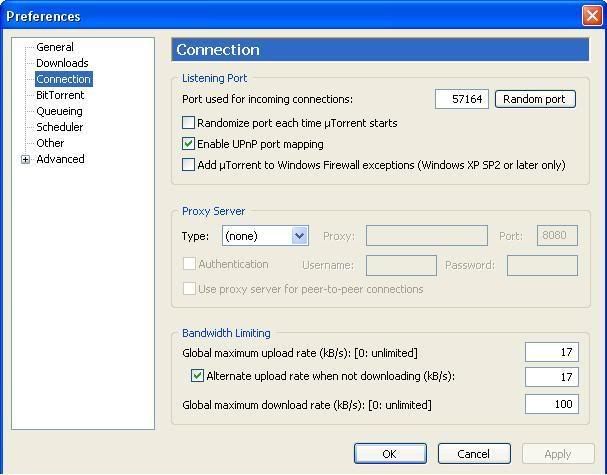
*
switch back to bittornado then smile.gif
samurai1337
post Aug 29 2006, 08:22 PM

@_@
Group Icon
VIP
11,594 posts

Joined: Jan 2003
From: Area 51

QUOTE(ibexgeo @ Aug 20 2006, 09:07 PM)
hi, i have a problem with my dl-ing speed. Previously i m using bit tornado, and recently i've change to bitcomet and utorrent. There's a big different in dl-ing speed. Bit tornado dl-ing speed was 40-50kBs, but when i switched to bitcomet and utorrent, my speed went down to 5-10kBs.
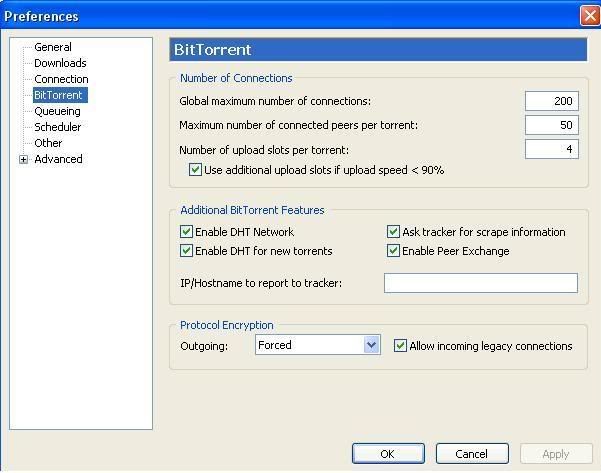
*
Sorry for my rather stupid question

1. Did you change your BitComet/uTorrent listening port to the one you've already forwarded? (for example, you've open port 33533 in your NAT, but you must set the listening port in your BT client to the same port)

2. If you've already done so, are two applications running utilizing the same port? Rule of thumb - port cannot be shared by different BT clients at the same time.
nakata101
post Aug 30 2006, 08:08 AM

*******(PES&WE)******* Play Like Champion
*******
Senior Member
2,423 posts

Joined: Jan 2003
From: Alor Star & Changlun


Using Bitcomet, when finish dl file, u want to remove the task only, but accidently click "remove task and all files", u guys have any idea to restore back the file... or impossible ?

This post has been edited by nakata101: Aug 30 2006, 08:08 AM
cheese86
post Aug 30 2006, 08:34 AM

Enthusiast
*****
Senior Member
790 posts

Joined: Jan 2006
QUOTE(nakata101 @ Aug 30 2006, 08:08 AM)
Using Bitcomet, when finish dl file, u want to remove the task only, but accidently click  "remove task and all files", u guys have any idea to restore back the file... or impossible  ?
*
don't think so

because the whole file is 100% deleted

nakata101
post Aug 30 2006, 08:54 AM

*******(PES&WE)******* Play Like Champion
*******
Senior Member
2,423 posts

Joined: Jan 2003
From: Alor Star & Changlun


QUOTE(wengjoe @ Aug 30 2006, 08:34 AM)
don't think so

because the whole file is 100% deleted
*
Is my bad day today.... just wakeup and accidently click the wrong 1.... the file is 2.6G.... doh.gif doh.gif cry.gif
Irishcoffee
post Aug 30 2006, 06:23 PM

ilX / Espressivo
*******
Senior Member
2,994 posts

Joined: Jan 2003
From: Behind You

my bt speed now sux liao
wad port should i use the best??
currently using 6889 (port foward done)
using linksys AG241
user posted image
eXPeri3nc3
post Aug 30 2006, 11:55 PM

It's coming! 3É”u3ıɹÇdxÇ â™¥
*******
Senior Member
9,257 posts

Joined: Aug 2005
From: Not so sure myself Status: 1+3+3=7


- Problem Solved -

Enabled upnp and watched my speed fly~* Thanks. notworthy.gif

This post has been edited by eXPeri3nc3: Aug 31 2006, 12:24 AM
samurai1337
post Aug 31 2006, 08:40 AM

@_@
Group Icon
VIP
11,594 posts

Joined: Jan 2003
From: Area 51

QUOTE(Irishcoffee @ Aug 30 2006, 06:23 PM)
my bt speed now sux liao
wad port should i use the best??
currently using 6889 (port foward done)
using linksys AG241
user posted image
*
Use any port more than 10000 will do.

Just make sure that it doesn't clash with the ports you've already used
powermobo
post Sep 1 2006, 07:01 PM

Getting Started
**
Junior Member
60 posts

Joined: Sep 2006

last time i use u-torren, my speed around 40-60. but i close bout 3week and now i use back for dowload and my torrent can use alr.anybody help...?
Irishcoffee
post Sep 1 2006, 08:18 PM

ilX / Espressivo
*******
Senior Member
2,994 posts

Joined: Jan 2003
From: Behind You

QUOTE(samurai1337 @ Aug 31 2006, 08:40 AM)
Use any port more than 10000 will do.

Just make sure that it doesn't clash with the ports you've already used
*
slow also
i use 13341
n the port is "closed"
my 6889 is "open"
both do port faoward already
but y 13341 is "closed"?
how to make it "open"??
cheese86
post Sep 1 2006, 11:47 PM

Enthusiast
*****
Senior Member
790 posts

Joined: Jan 2006
I have a problem with my BitComet 0.63 version

before this,was using service pack 1,did port-forward and everything was running fast around 55k++

but now using service pack 2,i did port-forward,even patch the TCP thing

i set the TCP to 100,my speed now barely reach 40k++,curretlly using linksys WRT54G model

can anyone help me ?
samurai1337
post Sep 3 2006, 01:36 AM

@_@
Group Icon
VIP
11,594 posts

Joined: Jan 2003
From: Area 51

QUOTE(wengjoe @ Sep 1 2006, 11:47 PM)
I have a problem with my BitComet 0.63 version

before this,was using service pack 1,did port-forward and everything was running fast around 55k++

but now using service pack 2,i did port-forward,even patch the TCP thing

i set the TCP to 100,my speed now barely reach 40k++,curretlly using linksys WRT54G model

can anyone help me ?
*
Seems like nothing much other than patching the TCP sys and setting the max half open connections (personally I think 50 is enough)

Most probably the port is correctly open but just that those torrents are slow

Have you tried it on fast torrent like this one?
skylinegtr34rule4life
post Sep 3 2006, 08:06 PM

13k elite :P
********
Senior Member
13,340 posts

Joined: Feb 2005
From: back from vacation XD


is there any way 2 do port 4ward configuration when my modem is not listen in this port 4ward website? http://www.portforward.com/routers.htm i m using CAREMO AS502.router+modem.i m having a major headache with this 4 very long time. rclxub.gif rclxub.gif pls help. icon_question.gif icon_question.gif
user posted image
cheese86
post Sep 4 2006, 03:22 PM

Enthusiast
*****
Senior Member
790 posts

Joined: Jan 2006
QUOTE(samurai1337 @ Sep 3 2006, 01:36 AM)
Seems like nothing much other than patching the TCP sys and setting the max half open connections (personally I think 50 is enough)

Most probably the port is correctly open but just that those torrents are slow

Have you tried it on fast torrent like this one?
*
sorry for the late reply.

i haven realy tested the torrent you listed above since i have 1 torrent almost done with only 8 peer left...might as well finish off that first

i try using BitComet 0.70...the speed isn't that stable....it start off well with 50k++
then it will drop to 40k...then 30k..sometime 20k...and back up 40k..then 50k..it goes like this
Baron_Bleakstare
post Sep 5 2006, 04:40 PM

Getting Started
**
Junior Member
242 posts

Joined: Oct 2004
From: valley of sin


i cant connected to DHT network even i enabled the DHT network function.

btw im using BitComet 0.7 and done port fowarding.

any solution?

This post has been edited by Baron_Bleakstare: Sep 5 2006, 04:41 PM
cheese86
post Sep 7 2006, 04:49 PM

Enthusiast
*****
Senior Member
790 posts

Joined: Jan 2006
problem solve after i set the TCP connection back to 50 instead of 100

thanks to samurai1337 for the tips
TSshockw@ve
post Sep 8 2006, 07:15 AM

d[-_-]b
Group Icon
VIP
1,889 posts

Joined: Jan 2003
QUOTE(Baron_Bleakstare @ Sep 5 2006, 06:40 PM)
i cant connected to DHT network even i enabled the DHT network function.

btw im using BitComet 0.7 and done port fowarding.

any solution?
*
Make sure UDP is forwarded as well and not only TCP.

This post has been edited by shockw@ve: Sep 8 2006, 07:16 AM
jasonkwk
post Sep 8 2006, 07:23 PM

Self Improvement is Masturbation
********
All Stars
10,596 posts

Joined: Jan 2003
From: Hinamizawa
what program can I use to increase my speed of download in ABC torrent in my university LAN network?
am_eniey
post Sep 14 2006, 12:52 AM

✿✿✿✿✿
*******
Senior Member
3,314 posts

Joined: Sep 2005
From: Taman Sri Melati, KL


my torrent is no more than 5kbps for the past 5 months, many times complaint but with the same answer, NOT TM'S FAULT
Neslo[#^PenG^#]
post Sep 15 2006, 04:03 AM

Casual
***
Junior Member
471 posts

Joined: Jan 2003
how do i open a torrent video file after the download incomplete at 99.9%, i heard of software that can help open such video file, anyone here can help me by recommend the software needed to open the imcomplete video file? sad.gif
am_eniey
post Sep 15 2006, 04:28 AM

✿✿✿✿✿
*******
Senior Member
3,314 posts

Joined: Sep 2005
From: Taman Sri Melati, KL


I'm suffering from a slow torrent for months....never more than 5kbyte/s...NEVER...i've tried everything..u just name it
TSshockw@ve
post Sep 15 2006, 10:32 AM

d[-_-]b
Group Icon
VIP
1,889 posts

Joined: Jan 2003
QUOTE(am_eniey @ Sep 14 2006, 02:52 AM)
my torrent is no more than 5kbps for the past 5 months, many times complaint but with the same answer, NOT TM'S FAULT
*
QUOTE(am_eniey @ Sep 15 2006, 06:28 AM)
I'm suffering from a slow torrent for months....never more than 5kbyte/s...NEVER...i've tried everything..u just name it
*
Keep your rants to this thread and only this thread: http://forum.lowyat.net/index.php?showtopic=321462

There's more than adequate information on how to get your BT setup right in this thread, and if all you can do is rant, no one is going to be able to help you out.

You've been warned once for spamming all over tech support and networks forums with that post, and if you continue on, you will be suspended.

This post has been edited by shockw@ve: Sep 15 2006, 05:26 PM
socratesman
post Sep 15 2006, 10:55 AM

Regular
******
Senior Member
1,807 posts

Joined: Jan 2003
From: KL
QUOTE(samurai1337 @ Aug 31 2006, 08:40 AM)
Use any port more than 10000 will do.

Just make sure that it doesn't clash with the ports you've already used
*
I'm currently using port 15000.
I'm thinking of changing to well-known ports like 80, or 21. Will that help increase speed a little?
HMMaster
post Sep 15 2006, 11:43 AM

10K Club
Group Icon
Moderator
10,308 posts

Joined: Jan 2003
From: Kuala Lumpur


QUOTE(socratesman @ Sep 15 2006, 10:55 AM)
I'm currently using port 15000.
I'm thinking of changing to well-known ports like 80, or 21. Will that help increase speed a little?
*
if you configure/open your port correctly, any port will do.
lex
post Sep 15 2006, 03:29 PM

Old Am I?
Group Icon
VIP
18,182 posts

Joined: Jan 2005
From: Dagobah
Repost:

My suspicions is this:

It seems that when upgrading from older version to 0.70, the Protocol Encryption setting was set back to default "Auto". In other words, if you had previously enabled "force" PE, installing the newer version will reset it back to default. Notice that in their machines. rolleyes.gif

Reason for this is that I've noticed many of the "packet shaped" peers are using 0.70 while the very few peers with older version looks OK! cool.gif

Looks like those who upgraded to 0.70 forgot to check and set the "force" PE on back! doh.gif

Don't blame the peers too. I guess they didn't notice either! tongue.gif
wonderor
post Sep 16 2006, 09:37 PM

New Member
*
Junior Member
21 posts

Joined: Sep 2006


i have done everything that is stated in here

http://www.portforward.com/english/routers...ss/Utorrent.htm

and also allowing incoming and outgoing TCP in zone alarm

but still it says the port does not appear to be open...i repeat many times but still the same, need help

i using the router name "Accton CheetahAccess"
and using zone alarm
not using windows firewall


kmrdeva
post Sep 16 2006, 10:11 PM

Look at all my stars!!
*******
Senior Member
4,790 posts

Joined: Jan 2003
I think the issue is at your router and not your PC. The later versions of uTorrent support uPNP. See if you can enable this feature on your router. uPNP automates port forwarding and triggering.

Disable ZoneAlarm on your PC first. When doing troubleshooting, try to isolate things one by one.

uPNP works very nicely on my Linksys WRT54G router. smile.gif

user posted image

uTorrent 1.6

user posted image

This post has been edited by kmrdeva: Sep 16 2006, 10:15 PM
wonderor
post Sep 17 2006, 08:45 AM

New Member
*
Junior Member
21 posts

Joined: Sep 2006


my router doesn't have uPNP features...so i have to set it manually.
wonderor
post Sep 17 2006, 12:27 PM

New Member
*
Junior Member
21 posts

Joined: Sep 2006


i found out that my modem also needed to port forward, and now i done this part and successfully portforward utorrent

anyways,thx for your help too
Neslo[#^PenG^#]
post Sep 18 2006, 02:34 AM

Casual
***
Junior Member
471 posts

Joined: Jan 2003
did i come to the right place to ask this question? sad.gif


how do i open a torrent video file after the download incomplete at 99.9%, i heard of software that can help open such video file, anyone here can help me by recommend the software needed to open the imcomplete video file?

anyone can point me to the correct subforum to post this question if this is not the right place for this question?
-=Axis=-
post Sep 18 2006, 02:53 AM

- SS -
*******
Senior Member
2,453 posts

Joined: Jan 2003
QUOTE(Neslo[#^PenG^#] @ Sep 18 2006, 02:34 AM)
did i come to the right place to ask this question? sad.gif
how do i open a torrent video file after the download incomplete at 99.9%, i heard of software that can help open such video file, anyone here can help me by recommend the software needed to open the imcomplete video file?

anyone can point me to the correct subforum to post this question if this is not the right place for this question?
*
VLCplayer, KMplayer, classic windows media player (bundled with k-mega codec pack)
cheese86
post Sep 19 2006, 12:46 PM

Enthusiast
*****
Senior Member
790 posts

Joined: Jan 2006
problem solve !!

This post has been edited by wengjoe: Sep 20 2006, 04:47 PM
cscien
post Sep 21 2006, 01:25 AM

New Member
*
Junior Member
10 posts

Joined: Sep 2006
hi hi.. can i know how to forward port for BitComet?
I've read the article from www.portforward.com website but still blur about port forwarding.
Worst still, the website din provide information on how to forward port for this Aztech WL730RT4 router.

Also, I'm using this router for 6 computer, izit port forwarding will affect the speed on other computer of my friends?
Neslo[#^PenG^#]
post Sep 21 2006, 06:58 PM

Casual
***
Junior Member
471 posts

Joined: Jan 2003
y my BT speed can get up to 50kb/sec after 1am at nite until the morning, then during the day the speed canot exceed 10kb/sec, anyone with explanation for this problem? sad.gif


masterelr
post Sep 22 2006, 02:46 AM

Regular
******
Senior Member
1,003 posts

Joined: Jan 2003
From: KL


QUOTE(Neslo[#^PenG^#] @ Sep 21 2006, 06:58 PM)
y my BT speed can get up to 50kb/sec after 1am at nite until the morning, then during the day the speed canot exceed 10kb/sec, anyone with explanation for this problem? sad.gif
*
Streamyx is doing some maintaninence thing. Probably until 25th. So its like downloading and surfing speed is affected during certain times. I don't know if things will be normal again after that but I heard they're setting up something to limit the use of P2P stuffs. If thats what they're doing, then from now on we'll only get full speed during midnight.


And a question...
I'm using uTorrent. Do you think I should enable this DHT? What good is it? Will my speed increase or something?
fariz
post Sep 22 2006, 07:08 AM

Tan Sri F
Group Icon
VIP
16,825 posts

Joined: Jan 2003
From: Siberia
QUOTE(masterelr @ Sep 22 2006, 02:46 AM)
And a question...
I'm using uTorrent. Do you think I should enable this DHT? What good is it? Will my speed increase or something?
*
enable it

http://www.utorrent.com/faq.php#What_is_DHT.3F
seongmeng
post Sep 22 2006, 10:12 AM

On my way
****
Senior Member
570 posts

Joined: Jul 2005
My Bitcomet WAN IP show 0.0.0.0.0.Is this un-normal??and the download speed is slow.how can i fix it?thanks
6GDominator
post Sep 22 2006, 05:10 PM

ThE NeW SpAm KiNg~.~
*******
Senior Member
3,407 posts

Joined: Apr 2005
From: The Great L'verpool Training Academy , Cher@S


erm.. guys, i want to ask here how to update my TCPIP thingy ah? i just format my com and i want to know where to download it to able to make it open to 50 connections? thanks..
Irishcoffee
post Sep 22 2006, 09:35 PM

ilX / Espressivo
*******
Senior Member
2,994 posts

Joined: Jan 2003
From: Behind You

QUOTE(Neslo[#^PenG^#] @ Sep 21 2006, 06:58 PM)
y my BT speed can get up to 50kb/sec after 1am at nite until the morning, then during the day the speed canot exceed 10kb/sec, anyone with explanation for this problem? sad.gif
*
http://forum.lowyat.net/index.php?showtopic=341488 vmad.gif vmad.gif
jacklsw86
post Sep 29 2006, 10:00 AM

LYN spirit
******
Senior Member
1,662 posts

Joined: Jun 2006


anybody knows which sites or programs that cn test and list the ports that are open so i cn set it as listening port?
Mats01
post Sep 29 2006, 10:04 AM

Getting Started
**
Junior Member
184 posts

Joined: Jan 2003
From: Hellooo..


here - https://www.grc.com/x/ne.dll?bh0bkyd2
jacklsw86
post Sep 29 2006, 10:52 AM

LYN spirit
******
Senior Member
1,662 posts

Joined: Jun 2006


QUOTE(Mats01 @ Sep 29 2006, 10:04 AM)
erm i went to this site b4.. but dun rili noe how to use.. how it will show me a list of usable listening ports? tongue.gif
Zephyr_Mage
post Sep 29 2006, 10:55 AM

Look at all my stars!!
*******
Validating
5,444 posts

Joined: Jan 2003
Umm... open the port yourself.
http://www.portforward.com
Francesco
post Sep 29 2006, 05:31 PM

Getting Started
**
Junior Member
171 posts

Joined: Jan 2003


hey,my Bitcomet run at the average speed 40-60kbps b4 23 September,but now it run only at the speed 0-20kbps (sometimes even no run)i'm using the package 512kbps and i live in Kepong.....anyone have an idea to solve my problem????or is the problem on TMnet???
masterelr
post Sep 29 2006, 08:50 PM

Regular
******
Senior Member
1,003 posts

Joined: Jan 2003
From: KL


QUOTE(Francesco @ Sep 29 2006, 05:31 PM)
hey,my Bitcomet run at the average speed 40-60kbps b4 23 September,but now it run only at the speed 0-20kbps (sometimes even no run)i'm using the package 512kbps and i live in Kepong.....anyone have an idea to solve my problem????or is the problem on TMnet???
*
Its tmnets problem. From now on thats the speed most of us will be getting whether its 512k or 1mb. shocking.gif
Francesco
post Sep 30 2006, 12:48 AM

Getting Started
**
Junior Member
171 posts

Joined: Jan 2003


QUOTE(masterelr @ Sep 29 2006, 08:50 PM)
Its tmnets problem. From now on thats the speed most of us will be getting whether its 512k or 1mb. shocking.gif
*
oh.....i tot the problem happen on my computer.. sweat.gif .coz b4 i format my computer i always get the maximum speed when using bitcomet (50-60kbps).....but after format my computer i get only (0-20kbps).....
Goblinsk8er
post Sep 30 2006, 06:12 AM

Casual
***
Junior Member
306 posts

Joined: Jun 2005
From: Your closet


Guys, can you recommend which port to open?
currently using 50000 and its so slow.
samurai1337
post Sep 30 2006, 06:53 AM

@_@
Group Icon
VIP
11,594 posts

Joined: Jan 2003
From: Area 51

QUOTE(Goblinsk8er @ Sep 30 2006, 06:12 AM)
Guys, can you recommend which port to open?
currently using 50000 and its so slow.
*
I don't think the port number matters (as long as it's not reserved port and it is properly opened it won't matter)

It could be the problem of your firewall settings or the seed itself is slow.
jacklsw86
post Sep 30 2006, 12:01 PM

LYN spirit
******
Senior Member
1,662 posts

Joined: Jun 2006


is it better to disable uPnP mapping in my utorrent?
Francesco
post Sep 30 2006, 04:08 PM

Getting Started
**
Junior Member
171 posts

Joined: Jan 2003


hey...but sometimes my bitcomet 0.73 can reach until 5Xkbps....but after a few seconds it drop down to 10-30kbps......wat happen is it????or the problem is tmnet???..i'm using 512kbps package RM 77.... ?????i face this problem after i format my pc.....b4 this i always get 50-60kbps....anyone got idea can help me??? notworthy.gif THX!
SUSRaikkonen
post Oct 1 2006, 01:37 AM

I'll be your ♡ ☠☼ ☂
*******
Senior Member
8,635 posts

Joined: Jun 2006
From: Jeonju/Jeollabuk-do


Using BitComet 0.70.
Will choosing random listening port makes download faster?
I mean keep changing it when dload were slow.
Or it all depends on seed/peer? 100%?

Francesco
post Oct 1 2006, 12:33 PM

Getting Started
**
Junior Member
171 posts

Joined: Jan 2003


QUOTE(Francesco @ Sep 30 2006, 04:08 PM)
hey...but sometimes my bitcomet 0.73 can reach until 5Xkbps....but after a few seconds it drop down to 10-30kbps......wat happen is it????or the problem is tmnet???..i'm using 512kbps package RM 77.... ?????i face this problem after i format my pc.....b4 this i always get 50-60kbps....anyone got idea can help me??? notworthy.gif THX!
*
i know wat is the problem liao.....when i uninstall the bitcomet 0.73..then i install back 0.70....it suddenly get back the normal speed liao which is 5Xkbps constant..so maybe i think the 0.73 new version coz of my problem....
SUSRaikkonen
post Oct 1 2006, 05:24 PM

I'll be your ♡ ☠☼ ☂
*******
Senior Member
8,635 posts

Joined: Jun 2006
From: Jeonju/Jeollabuk-do


How safe is it to port forward with a D-Link DSL-500T?
I think the last time I did that with my Aztech 600eu ADSL...the router 'kaput'.
samurai1337
post Oct 1 2006, 07:34 PM

@_@
Group Icon
VIP
11,594 posts

Joined: Jan 2003
From: Area 51

QUOTE(Raikkonen @ Oct 1 2006, 01:37 AM)
Using BitComet 0.70.
Will choosing random listening port makes download faster?
I mean keep changing it when dload were slow.
Or it all depends on seed/peer? 100%?
*
I think random listening port doesn't mean the port keeps on changing when the speed is slow. It will use a random port and upnp to initiate the connection everytime you start bitcomet. If you don't close your bitcomet that port will remain throughout the session.
teckhooi
post Oct 1 2006, 11:15 PM

Look at all my stars!!
*******
Senior Member
3,135 posts

Joined: Jan 2003
From: Taman Megah Kepong, Kuala Lumpur


yo...what port to using for my Dlink DSL-500T

Slow Speed!
SUSRaikkonen
post Oct 2 2006, 12:42 AM

I'll be your ♡ ☠☼ ☂
*******
Senior Member
8,635 posts

Joined: Jun 2006
From: Jeonju/Jeollabuk-do


QUOTE(teckhooi @ Oct 1 2006, 11:15 PM)
yo...what port to using for my Dlink DSL-500T

Slow Speed!
*
ya lor...me also want to know.
SUSRaikkonen
post Oct 2 2006, 03:56 AM

I'll be your ♡ ☠☼ ☂
*******
Senior Member
8,635 posts

Joined: Jun 2006
From: Jeonju/Jeollabuk-do


Is this the correct way to port forward a D-Link 500T?

I think the last time I use it for my Aztech 600eu turned out crappy.
The router DSL lights gone sad.gif

user posted image


masterelr
post Oct 3 2006, 09:00 PM

Regular
******
Senior Member
1,003 posts

Joined: Jan 2003
From: KL


About portforwarding. Is it possible if I set the same ports for two clients? I'll only be using one client at a time though. For example I set my port as 49478 for both uTorrent and BitSpirit.
heero24
post Oct 4 2006, 01:04 AM

New Member
*
Junior Member
22 posts

Joined: Jan 2003
I am suffering from the slow BT speed. Anyway i had already followed all the steps in the previous posts, half open ports, port forwarding, even with the utorrent encryption is set on and also the firewall is properly set (using alarm zone with the windows firewall off). Now i am in cyberjaya, before changing my cpu, i always achieve 90-100KB, now... not even 30kB. Using the same modem and cpu, in penang, i can actually achieve 90-100kB. cry.gif Of course, all my torrents which i am dling now having more than 50 seeds.. so torrent's health is not a problem. Can anyone help me please... ? thanks
SUSRaikkonen
post Oct 4 2006, 01:32 AM

I'll be your ♡ ☠☼ ☂
*******
Senior Member
8,635 posts

Joined: Jun 2006
From: Jeonju/Jeollabuk-do


Normally it will be firewalled.
Since I wish to have faster Bitcomet 0.70 download...I put the firewall off.
From 0kb...now 20Kb.
Not much but better than nothing at all.

user posted image


SUSRaikkonen
post Oct 4 2006, 04:47 PM

I'll be your ♡ ☠☼ ☂
*******
Senior Member
8,635 posts

Joined: Jun 2006
From: Jeonju/Jeollabuk-do


Another way of port forwarding?

user posted image
teckhooi
post Oct 4 2006, 07:53 PM

Look at all my stars!!
*******
Senior Member
3,135 posts

Joined: Jan 2003
From: Taman Megah Kepong, Kuala Lumpur


@Raikkonen

Where To Set It?
Can U Guide Me?
splinter
post Oct 6 2006, 09:06 AM

New Kid In Town
*******
Senior Member
2,120 posts

Joined: Jan 2003
From: In front my PC


my old modem is down, so i switch to router/modem Aztech 1100R. Done all the portforward stuff. the problem is, wadever i have utorrent on, my browsing became slow and it always show connection time out. Any idea wad cause the problem? If i quit utorrent everything seem to b fine.
fariz
post Oct 6 2006, 12:27 PM

Tan Sri F
Group Icon
VIP
16,825 posts

Joined: Jan 2003
From: Siberia
@splitter

probably your modem can't handle alot of simultaneous connection from torrent client.
SUSRaikkonen
post Oct 6 2006, 02:11 PM

I'll be your ♡ ☠☼ ☂
*******
Senior Member
8,635 posts

Joined: Jun 2006
From: Jeonju/Jeollabuk-do


QUOTE(teckhooi @ Oct 4 2006, 07:53 PM)
@Raikkonen

Where To Set It?
Can U Guide Me?
*
don't do it.
Spam, virus will be all over your OS sweat.gif
Learned my lesson.
Members here either don't know or would not share their expertise sweat.gif

splinter
post Oct 6 2006, 10:53 PM

New Kid In Town
*******
Senior Member
2,120 posts

Joined: Jan 2003
From: In front my PC


QUOTE(fariz @ Oct 6 2006, 12:27 PM)
@splitter

probably your modem can't handle alot of simultaneous connection from torrent client.
*
In case if like tat wad can i do? Any solution to fix the current problem?
yelsew
post Oct 6 2006, 10:59 PM

Getting Started
**
Junior Member
277 posts

Joined: Jun 2005


QUOTE(Raikkonen @ Oct 2 2006, 03:56 AM)
Is this the correct way to port forward a D-Link 500T?

I think the last time I use it for my Aztech 600eu turned out crappy.
The router DSL lights gone  sad.gif

user posted image
*
I hope this link can help u up:
http://www.portforward.com/english/routers...00T/default.htm
Sengeh
post Oct 7 2006, 11:52 AM

Getting Started
**
Junior Member
126 posts

Joined: Jul 2005
I was using bitcomet and u torrent but some how in the other hand when i go surfing the whole internet go jammed or should i say freeze. What's the problem?
Thx u
samurai1337
post Oct 7 2006, 03:54 PM

@_@
Group Icon
VIP
11,594 posts

Joined: Jan 2003
From: Area 51

QUOTE(Sengeh @ Oct 7 2006, 11:52 AM)
I was using bitcomet and u torrent but some how in the other hand when i go surfing the whole internet go jammed or should i say freeze. What's the problem?
Thx u
*
You mean you're using two clients with different port? How many connections do you allow for each of the clients?
Sengeh
post Oct 7 2006, 07:14 PM

Getting Started
**
Junior Member
126 posts

Joined: Jul 2005
i mean when i use bitcomet also freeze, then i switch to utorrent also same effect. duno y, when i got my streamyx until now still same cry.gif
HMMaster
post Oct 7 2006, 07:28 PM

10K Club
Group Icon
Moderator
10,308 posts

Joined: Jan 2003
From: Kuala Lumpur


QUOTE(Sengeh @ Oct 7 2006, 07:14 PM)
i mean when i use bitcomet also freeze, then i switch to utorrent also same effect. duno y, when i got my streamyx until now still same cry.gif
*
disable DHT and lower the number of connection. this may help.
arafat
post Oct 8 2006, 03:53 PM

ROCK ON!
******
Senior Member
1,747 posts

Joined: Nov 2004
From: serdang selangor

hi..
i'm new to bit torrent and broadband
i use linksys am300 modem with my laptop and using streamyx..
should i patched my tcp-ip and do port fowarding?,
SUSRaikkonen
post Oct 8 2006, 04:37 PM

I'll be your ♡ ☠☼ ☂
*******
Senior Member
8,635 posts

Joined: Jun 2006
From: Jeonju/Jeollabuk-do


How safe to turn it off?
Anyone ever done this?
Please share your experiences.
I wish to make my Bitcomet faster.

user posted image
tan_pang
post Oct 8 2006, 04:41 PM

Look at all my stars!!
*******
Senior Member
3,110 posts

Joined: Jun 2005


QUOTE(Raikkonen @ Oct 8 2006, 04:37 PM)
How safe to turn it off?
Anyone ever done this?
Please share your experiences.
I wish to make my Bitcomet faster.

user posted image
*
if you aledi make exclusive for the bt in ur windows firewall
then turn off firewall is also same...

for my former experience, when i turn on firewall
the bt go faster!!!
coz it block all other connection that work background...

This post has been edited by tan_pang: Oct 8 2006, 04:42 PM
SUSRaikkonen
post Oct 8 2006, 04:54 PM

I'll be your ♡ ☠☼ ☂
*******
Senior Member
8,635 posts

Joined: Jun 2006
From: Jeonju/Jeollabuk-do


QUOTE(tan_pang @ Oct 8 2006, 04:41 PM)
if you aledi make exclusive for the bt in ur windows firewall
then turn off firewall is also same...

for my former experience, when i turn on firewall
the bt go faster!!!
coz it block all other connection that work background...
*
now I have a Sunbelt Kerio Personal Firewall.
So, hope better lah.
Still won't OFF my streamyx firewall since no one here can confirm it is safe.
So tired to format hdisk and reinstall Windows sweat.gif
Xiaodu
post Oct 8 2006, 06:30 PM

Getting Started
**
Junior Member
116 posts

Joined: Aug 2005


Hey guys..!

i'm from Melaka bitcomet user bout 2 years already... last time use so far so good can download max speed 100 kb but now cannot liao, it just download not over 10 kb. then i know at KL case cannot download max speed,
do u guys think tat Melaka also get banned by streamyx already like in KL ??

how....!?!! help me guys... can my bt get normal again ??
skevelim
post Oct 8 2006, 06:50 PM

a WHITE cLOWN
****
Senior Member
571 posts

Joined: Jan 2003
From: PJ


Guys, need help to increase my download speed.

I have this problem since 2 months ago. Now my dl speed can't get more than 18KB even I have forward my port. Any idea to increase the dl speed?

I'm using DSL-500T, utorrent 1.6 and is not streamyx. Is another broadband service provider which is Infoage. I have tried on 1.5 and 1.6 on different machine but still giving me the same result.

I have tested to dl this torrent (http://distribution.openoffice.org/p2p/) after I refered to previous pages and the maximum dl rate was 19.9KB....does anyone know how to deal with this...please...it is a suffer to stay at 15-19KB.....

below these are the screen shots:
user posted image

user posted image

user posted image

This post has been edited by skevelim: Oct 8 2006, 10:35 PM
arafat
post Oct 8 2006, 08:33 PM

ROCK ON!
******
Senior Member
1,747 posts

Joined: Nov 2004
From: serdang selangor

QUOTE(arafat @ Oct 8 2006, 03:53 PM)
hi..
i'm new to bit torrent and broadband
i use linksys am300 modem with my laptop and using streamyx..
should i patched my tcp-ip and do port fowarding?,
*
nobody want to answer my question ke? pity me. cry.gif
Sengeh
post Oct 8 2006, 09:54 PM

Getting Started
**
Junior Member
126 posts

Joined: Jul 2005
QUOTE(HMMaster @ Oct 7 2006, 07:28 PM)
disable DHT and lower the number of connection. this may help.
*
Thx rclxms.gif
jacklsw86
post Oct 9 2006, 01:07 PM

LYN spirit
******
Senior Member
1,662 posts

Joined: Jun 2006


DHT is actually for wat ar?

hmm y my utorrent cant get bitcomet as peer eh? i see my list of peers all using utorrent or azureus oni.
tan_pang
post Oct 9 2006, 02:04 PM

Look at all my stars!!
*******
Senior Member
3,110 posts

Joined: Jun 2005


QUOTE(jacklsw86 @ Oct 9 2006, 01:07 PM)
DHT is actually for wat ar?

hmm y my utorrent cant get bitcomet as peer eh? i see my list of peers all using utorrent or azureus oni.
*
wikipedia is always to help...... icon_idea.gif
http://en.wikipedia.org/wiki/Distributed_hash_table

the first paragraph of the "Background"......
QUOTE(Background)
DHT research was originally motivated, in part, by peer-to-peer systems such as Napster, Gnutella, and Freenet, which took advantage of resources distributed across the Internet to provide a single useful application. In particular, they took advantage of increased bandwidth and hard disk capacity to provide a file sharing service.

i think this aledi can help...

This post has been edited by tan_pang: Oct 9 2006, 02:07 PM
fariz
post Oct 9 2006, 02:09 PM

Tan Sri F
Group Icon
VIP
16,825 posts

Joined: Jan 2003
From: Siberia
QUOTE(Raikkonen @ Oct 8 2006, 04:54 PM)
now I have a Sunbelt Kerio Personal Firewall.
So, hope better lah.
Still won't OFF my streamyx firewall since no one here can confirm it is safe.
So tired to format hdisk and reinstall Windows  sweat.gif
*
either use a 3rd party firewall or Windows firewall, not both at the same time..
Hornet
post Oct 9 2006, 08:30 PM

What?
*******
Senior Member
4,251 posts

Joined: Jan 2003
From: Malacca, Malaysia, Earth


Guys, is there any way to force more peer connection?

Using BitLord 1.1 In the connection per task, I already set to 100. few months back everything is fine. Usually 40 is slow, 80-100 peers and speed is ok for me.

But today when i want to dl something, the peer can only connect 27 - 30. As a result, the torrent is barely downloading. (of couse, total peer is more than 100.)

Its been this way for hours. Any idea what's wrong... unsure.gif

thx
tan_pang
post Oct 9 2006, 09:18 PM

Look at all my stars!!
*******
Senior Member
3,110 posts

Joined: Jun 2005


QUOTE(Hornet @ Oct 9 2006, 08:30 PM)
Guys, is there any way to force more peer connection?

Using BitLord 1.1 In the connection per task, I already set to 100. few months back everything is fine. Usually 40 is slow, 80-100 peers and speed is ok for me.

But today when i want to dl something, the peer can only connect 27 - 30. As a result, the torrent is barely downloading. (of couse, total peer is more than 100.)

Its been this way for hours. Any idea what's wrong... unsure.gif

thx
*
i also encounter this problem
i wonder is it the effect of traffic shaping device......
yelsew
post Oct 10 2006, 05:17 PM

Getting Started
**
Junior Member
277 posts

Joined: Jun 2005


QUOTE(Xiaodu @ Oct 8 2006, 06:30 PM)
Hey guys..!

i'm from Melaka bitcomet user bout 2 years already... last time use so far so good can download max speed 100 kb but now cannot liao, it just download not over 10 kb. then i know at KL case cannot download max speed,
do u guys think tat Melaka also get banned by streamyx already like in KL ??

how....!?!! help me guys... can my bt get normal again ??
*
u using which version of bitcomet?? try stick to ver 0.70 (don't upgrade to 0.73 as that version still has problem), and make sure u put "Always" here: Preferences... Advanced... Connection... Protocol Encryption...


QUOTE(arafat @ Oct 8 2006, 08:33 PM)
nobody want to answer my question ke? pity me.  cry.gif
*
if u want to download bt, u do need to do the port forwarding and tcp-ip patch, try to do some reading in this forum or any other forums via google. (port forwarding tip: www.portforward.com)


QUOTE(Hornet @ Oct 9 2006, 08:30 PM)
Guys, is there any way to force more peer connection?

Using BitLord 1.1 In the connection per task, I already set to 100. few months back everything is fine. Usually 40 is slow, 80-100 peers and speed is ok for me.

But today when i want to dl something, the peer can only connect 27 - 30. As a result, the torrent is barely downloading. (of couse, total peer is more than 100.)

Its been this way for hours. Any idea what's wrong... unsure.gif

thx
*
may be it's time to change bt client?? tongue.gif
so far what I read is that u need to get client that has the protocol encryption function, and so far only azureus, bitcomet, and utorrent has it.
HMMaster
post Oct 10 2006, 08:08 PM

10K Club
Group Icon
Moderator
10,308 posts

Joined: Jan 2003
From: Kuala Lumpur


QUOTE(Hornet @ Oct 9 2006, 08:30 PM)
Guys, is there any way to force more peer connection?

Using BitLord 1.1 In the connection per task, I already set to 100. few months back everything is fine. Usually 40 is slow, 80-100 peers and speed is ok for me.

But today when i want to dl something, the peer can only connect 27 - 30. As a result, the torrent is barely downloading. (of couse, total peer is more than 100.)

Its been this way for hours. Any idea what's wrong... unsure.gif

thx
*
maybe you should try other bt client like utorrent?
tan_pang
post Oct 10 2006, 08:14 PM

Look at all my stars!!
*******
Senior Member
3,110 posts

Joined: Jun 2005


QUOTE(HMMaster @ Oct 10 2006, 08:08 PM)
maybe you should try other bt client like utorrent?
*
this situation same go to many p2p software too
including BitComet
and also utorrent...

if ur place didnt throttle by tmnet, then you can connect to those peers...regradless of what p2p software you use

This post has been edited by tan_pang: Oct 10 2006, 08:16 PM
samurai1337
post Oct 10 2006, 09:22 PM

@_@
Group Icon
VIP
11,594 posts

Joined: Jan 2003
From: Area 51

I think my place is affected by TMnet's throttle too doh.gif

Set up portforwarding perfectly fine, pass the connection test, but slow like hell (10KBps +-)

Other stuffs (like downloading from FTP or web surfing) are fast, though
SUSRaikkonen
post Oct 11 2006, 02:39 AM

I'll be your ♡ ☠☼ ☂
*******
Senior Member
8,635 posts

Joined: Jun 2006
From: Jeonju/Jeollabuk-do


I think it's all about seeders.
I just finished downloading the indonesian movie 'Heart'.

Took 4 hours...700MB...50KBs.

Seeders 9...leechers 12.
yelsew
post Oct 11 2006, 10:18 AM

Getting Started
**
Junior Member
277 posts

Joined: Jun 2005


QUOTE(Raikkonen @ Oct 11 2006, 02:39 AM)
I think it's all about seeders.
I just finished downloading the indonesian movie 'Heart'.

Took 4 hours...700MB...50KBs.

Seeders 9...leechers 12.
*
what they are facing now is that even with many seeds they still getting slower speed compare the time b4 tmnet "upgrade"...
sidewinder1009
post Oct 11 2006, 10:51 AM

Getting Started
**
Junior Member
134 posts

Joined: Nov 2004


Guys I need some help here. icon_question.gif I'm studying in Singapore(NUS) now and Bitcomet doesn't seem to work here on campus. I'm using a newly bought laptop, a Toshiba Tecra M5. How do I check the router for my laptop so I can do port-forwarding? Is my problem due to not port-forwarding in the 1st place? Because I have a fren whose laptop received some IT fiddling from somebody, and she can download torrents. sad.gif Thanks in advance ya!

user posted image
yelsew
post Oct 11 2006, 11:57 AM

Getting Started
**
Junior Member
277 posts

Joined: Jun 2005


QUOTE(sidewinder1009 @ Oct 11 2006, 10:51 AM)
Guys I need some help here.  icon_question.gif  I'm studying in Singapore(NUS) now and Bitcomet doesn't seem to work here on campus. I'm using a newly bought laptop, a Toshiba Tecra M5. How do I check the router for my laptop so I can do port-forwarding? Is my problem due to not port-forwarding in the 1st place? Because I have a fren whose laptop received some IT fiddling from somebody, and she can download torrents. sad.gif Thanks in advance ya!

user posted image
*
not very sure what could be the problem... but here is the faq for bitcomet that u can check 1st while waiting answers from the pros smile.gif

http://forums.bitcomet.com/index.php?showtopic=347
hunt17
post Oct 11 2006, 12:02 PM

Casual
***
Junior Member
325 posts

Joined: Sep 2005
From: Putrajaya


she's in campus... most probably port have been closed
SUSRaikkonen
post Oct 11 2006, 03:31 PM

I'll be your ♡ ☠☼ ☂
*******
Senior Member
8,635 posts

Joined: Jun 2006
From: Jeonju/Jeollabuk-do


QUOTE(yelsew @ Oct 11 2006, 10:18 AM)
what they are facing now is that even with many seeds they still getting slower speed compare the time b4 tmnet "upgrade"...
*
I see.
Some users said that BitComet 0.70 does not allow seed...something like that.

tan_pang
post Oct 11 2006, 03:36 PM

Look at all my stars!!
*******
Senior Member
3,110 posts

Joined: Jun 2005


QUOTE(Raikkonen @ Oct 11 2006, 03:31 PM)
I see.
Some users said that BitComet 0.70 does not allow seed...something like that.
*
hah?? blink.gif
you confirm??
i think you are wrong...... unsure.gif

you heard from who??

This post has been edited by tan_pang: Oct 11 2006, 03:36 PM
abe_mad
post Oct 11 2006, 03:58 PM

Getting Started
**
Junior Member
150 posts

Joined: Feb 2006
From: Big Cookie Co.


QUOTE(yelsew @ Oct 11 2006, 11:57 AM)
not very sure what could be the problem... but here is the faq for bitcomet that u can check 1st while waiting answers from the pros  smile.gif

http://forums.bitcomet.com/index.php?showtopic=347
*
I don't think a campus will open its line for any btclient software.
sidewinder1009
post Oct 11 2006, 04:17 PM

Getting Started
**
Junior Member
134 posts

Joined: Nov 2004


QUOTE(abe_mad @ Oct 11 2006, 03:58 PM)
I don't think a campus will open its line for any btclient software.
*
Is that true even in Malaysian unis like MMU? sad.gif But as I said I have a friend who managed to dl torrents... it's slow in her hostel room but damn fast in lecture hall(wireless). Just this morning she's dl-ing some old chinese movie, and her dl rate was like 100+ kb/s! shocking.gif too bad she couldn't finish dl as there were no seeds... sweat.gif
yelsew
post Oct 11 2006, 05:02 PM

Getting Started
**
Junior Member
277 posts

Joined: Jun 2005


QUOTE(sidewinder1009 @ Oct 11 2006, 04:17 PM)
Is that true even in Malaysian unis like MMU? sad.gif  But as I said I have a friend who managed to dl torrents... it's slow in her hostel room but damn fast in lecture hall(wireless). Just this morning she's dl-ing some old chinese movie, and her dl rate was like 100+ kb/s!  shocking.gif too bad she couldn't finish dl as there were no seeds... sweat.gif
*
hmm... then u just borrow the laptop from her and check all the network settings see which u can use on ur laptop tongue.gif
lightbringer
post Oct 13 2006, 05:28 PM

Casual
***
Junior Member
395 posts

Joined: Jan 2003


noob in torrent here, what connection setting (maximum connection per task, ...) i should use if im downloading a file with around 9/18 seed/peer?
yelsew
post Oct 14 2006, 09:18 AM

Getting Started
**
Junior Member
277 posts

Joined: Jun 2005


QUOTE(lightbringer @ Oct 13 2006, 05:28 PM)
noob in torrent here, what connection setting (maximum connection per task,  ...) i should use if im downloading a file with around 9/18 seed/peer?
*
from what I know, it depends also on ur computer and ur bandwidth, if both is high then u can set it really large number (e.g. >200 ~ 1000), normally people will set it around 50~150 (then slightly smaller number for the connections to keep), u can always adjust it and see for the result to find which is best for u smile.gif

when u set it at large number, make sure u also set a large cache memory, else ur harddisk will get "exhausted" and shorten the lifespan... sweat.gif
prelude23
post Oct 14 2006, 10:23 AM

fYeah!!
*******
Senior Member
2,497 posts

Joined: May 2005


i've done portforward... here is my d/l rate

user posted image

This post has been edited by fariz: Oct 14 2006, 10:47 AM
tan_pang
post Oct 14 2006, 10:27 AM

Look at all my stars!!
*******
Senior Member
3,110 posts

Joined: Jun 2005


QUOTE(prelude23 @ Oct 14 2006, 10:23 AM)
i've done portforward... here is my d/l rate
*
wah!! shocking.gif
geng wor~
you open 2 torrent in same time??
what package you use?
and you also dl-ing somehing using HTTP??

i think the speed affected becoz you are throttle...
if you are not throttle, i think ur speed will also like that
coz you open too many task in sametime...

even you got 30 seed connected also useless...

This post has been edited by fariz: Oct 14 2006, 10:47 AM
broken_string
post Oct 14 2006, 10:43 AM

人生, 如何說得失, è«–æˆæ•— ?
*******
Senior Member
7,258 posts

Joined: Jan 2003
QUOTE(tan_pang @ Oct 14 2006, 10:27 AM)
wah!! shocking.gif
geng wor~
you open 2 torrent in same time??
what package you use?
and you also dl-ing somehing using HTTP??

i think the speed affected becoz you are throttle...
if you are not throttle, i think ur speed will also like that
coz you open too many task in sametime...

even you got 30 seed connected also useless...
*
wats wrong wif dl-ing 2 torrent at the same time laugh.gif
last time i use to dl like 30 to 40 at one time biggrin.gif
tan_pang
post Oct 14 2006, 10:49 AM

Look at all my stars!!
*******
Senior Member
3,110 posts

Joined: Jun 2005


QUOTE(broken_string @ Oct 14 2006, 10:43 AM)
wats wrong wif dl-ing 2 torrent at the same time  laugh.gif
last time i use to dl like 30 to 40 at one time  biggrin.gif
*
thats why i need to ask him what package he use
if 512k, then it will like that

and i also say that he been throttle...
so, thats nothing wrong there...

plus, you say 'last time'
thats long time ago liao lar~ biggrin.gif

This post has been edited by tan_pang: Oct 14 2006, 10:52 AM
yelsew
post Oct 14 2006, 11:54 AM

Getting Started
**
Junior Member
277 posts

Joined: Jun 2005


QUOTE(prelude23 @ Oct 14 2006, 10:23 AM)
i've done portforward... here is my d/l rate

user posted image
*
all connections "Local"?? that doesnt seems to be an effective port forwarding... blink.gif
tan_pang
post Oct 14 2006, 12:26 PM

Look at all my stars!!
*******
Senior Member
3,110 posts

Joined: Jun 2005


QUOTE(yelsew @ Oct 14 2006, 11:54 AM)
all connections "Local"?? that doesnt seems to be an effective port forwarding...  blink.gif
*
he say he had done port forwarding... whistling.gif

and last time when my all connection is "Remote"
it hv no problem actually, coz after a few minute
i can connect to "Local"...
thats mean he still haven't connect to local yet (if he really done port-forwarding)
be patient maybe can connect to remote soon......

This post has been edited by tan_pang: Oct 14 2006, 12:29 PM
broken_string
post Oct 14 2006, 02:00 PM

人生, 如何說得失, è«–æˆæ•— ?
*******
Senior Member
7,258 posts

Joined: Jan 2003
QUOTE(tan_pang @ Oct 14 2006, 10:49 AM)
thats why i need to ask him what package he use
if 512k, then it will like that

and i also say that he been throttle...
so, thats nothing wrong there...

plus, you say 'last time'
thats long time ago liao lar~ biggrin.gif
*
last time i dl 40+
now i still dl-ing 15 or something like tat laugh.gif

1kb 1kb let it come in loh
lucky got alot of drama in my warehouse waiting to be watch so no need rush tongue.gif
lightbringer
post Oct 15 2006, 12:09 PM

Casual
***
Junior Member
395 posts

Joined: Jan 2003


i have used all kind of setting i can and my download speed never gone more than 4kb even if im downloading a file with high seeds sad.gif anyone know what could i have done wrong? i had sucessfully port forward as i can connect to remote peers...
yelsew
post Oct 15 2006, 03:34 PM

Getting Started
**
Junior Member
277 posts

Joined: Jun 2005


QUOTE(lightbringer @ Oct 15 2006, 12:09 PM)
i have used all kind of setting i can and my download speed never gone more than 4kb even if im downloading a file with high seeds sad.gif anyone know what could i have done wrong? i had sucessfully port forward as i can connect to remote peers...
*
care to share with us in more detail how u make ur settings so far??
cloudclone
post Oct 16 2006, 12:47 AM

Casual
***
Junior Member
431 posts

Joined: Jan 2005
From: Sibu, Sarawak


anyone knows how to add backup trackers to bitcomet? i can only add about 6 trackers, enter not allowed after tat, the box not enough size.
yelsew
post Oct 16 2006, 09:45 AM

Getting Started
**
Junior Member
277 posts

Joined: Jun 2005


QUOTE(cloudclone @ Oct 16 2006, 12:47 AM)
anyone knows how to add backup trackers to bitcomet? i can only add about 6 trackers, enter not allowed after tat, the box not enough size.
*
y need to add so many?? I only added 1 to it sweat.gif
cloudclone
post Oct 16 2006, 08:57 PM

Casual
***
Junior Member
431 posts

Joined: Jan 2005
From: Sibu, Sarawak


the more the better la...
yelsew
post Oct 17 2006, 07:18 AM

Getting Started
**
Junior Member
277 posts

Joined: Jun 2005


QUOTE(cloudclone @ Oct 16 2006, 08:57 PM)
the more the better la...
*
well... may b those torrents that i'm dling already have more than enough tongue.gif
samurai1337
post Oct 18 2006, 09:18 PM

@_@
Group Icon
VIP
11,594 posts

Joined: Jan 2003
From: Area 51

Bittorrent seems to be back in action. (for TMnet Streamyx subscribers)

My speed started to back to normal too. Stick with this topic for more discussion about that matter
http://forum.lowyat.net/index.php?showtopic=355046
avengers88
post Oct 20 2006, 07:53 PM

Whatever man
******
Senior Member
1,615 posts

Joined: May 2005


err. i m new to BT .. i wan to download a file .. but then it just won't start downloading .. why ar ?? and whats the meaning of next announce ?
Darkmage12
post Oct 21 2006, 02:13 AM

shhhhhhhhh come i tell you something hehe
********
All Stars
17,053 posts

Joined: Jan 2003

how much cache do you guys normally set?
tan_pang
post Oct 21 2006, 09:30 AM

Look at all my stars!!
*******
Senior Member
3,110 posts

Joined: Jun 2005


QUOTE(Darkmage12 @ Oct 21 2006, 02:13 AM)
how much cache do you guys normally set?
*
i didnt change this option in my BitComet

it is 6 - 50 MB...
till now, i didnt have any problem...
still safe to use icon_rolleyes.gif
ALIAS.JG
post Oct 21 2006, 09:49 PM

Regular
******
Senior Member
1,940 posts

Joined: Feb 2005


i have a question here

how do you modify the files that u actually want to download in utorrent ??

for example, let's say there are 14 files to download in the torrent but i only want 12.

i used to have this feature while using bitcomet but i switched to utorrent and i can't seem to find out how to do this.
Darkmage12
post Oct 21 2006, 11:41 PM

shhhhhhhhh come i tell you something hehe
********
All Stars
17,053 posts

Joined: Jan 2003

hey usually how much memory does ur client takes up?
samurai1337
post Oct 21 2006, 11:45 PM

@_@
Group Icon
VIP
11,594 posts

Joined: Jan 2003
From: Area 51

QUOTE(Darkmage12 @ Oct 21 2006, 11:41 PM)
hey usually how much memory does ur client takes up?
*
Depends on what client.

uTorrent consumes least memory (around 5MB)
tan_pang
post Oct 21 2006, 11:51 PM

Look at all my stars!!
*******
Senior Member
3,110 posts

Joined: Jun 2005


QUOTE(Darkmage12 @ Oct 21 2006, 11:41 PM)
hey usually how much memory does ur client takes up?
*
my BitComet using 20000+kb now...
i see it reach 35,000kb before!!!

Edit: wrong type

This post has been edited by tan_pang: Oct 24 2006, 11:20 PM
Darkmage12
post Oct 22 2006, 12:21 AM

shhhhhhhhh come i tell you something hehe
********
All Stars
17,053 posts

Joined: Jan 2003

QUOTE(tan_pang @ Oct 21 2006, 11:51 PM)
my BitComet using 20000+kb now...
i see it reach 35,000kbps before!!!
*
how come yours in kbps? not kB?
yelsew
post Oct 23 2006, 09:31 AM

Getting Started
**
Junior Member
277 posts

Joined: Jun 2005


QUOTE(tan_pang @ Oct 21 2006, 11:51 PM)
my BitComet using 20000+kb now...
i see it reach 35,000kbps before!!!
*
it's the memory... not the bandwidth sweat.gif

mine also around 200MB

This post has been edited by yelsew: Oct 23 2006, 09:32 AM
Darkmage12
post Oct 23 2006, 08:11 PM

shhhhhhhhh come i tell you something hehe
********
All Stars
17,053 posts

Joined: Jan 2003

QUOTE(yelsew @ Oct 23 2006, 09:31 AM)
it's the memory... not the bandwidth  sweat.gif

mine also around 200MB
*
how come ours both so high? my touch 350MB today sweat.gif
yelsew
post Oct 24 2006, 09:35 AM

Getting Started
**
Junior Member
277 posts

Joined: Jun 2005


QUOTE(Darkmage12 @ Oct 23 2006, 08:11 PM)
how come ours both so high? my touch 350MB today sweat.gif
*
I think it's ok if our cache setting in BC is high enough, to avoid hdd crashed too soon tongue.gif
ruztynail
post Oct 24 2006, 05:18 PM

Acrimonious Young Man
******
Senior Member
1,886 posts

Joined: Jan 2005
From: world above you


sigh i need help. recently i touched the settings on my bitcomet 0.70. and now the speed really sucks. i need help on these settings

listening port- wat number u put?
worst i cant seem to connect as fast as bfr?? as in whn i click start straight away i get the green arrows. now it stays grey all the time!?!? why???
really need help. allot of DH to catch up on. thanks

user posted image

thanks

This post has been edited by ruztynail: Oct 24 2006, 05:27 PM
tan_pang
post Oct 24 2006, 05:31 PM

Look at all my stars!!
*******
Senior Member
3,110 posts

Joined: Jun 2005


QUOTE(ruztynail @ Oct 24 2006, 05:18 PM)
sigh i need help. recently i touched the settings on my bitcomet 0.70. and now the speed really sucks. i need help on these settings

listening port- wat number u put?
worst i cant seem to connect as fast as bfr?? as in whn i click start straight away i get the green arrows. now it stays grey all the time!?!? why???
really need help. allot of DH to catch up on. thanks

» Click to show Spoiler - click again to hide... «


thanks
*
usually, the listening port should put between 49152 to 65534
but i think it is not becoz of the listening port problem
are you being throttle??

check are you juz get download from Malaysia IP??
if the answer is 'Yes', then you are being throttle by tmnut
whatever setting you change also useless

This post has been edited by tan_pang: Oct 24 2006, 05:32 PM
ruztynail
post Oct 24 2006, 05:37 PM

Acrimonious Young Man
******
Senior Member
1,886 posts

Joined: Jan 2005
From: world above you


but i thought someplace thy release the throttling?? sigh. very bad la here
Notoriez
post Oct 24 2006, 10:57 PM

I am Notty and Notorious !!!
*******
Senior Member
2,499 posts

Joined: Apr 2005
From: Tyneside


Guys, i needed some help biggrin.gif

I have formatted my PC. B4 i format, there are some few files that still incomplete..when i install back my BitComet and set the download directory to the incomplete files but there's no effect (resume)..can someone help me to resume those downloads?? Some of it already 90% downloaded sad.gif
tan_pang
post Oct 24 2006, 11:19 PM

Look at all my stars!!
*******
Senior Member
3,110 posts

Joined: Jun 2005


QUOTE(Notoriez @ Oct 24 2006, 10:57 PM)
Guys, i needed some help biggrin.gif

I have formatted my PC. B4 i format, there are some few files that still incomplete..when i install back my BitComet and set the download directory to the incomplete files but there's no effect (resume)..can someone help me to resume those downloads?? Some of it already 90% downloaded sad.gif
*
hmm...
i didnt encounter this before...

you aledi hash check those file??
QUOTE(Darkmage12 @ Oct 22 2006, 12:21 AM)
how come yours in kbps? not kB?
*
soli, wrong type
aledi edit that post...

This post has been edited by tan_pang: Oct 24 2006, 11:21 PM
yelsew
post Oct 25 2006, 08:43 AM

Getting Started
**
Junior Member
277 posts

Joined: Jun 2005


QUOTE(Notoriez @ Oct 24 2006, 10:57 PM)
Guys, i needed some help biggrin.gif

I have formatted my PC. B4 i format, there are some few files that still incomplete..when i install back my BitComet and set the download directory to the incomplete files but there's no effect (resume)..can someone help me to resume those downloads?? Some of it already 90% downloaded sad.gif
*
if u didnt backup the "Torrents" folder inside Bitcomet folder (especially those .xml file for the torrent tat u r downloading) and also the bc_cache folder at this location: (C:\Documents and Settings\<user name>\Local Settings\Temp\bc_cache), then I'm sorry to inform u that... ur download most probably gone case sad.gif
TSshockw@ve
post Oct 25 2006, 08:51 AM

d[-_-]b
Group Icon
VIP
1,889 posts

Joined: Jan 2003
QUOTE(yelsew @ Oct 25 2006, 10:43 AM)
if u didnt backup the "Torrents" folder inside Bitcomet folder (especially those .xml file for the torrent tat u r downloading) and also the bc_cache folder at this location: (C:\Documents and Settings\<user name>\Local Settings\Temp\bc_cache), then I'm sorry to inform u that... ur download most probably gone case  sad.gif
*
That shouldn't be the case. If you save to the exact same location, BitComet would definitely do a hash check of the files before continuing.

It's only when you're switching between different BT clients where you might have to do some extra work before it resumes properly (e.g. by default BitComet suffixes .bc!, µTorrent .!ut, Azureus with no suffix for incomplete files) and you would have to rename the files accordingly to get the hash checking done appropriately.
tan_pang
post Oct 25 2006, 07:39 PM

Look at all my stars!!
*******
Senior Member
3,110 posts

Joined: Jun 2005


QUOTE(yelsew @ Oct 25 2006, 08:43 AM)
if u didnt backup the "Torrents" folder inside Bitcomet folder (especially those .xml file for the torrent tat u r downloading) and also the bc_cache folder at this location: (C:\Documents and Settings\<user name>\Local Settings\Temp\bc_cache), then I'm sorry to inform u that... ur download most probably gone case   sad.gif
*
last time i try copy the incomplete file and the torrent from 1 pc to another pc
and the task can be continue (download percentage is continue)
therefore, everything you post are wrong
becoz in that pc didnt have any cache and also the .xml file for that task!!

This post has been edited by tan_pang: Oct 25 2006, 07:40 PM
yelsew
post Oct 25 2006, 08:14 PM

Getting Started
**
Junior Member
277 posts

Joined: Jun 2005


QUOTE(shockw@ve @ Oct 25 2006, 08:51 AM)
That shouldn't be the case. If you save to the exact same location, BitComet would definitely do a hash check of the files before continuing.

It's only when you're switching between different BT clients where you might have to do some extra work before it resumes properly (e.g. by default BitComet suffixes .bc!, µTorrent .!ut, Azureus with no suffix for incomplete files) and you would have to rename the files accordingly to get the hash checking done appropriately.
*
QUOTE(tan_pang @ Oct 25 2006, 07:39 PM)
last time i try copy the incomplete file and the torrent from 1 pc to another pc
and the task can be continue (download percentage is continue)
therefore, everything you post are wrong
becoz in that pc didnt have any cache and also the .xml file for that task!!
*
I guess last time I had other prob that caused me unable to continue dling the files doh.gif
Notoriez
post Oct 25 2006, 11:56 PM

I am Notty and Notorious !!!
*******
Senior Member
2,499 posts

Joined: Apr 2005
From: Tyneside


QUOTE(tan_pang @ Oct 24 2006, 11:19 PM)
hmm...
i didnt encounter this before...

you aledi hash check those file??

soli, wrong type
aledi edit that post...
*
Aiyoo..have to hash check?? How to do it arr??

Have to download all over again arr..die ar like this cry.gif if our streamyx is good nvm arr but suxx to the maxx! sad.gif
yelsew
post Oct 26 2006, 05:35 PM

Getting Started
**
Junior Member
277 posts

Joined: Jun 2005


QUOTE(Notoriez @ Oct 25 2006, 11:56 PM)
Aiyoo..have to hash check?? How to do it arr??

Have to download all over again arr..die ar like this cry.gif if our streamyx is good nvm arr but suxx to the maxx! sad.gif
*
if really cannot import, then can try get the same torrent file perharps?
(hash check is done automatically by BC itself)
wormyx
post Oct 30 2006, 04:46 AM

Casual
***
Junior Member
306 posts

Joined: Oct 2006
From: Kuala Lumpur


what does ` Unable to map uPnP port ' means in utorrent ?
Akapane
post Oct 30 2006, 05:00 AM

Getting Started
**
Junior Member
88 posts

Joined: Oct 2005
^^ If your router don't support uPnP than turn the option off. Will not effect any speed or anything.
nanic
post Oct 31 2006, 08:30 PM

New Member
*
Junior Member
11 posts

Joined: Aug 2006
hey guys..need some help here.. my torrent was so damn slow.. i'm on 1mg streamyx. i've done every tips that's available here. i've read everything and done it too. port forwarding....patching....tweak..you named it. but my speed still killing me.. it goes by 5 kB/s. the highest i've got so far was 20 kB/s but rarely. some other times, my upspeed was higher than down speed...
tan_pang
post Oct 31 2006, 08:54 PM

Look at all my stars!!
*******
Senior Member
3,110 posts

Joined: Jun 2005


QUOTE(nanic @ Oct 31 2006, 08:30 PM)
hey guys..need some help here.. my torrent was so damn slow.. i'm on 1mg streamyx. i've done every tips that's available here. i've read everything and done it too. port forwarding....patching....tweak..you named it.  but my speed still killing me.. it goes by 5 kB/s.  the highest i've got so far was 20 kB/s but rarely. some other times, my upspeed was higher than down speed...
*
haha, 1Mbps package but download speed juz 5kBps??
you aledi done port forward and also all the tips that we stated??
i assume you have done all the settings to the best settings

then it is maybe becoz your line been throttle...

nothing to do, but juz wait your line become unthrottle back...
nanic
post Oct 31 2006, 09:08 PM

New Member
*
Junior Member
11 posts

Joined: Aug 2006
Hate it man...feels like shooting somebody..... crap...
Andrewhajime
post Nov 1 2006, 12:10 AM

Look at all my stars!!
*******
Senior Member
2,171 posts

Joined: Feb 2005
From: K.lumpur ... heart of M'sia


QUOTE(nanic @ Oct 31 2006, 08:30 PM)
hey guys..need some help here.. my torrent was so damn slow.. i'm on 1mg streamyx. i've done every tips that's available here. i've read everything and done it too. port forwarding....patching....tweak..you named it.  but my speed still killing me.. it goes by 5 kB/s.  the highest i've got so far was 20 kB/s but rarely. some other times, my upspeed was higher than down speed...
*
erm ...
seeders ?
ur torrent health ?
may be most of the seeder is international seeder
Hou_JaI
post Nov 1 2006, 11:28 PM

Regular
******
Senior Member
1,129 posts

Joined: Jan 2003


Hello all, I have use uTorrent to try out my downloads. I manage to see international peers. But why my download speed is still very low ?

Firewall ? etc

By the way, I am just using a normal modem

kindly assist biggrin.gif
ruztynail
post Nov 2 2006, 02:27 AM

Acrimonious Young Man
******
Senior Member
1,886 posts

Joined: Jan 2005
From: world above you


i dont quiet get it. i see my total individual downloads less thn 20kbs, upload none.. thn i see my top bar thy show 30kbs and 26kbs.. why like tat?? last version bfr 0.70 not like tat ler

yelsew
post Nov 2 2006, 12:34 PM

Getting Started
**
Junior Member
277 posts

Joined: Jun 2005


QUOTE(ruztynail @ Nov 2 2006, 02:27 AM)
i dont quiet get it. i see my total individual downloads less thn 20kbs, upload none.. thn i see my top bar thy show 30kbs and 26kbs.. why like tat?? last version bfr 0.70 not like tat ler
*
version after 0.70 still buggy, even the forum mod at bitcomet formal forum advise to change back to 0.70 or ur original version if u find prob with more advance version sad.gif

This post has been edited by yelsew: Nov 2 2006, 12:35 PM
rickysim84
post Nov 10 2006, 09:03 PM

Regular
******
Senior Member
1,106 posts

Joined: Jan 2003
From: Some place where miracle happen..
Can anyone give me the links to the newest tcpip.sys patch? I can't find the links somehow..
Anderson
post Nov 10 2006, 09:07 PM

I save humanity and stop bullets.
******
Senior Member
1,258 posts

Joined: Jan 2003


QUOTE(rickysim84 @ Nov 10 2006, 09:03 PM)
Can anyone give me the links to the newest tcpip.sys patch? I can't find the links somehow..
*
http://www.lvllord.de/

should be the latest 1..
rickysim84
post Nov 11 2006, 12:20 AM

Regular
******
Senior Member
1,106 posts

Joined: Jan 2003
From: Some place where miracle happen..
QUOTE(Anderson @ Nov, 09:07 PM)
http://www.lvllord.de/

should be the latest 1..
*
Thanx bro.. i think this link should be post on the first page..
mfa333
post Nov 14 2006, 04:39 PM

Huhah!
*******
Senior Member
2,588 posts

Joined: Jan 2003
From: KL-Skudai

QUOTE(rickysim84 @ Nov 10 2006, 09:03 PM)
Can anyone give me the links to the newest tcpip.sys patch? I can't find the links somehow..
*
bitcomet v0.76 have new features to detect current half-open tcp and option to change it ... 1stly mine detected 10 slot only,after i change it to 50,then restart pc,then run the lvllord patch,my slot already 50... no need to patch again with lvllord...

it also provide disabling window file protection...

icon_idea.gif rclxm9.gif
tan_pang
post Nov 14 2006, 04:46 PM

Look at all my stars!!
*******
Senior Member
3,110 posts

Joined: Jun 2005


QUOTE(mfa333 @ Nov 14 2006, 04:39 PM)
bitcomet v0.76 have new features to detect current half-open tcp and option to change it ... 1stly mine detected 10 slot only,after i change it to 50,then restart pc,then run the lvllord patch,my slot already 50... no need to patch again with lvllord...

it also provide disabling  window file protection...

icon_idea.gif  rclxm9.gif
*
you are late
i aledi found that in v0.74 whistling.gif

dunno is previous version can make it or not...

This post has been edited by tan_pang: Nov 14 2006, 04:47 PM
Darkmage12
post Nov 14 2006, 07:17 PM

shhhhhhhhh come i tell you something hehe
********
All Stars
17,053 posts

Joined: Jan 2003

this half-open tcp got make any improvement to speed?
mfa333
post Nov 14 2006, 08:04 PM

Huhah!
*******
Senior Member
2,588 posts

Joined: Jan 2003
From: KL-Skudai

QUOTE(tan_pang @ Nov 14 2006, 04:46 PM)
you are late
i aledi found that in v0.74 whistling.gif

dunno is previous version can make it or not...
*
heh... i upgrade from 0.70... lazy to update every 0.01 version... whistling.gif
tan_pang
post Nov 14 2006, 08:48 PM

Look at all my stars!!
*******
Senior Member
3,110 posts

Joined: Jun 2005


QUOTE(Darkmage12 @ Nov 14 2006, 07:17 PM)
this half-open tcp  got make any improvement to speed?
*
now will not show any improvement
becoz we are throttle

therefore, if you experience slow speed download
and juz can get data from Malaysia IP
then, watever settings you have tweak
useless...
fubu233
post Nov 14 2006, 11:31 PM

Im a star!
******
Senior Member
1,727 posts

Joined: Jan 2003
From: Malaysia

Hello,

I donno if this is the right place to ask this. So dont shoot me.

Prison Break - 2x11 (PROPER) [VTV]

what does it mean by proper ?


Darkmage12
post Nov 14 2006, 11:33 PM

shhhhhhhhh come i tell you something hehe
********
All Stars
17,053 posts

Joined: Jan 2003

QUOTE(tan_pang @ Nov 14 2006, 08:48 PM)
now will not show any improvement
becoz we are throttle

therefore, if you experience slow speed download
and juz can get data from Malaysia IP
then, watever settings you have tweak
useless...
*
oo icic btw how do you use proxy for torrent
Anderson
post Nov 14 2006, 11:56 PM

I save humanity and stop bullets.
******
Senior Member
1,258 posts

Joined: Jan 2003


QUOTE(fubu233 @ Nov 14 2006, 11:31 PM)
Hello,

I donno if this is the right place to ask this. So dont shoot me.

Prison Break - 2x11 (PROPER) [VTV]

what does it mean by proper ?
*
http://forum.lowyat.net/index.php?showtopic=126696&hl=proper

QUOTE
PROPER
Due to scene rules, whoever releases the first Telesync has won that race (for example). But if the quality of that release is fairly poor, if another group has another telesync (or the same source in higher quality) then the tag PROPER is added to the folder to avoid being duped. PROPER is the most subjective tag in the scene, and a lot of people will generally argue whether the PROPER is better than the original release. A lot of groups release PROPERS just out of desperation due to losing the race. A reason for the PROPER should always be included in the NFO.

fubu233
post Nov 15 2006, 02:24 AM

Im a star!
******
Senior Member
1,727 posts

Joined: Jan 2003
From: Malaysia

QUOTE(Anderson @ Nov 14 2006, 11:56 PM)
Thanks mate thumbup.gif
ericmaxman
post Nov 15 2006, 10:13 AM

-
*******
Senior Member
7,951 posts

Joined: Sep 2005
hey , what was the legal site for tracking all the seeds, torrent and peers?? TIA..
Andrewhajime
post Nov 15 2006, 01:33 PM

Look at all my stars!!
*******
Senior Member
2,171 posts

Joined: Feb 2005
From: K.lumpur ... heart of M'sia


Dont think there is a legal site
sharing a copyright file is already not legal unless you has the licience for it
anQi
post Nov 17 2006, 04:17 PM

Enthusiast
*****
Senior Member
757 posts

Joined: Jul 2006
From: Hidden Village of Konoha

I'm facing this, whenever i start any torrent client (so far utorrent or BitComet) i'll lost the internet connection for browsing and msn will offline. what happen? well, it not so weird if the torrent processing is upto max Kbps. but this happen even while connecting to tracker. why ha?

and msn troubleshooting show offline gateway, what does that mean??? with yellow "!" sign.

in another word... i cant even run the torrent client. even all torrent are paused, connection will lost. msn dc, cant browsing...

juz happened this 2-3 days...

This post has been edited by anQi: Nov 17 2006, 04:25 PM
karhoe
post Nov 17 2006, 04:26 PM

Look at all my stars!!
*******
Senior Member
6,238 posts

Joined: Sep 2005
From: Kuala Lumpur


It COULD be because of your half limit TCP connection thingy, not too sure about it, but go to Administrative Tools -> Services -> and see if you get an error for TCP/IP ID4216 IINM
Confession
post Nov 17 2006, 04:30 PM

Enthusiast
*****
Senior Member
729 posts

Joined: Dec 2005


Sometimes i will have this kind of problem too, torrent running but can't browse webpage and msn not able to connect. How to solve it ?
anQi
post Nov 17 2006, 11:09 PM

Enthusiast
*****
Senior Member
757 posts

Joined: Jul 2006
From: Hidden Village of Konoha

yeah... not so weird if there re tranfering or dloading
but mine used to happen even the torrent juz chaecking the tracker. how to solve?
skylinegtr34rule4life
post Nov 17 2006, 11:16 PM

13k elite :P
********
Senior Member
13,340 posts

Joined: Feb 2005
From: back from vacation XD


the only way 2 solve the problem is 2 stop torrenting lo each time wanna msn n do surfing lo
anQi
post Nov 17 2006, 11:20 PM

Enthusiast
*****
Senior Member
757 posts

Joined: Jul 2006
From: Hidden Village of Konoha

QUOTE(skylinegtr34rule4life @ Nov 17 2006, 11:16 PM)
the only way 2 solve the problem is 2 stop torrenting lo each time wanna msn n do surfing lo
*
yeah, that make he sense but not effective. why this happen? and why it juz happen? everything is juz nice b4 even the torrent eat up almost the bandwith? last time i stil can msn n surf with 50Kbps torrent. but now, even 1 Kbps, it stuck. mine is 66 package

This post has been edited by anQi: Nov 17 2006, 11:22 PM
anQi
post Nov 18 2006, 09:59 AM

Enthusiast
*****
Senior Member
757 posts

Joined: Jul 2006
From: Hidden Village of Konoha

I resetted the router, changed the opened port (port forward), open juz tcp. seems like this help a little bit...
tan_pang
post Nov 18 2006, 10:42 AM

Look at all my stars!!
*******
Senior Member
3,110 posts

Joined: Jun 2005


i also encounter this before
now i can torrent and msn and even surfing plus gaming
but at that 3 days
i cant even torrent, msn, surfing OR gaming
that is tmnuts problem

after dc for that 3 days
only then i can online

really damn suck tmnuts are
Andrewhajime
post Nov 18 2006, 11:58 AM

Look at all my stars!!
*******
Senior Member
2,171 posts

Joined: Feb 2005
From: K.lumpur ... heart of M'sia


reduce connecting peer for bittorent
anQi
post Nov 18 2006, 05:36 PM

Enthusiast
*****
Senior Member
757 posts

Joined: Jul 2006
From: Hidden Village of Konoha

QUOTE(Andrewhajime @ Nov 18 2006, 11:58 AM)
reduce connecting peer for bittorent
*
trying... hope work.. 100:50 can?
WingKalimdor
post Nov 18 2006, 05:40 PM

Mirai-Chan
******
Senior Member
1,801 posts

Joined: Sep 2006
From: Shibuya, Japan

This is not the torrent problem.It is your connection problem.If you download more than 1GB you will automaticly occur this syntom.Try to reduce download item if you wan enjoy other internet entertaint. whistling.gif

This post has been edited by WingKalimdor: Nov 18 2006, 05:41 PM
anQi
post Nov 18 2006, 11:11 PM

Enthusiast
*****
Senior Member
757 posts

Joined: Jul 2006
From: Hidden Village of Konoha

QUOTE(WingKalimdor @ Nov 18 2006, 05:40 PM)
This is not the torrent problem.It is your connection problem.If you download more than 1GB you will automaticly occur this syntom.Try to reduce download item if you wan enjoy other internet entertaint. whistling.gif
*
right after i strat the torrent client, i cant even acces to router setting page. msn dc, and timed out for surfing. what caused all this? had reduced the peer connection too. unsure.gif unsure.gif unsure.gif
anQi
post Nov 18 2006, 11:48 PM

Enthusiast
*****
Senior Member
757 posts

Joined: Jul 2006
From: Hidden Village of Konoha

for those having this problem... here hwat i get from the utorrent forum

- Ran the Speed Guide (Ctrl+G in µTorrent) properly?
- Disabled IP resolving in the Peers tab?
- Restarted µTorrent after disabling DHT?
- Try disabling UPnP?
- What firewall are you using, and have you tried uninstalling it?
- Tried lowering the global maximum number of connections to 200? 100? 50?
- Lowering net.max_halfopen to 4?
- Patched TCPIP.SYS and restarted the computer after patching (this assumes you run Windows XP w/SP2!)?
- Restarted the router after doing any of the above?
- Connect directly to the modem to make sure it's not your router?
- If turns out that it's not the router, what modem are you using?

mine seems back to normal after lowering the net.max_halfopen. hope it work forever...

source : http://forum.utorrent.com/viewtopic.php?pid=196194#p196194
tan_pang
post Nov 18 2006, 11:50 PM

Look at all my stars!!
*******
Senior Member
3,110 posts

Joined: Jun 2005


QUOTE(anQi @ Nov 18 2006, 11:11 PM)
right after i strat the torrent client, i cant even acces to router setting page. msn dc, and  timed out for surfing. what caused all this? had reduced the peer connection too.  unsure.gif  unsure.gif  unsure.gif
*
as i say before, it is tmnuts problem
they are 'upgrading' your service
therefore, you cant even surf!!!

try go to here for more info
anQi
post Nov 19 2006, 12:19 AM

Enthusiast
*****
Senior Member
757 posts

Joined: Jul 2006
From: Hidden Village of Konoha

QUOTE(tan_pang @ Nov 18 2006, 11:50 PM)
as i say before, it is tmnuts problem
they are 'upgrading' your service
therefore, you cant even surf!!!

try go to here for more info
*
hope they wun take so long to do what ever thing they are doing. unsure.gif unsure.gif
tan_pang
post Nov 19 2006, 12:23 AM

Look at all my stars!!
*******
Senior Member
3,110 posts

Joined: Jun 2005


QUOTE(anQi @ Nov 19 2006, 12:19 AM)
hope they wun take so long to do what ever thing they are doing.  unsure.gif  unsure.gif
*
from my experience
3 days only
not long, right?? whistling.gif

but i think they will try to make the 'upgrade' not more than 3 days
so that you cant get any rebate
becoz the rebate juz can be taken if you experience connection problem for more than 3 days in a row
enter
post Nov 20 2006, 07:51 AM

vine vini vici
*****
Senior Member
807 posts

Joined: Aug 2005


still my download rate slower then upload rate.. and only can connet to local IP addres.. dam slow.. vmad.gif

now downloding 6GB file.. my download rate onlu 5kb/s need 6weak to complate.. shakehead.gif
anQi
post Nov 20 2006, 07:59 PM

Enthusiast
*****
Senior Member
757 posts

Joined: Jul 2006
From: Hidden Village of Konoha

my bt cant even reach 1 kBps... rclxub.gif rclxub.gif
Baron_Bleakstare
post Nov 21 2006, 12:08 PM

Getting Started
**
Junior Member
242 posts

Joined: Oct 2004
From: valley of sin


its been 1 week since my bt cant even reach 1kbps.... shakehead.gif
bladZ
post Nov 21 2006, 08:13 PM

Getting Started
**
Junior Member
159 posts

Joined: Jan 2003
From: Penang


how to set the protocol encryption setting in u torrent? which one to use(enable/disable/forced)...
ikuwara
post Nov 22 2006, 11:28 AM

Getting Started
**
Junior Member
63 posts

Joined: Nov 2005


the only way that make your bt speed fast is to peer the shared resources with other TM NET users. TM NET cap the P2P from overseas but not on the TMNET network...

You get high speed DL and UL for BT only from locals if u notice that...


Let this BT spirit continues....

link removed. warned. - asendure

This post has been edited by AsenDURE: Nov 22 2006, 02:58 PM
Anderson
post Nov 22 2006, 02:09 PM

I save humanity and stop bullets.
******
Senior Member
1,258 posts

Joined: Jan 2003


QUOTE(enter @ Nov 20 2006, 07:51 AM)
still my download rate slower then upload rate.. and only can connet to local IP addres.. dam slow..  vmad.gif

now downloding 6GB file.. my download rate onlu 5kb/s need 6weak to complate..  shakehead.gif
*
QUOTE(anQi @ Nov 20 2006, 07:59 PM)
my bt cant even reach 1 kBps... rclxub.gif  rclxub.gif
*
QUOTE(Baron_Bleakstare @ Nov 21 2006, 12:08 PM)
its been 1 week since my bt cant even reach 1kbps.... shakehead.gif
*
this kind of problems maybe is because your connection throttled by tmnet. however about connection throttling discussion should go network, broadband section.
however you guys should take note that you port forwarded your router. (router users).. and of coz many other factors.

QUOTE(bladZ @ Nov 21 2006, 08:13 PM)
how to set the protocol encryption setting in u torrent? which one to use(enable/disable/forced)...
*
i use enable.

QUOTE(ikuwara @ Nov 22 2006, 11:28 AM)
the only way that make your bt speed fast is to peer the shared resources with other TM NET users.  TM NET cap the P2P from overseas but not on the TMNET network...

You get high speed DL and UL for BT only from locals if u notice that...

- link removed -

Let this BT spirit continues....
*
you are not suppose to post torrent sites with copyrighted material hosted.
http://forum.lowyat.net/index.php?act=faq&article=41

This post has been edited by AsenDURE: Nov 22 2006, 02:59 PM
eKai
post Nov 24 2006, 12:42 PM

New Member
*
Junior Member
26 posts

Joined: Sep 2005
From: Pantai , K.L


I get my speed as i subscribe.. setup port forwording
CcK91
post Dec 6 2006, 12:39 AM

Getting Started
**
Junior Member
72 posts

Joined: Oct 2006
From: Miri


the another way is : use manual connect for ur streamyx and ur bt downloads will speed up a lot
cablesguy
post Dec 6 2006, 12:41 AM

Regular
******
Senior Member
1,597 posts

Joined: Nov 2005


manual, can explain further...
CcK91
post Dec 6 2006, 12:46 AM

Getting Started
**
Junior Member
72 posts

Joined: Oct 2006
From: Miri


actually ... jz now i using auto connect for my streamyx then i open my downloads ( BT ) the speed is around 2-3kb,after that i change another modem ( manual connect ) my downloads speed is around 40kb-50kb.Then i see a lot different i change back another modem ( auto connect ) the speed back to 2-3kb.So i belive that manual connect will also speed up our bt downloads
BlaBlaBoy
post Dec 6 2006, 12:49 AM

Make Malaysia a peaceful land
******
Senior Member
1,028 posts

Joined: Oct 2006
From: Urban area, Rural area now back to Urban area


Mean direct connection lo..correct me if I'm wrong..
shinnosuke
post Dec 6 2006, 12:56 AM

who are you?
******
Senior Member
1,997 posts

Joined: Jan 2003
From: Your Grandma With Kisses


how do we know which modem is manual and which modem is not?
CcK91
post Dec 6 2006, 01:00 AM

Getting Started
**
Junior Member
72 posts

Joined: Oct 2006
From: Miri


QUOTE(shinnosuke @ Dec 6 2006, 12:56 AM)
how do we know which modem is manual and which modem is not?
*
i think all modem can make it manual connect except wireless router
d8kd
post Dec 6 2006, 01:03 AM

I'm watching over you
*****
Senior Member
879 posts

Joined: Nov 2004
manual means bridge mode?
CcK91
post Dec 6 2006, 01:07 AM

Getting Started
**
Junior Member
72 posts

Joined: Oct 2006
From: Miri


manual connect means that when u wan online u need type ur username and password like tmnet 56k
jiunkei_46
post Dec 6 2006, 01:11 AM

~kEi~
******
Senior Member
1,972 posts

Joined: Feb 2005


because when behind routers port forwarding need to be done for BT..but using direct connection there is no need for that so BT shld b faster..if im not mistaken..
CcK91
post Dec 6 2006, 01:18 AM

Getting Started
**
Junior Member
72 posts

Joined: Oct 2006
From: Miri


even port forwarding the speed still very slow
nckent
post Dec 6 2006, 01:33 AM

||>e-M'si@n<||
****
Senior Member
676 posts

Joined: Feb 2006
From: Petaling Jaya


QUOTE(d8kd @ Dec 6 2006, 01:03 AM)
manual means bridge mode?
*
yes! actually manual connect is bridge mode while auto connect is route mode..

if u use adsl modem then u hv 2 manual connect
if u use adsl router modem then u can choose either use bridge mode or route mode in ur router modem's settings..

This post has been edited by nckent: Dec 6 2006, 01:39 AM
angelgemini
post Dec 6 2006, 01:54 AM

...
******
Senior Member
1,751 posts

Joined: Jun 2005
From: Malaysia


was u set wrongly or firewall block u?
i know direct connect is more faster but just abit only , not 2-3kb to 40-50kb. that much different
eXPeri3nc3
post Dec 6 2006, 02:22 AM

It's coming! 3É”u3ıɹÇdxÇ â™¥
*******
Senior Member
9,257 posts

Joined: Aug 2005
From: Not so sure myself Status: 1+3+3=7


I'm using bridge mode way back home, it doesn't make much difference.
sotong168
post Dec 6 2006, 05:29 AM

in retiring mode
*******
Senior Member
5,291 posts

Joined: Dec 2004
From: I Luv Msia
if port fwd is done on router mode, should have no difference in downloading spd with bridge mode; slow is b'coz tmnet throttles p2p bandwidth.
r0xarena
post Dec 6 2006, 05:44 AM

New Member
*
Junior Member
24 posts

Joined: Dec 2006


I am doing port forwarding in my router and get speed up to 40-50 kB/s, this is on a 512K adsl speed. On a 1mb/s line, I get about 70-80 kB/s.

just remember to use higher number ports for the port forwarding and not to use the standard torrent port.
sotong168
post Dec 6 2006, 05:46 AM

in retiring mode
*******
Senior Member
5,291 posts

Joined: Dec 2004
From: I Luv Msia
QUOTE(r0xarena @ Dec 6 2006, 05:44 AM)
I am doing port forwarding in my router and get speed up to 40-50 kB/s, this is on a 512K adsl speed. On a 1mb/s line, I get about 70-80 kB/s.

just remember to use higher number ports for the port forwarding and not to use the standard torrent port.
*
u r lucky as my frenz, his area is yet affected by p2p throttling yet
shinnosuke
post Dec 6 2006, 10:04 AM

who are you?
******
Senior Member
1,997 posts

Joined: Jan 2003
From: Your Grandma With Kisses


u mean there's a kind of modem that can be connected without using username and password? I'm really blur here.

AFAIK login can be made by two ways: In the router or in the OS. Do you mean the 1st is auto and later is manual?

QUOTE(CcK91 @ Dec 6 2006, 01:07 AM)
manual connect means that when u wan online u need type ur username and password like tmnet 56k
*
tan_pang
post Dec 6 2006, 10:28 AM

Look at all my stars!!
*******
Senior Member
3,110 posts

Joined: Jun 2005


it is obvious that TS didnt do port forward when he connect using routing mode
or maybe he did something wrong to his port forward
thats made him cant get high speed

there should be nothing more to discuss about it
coz i using bridging mode to connect
but speed still sux!!!
samurai1337
post Dec 8 2006, 09:06 PM

@_@
Group Icon
VIP
11,594 posts

Joined: Jan 2003
From: Area 51

QUOTE(avengers88 @ Dec 8 2006, 08:15 PM)
may i know where u all download tvb series such as war and beauty ???
*
sorry, as discussion on what you download is not allowed here, as per stated in the first post smile.gif
kulus
post Dec 9 2006, 09:45 PM

|||||||||||
*****
Senior Member
904 posts

Joined: Jan 2003
From: Trg / Jay Bee


ello..just wanna ask...can u guys connect to the tracker here:
http://torrentteam.eu:6969/announce

i just cant connect..dont know why...sumone help me pls...here is one of the torrent available there...
http://www.bt-chat.com/download.php?info_h...910c3d8f24d4472
pls try n post the result...n help me solve this problem...
matt_rix
post Dec 9 2006, 10:05 PM

Regular
******
Senior Member
1,680 posts

Joined: Nov 2004

yup..have the same prob with u kulus...
bobtiang
post Dec 12 2006, 11:25 PM

I live in a 6 STARS Hotel
******
Senior Member
1,788 posts

Joined: Jan 2003
From: 冰城

hi guys, need some advice here.
if you look at the screen shot of the item i am downloading now rite...there are like 10L peers, and some seeds which i think i am not able to connect.

it was doing good for the past few days when i started DLing it, the speed is quite good and can eve go up to 80KB/s.

BUT this 2 days the dl speed is like 0.3 KB/s ?? why is that so?
please advice...

Attached Image
Teddyking
post Dec 13 2006, 12:18 PM

Getting Started
**
Junior Member
58 posts

Joined: Sep 2006


QUOTE(bobtiang @ Dec 12 2006, 11:25 PM)
hi guys, need some advice here.
if you look at the screen shot of the item i am downloading now rite...there are like 10L peers, and some seeds which i think i am not able to connect.

it was doing good for the past few days when i started DLing it, the speed is quite good and can eve go up to 80KB/s.

BUT this 2 days the dl speed is like 0.3 KB/s ?? why is that so?
please advice...

Attached Image
*
can i ask whether you are 24 hours dling on spot?

as i can see your dl is great and powerful. Look at the seed and peers.

for me i am chinese movie favourite but only able to get max is 500seed and 100peer.

can i know whats happen?

Somemore i have add my BT port as 20000 for my BT and firewall setup.

and i have go to 192.168.1.1 and config my setup to 20000 but yet the speed is still slow. I found that port forwading is kind of useless and its given the default port only for 6881-6889. I am using router 504-T and yet are not able to do port forwarding properly.

Can someone teach me and give me guideline?

tq.

This post has been edited by Teddyking: Dec 13 2006, 12:22 PM
bobtiang
post Dec 13 2006, 11:58 PM

I live in a 6 STARS Hotel
******
Senior Member
1,788 posts

Joined: Jan 2003
From: 冰城

QUOTE(Teddyking @ Dec 13 2006, 12:18 PM)
can i ask whether you are 24 hours dling on spot?

as i can see your dl is great and powerful. Look at the seed and peers.

for me i am chinese movie favourite but only able to get max is 500seed and 100peer.

can i know whats happen?

Somemore i have add my BT port as 20000 for my BT and firewall setup.

and i have go to 192.168.1.1 and config my setup to 20000 but yet the speed is still slow. I found that port forwading is kind of useless and its given the default port only for 6881-6889. I am using router 504-T and yet are not able to do port forwarding properly.

Can someone teach me and give me guideline?

tq.
*
what do you mean by 24 hours dlng on spot??
although the peers number looks great, 10K++ but i think i am not able to connect to them, probably most of them are external peers. i am not sure how to get them sad.gif

i had do port forward, the encryption thingy.. everything... most of the time the speed is good, but in this case... i am so sad.. its almost done!
99.2% ... oh my god..
Teddyking
post Dec 14 2006, 08:19 AM

Getting Started
**
Junior Member
58 posts

Joined: Sep 2006


QUOTE(bobtiang @ Dec 13 2006, 11:58 PM)
what do you mean by 24 hours dlng on spot??
although the peers number looks great, 10K++ but i think i am not able to connect to them, probably most of them are external peers. i am not sure how to get them sad.gif

i had do port forward, the encryption thingy.. everything... most of the time the speed is good, but in this case... i am so sad.. its almost done!
99.2% ... oh my god..
*
can i know you are using what port?

as i said i am using no. port 20000. but they all said the setting of BT ports only advantages in 6891~6899. But when i go for thid number, i found that totally useless. Thats why i tried to get a bigger number than it.

actually the numbering port is important when you are doing port forwarding.

Can some one let me know whats the suitable no. ports for BT?

i am chinese movie favourite.
bobtiang
post Dec 14 2006, 11:21 AM

I live in a 6 STARS Hotel
******
Senior Member
1,788 posts

Joined: Jan 2003
From: 冰城

regardless of what kind of torrent you favour, the port should work if it didn't clash with any other port use by other program.

i am using something at 40K.
6891~6899 is the default port suggested, but I think we can always direct the packets to the port we want.

now i am still stuck at 99.2% sad.gif ...
Teddyking
post Dec 14 2006, 11:58 AM

Getting Started
**
Junior Member
58 posts

Joined: Sep 2006


QUOTE(bobtiang @ Dec 14 2006, 11:21 AM)
regardless of what kind of torrent you favour, the port should work if it didn't clash with any other port use by other program.

i am using something at 40K.
6891~6899 is the default port suggested, but I think we can always direct the packets to the port we want.

now i am still stuck at 99.2% sad.gif ...
*
so your port is 40000?

unbelieble. but how can you explain regardless of what kind of torrent of favour?

i have little seed and peed but the traacker of the torrent is getting well.

U set the ost forward for UDP OR TCP or both?

tan_pang
post Dec 14 2006, 12:14 PM

Look at all my stars!!
*******
Senior Member
3,110 posts

Joined: Jun 2005


QUOTE(Teddyking @ Dec 14 2006, 08:19 AM)
can i know you are using what port?

as i said i am using no. port 20000. but they all said the setting of BT ports only advantages in 6891~6899. But when i go for thid number, i found that totally useless. Thats why i tried to get a bigger number than it.

actually the numbering port is important when you are doing port forwarding.

Can some one let me know whats the suitable no. ports for BT?

i am chinese movie favourite.
*
who said that port is good???
that port is aledi famous with many of bug
plus becoz it is the default port that used by bt
if an isp want to block bt, they can simple block these port

you are suggest to use any port no. that between 49152 and 65534
but other than that also can use
juz make sure dun interfere with other application port

3 Pages  1 2 3 >Top
 

Change to:
| Lo-Fi Version
0.1829sec    0.78    6 queries    GZIP Disabled
Time is now: 20th December 2025 - 08:49 PM