

Finally MR3420, works with K5005... 10mbps+.. usually 4-7mbps
Tp LInk TL-MR3420 Owner CLub V2.5, need a pro here
Tp LInk TL-MR3420 Owner CLub V2.5, need a pro here
|
|
 Apr 11 2013, 08:27 AM Apr 11 2013, 08:27 AM
|
 
Junior Member
399 posts Joined: Aug 2008 From: Hell  
|
Finally MR3420, works with K5005... 10mbps+.. usually 4-7mbps
|
|
|
|
|
|
Apr 11 2013, 09:06 AM
|

Senior Member
8,025 posts Joined: Feb 2005 From: Planet Boleland
|
QUOTE(unknownhammie @ Apr 11 2013, 08:27 AM) Finally MR3420, works with K5005... 10mbps+.. usually 4-7mbps your MR3420 got flash OpenWRT ? |
|
|
Apr 11 2013, 09:07 AM
|
|
Junior Member
399 posts Joined: Aug 2008 From: Hell
|
QUOTE(digilife @ Apr 11 2013, 09:06 AM) your MR3420 got flash OpenWRT ? I flash the file from blacktubi thread, then change some settings.. all works fine now. |
|
|
Apr 11 2013, 11:35 AM
|

Junior Member
43 posts Joined: Dec 2012
|
QUOTE(chuahcs79 @ Apr 11 2013, 01:21 AM) well u need to set the setting to keep the connection alive,. otherwise it will DC automatically yeah i setting the 'keep connection alive: enabled with restart'.now it doesn't dc but sometimes the connection become slow sometimes fast..haha but its ok la..last night can download up to 1mbps with idm..happy already..  |
|
|
Apr 11 2013, 02:52 PM
|
 
Elite
6,931 posts Joined: Apr 2011 From: Bolehland for sure ^_^
|
QUOTE(xplayxtreme @ Apr 11 2013, 11:35 AM) yeah i setting the 'keep connection alive: enabled with restart'. if u want accurate number, try Networxnow it doesn't dc but sometimes the connection become slow sometimes fast..haha but its ok la..last night can download up to 1mbps with idm..happy already.. is more accurate than speedtest or IDM  i use that setting too, never DC or slow at all |
|
|
Apr 11 2013, 07:28 PM
|

All Stars
14,242 posts Joined: Jul 2007 From: JAVABUS
|
Last week I just bought MR3420 V2.
But I am new to flashing. What are the advantages over stock firmware ? Anywhere I can find guide to flash openwrt ? |
|
|
|
|
|
Apr 11 2013, 07:32 PM
|
|
Elite
6,931 posts Joined: Apr 2011 From: Bolehland for sure ^_^
|
QUOTE(0168257061 @ Apr 11 2013, 07:28 PM) Last week I just bought MR3420 V2. here's the link : http://www.rfactory.org/OpenWRT/index.htmlBut I am new to flashing. What are the advantages over stock firmware ? Anywhere I can find guide to flash openwrt ? make sure u download the last group under the red color warning words,. ( that's the latest one ) and flashing to openwrt/ddwrt, can give stable wifi connection, many other function like modem detail, network status,. QoS, dns forwarding, and so on,.. mine is MR11u V3 convert to MR3040 V1 oipenwrt firmware ( for yours u download the MR3420 V2 version ) 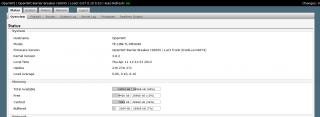
This post has been edited by chuahcs79: Apr 11 2013, 07:33 PM |
|
|
Apr 11 2013, 07:41 PM
|

Junior Member
338 posts Joined: Apr 2007
|
QUOTE(chuahcs79 @ Apr 10 2013, 03:43 PM) did u set 5 second to the time out section in openwrt ? where is the 5 sec time out setting in openwrt? thanks |
|
|
Apr 11 2013, 07:58 PM
|
|
Elite
6,931 posts Joined: Apr 2011 From: Bolehland for sure ^_^
|
QUOTE(DoomGuard @ Apr 11 2013, 07:41 PM) where is the 5 sec time out setting in openwrt? thanks if u flash to openwrt barrier breaker, then no need to set, it is auto, as long as u set keep the connection alive with restart.// |
|
|
Apr 11 2013, 08:06 PM
|
|
All Stars
14,242 posts Joined: Jul 2007 From: JAVABUS
|
QUOTE(chuahcs79 @ Apr 11 2013, 07:32 PM) here's the link : http://www.rfactory.org/OpenWRT/index.html Just flashed. make sure u download the last group under the red color warning words,. ( that's the latest one ) and flashing to openwrt/ddwrt, can give stable wifi connection, many other function like modem detail, network status,. QoS, dns forwarding, and so on,.. mine is MR11u V3 convert to MR3040 V1 oipenwrt firmware ( for yours u download the MR3420 V2 version )
thank you very much |
|
|
Apr 11 2013, 08:11 PM
|
|
Elite
6,931 posts Joined: Apr 2011 From: Bolehland for sure ^_^
|
QUOTE(0168257061 @ Apr 11 2013, 08:06 PM) Just flashed. the best section is the modem section showing all your connection status detail,.. thank you very much  |
|
|
Apr 11 2013, 08:19 PM
|

Senior Member
1,111 posts Joined: Aug 2005 From: UK
|
hello peeps
i was just wondering does this router supports Unifi?Saw the WAN port on the back of the router. Issit good?Or should i just stay with my Asus RT N13U? |
|
|
Apr 11 2013, 08:25 PM
|

Elite
8,415 posts Joined: Jul 2008 
|
QUOTE(Turnip @ Apr 11 2013, 08:19 PM) hello peeps Stay with your current one is what I recommend i was just wondering does this router supports Unifi?Saw the WAN port on the back of the router. Issit good?Or should i just stay with my Asus RT N13U?  Reasons : specification almost same, you should upgrade Mikrotik or highend Asus model 1043ND looks nice too |
|
|
|
|
|
Apr 11 2013, 08:30 PM
|
|
Senior Member
8,025 posts Joined: Feb 2005 From: Planet Boleland
|
QUOTE(blacktubi @ Apr 11 2013, 08:25 PM) Stay with your current one is what I recommend Flashing 1043ND to Black Widow will have usb modem support ?Reasons : specification almost same, you should upgrade Mikrotik or highend Asus model 1043ND looks nice too I feel like doing it to my 1043ND |
|
|
Apr 11 2013, 08:33 PM
|
|
Elite
6,931 posts Joined: Apr 2011 From: Bolehland for sure ^_^
|
QUOTE(digilife @ Apr 11 2013, 08:30 PM) Flashing 1043ND to Black Widow will have usb modem support ? can always try,.. if cannot support just simply flashed it back,. I feel like doing it to my 1043ND  |
|
|
Apr 11 2013, 08:36 PM
|
|
Elite
8,415 posts Joined: Jul 2008
|
QUOTE(digilife @ Apr 11 2013, 08:30 PM) Flashing 1043ND to Black Widow will have usb modem support ? 1043ND is my only router now and I configured it very much to match my home network, never do something without backup I feel like doing it to my 1043ND  P/S, I sold my working MR3420 and gonna RMA my broken one soon  |
|
|
Apr 11 2013, 08:46 PM
|
|
Elite
6,931 posts Joined: Apr 2011 From: Bolehland for sure ^_^
|
QUOTE(blacktubi @ Apr 11 2013, 08:36 PM) 1043ND is my only router now and I configured it very much to match my home network, never do something without backup mr3420 V1 and V2 both is hot again with this openwrt barrier breaker,.. P/S, I sold my working MR3420 and gonna RMA my broken one soon  |
|
|
Apr 11 2013, 08:49 PM
|
|
Junior Member
53 posts Joined: Jan 2011
|
hello.
just bought mr3420 v2 this afternoon. trying to use with digi zte mf190 modem. the router automatically detect the broadband setting but it is stuck at connecting. can anyone help? and also i'm using celcom sim card if that help anything. please help me...  This post has been edited by arif48: Apr 11 2013, 08:51 PM |
|
|
Apr 11 2013, 08:56 PM
|
|
Senior Member
8,025 posts Joined: Feb 2005 From: Planet Boleland
|
QUOTE(arif48 @ Apr 11 2013, 08:49 PM) hello. simcard got pin ?just bought mr3420 v2 this afternoon. trying to use with digi zte mf190 modem. the router automatically detect the broadband setting but it is stuck at connecting. can anyone help? and also i'm using celcom sim card if that help anything. please help me... |
|
|
Apr 11 2013, 09:00 PM
|
|
Junior Member
53 posts Joined: Jan 2011
|
QUOTE(digilife @ Apr 11 2013, 08:56 PM) simcard got pin ? i don't think so, i can connect to the internet when i connect the broadband with laptop. but when i plug it in to the router, the usb led blinked one time and then never blink again. |
|
Topic ClosedOptions
|
| Change to: |  0.0168sec 0.0168sec
 0.60 0.60
 6 queries 6 queries
 GZIP Disabled GZIP Disabled
Time is now: 12th December 2025 - 07:33 PM |
 Quote
Quote