Here's my current setup that works with E3276 on MR3020:
Modem firmware - 21.132.01.00.000
ROOter firmware - Huntsman 2013-11-10 Red
Router Power - 4-ports USB Charger (Connected main router cable to 2.0A and secondary router cable to 1.0A)
AT Command used - AT^SETPORT=”A1,A2;10,12,13,16″ (note that this will disable the virtual CD and microSD card reader, i prefer this as I don't like the annoying prompt every time I plug E3276 into my laptop)
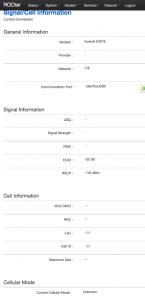
For those that can detect but can't dial, make sure that at ROOter > Modem > Information > Device Debug Information, you have the modem component detected:
» Click to show Spoiler - click again to hide... «
Device Debug Information
T: Bus=01 Lev=00 Prnt=00 Port=00 Cnt=00 Dev#= 1 Spd=480 MxCh= 1
B: Alloc= 1/800 us ( 0%), #Int= 2, #Iso= 0
D: Ver= 2.00 Cls=09(hub ) Sub=00 Prot=01 MxPS=64 #Cfgs= 1
P: Vendor=1d6b ProdID=0002 Rev= 3.10
S: Manufacturer=Linux 3.10.18 ehci_hcd
S: Product=EHCI Host Controller
C:* #Ifs= 1 Cfg#= 1 Atr=e0 MxPwr= 0mA
I:* If#= 0 Alt= 0 #EPs= 1 Cls=09(hub ) Sub=00 Prot=00 Driver=hub
E: Ad=81(I) Atr=03(Int.) MxPS= 4 Ivl=256ms
T: Bus=01 Lev=01 Prnt=01 Port=00 Cnt=01 Dev#= 3 Spd=480 MxCh= 0
D: Ver= 2.00 Cls=00(>ifc ) Sub=00 Prot=00 MxPS=64 #Cfgs= 1
P: Vendor=12d1 ProdID=1506 Rev= 1.02
S: Manufacturer=HUAWEI Technology
S: Product=HUAWEI Mobile
C:* #Ifs= 4 Cfg#= 1 Atr=80 MxPwr=500mA
I:* If#= 0 Alt= 0 #EPs= 3 Cls=ff(vend.) Sub=02 Prot=10 Driver=option
E: Ad=81(I) Atr=03(Int.) MxPS= 64 Ivl=2ms
E: Ad=82(I) Atr=02(Bulk) MxPS= 512 Ivl=0ms
E: Ad=01(O) Atr=02(Bulk) MxPS= 512 Ivl=4ms
I:* If#= 1 Alt= 0 #EPs= 2 Cls=ff(vend.) Sub=02 Prot=12 Driver=option
E: Ad=83(I) Atr=02(Bulk) MxPS= 512 Ivl=0ms
E: Ad=02(O) Atr=02(Bulk) MxPS= 512 Ivl=4ms
I:* If#= 2 Alt= 0 #EPs= 2 Cls=ff(vend.) Sub=02 Prot=13 Driver=option
E: Ad=84(I) Atr=02(Bulk) MxPS= 512 Ivl=0ms
E: Ad=03(O) Atr=02(Bulk) MxPS= 512 Ivl=4ms
I: If#= 3 Alt= 0 #EPs= 1 Cls=ff(vend.) Sub=02 Prot=16 Driver=cdc_ncm
E: Ad=85(I) Atr=03(Int.) MxPS= 64 Ivl=2ms
I:* If#= 3 Alt= 1 #EPs= 3 Cls=ff(vend.) Sub=02 Prot=16 Driver=cdc_ncm
E: Ad=85(I) Atr=03(Int.) MxPS= 64 Ivl=2ms
E: Ad=86(I) Atr=02(Bulk) MxPS= 512 Ivl=0ms
E: Ad=04(O) Atr=02(Bulk) MxPS= 512 Ivl=4ms
If you're just getting the Linux hub (I experienced this on my WR710N and MR3420V1), you may try the following:
- Unplug the E3276, wait for one minute and plug back in
or
- Go to ROOter > Modem > Connection and switch USB Power (if supported) to OFF, save it. Wait for 1 minute or so before switching it back to ON and save.
I prefer the 2nd method since I put them outside the balcony.


 Nov 17 2013, 10:52 AM


 Quote
Quote







 0.0254sec
 0.33
0.33
 6 queries
 GZIP Disabled