Welcome Guest ( Log In | Register )

Bump Topic Topic Closed RSS Feed
125 Pages « < 33 34 35 36 37 > » Bottom

Outline · [ Standard ] · Linear+

 Astro B.yond Episode V (Version 10.0), HD, PVR, IPTV and VOD

views
     
Qash-M
post Oct 20 2012, 09:17 PM

#FreePalestine
*******
Senior Member
6,104 posts

Joined: Apr 2009
From: Marang, Terengganu


QUOTE(Boy96 @ Oct 20 2012, 08:07 PM)
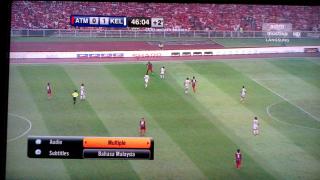
3 Astro channels showing the same Piala Malaysia.. Why?

Astro Arena, Mustika HD, ASSP HD2
*
Last year, there's no BM audio feed of the finals in HD. This time, they've put it. laugh.gif

This post has been edited by Qash-M: Oct 20 2012, 09:45 PM


Attached thumbnail(s)
Attached Image
GKWong
post Oct 20 2012, 10:22 PM

jeng jeng jeng~~
******
Senior Member
1,478 posts

Joined: Feb 2006
is that when the PVR STB signal is lower, then picture quality of the HD channel will be grainier? Mine is around 45db only for Tuner 1 and 2, but the signal quality is 100%.
'ed
post Oct 20 2012, 11:24 PM

Getting Started
**
Junior Member
116 posts

Joined: Jun 2012
QUOTE(chuppachop @ Oct 16 2012, 12:33 AM)
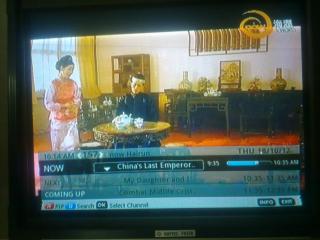
Can u post some pixs please? Are they SD 16:9? Mandarin during the trailers? Thanks in advance!!
*
As per request, sorry for the bad quality of the pix (old gen phone, huhu, cannot focus as i wanted in dark lighting)...its in SD 4:3 since it can fit nicely on my CRT TV, i think so...not sure whether Mandarin or Cantonese, i cant tell the differences (saya orang melayu), sorry chuppachop, hope this help~~~


Attached thumbnail(s)
Attached Image Attached Image Attached Image
chuppachop
post Oct 21 2012, 12:01 AM

Enthusiast
*****
Senior Member
957 posts

Joined: Apr 2010
@ 'ed - many thanks, will hamper Singtel to carry it. wink.gif
chuppachop
post Oct 21 2012, 01:50 PM

Enthusiast
*****
Senior Member
957 posts

Joined: Apr 2010
fyi, starhub's new Tamil n Hindi Pack, and Deepavali free preview. Cheers.

Sorry for inverted pixs, not sure wats wrong wif my camera settings.sad.gif

This post has been edited by chuppachop: Oct 21 2012, 01:52 PM


Attached thumbnail(s)
Attached Image Attached Image
Qash-M
post Oct 21 2012, 03:26 PM

#FreePalestine
*******
Senior Member
6,104 posts

Joined: Apr 2009
From: Marang, Terengganu


QUOTE(chuppachop @ Oct 21 2012, 01:50 PM)
fyi, starhub's new Tamil n Hindi Pack, and Deepavali free preview. Cheers.

Sorry for inverted pixs, not sure wats wrong wif my camera settings.sad.gif
*
Better than having nothing new to update for... smile.gif Oh yeah chuppachop, any subtitles available on Vannathirai?

This post has been edited by Qash-M: Oct 21 2012, 04:06 PM
chuppachop
post Oct 21 2012, 04:43 PM

Enthusiast
*****
Senior Member
957 posts

Joined: Apr 2010
smile.gif that is a crappy in house ch fr Starhub. The ch recently changed their ch logo n literally copied the same design as Viacom's Colors. SD 4:3 wif no subts.


Attached thumbnail(s)
Attached Image
Qash-M
post Oct 21 2012, 04:50 PM

#FreePalestine
*******
Senior Member
6,104 posts

Joined: Apr 2009
From: Marang, Terengganu


QUOTE(chuppachop @ Oct 21 2012, 04:43 PM)
smile.gif that is a crappy in house ch fr Starhub. The ch recently changed their ch logo n literally copied the same design as Viacom's Colors. SD 4:3 wif no subts.
*
Okay... that tv logo looks similar to Viacom's Colors. laugh.gif
MasterRamen
post Oct 21 2012, 07:58 PM

Casual
***
Junior Member
475 posts

Joined: Jan 2012
i have a problem. my smart card for astro byond is active...checked with customer service...but everytime i insert my smart card...there are no signal. when i pull it out the astro is ok but say i need to insert my smart card

when i put it in again..there no signal..
MilesAndMore
post Oct 21 2012, 08:28 PM

Look at all my stars!!
Group Icon
Moderator
9,301 posts

Joined: Mar 2008


QUOTE(jamesleetech @ Sep 27 2012, 12:30 AM)
Note : I was told by my installer friend that the Smartcard, Byond/Byond PVR box and Dish are the property of As*teruk. Only the old Astro DMT boxes belong to subscribers. Even if As*teruk did not ask for return now, they have the right to demand return or charge penalty for non-return in the future. True or not ? Its up to you to believe me or not, hehe.

By the way, why keep the smartcard ? You know that the Byond smartcard cannot be used on other Byond boxes and, also, all channels have been deactivated.

sweat.gif  cool.gif
*
I believe the only way to prove this is through the recorded conversation on phone. Anyway, i think i will send the Smartcard back to Astro if i terminate my Astro subscription smile.gif


QUOTE(kimyee73 @ Oct 19 2012, 12:58 PM)
DarkCrystal HD is not standalone recorder but it attach to a PC to capture. Yes, no need to worry about HDCP but you need to get HDMI to component video converter.
*
I was not aware of this. Thanks! Luckily i have not bought it. Think i will wait a few more months. Some said the EzRecoder will arrive in a few months time smile.gif
wywy2020
post Oct 21 2012, 11:36 PM

Regular
******
Senior Member
1,638 posts

Joined: Nov 2009


hi, i plan to install Astro in my house...
need advice and to recommend what is the best cable management pulling from dish to living hall?
if possible, pls do share photo how the astro installer do it in your house...
how will the cable looks like around the wall? will it look messy?
kimyee73
post Oct 22 2012, 08:41 AM

Regular
******
Senior Member
1,007 posts

Joined: Oct 2006
From: island up north


QUOTE(jamesleetech @ Oct 19 2012, 06:55 PM)
HD Recording

...2) Purchase one device from (1) and add another so-called "Converter Device" which receive HDMI Input, shhh... "quietly" remove the HDCP from the HDMI signal and then output to Component Video (1080i). The question here is... are such devices legal ? I don't know. Do anyone here also know of such devices that can bypass the protection ? I also want to know too.
*
If you follow the discussion between myself and ZHashim38 starting from http://forum.lowyat.net/index.php?showtopi...&#entry51485177, both of us get AverMedia EzRecorder HD and ViewHD HDMI to Component Converter. I'm using it right now to record from both Astro and Unifi Hypptv thru a ViewHD HDMI 4x2 matrix switch. So, it is working just fine. I connect a 500GB USB HDD to it and can bring this HDD to my PC anytime. Unfortunately EzRecorder do not support AC3 audio, for that you'll have to search for other recording device out there. It work just fine for my documentaries recording while I download HD movies.

dxjb
post Oct 22 2012, 11:28 PM

Enthusiast
Group Icon
Elite
807 posts

Joined: Dec 2009
Anyone here or anyone knows who can speed up my Astro application process? damn slow man..

They offered me that RM50 flat rate 2nd Byond more than a month ago..and I accepted and Ive been trying to get updates on the status..been calling them every three days for the past week yet their response is still no installer..

Who can speed up the process?
ysoon
post Oct 23 2012, 05:38 PM

New Member
*
Junior Member
46 posts

Joined: Jan 2011
From: Kuala Lumpur


Thank you very much for your advice! The cable spliters is ready for the installer? Do I need to inform them before they come?

It affect HD, how about the normal one?

And yes, my home is single cable installed only.


QUOTE(jamesleetech @ Oct 19 2012, 09:10 PM)
This question have been asked a few times before and have been answered by members here. Anyway, I don't mind repeating it here.

Yes, the Byond PVR (with builtin 500GB harddisk) is HD ready and can receive all the Astro HD channels.

However, which HD channels you can watch will depend on which Package you subscribed. Not necessarily you can watch/record all the available HD channels... if you did not subscribe to Movies Pack, then the HBO HD Ch 431 is locked so cannot watch/record. If you did NOT subscribe to any SuperPacks or HD Service, then ALL the HD channels are locked and you cannot watch or record any HD channels, only watch/record SD channels.

I really don't know whether you are allowed to get the Byond PVR box by subscribing to PVR Recording Service only, without subscribing to HD Service. Of course, no problem for the 4 SuperPacks because already included PVR Recording and HD Service.

Please refer to Astro website for further details or contact Customer Support for such enquiries. I am a bit lazy to explain in full detail here again.

The Byond DVR (with builtin 500GB harddisk) have 2 tuners which allows recording from 2 different sat TV channels at the same time... or record from 1 channel and watch another channel at the same time. Because of this, it has 2 Inputs to be connected to 2 different cables to the LNB at satellite dish.

For Byond PVR subscribers, the installer will change or install to a new Dual (2) or Quad (4) Output LNB at the dish which allows more cable connections.

Eventhough you mentioned that your new house is "Astro cable ready", is it only ONE single cable installed in-wall ? If only 1 cable, then unfortunately you need to have a second (2) cable for the Byond PVR so this will be problem for you to find a way to install the second satellite cable.

Well... to avoid adding second cable, you can think of using "1 In-2 Out" cable splitters to connect 2 cables from the single cable plug at wall to the Byond PVR BUT this is not recommended. Why ? Signal quality will be affected and can drop so much to affect the HD channels reception, maybe interference/noise appears or maybe more "rain fade" will occur eventhough slight rain. Remember that some installers DID use splitters for the Byond PVR when the Byond PVR subscriber refused to allow extra second cable to be installed because house looked "ugly" if cables are seen snaking on the walls. Well... I have heard of complains later about the reception, hehe. If you decided to use such splitters for your Byond PVR, then good luck to you, hehe.

Hehe... one of my friends came to me to ask for suggestions when his new house was still being built so I advised him to put in at least 3 or 4 satellite cables inside the walls. More expensive because of more cables used but at least it is "future proof" and he never regretted it later when he did actually used 3 for 1 Byond and 1 Byond PVR so no need to worry anymore on "drilling holes" into the wall !

cool.gif
*
jamesleetech
post Oct 24 2012, 12:36 AM

On my way
****
Senior Member
684 posts

Joined: Apr 2010


QUOTE(ysoon @ Oct 23 2012, 05:38 PM)
Thank you very much for your advice!  The cable spliters is ready for the installer?  Do I need to inform them before they come?

It affect HD, how about the normal one?

And yes, my home is single cable installed only.
*
You are welcome.

In your previous first post, you did not mention anything about whether you will be a new subscriber or will be upgrading from existing "old" Astro decoder box/Byond (non PVR) to the Byond PVR (with builtin 500GB harddisk). What you did confirm is that you already have laid a single "hidden" cable inside walls for Astro reception. What I am trying to say is that... for the Byond and Byond PVR boxes, a slightly larger dark grey dish is used when compared to the dish used by previous "old" Astro box which have been discontinued for new subscribers.

Ok, whether you intend to use cable splitter or not, do make sure these are installed for your Byond PVR... (1) Dual or Quad LNB at the satellite dish so that you can still add more cables in future in case you decide to later use more cables and therefore, no need to "change" LNB again, (2) the recommended slightly larger dark grey satellite dish is installed which will help to improve signal reception, especially important for the much "heavier bandwidth" HD reception, which will of course also help to stabilise/improve the SD reception as well as "slightly" reduce occurances of signal loss due to "rain fade". After all... these are standard items included for the Byond PVR installation so there is no excuse for failing to use them eventhough you want to use splitter for your in-wall single cable.

Hehe... do all installers come ready with the cable splitters ? Honestly I don't know. I can only use my own common sense that they will come prepared for all situations when they do the installations. Anyway, the installer will phone to you before he/she come for installation so you can probably explain your existing cable situation and also ask about the cable splitter... the installer will be able to advice you further and be better prepared before coming. Many years ago, when I was using only 2 "old" Astro DMT boxes (before Byond appeared), a single splitter was used for the old 1-output LNB... the splitter was given free so I "think" the splitter should be given "free" but that was a long time ago... at that time, no signal problem for the SD channels with the 2 old Astro boxes. Now the LNB have been replaced when I added the Byond box.

Eventhough I mention the "1 In-2 Out" cable splitter, I need to repeat my caution to you that using the splitter from one cable split to two for your Byond PVR 2 Inputs is NOT the standard recommended installation so you may or may not face signal or other problems later. So please don't blame me later if any "problems" appear in future, hehe.

Here's a "rough explanation" just for comparison...
The HD signal uses a "heavier" bandwidth with screen size of 720p or 1080i and 6 channels Dolby Digital audio at 48KHz.
The SD signal uses a "lighter" bandwidth with screen size of 576p and 2 channels PCM audio at 44.1 KHz.
A slightly bigger dark grey dish will help to slightly improve reception of the "heavier" HD signal and of course will help much more for the SD signals.

...so, what I can actually say is that... it would seem that using splitter for the 2 tuners of the Byond PVR should cause less problems for SD reception BUT does not mean it will not cause any problem because 2 tuners "share" the same cable.

I am using 1 Byond (non PVR) box and 2 old Astro boxes connected to 3 separate cables to a Quad (4 outputs) LNB so one LNB output is not used, no splitter used. Well... 3 "ugly" cables are seen on the walls of my house but I don't mind it, hehe. Since I do not use Byond PVR (with builtin 500GB harddisk), I cannot personally 100% confirm to you whether using cable splitters for the Byond PVR inputs will be ok or not for the SD channels.

Remember that each installation location is different due to different cable lengths used and where the dish is located. For example... when the LNB signal direction to the satellite above is slightly blocked by a nearby very tall condo. So... of course, if possible, using 2 separate cables will be better loh.

Just be aware that I may or may not be correct in some of my comments here. Probably anyone here who have installed such splitter for the Byond PVR can provide you with an accurate answer. Also, probably this has already been answered in some posts in the earlier thread... I don't know because I was lazy to check loh, hehe... so you can search yourself. So, for now, I guess that the only way to be sure if got any problems is to see it with your own eyes when the splitter is used... even if got no problems for the SD channels now, you may still not know for sure until after it has been used for a longer period especially when rain occurs... and when problem appear later, I really don't know whether the installer will not charge you to come again to add the second cable.

Even when separate cables are used, signal loss still occur due to heavy rain because of the 2 feet diameter dish ! No need for me to explain further on why we are still not allowed to legally (without any license) install large dish to watch satellite TV channels... the debate continues, hehe.

Its your personal decision not to install second cable and use splitter for your new Byond PVR so I hope there will be no problems for you eventhough should have less issues for SD reception only.

Well... these are my 2 cents, I guess. blush.gif

This post has been edited by jamesleetech: Oct 24 2012, 12:50 AM

Qash-M
post Oct 24 2012, 11:49 AM

#FreePalestine
*******
Senior Member
6,104 posts

Joined: Apr 2009
From: Marang, Terengganu


Attached Image SD one Attached Image HD one

Well, aren't they slowpoke... laugh.gif laugh.gif
ysoon
post Oct 24 2012, 12:53 PM

New Member
*
Junior Member
46 posts

Joined: Jan 2011
From: Kuala Lumpur


Thank you very much for your information!

I appreciated it!


QUOTE(jamesleetech @ Oct 24 2012, 12:36 AM)
You are welcome.

In your previous first post, you did not mention anything about whether you will be a new subscriber or will be upgrading from existing "old" Astro decoder box/Byond (non PVR) to the Byond PVR (with builtin 500GB harddisk). What you did confirm is that you already have laid a single "hidden" cable inside walls for Astro reception. What I am trying to say is that... for the Byond and Byond PVR boxes, a slightly larger dark grey dish is used when compared to the dish used by previous "old" Astro box which have been discontinued for new subscribers.

Ok, whether you intend to use cable splitter or not, do make sure these are installed for your Byond PVR... (1) Dual or Quad LNB at the satellite dish so that you can still add more cables in future in case you decide to later use more cables and therefore, no need to "change" LNB again, (2) the recommended slightly larger dark grey satellite dish is installed which will help to improve signal reception, especially important for the much "heavier bandwidth" HD reception, which will of course also help to stabilise/improve the SD reception as well as "slightly" reduce occurances of signal loss due to "rain fade". After all... these are standard items included for the Byond PVR installation so there is no excuse for failing to use them eventhough you want to use splitter for your in-wall single cable.

Hehe... do all installers come ready with the cable splitters ? Honestly I don't know. I can only use my own common sense that they will come prepared for all situations when they do the installations. Anyway, the installer will phone to you before he/she come for installation so you can probably explain your existing cable situation and also ask about the cable splitter... the installer will be able to advice you further and be better prepared before coming. Many years ago, when I was using only 2 "old" Astro DMT boxes (before Byond appeared), a single splitter was used for the old 1-output LNB... the splitter was given free so I "think" the splitter should be given "free" but that was a long time ago... at that time, no signal problem for the SD channels with the 2 old Astro boxes. Now the LNB have been replaced when I added the Byond box.

Eventhough I mention the "1 In-2 Out" cable splitter, I need to repeat my caution to you that using the splitter from one cable split to two for your Byond PVR 2 Inputs is NOT the standard recommended installation so you may or may not face signal or other problems later. So please don't blame me later if any "problems" appear in future, hehe.

Here's a "rough explanation" just for comparison...
The HD signal uses a "heavier" bandwidth with screen size of 720p or 1080i and 6 channels Dolby Digital audio at 48KHz.
The SD signal uses a "lighter" bandwidth with screen size of 576p and 2 channels PCM audio at 44.1 KHz.
A slightly bigger dark grey dish will help to slightly improve reception of the "heavier" HD signal and of course will help much more for the SD signals.

...so, what I can actually say is that... it would seem that using splitter for the 2 tuners of the Byond PVR should cause less problems for SD reception BUT does not mean it will not cause any problem because 2 tuners "share" the same cable.

I am using 1 Byond (non PVR) box and 2 old Astro boxes connected to 3 separate cables to a Quad (4 outputs) LNB so one LNB output is not used, no splitter used. Well... 3 "ugly" cables are seen on the walls of my house but I don't mind it, hehe. Since I do not use Byond PVR (with builtin 500GB harddisk), I cannot personally 100% confirm to you whether using cable splitters for the Byond PVR inputs will be ok or not for the SD channels.

Remember that each installation location is different due to different cable lengths used and where the dish is located. For example... when the LNB signal direction to the satellite above is slightly blocked by a nearby very tall condo. So... of course, if possible, using 2 separate cables will be better loh.

Just be aware that I may or may not be correct in some of my comments here. Probably anyone here who have installed such splitter for the Byond PVR can provide you with an accurate answer. Also, probably this has already been answered in some posts in the earlier thread... I don't know because I was lazy to check loh, hehe... so you can search yourself. So, for now, I guess that the only way to be sure if got any problems is to see it with your own eyes when the splitter is used... even if got no problems for the SD channels now, you may still not know for sure until after it has been used for a longer period especially when rain occurs... and when problem appear later, I really don't know whether the installer will not charge you to come again to add the second cable.

Even when separate cables are used, signal loss still occur due to heavy rain because of the 2 feet diameter dish ! No need for me to explain further on why we are still not allowed to legally (without any license) install large dish to watch satellite TV channels... the debate continues, hehe.

Its your personal decision not to install second cable and use splitter for your new Byond PVR so I hope there will be no problems for you eventhough should have less issues for SD reception only.

Well... these are my 2 cents, I guess.  blush.gif
*
jamesleetech
post Oct 24 2012, 03:36 PM

On my way
****
Senior Member
684 posts

Joined: Apr 2010


QUOTE(ysoon @ Oct 24 2012, 12:53 PM)
Thank you very much for your information!

I appreciated it!

No problem, you are welcome.

The only problem is my "bad" character of making extremely looooong replies/comments. All my personal friends say that I am too fussy and too long-winded, and never use short sentences with short sms words such as "u, I c, dun knw, tks" etc, hehe. Sorry for that.

Anyway, hope you can let me know later whether the splitter can be used for the 2 inputs of the Byond PVR without any problems... just send pm to me will do. smile.gif
ysoon
post Oct 24 2012, 04:57 PM

New Member
*
Junior Member
46 posts

Joined: Jan 2011
From: Kuala Lumpur


Haha, no problem. I also seldom use short sentences, I think is due to my habit as well. Even the city name, I don't use short name as well.

For example like Kuala Lumpur, I seldom write KL.

Petaling Jaya, I seldom write PJ. Haha!


QUOTE(jamesleetech @ Oct 24 2012, 03:36 PM)
No problem, you are welcome.

The only problem is my "bad" character of making extremely looooong replies/comments. All my personal friends say that I am too fussy and too long-winded, and never use short sentences with short sms words such as "u, I c, dun knw, tks" etc, hehe. Sorry for that.

Anyway, hope you can let me know later whether the splitter can be used for the 2 inputs of the Byond PVR without any problems... just send pm to me will do.  smile.gif
*
greyshadow
post Oct 24 2012, 05:13 PM

I bleed it out, Diggin' deeper just to throw it away!
******
Senior Member
1,844 posts

Joined: Jan 2003
From: Kingdom of Sarawak


their HD channels are all supposedly broadcast in either 720p or 1080i as advertised, right?

just last night after watching my downloaded 720p Walking Dead S03E01, then switch to Astro, just in time to catch the same episode on Starworld HD

As my memory is still very fresh from just watching the downloaded version, i noticed that the Astro version is darker, dimmer, grainier and not as clear as the downloaded 720p version I've just watch

Is Astro actually broadcast in lower res than advertised? hmm.gif


Added on October 24, 2012, 5:19 pm
QUOTE(dxjb @ Oct 22 2012, 11:28 PM)
Anyone here or anyone knows who can speed up my Astro application process? damn slow man..

They offered me that RM50 flat rate 2nd Byond more than a month ago..and I accepted and Ive been trying to get updates on the status..been calling them every three days for the past week yet their response is still no installer..

Who can speed up the process?
*
I guess it pretty much depends on the installer in your area
mine installed 3 times, all responded within 1 week tongue.gif
subscribe Superpack on Tuesday, Friday came install liao
then took the free upgrade to PVR on Monday, Thursday came
then took the 2nd decoder @ RM50 on Friday eve, Monday morning want to came install liao sweat.gif
all by different installer, and when I check with them on their schedules, they are uber packed, so many orders until hardly got time for a meal
all ever since Astro introduced the superpack packages

This post has been edited by greyshadow: Oct 24 2012, 05:19 PM

125 Pages « < 33 34 35 36 37 > » Top
Topic ClosedOptions
 

Change to:
| Lo-Fi Version
0.0317sec    0.82    6 queries    GZIP Disabled
Time is now: 11th December 2025 - 12:48 PM