

Anyone here using digi smartplan 88. Is the package still valid or its long gone? Anyway , how to check see when will they have digi roadshows in Malaysia? Any links people? Thanks!
SAMSUNG GALAXY NOTE™ | V2, RRP RM2299
SAMSUNG GALAXY NOTE™ | V2, RRP RM2299
|
|
 Nov 13 2011, 12:40 PM Nov 13 2011, 12:40 PM
|
 
Senior Member
2,131 posts Joined: Jan 2008  
|
Anyone here using digi smartplan 88. Is the package still valid or its long gone? Anyway , how to check see when will they have digi roadshows in Malaysia? Any links people? Thanks!
|
|
|
|
|
|
Nov 13 2011, 12:41 PM
|

Senior Member
2,815 posts Joined: Feb 2006 
|
we wan new TS...this TS is not working la...all usefull info was not updated in page 1...expecting everyone to go through 72 pages?
i suggest uncle Benny take over...he is nice, update and helpful! |
|
|
Nov 13 2011, 12:41 PM
|

Senior Member
9,804 posts Joined: Jun 2008 From: Rubber Duck Pond
|
QUOTE(zul_psang @ Nov 13 2011, 11:20 AM) Why so hurry ? only 70 pages..relax dude relax No la,the reason for the V3 is to change the TS since our current TS is MIA.Too much information scattered all around 70 pages and thus hard to find useful information.Secondly,it's to prevent the same question being ask over and over again by posting useful guides,links and informations at the first page.i thing we should report about SGN problem to their customer service Samsung Customer Service Not onli lag issue,s-pen, screen ... are they testing before ?  .. look likes many SGN user going to claim their warrranty .. look likes many SGN user going to claim their warrranty   Added on November 13, 2011, 12:43 pmOh yea,did u guys test the phone call?I read engadget and phonearena reviews,they both mentioned that Samsung Galaxy Note has average phone call quality. This post has been edited by Duckies: Nov 13 2011, 12:43 PM |
|
|
Nov 13 2011, 12:43 PM
|

Senior Member
509 posts Joined: Jun 2005
|
QUOTE(Teng80 @ Nov 12 2011, 06:55 AM) For stock browser, can we set to always classic desktop rather that mobile webpage? How is it? Required root? Thanks. try dolphin browser...more features..Added on November 13, 2011, 12:50 pm QUOTE(rhoyo @ Nov 12 2011, 09:24 AM) i think better not to root yet . cause wait for the icecream firmware then root I think the other way...if you got ICS..you dont have to root..ICS nice enough for our 5.2" screen...This post has been edited by jjamain: Nov 13 2011, 12:50 PM |
|
|
Nov 13 2011, 12:50 PM
|

Junior Member
220 posts Joined: Mar 2006 From: Selangor
|
QUOTE(Cynox @ Nov 13 2011, 09:34 AM) copy to SD Card? the Ironman avi file i tested only 800MB though, copied to external sd card. I bought myself this one. I always use this brand for all my phones as its quality build is undeniable good.Btw, i am looking for slim leather pouch and screen protector for the Note. The flip case ain't that suitable for me. Please share any info if you have any source to purchase.  http://www.pdair.com/catalog/product_info....oducts_id=34184 |
|
|
Nov 13 2011, 12:52 PM
|

Junior Member
161 posts Joined: Nov 2011
|
howdy...
does anyone having the touch screen on the bottom right area(portrait) issue, whenever the phone is charging?... mine became less  responsive... best to test in camera mode, slide the camera icon to video and vice versa... responsive... best to test in camera mode, slide the camera icon to video and vice versa...izit because of the touchwiz bug...? |
|
|
|
|
|
Nov 13 2011, 12:55 PM
|

Senior Member
1,072 posts Joined: Aug 2007 From: Where theres an open-road state
|
yes.not very responsive.
|
|
|
Nov 13 2011, 12:59 PM
|
|
Junior Member
161 posts Joined: Nov 2011
|
so there r 2 people having this touch problem so far...
berbaloi tak go to samsung service center for rectification...? |
|
|
Nov 13 2011, 01:01 PM
|

Senior Member
3,887 posts Joined: Jun 2008
|
QUOTE(zul_psang @ Nov 13 2011, 11:20 AM) Why so hurry ? only 70 pages..relax dude relax Looks like you're the one who need to relax..i thing we should report about SGN problem to their customer service Samsung Customer Service Not onli lag issue,s-pen, screen ... are they testing before ? .. look likes many SGN user going to claim their warrranty S pen issue is over blown. Its just the way it works. |
|
|
Nov 13 2011, 01:03 PM
|
|
Junior Member
161 posts Joined: Nov 2011
|
Suggesting Ts could list out SGN bad issues in V3...
Easy for users to claim warranty...lol |
|
|
Nov 13 2011, 01:05 PM
|

Junior Member
451 posts Joined: Jun 2006
|
Use my new toy for 2 days now.... my verdict : worth upgrade from SGS2 ...
 Some teasing pics to share ..buy buy buy  
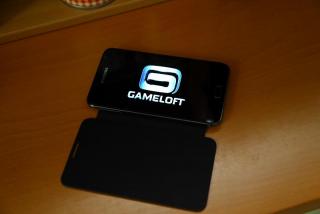
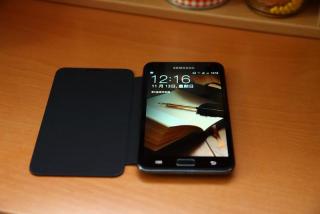

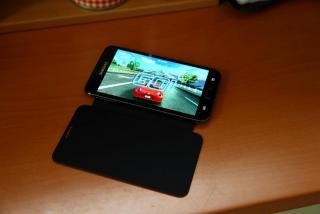

This post has been edited by fit: Nov 13 2011, 01:06 PM |
|
|
Nov 13 2011, 01:05 PM
|
|
Junior Member
161 posts Joined: Nov 2011
|
issues so far..
1. S pen 2. Lag 3. Touch 4. Dead pixel etc Added on November 13, 2011, 1:18 pmGalaxy Secret Codes *#06# = IMEI Number. *#1234# = Firmware Version. *#2222# = H/W Version. *#8999*8376263# = All Versions Together. *#8999*8378# = Test Menu. *#4777*8665# = GPSR Tool. *#8999*523# = LCD Brightness. *#8999*377# = Error Menu. *#8999*327# = EEP Menu. *#8999*667# = Debug Mode. *#92782# = PhoneModel. (Wap) #*5737425# = JAVA Mode. *#2255# = Call List. *#232337# = Bluetooth MAC Adress. *#5282837# = Java Version. #*4773# = Incremental Redundancy. #*7752# = 8 PSK uplink capability bit. #*7785# = Reset wakeup & RTK timer cariables/variables. #*7200# = Tone Generator Mute. #*3888# = BLUETOOTH Test mode. #*7828# = Task screen. #*#8377466# = S/W Version & H/W Version. #*2562# = Restarts Phone. #*2565# = No Blocking? General Defense. #*3353# = General Defense, Code Erased. #*3837# = Phone Hangs on White screen. #*3849# = Restarts Phone. #*3851# = Restarts Phone. #*3876# = Restarts Phone. #*7222# = Operation Typ: (Class C GSM) #*7224# = !!! ERROR !!! #*7252# = Operation Typ: (Class B GPRS) #*7271# = CMD: (Not Available) #*7274# = CMD: (Not Available) #*7337# = Restarts Phone. (Resets Wap Settings) #*2787# = CRTP ON/OFF. #*2886# = AutoAnswer ON/OFF. #*3737# = L1 AFC. #*5133# = L1 HO Data. #*7288# = GPRS Detached/Attached. #*7287# = GPRS Attached. #*7666# = White Screen. #*7693# = Sleep Deactivate/Activate. #*7284# = L1 HO Data. #*2256# = Calibration info? (For CMD set DEBUGAUTONOMY in cihard.opt) #*2286# = Databattery. #*2527# = GPRS switching set to (Class 4, 8, 9, 10) #*2679# = Copycat feature Activa/Deactivate. #*3940# = External looptest 9600 bps. #*4263# = Handsfree mode Activate/Deactivate. #*4700# = Please use function 2637. #*7352# = BVMC Reg value (LOW_SWTOFF, NOMINAL_SWTOFF) #*2558# = Time ON. #*3370# = Same as 4700. #*3941# = External looptest 115200 bps #*5176# = L1 Sleep. #*7462# = SIM Phase. #*7983# = Voltage/Freq. #*7986# = Voltage. #*8466# = Old Time. #*2255# = Call Failed. #*5187# = L1C2G trace Activate/Deactivate. #*5376# = DELETE ALL SMS!!!!. #*6837# = Official Software Version: (0003000016000702) #*7524# = KCGPRS: (FF FF FF FF FF FF FF FF 07) #*7562# = LOCI GPRS: (FF FF FF FF FF FF FF FF FF FF FF FE FF 01) #*2337# = Permanent Registration Beep. #*2474# = Charging Duration. #*2834# = Audio Path. (Handsfree) #*3270# = DCS Support Activate/Deactivate. #*3282# = Data Activate/Deactivate. #*3476# = EGSM Activate/Deactivate. #*3676# = FORMAT FLASH VOLUME!!! #*4760# = GSM Activate/Deactivate. #*4864# = White Screen. #*5171# = L1P1. #*5172# = L1P2. #*5173# = L1P3. #*7326# = Accessory. #*7683# = Sleep variable. #*8465# = Time in L1. #*2252# = Current CAL. #*2836# = AVDDSS Management Activate/Deactivate. #*3877# = Dump of SPY trace. #*7728# = RSAV. #*2677# = Same as 4700. #*3728# = Time 2 Decod. #*3725# = B4 last off. #*7372# = Resetting the time to DPB variables. #*7732# = Packet flow context bit Activate/Deactivate. #*6833# = New uplink establishment Activate/Deactivate. #*3273# = EGPRS multislot. (Class 4, 8, 9, 10) #*7722# = RLC bitmap compression Activate/Deactivate. #*2351# = Blinks 1347E201 in RED. #*4472# = Hysteresis of serving cell: 3 dB #*2775# = Switch to 2 inner speaker. #*9270# = Force WBS. #*7878# = FirstStartup. (0=NO, 1=YES) #*3757# = DSL UART speed set to. (LOW, HIGH) #*8726# = Switches USBACM to Normal. #*8724# = Switches USBACM to Generator mode. #*8727# = Switches USBACM to Slink mode. #*8725# = Switches USBACM to Loop-back mode. #*3838# = Blinks 3D030300 in RED. #*2077# = GPRS Switch. #*2027# = GPRS Switch. #*0227# = GPRS Switch. #*0277# = GPRS Switch. #*8370# = Tfs4.0 Test 0. #*8371# = Tfs4.0 Test 1. #*8372# = Tfs4.0 Test 2. #*8373# = Tfs4.0 Test 3. #*8374# = Tfs4.0 Test 4. #*8375# = Tfs4.0 Test 5. #*8376# = Tfs4.0 Test 6. #*8377# = Tfs4.0 Test 7. #*8378# = Tfs4.0 Test 8. #*8379# = Tfs4.0 Test 9. #*7878# = FirstStartup. (0=NO, 1=YES) #*3838# = Blinks 3D030300 in RED. #*2077# = GPRS Switch. #*2027# = GPRS Switch. #*0227# = GPRS Switch. #*0277# = GPRS Switch. #*22671# = AMR REC START. #*22672# = Stop AMR REC. (File name: /a/multimedia/sounds/voice list/ENGMODE.amr) #*22673# = Pause REC. #*22674# = Resume REC. #*22675# = AMR Playback. #*22676# = AMR Stop Play. #*22677# = Pause Play. #*22678# = Resume Play. #*77261# = PCM Rec Req. #*77262# = Stop PCM Rec. #*77263# = PCM Playback. #*77264# = PCM Stop Play. #*22679# = AMR Get Time. *#8999*364# = Watchdog ON/OFF. *#8999*427# = WATCHDOG signal route setup. *2767*226372# = Camera Reset. (deletes photos) *2767*3855# = E2P Full Reset. *2767*2878# = E2P Custom Reset. *2767*927# = E2P Wap Reset. *2767*226372# = E2P Camera Reset. *2767*688# = Reset Mobile TV. #7263867# = RAM Dump. (On or Off) * # 06 # Show IMEI number next * # 0 * # LCD Test Menu * # * # 4636 # * # * user statistics and Phone Info * # 0011 # Displays status information for the GSM *#1234# View SW Version PDA, CSC, MODEM *#12580*369# SW & HW Info *#197328640# Service Mode *#0228# ADC Reading *#32489# (Ciphering Info) *#232337# Bluetooth Address *#232331# Bluetooth Test Mode *#232338# WLAN MAC Address *#232339# WLAN Test Mode *#0842# Vibra Motor Test Mode *#0782# Real Time Clock Test *#0673# Audio Test Mode *#0*# General Test Mode *#2263# RF Band Selection *#9090# Diagnostic ConfiguratioN *#7284# USB I2C Mode Control *#872564# USB Logging Control *#4238378# GCF Configuration *#0283# Audio Loopback Control *#1575# GPS Control Menu *#3214789650# LBS Test Mode *#745# RIL Dump Menu *#746# Debug Dump Menu *#9900# System Dump Mode *#44336# Sofware Version Info *#7780# Factory Reset *2767*3855# Full Factory Reset *#0289# Melody Test Mode *#2663# TSP / TSK firmware update *#03# NAND Flash S/N *#0589# Light Sensor Test Mode *#0588# Proximity Sensor Test Mode *#273283*255*3282*# Data Create Menu *#273283*255*663282*# Data Create SD Card *#3282*727336*# Data Usage Status *#7594# Remap Shutdown to End Call TSK *#34971539# Camera Firmware Update *#526# WLAN Engineering Mode *#528# WLAN Engineering Mode *#7412365# Camera Firmware Menu *#07# Test History *#3214789# GCF Mode Status *#272886# Auto Answer Selection *#8736364# OTA Update Menu *#301279# HSDPA/HSUPA Control Menu *#7353# Quick Test Menu *2767*4387264636# Sellout SMS / PCODE view *#7465625# View Phone Lock Status *7465625*638*# Configure Network Lock MCC/MNC #7465625*638*# Insert Network Lock Keycode *7465625*782*# Configure Network Lock NSP #7465625*782*# Insert Partitial Network Lock Keycode *7465625*77*# Insert Network Lock Keycode SP #7465625*77*# Insert Operator Lock Keycode *7465625*27*# Insert Network Lock Keycode NSP/CP #7465625*27*# Insert Content Provider Keycode *#272*imei#* Product code , works on Froyo *#*#7780#*#* Factory data reset - Clears Google-account data, system and program settings and installed programs. system will not be deleted, and OEM programs, as well as My Documents (pictures, music, videos) some may not work This post has been edited by onibaru: Nov 13 2011, 01:18 PM |
|
|
Nov 13 2011, 01:23 PM
|

Senior Member
7,106 posts Joined: Sep 2010
|
I think s pen issues is very vague. Depends more on users.. and firmware upgrade should solve all the issues except dead pixel. But i think only very few user hv dead pixel, so can considered isolated issue
|
|
|
|
|
|
Nov 13 2011, 01:33 PM
|
 
Elite
27,801 posts Joined: Jun 2007 From: Johor
|
My first rom upgrade : ZSKK1 Hong Kong rom ( modded deodexed ) Android version 2.3.6
Just flash it from CWM recovery the zip file - whole process just take less than 5 minutes This rom is a one LEAN rom without most of the Samsung apps - anyway it comes with a separate zip file where after extract, you can install any of those missing apps. See the picture below - just less than one screenful of apps ( only Titanium Backup I installed separately ). Flashing this rom removes my yellow traiangle and wipe phone clean. Easily restore back all my apps/data with Titanium Backup 

One feature I like is the task bar when you draw it down it comes with additional DATA selection toggle 
Features of this rom: quoted from XDA 1. Hong Kong-based version of the latest 2.3.6 ROM N7000ZSKK1 2. Deodexed, zipaligned 3. Thin version (few System Apps removed) [If you think that this version is too thin for you, you can add every App you want manually, as they are all additionally contained in the first download package (ROM package).] 4. Added Chinese voice 5. Original Samsung kernel 6. Transparent weather widget 7. Data switch button in pulldown bar 8. Built-in quick restart of the OS 9. Chinese input method 10. Special ringtone as default 11. Percentage battery indicator (accurate to 1%) 12. Removal of 10 contacts limit of short message and SMS being automatically converted to MMS after SMS-length of 4 SMS removed 13. Call log does not show SMS and MMS 14. Desktop icon shadows removed 15. Call recording 16. Calls attribution 17. Integrated latest version of BusyBox 18. Replaced GPS files 19. Pre-Rooted 20. Languages: English (UK), English (US), Chinese Link : http://forum.xda-developers.com/showthread.php?t=1342797 This post has been edited by benny888: Nov 13 2011, 01:34 PM |
|
|
Nov 13 2011, 01:37 PM
|
|
Junior Member
161 posts Joined: Nov 2011
|
lega im not the isolated one having the touch screen not responding when charging...
neway not sure izit a common issue... |
|
|
Nov 13 2011, 01:42 PM
|
|
Senior Member
7,106 posts Joined: Sep 2010
|
Nice uncle benny..
But as for me, i wish i dun hv to root this device.. security concern. But market enabler seems to poison me to root. Coz several of my paid apps not available in our market..sighh |
|
|
Nov 13 2011, 01:45 PM
|
|
Elite
27,801 posts Joined: Jun 2007 From: Johor
|
QUOTE(un_id @ Nov 13 2011, 01:42 PM) Nice uncle benny.. You can just copy your apk files of your paid apps from your other android phone and install itBut as for me, i wish i dun hv to root this device.. security concern. But market enabler seems to poison me to root. Coz several of my paid apps not available in our market..sighh |
|
|
Nov 13 2011, 01:48 PM
|

Senior Member
582 posts Joined: Jan 2007 From: Shah Alam
|
anyone, how to efficiently sync my contacts from BB to my future notes ?
|
|
|
Nov 13 2011, 01:53 PM
|

Senior Member
5,362 posts Joined: Jan 2003 From: Johor Bahru
|
Updated mine with kk1 firmware. First, it does not break the root - great. Secondly, the s pen accuracy improved - now the pen tip and actual point on screen differ by max 1mm, depends on at what angle you hold the phone and the pen.
Actually personally i think the note is more as an artistics tool than an engineering device. So dun expect perfect 100% accuracy for the s pen. |
|
|
Nov 13 2011, 01:55 PM
|
|
Elite
27,801 posts Joined: Jun 2007 From: Johor
|
QUOTE(Raiko @ Nov 13 2011, 01:48 PM) anyone, how to efficiently sync my contacts from BB to my future notes ? In your blackberry : Select Messages/Menu/OptionsEmail account management/ select your Gmail account - edit - Synchronization options - tick calendar and contactsOn note sign in your gmail account and your contacts/calendar will be sync down |
|
Topic ClosedOptions
|
| Change to: |  0.0275sec 0.0275sec
 0.38 0.38
 6 queries 6 queries
 GZIP Disabled GZIP Disabled
Time is now: 23rd December 2025 - 04:47 AM |
 Quote
Quote