Welcome Guest ( Log In | Register )

70 Pages « < 35 36 37 38 39 > » Bottom

Outline · [ Standard ] · Linear+

 Show off your Desktop !, [IMAGE HEAVY !]

views
     
G-17
post May 21 2011, 02:33 AM

Securely Paranoid
******
Senior Member
1,748 posts

Joined: Mar 2010
QUOTE(farkinid @ May 18 2011, 03:05 PM)
Colour? Rainbows? Unicorns? Then I shall switch to 'Hannah Montana Linux' (screenshots available on request)
*

Uhm ... I meant you should pimp out your .Xdefaults/.Xresources.
Might seems trivial, but if you go through a lot of config files or documents with Vim or Emacs (or even Nano, for that matter), having clear syntax highlighting makes for a more pleasing experience.

Hmm .... Feel like we should start a .Xdefaults/ Term-Colors thread, though I foresee only 2 or 3 members contributing on a regular basis :-/

fJok3R
post May 22 2011, 07:21 PM

Regular
******
Senior Member
1,419 posts

Joined: Apr 2010
QUOTE(G-17 @ May 11 2011, 11:23 AM)

My setup on an old Pentium dual-core.
user posted image
user posted image

Distro: GRML / Kernel: 2.6.38-6.slh.1-aptosid / WM: ScrotWM / Shell: Zsh
Xdefaults: Custom Web-safe scheme / Font: -Misc-Fixed-Medium-R-Semicondensed-*-12-110-75-75-C-60-ISO10646-1
On Screen: ScrotWM Man Page, MPD+Ncmpcpp, Weechat-curses, Vim with custom theme showing my Zsh config file.

Edit1:
Sorry. Just noticed I got the thumbnail size wrong. Still within the forum rules, I think.

Edit2:
Still waiting for you to post your tiling setup, farkinid-chan!!
*
it just arises more question than what have been answered laugh.gif
so a few more question if u dont mind

1- i run fc-list in terminal, showing all available font, now how to use it in scrotwm.conf, just copy paste the name? hmm.gif
2- what else need to be customized, i supposed not scrotwm.conf alone?

and mind sharing the scrotwm.conf for this one drool.gif drool.gif
G-17
post May 22 2011, 08:09 PM

Securely Paranoid
******
Senior Member
1,748 posts

Joined: Mar 2010
QUOTE(fJok3R @ May 22 2011, 07:21 PM)
it just arises more question than what have been answered  laugh.gif
so a few more question if u dont mind

1- i run fc-list in terminal, showing all available font, now how to use it in scrotwm.conf, just copy paste the name?  hmm.gif
2- what else need to be customized, i supposed not scrotwm.conf alone?

and mind sharing the scrotwm.conf for this one  drool.gif  drool.gif
*
Okay, I need to make one thing clear. ScrotWM is your quintessential BSD project, meaning that everything is easy in terms of syntax (no need programming language), but it's designed so tightly that if you want any added functionality, it becomes way harder than other WMs like Awesome or Xmonad, since you'll need to hack the source code (you need programming know-how for this) . My actual scrotwm.conf appears very simple, but the way it behaves is totally different thanks to the various hacks I've applied (note: hacks and patches are different beasts... hacks are dirty and buggy).

Anyway, I edited out all the hack-related syntax and pasted the base .scrotwm.conf below for you. Colors are the same as in the screenshot, to go with the terminal .Xdefaults (also attached below).

Now, on to your questions;

1.
fc-list will give you the XFT names for all the fonts you have installed on your system. Unless you have the CVS build of ScrotWM (need to sync with CVS, meaning most probably not available via your package manager unless you use ArchLinux's AUR), you'll need to use the font ISO codes for ScrotWM to recognize the fonts (same for Dmenu, which the scrot bar interfaces with).
ISO codes aren't available for all fonts, sadly. Try launching 'xfontsel' (in terminal or via Dmenu) to see what fonts you have available to you.

For example;
For smallest Terminus, size, most people use:
-*-terminus-medium-r-normal-*-12-120-72-72-c-60-iso8859-1

The one I used in that screenshot is Fixed (or Fixed-Sys, as some people call it). It's a bit special in that it most probably wont show in xfontsel or fc-list, but you definitely have it because it's the standard typeface for the X Window System ... meaning; if you have X, you definitely have Fixed-Sys.
http://en.wikipedia.org/wiki/Fixed_%28typeface%29


2.
Yeah, there are definitely other things that you'll need to customize. What you see in the screenshot, I have "Most" installed for coloured Man pages, custom MPD and Ncmpcpp configs for the colors and visualizer in the music player (as well as equalization). a custom Vim theme (right side), and a slightly tweaked weechat.conf (IRC client at bottom). All this requires individual tweaking of each app's config/theme file, and so on.

Anyways, here's a basic .scrotwm.conf
CODE
# colors for focussed and unfocussed window borders
color_focus   = rgb:ff/ff/ff
color_unfocus   = rgb:33/33/33

# bar settings
bar_enabled   = 1
bar_border[1]   = rgb:cc/66/66
bar_font_color[1]  = rgb:fe/fe/fe
bar_color[1]   = rgb:cc/66/66
bar_font   = -Misc-Fixed-Medium-R-Semicondensed-*-12-110-75-75-C-60-ISO10646-1
#bar_font   = -*-terminus-medium-r-normal-*-12-120-72-72-c-60-iso8859-1
#bar_at_bottom           =1
bar_action    = conky
bar_delay    = 1
stack_enabled    = 1
clock_enabled    = 1
title_name_enabled  = 0
title_class_enabled  = 0

# spawn app
program[term]   = urxvtc
# program[screenshot_all] = screenshot.sh full
# program[screenshot_wind] = screenshot.sh window
# program[lock]   = xlock
# program[initscr]  = initscreen.sh
program[menu]   = dmenu_run -fn $bar_font -nb $bar_color -nf $bar_font_color -sb $bar_font_color -sf $bar_color
spawn_term   = urxvtc

# dialog box size ratio .3 >= r < 1
dialog_ratio   = 0.6

# Split a non-Xrandr dual head setup into one region per monitor
# (non-standard driver-based multihead is not seen by scrotwm)
# region   = screen[1]:1280x1024+0+0
# region   = screen[1]:1280x1024+1280+0

# mod key, (windows key is Mod4) (apple key on OSX is Mod2)
modkey = Mod4

# key bindings
#unbind with: bind[]    = <keys>
bind[cycle_layout] = MOD+space
bind[stack_reset] = MOD+Shift+space
bind[master_shrink] = MOD+-
bind[master_grow] = MOD+=
bind[master_add] = MOD+comma
bind[master_del] = MOD+period
bind[stack_inc]  = MOD+Shift+comma
bind[stack_dec]  = MOD+Shift+period
bind[swap_main]  = MOD+Return
bind[focus_next] = MOD+j
bind[focus_prev] = MOD+k
bind[swap_next]  = MOD+Shift+j
bind[swap_prev]  = MOD+Shift+k
bind[spawn_term] = MOD+Shift+Return
bind[menu]  = MOD+p
bind[quit]  = MOD+Shift+q
bind[restart]  = MOD+q
bind[focus_main] = MOD+m
bind[ws_1]  = MOD+1
bind[ws_2]  = MOD+2
bind[ws_3]  = MOD+3
bind[ws_4]  = MOD+4
bind[ws_5]  = MOD+5
bind[ws_6]  = MOD+6
bind[ws_7]  = MOD+7
bind[ws_8]  = MOD+8
bind[ws_9]  = MOD+9
bind[ws_10]  = MOD+0
bind[ws_next]  = Mod+Shift+Right
bind[ws_prev]  = Mod+Shift+Left
#bind[screen_next] = MOD+Shift+Right
#bind[screen_prev] = MOD+Shift+Left
bind[mvws_1]  = MOD+Shift+1
bind[mvws_2]  = MOD+Shift+2
bind[mvws_3]  = MOD+Shift+3
bind[mvws_4]  = MOD+Shift+4
bind[mvws_5]  = MOD+Shift+5
bind[mvws_6]  = MOD+Shift+6
bind[mvws_7]  = MOD+Shift+7
bind[mvws_8]  = MOD+Shift+8
bind[mvws_9]  = MOD+Shift+9
bind[mvws_10]  = MOD+Shift+0
bind[bar_toggle] = MOD+Shift+b
bind[focus_next] = MOD+Tab
bind[focus_prev] = MOD+Shift+Tab
bind[wind_kill]  = MOD+Shift+x
bind[wind_del]  = MOD+x
#bind[screenshot_all] = MOD+s
#bind[screenshot_wind] = MOD+Shift+s
bind[float_toggle] = MOD+t
#bind[version]  = MOD+Shift+v
#bind[lock]  = MOD+Shift+Delete
#bind[initscr]  = MOD+Shift+i

# quirks
# remove with: quirk[class:name] = NONE
quirk[MPlayer:xv]    = FLOAT + ANYWHERE + FULLSCREEN
quirk[Thunar:thunar]    = FLOAT + ANYWHERE
quirk[Gcolor2:gcolor2]     = FLOAT + ANYWHERE
#quirk[OpenOffice.org 2.4:VCLSalFrame]  = FLOAT
#quirk[OpenOffice.org 3.0:VCLSalFrame]  = FLOAT
#quirk[OpenOffice.org 3.1:VCLSalFrame]  = FLOAT
quirk[Firefox-bin:firefox-bin]   = FLOAT + FULLSCREEN
quirk[Firefox:Dialog]    = FLOAT + ANYWHERE
quirk[Gimp:gimp]    = FLOAT + ANYWHERE
#quirk[XTerm:xterm]    = XTERM_FONTADJ
quirk[xine:Xine Window]    = FLOAT + ANYWHERE
quirk[Xitk:Xitk Combo]    = FLOAT + ANYWHERE
quirk[xine:xine Panel]    = FLOAT + ANYWHERE
quirk[Xitk:Xine Window]    = FLOAT + ANYWHERE
quirk[xine:xine Video Fullscreen Window]  = FULLSCREEN + FLOAT
quirk[pcb:pcb]     = FLOAT

# EXAMPLE: define firefox program and bind to key
bind[firefox]  = MOD+f


and a basic .Xdefaults file for your terminal colorscheme (note: requires rxvt-unicode-256color to be installed)
CODE
urxvt*title:              urxvt
urxvt*termName:          rxvt-256color
!urxvt*font:              -*-terminus-medium-r-normal-*-12-120-72-72-c-60-iso8859-1
!urxvt*boldFont:          -*-terminus-medium-r-normal-*-12-120-72-72-c-60-iso8859-1
urxvt*font:              -Misc-Fixed-Medium-R-Semicondensed-*-12-110-75-75-C-60-ISO10646-1
urxvt*boldFont:          -Misc-Fixed-Medium-R-Semicondensed-*-12-110-75-75-C-60-ISO10646-1
urxvt*background:        #333333
urxvt*foreground:        #CCCCCC
urxvt*cursorColor:       #999999
urxvt*colorBD:           #FFFFFF
urxvt*colorUL:           #CCCCFF
urxvt*scrollBar:         false
urxvt*secondaryscroll:   true
urxvt*matcher.button:    1
urxvt*cursorBlink:       true
urxvt*cursorUnderline:   true
urxvt*internalBorder:    3

urxvt.perl-ext-common:    default,clipboard,matcher
urxvt.transparent:       false
urxvt*allow_bold:        true

Xft*dpi:                 96
Xft*antialias:           false
Xft*hinting:             full

urxvt*dynamicColors:     on
urxvt*depth:              24

urxvt*mapAlert:           true
urxvt*visualBell:         true
urxvt*urgentOnBell:      true

urxvt*inheritPixmap:     false
!urxvt*tintColor:        #333333
!urxvt*shading:           80
!urxvt*geometry:          80x17


!BLACK
urxvt*color0:            #666666
urxvt*color8:            #999999
!RED
urxvt*color1:            #CC6666
urxvt*color9:             #FF9999
!GREEN
urxvt*color2:            #99CC66
urxvt*color10:           #99FF99
!YELLOW
urxvt*color3:            #CC9966
urxvt*color11:           #FFFF99
!BLUE
urxvt*color4:            #6699CC
urxvt*color12:           #99CCFF
!MAGENTA
urxvt*color5:            #CC6699
urxvt*color13:           #FF99CC
!CYAN
urxvt*color6:            #66CCCC
urxvt*color14:           #99FFFF
!WHITE
urxvt*color7:            #CCCCCC
urxvt*color15:           #FFFFFF


Hope this gets you started.

Cheers smile.gif

Edit: Sorry for the messy config ... dunno why LYN forum doesn't align stuff properly. O_o?

This post has been edited by G-17: May 23 2011, 02:59 PM

fJok3R
post May 22 2011, 08:28 PM

Regular
******
Senior Member
1,419 posts

Joined: Apr 2010
much thanks for your help biggrin.gif
farkinid
post May 23 2011, 09:51 AM

Enthusiast
*****
Senior Member
997 posts

Joined: Feb 2007


QUOTE(G-17 @ May 21 2011, 02:33 AM)
Uhm ... I meant you should pimp out your .Xdefaults/.Xresources.
Might seems trivial, but if you go through a lot of config files or documents with Vim or Emacs (or even Nano, for that matter), having clear syntax highlighting makes for a more pleasing experience.

Hmm .... Feel like we should start a .Xdefaults/ Term-Colors thread, though I foresee only 2 or 3 members contributing on a regular basis :-/
*
Hmm, you have a point there about clear syntax highlighting.

Also, yeah you should start a .Xdefaults/Term-colours thread. It might help.
G-17
post May 25 2011, 10:40 PM

Securely Paranoid
******
Senior Member
1,748 posts

Joined: Mar 2010
Some Openbox love, yet again.
user posted image
TScocooh
post May 31 2011, 06:07 PM

✔ Awesomeness ✔
*******
Senior Member
2,789 posts

Joined: Jul 2010
From: Silicon Valley


Simple by Me biggrin.gif

Attached Image

Larger preview : CLICK ME !!
yangchee98
post May 31 2011, 06:38 PM

Getting Started
**
Junior Member
264 posts

Joined: Dec 2010


QUOTE(cocooh @ May 31 2011, 06:07 PM)
Simple by Me biggrin.gif

Attached Image

Larger preview : CLICK ME !!
*
os?

TScocooh
post May 31 2011, 11:07 PM

✔ Awesomeness ✔
*******
Senior Member
2,789 posts

Joined: Jul 2010
From: Silicon Valley


QUOTE(yangchee98 @ May 31 2011, 06:38 PM)
os?
*
Ubuntu 11.04 sleep.gif
FlameReaper
post Jun 1 2011, 12:05 AM

I lari portable on my dude
****
Senior Member
560 posts

Joined: Oct 2008
From: On my portable dude
Unity
user posted image

GNOME 2.x Classic
user posted image

KDE 4.6
user posted image
G-17
post Jun 2 2011, 12:43 AM

Securely Paranoid
******
Senior Member
1,748 posts

Joined: Mar 2010
Same old...

user posted image
marcoslai
post Jun 2 2011, 12:57 AM

Getting Started
**
Junior Member
112 posts

Joined: Nov 2008


Just left my Debian Squeeze,installed openSUSE 11.4 KDE x86-64,and upgrade it to openSUSE Tumbleweed,it means I don't have to wait for new release every 9mths,but my system always stay on bleeding edge,since this Tumbleweed edition is rolling update.
Now running on kernel 2.6.39-30 and KDE 4.6.3 Release 6. Enjoying really fast response performance than previous kernel 2.6.37.
Still prefer KDE brows.gif

user posted image
monsh
post Jun 3 2011, 03:33 AM

Let's Change The World !
*******
Senior Member
4,196 posts

Joined: Oct 2007


blardy nice weih !
how u all learn to play with these things man >.<"
TScocooh
post Jun 3 2011, 01:59 PM

✔ Awesomeness ✔
*******
Senior Member
2,789 posts

Joined: Jul 2010
From: Silicon Valley


QUOTE(monsh @ Jun 3 2011, 03:33 AM)
blardy nice weih !
how u all learn to play with these things man >.<"
*
Inspiration biggrin.gif
farkinid
post Jun 3 2011, 02:17 PM

Enthusiast
*****
Senior Member
997 posts

Joined: Feb 2007


QUOTE(cocooh @ Jun 3 2011, 01:59 PM)
Inspiration biggrin.gif
*
CODE
~$ sudo apt-get install Inspiration
Reading package lists... Done
Building dependency tree      
Reading state information... Done
E: Couldn't find package Inspiration

cry.gif

TScocooh
post Jun 3 2011, 02:20 PM

✔ Awesomeness ✔
*******
Senior Member
2,789 posts

Joined: Jul 2010
From: Silicon Valley


QUOTE(farkinid @ Jun 3 2011, 02:17 PM)
CODE
~$ sudo apt-get install Inspiration
Reading package lists... Done
Building dependency tree      
Reading state information... Done
E: Couldn't find package Inspiration

cry.gif
*
sleep.gif Inspiration comes from brain , not debs or repos biggrin.gif

Try www.digitalvanity.me smile.gif
powerwoot
post Jun 3 2011, 06:56 PM

讨厌的 ubuntu
*******
Senior Member
2,930 posts

Joined: Jan 2007
From: Kolej Universiti Agrosains Malaysia, Melaka


QUOTE(marcoslai @ Jun 2 2011, 12:57 AM)
Just left my Debian Squeeze,installed openSUSE 11.4 KDE x86-64,and upgrade it to openSUSE Tumbleweed,it means I don't have to wait for new release every 9mths,but my system always stay on bleeding edge,since this Tumbleweed edition is rolling update.
Now running on kernel 2.6.39-30 and KDE 4.6.3 Release 6. Enjoying really fast response performance than previous kernel 2.6.37.
Still prefer KDE  brows.gif

» Click to show Spoiler - click again to hide... «

*
yooo susers here rclxms.gif

haven't try tumbleweed yet, I'll wait until at the end of this 11.4 than I'll decide to tumble the weed or not tongue.gif
marcoslai
post Jun 5 2011, 01:56 AM

Getting Started
**
Junior Member
112 posts

Joined: Nov 2008


QUOTE(powerwoot @ Jun 3 2011, 06:56 PM)
yooo susers here  rclxms.gif

haven't try tumbleweed yet, I'll wait until at the end of this 11.4 than I'll decide to tumble the weed or not  tongue.gif
*
Great to meet u,fren rclxm9.gif
Well since the Tumbleweed is on,I just try it,glad those 'stressful' conflict solution choices during upgrade didn't kill me. Not tough,u just gotta be really careful for those solution choices,but what's the point of living without risk?!
brows.gif

Show me yr desktop bro,curios how those suser,especially KDE fans did.


G-17
post Jun 5 2011, 02:37 AM

Securely Paranoid
******
Senior Member
1,748 posts

Joined: Mar 2010
Suse users are called "susers"? laugh.gif

Work in progress.

Was fed-up with all the AwesomeWM and SubtleWM fanboys saying that ScrotWM was too minimal and they couldn't use multiple colors in the bar, so I hacked up and piped my own (with a bit of help from a friend)

user posted image

This post has been edited by G-17: Jun 5 2011, 02:38 AM
powerwoot
post Jun 5 2011, 09:50 AM

讨厌的 ubuntu
*******
Senior Member
2,930 posts

Joined: Jan 2007
From: Kolej Universiti Agrosains Malaysia, Melaka


QUOTE(marcoslai @ Jun 5 2011, 01:56 AM)
Great to meet u,fren  rclxm9.gif
Well since the Tumbleweed is on,I just try it,glad those 'stressful' conflict solution choices during upgrade didn't kill me. Not tough,u just gotta be really careful for those solution choices,but what's the point of living without risk?! 
brows.gif

Show me yr desktop bro,curios how those suser,especially KDE fans did.
*
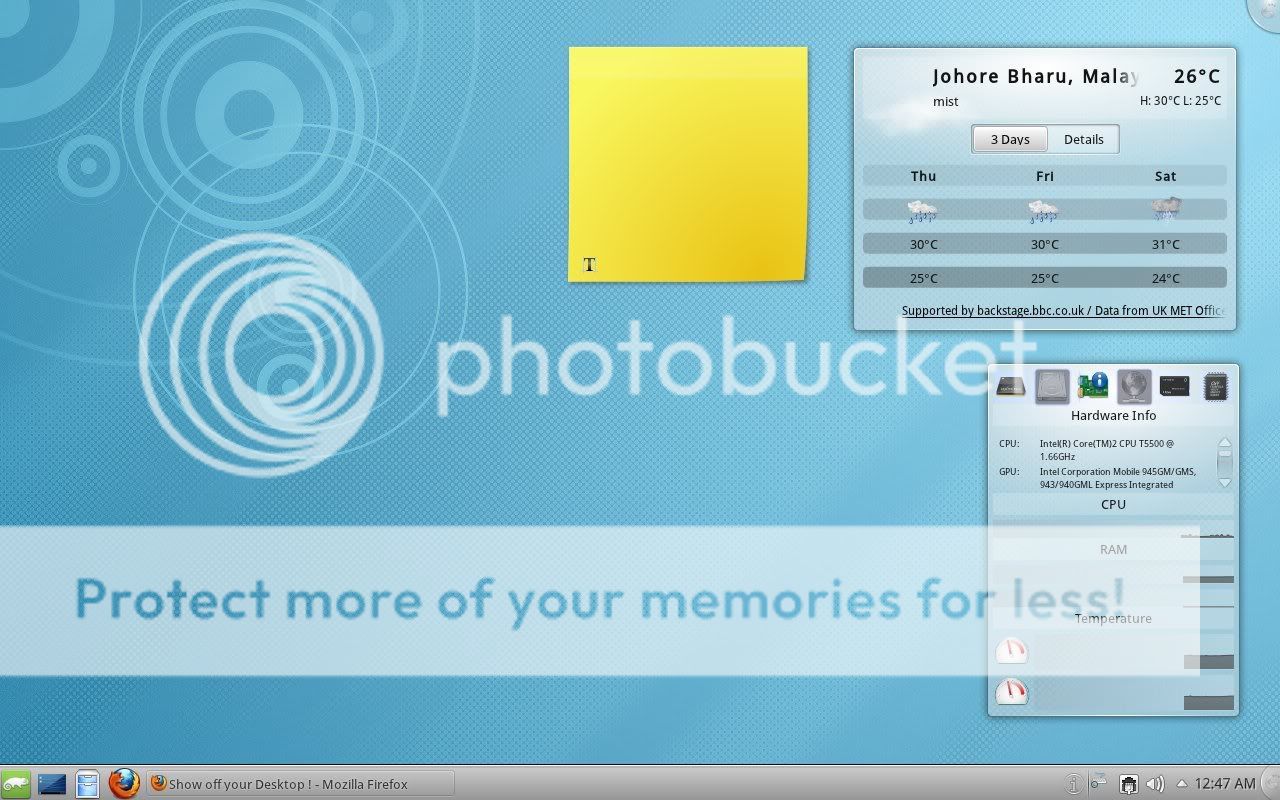
Just a plain default KDE, just change the background and done... for the past versions I am on gnome, recently tried gnome 3 by adding the official repo... too bad it is complicated to use, not up to my expectation.

This is my desktop, nothing much
» Click to show Spoiler - click again to hide... «


We also have some discussions about suse at few pages back http://forum.lowyat.net/topic/1786769/+20 Susers in lyn in so small compared to buntu, the thread is almost gone.


Added on June 5, 2011, 9:55 am
QUOTE(G-17 @ Jun 5 2011, 02:37 AM)
Suse users are called "susers"? laugh.gif

Work in progress.

Was fed-up with all the AwesomeWM and SubtleWM fanboys saying that ScrotWM was too minimal and they couldn't use multiple colors in the bar, so I hacked up and piped my own (with a bit of help from a friend)

user posted image
*
haha not really know about susers, but it is understandable if we mentioned it in opensuse's international forum.

Now as per your desktop, now I can see kalerful desktop. Much nicer compared to monochrome POS screen used in most supermarket right now muahah thumbup.gif

This post has been edited by powerwoot: Jun 5 2011, 02:02 PM

70 Pages « < 35 36 37 38 39 > » Top
 

Change to:
| Lo-Fi Version
0.0328sec    1.32    6 queries    GZIP Disabled
Time is now: 19th December 2025 - 02:12 PM