Outline ·
[ Standard ] ·
Linear+
Hardware General Mac Upgrade Discussion, Ram, HHD, OS/updates, Cable, Driver etc
|
~funeralofheart~
|
 Feb 28 2010, 10:02 PM Feb 28 2010, 10:02 PM
|

|
just bought 320GB hdd to replacing my macbook hdd..
but d part of screw rely make me pain loh...donno where can i get d screwdrivers for removing screws inside the laptop....huh...anyone can help me?heee
|
|
|
|
|
|
dvlzplayground
|
Feb 28 2010, 10:12 PM
|
|
|
QUOTE(~funeralofheart~ @ Feb 28 2010, 10:02 PM) just bought 320GB hdd to replacing my macbook hdd.. but d part of screw rely make me pain loh...donno where can i get d screwdrivers for removing screws inside the laptop....huh...anyone can help me?heee which macbook and which screws are u referring to? for the latest macbook white unibody u need Phillips #00 and Torx T6 for the HDD itself save urself the trouble n dun try2 using a screwdriver lying around n see if it would fit. u might damage the screw head. get the proper size n type This post has been edited by dvlzplayground: Feb 28 2010, 10:14 PM |
|
|
|
|
|
~funeralofheart~
|
Feb 28 2010, 10:15 PM
|
|
|
QUOTE(dvlzplayground @ Feb 28 2010, 10:12 PM) which macbook and which screws are u referring to? for the latest macbook white unibody u need Phillips #00 and Torx T6 for the HDD itself save urself the trouble n dun try2 using a screwdriver lying around n see if it would fit. u might damage the screw head. get the proper size n type Macbook White 2.0GHz late 2006 2GHz MacBook(MA255LL/A)  |
|
|
|
|
|
dvlzplayground
|
Feb 28 2010, 10:30 PM
|
|
|
core duo one is it? then u need Phillips #00 and Torx T8 here u go: http://www.ifixit.com/Guide/Repair/Install...placement/282/1 |
|
|
|
|
|
~funeralofheart~
|
Feb 28 2010, 10:41 PM
|
|
|
QUOTE(dvlzplayground @ Feb 28 2010, 10:30 PM) core duo one is it? then u need Phillips #00 and Torx T8 here u go: http://www.ifixit.com/Guide/Repair/Install...placement/282/1ic...but where can i get dat screwdriver? from hardware shop or apple service centre? erkhh |
|
|
|
|
|
dvlzplayground
|
Feb 28 2010, 11:51 PM
|
|
|
hehe hardware shop sure got one. screws are worldwide standard parts  |
|
|
|
|
|
BlueSilver
|
Mar 1 2010, 09:26 AM
|
|
|
hi i was wondering if anyone knows where can i get a 27" imac? I tried machines at sunway however they said there won't be one til mid/end march 2010. Is that true?
|
|
|
|
|
|
b48753
|
Mar 2 2010, 11:20 AM
|
|
|
QUOTE(dvlzplayground @ Feb 28 2010, 11:51 PM) hehe hardware shop sure got one. screws are worldwide standard parts Sometimes it's not always true.. I did had this problem last time with my G4, the screw for the processor is totally different. If you tried to use another screw it will never get totally fit. Still can feel the processor not intact to the socket. Anyway do you all did found this kinda stuff for Mac Mini? 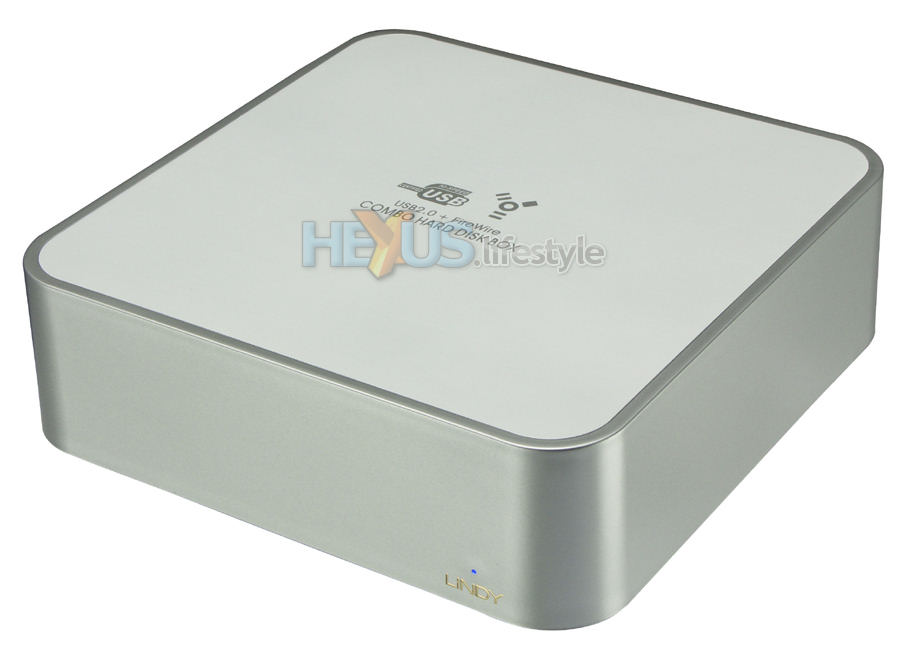 Moderator's NOTE: DO NOT DOUBLE POST PLEASE!!!! |
|
|
|
|
|
sonnettech-asia
|
Mar 9 2010, 11:34 AM
|
|
|
QUOTE(nimrod323 @ Feb 28 2010, 05:24 PM) very true its not justified to have it, how many apps can take advantage of tht? well, the power users always in need of more RAM. |
|
|
|
|
|
frega
|
Mar 13 2010, 09:33 AM
|
|
|
okay, this once and for all question.
Is it safe to use KVR instead of KTA ram?
|
|
|
|
|
|
dvlzplayground
|
Mar 13 2010, 11:06 AM
|
|
|
^ from what i've seen, depends on your luck  for some people it works flawlessly, for some people it kinda works but often got kernel panic, and for some people it doesnt work at all |
|
|
|
|
|
Kernkraft400
|
Mar 13 2010, 12:50 PM
|
|
|
RM2800 for 2X4GB RAM? Add a few hundreds, you could get an iMac.
|
|
|
|
|
|
dvlzplayground
|
Mar 13 2010, 04:24 PM
|
|
|
for me, instead of burning 2800 for 8gb RAM.. i'd get an SSD  |
|
|
|
|
|
zemmien
|
Mar 13 2010, 09:58 PM
|
|
|
QUOTE(dvlzplayground @ Mar 13 2010, 04:24 PM) for me, instead of burning 2800 for 8gb RAM.. i'd get an SSD yep agree! i spent same that same amount for my 250GB SSD huhu 4GB at this moment i think it is more than enough.. |
|
|
|
|
|
frozzbyte
|
Mar 13 2010, 10:14 PM
|
|
|
Done upgrading this macbook to 500gb hard disk and 4gb RAM. Now feels everything soo fast. |
|
|
|
|
|
moniqee
|
Mar 13 2010, 11:55 PM
|
|
|
anyone interested in apple magic mouse can check out the pic at my siggy...
|
|
|
|
|
|
jianwei87
|
Mar 31 2010, 10:06 AM
|
|
|
I have buy WD 500GB 8MB 5400RPM SATA HDD. After i install to my MBP the speed obviously slower then original HDD. Why?
|
|
|
|
|
|
b48753
|
Mar 31 2010, 10:11 AM
|
|
|
QUOTE(jianwei87 @ Mar 31 2010, 10:06 AM) I have buy WD 500GB 8MB 5400RPM SATA HDD. After i install to my MBP the speed obviously slower then original HDD. Why? Maybe the cache is low..My WD 500GB is 16MB cache..but 3.5 inch(desktop) n summore 7200rpm. |
|
|
|
|
|
jianwei87
|
Mar 31 2010, 10:53 AM
|
|
|
QUOTE(b48753 @ Mar 31 2010, 10:11 AM) Maybe the cache is low..My WD 500GB is 16MB cache..but 3.5 inch(desktop) n summore 7200rpm. I'm using WD Scorpio Blue 500 GB, SATA 3 Gb/s, 8 MB Cache, 5400 RPM. It is different with the original? This post has been edited by jianwei87: Mar 31 2010, 10:55 AM |
|
|
|
|
|
dvlzplayground
|
Mar 31 2010, 02:51 PM
|
|
|
i bought that HDD too. it seemed to work fine for 2/3 weeks..then become slower and slower. i cloned everything to the stock 250gb, swap it back n never experience the problem anymore. now i just use the 500gb as external for movies etc
no idea why though. i took it back to the shop already, got a new unit, and still same problem.
the 500gb scorpio blue shud b the best HDD for MBP...lots of reviews say so. tough luck :S
|
|
|
|
|



 Quote
Quote




 0.0280sec
 0.26
0.26
 6 queries
 GZIP Disabled