Welcome Guest ( Log In | Register )

Outline · [ Standard ] · Linear+

 [GUIDE] Upgrade & Replacement of Xbox 360 HDD, UPDATED - V3.5 23/01/2009

views
     
TSMmxZero
post Nov 20 2008, 05:28 PM, updated 16y ago

Getting Started
**
Junior Member
189 posts

Joined: Mar 2007
FIRST OF ALL
1. I TAKE NO CREDITS AT ALL. I HAVE PICK ALL THE GUIDES FROM VARIOUS SOURCES.
2. ANYTHING THAT IS IN GREEN COLOR, IS MY OWN ADD-ON NOTES.
3. THIS GUIDE IS DONE ON WIN XP SP3.
4. DO IT AT YOUR OWN RISK. IF YOU SCREW UP YOUR HDD, YOU CAN EITHER THROW AWAY OR SELL IT.
5. IT WILL VOID YOUR XBOX 360 HDD WARRANTY
6. YOUR GAMES MIGHT CORRUPT DURING THE TRANSFER. BUT THIS IS YET TO BE CONFIRM SINCE RANDOM EFFECT ( So far only 2 by 2 different people. But you can always try recopy again. )

Any comment of feedback will be welcome. Any addition guide from you guys which is helpful will be given credit.


UPDATES
V3 15/12/2008 - ADDED NOTES TO AVOID COMPLICATION AND OTHER STUFF
V2.5 27/11/2008 - SIMPLIFY HEXING AND ADDED FEW MISSING WORD.
V2 21/11/2008 - ADDED IN PICTURE AND EXTRA AND EDITED SOME GUIDE.
V1 20/11/2008 - COMPILE GUIDE FROM VARIOUS SOURCES


Credits
roofus and anger = Xplorer360
TheSpecialist = HDDHackr and Xplorer360
hobartrus - tutorial in xbox scene
xpk1234 - tutorial in bbs.a9vg.com and picture
DarkSaviour - for compiling the guide and helping out the faqs.
Jcsy - for highlighting some Vista issue
wintzen - for helping out
newce - for avoiding corrupt hdd
chickenducksoup - how to use old hdd as external hdd.
and to all other who also help out.

List of person sucessful
++Will update later ++
For those who I never include their name in the list, please PM me.

[cool.gifQUICK GUIDE REFERENCE

[GUIDE] Upgrade / Replacement of Xbox 360 HDD

TROUBLESHOOTS
ABC01 = FLASHING HDD EDITING HDDHACKR
ABC02 = CLEARING XBOX 360 HDD CACHE
ABC03 = OPENING XBOX 360 HDD

Notes
1. Picture can't be post too many. LOL. Forgot about this doh.gif . Anyway, I'll find another way to put it in.
2. More update are coming soon
3. I need tester for games that got corrupt ( fable 2 or forza 2) re copy again and see it works or not.


[GUIDE] Upgrade / Replacement of Xbox 360 HDD
1. Stuff that you will need
A. A pc with a sata port. If your using an old pc ( like mine which use IDE ), then you have to go and get a sata card. Something like this = SATA CARD
Make sure you have 2 sata cable if you are running on just 1 HDD for your PC.

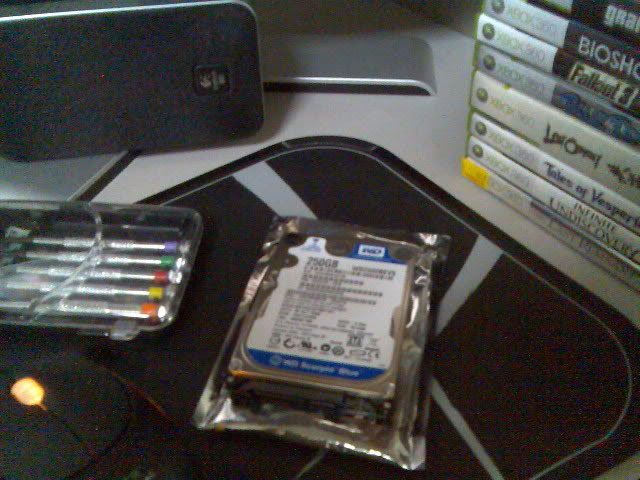
B.. A Western Digital Scorpio WD1200BEVS 120 GB SATA hard drive ( notebook = 2.5' ). Is hard to find 120 gb these days. A 160 gb would do. Reminder, it must be a BEVS type. Is hard to find these type also. A BEVT type also can but you will encounter problem on the way. Ask wunan for more help cause he had succeeded flashing it with BEVT. Don't buy any larger then this because it's pointless cause the hdds.bin was only meant for 120gb. Even if you buy larger, it only recognise 120gb only. Maybe in the future but who knows.

C. A Floppy boot disk, you don't have, then you can either create a bootable usb/pendrive drive or bootable CD.
D. A Xbox 360 with a HDD 20gb?
E. A torx T6 and T10 screwdriver.
F. HDDhackr
G. Xplore360 " extreme build 2 "
H. Hex Workshop
I. hddss.bin dumped from a retail 360 120GB hdd. Due to copyright coded, you have to search it yourself. Use the search engine.


NOTE Don't format your WD HDD with Windows, straight flash it with the hddhackr

Note for vista user - Thx to Jcsy for highlighting me these.
You have to use administrator account in order ease your job a long the way. To enable administrator account, follow these steps

1. you'll need to open a command prompt in administrator mode by right-clicking and choosing "Run as adminstrator "
2. Now type the following command: net user administrator /active:yes
3. Log out and you will able to see "Administrator" account.
4. To disable it, just follow back step 1-2 but this time type net user administrator /active:no


Important note. Thx for newce for hilighting it

For those who are going to exchange the new hdd unofficially and manage to backup the profile and save files from the old hdd to pc, please do not connect your old hdd to pc through SATA directly, this may corrupt the old hdd sector and cause the x360 console can't recognize it. Once your hdd couldn't recognize by console or xplorer360, then just call it a day.

Solution:
Remember, please use USB to SATA such as portable hdd to connect between hdd and pc each time ( old and new hdd ). this may prevent from corruption.
p/s: not everyone may meet this problem, but this issue is existing still.


Guide / Tutorial
2. Let's get started. Format your floppy disk and make it bootable. If you don't have a floppy drive, then you can use usb, pendrive and make it bootable. A bootable Cd would do also. Copy HDDHackr.com and the hddss.bin file to your bootable floppy disk / media. FOR THOSE WHO USING FLOPPY, JUST PUT IN YOUR FLOPPY AND THEN GO TO THE FLOPPY DRIVE, RIGHT CLICK AND FORMAT. TICK ON THE BOX " CREATE MS DOS BOOTABLE " . ONCE FORMAT INTO A BOOTABLE MS-DOS, COPY AND PASTE YOUR hddhackr and hddss.bin into the floppy.

3.Turn off your PC. Disconnect your HDD ( all Pc HDD ) and connect your WD BEVS drive, and boot the PC up on the floppy. If for some reason when you boot it and you ran into some error, please refer to Troubleshoot ABC01. When you boot up, you will have something like this.

» Click to show Spoiler - click again to hide... «


4. At the command prompt type "hddhackr -f" and hit enter. Follow through the prompts and be sure to create an undo file when asked. When you done that, you will have something like this

» Click to show Spoiler - click again to hide... «


5. Wait for a few seconds once it have finish before turning off your PC. After turning off, count for 10 sec ( 20 - 30 sec if you are scared of just be safe ) On the pc and boot the floppy again. Run "hddhackr -f" again and it will tell you if the drive will be compatible with your 360 or not. If compatible then you have something like this

» Click to show Spoiler - click again to hide... «


6. Turn off your PC, disconnect the WD BEVS. You might want to clear the cache to save up little time on transferring files. On how to do it. Refer Troubleshoot ABC02. Now disconnect your 20GB drive from your 360. One how to open your Xbox 360 HDD, please refer to Troubleshoot ABC03

Disassemble the casing, and remove the 20GB drive. Hook the WB BEVS up to the connector and plug it into the 360. You're going to have to unhook the drive and pull it out again so I'd recommend not completely reassembling the casing... I just put one screw in to hold the drive in.

7. Turn on your 360, goto the system blade, "console settings", and "system info." Jot down the serial number, you'll need it in the next step.

» Click to show Spoiler - click again to hide... «


8. Go back to the system blade, goto "memory" and you should have the option to format the drive. It will ask for the serial number, type it in and send it flying. (if it says "no device detected" something is wrong. Check the connections.)

» Click to show Spoiler - click again to hide... «


9. Connect back your PC HDD and hook the 20GB hard drive up to your PC. Boot up into Windows, create a folder on your desktop called "xbox" and run Xplorer360 Beta 6 "extreme build 2"

10. Within Xplorer360 click "Drive" then "Open" then "Hard Drive or Mem Card". It should take a few seconds and then pop up some partitions in the left hand window. (If it doesn't detect the drive, check the connections and also make sure that your SATA controller driver is properly installed.)

» Click to show Spoiler - click again to hide... «


11. Before copying make sure your HDD got at least 12-15gb ( depends on how much data you have in your old hdd ) free space. Click on Partition 03, select all the items in the right hand window, and drag and drop them to the folder you created on your desktop. If you get errors you'll have to open task manager (ctrl-alt-del) and manually kill the program. reopen the program and drag and drop the folders one at a time. When you find the problem folder create a subfolder in the xbox folder on your desktop with the same name as the problem folder, go into the problem folder and copy the folders/files in there one at a time. You may have to do this a few times, creating folders within folders. For me the problem file was a 0kb .db file within the compatibility folder under a few subfolders. I couldn't get the file to copy so I just created a blank text file and renamed it to the exact name of the file (it was st.db or something like that.) Once the copy starts going it will probably take awhile, depending on how much data you have... so take a break. I suggest best is drop each folder 1 by 1 if possible. The 1st break down would do the job.

12. Once done backup partition 3, this is an optional ( I skip this part ). If you have Xbox 1 games on your hdd, then I suggest you back this partition 2 up. Choose the "backup partition 2" option to dump the second partition to a bin file (named part2.bin or something like that.) It should create a 262MB file.

13. Shutdown the PC and disconnect the 20GB drive. By this time the 360 should be done formatting the drive. Create a porfile and a save game before you remove your new HDD from your Xbox. These may avoid the complication of hexing. So turn it off and disconnect the 120GB drive. Hook it up to the PC and boot up to Windows.

14. Open the Xplorer360 Beta 6 " extreme build 2 ", and try open your HDD as step 10. If there is error occur or can't be detected or only detect partition 1, then you have to do some hexing. If you have no problem, then skip the next part and go to Step 20

++++++++++++++++++++++++++++++++++++++++++++++++++++++++++++++++++++++

15. Open up Hex Workshop. Click "Options" and "Preferences." On the "Layout" tab in the "Rows" section uncheck the "Fit to Window" box and ensure the Bytes/Row is set to 16. This isn't necessary but it makes the next steps easier.

16. Click "Disk" then "Open Drive", change the "Select" drop down to Physical Disks and locate your 120GB drive. Be sure you select the correct drive or this could potentially cause catastrophic problems.

17. This is the potentially tricky part. You need to get to byte 80000 in hex, but Hex Workshop doesn't let you go to a specific byte offset on drives, only to a specific sector. Assuming the sector size of your drive is the same as mine, or 512 decimal bytes (which I can't think of any reason why it wouldn't be,) the sector you should have to goto is 400 (hex). You do this by clicking "Edit" then "Goto", typing 400 in the "Offset" field and choosing "Beginning of Drive" in the "From Where" section.

18. You should see a bunch of columns numbered 0-F, and they should all have "00" in them. If they have anything else in them you are either working with the wrong drive or you are at the wrong offset, don't change anything!

19. Within Hex Workshop open Xplorer360.exe "extreme build 2". I'm assuming that this change already exists in the "extreme build 2" version so you can probably skip this step, but I'm including it because I did this. Goto offset F0C2 (hex) where you will find the following values:

68 77 03

change them to:

00 C2 1A

Save the file. You will be prompted to make a backup, which is always a good idea.

++++++++++++++++++++++++++++++++++++++++++++++++++++++++++++++++++++++

20. Load Xplorer360 beta 6 version "extreme build 2" open the 120GB drive like you did with the 20GB drive in step 10.

21. Expand Partition 03 and copy all of the data from the xbox folder you created on your desktop. This will take awhile depending on how much data you have, so take another break.

22. Once finish copying back partition 3 onto the new HDD, then select "restore partition 2", select the 262mb bin file you made in step 11 (part2.bin.) Once it completes, your drive is ready!

23. Now, Shutdown your PC, pop the 120GB drive into your 360 enclosure. It's probably a good idea to only partially assemble it so you can test it. If you hook it up and your 360 boots up and looks like it did on your 20GB, you should be done! You may want to check your XBL connection and ensure your XBLA games and other DLC works.

24. As for the old HDD, you can use it as an external HDD. How to make your old hdd use as external HDD. Thx to chickenducksoup
connect to 2.5 HDD sata external case
go to >right click my computer
>manage
>disk management
>delete and make new partition

Pictures and troubleshoot will be upload later. I hope this will help guide you easily. Please post your feedback, comment or success or failure or what ever the it is about Upgrade and Replacement Xbox 360 HDD.

Sorry for the long guide. Just wanted to be detail.
Thx. smile.gif

TROUBLESHOOTS

ABC01 = FLASHING HDD EDITING HDDHACKR. Thanks to DarkSaviour for translating it.

1. Click Start, “Run” type in msinfo32

» Click to show Spoiler - click again to hide... «

2. Choose “Storage/IDE” (If you’re using SATA card your need to choose SCSI)

Msinfo32 example above:


3. Find your Sata Controller, should have 5 I/O Ports, Choose the first and the third. You need to find the last 4 digits before “-“. Which Line 1 = 09F0 and Line 3 = 0970 (The digits will different according to your SATA controller)

4. Run your Hex editor, open the HDDHACKR in your floppy disk, go to the last row of the number which will be “00003690) the last 4 pairs should be default as “4D 50 52 54”. Example Below:
» Click to show Spoiler - click again to hide... «


5. Ok now change the last 4 pairs of digits to “09 F0 09 70” (Digits will be vary according to your SATA)
» Click to show Spoiler - click again to hide... «


ABC02 = CLEARING XBOX 360 HDD CACHE
Before removing it, I suggest you clear your HDD cache just to speed up the transfer file a little. How to clear cache.

Clear All Installed Game Updates and Console Cache

1. Go to the "system" blade
2. Select "memory"
3. Press Y on the HD symbol
4. Press X,X, Left Bumper, Right Bumper, X,X
5. A message will appear saying: "Do you want to perform maintenance on your Xbox 360 storage devices?"
6. Select Yes

ABC03 = OPENING XBOX 360 HDD
WARNING : BY DOING THIS, YOU WILL AGREE TO VOID YOUR WARRANTY FOR YOUR XBOX 360 HDD

1. Flip it over like this. Now, use the torx T6 screwdriver and open those screws.


2. You have to open the back part and push the casing to the front. The front part act as a hook. When you open, you have something like these


3. Becareful not to lose the spring and the grey button.


4. Now use a torx T10 screwdriver to open these screws


5. Next, unplug the cable connecting to the HDD, and you have now successfully open your Xbox 360 HDD


If you need extra guide on how to open it, refer here Open Xbox 360 HDD[/COLOR]

This post has been edited by MmxZero: Jan 23 2009, 09:42 PM
DarkSaviour
post Nov 20 2008, 05:34 PM

Casual
***
Junior Member
336 posts

Joined: Jan 2003


Just Prepare Offline Version. This version with photo as well.

Upgrading XBOX360 to 120GB HDD Tutorial

Added "How to make a Bootable Flash Drive"

How to make bootable flash drive


More Info for Partition 2 & 3 Hexing:

As my tutorial, the hexing part for partition 2 & 3 quite simple.

After you flash the HDD, just boot the pc with windows and ur new flash HDD

Open your Hex editor, choose the new flash HDD

1) Alt + G
2) Search 80000
3) Key in this "58 54 41 46 00 00 00 00 00 00 00 10 00 00 00 01"
4) Alt + G again
5) Search 120EB0000
6) Key in this "58 54 41 46 FF FF FF FF - 00 00 00 20 00 00 00 01"
7) Go to 120EB0010 which below 120EB0000
8) Key in this "00 00 FF FF FF FF FF FF - FF FF FF FF FF FF FF FF"
9) Save and switch off ur pc...
10) plug in the new flash HDD and then format. Once you plug back to ur pc for Xplorer you shd see partition 2 & 3.


Kindly post your Successfully Upgraded Story with your HDD model

This post has been edited by DarkSaviour: Dec 1 2008, 09:27 AM
benghee
post Nov 20 2008, 06:03 PM

New Member
*
Junior Member
9 posts

Joined: Aug 2007


Does this consider as console modded thread? i tot this is not tolerate in this forum...with the upgraded hdd suggested above, u probably can flash the firmware to play pirated games.
joystick
post Nov 20 2008, 06:37 PM

New Member
*
Newbie
3 posts

Joined: Oct 2008


just wondering (step 11) what type of data is stored in partition 03 in the 20gb hdd? e.g. xbox 360 save game data?

is it still necessary to transfer these files to the120gb WD BEVS that i formatted in my xbox 360 if i bought a new (unused) 20gb hdd because i have an arcade console, and all my save games are in a 256mb MU. so i was thinking of just transferring all my save games within the xbox 360 from my 256mb MU to the new 120gb WD BEVS once it is formatted. is this right?

This post has been edited by joystick: Nov 20 2008, 06:47 PM
TSMmxZero
post Nov 20 2008, 06:46 PM

Getting Started
**
Junior Member
189 posts

Joined: Mar 2007
QUOTE(benghee @ Nov 20 2008, 06:03 PM)
Does this consider as console modded thread? i tot this is not tolerate in this forum...with the upgraded hdd suggested above, u probably can flash the firmware to play pirated games.
*
1. Is this a console mod? i taught it was a HDD mod. hmm.gif
2. This upgrade doesn't need you to flash firmware, why do you want to flash your firmware? hmm.gif
3. The new NXE enable the feature. So blame who if people want to exploit it ? hmm.gif

These guides are for those who just want to upgrade their HDD and save money from buying a Rm600+ just for 120gb. But there is a risk for doing it so. These guides are also for those HDD failure who just want to know how to replace and transfer their data to new HDD.

QUOTE(joystick @ Nov 20 2008, 06:37 PM)
just wondering (step 11) what type of data is stored in partition 03 in the 20gb hdd? e.g. xbox 360 save game data?

is it still necessary to transfer these files to the120gb WD BEVS that i formatted in my xbox 360 if i bought a new (unused) 20gb hdd because i have an arcade console, and all my save games are in a 256mb MU. so i was thinking of just transferring all my save games within the xbox 360 to the new 120gb WD BEVS once it is formatted.
*
The partition 3 consist of all your data includes gamertag, save game, dl content, video and etc except for Xbox 1 games.

Is up to you whether you want to transfer it or not. if you don't have anything store in the 20gb HDD then, after formatting it the new HDD, you can just straight use it.

Since you are using a memory card, after format the new HDD, you can just copy via using xbox 360 in the memory setting there.

I hope this answer your question.

This post has been edited by MmxZero: Nov 20 2008, 06:50 PM
joystick
post Nov 20 2008, 06:55 PM

New Member
*
Newbie
3 posts

Joined: Oct 2008


is the hdds.bin dumped from a retail 360 120GB hdd unique for every unit? whats the risk of ms actually banning my console for using one i downloaded off the internet? thanx for answering my earlier question. great guide! can't wait to try it out!

This post has been edited by joystick: Nov 20 2008, 06:56 PM
benghee
post Nov 20 2008, 06:57 PM

New Member
*
Junior Member
9 posts

Joined: Aug 2007


If i do this, will my warranty void? If so, then this method cant b practice at all, rite?
wintzen
post Nov 20 2008, 06:57 PM

Regular
******
Senior Member
1,416 posts

Joined: Oct 2006


Thanks Mmx for the guide, hope all is well when I try it tomorrow....
munky
post Nov 20 2008, 06:59 PM

Regular
******
Senior Member
1,971 posts

Joined: Oct 2004


i think (i said i THINK) this doesnt void ur warranty. Coz for example when u want to change ur console due to 3rod, u dont even have to bring ur hdd. Just the console itself.

my 2 cents
TSMmxZero
post Nov 20 2008, 07:08 PM

Getting Started
**
Junior Member
189 posts

Joined: Mar 2007
QUOTE(joystick @ Nov 20 2008, 06:55 PM)
is the hdds.bin dumped from a retail 360 120GB hdd unique for every unit? whats the risk of ms actually banning my console for using one i downloaded off the internet? thanx for answering my earlier question. great guide! can't wait to try it out!
*
Nope. The unique is just the coding ( if i'm not mistaken ) that MS has done. This file is just to format the file into a right sector and partition in order to be compatible with Xbox 360. Just like formatting your new HDD for Pc use. If I'm not mistaken.

The risk of getting ban, I don't know. So far since these was introduce, 2 years ago? maybe no one ( what i heard and seen so far ) got ban because of HDD. Maybe in the future? Who knows?

QUOTE(benghee @ Nov 20 2008, 06:57 PM)
If i do this, will my warranty void? If so, then this method cant b practice at all, rite?
*
void the warranty on HDD. Does your HDD located inside your console? If so then you have to open your console and then yes it will void your warranty console.
Jcsy
post Nov 20 2008, 08:06 PM

Frag First! Think Later?
*******
Senior Member
2,782 posts

Joined: Feb 2006
From: BANGSARian
u will 1st of all, void your HDD microsoft coz of a sticker there on a screw

u will 2nd of all, void your puchased HDD from whoever u bought it from coz there will be a sticker on another screw
ben3003
post Nov 20 2008, 08:11 PM

10k Club
********
All Stars
10,859 posts

Joined: Jan 2003
From: Sarawak


purchase hdd also void a? How void one? U mean the purchased 160gb HDD?
TSMmxZero
post Nov 20 2008, 08:12 PM

Getting Started
**
Junior Member
189 posts

Joined: Mar 2007
QUOTE(Jcsy @ Nov 20 2008, 08:06 PM)
u will 1st of all, void your HDD microsoft coz of a sticker there on a screw

u will 2nd of all, void your puchased HDD from whoever u bought it from coz there will be a sticker on another screw
*
The 2nd statement I don't get it. Void what HDD?
Jcsy
post Nov 20 2008, 08:17 PM

Frag First! Think Later?
*******
Senior Member
2,782 posts

Joined: Feb 2006
From: BANGSARian
QUOTE(MmxZero @ Nov 20 2008, 08:12 PM)
The 2nd statement I don't get it. Void what HDD?
*
[CODE]

what i meant in the 2nd statement was that my xbox had 2 stickers on 2 screws

1 microsoft

1 from the person who sold me the xbox - lowyat forumer - nelson koay biggrin.gif

so i void'ed both to open both screws, of course biggrin.gif
ben3003
post Nov 20 2008, 08:53 PM

10k Club
********
All Stars
10,859 posts

Joined: Jan 2003
From: Sarawak


oh, i tot u say the purchased HDD is the purchased HDD u purchased from computer shop.. HEH
wintzen
post Nov 20 2008, 08:56 PM

Regular
******
Senior Member
1,416 posts

Joined: Oct 2006


oh by the way, if any of you want to find the torx head screwdriver, can find it in SKL....
Jcsy
post Nov 20 2008, 09:59 PM

Frag First! Think Later?
*******
Senior Member
2,782 posts

Joined: Feb 2006
From: BANGSARian
ran into another problem

i have copied all data from 20Gb to my desktop

now opening the 120GB on my desktop with explorer 360 & explorer 360 extreme 2

it shows only Partition 1 sad.gif

i have done the hex on the hard disk and hex on the explorer360 done

explorer 360 extreme 2 seem to have itself hexed already so no modifications there

any ideas anyone?
TSMmxZero
post Nov 20 2008, 10:21 PM

Getting Started
**
Junior Member
189 posts

Joined: Mar 2007
QUOTE(Jcsy @ Nov 20 2008, 09:59 PM)
ran into another problem

i have copied all data from 20Gb to my desktop

now opening the 120GB on my desktop with explorer 360 & explorer 360 extreme 2

it shows only Partition 1 sad.gif

i have done the hex on the hard disk and hex on the explorer360 done

explorer 360 extreme 2 seem to have itself hexed already so no modifications there

any ideas anyone?
*
Did you try checking again the hexing part again? Because once you change drive, the hexing value changes again.
Jcsy
post Nov 20 2008, 10:38 PM

Frag First! Think Later?
*******
Senior Member
2,782 posts

Joined: Feb 2006
From: BANGSARian
after hexing the 120gb, i checked again using the winhex

it was saved and the 120gb now has

'58 54 41 46 00 00 00 00 00 00 00 10 00 00 00 01'
in the XTAF

but opening it still shows partition 1 only

i have restored partition 2, and magically partition 3 has appeared

how do u copy stuff from ur Desktop to the Partition 3?

inject file / inject folder ?
TSMmxZero
post Nov 20 2008, 10:43 PM

Getting Started
**
Junior Member
189 posts

Joined: Mar 2007
QUOTE(Jcsy @ Nov 20 2008, 10:38 PM)
after hexing the 120gb, i checked again using the winhex

it was saved and the 120gb now has

'58 54 41 46 00 00 00 00 00 00 00 10 00 00 00 01'
in the XTAF

but opening it still shows partition 1 only

i have restored partition 2, and magically partition 3 has appeared

how do u copy stuff from ur Desktop to the Partition 3?

inject file / inject folder ?
*
Just drag and drop.
Jcsy
post Nov 20 2008, 10:48 PM

Frag First! Think Later?
*******
Senior Member
2,782 posts

Joined: Feb 2006
From: BANGSARian
i cant drag and drop into the explorer 360 extreme 2 from my desktop folder

what I tried and tested which kind of works was ::

right click partition 3 > inject folder >

it seems to work =.=

ill try for all my folders and see how it goes by reporting back smile.gif
Gurdian
post Nov 20 2008, 11:07 PM


******
Senior Member
1,648 posts

Joined: Jan 2003
From: PJ, Malaysia
it'll be much appreciated if som1 could point me to a place to get a BEVT drive

Cheers!
Jcsy
post Nov 20 2008, 11:14 PM

Frag First! Think Later?
*******
Senior Member
2,782 posts

Joined: Feb 2006
From: BANGSARian
a BEVT drive can be found in many places actually

its actually getting BEVS which is a problem

however, i think BEVT has less problems as im running into many many problems, which i am solving only 1 by 1

its crazy
TSMmxZero
post Nov 20 2008, 11:21 PM

Getting Started
**
Junior Member
189 posts

Joined: Mar 2007
QUOTE(Jcsy @ Nov 20 2008, 11:14 PM)
a BEVT drive can be found in many places actually

its actually getting BEVS which is a problem

however, i think BEVT has less problems as im running into many many problems, which i am solving only 1 by 1

its crazy
*
BEVS should be easier cause the software was created for that. While some had problem flashing the bevt at the start.

Sorry if I haven't include the troubleshoot. Any problem please post here. I'll help as much as I can.
Jcsy
post Nov 21 2008, 12:03 AM

Frag First! Think Later?
*******
Senior Member
2,782 posts

Joined: Feb 2006
From: BANGSARian
i am copying the last folder, 1 by 1 since earlier

wish me luck

EDIT

IT WORKS NOW drool.gif flex.gif

This post has been edited by Jcsy: Nov 21 2008, 12:19 AM
DarkSaviour
post Nov 21 2008, 12:12 AM

Casual
***
Junior Member
336 posts

Joined: Jan 2003


Actually u can copy few files into partition much faster...
BTW who wan to purchase the HDD u always can ask them to show u.. the model
BEVS or BEVT


This post has been edited by DarkSaviour: Nov 21 2008, 12:16 AM
Jcsy
post Nov 21 2008, 12:21 AM

Frag First! Think Later?
*******
Senior Member
2,782 posts

Joined: Feb 2006
From: BANGSARian
yup, b4 i bought, i asked whether it was BEVS or BEVT

now it works !!

im going to test some save games n see smile.gif
msn83235502
post Nov 21 2008, 02:34 AM

ผู้นิยม
*******
Senior Member
2,862 posts

Joined: Jan 2003
From: アメリカ


can i assume that if we found a game saves on the net, we can just copy it and put into the hdd? like ppl's with the hdd pc connectivity kit did?

@jcsy - good luck bro. rclxms.gif

This post has been edited by msn83235502: Nov 21 2008, 02:34 AM
TSMmxZero
post Nov 21 2008, 07:56 AM

Getting Started
**
Junior Member
189 posts

Joined: Mar 2007
QUOTE(msn83235502 @ Nov 21 2008, 02:34 AM)
can i assume that if we found a game saves on the net, we can just copy it and put into the hdd? like ppl's with the hdd pc connectivity kit did?

@jcsy - good luck bro.  rclxms.gif
*
No. Save games are tied to gamertag.
dark lenanza
post Nov 21 2008, 07:59 AM

Probationary DDOSer
******
Senior Member
1,492 posts

Joined: Nov 2007
From: on top of mountain


so...
back for the main question
who stayed in kl can help me

Jcsy
post Nov 21 2008, 09:03 AM

Frag First! Think Later?
*******
Senior Member
2,782 posts

Joined: Feb 2006
From: BANGSARian
QUOTE(msn83235502 @ Nov 21 2008, 02:34 AM)
can i assume that if we found a game saves on the net, we can just copy it and put into the hdd? like ppl's with the hdd pc connectivity kit did?

@jcsy - good luck bro.  rclxms.gif
*
have tested most of my important games, all works

for some other games which ive completed, i didnt bother smile.gif

installed some games unto my hard disk as well, all works too

now its perfect

total cost =

screwdrivers = RM8
hard disk = RM 152
floppy disk = RM 0.50

lol flex.gif
DarkSaviour
post Nov 21 2008, 10:07 AM

Casual
***
Junior Member
336 posts

Joined: Jan 2003


QUOTE
Jcsy Posted Today, 09:03 AM
  QUOTE(msn83235502 @ Nov 21 2008, 02:34 AM)
can i assume that if we found a game saves on the net, we can just copy it and put into the hdd? like ppl's with the hdd pc connectivity kit did?

@jcsy - good luck bro. 


have tested most of my important games, all works

for some other games which ive completed, i didnt bother

installed some games unto my hard disk as well, all works too

now its perfect

total cost =

screwdrivers = RM8
hard disk = RM 152
floppy disk = RM 0.50

lol 
Gratz Bro... if you dun mind could you tell us what's ur HDD Model...


I've installed GoW2, COD4, Fable 2 & Fallout 3.. I still got abt 70GB... lol
wintzen
post Nov 21 2008, 10:18 AM

Regular
******
Senior Member
1,416 posts

Joined: Oct 2006


yeah darksaviour, how abour your hdd is it bevs or bevt?
jaylike7
post Nov 21 2008, 10:32 AM

Gears Of War addicts!
*******
Senior Member
2,164 posts

Joined: Jan 2003
From: I'm from Locust
good tutorial and kudos to MMX for such a long tutorial !!! notworthy.gif


p.s: if it comes with pictures, then this tutorial is perfect!!!!
cannavaro
post Nov 21 2008, 10:49 AM

CATTENACIO
*******
Senior Member
3,008 posts

Joined: Sep 2005
From: T.T.D.I, Bukit Damansara


eh mr moderator, please pin this thread.
Jcsy
post Nov 21 2008, 12:07 PM

Frag First! Think Later?
*******
Senior Member
2,782 posts

Joined: Feb 2006
From: BANGSARian
my hdd model was a 160 GB 5400 RPM sata BEVS Western Digital
DarkSaviour
post Nov 21 2008, 01:35 PM

Casual
***
Junior Member
336 posts

Joined: Jan 2003


Just updated I've compiled everything in a word format...
wintzen
post Nov 21 2008, 01:41 PM

Regular
******
Senior Member
1,416 posts

Joined: Oct 2006


you will be uploading here? or can you send it to me?
DarkSaviour
post Nov 21 2008, 02:07 PM

Casual
***
Junior Member
336 posts

Joined: Jan 2003


first page.. second post
silencer
post Nov 21 2008, 02:11 PM

AnyThiN GoEs
******
Senior Member
1,846 posts

Joined: Jan 2003
From: City^of^Anggerik


MMX lazy to disconnect and reconnect to my sata port, can i just use the external hard disk casing which support sata connection, with direct connection to the usb port???Appreciate on your advise.
DarkSaviour
post Nov 21 2008, 02:14 PM

Casual
***
Junior Member
336 posts

Joined: Jan 2003


QUOTE
silencer Posted Today, 02:11 PM
  MMX lazy to disconnect and reconnect to my sata port, can i just use the external hard disk casing which support sata connection, with direct connection to the usb port???Appreciate on your advise.
Nope... i dun think so..
msn83235502
post Nov 21 2008, 02:18 PM

ผู้นิยม
*******
Senior Member
2,862 posts

Joined: Jan 2003
From: アメリカ


can xplorer360 detect the hdd if we use with sata to usb connection.
since the xplorer360 itself came with xport where it connect to a computer using usb rite?
wintzen
post Nov 21 2008, 02:27 PM

Regular
******
Senior Member
1,416 posts

Joined: Oct 2006


bro one thing about the tutorial here

Tutorial – Editing the Partitions In Windows

Meaning I have to plug in my desktop HDD and let it load windows, and the from windows, edit this partition?


Jcsy
post Nov 21 2008, 02:37 PM

Frag First! Think Later?
*******
Senior Member
2,782 posts

Joined: Feb 2006
From: BANGSARian
i connected my hard disk to the sata connector and hddhackr couldnt detect my hard disk on the sata port

i had to hex edit the hddhackr program and insert my own sata port devices

i doubt your method of using usb will work coz its specifically looking for sata I/O ports on your motherboard (hddhackr)
DarkSaviour
post Nov 21 2008, 02:39 PM

Casual
***
Junior Member
336 posts

Joined: Jan 2003


QUOTE
msn83235502 Posted Today, 02:18 PM
  can xplorer360 detect the hdd if we use with sata to usb connection.
since the xplorer360 itself came with xport where it connect to a computer using usb rite?
you need to flash your hdd in dos base.. I'm not sure abt the sata to usb connection.

QUOTE
wintzen Posted Today, 02:27 PM
  bro one thing about the tutorial here

Tutorial – Editing the Partitions In Windows

Meaning I have to plug in my desktop HDD and let it load windows, and the from windows, edit this partition?

Yes you need to load up ur windows xp, and then run any hex editor. You able to flash it?

QUOTE
Jcsy Posted Today, 02:37 PM
  i connected my hard disk to the sata connector and hddhackr couldnt detect my hard disk on the sata port

i had to hex edit the hddhackr program and insert my own sata port devices

i doubt your method of using usb will work coz its specifically looking for sata I/O ports on your motherboard (hddhackr)
He meant tht he wanna do the xplorer transfer which require windows

This post has been edited by DarkSaviour: Nov 21 2008, 02:42 PM
wintzen
post Nov 21 2008, 02:41 PM

Regular
******
Senior Member
1,416 posts

Joined: Oct 2006


haven't started yet, still in the office, will be at home by 4pm, then will be asking for help hehehe...
btw, i checked my MOBO, only 4 sata port...
DarkSaviour
post Nov 21 2008, 02:44 PM

Casual
***
Junior Member
336 posts

Joined: Jan 2003


QUOTE
wintzen Posted Today, 02:41 PM
  haven't started yet, still in the office, will be at home by 4pm, then will be asking for help hehehe...
btw, i checked my MOBO, only 4 sata port...
If successfully, just give me to chainsaw you in Gear 2.. hahahah Good Luck

This post has been edited by DarkSaviour: Nov 21 2008, 02:45 PM
wintzen
post Nov 21 2008, 05:32 PM

Regular
******
Senior Member
1,416 posts

Joined: Oct 2006


bro have tried, when i tried the first time this one come up

1) “fatal error, the ec sector count was not found in the FW” – you need to change your HDD. Might due to you have formatted the HDD in windows

but i didn't format or do anything.....i just ran from a windows 98se bootdisk


This post has been edited by wintzen: Nov 21 2008, 05:32 PM
DarkSaviour
post Nov 21 2008, 05:41 PM

Casual
***
Junior Member
336 posts

Joined: Jan 2003


QUOTE(wintzen @ Nov 21 2008, 05:32 PM)
bro have tried, when i tried the first time this one come up

1) “fatal error, the ec sector count was not found in the FW” – you need to change your HDD. Might due to you have formatted the HDD in windows

but i didn't format or do anything.....i just ran from a windows 98se bootdisk
*
What model of HDD you're using?

and do u edit the hex ?

This post has been edited by DarkSaviour: Nov 21 2008, 05:41 PM
wintzen
post Nov 21 2008, 05:42 PM

Regular
******
Senior Member
1,416 posts

Joined: Oct 2006


wd 160bevs

yeah i managed to figure the hex, that's when that message pop up when i run hddhackr -f

DarkSaviour
post Nov 21 2008, 05:44 PM

Casual
***
Junior Member
336 posts

Joined: Jan 2003


QUOTE(wintzen @ Nov 21 2008, 05:42 PM)
wd 160bevs

yeah i managed to figure the hex, that's when that message pop up when i run hddhackr -f
*
I having the same problems with b4.. but after go back to change the HDD to 3200BEVT BLUE voila.....
Guess u out of luck like me.. maybe u could change the HDD maybe to 2500BEVT or BEVS
wintzen
post Nov 21 2008, 05:48 PM

Regular
******
Senior Member
1,416 posts

Joined: Oct 2006


QUOTE(DarkSaviour @ Nov 21 2008, 05:44 PM)
I having the same problems with b4.. but after go back to change the HDD to 3200BEVT BLUE voila.....
Guess u out of luck like me.. maybe u could change the HDD maybe to 2500BEVT or BEVS
*
hmm...i was wondering coz i didn't do anything when it comes to formating. could it be because i use windows 98se bootup disk?

anyway possible for 1-to-1 exchange ar?
DarkSaviour
post Nov 21 2008, 05:50 PM

Casual
***
Junior Member
336 posts

Joined: Jan 2003


QUOTE(wintzen @ Nov 21 2008, 05:48 PM)
hmm...i was wondering coz i didn't do anything when it comes to formating. could it be because i use windows 98se bootup disk?

anyway possible for 1-to-1 exchange ar?
*
nothing to do with boot disk, I think the HDD itself, maybe u shd upgrade to 250GB? or BEVT model
wintzen
post Nov 21 2008, 05:51 PM

Regular
******
Senior Member
1,416 posts

Joined: Oct 2006


hmm......ok i am wondering if they allowed me to do it...hey what did you tell them when you want to change it?

TSMmxZero
post Nov 21 2008, 06:51 PM

Getting Started
**
Junior Member
189 posts

Joined: Mar 2007
Sorry for the late reply. Just came back from class. Dark Saviour I want to thank you from helping me compiling the guide and answer the question in forums. Credits will be given to you. Thx notworthy.gif

QUOTE(jaylike7 @ Nov 21 2008, 10:32 AM)
good tutorial and kudos to MMX for such a long tutorial !!! notworthy.gif


p.s: if it comes with pictures, then this tutorial is perfect!!!!
*
I'll post up the picture today. But not many. I'll hope it wil do for now. Sunday I will upload whatever picture is still missing.


QUOTE(DarkSaviour @ Nov 21 2008, 01:35 PM)
Just updated I've compiled everything in a word format...
*
Thx for helping it. If you don't mind I'll take the picture from the compile guide and put in? Anything you want to add on?


QUOTE(silencer @ Nov 21 2008, 02:11 PM)
MMX lazy to disconnect and reconnect to my sata port, can i just use the external hard disk casing which support sata connection, with direct connection to the usb port???Appreciate on your advise.
*
You mean using X-sata?

QUOTE(wintzen @ Nov 21 2008, 05:32 PM)
bro have tried, when i tried the first time this one come up

1) “fatal error, the ec sector count was not found in the FW” – you need to change your HDD. Might due to you have formatted the HDD in windows

but i didn't format or do anything.....i just ran from a windows 98se bootdisk
*
Can you quick summaries what you have done so far? Just want to know where you went wrong.

cannavaro
post Nov 21 2008, 07:51 PM

CATTENACIO
*******
Senior Member
3,008 posts

Joined: Sep 2005
From: T.T.D.I, Bukit Damansara


eh darksaviour already put some pictures in the guide.
TSMmxZero
post Nov 21 2008, 08:10 PM

Getting Started
**
Junior Member
189 posts

Joined: Mar 2007
QUOTE(cannavaro @ Nov 21 2008, 07:51 PM)
eh darksaviour already put some pictures in the guide.
*
Yup he did.

Just updated mine, can't put too many picture. doh.gif

I'll figure out away.
rhoyo
post Nov 21 2008, 08:13 PM

-
*******
Senior Member
2,800 posts

Joined: Mar 2005
From: -

MMx zero . is it possible to transfer the Xbox Live Arcade games if i buy the 120 gb from my 20 gb . ?
TSMmxZero
post Nov 21 2008, 08:16 PM

Getting Started
**
Junior Member
189 posts

Joined: Mar 2007
QUOTE(rhoyo @ Nov 21 2008, 08:13 PM)
MMx zero . is it possible to transfer the Xbox Live Arcade games if i buy the 120 gb from my 20 gb . ?
*
Yes. Only those you bought with your gametag.
wintzen
post Nov 21 2008, 08:50 PM

Regular
******
Senior Member
1,416 posts

Joined: Oct 2006


ok sorry was away
just came back to change my hdd
ok basically what i did.....
i setup floppy with windows 98se bootable
when i tried the first time, it can't detect the drive
so when i tried open msinfo32
i notice that my scsi got no info, info only available in ide
so i change the hex value accordingly and when i connect the drive again when i tried to enter hddhackr -f it can detect the drive
then it prompt for flashing i click 'y'
then prompt for create undo bin i click 'y'
right after that, the error message comes up
TSMmxZero
post Nov 21 2008, 09:12 PM

Getting Started
**
Junior Member
189 posts

Joined: Mar 2007
QUOTE(wintzen @ Nov 21 2008, 08:50 PM)
ok sorry was away
just came back to change my hdd
ok basically what i did.....
i setup floppy with windows 98se bootable
when i tried the first time, it can't detect the drive
so when i tried open msinfo32
i notice that my scsi got no info, info only available in ide
so i change the hex value accordingly and when i connect the drive again when i tried to enter hddhackr -f it can detect the drive
then it prompt for flashing i click 'y'
then prompt for create undo bin i click 'y'
right after that, the error message comes up
*
i think the it's the formatting floppy with windows 98se. How did you format to that format?

Put your floppy in. right click in and choose format.

There is 2 small boxes. 1 is quick format and the other 1 boot with ms-dos smth like that. Tick that box and format.
wintzen
post Nov 21 2008, 09:13 PM

Regular
******
Senior Member
1,416 posts

Joined: Oct 2006


i suspect that also
coz when it was booting up, got ask whether you need to setup with cdrom support or not lar...or.....this and that


Added on November 21, 2008, 9:31 pmbro mmx, you are right, i think should update have to just right click format the floppy
don't use any other bootable disk


Added on November 21, 2008, 10:02 pmanother update, my pc can't seem to run the xplorer360


This post has been edited by wintzen: Nov 21 2008, 10:02 PM
DarkSaviour
post Nov 21 2008, 11:31 PM

Casual
***
Junior Member
336 posts

Joined: Jan 2003


QUOTE(wintzen @ Nov 21 2008, 09:13 PM)
i suspect that also
coz when it was booting up, got ask whether you need to setup with cdrom support or not lar...or.....this and that


Added on November 21, 2008, 9:31 pmbro mmx, you are right, i think should update have to just right click format the floppy
don't use any other bootable disk


Added on November 21, 2008, 10:02 pmanother update, my pc can't seem to run the xplorer360
*
r u using windows xp? how abt the flash part?
wintzen
post Nov 22 2008, 02:22 AM

Regular
******
Senior Member
1,416 posts

Joined: Oct 2006


bro, i encounter difficulties when i plug back the 120G drive, can't detect partition 3. i have tried to figure out what does it mean on point 17
Jcsy
post Nov 22 2008, 04:17 AM

Frag First! Think Later?
*******
Senior Member
2,782 posts

Joined: Feb 2006
From: BANGSARian
QUOTE(wintzen @ Nov 22 2008, 02:22 AM)
bro, i encounter difficulties when i plug back the 120G drive, can't detect partition 3. i have tried to figure out what does it mean on point 17
*
what are u seeing then ?


TSMmxZero
post Nov 22 2008, 08:43 AM

Getting Started
**
Junior Member
189 posts

Joined: Mar 2007
QUOTE(wintzen @ Nov 22 2008, 02:22 AM)
bro, i encounter difficulties when i plug back the 120G drive, can't detect partition 3. i have tried to figure out what does it mean on point 17
*
You got to do hexing.

Using the hex workshop, clicking "Edit" then "Goto", typing 400 ( hex ) in the "Offset" field and choosing "Beginning of Drive" in the "From Where" section.

If you see all zero, then continue to the next step.
wintzen
post Nov 22 2008, 09:24 AM

Regular
******
Senior Member
1,416 posts

Joined: Oct 2006


i see all zero, then i open the xplorer using hex workshop as well right?
then when i save and load xplorer again, nothing happen

i don't need to change anything when i open hex workshop on step 17 and 18?

This post has been edited by wintzen: Nov 22 2008, 09:32 AM
DarkSaviour
post Nov 22 2008, 09:39 AM

Casual
***
Junior Member
336 posts

Joined: Jan 2003


after hex do u format your hdd in xbox?
wintzen
post Nov 22 2008, 09:43 AM

Regular
******
Senior Member
1,416 posts

Joined: Oct 2006


huh i thought that one was way earlier? once i flash the drive, the then connect it to the xbox?


Added on November 22, 2008, 9:50 ambut the work document that you compile request to change the hex first before formatting it righht?


Added on November 22, 2008, 9:53 amso do i have to do the hexing part first using winhex and the format the drive again? i have formatted it before....

This post has been edited by wintzen: Nov 22 2008, 09:53 AM
DarkSaviour
post Nov 22 2008, 11:17 AM

Casual
***
Junior Member
336 posts

Joined: Jan 2003


yup

wintzen
post Nov 22 2008, 11:32 AM

Regular
******
Senior Member
1,416 posts

Joined: Oct 2006


ok ok...i managed to figure out and got the partition 3 appear, plug in onto the xbox dy, now software update....


Added on November 22, 2008, 12:50 pmok managed to complete it.....haha spent till 230am last nite figuring out the hexing part...

er bro mmx, on the hexing part right, we still need to enter those values in row 400 hex right? if not xplorer360 still won't recognise the partition 3

apart from that everything is alrite, i think i encounter a lot of problems, from the flashinb part up till the hexing part haha, but good fun...

This post has been edited by wintzen: Nov 22 2008, 12:50 PM
Jcsy
post Nov 22 2008, 01:49 PM

Frag First! Think Later?
*******
Senior Member
2,782 posts

Joined: Feb 2006
From: BANGSARian
i encounter many problems too as well

its based on ur sata ports on motherboard, operating system, hexing, har disk type, program compatibility many more

end of the day, it was worth it

im keeping my 20GB data from explorer 360 extreme2 in my PC , just in case biggrin.gif
wintzen
post Nov 22 2008, 05:21 PM

Regular
******
Senior Member
1,416 posts

Joined: Oct 2006


yeah same here...just in case....

TSMmxZero
post Nov 22 2008, 06:28 PM

Getting Started
**
Junior Member
189 posts

Joined: Mar 2007
QUOTE(wintzen @ Nov 22 2008, 11:32 AM)
ok ok...i managed to figure out and got the partition 3 appear, plug in onto the xbox dy, now software update....


Added on November 22, 2008, 12:50 pmok managed to complete it.....haha spent till 230am last nite figuring out the hexing part...

er bro mmx, on the hexing part right, we still need to enter those values in row 400 hex right? if not xplorer360 still won't recognise the partition 3

apart from that everything is alrite, i think i encounter a lot of problems, from the flashinb part up till the hexing part haha, but good fun...
*
QUOTE(Jcsy @ Nov 22 2008, 01:49 PM)
i encounter many problems too as well

its based on ur sata ports on motherboard, operating system, hexing, har disk type, program compatibility many more

end of the day, it was worth it

im keeping my 20GB data from explorer 360 extreme2 in my PC , just in case biggrin.gif
*
Sorry I couldn't reply. I got class so I had to sleep early. Pure theory class for the next 6 hours, ya it's unbelievable if you don't sleep in class.

I'm also preparing for my exam. After my exam, I'll simplify the hexing part.

Any comment you want to make on the guide? ( like hard to understand this part, not simplify enough , etc )

can you guys Pm me your Mobo brand of sata and what OS you guys using? So that I can make a list of compatibility.

So doing this more worth it or getting a new 120gb hdd?

wintzen
post Nov 22 2008, 08:03 PM

Regular
******
Senior Member
1,416 posts

Joined: Oct 2006


i think your guide is ok, but do add the part where it requires you to add in the hex part as mentioned in scene-xbox, i think that would ease the confusion. and about winhex, it's good coz i think the main reason the author put that is so that we can check whether we correctly hex the part to XTAF (as in 80000 hex)

no problem about the model, will update later coz not at home......but i think worth it, although i spent much more on a 250G HDD...kekeke
juine
post Nov 22 2008, 11:13 PM

On my way
****
Senior Member
618 posts

Joined: Sep 2006
help me out thx

can i use wd 250gb BEVS ?? ww.. i cannot find a damn 160gb in whole sim lim square today.. damn it.. zzzz
TSMmxZero
post Nov 22 2008, 11:52 PM

Getting Started
**
Junior Member
189 posts

Joined: Mar 2007
QUOTE(juine @ Nov 22 2008, 11:13 PM)
help me out thx

can i use wd 250gb BEVS ?? ww.. i cannot find a damn 160gb in whole sim lim square today.. damn it.. zzzz
*
Ya but you only can get 120gb out of it due to the hdds.bin
DarkSaviour
post Nov 23 2008, 12:19 AM

Casual
***
Junior Member
336 posts

Joined: Jan 2003


gratz! wintzen could you tell me your hdd model pls.


Added on November 23, 2008, 12:20 am
QUOTE
juine Posted Yesterday, 11:13 PM
  help me out thx

can i use wd 250gb BEVS ?? ww.. i cannot find a damn 160gb in whole sim lim square today.. damn it.. zzzz
Yes BEVS or BEVT also not a problems..

This post has been edited by DarkSaviour: Nov 23 2008, 12:20 AM
wintzen
post Nov 23 2008, 01:01 AM

Regular
******
Senior Member
1,416 posts

Joined: Oct 2006


Mine is WD2500BEVS.....
Jcsy
post Nov 23 2008, 03:19 AM

Frag First! Think Later?
*******
Senior Member
2,782 posts

Joined: Feb 2006
From: BANGSARian
QUOTE(wintzen @ Nov 22 2008, 08:03 PM)
i think your guide is ok, but do add the part where it requires you to add in the hex part as mentioned in scene-xbox, i think that would ease the confusion. and about winhex, it's good coz i think the main reason the author put that is so that we can check whether we correctly hex the part to XTAF (as in 80000 hex)

no problem about the model, will update later coz not at home......but i think worth it, although i spent much more on a 250G HDD...kekeke
*
u bought at 250 hard disk ?

how much was that ?


wintzen
post Nov 23 2008, 02:59 PM

Regular
******
Senior Member
1,416 posts

Joined: Oct 2006


about 180....
mfa333
post Nov 23 2008, 04:28 PM

Huhah!
*******
Senior Member
2,588 posts

Joined: Jan 2003
From: KL-Skudai

most shop selling BEVT series at lowyat... and 120gb no more already... sad.gif
wintzen
post Nov 23 2008, 06:45 PM

Regular
******
Senior Member
1,416 posts

Joined: Oct 2006


bro try mtec, they still selling BEVS...but no 120G lar...the lowest is 160G


Added on November 23, 2008, 7:11 pmjust a short update, just found out that my fable 2 save game is corrupted.....
aiks, have to do it all over again....

This post has been edited by wintzen: Nov 23 2008, 07:11 PM
Jcsy
post Nov 23 2008, 09:04 PM

Frag First! Think Later?
*******
Senior Member
2,782 posts

Joined: Feb 2006
From: BANGSARian
well, so far fable 2 save game corrupted

and i read others who did, forza 2 also corrupted
TSMmxZero
post Nov 23 2008, 09:05 PM

Getting Started
**
Junior Member
189 posts

Joined: Mar 2007
QUOTE(wintzen @ Nov 23 2008, 06:45 PM)
bro try mtec, they still selling BEVS...but no 120G lar...the lowest is 160G


Added on November 23, 2008, 7:11 pmjust a short update, just found out that my fable 2 save game is corrupted.....
aiks, have to do it all over again....
*
i didn't try all my games. So after doing it again did it work?
wintzen
post Nov 23 2008, 09:16 PM

Regular
******
Senior Member
1,416 posts

Joined: Oct 2006


i didn't do it...restarted......so far only fable is affected....but bro, everytime you run a game, did it request you for updates?
TSMmxZero
post Nov 23 2008, 09:23 PM

Getting Started
**
Junior Member
189 posts

Joined: Mar 2007
QUOTE(wintzen @ Nov 23 2008, 09:16 PM)
i didn't do it...restarted......so far only fable is affected....but bro, everytime you run a game, did it request you for updates?
*
Since you reset your cache, all the updates are gone. So you have to update again.
Jcsy
post Nov 24 2008, 01:49 AM

Frag First! Think Later?
*******
Senior Member
2,782 posts

Joined: Feb 2006
From: BANGSARian
i suggest that u document save games that didnt work

this will at least pre-emp others about the possible "casualty" of save games if we do it

so far , Forza II & Fable II
Lakum
post Nov 24 2008, 08:25 AM

Slave New World
****
Senior Member
690 posts

Joined: Sep 2005
From: Temerloh <-> Pendang


Hah...Fable II save game corrupted? Erm...need to finished it 1st la i think sweat.gif

I agreed with Jcsy, put the list on the 1st page maybe?
Jcsy
post Nov 24 2008, 09:33 AM

Frag First! Think Later?
*******
Senior Member
2,782 posts

Joined: Feb 2006
From: BANGSARian
the results might vary for every different user hard disk upgrade but we still need to ensure everyone is aware that save games can corrupt

this is not to spoil peoples fun and hard work , especially save games
DarkSaviour
post Nov 24 2008, 10:02 AM

Casual
***
Junior Member
336 posts

Joined: Jan 2003


so far I dun have this problems...
wintzen
post Nov 24 2008, 10:37 AM

Regular
******
Senior Member
1,416 posts

Joined: Oct 2006


Yeah, well so far is the one I encounter, but nevermind lar....I was thinking of restarting it anyway.....time to generate more money. Hey DarkSavior, can add you as my friend? Then we can co-op in Fable2
benghee
post Nov 24 2008, 11:36 AM

New Member
*
Junior Member
9 posts

Joined: Aug 2007


QUOTE(MmxZero @ Nov 20 2008, 07:08 PM)
Does your HDD located inside your console? If so then you have to open your console and then yes it will void your warranty console.
*
Just dig out the old question, but this modded trick is 100% definitely void your xbox warranty, no matter you remove the inside Microsoft sticker or not, as long as you modify/change any unofficial xbox original assembled parts without Microsoft service center, then your warranty is void. This is part of the Product Warranty statement in xbox.com:

(blah blah blah....)
F. EXCLUSIONS FROM LIMITED WARRANTY.

This Limited Warranty shall not apply and Microsoft has no liability under this Limited Warranty if the Xbox Product:

* is used with products not sold or licensed by Microsoft (including, but not limited to, non-licensed games and game enhancement devices, adaptors and power supply sources) or which are otherwise not compatible;
* is used for commercial purposes (including rental or lease);
* is modified or tampered with;
* • is damaged by act of God, power surge, misuse, abuse, negligence, accident, wear and tear, mishandling, misapplication or other unrelated to defective workmanship; • serial defaced, altered or removed;
* is damaged by programs, data, viruses, or files or during shipments;
* is not used in accordance with the accompanying documentation and use instructions; or

* is repaired, modified or altered by other than Microsoft authorised repair centers.

This Limited Warranty does not cover your data, any separate software or Xbox games whether or not packaged or included with the Xbox Product, or any Xbox accessories or peripheral devices that are not manufactured by or for Microsoft.
(blah blah blah....)

Since we dun hav any official xbox center here to claim our warranty, so who giv a sh** about above warranty? There is no such fairy tales about, ooo...i just void my HDD and console is still under the protection. well, ITS VOID YOUR WHOLE FREAKING 3 YEARS WARRANTY, ok. I just hate seeing some ppl who bought original console and against poor pirated console user while another hand also breaking its own xbox warranty by practicing some so-called-official-modification method.
wintzen
post Nov 24 2008, 11:57 AM

Regular
******
Senior Member
1,416 posts

Joined: Oct 2006


Look at it this way, I am sure those who have done this modding are aware that the HDD mod will definitely void the xbox warranty. And all of us are prepared that we won't be able to claim warranty should anything happened to our hard disk.

However, if it's a 3ROD, as I am aware, we are reporting the 3ROD back to MS Singapore and when the machine is ready they will be calling you to get the replacement, (correct me if I am wrong) and you will straight away exchange your 3ROD with a refurbished set...
terranova
post Nov 24 2008, 01:04 PM

Regular
******
Senior Member
1,161 posts

Joined: Jan 2003
As pointed out earlier in this thread, and from my personal experience (several times!!), when u swap your 3rod-ed console, you don't need to bring in your existing hdd. they will tell u to remove the hdd and cables and just bring in the bare console for 1:1 swap.
DarkSaviour
post Nov 24 2008, 01:09 PM

Casual
***
Junior Member
336 posts

Joined: Jan 2003


QUOTE(wintzen @ Nov 24 2008, 10:37 AM)
Yeah, well so far is the one I encounter, but nevermind lar....I was thinking of restarting it anyway.....time to generate more money. Hey DarkSavior, can add you as my friend? Then we can co-op in Fable2
*
Sure y not.. waiting for my 3 months live tongue.gif now on 48hours..

QUOTE
terranova Posted Today, 01:04 PM
  As pointed out earlier in this thread, and from my personal experience (several times!!), when u swap your 3rod-ed console, you don't need to bring in your existing hdd. they will tell u to remove the hdd and cables and just bring in the bare console for 1:1 swap.
Correct!.. I RMA b4.. and yet my console oredi 2 years. My Hdd oredi over warranty period...

QUOTE
benghee Posted Today, 11:36 AM
  QUOTE(MmxZero @ Nov 20 2008, 07:08 PM)
Does your HDD located inside your console? If so then you have to open your console and then yes it will void your warranty console.


Just dig out the old question, but this modded trick is 100% definitely void your xbox warranty, no matter you remove the inside Microsoft sticker or not, as long as you modify/change any unofficial xbox original assembled parts without Microsoft service center, then your warranty is void. This is part of the Product Warranty statement in xbox.com:

(blah blah blah....)
F. EXCLUSIONS FROM LIMITED WARRANTY.

This Limited Warranty shall not apply and Microsoft has no liability under this Limited Warranty if the Xbox Product:

* is used with products not sold or licensed by Microsoft (including, but not limited to, non-licensed games and game enhancement devices, adaptors and power supply sources) or which are otherwise not compatible;
* is used for commercial purposes (including rental or lease);
* is modified or tampered with;
* • is damaged by act of God, power surge, misuse, abuse, negligence, accident, wear and tear, mishandling, misapplication or other unrelated to defective workmanship; • serial defaced, altered or removed;
* is damaged by programs, data, viruses, or files or during shipments;
* is not used in accordance with the accompanying documentation and use instructions; or
* is repaired, modified or altered by other than Microsoft authorised repair centers.

This Limited Warranty does not cover your data, any separate software or Xbox games whether or not packaged or included with the Xbox Product, or any Xbox accessories or peripheral devices that are not manufactured by or for Microsoft.
(blah blah blah....)

Since we dun hav any official xbox center here to claim our warranty, so who giv a sh** about above warranty? There is no such fairy tales about, ooo...i just void my HDD and console is still under the protection. well, ITS VOID YOUR WHOLE FREAKING 3 YEARS WARRANTY, ok. I just hate seeing some ppl who bought original console and against poor pirated console user while another hand also breaking its own xbox warranty by practicing some so-called-official-modification method.
Well... I'm didn't mod my ROM and still buying ori game...

This post has been edited by DarkSaviour: Nov 24 2008, 01:14 PM
cannavaro
post Nov 24 2008, 01:22 PM

CATTENACIO
*******
Senior Member
3,008 posts

Joined: Sep 2005
From: T.T.D.I, Bukit Damansara


QUOTE(wintzen @ Nov 24 2008, 11:57 AM)
However, if it's a 3ROD, as I am aware, we are reporting the 3ROD back to MS Singapore and when the machine is ready they will be calling you to get the replacement, (correct me if I am wrong) and you will straight away exchange your 3ROD with a refurbished set...
*
Yup that's true, even if you bring the HDD during RMA the service centre will ask you to take it back, they only need the console.
wintzen
post Nov 24 2008, 01:32 PM

Regular
******
Senior Member
1,416 posts

Joined: Oct 2006


oot

@darksaviour, ok ok, will add you first...keke...

thanks everyone for clarifying the HDD part...... smile.gif
TSMmxZero
post Nov 24 2008, 03:32 PM

Getting Started
**
Junior Member
189 posts

Joined: Mar 2007
QUOTE(Jcsy @ Nov 24 2008, 09:33 AM)
the results might vary for every different user hard disk upgrade but we still need to ensure everyone is aware that save games can corrupt

this is not to spoil peoples fun and hard work , especially save games
*
Sorry for the late reply. I just tested my fable 2 and forza 2 save game since both I have from my old HDD. It works fine. I think this is a random effect.

But we need more people to confirm that certain games do corrupt after transfer then only I can compile a list of game that might corrupt.

Anyway, I will include a warning in the guide. Is that ok?

i think I need a tester for those games who corrupt, recopy again see whether it works?

QUOTE(benghee @ Nov 24 2008, 11:36 AM)
Just dig out the old question, but this modded trick is 100% definitely void your xbox warranty, no matter you remove the inside Microsoft sticker or not, as long as you modify/change any unofficial xbox original assembled parts without Microsoft service center, then your warranty is void. This is part of the Product Warranty statement in xbox.com:

(blah blah blah....)
F. EXCLUSIONS FROM LIMITED WARRANTY.

This Limited Warranty shall not apply and Microsoft has no liability under this Limited Warranty if the Xbox Product:

    * is used with products not sold or licensed by Microsoft (including, but not limited to, non-licensed games and game enhancement devices, adaptors and power supply sources) or which are otherwise not compatible;
    * is used for commercial purposes (including rental or lease);
    * is modified or tampered with;
    * • is damaged by act of God, power surge, misuse, abuse, negligence, accident, wear and tear, mishandling, misapplication or other unrelated to defective workmanship; • serial defaced, altered or removed;
    * is damaged by programs, data, viruses, or files or during shipments;
    * is not used in accordance with the accompanying documentation and use instructions; or

    * is repaired, modified or altered by other than Microsoft authorised repair centers.

This Limited Warranty does not cover your data, any separate software or Xbox games whether or not packaged or included with the Xbox Product, or any Xbox accessories or peripheral devices that are not manufactured by or for Microsoft.
(blah blah blah....)

Since we dun hav any official xbox center here to claim our warranty, so who giv a sh** about above warranty? There is no such fairy tales about, ooo...i just void my HDD and console is still under the protection. well, ITS VOID YOUR WHOLE FREAKING 3 YEARS WARRANTY, ok. I just hate seeing some ppl who bought original console and against poor pirated console user while another hand also breaking its own xbox warranty by practicing some so-called-official-modification method.
*
If you think these should be lock or deleted, then please PM the Mods

These guide doesn't void your warranty for your console which is 3 years. Unless you like " OMG, my hdd died. Maybe I'll go claim for SG. " Worth it? For and console is yes, but for a HDD? You can't even recover your save games even though you get a new 1.

Secondly, did you ever went to SG claim for 3rod warranty? I'm sure that they don't want your HDD when you claim it.

Imagine like if you had to claim 3rod for your console and give in your HDD one shot, don't you think all your hard work in the save games are worth doing it again and again and again? ( except for firearm laugh.gif )

Like I said, these do VOID YOUR HDD WARRANTY, NOT CONSOLE .

And whose talking about piracy anyway? Upgrading the HDD is just to take advantage of the what new NXE only is providing. Nothing more.

This post has been edited by MmxZero: Nov 24 2008, 03:48 PM
benghee
post Nov 24 2008, 03:52 PM

New Member
*
Junior Member
9 posts

Joined: Aug 2007


QUOTE(MmxZero @ Nov 24 2008, 03:32 PM)
Like I said, these do VOID YOUR HDD WARRANTY, NOT CONSOLE .
*
Well, there is no such seperate warranty for your HDD and console, which mean, if u buy ur beloved xbox, it only has 1 warranty comes with and that represent all parts. In other words, if i ask you that i modify my controller, will it void my warranty, then you probably will answer, of coz no, my friend, u only void your controller warranty, not console biggrin.gif ...uhm, which is kinda stupid, rite coz there will be few warranty need to claim in a xbox system?

And i know u dun need to ship your hdd along wif 3ROD console to service center, but the issue is not regarding to any hardware failure here, its about whether have you broke Microsoft User Agreement if you tend to alter your genuine xbox 20GB hard disk to some self-modded laptop larger size hdd. Well, i dun really need to inform the moderator coz they also hard to differentiate which thread is modded tuition and which is not. Anyway, sorry for disturb those who really wanna learn this trick. Good luck modding. icon_rolleyes.gif
DarkSaviour
post Nov 24 2008, 04:01 PM

Casual
***
Junior Member
336 posts

Joined: Jan 2003


hmm so far all the saved game working as charmed....
for the cache matters.. actually u can create a cache folder in your pc and then drag one by one into ur backup folders. This step will be faster else you gotta wait few hours.
ben3003
post Nov 24 2008, 08:43 PM

10k Club
********
All Stars
10,859 posts

Joined: Jan 2003
From: Sarawak


Lol... NO separate HDD warranty? Who fking told u so, benghee? Same like u go buy handphone, when u send for warranty, they ask for ur battery? Even i work at a shop, selling electronic dictionary, we request them to keep the battery and their memory card which BUNDLED together. And this self-modded shit is for the community. Hell yea, it broke watever shit microsuck agreement, but any pirating shit? Can u read lowyat.net xbox rules? Tat is void ur on warranty, on ur own sick. And we din do anything illegal by LAW. If u mod this hdd in front of microsoft HQ at redmond, CA, what can they do? They just say dude, u just void ur warranty. And that's all. Sorry for harsh language, becos ppl show this up to help the community, not like pirating. Everyone benefit from it, well except microsoft, where it suck ur money with rm600 for a 120gb hdd.
Jcsy
post Nov 25 2008, 10:56 AM

Frag First! Think Later?
*******
Senior Member
2,782 posts

Joined: Feb 2006
From: BANGSARian
i tried my forza save game , looks OK so far.

i have yet to test all games but now im not going to copy out and copy in again, kind of risky.


ive got it working and thats about what i care most. 58GB remaining and its a very happy moment in my gaming career to save myself from MS, again and again and again..
benghee
post Nov 25 2008, 11:49 AM

New Member
*
Junior Member
9 posts

Joined: Aug 2007


QUOTE(ben3003 @ Nov 24 2008, 08:43 PM)
Lol... NO separate HDD warranty? Who fking told u so, benghee? Same like u go buy handphone, when u send for warranty, they ask for ur battery? Even i work at a shop, selling electronic dictionary, we request them to keep the battery and their memory card which BUNDLED together. And this self-modded shit is for the community. Hell yea, it broke watever shit microsuck agreement, but any pirating shit? Can u read lowyat.net xbox rules? Tat is void ur on warranty, on ur own sick. And we din do anything illegal by LAW. If u mod this hdd in front of microsoft HQ at redmond, CA, what can they do? They just say dude, u just void ur warranty. And that's all. Sorry for harsh language, becos ppl show this up to help the community, not like pirating. Everyone benefit from it, well except microsoft, where it suck ur money with rm600 for a 120gb hdd.
*
Sorry, ben3003, for offending your brother's thread here. There is really no separate part warranty in xbox system, just only one product warranty comes with your retail box. Well, i dunno others electronic like phone or dictionary coz different company has different warranty on their own stuff and we discuss xbox here, dun out of topic, please. And you seems angry on giant company sucking your blood money and turn out you do some modding just to not "agree" with their pricing strategies. I do appreciate your brother guide here and i just want to know more about the warranty agreement, not banning anyone and discourage anyone to follow this guideline. Just fyi, RM600 for a 120gb HDD also including the seller import duty, all operating cost (if u ever studied economy in class) and currency rate.

I have another out-of-topic personal question to ask u, isnt selling electronic dictionary a sunset business? coz nowadays almost everyone use any online device can google more accurate definition words over internet...and its free.
Jcsy
post Nov 25 2008, 12:13 PM

Frag First! Think Later?
*******
Senior Member
2,782 posts

Joined: Feb 2006
From: BANGSARian
QUOTE(benghee @ Nov 25 2008, 11:49 AM)
I have another out-of-topic personal question to ask u, isnt selling electronic dictionary a sunset business? coz nowadays almost everyone use any online device can google more accurate definition words over internet...and its free.
*
we have a PM system for this u know ? smile.gif blush.gif
DarkSaviour
post Nov 25 2008, 05:03 PM

Casual
***
Junior Member
336 posts

Joined: Jan 2003


hmmm.. I just you guys need to stop.. else this thread become war ground... and it's going no where...

me and mmxzero just wanna help out communitee here..


What I can say now... At your own risk & who r not interested please respect the people who really wanna upgrade their HDD.

Thanks a lot...

yhanlee
post Nov 25 2008, 05:08 PM

Getting Started
**
Junior Member
73 posts

Joined: Jul 2007


QUOTE(DarkSaviour @ Nov 25 2008, 05:03 PM)
hmmm.. I just you guys need to stop.. else this thread become war ground... and it's going no where...

me and mmxzero just wanna help out communitee here..
What I can say now... At your own risk & who r not interested please respect the people who really wanna upgrade their HDD.

Thanks a lot...
*
Well said. Please continue with the good work MMX rclxms.gif
Those that are concerned with the warranty issue can just
stick to their 20G hdd. There is no need to make a big fuss
over it. The choice is urs biggrin.gif
jaylike7
post Nov 25 2008, 05:41 PM

Gears Of War addicts!
*******
Senior Member
2,164 posts

Joined: Jan 2003
From: I'm from Locust
guys,

just a question, my 20gb hdd is having problem where i have 10gb missing from the 20gb hdd itself. I deleted all of my demos (except my gamer profile and save games) and the 10gb still missing

now, I’m planning to use the xplorer360 to backup my save games and my profile then format my 20gb hdd again from my 360 and restore back all my save game n profile from pc to my 20gb hdd with xplorer360.

will this work? I’m planning to do it tonight before I jump to 120gb bandwagon 

@benghee,

Just for your information, void your hdd doesn't mean it will void your console, ur console is still valid as long as the MS warranty sticker is still intact and no modding on the console.

again, it will only void your hdd warranty if you did something to the hdd. i know what I’m talking, because I RMA-ed my console twice smile.gif

we do appreciate your copy-n-paste contribution but we need constructive comment here, not rubbish.

DarkSaviour
post Nov 25 2008, 05:44 PM

Casual
***
Junior Member
336 posts

Joined: Jan 2003


QUOTE(jaylike7 @ Nov 25 2008, 05:41 PM)
guys,

just a question, my 20gb hdd is having problem where i have 10gb missing from the 20gb hdd itself. I deleted all of my demos (except my gamer profile and save games) and the 10gb still missing

now, I’m planning to use the xplorer360 to backup my save games and my profile then format my 20gb hdd again from my 360 and restore back all my save game n profile from pc to my 20gb hdd with xplorer360.

will this work? I’m planning to do it tonight before I jump to 120gb bandwagon 

@benghee,

Just for your information, void your hdd doesn't mean it will void your console, ur console is still valid as long as the MS warranty sticker is still intact and no modding on the console.

again, it will only void your hdd warranty if you did something to the hdd. i know what I’m talking, because I RMA-ed my console twice smile.gif

we do appreciate your copy-n-paste contribution but we need constructive comment here, not rubbish.
*
I think ur cache taking alot + game update?... maybe you try to clear ur cache or how
jaylike7
post Nov 25 2008, 06:05 PM

Gears Of War addicts!
*******
Senior Member
2,164 posts

Joined: Jan 2003
From: I'm from Locust
QUOTE(DarkSaviour @ Nov 25 2008, 05:44 PM)
I think ur cache taking alot + game update?... maybe you try to clear ur cache or how
*
i guess not, previously i got a sudden blackout in my house area while i playing my xbox. after i turn it on back, most of my demos are unplayable. guess the hdd data got messed up or something wrong with the system.

i will try that for sure before attempt anything. thanks for your feedback!!
TSMmxZero
post Nov 25 2008, 06:09 PM

Getting Started
**
Junior Member
189 posts

Joined: Mar 2007
QUOTE(jaylike7 @ Nov 25 2008, 05:41 PM)
guys,

just a question, my 20gb hdd is having problem where i have 10gb missing from the 20gb hdd itself. I deleted all of my demos (except my gamer profile and save games) and the 10gb still missing

now, I’m planning to use the xplorer360 to backup my save games and my profile then format my 20gb hdd again from my 360 and restore back all my save game n profile from pc to my 20gb hdd with xplorer360.

will this work? I’m planning to do it tonight before I jump to 120gb bandwagon 

@benghee,

Just for your information, void your hdd doesn't mean it will void your console, ur console is still valid as long as the MS warranty sticker is still intact and no modding on the console.

again, it will only void your hdd warranty if you did something to the hdd. i know what I’m talking, because I RMA-ed my console twice smile.gif

we do appreciate your copy-n-paste contribution but we need constructive comment here, not rubbish.
*
Wait let me see if the calculation is correct. Like for a 120gb if format, you would only get 106gb. So for a 20 gb, you would at least get 17.66... gb or 13.33gb? I can't remember the value for a formatted 20gb. It seem like MS took a few gb of space after formatting for their own cache.

What I suggest is 1st clear the cache and then copy out all your save data. Then format it and then see its the same value I calculated or not. If I remember clearly, after format, it should be around the value that I calculated.
dark lenanza
post Nov 25 2008, 06:28 PM

Probationary DDOSer
******
Senior Member
1,492 posts

Joined: Nov 2007
From: on top of mountain


QUOTE(jaylike7 @ Nov 25 2008, 06:05 PM)
i guess not, previously i got a sudden blackout in my house area while i playing my xbox. after i turn it on back, most of my demos are unplayable. guess the hdd data got messed up or something wrong with the system.

i will try that for sure before attempt anything. thanks for your feedback!!
*
same case here
me also kena last week
during online play
suddently..blackout..
dammit...not almost but all my demo cant play
i just clean my cache and lost 10G
cannavaro
post Nov 25 2008, 06:34 PM

CATTENACIO
*******
Senior Member
3,008 posts

Joined: Sep 2005
From: T.T.D.I, Bukit Damansara


Sounds like bad sectors.
wintzen
post Nov 25 2008, 06:37 PM

Regular
******
Senior Member
1,416 posts

Joined: Oct 2006


when the 20G HDD is ship, i remember there will only be around 13G available.....so bro jaylike, your HDD only remaining about 3G? or still have about 10G?

This post has been edited by wintzen: Nov 25 2008, 06:37 PM
jaylike7
post Nov 25 2008, 09:37 PM

Gears Of War addicts!
*******
Senior Member
2,164 posts

Joined: Jan 2003
From: I'm from Locust
QUOTE(wintzen @ Nov 25 2008, 06:37 PM)
when the 20G HDD is ship, i remember there will only be around 13G available.....so bro jaylike, your HDD only remaining about 3G? or still have about 10G?
*
i've only got 2.7g at the moment sad.gif

@Bro Leenaz,

so even you clear the cache your 10gb still lost?


@Bro Canavaro,

i think so but i deny the fact tongue.gif

tailgunner
post Nov 25 2008, 09:45 PM

Getting Started
**
Junior Member
293 posts

Joined: Jan 2006
From: Kuantan


for me if i deleted all my file and i still missing about 8gb. hmm.gif
DarkSaviour
post Nov 25 2008, 10:31 PM

Casual
***
Junior Member
336 posts

Joined: Jan 2003


hmmm maybe u guys try to backup all ur saved games and then format...
dark lenanza
post Nov 25 2008, 11:15 PM

Probationary DDOSer
******
Senior Member
1,492 posts

Joined: Nov 2007
From: on top of mountain


how to backup...
ive read some where..
ms indeed take some space on HDD for cache file...
but tell..not 10G..
doh.gif
DarkSaviour
post Nov 26 2008, 07:19 AM

Casual
***
Junior Member
336 posts

Joined: Jan 2003


QUOTE(dark lenanza @ Nov 25 2008, 11:15 PM)
how to backup...
ive read some where..
ms indeed take some space on HDD for cache file...
but tell..not 10G..
doh.gif
*
using the xplorer360 drag out the partition 3 and then plug in back xbox360 to format

ben3003
post Nov 26 2008, 07:44 AM

10k Club
********
All Stars
10,859 posts

Joined: Jan 2003
From: Sarawak


Mine HDD is like 13.8gb free after i clear out videos and demo games. Should be 14gb after the reservation by the console itself.
DarkSaviour
post Nov 26 2008, 09:20 AM

Casual
***
Junior Member
336 posts

Joined: Jan 2003


QUOTE(ben3003 @ Nov 26 2008, 07:44 AM)
Mine HDD is like 13.8gb free after i clear out videos and demo games. Should be 14gb after the reservation by the console itself.
*
I think around tht figure... abt 13GB
jaylike7
post Nov 26 2008, 10:50 AM

Gears Of War addicts!
*******
Senior Member
2,164 posts

Joined: Jan 2003
From: I'm from Locust
guys,


all i see in partition 3 -> Content ->

are folders with random numbers and alphabet and when i tried to extract them all it shows me error message "cluster out of range"

i'd try to extract the folder 1 by 1 and some of the file show the same error message even i extract them 1 by 1. i guess those files are corrupted. it have like 200++ folders in there and if i copy 1 by 1, it will take at least half day for me to extract them all rclxub.gif doh.gif

my question is, is there a way to recognize the folder to it's respective game in partition 3? so i can save some time and only backup the save games i want and delete the rest.
DarkSaviour
post Nov 26 2008, 10:53 AM

Casual
***
Junior Member
336 posts

Joined: Jan 2003


QUOTE(jaylike7 @ Nov 26 2008, 10:50 AM)
guys,
all i see in partition 3 -> Content ->

are folders with random numbers and alphabet and when i tried to extract them all it shows me error message "cluster out of range"

i'd try to extract the folder 1 by 1 and some of the file show the same error message even i extract them 1 by 1. i guess those files are corrupted. it have like 200++ folders in there and if i copy 1 by 1, it will take at least half day for me to extract them all  rclxub.gif  doh.gif

my question is, is there a way to recognize the folder to it's respective game in partition 3? so i can save some time and only backup the save games i want and delete the rest.
*
hmm i think standard only have abt 4 and a namelist something like tht....

could you list the folder name tht named sound logical etc content

jaylike7
post Nov 26 2008, 11:12 AM

Gears Of War addicts!
*******
Senior Member
2,164 posts

Joined: Jan 2003
From: I'm from Locust
Dark,

there are four folders in Partition 3 -> Content

but each of the sub folders has it's child folders where i'm having problem copy them.

Partition 3 -> Content ->

there are 4 folders, which i'm having problem copy two of them.

1s folder name is numbers+alphabet combination,
2nd folder name is "00000000" (not sure exactly how many ZEROs)

both of them are having hundred over sub folders where im having problem copy some of them.
wintzen
post Nov 26 2008, 11:28 AM

Regular
******
Senior Member
1,416 posts

Joined: Oct 2006


bro, the numbers + alphabet, does it have a lot of subfolders?
jaylike7
post Nov 26 2008, 11:43 AM

Gears Of War addicts!
*******
Senior Member
2,164 posts

Joined: Jan 2003
From: I'm from Locust
QUOTE(wintzen @ Nov 26 2008, 11:28 AM)
bro, the numbers + alphabet, does it have a lot of subfolders?
*
yes you are right! So guys, any suggestion? i just want my GOW2 & MOTOGP 08 & Fifa 09 & Dead space save games! cry.gif
wintzen
post Nov 26 2008, 11:47 AM

Regular
******
Senior Member
1,416 posts

Joined: Oct 2006


i am assuming that all the folder names don't make sense at all in terms of relating it to any game right?

as i know if there's error when moving over the folders, it could be a couple of files in a particular folder is corrupted.
acougan
post Nov 26 2008, 11:50 AM

On my way
****
Senior Member
590 posts

Joined: Aug 2005
QUOTE(jaylike7 @ Nov 26 2008, 11:43 AM)
yes you are right! So guys, any suggestion? i just want my GOW2 & MOTOGP 08 & Fifa 09 & Dead space save games! cry.gif
*
ur HDD sounds seriously messed up. i think better just borrow a MCard from an arcade owner and transfer your profile+save "officially"
ksleong88
post Nov 26 2008, 12:07 PM

New Member
*
Junior Member
17 posts

Joined: Nov 2007
From: Pee Jay


Just a question i want to ask cos im thinking of upgrading my HDD. Is it neccessary to clear the cache in the 20gb HDD before we do the transfer? If so does it means that i have to re download all my DLC's to be able to use them on the new 160gbHDD? A little confused when i read the tutorial and the tutorial says to clear all the cache.


TSMmxZero
post Nov 26 2008, 12:19 PM

Getting Started
**
Junior Member
189 posts

Joined: Mar 2007
QUOTE(jaylike7 @ Nov 26 2008, 11:12 AM)
Dark,

there are four folders in Partition 3 -> Content

but each of the sub folders has it's child folders where i'm having problem copy them.

Partition 3 -> Content ->

there are 4 folders, which i'm having problem copy two of them.

1s folder name is numbers+alphabet combination,
2nd folder name is "00000000" (not sure exactly how many ZEROs)

both of them are having hundred over sub folders where im having problem copy some of them.
*
Sure you got enough HDD space? Keep at least 10gb of space cause when extract out, the content decrypt and become a larger file then it's in the HDD.

Try after going down 1 subfolder, there should be 4 files. Copy each 1 of the folder out. The Folder ( if i'm not mistaken, the numbers+alphabet combination folder ) is a cache files. These usually main cause problem of problem.

Just find the folder which contain a lot of 1-6kb for each file size. These you have to select like 10-20 at a time and copy out.

QUOTE(acougan @ Nov 26 2008, 11:50 AM)
ur HDD sounds seriously messed up. i think better just borrow a MCard from an arcade owner and transfer your profile+save "officially"
*
Is just not messed up. It just that MS put too much of encryption on it till it hard to identify which is the real save game. It just that when it copied out, is screws up the decrypting part ( since so many files going out at 1 time )

QUOTE(ksleong88 @ Nov 26 2008, 12:07 PM)
Just a question i want to ask cos im thinking of upgrading my HDD. Is it neccessary to clear the cache in the 20gb HDD before we do the transfer? If so does it means that i have to re download all my DLC's to be able to use them on the new 160gbHDD? A little confused when i read the tutorial and the tutorial says to clear all the cache.
*
Clearing cache means clearing the updates for each game which requires you to update to play on XBL.

Is up to you. It reduce the screw up time on transferring files. These is usually the problem causing to screw up.
DarkSaviour
post Nov 26 2008, 12:48 PM

Casual
***
Junior Member
336 posts

Joined: Jan 2003


QUOTE(ksleong88 @ Nov 26 2008, 12:07 PM)
Just a question i want to ask cos im thinking of upgrading my HDD. Is it neccessary to clear the cache in the 20gb HDD before we do the transfer? If so does it means that i have to re download all my DLC's to be able to use them on the new 160gbHDD? A little confused when i read the tutorial and the tutorial says to clear all the cache.
*
I didn't clear my cache.. if I'm drag and drop the whole cache folder it's take very very long... I'm just create a folder "cache" and 5~8 files copy and paste to backup cache folder.. these might take some times.. better then drag the whole folder...

QUOTE
jaylike7 Posted Today, 11:12 AM
  Dark,

there are four folders in Partition 3 -> Content

but each of the sub folders has it's child folders where i'm having problem copy them.

Partition 3 -> Content ->

there are 4 folders, which i'm having problem copy two of them.

1s folder name is numbers+alphabet combination,
2nd folder name is "00000000" (not sure exactly how many ZEROs)

both of them are having hundred over sub folders where im having problem copy some of them.
Pretty screw up... I guess tht time xbox360 trying to write something to the HDD and suddenly blackout caused the date damage...maybe u shd try the method as I describe to ksleong.

This post has been edited by DarkSaviour: Nov 26 2008, 12:49 PM
pspeter
post Nov 26 2008, 03:38 PM

New Member
*
Junior Member
14 posts

Joined: Oct 2007


QUOTE(jaylike7 @ Nov 26 2008, 11:12 AM)
Dark,

there are four folders in Partition 3 -> Content

but each of the sub folders has it's child folders where i'm having problem copy them.

Partition 3 -> Content ->

there are 4 folders, which i'm having problem copy two of them.

1s folder name is numbers+alphabet combination,
2nd folder name is "00000000" (not sure exactly how many ZEROs)

both of them are having hundred over sub folders where im having problem copy some of them.
*
the "all zero" folder is for game update if i m not mistaken.... wink.gif

sorry, my bad, "cache" is for game update.... notworthy.gif

This post has been edited by pspeter: Nov 26 2008, 05:17 PM
Jcsy
post Nov 26 2008, 03:41 PM

Frag First! Think Later?
*******
Senior Member
2,782 posts

Joined: Feb 2006
From: BANGSARian
i didnt clear my cache

i just removed everything which i didnt need such as demos or videos

i had about 12gb free, with 1.5gb used

so i copied 1.5gb out, including cache... save games so far are intact, no problem smile.gif !!!
ksleong88
post Nov 26 2008, 08:59 PM

New Member
*
Junior Member
17 posts

Joined: Nov 2007
From: Pee Jay


Thanks guys for clearing things up. I dont have much downloads so not much i need to backup. Will try and see how it goes.

Thanks.

Wish me luck.
biggrin.gif

Flashing HDD...Successful...now waiting for my partition 3 backup. Seems like taking a very long time. I din clear my cache though.

Cheers.
---------------------------------------------------------------------------------------------------------------------------------------------------------------

No good. After i did my 20gb backup only i found out that i cant see partition 2 and partition 3 on my 120gb hdd. Tried using hex workshop for hexing but the values i find not the same as the ones on the tutorial. Any other hex editors that are easier to use cos i find hex workshop a little complicated.

__________________________________________________________________________________________________________________

Done hex editing finally. Now restoring all the files. Phew...really alot of work man.


This post has been edited by ksleong88: Nov 27 2008, 02:58 AM
wintzen
post Nov 27 2008, 06:54 AM

Regular
******
Senior Member
1,416 posts

Joined: Oct 2006


You're right bro, most of the time spent would be on figuring out the hex editing part.

The trick I think is to change it on the 400 hex value to the one indicated. Then counter check it with winhex as it will then show what you have changed.
ksleong88
post Nov 27 2008, 10:33 AM

New Member
*
Junior Member
17 posts

Joined: Nov 2007
From: Pee Jay


I spent alot of time geetting my SATA controller to recognize the HDD. Had to hexedit hddhackr in order for it to detect the drive. I find that using winhex to edit is easier than using hex workshop. Then i din realise that explorer360 was stuck when i was dumping the 20gb file to my PC. Only realise it after 1hour plus so time wasted there. Moral of the story is to not be greedy and back up the folders in partition 3 one by one.

So far all is working fine except my Forza 2 savegame is corrupted. Havent tried my Fable 2 savegame yet. Will update when i have time to test. Finished everything at 3.30am. vmad.gif

All in all a great experience. Thanks to MMX and Darksaviour for the tutorial. Cheers mates. Great job.

rclxms.gif

Now to install as much games as i can. Haha.. rclxm9.gif
ben3003
post Nov 27 2008, 11:09 AM

10k Club
********
All Stars
10,859 posts

Joined: Jan 2003
From: Sarawak


i am going to get myself a 160gb BEVT. Here no BEVS...


Added on November 27, 2008, 11:09 ambtw ksleong wat type u using? BEVS or BEVT?

This post has been edited by ben3003: Nov 27 2008, 11:09 AM
wintzen
post Nov 27 2008, 11:21 AM

Regular
******
Senior Member
1,416 posts

Joined: Oct 2006


ben, remember when format floppy, just right click format and create ms dos startup disk

where are you working? at mtec in lowyat got bevs....

This post has been edited by wintzen: Nov 27 2008, 11:22 AM
Jcsy
post Nov 27 2008, 12:39 PM

Frag First! Think Later?
*******
Senior Member
2,782 posts

Joined: Feb 2006
From: BANGSARian
viewnet in lowyat also got BEVS 160GB

im using that one now
DarkSaviour
post Nov 27 2008, 03:56 PM

Casual
***
Junior Member
336 posts

Joined: Jan 2003


QUOTE(ksleong88 @ Nov 27 2008, 10:33 AM)
I spent alot of time geetting my SATA controller to recognize the HDD. Had to hexedit hddhackr in order for it to detect the drive. I find that using winhex to edit is easier than using hex workshop. Then i din realise that explorer360 was stuck when i was dumping the 20gb file to my PC. Only realise it after 1hour plus so time wasted there. Moral of the story is to not be greedy and back up the folders in partition 3 one by one.

So far all is working fine except my Forza 2 savegame is corrupted. Havent tried my Fable 2 savegame yet. Will update when i have time to test. Finished everything at 3.30am.  vmad.gif

All in all a great experience. Thanks to MMX and Darksaviour for the tutorial. Cheers mates. Great job.

rclxms.gif

Now to install as much games as i can. Haha.. rclxm9.gif
*
Gratz.. i found out tht partition hex part a bit complicated... u can still download my tutorial on tht part if u still confused.. which u need to change some digits 80000 etc...
ben3003
post Nov 27 2008, 03:59 PM

10k Club
********
All Stars
10,859 posts

Joined: Jan 2003
From: Sarawak


I bought a BEVS at miri here lolz. Last stock edi. Btw, can anyone teach me how to make my pendrive bootable? I no floppy drive... QQ..
DarkSaviour
post Nov 27 2008, 04:05 PM

Casual
***
Junior Member
336 posts

Joined: Jan 2003


try this more simple

http://www.bay-wolf.com/usbmemstick.htm

This post has been edited by DarkSaviour: Nov 27 2008, 04:22 PM
ben3003
post Nov 27 2008, 04:15 PM

10k Club
********
All Stars
10,859 posts

Joined: Jan 2003
From: Sarawak


no other way? it seems complicated ><... summore need those commercial softwares. Can u pm me how u did it?
Jcsy
post Nov 27 2008, 04:53 PM

Frag First! Think Later?
*******
Senior Member
2,782 posts

Joined: Feb 2006
From: BANGSARian
QUOTE(ben3003 @ Nov 27 2008, 03:59 PM)
I bought a BEVS at miri here lolz. Last stock edi. Btw, can anyone teach me how to make my pendrive bootable? I no floppy drive... QQ..
*
just copy the $systemupdate folder into the pendrive, u dont need 2 make it "bootable"

the folder should be the only thing in the pendrive though smile.gif
ben3003
post Nov 27 2008, 04:59 PM

10k Club
********
All Stars
10,859 posts

Joined: Jan 2003
From: Sarawak


I wan do the hddhackr thing bo... not need boot into dos then only can use meh?
DarkSaviour
post Nov 27 2008, 05:17 PM

Casual
***
Junior Member
336 posts

Joined: Jan 2003


Maybe you can follow mine.. after u make the bootable USB just copy in hddhackr and hdss.bin

I'm updated my second post at the beginning of the thread to help out user which do not have FDD
ben3003
post Nov 27 2008, 05:23 PM

10k Club
********
All Stars
10,859 posts

Joined: Jan 2003
From: Sarawak


Y i stop at some sata drive responded there for few mins? Is it normal?
DarkSaviour
post Nov 27 2008, 05:41 PM

Casual
***
Junior Member
336 posts

Joined: Jan 2003


QUOTE(ben3003 @ Nov 27 2008, 05:23 PM)
Y i stop at some sata drive responded there for few mins? Is it normal?
*
need more details about your situation is it after u type hddhackr or booting from usb?
ben3003
post Nov 27 2008, 05:48 PM

10k Club
********
All Stars
10,859 posts

Joined: Jan 2003
From: Sarawak


When i type hddhackr. Boot from usb very long. And the drive inisde bios there normally will write out model. But my hdd no one. Is like ide channel 1 then blank.
DarkSaviour
post Nov 27 2008, 05:50 PM

Casual
***
Junior Member
336 posts

Joined: Jan 2003


hmm did ur bios detected the HDD?
ben3003
post Nov 27 2008, 05:53 PM

10k Club
********
All Stars
10,859 posts

Joined: Jan 2003
From: Sarawak


When i type hddhackr then it say wat hddhackr usage. Then i type hddhackr -f then will stop and some sata responded.
DarkSaviour
post Nov 27 2008, 05:55 PM

Casual
***
Junior Member
336 posts

Joined: Jan 2003


yup.. if "some sata responded".. maybe you just wait a while

ben3003
post Nov 27 2008, 05:55 PM

10k Club
********
All Stars
10,859 posts

Joined: Jan 2003
From: Sarawak


I think my bios no detect the hdd... How le...
DarkSaviour
post Nov 27 2008, 05:56 PM

Casual
***
Junior Member
336 posts

Joined: Jan 2003


QUOTE(ben3003 @ Nov 27 2008, 05:55 PM)
I think my bios no detect the hdd... How le...
*
check ur bios and make sure it's master or slave
ben3003
post Nov 27 2008, 06:02 PM

10k Club
********
All Stars
10,859 posts

Joined: Jan 2003
From: Sarawak


Ide channel 0 master. After that is blank one.
DarkSaviour
post Nov 27 2008, 06:10 PM

Casual
***
Junior Member
336 posts

Joined: Jan 2003


so do ur bios detected ur hdd?
ben3003
post Nov 27 2008, 06:12 PM

10k Club
********
All Stars
10,859 posts

Joined: Jan 2003
From: Sarawak


I dunno... It is just blank. But if totally cannot detect is none rite?
ksleong88
post Nov 27 2008, 06:24 PM

New Member
*
Junior Member
17 posts

Joined: Nov 2007
From: Pee Jay


QUOTE(ben3003 @ Nov 27 2008, 11:09 AM)
i am going to get myself a 160gb BEVT. Here no BEVS...


Added on November 27, 2008, 11:09 ambtw ksleong wat type u using? BEVS or BEVT?
*
Im using the WD 160gb BEVS Scorpio HDD. Seems like theres a lot of it here. Bought mine in PJ digital mall. Plenty of stock. Only 153.00 for the HDD.

biggrin.gif


Added on November 27, 2008, 6:29 pm
QUOTE(DarkSaviour @ Nov 27 2008, 03:56 PM)
Gratz.. i found out tht partition hex part a bit complicated... u can still download my tutorial on tht part if u still confused.. which u need to change some digits 80000 etc...
*
Thanks bro. I actually was reading both yours and mmx's tutorial. Hex part really confusing. I had to download ahem copy of win hex to get the job done. Thanks again bro. Love the fact i can have alot of games installed now. My DVD about to kaput d cos alot of DVD's cant be read properly.

biggrin.gif

This post has been edited by ksleong88: Nov 27 2008, 06:29 PM
ben3003
post Nov 27 2008, 06:36 PM

10k Club
********
All Stars
10,859 posts

Joined: Jan 2003
From: Sarawak


Mine still cannot run.. Damn.. I bought the hdd straight plug in do the hddhackr. No go windows format or watever..
ksleong88
post Nov 27 2008, 06:43 PM

New Member
*
Junior Member
17 posts

Joined: Nov 2007
From: Pee Jay


QUOTE(ben3003 @ Nov 27 2008, 06:36 PM)
Mine still cannot run.. Damn.. I bought the hdd straight plug in do the hddhackr. No go windows format or watever..
*
Is it because your hddhackr does not detect you HDD when u run hddhackr -f? I had that proble so i had to hex edit the hddhackr.com file with hex workshop like the tutorial taught. After that i can flash the HDD. Patience bro i spent 8hours figuring everything out. Haha.. biggrin.gif
ben3003
post Nov 27 2008, 06:46 PM

10k Club
********
All Stars
10,859 posts

Joined: Jan 2003
From: Sarawak


If hddhackr cannot detect it will say wat? Becos i type hddhackr -f the it will stop at some sata device has responded.. Then wait 10 20 minutes also no respond. I dunno is my bios cant detect or wat.. Or the hdd got prob.. Becos the bios detect the drive need like 1 to 2 mins which is considered slow..
DarkSaviour
post Nov 27 2008, 08:22 PM

Casual
***
Junior Member
336 posts

Joined: Jan 2003


if ur mobo didn't detect it, the hddhackr will just let's give u option which ask u to key in 1~4 or exit..

r u sure ur mobo detected ur hdd?

BTW u need to set bios to sata to "enchanced mode"

QUOTE
ksleong88 Posted Today, 06:24 PM
 
--------------------------------------------------------------------------------
Added on November 27, 2008, 6:29 pmQUOTE(DarkSaviour @ Nov 27 2008, 03:56 PM)
Gratz.. i found out tht partition hex part a bit complicated... u can still download my tutorial on tht part if u still confused.. which u need to change some digits 80000 etc...


Thanks bro. I actually was reading both yours and mmx's tutorial. Hex part really confusing. I had to download ahem copy of win hex to get the job done. Thanks again bro. Love the fact i can have alot of games installed now. My DVD about to kaput d cos alot of DVD's cant be read properly.
I see wat i can do... to simplify it again.... I think mmx will be busy with exam....


This post has been edited by DarkSaviour: Nov 27 2008, 08:24 PM
TSMmxZero
post Nov 27 2008, 09:39 PM

Getting Started
**
Junior Member
189 posts

Joined: Mar 2007
Sorry kinda busy preparing for exam next week so can't reply much. I'll leave it to DarkSaviour. Thx.

QUOTE(ksleong88 @ Nov 27 2008, 06:24 PM)
Im using the WD 160gb BEVS Scorpio HDD. Seems like theres a lot of it here. Bought mine in PJ digital mall. Plenty of stock. Only 153.00 for the HDD.

biggrin.gif


Added on November 27, 2008, 6:29 pm

Thanks bro. I actually was reading both yours and mmx's tutorial. Hex part really confusing. I had to download ahem copy of win hex to get the job done. Thanks again bro. Love the fact i can have alot of games installed now. My DVD about to kaput d cos alot of DVD's cant be read properly.

biggrin.gif
*
I'll find away to avoid the hex part. The only way to avoid it to remodify the explorer360 programme to avoid the hexing part. But there is still complication even with the modify xplorer360 cause the still can't see the partition 3 doh.gif laugh.gif


QUOTE(ben3003 @ Nov 27 2008, 06:46 PM)
If hddhackr cannot detect it will say wat? Becos i type hddhackr -f the it will stop at some sata device has responded.. Then wait 10 20 minutes also no respond. I dunno is my bios cant detect or wat.. Or the hdd got prob.. Becos the bios detect the drive need like 1 to 2 mins which is considered slow..
*
Does your bootable USB works? Is your hddhackr working properly?

I suggest pull out all your PC HDD and just plug the new HDD only and set your boot to USB.

QUOTE(DarkSaviour @ Nov 27 2008, 08:22 PM)
if ur mobo didn't detect it, the hddhackr will just let's give u option which ask u to key in 1~4 or exit..

r u sure ur mobo detected ur hdd?

BTW u need to set bios to sata to "enchanced mode"
I see wat i can do... to simplify it again.... I think mmx will be busy with exam....
*
Sorry about it. I'll leave it up to you to answer them. Thx. notworthy.gif
wintzen
post Nov 27 2008, 09:54 PM

Regular
******
Senior Member
1,416 posts

Joined: Oct 2006


ben, possible to post up a picture of what's showing...that would be easier for darksaviour to assist as well........
ben3003
post Nov 28 2008, 11:38 AM

10k Club
********
All Stars
10,859 posts

Joined: Jan 2003
From: Sarawak


YEa, my usb boot fine i think. I follow darksaviour guide to make bootable usb drive. Later will post up a screenshot of it. It just stop at some sata drive has responded... Then wait for 1hr also stop there. So i dont know what to do.. I duno is the hdd faulty or not... gonna see whether it can get detect at windows or not... Becos bios there is like blank one.


Added on November 28, 2008, 11:40 amBtw, what do you mean by change to enhanced mode? If normally is what mode?


Added on November 28, 2008, 11:52 amI think is the pc cannot detect the HDD. Becos if i use my 3.5 inch 200gb sata drive, i try hddhackr -f it will show like the 1st page one, ask me wan flash with wat sector one..


Added on November 28, 2008, 12:00 pmuser posted image

Bios screen shot.

The ide channel 1 master is the BEVS hdd. I think i gonna return it for a BEVT.. Is it wise?

This post has been edited by ben3003: Nov 28 2008, 12:02 PM
DarkSaviour
post Nov 28 2008, 12:14 PM

Casual
***
Junior Member
336 posts

Joined: Jan 2003


QUOTE(ben3003 @ Nov 28 2008, 11:38 AM)
YEa, my usb boot fine i think. I follow darksaviour guide to make bootable usb drive. Later will post up a screenshot of it. It just stop at some sata drive has responded... Then wait for 1hr also stop there. So i dont know what to do.. I duno is the hdd faulty or not... gonna see whether it can get detect at windows or not... Becos bios there is like blank one.


Added on November 28, 2008, 11:40 amBtw, what do you mean by change to enhanced mode? If normally is what mode?


Added on November 28, 2008, 11:52 amI think is the pc cannot detect the HDD. Becos if i use my 3.5 inch 200gb sata drive, i try hddhackr -f it will show like the 1st page one, ask me wan flash with wat sector one..


Added on November 28, 2008, 12:00 pmuser posted image

Bios screen shot.

The ide channel 1 master is the BEVS hdd. I think i gonna return it for a BEVT.. Is it wise?
*
I think ur mobo can't detect ur HDD not the hdd problems.. how abt u google to advanced>drive configuration there
ben3003
post Nov 28 2008, 12:16 PM

10k Club
********
All Stars
10,859 posts

Joined: Jan 2003
From: Sarawak


Weird le.. how come my mobo cant detect the hdd? While others hdd can detect no sweat one..


Added on November 28, 2008, 12:18 pmIs is that i need to set at bios from IDE to AHCI mode? Legacy mode need to enable or disable?


Added on November 28, 2008, 12:30 pmmy mobo like no advanced drive configuration one. The IDE there only can change legacy mode and wat onboard JM693 or watever. No other option edi.. Damn... Should i change to BEVT?


Added on November 28, 2008, 12:48 pmBtw, i heard some music coming off the drive... Anyone know how to troubleshoot it?

This post has been edited by ben3003: Nov 28 2008, 12:48 PM
wintzen
post Nov 28 2008, 12:59 PM

Regular
******
Senior Member
1,416 posts

Joined: Oct 2006


one thing i notice, all the channel there is IDE, would you be able to find the sata channels?
ben3003
post Nov 28 2008, 01:03 PM

10k Club
********
All Stars
10,859 posts

Joined: Jan 2003
From: Sarawak


No le... just like that only o.. i know if i turn legacy mode off, mean i am on enhanced mode by default. So should i get bevt instead? Later i gonna bring to the shop and see they can detect the drive or not.
wintzen
post Nov 28 2008, 01:14 PM

Regular
******
Senior Member
1,416 posts

Joined: Oct 2006


the one indicated there st3200027as is your primary hdd?
ben3003
post Nov 28 2008, 03:34 PM

10k Club
********
All Stars
10,859 posts

Joined: Jan 2003
From: Sarawak


YEah, i just brought it back and they also cant detect. Haiz.. then i have to use BEVT lo.. Gonna try to flash it now.
DarkSaviour
post Nov 28 2008, 03:47 PM

Casual
***
Junior Member
336 posts

Joined: Jan 2003


QUOTE(ben3003 @ Nov 28 2008, 03:34 PM)
YEah, i just brought it back and they also cant detect. Haiz.. then i have to use BEVT lo.. Gonna try to flash it now.
*
I'm using bevt 320GB
wintzen
post Nov 28 2008, 04:26 PM

Regular
******
Senior Member
1,416 posts

Joined: Oct 2006


hmm so it's the hdd problem after all...keep us updated
ben3003
post Nov 28 2008, 08:09 PM

10k Club
********
All Stars
10,859 posts

Joined: Jan 2003
From: Sarawak


successfully turned the 160gb into xbox 360 hdd. Now trying to do the leftover steps smile.gif Hope it wont be fustrating..


Added on November 28, 2008, 10:45 pmI can only see partition 1... I see from step 15 to 19 is like no solution to help. My hdd is 512 bytes per sector, i go offset 400 there, all is 00, so mean no prob rite? Then my xplorer beta 2 also same as the step 19.. so wat to do?


Added on November 29, 2008, 7:33 amCan edi.. mmx u missed the hexing part... u din say need to hex into what for the HDD..

This post has been edited by ben3003: Nov 29 2008, 07:33 AM
juine
post Nov 29 2008, 01:58 PM

On my way
****
Senior Member
618 posts

Joined: Sep 2006
Need confirmation asap..

WD250BEVS also can use right?

going to sls later.. to get it.
wintzen
post Nov 29 2008, 02:47 PM

Regular
******
Senior Member
1,416 posts

Joined: Oct 2006


yeah can use, i am using 250G BEVS


Added on November 29, 2008, 2:48 pm
QUOTE(ben3003 @ Nov 28 2008, 08:09 PM)
successfully turned the 160gb into xbox 360 hdd. Now trying to do the leftover steps smile.gif Hope it wont be fustrating..


Added on November 28, 2008, 10:45 pmI can only see partition 1... I see from step 15 to 19 is like no solution to help. My hdd is 512 bytes per sector, i go offset 400 there, all is 00, so mean no prob rite? Then my xplorer beta 2 also same as the step 19.. so wat to do?


Added on November 29, 2008, 7:33 amCan edi.. mmx u missed the hexing part... u din say need to hex into what for the HDD..
*
haha you are right, ben i have the same problem too when it comes to hexing.....


This post has been edited by wintzen: Nov 29 2008, 02:48 PM
TSMmxZero
post Nov 29 2008, 09:26 PM

Getting Started
**
Junior Member
189 posts

Joined: Mar 2007
QUOTE(ben3003 @ Nov 28 2008, 08:09 PM)
successfully turned the 160gb into xbox 360 hdd. Now trying to do the leftover steps smile.gif Hope it wont be fustrating..


Added on November 28, 2008, 10:45 pmI can only see partition 1... I see from step 15 to 19 is like no solution to help. My hdd is 512 bytes per sector, i go offset 400 there, all is 00, so mean no prob rite? Then my xplorer beta 2 also same as the step 19.. so wat to do?


Added on November 29, 2008, 7:33 amCan edi.. mmx u missed the hexing part... u din say need to hex into what for the HDD..
*
Sorry I don't get your point? I think many ppl getting confused of the hexing part. Still trying to find a solution on it to avoid it. After exam I'll try to find it.


QUOTE(juine @ Nov 29 2008, 01:58 PM)
Need confirmation asap..

WD250BEVS also can use right?

going to sls later.. to get it.
*
Yup.
juine
post Nov 29 2008, 11:09 PM

On my way
****
Senior Member
618 posts

Joined: Sep 2006
I kept getting this screen over and over again.. think it is becoz of my board problem after reading couple people in xbox-scence who having the same issues with me.

user posted image

Gonna need a sata pci card > < anyone suceed to flash it on any gigabytes board ww..

This is my hdd I bought today...

it is 250bves-xxVAT

user posted image

cry.gif cry.gif

edit: any chance it will work on seagate 320gb notebook hdd? i got like 2 for disposable wwww...

This post has been edited by juine: Nov 29 2008, 11:11 PM
Bonaparty
post Nov 29 2008, 11:14 PM

New Member
*
Newbie
0 posts

Joined: Nov 2008
I also had the problem of partition 3 not showing up (I tried the HEX editing but the values where already there).
The solution for me was to play a game on the 360 and create a savegame on the new drive. After that I could see a partition 3 in Xplorer360 on my pc. Maybe a partition 3 only gets added by the xbox360 when needed instead of automatically when formatting the drive?

Grtz,
BParty
ben3003
post Nov 30 2008, 11:43 AM

10k Club
********
All Stars
10,859 posts

Joined: Jan 2003
From: Sarawak


Btw, can i format the 20gb to use on my pc?
TSMmxZero
post Nov 30 2008, 04:17 PM

Getting Started
**
Junior Member
189 posts

Joined: Mar 2007
QUOTE(juine @ Nov 29 2008, 11:09 PM)
I kept getting this screen over and over again.. think it is becoz of my board problem after reading couple people in xbox-scence who having the same issues with me.

user posted image

Gonna need a sata pci card > < anyone suceed to flash it on any gigabytes board ww..

This is my hdd I bought today...

it is 250bves-xxVAT

user posted image

cry.gif  cry.gif

edit: any chance it will work on seagate 320gb notebook hdd? i got like 2 for disposable wwww...
*
Your is working fine? Whats the problem?

The hddhackr was only programme to flash WD. I don't think segate can be flash with it. Author notes

Q. Could you do this for my Seagate, Maxtor, Samsung or whatever drive too ?
A. Yes, but I don't have plans to do so. The cheapest WD drive (40 gb) ships
for about $50 and thus is one of the cheapest. It is a lot of work to
convert this tool for usage with other brands and I don't think it is worth
the trouble.


QUOTE(Bonaparty @ Nov 29 2008, 11:14 PM)
I also had the problem of partition 3 not showing up (I tried the HEX editing but the values where already there).
The solution for me was to play a game on the 360 and create a savegame on the new drive. After that I could see a partition 3 in Xplorer360 on my pc. Maybe a partition 3 only gets added by the xbox360 when needed instead of automatically when formatting the drive?

Grtz,
BParty
*
Guess you just found a solution for me. Thx. notworthy.gif

The xplorer360 " extreme build 2 " was already hex. But I'm not sure why it's not functioning properly.

QUOTE(ben3003 @ Nov 30 2008, 11:43 AM)
Btw, can i format the 20gb to use on my pc?
*
Maybe. You can try. smile.gif
DarkSaviour
post Dec 1 2008, 09:25 AM

Casual
***
Junior Member
336 posts

Joined: Jan 2003


QUOTE(Bonaparty @ Nov 29 2008, 11:14 PM)
I also had the problem of partition 3 not showing up (I tried the HEX editing but the values where already there).
The solution for me was to play a game on the 360 and create a savegame on the new drive. After that I could see a partition 3 in Xplorer360 on my pc. Maybe a partition 3 only gets added by the xbox360 when needed instead of automatically when formatting the drive?

Grtz,
BParty
*
As my tutorial, the hexing part for partition 2 & 3 quite simple.

After you flash the HDD, just boot the pc with windows and ur new flash HDD

Open your Hex editor, choose the new flash HDD

1) Alt + G
2) Search 80000
3) Key in this "58 54 41 46 00 00 00 00 00 00 00 10 00 00 00 01"
4) Alt + G again
5) Search 120EB0000
6) Key in this "58 54 41 46 FF FF FF FF - 00 00 00 20 00 00 00 01"
7) Go to 120EB0010 which below 120EB0000
8) Key in this "00 00 FF FF FF FF FF FF - FF FF FF FF FF FF FF FF"
9) Save and switch off ur pc...
10) plug in the new flash HDD and then format. Once you plug back to ur pc for Xplorer you shd see partition 3.

juine
post Dec 1 2008, 10:19 AM

On my way
****
Senior Member
618 posts

Joined: Sep 2006
QUOTE(MmxZero @ Nov 30 2008, 04:17 PM)
Your is working fine? Whats the problem?

The hddhackr was only programme to flash WD. I don't think segate can be flash with it. Author notes
I kept getting the screen again n again...

it doesn't said the hdd can be work on xbox360 at the dos there...

when i plug out the hdd and plug into my xbox360 .. cannot be detect


TSMmxZero
post Dec 1 2008, 12:15 PM

Getting Started
**
Junior Member
189 posts

Joined: Mar 2007
QUOTE(juine @ Dec 1 2008, 10:19 AM)
I kept getting the screen again n again...

it doesn't said the hdd can be work on xbox360 at the dos there...

when i plug out the hdd and plug into my xbox360 .. cannot be detect
*
Have you flash it already?
juine
post Dec 1 2008, 01:21 PM

On my way
****
Senior Member
618 posts

Joined: Sep 2006
QUOTE(MmxZero @ Dec 1 2008, 12:15 PM)
Have you flash it already?
*
what i did was.. made a bootable usb pendrive and place hddhackr.com 0.91 version and hddss.bin

after that i only boot up with the wd250gb and detected with hddhackr -f after i flashed it, it asked me to turn off the pc and restart after 10sec, i waited like 15sec

but i get the same shit over and over again.. saying the sector 16 thing..

i dont get a msg that the hdd will be compatible to xbox 360..

- after i check in xbox-scence several people having the same issues as mine.. and some of them were using the same mobo as i was using. some people got it to work around by using via sata pci card to flash it.

well anyone with 965p board got it to work? w or anyone stay at JB so i can go your house.. and you help me flash it w...
TSMmxZero
post Dec 1 2008, 02:28 PM

Getting Started
**
Junior Member
189 posts

Joined: Mar 2007
QUOTE(juine @ Dec 1 2008, 01:21 PM)
what i did was.. made a bootable usb pendrive and place hddhackr.com 0.91 version and hddss.bin

after that i only boot up with the wd250gb and detected with hddhackr -f after i flashed it, it asked me to turn off the pc and restart after 10sec, i waited like 15sec

but i get the same shit over and over again.. saying the sector 16 thing..

i dont get a msg that the hdd will be compatible to xbox 360..

- after i check in xbox-scence several people having the same issues as mine.. and some of them were using the same mobo as i was using. some people got it to work around by using via sata pci card to flash it.

well anyone with 965p board got it to work? w or anyone stay at JB so i can go your house.. and you help me flash it w...
*
the 2nd time you, you did type hddhackr -f

Did you format your WD with windows?
Ginryu
post Dec 2 2008, 11:07 PM

Getting Started
**
Junior Member
65 posts

Joined: Mar 2006


I don't have a desktop pc, so I can't do this. =(

Is it possible for someone to do it for me? haha
wintzen
post Dec 3 2008, 07:42 AM

Regular
******
Senior Member
1,416 posts

Joined: Oct 2006


QUOTE(juine @ Dec 1 2008, 01:21 PM)
what i did was.. made a bootable usb pendrive and place hddhackr.com 0.91 version and hddss.bin

after that i only boot up with the wd250gb and detected with hddhackr -f after i flashed it, it asked me to turn off the pc and restart after 10sec, i waited like 15sec

but i get the same shit over and over again.. saying the sector 16 thing..

i dont get a msg that the hdd will be compatible to xbox 360..

- after i check in xbox-scence several people having the same issues as mine.. and some of them were using the same mobo as i was using. some people got it to work around by using via sata pci card to flash it.

well anyone with 965p board got it to work? w or anyone stay at JB so i can go your house.. and you help me flash it w...
*
bro, i have the same issue as well. most probably like bro mmx mentioned, it would be that the hdd being formatted under windows previously, hence it's not detecting now.
juine
post Dec 3 2008, 12:08 PM

On my way
****
Senior Member
618 posts

Joined: Sep 2006
ic but the time i bought the static bag was unopened.. also double confirm with the salesdude unformatted before..

.....
wintzen
post Dec 3 2008, 01:31 PM

Regular
******
Senior Member
1,416 posts

Joined: Oct 2006


it could also be how the bootable usb is being setup....
i setup my floppy under windows 98 se bootable, and realised that it's the main cause that i failed in flashing the hdd.
coz it could be due the bootable disk create some windows properties onto the hdd when it load in msdos...
juine
post Dec 3 2008, 02:00 PM

On my way
****
Senior Member
618 posts

Joined: Sep 2006
QUOTE(wintzen @ Dec 3 2008, 01:31 PM)
it could also be how the bootable usb is being setup....
i setup my floppy under windows 98 se bootable, and realised that it's the main cause that i failed in flashing the hdd.
coz it could be due the bootable disk create some windows properties onto the hdd when it load in msdos...
*
o.. what dos you use?

i used the windows98 se damn it.. w
wintzen
post Dec 3 2008, 02:18 PM

Regular
******
Senior Member
1,416 posts

Joined: Oct 2006


i think that's the issue, that's what i encountered on my first hdd
i use floppy, so i just right click and create a msdos startup disk....
terranova
post Dec 3 2008, 04:48 PM

Regular
******
Senior Member
1,161 posts

Joined: Jan 2003
In HK, they upgrade the hdd to 120gb and transfer all the data over for you for HK$530 (~RM220). Takes about 2 hours. Someone should start this service in MY. tongue.gif

sorry if OT. just thought i'd share that info.
acougan
post Dec 3 2008, 06:48 PM

On my way
****
Senior Member
590 posts

Joined: Aug 2005
actually those HK softmodders do 1 step less in the procedure. most of their softmod 120 HDD kenot play xbox1 games - LoL. but they sell cheap on ebay as used drives - so many europeans import them.
wintzen
post Dec 3 2008, 07:20 PM

Regular
******
Senior Member
1,416 posts

Joined: Oct 2006


haha, we all still in testing and experimenting stages...how to do biz lar...
TSMmxZero
post Dec 3 2008, 10:51 PM

Getting Started
**
Junior Member
189 posts

Joined: Mar 2007
QUOTE(terranova @ Dec 3 2008, 04:48 PM)
In HK, they upgrade the hdd to 120gb and transfer all the data over for you for HK$530 (~RM220). Takes about 2 hours. Someone should start this service in MY. tongue.gif

sorry if OT. just thought i'd share that info.
*
damn untung man. LOL. But if they include the HDD as well, then not really lar. But still good money. laugh.gif

QUOTE(wintzen @ Dec 3 2008, 07:20 PM)
haha, we all still in testing and experimenting stages...how to do biz lar...
*
i don't think it's testing and experimenting stages because most of us are successful. The only part is flashing and hexing the damn thing. I'll try to resolve it once I finish my exam.
Jcsy
post Dec 4 2008, 07:23 AM

Frag First! Think Later?
*******
Senior Member
2,782 posts

Joined: Feb 2006
From: BANGSARian
yup, most of us are successful

just put a dedicated PC which has everything ready n hack hard disks

well, its a good business oppurtunity smile.gif
wintzen
post Dec 4 2008, 08:15 AM

Regular
******
Senior Member
1,416 posts

Joined: Oct 2006


@mmx yeah i think it's the hexing part as well as the initial stages of flashing the hdd. apart from that i think should be ok.


terranova
post Dec 4 2008, 11:46 AM

Regular
******
Senior Member
1,161 posts

Joined: Jan 2003
QUOTE(MmxZero @ Dec 3 2008, 10:51 PM)
damn untung man. LOL. But if they include the HDD as well, then not really lar. But still good money.  laugh.gif
*
the price i quoted is all-inclusive i.e. it includes a 120gb hdd.
wintzen
post Dec 4 2008, 11:50 AM

Regular
******
Senior Member
1,416 posts

Joined: Oct 2006


hmm.....i think hdd cheaper in HK right? here selling about rm150, only about 70 for worksmanship, so so only lar
tikatiko
post Dec 4 2008, 06:17 PM

Getting Started
**
Junior Member
57 posts

Joined: Jan 2003


Anybody in JB willing to do the work for me?

biggrin.gif

I had a 20gb hd now and can only install 1 game on the hd. I'm hoping to upgrade to 120 gb using the method stated by the the TS, but I'm not willing to take the risk by doing it myself. Plus I don't have a desktop.

PM me and we can discuss business hehe.
juine
post Dec 6 2008, 09:29 AM

On my way
****
Senior Member
618 posts

Joined: Sep 2006
hey i want to know anyone in jb doing this too? I oledi used my 250gb hdd for data storage.

I don't mind to purchase the hdd along with some fees from anyone in jb or sg.

yesterday i went to holiday plaza but forget to ask... tho i think they still not yet start..

This post has been edited by juine: Dec 6 2008, 09:30 AM
Kite
post Dec 13 2008, 10:06 AM

Dark Tipper
Group Icon
VIP
4,289 posts

Joined: Jan 2003
From: Behind You

Hi all,
I just to share with you all my experience

I manage to come across BEVS series of HDD @ PCFAIR KL and get myself a unit of 160GB

to my surprise, after try to flash it with 3 PCs..none of them work
tried the whole night , research ... still no hope

so today plan to exchange for a new HDD... just before i make up my mind, i remember that i have a spare WD Passport Essential 160GB

I decided to open it up and try to flash the drive and voila ~ the drive is flash-able , and guess what, the drive series is WD1600BMVS

so my conclusion that , the 160GB BEVS do not have faith with me , instead the WD1600BMVS is more flexible with me smile.gif

so now i need to get the Trorx 6 and 10 screwdriver

ps- the shop that i can get the BEVS is Computer War @ PC Fair KL

This post has been edited by Kite: Dec 13 2008, 10:07 AM
DarkSaviour
post Dec 13 2008, 11:09 AM

Casual
***
Junior Member
336 posts

Joined: Jan 2003


QUOTE(Kite @ Dec 13 2008, 10:06 AM)
Hi all,
I just to share with you all my experience

I manage to come across BEVS series of HDD @ PCFAIR KL and get myself a unit of 160GB

to my surprise, after try to flash it with 3 PCs..none of them work
tried the whole night , research ... still no hope

so today plan to exchange for a new HDD... just before i make up my mind, i remember that i have a spare WD Passport Essential 160GB

I decided to open it up and try to flash the drive and voila ~ the drive is flash-able , and guess what, the drive series is WD1600BMVS

so my conclusion that , the 160GB BEVS do not have faith with me , instead the WD1600BMVS is more flexible with me smile.gif

so now i need to get the Trorx 6 and 10 screwdriver

ps- the shop that i can get the BEVS is Computer War @ PC Fair KL
*
hmm.. I got no luck with BEVS as well, I'm using BEVT..

acougan
post Dec 13 2008, 11:36 AM

On my way
****
Senior Member
590 posts

Joined: Aug 2005
i believed even with BEVS they have a few different batch - BEVS-LAT, BEVS-RST, etc. not all are compatible.
TSMmxZero
post Dec 14 2008, 03:14 PM

Getting Started
**
Junior Member
189 posts

Joined: Mar 2007
QUOTE(Kite @ Dec 13 2008, 10:06 AM)
Hi all,
I just to share with you all my experience

I manage to come across BEVS series of HDD @ PCFAIR KL and get myself a unit of 160GB

to my surprise, after try to flash it with 3 PCs..none of them work
tried the whole night , research ... still no hope

so today plan to exchange for a new HDD... just before i make up my mind, i remember that i have a spare WD Passport Essential 160GB

I decided to open it up and try to flash the drive and voila ~ the drive is flash-able , and guess what, the drive series is WD1600BMVS

so my conclusion that , the 160GB BEVS do not have faith with me , instead the WD1600BMVS is more flexible with me smile.gif

so now i need to get the Trorx 6 and 10 screwdriver

ps- the shop that i can get the BEVS is Computer War @ PC Fair KL
*
LOL. I had no problem with BEVS. Maybe like acougan said, many batches with different model of BEVS.

I'll update the guide tomorrow.

Kite
post Dec 15 2008, 01:25 AM

Dark Tipper
Group Icon
VIP
4,289 posts

Joined: Jan 2003
From: Behind You

ya.. i guess so... mine is Nov08 batch...
maybe M$ already request WD to 'patch' those series since my drive is quite new? LOL

anyway, i manage to flash it using my BVMS series and restore the content. I have no luck with Hex Workshop , so i use WinHex in order for me to view Partition 2 and 3

well , i manage to restore all my data to new drive , but some save games and my avatar corrupted ...

update the system setting bring my avatar back smile.gif
but save files cannot recover T_T
mfa333
post Dec 15 2008, 12:57 PM

Huhah!
*******
Senior Member
2,588 posts

Joined: Jan 2003
From: KL-Skudai

Usually what's the cause of some savegame corrupted? It not affect all savegame right? hmm.gif
TSMmxZero
post Dec 15 2008, 05:18 PM

Getting Started
**
Junior Member
189 posts

Joined: Mar 2007
QUOTE(mfa333 @ Dec 15 2008, 12:57 PM)
Usually what's the cause of some savegame corrupted? It not affect all savegame right? hmm.gif
*
Its the encoding and decoding part during the transfer from HDD to pc and then back Pc to HDD. This is what corrupt save games. If it's decode wrong, then ya it corrupts. But this effect is random cause we don't even know whether it's been transfer properly or not. But you can always try transfer again.

And for Kite, I suggest you try to transfer back your save games again if you willing to. This time by smaller size means, transfer in a smaller quantity of files at a time.

This post has been edited by MmxZero: Dec 15 2008, 05:19 PM
Kite
post Dec 15 2008, 05:27 PM

Dark Tipper
Group Icon
VIP
4,289 posts

Joined: Jan 2003
From: Behind You

lol, i guess it is okay , since currently i only play POP , as long as the save game not corrupt , is okay for me..
rest of the games , have not really go into it , so just restart again ~ happy.gif
mfa333
post Dec 15 2008, 07:05 PM

Huhah!
*******
Senior Member
2,588 posts

Joined: Jan 2003
From: KL-Skudai

QUOTE(MmxZero @ Dec 15 2008, 05:18 PM)
Its the encoding and decoding part during the transfer from HDD to pc and then back Pc to HDD. This is what corrupt save games. If it's decode wrong, then ya it corrupts. But this effect is random cause we don't even know whether it's been transfer properly or not. But you can always try transfer again.

And for Kite, I suggest you try to transfer back your save games again if you willing to. This time by smaller size means, transfer in a smaller quantity of files at a time.
*
so, for savegame and profile, can i just transfer from HDD to MU via xbox and after upgrading HDD, i transfer back all stuffs from MU to new HDD to avoid corruption?
TSMmxZero
post Dec 16 2008, 02:53 PM

Getting Started
**
Junior Member
189 posts

Joined: Mar 2007
QUOTE(mfa333 @ Dec 15 2008, 07:05 PM)
so, for savegame and profile, can i just transfer from HDD to MU via xbox and after upgrading HDD, i transfer back all stuffs from MU to new HDD to avoid corruption?
*
Ya but problem is MU is small so you can't transfer the dlc content. But for save games, ya.
mfa333
post Dec 16 2008, 04:50 PM

Huhah!
*******
Senior Member
2,588 posts

Joined: Jan 2003
From: KL-Skudai

QUOTE(MmxZero @ Dec 16 2008, 02:53 PM)
Ya but problem is MU is small so you can't transfer the dlc content. But for save games, ya.
*
dlc not important... more important is profile and savegame... biggrin.gif

256mb is more than enough for savegame right? hmm.gif
TSMmxZero
post Dec 17 2008, 12:28 AM

Getting Started
**
Junior Member
189 posts

Joined: Mar 2007
QUOTE(mfa333 @ Dec 16 2008, 04:50 PM)
dlc not important... more important is profile and savegame... biggrin.gif

256mb is more than enough for savegame right? hmm.gif
*
Yes
juine
post Dec 17 2008, 01:51 AM

On my way
****
Senior Member
618 posts

Joined: Sep 2006
anyone doing this for a fee? i'm willing to pay if it is reasonable w. you can just poslaju the flashed hdd to me. I can fix up the rest. can send to my jb house. I oledi used the 250gb wd I bought couple week as storage.

please pm me if anyone interest.
Veggis
post Dec 18 2008, 01:49 AM

New Member
*
Newbie
0 posts

Joined: Dec 2008


I can't find Partition 3 in Xplorer 360 with my 120gb hdd. When I open Hex Workshop, there's around one full page of zeros. (I have already formatted the hdd with my Xbox)
anttwerrp
post Dec 18 2008, 08:50 AM

New Member
*
Newbie
0 posts

Joined: Dec 2008
Im not sure if this has already been covered. I read this theard and didnt see so ihope i didnt miss it. After several nights of try and re-try i have to ask for help.

my HD is a WD1200BEVS - 22USTO

when i get to the part after you type in hddhackr-f, it the asks me to flash the firmware. I say yes and this is where the problem comes in....
It then tells me Error! drive not supported, make sure it a SATA WD Scporpio BEVS!

Well it is a Scorpio BEVS. So any suggestions about what to do?
Thanks
Kite
post Dec 18 2008, 11:25 AM

Dark Tipper
Group Icon
VIP
4,289 posts

Joined: Jan 2003
From: Behind You

@Veggis - try to do the hexing part from the tutorial (download the doc from the first page attachment) . You need to edit 3 lines to make it work

@anttwerrp - i am same with you , but not same error message (something like FW not writable) . I have the BEVS , but it is not working. I use another series (BMVS) from my WD passport and i able to flash it .
Veggis
post Dec 19 2008, 03:48 AM

New Member
*
Newbie
0 posts

Joined: Dec 2008


@Kite

My problem is that I can't find this "80000" spot. This is all I see! D:

This post has been edited by Veggis: Dec 19 2008, 03:51 AM
TSMmxZero
post Dec 19 2008, 12:38 PM

Getting Started
**
Junior Member
189 posts

Joined: Mar 2007
QUOTE(anttwerrp @ Dec 18 2008, 08:50 AM)
Im not sure if this has already been covered.  I read this theard and didnt see so ihope i didnt miss it.  After several nights of try and re-try i have to ask for help.

my HD is a WD1200BEVS - 22USTO

when i get to the part after you type in hddhackr-f, it the asks me to flash the firmware.  I say yes and this is where the problem comes in....
It then tells me Error! drive not supported, make sure it a SATA WD Scporpio BEVS!

Well it is a Scorpio BEVS.  So any suggestions about what to do?
Thanks
*
I think it's the problem of model. Like someone here said, BEVS model have quite a few model on its own also. Did you turn off all your PC Hdd?

QUOTE(Veggis @ Dec 19 2008, 03:48 AM)
@Kite

My problem is that I can't find this "80000" spot. This is all I see! D:
*
I suggest you plug in back to your Xbox, then create a gamertag and a save game. The plug it back to the pc. It should avoid the hexing part.
Veggis
post Dec 19 2008, 07:25 PM

New Member
*
Newbie
0 posts

Joined: Dec 2008


QUOTE(MmxZero @ Dec 19 2008, 12:38 PM)
I think it's the problem of model. Like someone here said, BEVS model have quite a few model on its own also. Did you turn off all your PC Hdd?
I suggest you plug in back to your Xbox, then create a gamertag and a save game. The plug it back to the pc. It should avoid the hexing part.
*
I've tried that, but it didn't work..
anttwerrp
post Dec 21 2008, 12:05 AM

New Member
*
Newbie
0 posts

Joined: Dec 2008
I have no other HDs plugged in when i have my one sataBEVS plugged in.
TSMmxZero
post Dec 21 2008, 09:42 AM

Getting Started
**
Junior Member
189 posts

Joined: Mar 2007
QUOTE(Veggis @ Dec 19 2008, 07:25 PM)
I've tried that, but it didn't work..
*
Then it's back to hexing part. The programme already did the hexing part. But I'm not sure why we still have problem with it.
Kite
post Dec 26 2008, 11:03 AM

Dark Tipper
Group Icon
VIP
4,289 posts

Joined: Jan 2003
From: Behind You

@Veggis , any progress for your HDD?
skidd
post Dec 27 2008, 09:13 PM

Getting Started
**
Junior Member
254 posts

Joined: Jan 2003
thanks guys .. followed the instructions .. and i finally upgraded my hd to 120gig
smile.gif
figure8
post Dec 27 2008, 09:38 PM

...dear future, come get me
*******
Senior Member
3,174 posts

Joined: Jan 2003
anyone tried with 160 bevt?.
gagak_84
post Dec 29 2008, 07:14 PM

Getting Started
**
Junior Member
132 posts

Joined: Dec 2008
From: Seremban, Port Dickson


sapa boleh buat bende ni?? aku bayar... RM 100 - RM 200


Added on December 29, 2008, 7:30 pmA Western Digital Scorpio WD1200BEVS 120 GB SATA hard drive ( notebook = 2.5' ) or 160gb
where to buy this?? how much the cost???

This post has been edited by gagak_84: Dec 29 2008, 07:31 PM
mfa333
post Dec 29 2008, 08:57 PM

Huhah!
*******
Senior Member
2,588 posts

Joined: Jan 2003
From: KL-Skudai

QUOTE(figure8 @ Dec 27 2008, 09:38 PM)
anyone tried with 160 bevt?.
*
i want to know as well bevt is working?
skidd
post Dec 29 2008, 09:05 PM

Getting Started
**
Junior Member
254 posts

Joined: Jan 2003
QUOTE(gagak_84 @ Dec 29 2008, 07:14 PM)
sapa boleh buat bende ni?? aku bayar... RM 100 - RM 200


Added on December 29, 2008, 7:30 pmA Western Digital Scorpio WD1200BEVS 120 GB SATA hard drive ( notebook = 2.5' ) or 160gb
where to buy this?? how much the cost???
*
Senang aje la bro .. the difficult part is reading ur old hd and copy everything to ur new hd..
u can buy 160gig BEVS sata at Viewnet .. 2nd floor Lowyat plaza around rm145

This post has been edited by skidd: Dec 29 2008, 09:09 PM
kitman
post Dec 30 2008, 12:16 AM

Look at all my stars!!
*******
Senior Member
2,691 posts

Joined: Jan 2003
From: PJ


QUOTE(DarkSaviour @ Nov 20 2008, 05:34 PM)
Just Prepare Offline Version. This version with photo as well.

Upgrading XBOX360  to 120GB HDD Tutorial

Added "How to make a Bootable Flash Drive"

How to make bootable flash drive
More Info for Partition 2 & 3 Hexing:

As my tutorial, the hexing part for partition 2 & 3 quite simple.

After you flash the HDD, just boot the pc with windows and ur new flash HDD

Open your Hex editor, choose the new flash HDD

1) Alt + G
2) Search 80000
3) Key in this "58 54 41 46 00 00 00 00  00 00 00 10 00 00 00 01"
4) Alt + G again
5) Search 120EB0000
6) Key in this "58 54 41 46 FF FF FF FF - 00 00 00 20 00 00 00 01"
7) Go to 120EB0010 which below 120EB0000
8) Key in this "00 00 FF FF FF FF FF FF - FF FF FF FF FF FF FF FF"
9) Save and switch off ur pc...
10) plug in the new flash HDD and then format. Once you plug back to ur pc for Xplorer you shd see partition 2 & 3.
Kindly post your Successfully Upgraded Story with your HDD model
*
thank you for this invaluable guide. very nicely done except the hex part - i was rather lost blush.gif

anyway........
just upgraded my xbox360 fr 20gb to 120gb.
used wd 160gb bevs
at first i was having problem getting partition 2&3 go show but thanks to the above tips by darksaviour, i managed to use winhex and reveal partition 2&3
i just tried on myu xbox, all the demos, game saves and profiles are intact rclxms.gif

only issue now is missing avatars & nxe themes. i think i can live without that for now

once again thumbup.gif thanks!
Jcsy
post Dec 30 2008, 01:25 AM

Frag First! Think Later?
*******
Senior Member
2,782 posts

Joined: Feb 2006
From: BANGSARian
i have returned and i see many hard disks upgraded to 120GB using 160GB biggrin.gif

so far running smoothly for a month + and all save games so far work fine

new games and NXE saving games to hard disk has no problem as well smile.gif
chickenducksoup
post Jan 7 2009, 02:21 PM

I'm so GAY
******
Senior Member
1,298 posts

Joined: Jan 2003
From: utopia
did game installation work well also?
thank
wintzen
post Jan 7 2009, 02:39 PM

Regular
******
Senior Member
1,416 posts

Joined: Oct 2006


QUOTE(chickenducksoup @ Jan 7 2009, 02:21 PM)
did game installation work well also?
thank
*
yup game installation works great
with 120G you can actually install about 10-15 games...
i have about 6-7 games installed right now and still have about 50G left....
Jcsy
post Jan 7 2009, 03:02 PM

Frag First! Think Later?
*******
Senior Member
2,782 posts

Joined: Feb 2006
From: BANGSARian
if doing for empty hard disk without transfer gamertag & save games its easy

but with all that, the time and pain is alot smile.gif
chickenducksoup
post Jan 7 2009, 03:08 PM

I'm so GAY
******
Senior Member
1,298 posts

Joined: Jan 2003
From: utopia
QUOTE(Jcsy @ Jan 7 2009, 03:02 PM)
if doing for empty hard disk without transfer gamertag & save games its easy

but with all that, the time and pain is alot smile.gif
*
if i doing without tranfer my save everything (since i save all my save game in build in 256mb)

so i just skip the partition 2&3 step?
» Click to show Spoiler - click again to hide... «


Added on January 7, 2009, 9:51 pmnvm after google + yahoo + msn + etc
finally found this site with pretty good guide(but it's chinese cool2.gif )

http://bbs.a9vg.com/read.php?tid=937187

maybe TS can put on the 1st post... flex.gif

This post has been edited by chickenducksoup: Jan 7 2009, 09:51 PM
chocobee_2707
post Jan 7 2009, 11:43 PM

Enthusiast
*****
Senior Member
782 posts

Joined: Jul 2005
QUOTE(chickenducksoup @ Jan 7 2009, 03:08 PM)
if i doing without tranfer my save everything (since i save all my save game in build in 256mb)

so i just skip the partition 2&3 step?
» Click to show Spoiler - click again to hide... «


Added on January 7, 2009, 9:51 pmnvm after google + yahoo + msn + etc
finally found this site with pretty good guide(but it's chinese cool2.gif )

http://bbs.a9vg.com/read.php?tid=937187

maybe TS can put on the 1st post... flex.gif
*
bro. since u use arcade set, where do u find the hdd mount? im also intrested to get 1.
DarkSaviour
post Jan 8 2009, 01:17 AM

Casual
***
Junior Member
336 posts

Joined: Jan 2003


QUOTE
chickenducksoup Posted Yesterday, 03:08 PM
  QUOTE(Jcsy @ Jan 7 2009, 03:02 PM)
if doing for empty hard disk without transfer gamertag & save games its easy

but with all that, the time and pain is alot


if i doing without tranfer my save everything (since i save all my save game in build in 256mb)

so i just skip the partition 2&3 step?
» Click to show Spoiler - click again to hide... «

QUOTE(kitman @ Dec 30 2008, 12:16 AM)
QUOTE(DarkSaviour @ Nov 20 2008, 05:34 PM)
Just Prepare Offline Version. This version with photo as well.

Upgrading XBOX360  to 120GB HDD Tutorial

Added "How to make a Bootable Flash Drive"

How to make bootable flash drive
More Info for Partition 2 & 3 Hexing:

As my tutorial, the hexing part for partition 2 & 3 quite simple.

After you flash the HDD, just boot the pc with windows and ur new flash HDD

Open your Hex editor, choose the new flash HDD

1) Alt + G
2) Search 80000
3) Key in this "58 54 41 46 00 00 00 00  00 00 00 10 00 00 00 01"
4) Alt + G again
5) Search 120EB0000
6) Key in this "58 54 41 46 FF FF FF FF - 00 00 00 20 00 00 00 01"
7) Go to 120EB0010 which below 120EB0000
8) Key in this "00 00 FF FF FF FF FF FF - FF FF FF FF FF FF FF FF"
9) Save and switch off ur pc...
10) plug in the new flash HDD and then format. Once you plug back to ur pc for Xplorer you shd see partition 2 & 3.
Kindly post your Successfully Upgraded Story with your HDD model
*


--------------------------------------------------------------------------------
Added on January 7, 2009, 9:51 pmnvm after google + yahoo + msn + etc
finally found this site with pretty good guide(but it's chinese  )

http://bbs.a9vg.com/read.php?tid=937187

maybe TS can put on the 1st post... 
you need to do the hex part for partitioning...


QUOTE(chocobee_2707 @ Jan 7 2009, 11:43 PM)
bro. since u use arcade set, where do u find the hdd mount? im also intrested to get 1.
*
maybe u can get from pasar malam lot of people selling off...


Sry guys busy with work, pls do post over then pm...
so everybody get the benefits of read thru here...


chickenducksoup
post Jan 8 2009, 07:40 AM

I'm so GAY
******
Senior Member
1,298 posts

Joined: Jan 2003
From: utopia
QUOTE(chocobee_2707 @ Jan 7 2009, 11:43 PM)
bro. since u use arcade set, where do u find the hdd mount? im also intrested to get 1.
*
i replace with 20gb HDD mount

This post has been edited by chickenducksoup: Jan 8 2009, 07:42 AM
X.SAN
post Jan 8 2009, 10:47 AM

Getting Started
**
Junior Member
130 posts

Joined: May 2008


Anyone is doing this service for adding 120GB to my HDD do PM me
very keen to add the HDD to my Jasper Arcade set...Pls pm me with ur price... thanks
Jcsy
post Jan 8 2009, 11:23 AM

Frag First! Think Later?
*******
Senior Member
2,782 posts

Joined: Feb 2006
From: BANGSARian
well, if its blank HDD 160GB convert to 120GB XBOX

without migration of gamertag & game saves, I think its very much easy 2 smile.gif


TSMmxZero
post Jan 8 2009, 10:40 PM

Getting Started
**
Junior Member
189 posts

Joined: Mar 2007
QUOTE(chickenducksoup @ Jan 7 2009, 03:08 PM)
if i doing without tranfer my save everything (since i save all my save game in build in 256mb)

so i just skip the partition 2&3 step?
» Click to show Spoiler - click again to hide... «


Added on January 7, 2009, 9:51 pmnvm after google + yahoo + msn + etc
finally found this site with pretty good guide(but it's chinese cool2.gif )

http://bbs.a9vg.com/read.php?tid=937187

maybe TS can put on the 1st post... flex.gif
*
It's the same since we convert most of it in english

QUOTE(X.SAN @ Jan 8 2009, 10:47 AM)
Anyone is doing this service for adding 120GB to my HDD do PM me
very keen to add the HDD to my Jasper Arcade set...Pls pm me with ur price... thanks
*
Even you want, you still need a casing of the xbox 360 hdd.

QUOTE(Jcsy @ Jan 8 2009, 11:23 AM)
well, if its blank HDD 160GB convert to 120GB XBOX

without migration of gamertag & game saves, I think its very much easy 2 smile.gif
*
Less then half an hr only. close 1 eye can do without the data transfer. laugh.gif
cloudnite
post Jan 10 2009, 05:50 PM

New Member
*
Newbie
3 posts

Joined: Aug 2008


Where can I get the HDD casing for jasper arcade? I do not have old xbox360 harddisk.
chickenducksoup
post Jan 10 2009, 11:57 PM

I'm so GAY
******
Senior Member
1,298 posts

Joined: Jan 2003
From: utopia
anyone success flash WD1600 BEVT?
izzit the same as 1st post?
any thing we need to change?

thank
TSMmxZero
post Jan 11 2009, 04:17 AM

Getting Started
**
Junior Member
189 posts

Joined: Mar 2007
QUOTE(cloudnite @ Jan 10 2009, 05:50 PM)
Where can I get the HDD casing for jasper arcade? I do not have old xbox360 harddisk.
*
You can't. best is get a at the pasar malam thread for a 2nd hand 1.


QUOTE(chickenducksoup @ Jan 10 2009, 11:57 PM)
anyone success flash WD1600 BEVT?
izzit the same as 1st post?
any thing we need to change?

thank
*
It's the same. someone manage to flash it successfully. Depends on luck though tongue.gif
cloudnite
post Jan 11 2009, 11:50 AM

New Member
*
Newbie
3 posts

Joined: Aug 2008


QUOTE(MmxZero @ Jan 11 2009, 04:17 AM)
You can't. best is get a at the pasar malam thread for a 2nd hand 1.
It's the same. someone manage to flash it successfully. Depends on luck though  tongue.gif
*
I can get any HDD included with the case from any old model of xbox360 to slot in to the jasper arcade, right? notworthy.gif
chickenducksoup
post Jan 11 2009, 12:51 PM

I'm so GAY
******
Senior Member
1,298 posts

Joined: Jan 2003
From: utopia
yes.u can

~~~~~~~~~~~~~~~~~~~~~~~~~~~~~~
got my success flash to 360 120gb hdd

but this problem i face:
>after flash for the 1st time ,hddhackr say "the drive can be use in 360"
>winhex the number
>plug to 360 cant detect

>after undo.bin back to WD
>flash to fuji , 2nd time it didnt say "the drive can be use in 360",
>it only ask me to flash press "Y"

ps:make sure u connect to sata0

this what i did:
>flash back to WD
>go inside windows make a partition > format > delete back the partition
>flash to fuji using hddhackr(only flash 1 time,didnt bother the "the drive can be use in 360"never come out)
>plug to 360 and it detect and format it
>i skip the emulator for xbox 1
>and i also skip to copy back all my save cus i got 256mb flash save inside
that all i get it done

my hdd is WD1600BEVT-00ZCT0
just change from the shop from wd1600BEVS-00VAT0
cus they say this model cant flash to 360
http://bbs.tvgame360.com.tw/viewthread.php...page%3D1&page=1

hope it help someone who encounter same problem as my
good luck to all

This post has been edited by chickenducksoup: Jan 12 2009, 05:39 PM
Mini Nici
post Jan 13 2009, 11:33 PM

Casual
***
Junior Member
446 posts

Joined: Apr 2006
I have successfully upgrade with BEVT. HDD is now working like GEM.
TSMmxZero
post Jan 14 2009, 11:39 AM

Getting Started
**
Junior Member
189 posts

Joined: Mar 2007
QUOTE(chickenducksoup @ Jan 11 2009, 12:51 PM)
yes.u can

~~~~~~~~~~~~~~~~~~~~~~~~~~~~~~
got my success flash to 360 120gb hdd

but this problem i face:
>after flash for the 1st time ,hddhackr say "the drive can be use in 360"
>winhex the number
>plug to 360 cant detect

>after undo.bin back to WD
>flash to fuji , 2nd time it didnt say "the drive can be use in 360",
>it only ask me to flash press "Y"

ps:make sure u connect to sata0

this what i did:
>flash back to WD
>go inside windows make a partition > format > delete back the partition
>flash to fuji using hddhackr(only flash 1 time,didnt bother  the "the drive can be use in 360"never come out)
>plug to 360 and it detect and format it
>i skip the emulator for xbox 1
>and i also skip to copy back all my save cus i got 256mb flash save inside
that all i get it done

my hdd is WD1600BEVT-00ZCT0
just change from the shop from wd1600BEVS-00VAT0
cus they say this model cant flash to 360
http://bbs.tvgame360.com.tw/viewthread.php...page%3D1&page=1

hope it help someone who encounter same problem as my
good luck to all
*
it can. It only depends on luck. 1 or 2 of us here manage to flash with BEVT. BEVS is hard to find.
chickenducksoup
post Jan 14 2009, 11:46 AM

I'm so GAY
******
Senior Member
1,298 posts

Joined: Jan 2003
From: utopia
ya i manage to flash my BEVT to x360 HDD......so happy
newce
post Jan 14 2009, 10:52 PM

New Member
*
Junior Member
30 posts

Joined: Jun 2006
i was succeed to flash my WD BEVT too. Succeed in 1 shot~ biggrin.gif
chickenducksoup and i were carried out a conclusion, the conclusion is don't check whether the hdd is support to x360 after flash, flashed it in once and connect back to x360.

he and i were succeed with this.

Mini Nici
post Jan 14 2009, 10:56 PM

Casual
***
Junior Member
446 posts

Joined: Apr 2006
QUOTE(chickenducksoup @ Jan 14 2009, 11:46 AM)
ya i manage to flash my BEVT to x360 HDD......so happy
*
It's kind of straight forward to flash the HDD if you don't need to backup the file from your smaller HDD. The whole process is about 5 min only. Once it prompt the HDD can be used for xbox 360, I just replace with the 20GB and it works. Thanks for the clear instruction shown. Also, thanks for Chickendukcsoup who actually send me a copy of backup firmware which I overlook. Thanks~ rclxms.gif
TSMmxZero
post Jan 14 2009, 11:31 PM

Getting Started
**
Junior Member
189 posts

Joined: Mar 2007
QUOTE(chickenducksoup @ Jan 14 2009, 11:46 AM)
ya i manage to flash my BEVT to x360 HDD......so happy
*
I read wrongly. LOL.

BEVT is harder to flash cause the firmware wasn't created for BEVT type but for BEVS type.

Anyway, congratulations for those able to flash it.
Jcsy
post Jan 15 2009, 02:12 AM

Frag First! Think Later?
*******
Senior Member
2,782 posts

Joined: Feb 2006
From: BANGSARian
i was using BEVS and it was tough as well

whistling.gif

exactly 20 hours of non stop action

but well worth the shit
Kite
post Jan 15 2009, 12:05 PM

Dark Tipper
Group Icon
VIP
4,289 posts

Joined: Jan 2003
From: Behind You

mine BEVS 160GB cant be flash ,ended up as portable drive

somehow , i take out the WD Portable Passport drive and able to use on the X360 ... O_o
dark lenanza
post Jan 15 2009, 12:30 PM

Probationary DDOSer
******
Senior Member
1,492 posts

Joined: Nov 2007
From: on top of mountain


describe take out??
gmos
post Jan 15 2009, 12:43 PM

BlogMasterAddict
*****
Senior Member
958 posts

Joined: Jan 2003
From: cyberspace


Hey guyz,
I just flashed my BEVS 160GB and use it on my xbox..
I can use those hdd on my Jasper, edit profile, making avatar on it, save games and even install games..
but when I put the hdd on PC, its just have 1 partition.
is this OK?
since all seem to be functional on xbox360, just that I cant view those 2 partition on hdd..

Jcsy
post Jan 15 2009, 07:13 PM

Frag First! Think Later?
*******
Senior Member
2,782 posts

Joined: Feb 2006
From: BANGSARian
partition 2 is for xbox (non 360) saved games

why would u bother plugging it into ur PC once its xbox-able smile.gif

please use it as a 120gb xbox hard disk and leave it there biggrin.gif
newce
post Jan 15 2009, 10:44 PM

New Member
*
Junior Member
30 posts

Joined: Jun 2006
For those who want to flash WD BEVT, don't check the flashing status when the software is request to run for status checking.

Flash the new WD BEVT to fujitsu firmware, after succeed,disconnect and connect to x360 directly, skip for the 2nd time hddhack status checking.

Advise:
Forget about the backup, this may make the hdd can't recognize by x360 even it did succeed recognized by x360 after flashed.

I met this issued when i want to backup my content.
If you meet this problem, undo the firmware and flash again to fujitsu in once, juz remember don't running the status checking, ignore it.


gmos
post Jan 15 2009, 11:04 PM

BlogMasterAddict
*****
Senior Member
958 posts

Joined: Jan 2003
From: cyberspace


QUOTE(Jcsy @ Jan 15 2009, 07:13 PM)
partition 2 is for xbox (non 360) saved games

why would u bother plugging it into ur PC once its xbox-able smile.gif

please use it as a 120gb xbox hard disk and leave it there biggrin.gif
*
oh! Im actually worried if I missed something because I stuck on few step on the guide given.
I manage to backup the partition 2 and 3 on the original 20gb hdd, and because of the xboxplorer cant read my new 120gb 2nd and 3rd partition, I cant restore the backup partition from old hdd to new one.

anyway thanks for the feedback, I will continue using the hdd now and will monitor it frm time to time.
tq

This post has been edited by gmos: Jan 16 2009, 12:52 AM
chickenducksoup
post Jan 15 2009, 11:51 PM

I'm so GAY
******
Senior Member
1,298 posts

Joined: Jan 2003
From: utopia
ya i face the same problem also
when copy the xbox 1 emulator , the hdd cant detect at x360.
have to redo all the step again sad.gif
TSMmxZero
post Jan 15 2009, 11:56 PM

Getting Started
**
Junior Member
189 posts

Joined: Mar 2007
QUOTE(newce @ Jan 15 2009, 10:44 PM)
For those who want to flash WD BEVT, don't check the flashing status when the software is request to run for status checking.

Flash the new WD BEVT to fujitsu firmware, after succeed,disconnect and connect to x360 directly, skip for the 2nd time hddhack status checking.

Advise:
Forget about the backup, this may make the hdd can't recognize by x360 even it did succeed recognized by x360 after flashed.

I met this issued when i want to backup my content.
If you meet this problem, undo the firmware and flash again to fujitsu in once, juz remember don't running the status checking, ignore it.
*
Care to explain about the backup problem? So that I might able to update the guide. Credits would be given.

I find that most find it easier with BEVT type when the software was created for BEVS type. LOL. I manage to flash BEVS type easilty. Thats strange hmm.gif

Anyway, I was thinking to take in service for upgrading HDD. I wonder what's should be the workmenship worth excluding the purchase of HDD.
MyP2PCafe
post Jan 16 2009, 01:01 AM

Getting Started
**
Junior Member
119 posts

Joined: Oct 2008


Can this method get me banned from live? Assuming i am using a publicly available hddss.bin? so far has anyone got banned for this?
ShawnP
post Jan 16 2009, 02:26 PM

New Member
*
Newbie
0 posts

Joined: Jan 2009


MmxZero,
Thank you, and the other contributors for compiling THE best guide on the internet for the 120 gig HD upgrade. I did a tremendous amount of searching, and this is the only one that explains hex editing in such detail.

While I was searching, I unfortunately found out that Promise SATA cards don't work with Hddhacker. Because I had no choice (I have a Promise SATA 300 TX2 plus), I tried it anyway, and Hddhacker does not recognize that there is a hard drive attached. Here is a quote from The Specialist on another forum:

QUOTE("TheSpecialist")
And last: as you might know from flashing DVD firmwares: sadly not every chipset works perfectly under dos. If you have a Promise SATA chipset for example, you most probably won't get it working anyway, even if you try to add ports manually. That chipset is just doomed


I just thought you might want to add this information. Thanks again!


Jcsy
post Jan 16 2009, 03:13 PM

Frag First! Think Later?
*******
Senior Member
2,782 posts

Joined: Feb 2006
From: BANGSARian
looks like you signed up just to post in this topic

thumbs up 2 u and welcome

mmxzero, u might want 2 add that information smile.gif
TSMmxZero
post Jan 16 2009, 05:40 PM

Getting Started
**
Junior Member
189 posts

Joined: Mar 2007
QUOTE(ShawnP @ Jan 16 2009, 02:26 PM)
MmxZero,
Thank you, and the other contributors for compiling THE best guide on the internet for the 120 gig HD upgrade. I did a tremendous amount of searching, and this is the only one that explains hex editing in such detail.

While I was searching, I unfortunately found out that Promise SATA cards don't work with Hddhacker. Because I had no choice (I have a Promise SATA 300 TX2 plus), I tried it anyway, and Hddhacker does not recognize that there is a hard drive attached. Here is a quote from The Specialist on another forum:

QUOTE("TheSpecialist")
And last: as you might know from flashing DVD firmwares: sadly not every chipset works perfectly under dos. If you have a Promise SATA chipset for example, you most probably won't get it working anyway, even if you try to add ports manually. That chipset is just doomed


I just thought you might want to add this information. Thanks again!
*
There was a specific sata card would work. I don't encourage ppl to use sata card because it hardly works. Anyway, will update on it.

QUOTE(Jcsy @ Jan 16 2009, 03:13 PM)
looks like you signed up just to post in this topic

thumbs up 2 u and welcome

mmxzero, u might want 2 add that information smile.gif
*
Sure. I'm just waiting a feedback from newce problem encounter before I update it. thumbup.gif

This post has been edited by MmxZero: Jan 16 2009, 05:41 PM
beavis68
post Jan 17 2009, 04:21 PM

I want my chicken Picata!! r u threatening me?
******
Senior Member
1,020 posts

Joined: Oct 2006
From: Lake Titicaca


QUOTE(chickenducksoup @ Jan 10 2009, 11:57 PM)
anyone success flash WD1600 BEVT?
izzit the same as 1st post?
any thing we need to change?

thank
*
I manage to flash d wd1600BEVT... If u need any help u can pm me.
chickenducksoup
post Jan 18 2009, 07:07 PM

I'm so GAY
******
Senior Member
1,298 posts

Joined: Jan 2003
From: utopia
thank anyway
i also manage to flash my BEVT
just did what like newce [I]said
uraki
post Jan 18 2009, 10:12 PM

Getting Started
**
Junior Member
182 posts

Joined: Jan 2003


QUOTE(chickenducksoup @ Jan 18 2009, 07:07 PM)
thank anyway
i also manage to flash my BEVT
just did what like newce [I]said
*
same here.
using WD1600BEVT-00ZCT0 is really easy,
just flash the hdd and format using 360.

i would recommend this method to those who not planning to transfer files from old hdd.
thanks to all who contributed to this wonderful guide. notworthy.gif cheers.
DarkSaviour
post Jan 18 2009, 11:28 PM

Casual
***
Junior Member
336 posts

Joined: Jan 2003


Hmm.. I guess lot of people have luck in BEVT... which I'm one of it too..

hmm.. maybe later i got time to re- compile the off line guide as well..

including much more define for hex part


Added on January 18, 2009, 11:29 pm
QUOTE(MyP2PCafe @ Jan 16 2009, 01:01 AM)
Can this method get me banned from live? Assuming i am using a publicly available hddss.bin? so far has anyone got banned for this?
*
so far no banned..

This post has been edited by DarkSaviour: Jan 18 2009, 11:29 PM
newce
post Jan 21 2009, 08:05 PM

New Member
*
Junior Member
30 posts

Joined: Jun 2006
My own experienced and share with you guys, please take an attention.

For those who are going to exchange the new hdd unofficially and manage to backup the profile and save files from the old hdd to pc, please do not connect your old hdd to pc through SATA directly, this may corrupt the old hdd sector and cause the x360 console can't recognize it. Once your hdd couldn't recognize by console or xplorer360, then just call it a day.

I met this problem now, and my 20gb hdd was corrupted, it can't recognize by x360 console, pc and xplorer360. It is a junk now. I can't find any solution to recover my 20gb hdd.

I checked it in other forum and i found that many ppl was met this problem after connected to pc via SATA cable.

Solution:
Remember, please use USB to SATA such as portable hdd to connect between hdd and pc each time ( old and new hdd ). this may prevent from corruption.
p/s: not everyone may meet this problem, but this issue is existing still.

------------------------------------------------------------------------------------------------------------------------------------------------------------------------------------------------------------------------------------

I was tried to connect my 20gb hdd to my p4 old pc, luckly it can be recognize by xplorer360 and able to call out the 3 partitions, so that i can backup my files to pc, but it can't recognise by console still..... cry.gif
So i was assign it as my external hdd right now, no point to keep it as junk since it can be format by my old pc.

Even we can backup the save file but we can't continue the achievements right?

This post has been edited by newce: Jan 21 2009, 08:07 PM
figure8
post Jan 21 2009, 09:52 PM

...dear future, come get me
*******
Senior Member
3,174 posts

Joined: Jan 2003
how to flash original xbox 20GB hdd so i can use it as pc external hdd?

This post has been edited by figure8: Jan 21 2009, 09:52 PM
chickenducksoup
post Jan 22 2009, 12:20 AM

I'm so GAY
******
Senior Member
1,298 posts

Joined: Jan 2003
From: utopia
connect to 2.5 HDD sata external case
go to >right click my computer
>manage
>disk management
>delete and make new partition
tat all
res
post Jan 22 2009, 08:12 PM

New Member
*
Newbie
0 posts

Joined: Jan 2009


I've almost succesfully upgraded my 20gb to a WD 120gb.

This is what i've done following various guides
-I've backed up the 20gb to an image bin image, bin image of only partition2 and also exported files from part3 (excluding cache and compatibility)
-I've done the firmware tweak on the 120gb.
-Hex tweak to re create the Partition 0 and 2. Now all partitions show up in Xplorer360 Beta 6 Extreme2
- restored partition2 from the image.
- Formatted Partition 3 on the 360, it showed as 107gb free:)
-Injected the files extracted from the disk (also tried the ones extracted from the Full .bin image) to partition 3. I've also started again and first did the index file, then the other folders (someone said that helps)

Now my problem is the data on partition 3 doesn't seem to be readable. It must be there as the free space has gone down a few gb (on the 360), but it doesn't see any files there. I can copy an item from my memory unit to it, so its working storage.
Also in Xplorer360 the injected folders dont appear, i believe the single index file i injected on its own appears and it sees a cache folder.

What have i done wrong / missed. I've now tried several times, serveral formats with several injecting files.

Thanks in advance

chickenducksoup
post Jan 23 2009, 09:29 AM

I'm so GAY
******
Senior Member
1,298 posts

Joined: Jan 2003
From: utopia
anyone test with game name GRID?
cus my jasper with WD160 BEVT hang when loading time.
play less than 1 hour,suddenly hang at the loading screen at "RACE WORLD"

this is what i found using google
http://xbox360.qj.net/GRID-Xbox-360-has-is...g/49/aid/120737

it say something a bout the HDD freeze
i did install the game to my 160WD flashed HDD
will try to uninstall game,play from dvd disc and see

what game will freeze?

This post has been edited by chickenducksoup: Jan 23 2009, 09:31 AM
aaron_15ryderz
post Jan 23 2009, 10:09 AM

Getting Started
**
Junior Member
276 posts

Joined: Sep 2008
From: Kuching, Sarawak


hi everyone......noob here....what type of HDD xbox 360 use? BVS or BCT? Can anyone explain what BVS or BCT stands for? icon_question.gif
bluey88
post Jan 23 2009, 09:38 PM

Getting Started
**
Junior Member
58 posts

Joined: Jan 2007


QUOTE(newce @ Jan 21 2009, 08:05 PM)
My own experienced and share with you guys, please take an attention.

For those who are going to exchange the new hdd unofficially and manage to backup the profile and save files from the old hdd to pc, please do not connect your old hdd to pc through SATA directly, this may corrupt the old hdd sector and cause the x360 console can't recognize it. Once your hdd couldn't recognize by console or xplorer360, then just call it a day.

I met this problem now, and my 20gb hdd was corrupted, it can't recognize by x360 console, pc and xplorer360. It is a junk now. I can't find any solution to recover my 20gb hdd.

I checked it in other forum and i found that many ppl was met this problem after connected to pc via SATA cable.


*
Did u use a Gigabyte mb to connect the old 20gb hdd to connect to pc through SATA directly?

Found this solution on some forum:

Your 20 gb drive is not detected in xbox? No problem! :-)
Gigabyte mobo's creates a 2113 Sectors long HPA (Host Protected Area). Remove this area!
Download HDAT2 and remove the HPA. See FAQ Q1:
After this power off the PC (do not reboot!) and put the drive in the xbox.


I'm in the process of upgrading my 2nd hand 20gb hdd to 120gb so would like to know if anyone have success with gigabyte mb.
TSMmxZero
post Jan 23 2009, 09:47 PM

Getting Started
**
Junior Member
189 posts

Joined: Mar 2007
QUOTE(newce @ Jan 21 2009, 08:05 PM)
My own experienced and share with you guys, please take an attention.

For those who are going to exchange the new hdd unofficially and manage to backup the profile and save files from the old hdd to pc, please do not connect your old hdd to pc through SATA directly, this may corrupt the old hdd sector and cause the x360 console can't recognize it. Once your hdd couldn't recognize by console or xplorer360, then just call it a day.

I met this problem now, and my 20gb hdd was corrupted, it can't recognize by x360 console, pc and xplorer360. It is a junk now. I can't find any solution to recover my 20gb hdd.

I checked it in other forum and i found that many ppl was met this problem after connected to pc via SATA cable.

Solution:
Remember, please use USB to SATA such as portable hdd to connect between hdd and pc each time ( old and new hdd ). this may prevent from corruption.
p/s: not everyone may meet this problem, but this issue is existing still.

------------------------------------------------------------------------------------------------------------------------------------------------------------------------------------------------------------------------------------

I was tried to connect my 20gb hdd to my p4 old pc, luckly it can be recognize by xplorer360 and able to call out the 3 partitions, so that i can backup my files to pc, but it can't recognise by console still..... cry.gif
So i was assign it as my external hdd right now, no point to keep it as junk since it can be format by my old pc.

Even we can backup the save file but we can't continue the achievements right?
*
The achivements are tied with your gamertags. So it's nothing to do with your save games. Even you play finish the whole game without even saving, you still get your achivements.

Anyway, thx for your notice. Will update on the guide. Credits will be given.


QUOTE(res @ Jan 22 2009, 08:12 PM)
I've almost succesfully upgraded my 20gb to a WD 120gb.

This is what i've done following various guides
-I've backed up the 20gb to an image bin image, bin image of only partition2 and also exported files from part3 (excluding cache and compatibility)
-I've done the firmware tweak on the 120gb.
-Hex tweak to re create the Partition 0 and 2. Now all partitions show up in Xplorer360 Beta 6 Extreme2
- restored partition2 from the image.
- Formatted Partition 3 on the 360, it showed as 107gb free:)
-Injected the files extracted from the disk (also tried the ones extracted from the Full .bin image) to partition 3. I've also started again and first did the index file, then the other folders (someone said that helps)

Now my problem is the data on partition 3 doesn't seem to be readable. It must be there as the free space has gone down a few gb (on the 360), but it doesn't see any files there. I can copy an item from my memory unit to it, so its working storage.
Also in Xplorer360 the injected folders dont appear, i believe the single index file i injected on its own appears and it sees a cache folder.

What have i done wrong / missed. I've now tried several times, serveral formats with several injecting files.

Thanks in advance
*
You have to do the hex again. This i find it quite hard to explain why this happens. Till now I sitll can't find a solution to correct this problem.

The rehexing [ if im not mistaken ] is for individual hdd? Means everytime you want to detect a partition for a new hdd, you have to rehex it again.

QUOTE(chickenducksoup @ Jan 23 2009, 09:29 AM)
anyone test with game name GRID?
cus my jasper with WD160 BEVT hang when loading time.
play less than 1 hour,suddenly hang at the loading screen at "RACE WORLD"

this is what i found using google
http://xbox360.qj.net/GRID-Xbox-360-has-is...g/49/aid/120737

it say something a bout the HDD freeze
i did install the game to my 160WD flashed HDD
will try to uninstall game,play from dvd disc and see

what game will freeze?
*
Is this still happening? I have my xbox freeze a few times playing GoW 2 since it's install into HDD. I think the HDD can't read fast enough as normal disc spins.

QUOTE(aaron_15ryderz @ Jan 23 2009, 10:09 AM)
hi everyone......noob here....what type of HDD xbox 360 use? BVS or BCT? Can anyone explain what BVS or BCT stands for? icon_question.gif
*
BEVS and BEVT is just the model. Bevt is a newer model. The mod was created for the older model but it can be use also for the new model. Is hard to find BEVS type in the market these days.
Jcsy
post Jan 27 2009, 05:47 PM

Frag First! Think Later?
*******
Senior Member
2,782 posts

Joined: Feb 2006
From: BANGSARian
my xbox has never froze on GOW2 after installed to HDD

and i doubt discs can have higher read / write than the hard disk

i might be wrong but very unlikely.. read write of hard disks are usually faster than cd / dvd , wel thats 7200rpm..

our 5400 rpm sata bevs / bevt might be a diff story biggrin.gif
Trakinão
post Jan 28 2009, 03:01 AM

New Member
*
Newbie
0 posts

Joined: Jan 2009


Guys,

I'm looking for information about this HDD to upgrade my 20Gb HDD.

But, everything I've found was BEVS series compatible.

In this search, by google, I've found this forum and, I hope somebody can help-me.

I have this HDD WD1600BEVT installed in my Acer Aspire One and, as here in Brazil the model WD1200BEVS is very expensive, I'm thinking if is it possible I use the WD1600BEVT on 360.

It is important tell that this HDD has already been initialized and at this moment, has Windows installed and I've saw in this topic that the HDD must not be formatted.

Do I have any hope?

Thank you!
????????
post Feb 4 2009, 03:56 PM

New Member
*
Newbie
2 posts

Joined: Jan 2009


QUOTE(Trakinão @ Jan 28 2009, 03:01 AM)
Guys,

I'm looking for information about this HDD to upgrade my 20Gb HDD.

But, everything I've found was BEVS series compatible.

In this search, by google, I've found this forum and, I hope somebody can help-me.

I have this HDD WD1600BEVT installed in my Acer Aspire One and, as here in Brazil the model WD1200BEVS is very expensive, I'm thinking if is it possible I use the WD1600BEVT on 360.

It is important tell that this HDD has already been initialized and at this moment, has Windows installed and I've saw in this topic that the HDD must not be formatted.

Do I have any hope?

Thank you!
*
Anyone or any shop provide this type of service? i'm sure a lot will be interested in upgrading their hdd.
DarkSaviour
post Feb 4 2009, 04:03 PM

Casual
***
Junior Member
336 posts

Joined: Jan 2003


QUOTE(Trakinão @ Jan 28 2009, 03:01 AM)
Guys,

I'm looking for information about this HDD to upgrade my 20Gb HDD.

But, everything I've found was BEVS series compatible.

In this search, by google, I've found this forum and, I hope somebody can help-me.

I have this HDD WD1600BEVT installed in my Acer Aspire One and, as here in Brazil the model WD1200BEVS is very expensive, I'm thinking if is it possible I use the WD1600BEVT on 360.

It is important tell that this HDD has already been initialized and at this moment, has Windows installed and I've saw in this topic that the HDD must not be formatted.

Do I have any hope?

Thank you!
*
I'm using BEVT to flash smile.gif
working now...
????????
post Feb 4 2009, 04:16 PM

New Member
*
Newbie
2 posts

Joined: Jan 2009


QUOTE(DarkSaviour @ Feb 4 2009, 04:03 PM)
I'm using BEVT to flash smile.gif
working now...
*
Anyone or any shop provide this type of service?
DarkSaviour
post Feb 4 2009, 04:21 PM

Casual
***
Junior Member
336 posts

Joined: Jan 2003


QUOTE(???????? @ Feb 4 2009, 04:16 PM)
Anyone or any shop provide this type of service?
*
so far nope..
Jcsy
post Feb 5 2009, 11:20 AM

Frag First! Think Later?
*******
Senior Member
2,782 posts

Joined: Feb 2006
From: BANGSARian
lol many of us flash the hard disk since NXE came out smile.gif

without the interface, nobody will bother with larger hard disk size
LotsaFuns
post Feb 25 2009, 04:12 PM

Getting Started
**
Junior Member
99 posts

Joined: Jan 2003
From: Kuala Lumpur


For those hunting for BEVS, try lowyat 3rd floor Jayacom (beside escalator). I just bought 1 unit WD1600BEVS rev RST today. They told me still got some stock.
????????
post Feb 25 2009, 04:48 PM

New Member
*
Newbie
2 posts

Joined: Jan 2009


QUOTE(LotsaFuns @ Feb 25 2009, 04:12 PM)
For those hunting for BEVS, try lowyat 3rd floor Jayacom (beside escalator). I just bought 1 unit WD1600BEVS rev RST today. They told me still got some stock.
*
how much was it?
LotsaFuns
post Feb 25 2009, 05:09 PM

Getting Started
**
Junior Member
99 posts

Joined: Jan 2003
From: Kuala Lumpur


I bought RM143
asherteoh
post Mar 23 2009, 10:10 PM

Getting Started
**
Validating
159 posts

Joined: Nov 2008


QUOTE(DarkSaviour @ Feb 4 2009, 04:03 PM)
I'm using BEVT to flash smile.gif
working now...
*
how do u make it work for BEVT drives?
Mini Nici
post Mar 23 2009, 10:55 PM

Casual
***
Junior Member
446 posts

Joined: Apr 2006
QUOTE(asherteoh @ Mar 23 2009, 10:10 PM)
how do u make it work for BEVT drives?
*
Direct flash without doing any backup for the brand new HDD will do the trick~Cheers
asherteoh
post Mar 24 2009, 08:58 PM

Getting Started
**
Validating
159 posts

Joined: Nov 2008


QUOTE(Mini Nici @ Mar 23 2009, 10:55 PM)
Direct flash without doing any backup for the brand new HDD will do the trick~Cheers
*
wow... but that means i can't restore the HDD back to its original capacity if my HDD is 160GB. can't i do backup with BEVT?
TSMmxZero
post Mar 24 2009, 10:41 PM

Getting Started
**
Junior Member
189 posts

Joined: Mar 2007
QUOTE(asherteoh @ Mar 24 2009, 08:58 PM)
wow... but that means i can't restore the HDD back to its original capacity if my HDD is 160GB. can't i do backup with BEVT?
*
you can, is only complicated and drive you nuts. I suggest get a small memory unit to do the transfer.
klseet
post Mar 26 2009, 06:03 PM

Getting Started
**
Junior Member
130 posts

Joined: Mar 2008
Hi to all sifu out there ....

As non-tech person especially for this white box, I was really sweating while reading through the guide here ..... sweat.gif

May I know :

1. If DIY, which shop in LY can I get the WD BEVS SATA HDD ?
2. If I failed to do it, is there any shop out there which provide this "migration" service ?
3. Or else, where can I get an official MS 120G with the upgrade service ?

Many thx in advance !


Called LY Jayacom this morning and they said no more BEVS type ...
Went to Sec14 Digital Mall also no more BEVS ....... blink.gif
I think my hope is diminishing cry.gif

Anyone know where to get BEVS type ?


Added on March 29, 2009, 11:20 amBoth LY & Sec14 Digital Mall all don't have BEVS anymore shakehead.gif

Anyone know where to get one ?
Can other make & model do the job ?

If not, I guess just have to give up hope cry.gif


This post has been edited by klseet: Mar 29 2009, 11:20 AM
Elanges
post Mar 31 2009, 11:36 AM

Enthusiast
*****
Senior Member
706 posts

Joined: Jan 2005


yeah can.. some1 list down which are models of hdd can be used to upgrade to 120GB hdd.

Thanks
Jcsy
post Mar 31 2009, 11:48 AM

Frag First! Think Later?
*******
Senior Member
2,782 posts

Joined: Feb 2006
From: BANGSARian
you can use BEVT as well, abit difficult .. but same thing at the end of the day

i had a BEVS, had more problems than BEVT
HimanshuNegi1987
post Mar 31 2009, 12:50 PM

New Member
*
Newbie
0 posts

Joined: Mar 2009
Hey i read ur tutorial for upgrading 20 gb to 120gb and got pumped up and connected my 20 hb hdd directly to my pc ( i know am stupid ) not to upgrade but save my game files ... it showed no problem the first few times .. but after 4-5 time the xbox 360 will read hdd as unformtted and when i try to format it it wont let me .... when i start up again it would read it ... this working not working kept on happening ... then fiannlly few days back i thot there might b some problem with the connector .. so i tried to have a look at it ...i just unpluged it and had a look at it .. when i saw eveything was all rite i plugged it back in ... now console cannot read the drive at all .... i thot i have broken the drive i connected the drive to pc again .. it was working just like before .. its just the console .. it cannot read the drive ,.... then i thot may b the connector in the hdd that connects drive to 360 .. some wires will b broken in it ... but when i turn on the 360 i can feel the drive spin ... .. now am totallly confuse if its my 360 console ...... drive ///// or just the connector in the hdd case ....

can u suggest sumthin ////??
SUSiAero
post Mar 31 2009, 02:37 PM

New Member
*
Newbie
0 posts

Joined: Mar 2009


Hmm can people upgrade until 500 GB or 1 Terabyte? o.o
Jcsy
post Mar 31 2009, 03:20 PM

Frag First! Think Later?
*******
Senior Member
2,782 posts

Joined: Feb 2006
From: BANGSARian
nope, the .flash file for xbox file system max is currently 120GB

any space higher than that is locked away and wasted


msn83235502
post Apr 1 2009, 05:57 PM

ผู้นิยม
*******
Senior Member
2,862 posts

Joined: Jan 2003
From: アメリカ


hi..
i tried connecting my 20gb hdd to my laptop using sata to usb.. but i'm not able to open the hdd using xplorer360.
it says could not find a fatx drive to open. anybody have a solution? i'm using winxp sp2.running as admin. and using laptop.

below is how i connect the drive.
it showed in my device manager as usb mass storage device but with "!" beside.. it's like no driver..tried reinstall the driver also not work. did i miss anything?

user posted image
TSMmxZero
post Apr 1 2009, 07:44 PM

Getting Started
**
Junior Member
189 posts

Joined: Mar 2007
QUOTE(msn83235502 @ Apr 1 2009, 05:57 PM)
hi..
i tried connecting my 20gb hdd to my laptop using sata to usb.. but i'm not able to open the hdd using xplorer360.
it says could not find a fatx drive to open. anybody have a solution? i'm using winxp sp2.running as admin. and using laptop.

below is how i connect the drive.
it showed in my device manager as usb mass storage device but with "!" beside.. it's like no driver..tried reinstall the driver also not work. did i miss anything?

user posted image
*
Does your comp detect the drive? If yes, then you need to do some hexing to proceed.
DarkSaviour
post Apr 2 2009, 02:37 PM

Casual
***
Junior Member
336 posts

Joined: Jan 2003


QUOTE(msn83235502 @ Apr 1 2009, 05:57 PM)
hi..
i tried connecting my 20gb hdd to my laptop using sata to usb.. but i'm not able to open the hdd using xplorer360.
it says could not find a fatx drive to open. anybody have a solution? i'm using winxp sp2.running as admin. and using laptop.

below is how i connect the drive.
it showed in my device manager as usb mass storage device but with "!" beside.. it's like no driver..tried reinstall the driver also not work. did i miss anything?

user posted image
*
i dun think u can flash ur hdd with USD to SATA
Jcsy
post Apr 2 2009, 03:52 PM

Frag First! Think Later?
*******
Senior Member
2,782 posts

Joined: Feb 2006
From: BANGSARian
u need a mobo with sata

this is requirement of the tools to flash

it has specificly written to observe sata ports on mobo and if not there, you have 2 hex edit

using USB is not possible
TSMmxZero
post Apr 2 2009, 06:39 PM

Getting Started
**
Junior Member
189 posts

Joined: Mar 2007
QUOTE(DarkSaviour @ Apr 2 2009, 02:37 PM)
i dun think u can flash ur hdd with USD to SATA
*
I think can. If my memory serve me right, I think someone in the net was able to do it. But I might be wrong. I remember reading it somewhere.

But I can be wrong also. icon_rolleyes.gif
Jcsy
post Apr 3 2009, 02:11 AM

Frag First! Think Later?
*******
Senior Member
2,782 posts

Joined: Feb 2006
From: BANGSARian
msn83235502, msn83235502

well, u gotta hex edit to enable the mobo to boot up and identify that sata drive

as the guide stated, its best to find a mobo with sata built in ports and hex edit towards that direction

thats what i did anyways and was successful

i read that USB cant actually , mmxzero smile.gif

however a small fraction of people might actually maybe got past the detection


msn83235502
post Apr 4 2009, 01:17 AM

ผู้นิยม
*******
Senior Member
2,862 posts

Joined: Jan 2003
From: アメリカ


QUOTE(Jcsy @ Apr 2 2009, 03:52 PM)
u need a mobo with sata

this is requirement of the tools to flash

it has specificly written to observe sata ports on mobo and if not there, you have 2 hex edit

using USB is not possible
*
QUOTE(Jcsy @ Apr 3 2009, 02:11 AM)
msn83235502, msn83235502

well, u gotta hex edit to enable the mobo to boot up and identify that sata drive

as the guide stated, its best to find a mobo with sata built in ports and hex edit towards that direction

thats what i did anyways and was successful

i read that USB cant actually , mmxzero smile.gif

however a small fraction of people might actually maybe got past the detection
*
ok..first of all.. my laptop dont detect the drive. (disk management didnt show any drive when i connect with it).
ermm.. one thing, when i read the tutorial, it says that u cant connect directly to sata port, is it means that we still need to use usb? did i miss anything? i'm sure the thing is not faulty since i'm using it with my external hdd.
TSMmxZero
post Apr 4 2009, 10:54 AM

Getting Started
**
Junior Member
189 posts

Joined: Mar 2007
QUOTE(msn83235502 @ Apr 4 2009, 01:17 AM)
ok..first of all.. my laptop dont detect the drive. (disk management didnt show any drive when i connect with it).
ermm.. one thing, when i read the tutorial, it says that u cant connect directly to sata port, is it means that we still need to use usb? did i miss anything? i'm sure the thing is not faulty since i'm using it with my external hdd.
*
Which tutorial said not directly to sata port? I suggest you tryng using a sata cable to test it out

msn83235502
post Apr 4 2009, 12:11 PM

ผู้นิยม
*******
Senior Member
2,862 posts

Joined: Jan 2003
From: アメリカ


QUOTE
please do not connect your old hdd to pc through SATA directly, this may corrupt the old hdd sector and cause the x360 console can't recognize it. Once your hdd couldn't recognize by console or xplorer360, then just call it a day.
that one.
TSMmxZero
post Apr 4 2009, 11:16 PM

Getting Started
**
Junior Member
189 posts

Joined: Mar 2007
QUOTE(msn83235502 @ Apr 4 2009, 12:11 PM)
that one.
*
Dude read the whole sentence. He says connecting it for the 2nd time. This is a rare effect but it's for connecting for 2nd time.
rayns
post Apr 16 2009, 02:24 AM

New Member
*
Junior Member
10 posts

Joined: Dec 2008
i have problem here...my xbox hdd 120gb can't detect in pc..when using xplore360...it fatx could not find bla bla bla...can some guys help me...
hdd become unallocated disk in pc but can open in xbox...plz really need help
ralli_art
post Apr 19 2009, 02:04 AM

Getting Started
**
Junior Member
130 posts

Joined: Jan 2005
From: Kuala Lumpur, Malaysia


heyy....sorry for asking a noob question. would like to find out how can i actually transfer all my files, profile, savegames from the old harddisk to the new flashed harddisk??


Added on April 19, 2009, 11:55 pmcan somebody pls help me....i manage to flash, format and did everything correctly on my new 120gb harddisk.

now i am having prob with my old harddisk. i connect my old harddisk to my pc using external case and when i open up xplore360 i dont see anything in partition 3.

anybody encounter this b4?? really need a solution for this.

This post has been edited by ralli_art: Apr 19 2009, 11:55 PM
DarkSaviour
post Apr 22 2009, 09:59 AM

Casual
***
Junior Member
336 posts

Joined: Jan 2003


QUOTE(rayns @ Apr 16 2009, 02:24 AM)
i have problem here...my xbox hdd 120gb can't detect in pc..when using xplore360...it fatx could not find bla bla bla...can some guys help me...
hdd become unallocated disk in pc but can open in xbox...plz really need help
*
u need xplorer to open it up

QUOTE
ralli_art  Posted Apr 19 2009, 02:04 AM
  heyy....sorry for asking a noob question. would like to find out how can i actually transfer all my files, profile, savegames from the old harddisk to the new flashed harddisk??

Added on April 19, 2009, 11:55 pmcan somebody pls help me....i manage to flash, format and did everything correctly on my new 120gb harddisk.

now i am having prob with my old harddisk. i connect my old harddisk to my pc using external case and when i open up xplore360 i dont see anything in partition 3.

anybody encounter this b4?? really need a solution for this.
u can't use external casing.. u need direct from board to ur hdd

msn83235502
post Apr 22 2009, 12:55 PM

ผู้นิยม
*******
Senior Member
2,862 posts

Joined: Jan 2003
From: アメリカ


hurm.. i guess no luck for me to upgrade the hdd... later need to buy a desktop lah... sad.gif
tradewind
post Jun 4 2009, 09:07 AM

New Member
*
Junior Member
9 posts

Joined: Jul 2007
What about us arcade users with no such hard disk? is the steps similar?


Added on June 12, 2009, 10:59 ammanaged to upgrade my Xbox360 HDD using a WD1600BEVT, but the hddhckr1.00 did not work with the harddisk, had to hex hddhackr0.91 then it works. Good luck to all

This post has been edited by tradewind: Jun 12 2009, 10:59 AM
figure8
post Jun 13 2009, 03:32 PM

...dear future, come get me
*******
Senior Member
3,174 posts

Joined: Jan 2003
.manage to flash 3200bevt - 00zat0 without a problem. can't find 160G or 250G in my place..
tradewind
post Jun 13 2009, 08:06 PM

New Member
*
Junior Member
9 posts

Joined: Jul 2007
figure8, which hddcrck u used? ya... hard to get 160gig
figure8
post Jun 13 2009, 08:24 PM

...dear future, come get me
*******
Senior Member
3,174 posts

Joined: Jan 2003
hddhacker 0.91...

This post has been edited by figure8: Jun 13 2009, 08:29 PM
DrizziTx
post Jul 19 2009, 04:07 PM

New Member
*
Newbie
0 posts

Joined: Jul 2009
hey all,
I registered to this forum just so I could reply here as this thread has helped me too thumbup.gif

a friend of mine requested my help in helping him convert his 20gig hdd to 120gig. all we could find was a 160gig hdd and so we ordered a WD scorpion blue 160GB disk, which should have been bevs, as the site we ordered from stated, but ended up getting a bevt. first few minutes I told him that I think it would be best to return the HDD and keep looking for a bevs, but seeing as how people succeeded with it we got bold and adventurous blush.gif thus we kept going and so I found hddhackr version 1.11 which solves 99% of the problems.

it supports ... wait , let me paste what they write, better , no?! wink.gif

--------------------------------------------------------------------------------------------
(v1.11)
* Fixed issue, that sometimes caused flashing of Model Name to incorrect offset.

(v1.10)
* Added option to create Partitions 0/2/3 (no more manual hex editing)
* Bug fixed, that caused errors like "LBA size does not match"
* Improved compatibility
* Minor changes

(v1.00)
* Completely new version core
* Two flashing modes, Auto and Manual
* Western Digital Vendor Intro Power Brute for misflashed drives
* Minimized incompatibility problems
* Improved exception handling
* Confirmed HddHacker supports
- WD Scorpio Series BEVS/BEAS
- WD Scorpio Blue Series BEVS/BEVT
- WD Scorpio Black Series BEKT/BJKT
- WD VelociRaptor Series
----------------------------------------------------------------------------------------------

and so I can confirm that the auto mode did everything, created undo files, partitions, recognized the hdd as wd and so on, maybe the tutorial need some revision?
plugged it into his xbox, formatted it, as instructed by me, he played a game and saved. all worked fine. then I went on with transferring the data between the two hard drives.

personally I prefer the xport 360 program, I used version 2.03 and it's awesome in comparison to the other things recommended here and in other places, we tried the other ones and they didn't work well, plus xport 360 tells which file is connected to which game. I did a full image backup for him, so he has all files on his computer and in case of need can restore what ever he may need to the new hdd, that way he also have all the files on his pc in case I forgot to transfer something or HDD gets corrupted for any reason.

good luck y'all

p.s.
about corrupted saves talked about in previous pages, there are games that won't let you transfer saves no matter what, one list I found on the net stated the following games:

UNMOVABLE SAVE GAME FILES:
Ace Combat 6 (can move but not copy)
Call of Cthulu: Dark Corners of the Ear
Crimson Skies
Dead or Alive 4
Fable: The Lost Chapters
Ghost Recon 2
Indigo Prophecy
Perfect Dark Zero
Raze's Hell

I do know rockband won't let you (I bought a new console, used the old hard drive ,bought an arcade which comes with no HDD as i already had one, and saves did not work anymore) and I've seen somewhere that burnout 3 won't let ya either
Takako
post Jul 26 2009, 01:43 PM

Getting Started
**
Junior Member
135 posts

Joined: Jan 2003
From: KL


QUOTE(DrizziTx @ Jul 19 2009, 04:07 PM)
hey all,
I registered to this forum just so I could reply here as this thread has helped me too  thumbup.gif

a friend of mine requested my help in helping him convert his 20gig hdd to 120gig. all we could find was a 160gig hdd and so we ordered a WD scorpion blue 160GB disk, which should have been bevs, as the site we ordered from stated, but ended up getting a bevt. first few minutes I told him that I think it would be best to return the HDD and keep looking for a bevs, but seeing as how people succeeded with it we got bold and adventurous blush.gif thus we kept going and so I found hddhackr version 1.11 which solves 99% of the problems.

it supports ... wait , let me paste what they write, better , no?! wink.gif

--------------------------------------------------------------------------------------------
(v1.11)
* Fixed issue, that sometimes caused flashing of Model Name to incorrect offset.

(v1.10)
* Added option to create Partitions 0/2/3 (no more manual hex editing)
* Bug fixed, that caused errors like "LBA size does not match"
* Improved compatibility
* Minor changes

(v1.00)
* Completely new version core
* Two flashing modes, Auto and Manual
* Western Digital Vendor Intro Power Brute for misflashed drives
* Minimized incompatibility problems
* Improved exception handling
* Confirmed HddHacker supports
  - WD Scorpio      Series BEVS/BEAS
  - WD Scorpio Blue  Series BEVS/BEVT
  - WD Scorpio Black Series BEKT/BJKT
  - WD VelociRaptor  Series
----------------------------------------------------------------------------------------------

and so I can confirm that the auto mode did everything, created undo files, partitions, recognized the hdd as wd and so on, maybe the tutorial need some revision?
plugged it into his xbox, formatted it, as instructed by me, he played a game and saved. all worked fine. then I went on with transferring the data between the two hard drives.

personally I prefer the xport 360 program, I used version 2.03 and it's awesome in comparison to the other things recommended here and in other places, we tried the other ones and they didn't work well, plus xport 360 tells which file is connected to which game. I did a full image backup for him, so he has all files on his computer and in case of need can restore what ever he may need to the new hdd, that way he also have all the files on his pc in case I forgot to transfer something or HDD gets corrupted for any reason.

good luck y'all

p.s.
about corrupted saves talked about in previous pages, there are games that won't let you transfer saves no matter what, one list I found on the net stated the following games:

UNMOVABLE SAVE GAME FILES:
Ace Combat 6 (can move but not copy)
Call of Cthulu: Dark Corners of the Ear
Crimson Skies
Dead or Alive 4
Fable: The Lost Chapters
Ghost Recon 2
Indigo Prophecy
Perfect Dark Zero
Raze's Hell

I do know rockband won't let you (I bought a new console, used the old hard drive ,bought an arcade which comes with no HDD as i already had one, and saves did not work anymore) and I've seen somewhere that burnout 3 won't let ya either
*
thanks for ya information,
it's useful!
nicolaspower
post Aug 9 2009, 08:43 AM

New Member
*
Newbie
0 posts

Joined: Aug 2009


WILL A WESTERN DIGITAL 160GB WD1600BEVT SCORPIO BLUE SATA

# Μέγεθος Σκληρού: 2,5''.
160 GB.
5.400 rpm.
SATA 3.0 Gb/s (Max).
Read Seek Time: 12 ms.
Average Latency: 5.5 ms.
Buffer: 8 MB.
WD1600BEVT.


PLEASE REPLY A.S.A.P


BY THE WAY AWESOME GUIDE GOOD JOB!! rclxms.gif biggrin.gif thumbup.gif
Lakum
post Sep 1 2009, 08:04 PM

Slave New World
****
Senior Member
690 posts

Joined: Sep 2005
From: Temerloh <-> Pendang


QUOTE(nicolaspower @ Aug 9 2009, 08:43 AM)
WILL A WESTERN DIGITAL 160GB WD1600BEVT SCORPIO BLUE SATA

          # Μέγεθος Σκληρού: 2,5''.
160 GB.
5.400 rpm.
SATA 3.0 Gb/s (Max).
Read Seek Time: 12 ms.
Average Latency: 5.5 ms.
Buffer: 8 MB.
WD1600BEVT.
  PLEASE  REPLY  A.S.A.P
BY THE WAY AWESOME GUIDE GOOD JOB!! rclxms.gif  biggrin.gif  thumbup.gif
*
By looking at the post above (2 above) it looks like that person (Takako) manage to do it with WD 160gb Scorpio Blue BEVT. I'm planning to get that model too.
Lakum
post Sep 5 2009, 11:45 AM

Slave New World
****
Senior Member
690 posts

Joined: Sep 2005
From: Temerloh <-> Pendang


HddHackr 1.11 is great with Auto flashing mode. I dont need to do hexing too. I dont even know what it for, maybe for someone who got problem? I manage to do the mod with WD3200BEVT. Ya i know its way too big sweat.gif I dont care..hehe. Most fully i just follow the on screen instructions with HddHackr 1.11. It is easier than the 1st page shows here.

I hope the "250gb Super Elite" is true so i can upgrade the HDD again later thumbup.gif

This post has been edited by Lakum: Sep 5 2009, 02:02 PM
S4PH
post Oct 10 2009, 10:09 AM

adam_s4ph
******
Senior Member
1,167 posts

Joined: Jan 2007
From: ..Tsukuba..


i have a spare ps3 slim 120gb hard drive and its toshiba can it be installed to my xbox360? Or just WD is the only compatible drive for the 360?
Lakum
post Oct 10 2009, 11:48 AM

Slave New World
****
Senior Member
690 posts

Joined: Sep 2005
From: Temerloh <-> Pendang


QUOTE(S4PH @ Oct 10 2009, 10:09 AM)
i have a spare ps3 slim 120gb hard drive and its toshiba can it be installed to my xbox360? Or just WD is the only compatible drive for the 360?
*
For now, only Western Digital HDD can be use.
S4PH
post Oct 10 2009, 12:50 PM

adam_s4ph
******
Senior Member
1,167 posts

Joined: Jan 2007
From: ..Tsukuba..


QUOTE(Lakum @ Oct 10 2009, 11:48 AM)
For now, only Western Digital HDD can be use.
*
i checked only scorpio series is compatible izit? what bout the caviar series can it be used also,scorpio not many sold in lowyat plaza hmm.gif
Lakum
post Oct 10 2009, 04:31 PM

Slave New World
****
Senior Member
690 posts

Joined: Sep 2005
From: Temerloh <-> Pendang


QUOTE(S4PH @ Oct 10 2009, 12:50 PM)
i checked only scorpio series is compatible izit? what bout the caviar series can it be used also,scorpio not many sold in lowyat plaza  hmm.gif
*
Scorpio Blue/Black and the expensive VelociRaptor. I notice nothing about caviar and i think it would not compatible for now. Who knows maybe the next release with 250gb hacking might support any model thumbup.gif
S4PH
post Oct 10 2009, 05:29 PM

adam_s4ph
******
Senior Member
1,167 posts

Joined: Jan 2007
From: ..Tsukuba..


QUOTE(Lakum @ Oct 10 2009, 04:31 PM)
Scorpio Blue/Black and the expensive VelociRaptor. I notice nothing about caviar and i think it would not compatible for now. Who knows maybe the next release with 250gb hacking might support any model thumbup.gif
*
i guess ur rite, i should wait n see how it goes as i do not want to make the 120gb toshiba drive i have to waste thumbup.gif
Lakum
post Oct 19 2009, 10:19 AM

Slave New World
****
Senior Member
690 posts

Joined: Sep 2005
From: Temerloh <-> Pendang


Is this will affect us?

Don’t use unauthorized Xbox 360 Storage Devices

...or it is just the unauthorized MU? Datel memory card?

From other forum...
QUOTE
it was said by a MS spokesman, this was only for 3rd party unauthorized memorycards.... unauthorized HDD's should be fine (got a link from someone last night in #fw but don't have it anymore)
Hope its true... sweat.gif

This post has been edited by Lakum: Oct 19 2009, 10:37 AM
Lakum
post Oct 20 2009, 08:55 PM

Slave New World
****
Senior Member
690 posts

Joined: Sep 2005
From: Temerloh <-> Pendang


http://www.techflash.com/seattle/2009/10/m...mory_units.html

QUOTE
A Microsoft spokesman confirmed this morning via email that this particular move is targeted at memory units that plug into the front of the console, not unauthorized hard drives.


Hope its true... biggrin.gif
TSMmxZero
post Oct 21 2009, 05:16 PM

Getting Started
**
Junior Member
189 posts

Joined: Mar 2007
Well the only way to find out is wait for the update to come. I think mostly is targeted to memory units. The unofficial hdd hack is almost the same as the bin file that use to format the hdd

Well if the profile do corrupts, these will be bad for everyone becuase in eBay, many of them are selling this hdd and they consider them as official hdd at a cheap price.

So I think there will be chaos on the xbox market so it's hard to say.

To be safe, just backup your profile and your latest save game.
jimliew
post Oct 24 2009, 09:19 PM

Casual
***
Junior Member
456 posts

Joined: Sep 2005
I started transferring the Partition 3 out to my PC hard disk, but the darn thing taking forever. Started the dump around 1 PM and now 8.5 hrs later still going on. I did not clear the cache because i did not think it will really take so long.

Guys, any advice, should I interrupt it or continue to wait?
Lakum
post Oct 25 2009, 05:10 PM

Slave New World
****
Senior Member
690 posts

Joined: Sep 2005
From: Temerloh <-> Pendang


QUOTE(jimliew @ Oct 24 2009, 09:19 PM)
I started transferring the Partition 3 out to my PC hard disk, but the darn thing taking forever. Started the dump around 1 PM and now 8.5 hrs later still going on. I did not clear the cache because i did not think it will really take so long.

Guys, any advice, should I interrupt it or continue to wait?
*
Happened to me too before. I give up waiting and stop it. Put it back to xbox and delete cache and after that it goes very well fast.
dark lenanza
post Oct 25 2009, 06:49 PM

Probationary DDOSer
******
Senior Member
1,492 posts

Joined: Nov 2007
From: on top of mountain


wow lakum ko dah upgrade ker??

TSMmxZero
post Oct 26 2009, 08:48 AM

Getting Started
**
Junior Member
189 posts

Joined: Mar 2007
QUOTE(jimliew @ Oct 24 2009, 09:19 PM)
I started transferring the Partition 3 out to my PC hard disk, but the darn thing taking forever. Started the dump around 1 PM and now 8.5 hrs later still going on. I did not clear the cache because i did not think it will really take so long.

Guys, any advice, should I interrupt it or continue to wait?
*
You cant dump everything 1 shot. You got to dump like 3-5 files at once. Otherwise, it wont work at all eventhough it show there is progress.
jimliew
post Oct 26 2009, 09:53 AM

Casual
***
Junior Member
456 posts

Joined: Sep 2005
I gave up waiting, something definitely wrong. After canceled, then start copying the files from the Cache directory a few at a time. Managed to do it in something like half an hour, wasted 8 hours for nothing smile.gif

After that just a few bumps along the way. After attach back to the xbox, I got a "No storage device" message. Flash the drive again. Still not good. After fiddlying with the enclosure, I realize i had not fitted the cover properly. The hard drive not being detected due to could not attach to the xbox properly. It was very loose. Figured out what went wrong and attach again and voila! Drive detected and total space about 103Gb.
Lakum
post Oct 26 2009, 09:56 AM

Slave New World
****
Senior Member
690 posts

Joined: Sep 2005
From: Temerloh <-> Pendang


QUOTE(dark lenanza @ Oct 25 2009, 06:49 PM)
wow lakum ko dah upgrade ker??
*
Dah thumbup.gif
dark lenanza
post Oct 26 2009, 10:33 AM

Probationary DDOSer
******
Senior Member
1,492 posts

Joined: Nov 2007
From: on top of mountain


buat sendiri ker apa??
jimliew
post Oct 26 2009, 10:48 AM

Casual
***
Junior Member
456 posts

Joined: Sep 2005
Yes, by myself. I'm quite computer savvy so it is easier for someone like me. Things like getting the computer to recognize the new SATA drive, need to go into setup and change something, different motherboard will be slightly different and getting the computer to boot using the USB pen drive (I dont have a floppy drive). This might be barrier to non-tech person.
dark lenanza
post Oct 26 2009, 10:53 AM

Probationary DDOSer
******
Senior Member
1,492 posts

Joined: Nov 2007
From: on top of mountain


bro location??
can do it for me arr??
tongue.gif
jimliew
post Oct 26 2009, 10:57 AM

Casual
***
Junior Member
456 posts

Joined: Sep 2005
Yes, no problem. I live in Puchong near Tesco hypermarket. PM me
dark lenanza
post Oct 26 2009, 11:05 AM

Probationary DDOSer
******
Senior Member
1,492 posts

Joined: Nov 2007
From: on top of mountain


puchong..
kewl just near me..
send u a pm
Lakum
post Oct 26 2009, 11:06 AM

Slave New World
****
Senior Member
690 posts

Joined: Sep 2005
From: Temerloh <-> Pendang


QUOTE(dark lenanza @ Oct 26 2009, 10:33 AM)
buat sendiri ker apa??
*
Yes thumbup.gif
Lakum
post Oct 27 2009, 08:35 PM

Slave New World
****
Senior Member
690 posts

Joined: Sep 2005
From: Temerloh <-> Pendang


Guys, new HDDHackr thumbup.gif

QUOTE
HDDHackr v1.22 Build 20091022

Team MODFREAKz released a new version of HDDHackr(info), a tool that allows you to use some Western Digital laptop HDDs as Xbox 360 HDD.

What's new/fixed (since v1.00 Build 20090523):
* Added support for the Western Digital Scorpio Series manufactured 2009 (v1.22)
* Fixed issue with Intel ICH9, ICH10 and VIA chipsets (v1.20)
* Implemented progress bar (v1.20)
* Added support for 80GB and 250GB HDDs (HDDSS.BIN required) (v1.20)
* Fixed issue, that sometimes caused flashing of Model Name to incorrect offset. (v1.11)
* Added option to create Partitions 0/2/3 (no more manual hex editing) (v1.10)
* Bug fixed, that caused errors like "LBA size does not match" (v1.10)
* Improved compatibility (v1.10)
* Minor changes (v1.10)


EDIT: 250GB hddss.bin also out now thumbup.gif

This post has been edited by Lakum: Oct 27 2009, 10:05 PM
Lakum
post Oct 28 2009, 11:19 PM

Slave New World
****
Senior Member
690 posts

Joined: Sep 2005
From: Temerloh <-> Pendang


Successfully updated thumbup.gif
» Click to show Spoiler - click again to hide... «

mushashi87
post Oct 29 2009, 05:04 AM

Getting Started
**
Junior Member
223 posts

Joined: Nov 2008


hey guys can anyone tell me which modal of 250gb hdd that can support by new HDDHackr. Would like to know which shop and much is the price if possible.
gavind87
post Oct 29 2009, 06:05 AM

Wings over Asia
******
Senior Member
1,147 posts

Joined: Jan 2003
From: You Ass Jay
This is great news , I can stop worrying about downloading demo's tongue.gif
TSMmxZero
post Oct 29 2009, 10:07 AM

Getting Started
**
Junior Member
189 posts

Joined: Mar 2007
QUOTE(Lakum @ Oct 28 2009, 11:19 PM)
Successfully updated thumbup.gif
» Click to show Spoiler - click again to hide... «

*
Congrats to you.

Well just found out that the new update doesn't lock out home made hdd. So its still safe to use.
Lakum
post Oct 29 2009, 12:00 PM

Slave New World
****
Senior Member
690 posts

Joined: Sep 2005
From: Temerloh <-> Pendang


QUOTE(mushashi87 @ Oct 29 2009, 05:04 AM)
hey guys can anyone tell me which modal of 250gb hdd that can support by new HDDHackr. Would like to know which shop and much is the price if possible.
*

Western Digital Scorpio Blue WD2500BEVT is reported to work. It has been working since HDDHackr 1.00
QUOTE
(v1.22)
* Added support for the Western Digital Scorpio Series manufactured 2009

(v1.20)
* Fixed issue with Intel ICH9, ICH10 and VIA chipsets
* Implemented progress bar
* Added support for 80GB and 250GB HDDs (HDDSS.BIN required)

(v1.11)
* Fixed issue, that sometimes caused flashing of Model Name to incorrect offset.

(v1.10)
* Added option to create Partitions 0/2/3 (no more manual hex editing)
* Bug fixed, that caused errors like "LBA size does not match"
* Improved compatibility
* Minor changes

(v1.00)
* Completely new version core
* Two flashing modes, Auto and Manual
* Western Digital Vendor Intro Power Brute for misflashed drives
* Minimized incompatibility problems
* Improved exception handling
* Confirmed HddHacker supports
  - WD Scorpio       Series BEVS/BEAS
  - WD Scorpio Blue  Series BEVS/BEVT
  - WD Scorpio Black Series BEKT/BJKT
  - WD VelociRaptor  Series


Remember to get Xplorer360 for 250GB since Xplorer360 Extreme2 is not working for 250GB HDD and vice versa.

QUOTE(MmxZero @ Oct 29 2009, 10:07 AM)
Congrats to you.

Well just found out that the new update doesn't lock out home made hdd. So its still safe to use.
*

Well, yes for the preview program. Hopefully the official release update later also didnt block hacked HDD too wink.gif

This post has been edited by Lakum: Oct 29 2009, 12:01 PM
mushashi87
post Oct 29 2009, 12:48 PM

Getting Started
**
Junior Member
223 posts

Joined: Nov 2008


QUOTE(Lakum @ Oct 29 2009, 12:00 PM)
Western Digital Scorpio Blue WD2500BEVT is reported to work. It has been working since HDDHackr 1.00
Remember to get Xplorer360 for 250GB since Xplorer360 Extreme2 is not working for 250GB HDD and vice versa.

Well, yes for the preview program. Hopefully the official release update later also didnt block hacked HDD too wink.gif
*
Thanks for the info. Btw any tips in which shop i should get in lowyat? =P

I am having both XPort 360 and Xplorer360 as ealier my 60gb cant detect anything in partition 3 using Xplorer360.
gavind87
post Oct 31 2009, 01:03 PM

Wings over Asia
******
Senior Member
1,147 posts

Joined: Jan 2003
From: You Ass Jay
Looks so easy , so tempted to try , after all the hard disk is only RM165
Lakum
post Oct 31 2009, 01:42 PM

Slave New World
****
Senior Member
690 posts

Joined: Sep 2005
From: Temerloh <-> Pendang


QUOTE(gavind87 @ Oct 31 2009, 01:03 PM)
Looks so easy , so tempted to try , after all the hard disk is only RM165
*
Ya, not that hard after all. I dont have to do the hexing said on the 1st page, thank god. I dont even know what it is for. Maybe the latest HDDHackr doesnt need it thumbup.gif

This post has been edited by Lakum: Oct 31 2009, 01:42 PM
figure8
post Oct 31 2009, 03:53 PM

...dear future, come get me
*******
Senior Member
3,174 posts

Joined: Jan 2003
using 320GB hdd. 250GB hddss.bin works fine.
Rolland
post Nov 2 2009, 09:49 AM

Getting Started
**
Junior Member
214 posts

Joined: Oct 2008
Hi..hi...all high master, after reading the thread, seem like it's really complicated in flashing the drive. I am from Penang. Any sifu from penang who can help me with flashing the drive. Willing to pay for the trouble, or a big treat to mamak stall biggrin.gif .

Btw, if i buy the official xbox360 120Gb hard disk from the shop, would it need go thru those flashing step too? or is it plug and play?

Sorry for the noob question. I am really a noob


Thanks and Best Regards,

A humble and shy little noob wub.gif
Lakum
post Nov 2 2009, 09:54 AM

Slave New World
****
Senior Member
690 posts

Joined: Sep 2005
From: Temerloh <-> Pendang


Flashing WD HDD part is easy. Backup/transfer files from old HDD to new one is what some troublesome sweat.gif

For the official MS 120GB, u can just plug and play.
gavind87
post Nov 2 2009, 11:02 AM

Wings over Asia
******
Senior Member
1,147 posts

Joined: Jan 2003
From: You Ass Jay
The latest HDDHackr , everything is automated already right?
Rolland
post Nov 2 2009, 11:14 AM

Getting Started
**
Junior Member
214 posts

Joined: Oct 2008
QUOTE(gavind87 @ Nov 2 2009, 11:02 AM)
The latest HDDHackr , everything is automated already right?
*
Guys, thanks for replying..so nobody from penang here? i check from PCdepot the WD Scorpio Blue 320Gig cost RM197, screwing up RM197 still bearable..but screwing up xbox360 means i can never play the box with install game again..that's really risky rclxub.gif

Any good people out there will to help message me thumbup.gif

Thank you all..muack..muacks..muacks

Noob
DarkSaviour
post Nov 2 2009, 11:26 AM

Casual
***
Junior Member
336 posts

Joined: Jan 2003


I work in penang.. lazy to flash it as... busy with work... I'm using 320gb flash to 80gb

Lakum
post Nov 2 2009, 12:24 PM

Slave New World
****
Senior Member
690 posts

Joined: Sep 2005
From: Temerloh <-> Pendang


QUOTE(gavind87 @ Nov 2 2009, 11:02 AM)
The latest HDDHackr , everything is automated already right?
*

Yup, for me thumbup.gif


QUOTE(Rolland @ Nov 2 2009, 11:14 AM)
Guys, thanks for replying..so nobody from penang here? i check from PCdepot the WD Scorpio Blue 320Gig cost RM197, screwing up RM197 still bearable..but screwing up xbox360 means i can never play the box with install game again..that's really risky  rclxub.gif

Any good people out there will to help message me  thumbup.gif

Thank you all..muack..muacks..muacks

Noob
*

Dont worry, if anything bad happen its only at the HDD, not the console. I'm using Scorpio Blue 320GB too. Its WD3200BEVT.


QUOTE(DarkSaviour @ Nov 2 2009, 11:26 AM)
I work in penang.. lazy to flash it as... busy with work... I'm using 320gb flash to 80gb
*

Why 80gb not 250gb? Eh...got 80gb one ka?

Rolland
post Nov 3 2009, 08:44 AM

Getting Started
**
Junior Member
214 posts

Joined: Oct 2008
QUOTE(Lakum @ Nov 2 2009, 12:24 PM)
Yup, for me thumbup.gif
Dont worry, if anything bad happen its only at the HDD, not the console. I'm using Scorpio Blue 320GB too. Its WD3200BEVT.
Why 80gb not 250gb? Eh...got 80gb one ka?
*
hi ya, Lakum, thanks for the reply, do you have step by step insrtuction on how you are able to flash your hard drive? I have check from youtube, it seem like we need special torque driver to open the hard disk casing right?

Thanks for the help smile.gif


Lakum
post Nov 3 2009, 09:27 AM

Slave New World
****
Senior Member
690 posts

Joined: Sep 2005
From: Temerloh <-> Pendang


QUOTE(Rolland @ Nov 3 2009, 08:44 AM)
hi ya, Lakum, thanks for the reply, do you have step by step insrtuction on how you are able to flash your hard drive? I have check from youtube, it seem like we need special torque driver to open the hard disk casing right?

Thanks for the help smile.gif
*
U can just follow the tutorial here at the 1st page. Maybe u need to skip few parts with the new HDDHackr. Mainly for the flashing part u can just follow the HDDHackr on screen option. And yes u need torx screwdriver to open the case, also mention at the 1st page.

Few notes, u need Xplorer360 extreme2 to copy files from ur old hdd, but to transfer the files back to the new flashed 250gb, u need the patch Xplorer360 for 250gb. I'm sure u can look around on the net and i'm sorry coz i dont have a proper tutorial to give it to u.
DarkSaviour
post Nov 3 2009, 02:11 PM

Casual
***
Junior Member
336 posts

Joined: Jan 2003


sry is 120gb...... lol my rom going to kantoi soon... samsung pfff....

i shd wait for nx year.. dunno got new sku or not
Lakum
post Nov 3 2009, 02:14 PM

Slave New World
****
Senior Member
690 posts

Joined: Sep 2005
From: Temerloh <-> Pendang


QUOTE(DarkSaviour @ Nov 3 2009, 02:11 PM)
sry is 120gb...... lol my rom going to kantoi soon... samsung pfff....

i shd wait for nx year.. dunno got new sku or not
*
Why not go for 250gb? Too many useless space on ur 320gb.
gavind87
post Nov 3 2009, 02:20 PM

Wings over Asia
******
Senior Member
1,147 posts

Joined: Jan 2003
From: You Ass Jay
Xplorer 360 doesn't work with the 60GB hard disk right ?
Rolland
post Nov 4 2009, 08:43 AM

Getting Started
**
Junior Member
214 posts

Joined: Oct 2008
QUOTE(gavind87 @ Nov 3 2009, 02:20 PM)
Xplorer 360 doesn't work with the 60GB hard disk right ?
*
Hi , hi.. Brother Lakum,

Really hope that you can help me out wink.gif Would it be possible for you to flash one drive for me? Willing to paid you for the trouble. I think i don't need to copy the old file from my old harddisk, i can reinstall everything smile.gif ..Please help me buy the tork driver too ..i will paid for the shipment to penang too.

Sincerely hopes you are willing to help wub.gif

Thousand Thanks
Lakum
post Nov 4 2009, 10:42 AM

Slave New World
****
Senior Member
690 posts

Joined: Sep 2005
From: Temerloh <-> Pendang


QUOTE(Rolland @ Nov 4 2009, 08:43 AM)
Hi , hi.. Brother Lakum,

Really hope that you can help me out  wink.gif Would it be possible for you to flash one drive for me? Willing to paid you for the trouble. I think i don't need to copy the old file from my old harddisk, i can reinstall everything  smile.gif ..Please help me buy  the tork driver too ..i will paid for the shipment to penang too.

Sincerely hopes you are willing to help wub.gif

Thousand Thanks
*
I'm more than glad to help but i'm afraid i dont have enough time. I'm working here at temerloh and its near end year before the school holiday (i'm a school teacher tongue.gif). Exam lah...paper that lah..paper this lah..

BTW, my hometown is at kedah. Maybe we can workout something later ya. Its near what.
Rolland
post Nov 4 2009, 12:26 PM

Getting Started
**
Junior Member
214 posts

Joined: Oct 2008
QUOTE(Lakum @ Nov 4 2009, 10:42 AM)
I'm more than glad to help but i'm afraid i dont have enough time. I'm working here at temerloh and its near end year before the school holiday (i'm a school teacher tongue.gif). Exam lah...paper that lah..paper this lah..

BTW, my hometown is at kedah. Maybe we can workout something later ya. Its near what.
*
wow..that's really great to hear brother..here's my msn IM : limcm88@hotmail.com...appreciate if you can add me thumbup.gif ..i can go over to kedah and get help from you..i am quite familiar with the Kedah town area...haha.this is really great news..i was thought of going to temerloh ..and that may make me lost ..never been there b4..hahaha
Lakum
post Nov 4 2009, 01:34 PM

Slave New World
****
Senior Member
690 posts

Joined: Sep 2005
From: Temerloh <-> Pendang


Ok no problem.

We'll see how later about that. thumbup.gif
leepast
post Nov 4 2009, 02:42 PM

Getting Started
**
Junior Member
134 posts

Joined: Jun 2005
From: Padang Serai - Kulim - Sungai Petani


QUOTE(Lakum @ Nov 4 2009, 10:42 AM)
I'm more than glad to help but i'm afraid i dont have enough time. I'm working here at temerloh and its near end year before the school holiday (i'm a school teacher tongue.gif). Exam lah...paper that lah..paper this lah.. <<< i think there is some more u lmiss bro laugh.gif

BTW, my hometown is at kedah. Maybe we can workout something later ya. Its near what.
*
ok edited

/ruuuuuuuuun
Lakum
post Nov 4 2009, 05:40 PM

Slave New World
****
Senior Member
690 posts

Joined: Sep 2005
From: Temerloh <-> Pendang


QUOTE(leepast @ Nov 4 2009, 02:42 PM)
ok edited

/ruuuuuuuuun
*
U sadap... vmad.gif
S4PH
post Nov 4 2009, 10:25 PM

adam_s4ph
******
Senior Member
1,167 posts

Joined: Jan 2007
From: ..Tsukuba..


count me in just flashed my 3200BEVT and it works !!!!!
devildb2
post Nov 11 2009, 06:16 PM

New Member
*
Junior Member
25 posts

Joined: Oct 2004


Does anyone provide 250gb HD flashing at a minimal cost in KL area???
it seems to many tools to prepare for completing this task...
keewah
post Nov 11 2009, 07:28 PM

Casual
***
Junior Member
429 posts

Joined: Jan 2003
not too many tools ... as long as you able to find the right HDD smile.gif
Jcsy
post Nov 12 2009, 05:06 AM

Frag First! Think Later?
*******
Senior Member
2,782 posts

Joined: Feb 2006
From: BANGSARian
oo 250gb is out liao

interesting..
SUSarjunawong
post Nov 15 2009, 05:11 PM

New Member
*
Junior Member
22 posts

Joined: Jan 2008


there is a new xbox360 elite....named as xbox360 super elite 250G hdd. hope it will be release soon
Jcsy
post Nov 16 2009, 01:10 AM

Frag First! Think Later?
*******
Senior Member
2,782 posts

Joined: Feb 2006
From: BANGSARian
so 120gb will be default standard, then followed by 250gb ? biggrin.gif
wunan
post Nov 21 2009, 09:46 PM

Getting Started
**
Junior Member
104 posts

Joined: Jun 2007


anyone have successfully flash the 250gb hddss.bin???

i have done the 120gb long time ago and i forgot already how to do it...it would be nice if someone could provide
tutorial to upgrade to 250gb.

navigator
post Dec 8 2009, 05:50 PM

Casual
***
Junior Member
375 posts

Joined: Oct 2004
From: Desa Petaling, Kay El


QUOTE(Lakum @ Nov 3 2009, 02:14 PM)
Why not go for 250gb? Too many useless space on ur 320gb.
*
Where can I get the 250GB?

It seems like almost impossible to get @ Lowyat.....
Lakum
post Dec 9 2009, 03:16 PM

Slave New World
****
Senior Member
690 posts

Joined: Sep 2005
From: Temerloh <-> Pendang


QUOTE(navigator @ Dec 8 2009, 05:50 PM)
Where can I get the 250GB?

It seems like almost impossible to get @ Lowyat.....
*
U mean 250GB Western Digital? Thats the problem for me too. So i also use 320GB WD HDD. laugh.gif

What i mean when i ask that was that person is using 320GB WD HDD but he is only modding it to 120GB, that why i ask why not mod it to 250GB.
dark lenanza
post Dec 10 2009, 03:51 AM

Probationary DDOSer
******
Senior Member
1,492 posts

Joined: Nov 2007
From: on top of mountain


320G detect sebagai 320G gak ker lakum??
wunan
post Dec 10 2009, 12:40 PM

Getting Started
**
Junior Member
104 posts

Joined: Jun 2007


the 250gb hdd security sector already out on the internet like a month ago. i already downloaded it.

but i'm not sure how it goes to flash it. is it exactly the same with 120gb method? thats why i ask if anyone here
successfully do the 250gb upgrade.


QUOTE(dark lenanza @ Dec 10 2009, 03:51 AM)
320G detect sebagai 320G gak ker lakum??
*
navigator
post Dec 10 2009, 02:02 PM

Casual
***
Junior Member
375 posts

Joined: Oct 2004
From: Desa Petaling, Kay El


Finally, after 5 hrs of trial, I got my 250GB HDD working already.

I got the HDD 250GB at Digital Mall.

The difference compared to 120GB is the hddhackr version is 1.22, the new HDDSS and you need BOTH Xplorer360 Extreme 2 to copy xbox emulator (partition 2)/Partition 3 data and Xplorer360 250GB edition to transfer Partition 3 data to new 250GB HDD(This version cannot be used on other than 250GB HDD!). The Xplorer360 250GB edition MUST only use DRAG & DROP to new 250GB HDD

the photos :-

The new HDD:-
user posted image

The finalised screen:-
user posted image

The old HDD:-
user posted image
Lakum
post Dec 10 2009, 04:57 PM

Slave New World
****
Senior Member
690 posts

Joined: Sep 2005
From: Temerloh <-> Pendang


QUOTE(dark lenanza @ Dec 10 2009, 03:51 AM)
320G detect sebagai 320G gak ker lakum??
*

A'ah, bleh guna 250GB ja.


QUOTE(navigator @ Dec 10 2009, 02:02 PM)
Finally, after 5 hrs of trial, I got my 250GB HDD working already.

I got the HDD 250GB at Digital Mall.

The difference compared to 120GB is the hddhackr version is 1.22, the new HDDSS and you need BOTH Xplorer360 Extreme 2 to copy xbox emulator (partition 2)/Partition 3 data and Xplorer360 250GB edition to transfer Partition 3 data to new 250GB HDD(This version cannot be used on other than 250GB HDD!). The Xplorer360 250GB edition MUST only use DRAG & DROP to new 250GB HDD

the photos :-

The new HDD:-
user posted image

The finalised screen:-
user posted image

The old HDD:-
user posted image
*

Good for u, u can get the 250GB WD. No space is waste. thumbup.gif

cannavaro
post Dec 10 2009, 09:25 PM

CATTENACIO
*******
Senior Member
3,008 posts

Joined: Sep 2005
From: T.T.D.I, Bukit Damansara


From the manual it seems like the flashing procedure is so much easier now. I'm gonna give it a shot.


navigator
post Dec 10 2009, 10:57 PM

Casual
***
Junior Member
375 posts

Joined: Oct 2004
From: Desa Petaling, Kay El


QUOTE(Lakum @ Dec 10 2009, 04:57 PM)
A'ah, bleh guna 250GB ja.
Good for u, u can get the 250GB WD. No space is waste. thumbup.gif
*
It's a very dramatic day actually,

I went to post office and felt a "golden aura" on that Digital Mall building, I simply walk in and walk into largest store & ask "Do you have 250GB laptop harddisk?" and that dude replied "Got~~~! WD Scorpio, want or not?"

Easier than I pound the mouse madly for few hrs for a shop that sell that HDD~~~! hahaha~!

2 bad news thou....

The harddisk is hotter than the bundled hitachi + My Forza 3 profile corrupted.....nasib baik just finished 1st year campaign....and the Nissan GT-R still roaring. hahaha~!

The GT-R's engine sound is fooking near to real sound~~~~~~

This post has been edited by navigator: Dec 10 2009, 10:59 PM
Lakum
post Dec 11 2009, 01:19 AM

Slave New World
****
Senior Member
690 posts

Joined: Sep 2005
From: Temerloh <-> Pendang


QUOTE(navigator @ Dec 10 2009, 10:57 PM)
It's a very dramatic day actually,

I went to post office and felt a "golden aura" on that Digital Mall building, I  simply walk in and walk into largest store & ask "Do you have 250GB laptop harddisk?" and that dude replied "Got~~~! WD Scorpio, want or not?"

Easier than I pound the mouse madly for few hrs for a shop that sell that HDD~~~! hahaha~!

2 bad news thou....

The harddisk is hotter than the bundled hitachi + My Forza 3 profile corrupted.....nasib baik just finished 1st year campaign....and the Nissan GT-R still roaring. hahaha~!

The GT-R's engine sound is fooking near to real sound~~~~~~
*
Waa..so easy u can get.

Actually the Forza 3 savegame is not corrupted. If u have memory unit or the Arcade built in, u can move it to MU and move it back to the HDD. Happened to my Forza 3, Forza 2 and The Last Remnant savegames.
gavind87
post Dec 11 2009, 03:53 AM

Wings over Asia
******
Senior Member
1,147 posts

Joined: Jan 2003
From: You Ass Jay
Hmmm seems interesting ... But gotta go borrow someone's MU first then
Jcsy
post Dec 11 2009, 07:26 AM

Frag First! Think Later?
*******
Senior Member
2,782 posts

Joined: Feb 2006
From: BANGSARian
apparently it seems only forza stuff get corrupted when you do the hard disk crack =.= biggrin.gif
navigator
post Dec 11 2009, 09:05 AM

Casual
***
Junior Member
375 posts

Joined: Oct 2004
From: Desa Petaling, Kay El


QUOTE(Lakum @ Dec 11 2009, 01:19 AM)
Waa..so easy u can get.

Actually the Forza 3 savegame is not corrupted. If u have memory unit or the Arcade built in, u can move it to MU and move it back to the HDD. Happened to my Forza 3, Forza 2 and The Last Remnant savegames.
*
Yeah, it's not actually corrupted. It just that it says the profile no longer vaild, and YES, I do not have ANY memory UNIT~~~~~


Added on December 13, 2009, 8:02 amUpdate...using MU to transfer save & profile didn't work to me too~~~~~!

This post has been edited by navigator: Dec 13 2009, 08:02 AM
jyhk_junk
post Jan 4 2010, 04:43 PM

New Member
*
Junior Member
36 posts

Joined: Oct 2005
From: PJ


Hi Navigator,

What is the initial hdd space you have immediatley after you upgrade your new 250GB HD? Coz, Saw your screenshot it shown only 223GB ?


QUOTE(navigator @ Dec 10 2009, 02:02 PM)
Finally, after 5 hrs of trial, I got my 250GB HDD working already.

I got the HDD 250GB at Digital Mall.

The difference compared to 120GB is the hddhackr version is 1.22, the new HDDSS and you need BOTH Xplorer360 Extreme 2 to copy xbox emulator (partition 2)/Partition 3 data and Xplorer360 250GB edition to transfer Partition 3 data to new 250GB HDD(This version cannot be used on other than 250GB HDD!). The Xplorer360 250GB edition MUST only use DRAG & DROP to new 250GB HDD

the photos :-

The new HDD:-
user posted image

The finalised screen:-
user posted image

The old HDD:-
user posted image
*
TSMmxZero
post Jan 4 2010, 05:28 PM

Getting Started
**
Junior Member
189 posts

Joined: Mar 2007
QUOTE(jyhk_junk @ Jan 4 2010, 04:43 PM)
Hi Navigator,

What is the initial hdd space you have immediatley after you upgrade your new 250GB HD? Coz, Saw your screenshot it shown only 223GB ?
*
Because partly is use MS and xbox so thats why it doesn't exactly show you 250gb.

This post has been edited by MmxZero: Jan 4 2010, 05:28 PM
navigator
post Jan 4 2010, 07:29 PM

Casual
***
Junior Member
375 posts

Joined: Oct 2004
From: Desa Petaling, Kay El


QUOTE(jyhk_junk @ Jan 4 2010, 04:43 PM)
Hi Navigator,

What is the initial hdd space you have immediatley after you upgrade your new 250GB HD? Coz, Saw your screenshot it shown only 223GB ?
*
Please understand that whatever system you're in, as long as there is a file system involved, your available space will surely be reduced bacause file system itself need a tremendous amount of harddisk space just to operate.

For xbox360's case, there're some buffer partition and xbox emulator partition + my own data from old harddisk.

So you guess it where the space went for and it doesn't mean WD or the HDDSS is cheating.

You can go to view your own PC's available partition as reference.
sinchro
post Jan 11 2010, 01:07 AM

Getting Started
**
Junior Member
107 posts

Joined: Feb 2006


i want to ask, any hd in the red circle can work right? as long as it has BEVS or BEVT at the back right? as you can see its from PCZone tongue.gif
user posted image

Jcsy
post Jan 11 2010, 01:38 AM

Frag First! Think Later?
*******
Senior Member
2,782 posts

Joined: Feb 2006
From: BANGSARian
ask Navigator he use BEVT or BEVS

some1 else got it 2 work on BEVT

This post has been edited by Jcsy: Jan 11 2010, 01:38 AM
TSMmxZero
post Jan 11 2010, 03:54 PM

Getting Started
**
Junior Member
189 posts

Joined: Mar 2007
QUOTE(Jcsy @ Jan 11 2010, 01:38 AM)
ask Navigator he use BEVT or BEVS

some1 else got it 2 work on BEVT
*
The new hddhackr can read bevt so it's not a problem. The new xplorer can also read the new hdd without using the hexedit.
Executioner
post Feb 3 2010, 01:22 AM

New Member
*
Junior Member
46 posts

Joined: Jan 2003
From: Bukit Aman, KL


hi all
my 60gb drive just kaput. tried everything but cant get it to work. get the e68 error.
i am looking to buy a new hdd from lyn and it seems 120gb ok, now 250gb also ok. how about the 320gb. anyone have success in making this work and if so did you get the full 320gb approximately (less OS space)?
this is because today ms released xbox w 360gb drive in japan.

thanks

navigator
post Feb 3 2010, 11:10 AM

Casual
***
Junior Member
375 posts

Joined: Oct 2004
From: Desa Petaling, Kay El


QUOTE(Executioner @ Feb 3 2010, 01:22 AM)
hi all
my 60gb drive just kaput. tried everything but cant get it to work. get the e68 error.
i am looking to buy a new hdd from lyn and it seems 120gb ok, now 250gb also ok. how about the 320gb. anyone have success in making this work and if so did you get the full 320gb approximately (less OS space)?
this is because today ms released xbox w 360gb drive in japan.

thanks
*
Currently there're no HDDSS.bin to support anything other than 20GB, 60GB, 120GB & 250GB.

HDDSS.bin is a harddisk service sector file copied out from readily available XBOX harddrive.

So, your answer is no. you still can get 250GB at max only.


Added on February 3, 2010, 11:12 am
QUOTE(MmxZero @ Jan 11 2010, 03:54 PM)
The new hddhackr can read bevt so it's not a problem. The new xplorer can also read the new hdd without using the hexedit.
*
Photos I attached earlier on the same page clearly shows what harddisk is that....

This post has been edited by navigator: Feb 3 2010, 11:12 AM
SUScarnbyresurrected
post Feb 3 2010, 02:29 PM

Getting Started
**
Junior Member
263 posts

Joined: Sep 2005
I just wanna ask eh...can use non WD to add hdd for my arcade?
navigator
post Feb 5 2010, 12:27 PM

Casual
***
Junior Member
375 posts

Joined: Oct 2004
From: Desa Petaling, Kay El


QUOTE(carnbyresurrected @ Feb 3 2010, 02:29 PM)
I just wanna ask eh...can use non WD to add hdd for my arcade?
*
No you can't, coz HDDhackr do not read anything other than WD drive.
nakata101
post Feb 5 2010, 01:08 PM

*******(PES&WE)******* Play Like Champion
*******
Senior Member
2,423 posts

Joined: Jan 2003
From: Alor Star & Changlun


QUOTE(navigator @ Feb 5 2010, 12:27 PM)
No you can't, coz HDDhackr do not read anything other than WD drive.
*
I got 1 WD 160G hardisk but too bad mine is IDE one.
navigator
post Feb 5 2010, 03:47 PM

Casual
***
Junior Member
375 posts

Joined: Oct 2004
From: Desa Petaling, Kay El


QUOTE(nakata101 @ Feb 5 2010, 01:08 PM)
I got 1 WD 160G hardisk but too bad mine is IDE one.
*
too bad, just buy a HDD enclosure to keep some p**n movie in it. hahahahaha icon_idea.gif
nakata101
post Feb 5 2010, 04:00 PM

*******(PES&WE)******* Play Like Champion
*******
Senior Member
2,423 posts

Joined: Jan 2003
From: Alor Star & Changlun


QUOTE(navigator @ Feb 5 2010, 03:47 PM)
too bad, just buy a HDD enclosure to keep some p**n movie in it. hahahahaha icon_idea.gif
*
LOL.... 160G not enough lah... biggrin.gif
-= Virgil =-
post Mar 9 2010, 06:53 PM

G.O.A.T. | Jordan 23
*******
Senior Member
2,693 posts

Joined: Jul 2006
Rather than using a sata/molex cable or a 360 HDD transfer cable, can i use a 2.5 HDD enclosure to connect my 360 HDD to PC?

gamerz_1314
post Mar 9 2010, 11:46 PM

New Member
*
Newbie
0 posts

Joined: Sep 2009


hddhackr ver1.22 work like a charm on WD BEVT HDD. Just got mine 320gb work on xbox360 but the hack only show available space of 228gb hmm.gif
navigator
post Mar 11 2010, 12:41 AM

Casual
***
Junior Member
375 posts

Joined: Oct 2004
From: Desa Petaling, Kay El


QUOTE(gamerz_1314 @ Mar 9 2010, 11:46 PM)
hddhackr ver1.22 work like a charm on WD BEVT HDD. Just got mine 320gb work on xbox360 but the hack only show available space of 228gb  hmm.gif
*
of course, the hack is for 250GB only, you lost 70GB for essentially nothing....
vivaldi
post Mar 13 2010, 10:16 PM

Getting Started
**
Junior Member
240 posts

Joined: Jan 2003
-solved-

This post has been edited by vivaldi: Mar 13 2010, 10:49 PM
GamersFamilia
post Mar 14 2010, 08:47 PM

Proud to be Malaysian
********
All Stars
17,801 posts

Joined: Dec 2007
From: Bandar Baru Bangi , Malaysia


max 250gb only for 360?
hollowbean
post Mar 14 2010, 08:58 PM

Getting Started
**
Junior Member
102 posts

Joined: Jan 2003
From: Kuala Lumpur


QUOTE(GamersFamilia @ Mar 14 2010, 08:47 PM)
max 250gb only for 360?
*
at the moment Yes, unless Microsoft come out with larger size such as 320GB.
ben3003
post Mar 28 2010, 01:21 AM

10k Club
********
All Stars
10,859 posts

Joined: Jan 2003
From: Sarawak


NVm i know the answer of my question already. THanks!

This post has been edited by ben3003: Mar 28 2010, 01:26 AM
wunan
post Oct 11 2010, 12:22 PM

Getting Started
**
Junior Member
104 posts

Joined: Jun 2007


i just bought 320gb wd scorpie blue bpvt.....

and when i type hddhackr it said no ata devices found!!!!!

i'm using hddhackr 1.24 which it says :


Version History
-----------------


(v1.24)
* Fixed issue with LBA 28/48-bit address comparison
* Confirmed HddHacker supports hard drives manufactured 2010
- WD Scorpio Blue Series BPVT
- WD AV-25 Series BUDT


anyone success upgrade using bpvt????
please help!


Added on October 11, 2010, 2:15 pmnever mind, problem solved!


This post has been edited by wunan: Oct 11 2010, 02:15 PM
jimliew
post Jun 10 2011, 04:15 PM

Casual
***
Junior Member
456 posts

Joined: Sep 2005
Anybody done this before? How do you transfer the media stuff over to the new hard disk. I read this http://digiex.net/guides-reviews/console-g....html#post21373 but it dont seem to mention that.
iguana_dude_619
post Jun 10 2011, 04:26 PM

Xbox GT, PSN & Steam ID: iguanadude626
******
Senior Member
1,141 posts

Joined: Apr 2010
From: USJ


is it safe to use a hacked HDD with XBL??
any nobody got banned for using hacked HDD?? hmm.gif
samsk
post Jun 11 2011, 10:41 AM

Getting Started
**
Junior Member
68 posts

Joined: Jan 2011
From: Island Of Jack Sparrow
Thank you..... Captain Jack Sparrow.. Useful guide for us all..
izaman
post Nov 17 2013, 02:11 AM

Getting Started
**
Junior Member
234 posts

Joined: Jan 2005
From: Puchong


QUOTE(wunan @ Oct 11 2010, 12:22 PM)
i just bought 320gb wd scorpie blue bpvt.....

and when i type hddhackr it said no ata devices found!!!!!

i'm using hddhackr 1.24 which it says :
Version History
-----------------
(v1.24)
* Fixed issue with LBA 28/48-bit address comparison
* Confirmed HddHacker supports hard drives manufactured 2010
  - WD Scorpio Blue  Series BPVT
  - WD AV-25      Series BUDT
anyone success upgrade using bpvt????
please help!


Added on October 11, 2010, 2:15 pmnever mind, problem solved!
*
how did u solve it. i have same issue

wunan
post Nov 25 2013, 04:28 PM

Getting Started
**
Junior Member
104 posts

Joined: Jun 2007


change to other sata port on the mobo.

QUOTE(izaman @ Nov 17 2013, 02:11 AM)
how did u solve it. i have same issue
*


Change to:
| Lo-Fi Version
0.1982sec    0.32    5 queries    GZIP Disabled
Time is now: 7th December 2025 - 03:27 AM